AUX FORD FUSION (AMERICAS) 2008 1.G Owners Manual
[x] Cancel search | Manufacturer: FORD, Model Year: 2008, Model line: FUSION (AMERICAS), Model: FORD FUSION (AMERICAS) 2008 1.GPages: 304, PDF Size: 2.61 MB
Page 1 of 304
Introduction 4
Instrument Cluster 10
Warning lights and chimes 10
Gauges 14
Entertainment Systems 17
How to get going 17
AM/FM stereo with CD 21
AM/FM stereo with in-dash six CD 29
Auxiliary input jack (Line in) 37
USB port 38
Satellite radio information 42
Navigation system 45
Climate Controls 46
Manual heating and air conditioning 46
Automatic temperature control 48
Rear window defroster 53
Lights 54
Headlamps 54
Turn signal control 58
Bulb replacement 59
Driver Controls 69
Windshield wiper/washer control 69
Steering wheel adjustment 70
Power windows 73
Mirrors 75
Speed control 76
Moon roof 81
Message center 83
Table of Contents
1
2008 Fusion(fsn)
Owners Guide (post-2002-fmt)
USA(fus)
Page 18 of 304
Listening to satellite radio (if equipped)
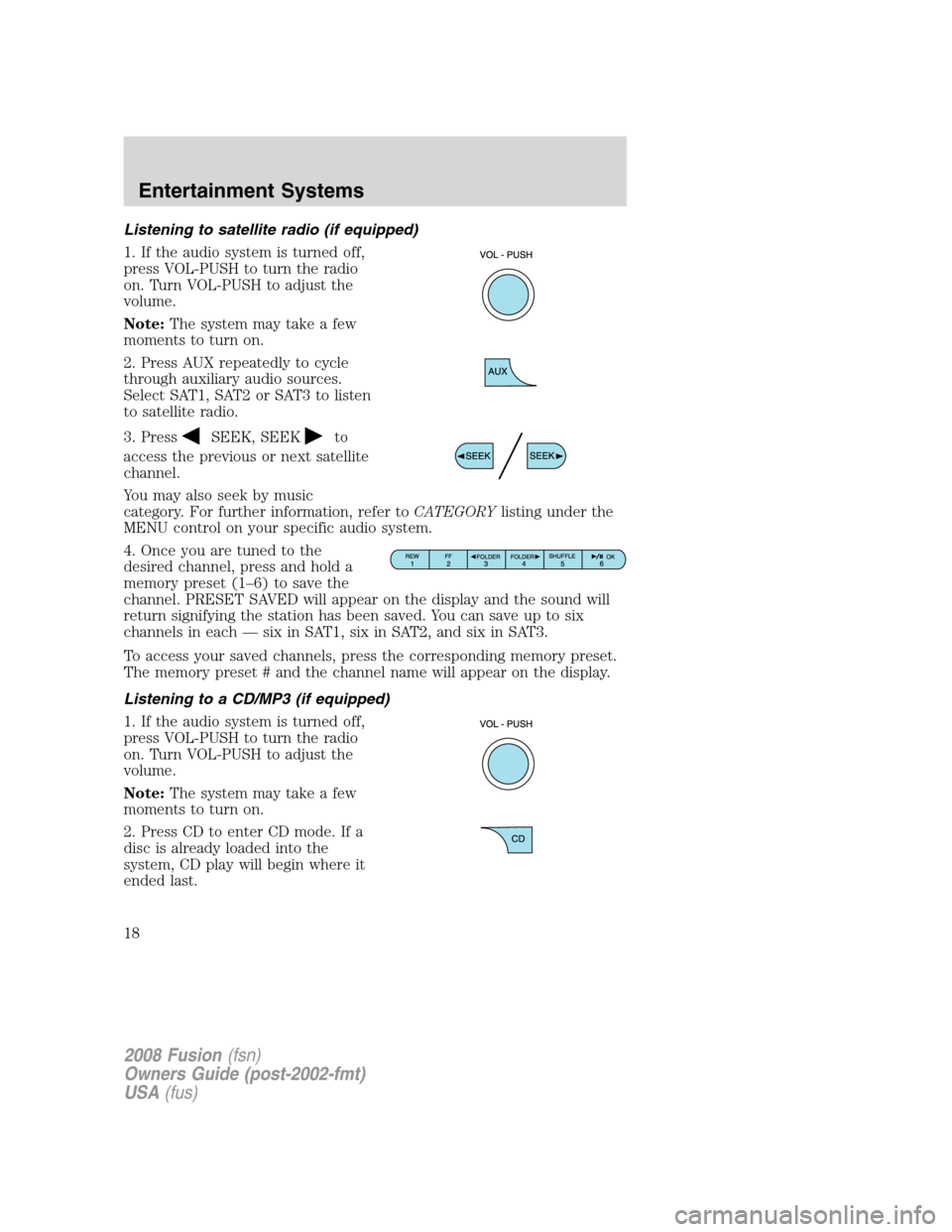
1. If the audio system is turned off,
press VOL-PUSH to turn the radio
on. Turn VOL-PUSH to adjust the
volume.
Note:The system may take a few
moments to turn on.
2. Press AUX repeatedly to cycle
through auxiliary audio sources.
Select SAT1, SAT2 or SAT3 to listen
to satellite radio.
3. Press
SEEK, SEEKto
access the previous or next satellite
channel.
You may also seek by music
category. For further information, refer toCATEGORYlisting under the
MENU control on your specific audio system.
4. Once you are tuned to the
desired channel, press and hold a
memory preset (1–6) to save the
channel. PRESET SAVED will appear on the display and the sound will
return signifying the station has been saved. You can save up to six
channels in each — six in SAT1, six in SAT2, and six in SAT3.
To access your saved channels, press the corresponding memory preset.
The memory preset # and the channel name will appear on the display.
Listening to a CD/MP3 (if equipped)
1. If the audio system is turned off,
press VOL-PUSH to turn the radio
on. Turn VOL-PUSH to adjust the
volume.
Note:The system may take a few
moments to turn on.
2. Press CD to enter CD mode. If a
disc is already loaded into the
system, CD play will begin where it
ended last.
2008 Fusion(fsn)
Owners Guide (post-2002-fmt)
USA(fus)
Entertainment Systems
18
Page 25 of 304
Track/Folder mode:Available only on MP3 discs in CD mode.
In track mode, press
SEEK, SEEKto scroll through all tracks on
the disc
In folder mode, press
SEEK, SEEKto scroll through tracks
within the selected folder.
Press
FOLDER, FOLDERto access the previous/next folder (if
available). Press OK to close and return to the main menu.
COMPRESS (Compression):Available only in CD/MP3 mode. Press
MENU until COMPRESS ON/OFF appears in the display. Use
//
SEEK, SEEKto toggle ON/OFF. When COMPRESS is ON, the
system will bring the soft and loud CD passages together for a more
consistent listening level. Press OK to close and return to the main
menu.
4.AUX:Press repeatedly to cycle
through LINE IN (auxiliary audio
mode), SAT1, SAT2 and SAT3
modes (satellite radio, if equipped) and SYNC (late availability - if
equipped).
For location and further information on auxiliary audio mode, refer to
Auxiliary input jacklater in this chapter.
Satellite radio is available only with a valid SIRIUS radio
subscription. Check with your authorized dealer for availability.
If your vehicle is equipped with SYNC, please refer to theSYNC
supplementfor further information.
5.SEEK:In radio mode,press
/to access the previous/next
strong station.
In CD mode, press
/to
access the previous/next CD track.
In satellite radio mode (if equipped),press
SEEK, SEEKto
seek to the previous/next channel. If a specific category is selected,
(Jazz, Rock, News, etc.), press
SEEK, SEEKto seek to the
previous/next channel in the selected category. Press and hold
SEEK, SEEKto fast seek through the previous /next channels.
In TEXT MODE,press
SEEK, SEEKto view the
previous/additional display text.
2008 Fusion(fsn)
Owners Guide (post-2002-fmt)
USA(fus)
Entertainment Systems
25
Page 33 of 304
Track/Folder mode:Available only on MP3 discs in CD mode.
In track mode, press
SEEK, SEEKto scroll through all tracks on
the disc
In folder mode, press
SEEK, SEEKto scroll through tracks
within the selected folder.
Press
FOLDER, FOLDERto access the previous/next folder (if
available). Press OK to close and return to the main menu.
COMPRESS (Compression):Available only in CD/MP3 mode. Press
MENU until COMPRESS ON/OFF appears in the display. Use
//
SEEK, SEEKto toggle ON/OFF. When COMPRESS is ON, the
system will bring the soft and loud CD passages together for a more
consistent listening level. Press OK to close and return to the main
menu.
ALL SEATS (Occupancy mode):Available on Audiophile audios only.
Use
/to select and optimize sound for ALL SEATS, DRIVERS
SEAT or REAR SEATS. Press OK to close and return to the main menu.
4.AUX:Press repeatedly to cycle
through LINE IN (auxiliary audio
mode), SAT1, SAT2 and SAT3
(satellite radio, if equipped), and SYNC (late availability - if equipped).
To return to radio mode, press AM/FM.
For location and further information on auxiliary audio mode, refer to
Auxiliary input jacklater in this chapter.
Satellite radio is available only with a valid SIRIUS radio
subscription. Check with your authorized dealer for availability.
If your vehicle is equipped with SYNC, please refer to theSYNC
supplementfor further information.
5.Seek: In radio and CD/MP3
mode,press to access the previous
(
) or next () strong station
or track.
In satellite radio mode (if equipped),press
SEEKto seek to
the previous/next channel. If a specific category is selected, (Jazz, Rock,
News, etc.), press
SEEK, SEEKto seek to the previous/next
channel in the selected category. Press and hold
SEEK, SEEKto
fast seek through the previous /next channels.
2008 Fusion(fsn)
Owners Guide (post-2002-fmt)
USA(fus)
Entertainment Systems
33
Page 37 of 304
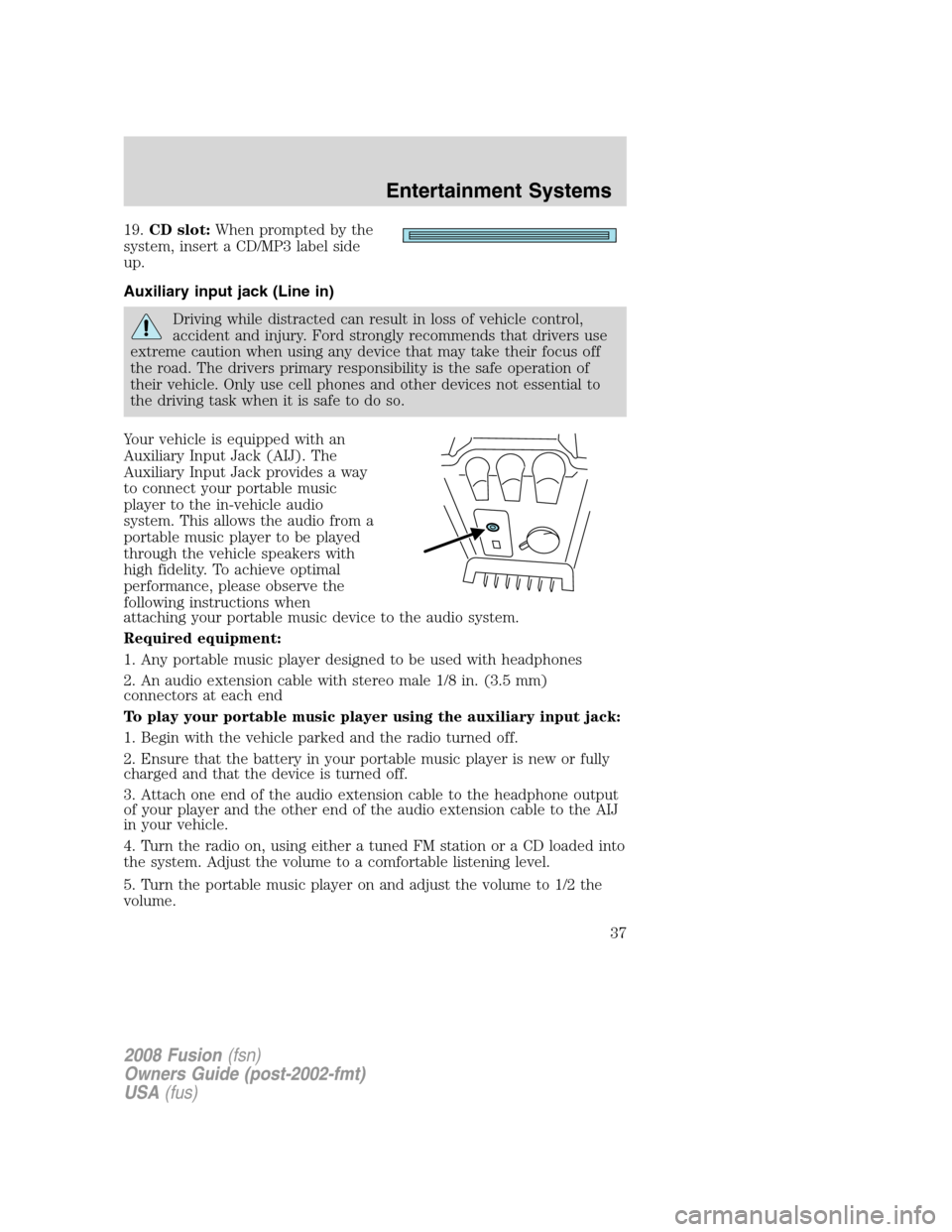
19.CD slot: When prompted by the
system, insert a CD/MP3 label side
up.
Auxiliary input jack (Line in)
Driving while distracted can result in loss of vehicle control,
accident and injury. Ford strongly recommends that drivers use
extreme caution when using any device that may take their focus off
the road. The drivers primary responsibility is the safe operation of
their vehicle. Only use cell phones and other devices not essential to
the driving task when it is safe to do so.
Your vehicle is equipped with an
Auxiliary Input Jack (AIJ). The
Auxiliary Input Jack provides a way
to connect your portable music
player to the in-vehicle audio
system. This allows the audio from a
portable music player to be played
through the vehicle speakers with
high fidelity. To achieve optimal
performance, please observe the
following instructions when
attaching your portable music device to the audio system.
Required equipment:
1. Any portable music player designed to be used with headphones
2. An audio extension cable with stereo male 1/8 in. (3.5 mm)
connectors at each end
To play your portable music player using the auxiliary input jack:
1. Begin with the vehicle parked and the radio turned off.
2. Ensure that the battery in your portable music player is new or fully
charged and that the device is turned off.
3. Attach one end of the audio extension cable to the headphone output
of your player and the other end of the audio extension cable to the AIJ
in your vehicle.
4. Turn the radio on, using either a tuned FM station or a CD loaded into
the system. Adjust the volume to a comfortable listening level.
5. Turn the portable music player on and adjust the volume to 1/2 the
volume.
2008 Fusion (fsn)
Owners Guide (post-2002-fmt)
USA (fus)
Entertainment Systems
37
Page 38 of 304
6. Press AUX on the vehicle radio repeatedly until LINE IN appears in
the display.
You should hear audio from your portable music player, although it may
be low.
7. Adjust the sound on your portable music player until it reaches the
level of the FM station or CD by switching back and forth between the
AUX and FM or CD controls.
Troubleshooting:
1. Do not connect the audio input jack to a line level output. Line level
outputs are intended for connection to a home stereo and are not
compatible with the AIJ. The AIJ will only work correctly with devices
that have a headphone output with a volume control.
2. Do not set the portable music player’s volume level higher than is
necessary to match the volume of the CD or FM radio in your audio
system as this will cause distortion and will reduce sound quality. Many
portable music players have different output levels, so not all players
should be set at the same levels. Some players will sound best at full
volume and others will need to be set at a lower volume.
3. If the music sounds distorted at lower listening levels, turn the
portable music player volume down. If the problems persists, replace or
recharge the batteries in the portable music player.
4. The portable music player must be controlled in the same manner
when it is used with headphones as the AIJ does not provide control
(play, pause, etc.) over the attached portable music player.
5. For safety reasons, connecting or adjusting the settings on your
portable music player should not be attempted while the vehicle is
moving. Also, the portable music player should be stored in a secure
location, such as the center console or the glove box, when the vehicle is
in motion. The audio extension cable must be long enough to allow the
portable music player to be safely stored while the vehicle is in motion.
USB port (if equipped)
Driving while distracted can result in loss of vehicle control,
accident and injury. Ford strongly recommends that drivers use
extreme caution when using any device that may take their focus off
the road. The drivers primary responsibility is the safe operation of
their vehicle. Only use cell phones and other devices not essential to
the driving task when it is safe to do so.
2008 Fusion(fsn)
Owners Guide (post-2002-fmt)
USA(fus)
Entertainment Systems
38
Page 43 of 304
•Terrain: Hills, mountains, tall buildings, bridges, tunnels, freeway
overpasses, parking garages, dense tree foliage and thunderstorms can
interfere with your reception.
•Station overload: When you pass a ground based broadcast repeating
tower, a stronger signal may overtake a weaker one and result in an
audio mute.
Unlike AM/FM audible static, you will hear an audio mute when there is
a satellite radio signal interference. Your radio display may display NO
SIGNAL to indicate the interference.
SIRIUS satellite radio service:SIRIUS Satellite Radio is a subscription
based satellite radio service that broadcasts music, sports, news and
entertainment programming. A service fee is required in order to receive
SIRIUS service. Vehicles that are equipped with a factory installed
SIRIUS Satellite Radio system include:
•Hardware and limited subscription term, which begins on the date of
sale or lease of the vehicle.
•Online media player providing access to all 65 SIRIUS music channels
over the internet (U.S. customers only).
For information on extended subscription terms, contact SIRIUS at
1–888–539–7474.
Note:SIRIUS reserves the unrestricted right to change, rearrange, add
or delete programming including canceling, moving or adding particular
channels, and its prices, at any time, with or without notice to you. Ford
Motor Company shall not be responsible for any such programming
changes.
Satellite Radio Electronic Serial Number (ESN):This 12–digit
Satellite Serial Number is needed to activate, modify or track your
satellite radio account. You will need this number when communicating
with SIRIUS. While in Satellite Radio mode, you can view this number on
the radio display by pressing AUX and Preset 1 control simultaneously.
2008 Fusion(fsn)
Owners Guide (post-2002-fmt)
USA(fus)
Entertainment Systems
43
Page 72 of 304
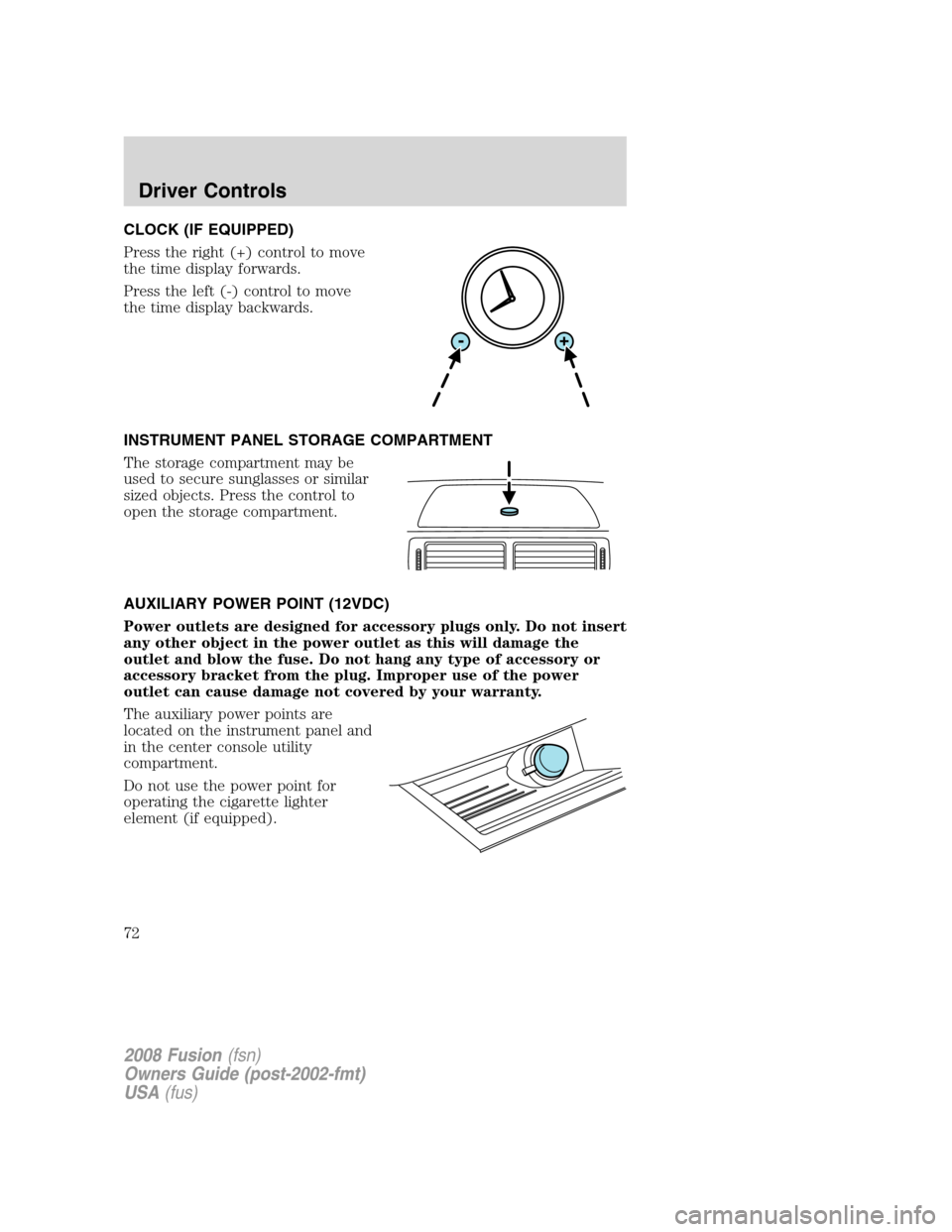
CLOCK (IF EQUIPPED)
Press the right (+) control to move
the time display forwards.
Press the left (-) control to move
the time display backwards.
INSTRUMENT PANEL STORAGE COMPARTMENT
The storage compartment may be
used to secure sunglasses or similar
sized objects. Press the control to
open the storage compartment.
AUXILIARY POWER POINT (12VDC)
Power outlets are designed for accessory plugs only. Do not insert
any other object in the power outlet as this will damage the
outlet and blow the fuse. Do not hang any type of accessory or
accessory bracket from the plug. Improper use of the power
outlet can cause damage not covered by your warranty.
The auxiliary power points are
located on the instrument panel and
in the center console utility
compartment.
Do not use the power point for
operating the cigarette lighter
element (if equipped).
2008 Fusion(fsn)
Owners Guide (post-2002-fmt)
USA(fus)
Driver Controls
72
Page 79 of 304
Turning off speed control
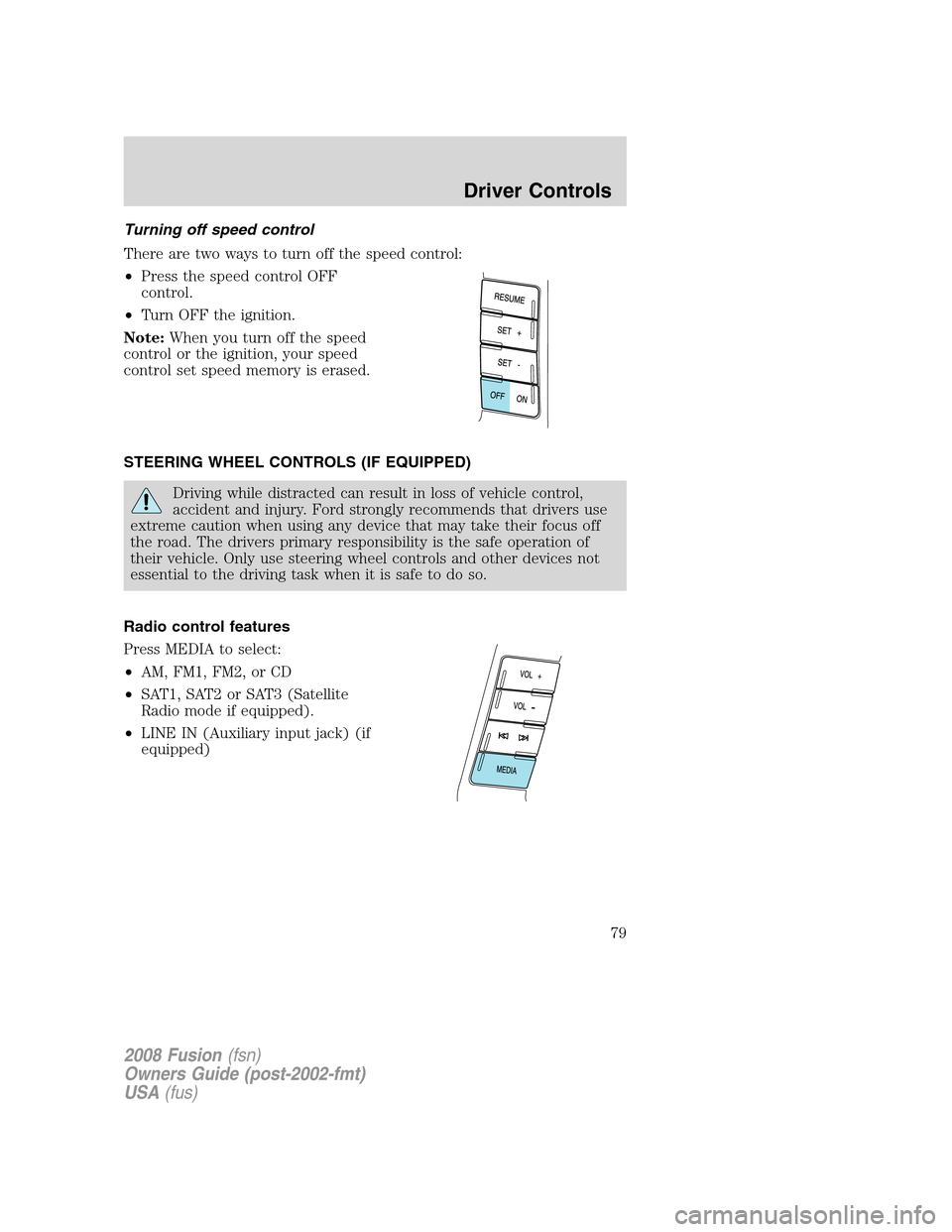
There are two ways to turn off the speed control:
•Press the speed control OFF
control.
•Turn OFF the ignition.
Note:When you turn off the speed
control or the ignition, your speed
control set speed memory is erased.
STEERING WHEEL CONTROLS (IF EQUIPPED)
Driving while distracted can result in loss of vehicle control,
accident and injury. Ford strongly recommends that drivers use
extreme caution when using any device that may take their focus off
the road. The drivers primary responsibility is the safe operation of
their vehicle. Only use steering wheel controls and other devices not
essential to the driving task when it is safe to do so.
Radio control features
Press MEDIA to select:
•AM, FM1, FM2, or CD
•SAT1, SAT2 or SAT3 (Satellite
Radio mode if equipped).
•LINE IN (Auxiliary input jack) (if
equipped)
2008 Fusion(fsn)
Owners Guide (post-2002-fmt)
USA(fus)
Driver Controls
79
Page 250 of 304
2. Block the wheels.
To reduce the risk of vehicle damage and/or personal burn
injuries, do not start your engine with the air cleaner removed
and do not remove it while the engine is running.
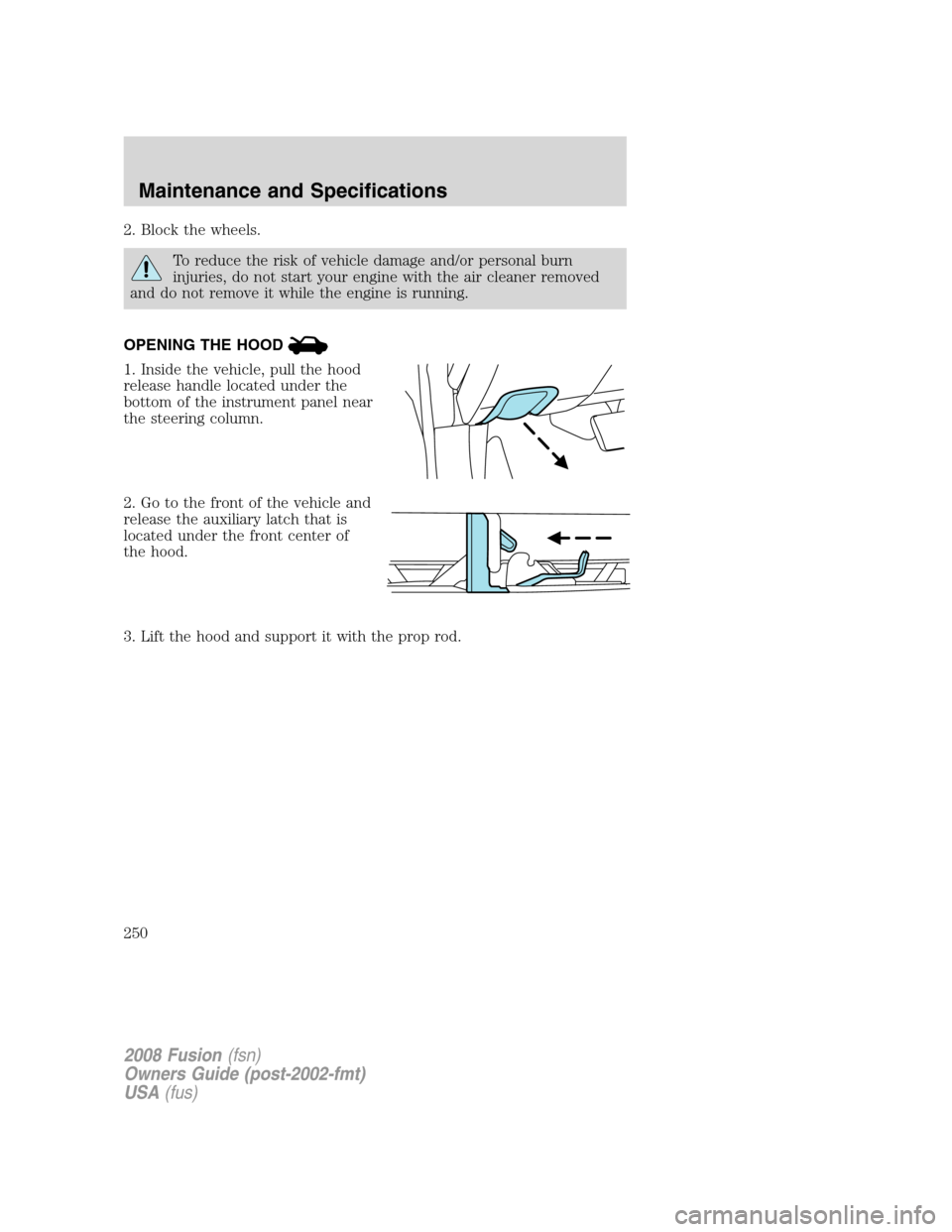
OPENING THE HOOD
1. Inside the vehicle, pull the hood
release handle located under the
bottom of the instrument panel near
the steering column.
2. Go to the front of the vehicle and
release the auxiliary latch that is
located under the front center of
the hood.
3. Lift the hood and support it with the prop rod.
2008 Fusion(fsn)
Owners Guide (post-2002-fmt)
USA(fus)
Maintenance and Specifications
250