battery FORD FUSION (AMERICAS) 2013 2.G Owners Manual
[x] Cancel search | Manufacturer: FORD, Model Year: 2013, Model line: FUSION (AMERICAS), Model: FORD FUSION (AMERICAS) 2013 2.GPages: 458
Page 7 of 458
The Better Business Bureau (BBB) Auto
Line Program (U.S. Only)......................223
Utilizing the Mediation/Arbitration Program (Canada Only)
.......................223
Getting Assistance Outside the U.S. and Canada........................................................224
Ordering Additional Owner's Literature.....................................................225
Reporting Safety Defects (U.S. Only).............................................................225
Reporting Safety Defects (Canada Only).............................................................226
Roadside Emergencies
Roadside Assistance
...................................227
Hazard Warning Flashers..........................228
Fuel Shutoff
...................................................228
Jump-Starting the Vehicle.......................228
Fuses
Changing a Fuse
............................................231
Fuse Specification Chart............................231
Maintenance
General Information
....................................241
Opening and Closing the Hood...............241
Under Hood Overview - 1.6L EcoBoost™................................................243
Under Hood Overview - 2.0L EcoBoost™................................................244
Under Hood Overview - 2.5L...................245
Engine Oil Dipstick - 1.6L EcoBoost™................................................245
Engine Oil Dipstick......................................246
Engine Oil Check..........................................246
Engine Coolant Check................................247
Automatic Transmission Fluid Check...........................................................250
Brake Fluid Check........................................250
Power Steering Fluid Check....................250
Fuel Filter
........................................................250
Washer Fluid Check....................................250 Changing the 12V Battery
..........................251
Checking the Wiper Blades......................252
Changing the Wiper Blades.....................252
Changing the Engine Air Filter.................253
Adjusting the Headlamps
.........................254
Removing a Headlamp..............................255
Changing a Bulb...........................................257
Bulb Specification Chart..........................260
Vehicle Care
General Information
...................................262
Cleaning Products
.......................................262
Cleaning the Exterior..................................262
Repairing Minor Paint Damage
..............263
Waxing
.............................................................263
Cleaning the Engine
...................................264
Cleaning the Windows and Wiper Blades..........................................................264
Cleaning the Interior...................................264
Cleaning the Instrument Panel and Instrument Cluster Lens
.......................265
Cleaning Leather Seats
.............................266
Cleaning the Alloy Wheels.......................266
Vehicle Storage
.............................................267
Wheels and Tires
Tire Care
..........................................................269
Tire Pressure Monitoring System...........283
Using Snow Chains.....................................287
Changing a Road Wheel
...........................288
Technical Specifications...........................292
Capacities and Specific- ations
Engine Specifications
................................293
Motorcraft Parts
..........................................294
Vehicle Identification Number
................295
Vehicle Certification Label
.......................295
Transmission Code Designation
............296
Technical Specifications...........................297
4
Fusion/Mondeo (CC7) Table of Contents
Page 10 of 458
ABOUT THIS MANUAL
Thank you for choosing Ford. We
recommend that you take some time to
get to know your vehicle by reading this
manual. The more that you know about it,
the greater the safety and pleasure you
will get from driving it.
WARNING
Always drive with due care and
attention when using and operating
the controls and features on your
vehicle. Note:
This manual describes product
features and options available throughout
the range, sometimes even before they are
generally available. It may describe options
not fitted to your vehicle.
Note: Some of the illustrations in this
manual may be used for different models,
so may appear different to your vehicle.
However, the essential information in the
illustrations is always correct.
Note: Always use and operate your vehicle
in line with all applicable laws and
regulations.
Note: Pass on this manual when selling
your vehicle. It is an integral part of the
vehicle.
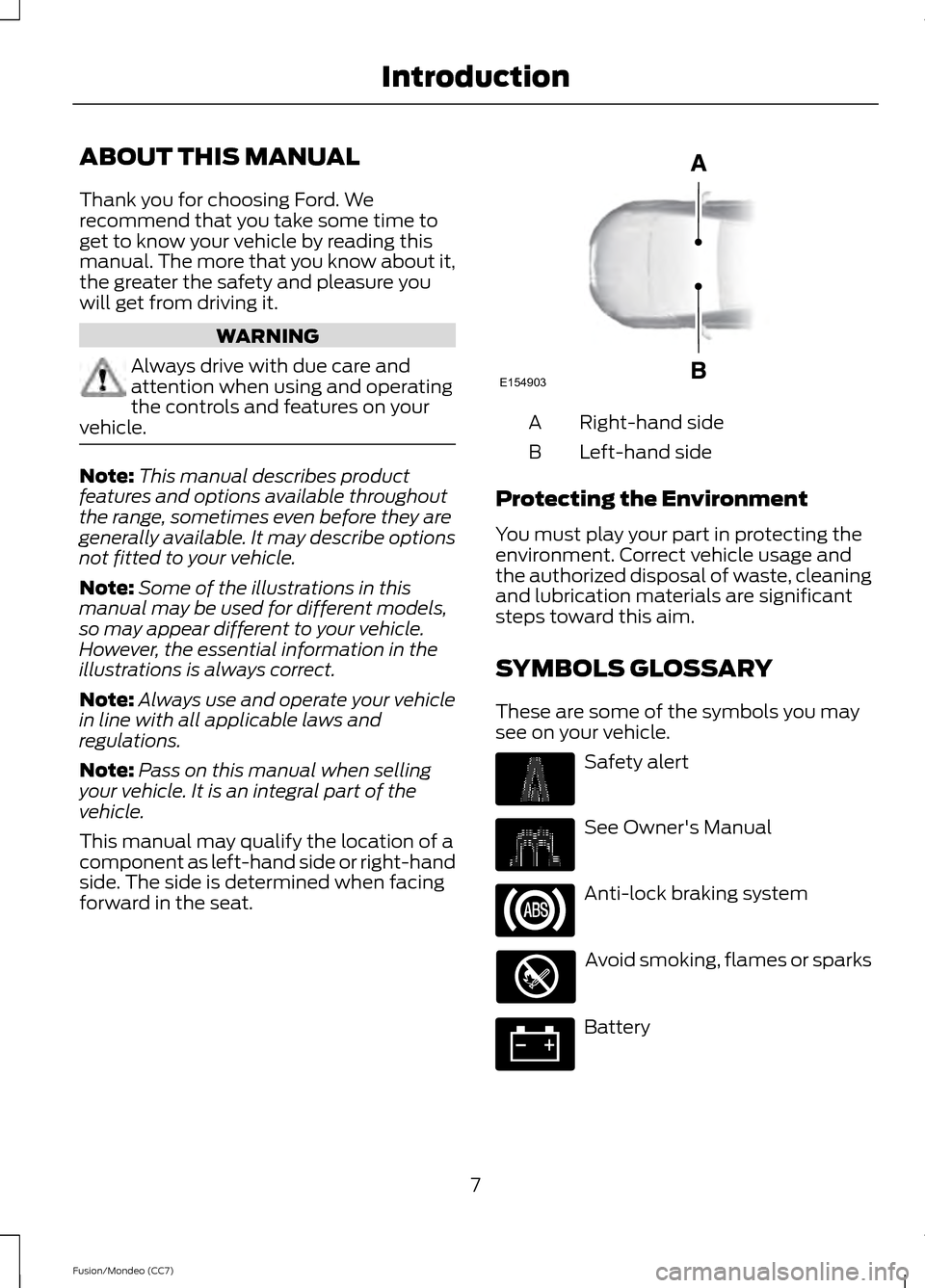
This manual may qualify the location of a
component as left-hand side or right-hand
side. The side is determined when facing
forward in the seat. Right-hand side
A
Left-hand side
B
Protecting the Environment
You must play your part in protecting the
environment. Correct vehicle usage and
the authorized disposal of waste, cleaning
and lubrication materials are significant
steps toward this aim.
SYMBOLS GLOSSARY
These are some of the symbols you may
see on your vehicle. Safety alert
See Owner's Manual
Anti-lock braking system
Avoid smoking, flames or sparks
Battery
7
Fusion/Mondeo (CC7) IntroductionE154903
Page 11 of 458
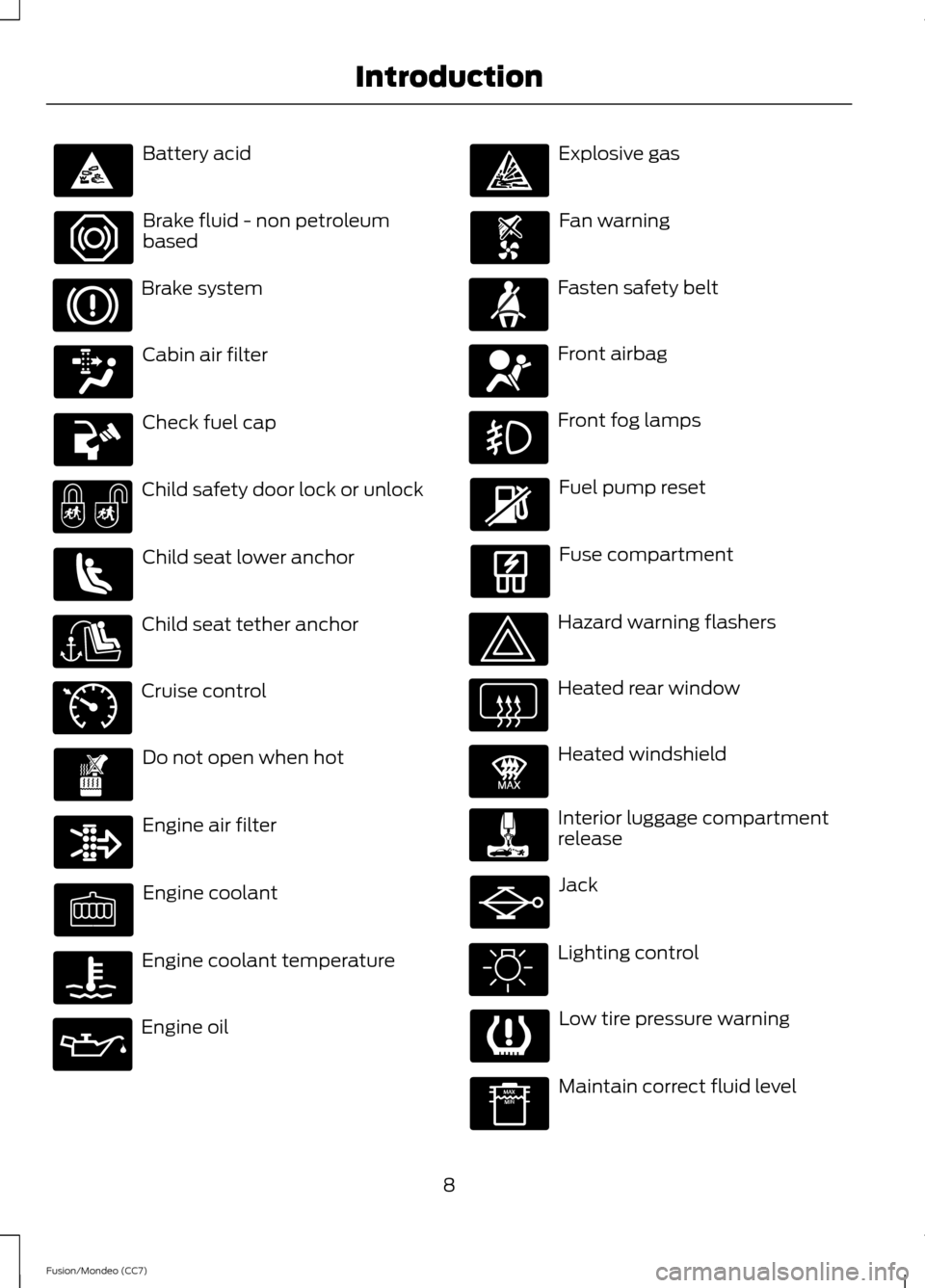
Battery acid
Brake fluid - non petroleum
based
Brake system
Cabin air filter
Check fuel cap
Child safety door lock or unlock
Child seat lower anchor
Child seat tether anchor
Cruise control
Do not open when hot
Engine air filter
Engine coolant
Engine coolant temperature
Engine oil Explosive gas
Fan warning
Fasten safety belt
Front airbag
Front fog lamps
Fuel pump reset
Fuse compartment
Hazard warning flashers
Heated rear window
Heated windshield
Interior luggage compartment
release
Jack
Lighting control
Low tire pressure warning
Maintain correct fluid level
8
Fusion/Mondeo (CC7) Introduction E71340 E91392
Page 45 of 458
GENERAL INFORMATION ON
RADIO FREQUENCIES
This device complies with Part 15 of the
FCC Rules and with Industry Canada
license-exempt RSS standard(s).
Operation is subject to the following two
conditions: (1) This device may not cause
harmful interference, and (2) This device
must accept any interference received,
including interference that may cause
undesired operation.
Note:
Changes or modifications not
expressively approved by the party
responsible for compliance could void the
user's authority to operate the equipment.
The term IC before the radio certification
number only signifies that Industry Canada
technical specifications were met.
The typical operating range for your
transmitter is approximately 33 feet (10
meters). Vehicles with the remote start
feature will have a greater range. One of
the following could cause a decrease in
operating range:
• weather conditions
• nearby radio towers
• structures around the vehicle
• other vehicles parked next to your
vehicle
The radio frequency used by your remote
control can also be used by other short
distance radio transmissions, for example
amateur radios, medical equipment,
wireless headphones, remote controls and
alarm systems. If the frequencies are
jammed, you will not be able to use your
remote control. You can lock and unlock
the doors with the key.
Note: Make sure to lock your vehicle before
leaving it unattended.
Note: If you are in range, the remote control
will operate if you press any button
unintentionally. Intelligent Access
(If Equipped)
The system uses a radio frequency signal
to communicate with your vehicle and
authorize your vehicle to unlock when one
of the following conditions are met:
• You touch the inside of the front
exterior door handle.
• You press the luggage compartment
button.
• You press a button on the transmitter.
If excessive radio frequency interference
is present in the area or if the transmitter
battery is low, you may need to
mechanically unlock your door. You can
use the mechanical key blade in your
intelligent access key to open the driver
door in this situation. See
Remote
Control (page 42).
REMOTE CONTROL
Integrated Keyhead Transmitters
(If Equipped)
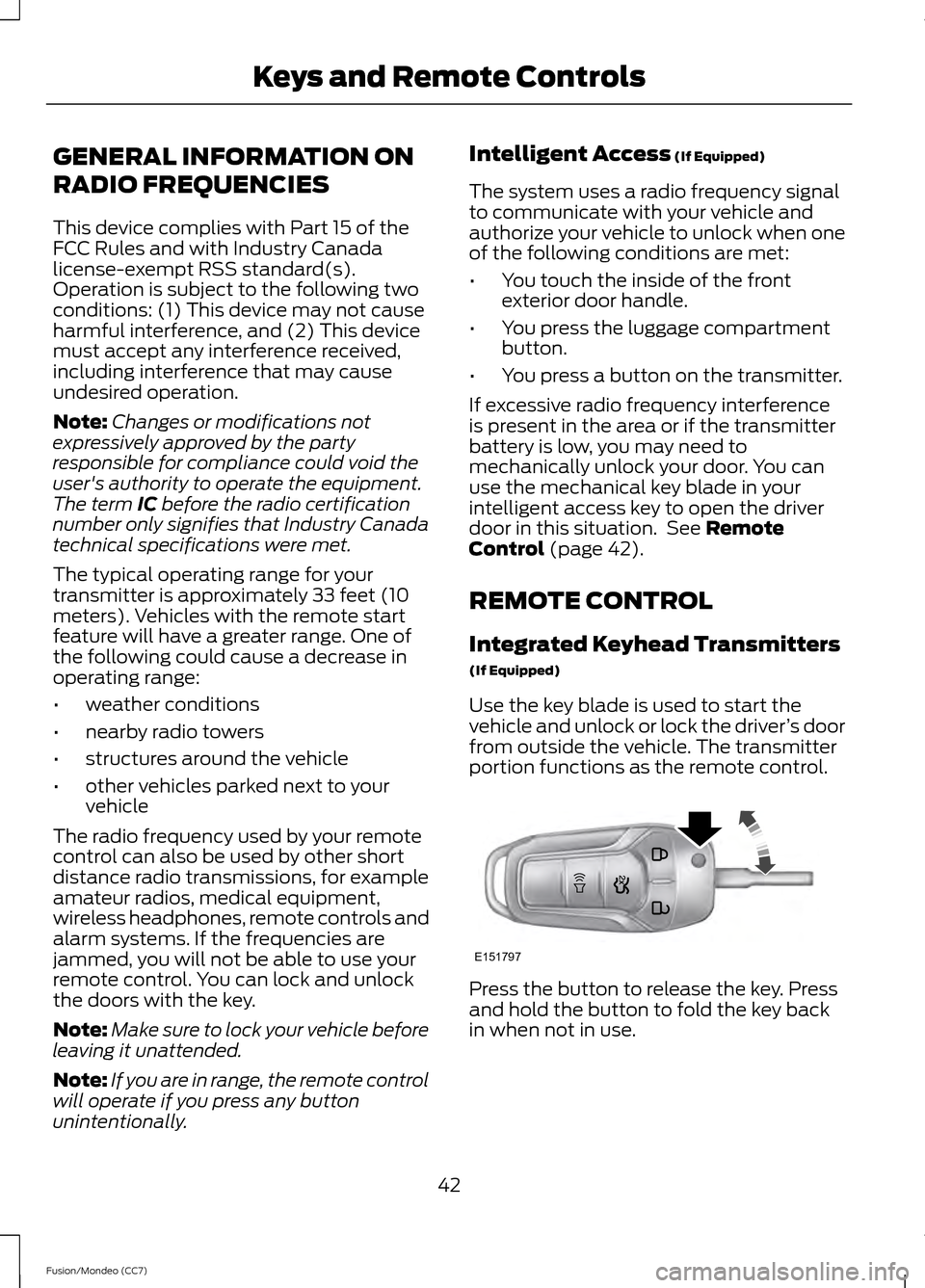
Use the key blade is used to start the
vehicle and unlock or lock the driver ’s door
from outside the vehicle. The transmitter
portion functions as the remote control. Press the button to release the key. Press
and hold the button to fold the key back
in when not in use.
42
Fusion/Mondeo (CC7) Keys and Remote ControlsE151797
Page 47 of 458
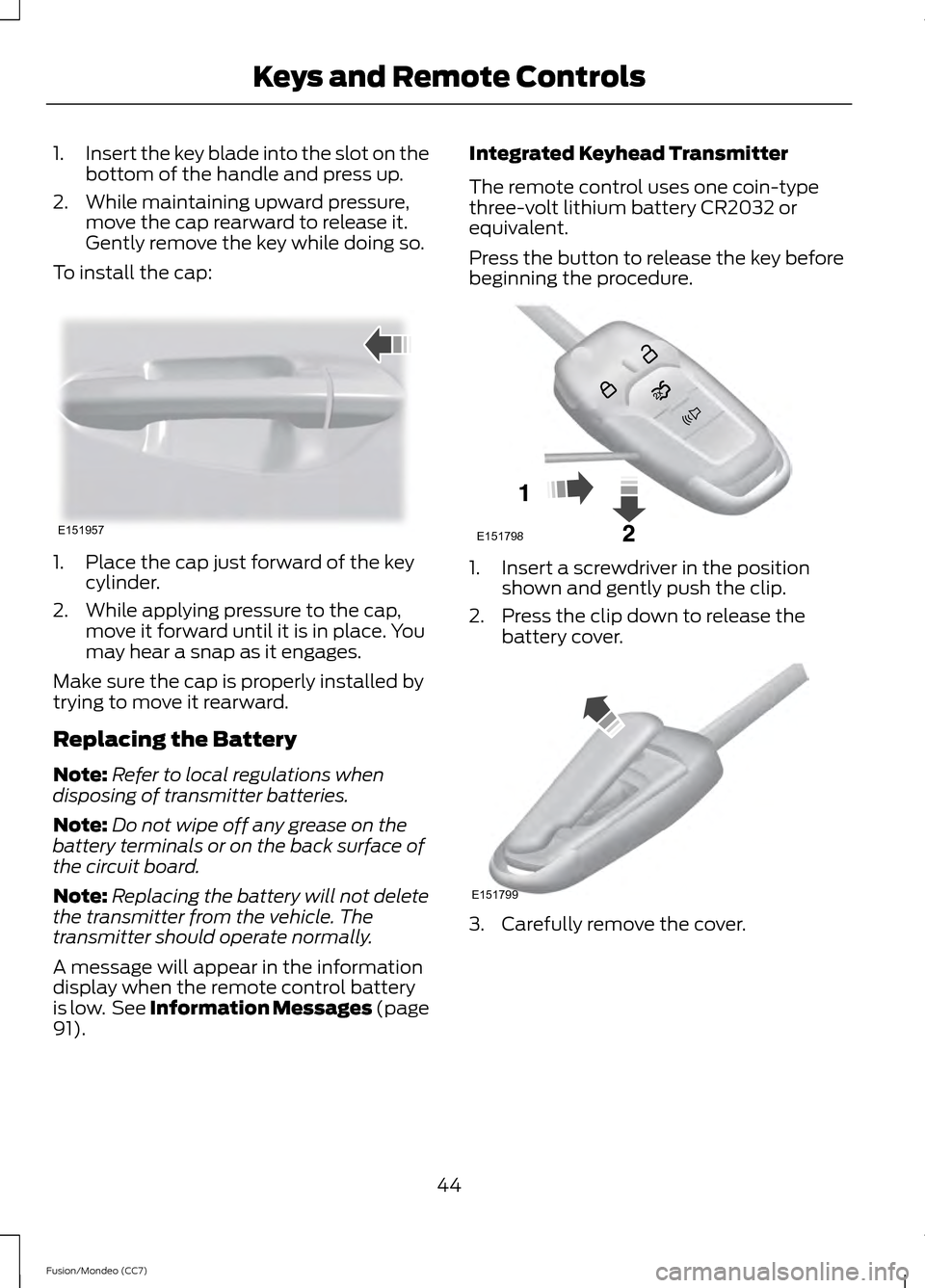
1.
Insert the key blade into the slot on the
bottom of the handle and press up.
2. While maintaining upward pressure, move the cap rearward to release it.
Gently remove the key while doing so.
To install the cap: 1. Place the cap just forward of the key
cylinder.
2. While applying pressure to the cap, move it forward until it is in place. You
may hear a snap as it engages.
Make sure the cap is properly installed by
trying to move it rearward.
Replacing the Battery
Note: Refer to local regulations when
disposing of transmitter batteries.
Note: Do not wipe off any grease on the
battery terminals or on the back surface of
the circuit board.
Note: Replacing the battery will not delete
the transmitter from the vehicle. The
transmitter should operate normally.
A message will appear in the information
display when the remote control battery
is low. See Information Messages (page
91). Integrated Keyhead Transmitter
The remote control uses one coin-type
three-volt lithium battery CR2032 or
equivalent.
Press the button to release the key before
beginning the procedure.
1. Insert a screwdriver in the position
shown and gently push the clip.
2. Press the clip down to release the battery cover. 3. Carefully remove the cover.
44
Fusion/Mondeo (CC7) Keys and Remote ControlsE151957 E151798 E151799
Page 48 of 458
Note:
Do not touch the battery contacts or
the printed circuit board with the
screwdriver.
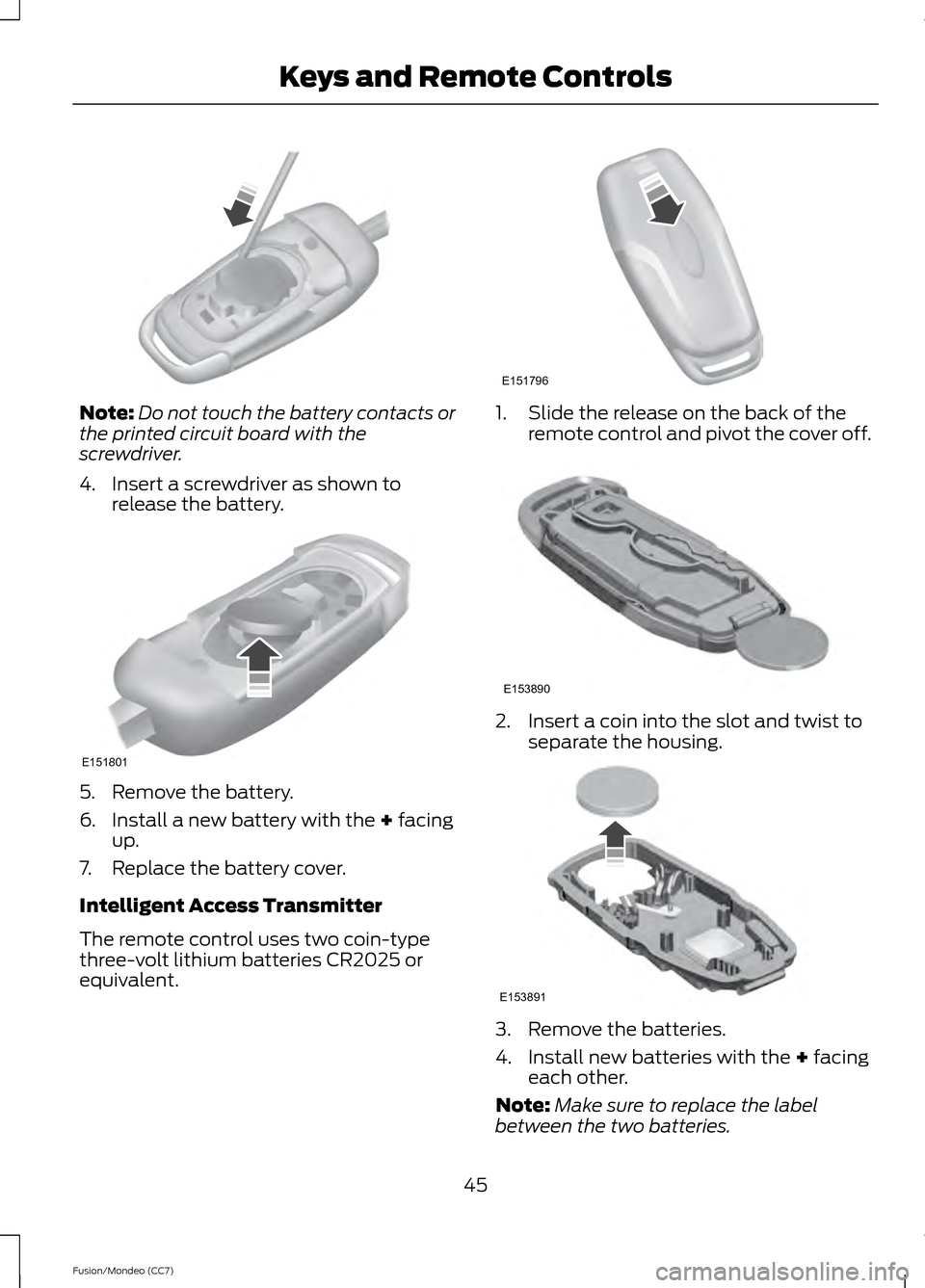
4. Insert a screwdriver as shown to release the battery. 5. Remove the battery.
6. Install a new battery with the + facing
up.
7. Replace the battery cover.
Intelligent Access Transmitter
The remote control uses two coin-type
three-volt lithium batteries CR2025 or
equivalent. 1. Slide the release on the back of the
remote control and pivot the cover off. 2. Insert a coin into the slot and twist to
separate the housing. 3. Remove the batteries.
4. Install new batteries with the
+ facing
each other.
Note: Make sure to replace the label
between the two batteries.
45
Fusion/Mondeo (CC7) Keys and Remote Controls E151801 E151796 E153890 E153891
Page 49 of 458
5. Reinstall the housing and cover.
Car Finder
Press the button twice within
three seconds. The horn will
sound and the turn signals will
flash. It is recommended that this method
be used to locate your vehicle, rather than
using the panic alarm.
Sounding a Panic Alarm
Note: The panic alarm will only operate
when the ignition is off. Press the button to activate the
alarm. Press the button again or
turn the ignition on to deactivate.
Remote Start (If Equipped) WARNING
To avoid exhaust fumes, do not use
remote start if your vehicle is parked
indoors or areas that are not well
ventilated. Note:
Do not use remote start if your vehicle
is low on fuel. The remote start button is on the
transmitter.
This feature allows you to start your
vehicle from outside the vehicle. The
transmitter has an extended operating
range.
Vehicles with automatic climate control
can be configured to operate when the
vehicle is remote started. See
Climate
Control (page 118). A manual climate
control system will run at the setting it was
set to when the vehicle was last turned off. Many states and provinces have
restrictions for the use of remote start.
Check your local and state or provincial
laws for specific requirements regarding
remote start systems.
The remote start system will not work if:
•
the ignition is on
• the alarm system triggered
• you disable the feature
• the hood is open
• the transmission is not in
P
• the vehicle battery voltage is too low
• the service engine soon light is on.
Remote Control Feedback
An LED on the remote control provides
status feedback of remote start or stop
commands. Status
LED
Remote start orextension
successful
Solid green
Remote stop
successful; engine off
Solid red
Remote start orstop failed
Blinking red
Waiting for statusupdate
Blinking green
Remote Starting the Vehicle
Note: Each button press must be done
within three seconds of each other. The
vehicle will not remote start if this sequence
is not followed and the horn will not sound.
46
Fusion/Mondeo (CC7) Keys and Remote ControlsE138623 E138624 E138625
Page 58 of 458
The illuminated entry system will turn off
the lights if:
•
the ignition is on,
• you press the remote control lock
button, or
• after 25 seconds of illumination.
The lights will not turn off if:
• you turn them on with the lamp control,
or
• any door is open.
Illuminated Exit
The interior lamps and select exterior
lamps will illuminate when all doors are
closed, you switch the ignition off and you
remove the key from the ignition
(integrated keyhead transmitter only).
The lamps will turn off if all the doors
remain closed and:
• 25 seconds elapse
• you insert the key in the ignition
(integrated keyhead transmitter only)
• you press the START/STOP button
(intelligent access key only).
Battery Saver
If you leave the courtesy lamps, dome
lamps or headlamps on, the battery saver
will shut them off 10 minutes after you
switch the ignition off.
Accessory Mode Battery Saver for
Intelligent Access Keys (If Equipped)
If you leave your vehicle in the run ignition
state, it will shut off once it detects a
certain amount of battery drain or after 45
minutes. Luggage Compartment
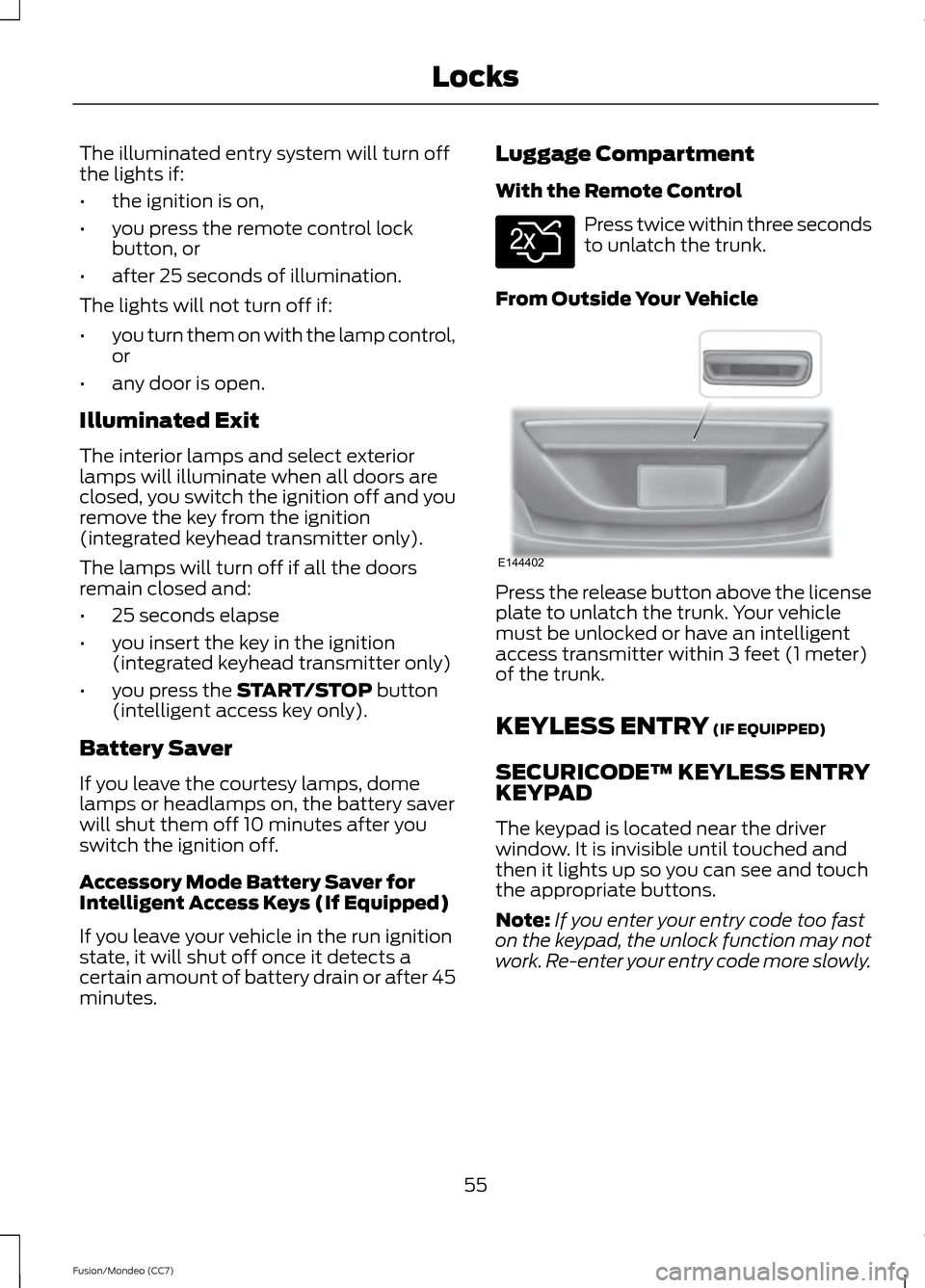
With the Remote Control Press twice within three seconds
to unlatch the trunk.
From Outside Your Vehicle Press the release button above the license
plate to unlatch the trunk. Your vehicle
must be unlocked or have an intelligent
access transmitter within 3 feet (1 meter)
of the trunk.
KEYLESS ENTRY
(IF EQUIPPED)
SECURICODE™ KEYLESS ENTRY
KEYPAD
The keypad is located near the driver
window. It is invisible until touched and
then it lights up so you can see and touch
the appropriate buttons.
Note: If you enter your entry code too fast
on the keypad, the unlock function may not
work. Re-enter your entry code more slowly.
55
Fusion/Mondeo (CC7) LocksE138630 E144402
Page 71 of 458
Note:
If you switch autolamps on in
conjunction with autowipers, low beam
headlamps will illuminate automatically
when the rain sensor activates the
windshield wipers continuously.
INSTRUMENT LIGHTING
DIMMER
Note: If you disconnect the battery or it
becomes discharged, the illuminated
components will switch to the maximum
setting.
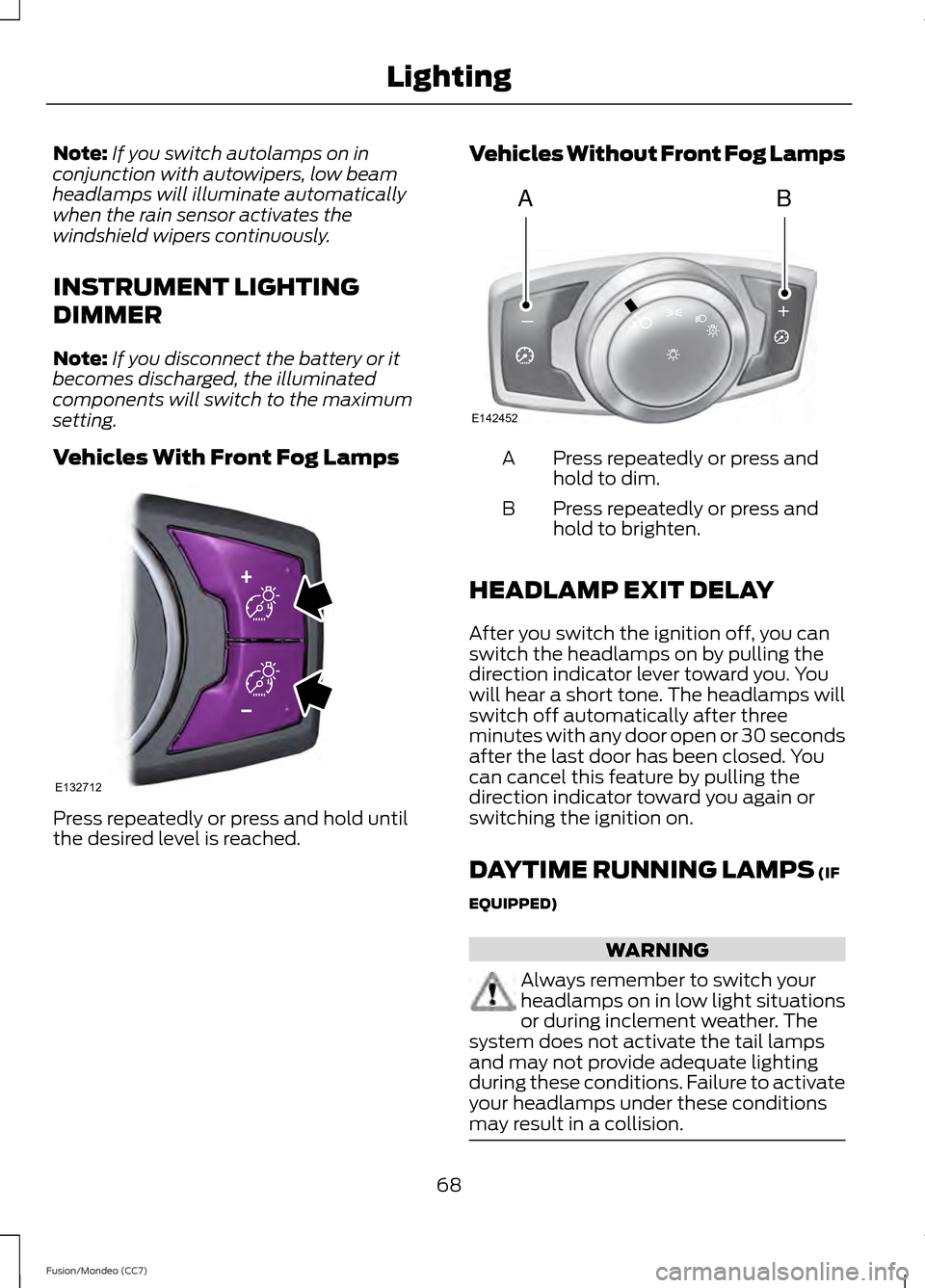
Vehicles With Front Fog Lamps Press repeatedly or press and hold until
the desired level is reached. Vehicles Without Front Fog Lamps Press repeatedly or press and
hold to dim.
A
Press repeatedly or press and
hold to brighten.
B
HEADLAMP EXIT DELAY
After you switch the ignition off, you can
switch the headlamps on by pulling the
direction indicator lever toward you. You
will hear a short tone. The headlamps will
switch off automatically after three
minutes with any door open or 30 seconds
after the last door has been closed. You
can cancel this feature by pulling the
direction indicator toward you again or
switching the ignition on.
DAYTIME RUNNING LAMPS (IF
EQUIPPED) WARNING
Always remember to switch your
headlamps on in low light situations
or during inclement weather. The
system does not activate the tail lamps
and may not provide adequate lighting
during these conditions. Failure to activate
your headlamps under these conditions
may result in a collision. 68
Fusion/Mondeo (CC7) LightingE132712 AB
A
E142452
Page 82 of 458
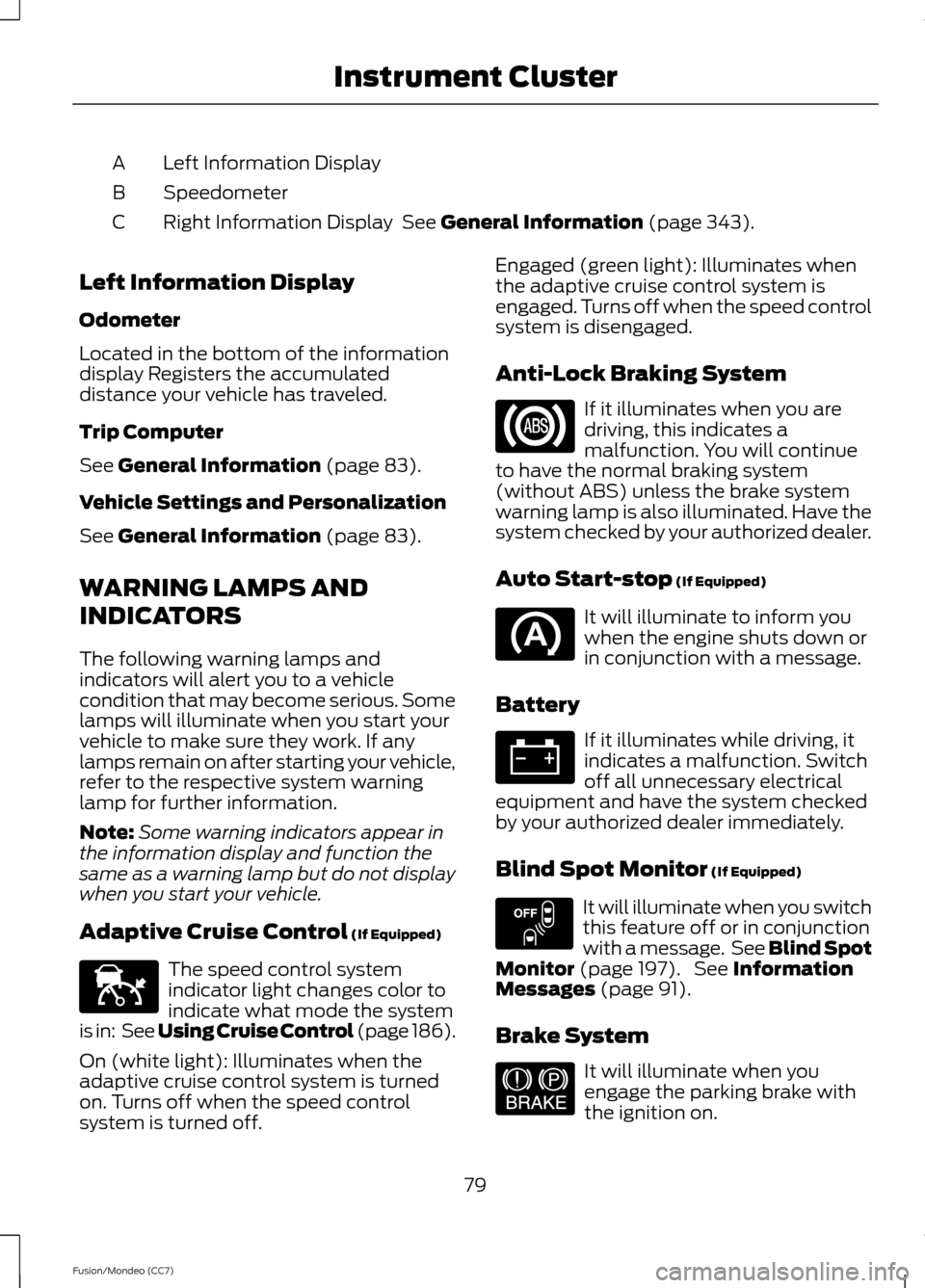
Left Information Display
A
Speedometer
B
Right Information Display See General Information (page 343).
C
Left Information Display
Odometer
Located in the bottom of the information
display Registers the accumulated
distance your vehicle has traveled.
Trip Computer
See
General Information (page 83).
Vehicle Settings and Personalization
See
General Information (page 83).
WARNING LAMPS AND
INDICATORS
The following warning lamps and
indicators will alert you to a vehicle
condition that may become serious. Some
lamps will illuminate when you start your
vehicle to make sure they work. If any
lamps remain on after starting your vehicle,
refer to the respective system warning
lamp for further information.
Note: Some warning indicators appear in
the information display and function the
same as a warning lamp but do not display
when you start your vehicle.
Adaptive Cruise Control
(If Equipped) The speed control system
indicator light changes color to
indicate what mode the system
is in: See Using Cruise Control (page 186).
On (white light): Illuminates when the
adaptive cruise control system is turned
on. Turns off when the speed control
system is turned off. Engaged (green light): Illuminates when
the adaptive cruise control system is
engaged. Turns off when the speed control
system is disengaged.
Anti-Lock Braking System
If it illuminates when you are
driving, this indicates a
malfunction. You will continue
to have the normal braking system
(without ABS) unless the brake system
warning lamp is also illuminated. Have the
system checked by your authorized dealer.
Auto Start-stop
(If Equipped) It will illuminate to inform you
when the engine shuts down or
in conjunction with a message.
Battery If it illuminates while driving, it
indicates a malfunction. Switch
off all unnecessary electrical
equipment and have the system checked
by your authorized dealer immediately.
Blind Spot Monitor
(If Equipped) It will illuminate when you switch
this feature off or in conjunction
with a message. See Blind Spot
Monitor
(page 197). See Information
Messages (page 91).
Brake System It will illuminate when you
engage the parking brake with
the ignition on.
79
Fusion/Mondeo (CC7) Instrument ClusterE144524 E151262 E144522