light FORD FUSION ENERGI 2017 Owners Manual
[x] Cancel search | Manufacturer: FORD, Model Year: 2017, Model line: FUSION ENERGI, Model: FORD FUSION ENERGI 2017Pages: 526, PDF Size: 7.89 MB
Page 435 of 526
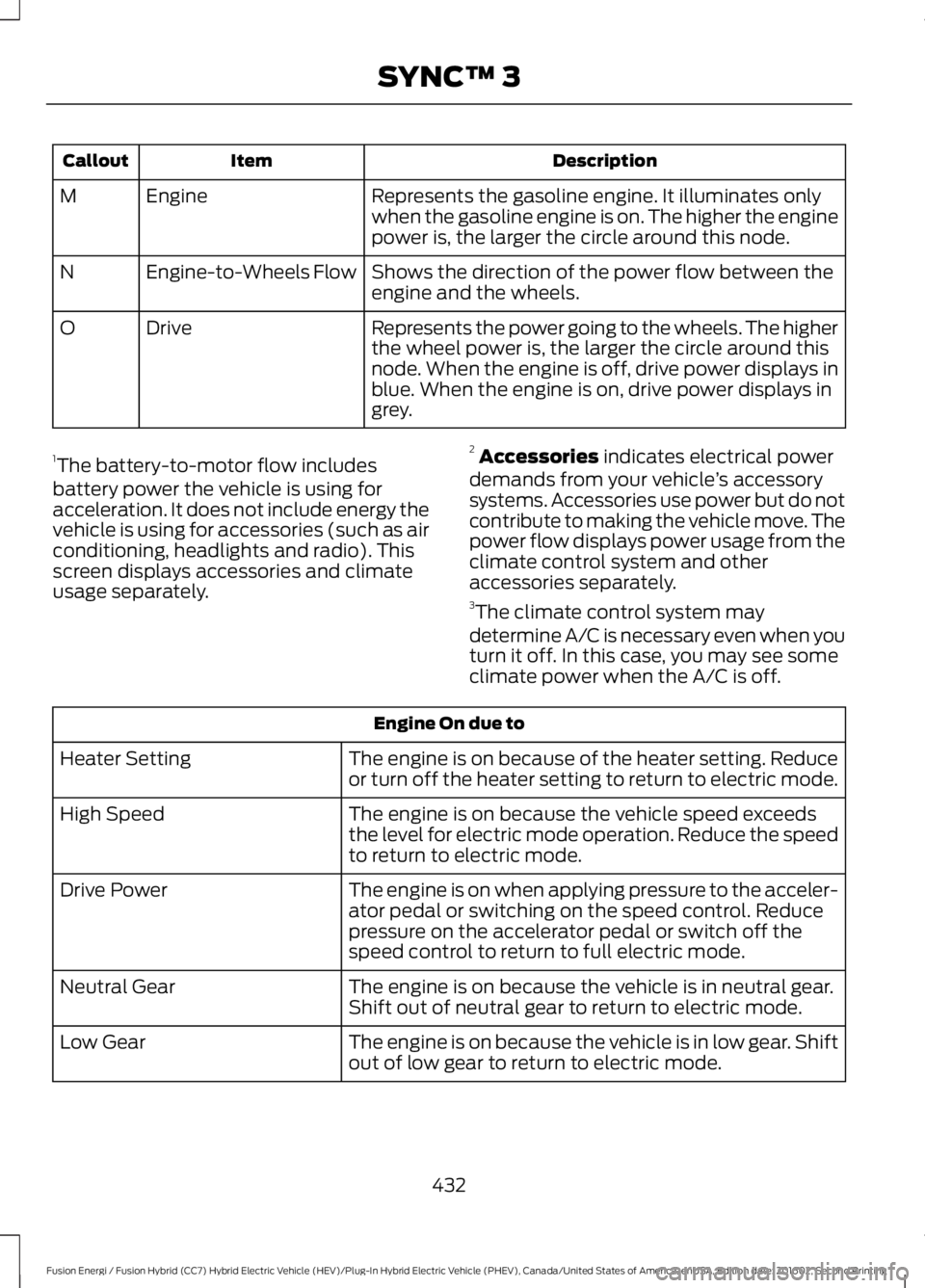
DescriptionItemCallout
Represents the gasoline engine. It illuminates onlywhen the gasoline engine is on. The higher the enginepower is, the larger the circle around this node.
EngineM
Shows the direction of the power flow between theengine and the wheels.Engine-to-Wheels FlowN
Represents the power going to the wheels. The higherthe wheel power is, the larger the circle around thisnode. When the engine is off, drive power displays inblue. When the engine is on, drive power displays ingrey.
DriveO
1The battery-to-motor flow includesbattery power the vehicle is using foracceleration. It does not include energy thevehicle is using for accessories (such as airconditioning, headlights and radio). Thisscreen displays accessories and climateusage separately.
2Accessories indicates electrical powerdemands from your vehicle’s accessorysystems. Accessories use power but do notcontribute to making the vehicle move. Thepower flow displays power usage from theclimate control system and otheraccessories separately.3The climate control system may
determine A/C is necessary even when youturn it off. In this case, you may see someclimate power when the A/C is off.
Engine On due to
The engine is on because of the heater setting. Reduceor turn off the heater setting to return to electric mode.Heater Setting
The engine is on because the vehicle speed exceedsthe level for electric mode operation. Reduce the speedto return to electric mode.
High Speed
The engine is on when applying pressure to the acceler-ator pedal or switching on the speed control. Reducepressure on the accelerator pedal or switch off thespeed control to return to full electric mode.
Drive Power
The engine is on because the vehicle is in neutral gear.Shift out of neutral gear to return to electric mode.Neutral Gear
The engine is on because the vehicle is in low gear. Shiftout of low gear to return to electric mode.Low Gear
432
Fusion Energi / Fusion Hybrid (CC7) Hybrid Electric Vehicle (HEV)/Plug-In Hybrid Electric Vehicle (PHEV), Canada/United States of America, enUSA, Edition date: 201602, Second Printing
SYNC™ 3
Page 449 of 526
Menu Item
Information pertaining tothe system and its soft-ware.
About
Documentation of thesoftware license for thesystem.
Software Licenses
Select to restore factorydefaults. This erases allpersonal settings andpersonal data.
Master Reset
Wi-Fi
You can adjust the following:
Action and DescriptionMenu Item
Enable this option to connect to Wi-Fi for SYNC 3 vehicle softwareupdates.Wi-Fi
This provides you with a list of available Wi-Fi networks within range.View AvailableNetworksClicking on a network from the list allows you to connect or disconnectfrom that network. The system may require a security code toconnect.
When you click the information button next to a network, moreinformation about the network displays such as the signal strength,connection status and security type.
The system alerts you when your vehicle is parked and a Wi-Finetwork is within range if SYNC is not already connected.Wi-Fi AvailableNotifications
Ambient Lighting (If Equipped)
Tap a color once to active ambient lighting.This sets the color to the highest intensity.
You can drag the colors up and down toincrease or decrease the intensity.
To switch ambient lighting off, press theactive color once or drag the active colorall the way down to zero intensity.
Vehicle
Note:You vehicle may not have all of thesefeatures.
You can select the following features toupdate their settings.
446
Fusion Energi / Fusion Hybrid (CC7) Hybrid Electric Vehicle (HEV)/Plug-In Hybrid Electric Vehicle (PHEV), Canada/United States of America, enUSA, Edition date: 201602, Second Printing
SYNC™ 3
Page 450 of 526
Door Keypad Code
Select this button to add or erase apersonal door keypad code. To add orerase a personal code, you first need to
enter the five-digit factory set code. Youcan find this code on the owner's walletcard in the glove box or from yourauthorized dealer.
Camera Settings
To make adjustments using the touchscreen, select:
Action and DescriptionMessage
Camera Settings
Then select from the following:
You can enable or disable this option using the slider.Rear CameraDelay
You can find more information on the rear-view camera system in the parking aids chapterof your owner manual.
Onboard Modem Serial Number (ESN)
Selecting this button on the settings menushows you the ESN number for yoursystem. You need this number for certainregistrations such as Satellite Radio.
Charge Port Light (If Equipped)
To make adjustments using the touchscreen, select:
Action and DescriptionMenu Item
Charge Port Light
You can then select:
Illuminates when plugging in, opening doors, pressing theunlock button on your remote and while charging.On
Does not illuminate.Off
Illuminates only when plugging in, opening doors, orpressing the unlock button on your remote.Limited
Note:Details on the charge port lightfunctions are in another chapter. See HighVoltage Battery (page 162).
447
Fusion Energi / Fusion Hybrid (CC7) Hybrid Electric Vehicle (HEV)/Plug-In Hybrid Electric Vehicle (PHEV), Canada/United States of America, enUSA, Edition date: 201602, Second Printing
SYNC™ 3
Page 451 of 526
Display
To make adjustments using the touchscreen, select:
Action and DescriptionMenu Item
Make the screen display brighter or dimmer.Brightness
You can select:Mode
The screen automatically switches between day andnight modes based on the outside light level.Auto
The screen displays with a light background to enhancedaytime viewing.Day
The screen displays with a darker background to makenighttime viewing easier.Night
The screen goes black and does not display anything.To switch the screen back on, simply tap the screen.Off
Voice Control
You can adjust the voice control settingsby selecting the following options.
Menu Item
Enable this option to removeadditional voice promptsand confirmations.
Advanced Mode
Enable this option to havethe system confirm acontacts name with youbefore making a call.
Phone Confirmation
Enable this option to havethe system display a list ofavailable voice commandswhen the voice button ispressed.
Voice Command List
Valet Mode
Valet mode allows you to lock the system.No information is accessible until thesystem is unlocked with the correct PIN.
448
Fusion Energi / Fusion Hybrid (CC7) Hybrid Electric Vehicle (HEV)/Plug-In Hybrid Electric Vehicle (PHEV), Canada/United States of America, enUSA, Edition date: 201602, Second Printing
SYNC™ 3
Page 452 of 526
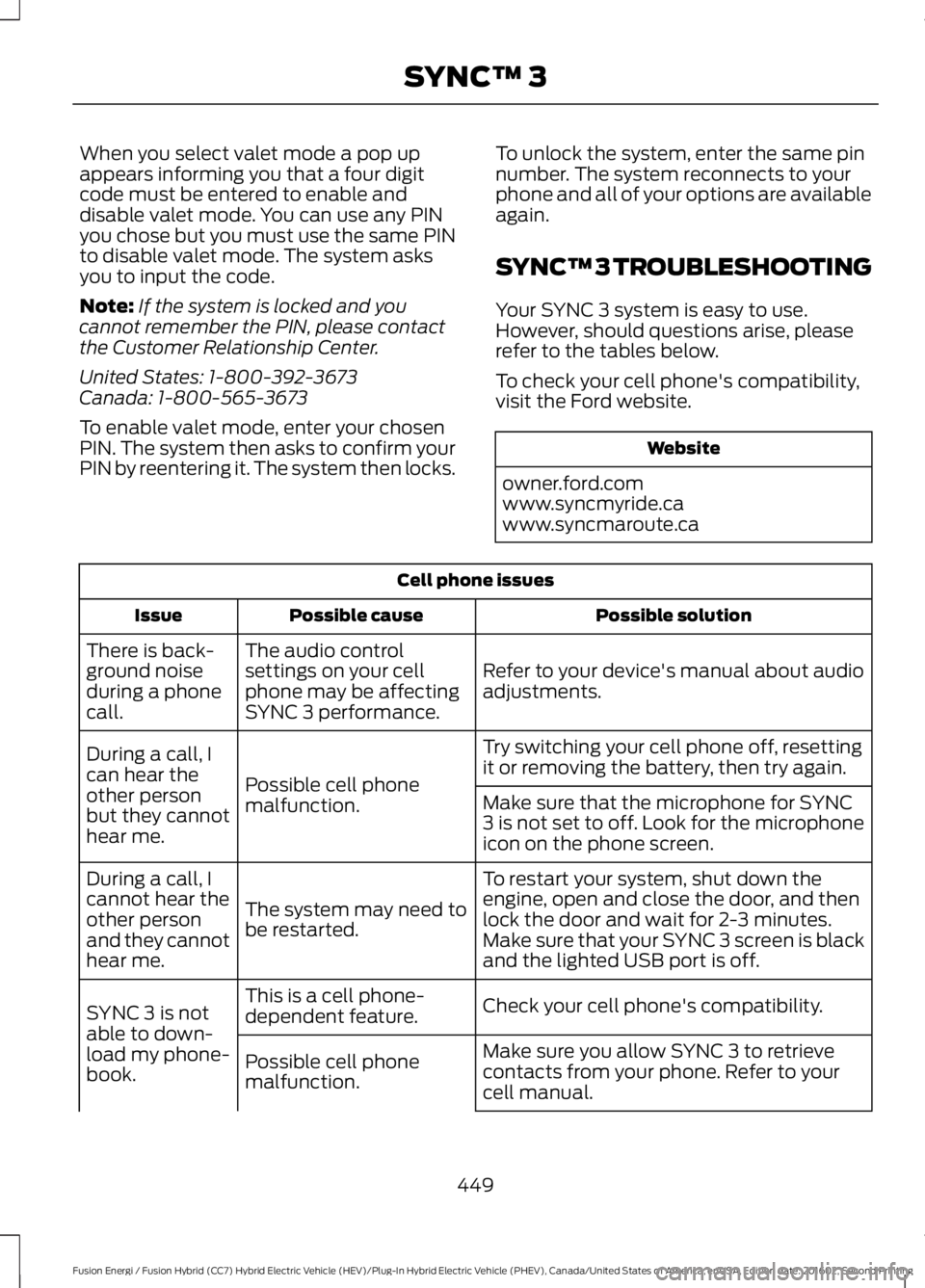
When you select valet mode a pop upappears informing you that a four digitcode must be entered to enable anddisable valet mode. You can use any PINyou chose but you must use the same PINto disable valet mode. The system asksyou to input the code.
Note:If the system is locked and youcannot remember the PIN, please contactthe Customer Relationship Center.
United States: 1-800-392-3673Canada: 1-800-565-3673
To enable valet mode, enter your chosenPIN. The system then asks to confirm yourPIN by reentering it. The system then locks.
To unlock the system, enter the same pinnumber. The system reconnects to yourphone and all of your options are availableagain.
SYNC™ 3 TROUBLESHOOTING
Your SYNC 3 system is easy to use.However, should questions arise, pleaserefer to the tables below.
To check your cell phone's compatibility,visit the Ford website.
Website
owner.ford.comwww.syncmyride.cawww.syncmaroute.ca
Cell phone issues
Possible solutionPossible causeIssue
Refer to your device's manual about audioadjustments.
The audio controlsettings on your cellphone may be affectingSYNC 3 performance.
There is back-ground noiseduring a phonecall.
Try switching your cell phone off, resettingit or removing the battery, then try again.Possible cell phonemalfunction.
During a call, Ican hear theother personbut they cannothear me.
Make sure that the microphone for SYNC3 is not set to off. Look for the microphoneicon on the phone screen.
To restart your system, shut down theengine, open and close the door, and thenlock the door and wait for 2-3 minutes.Make sure that your SYNC 3 screen is blackand the lighted USB port is off.
The system may need tobe restarted.
During a call, Icannot hear theother personand they cannothear me.
Check your cell phone's compatibility.This is a cell phone-dependent feature.SYNC 3 is notable to down-load my phone-book.
Make sure you allow SYNC 3 to retrievecontacts from your phone. Refer to yourcell manual.
Possible cell phonemalfunction.
449
Fusion Energi / Fusion Hybrid (CC7) Hybrid Electric Vehicle (HEV)/Plug-In Hybrid Electric Vehicle (PHEV), Canada/United States of America, enUSA, Edition date: 201602, Second Printing
SYNC™ 3
Page 464 of 526
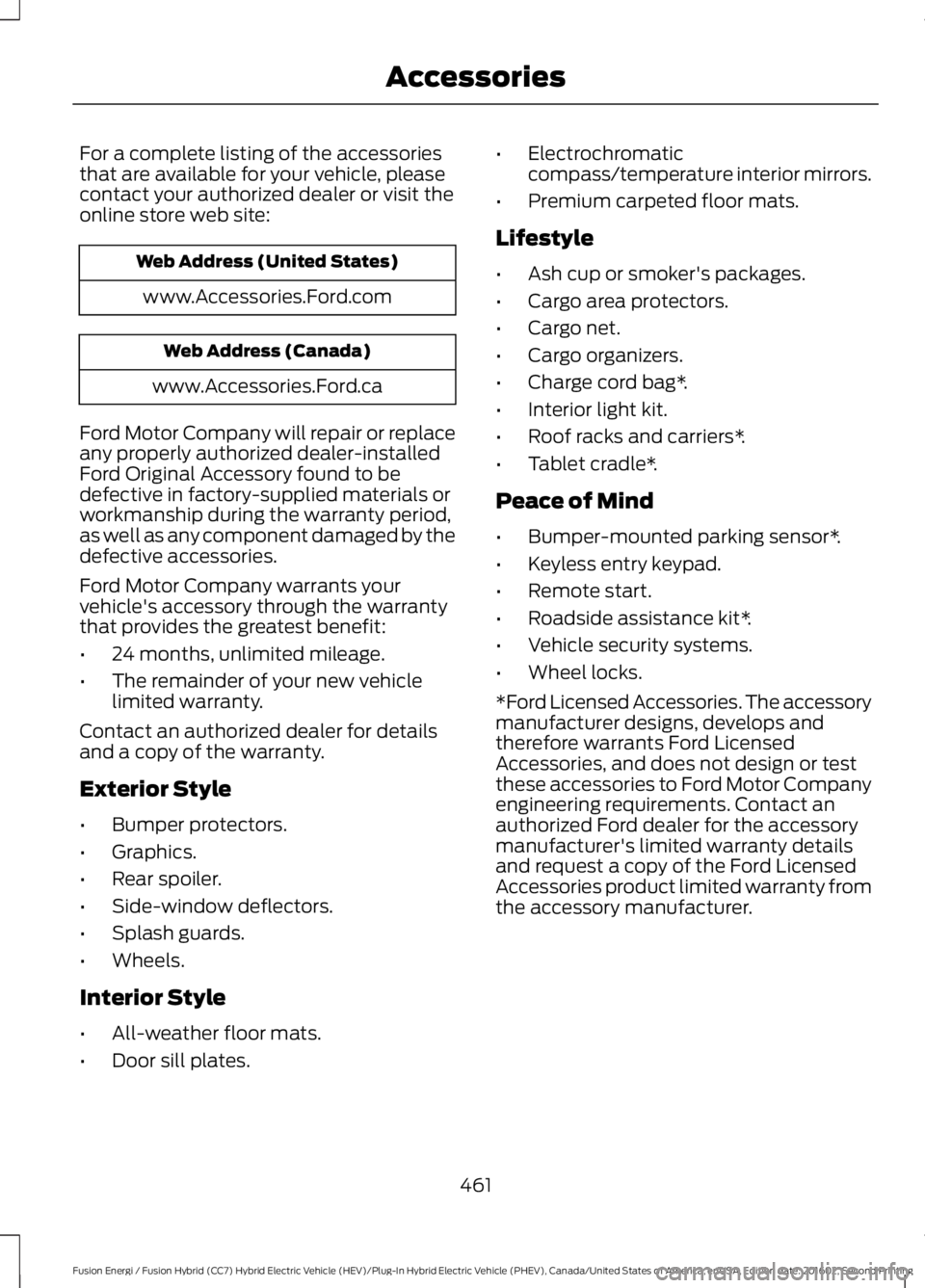
For a complete listing of the accessoriesthat are available for your vehicle, pleasecontact your authorized dealer or visit theonline store web site:
Web Address (United States)
www.Accessories.Ford.com
Web Address (Canada)
www.Accessories.Ford.ca
Ford Motor Company will repair or replaceany properly authorized dealer-installedFord Original Accessory found to bedefective in factory-supplied materials orworkmanship during the warranty period,as well as any component damaged by thedefective accessories.
Ford Motor Company warrants yourvehicle's accessory through the warrantythat provides the greatest benefit:
•24 months, unlimited mileage.
•The remainder of your new vehiclelimited warranty.
Contact an authorized dealer for detailsand a copy of the warranty.
Exterior Style
•Bumper protectors.
•Graphics.
•Rear spoiler.
•Side-window deflectors.
•Splash guards.
•Wheels.
Interior Style
•All-weather floor mats.
•Door sill plates.
•Electrochromaticcompass/temperature interior mirrors.
•Premium carpeted floor mats.
Lifestyle
•Ash cup or smoker's packages.
•Cargo area protectors.
•Cargo net.
•Cargo organizers.
•Charge cord bag*.
•Interior light kit.
•Roof racks and carriers*.
•Tablet cradle*.
Peace of Mind
•Bumper-mounted parking sensor*.
•Keyless entry keypad.
•Remote start.
•Roadside assistance kit*.
•Vehicle security systems.
•Wheel locks.
*Ford Licensed Accessories. The accessorymanufacturer designs, develops andtherefore warrants Ford LicensedAccessories, and does not design or testthese accessories to Ford Motor Companyengineering requirements. Contact anauthorized Ford dealer for the accessorymanufacturer's limited warranty detailsand request a copy of the Ford LicensedAccessories product limited warranty fromthe accessory manufacturer.
461
Fusion Energi / Fusion Hybrid (CC7) Hybrid Electric Vehicle (HEV)/Plug-In Hybrid Electric Vehicle (PHEV), Canada/United States of America, enUSA, Edition date: 201602, Second Printing
Accessories
Page 472 of 526
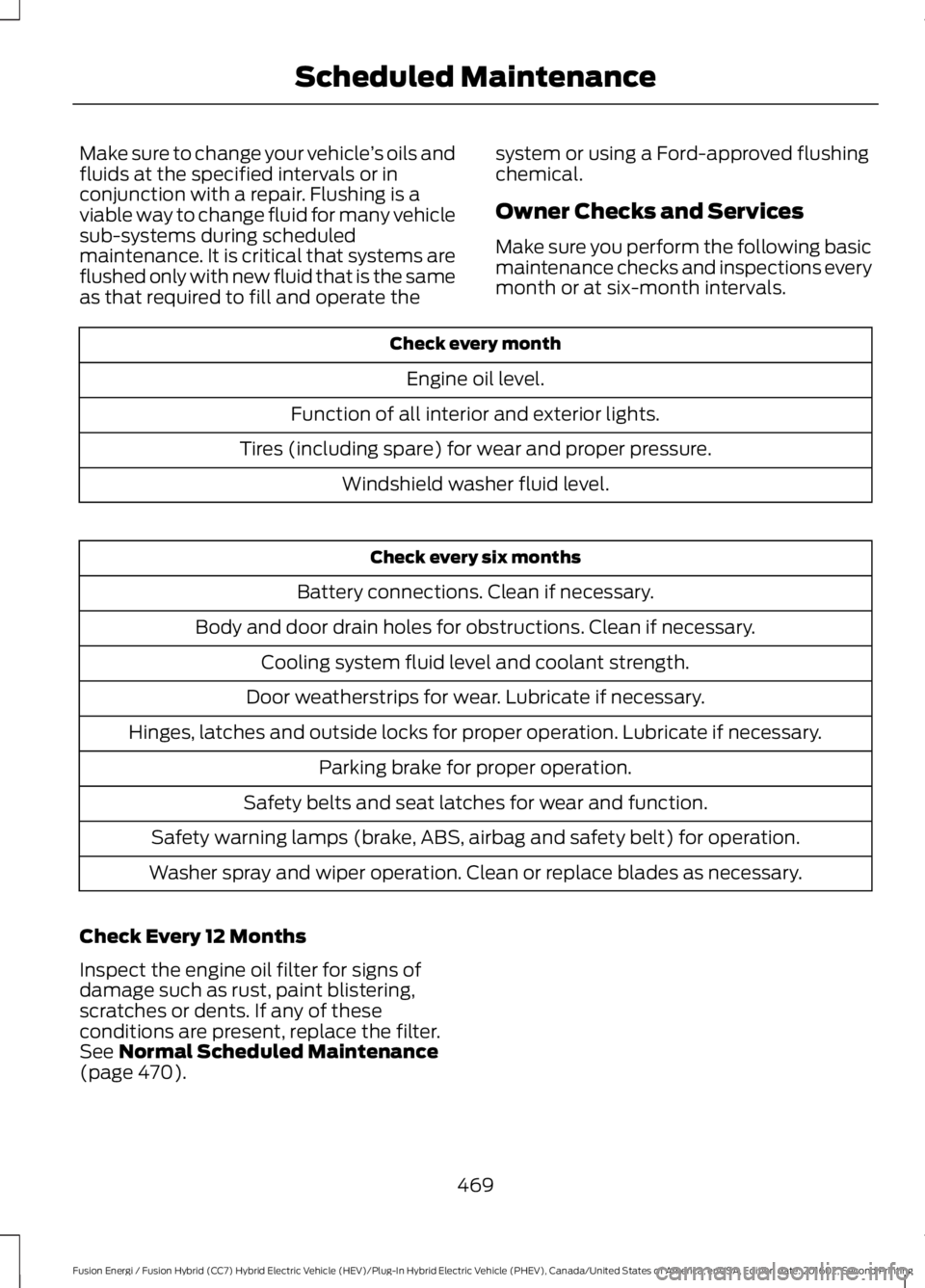
Make sure to change your vehicle’s oils andfluids at the specified intervals or inconjunction with a repair. Flushing is aviable way to change fluid for many vehiclesub-systems during scheduledmaintenance. It is critical that systems areflushed only with new fluid that is the sameas that required to fill and operate the
system or using a Ford-approved flushingchemical.
Owner Checks and Services
Make sure you perform the following basicmaintenance checks and inspections everymonth or at six-month intervals.
Check every month
Engine oil level.
Function of all interior and exterior lights.
Tires (including spare) for wear and proper pressure.
Windshield washer fluid level.
Check every six months
Battery connections. Clean if necessary.
Body and door drain holes for obstructions. Clean if necessary.
Cooling system fluid level and coolant strength.
Door weatherstrips for wear. Lubricate if necessary.
Hinges, latches and outside locks for proper operation. Lubricate if necessary.
Parking brake for proper operation.
Safety belts and seat latches for wear and function.
Safety warning lamps (brake, ABS, airbag and safety belt) for operation.
Washer spray and wiper operation. Clean or replace blades as necessary.
Check Every 12 Months
Inspect the engine oil filter for signs ofdamage such as rust, paint blistering,scratches or dents. If any of theseconditions are present, replace the filter.See Normal Scheduled Maintenance(page 470).
469
Fusion Energi / Fusion Hybrid (CC7) Hybrid Electric Vehicle (HEV)/Plug-In Hybrid Electric Vehicle (PHEV), Canada/United States of America, enUSA, Edition date: 201602, Second Printing
Scheduled Maintenance
Page 511 of 526
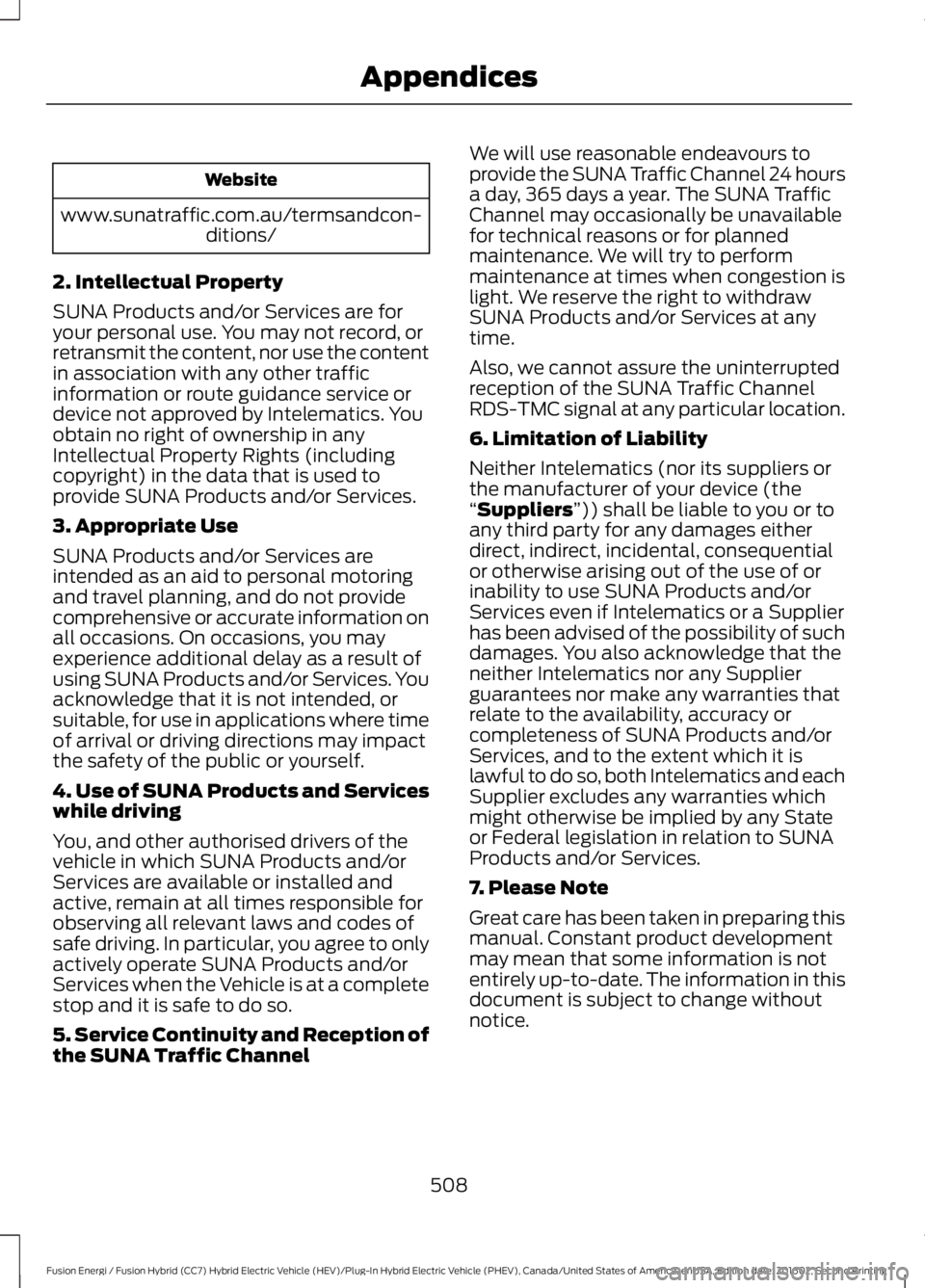
Website
www.sunatraffic.com.au/termsandcon-ditions/
2. Intellectual Property
SUNA Products and/or Services are foryour personal use. You may not record, orretransmit the content, nor use the contentin association with any other trafficinformation or route guidance service ordevice not approved by Intelematics. Youobtain no right of ownership in anyIntellectual Property Rights (includingcopyright) in the data that is used toprovide SUNA Products and/or Services.
3. Appropriate Use
SUNA Products and/or Services areintended as an aid to personal motoringand travel planning, and do not providecomprehensive or accurate information onall occasions. On occasions, you mayexperience additional delay as a result ofusing SUNA Products and/or Services. Youacknowledge that it is not intended, orsuitable, for use in applications where timeof arrival or driving directions may impactthe safety of the public or yourself.
4. Use of SUNA Products and Serviceswhile driving
You, and other authorised drivers of thevehicle in which SUNA Products and/orServices are available or installed andactive, remain at all times responsible forobserving all relevant laws and codes ofsafe driving. In particular, you agree to onlyactively operate SUNA Products and/orServices when the Vehicle is at a completestop and it is safe to do so.
5. Service Continuity and Reception ofthe SUNA Traffic Channel
We will use reasonable endeavours toprovide the SUNA Traffic Channel 24 hoursa day, 365 days a year. The SUNA TrafficChannel may occasionally be unavailablefor technical reasons or for plannedmaintenance. We will try to performmaintenance at times when congestion islight. We reserve the right to withdrawSUNA Products and/or Services at anytime.
Also, we cannot assure the uninterruptedreception of the SUNA Traffic ChannelRDS-TMC signal at any particular location.
6. Limitation of Liability
Neither Intelematics (nor its suppliers orthe manufacturer of your device (the“Suppliers”)) shall be liable to you or toany third party for any damages eitherdirect, indirect, incidental, consequentialor otherwise arising out of the use of orinability to use SUNA Products and/orServices even if Intelematics or a Supplierhas been advised of the possibility of suchdamages. You also acknowledge that theneither Intelematics nor any Supplierguarantees nor make any warranties thatrelate to the availability, accuracy orcompleteness of SUNA Products and/orServices, and to the extent which it islawful to do so, both Intelematics and eachSupplier excludes any warranties whichmight otherwise be implied by any Stateor Federal legislation in relation to SUNAProducts and/or Services.
7. Please Note
Great care has been taken in preparing thismanual. Constant product developmentmay mean that some information is notentirely up-to-date. The information in thisdocument is subject to change withoutnotice.
508
Fusion Energi / Fusion Hybrid (CC7) Hybrid Electric Vehicle (HEV)/Plug-In Hybrid Electric Vehicle (PHEV), Canada/United States of America, enUSA, Edition date: 201602, Second Printing
Appendices
Page 516 of 526
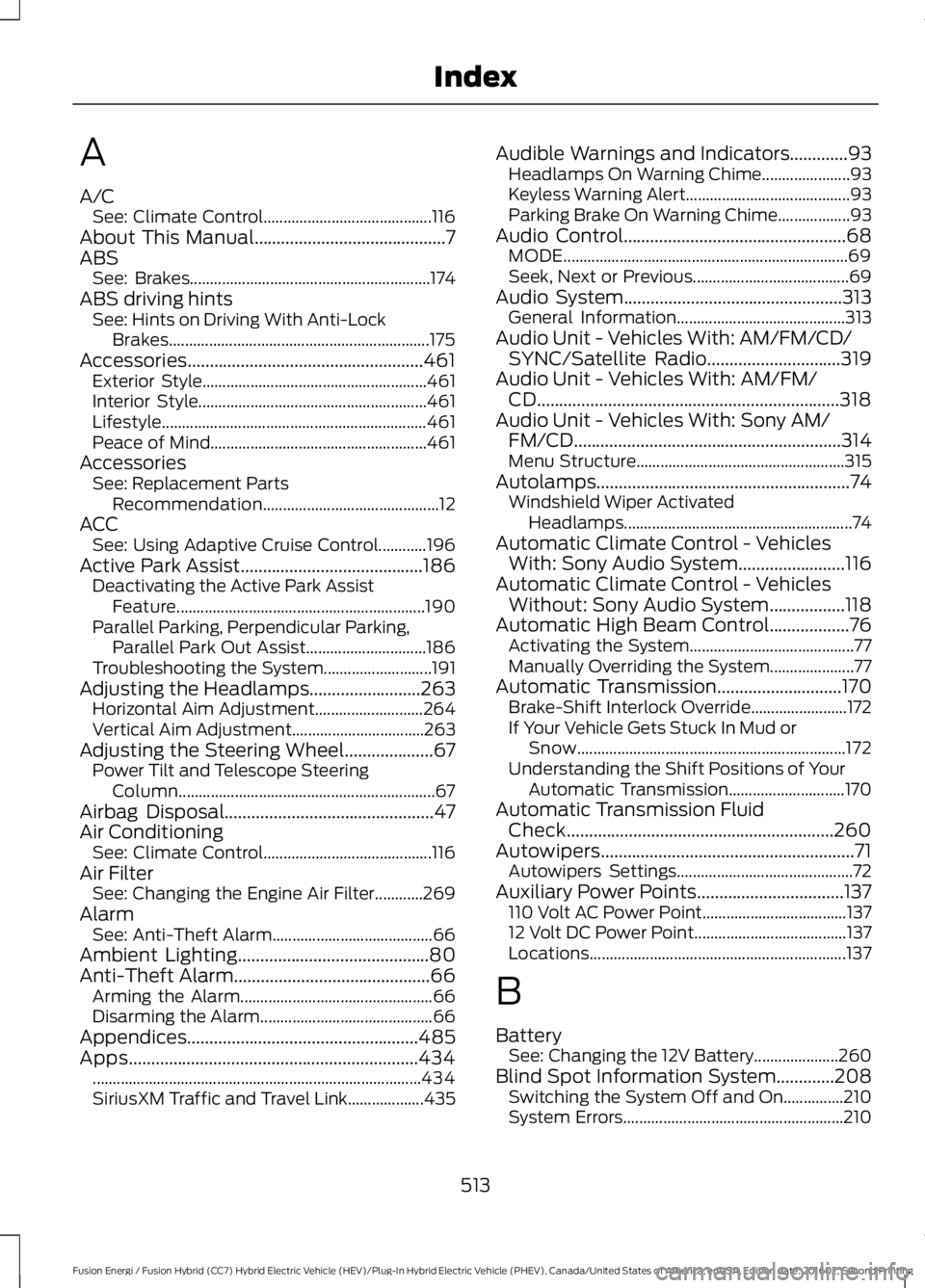
A
A/CSee: Climate Control..........................................116About This Manual...........................................7ABSSee: Brakes............................................................174ABS driving hintsSee: Hints on Driving With Anti-LockBrakes.................................................................175Accessories.....................................................461Exterior Style........................................................461Interior Style.........................................................461Lifestyle..................................................................461Peace of Mind......................................................461AccessoriesSee: Replacement PartsRecommendation............................................12ACCSee: Using Adaptive Cruise Control............196Active Park Assist.........................................186Deactivating the Active Park AssistFeature..............................................................190Parallel Parking, Perpendicular Parking,Parallel Park Out Assist..............................186Troubleshooting the System...........................191Adjusting the Headlamps.........................263Horizontal Aim Adjustment...........................264Vertical Aim Adjustment.................................263Adjusting the Steering Wheel....................67Power Tilt and Telescope SteeringColumn................................................................67Airbag Disposal...............................................47Air ConditioningSee: Climate Control..........................................116Air FilterSee: Changing the Engine Air Filter............269AlarmSee: Anti-Theft Alarm........................................66Ambient Lighting...........................................80Anti-Theft Alarm............................................66Arming the Alarm................................................66Disarming the Alarm...........................................66Appendices....................................................485Apps.................................................................434..................................................................................434SiriusXM Traffic and Travel Link...................435
Audible Warnings and Indicators.............93Headlamps On Warning Chime......................93Keyless Warning Alert.........................................93Parking Brake On Warning Chime..................93Audio Control..................................................68MODE.......................................................................69Seek, Next or Previous.......................................69Audio System.................................................313General Information..........................................313Audio Unit - Vehicles With: AM/FM/CD/SYNC/Satellite Radio..............................319Audio Unit - Vehicles With: AM/FM/CD....................................................................318Audio Unit - Vehicles With: Sony AM/FM/CD............................................................314Menu Structure....................................................315Autolamps.........................................................74Windshield Wiper ActivatedHeadlamps.........................................................74Automatic Climate Control - VehiclesWith: Sony Audio System........................116Automatic Climate Control - VehiclesWithout: Sony Audio System.................118Automatic High Beam Control..................76Activating the System.........................................77Manually Overriding the System.....................77Automatic Transmission............................170Brake-Shift Interlock Override........................172If Your Vehicle Gets Stuck In Mud orSnow...................................................................172Understanding the Shift Positions of YourAutomatic Transmission.............................170Automatic Transmission FluidCheck............................................................260Autowipers.........................................................71Autowipers Settings............................................72Auxiliary Power Points.................................137110 Volt AC Power Point....................................13712 Volt DC Power Point......................................137Locations................................................................137
B
BatterySee: Changing the 12V Battery.....................260Blind Spot Information System.............208Switching the System Off and On...............210System Errors.......................................................210
513
Fusion Energi / Fusion Hybrid (CC7) Hybrid Electric Vehicle (HEV)/Plug-In Hybrid Electric Vehicle (PHEV), Canada/United States of America, enUSA, Edition date: 201602, Second Printing
Index
Page 517 of 526
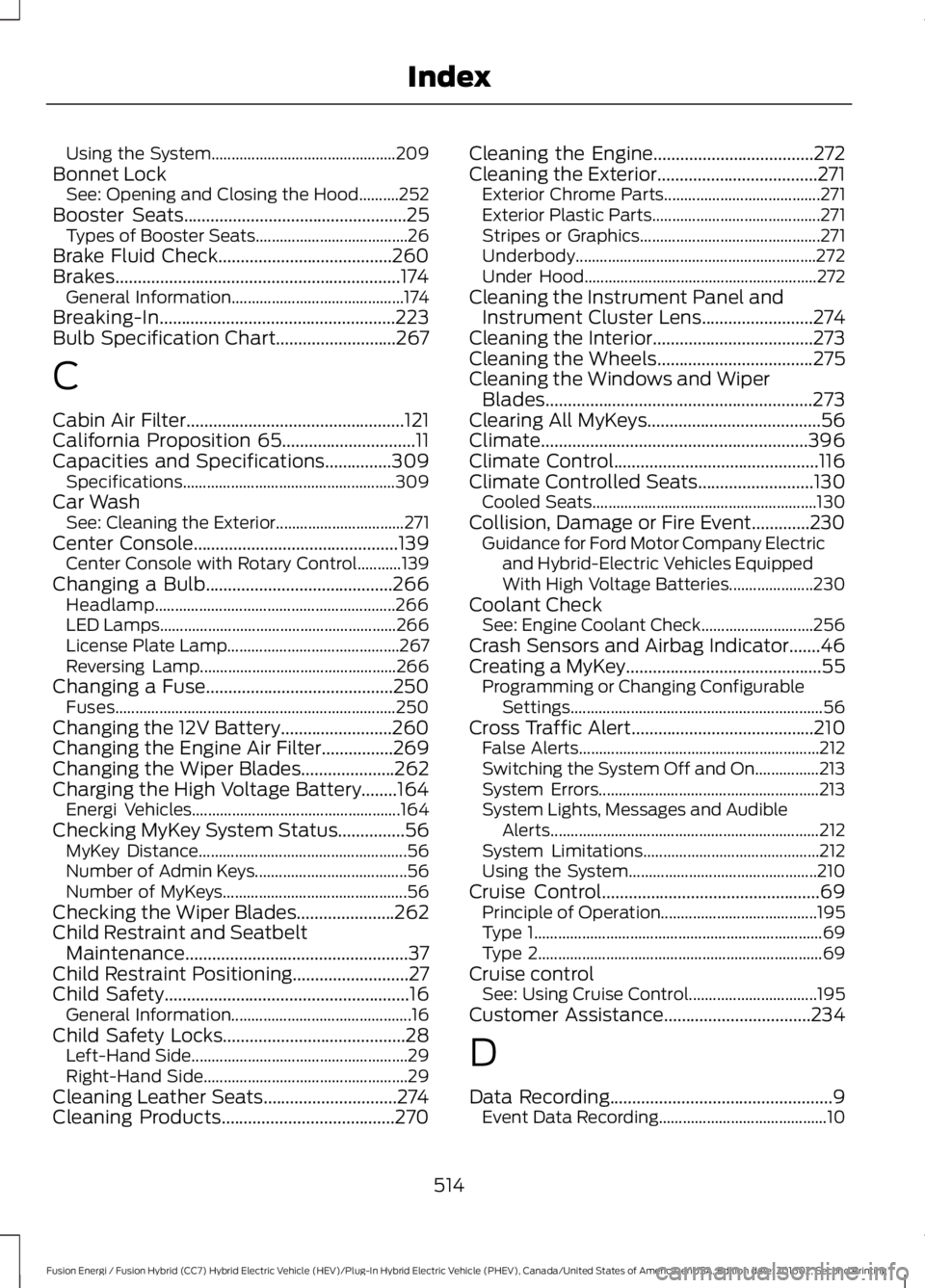
Using the System..............................................209Bonnet LockSee: Opening and Closing the Hood..........252Booster Seats..................................................25Types of Booster Seats......................................26Brake Fluid Check.......................................260Brakes................................................................174General Information...........................................174Breaking-In.....................................................223Bulb Specification Chart...........................267
C
Cabin Air Filter.................................................121California Proposition 65..............................11Capacities and Specifications...............309Specifications.....................................................309Car WashSee: Cleaning the Exterior................................271Center Console..............................................139Center Console with Rotary Control...........139Changing a Bulb..........................................266Headlamp............................................................266LED Lamps...........................................................266License Plate Lamp...........................................267Reversing Lamp.................................................266Changing a Fuse..........................................250Fuses......................................................................250Changing the 12V Battery.........................260Changing the Engine Air Filter................269Changing the Wiper Blades.....................262Charging the High Voltage Battery........164Energi Vehicles....................................................164Checking MyKey System Status...............56MyKey Distance....................................................56Number of Admin Keys......................................56Number of MyKeys..............................................56Checking the Wiper Blades......................262Child Restraint and SeatbeltMaintenance..................................................37Child Restraint Positioning..........................27Child Safety.......................................................16General Information.............................................16Child Safety Locks.........................................28Left-Hand Side......................................................29Right-Hand Side...................................................29Cleaning Leather Seats..............................274Cleaning Products.......................................270
Cleaning the Engine....................................272Cleaning the Exterior....................................271Exterior Chrome Parts.......................................271Exterior Plastic Parts..........................................271Stripes or Graphics.............................................271Underbody............................................................272Under Hood..........................................................272Cleaning the Instrument Panel andInstrument Cluster Lens.........................274Cleaning the Interior....................................273Cleaning the Wheels...................................275Cleaning the Windows and WiperBlades............................................................273Clearing All MyKeys.......................................56Climate............................................................396Climate Control..............................................116Climate Controlled Seats..........................130Cooled Seats........................................................130Collision, Damage or Fire Event.............230Guidance for Ford Motor Company Electricand Hybrid-Electric Vehicles EquippedWith High Voltage Batteries.....................230Coolant CheckSee: Engine Coolant Check............................256Crash Sensors and Airbag Indicator.......46Creating a MyKey............................................55Programming or Changing ConfigurableSettings...............................................................56Cross Traffic Alert.........................................210False Alerts............................................................212Switching the System Off and On................213System Errors.......................................................213System Lights, Messages and AudibleAlerts...................................................................212System Limitations............................................212Using the System...............................................210Cruise Control.................................................69Principle of Operation.......................................195Type 1........................................................................69Type 2.......................................................................69Cruise controlSee: Using Cruise Control................................195Customer Assistance.................................234
D
Data Recording..................................................9Event Data Recording..........................................10
514
Fusion Energi / Fusion Hybrid (CC7) Hybrid Electric Vehicle (HEV)/Plug-In Hybrid Electric Vehicle (PHEV), Canada/United States of America, enUSA, Edition date: 201602, Second Printing
Index