belt FORD FUSION ENERGI 2017 Owner's Guide
[x] Cancel search | Manufacturer: FORD, Model Year: 2017, Model line: FUSION ENERGI, Model: FORD FUSION ENERGI 2017Pages: 526, PDF Size: 7.89 MB
Page 57 of 526
PRINCIPLE OF OPERATION
MyKey allows you to program keys withrestricted driving modes to promote gooddriving habits. You can program therestrictions to all keys but one. Any keysthat you did not program are administratorkeys or admin keys.
You can use admin keys to:
•Create a MyKey with certain vehiclerestrictions.
•Program certain MyKey settings.
•Clear all MyKey restrictions.
After you program a MyKey, you can viewthe following information through theinformation display:
•The total number of admin keys andMyKeys for your vehicle.
•The total distance a MyKey drivertraveled with your vehicle.
Note:Every MyKey receives the samerestrictions and settings. You cannotprogram them individually.
Note:For vehicles equipped with apush-button start switch: When both aMyKey and an admin key are present whenyou start your vehicle, the system recognizesthe admin key only.
Standard Settings
Not every vehicle includes the featureslisted below. If your vehicle has thisequipment, then you cannot change thefollowing settings when using a MyKey:
•Seatbelt reminder or Belt-Minder™.MyKey mutes the audio system untildrivers, and in some instances,passengers, fasten their seatbelts.Note: If your vehicle includes anAM/FM radio or a very basic audiosystem, then the radio may not mute.
•Earlier low-fuel warning. The low-fuelwarning activates earlier for MyKeydrivers, giving them more time to refuel.
•Certain driver alerts, stability systemsor parking aids turn on automaticallywhen you use the MyKey system. Forexample, Blind Spot InformationSystem (BLIS), cross traffic alert, lanedeparture warning or forward collisionwarning.Note: MyKey drivers may beable to turn the lane departure warningfeature off, but this feature turns backon automatically with every new keycycle.
•Restricted touchscreen operation insome markets. For example, MyKeymay prevent manual navigationdestination input while the vehicle is inany gear other than park (P) or whenthe vehicle reaches a certain rate ofspeed.
•Satellite radio adult contentrestrictions, if this feature is availablein your market.
Optional Settings
You can configure certain vehicle featuresettings when you first create a MyKey. Youcan also change the settings afterwardwith an admin key.
54
Fusion Energi / Fusion Hybrid (CC7) Hybrid Electric Vehicle (HEV)/Plug-In Hybrid Electric Vehicle (PHEV), Canada/United States of America, enUSA, Edition date: 201602, Second Printing
MyKey™
Page 94 of 526
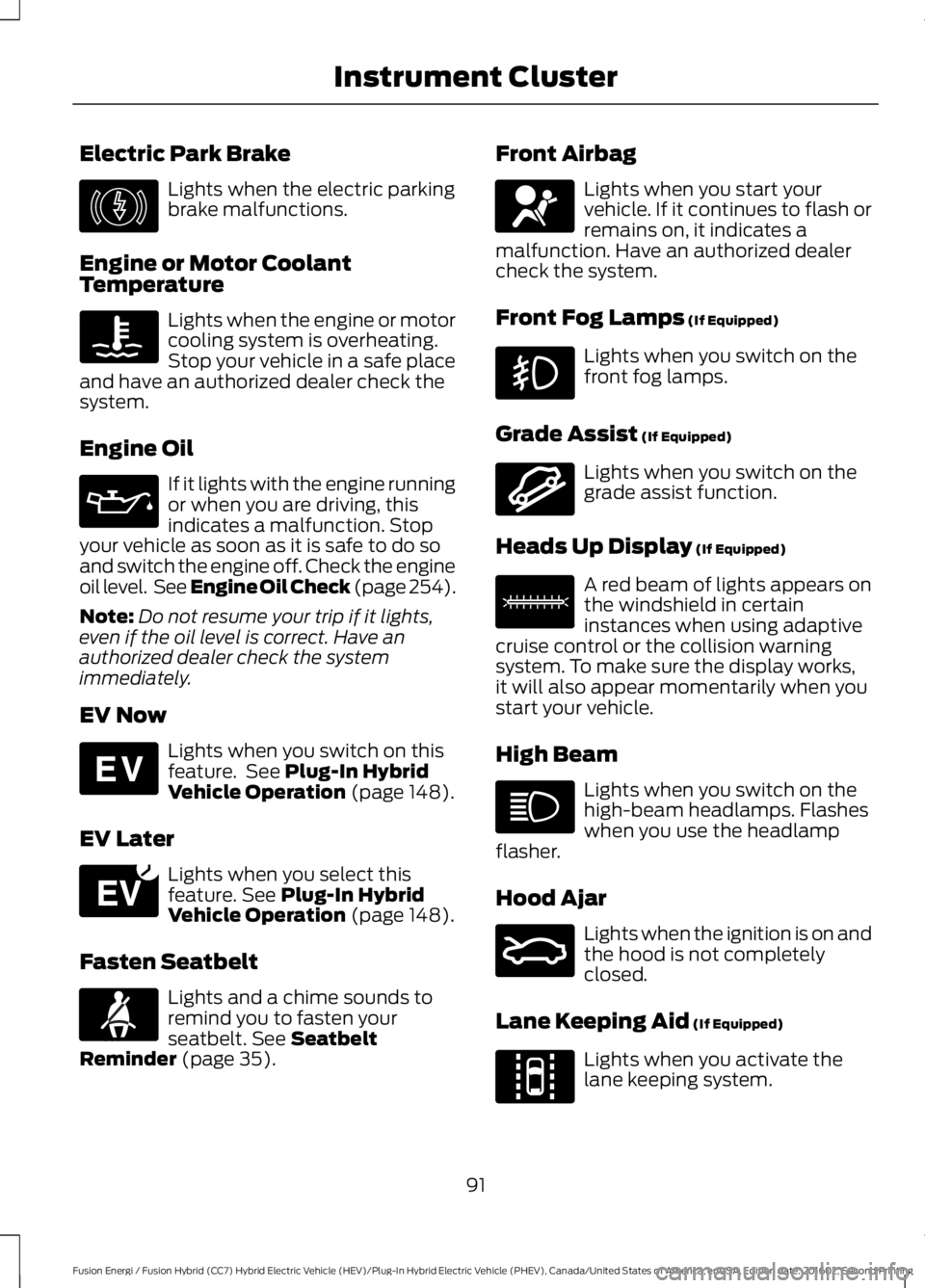
Electric Park Brake
Lights when the electric parkingbrake malfunctions.
Engine or Motor CoolantTemperature
Lights when the engine or motorcooling system is overheating.Stop your vehicle in a safe placeand have an authorized dealer check thesystem.
Engine Oil
If it lights with the engine runningor when you are driving, thisindicates a malfunction. Stopyour vehicle as soon as it is safe to do soand switch the engine off. Check the engineoil level. See Engine Oil Check (page 254).
Note:Do not resume your trip if it lights,even if the oil level is correct. Have anauthorized dealer check the systemimmediately.
EV Now
Lights when you switch on thisfeature. See Plug-In HybridVehicle Operation (page 148).
EV Later
Lights when you select thisfeature. See Plug-In HybridVehicle Operation (page 148).
Fasten Seatbelt
Lights and a chime sounds toremind you to fasten yourseatbelt. See SeatbeltReminder (page 35).
Front Airbag
Lights when you start yourvehicle. If it continues to flash orremains on, it indicates amalfunction. Have an authorized dealercheck the system.
Front Fog Lamps (If Equipped)
Lights when you switch on thefront fog lamps.
Grade Assist (If Equipped)
Lights when you switch on thegrade assist function.
Heads Up Display (If Equipped)
A red beam of lights appears onthe windshield in certaininstances when using adaptivecruise control or the collision warningsystem. To make sure the display works,it will also appear momentarily when youstart your vehicle.
High Beam
Lights when you switch on thehigh-beam headlamps. Flasheswhen you use the headlampflasher.
Hood Ajar
Lights when the ignition is on andthe hood is not completelyclosed.
Lane Keeping Aid (If Equipped)
Lights when you activate thelane keeping system.
91
Fusion Energi / Fusion Hybrid (CC7) Hybrid Electric Vehicle (HEV)/Plug-In Hybrid Electric Vehicle (PHEV), Canada/United States of America, enUSA, Edition date: 201602, Second Printing
Instrument ClusterE146190 E144814 E151263 E71880 E67017 E144523 E156133 E159324 E144813
Page 114 of 526
ActionMessage
The kit needs service. See an authorized dealer.Service Tire Mobility Kit
Your vehicle is still in Transport or Factory mode. This maynot allow some features to operate properly. See an author-ized dealer.
Transport / FactoryMode
The powertrain needs service due to a powertrain malfunction.See Manual
EV functionality is disabled and the engine is running tomaintain oil quality. See Plug-In Hybrid Vehicle Operation(page 148).
Engine ON Due to LowUse Normal Operation
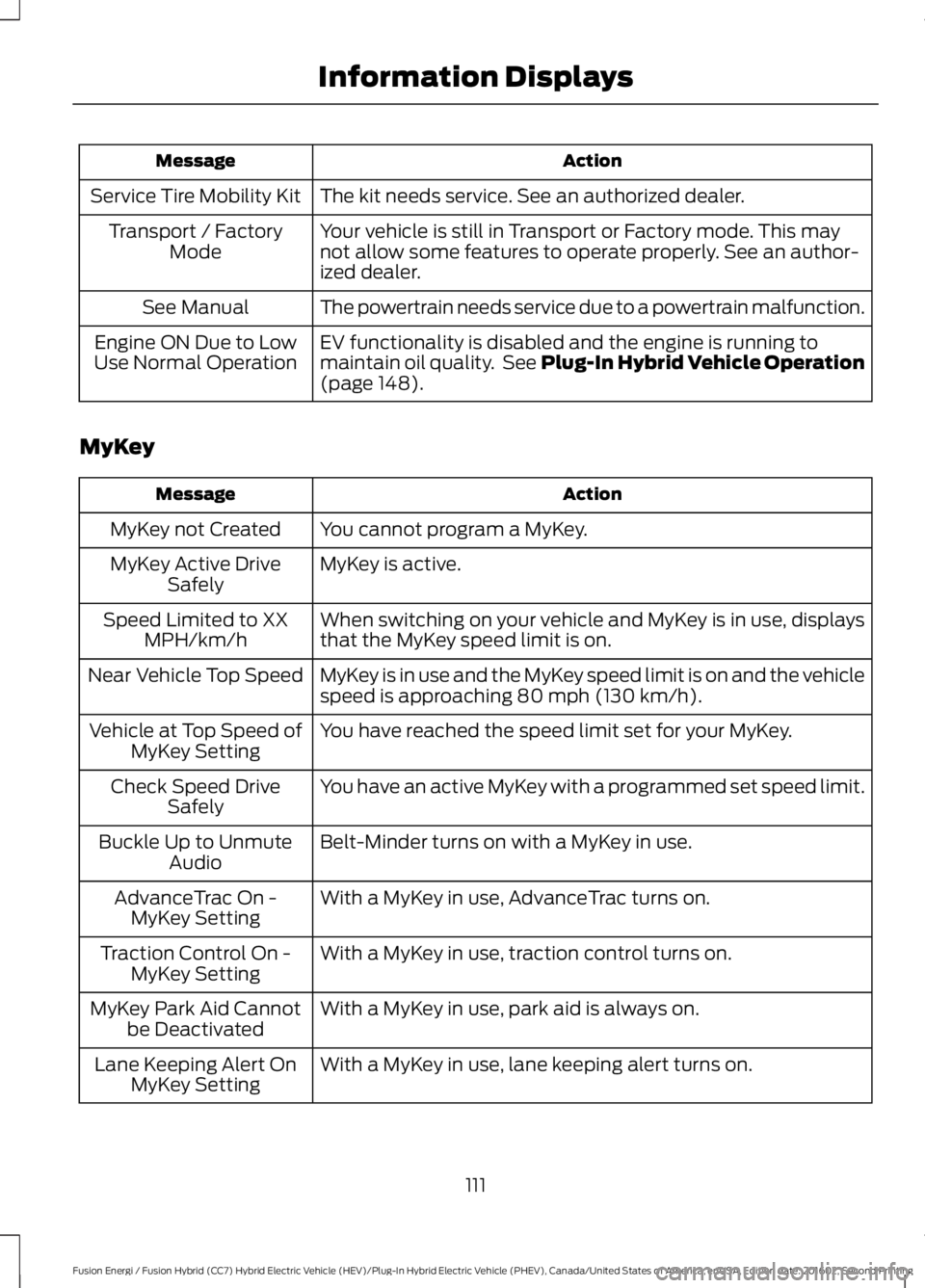
MyKey
ActionMessage
You cannot program a MyKey.MyKey not Created
MyKey is active.MyKey Active DriveSafely
When switching on your vehicle and MyKey is in use, displaysthat the MyKey speed limit is on.Speed Limited to XXMPH/km/h
MyKey is in use and the MyKey speed limit is on and the vehiclespeed is approaching 80 mph (130 km/h).Near Vehicle Top Speed
You have reached the speed limit set for your MyKey.Vehicle at Top Speed ofMyKey Setting
You have an active MyKey with a programmed set speed limit.Check Speed DriveSafely
Belt-Minder turns on with a MyKey in use.Buckle Up to UnmuteAudio
With a MyKey in use, AdvanceTrac turns on.AdvanceTrac On -MyKey Setting
With a MyKey in use, traction control turns on.Traction Control On -MyKey Setting
With a MyKey in use, park aid is always on.MyKey Park Aid Cannotbe Deactivated
With a MyKey in use, lane keeping alert turns on.Lane Keeping Alert OnMyKey Setting
111
Fusion Energi / Fusion Hybrid (CC7) Hybrid Electric Vehicle (HEV)/Plug-In Hybrid Electric Vehicle (PHEV), Canada/United States of America, enUSA, Edition date: 201602, Second Printing
Information Displays
Page 125 of 526
SITTING IN THE CORRECT
POSITION
WARNINGS
Sitting improperly, out of position orwith the seatback reclined too farcan take weight off the seat cushionand affect the decision of the passengersensing system, resulting in serious injuryor death in the event of a crash. Always situpright against your seat back, with yourfeet on the floor.
Do not recline the seatback as thiscan cause the occupant to slideunder the safety belt, resulting inserious injury in the event of a crash.
Do not place objects higher than theseatback to reduce the risk of seriousinjury in the event of a crash or duringheavy braking.
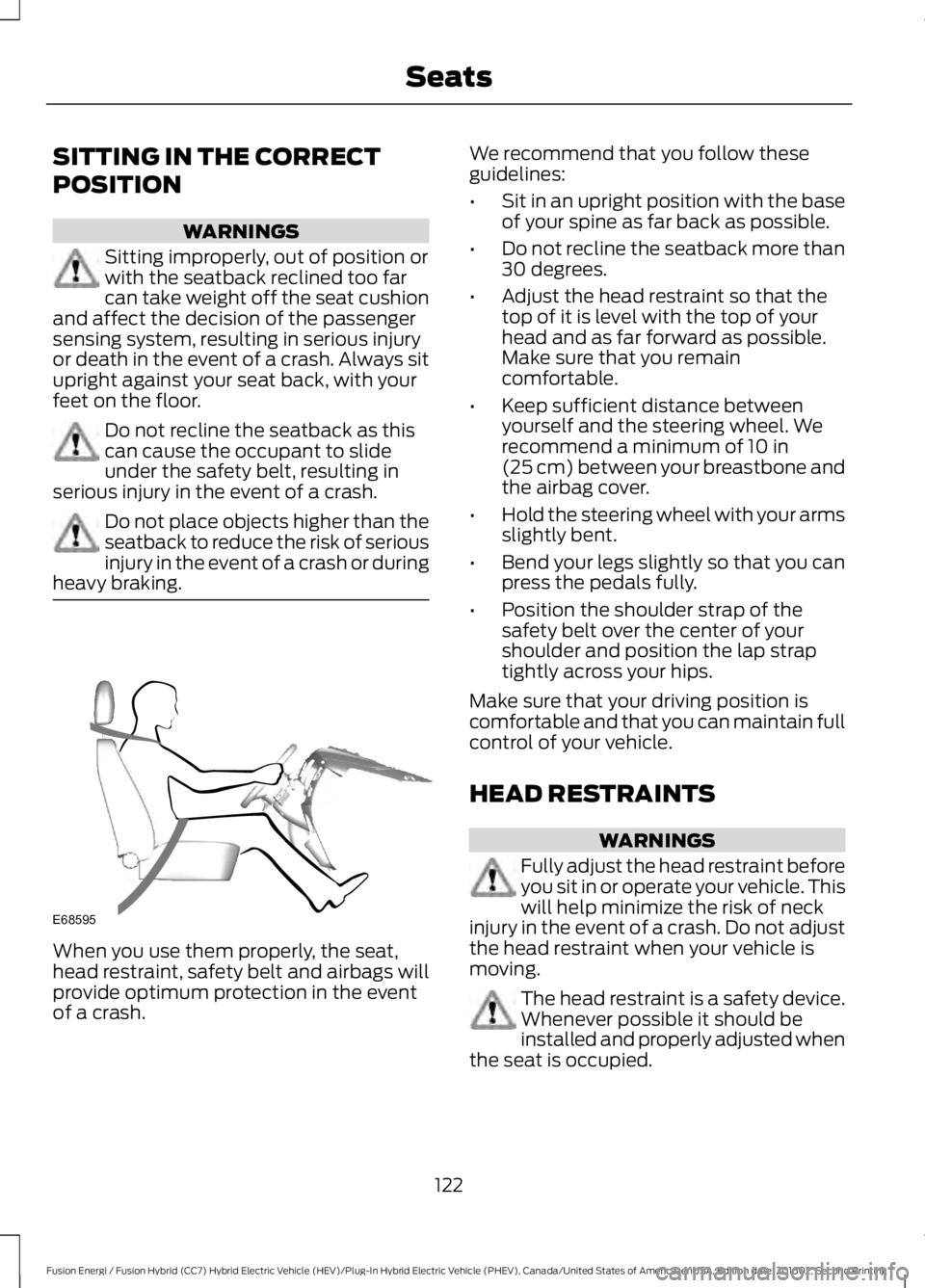
When you use them properly, the seat,head restraint, safety belt and airbags willprovide optimum protection in the eventof a crash.
We recommend that you follow theseguidelines:
•Sit in an upright position with the baseof your spine as far back as possible.
•Do not recline the seatback more than30 degrees.
•Adjust the head restraint so that thetop of it is level with the top of yourhead and as far forward as possible.Make sure that you remaincomfortable.
•Keep sufficient distance betweenyourself and the steering wheel. Werecommend a minimum of 10 in(25 cm) between your breastbone andthe airbag cover.
•Hold the steering wheel with your armsslightly bent.
•Bend your legs slightly so that you canpress the pedals fully.
•Position the shoulder strap of thesafety belt over the center of yourshoulder and position the lap straptightly across your hips.
Make sure that your driving position iscomfortable and that you can maintain fullcontrol of your vehicle.
HEAD RESTRAINTS
WARNINGS
Fully adjust the head restraint beforeyou sit in or operate your vehicle. Thiswill help minimize the risk of neckinjury in the event of a crash. Do not adjustthe head restraint when your vehicle ismoving.
The head restraint is a safety device.Whenever possible it should beinstalled and properly adjusted whenthe seat is occupied.
122
Fusion Energi / Fusion Hybrid (CC7) Hybrid Electric Vehicle (HEV)/Plug-In Hybrid Electric Vehicle (PHEV), Canada/United States of America, enUSA, Edition date: 201602, Second Printing
SeatsE68595
Page 127 of 526
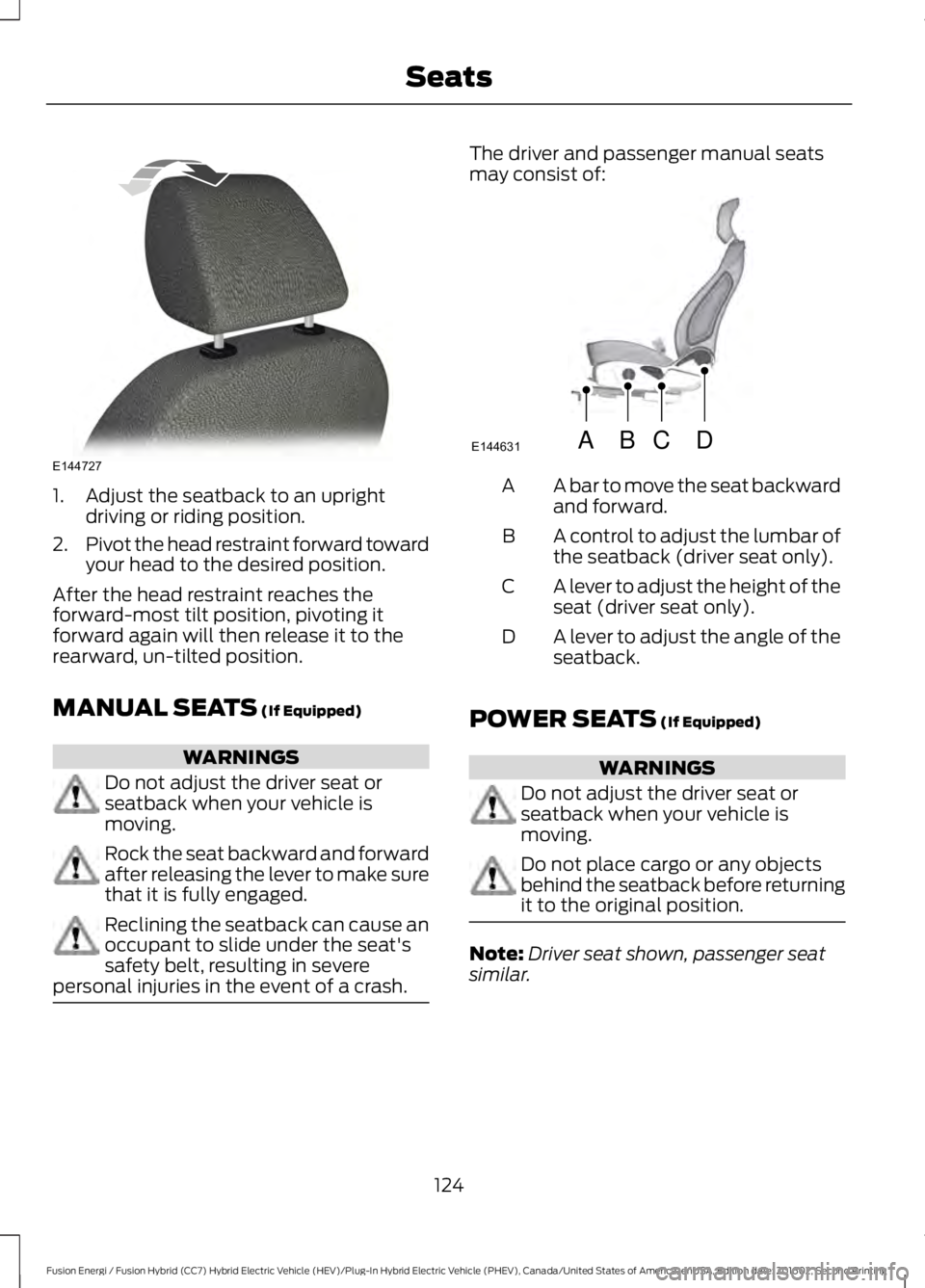
1. Adjust the seatback to an uprightdriving or riding position.
2.Pivot the head restraint forward towardyour head to the desired position.
After the head restraint reaches theforward-most tilt position, pivoting itforward again will then release it to therearward, un-tilted position.
MANUAL SEATS (If Equipped)
WARNINGS
Do not adjust the driver seat orseatback when your vehicle ismoving.
Rock the seat backward and forwardafter releasing the lever to make surethat it is fully engaged.
Reclining the seatback can cause anoccupant to slide under the seat'ssafety belt, resulting in severepersonal injuries in the event of a crash.
The driver and passenger manual seatsmay consist of:
A bar to move the seat backwardand forward.A
A control to adjust the lumbar ofthe seatback (driver seat only).B
A lever to adjust the height of theseat (driver seat only).C
A lever to adjust the angle of theseatback.D
POWER SEATS (If Equipped)
WARNINGS
Do not adjust the driver seat orseatback when your vehicle ismoving.
Do not place cargo or any objectsbehind the seatback before returningit to the original position.
Note:Driver seat shown, passenger seatsimilar.
124
Fusion Energi / Fusion Hybrid (CC7) Hybrid Electric Vehicle (HEV)/Plug-In Hybrid Electric Vehicle (PHEV), Canada/United States of America, enUSA, Edition date: 201602, Second Printing
SeatsE144727 ABCD
E144631
Page 131 of 526
Easy Entry and Exit Feature
If you enable the easy entry and exitfeature, it automatically moves the driverseat position rearward up to two inches(five centimeters) when you switch theignition off.
The driver seat will return to the previousposition when you switch the ignition on.
You can enable or disable this feature inthe information display. See InformationDisplays (page 94).
REAR SEATS
Note:Your vehicle may have splitseatbacks that you must fold individually.
Note:Make sure the center safety belt isunbuckled before folding the seatback.
To lower the seat back(s) from inside thevehicle, do the following:
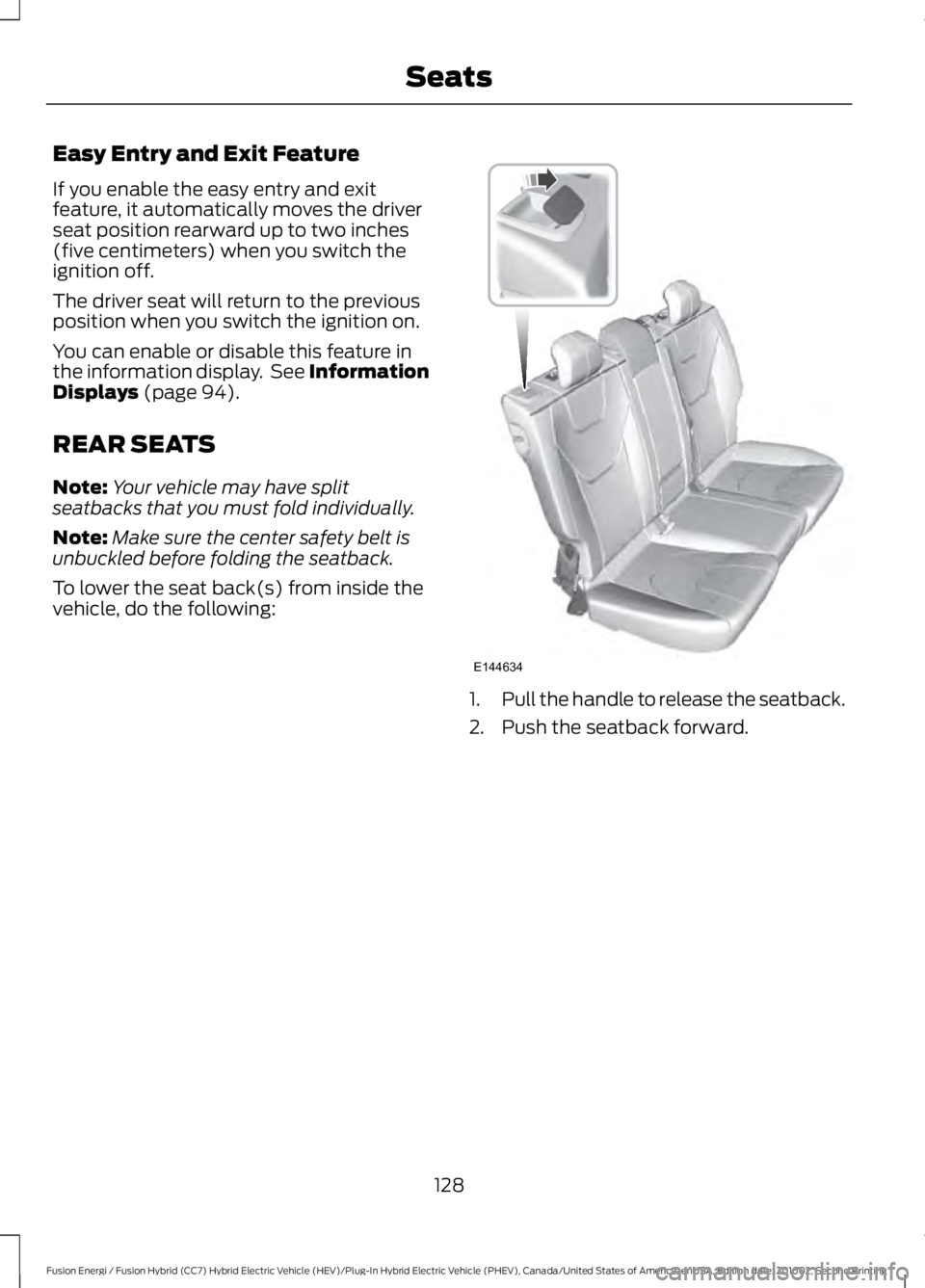
1.Pull the handle to release the seatback.
2. Push the seatback forward.
128
Fusion Energi / Fusion Hybrid (CC7) Hybrid Electric Vehicle (HEV)/Plug-In Hybrid Electric Vehicle (PHEV), Canada/United States of America, enUSA, Edition date: 201602, Second Printing
SeatsE144634
Page 132 of 526
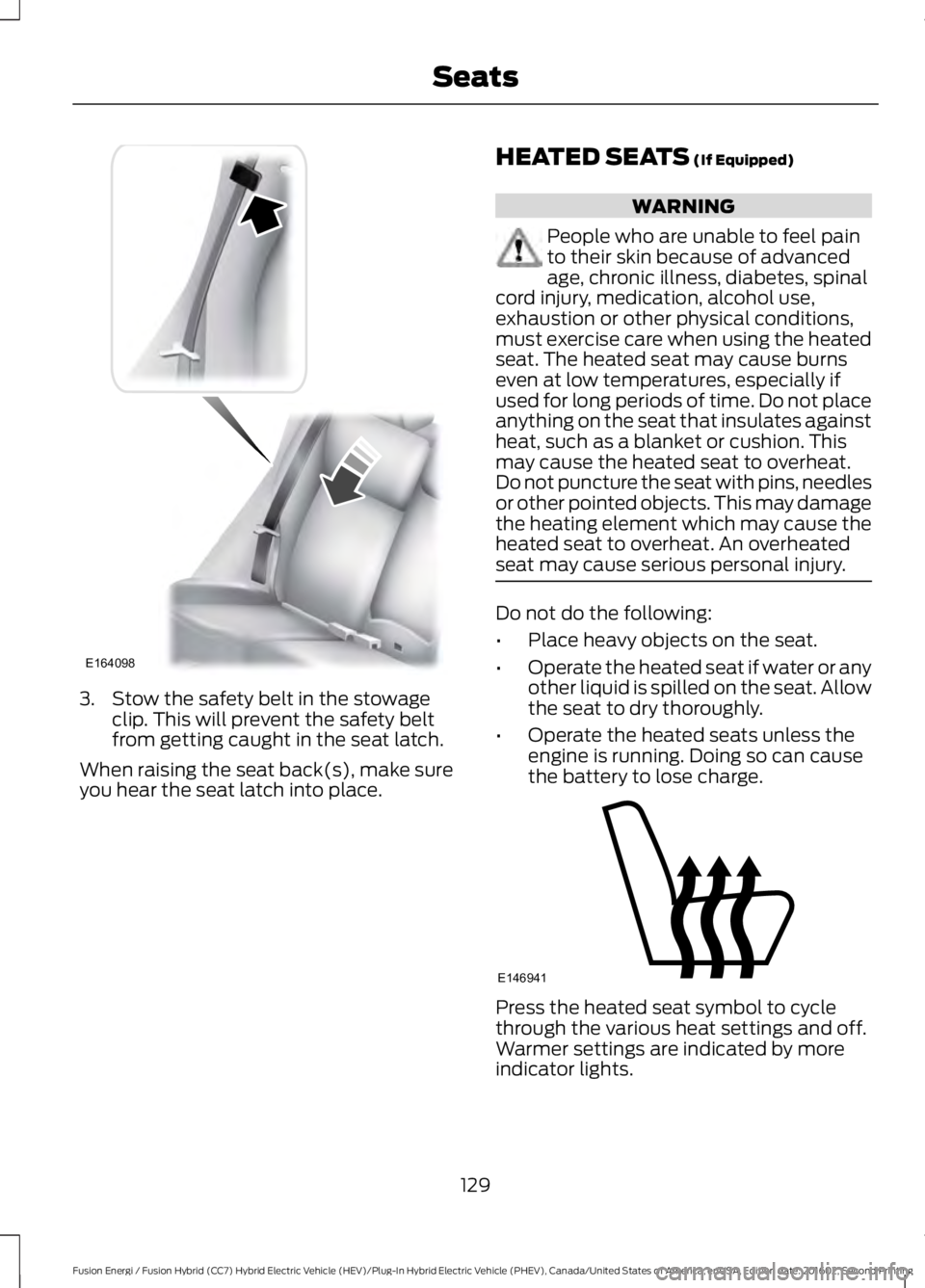
3. Stow the safety belt in the stowageclip. This will prevent the safety beltfrom getting caught in the seat latch.
When raising the seat back(s), make sureyou hear the seat latch into place.
HEATED SEATS (If Equipped)
WARNING
People who are unable to feel painto their skin because of advancedage, chronic illness, diabetes, spinalcord injury, medication, alcohol use,exhaustion or other physical conditions,must exercise care when using the heatedseat. The heated seat may cause burnseven at low temperatures, especially ifused for long periods of time. Do not placeanything on the seat that insulates againstheat, such as a blanket or cushion. Thismay cause the heated seat to overheat.Do not puncture the seat with pins, needlesor other pointed objects. This may damagethe heating element which may cause theheated seat to overheat. An overheatedseat may cause serious personal injury.
Do not do the following:
•Place heavy objects on the seat.
•Operate the heated seat if water or anyother liquid is spilled on the seat. Allowthe seat to dry thoroughly.
•Operate the heated seats unless theengine is running. Doing so can causethe battery to lose charge.
Press the heated seat symbol to cyclethrough the various heat settings and off.Warmer settings are indicated by moreindicator lights.
129
Fusion Energi / Fusion Hybrid (CC7) Hybrid Electric Vehicle (HEV)/Plug-In Hybrid Electric Vehicle (PHEV), Canada/United States of America, enUSA, Edition date: 201602, Second Printing
SeatsE164098 E146941
Page 145 of 526
STARTING A GASOLINE
ENGINE
When you start the engine, the idle speedincreases. This helps to warm up theengine. If the engine idle speed does notslow down automatically, have yourvehicle checked by an authorized dealer.
Note: You can crank the engine for a totalof 60 seconds without the engine startingbefore the starting system temporarilydisables. The 60 seconds does not have tobe all at once. For example, if you crank theengine three times for 20 seconds eachtime, without the engine starting, youreached the 60-second time limit. Amessage appears in the information displayalerting you that you exceeded the crankingtime. You cannot attempt to start theengine for at least 15 minutes. After 15minutes, you are limited to a 15-secondengine cranking time. You need to wait 60minutes before you can crank the engine for60 seconds again.
Before starting your vehicle, check thefollowing:
•Make sure all occupants have fastenedtheir seatbelts.
•Make sure the headlamps andelectrical accessories are off.
•Make sure the parking brake is on.
•Make sure the transmission is in park(P).
Starting Your Vehicle
Note: Do not touch the accelerator pedal.
Note:You must have your intelligent accesskey in your vehicle to shift the transmissionout of park (P).
Note:The green ready indicator illuminatesletting you know that the vehicle is readyfor driving. Since your vehicle is equippedwith a silent key start, the engine may notstart at the time of the vehicle start. SeeHybrid Vehicle Operation (page 146).
1. Fully depress the brake pedal.
2. Briefly press the push button ignitionswitch.
Failure to Start
The system does not function if:
•The key frequencies are jammed.
•The key battery has no charge.
If you are unable to start your vehicle, dothe following:
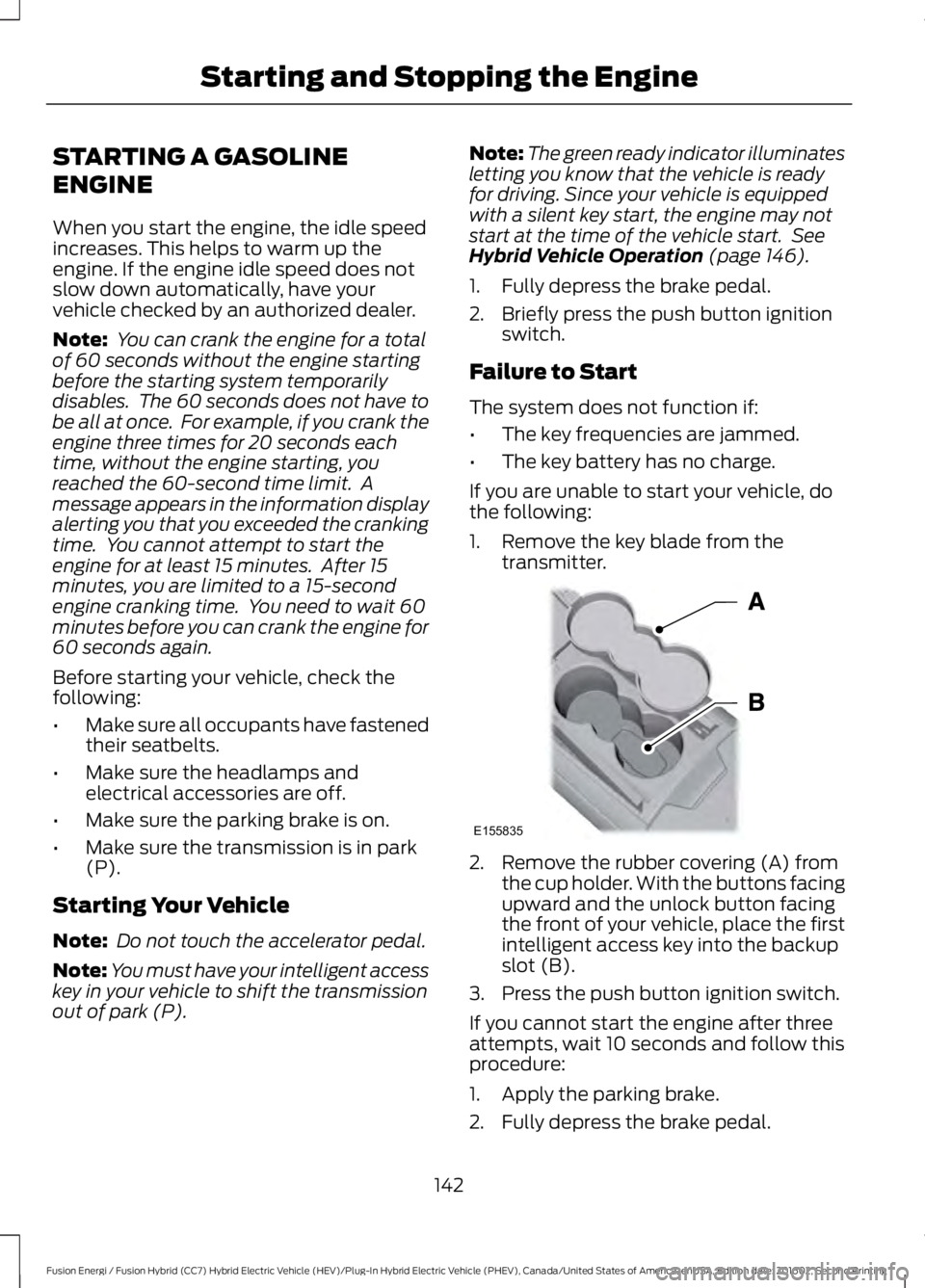
1. Remove the key blade from thetransmitter.
2. Remove the rubber covering (A) fromthe cup holder. With the buttons facingupward and the unlock button facingthe front of your vehicle, place the firstintelligent access key into the backupslot (B).
3. Press the push button ignition switch.
If you cannot start the engine after threeattempts, wait 10 seconds and follow thisprocedure:
1. Apply the parking brake.
2. Fully depress the brake pedal.
142
Fusion Energi / Fusion Hybrid (CC7) Hybrid Electric Vehicle (HEV)/Plug-In Hybrid Electric Vehicle (PHEV), Canada/United States of America, enUSA, Edition date: 201602, Second Printing
Starting and Stopping the EngineE155835
Page 173 of 526
AUTOMATIC TRANSMISSION
WARNINGS
Always apply the parking brake fullyand make sure you shift into park (P).Switch the ignition off and removethe key whenever you leave your vehicle.
Do not apply the brake pedal andaccelerator pedal simultaneously.Applying both pedals simultaneouslyfor more than a few seconds will limitengine performance, which may result indifficulty maintaining speed in traffic andcould lead to serious injury.
Understanding the Shift Positionsof Your Automatic Transmission
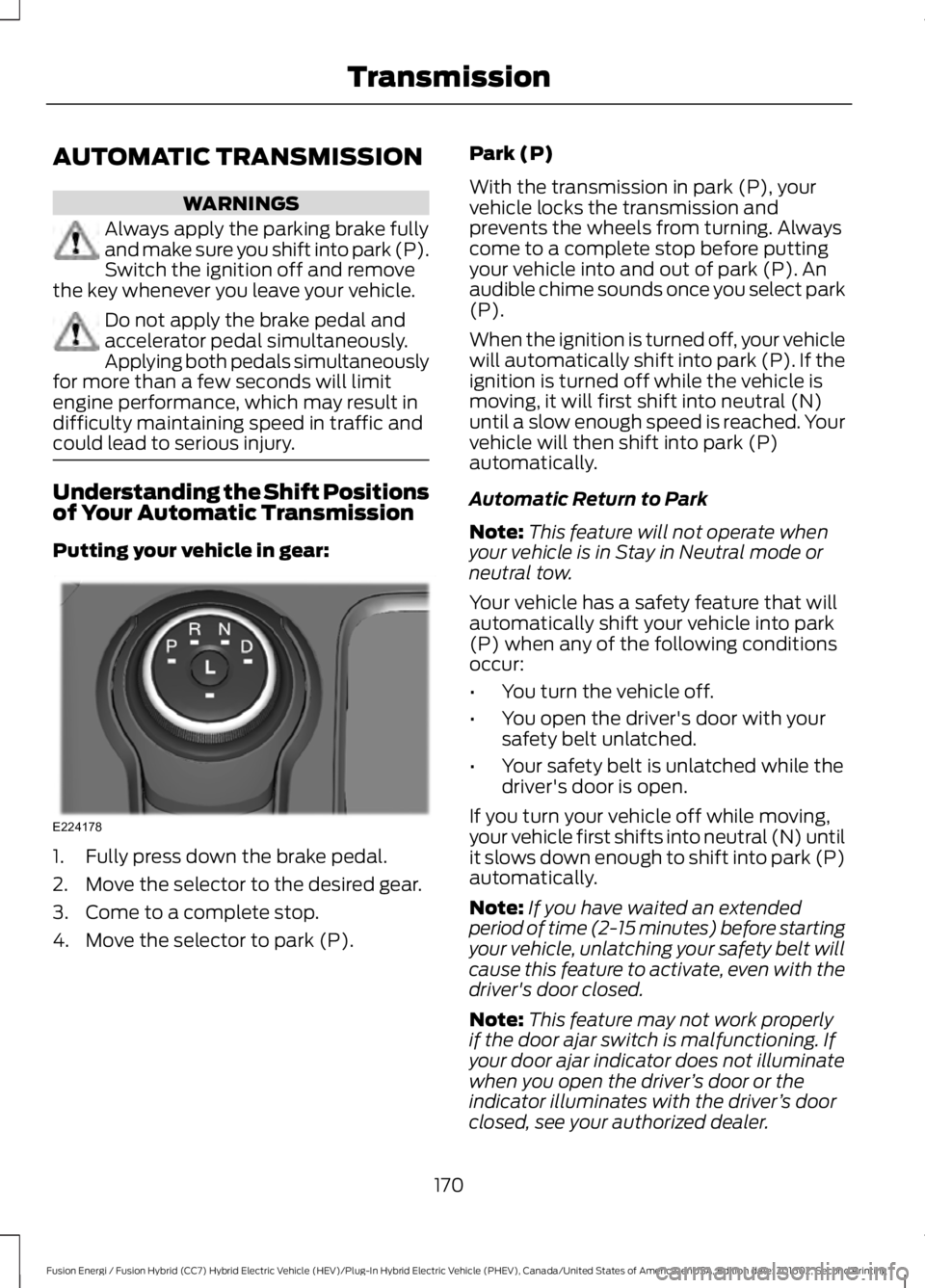
Putting your vehicle in gear:
1. Fully press down the brake pedal.
2. Move the selector to the desired gear.
3. Come to a complete stop.
4. Move the selector to park (P).
Park (P)
With the transmission in park (P), yourvehicle locks the transmission andprevents the wheels from turning. Alwayscome to a complete stop before puttingyour vehicle into and out of park (P). Anaudible chime sounds once you select park(P).
When the ignition is turned off, your vehiclewill automatically shift into park (P). If theignition is turned off while the vehicle ismoving, it will first shift into neutral (N)until a slow enough speed is reached. Yourvehicle will then shift into park (P)automatically.
Automatic Return to Park
Note:This feature will not operate whenyour vehicle is in Stay in Neutral mode orneutral tow.
Your vehicle has a safety feature that willautomatically shift your vehicle into park(P) when any of the following conditionsoccur:
•You turn the vehicle off.
•You open the driver's door with yoursafety belt unlatched.
•Your safety belt is unlatched while thedriver's door is open.
If you turn your vehicle off while moving,your vehicle first shifts into neutral (N) untilit slows down enough to shift into park (P)automatically.
Note:If you have waited an extendedperiod of time (2-15 minutes) before startingyour vehicle, unlatching your safety belt willcause this feature to activate, even with thedriver's door closed.
Note:This feature may not work properlyif the door ajar switch is malfunctioning. Ifyour door ajar indicator does not illuminatewhen you open the driver’s door or theindicator illuminates with the driver’s doorclosed, see your authorized dealer.
170
Fusion Energi / Fusion Hybrid (CC7) Hybrid Electric Vehicle (HEV)/Plug-In Hybrid Electric Vehicle (PHEV), Canada/United States of America, enUSA, Edition date: 201602, Second Printing
TransmissionE224178
Page 232 of 526
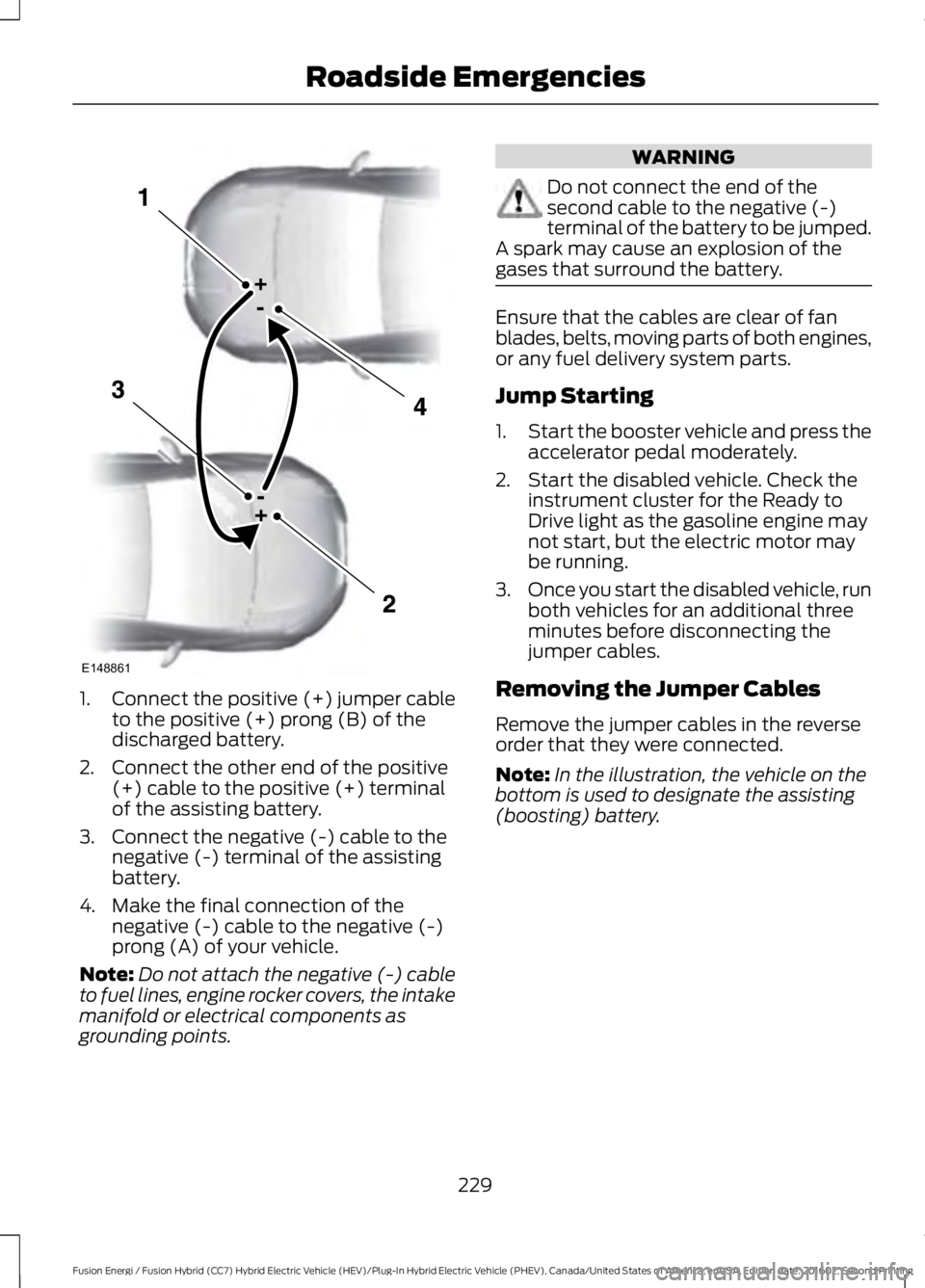
1.Connect the positive (+) jumper cableto the positive (+) prong (B) of thedischarged battery.
2. Connect the other end of the positive(+) cable to the positive (+) terminalof the assisting battery.
3. Connect the negative (-) cable to thenegative (-) terminal of the assistingbattery.
4. Make the final connection of thenegative (-) cable to the negative (-)prong (A) of your vehicle.
Note:Do not attach the negative (-) cableto fuel lines, engine rocker covers, the intakemanifold or electrical components asgrounding points.
WARNING
Do not connect the end of thesecond cable to the negative (-)terminal of the battery to be jumped.A spark may cause an explosion of thegases that surround the battery.
Ensure that the cables are clear of fanblades, belts, moving parts of both engines,or any fuel delivery system parts.
Jump Starting
1.Start the booster vehicle and press theaccelerator pedal moderately.
2. Start the disabled vehicle. Check theinstrument cluster for the Ready toDrive light as the gasoline engine maynot start, but the electric motor maybe running.
3.Once you start the disabled vehicle, runboth vehicles for an additional threeminutes before disconnecting thejumper cables.
Removing the Jumper Cables
Remove the jumper cables in the reverseorder that they were connected.
Note:In the illustration, the vehicle on thebottom is used to designate the assisting(boosting) battery.
229
Fusion Energi / Fusion Hybrid (CC7) Hybrid Electric Vehicle (HEV)/Plug-In Hybrid Electric Vehicle (PHEV), Canada/United States of America, enUSA, Edition date: 201602, Second Printing
Roadside EmergenciesE148861