seats FORD FUSION ENERGI 2017 Service Manual
[x] Cancel search | Manufacturer: FORD, Model Year: 2017, Model line: FUSION ENERGI, Model: FORD FUSION ENERGI 2017Pages: 526, PDF Size: 7.89 MB
Page 183 of 526
PRINCIPLE OF OPERATION
WARNINGS
Vehicle modifications involvingbraking system, aftermarket roofracks, suspension, steering system,tire construction and wheel and tire sizemay change the handling characteristicsof your vehicle and may adversely affectthe performance of the electronic stabilitycontrol system. In addition, installing anystereo loudspeakers may interfere withand adversely affect the electronic stabilitycontrol system. Install any aftermarketstereo loudspeaker as far as possible fromthe front center console, the tunnel, andthe front seats in order to minimize the riskof interfering with the electronic stabilitycontrol sensors. Reducing theeffectiveness of the electronic stabilitycontrol system could lead to an increasedrisk of loss of vehicle control, vehiclerollover, personal injury and death.
Remember that even advancedtechnology cannot defy the laws ofphysics. It’s always possible to losecontrol of a vehicle due to inappropriatedriver input for the conditions. Aggressivedriving on any road condition can causeyou to lose control of your vehicleincreasing the risk of personal injury orproperty damage. Activation of theelectronic stability control system is anindication that at least some of the tireshave exceeded their ability to grip the road;this could reduce the operator’s ability tocontrol the vehicle potentially resulting ina loss of vehicle control, vehicle rollover,personal injury and death. If your electronicstability control system activates, SLOWDOWN.
The system automatically turns on eachtime you switch the ignition on.
If a fault occurs in either the stabilitycontrol or the traction control system, youmay experience the following conditions:
•The stability and traction control lightilluminates steadily.
•The stability control and tractioncontrol systems do not enhance yourvehicle's ability to maintain traction ofthe wheels.
If a driving condition activates either thestability control or the traction controlsystem you may experience the followingconditions:
•The stability and traction control lightflashes.
•Your vehicle slows down.
•Reduced engine power.
•A vibration in the brake pedal.
•The brake pedal is stiffer than usual.
•If the driving condition is severe andyour foot is not on the brake, the brakepedal may move as the system applieshigher brake force.
The stability control system has severalfeatures built into it to help you maintaincontrol of your vehicle:
Electronic Stability Control
The system enhances your vehicle’s abilityto prevent skids or lateral slides byapplying brakes to one or more of thewheels individually and, if necessary,reducing engine power.
Traction Control
The system enhances your vehicle’s abilityto maintain traction of the wheels bydetecting and controlling wheel spin. SeeUsing Traction Control (page 179).
180
Fusion Energi / Fusion Hybrid (CC7) Hybrid Electric Vehicle (HEV)/Plug-In Hybrid Electric Vehicle (PHEV), Canada/United States of America, enUSA, Edition date: 201602, Second Printing
Stability Control
Page 226 of 526
BREAKING-IN
You need to break in new tires forapproximately 300 miles (480kilometers). During this time, your vehiclemay exhibit some unusual drivingcharacteristics. The engine also needs tobreak in. Avoid hard accelerations anddriving too fast for the first 1000 miles(1600 kilometers). If possible, avoidcarrying heavy loads up steep gradesduring the break-in period.
ECONOMICAL DRIVING
Your fuel economy depends on:
•How you drive your vehicle.
•How you maintain your vehicle.
•The conditions you drive your vehiclein.
You may improve your fuel economy bykeeping these in mind:
•Drive your vehicle at reasonablespeeds. Traveling at 65 mph(105 km/h) uses about 15% less fuelthan traveling at 75 mph (121 km/h).
•Drive at steady speeds withoutstopping.
•Anticipate stops. Slowing down yourvehicle may eliminate the need to stop.
•Keep the tires properly inflated and useonly the recommended size.
•Switch off the heater if you do not needit. When you have the heater on, keepit at the lowest blower andtemperature setting necessary to becomfortable.
•When it is cold outside, park in a sunnylocation or a climate-controlledenvironment. This may save fuel byreducing the energy needed to heat thecabin.
•Switch off the air conditioning if you donot need it. When you have the airconditioning on, keep it at the lowestblower and highest temperaturesetting necessary to be comfortable.
•When it is hot or sunny outside, parkingin a shaded or climate-controlledenvironment will save fuel by reducingthe energy needed to cool the cabin.
•For Plug-In Hybrid vehicles, usepreconditioning to improve your fueleconomy. See High Voltage Battery(page 162).
•Switch off the heated seats if you arenot using them.
•Switch off the defroster when you nolonger need it for visibility.
•For Plug-In Hybrid vehicles, plug in andrecharge the high voltage batterywhenever possible.
•Use ECO Cruise Control, especially inhilly terrain. See Cruise Control (page195).
•Shift into low gear (L) when enhancedengine braking is needed. Otherwise,use drive gear (D) shift position.
•Combine errands and minimizestop-and-go driving. A warmed upengine works more efficiently. Whenrunning errands, go to the farthestdestination first and then work yourway back home.
•Close the windows for high-speeddriving.
•Use the recommended engine oil. SeeCapacities and Specifications (page305).
•Perform all regularly scheduledmaintenance. See ScheduledMaintenance (page 467).
•Use the coach and brake coach displayto get feedback on your economicaldrive style. See Information Displays(page 94).
223
Fusion Energi / Fusion Hybrid (CC7) Hybrid Electric Vehicle (HEV)/Plug-In Hybrid Electric Vehicle (PHEV), Canada/United States of America, enUSA, Edition date: 201602, Second Printing
Driving Hints
Page 250 of 526

Protected componentsFuse amp ratingFuse or relay number
Front heated seat.20A165
Not used.—66
Body control module 2.50A267
Heated rear window.40A168
Anti-lock brake system valves.30A169
Passenger seat.30A170
Not used.—71
Panoramic roof #1.30A172
Not used.—73
Driver seat module.30A174
Transmission oil pump (PHEV).20A175
e-Shifter (transmission range controlmodule).20A176
Front climate controlled seats.30A177
Not used.—78
Blower motor.40A279
Not used.—80
Inverter.40A181
Anti-lock brake system pump.60A282
Wiper motor 1.25A183
Not used.—84
Not used.—85
1 M-type fuse.2J-type fuse.
247
Fusion Energi / Fusion Hybrid (CC7) Hybrid Electric Vehicle (HEV)/Plug-In Hybrid Electric Vehicle (PHEV), Canada/United States of America, enUSA, Edition date: 201602, Second Printing
Fuses
Page 276 of 526
•Never wash or rinse any ignition coil,spark plug wire or spark plug well, orthe area in and around these locations.
•Cover the battery, power distributionbox, and air filter assembly to preventwater damage when cleaning theengine.
CLEANING THE WINDOWS AND
WIPER BLADES
Car wash chemicals and environmentalfallout can result in windshield and wiperblade contamination. Dirty windshield andwipers will result in poor windshield wiperoperation. Keep the windshield and wiperblades clean to maintain windshield wiperperformance.
To clean the windshield and wiper blades:
•Clean the windshield with anon-abrasive glass cleaner. Whencleaning the interior of the windshield,avoid getting any glass cleaner on theinstrument panel or door panels. Wipeany glass cleaner off these surfacesimmediately.
•For windshields contaminated withtree sap, chemicals, wax or bugs, cleanthe entire windshield using steel wool(no greater than 0000 grade) in acircular motion and rinse with water.
•Clean the wiper blades with isopropylrubbing alcohol or windshield washerconcentrate.
Note: Do not use razor blades or othersharp objects to clean or remove decalsfrom the inside of the heated rear window.The vehicle warranty does not coverdamage caused to the heated rear windowgrid lines.
CLEANING THE INTERIOR
WARNINGS
Do not use cleaning solvents, bleachor dye on the vehicle’s safety belts,as these actions may weaken thebelt webbing.
On vehicles equipped withseat-mounted airbags, do not usechemical solvents or strongdetergents. Such products couldcontaminate the side airbag system andaffect performance of the side airbag in acollision.
For fabric, carpets, cloth seats, safety beltsand seats equipped with side airbags:
•Remove dust and loose dirt with avacuum cleaner.
•Remove light stains and soil withMotorcraft Professional StrengthCarpet & Upholstery Cleaner.
•If grease or tar is present on thematerial, spot-clean the area first withMotorcraft Spot and Stain Remover. InCanada, use Motorcraft Multi-PurposeCleaner.
•If a ring forms on the fabric after spotcleaning, clean the entire areaimmediately (but do not oversaturate)or the ring will set.
•Do not use household cleaningproducts or glass cleaners, which canstain and discolor the fabric and affectthe flame retardant abilities of the seatmaterials.
273
Fusion Energi / Fusion Hybrid (CC7) Hybrid Electric Vehicle (HEV)/Plug-In Hybrid Electric Vehicle (PHEV), Canada/United States of America, enUSA, Edition date: 201602, Second Printing
Vehicle Care
Page 277 of 526
CLEANING THE INSTRUMENT
PANEL AND INSTRUMENT
CLUSTER LENS
WARNING
Do not use chemical solvents orstrong detergents when cleaning thesteering wheel or instrument panelto avoid contamination of the airbagsystem.
Note:Follow the same procedure ascleaning leather seats for cleaning leatherinstrument panels and leather interior trimsurfaces. See Cleaning Leather Seats(page 274).
Clean the instrument panel and clusterlens with a clean, damp and soft cloth,then use a clean, dry and soft cloth to drythese areas.
•Avoid cleaners or polishes that increasethe gloss of the upper portion of theinstrument panel. The dull finish in thisarea helps protect you fromundesirable windshield reflection.
•Do not use any household cleaningproducts or glass cleaners as thesemay damage the finish of theinstrument panel, interior trim andcluster lens.
•Wash or wipe your hands clean if youhave been in contact with certainproducts such as insect repellent andsuntan lotion to avoid possible damageto the interior painted surfaces.
•Do not allow air fresheners and handsanitizers to spill onto interior surfaces.If a spill occurs, wipe off immediately.Your warranty may not cover thesedamages.
If a staining liquid like coffee or juice hasbeen spilled on the instrument panel or oninterior trim surfaces:
1. Wipe up spilled liquid using a clean,soft cloth as quickly as possible.
2. Use Motorcraft Premium Leather andVinyl Cleaner or a commerciallyavailable leather cleaning product forautomotive interiors. Test any cleaneror stain remover on an inconspicuousarea.
3. Alternatively, wipe the surface with aclean, soft cloth and a mild soap andwater solution. Dry the area with aclean, soft cloth.
4. If necessary, apply more soap andwater solution or cleaning product toa clean, soft cloth and press it onto thesoiled area. Allow this to set at roomtemperature for 30 minutes.
5. Remove the soaked cloth, then with aclean, damp cloth, use a rubbingmotion for 60 seconds on the soiledarea.
6. Dry the area with a clean, soft cloth.
CLEANING LEATHER SEATS (If
Equipped)
Note:Follow the same procedure ascleaning leather seats for cleaning leatherinstrument panels and leather interior trimsurfaces.
For routine cleaning, wipe the surface witha soft, damp cloth and a mild soap andwater solution. Dry the area with a clean,soft cloth.
For cleaning and removing stains such asdye transfer, use Motorcraft PremiumLeather and Vinyl Cleaner or acommercially available leather cleaningproduct for automotive interiors.
Note:Test any cleaner or stain remover onan inconspicuous area.
274
Fusion Energi / Fusion Hybrid (CC7) Hybrid Electric Vehicle (HEV)/Plug-In Hybrid Electric Vehicle (PHEV), Canada/United States of America, enUSA, Edition date: 201602, Second Printing
Vehicle Care
Page 331 of 526
Sunday, 10:30am-7:30pm EST.
In the United States, call 1-800-392-3673.
In Canada, call 1-800-565-3673.
Times are subject to change due toholidays.
SYNC Owner Account
Why do I need a SYNC owner account?
•Essential for keeping up with the latestsoftware downloads available forSYNC.
•Access to customer support for anyquestions you may have.
Driving Restrictions
For your safety, certain features arespeed-dependent and restricted when yourvehicle is traveling over 3 mi (5 km).
Safety Information
WARNING
Driving while distracted can result inloss of vehicle control, crash andinjury. We strongly recommend thatyou use extreme caution when using anydevice that may take your focus off theroad. Your primary responsibility is the safeoperation of your vehicle. We recommendagainst the use of any hand-held devicewhile driving and encourage the use ofvoice-operated systems when possible.Make sure you are aware of all applicablelocal laws that may affect the use ofelectronic devices while driving.
When using SYNC:
•Do not operate playing devices if thepower cords or cables are broken, splitor damaged. Place cords and cablesout of the way, so they do not interferewith the operation of pedals, seats,compartments or safe driving abilities.
•Do not leave playing devices in yourvehicle during extreme conditions as itcould cause them damage. See yourdevice's manual for further information.
•Do not attempt to service or repair thesystem. See an authorized dealer.
Privacy Information
When a cellular phone is connected toSYNC, the system creates a profile withinyour vehicle that is linked to that cellularphone. This profile is created in order tooffer you more cellular features and tooperate more efficiently. Among otherthings, this profile may contain data aboutyour cellular phone book, text messages(read and unread), and call history,including history of calls when your cellularphone was not connected to the system.In addition, if you connect a media device,the system creates and retains an index ofsupported media content. The system alsorecords a short development log ofapproximately 10 minutes of all recentsystem activity. The log profile and othersystem data may be used to improve thesystem and help diagnose any problemsthat may occur.
The cellular profile, media device index,and development log will remain in thevehicle unless you delete them and aregenerally accessible only in the vehiclewhen the cellular phone or media playeris connected. If you no longer plan to usethe system or the vehicle, we recommendyou perform a Master Reset to erase allstored information.
328
Fusion Energi / Fusion Hybrid (CC7) Hybrid Electric Vehicle (HEV)/Plug-In Hybrid Electric Vehicle (PHEV), Canada/United States of America, enUSA, Edition date: 201602, Second Printing
SYNC™
Page 377 of 526
Safety Information
WARNING
Driving while distracted can result inloss of vehicle control, crash andinjury. We strongly recommend thatyou use extreme caution when using anydevice that may take your focus off theroad. Your primary responsibility is the safeoperation of your vehicle. We recommendagainst the use of any hand-held devicewhile driving and encourage the use ofvoice-operated systems when possible.Make sure you are aware of all applicablelocal laws that may affect the use ofelectronic devices while driving.
•Do not attempt to service or repair thesystem. Have an authorized dealercheck your vehicle.
•Do not operate playing devices if thepower cords or cables are broken, splitor damaged. Place cords and cablesout of the way, so they do not interferewith the operation of pedals, seats,compartments or safe driving abilities.
•Do not leave playing devices in yourvehicle during extreme conditions as itcould cause them damage. See yourdevice's user guide for furtherinformation.
•For your safety, some SYNC 3 functionsare speed-dependent. Their use islimited to when your vehicle is travelingat speeds under 3 mph (5 km/h). Makesure that you review your device'smanual before using it with SYNC 3.
Speed-restricted Features
Some features of this system may be toodifficult to use while your vehicle is movingso they are restricted from use unless yourvehicle is stationary.
•Screens crowded with information,such as Point of Interest reviews andratings, SiriusXM Traffic and Travel Linksports scores, movie times or skiconditions.
•Any action that requires you to use akeyboard is restricted, such as enteringa navigation destination or editinginformation.
•All lists are limited so the user can viewfewer entries (such as phone contactsor recent phone call entries).
See the following chart for more specificexamples.
Restricted features
Pairing a Bluetooth phone.Cellular Phone
Browsing of list entries is limited for phone contacts andrecent phone calls.
Editing the keypad code.System Functionality
Enabling Valet Mode.
Editing settings while the rear view camera or active parkassist are active.
374
Fusion Energi / Fusion Hybrid (CC7) Hybrid Electric Vehicle (HEV)/Plug-In Hybrid Electric Vehicle (PHEV), Canada/United States of America, enUSA, Edition date: 201602, Second Printing
SYNC™ 3
Page 434 of 526
DescriptionItemCallout
Includes all power usage from the low voltageaccessories such as the climate control fan, head-lights and heated seats. The higher the power usageis from these accessories, the larger the circle aroundthe node. This node illuminates anytime the vehicleis on since there is always some low level power inuse.
2OtherF
Includes the power usage from the high-voltageclimate control components such as the electric A/C compressor and the electric heater (Energi only).The higher the power usage is from these compon-ents, the larger the circle around this node.
2,3ClimateG
Represents your high-voltage battery. A circle illumin-ates around the node when the high-voltage batteryis receiving power from regenerative braking or enginecharging. The higher the power going into the high-voltage battery, the larger the circle around this node.
BatteryH
Represents the fuel tank in the vehicle.FuelI
Shows flow from the fuel tank to the engine whenthe engine is on and using fuel (there are some caseswhere the engine is on, but not using any fuel). Whenthe engine is on, but not using fuel, the engine nodeis active, but the fuel flow path is off. An example ofthis is when your foot is off the accelerator pedal andthe vehicle is traveling at a high speed.
Fuel-to-Engine FlowJ
Provides you with the reason(s) the gasoline engineis on. When the gasoline engine is off, this displaydoes not appear.Engine On due to reasonsdisplayed by the system are in a chart following thislist.
Engine On due to:K
Shows the direction of power flow between theengine and the electric motor. The direction indicatesif the engine is providing power to the high-voltageelectrical system, or if the high-voltage electricalsystem is providing power to control or start theengine.
Motor-to-Engine FlowL
431
Fusion Energi / Fusion Hybrid (CC7) Hybrid Electric Vehicle (HEV)/Plug-In Hybrid Electric Vehicle (PHEV), Canada/United States of America, enUSA, Edition date: 201602, Second Printing
SYNC™ 3
Page 517 of 526
Using the System..............................................209Bonnet LockSee: Opening and Closing the Hood..........252Booster Seats..................................................25Types of Booster Seats......................................26Brake Fluid Check.......................................260Brakes................................................................174General Information...........................................174Breaking-In.....................................................223Bulb Specification Chart...........................267
C
Cabin Air Filter.................................................121California Proposition 65..............................11Capacities and Specifications...............309Specifications.....................................................309Car WashSee: Cleaning the Exterior................................271Center Console..............................................139Center Console with Rotary Control...........139Changing a Bulb..........................................266Headlamp............................................................266LED Lamps...........................................................266License Plate Lamp...........................................267Reversing Lamp.................................................266Changing a Fuse..........................................250Fuses......................................................................250Changing the 12V Battery.........................260Changing the Engine Air Filter................269Changing the Wiper Blades.....................262Charging the High Voltage Battery........164Energi Vehicles....................................................164Checking MyKey System Status...............56MyKey Distance....................................................56Number of Admin Keys......................................56Number of MyKeys..............................................56Checking the Wiper Blades......................262Child Restraint and SeatbeltMaintenance..................................................37Child Restraint Positioning..........................27Child Safety.......................................................16General Information.............................................16Child Safety Locks.........................................28Left-Hand Side......................................................29Right-Hand Side...................................................29Cleaning Leather Seats..............................274Cleaning Products.......................................270
Cleaning the Engine....................................272Cleaning the Exterior....................................271Exterior Chrome Parts.......................................271Exterior Plastic Parts..........................................271Stripes or Graphics.............................................271Underbody............................................................272Under Hood..........................................................272Cleaning the Instrument Panel andInstrument Cluster Lens.........................274Cleaning the Interior....................................273Cleaning the Wheels...................................275Cleaning the Windows and WiperBlades............................................................273Clearing All MyKeys.......................................56Climate............................................................396Climate Control..............................................116Climate Controlled Seats..........................130Cooled Seats........................................................130Collision, Damage or Fire Event.............230Guidance for Ford Motor Company Electricand Hybrid-Electric Vehicles EquippedWith High Voltage Batteries.....................230Coolant CheckSee: Engine Coolant Check............................256Crash Sensors and Airbag Indicator.......46Creating a MyKey............................................55Programming or Changing ConfigurableSettings...............................................................56Cross Traffic Alert.........................................210False Alerts............................................................212Switching the System Off and On................213System Errors.......................................................213System Lights, Messages and AudibleAlerts...................................................................212System Limitations............................................212Using the System...............................................210Cruise Control.................................................69Principle of Operation.......................................195Type 1........................................................................69Type 2.......................................................................69Cruise controlSee: Using Cruise Control................................195Customer Assistance.................................234
D
Data Recording..................................................9Event Data Recording..........................................10
514
Fusion Energi / Fusion Hybrid (CC7) Hybrid Electric Vehicle (HEV)/Plug-In Hybrid Electric Vehicle (PHEV), Canada/United States of America, enUSA, Edition date: 201602, Second Printing
Index
Page 519 of 526
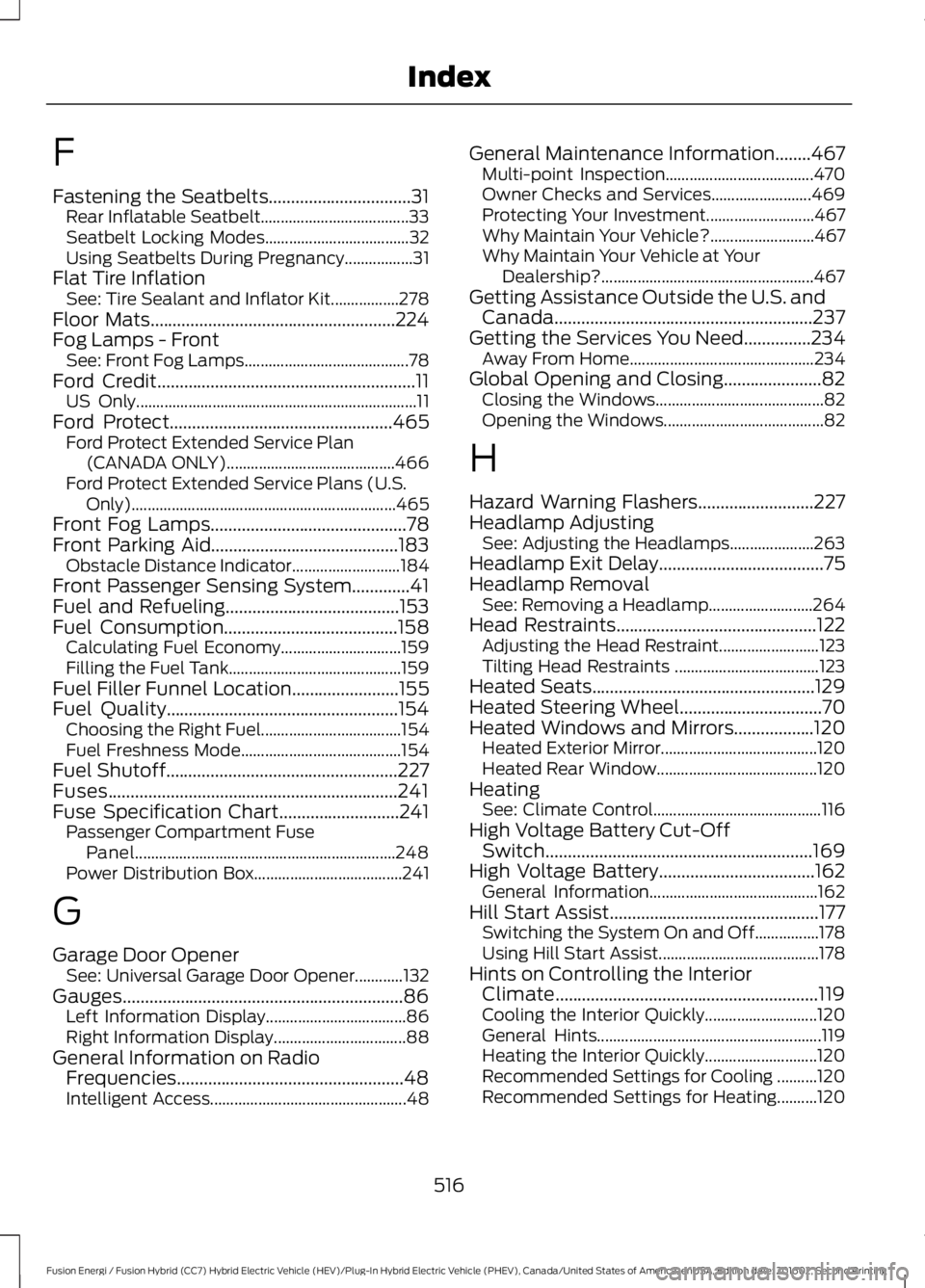
F
Fastening the Seatbelts................................31Rear Inflatable Seatbelt.....................................33Seatbelt Locking Modes....................................32Using Seatbelts During Pregnancy.................31Flat Tire InflationSee: Tire Sealant and Inflator Kit.................278Floor Mats.......................................................224Fog Lamps - FrontSee: Front Fog Lamps.........................................78Ford Credit..........................................................11US Only......................................................................11Ford Protect..................................................465Ford Protect Extended Service Plan(CANADA ONLY)..........................................466Ford Protect Extended Service Plans (U.S.Only)..................................................................465Front Fog Lamps............................................78Front Parking Aid..........................................183Obstacle Distance Indicator...........................184Front Passenger Sensing System.............41Fuel and Refueling.......................................153Fuel Consumption.......................................158Calculating Fuel Economy..............................159Filling the Fuel Tank...........................................159Fuel Filler Funnel Location........................155Fuel Quality....................................................154Choosing the Right Fuel...................................154Fuel Freshness Mode........................................154Fuel Shutoff....................................................227Fuses.................................................................241Fuse Specification Chart...........................241Passenger Compartment FusePanel.................................................................248Power Distribution Box.....................................241
G
Garage Door OpenerSee: Universal Garage Door Opener............132Gauges...............................................................86Left Information Display...................................86Right Information Display.................................88General Information on RadioFrequencies...................................................48Intelligent Access.................................................48
General Maintenance Information........467Multi-point Inspection.....................................470Owner Checks and Services.........................469Protecting Your Investment...........................467Why Maintain Your Vehicle?..........................467Why Maintain Your Vehicle at YourDealership?.....................................................467Getting Assistance Outside the U.S. andCanada..........................................................237Getting the Services You Need...............234Away From Home..............................................234Global Opening and Closing......................82Closing the Windows..........................................82Opening the Windows........................................82
H
Hazard Warning Flashers..........................227Headlamp AdjustingSee: Adjusting the Headlamps.....................263Headlamp Exit Delay.....................................75Headlamp RemovalSee: Removing a Headlamp..........................264Head Restraints.............................................122Adjusting the Head Restraint.........................123Tilting Head Restraints ....................................123Heated Seats..................................................129Heated Steering Wheel................................70Heated Windows and Mirrors..................120Heated Exterior Mirror.......................................120Heated Rear Window........................................120HeatingSee: Climate Control..........................................116High Voltage Battery Cut-OffSwitch............................................................169High Voltage Battery...................................162General Information..........................................162Hill Start Assist...............................................177Switching the System On and Off................178Using Hill Start Assist........................................178Hints on Controlling the InteriorClimate...........................................................119Cooling the Interior Quickly............................120General Hints........................................................119Heating the Interior Quickly............................120Recommended Settings for Cooling ..........120Recommended Settings for Heating..........120
516
Fusion Energi / Fusion Hybrid (CC7) Hybrid Electric Vehicle (HEV)/Plug-In Hybrid Electric Vehicle (PHEV), Canada/United States of America, enUSA, Edition date: 201602, Second Printing
Index