instrument cluster FORD FUSION ENERGI 2018 Owner's Manual
[x] Cancel search | Manufacturer: FORD, Model Year: 2018, Model line: FUSION ENERGI, Model: FORD FUSION ENERGI 2018Pages: 538, PDF Size: 7.52 MB
Page 237 of 538
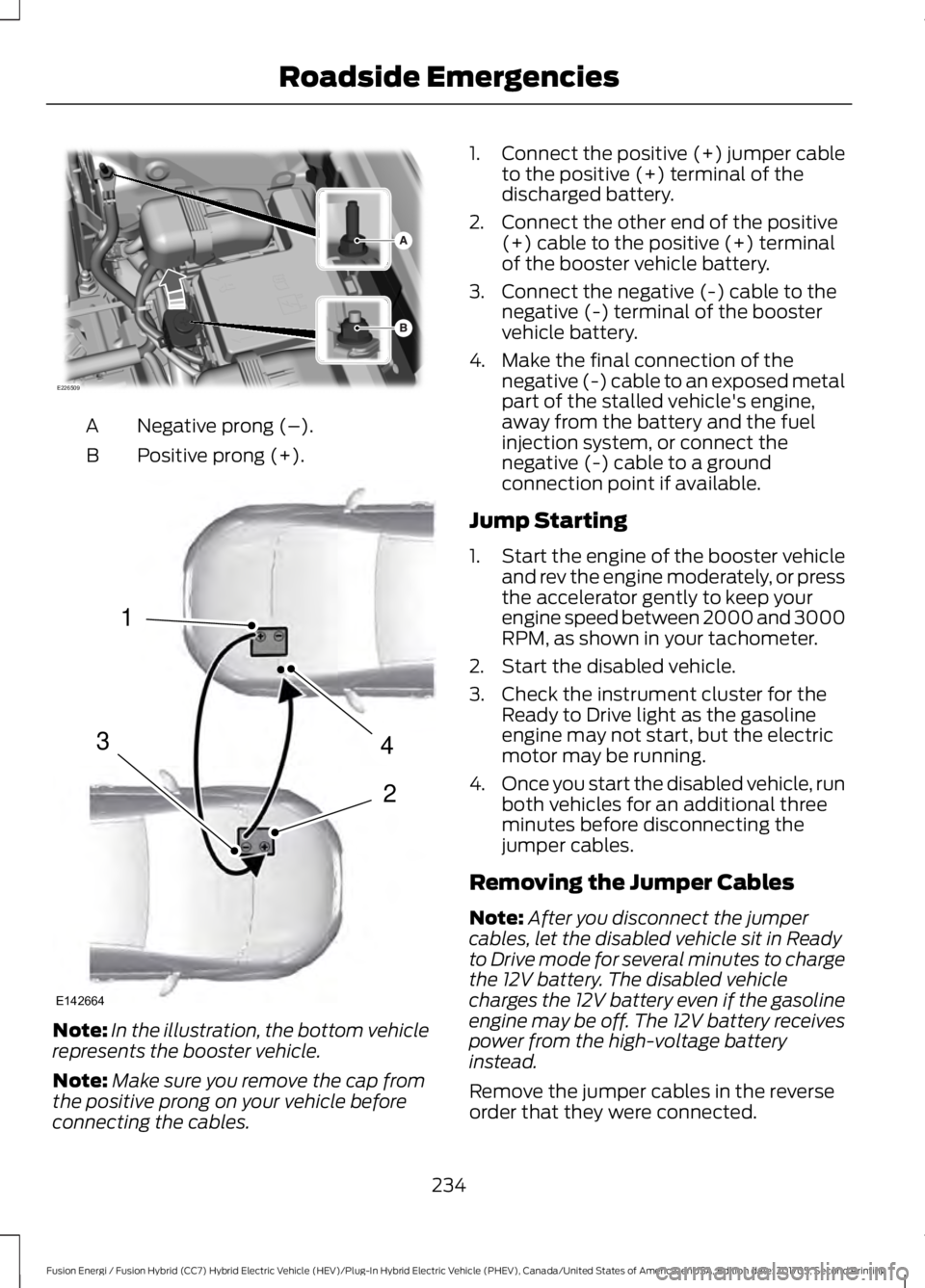
Negative prong (–).A
Positive prong (+).B
Note:In the illustration, the bottom vehiclerepresents the booster vehicle.
Note:Make sure you remove the cap fromthe positive prong on your vehicle beforeconnecting the cables.
1.Connect the positive (+) jumper cableto the positive (+) terminal of thedischarged battery.
2. Connect the other end of the positive(+) cable to the positive (+) terminalof the booster vehicle battery.
3. Connect the negative (-) cable to thenegative (-) terminal of the boostervehicle battery.
4. Make the final connection of thenegative (-) cable to an exposed metalpart of the stalled vehicle's engine,away from the battery and the fuelinjection system, or connect thenegative (-) cable to a groundconnection point if available.
Jump Starting
1.Start the engine of the booster vehicleand rev the engine moderately, or pressthe accelerator gently to keep yourengine speed between 2000 and 3000RPM, as shown in your tachometer.
2. Start the disabled vehicle.
3. Check the instrument cluster for theReady to Drive light as the gasolineengine may not start, but the electricmotor may be running.
4.Once you start the disabled vehicle, runboth vehicles for an additional threeminutes before disconnecting thejumper cables.
Removing the Jumper Cables
Note:After you disconnect the jumpercables, let the disabled vehicle sit in Readyto Drive mode for several minutes to chargethe 12V battery. The disabled vehiclecharges the 12V battery even if the gasolineengine may be off. The 12V battery receivespower from the high-voltage batteryinstead.
Remove the jumper cables in the reverseorder that they were connected.
234
Fusion Energi / Fusion Hybrid (CC7) Hybrid Electric Vehicle (HEV)/Plug-In Hybrid Electric Vehicle (PHEV), Canada/United States of America, enUSA, Edition date: 201705, Second Printing
Roadside EmergenciesE226509 4
2
1
3
E142664
Page 257 of 538
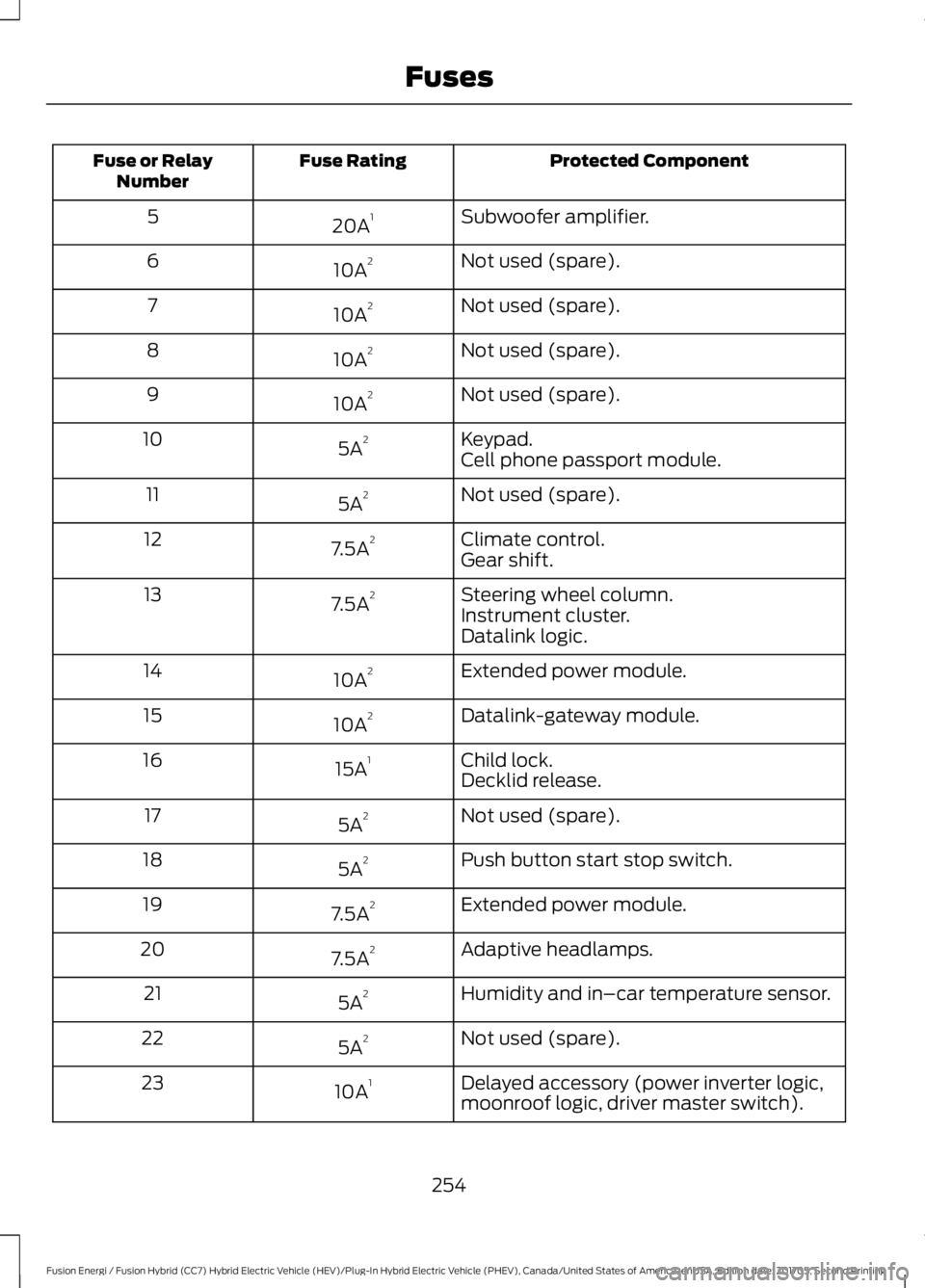
Protected ComponentFuse RatingFuse or RelayNumber
Subwoofer amplifier.20A15
Not used (spare).10A26
Not used (spare).10A27
Not used (spare).10A28
Not used (spare).10A29
Keypad.5A210Cell phone passport module.
Not used (spare).5A211
Climate control.7.5A212Gear shift.
Steering wheel column.7.5A213Instrument cluster.Datalink logic.
Extended power module.10A214
Datalink-gateway module.10A215
Child lock.15A116Decklid release.
Not used (spare).5A217
Push button start stop switch.5A218
Extended power module.7.5A219
Adaptive headlamps.7.5A220
Humidity and in–car temperature sensor.5A221
Not used (spare).5A222
Delayed accessory (power inverter logic,moonroof logic, driver master switch).10A123
254
Fusion Energi / Fusion Hybrid (CC7) Hybrid Electric Vehicle (HEV)/Plug-In Hybrid Electric Vehicle (PHEV), Canada/United States of America, enUSA, Edition date: 201705, Second Printing
Fuses
Page 264 of 538
1. Remove the filler cap.
2. Add engine oil that meets the Fordspecifications. See Capacities andSpecifications (page 308).
3. Replace the filler cap. Turn it until youfeel a strong resistance.
OIL CHANGE INDICATOR
RESET
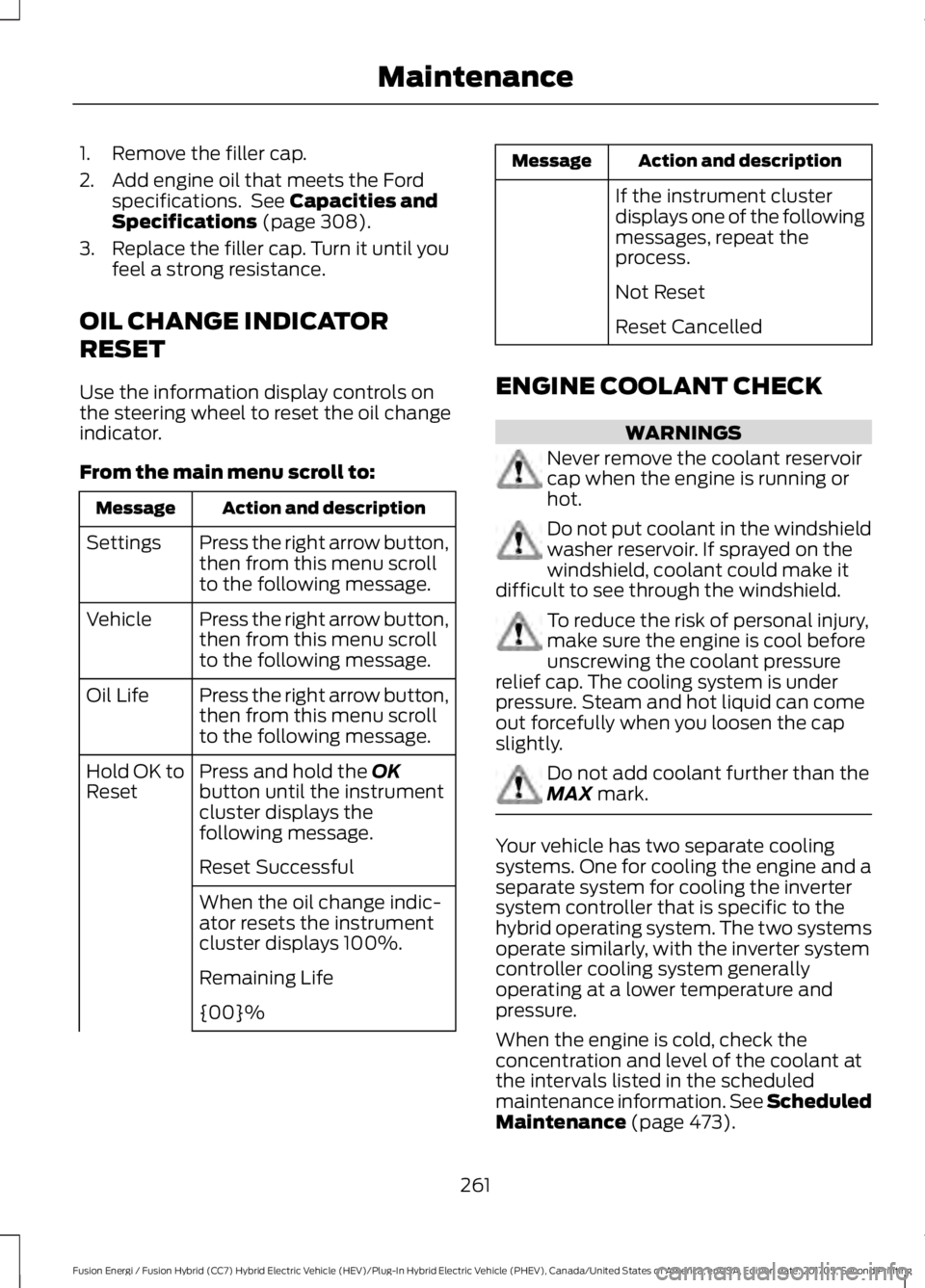
Use the information display controls onthe steering wheel to reset the oil changeindicator.
From the main menu scroll to:
Action and descriptionMessage
Press the right arrow button,then from this menu scrollto the following message.
Settings
Press the right arrow button,then from this menu scrollto the following message.
Vehicle
Press the right arrow button,then from this menu scrollto the following message.
Oil Life
Press and hold the OKbutton until the instrumentcluster displays thefollowing message.
Hold OK toReset
Reset Successful
When the oil change indic-ator resets the instrumentcluster displays 100%.
Remaining Life
{00}%
Action and descriptionMessage
If the instrument clusterdisplays one of the followingmessages, repeat theprocess.
Not Reset
Reset Cancelled
ENGINE COOLANT CHECK
WARNINGS
Never remove the coolant reservoircap when the engine is running orhot.
Do not put coolant in the windshieldwasher reservoir. If sprayed on thewindshield, coolant could make itdifficult to see through the windshield.
To reduce the risk of personal injury,make sure the engine is cool beforeunscrewing the coolant pressurerelief cap. The cooling system is underpressure. Steam and hot liquid can comeout forcefully when you loosen the capslightly.
Do not add coolant further than theMAX mark.
Your vehicle has two separate coolingsystems. One for cooling the engine and aseparate system for cooling the invertersystem controller that is specific to thehybrid operating system. The two systemsoperate similarly, with the inverter systemcontroller cooling system generallyoperating at a lower temperature andpressure.
When the engine is cold, check theconcentration and level of the coolant atthe intervals listed in the scheduledmaintenance information. See ScheduledMaintenance (page 473).
261
Fusion Energi / Fusion Hybrid (CC7) Hybrid Electric Vehicle (HEV)/Plug-In Hybrid Electric Vehicle (PHEV), Canada/United States of America, enUSA, Edition date: 201705, Second Printing
Maintenance
Page 280 of 538
Note: Do not use razor blades or othersharp objects to clean or remove decalsfrom the inside of the heated rear window.The vehicle warranty does not coverdamage caused to the heated rear windowgrid lines.
CLEANING THE INTERIOR
WARNINGS
Do not use cleaning solvents, bleachor dye on the vehicle's seatbelts, asthese actions may weaken the beltwebbing.
On vehicles equipped withseat-mounted airbags, do not usechemical solvents or strongdetergents. Such products couldcontaminate the side airbag system andaffect performance of the side airbag in acrash.
For fabric, carpets, cloth seats and seatsequipped with side airbags:
•Remove dust and loose dirt with avacuum cleaner.
•Remove light stains and soil withMotorcraft Professional StrengthCarpet & Upholstery Cleaner.
•If grease or tar is present on thematerial, spot-clean the area first withMotorcraft Spot and Stain Remover. InCanada, use Motorcraft Multi-PurposeCleaner.
•If a ring forms on the fabric after spotcleaning, clean the entire areaimmediately (but do not oversaturate)or the ring will set.
•Do not use household cleaningproducts or glass cleaners, which canstain and discolor the fabric and affectthe flame retardant abilities of the seatmaterials.
CLEANING THE INSTRUMENT
PANEL AND INSTRUMENT
CLUSTER LENS
WARNING
Do not use chemical solvents orstrong detergents when cleaning thesteering wheel or instrument panelto avoid contamination of the airbagsystem.
Note:Follow the same procedure ascleaning leather seats for cleaning leatherinstrument panels and leather interior trimsurfaces. See Cleaning Leather Seats(page 278).
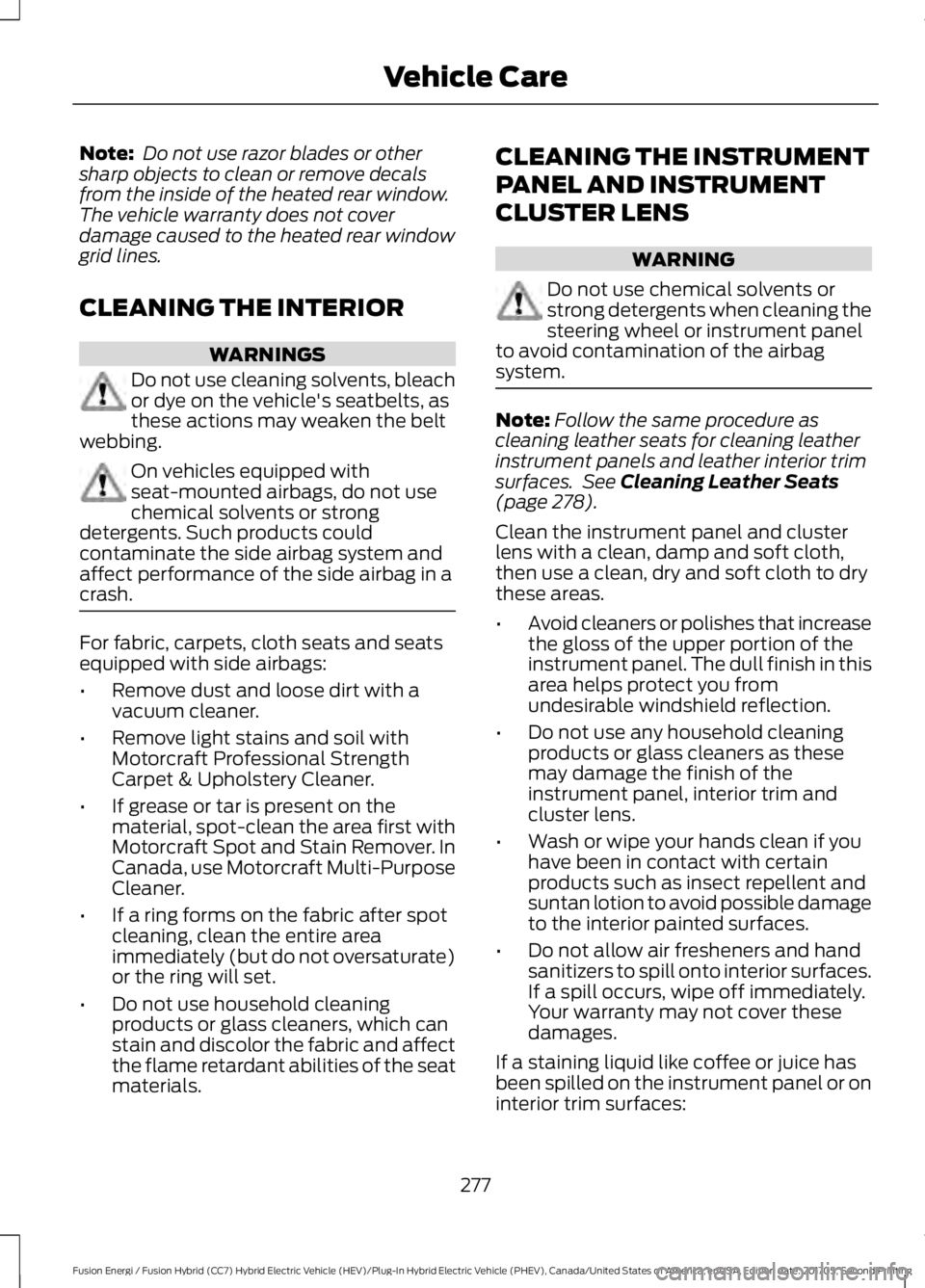
Clean the instrument panel and clusterlens with a clean, damp and soft cloth,then use a clean, dry and soft cloth to drythese areas.
•Avoid cleaners or polishes that increasethe gloss of the upper portion of theinstrument panel. The dull finish in thisarea helps protect you fromundesirable windshield reflection.
•Do not use any household cleaningproducts or glass cleaners as thesemay damage the finish of theinstrument panel, interior trim andcluster lens.
•Wash or wipe your hands clean if youhave been in contact with certainproducts such as insect repellent andsuntan lotion to avoid possible damageto the interior painted surfaces.
•Do not allow air fresheners and handsanitizers to spill onto interior surfaces.If a spill occurs, wipe off immediately.Your warranty may not cover thesedamages.
If a staining liquid like coffee or juice hasbeen spilled on the instrument panel or oninterior trim surfaces:
277
Fusion Energi / Fusion Hybrid (CC7) Hybrid Electric Vehicle (HEV)/Plug-In Hybrid Electric Vehicle (PHEV), Canada/United States of America, enUSA, Edition date: 201705, Second Printing
Vehicle Care
Page 471 of 538
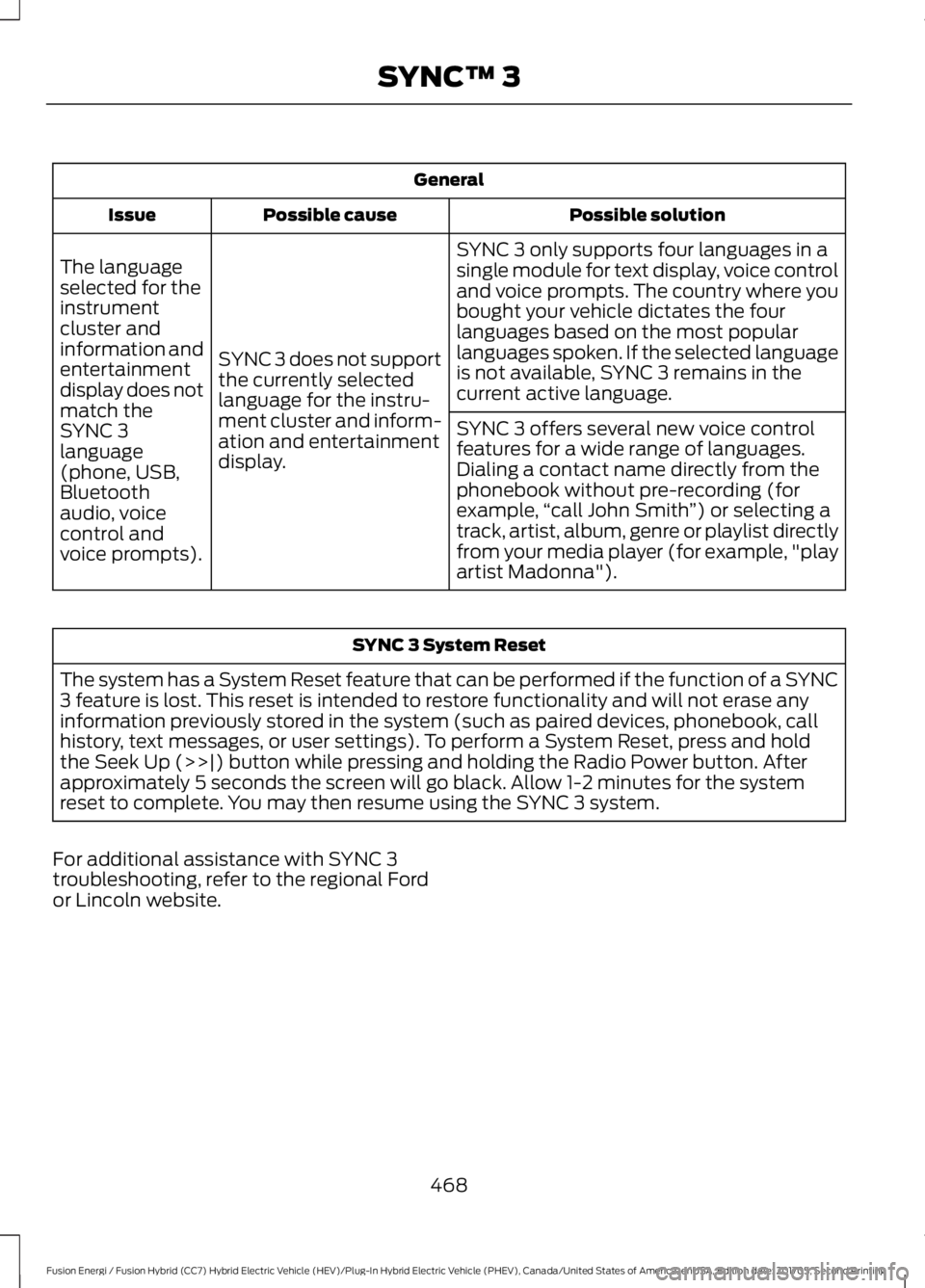
General
Possible solutionPossible causeIssue
SYNC 3 only supports four languages in asingle module for text display, voice controland voice prompts. The country where youbought your vehicle dictates the fourlanguages based on the most popularlanguages spoken. If the selected languageis not available, SYNC 3 remains in thecurrent active language.
SYNC 3 does not supportthe currently selectedlanguage for the instru-ment cluster and inform-ation and entertainmentdisplay.
The languageselected for theinstrumentcluster andinformation andentertainmentdisplay does notmatch theSYNC 3SYNC 3 offers several new voice controlfeatures for a wide range of languages.Dialing a contact name directly from thephonebook without pre-recording (forexample,“call John Smith”) or selecting atrack, artist, album, genre or playlist directlyfrom your media player (for example, "playartist Madonna").
language(phone, USB,Bluetoothaudio, voicecontrol andvoice prompts).
SYNC 3 System Reset
The system has a System Reset feature that can be performed if the function of a SYNC3 feature is lost. This reset is intended to restore functionality and will not erase anyinformation previously stored in the system (such as paired devices, phonebook, callhistory, text messages, or user settings). To perform a System Reset, press and holdthe Seek Up (>>|) button while pressing and holding the Radio Power button. Afterapproximately 5 seconds the screen will go black. Allow 1-2 minutes for the systemreset to complete. You may then resume using the SYNC 3 system.
For additional assistance with SYNC 3troubleshooting, refer to the regional Fordor Lincoln website.
468
Fusion Energi / Fusion Hybrid (CC7) Hybrid Electric Vehicle (HEV)/Plug-In Hybrid Electric Vehicle (PHEV), Canada/United States of America, enUSA, Edition date: 201705, Second Printing
SYNC™ 3
Page 530 of 538
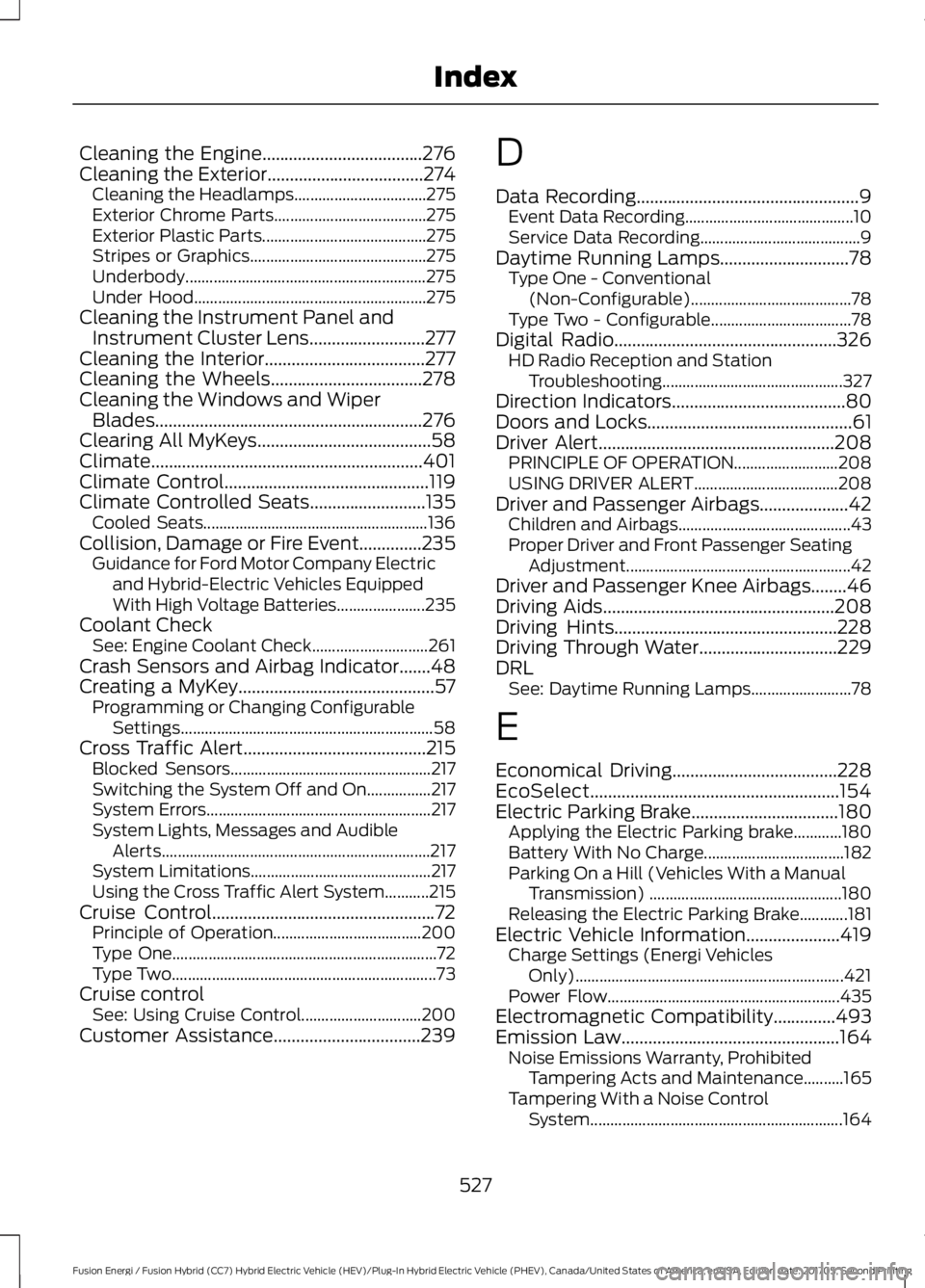
Cleaning the Engine....................................276Cleaning the Exterior...................................274Cleaning the Headlamps.................................275Exterior Chrome Parts......................................275Exterior Plastic Parts.........................................275Stripes or Graphics............................................275Underbody............................................................275Under Hood..........................................................275Cleaning the Instrument Panel andInstrument Cluster Lens..........................277Cleaning the Interior....................................277Cleaning the Wheels..................................278Cleaning the Windows and WiperBlades............................................................276Clearing All MyKeys.......................................58Climate.............................................................401Climate Control..............................................119Climate Controlled Seats..........................135Cooled Seats........................................................136Collision, Damage or Fire Event..............235Guidance for Ford Motor Company Electricand Hybrid-Electric Vehicles EquippedWith High Voltage Batteries......................235Coolant CheckSee: Engine Coolant Check.............................261Crash Sensors and Airbag Indicator.......48Creating a MyKey............................................57Programming or Changing ConfigurableSettings...............................................................58Cross Traffic Alert.........................................215Blocked Sensors..................................................217Switching the System Off and On................217System Errors........................................................217System Lights, Messages and AudibleAlerts...................................................................217System Limitations.............................................217Using the Cross Traffic Alert System...........215Cruise Control..................................................72Principle of Operation.....................................200Type One..................................................................72Type Two..................................................................73Cruise controlSee: Using Cruise Control..............................200Customer Assistance.................................239
D
Data Recording..................................................9Event Data Recording..........................................10Service Data Recording........................................9Daytime Running Lamps.............................78Type One - Conventional(Non-Configurable)........................................78Type Two - Configurable...................................78Digital Radio..................................................326HD Radio Reception and StationTroubleshooting.............................................327Direction Indicators.......................................80Doors and Locks..............................................61Driver Alert.....................................................208PRINCIPLE OF OPERATION..........................208USING DRIVER ALERT....................................208Driver and Passenger Airbags....................42Children and Airbags...........................................43Proper Driver and Front Passenger SeatingAdjustment........................................................42Driver and Passenger Knee Airbags........46Driving Aids....................................................208Driving Hints..................................................228Driving Through Water...............................229DRLSee: Daytime Running Lamps.........................78
E
Economical Driving.....................................228EcoSelect........................................................154Electric Parking Brake.................................180Applying the Electric Parking brake............180Battery With No Charge...................................182Parking On a Hill (Vehicles With a ManualTransmission) ................................................180Releasing the Electric Parking Brake............181Electric Vehicle Information.....................419Charge Settings (Energi VehiclesOnly)...................................................................421Power Flow..........................................................435Electromagnetic Compatibility..............493Emission Law.................................................164Noise Emissions Warranty, ProhibitedTampering Acts and Maintenance..........165Tampering With a Noise ControlSystem...............................................................164
527
Fusion Energi / Fusion Hybrid (CC7) Hybrid Electric Vehicle (HEV)/Plug-In Hybrid Electric Vehicle (PHEV), Canada/United States of America, enUSA, Edition date: 201705, Second Printing
Index
Page 533 of 538
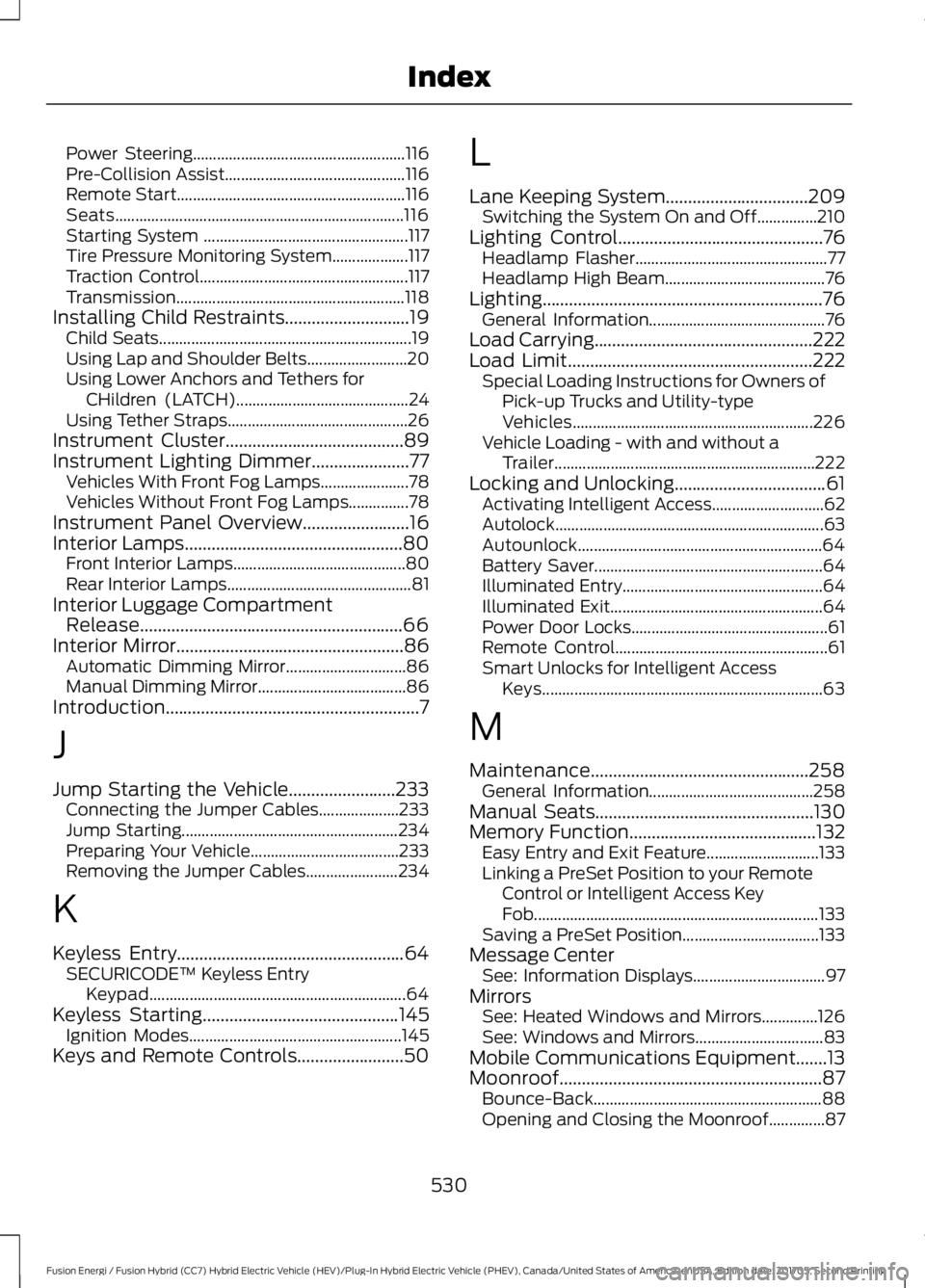
Power Steering.....................................................116Pre-Collision Assist.............................................116Remote Start.........................................................116Seats........................................................................116Starting System ...................................................117Tire Pressure Monitoring System...................117Traction Control....................................................117Transmission.........................................................118Installing Child Restraints............................19Child Seats...............................................................19Using Lap and Shoulder Belts.........................20Using Lower Anchors and Tethers forCHildren (LATCH)...........................................24Using Tether Straps.............................................26Instrument Cluster........................................89Instrument Lighting Dimmer......................77Vehicles With Front Fog Lamps......................78Vehicles Without Front Fog Lamps...............78Instrument Panel Overview........................16Interior Lamps.................................................80Front Interior Lamps...........................................80Rear Interior Lamps..............................................81Interior Luggage CompartmentRelease...........................................................66Interior Mirror...................................................86Automatic Dimming Mirror..............................86Manual Dimming Mirror.....................................86Introduction.........................................................7
J
Jump Starting the Vehicle........................233Connecting the Jumper Cables....................233Jump Starting......................................................234Preparing Your Vehicle.....................................233Removing the Jumper Cables.......................234
K
Keyless Entry...................................................64SECURICODE™ Keyless EntryKeypad................................................................64Keyless Starting............................................145Ignition Modes.....................................................145Keys and Remote Controls........................50
L
Lane Keeping System................................209Switching the System On and Off...............210Lighting Control..............................................76Headlamp Flasher................................................77Headlamp High Beam........................................76Lighting...............................................................76General Information............................................76Load Carrying.................................................222Load Limit.......................................................222Special Loading Instructions for Owners ofPick-up Trucks and Utility-typeVehicles............................................................226Vehicle Loading - with and without aTrailer.................................................................222Locking and Unlocking..................................61Activating Intelligent Access............................62Autolock...................................................................63Autounlock.............................................................64Battery Saver.........................................................64Illuminated Entry..................................................64Illuminated Exit.....................................................64Power Door Locks.................................................61Remote Control.....................................................61Smart Unlocks for Intelligent AccessKeys......................................................................63
M
Maintenance.................................................258General Information.........................................258Manual Seats.................................................130Memory Function..........................................132Easy Entry and Exit Feature............................133Linking a PreSet Position to your RemoteControl or Intelligent Access KeyFob.......................................................................133Saving a PreSet Position..................................133Message CenterSee: Information Displays.................................97MirrorsSee: Heated Windows and Mirrors..............126See: Windows and Mirrors................................83Mobile Communications Equipment.......13Moonroof...........................................................87Bounce-Back.........................................................88Opening and Closing the Moonroof..............87
530
Fusion Energi / Fusion Hybrid (CC7) Hybrid Electric Vehicle (HEV)/Plug-In Hybrid Electric Vehicle (PHEV), Canada/United States of America, enUSA, Edition date: 201705, Second Printing
Index