ad blue FORD FUSION ENERGI 2018 Owners Manual
[x] Cancel search | Manufacturer: FORD, Model Year: 2018, Model line: FUSION ENERGI, Model: FORD FUSION ENERGI 2018Pages: 538, PDF Size: 7.52 MB
Page 84 of 538
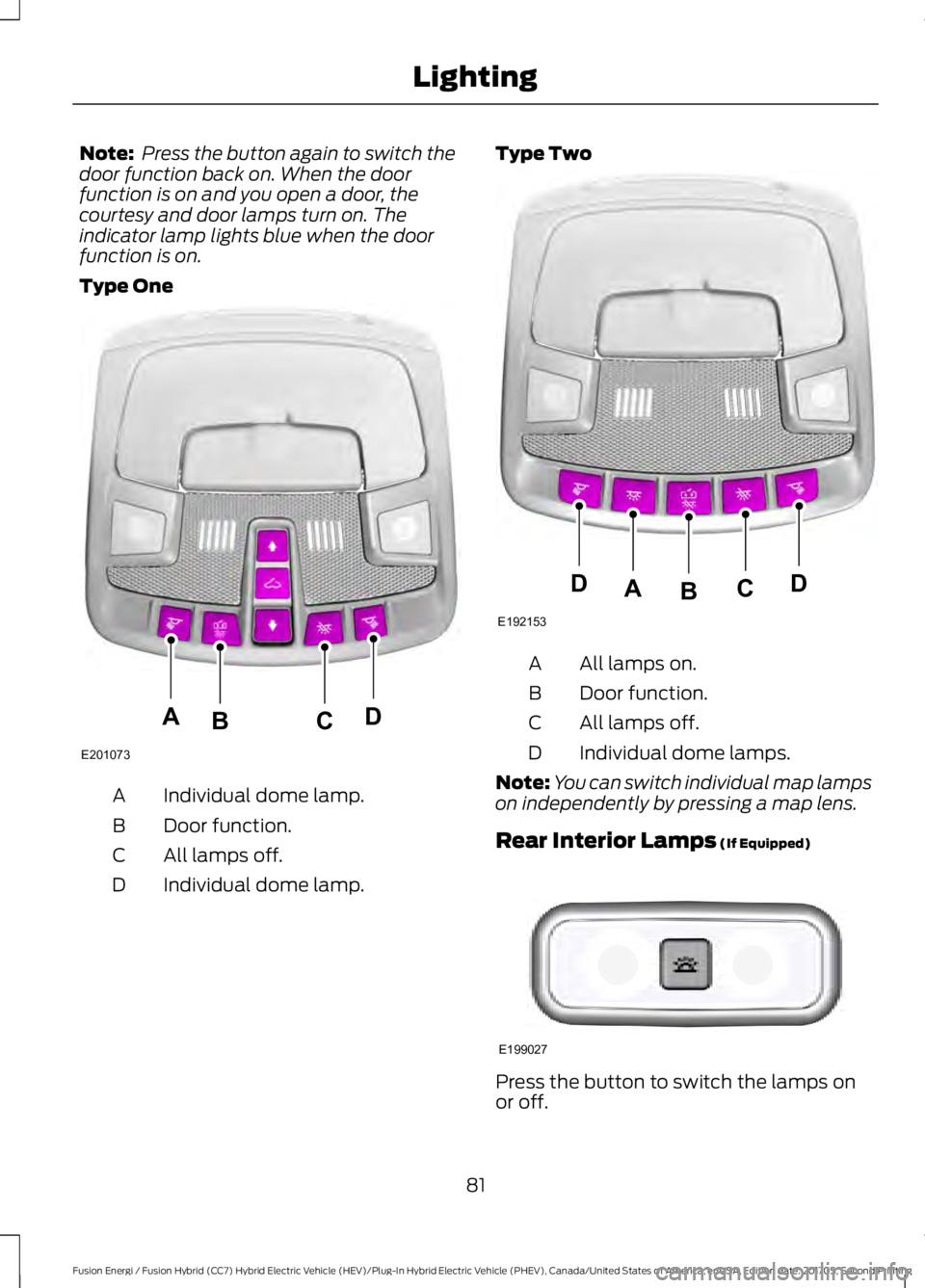
Note: Press the button again to switch thedoor function back on. When the doorfunction is on and you open a door, thecourtesy and door lamps turn on. Theindicator lamp lights blue when the doorfunction is on.
Type One
Individual dome lamp.A
Door function.B
All lamps off.C
Individual dome lamp.D
Type Two
All lamps on.A
Door function.B
All lamps off.C
Individual dome lamps.D
Note:You can switch individual map lampson independently by pressing a map lens.
Rear Interior Lamps (If Equipped)
Press the button to switch the lamps onor off.
81
Fusion Energi / Fusion Hybrid (CC7) Hybrid Electric Vehicle (HEV)/Plug-In Hybrid Electric Vehicle (PHEV), Canada/United States of America, enUSA, Edition date: 201705, Second Printing
LightingE201073
ADCB E192153
DDCAB E199027
Page 94 of 538
Trip Summary:
Trip Summary displays upon shutting offyour vehicle. The information is cumulativeover the last trip. A new trip begins eachtime your start your vehicle (when theReady to Drive message comes on).
•Distance - Displays the total distancetraveled, distance traveled on batterypower only (EV distance) and Regendistance. Regen distance is theestimated range gained from energyrecaptured through regenerativebraking.
•Energy Use - Displays the average fueleconomy. In addition for Energi,displays the total electrical energy usedwhile in Plug-in Power Mode in kilowatthours (kWh).
•Brake Score - The percent displayed isan indication of the regenerativebraking efficiency for the trip.
Note:Corresponding trip efficiency leavesappear on the right information display uponshutting off your Hybrid vehicle. On Energivehicles, the trip efficiency leaves are shownon the right information display when thevehicle operates in Hybrid Mode for theentire trip. For trips with Plug-in Power Modeoperation, an estimate of your EVRange/Full Charge is provided along with alisting of factors and their contributions tothis estimate. See Next Full Charge underRight Information Display in this chapter.
Right Information Display
Entertainment
See General Information (page 370).
Phone
See General Information (page 370).
Navigation or Compass
See General Information (page 370).
Fuel Economy
See General Information (page 97).
Vehicle Range
Vehicle range indicates the estimateddistance your vehicle will travel with theenergy currently onboard. The range isdisplayed at the bottom of the screen withgasoline range shown in white and electricrange (Energi only) shown in blue.
•Gasoline Range: Is the estimateddistance to empty based on the fuelremaining in the tank.
•Electric Range: Is the estimateddistance you can travel in Plug-InPower Mode with the engine off. Thisrange is based on a calculationdetermined by the amount of energystored in the high voltage battery as aresult of charging while plugged in andthe energy being used while driving.
The amount of energy being used whiledriving is affected by:
•Mild or aggressive acceleration orbraking.
•Your vehicle speed.
•Your use of accessories such as climatecontrol.
•The ambient temperature and otherweather conditions.
•City or highway driving.
•Road grades.
Note: It is normal for vehicle rangeestimates to vary due to changes in averageenergy usage. This is why you typically seedifferent range estimates each time you fillup your fuel tank or fully charge your battery.
91
Fusion Energi / Fusion Hybrid (CC7) Hybrid Electric Vehicle (HEV)/Plug-In Hybrid Electric Vehicle (PHEV), Canada/United States of America, enUSA, Edition date: 201705, Second Printing
Instrument Cluster
Page 102 of 538
Display/Trip
(avg miles(or km)/fullcharge + instantmiles(or km)/fullcharge gauge + batterygauge + fuel gauge)
Fuel Economy(Energi only)Shown in Hybrid Mode(avg fuel economy +instant fuel economygauge + battery gauge+ fuel gauge)
———Tire Pressure
——HelpTrip 1(Trip Data + BatteryGauge + Fuel Gauge)
Trip 2(Trip Data + BatteryGauge + Fuel Gauge)
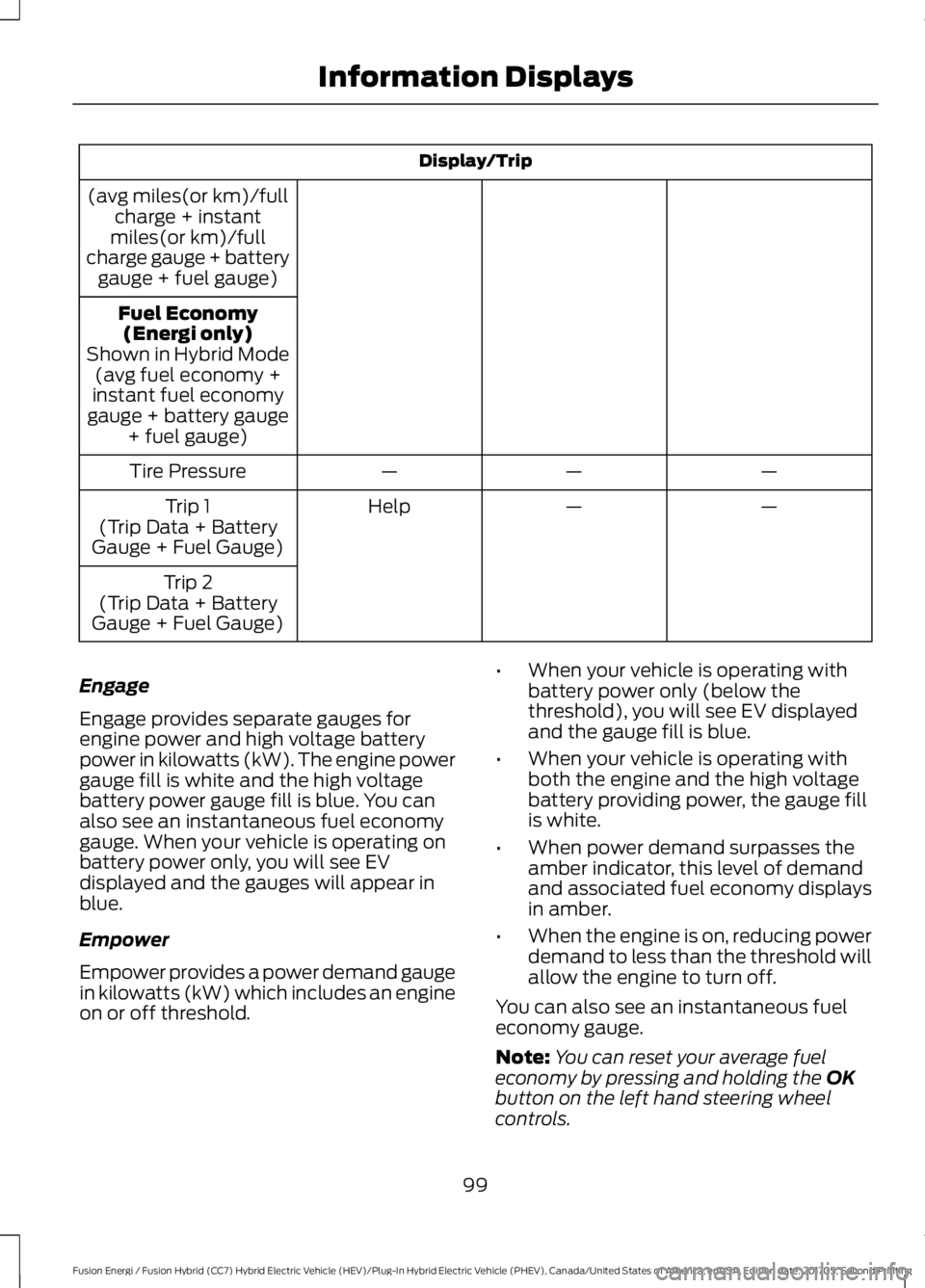
Engage
Engage provides separate gauges forengine power and high voltage batterypower in kilowatts (kW). The engine powergauge fill is white and the high voltagebattery power gauge fill is blue. You canalso see an instantaneous fuel economygauge. When your vehicle is operating onbattery power only, you will see EVdisplayed and the gauges will appear inblue.
Empower
Empower provides a power demand gaugein kilowatts (kW) which includes an engineon or off threshold.
•When your vehicle is operating withbattery power only (below thethreshold), you will see EV displayedand the gauge fill is blue.
•When your vehicle is operating withboth the engine and the high voltagebattery providing power, the gauge fillis white.
•When power demand surpasses theamber indicator, this level of demandand associated fuel economy displaysin amber.
•When the engine is on, reducing powerdemand to less than the threshold willallow the engine to turn off.
You can also see an instantaneous fueleconomy gauge.
Note:You can reset your average fueleconomy by pressing and holding the OKbutton on the left hand steering wheelcontrols.
99
Fusion Energi / Fusion Hybrid (CC7) Hybrid Electric Vehicle (HEV)/Plug-In Hybrid Electric Vehicle (PHEV), Canada/United States of America, enUSA, Edition date: 201705, Second Printing
Information Displays
Page 104 of 538
Fuel Economy (Energi only)
This display is only available in HybridMode. In Plug-in Power Mode the displaychanges to Miles (or km)/Full Charge.
An Instant Fuel Economy gauge is providedalong with Avg Fuel Economy. Whileviewing this screen you can reset youraverage fuel economy by pressing andholding the OK button on the left handsteering wheel controls. For moreinformation see Common Displays in thischapter.
Trip 1 & 2
Provides trip odometer, trip average fueleconomy and trip timer.
Distance traveled on battery power onlywith the engine off is shown in blue nextto total trip distance.
For Energi vehicles total plug-in electricityused in kilowatt hours (kWh) is shown inblue next to trip average fuel economy.
Information
In this mode, you can viewdifferent vehicle systeminformation and perform asystem check.
Information
Displays a number of different system tutorials. Use theup or down arrows to scroll through the tutorials. Thenpress OK to view.
TutorialWarnings
Displays the associated driver alert graphic.Driver Alert
MyKeys (Number of MyKeys programmed)MyKey
MyKey Miles (km) (Distance traveled using aprogrammed MyKey)
Admin Keys (Number of admin keys)
All active warnings will display first if applicable. Thesystem check menu may appear different based uponequipment options and current vehicle status. Use theup or down arrow buttons to scroll through the list.
System Check
Settings
In this mode, you can configuredifferent driver setting choices.
Note:Some items are optional and maynot appear.
Note:Some MyKey items will only appearif a MyKey is set.
101
Fusion Energi / Fusion Hybrid (CC7) Hybrid Electric Vehicle (HEV)/Plug-In Hybrid Electric Vehicle (PHEV), Canada/United States of America, enUSA, Edition date: 201705, Second Printing
Information DisplaysE144642 E100023
Page 108 of 538
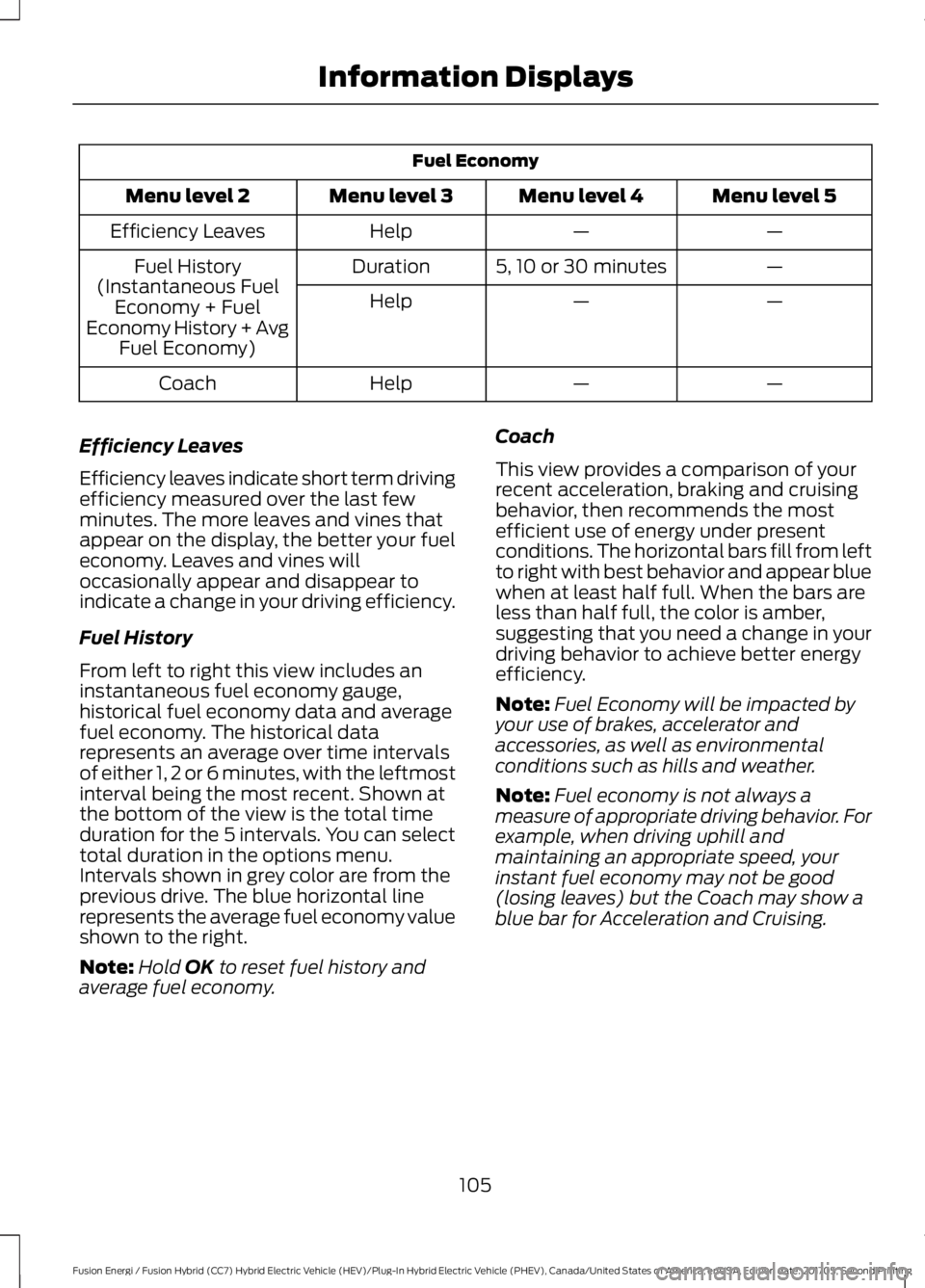
Fuel Economy
Menu level 5Menu level 4Menu level 3Menu level 2
——HelpEfficiency Leaves
—5, 10 or 30 minutesDurationFuel History(Instantaneous FuelEconomy + FuelEconomy History + AvgFuel Economy)
——Help
——HelpCoach
Efficiency Leaves
Efficiency leaves indicate short term drivingefficiency measured over the last fewminutes. The more leaves and vines thatappear on the display, the better your fueleconomy. Leaves and vines willoccasionally appear and disappear toindicate a change in your driving efficiency.
Fuel History
From left to right this view includes aninstantaneous fuel economy gauge,historical fuel economy data and averagefuel economy. The historical datarepresents an average over time intervalsof either 1, 2 or 6 minutes, with the leftmostinterval being the most recent. Shown atthe bottom of the view is the total timeduration for the 5 intervals. You can selecttotal duration in the options menu.Intervals shown in grey color are from theprevious drive. The blue horizontal linerepresents the average fuel economy valueshown to the right.
Note:Hold OK to reset fuel history andaverage fuel economy.
Coach
This view provides a comparison of yourrecent acceleration, braking and cruisingbehavior, then recommends the mostefficient use of energy under presentconditions. The horizontal bars fill from leftto right with best behavior and appear bluewhen at least half full. When the bars areless than half full, the color is amber,suggesting that you need a change in yourdriving behavior to achieve better energyefficiency.
Note:Fuel Economy will be impacted byyour use of brakes, accelerator andaccessories, as well as environmentalconditions such as hills and weather.
Note:Fuel economy is not always ameasure of appropriate driving behavior. Forexample, when driving uphill andmaintaining an appropriate speed, yourinstant fuel economy may not be good(losing leaves) but the Coach may show ablue bar for Acceleration and Cruising.
105
Fusion Energi / Fusion Hybrid (CC7) Hybrid Electric Vehicle (HEV)/Plug-In Hybrid Electric Vehicle (PHEV), Canada/United States of America, enUSA, Edition date: 201705, Second Printing
Information Displays
Page 109 of 538
Common Displays
Both Average fuel economy and aninstantaneous fuel economy gauge areincluded in Engage, Empower, MyView (ifselected) and Fuel Economy (shown inHybrid Mode) on the left-hand informationdisplay. They are also included in FuelHistory on the right-hand informationdisplay.
Average Fuel Economy
Average Fuel Economy is continuouslyaveraged since the last reset. You can resetyour average fuel economy by pressing andholding the OK button on thecorresponding steering wheel controls. ForEnergi vehicles both Hybrid and Plug-inPower mode operation will be included inthe calculation.
Note:Average fuel economy cannot bereset in MyView.
Instantaneous Fuel Economy
If your instantaneous fuel economy isgreater than the maximum valuedisplayed, a + sign will be shown next tothe maximum scale number. When yourvehicle is operating on battery power only,EV will display and the gauge fill will showin blue.
INFORMATION MESSAGES
Note: Depending on your vehicle optionsand instrument cluster type, not all of themessages will display or be available.Certain messages may be abbreviated orshortened depending upon which clustertype you have.
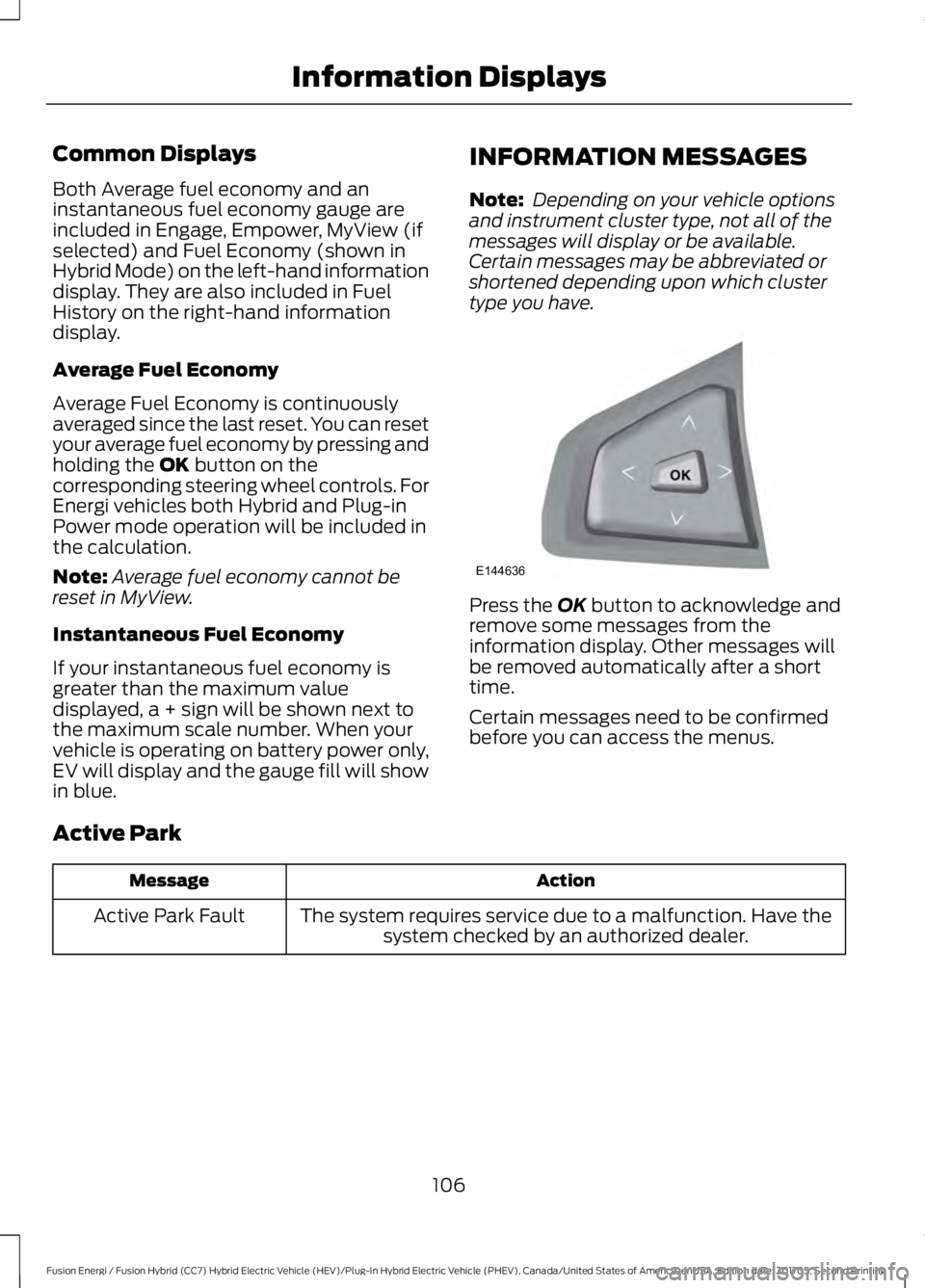
Press the OK button to acknowledge andremove some messages from theinformation display. Other messages willbe removed automatically after a shorttime.
Certain messages need to be confirmedbefore you can access the menus.
Active Park
ActionMessage
The system requires service due to a malfunction. Have thesystem checked by an authorized dealer.Active Park Fault
106
Fusion Energi / Fusion Hybrid (CC7) Hybrid Electric Vehicle (HEV)/Plug-In Hybrid Electric Vehicle (PHEV), Canada/United States of America, enUSA, Edition date: 201705, Second Printing
Information DisplaysE144636
Page 143 of 538
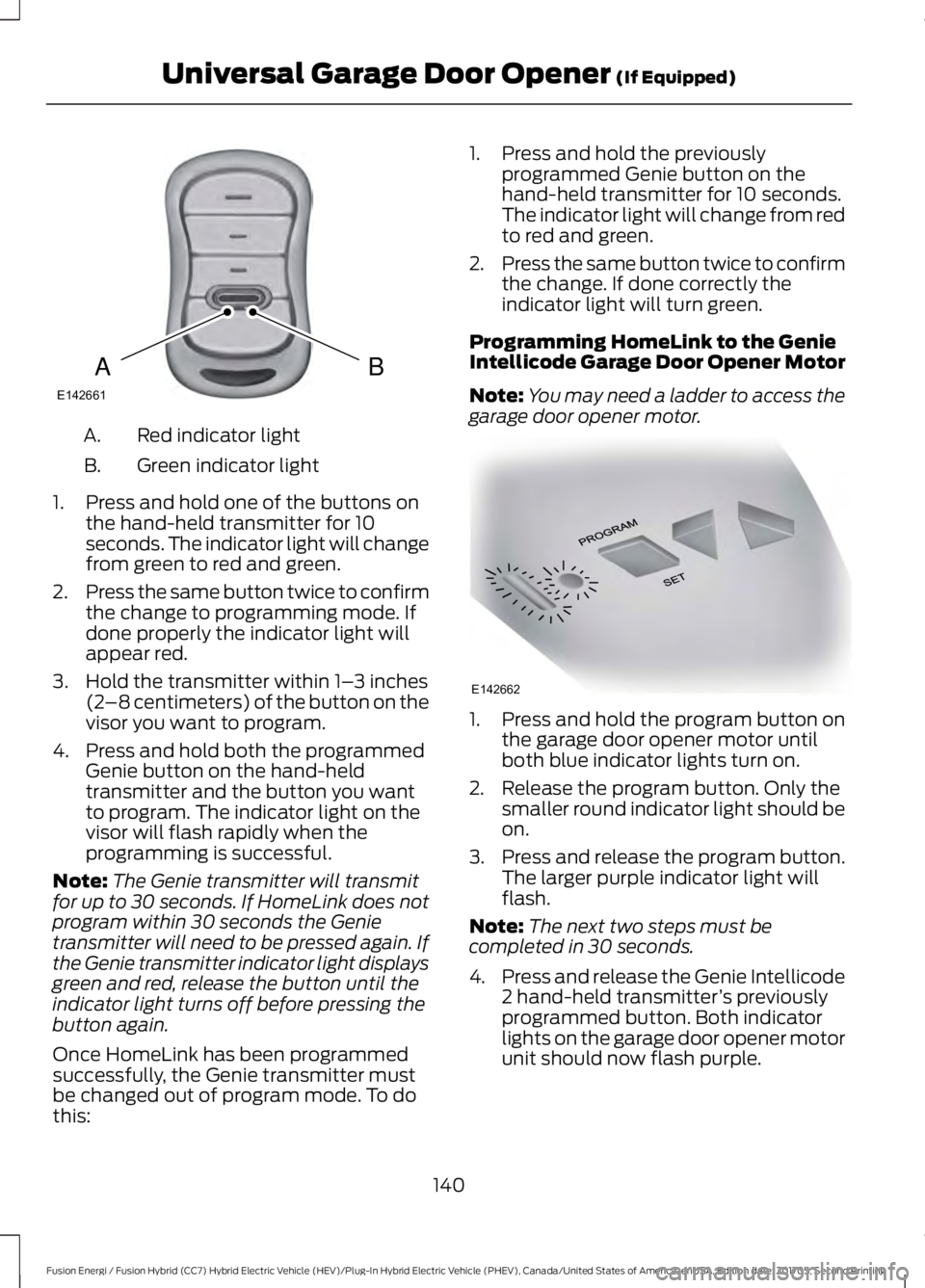
Red indicator lightA.
Green indicator lightB.
1. Press and hold one of the buttons onthe hand-held transmitter for 10seconds. The indicator light will changefrom green to red and green.
2.Press the same button twice to confirmthe change to programming mode. Ifdone properly the indicator light willappear red.
3. Hold the transmitter within 1–3 inches(2–8 centimeters) of the button on thevisor you want to program.
4. Press and hold both the programmedGenie button on the hand-heldtransmitter and the button you wantto program. The indicator light on thevisor will flash rapidly when theprogramming is successful.
Note:The Genie transmitter will transmitfor up to 30 seconds. If HomeLink does notprogram within 30 seconds the Genietransmitter will need to be pressed again. Ifthe Genie transmitter indicator light displaysgreen and red, release the button until theindicator light turns off before pressing thebutton again.
Once HomeLink has been programmedsuccessfully, the Genie transmitter mustbe changed out of program mode. To dothis:
1. Press and hold the previouslyprogrammed Genie button on thehand-held transmitter for 10 seconds.The indicator light will change from redto red and green.
2.Press the same button twice to confirmthe change. If done correctly theindicator light will turn green.
Programming HomeLink to the GenieIntellicode Garage Door Opener Motor
Note:You may need a ladder to access thegarage door opener motor.
1. Press and hold the program button onthe garage door opener motor untilboth blue indicator lights turn on.
2. Release the program button. Only thesmaller round indicator light should beon.
3.Press and release the program button.The larger purple indicator light willflash.
Note:The next two steps must becompleted in 30 seconds.
4.Press and release the Genie Intellicode2 hand-held transmitter’s previouslyprogrammed button. Both indicatorlights on the garage door opener motorunit should now flash purple.
140
Fusion Energi / Fusion Hybrid (CC7) Hybrid Electric Vehicle (HEV)/Plug-In Hybrid Electric Vehicle (PHEV), Canada/United States of America, enUSA, Edition date: 201705, Second Printing
Universal Garage Door Opener (If Equipped)BAE142661 E142662
Page 155 of 538
•Perform all scheduled maintenance.
•There is no need to wait for your engineto warm up. The vehicle is ready todrive immediately after starting.
PLUG-IN HYBRID VEHICLE
OPERATION
Plug-in Power Mode and HybridMode
You must plug in your Energi vehicleregularly for optimal use of the highvoltage battery's extended rangecapability. Charging your vehicle addselectrical energy. This energy is used topropel the vehicle in plug-in power mode.
Estimated electric range is shown in bluenext to gasoline range at the bottom of theright information display. You can alsoconfigure MyView to include detailedvehicle range information. See Gauges(page 89).
The system maximizes the use ofelectric-only operation in plug-in powermode. System conditions may requireengine operation; however, the systemuses plug-in power whenever possible.
When your plug-in power is depleted, thepowertrain system will automaticallyswitch to hybrid mode. Hybrid mode usesboth the gasoline engine and electricmotor to power your vehicle and maximizefuel economy.
EV Modes
Your vehicle contains selectableEV modes through the EV buttonon the center console.
These modes are available when yourvehicle can run under high voltage batterypower. With your vehicle in driving mode,you can change EV modes with each pressof the EV button. The current mode will bedisplayed in the left-hand instrumentcluster screen.
Auto EV
This mode provides anautomatic use of high voltagebattery power during the drive,staying in electric mode when possible andrunning the engine when needed. Thismode will be the only one available if theplug-in power has been depleted.
EV Now
This mode provides an electriconly driving experience. Theleft-hand information displaychanges to a screen displaying youraverage miles or kilometers per chargealong with EV specific tools and functions.
Your vehicle may accelerate more slowlyand the top speed may be lower in EV Nowmode than in Auto EV mode.
You can enable your engine at any time byusing one of the following methods:
1.Press the OK button on the left 5–waysteering wheel control while viewingthe miles or kilometers per chargescreen. Your vehicle will enable theengine as needed, and willautomatically return to EV Now aftereight seconds or when the engine is nolonger needed.
2.Press the accelerator pedal fully. A popup message will appear. Press OK onthe left-hand steering wheel button toactivate as needed. The message willdisappear if you release the acceleratorpedal.
152
Fusion Energi / Fusion Hybrid (CC7) Hybrid Electric Vehicle (HEV)/Plug-In Hybrid Electric Vehicle (PHEV), Canada/United States of America, enUSA, Edition date: 201705, Second Printing
Unique Driving CharacteristicsE144814 E155152 E144814
Page 156 of 538
3. Press the EV button. This will changethe mode to EV Later and permitengine operation.
Your vehicle may automatically enterEngine Enabled mode if system conditionsrequire it. A engine enabled message willdisplay if this occurs. This is normalfunction, and your vehicle will return to EVNow when possible.
Your vehicle may enter Enable Enginemode if the climate control is in a defrostmode and the outside temperature is cold.A engine enabled message will display ifthis occurs. If defrost is not needed, selecta different climate control mode to permitEV Now.
When you enable EV Now, a blue EV icondisplays in the left-hand informationdisplay. If your vehicle is in the EngineEnabled mode, the EV icon will be yellow.
EV Now will automatically exit when thePlug in power has been depleted.
EV Later
This mode saves most of thehigh voltage battery plug inpower for future use (forexample, your initial drive is at high speedson open roads, but later your drive will beat low speeds in an urban area whereplug-in power usage is most efficient).Your vehicle will run the engine as neededand keep most of the high voltage batteryplug in power for later use in Auto Mode orEV Now mode.
When you enable EV Later, a white EVLater icon appears on the left-handinformation display.
The EV Later mode will automatically resetto EV Auto mode when you power yourvehicle off. You may press the EV buttontwice during the next drive to return to EVLater mode, if desired.
ECO Cruise
Note:ECO Cruise is available as a separatefeature on Energi vehicles only. On nonplug-in vehicles it is included in EcoSelect.
This feature saves vehicle energy byrelaxing acceleration compared tostandard cruise control. For example, yourvehicle may temporarily lose speed whengoing uphill. When set to on, ECO appearsin the information display when cruisecontrol is on.
You can switch it on or off in through theinformation display. See GeneralInformation (page 97).
Settings
ECO CruiseDriver Assist
Low Engine Use
The low engine use mode is equipped onEnergi models only. The Low Engine Usemode maintains proper engine lubricationat sufficient temperature, and will activateautomatically when you drive your vehiclewith limited engine operation. When yourvehicle is in low engine use mode, yourvehicle will automatically run the engineas necessary.
Note:If your vehicle is in low engine usemode when you start your vehicle, amessage will appear in the informationdisplay. See Information Messages (page106).
If you select the EV Now mode while thevehicle is in the low engine use mode, EVNow mode will be suspended for as longas you are in low engine use mode. The lowengine use mode will resume the next timeyou start your vehicle and willautomatically stop when no longer needed.
Note:Cold temperatures will affect theengine warm up time and the low engineuse mode may operate more frequently.
153
Fusion Energi / Fusion Hybrid (CC7) Hybrid Electric Vehicle (HEV)/Plug-In Hybrid Electric Vehicle (PHEV), Canada/United States of America, enUSA, Edition date: 201705, Second Printing
Unique Driving CharacteristicsE151263
Page 335 of 538
GENERAL INFORMATION
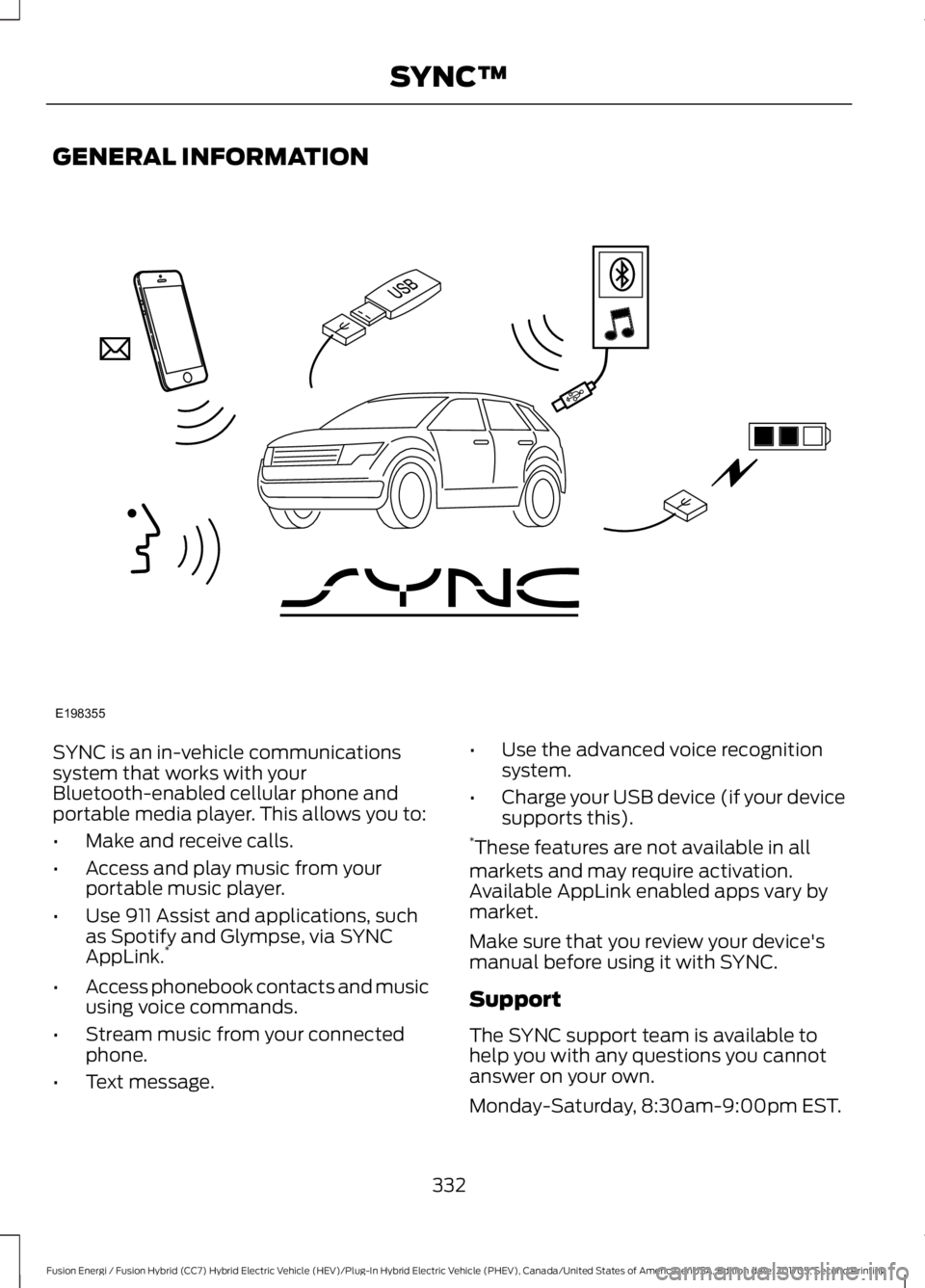
SYNC is an in-vehicle communicationssystem that works with yourBluetooth-enabled cellular phone andportable media player. This allows you to:
•Make and receive calls.
•Access and play music from yourportable music player.
•Use 911 Assist and applications, suchas Spotify and Glympse, via SYNCAppLink.*
•Access phonebook contacts and musicusing voice commands.
•Stream music from your connectedphone.
•Text message.
•Use the advanced voice recognitionsystem.
•Charge your USB device (if your devicesupports this).*These features are not available in allmarkets and may require activation.Available AppLink enabled apps vary bymarket.
Make sure that you review your device'smanual before using it with SYNC.
Support
The SYNC support team is available tohelp you with any questions you cannotanswer on your own.
Monday-Saturday, 8:30am-9:00pm EST.
332
Fusion Energi / Fusion Hybrid (CC7) Hybrid Electric Vehicle (HEV)/Plug-In Hybrid Electric Vehicle (PHEV), Canada/United States of America, enUSA, Edition date: 201705, Second Printing
SYNC™E198355