center console FORD FUSION ENERGI 2018 Owners Manual
[x] Cancel search | Manufacturer: FORD, Model Year: 2018, Model line: FUSION ENERGI, Model: FORD FUSION ENERGI 2018Pages: 538, PDF Size: 7.52 MB
Page 5 of 538
Adjusting the Steering Wheel - VehiclesWith: Manual Adjustable SteeringColumn...........................................................71
Audio Control...................................................71
Voice Control...................................................72
Cruise Control.................................................72
Information Display Control......................73
Heated Steering Wheel...............................73
Wipers and Washers
Windshield Wipers........................................74
Autowipers.......................................................74
Windshield Washers.....................................75
Lighting
General Information.....................................76
Lighting Control.............................................76
Autolamps........................................................77
Instrument Lighting Dimmer.....................77
Daytime Running Lamps............................78
Automatic High Beam Control.................79
Front Fog Lamps...........................................80
Direction Indicators......................................80
Interior Lamps................................................80
Ambient Lighting...........................................82
Windows and Mirrors
Power Windows.............................................83
Global Opening and Closing.....................84
Exterior Mirrors...............................................84
Interior Mirror..................................................86
Sun Visors........................................................87
Moonroof..........................................................87
Instrument Cluster
Gauges..............................................................89
Warning Lamps and Indicators................92
Audible Warnings and Indicators............96
Information Displays
General Information.....................................97
Information Messages..............................106
Climate Control
Automatic Climate Control - VehiclesWith: SYNC 3/Sony Audio System..........................................................................119
Automatic Climate Control - VehiclesWith: SYNC 3, Vehicles Without: SonyAudio System.............................................121
Automatic Climate Control - VehiclesWith: SYNC, Vehicles Without:Touchscreen Display..............................123
Hints on Controlling the Interior Climate.........................................................................125
Heated Windows and Mirrors.................126
Cabin Air Filter...............................................126
Remote Start.................................................127
Seats
Sitting in the Correct Position.................128
Head Restraints............................................128
Manual Seats................................................130
Power Seats..................................................130
Memory Function.........................................132
Rear Seats......................................................134
Heated Seats.................................................135
Climate Controlled Seats.........................135
Rear Seat Armrest.......................................136
Universal Garage Door Opener
Universal Garage Door Opener...............137
Auxiliary Power Points
Auxiliary Power Points...............................142
Storage Compartments
Center Console.............................................144
Overhead Console......................................144
2
Fusion Energi / Fusion Hybrid (CC7) Hybrid Electric Vehicle (HEV)/Plug-In Hybrid Electric Vehicle (PHEV), Canada/United States of America, enUSA, Edition date: 201705, Second Printing
Table of Contents
Page 46 of 538
After all occupants have adjusted theirseats and put on seatbelts, it is veryimportant that they continue to sitproperly. A properly seated occupant sitsupright, leaning against the seatback, andcentered on the seat cushion, with theirfeet comfortably extended on the floor.Sitting improperly can increase the chanceof injury in a crash event. For example, ifan occupant slouches, lies down, turnssideways, sits forward, leans forward orsideways, or puts one or both feet up, thechance of injury during a crash is greatlyincreased.
Children and Airbags
WARNING
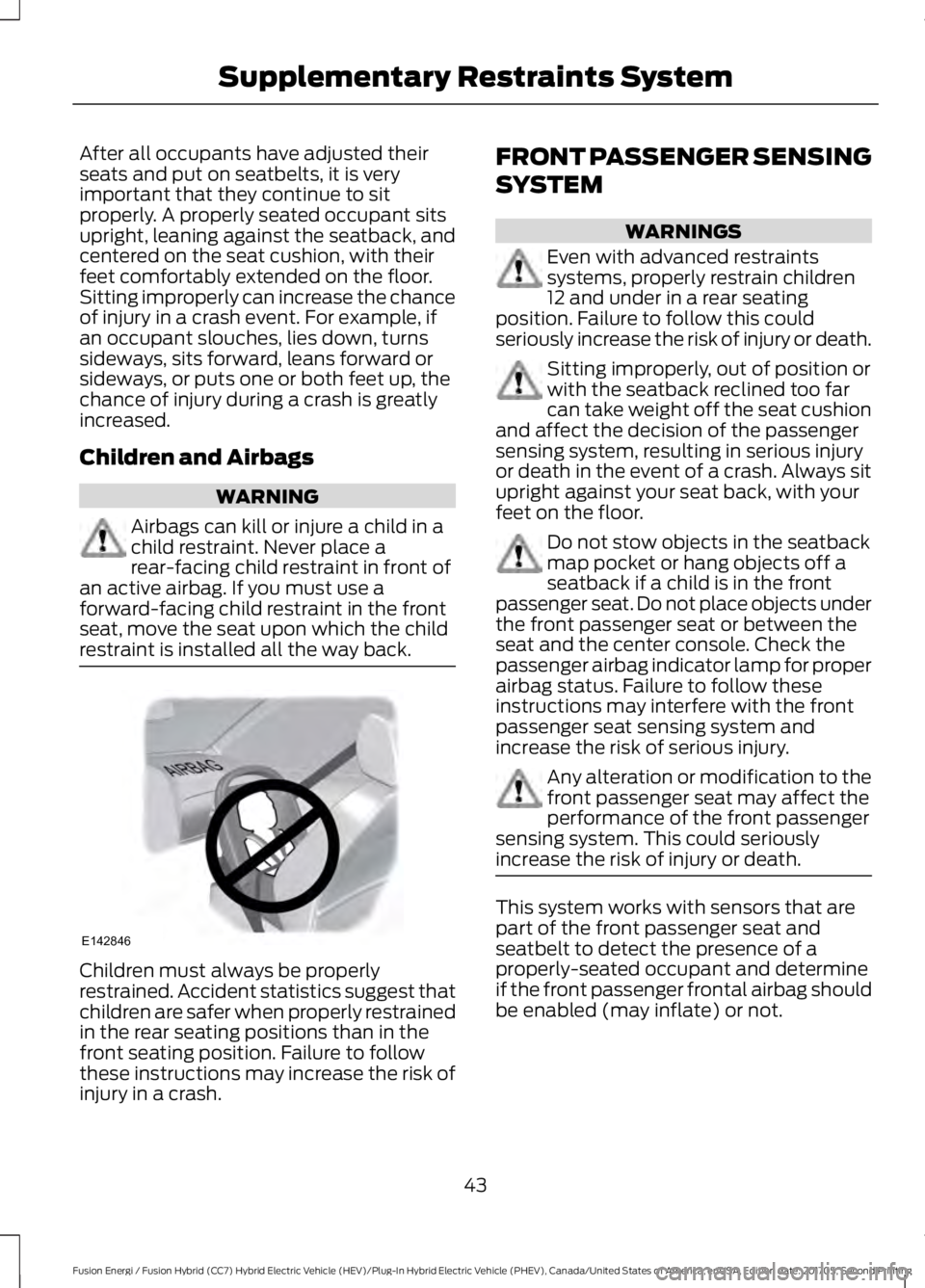
Airbags can kill or injure a child in achild restraint. Never place arear-facing child restraint in front ofan active airbag. If you must use aforward-facing child restraint in the frontseat, move the seat upon which the childrestraint is installed all the way back.
Children must always be properlyrestrained. Accident statistics suggest thatchildren are safer when properly restrainedin the rear seating positions than in thefront seating position. Failure to followthese instructions may increase the risk ofinjury in a crash.
FRONT PASSENGER SENSING
SYSTEM
WARNINGS
Even with advanced restraintssystems, properly restrain children12 and under in a rear seatingposition. Failure to follow this couldseriously increase the risk of injury or death.
Sitting improperly, out of position orwith the seatback reclined too farcan take weight off the seat cushionand affect the decision of the passengersensing system, resulting in serious injuryor death in the event of a crash. Always situpright against your seat back, with yourfeet on the floor.
Do not stow objects in the seatbackmap pocket or hang objects off aseatback if a child is in the frontpassenger seat. Do not place objects underthe front passenger seat or between theseat and the center console. Check thepassenger airbag indicator lamp for properairbag status. Failure to follow theseinstructions may interfere with the frontpassenger seat sensing system andincrease the risk of serious injury.
Any alteration or modification to thefront passenger seat may affect theperformance of the front passengersensing system. This could seriouslyincrease the risk of injury or death.
This system works with sensors that arepart of the front passenger seat andseatbelt to detect the presence of aproperly-seated occupant and determineif the front passenger frontal airbag shouldbe enabled (may inflate) or not.
43
Fusion Energi / Fusion Hybrid (CC7) Hybrid Electric Vehicle (HEV)/Plug-In Hybrid Electric Vehicle (PHEV), Canada/United States of America, enUSA, Edition date: 201705, Second Printing
Supplementary Restraints SystemE142846
Page 145 of 538
12 Volt DC Power Point
WARNING
Do not plug optional electricalaccessories into the cigar lightersocket. Incorrect use of the cigarlighter can cause damage not covered bythe vehicle warranty, and can result in fireor serious injury.
Note:When you switch the ignition on, youcan use the socket to power 12 voltappliances with a maximum current ratingof 15 amps.
If the power supply does not work after youswitch the ignition off, switch the ignitionon.Note:Do not hang any accessory from theaccessory plug.
Note:Do not use the power point over thevehicle capacity of 12 volt DC 180 watts ora fuse may blow.
Note:Always keep the power point capsclosed when not in use.
Do not insert objects other than anaccessory plug into the power point. Thisdamages the power point and may blowthe fuse.
Run the vehicle for full capacity use of thepower point.
To prevent the battery from running out ofcharge:
•Do not use the power point longer thannecessary when the vehicle is notrunning.
•Do not leave devices plugged inovernight or when you park your vehiclefor extended periods.
Locations
Power points may be in the followinglocations:
•On the instrument panel.
•Inside the center console.
•On the rear of the center console.
110 Volt AC Power Point (If Equipped)
WARNING
Do not keep electrical devicesplugged in the power point wheneverthe device is not in use. Do not useany extension cord with the 110 volt ACpower point, since it will defeat the safetyprotection design. Doing so may cause thepower point to overload due to poweringmultiple devices that can reach beyondthe 150 watt load limit and could result infire or serious injury.
Note:The power point turns off when youswitch the ignition off, or when the batteryvoltage drops below 11 volts.
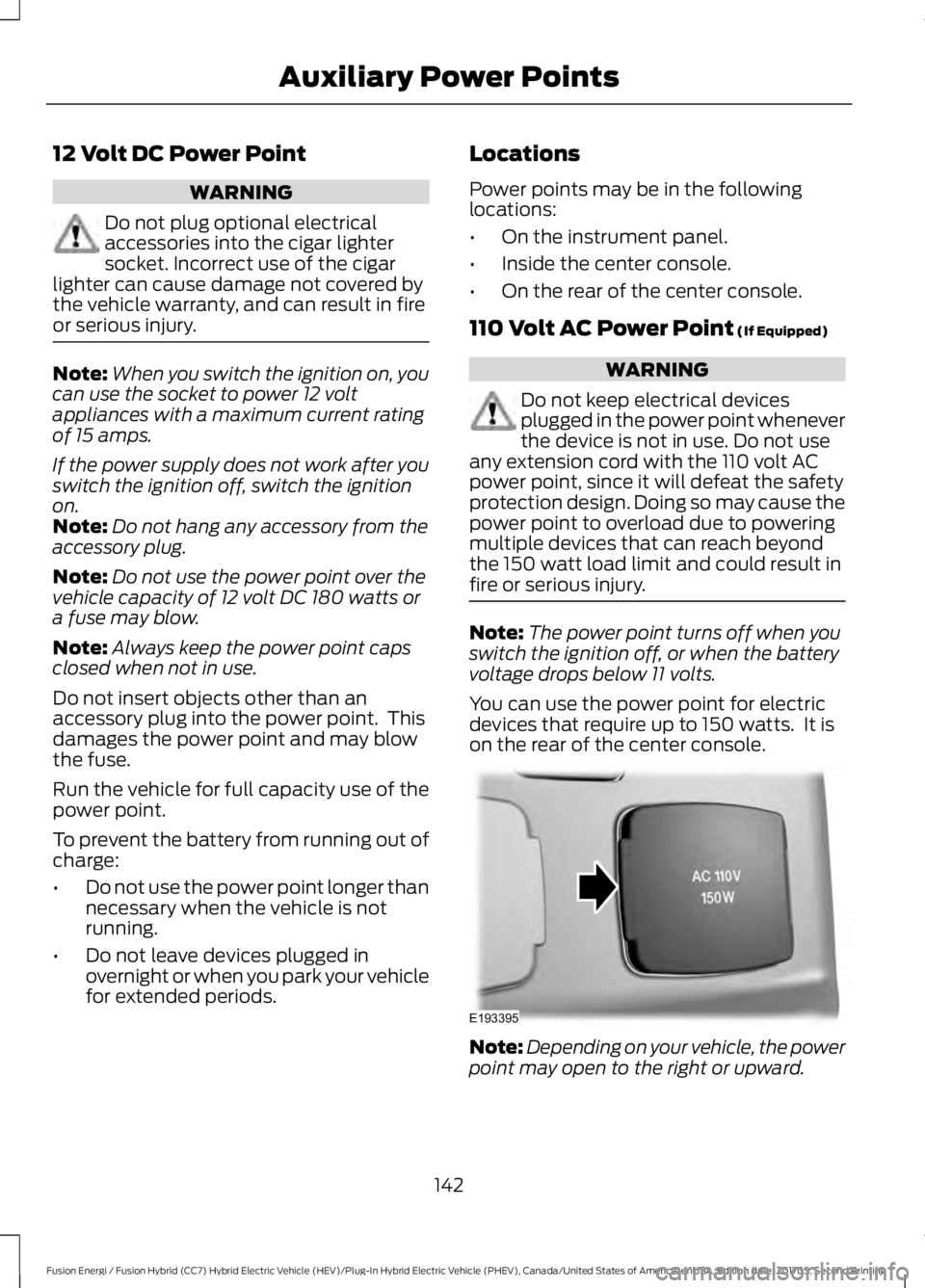
You can use the power point for electricdevices that require up to 150 watts. It ison the rear of the center console.
Note:Depending on your vehicle, the powerpoint may open to the right or upward.
142
Fusion Energi / Fusion Hybrid (CC7) Hybrid Electric Vehicle (HEV)/Plug-In Hybrid Electric Vehicle (PHEV), Canada/United States of America, enUSA, Edition date: 201705, Second Printing
Auxiliary Power PointsE193395
Page 147 of 538
CENTER CONSOLE
Stow items in the cup holder carefully asitems may become loose during hardbraking, acceleration or crashes, includinghot drinks which may spill.
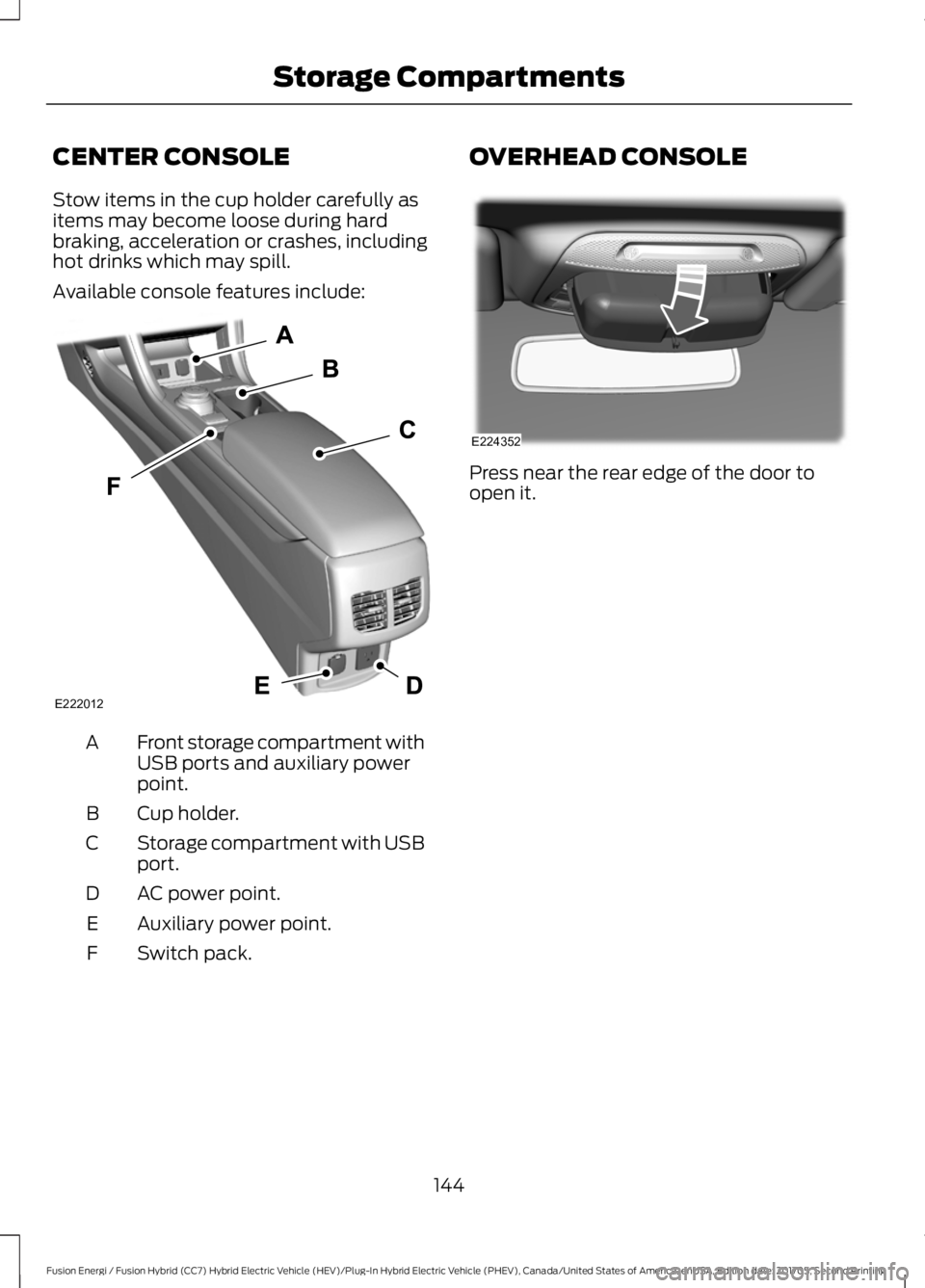
Available console features include:
Front storage compartment withUSB ports and auxiliary powerpoint.
A
Cup holder.B
Storage compartment with USBport.C
AC power point.D
Auxiliary power point.E
Switch pack.F
OVERHEAD CONSOLE
Press near the rear edge of the door toopen it.
144
Fusion Energi / Fusion Hybrid (CC7) Hybrid Electric Vehicle (HEV)/Plug-In Hybrid Electric Vehicle (PHEV), Canada/United States of America, enUSA, Edition date: 201705, Second Printing
Storage CompartmentsE222012 E224352
Page 155 of 538
•Perform all scheduled maintenance.
•There is no need to wait for your engineto warm up. The vehicle is ready todrive immediately after starting.
PLUG-IN HYBRID VEHICLE
OPERATION
Plug-in Power Mode and HybridMode
You must plug in your Energi vehicleregularly for optimal use of the highvoltage battery's extended rangecapability. Charging your vehicle addselectrical energy. This energy is used topropel the vehicle in plug-in power mode.
Estimated electric range is shown in bluenext to gasoline range at the bottom of theright information display. You can alsoconfigure MyView to include detailedvehicle range information. See Gauges(page 89).
The system maximizes the use ofelectric-only operation in plug-in powermode. System conditions may requireengine operation; however, the systemuses plug-in power whenever possible.
When your plug-in power is depleted, thepowertrain system will automaticallyswitch to hybrid mode. Hybrid mode usesboth the gasoline engine and electricmotor to power your vehicle and maximizefuel economy.
EV Modes
Your vehicle contains selectableEV modes through the EV buttonon the center console.
These modes are available when yourvehicle can run under high voltage batterypower. With your vehicle in driving mode,you can change EV modes with each pressof the EV button. The current mode will bedisplayed in the left-hand instrumentcluster screen.
Auto EV
This mode provides anautomatic use of high voltagebattery power during the drive,staying in electric mode when possible andrunning the engine when needed. Thismode will be the only one available if theplug-in power has been depleted.
EV Now
This mode provides an electriconly driving experience. Theleft-hand information displaychanges to a screen displaying youraverage miles or kilometers per chargealong with EV specific tools and functions.
Your vehicle may accelerate more slowlyand the top speed may be lower in EV Nowmode than in Auto EV mode.
You can enable your engine at any time byusing one of the following methods:
1.Press the OK button on the left 5–waysteering wheel control while viewingthe miles or kilometers per chargescreen. Your vehicle will enable theengine as needed, and willautomatically return to EV Now aftereight seconds or when the engine is nolonger needed.
2.Press the accelerator pedal fully. A popup message will appear. Press OK onthe left-hand steering wheel button toactivate as needed. The message willdisappear if you release the acceleratorpedal.
152
Fusion Energi / Fusion Hybrid (CC7) Hybrid Electric Vehicle (HEV)/Plug-In Hybrid Electric Vehicle (PHEV), Canada/United States of America, enUSA, Edition date: 201705, Second Printing
Unique Driving CharacteristicsE144814 E155152 E144814
Page 178 of 538
AUTOMATIC TRANSMISSION
WARNINGS
Always fully apply the parking brakeand make sure you shift into park (P).Failure to follow this instructioncould result in personal injury or death.
Do not apply the brake pedal andaccelerator pedal simultaneously.Applying both pedals simultaneouslyfor more than a few seconds will limitengine performance, which may result indifficulty maintaining speed in traffic andcould lead to serious injury.
When your vehicle is stationary, keepthe brake pedal fully pressed whenshifting gears. Failure to follow thisinstruction could result in personal injury,death or property damage.
Note:The ready to drive indicator may beoff and you may not be able to shift out ofpark (P) unless the intelligent access key isinside your vehicle.
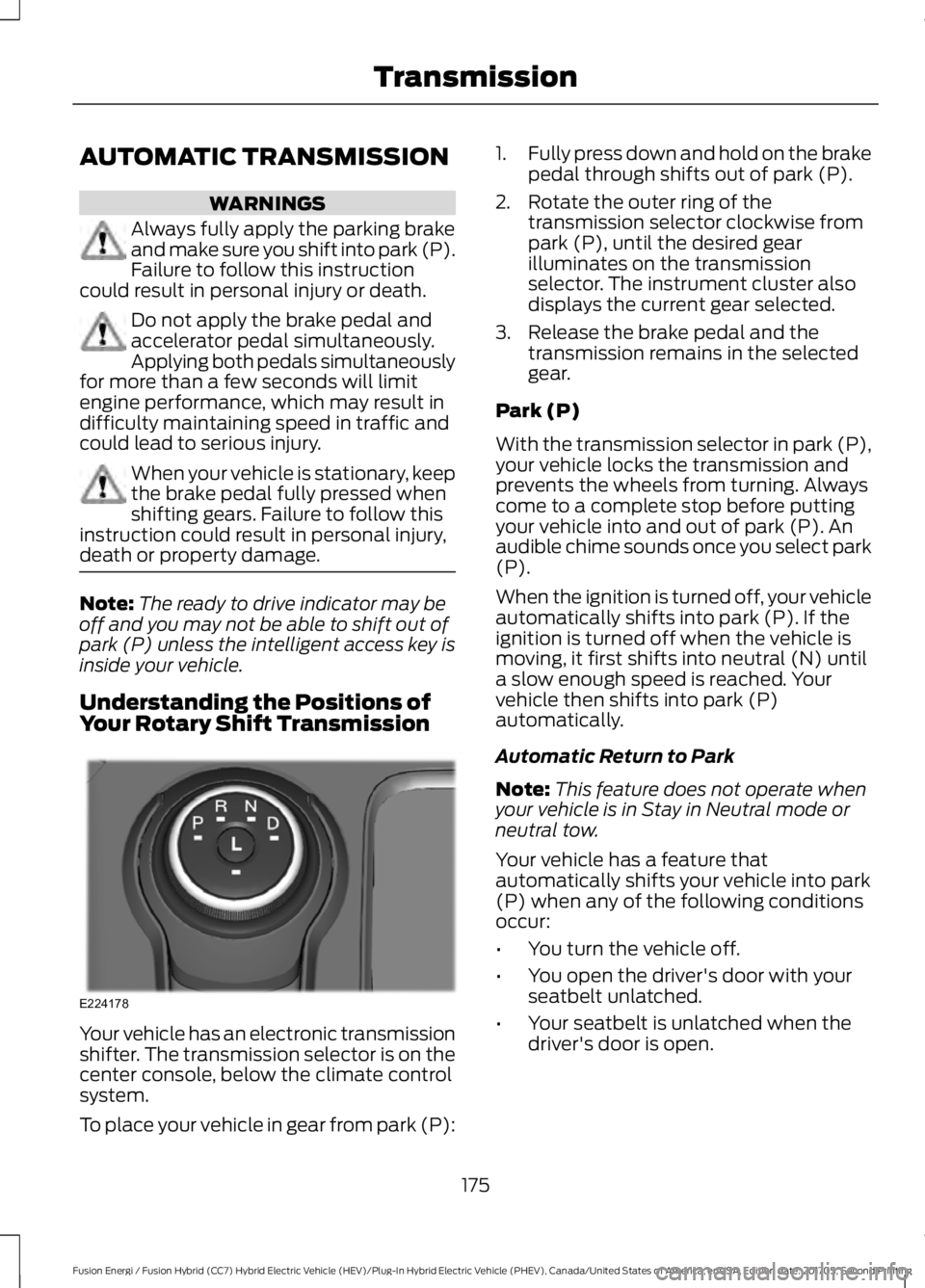
Understanding the Positions ofYour Rotary Shift Transmission
Your vehicle has an electronic transmissionshifter. The transmission selector is on thecenter console, below the climate controlsystem.
To place your vehicle in gear from park (P):
1.Fully press down and hold on the brakepedal through shifts out of park (P).
2. Rotate the outer ring of thetransmission selector clockwise frompark (P), until the desired gearilluminates on the transmissionselector. The instrument cluster alsodisplays the current gear selected.
3. Release the brake pedal and thetransmission remains in the selectedgear.
Park (P)
With the transmission selector in park (P),your vehicle locks the transmission andprevents the wheels from turning. Alwayscome to a complete stop before puttingyour vehicle into and out of park (P). Anaudible chime sounds once you select park(P).
When the ignition is turned off, your vehicleautomatically shifts into park (P). If theignition is turned off when the vehicle ismoving, it first shifts into neutral (N) untila slow enough speed is reached. Yourvehicle then shifts into park (P)automatically.
Automatic Return to Park
Note:This feature does not operate whenyour vehicle is in Stay in Neutral mode orneutral tow.
Your vehicle has a feature thatautomatically shifts your vehicle into park(P) when any of the following conditionsoccur:
•You turn the vehicle off.
•You open the driver's door with yourseatbelt unlatched.
•Your seatbelt is unlatched when thedriver's door is open.
175
Fusion Energi / Fusion Hybrid (CC7) Hybrid Electric Vehicle (HEV)/Plug-In Hybrid Electric Vehicle (PHEV), Canada/United States of America, enUSA, Edition date: 201705, Second Printing
TransmissionE224178
Page 180 of 538
Grade assist:
•Provides additional grade braking witha combination of engine motoring andhigh-voltage battery charging to helpmaintain vehicle speed whendescending a grade.
•As your vehicle determines the amountof engine motoring and high-voltagebattery charging, you may notice theengine speed increasing anddecreasing to help maintain yourvehicle speed when descending agrade.
•The grade assist lamp in the instrumentcluster is illuminated.
Low (L)
•Provides maximum engine braking.
•The transmission may be shifted intolow (L) at any vehicle speed.
•Is not intended for use under extendedor normal driving conditions and resultsin lower fuel economy.
Brake-Shift Interlock Override
WARNINGS
When doing this procedure, you needto take the transmission out of park(P) which means your vehicle canroll freely. To avoid unwanted vehiclemovement, always fully apply the parkingbrake prior to doing this procedure. Usewheels chocks if appropriate.
If the parking brake is fully released,but the brake warning lamp remainsilluminated, the brakes may not beworking properly. Have your vehiclechecked as soon as possible.
Note:Do not drive your vehicle until youverify that the brake lamps are working.
Note:See your authorized dealer as soonas possible if this procedure is used.
Note:For some markets this feature isdisabled.
Note:This feature only functions if your12-volt battery has power. If vehicle batteryvoltage is not sufficient, an external 12-voltpower source (for example, jumper cables,battery charger or jump pack) may berequired to function the interlock overrideswitch.
Use the brake-shift interlock override tomove your transmission from the parkposition in the event of an electricalmalfunction. If your vehicle has a deadbattery, an external power source isrequired.
1. Apply the parking brake and turn yourignition off before performing thisprocedure.
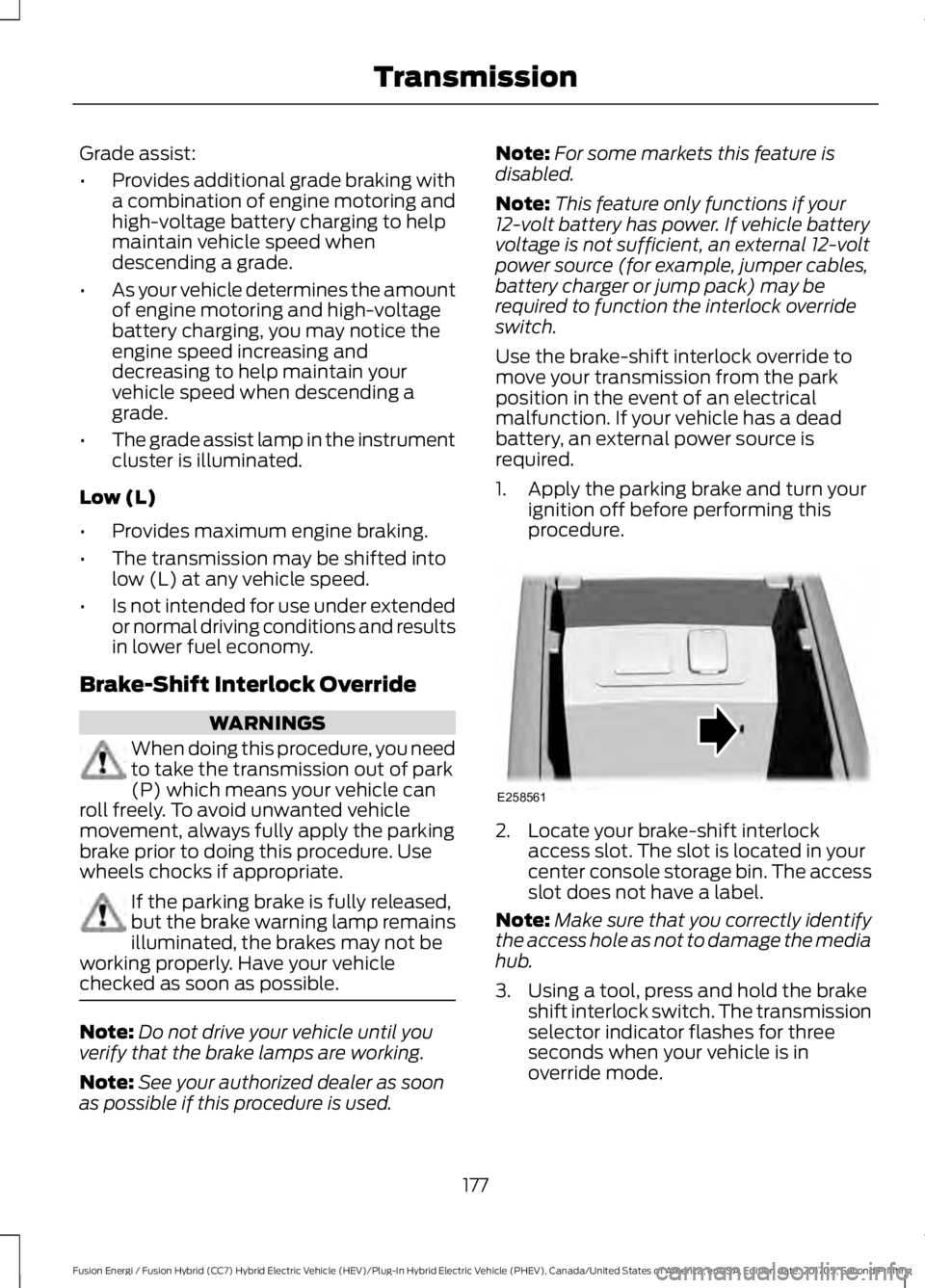
2. Locate your brake-shift interlockaccess slot. The slot is located in yourcenter console storage bin. The accessslot does not have a label.
Note:Make sure that you correctly identifythe access hole as not to damage the mediahub.
3. Using a tool, press and hold the brakeshift interlock switch. The transmissionselector indicator flashes for threeseconds when your vehicle is inoverride mode.
177
Fusion Energi / Fusion Hybrid (CC7) Hybrid Electric Vehicle (HEV)/Plug-In Hybrid Electric Vehicle (PHEV), Canada/United States of America, enUSA, Edition date: 201705, Second Printing
TransmissionE258561
Page 183 of 538
•You take corners too fast.
•The road surface is poor.
Note: If the system activates, the brakepedal may pulse and may travel further.Maintain pressure on the brake pedal. Youmay also hear a noise from the system. Thisis normal.
ELECTRIC PARKING BRAKE
The electric parking brake replaces theconventional handbrake. The operatingswitch is in the center console.
WARNINGS
Always set the parking brake andleave your vehicle with thetransmission in park (P).
If your vehicle has a manualtransmission, shift into first or reversegear. If your vehicle has an automatictransmission, shift into park (P).
Note:When you apply the electric parkingbrake in certain conditions, for example ona steep hill, the electric parking brake mayreapply the brakes within three to tenminutes.
Note:You may notice various noises whenyou apply and release the electric parkingbrake. This is normal and no cause forconcern.
Parking On a Hill (Vehicles With aManual Transmission)
If you park your vehicle facing uphill, movethe transmission to first gear (1) and turnthe steering wheel away from the curb. Ifyou park your vehicle facing downhill, movethe transmission to reverse (R) and turnthe steering wheel toward the curb.
Applying the Electric Parkingbrake
WARNINGS
The brake system warning lamp willflash when applying the electricparking brake. If the brake systemwarning lamp continues to flash therecould be a problem with your electricparking brake. Have your vehicle checkedas soon as possible.
Applying the electric parking brakewhile moving will result in theengagement of the anti-lock brakingsystem. Do not use the electric parkingbrake system when the vehicle is movingunless the normal brake system is unableto stop the vehicle.
With the exception of emergencyconditions (for example, the brakepedal is broken or is blocked), do notapply the electric parking brake while thevehicle is moving. On bends, or poor roadsurfaces or weather conditions, emergencybraking can cause the vehicle to skid outof control or off the road.
Note:The brake system warning lampilluminates for ten seconds if you switch theignition off after you apply the electricparking brake, or you apply the electricparking brake after you switch the ignitionoff.
Note:The electric parking brake will notautomatically apply. You must apply theelectric parking brake using the electricparking brake switch.
180
Fusion Energi / Fusion Hybrid (CC7) Hybrid Electric Vehicle (HEV)/Plug-In Hybrid Electric Vehicle (PHEV), Canada/United States of America, enUSA, Edition date: 201705, Second Printing
Brakes
Page 188 of 538
PRINCIPLE OF OPERATION
WARNINGS
Vehicle modifications involvingbraking system, aftermarket roofracks, suspension, steering system,tire construction and wheel and tire sizemay change the handling characteristicsof your vehicle and may adversely affectthe performance of the electronic stabilitycontrol system. In addition, installing anystereo loudspeakers may interfere withand adversely affect the electronic stabilitycontrol system. Install any aftermarketstereo loudspeaker as far as possible fromthe front center console, the tunnel, andthe front seats in order to minimize the riskof interfering with the electronic stabilitycontrol sensors. Reducing theeffectiveness of the electronic stabilitycontrol system could lead to an increasedrisk of loss of vehicle control, vehiclerollover, personal injury and death.
Remember that even advancedtechnology cannot defy the laws ofphysics. It’s always possible to losecontrol of a vehicle due to inappropriatedriver input for the conditions. Aggressivedriving on any road condition can causeyou to lose control of your vehicleincreasing the risk of personal injury orproperty damage. Activation of theelectronic stability control system is anindication that at least some of the tireshave exceeded their ability to grip the road;this could reduce the operator’s ability tocontrol the vehicle potentially resulting ina loss of vehicle control, vehicle rollover,personal injury and death. If your electronicstability control system activates, SLOWDOWN.
The system automatically turns on eachtime you switch the ignition on.
If a fault occurs in either the stabilitycontrol or the traction control system, youmay experience the following conditions:
•The stability and traction control lightilluminates steadily.
•The stability control and tractioncontrol systems do not enhance yourvehicle's ability to maintain traction ofthe wheels.
If a driving condition activates either thestability control or the traction controlsystem you may experience the followingconditions:
•The stability and traction control lightflashes.
•Your vehicle slows down.
•Reduced engine power.
•A vibration in the brake pedal.
•The brake pedal is stiffer than usual.
•If the driving condition is severe andyour foot is not on the brake, the brakepedal may move as the system applieshigher brake force.
The stability control system has severalfeatures built into it to help you maintaincontrol of your vehicle:
Electronic Stability Control
The system enhances your vehicle’s abilityto prevent skids or lateral slides byapplying brakes to one or more of thewheels individually and, if necessary,reducing engine power.
Traction Control
The system enhances your vehicle’s abilityto maintain traction of the wheels bydetecting and controlling wheel spin. SeeUsing Traction Control (page 184).
185
Fusion Energi / Fusion Hybrid (CC7) Hybrid Electric Vehicle (HEV)/Plug-In Hybrid Electric Vehicle (PHEV), Canada/United States of America, enUSA, Edition date: 201705, Second Printing
Stability Control
Page 204 of 538
Switching to ECO Cruise
Using cruise control with ECO Cruiseswitched on may change the operation ofthe system. This feature saves vehicleenergy by relaxing acceleration comparedto standard cruise control. For example,your vehicle may temporarily lose speedwhen going uphill.
For Energi vehicles, you can switch on ECOCruise using the information display.
For Hybrid vehicles, press ECO on thecenter console.
For additional information, refer to ECOCruise and EcoSelect.
USING ADAPTIVE CRUISE
CONTROL (If Equipped)
WARNINGS
Always pay close attention tochanging road conditions when usingadaptive cruise control. The systemdoes not replace attentive driving. Failingto pay attention to the road may result ina crash, serious injury or death.
Do not use the adaptive cruisecontrol when entering or leaving ahighway, on roads with intersectionsor roundabouts or non-vehicular traffic orroads that are winding, slippery, unpaved,or steep slopes.
Do not use the system in poorvisibility, for example fog, heavy rain,spray or snow.
Do not use the system when towinga trailer with aftermarket trailerbrake controls. Aftermarket trailerbrakes will not function properly when youswitch the system on because the brakesare electronically controlled. Failing to doso may result in loss of vehicle control,which could result in serious injury.
WARNINGS
Do not use tire sizes other than thoserecommended because this canaffect the normal operation of thesystem. Failure to do so may result in a lossof vehicle control, which could result inserious injury.
Adaptive cruise control may notdetect stationary or slow movingvehicles below 6 mph (10 km/h).
Adaptive cruise control does notdetect pedestrians or objects in theroad.
Adaptive cruise control does notdetect oncoming vehicles in thesame lane.
Adaptive cruise control is not a crashwarning or avoidance system.
Note:It is your responsibility to stay alert,drive safely and be in control of the vehicleat all times.
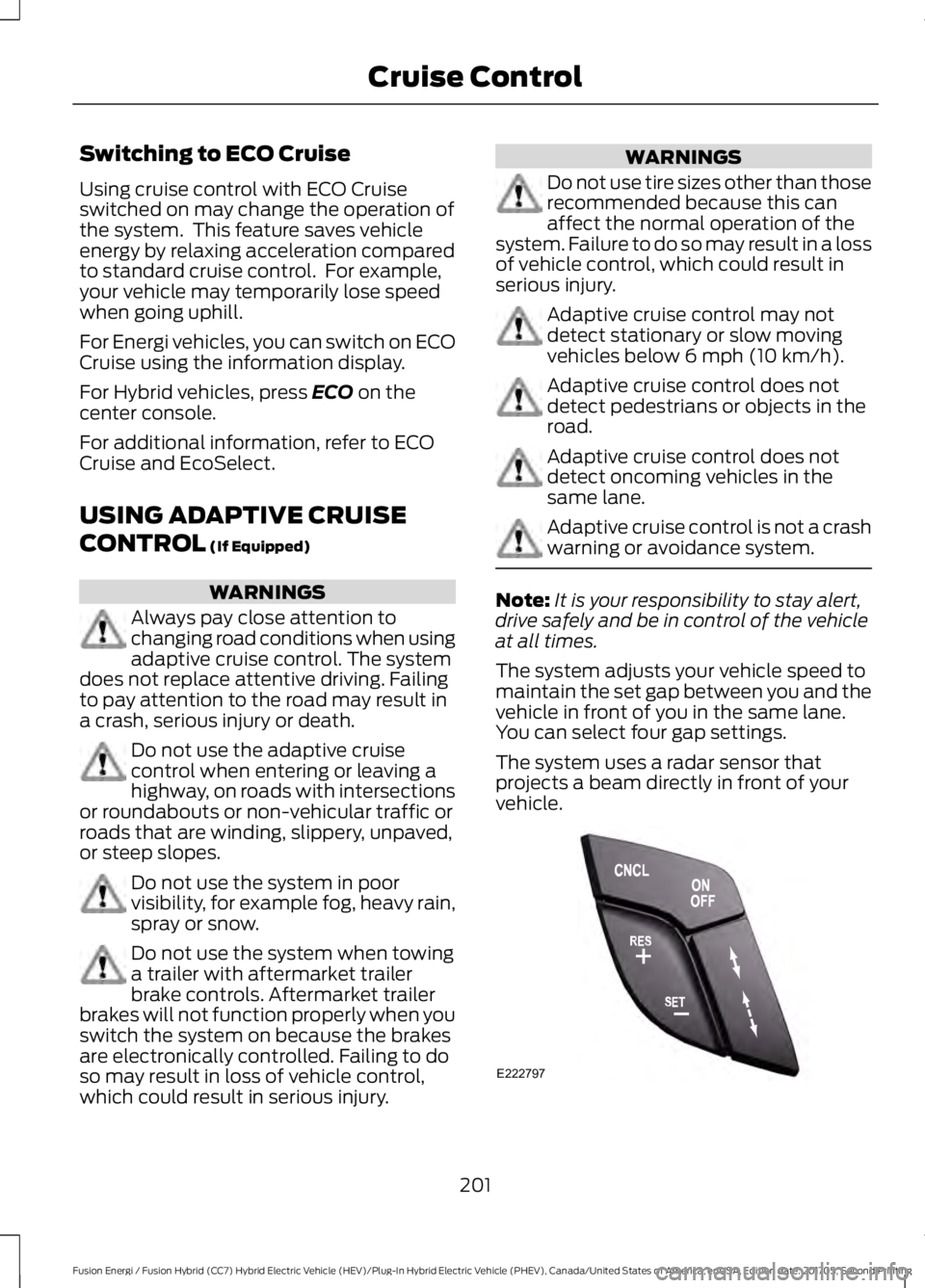
The system adjusts your vehicle speed tomaintain the set gap between you and thevehicle in front of you in the same lane.You can select four gap settings.
The system uses a radar sensor thatprojects a beam directly in front of yourvehicle.
201
Fusion Energi / Fusion Hybrid (CC7) Hybrid Electric Vehicle (HEV)/Plug-In Hybrid Electric Vehicle (PHEV), Canada/United States of America, enUSA, Edition date: 201705, Second Printing
Cruise ControlE222797