low beam FORD FUSION ENERGI 2018 Owners Manual
[x] Cancel search | Manufacturer: FORD, Model Year: 2018, Model line: FUSION ENERGI, Model: FORD FUSION ENERGI 2018Pages: 538, PDF Size: 7.52 MB
Page 80 of 538
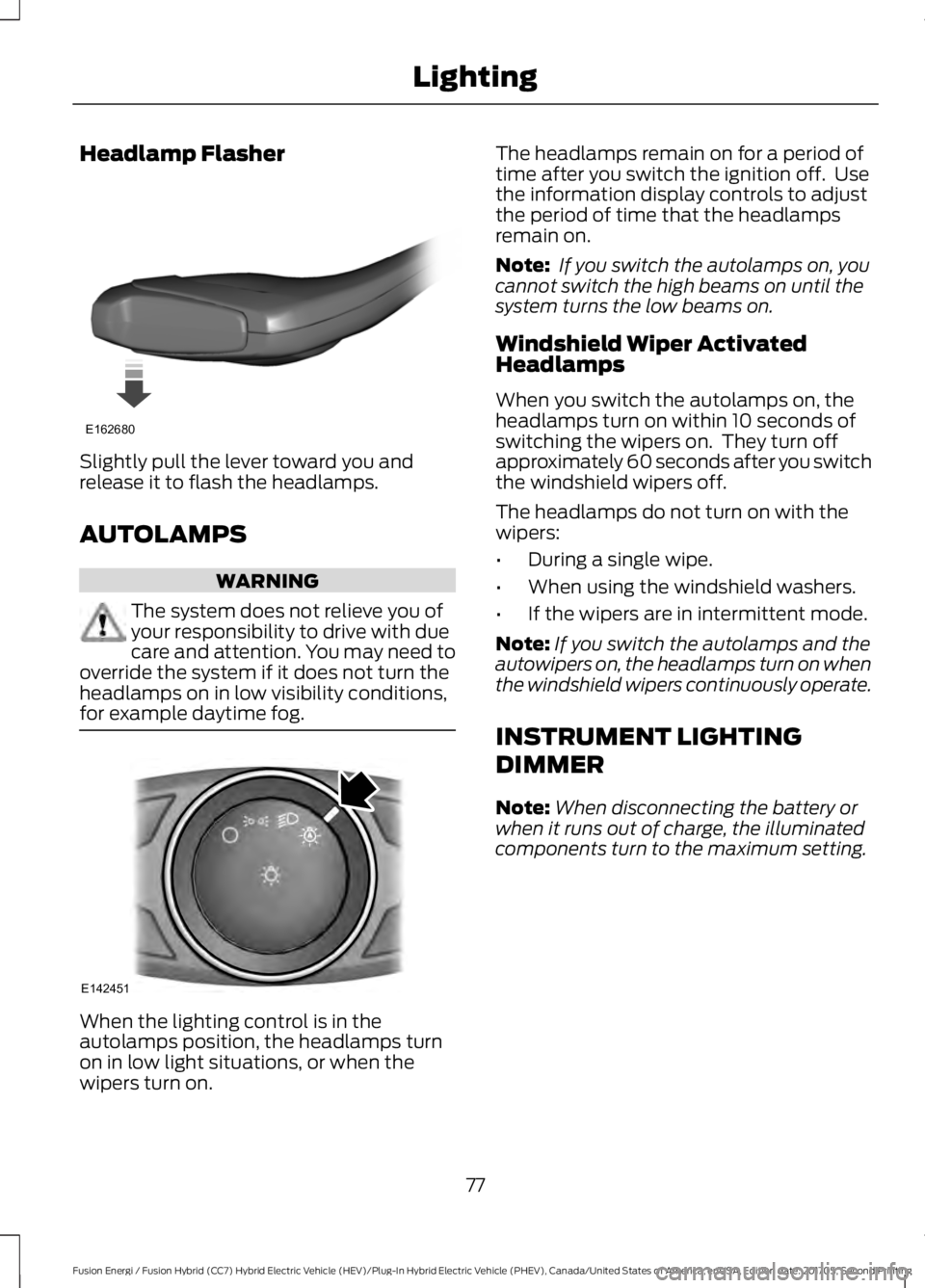
Headlamp Flasher
Slightly pull the lever toward you andrelease it to flash the headlamps.
AUTOLAMPS
WARNING
The system does not relieve you ofyour responsibility to drive with duecare and attention. You may need tooverride the system if it does not turn theheadlamps on in low visibility conditions,for example daytime fog.
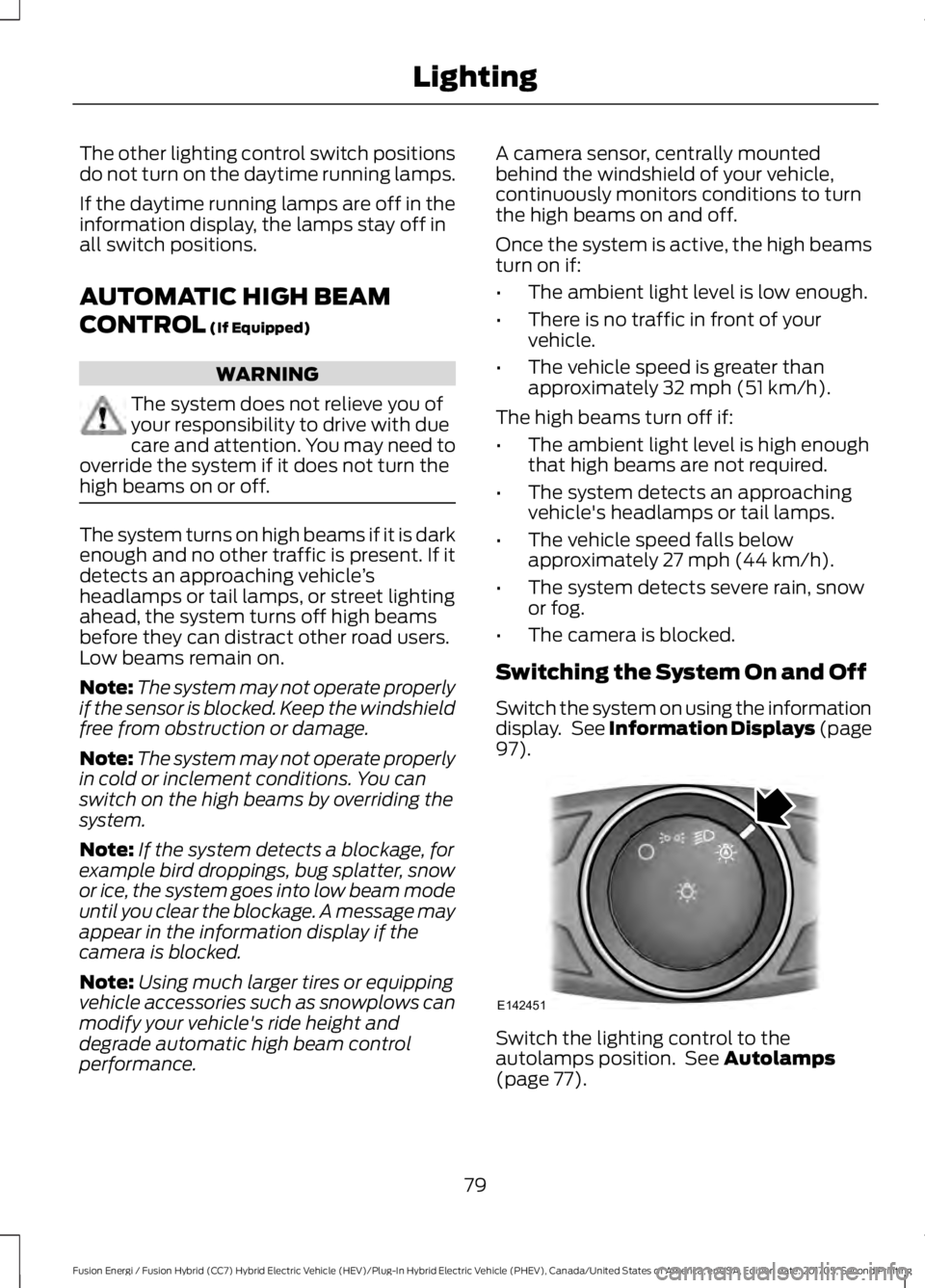
When the lighting control is in theautolamps position, the headlamps turnon in low light situations, or when thewipers turn on.
The headlamps remain on for a period oftime after you switch the ignition off. Usethe information display controls to adjustthe period of time that the headlampsremain on.
Note: If you switch the autolamps on, youcannot switch the high beams on until thesystem turns the low beams on.
Windshield Wiper ActivatedHeadlamps
When you switch the autolamps on, theheadlamps turn on within 10 seconds ofswitching the wipers on. They turn offapproximately 60 seconds after you switchthe windshield wipers off.
The headlamps do not turn on with thewipers:
•During a single wipe.
•When using the windshield washers.
•If the wipers are in intermittent mode.
Note:If you switch the autolamps and theautowipers on, the headlamps turn on whenthe windshield wipers continuously operate.
INSTRUMENT LIGHTING
DIMMER
Note:When disconnecting the battery orwhen it runs out of charge, the illuminatedcomponents turn to the maximum setting.
77
Fusion Energi / Fusion Hybrid (CC7) Hybrid Electric Vehicle (HEV)/Plug-In Hybrid Electric Vehicle (PHEV), Canada/United States of America, enUSA, Edition date: 201705, Second Printing
LightingE162680 E142451
Page 82 of 538
The other lighting control switch positionsdo not turn on the daytime running lamps.
If the daytime running lamps are off in theinformation display, the lamps stay off inall switch positions.
AUTOMATIC HIGH BEAM
CONTROL (If Equipped)
WARNING
The system does not relieve you ofyour responsibility to drive with duecare and attention. You may need tooverride the system if it does not turn thehigh beams on or off.
The system turns on high beams if it is darkenough and no other traffic is present. If itdetects an approaching vehicle’sheadlamps or tail lamps, or street lightingahead, the system turns off high beamsbefore they can distract other road users.Low beams remain on.
Note:The system may not operate properlyif the sensor is blocked. Keep the windshieldfree from obstruction or damage.
Note:The system may not operate properlyin cold or inclement conditions. You canswitch on the high beams by overriding thesystem.
Note:If the system detects a blockage, forexample bird droppings, bug splatter, snowor ice, the system goes into low beam modeuntil you clear the blockage. A message mayappear in the information display if thecamera is blocked.
Note:Using much larger tires or equippingvehicle accessories such as snowplows canmodify your vehicle's ride height anddegrade automatic high beam controlperformance.
A camera sensor, centrally mountedbehind the windshield of your vehicle,continuously monitors conditions to turnthe high beams on and off.
Once the system is active, the high beamsturn on if:
•The ambient light level is low enough.
•There is no traffic in front of yourvehicle.
•The vehicle speed is greater thanapproximately 32 mph (51 km/h).
The high beams turn off if:
•The ambient light level is high enoughthat high beams are not required.
•The system detects an approachingvehicle's headlamps or tail lamps.
•The vehicle speed falls belowapproximately 27 mph (44 km/h).
•The system detects severe rain, snowor fog.
•The camera is blocked.
Switching the System On and Off
Switch the system on using the informationdisplay. See Information Displays (page97).
Switch the lighting control to theautolamps position. See Autolamps(page 77).
79
Fusion Energi / Fusion Hybrid (CC7) Hybrid Electric Vehicle (HEV)/Plug-In Hybrid Electric Vehicle (PHEV), Canada/United States of America, enUSA, Edition date: 201705, Second Printing
LightingE142451
Page 83 of 538
Overriding the System
When you switch on the high beams,pushing or pulling the stalk provides atemporary override to low beam.
Automatic High Beam Indicator (If
Equipped)
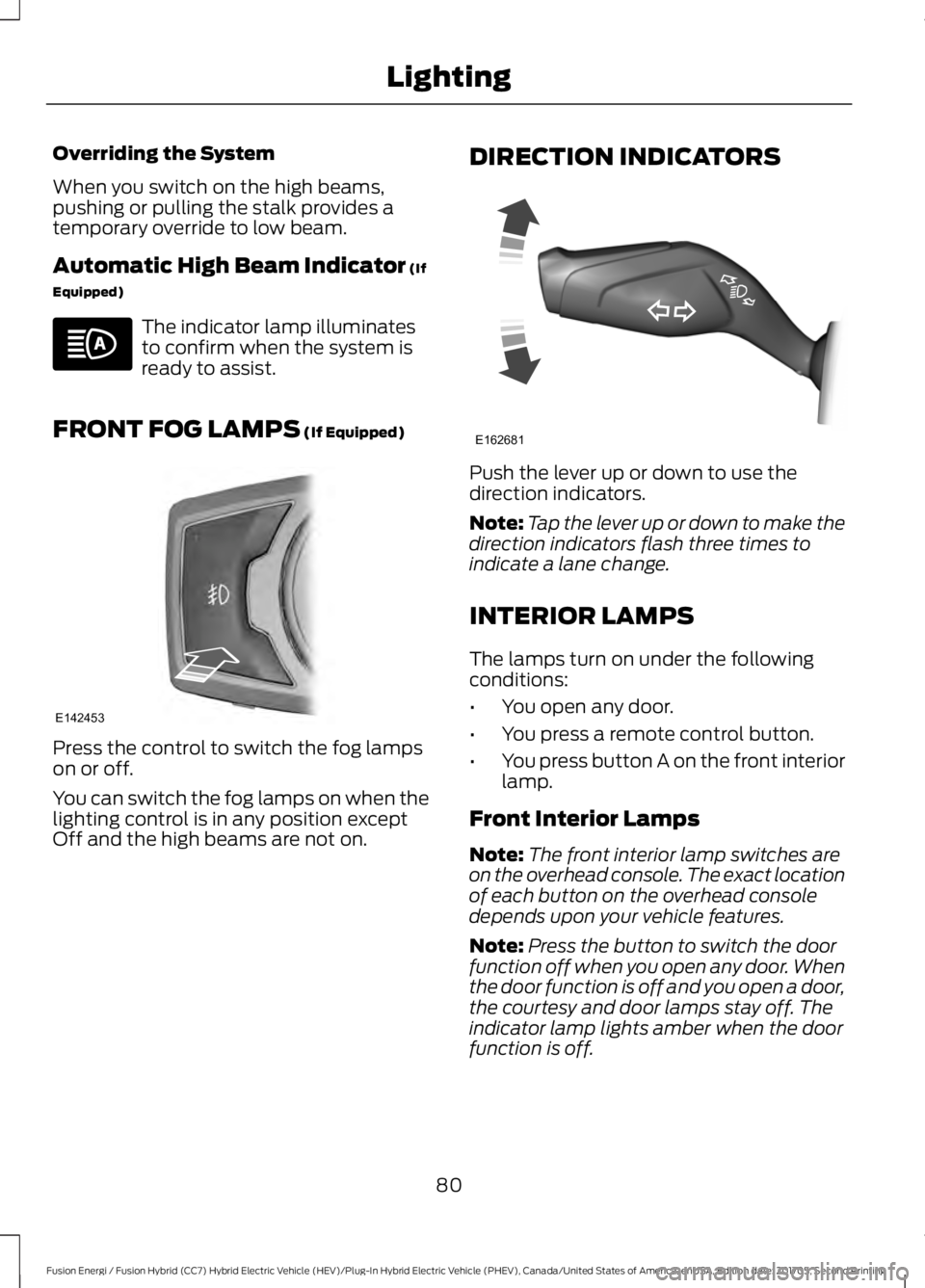
The indicator lamp illuminatesto confirm when the system isready to assist.
FRONT FOG LAMPS (If Equipped)
Press the control to switch the fog lampson or off.
You can switch the fog lamps on when thelighting control is in any position exceptOff and the high beams are not on.
DIRECTION INDICATORS
Push the lever up or down to use thedirection indicators.
Note:Tap the lever up or down to make thedirection indicators flash three times toindicate a lane change.
INTERIOR LAMPS
The lamps turn on under the followingconditions:
•You open any door.
•You press a remote control button.
•You press button A on the front interiorlamp.
Front Interior Lamps
Note:The front interior lamp switches areon the overhead console. The exact locationof each button on the overhead consoledepends upon your vehicle features.
Note:Press the button to switch the doorfunction off when you open any door. Whenthe door function is off and you open a door,the courtesy and door lamps stay off. Theindicator lamp lights amber when the doorfunction is off.
80
Fusion Energi / Fusion Hybrid (CC7) Hybrid Electric Vehicle (HEV)/Plug-In Hybrid Electric Vehicle (PHEV), Canada/United States of America, enUSA, Edition date: 201705, Second Printing
Lighting E142453 E162681
Page 105 of 538
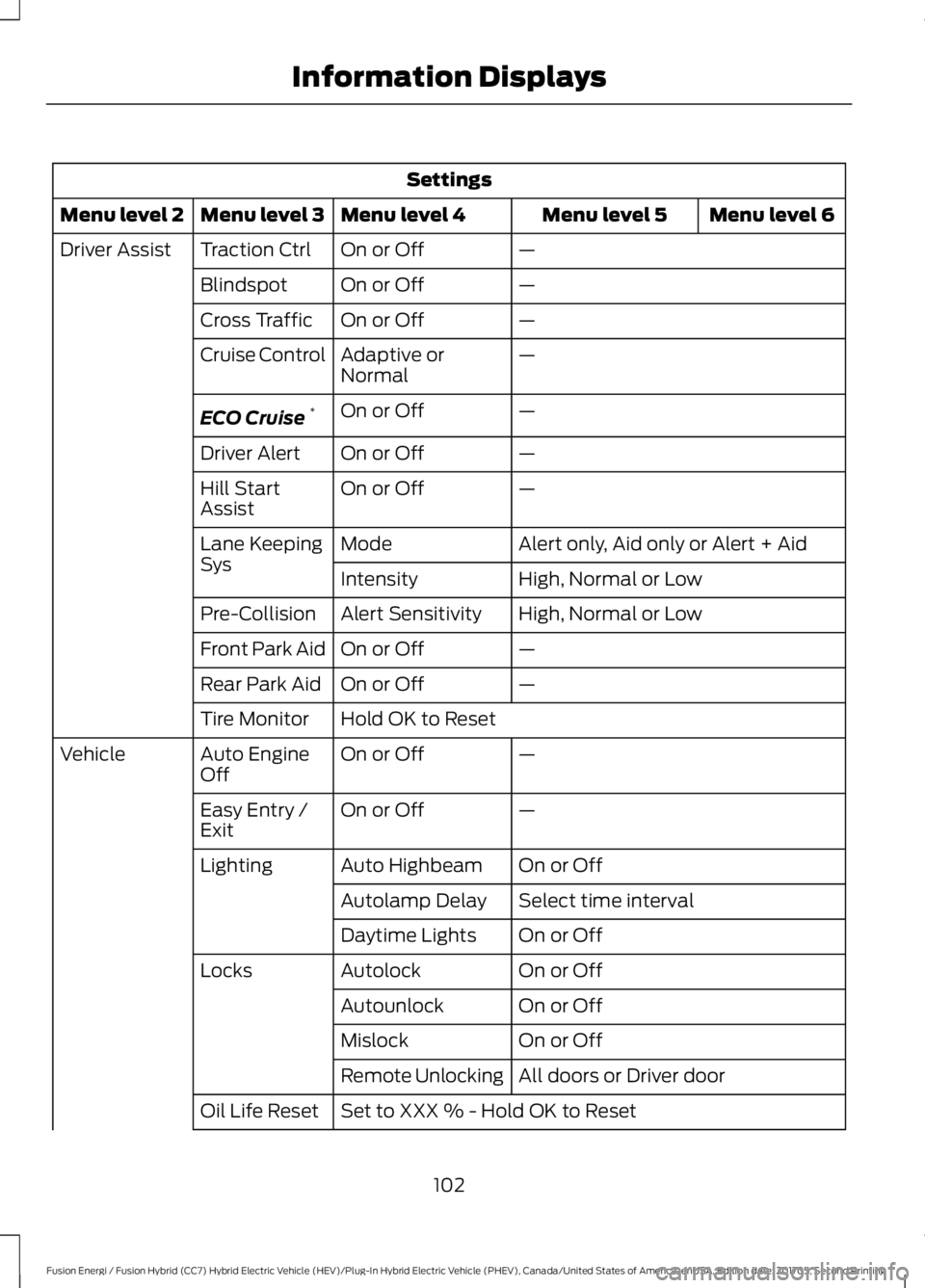
Settings
Menu level 6Menu level 5Menu level 4Menu level 3Menu level 2
—On or OffTraction CtrlDriver Assist
—On or OffBlindspot
—On or OffCross Traffic
—Adaptive orNormalCruise Control
—On or OffECO Cruise*
—On or OffDriver Alert
—On or OffHill StartAssist
Alert only, Aid only or Alert + AidModeLane KeepingSysHigh, Normal or LowIntensity
High, Normal or LowAlert SensitivityPre-Collision
—On or OffFront Park Aid
—On or OffRear Park Aid
Hold OK to ResetTire Monitor
—On or OffAuto EngineOffVehicle
—On or OffEasy Entry /Exit
On or OffAuto HighbeamLighting
Select time intervalAutolamp Delay
On or OffDaytime Lights
On or OffAutolockLocks
On or OffAutounlock
On or OffMislock
All doors or Driver doorRemote Unlocking
Set to XXX % - Hold OK to ResetOil Life Reset
102
Fusion Energi / Fusion Hybrid (CC7) Hybrid Electric Vehicle (HEV)/Plug-In Hybrid Electric Vehicle (PHEV), Canada/United States of America, enUSA, Edition date: 201705, Second Printing
Information Displays
Page 204 of 538
Switching to ECO Cruise
Using cruise control with ECO Cruiseswitched on may change the operation ofthe system. This feature saves vehicleenergy by relaxing acceleration comparedto standard cruise control. For example,your vehicle may temporarily lose speedwhen going uphill.
For Energi vehicles, you can switch on ECOCruise using the information display.
For Hybrid vehicles, press ECO on thecenter console.
For additional information, refer to ECOCruise and EcoSelect.
USING ADAPTIVE CRUISE
CONTROL (If Equipped)
WARNINGS
Always pay close attention tochanging road conditions when usingadaptive cruise control. The systemdoes not replace attentive driving. Failingto pay attention to the road may result ina crash, serious injury or death.
Do not use the adaptive cruisecontrol when entering or leaving ahighway, on roads with intersectionsor roundabouts or non-vehicular traffic orroads that are winding, slippery, unpaved,or steep slopes.
Do not use the system in poorvisibility, for example fog, heavy rain,spray or snow.
Do not use the system when towinga trailer with aftermarket trailerbrake controls. Aftermarket trailerbrakes will not function properly when youswitch the system on because the brakesare electronically controlled. Failing to doso may result in loss of vehicle control,which could result in serious injury.
WARNINGS
Do not use tire sizes other than thoserecommended because this canaffect the normal operation of thesystem. Failure to do so may result in a lossof vehicle control, which could result inserious injury.
Adaptive cruise control may notdetect stationary or slow movingvehicles below 6 mph (10 km/h).
Adaptive cruise control does notdetect pedestrians or objects in theroad.
Adaptive cruise control does notdetect oncoming vehicles in thesame lane.
Adaptive cruise control is not a crashwarning or avoidance system.
Note:It is your responsibility to stay alert,drive safely and be in control of the vehicleat all times.
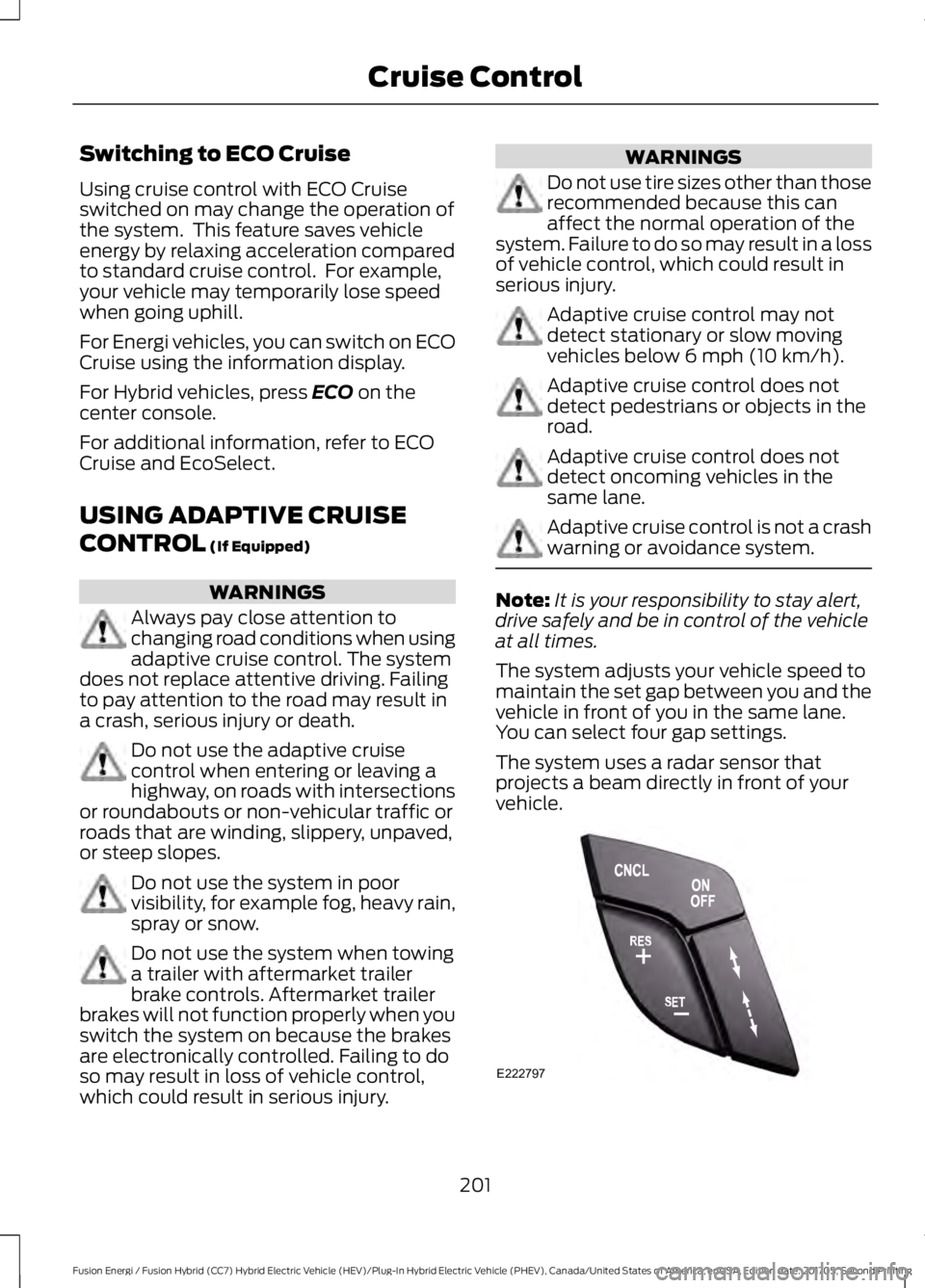
The system adjusts your vehicle speed tomaintain the set gap between you and thevehicle in front of you in the same lane.You can select four gap settings.
The system uses a radar sensor thatprojects a beam directly in front of yourvehicle.
201
Fusion Energi / Fusion Hybrid (CC7) Hybrid Electric Vehicle (HEV)/Plug-In Hybrid Electric Vehicle (PHEV), Canada/United States of America, enUSA, Edition date: 201705, Second Printing
Cruise ControlE222797
Page 273 of 538
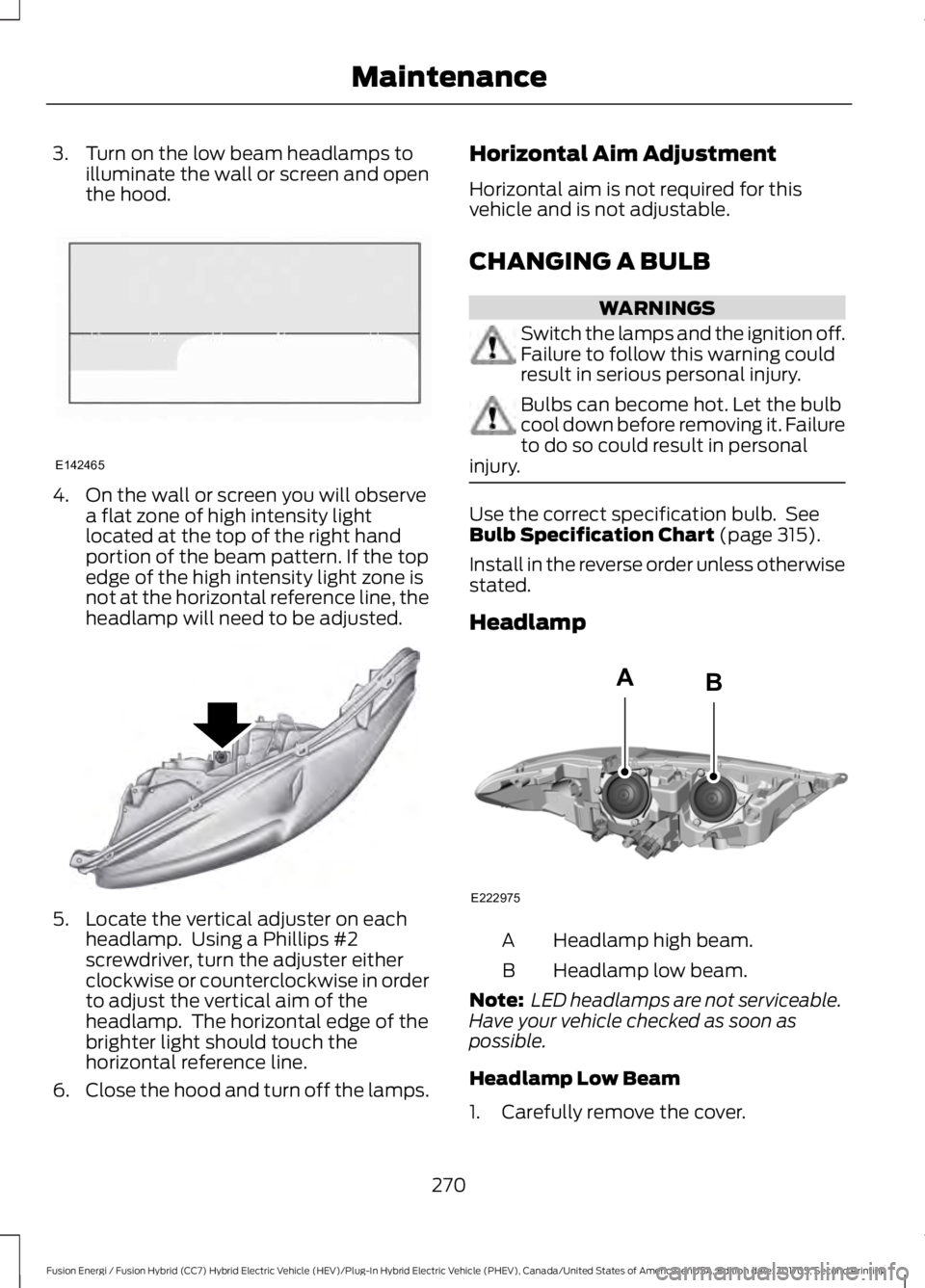
3. Turn on the low beam headlamps toilluminate the wall or screen and openthe hood.
4. On the wall or screen you will observea flat zone of high intensity lightlocated at the top of the right handportion of the beam pattern. If the topedge of the high intensity light zone isnot at the horizontal reference line, theheadlamp will need to be adjusted.
5. Locate the vertical adjuster on eachheadlamp. Using a Phillips #2screwdriver, turn the adjuster eitherclockwise or counterclockwise in orderto adjust the vertical aim of theheadlamp. The horizontal edge of thebrighter light should touch thehorizontal reference line.
6.Close the hood and turn off the lamps.
Horizontal Aim Adjustment
Horizontal aim is not required for thisvehicle and is not adjustable.
CHANGING A BULB
WARNINGS
Switch the lamps and the ignition off.Failure to follow this warning couldresult in serious personal injury.
Bulbs can become hot. Let the bulbcool down before removing it. Failureto do so could result in personalinjury.
Use the correct specification bulb. SeeBulb Specification Chart (page 315).
Install in the reverse order unless otherwisestated.
Headlamp
Headlamp high beam.A
Headlamp low beam.B
Note: LED headlamps are not serviceable.Have your vehicle checked as soon aspossible.
Headlamp Low Beam
1. Carefully remove the cover.
270
Fusion Energi / Fusion Hybrid (CC7) Hybrid Electric Vehicle (HEV)/Plug-In Hybrid Electric Vehicle (PHEV), Canada/United States of America, enUSA, Edition date: 201705, Second Printing
MaintenanceE142465 E145594 E222975
AB
Page 274 of 538
2. Disconnect the electrical connector.
3.Turn the bulb holder counterclockwiseand remove it.
Note:Do not touch the bulb glass.
Note:You cannot separate the bulb fromthe bulb holder.
Headlamp High Beam
1. Carefully remove the cover.
2. Disconnect the electrical connector.
3.Turn the bulb holder counterclockwiseand remove it.
Note:Do not touch the bulb glass.
Note:You cannot separate the bulb fromthe bulb holder.
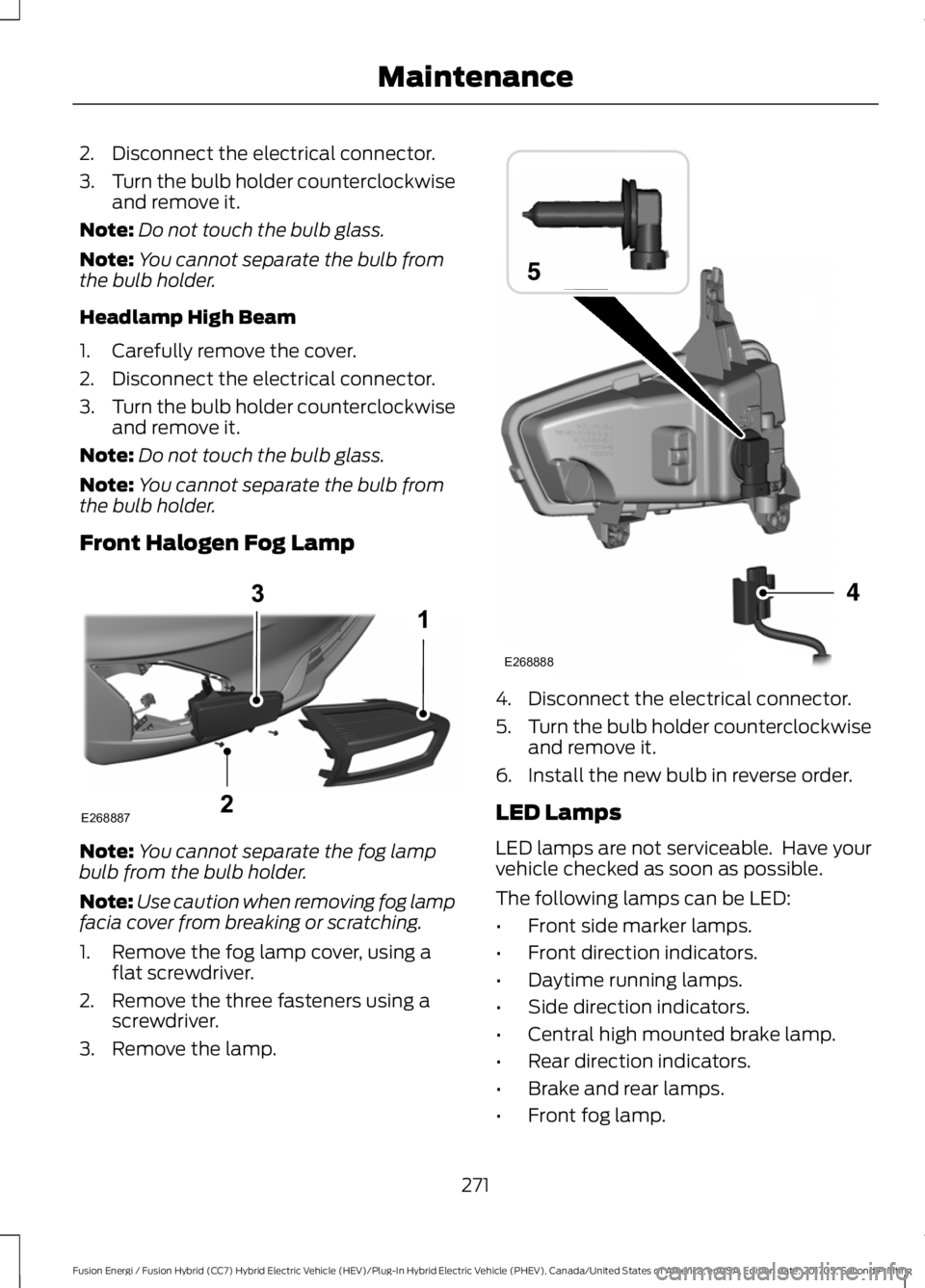
Front Halogen Fog Lamp
Note:You cannot separate the fog lampbulb from the bulb holder.
Note:Use caution when removing fog lampfacia cover from breaking or scratching.
1. Remove the fog lamp cover, using aflat screwdriver.
2. Remove the three fasteners using ascrewdriver.
3. Remove the lamp.
4. Disconnect the electrical connector.
5.Turn the bulb holder counterclockwiseand remove it.
6. Install the new bulb in reverse order.
LED Lamps
LED lamps are not serviceable. Have yourvehicle checked as soon as possible.
The following lamps can be LED:
•Front side marker lamps.
•Front direction indicators.
•Daytime running lamps.
•Side direction indicators.
•Central high mounted brake lamp.
•Rear direction indicators.
•Brake and rear lamps.
•Front fog lamp.
271
Fusion Energi / Fusion Hybrid (CC7) Hybrid Electric Vehicle (HEV)/Plug-In Hybrid Electric Vehicle (PHEV), Canada/United States of America, enUSA, Edition date: 201705, Second Printing
MaintenanceE268887 E268888
Page 319 of 538
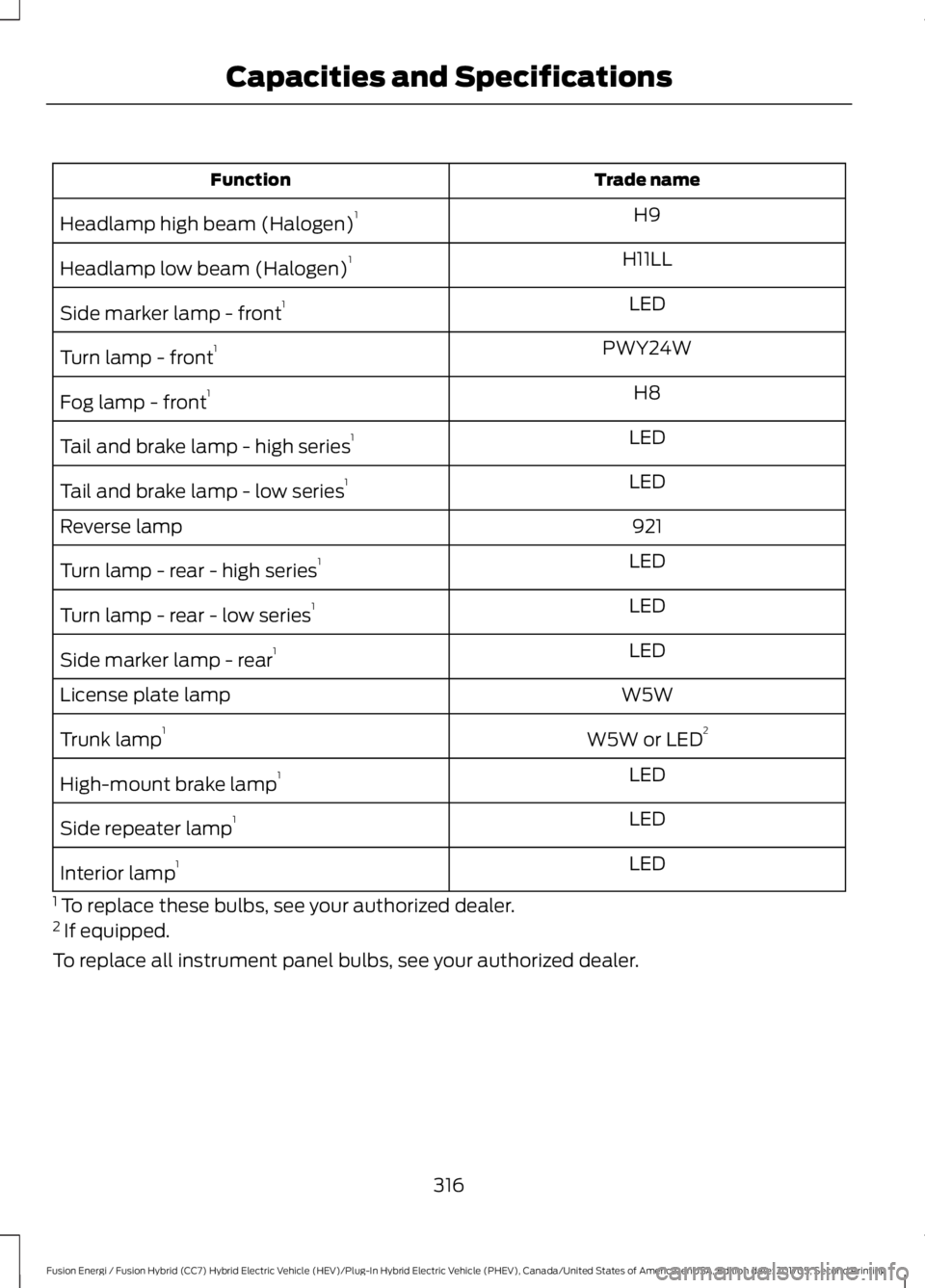
Trade nameFunction
H9Headlamp high beam (Halogen)1
H11LLHeadlamp low beam (Halogen)1
LEDSide marker lamp - front1
PWY24WTurn lamp - front1
H8Fog lamp - front1
LEDTail and brake lamp - high series1
LEDTail and brake lamp - low series1
921Reverse lamp
LEDTurn lamp - rear - high series1
LEDTurn lamp - rear - low series1
LEDSide marker lamp - rear1
W5WLicense plate lamp
W5W or LED2Trunk lamp1
LEDHigh-mount brake lamp1
LEDSide repeater lamp1
LEDInterior lamp1
1 To replace these bulbs, see your authorized dealer.2 If equipped.
To replace all instrument panel bulbs, see your authorized dealer.
316
Fusion Energi / Fusion Hybrid (CC7) Hybrid Electric Vehicle (HEV)/Plug-In Hybrid Electric Vehicle (PHEV), Canada/United States of America, enUSA, Edition date: 201705, Second Printing
Capacities and Specifications
Page 533 of 538
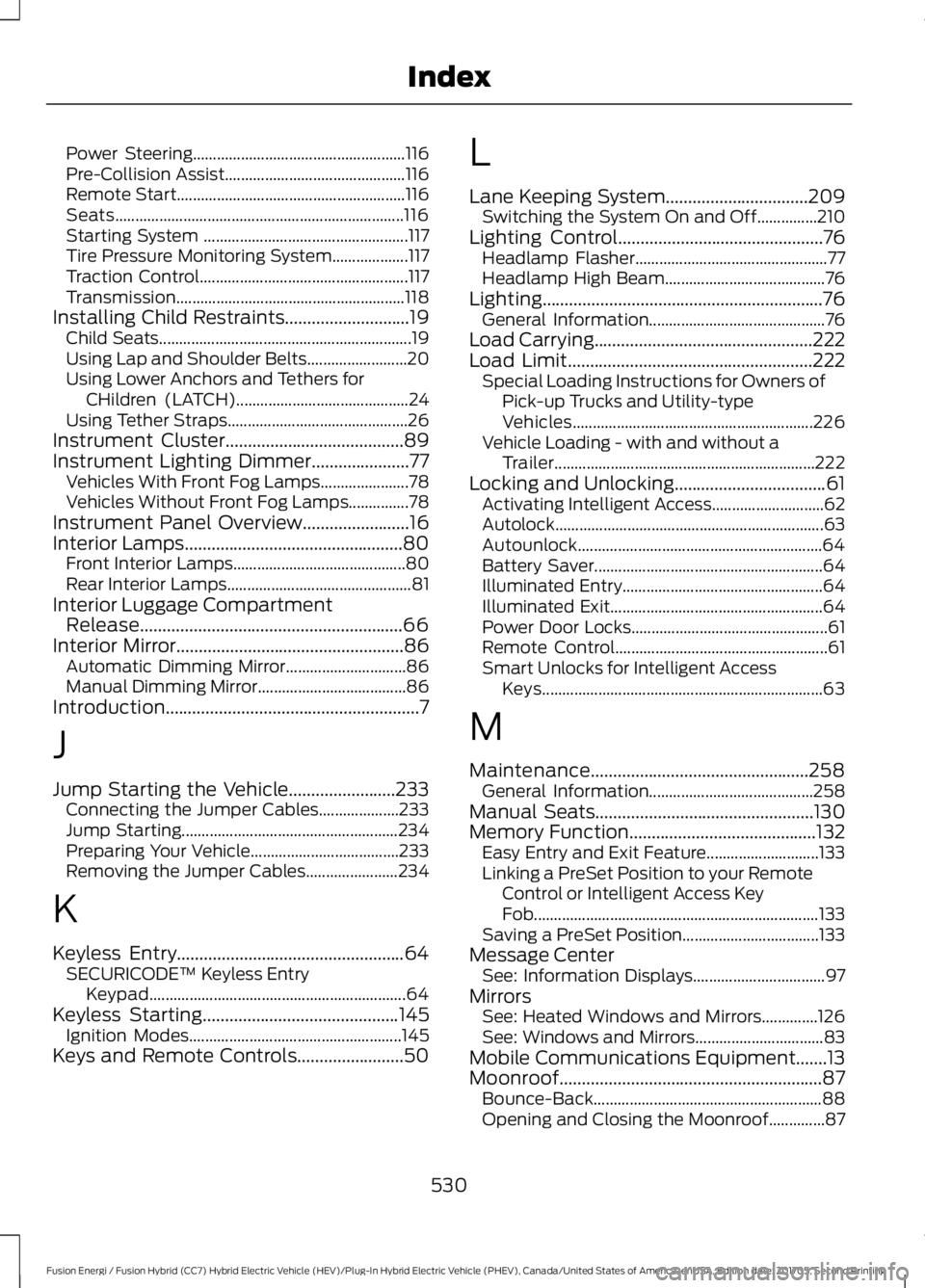
Power Steering.....................................................116Pre-Collision Assist.............................................116Remote Start.........................................................116Seats........................................................................116Starting System ...................................................117Tire Pressure Monitoring System...................117Traction Control....................................................117Transmission.........................................................118Installing Child Restraints............................19Child Seats...............................................................19Using Lap and Shoulder Belts.........................20Using Lower Anchors and Tethers forCHildren (LATCH)...........................................24Using Tether Straps.............................................26Instrument Cluster........................................89Instrument Lighting Dimmer......................77Vehicles With Front Fog Lamps......................78Vehicles Without Front Fog Lamps...............78Instrument Panel Overview........................16Interior Lamps.................................................80Front Interior Lamps...........................................80Rear Interior Lamps..............................................81Interior Luggage CompartmentRelease...........................................................66Interior Mirror...................................................86Automatic Dimming Mirror..............................86Manual Dimming Mirror.....................................86Introduction.........................................................7
J
Jump Starting the Vehicle........................233Connecting the Jumper Cables....................233Jump Starting......................................................234Preparing Your Vehicle.....................................233Removing the Jumper Cables.......................234
K
Keyless Entry...................................................64SECURICODE™ Keyless EntryKeypad................................................................64Keyless Starting............................................145Ignition Modes.....................................................145Keys and Remote Controls........................50
L
Lane Keeping System................................209Switching the System On and Off...............210Lighting Control..............................................76Headlamp Flasher................................................77Headlamp High Beam........................................76Lighting...............................................................76General Information............................................76Load Carrying.................................................222Load Limit.......................................................222Special Loading Instructions for Owners ofPick-up Trucks and Utility-typeVehicles............................................................226Vehicle Loading - with and without aTrailer.................................................................222Locking and Unlocking..................................61Activating Intelligent Access............................62Autolock...................................................................63Autounlock.............................................................64Battery Saver.........................................................64Illuminated Entry..................................................64Illuminated Exit.....................................................64Power Door Locks.................................................61Remote Control.....................................................61Smart Unlocks for Intelligent AccessKeys......................................................................63
M
Maintenance.................................................258General Information.........................................258Manual Seats.................................................130Memory Function..........................................132Easy Entry and Exit Feature............................133Linking a PreSet Position to your RemoteControl or Intelligent Access KeyFob.......................................................................133Saving a PreSet Position..................................133Message CenterSee: Information Displays.................................97MirrorsSee: Heated Windows and Mirrors..............126See: Windows and Mirrors................................83Mobile Communications Equipment.......13Moonroof...........................................................87Bounce-Back.........................................................88Opening and Closing the Moonroof..............87
530
Fusion Energi / Fusion Hybrid (CC7) Hybrid Electric Vehicle (HEV)/Plug-In Hybrid Electric Vehicle (PHEV), Canada/United States of America, enUSA, Edition date: 201705, Second Printing
Index
Page 538 of 538
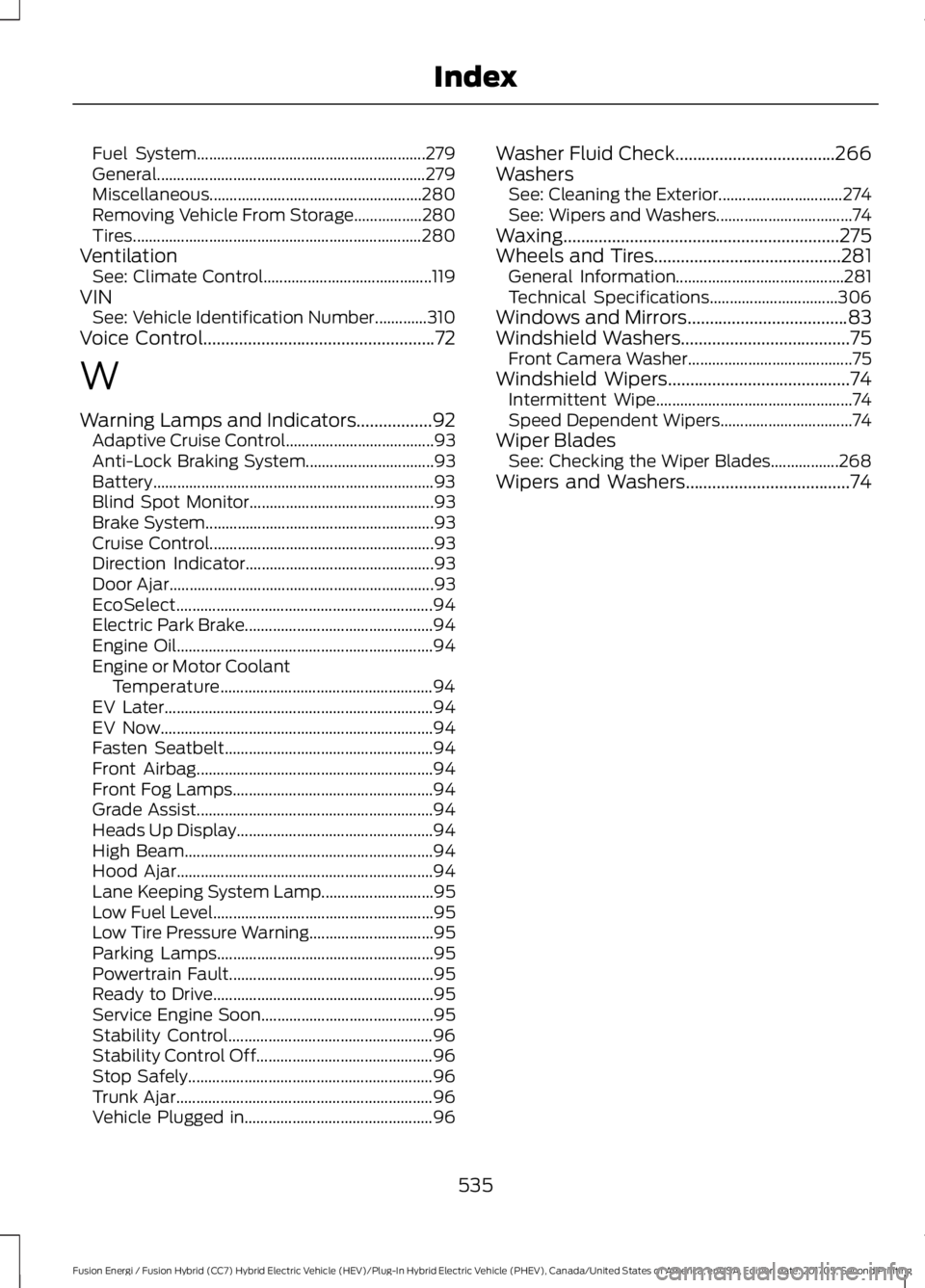
Fuel System.........................................................279General...................................................................279Miscellaneous.....................................................280Removing Vehicle From Storage.................280Tires........................................................................280VentilationSee: Climate Control..........................................119VINSee: Vehicle Identification Number.............310Voice Control....................................................72
W
Warning Lamps and Indicators.................92Adaptive Cruise Control.....................................93Anti-Lock Braking System................................93Battery......................................................................93Blind Spot Monitor..............................................93Brake System.........................................................93Cruise Control........................................................93Direction Indicator...............................................93Door Ajar..................................................................93EcoSelect................................................................94Electric Park Brake...............................................94Engine Oil................................................................94Engine or Motor CoolantTemperature.....................................................94EV Later...................................................................94EV Now....................................................................94Fasten Seatbelt....................................................94Front Airbag...........................................................94Front Fog Lamps..................................................94Grade Assist...........................................................94Heads Up Display.................................................94High Beam..............................................................94Hood Ajar................................................................94Lane Keeping System Lamp............................95Low Fuel Level.......................................................95Low Tire Pressure Warning...............................95Parking Lamps......................................................95Powertrain Fault...................................................95Ready to Drive.......................................................95Service Engine Soon...........................................95Stability Control...................................................96Stability Control Off............................................96Stop Safely.............................................................96Trunk Ajar................................................................96Vehicle Plugged in...............................................96
Washer Fluid Check....................................266WashersSee: Cleaning the Exterior...............................274See: Wipers and Washers..................................74Waxing..............................................................275Wheels and Tires..........................................281General Information..........................................281Technical Specifications................................306Windows and Mirrors....................................83Windshield Washers......................................75Front Camera Washer.........................................75Windshield Wipers.........................................74Intermittent Wipe.................................................74Speed Dependent Wipers.................................74Wiper BladesSee: Checking the Wiper Blades.................268Wipers and Washers.....................................74
535
Fusion Energi / Fusion Hybrid (CC7) Hybrid Electric Vehicle (HEV)/Plug-In Hybrid Electric Vehicle (PHEV), Canada/United States of America, enUSA, Edition date: 201705, Second Printing
Index