trunk FORD FUSION HYBRID 2010 Owners Manual
[x] Cancel search | Manufacturer: FORD, Model Year: 2010, Model line: FUSION HYBRID, Model: FORD FUSION HYBRID 2010Pages: 329, PDF Size: 2.47 MB
Page 7 of 329
Transmission Operation:Due to the technologically advanced,
electronically-controlled Continuously Variable Transaxle (eCVT) you will
not feel shift changes like those of a non-hybrid vehicle. Your hybrid’s
transmission is designed to do its work seamlessly.
Since engine speed is controlled by the transmission, it may seem
elevated at times. This is normal hybrid operation and helps
deliver fuel efficiency and performance.
Neutral:It is not recommended to idle the vehicle in N (Neutral) for
extended periods of time because this will discharge your high voltage
battery and decrease fuel economy. Because of the unique nature of the
hybrid vehicle, the engine will not start in the N (Neutral) position. Also,
the engine cannot provide power to the hybrid system in N (Neutral).
Low Gear:L (Low gear) is designed to mimic the enhanced engine
braking available in non-hybrid vehicles. L (Low gear) will produce high
engine speeds to provide necessary engine braking. This is normal and
will not damage your vehicle. In L (Low gear) the gas engine will remain
on more often than in D (Drive gear).
Reverse:R (Reverse gear) vehicle speed is limited to 22 mph
(35 km/h).
Unique Hybrid operating characteristics
Your Hybrid, with its new technology, behaves differently compared to a
non-hybrid. Here is a description of the major differences:
Battery:Your Hybrid is equipped with a high voltage battery. A cool
battery ensures battery life and provides the best possible performance.
Your hybrid high voltage battery may periodically re-condition itself to
ensure maximum efficiency. You may notice slight changes in drivability
during this process, but it’s an important part of your hybrid’s high
voltage battery optimization features.
The high voltage battery is cooled by cabin air drawn from vent holes in
the front of the rear seat cushions. Avoid placing objects at the vent
holes which block air flow to the high voltage battery.
The high voltage battery is located between the rear passenger seat and
the trunk. Due to this location, the rear seat for the hybrid vehicle does
not have the ability to be lowered to allow pass-through between the
trunk and the rear of the passenger compartment. Do not attempt to
lower the rear seat.
If the vehicle is left inoperative for over 31 days, it may be necessary to
jumpstart the vehicle. For more information, refer toJump starting
Introduction
7
2010 Fusion Hybrid(hfv)
Owners Guide, 3rd Printing
USA(fus)
Page 45 of 329
•Set to 100%•Set to 90%
•Set to 20%•Set to 10%
Press SETUP to scroll through the list and highlight one of the choices.
Press RESET to pick the highlighted item.
Note:Oil life of 100% equals 10,000 miles (16,000 km) or 12 months.
For example, setting oil life to 60% sets the oil life value to 6,000 miles
(10,000 km) and 219 days.
See theMaintenance and Specificationschapter regarding engine oil
and change intervals.
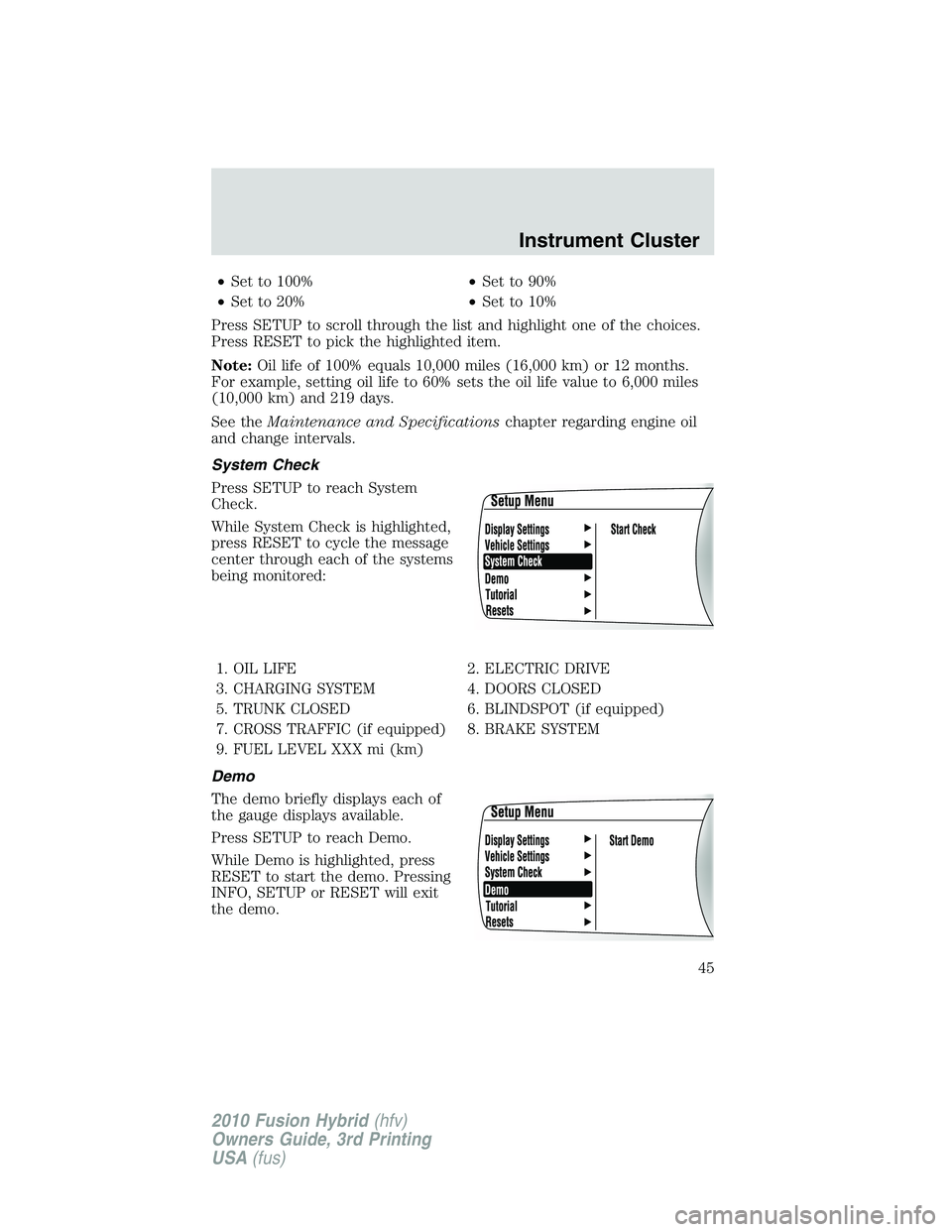
System Check
Press SETUP to reach System
Check.
While System Check is highlighted,
press RESET to cycle the message
center through each of the systems
being monitored:
1. OIL LIFE 2. ELECTRIC DRIVE
3. CHARGING SYSTEM 4. DOORS CLOSED
5. TRUNK CLOSED 6. BLINDSPOT (if equipped)
7. CROSS TRAFFIC (if equipped) 8. BRAKE SYSTEM
9. FUEL LEVEL XXX mi (km)
Demo
The demo briefly displays each of
the gauge displays available.
Press SETUP to reach Demo.
While Demo is highlighted, press
RESET to start the demo. Pressing
INFO, SETUP or RESET will exit
the demo.
Instrument Cluster
45
2010 Fusion Hybrid(hfv)
Owners Guide, 3rd Printing
USA(fus)
Page 49 of 329
TIRE PRESSURE SENSOR FAULT— Displayed when a tire pressure
sensor is malfunctioning, or your spare tire is in use. For more
information on how the system operates under these conditions, refer to
Tire Pressure Monitoring System (TPMS)in theTires, Wheels and
Loadingchapter. If the warning stays on or continues to come on,
contact your authorized dealer as soon as possible.
TRUNK AJAR— Displayed when the trunk is not completely closed.
REMOVE OBJECTS NEAR PASS SEAT— Displayed when objects
are by the passenger seat. After the objects are moved away from the
seat, if the warning stays on or continues to come on, contact your
authorized dealer as soon as possible.
ENGINE OIL CHANGE SOON— Displayed when the engine oil life
remaining is 10% or less.
OIL CHANGE REQUIRED— Displayed when the oil life left reaches
0%.
BLIND SPOT SYSTEM FAULT (if equipped)— Displayed when a
fault with the blind spot information system has occurred. Contact your
authorized dealer as soon as possible.
CROSS TRAFFIC SYSTEM FAULT (if equipped)— Displayed when
a fault with the cross traffic alert system has occurred. Contact your
authorized dealer as soon as possible.
BLIND SPOT NOT AVAILABLE (if equipped)— Displayed when
blind spot information system is not available. SeeBlind spot
information systemin theDrivingchapter.
CROSS TRAFFIC NOT AVAILABLE (if equipped)— Displayed
when cross traffic alert is not available. SeeBlind spot information
systemin theDrivingchapter.
SENSOR BLOCKED SEE MANUAL (if equipped)— Displayed when
the blind spot information system/cross traffic alert system sensors are
blocked. SeeBlind spot information systemin theDrivingchapter.
VEHICLE COMING FROM LEFT (if equipped)— Displayed when
the blind spot information system with cross traffic alert (CTA) system is
operating and senses a vehicle. SeeBlind spot information systemin
theDrivingchapter.
VEHICLE COMING FROM RIGHT (if equipped)— Displayed when
the blind spot information system with cross traffic alert (CTA) system is
operating and senses a vehicle. SeeBlind spot information systemin
theDrivingchapter.
Instrument Cluster
49
2010 Fusion Hybrid(hfv)
Owners Guide, 3rd Printing
USA(fus)
Page 83 of 329
Replacing interior bulbs
Check the operation of all bulbs frequently.
Replacing exterior bulbs
Check the operation of all the bulbs frequently.
Replacing headlamp bulbs
For bulb replacement, see your authorized dealer.
Replacing front parking lamp/turn signal bulbs
For bulb replacement, see your authorized dealer.
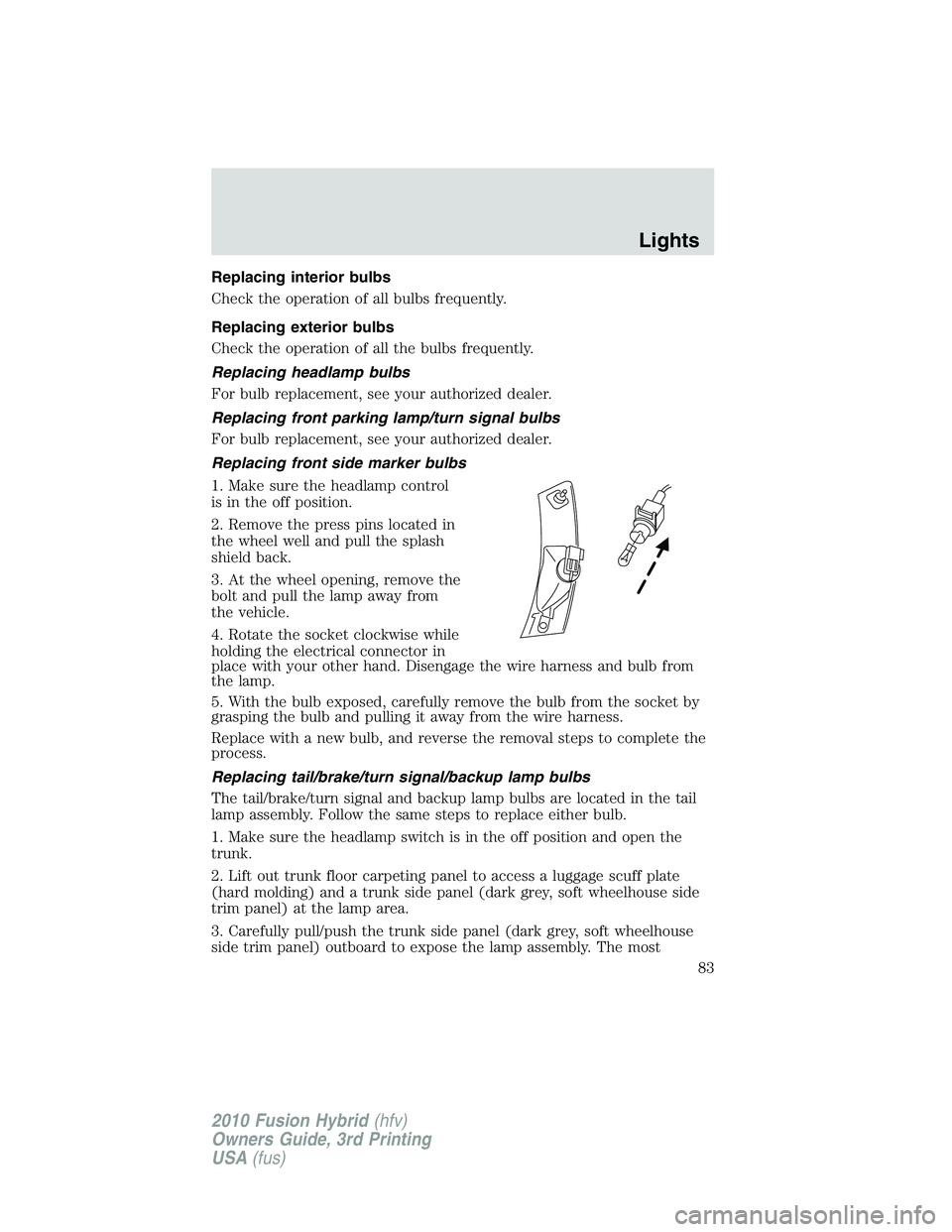
Replacing front side marker bulbs
1. Make sure the headlamp control
is in the off position.
2. Remove the press pins located in
the wheel well and pull the splash
shield back.
3. At the wheel opening, remove the
bolt and pull the lamp away from
the vehicle.
4. Rotate the socket clockwise while
holding the electrical connector in
place with your other hand. Disengage the wire harness and bulb from
the lamp.
5. With the bulb exposed, carefully remove the bulb from the socket by
grasping the bulb and pulling it away from the wire harness.
Replace with a new bulb, and reverse the removal steps to complete the
process.
Replacing tail/brake/turn signal/backup lamp bulbs
The tail/brake/turn signal and backup lamp bulbs are located in the tail
lamp assembly. Follow the same steps to replace either bulb.
1. Make sure the headlamp switch is in the off position and open the
trunk.
2. Lift out trunk floor carpeting panel to access a luggage scuff plate
(hard molding) and a trunk side panel (dark grey, soft wheelhouse side
trim panel) at the lamp area.
3. Carefully pull/push the trunk side panel (dark grey, soft wheelhouse
side trim panel) outboard to expose the lamp assembly. The most
Lights
83
2010 Fusion Hybrid(hfv)
Owners Guide, 3rd Printing
USA(fus)
Page 84 of 329
effective point to grasp the trunk side panel when pulling it out from the
luggage scuff plate is at it’s bottom edge where that edge meets the
exposed sheet metal of the trunk floor.
Note:Do not allow the trunk side panel to remain bent and untucked
from the luggage scuff plate (hard molding) for a long period of time.
Doing so may result in permanent deformation.
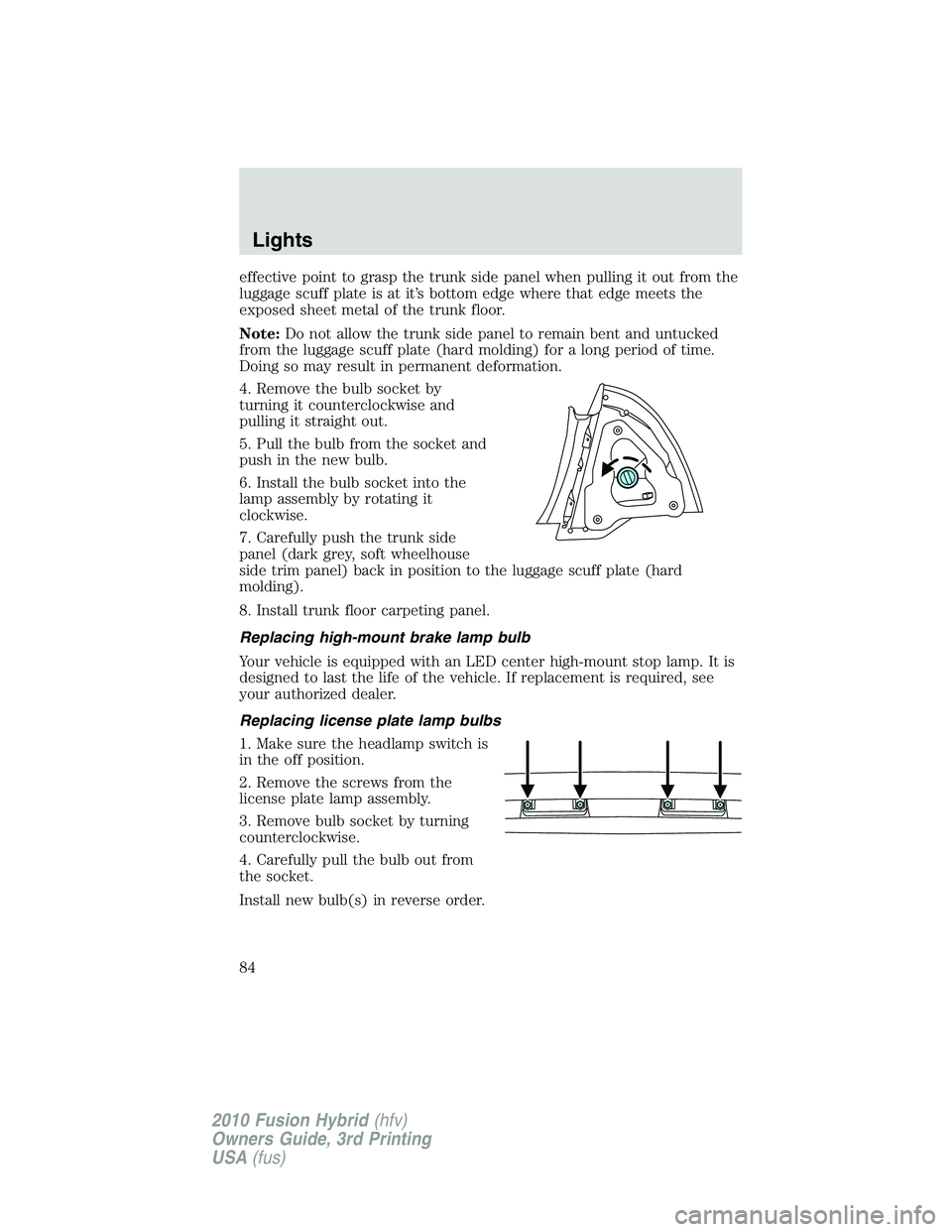
4. Remove the bulb socket by
turning it counterclockwise and
pulling it straight out.
5. Pull the bulb from the socket and
push in the new bulb.
6. Install the bulb socket into the
lamp assembly by rotating it
clockwise.
7. Carefully push the trunk side
panel (dark grey, soft wheelhouse
side trim panel) back in position to the luggage scuff plate (hard
molding).
8. Install trunk floor carpeting panel.
Replacing high-mount brake lamp bulb
Your vehicle is equipped with an LED center high-mount stop lamp. It is
designed to last the life of the vehicle. If replacement is required, see
your authorized dealer.
Replacing license plate lamp bulbs
1. Make sure the headlamp switch is
in the off position.
2. Remove the screws from the
license plate lamp assembly.
3. Remove bulb socket by turning
counterclockwise.
4. Carefully pull the bulb out from
the socket.
Install new bulb(s) in reverse order.
Lights
84
2010 Fusion Hybrid(hfv)
Owners Guide, 3rd Printing
USA(fus)
Page 101 of 329
To vent:
•To tilt the moon roof into the vent position (when the glass panel is
closed), press and release the front portion of the control.
•To close the moon roof from the vent position, press and hold the rear
portion of the control until the glass panel stops moving.
The moon roof has a sliding shade that can be opened or closed when
the glass panel is shut. To close the shade, pull it toward the front of the
vehicle
Accessory delay:
With accessory delay, the window switches, audio system, and moon roof
(if equipped) may be used for up to 10 minutes after the ignition switch
is turned off or until any door is opened.
INTERIOR TRUNK CONTROL
Press the remote trunk release
control on the instrument panel to
the left of the steering wheel.
Driver Controls
101
2010 Fusion Hybrid(hfv)
Owners Guide, 3rd Printing
USA(fus)
Page 108 of 329
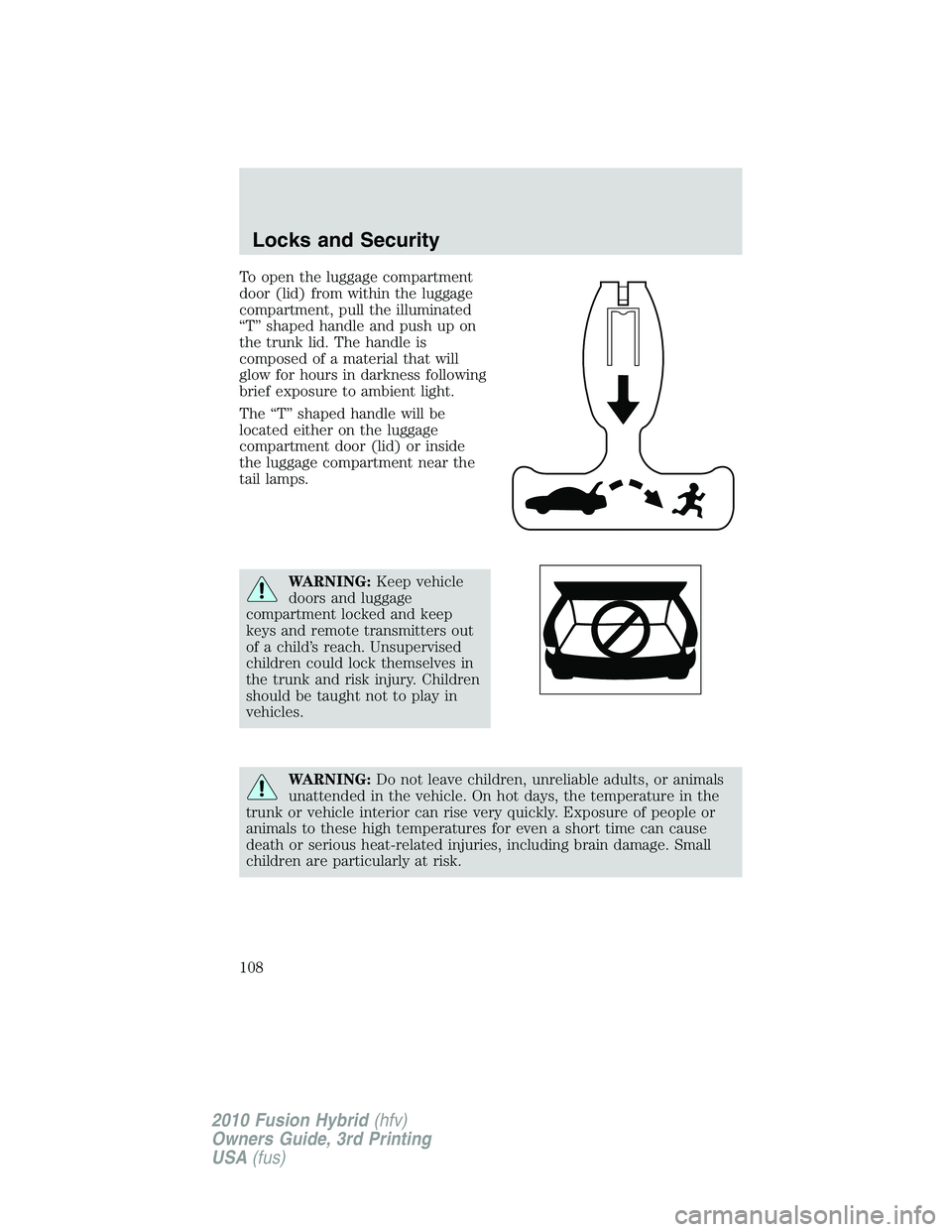
To open the luggage compartment
door (lid) from within the luggage
compartment, pull the illuminated
“T” shaped handle and push up on
the trunk lid. The handle is
composed of a material that will
glow for hours in darkness following
brief exposure to ambient light.
The “T” shaped handle will be
located either on the luggage
compartment door (lid) or inside
the luggage compartment near the
tail lamps.
WARNING:Keep vehicle
doors and luggage
compartment locked and keep
keys and remote transmitters out
of a child’s reach. Unsupervised
children could lock themselves in
the trunk and risk injury. Children
should be taught not to play in
vehicles.
WARNING:Do not leave children, unreliable adults, or animals
unattended in the vehicle. On hot days, the temperature in the
trunk or vehicle interior can rise very quickly. Exposure of people or
animals to these high temperatures for even a short time can cause
death or serious heat-related injuries, including brain damage. Small
children are particularly at risk.
Locks and Security
108
2010 Fusion Hybrid(hfv)
Owners Guide, 3rd Printing
USA(fus)
Page 109 of 329
REMOTE ENTRY SYSTEM
The Integrated Keyhead Transmitter (IKT) complies with part 15 of the
FCC rules and with RSS-210 of Industry Canada. Operation is subject to
the following two conditions: (1) This device may not cause harmful
interference, and (2) This device must accept any interference received,
including interference that may cause undesired operation.
Changes or modifications not expressly approved by the party
responsible for compliance could void the user’s authority to
operate the equipment.
The typical operating range for your IKT is approximately 33 feet
(10 meters). A decrease in operating range could be caused by:
•weather conditions,
•nearby radio towers,
•structures around the vehicle, or
•other vehicles parked next to your vehicle.
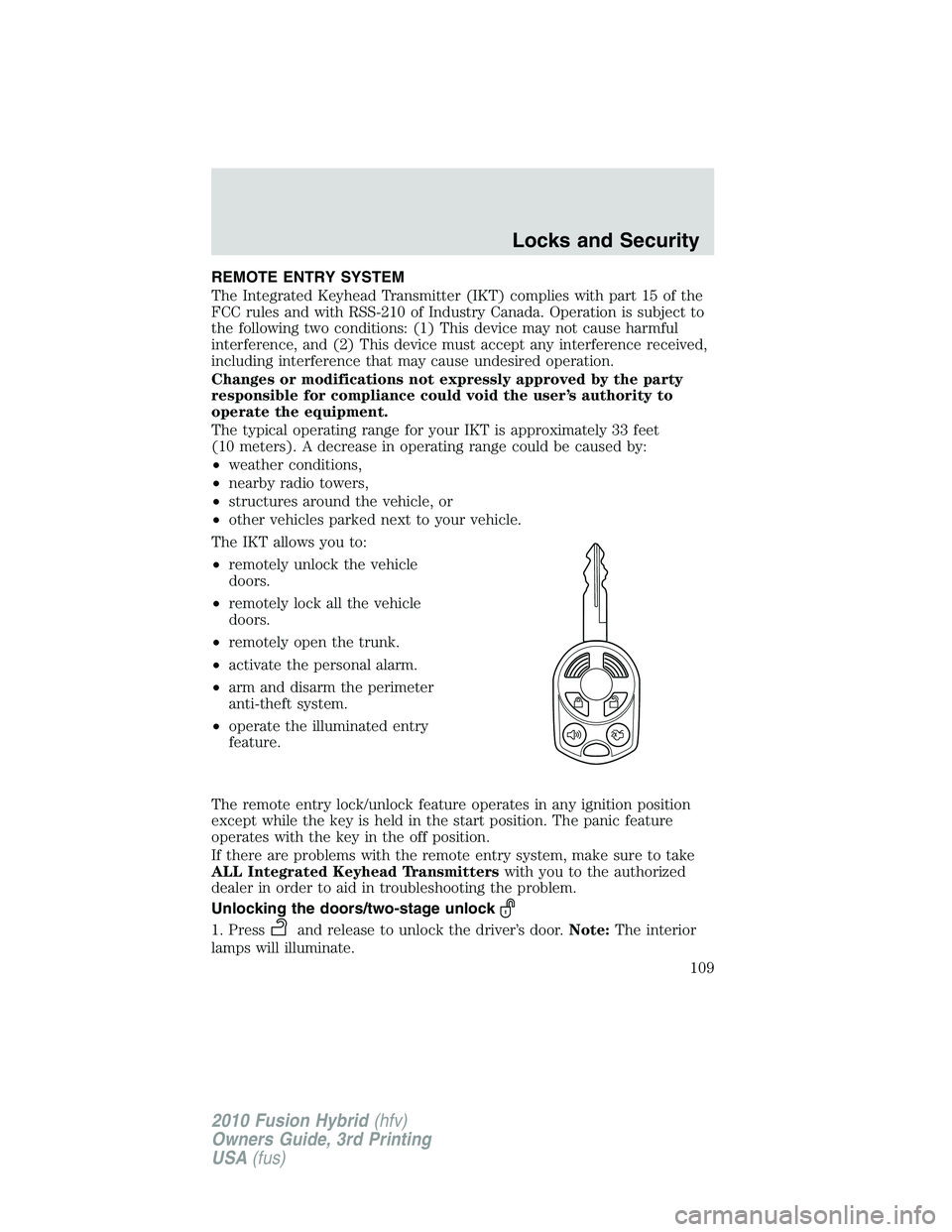
The IKT allows you to:
•remotely unlock the vehicle
doors.
•remotely lock all the vehicle
doors.
•remotely open the trunk.
•activate the personal alarm.
•arm and disarm the perimeter
anti-theft system.
•operate the illuminated entry
feature.
The remote entry lock/unlock feature operates in any ignition position
except while the key is held in the start position. The panic feature
operates with the key in the off position.
If there are problems with the remote entry system, make sure to take
ALL Integrated Keyhead Transmitterswith you to the authorized
dealer in order to aid in troubleshooting the problem.
Unlocking the doors/two-stage unlock
1. Pressand release to unlock the driver’s door.Note:The interior
lamps will illuminate.
Locks and Security
109
2010 Fusion Hybrid(hfv)
Owners Guide, 3rd Printing
USA(fus)
Page 110 of 329
2. Pressand release again within five seconds to unlock all the doors.
The remote entry system activates the illuminated entry feature; this
feature turns on the lamps for 25 seconds or until the ignition is turned
to the on position.
The battery saver feature will turn off the lamps 30 minutes after the
ignition is turned to the off position.
Two-stage unlocking may be disabled or re-enabled by simultaneously
pressing the
andcontrols on the IKT for four seconds (disabling
two-stage unlock allows all vehicle doors to unlock simultaneously). The
turn lamps will illuminate twice to indicate that two-stage unlock was
enabled or disabled.
Locking the doors
1. Pressand release to lock all the doors. The turn lamps will flash.
2. Press
and release again within three seconds to confirm that all
the doors are closed.Note:The doors will lock again, the horn will chirp
and the turn lamps will illuminate once if all the doors and trunk are
closed.
Note:If any door or the trunk is not closed, or if the hood is not closed
in vehicles equipped with the perimeter alarm feature, the horn will
chirp twice and the lamps will not illuminate.
Car finder
Press
twice within three seconds. The horn will chirp and the turn
lamps will flash. It is recommended that this method be used to locate
your vehicle, rather than using the panic alarm.
Sounding a panic alarm
Press
to activate the alarm. The horn will sound and the turn lamps
will flash for a maximum of three minutes. Press again or turn the
ignition to the on position to deactivate, or wait for the alarm to time out
in three minutes.
Note:The panic alarm will only operate when the ignition is in the off
position.
Opening the trunk
Presstwice within three seconds to open the trunk.
•Ensure that the trunk is closed and latched before driving your
vehicle. Failure to properly latch the trunk may cause objects to fall
out or block the driver’s rear view.
Locks and Security
110
2010 Fusion Hybrid(hfv)
Owners Guide, 3rd Printing
USA(fus)
Page 113 of 329
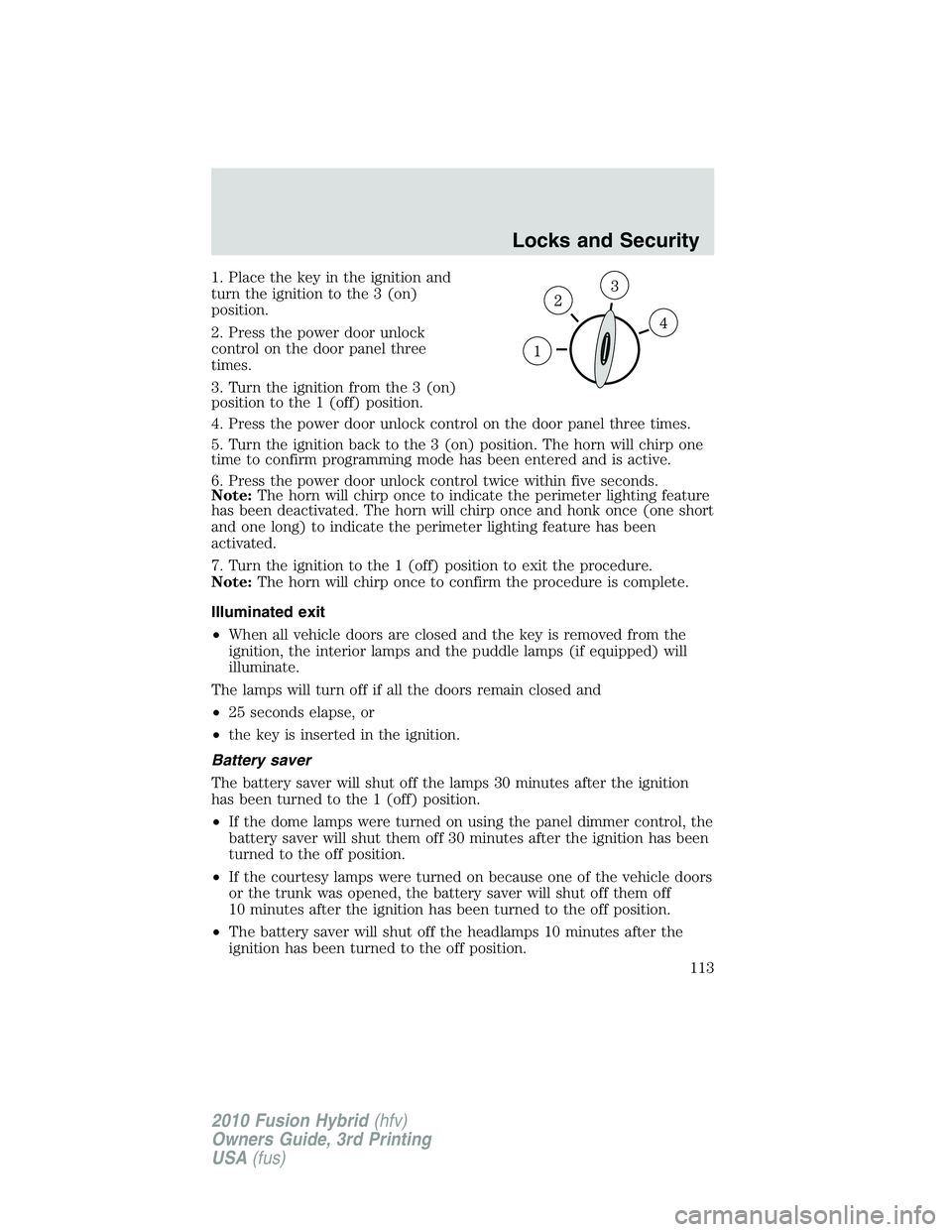
1. Place the key in the ignition and
turn the ignition to the 3 (on)
position.
2. Press the power door unlock
control on the door panel three
times.
3. Turn the ignition from the 3 (on)
position to the 1 (off) position.
4. Press the power door unlock control on the door panel three times.
5. Turn the ignition back to the 3 (on) position. The horn will chirp one
time to confirm programming mode has been entered and is active.
6. Press the power door unlock control twice within five seconds.
Note:The horn will chirp once to indicate the perimeter lighting feature
has been deactivated. The horn will chirp once and honk once (one short
and one long) to indicate the perimeter lighting feature has been
activated.
7. Turn the ignition to the 1 (off) position to exit the procedure.
Note:The horn will chirp once to confirm the procedure is complete.
Illuminated exit
•When all vehicle doors are closed and the key is removed from the
ignition, the interior lamps and the puddle lamps (if equipped) will
illuminate.
The lamps will turn off if all the doors remain closed and
•25 seconds elapse, or
•the key is inserted in the ignition.
Battery saver
The battery saver will shut off the lamps 30 minutes after the ignition
has been turned to the 1 (off) position.
•If the dome lamps were turned on using the panel dimmer control, the
battery saver will shut them off 30 minutes after the ignition has been
turned to the off position.
•If the courtesy lamps were turned on because one of the vehicle doors
or the trunk was opened, the battery saver will shut off them off
10 minutes after the ignition has been turned to the off position.
•The battery saver will shut off the headlamps 10 minutes after the
ignition has been turned to the off position.
Locks and Security
113
2010 Fusion Hybrid(hfv)
Owners Guide, 3rd Printing
USA(fus)