tire pressure FORD FUSION HYBRID 2017 Owners Manual
[x] Cancel search | Manufacturer: FORD, Model Year: 2017, Model line: FUSION HYBRID, Model: FORD FUSION HYBRID 2017Pages: 516, PDF Size: 7.53 MB
Page 7 of 516
Collision, Damage or Fire Event...............231
Post-Crash Alert System..........................233
Spinout Detection.......................................233
Transporting the Vehicle...........................233
Towing Points................................................234
Customer Assistance
Getting the Services You Need...............235
In California (U.S. Only)............................236
The Better Business Bureau (BBB) AutoLine Program (U.S. Only)......................237
Utilizing the Mediation/ArbitrationProgram (Canada Only).......................238
Getting Assistance Outside the U.S. andCanada........................................................238
Ordering Additional Owner'sLiterature....................................................239
Reporting Safety Defects (U.S.Only)............................................................240
Reporting Safety Defects (CanadaOnly)............................................................240
Fuses
Fuse Specification Chart..........................242
Changing a Fuse............................................251
Maintenance
General Information...................................253
Opening and Closing the Hood..............253
Under Hood Overview...............................254
Engine Oil Dipstick......................................255
Engine Oil Check..........................................255
Oil Change Indicator Reset......................256
Engine Coolant Check...............................256
Automatic Transmission FluidCheck............................................................261
Brake Fluid Check.........................................261
Washer Fluid Check.....................................261
Changing the 12V Battery..........................261
Checking the Wiper Blades.....................263
Changing the Wiper Blades.....................263
Adjusting the Headlamps........................264
Removing a Headlamp..............................265
Changing a Bulb...........................................267
Bulb Specification Chart..........................268
Changing the Engine Air Filter.................270
Vehicle Care
General Information.....................................271
Cleaning Products.........................................271
Cleaning the Exterior....................................271
Waxing..............................................................272
Cleaning the Engine....................................273
Cleaning the Windows and WiperBlades...........................................................273
Cleaning the Interior....................................274
Cleaning the Instrument Panel andInstrument Cluster Lens........................274
Cleaning Leather Seats..............................275
Repairing Minor Paint Damage...............275
Cleaning the Alloy Wheels........................275
Vehicle Storage.............................................276
Wheels and Tires
Tire Sealant and Inflator Kit.....................279
Tire Care..........................................................285
Using Summer Tires..................................300
Using Snow Chains....................................300
Tire Pressure Monitoring System...........301
Technical Specifications..........................304
Capacities and Specific-ations
Engine Specifications................................306
Motorcraft Parts...........................................307
Vehicle Identification Number...............308
Vehicle Certification Label......................309
Transmission Code Designation...........309
Capacities and Specifications.................310
4
Fusion Energi / Fusion Hybrid (CC7) Hybrid Electric Vehicle (HEV)/Plug-In Hybrid Electric Vehicle (PHEV), Canada/United States of America, enUSA, First Printing
Table of Contents
Page 11 of 516
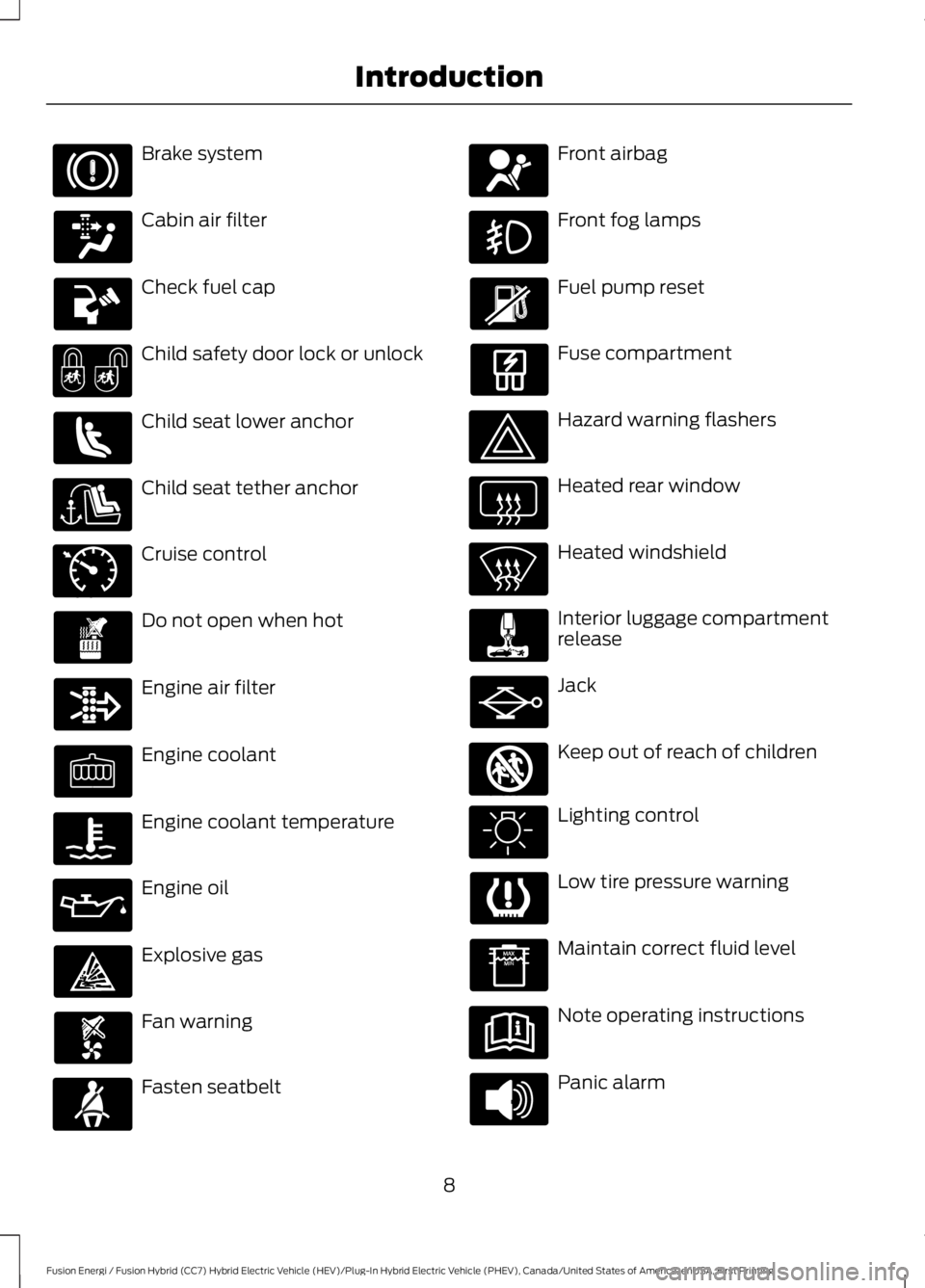
Brake system
Cabin air filter
Check fuel cap
Child safety door lock or unlock
Child seat lower anchor
Child seat tether anchor
Cruise control
Do not open when hot
Engine air filter
Engine coolant
Engine coolant temperature
Engine oil
Explosive gas
Fan warning
Fasten seatbelt
Front airbag
Front fog lamps
Fuel pump reset
Fuse compartment
Hazard warning flashers
Heated rear window
Heated windshield
Interior luggage compartmentrelease
Jack
Keep out of reach of children
Lighting control
Low tire pressure warning
Maintain correct fluid level
Note operating instructions
Panic alarm
8
Fusion Energi / Fusion Hybrid (CC7) Hybrid Electric Vehicle (HEV)/Plug-In Hybrid Electric Vehicle (PHEV), Canada/United States of America, enUSA, First Printing
Introduction E71340 E161353
Page 36 of 516
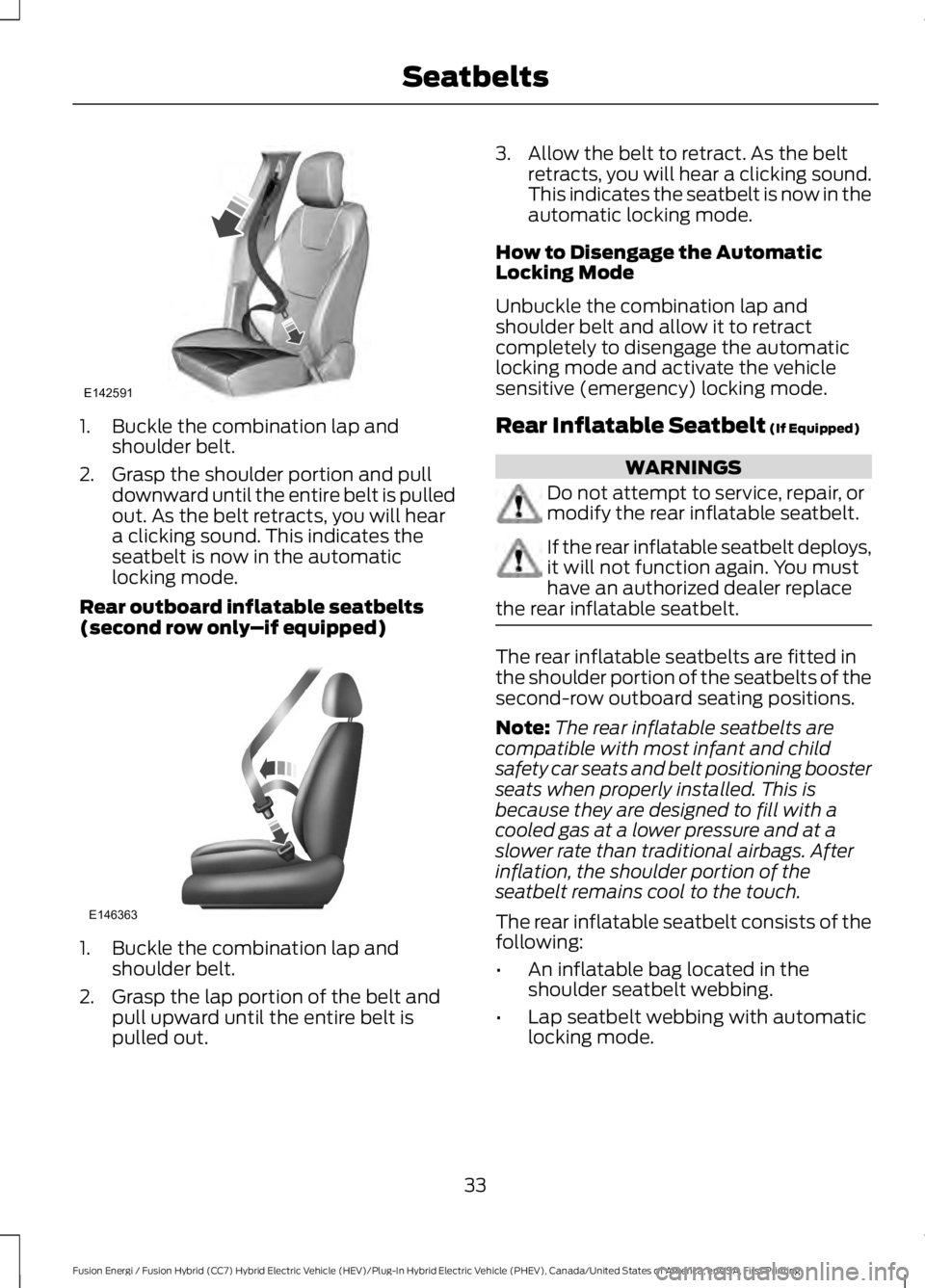
1. Buckle the combination lap andshoulder belt.
2. Grasp the shoulder portion and pulldownward until the entire belt is pulledout. As the belt retracts, you will heara clicking sound. This indicates theseatbelt is now in the automaticlocking mode.
Rear outboard inflatable seatbelts(second row only–if equipped)
1. Buckle the combination lap andshoulder belt.
2. Grasp the lap portion of the belt andpull upward until the entire belt ispulled out.
3. Allow the belt to retract. As the beltretracts, you will hear a clicking sound.This indicates the seatbelt is now in theautomatic locking mode.
How to Disengage the AutomaticLocking Mode
Unbuckle the combination lap andshoulder belt and allow it to retractcompletely to disengage the automaticlocking mode and activate the vehiclesensitive (emergency) locking mode.
Rear Inflatable Seatbelt (If Equipped)
WARNINGS
Do not attempt to service, repair, ormodify the rear inflatable seatbelt.
If the rear inflatable seatbelt deploys,it will not function again. You musthave an authorized dealer replacethe rear inflatable seatbelt.
The rear inflatable seatbelts are fitted inthe shoulder portion of the seatbelts of thesecond-row outboard seating positions.
Note:The rear inflatable seatbelts arecompatible with most infant and childsafety car seats and belt positioning boosterseats when properly installed. This isbecause they are designed to fill with acooled gas at a lower pressure and at aslower rate than traditional airbags. Afterinflation, the shoulder portion of theseatbelt remains cool to the touch.
The rear inflatable seatbelt consists of thefollowing:
•An inflatable bag located in theshoulder seatbelt webbing.
•Lap seatbelt webbing with automaticlocking mode.
33
Fusion Energi / Fusion Hybrid (CC7) Hybrid Electric Vehicle (HEV)/Plug-In Hybrid Electric Vehicle (PHEV), Canada/United States of America, enUSA, First Printing
SeatbeltsE142591 E146363
Page 95 of 516
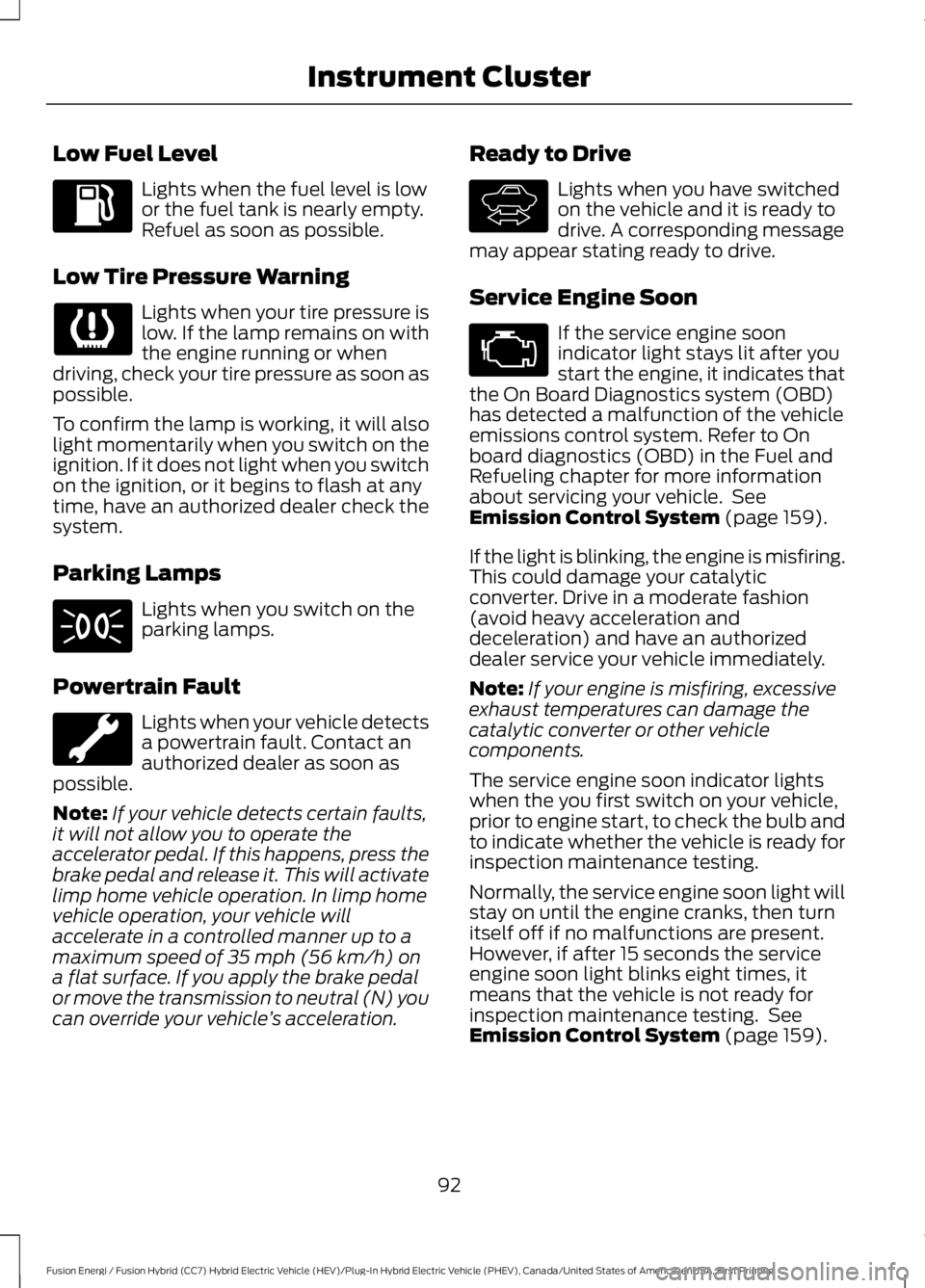
Low Fuel Level
Lights when the fuel level is lowor the fuel tank is nearly empty.Refuel as soon as possible.
Low Tire Pressure Warning
Lights when your tire pressure islow. If the lamp remains on withthe engine running or whendriving, check your tire pressure as soon aspossible.
To confirm the lamp is working, it will alsolight momentarily when you switch on theignition. If it does not light when you switchon the ignition, or it begins to flash at anytime, have an authorized dealer check thesystem.
Parking Lamps
Lights when you switch on theparking lamps.
Powertrain Fault
Lights when your vehicle detectsa powertrain fault. Contact anauthorized dealer as soon aspossible.
Note:If your vehicle detects certain faults,it will not allow you to operate theaccelerator pedal. If this happens, press thebrake pedal and release it. This will activatelimp home vehicle operation. In limp homevehicle operation, your vehicle willaccelerate in a controlled manner up to amaximum speed of 35 mph (56 km/h) ona flat surface. If you apply the brake pedalor move the transmission to neutral (N) youcan override your vehicle’s acceleration.
Ready to Drive
Lights when you have switchedon the vehicle and it is ready todrive. A corresponding messagemay appear stating ready to drive.
Service Engine Soon
If the service engine soonindicator light stays lit after youstart the engine, it indicates thatthe On Board Diagnostics system (OBD)has detected a malfunction of the vehicleemissions control system. Refer to Onboard diagnostics (OBD) in the Fuel andRefueling chapter for more informationabout servicing your vehicle. SeeEmission Control System (page 159).
If the light is blinking, the engine is misfiring.This could damage your catalyticconverter. Drive in a moderate fashion(avoid heavy acceleration anddeceleration) and have an authorizeddealer service your vehicle immediately.
Note:If your engine is misfiring, excessiveexhaust temperatures can damage thecatalytic converter or other vehiclecomponents.
The service engine soon indicator lightswhen the you first switch on your vehicle,prior to engine start, to check the bulb andto indicate whether the vehicle is ready forinspection maintenance testing.
Normally, the service engine soon light willstay on until the engine cranks, then turnitself off if no malfunctions are present.However, if after 15 seconds the serviceengine soon light blinks eight times, itmeans that the vehicle is not ready forinspection maintenance testing. SeeEmission Control System (page 159).
92
Fusion Energi / Fusion Hybrid (CC7) Hybrid Electric Vehicle (HEV)/Plug-In Hybrid Electric Vehicle (PHEV), Canada/United States of America, enUSA, First Printing
Instrument Cluster E144692
Page 99 of 516
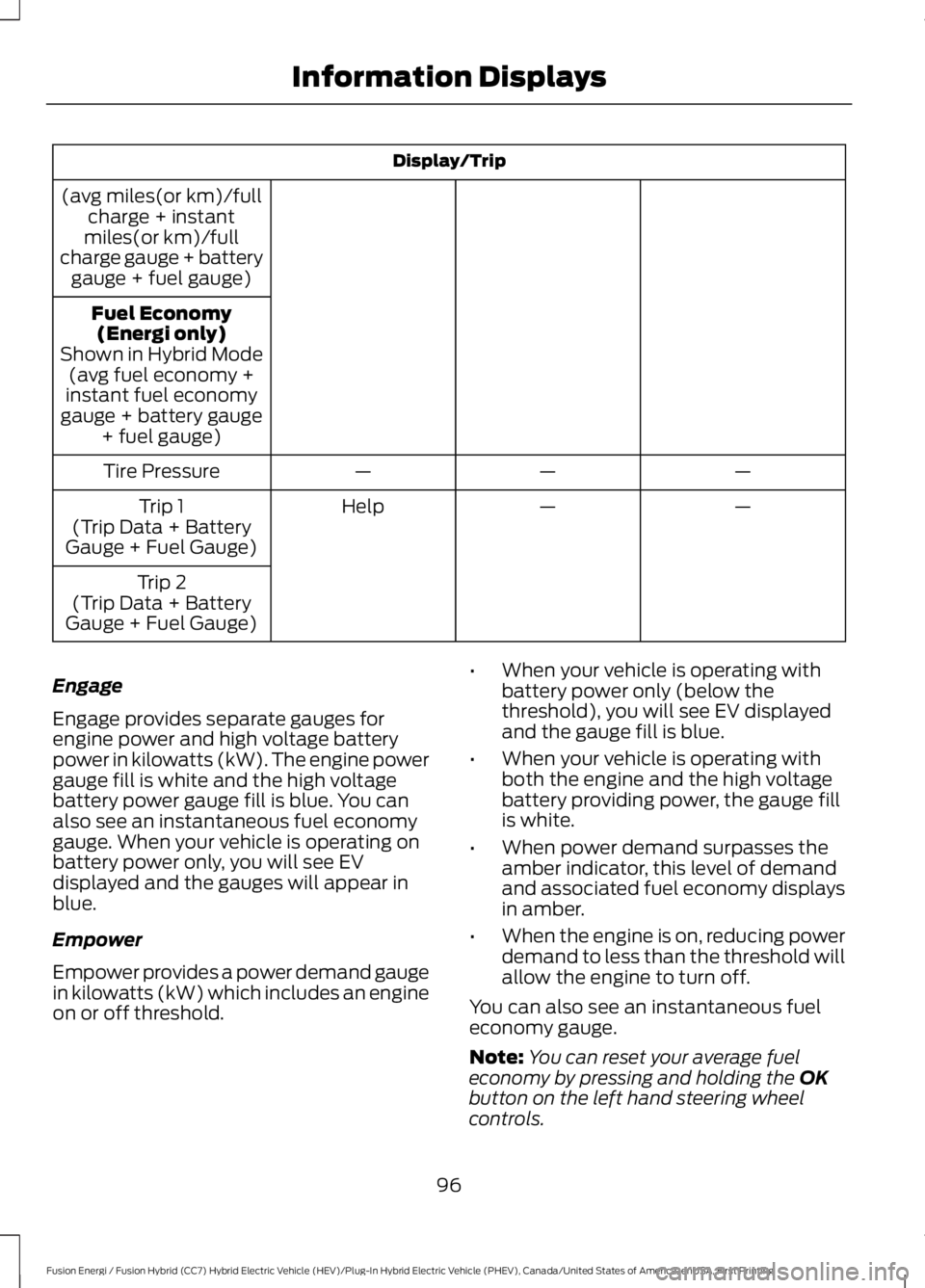
Display/Trip
(avg miles(or km)/fullcharge + instantmiles(or km)/fullcharge gauge + batterygauge + fuel gauge)
Fuel Economy(Energi only)Shown in Hybrid Mode(avg fuel economy +instant fuel economygauge + battery gauge+ fuel gauge)
———Tire Pressure
——HelpTrip 1(Trip Data + BatteryGauge + Fuel Gauge)
Trip 2(Trip Data + BatteryGauge + Fuel Gauge)
Engage
Engage provides separate gauges forengine power and high voltage batterypower in kilowatts (kW). The engine powergauge fill is white and the high voltagebattery power gauge fill is blue. You canalso see an instantaneous fuel economygauge. When your vehicle is operating onbattery power only, you will see EVdisplayed and the gauges will appear inblue.
Empower
Empower provides a power demand gaugein kilowatts (kW) which includes an engineon or off threshold.
•When your vehicle is operating withbattery power only (below thethreshold), you will see EV displayedand the gauge fill is blue.
•When your vehicle is operating withboth the engine and the high voltagebattery providing power, the gauge fillis white.
•When power demand surpasses theamber indicator, this level of demandand associated fuel economy displaysin amber.
•When the engine is on, reducing powerdemand to less than the threshold willallow the engine to turn off.
You can also see an instantaneous fueleconomy gauge.
Note:You can reset your average fueleconomy by pressing and holding the OKbutton on the left hand steering wheelcontrols.
96
Fusion Energi / Fusion Hybrid (CC7) Hybrid Electric Vehicle (HEV)/Plug-In Hybrid Electric Vehicle (PHEV), Canada/United States of America, enUSA, First Printing
Information Displays
Page 104 of 516
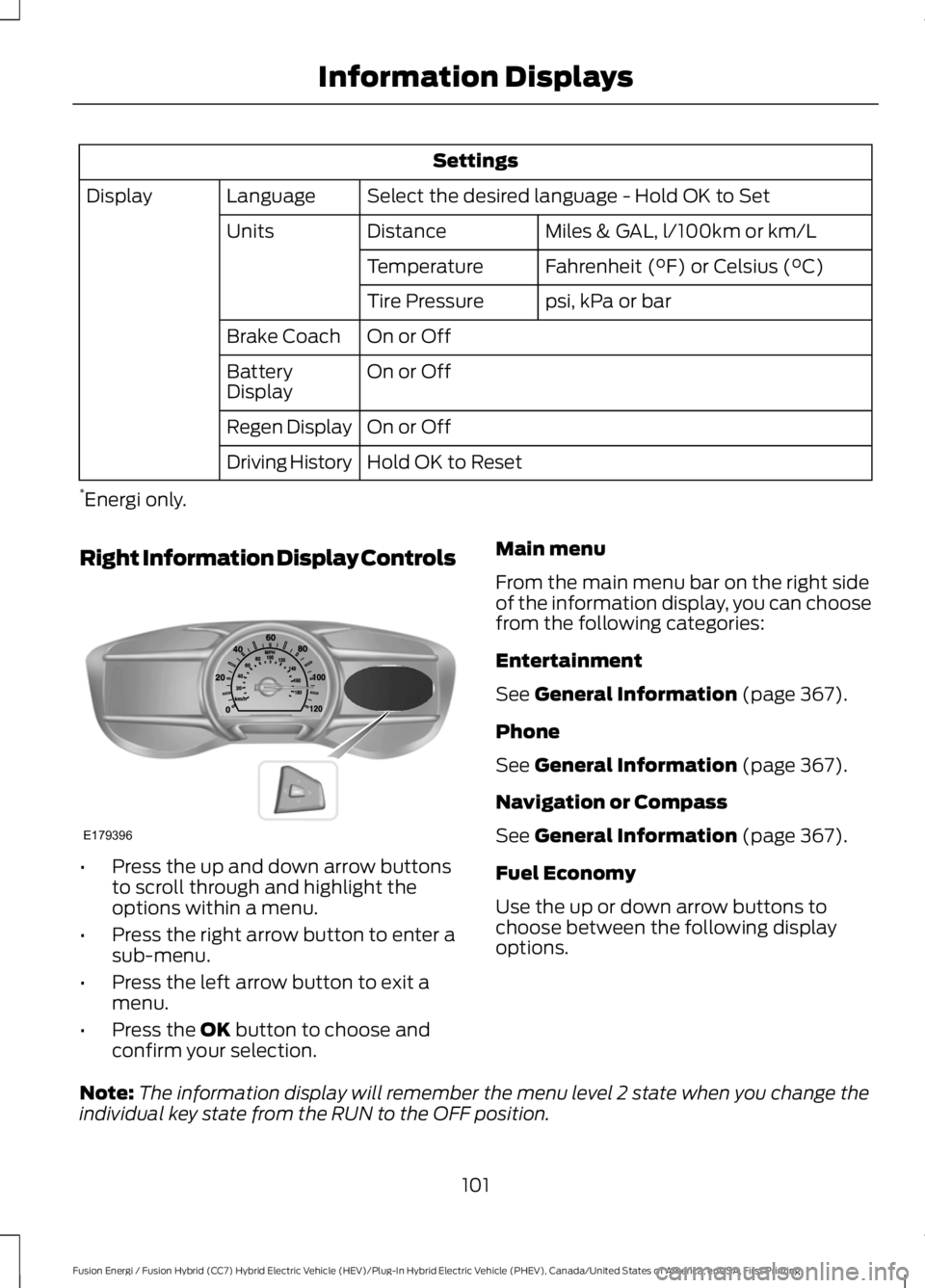
Settings
Select the desired language - Hold OK to SetLanguageDisplay
Miles & GAL, l/100km or km/LDistanceUnits
Fahrenheit (°F) or Celsius (°C)Temperature
psi, kPa or barTire Pressure
On or OffBrake Coach
On or OffBatteryDisplay
On or OffRegen Display
Hold OK to ResetDriving History
*Energi only.
Right Information Display Controls
•Press the up and down arrow buttonsto scroll through and highlight theoptions within a menu.
•Press the right arrow button to enter asub-menu.
•Press the left arrow button to exit amenu.
•Press the OK button to choose andconfirm your selection.
Main menu
From the main menu bar on the right sideof the information display, you can choosefrom the following categories:
Entertainment
See General Information (page 367).
Phone
See General Information (page 367).
Navigation or Compass
See General Information (page 367).
Fuel Economy
Use the up or down arrow buttons tochoose between the following displayoptions.
Note:The information display will remember the menu level 2 state when you change theindividual key state from the RUN to the OFF position.
101
Fusion Energi / Fusion Hybrid (CC7) Hybrid Electric Vehicle (HEV)/Plug-In Hybrid Electric Vehicle (PHEV), Canada/United States of America, enUSA, First Printing
Information DisplaysE179396
Page 117 of 516
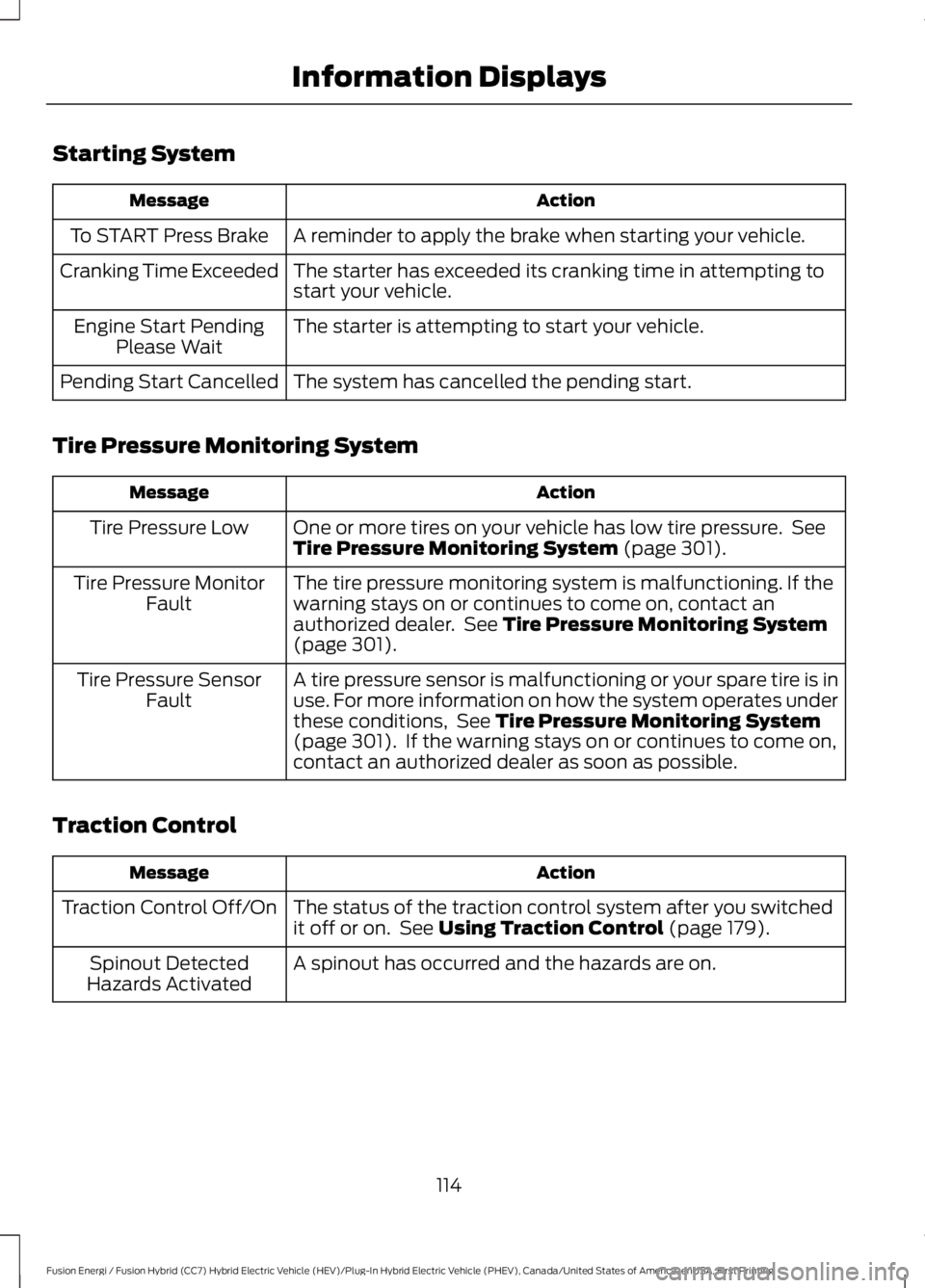
Starting System
ActionMessage
A reminder to apply the brake when starting your vehicle.To START Press Brake
The starter has exceeded its cranking time in attempting tostart your vehicle.Cranking Time Exceeded
The starter is attempting to start your vehicle.Engine Start PendingPlease Wait
The system has cancelled the pending start.Pending Start Cancelled
Tire Pressure Monitoring System
ActionMessage
One or more tires on your vehicle has low tire pressure. SeeTire Pressure Monitoring System (page 301).Tire Pressure Low
The tire pressure monitoring system is malfunctioning. If thewarning stays on or continues to come on, contact anauthorized dealer. See Tire Pressure Monitoring System(page 301).
Tire Pressure MonitorFault
A tire pressure sensor is malfunctioning or your spare tire is inuse. For more information on how the system operates underthese conditions, See Tire Pressure Monitoring System(page 301). If the warning stays on or continues to come on,contact an authorized dealer as soon as possible.
Tire Pressure SensorFault
Traction Control
ActionMessage
The status of the traction control system after you switchedit off or on. See Using Traction Control (page 179).Traction Control Off/On
A spinout has occurred and the hazards are on.Spinout DetectedHazards Activated
114
Fusion Energi / Fusion Hybrid (CC7) Hybrid Electric Vehicle (HEV)/Plug-In Hybrid Electric Vehicle (PHEV), Canada/United States of America, enUSA, First Printing
Information Displays
Page 211 of 516
Why does the vehicle not come back toward the middle of the lane, as expected, in theAid or Aid + Alert mode?
High cross winds
Large road crown
Rough roads, grooves, shoulder drop-offs
Heavy uneven loading of the vehicle or improper tire inflation pressure
If the tires have been exchanged (including snow tires), or the suspension has beenmodified
BLIND SPOT INFORMATION
SYSTEM
WARNING
To help avoid injuries, NEVER use theBlind Spot Information System as areplacement for using the interiorand exterior mirrors or looking over yourshoulder before changing lanes. The BlindSpot Information System is not areplacement for careful driving.
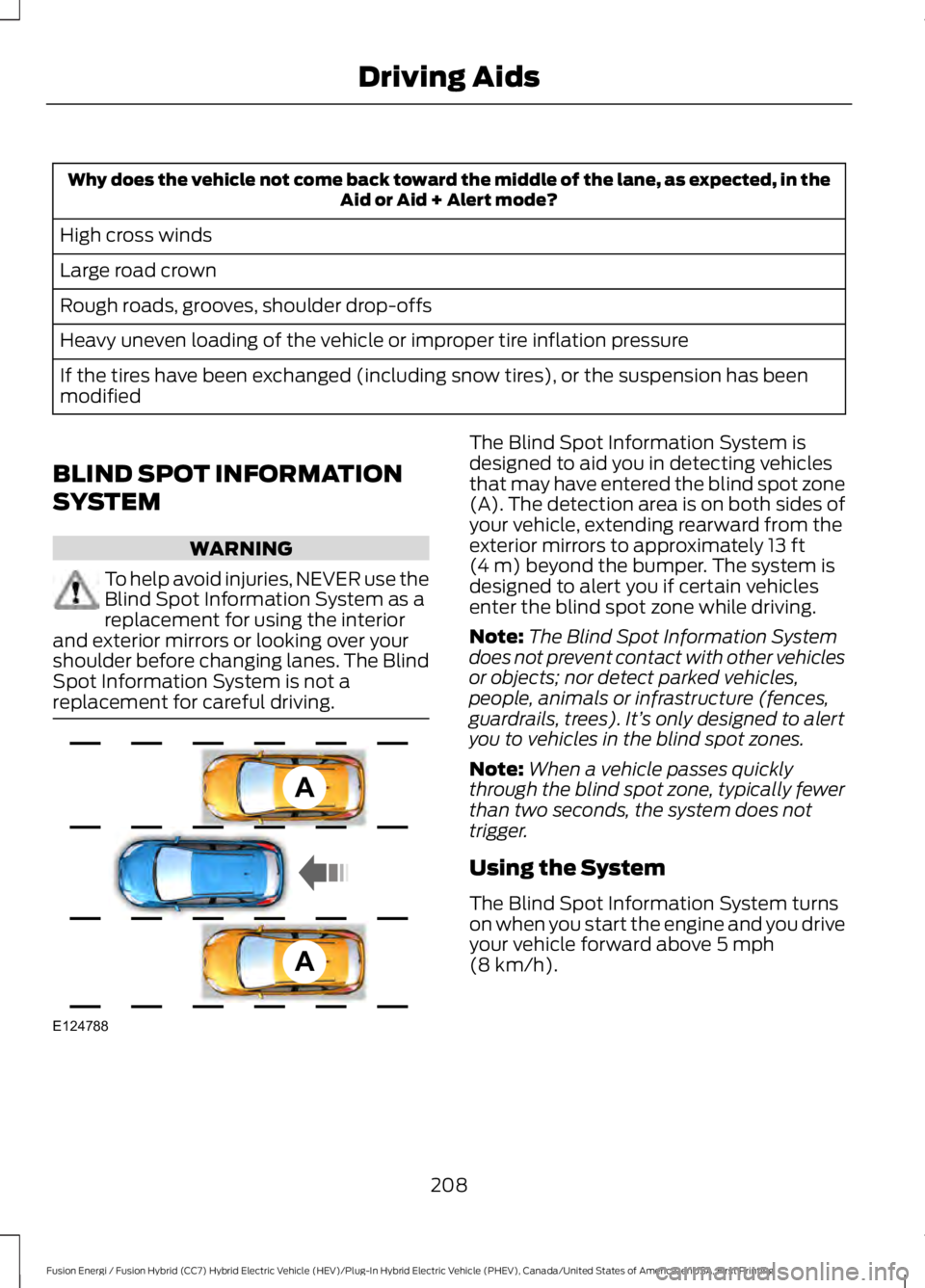
The Blind Spot Information System isdesigned to aid you in detecting vehiclesthat may have entered the blind spot zone(A). The detection area is on both sides ofyour vehicle, extending rearward from theexterior mirrors to approximately 13 ft(4 m) beyond the bumper. The system isdesigned to alert you if certain vehiclesenter the blind spot zone while driving.
Note:The Blind Spot Information Systemdoes not prevent contact with other vehiclesor objects; nor detect parked vehicles,people, animals or infrastructure (fences,guardrails, trees). It’s only designed to alertyou to vehicles in the blind spot zones.
Note:When a vehicle passes quicklythrough the blind spot zone, typically fewerthan two seconds, the system does nottrigger.
Using the System
The Blind Spot Information System turnson when you start the engine and you driveyour vehicle forward above 5 mph(8 km/h).
208
Fusion Energi / Fusion Hybrid (CC7) Hybrid Electric Vehicle (HEV)/Plug-In Hybrid Electric Vehicle (PHEV), Canada/United States of America, enUSA, First Printing
Driving AidsA
A
E124788
Page 217 of 516
Extreme continuous steering may increasethe effort required for you to steer yourvehicle. This increased effort preventsoverheating and permanent damage tothe steering system. You do not lose theability to steer your vehicle manually.Typical steering and driving maneuversallow the system to cool and return tonormal operation.
Steering Tips
If the steering wanders or pulls, check for:
•Correct tire pressures.
•Uneven tire wear.
•Loose or worn suspensioncomponents.
•Loose or worn steering components.
•Improper vehicle alignment.
Note:A high crown in the road or highcrosswinds may also make the steeringseem to wander or pull.
Adaptive Learning
The electronic power steering systemadaptive learning helps correct roadirregularities and improves overall handlingand steering feel. It communicates withthe brake system to help operateadvanced stability control and accidentavoidance systems. Additionally, wheneverthe battery is disconnected or a newbattery installed, you must drive yourvehicle a short distance before the systemrelearns the strategy and reactivates allsystems.
PRE-COLLISION ASSIST
WARNINGS
At all times, you are responsible forcontrolling your vehicle, supervisingthe system and intervening, ifrequired. Failure to take care may result inthe loss of control of your vehicle, seriouspersonal injury or death.
The system does not detect cyclists,animals, pedestrians at night orvehicles that are driving in a differentdirection. Failure to take care may result inthe loss of control of your vehicle, seriouspersonal injury or death.
The system does not operate duringhard acceleration or steering. Failureto take care may lead to a crash orpersonal injury.
The system may fail or operate withreduced function during cold andsevere weather conditions. Snow,ice, rain, spray and fog can adversely affectthe system. Keep the front camera andradar free of snow and ice. Failure to takecare may result in the loss of control ofyour vehicle, serious personal injury ordeath.
In situations where the vehiclecamera has limited detectioncapability, this may reduce systemperformance. These situations include butare not limited to direct or low sunlight,vehicles at night without tail lights,unconventional vehicle types, pedestrianswith complex backgrounds, runningpedestrians, partly obscured pedestrians,or pedestrians that the system cannotdistinguish from a group. Failure to takecare may result in the loss of control ofyour vehicle, serious personal injury ordeath.
214
Fusion Energi / Fusion Hybrid (CC7) Hybrid Electric Vehicle (HEV)/Plug-In Hybrid Electric Vehicle (PHEV), Canada/United States of America, enUSA, First Printing
Driving Aids
Page 275 of 516
•Immediately remove fuel spillages, birddroppings, insect deposits and road tar.These may cause damage to yourvehicle’s paintwork or trim over time.We recommend Motorcraft Bug andTar Remover.
•Remove any exterior accessories, forexample antennas, before entering acar wash.
Note:Suntan lotions and insect repellentscan damage painted surfaces. If thesesubstances come in contact with yourvehicle, wash the affected area as soon aspossible.
Exterior Chrome Parts
•Apply a high quality-cleaning productto bumpers and other chrome parts.Follow the manufacturer’s instructions.We recommend Motorcraft CustomBright Metal Cleaner.
•Do not apply the cleaning product tohot surfaces. Do not leave the cleaningproduct on chrome surfaces longerthan the time recommended.
•Using other non-recommendedcleaners can result in severe andpermanent cosmetic damage.
Note:Never use abrasive materials, forexample steel wool or plastic pads as theycan scratch the chrome surface.
Note:Do not use chrome cleaner, metalcleaner or polish on wheels or wheel covers.
Exterior Plastic Parts
For routine cleaning we recommendMotorcraft Detail Wash. If tar or greasespots are present, we recommendMotorcraft Bug and Tar Remover.
Stripes or Graphics (If Equipped)
Hand washing your vehicle is preferredhowever, pressure washing may be usedunder the following conditions:
•Do not use water pressure higher than2,000 psi (14,000 kPa).
•Do not use water hotter than 179°F(82°C).
•Use a spray with a 40° wide sprayangle pattern.
•Keep the nozzle at a 12 in (305 mm)distance and 90° angle to yourvehicle's surface.
Note:Holding the pressure washer nozzleat an angle to the vehicle's surface maydamage graphics and cause the edges topeel away from the vehicle's surface.
Underbody
Flush the complete underside of yourvehicle frequently. Keep body and doordrain holes free of debris or foreignmaterial.
Under Hood
For removing black rubber marks fromunder the hood we recommend MotorcraftWheel and Tire Cleaner or Motorcraft Bugand Tar Remover.
WAXING
Regular waxing is necessary to protect yourcar's paint from the elements. Werecommend that you wash and wax thepainted surface once or twice a year.
When washing and waxing, park yourvehicle in a shaded area out of directsunlight. Always wash your vehicle beforeapplying wax.
•Use a quality wax that does not containabrasives.
•Follow the manufacturer’s instructionsto apply and remove the wax.
•Apply a small amount of wax in aback-and-forth motion, not in circles.
272
Fusion Energi / Fusion Hybrid (CC7) Hybrid Electric Vehicle (HEV)/Plug-In Hybrid Electric Vehicle (PHEV), Canada/United States of America, enUSA, First Printing
Vehicle Care