ECO mode FORD GT 2017 2.G User Guide
[x] Cancel search | Manufacturer: FORD, Model Year: 2017, Model line: GT, Model: FORD GT 2017 2.GPages: 313, PDF Size: 6.41 MB
Page 72 of 313
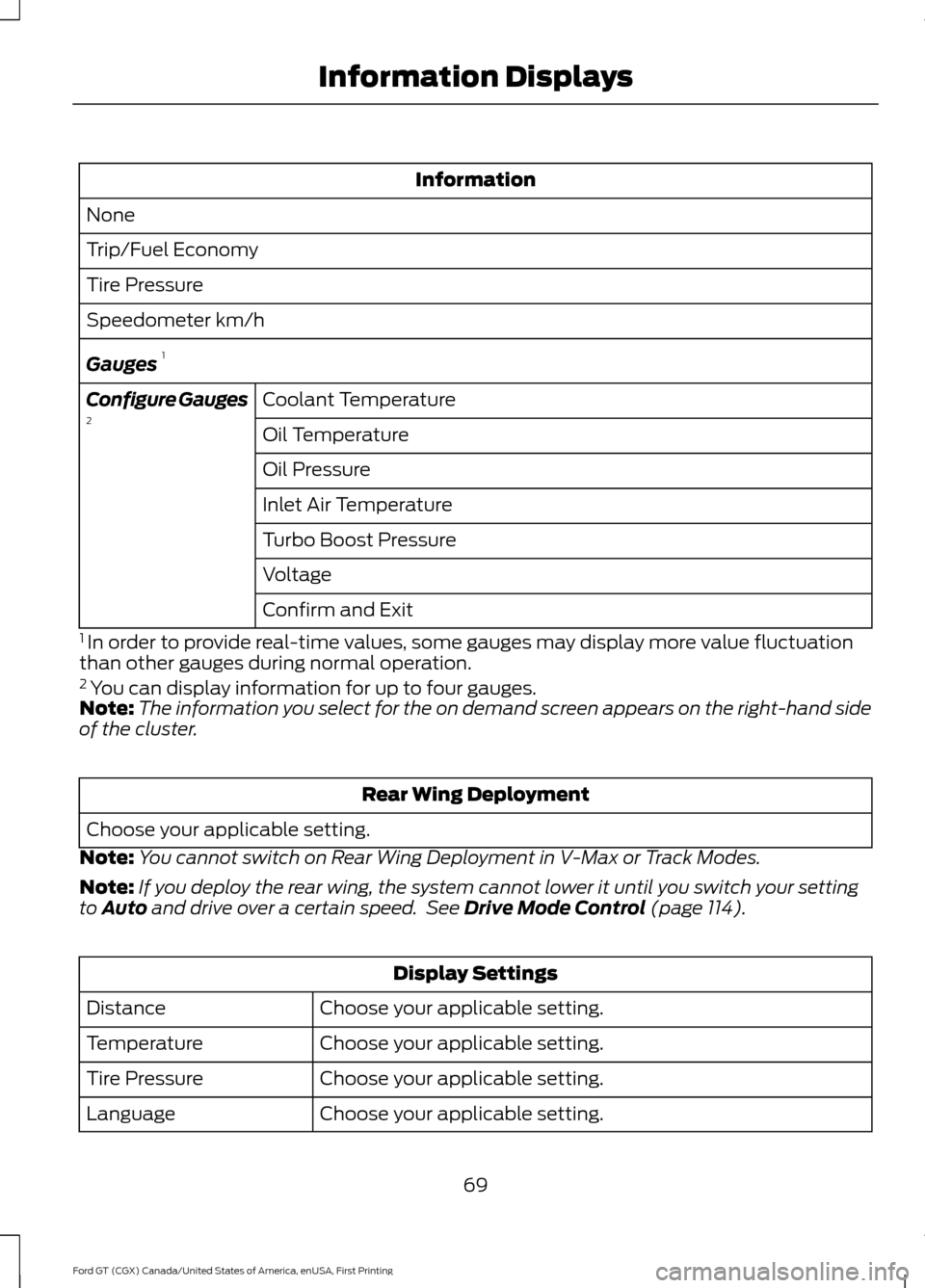
Information
None
Trip/Fuel Economy
Tire Pressure
Speedometer km/h
Gauges 1
Coolant Temperature
Configure Gauges
2
Oil Temperature
Oil Pressure
Inlet Air Temperature
Turbo Boost Pressure
Voltage
Confirm and Exit
1 In order to provide real-time values, some gauges may display more value fluctuation
than other gauges during normal operation.
2 You can display information for up to four gauges.
Note: The information you select for the on demand screen appears on the right-hand side
of the cluster. Rear Wing Deployment
Choose your applicable setting.
Note: You cannot switch on Rear Wing Deployment in V-Max or Track Modes.
Note: If you deploy the rear wing, the system cannot lower it until you switch your setting
to Auto and drive over a certain speed. See Drive Mode Control (page 114). Display Settings
Choose your applicable setting.
Distance
Choose your applicable setting.
Temperature
Choose your applicable setting.
Tire Pressure
Choose your applicable setting.
Language
69
Ford GT (CGX) Canada/United States of America, enUSA, First Printing Information Displays
Page 74 of 313
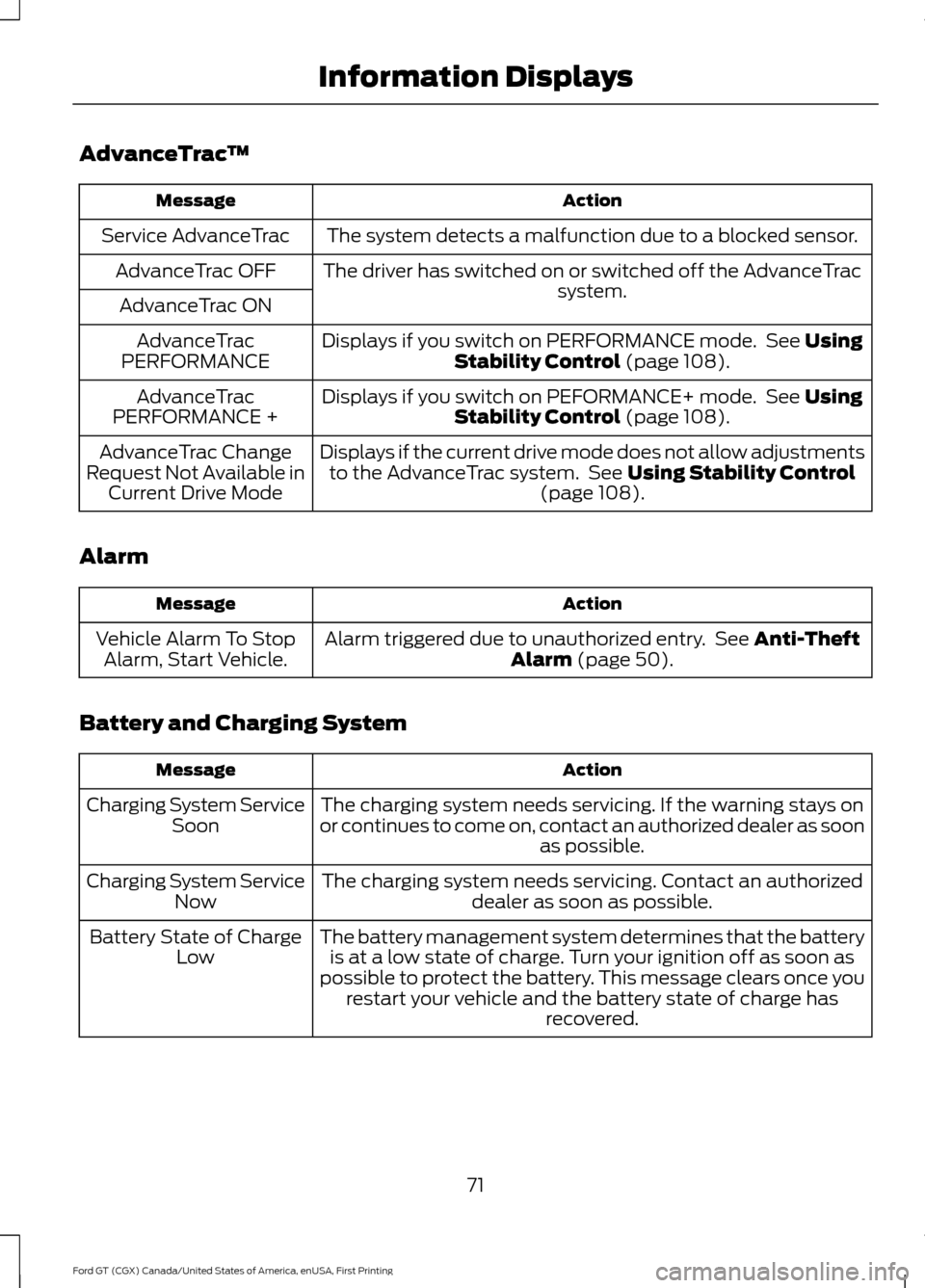
AdvanceTrac
™ Action
Message
The system detects a malfunction due to a blocked sensor.
Service AdvanceTrac
The driver has switched on or switched off the AdvanceTrac system.
AdvanceTrac OFF
AdvanceTrac ON Displays if you switch on PERFORMANCE mode. See Using
Stability Control (page 108).
AdvanceTrac
PERFORMANCE
Displays if you switch on PEFORMANCE+ mode. See
Using
Stability Control (page 108).
AdvanceTrac
PERFORMANCE +
Displays if the current drive mode does not allow adjustmentsto the AdvanceTrac system. See
Using Stability Control
(page 108).
AdvanceTrac Change
Request Not Available in Current Drive Mode
Alarm Action
Message
Alarm triggered due to unauthorized entry. See
Anti-Theft
Alarm (page 50).
Vehicle Alarm To Stop
Alarm, Start Vehicle.
Battery and Charging System Action
Message
The charging system needs servicing. If the warning stays on
or continues to come on, contact an authorized dealer as soon as possible.
Charging System Service
Soon
The charging system needs servicing. Contact an authorized dealer as soon as possible.
Charging System Service
Now
The battery management system determines that the batteryis at a low state of charge. Turn your ignition off as soon as
possible to protect the battery. This message clears once you restart your vehicle and the battery state of charge has recovered.
Battery State of Charge
Low
71
Ford GT (CGX) Canada/United States of America, enUSA, First Printing Information Displays
Page 78 of 313
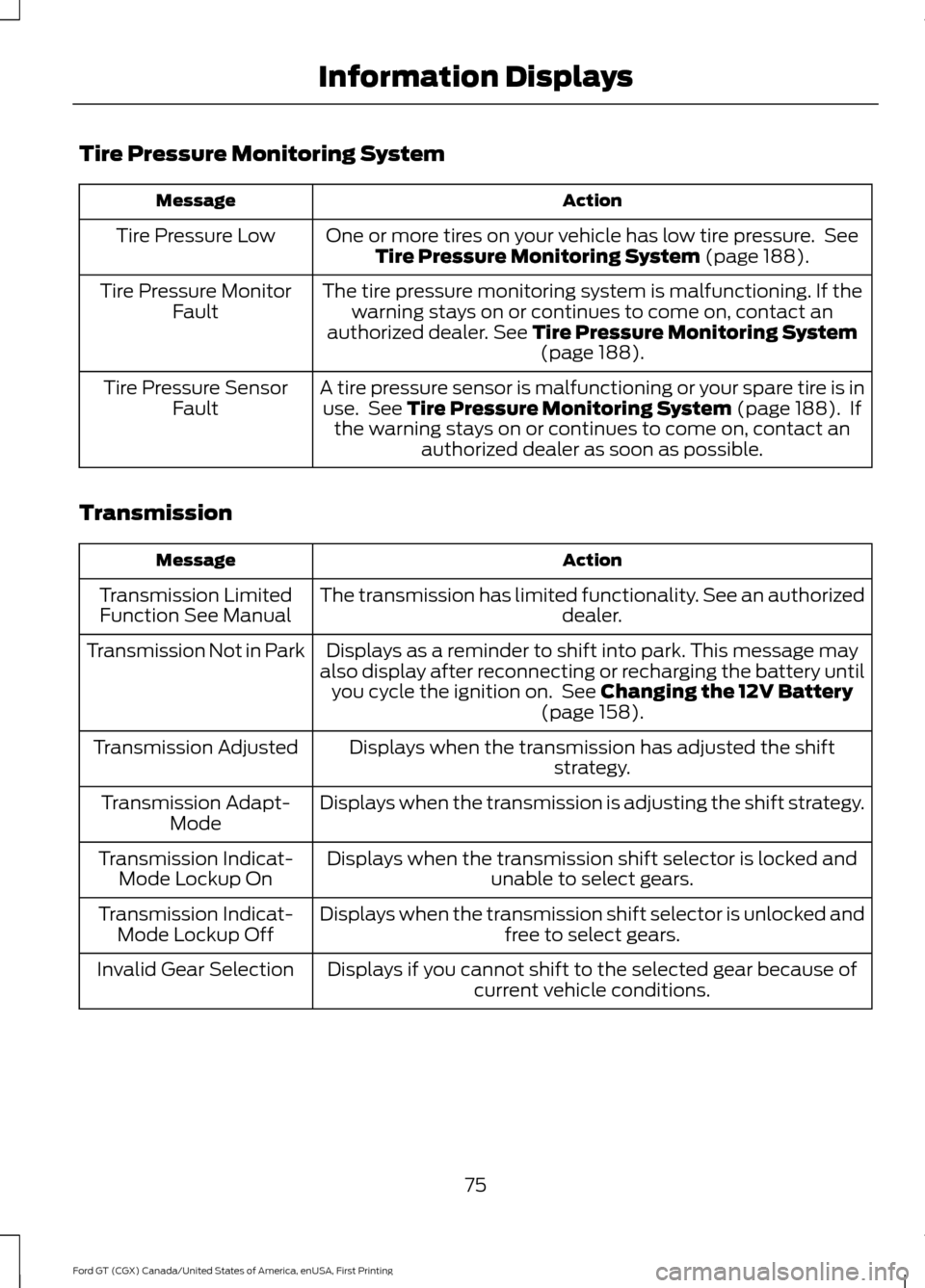
Tire Pressure Monitoring System
Action
Message
One or more tires on your vehicle has low tire pressure. SeeTire Pressure Monitoring System (page 188).
Tire Pressure Low
The tire pressure monitoring system is malfunctioning. If thewarning stays on or continues to come on, contact an
authorized dealer.
See Tire Pressure Monitoring System (page 188).
Tire Pressure Monitor
Fault
A tire pressure sensor is malfunctioning or your spare tire is inuse. See
Tire Pressure Monitoring System (page 188). If
the warning stays on or continues to come on, contact an authorized dealer as soon as possible.
Tire Pressure Sensor
Fault
Transmission Action
Message
The transmission has limited functionality. See an authorized dealer.
Transmission Limited
Function See Manual
Displays as a reminder to shift into park. This message may
also display after reconnecting or recharging the battery until you cycle the ignition on. See
Changing the 12V Battery
(page 158).
Transmission Not in Park
Displays when the transmission has adjusted the shiftstrategy.
Transmission Adjusted
Displays when the transmission is adjusting the shift strategy.
Transmission Adapt-
Mode
Displays when the transmission shift selector is locked and unable to select gears.
Transmission Indicat-
Mode Lockup On
Displays when the transmission shift selector is unlocked andfree to select gears.
Transmission Indicat-
Mode Lockup Off
Displays if you cannot shift to the selected gear because ofcurrent vehicle conditions.
Invalid Gear Selection
75
Ford GT (CGX) Canada/United States of America, enUSA, First Printing Information Displays
Page 90 of 313
GENERAL INFORMATION
WARNINGS
Extended idling at high engine
speeds can produce very high
temperatures in the engine and
exhaust system, creating the risk of fire or
other damage. Do not park, idle or drive your vehicle
on dry grass or other dry ground
cover. The emission system heats up
the engine compartment and exhaust
system, creating the risk of fire. Do not start the engine in a closed
garage or in other enclosed areas.
Exhaust fumes can be toxic. Always
open the garage door before you start the
engine. Exhaust leaks may result in entry of
harmful and potentially lethal fumes
into the passenger compartment. If
you smell exhaust fumes inside your
vehicle, have your vehicle inspected
immediately. Do not drive if you smell
exhaust fumes. If you disconnect the battery, your vehicle
may exhibit some unusual driving
characteristics for approximately 5 mi
(8 km) after you reconnect it. This is
because the engine management system
must realign itself with the engine. You
can disregard any unusual driving
characteristics during this period.
The powertrain control system meets all
Canadian interference-causing equipment
standard requirements regulating the
impulse electrical field or radio noise.
When you start the engine, avoid pressing
the accelerator pedal before and during
operation. Only use the accelerator pedal
when you have difficulty starting the
engine. KEYLESS STARTING
Note:
The keyless starting system may not
function if the key is close to metal objects
or electronic devices such as cellular
phones.
Note: A valid key must be located inside
your vehicle to switch the ignition on and
start the engine.
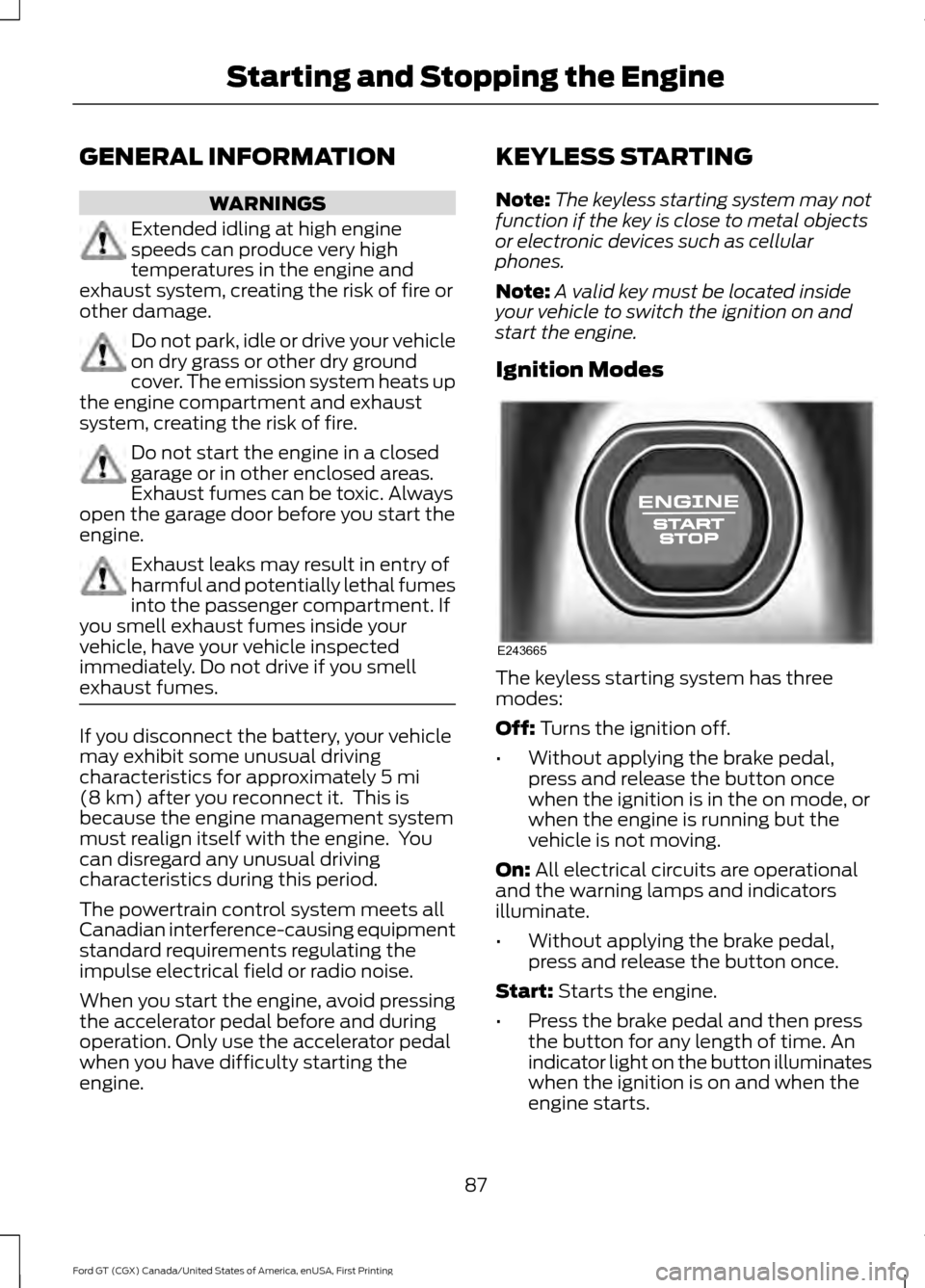
Ignition Modes The keyless starting system has three
modes:
Off:
Turns the ignition off.
• Without applying the brake pedal,
press and release the button once
when the ignition is in the on mode, or
when the engine is running but the
vehicle is not moving.
On:
All electrical circuits are operational
and the warning lamps and indicators
illuminate.
• Without applying the brake pedal,
press and release the button once.
Start:
Starts the engine.
• Press the brake pedal and then press
the button for any length of time. An
indicator light on the button illuminates
when the ignition is on and when the
engine starts.
87
Ford GT (CGX) Canada/United States of America, enUSA, First Printing Starting and Stopping the EngineE243665
Page 102 of 313
AUTOMATIC TRANSMISSION
WARNINGS
Always fully apply the parking brake.
Make sure you shift into park (P) for
vehicles with an automatic
transmission. Switch the ignition off and
remove the key whenever you leave your
vehicle. Do not apply the brake pedal and
accelerator pedal simultaneously.
Applying both pedals simultaneously
for more than a few seconds will limit
engine performance, which may result in
difficulty maintaining speed in traffic and
could lead to serious injury. Your Ford GT vehicle is equipped with a
7-speed, dual clutch automatic
transmission. In drive (D), the transmission
shifts automatically, or you can shift with
the paddle shifters. In manual mode, you
must shift the transmission with the
paddle shifters.
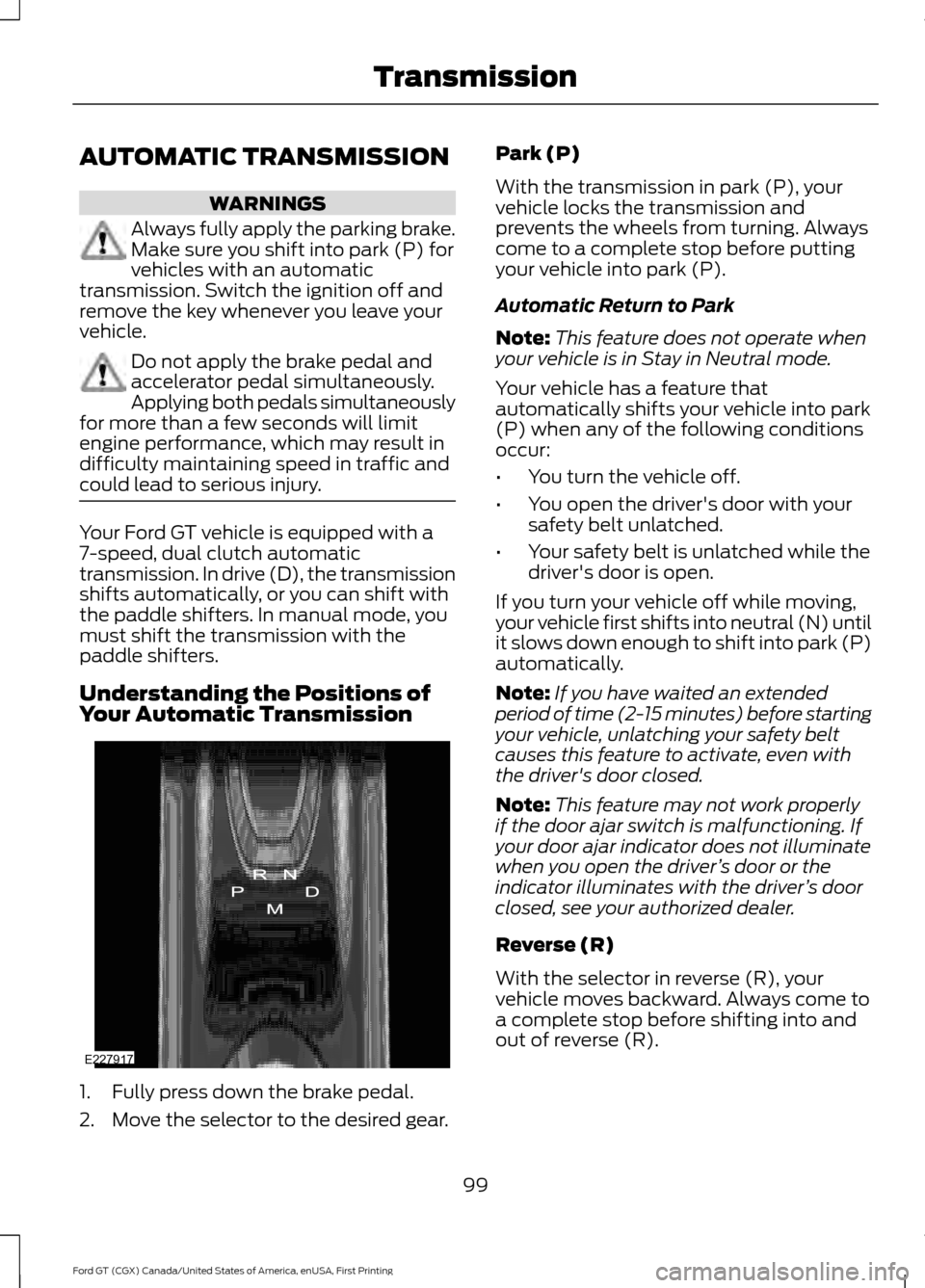
Understanding the Positions of
Your Automatic Transmission
1. Fully press down the brake pedal.
2. Move the selector to the desired gear. Park (P)
With the transmission in park (P), your
vehicle locks the transmission and
prevents the wheels from turning. Always
come to a complete stop before putting
your vehicle into park (P).
Automatic Return to Park
Note:
This feature does not operate when
your vehicle is in Stay in Neutral mode.
Your vehicle has a feature that
automatically shifts your vehicle into park
(P) when any of the following conditions
occur:
• You turn the vehicle off.
• You open the driver's door with your
safety belt unlatched.
• Your safety belt is unlatched while the
driver's door is open.
If you turn your vehicle off while moving,
your vehicle first shifts into neutral (N) until
it slows down enough to shift into park (P)
automatically.
Note: If you have waited an extended
period of time (2-15 minutes) before starting
your vehicle, unlatching your safety belt
causes this feature to activate, even with
the driver's door closed.
Note: This feature may not work properly
if the door ajar switch is malfunctioning. If
your door ajar indicator does not illuminate
when you open the driver ’s door or the
indicator illuminates with the driver ’s door
closed, see your authorized dealer.
Reverse (R)
With the selector in reverse (R), your
vehicle moves backward. Always come to
a complete stop before shifting into and
out of reverse (R).
99
Ford GT (CGX) Canada/United States of America, enUSA, First Printing TransmissionE227917
Page 103 of 313
Neutral (N)
With the selector in neutral (N), your
vehicle can be started and is free to roll.
Hold the brake pedal down while in this
position.
Stay in Neutral Mode
Stay in Neutral mode allows your vehicle
to stay in neutral when you exit your
vehicle. Your vehicle must be stationary to
enter this mode.
To enter Stay in Neutral mode:
•
Fully press down the brake pedal.
• Start the engine.
• Move the transmission selector to
neutral (N).
• A message appears in your display
screen.
• Press the manual (M) button to enter
Stay in Neutral mode.
• Shut engine off.
• Turn Ignition to accessory position.
• Release the parking brake. See
Electric Parking Brake (page 104).
A message appears in your information
display when your vehicle has entered Stay
in Neutral mode.
Stay in Neutral Mode can remain engaged
for up to 30 minutes.
To exit Stay in Neutral mode, select a
different gear.
Drive (D)
Drive (D) is the normal driving position for
the best fuel economy. In the drive (D)
position, the transmission automatically
shifts through gears one through seven. Manual (M)
To select manual (M), place the
transmission selector in drive (D) and press
"M" button in the middle of the selector.
Once you select manual (M), you must use
the paddle shifters to upshift or downshift
the transmission.
To exit manual (M) and return to drive (D),
press the "M" button again.
SelectShift™ Automatic
Transmission
Your vehicle is equipped with a SelectShift
Automatic transmission, which gives you
the ability to change gears up or down as
desired.
In order to prevent the engine from running
at too low an RPM, which may cause it to
stall, SelectShift still automatically makes
some downshifts if it has determined that
you have not downshifted in time.
Although SelectShift makes some
downshifts for you, it still allows you to
downshift at any time as long as
SelectShift determines that no damage
occurs to the engine from over-revving.
Note:
Engine damage may occur if you
maintain excessive engine revving without
shifting.
SelectShift does not automatically upshift,
even if the engine is approaching the RPM
limit. It must be shifted manually by use of
the upshift (+) paddle. When using Manual
(M) shift mode, pay attention to the shift
indicator on the top rim of the steering
wheel and the RPM indicator in the
instrument cluster.
Use the paddles on the steering wheel
to shift.
• Pull the right paddle (+) to upshift.
• Pull the left paddle (–) to downshift.
100
Ford GT (CGX) Canada/United States of America, enUSA, First Printing Transmission
Page 111 of 313
The stability and traction control systems
have several features built into it to help
you maintain control of your vehicle:
AdvanceTrac
™ Electronic
Stability Control
The system enhances your vehicle ’s ability
to prevent skids or lateral slides by
applying brakes to one or more of the
wheels individually and, if necessary,
reducing engine power.
Traction Control
The system enhances your vehicle ’s ability
to maintain traction of the wheels by
detecting and controlling wheel spin.
Traction control settings on your vehicle
are integrated into the AdvanceTrac
Stability Control system. USING STABILITY CONTROL
AdvanceTrac
™ Electronic
Stability Control
The system automatically turns on each
time you switch the ignition on.
AdvanceTrac electronic stability control is
disabled when the transmission is in
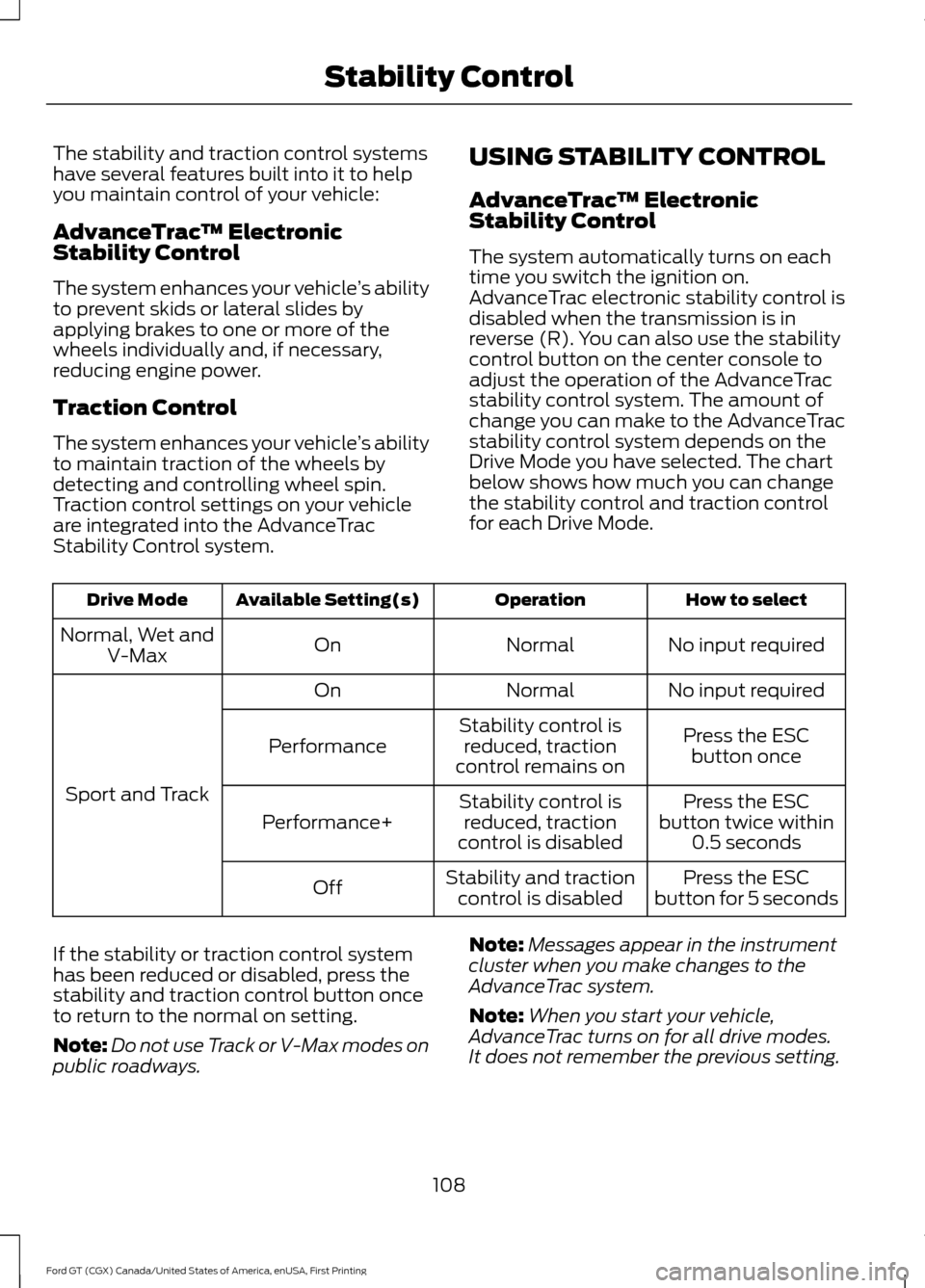
reverse (R). You can also use the stability
control button on the center console to
adjust the operation of the AdvanceTrac
stability control system. The amount of
change you can make to the AdvanceTrac
stability control system depends on the
Drive Mode you have selected. The chart
below shows how much you can change
the stability control and traction control
for each Drive Mode. How to select
Operation
Available Setting(s)
Drive Mode
No input required
Normal
On
Normal, Wet and
V-Max
No input required
Normal
On
Sport and Track Press the ESC
button once
Stability control is
reduced, traction
control remains on
Performance
Press the ESC
button twice within 0.5 seconds
Stability control is
reduced, traction
control is disabled
Performance+
Press the ESC
button for 5 seconds
Stability and traction
control is disabled
Off
If the stability or traction control system
has been reduced or disabled, press the
stability and traction control button once
to return to the normal on setting.
Note: Do not use Track or V-Max modes on
public roadways. Note:
Messages appear in the instrument
cluster when you make changes to the
AdvanceTrac system.
Note: When you start your vehicle,
AdvanceTrac turns on for all drive modes.
It does not remember the previous setting.
108
Ford GT (CGX) Canada/United States of America, enUSA, First Printing Stability Control
Page 117 of 313
STEERING
To help prevent damage to the power
steering system:
•
Never hold the steering wheel at its
furthest turning points (until it stops)
for more than three to five seconds
when the engine is running.
• Do not operate the vehicle with a low
hydraulic fluid level. See Power
Steering Fluid Check (page 157).
• Some noise is normal during operation.
If excessive, check for low hydraulic
fluid level before seeking service by
your dealer.
• Heavy or uneven efforts may be caused
by low hydraulic fluid. Check for low
hydraulic fluid level before seeking
service by your dealer.
• Do not over fill the hydraulic fluid as
this may result in leaks from the
reservoir. See
Power Steering Fluid
Check (page 157).
If the power steering system breaks down
(or if the engine is turned off), you can
steer the vehicle manually, but it takes
more effort.
If the steering wanders or pulls, check for:
• an improperly inflated tire
• uneven tire wear
• loose or worn suspension components
• loose or worn steering components
• improper vehicle alignment
A high crown in the road or high crosswinds
may also make the steering seem to
wander or pull. DRIVE MODE CONTROL
Drive Mode Selection
Your vehicle has five selectable drive
modes that deliver an enhanced driving
experience through a suite of sophisticated
electronic vehicle systems. In response to
vehicle use and driving conditions, the
selection of the drive mode optimizes
handling and powertrain response. This
provides a single location to control
multiple systems performance settings.
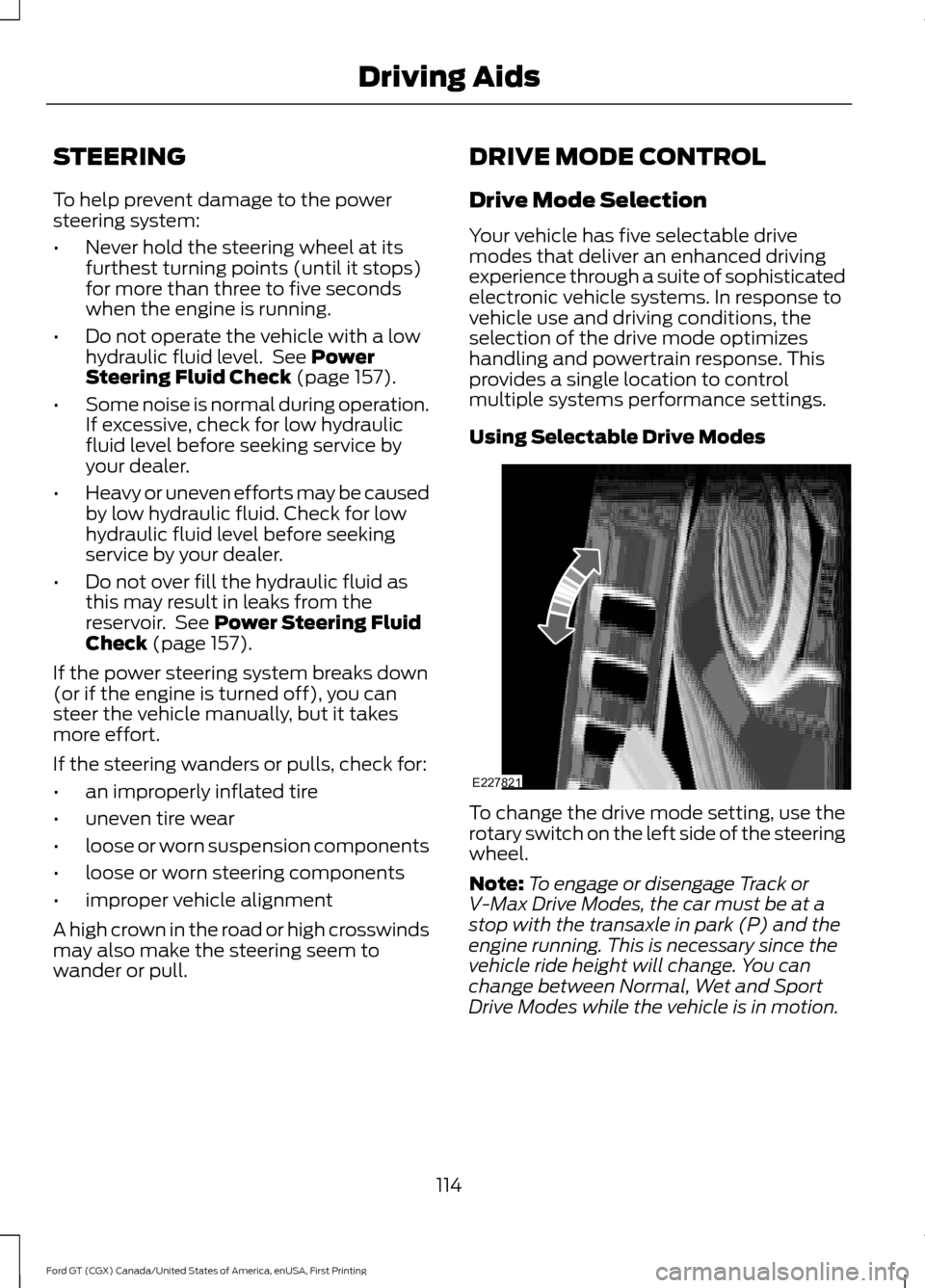
Using Selectable Drive Modes
To change the drive mode setting, use the
rotary switch on the left side of the steering
wheel.
Note:
To engage or disengage Track or
V-Max Drive Modes, the car must be at a
stop with the transaxle in park (P) and the
engine running. This is necessary since the
vehicle ride height will change. You can
change between Normal, Wet and Sport
Drive Modes while the vehicle is in motion.
114
Ford GT (CGX) Canada/United States of America, enUSA, First Printing Driving AidsE227821
Page 151 of 313
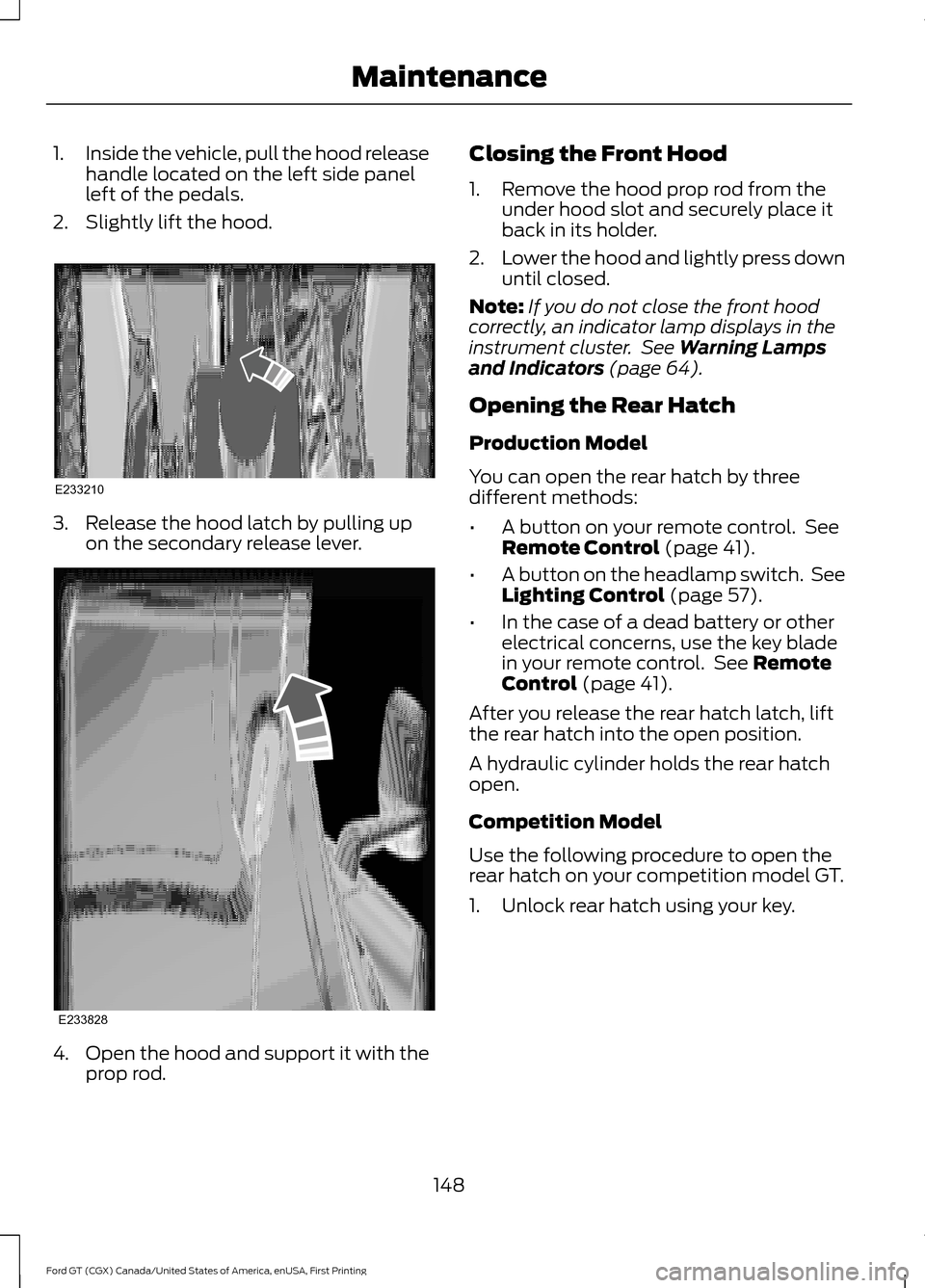
1.
Inside the vehicle, pull the hood release
handle located on the left side panel
left of the pedals.
2. Slightly lift the hood. 3. Release the hood latch by pulling up
on the secondary release lever. 4.
Open the hood and support it with the
prop rod. Closing the Front Hood
1. Remove the hood prop rod from the
under hood slot and securely place it
back in its holder.
2. Lower the hood and lightly press down
until closed.
Note: If you do not close the front hood
correctly, an indicator lamp displays in the
instrument cluster. See Warning Lamps
and Indicators (page 64).
Opening the Rear Hatch
Production Model
You can open the rear hatch by three
different methods:
• A button on your remote control. See
Remote Control
(page 41).
• A button on the headlamp switch. See
Lighting Control
(page 57).
• In the case of a dead battery or other
electrical concerns, use the key blade
in your remote control. See
Remote
Control (page 41).
After you release the rear hatch latch, lift
the rear hatch into the open position.
A hydraulic cylinder holds the rear hatch
open.
Competition Model
Use the following procedure to open the
rear hatch on your competition model GT.
1. Unlock rear hatch using your key.
148
Ford GT (CGX) Canada/United States of America, enUSA, First Printing MaintenanceE233210 E233828
Page 156 of 313
Note:
Automotive fluids are not
interchangeable. Do not use coolant or
windshield washer fluid outside of its
specified function and vehicle location.
Note: Do not use stop leak pellets, cooling
system sealants or additives as they can
cause damage to the engine cooling or
heating systems. Resulting component
damage may not be covered by the vehicle
Warranty.
It is very important to use prediluted
coolant meeting the correct specification
in order to avoid plugging the small
passageways in the engine cooling system.
See Capacities and Specifications
(page 195). Do not mix different colors or
types of coolant in your vehicle. Mixing of
engine coolants or using an incorrect
coolant may harm the engine or cooling
system components and may not be
covered by the vehicle Warranty.
Note: Coolants marketed for all makes and
models may not meet Ford specifications
and may cause damage to the cooling
system. Resulting component damage may
not be covered by the vehicle Warranty.
If the coolant level is at or below the
minimum mark, add prediluted coolant
immediately. Only check the coolant level
or add coolant when the system is cold.
To top up the coolant level do the
following:
1. Unscrew the cap slowly. Any pressure escapes as you unscrew the cap.
2. Add prediluted coolant meeting the correct specification. See
Capacities
and Specifications (page 195).
3. Add enough prediluted coolant to reach the correct level.
4. Replace the coolant reservoir cap, turn
it clockwise until you feel a strong
resistance. 5. Check the coolant level in the coolant
reservoir the next few times you drive
your vehicle. If necessary, add enough
prediluted engine coolant to bring the
coolant level to the correct level.
If you have to add more than
1.1 qt (1 L) of
engine coolant per month, have your
vehicle checked as soon as possible.
Operating an engine with a low level of
coolant can result in engine overheating
and possible engine damage.
Note: During normal vehicle operation, the
coolant may change color from orange to
pink or light red. As long as the coolant is
clear and uncontaminated, this color change
does not indicate the coolant has degraded
nor does it require the coolant to be drained,
the system to be flushed, or the coolant to
be replaced.
Note: In case of emergency, you can add a
large amount of water without coolant in
order to reach a vehicle service location.
Water alone, without coolant, can cause
engine damage from corrosion, overheating
or freezing.
Do not use the following as a coolant
substitute:
• Alcohol.
• Methanol.
• Brine.
• Any coolant mixed with alcohol or
methanol antifreeze.
Alcohol and other liquids can cause engine
damage from overheating or freezing.
Do not add extra inhibitors or additives to
the coolant. These can be harmful and
compromise the corrosion protection of
the coolant.
Recycled Coolant
We do not recommend the use of recycled
coolant as an approved recycling process
is not yet available.
153
Ford GT (CGX) Canada/United States of America, enUSA, First Printing Maintenance