check oil FORD GT 2017 2.G Owners Manual
[x] Cancel search | Manufacturer: FORD, Model Year: 2017, Model line: GT, Model: FORD GT 2017 2.GPages: 313, PDF Size: 6.41 MB
Page 6 of 313
Cruise Control
Principle of Operation..................................113
Using Cruise Control.....................................113
Driving Aids
Steering.............................................................114
Drive Mode Control.......................................114
Load Carrying
Rear Under Hatch Storage
........................120
Load Limit.......................................................120
Towing
Towing a Trailer..............................................125
Towing the Vehicle on Four Wheels
......125
Driving Hints
Breaking-In......................................................126
Driving Through Water................................126
Floor Mats
........................................................127
Roadside Emergencies
Roadside Assistance...................................128
Hazard Flashers............................................128
Fuel Shutoff....................................................128
Jump Starting the Vehicle.........................129
Post-Crash Alert System
...........................130
Transporting the Vehicle
...........................130
Towing Points
..................................................131
Customer Assistance
Getting the Services You Need................132
In California (U.S. Only)
..............................133
The Better Business Bureau (BBB) Auto Line Program (U.S. Only).......................133
Utilizing the Mediation/Arbitration Program (Canada Only)........................134
Getting Assistance Outside the U.S. and Canada
.........................................................135 Ordering Additional Owner's
Literature.....................................................136
Reporting Safety Defects (U.S. Only).............................................................136
Reporting Safety Defects (Canada Only)..............................................................137
Fuses
Fuse Specification Chart...........................138
Changing a Fuse...........................................145
Maintenance
General Information
....................................147
Opening and Closing the Hood...............147
Under Hood Overview................................150
Engine Oil Dipstick
........................................151
Engine Oil Check............................................151
Engine Coolant Check
.................................152
Automatic Transmission Fluid Check............................................................156
Brake Fluid Check.........................................156
Power Steering Fluid Check......................157
Washer Fluid Check.....................................157
Fuel Filter..........................................................157
Changing the 12V Battery..........................158
Checking the Wiper Blades......................159
Changing the Wiper Blades......................159
Adjusting the Headlamps.........................160
Changing a Bulb.............................................161
Changing the Engine Air Filter
..................161
Vehicle Care
General Information....................................162
Cleaning Products........................................162
Cleaning the Exterior...................................162
Waxing..............................................................164
Cleaning the Engine....................................164
Cleaning the Windows and Wiper Blades...........................................................165
Cleaning the Interior....................................165
3
Ford GT (CGX) Canada/United States of America, enUSA, First Printing Table of Contents
Page 67 of 313
Engine Coolant Temperature
Gauge
WARNING
Never remove the coolant reservoir
cap when the engine is running or
hot.
At normal operating temperature, the
engine coolant temperature will be in the
middle range of the gauge. If the engine
coolant temperature exceeds the normal
range, the gauge will be highlighted. Stop
your vehicle as soon as safely possible,
switch off the engine and let it cool.
Engine Oil Temperature Gauge
If the engine oil temperature exceeds the
normal range, the engine is overheating.
Reduce engine speed as soon as safely
possible to allow the engine to cool. If you
continue to operate the engine at high
engine speeds, the engine speed reduces
automatically to prevent engine damage.
Engine Oil Pressure Gauge
Oil pressure varies with engine speed. The
pressure rises as engine speed rises and
drops as engine speed drops.
If the pressure drops below the normal
range of the gauge, a warning lamp
illuminates and a message appears in the
information display. Stop your vehicle as
soon as it is safe to do so and switch the
engine off. Check the engine oil level.
WARNING LAMPS AND
INDICATORS
The following warning lamps and
indicators alert you to a vehicle condition
that may become serious. Some lamps
illuminate when you start your vehicle to
make sure they work. If any lamps remain
on after starting your vehicle, refer to the
respective system warning lamp for further
information.
Note:
Some warning indicators appear in
the information display and operate the
same as a warning lamp but do not
illuminate when you start your vehicle.
Anti-Lock Braking System If it illuminates when you are
driving, this indicates a
malfunction. You will continue
to have the normal braking system
(without ABS) unless the brake system
warning lamp is also illuminated. Have the
system checked by your authorized dealer.
Battery If it illuminates while driving, it
indicates a malfunction. Switch
off all unnecessary electrical
equipment and have the system checked
by your authorized dealer immediately.
Brake System WARNING
Driving your vehicle with the warning
lamp on is dangerous. A significant
decrease in braking performance
may occur. It may take you longer to stop
your vehicle. Have your vehicle checked as
soon as possible. Driving extended
distances with the parking brake engaged
can cause brake failure and the risk of
personal injury. 64
Ford GT (CGX) Canada/United States of America, enUSA, First Printing Instrument Cluster
Page 68 of 313
It will illuminate when you
engage the parking brake with
the ignition on.
If it illuminates when you are driving, check
that the parking brake is not engaged. If
the parking brake is not engaged, this
indicates low brake fluid level or a brake
system malfunction. Have the system
checked immediately by your authorized
dealer.
Cruise Control It illuminates when you switch
the system on.
See Using Cruise Control
(page 113).
Damper Comfort Mode It illuminates when you switch
this feature on. See Drive Mode
Control
(page 114).
Direction Indicator Illuminates when the left or right
turn signal or the hazard warning
flasher is turned on. If the
indicators stay on or flash faster, check for
an inoperative bulb. See
Maintenance
(page 147).
Door Ajar Displays when the ignition is on
and any door is not completely
closed.
Electric Park Brake It illuminates or flashes when the
electric parking brake has a
malfunction. See
Electric
Parking Brake (page 104). Engine Coolant Temperature Illuminates when the engine
coolant temperature is high.
Stop the vehicle as soon as
possible, switch off the engine and let cool.
See
Engine Coolant Check (page 152).
Engine Oil If it illuminates with the engine
running or when you are driving,
this indicates a malfunction.
Stop your vehicle as soon as it is safe to
do so and switch the engine off. Check the
engine oil level.
See
Engine Oil Check (page 151).
Note: Do not resume your journey if it
illuminates despite the level being correct.
Have the system checked by your authorized
dealer immediately.
Fasten Seatbelt It illuminates and a chime
sounds until you fasten the
seatbelts.
Front Airbag If it fails to illuminate when you
start your vehicle, continues to
flash or remains on, it indicates
a malfunction. Have the system checked
by your authorized dealer.
Front Lift Mode Active Illuminates when you switch this
feature on. See
Drive Mode
Control (page 114).
65
Ford GT (CGX) Canada/United States of America, enUSA, First Printing Instrument ClusterE138644 E71340 E234586 E236449 E146190 E71880 E67017 E234582
Page 76 of 313
Keys and Intelligent Access
Action
Message
The system does not detect a key in your vehicle. See Keyless Starting (page 87).
No Key Detected
You pressed the start/stop button to switch off the engine
and your vehicle does not detect your intelligent access key inside your vehicle.
Restart Now or Key is
Needed
There is a problem with your vehicle ’s starting system. See
an authorized dealer for service.
Starting System Fault
You have successfully programmed an intelligent access keyto the system.
Key Program Successful
You have failed to program an intelligent access key to thesystem.
Key Program Failure
You have programmed the maximum number of keys to the system.
Max Number of Keys
Learned
The key battery is low. Change the battery as soon as possible.
Key Battery Low Replace
Soon
Maintenance Action
Message
Stop your vehicle as soon as safely possible and turn off the
engine. Check the oil level. If the warning stays on or continues to come on with your engine running, contact an authorized dealer as soon as possible.
Low Engine Oil Pressure
The brake fluid level is low, inspected the brake systemimmediately. See
Brake Fluid Check (page 156).
Brake Fluid Level Low
The brake system needs servicing. Stop your vehicle in a safeplace. Contact an authorized dealer.
Check Brake System
The brake pads need replacement. Contact an authorized dealer.
Ceramic Brakes Replace
All Brake Pads
Your vehicle is still in Transport or Factory mode. This may
not allow some features to operate properly. See an author- ized dealer.
Transport Mode Contact
Dealer
Factory Mode Contact Dealer
73
Ford GT (CGX) Canada/United States of America, enUSA, First Printing Information Displays
Page 129 of 313
BREAKING-IN
You need to break in new tires for
approximately 300 mi (480 km). During
this time, your vehicle may exhibit some
unusual driving characteristics.
You should not drive your Ford GT
aggressively for the first
600 mi
(1,000 km) of vehicle operation. This will
allow for proper break in of the powertrain
and braking systems.
For the first 600 miles (1,000 km):
• Do not apply high load at low engine
speed.
• Do not drive the vehicle at a sustained
high-speed, high load.
• Avoid driving the vehicle at full throttle.
• Drive the vehicle at varying road and
engine speeds.
• Do not drive in competition and race
track conditions.
• Do not use launch control.
• If you are going to use the vehicle on
the race track right after break in,
change the oil after break in.
Cold Engine Operation
The design of your Ford GT restricts engine
power and RPM when the engine is cold.
The engine RPM and power output will be
reduced until the engine reaches full
operating temperature.
Hot Engine Shut down
You should allow your Ford GT engine to
cool down for a few minutes prior to shut
down after high speed or high performance
driving. Allowing the engine to run at light
loads and or idle for a few minutes will
reduce overall engine oil and coolant
temperatures. DRIVING THROUGH WATER WARNING
Do not drive through flowing or deep
water as you may lose control of your
vehicle.
Note:
Driving through standing water can
cause vehicle damage.
Note: Engine damage can occur if water
enters the air filter.
Before driving through standing water,
check the depth. Never drive through water
that is higher than the sidewall of the front
tire. If the water is up onto the wheel, do
not proceed. When driving through a
puddle, drive slowly to avoid splashing the
water into the engine air intake. When driving through standing water, drive
very slowly and do not stop your vehicle.
Your brake performance and traction may
be limited.
After driving through water and as soon as
it is safe to do so:
•
Lightly press the brake pedal to dry the
brakes and to check that they work.
• Check that the horn works.
126
Ford GT (CGX) Canada/United States of America, enUSA, First Printing Driving HintsE232273
Page 153 of 313
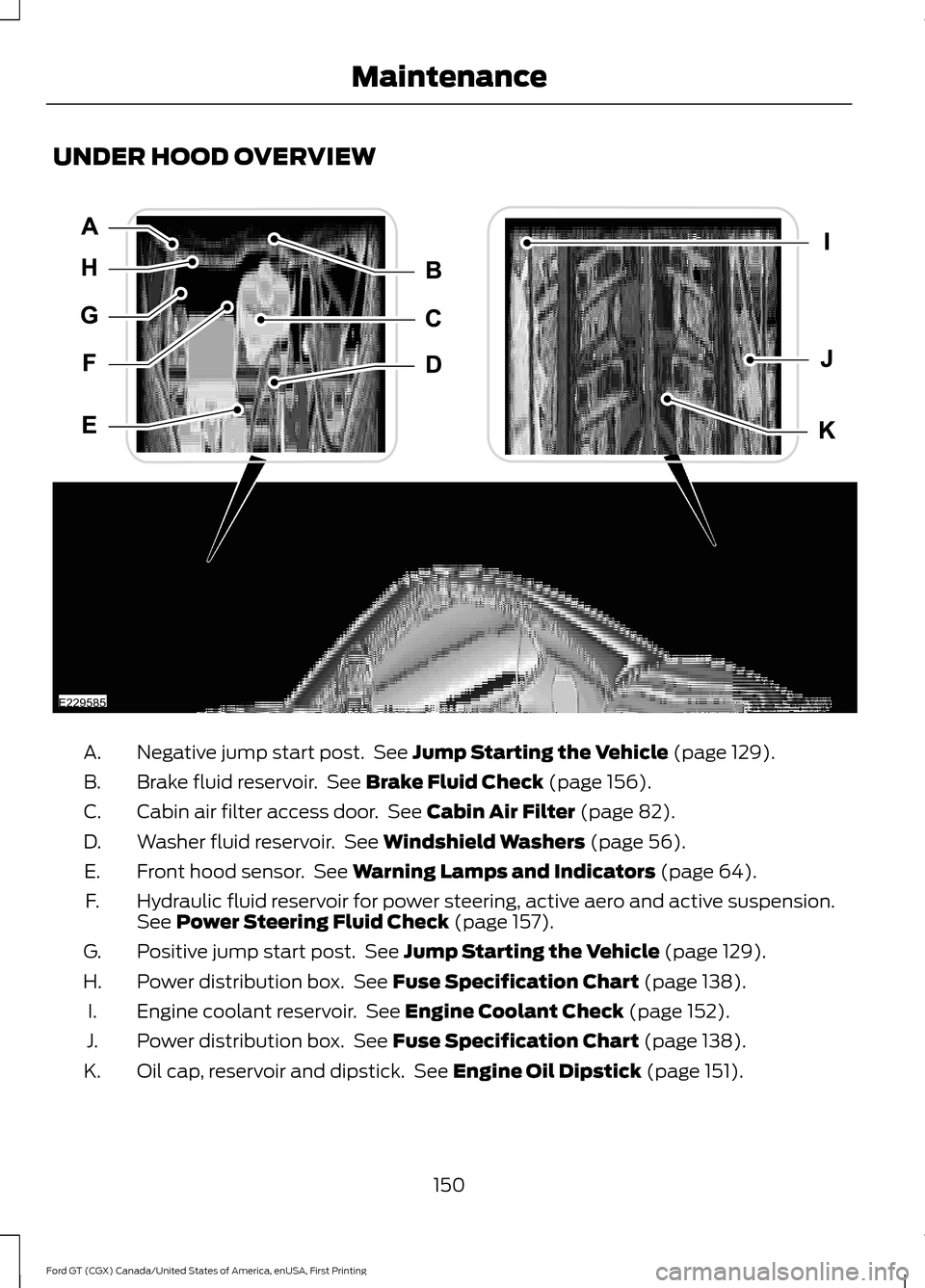
UNDER HOOD OVERVIEW
Negative jump start post. See Jump Starting the Vehicle (page 129).
A.
Brake fluid reservoir. See
Brake Fluid Check (page 156).
B.
Cabin air filter access door. See
Cabin Air Filter (page 82).
C.
Washer fluid reservoir. See
Windshield Washers (page 56).
D.
Front hood sensor. See
Warning Lamps and Indicators (page 64).
E.
Hydraulic fluid reservoir for power steering, active aero and active suspension.
See
Power Steering Fluid Check (page 157).
F.
Positive jump start post. See
Jump Starting the Vehicle (page 129).
G.
Power distribution box. See
Fuse Specification Chart (page 138).
H.
Engine coolant reservoir. See
Engine Coolant Check (page 152).
I.
Power distribution box. See
Fuse Specification Chart (page 138).
J.
Oil cap, reservoir and dipstick. See
Engine Oil Dipstick (page 151).
K.
150
Ford GT (CGX) Canada/United States of America, enUSA, First Printing MaintenanceE229585
Page 154 of 313
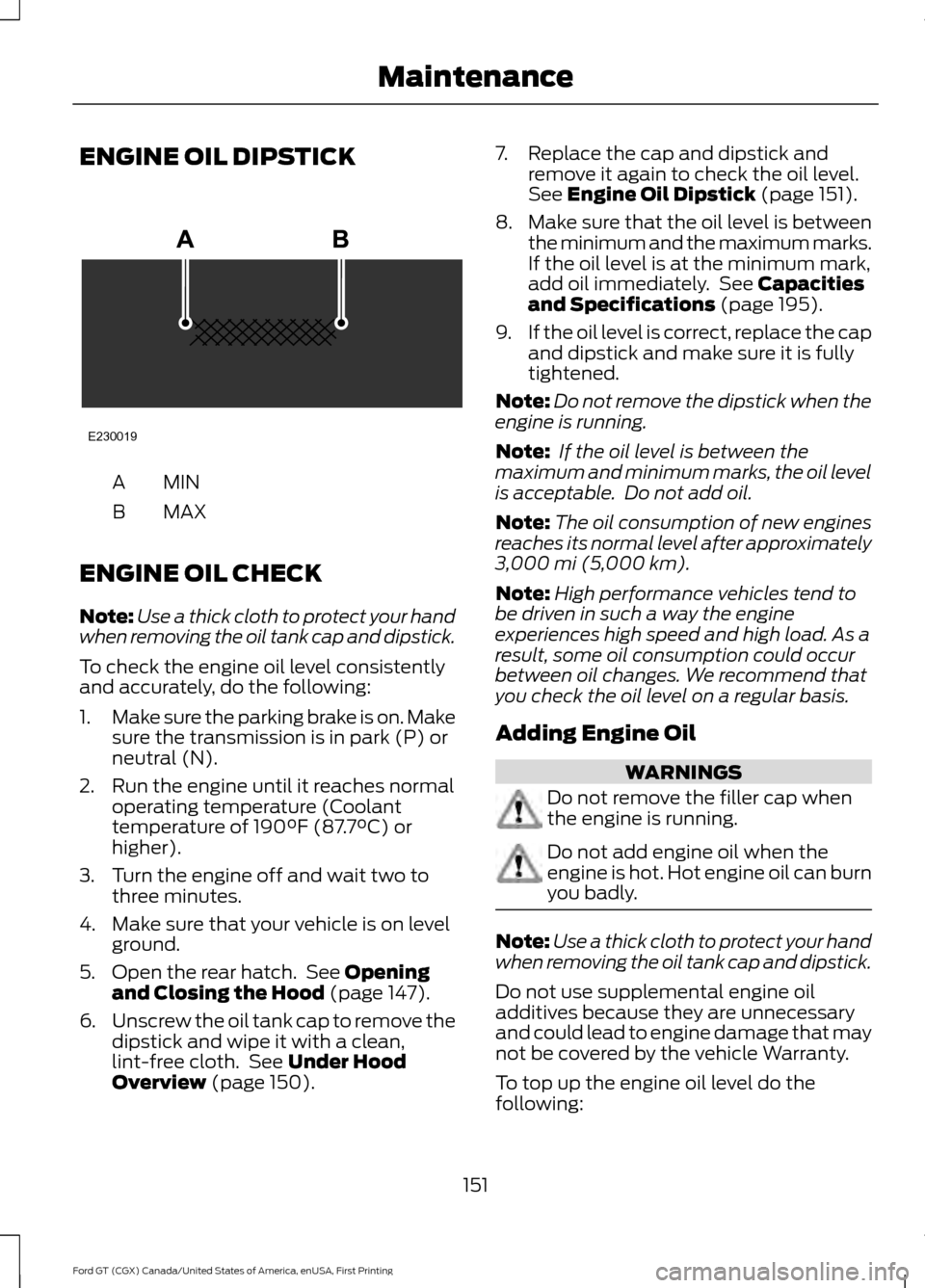
ENGINE OIL DIPSTICK
MINA
MAX
B
ENGINE OIL CHECK
Note: Use a thick cloth to protect your hand
when removing the oil tank cap and dipstick.
To check the engine oil level consistently
and accurately, do the following:
1. Make sure the parking brake is on. Make
sure the transmission is in park (P) or
neutral (N).
2. Run the engine until it reaches normal operating temperature (Coolant
temperature of 190°F (87.7°C) or
higher).
3. Turn the engine off and wait two to three minutes.
4. Make sure that your vehicle is on level ground.
5. Open the rear hatch. See
Opening
and Closing the Hood (page 147).
6. Unscrew the oil tank cap to remove the
dipstick and wipe it with a clean,
lint-free cloth. See
Under Hood
Overview (page 150). 7. Replace the cap and dipstick and
remove it again to check the oil level.
See
Engine Oil Dipstick (page 151).
8. Make sure that the oil level is between
the minimum and the maximum marks.
If the oil level is at the minimum mark,
add oil immediately. See
Capacities
and Specifications (page 195).
9. If the oil level is correct, replace the cap
and dipstick and make sure it is fully
tightened.
Note: Do not remove the dipstick when the
engine is running.
Note: If the oil level is between the
maximum and minimum marks, the oil level
is acceptable. Do not add oil.
Note: The oil consumption of new engines
reaches its normal level after approximately
3,000 mi (5,000 km)
.
Note: High performance vehicles tend to
be driven in such a way the engine
experiences high speed and high load. As a
result, some oil consumption could occur
between oil changes. We recommend that
you check the oil level on a regular basis.
Adding Engine Oil WARNINGS
Do not remove the filler cap when
the engine is running.
Do not add engine oil when the
engine is hot. Hot engine oil can burn
you badly.
Note:
Use a thick cloth to protect your hand
when removing the oil tank cap and dipstick.
Do not use supplemental engine oil
additives because they are unnecessary
and could lead to engine damage that may
not be covered by the vehicle Warranty.
To top up the engine oil level do the
following:
151
Ford GT (CGX) Canada/United States of America, enUSA, First Printing MaintenanceE230019
Page 155 of 313
1. Unscrew the oil tank cap.
2.
Add engine oil by pouring oil that meets
Ford specifications into the oil tank.
See Capacities and Specifications
(page 195). You may have to use a
funnel to pour the engine oil into the
opening.
3. Recheck the oil level.
4. If the oil level is correct, replace the cap
and the dipstick and make sure it is
fully tightened.
Note: Do not add oil further than the
maximum mark. Oil levels above the
maximum mark may cause engine damage.
Note: Make sure you install the oil tank cap
and dipstick correctly.
Note: Soak up any spillage with an
absorbent cloth immediately.
ENGINE COOLANT CHECK WARNINGS
Never remove the coolant reservoir
cap when the engine is running or
hot.
Do not put coolant in the windshield
washer reservoir. If sprayed on the
windshield, coolant could make it
difficult to see through the windshield. To reduce the risk of personal injury,
make sure the engine is cool before
unscrewing the coolant pressure
relief cap. The cooling system is under
pressure. Steam and hot liquid can come
out forcefully when you loosen the cap
slightly. Do not add coolant further than the
MAX
mark. Check the concentration and level of the
coolant only when the engine is cold at the
intervals listed in the scheduled
maintenance information. See Scheduled
Maintenance
(page 263).
Note: Make sure that the coolant level is
between the
MIN and MAXmarks on the
coolant reservoir when the engine is cold.
Note: Coolant expands when it is hot. The
level may extend beyond the
MAX mark.
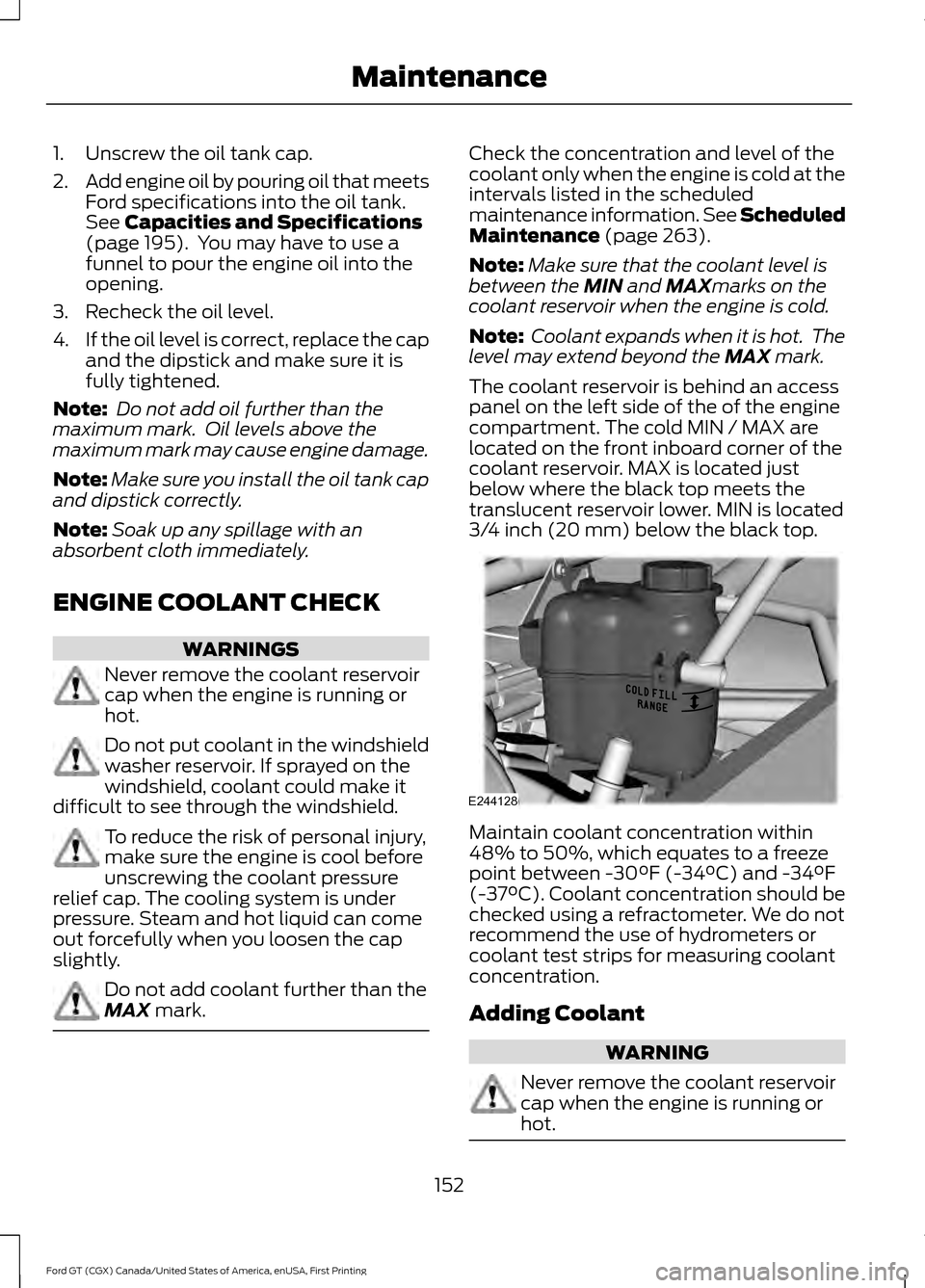
The coolant reservoir is behind an access
panel on the left side of the of the engine
compartment. The cold MIN / MAX are
located on the front inboard corner of the
coolant reservoir. MAX is located just
below where the black top meets the
translucent reservoir lower. MIN is located
3/4 inch (20 mm) below the black top. Maintain coolant concentration within
48% to 50%, which equates to a freeze
point between -30°F (-34°C) and -34°F
(-37°C). Coolant concentration should be
checked using a refractometer. We do not
recommend the use of hydrometers or
coolant test strips for measuring coolant
concentration.
Adding Coolant
WARNING
Never remove the coolant reservoir
cap when the engine is running or
hot.
152
Ford GT (CGX) Canada/United States of America, enUSA, First Printing MaintenanceE244128
Page 171 of 313
VEHICLE STORAGE
At Ford, we fully understand that many
Ford Performance vehicles will see only
occasional operation and that many of the
vehicles, especially in northern climates,
may be stored for an extended period
during the winter months. If you plan on
storing your vehicle for 30 days or more,
read the following maintenance
recommendations to make sure your
vehicle stays in good operating condition.
We engineer and test all motor vehicles
and their components for reliable, regular
driving. Under various conditions,
long-term storage may lead to degraded
engine performance or failure unless you
use specific precautions to preserve engine
components.
General
Note:
Do not park your vehicle in facilities
that use parking platforms or elevators that
lift your vehicle. The vehicle Warranty may
not cover damage caused to your vehicle as
a result of using this type of equipment.
• Store all vehicles inside a garage or
building in a dry, ventilated place.
• Protect from sunlight, if possible. Use
a soft, breathable vehicle cover.
Body
• Wash your vehicle thoroughly to
remove dirt, grease, oil, tar or mud from
exterior surfaces, rear-wheel housing
and the underside of front fenders.
• Lubricate all hood, door and luggage
compartment hinges and latches with
a light grade oil.
• Cover interior trim to prevent fading.
• Keep all rubber parts free from oil and
solvents. Engine
•
Change the engine oil and filter prior to
storage because used engine oil
contains contaminates which may
cause engine damage.
• Start the engine every 15 days for a
minimum of 15 minutes. Run at fast idle
with the climate controls set to defrost
until the engine reaches normal
operating temperature.
• With your foot on the brake, shift
through all the gears while the engine
is running.
• If your vehicle is stored for more than
a few months, we recommend that you
change the engine oil before you use
your vehicle again.
Fuel system
• Fill the fuel tank with high-quality fuel
until the first automatic shutoff of the
fuel pump nozzle and add
commercially available fuel stabilizer.
Run the engine for a minimum of one
minute to ensure that treated fuel has
circulated through the system.
Cooling system
• Protect against freezing temperatures.
• When removing your vehicle from
storage, check coolant fluid level.
Confirm that there are no cooling
system leaks and that fluid is at the
recommended level.
Battery
• Connect your vehicle to the battery
charger/maintainer provided with your
vehicle whenever you store your vehicle
for more than 2 weeks.
• Connect the wires as shown in the
illustration. See Changing the 12V
Battery (page 158).
168
Ford GT (CGX) Canada/United States of America, enUSA, First Printing Vehicle Care
Page 172 of 313
Brakes
•
Make sure the brakes and parking brake
release fully.
Tires
• To avoid flat spots in the tires, inflate
all four tires to the maximum inflation
pressure noted on the tire sidewall.
When the vehicle is taken out of
storage, reset the tire pressures to the
recommended levels listed on the
Safety Compliance Certification label
or Tire Label affixed to your vehicle.
Note: If you store your vehicle in a location
with low ambient temperatures, follow the
instructions for care of summer tires. See
Using Summer Tires (page 188).
Miscellaneous
• Move vehicles at least
25 ft (7.5 m)
every 15 days to lubricate working parts
and prevent flat spots in the tires.
Removing Vehicle From Storage
When your vehicle is ready to come out of
storage, do the following:
• Wash your vehicle to remove any dirt
or grease film build-up on window
surfaces.
• Check windshield wipers for any
deterioration.
• Check under the hood and engine cover
for any foreign material that may have
collected during storage such as mice
or squirrel nests.
• Check the exhaust for any foreign
material that may have collected
during storage.
• Check tire pressures and set tire
inflation per the Tire Label. •
Check brake pedal operation. Drive
your vehicle
15 ft (4.5 m) back and
forth with the brake lightly applied.
• Check fluid levels (including coolant,
oil and gas) to make sure there are no
leaks, and fluids are at recommended
levels.
Contact an authorized dealer if you have
any concerns or issues.
169
Ford GT (CGX) Canada/United States of America, enUSA, First Printing Vehicle Care