light FORD GT 2018 Repair Manual
[x] Cancel search | Manufacturer: FORD, Model Year: 2018, Model line: GT, Model: FORD GT 2018Pages: 325, PDF Size: 6.61 MB
Page 263 of 325
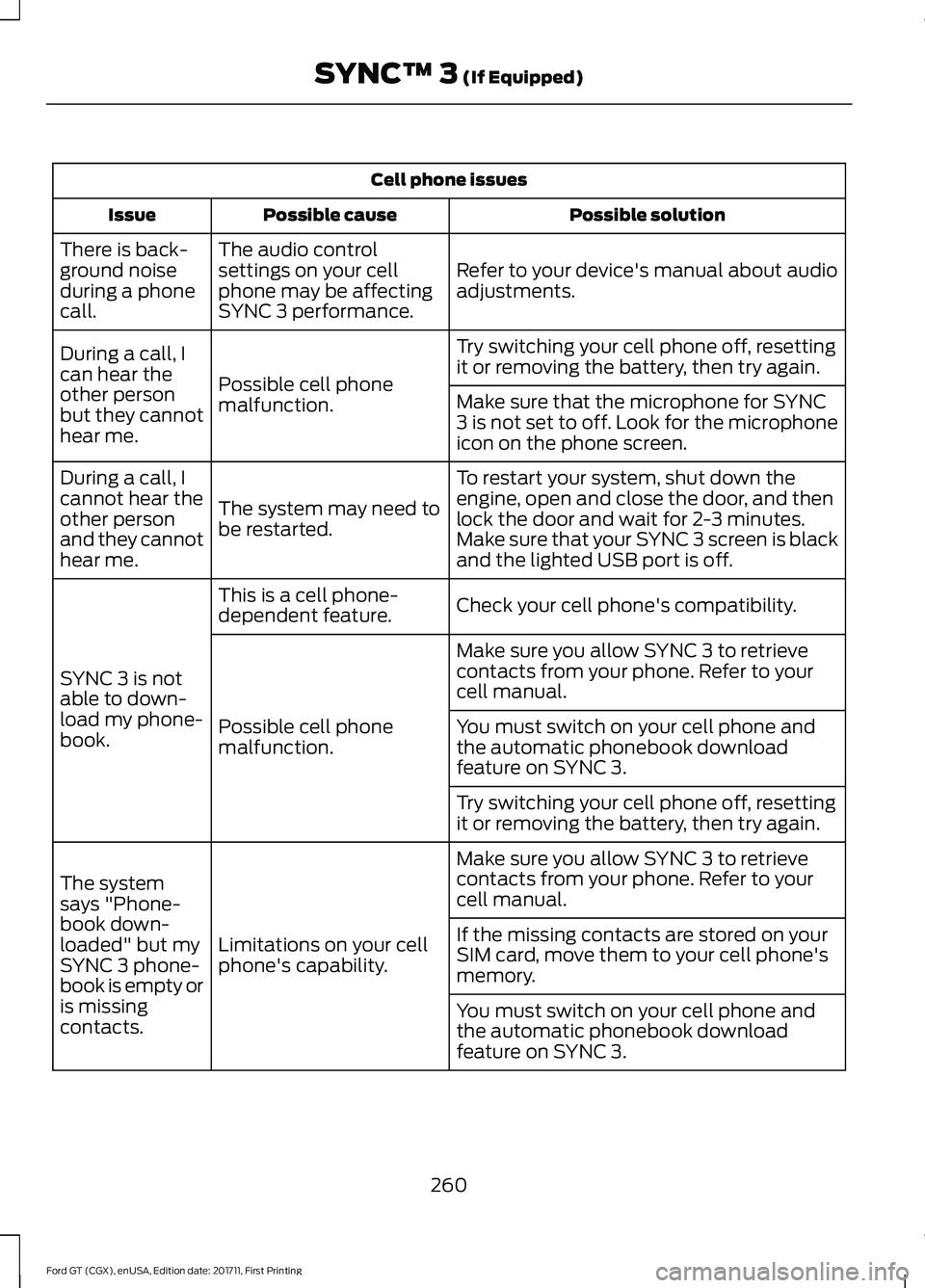
Cell phone issues
Possible solution
Possible cause
Issue
Refer to your device's manual about audio
adjustments.
The audio control
settings on your cell
phone may be affecting
SYNC 3 performance.
There is back-
ground noise
during a phone
call.
Try switching your cell phone off, resetting
it or removing the battery, then try again.
Possible cell phone
malfunction.
During a call, I
can hear the
other person
but they cannot
hear me.
Make sure that the microphone for SYNC
3 is not set to off. Look for the microphone
icon on the phone screen.
To restart your system, shut down the
engine, open and close the door, and then
lock the door and wait for 2-3 minutes.
Make sure that your SYNC 3 screen is black
and the lighted USB port is off.
The system may need to
be restarted.
During a call, I
cannot hear the
other person
and they cannot
hear me.
Check your cell phone's compatibility.
This is a cell phone-
dependent feature.
SYNC 3 is not
able to down-
load my phone-
book. Make sure you allow SYNC 3 to retrieve
contacts from your phone. Refer to your
cell manual.
Possible cell phone
malfunction. You must switch on your cell phone and
the automatic phonebook download
feature on SYNC 3.
Try switching your cell phone off, resetting
it or removing the battery, then try again.
Make sure you allow SYNC 3 to retrieve
contacts from your phone. Refer to your
cell manual.
Limitations on your cell
phone's capability.
The system
says "Phone-
book down-
loaded" but my
SYNC 3 phone-
book is empty or
is missing
contacts. If the missing contacts are stored on your
SIM card, move them to your cell phone's
memory.
You must switch on your cell phone and
the automatic phonebook download
feature on SYNC 3.
260
Ford GT (CGX), enUSA, Edition date: 201711, First Printing SYNC™ 3 (If Equipped)
Page 278 of 325
Oils and Fluids
In many cases, fluid discoloration is a
normal operating characteristic and, by
itself, does not necessarily indicate a
concern or that the fluid needs to be
changed. However, a qualified expert, such
as the factory-trained technicians at your
dealership, should inspect discolored fluids
that also show signs of overheating or
foreign material contamination
immediately.
Make sure to change your vehicle
’s oils and
fluids at the specified intervals or in
conjunction with a repair.
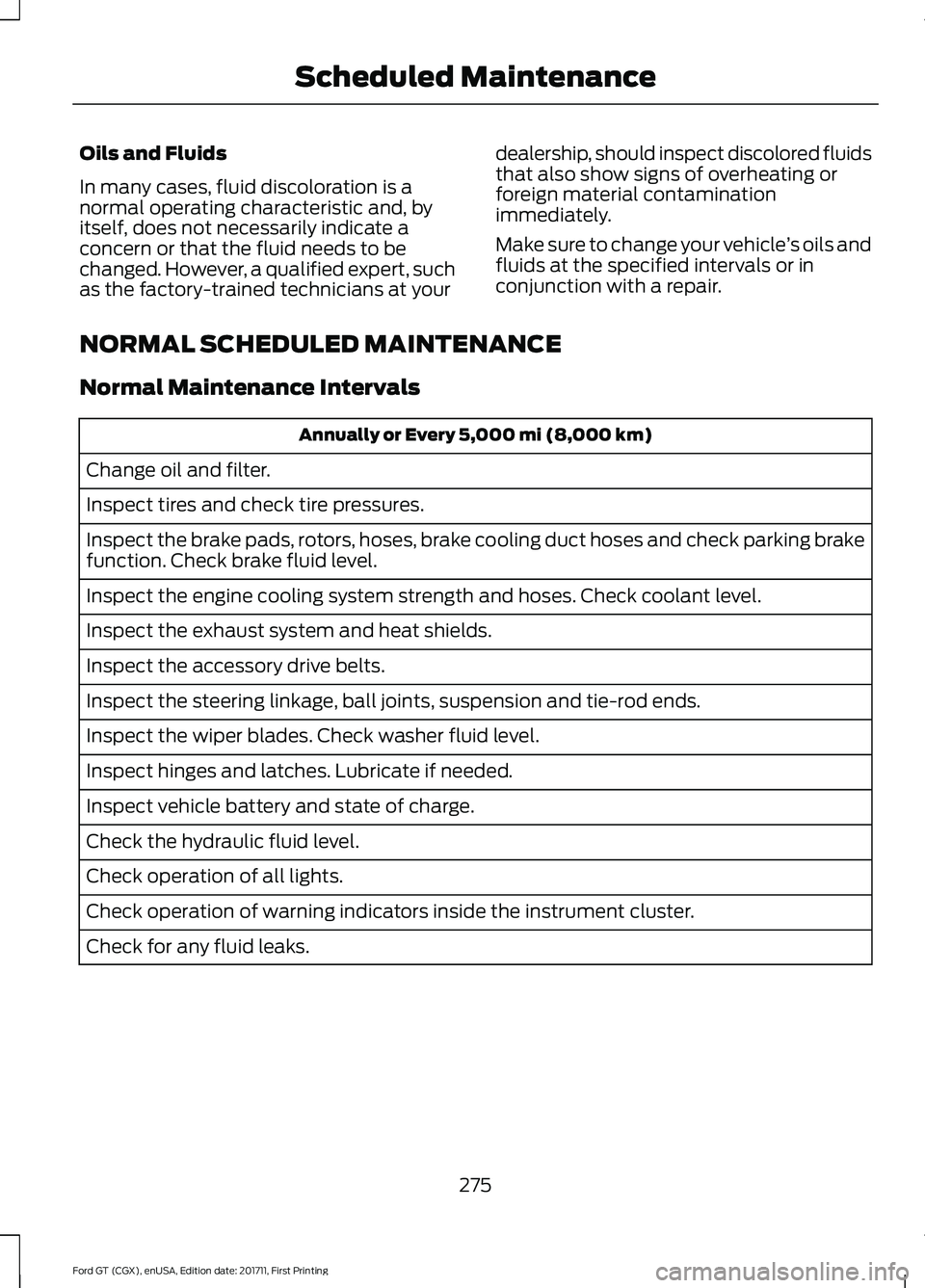
NORMAL SCHEDULED MAINTENANCE
Normal Maintenance Intervals Annually or Every 5,000 mi (8,000 km)
Change oil and filter.
Inspect tires and check tire pressures.
Inspect the brake pads, rotors, hoses, brake cooling duct hoses and check parking brake
function. Check brake fluid level.
Inspect the engine cooling system strength and hoses. Check coolant level.
Inspect the exhaust system and heat shields.
Inspect the accessory drive belts.
Inspect the steering linkage, ball joints, suspension and tie-rod ends.
Inspect the wiper blades. Check washer fluid level.
Inspect hinges and latches. Lubricate if needed.
Inspect vehicle battery and state of charge.
Check the hydraulic fluid level.
Check operation of all lights.
Check operation of warning indicators inside the instrument cluster.
Check for any fluid leaks.
275
Ford GT (CGX), enUSA, Edition date: 201711, First Printing Scheduled Maintenance
Page 316 of 325
5. Service Continuity and Reception of
the SUNA Traffic Channel
We will use reasonable endeavours to
provide the SUNA Traffic Channel 24 hours
a day, 365 days a year. The SUNA Traffic
Channel may occasionally be unavailable
for technical reasons or for planned
maintenance. We will try to perform
maintenance at times when congestion is
light. We reserve the right to withdraw
SUNA Products and/or Services at any
time.
Also, we cannot assure the uninterrupted
reception of the SUNA Traffic Channel
RDS-TMC signal at any particular location.
6. Limitation of Liability
Neither Intelematics (nor its suppliers or
the manufacturer of your device (the
“Suppliers”)) shall be liable to you or to
any third party for any damages either
direct, indirect, incidental, consequential
or otherwise arising out of the use of or
inability to use SUNA Products and/or
Services even if Intelematics or a Supplier
has been advised of the possibility of such
damages. You also acknowledge that the
neither Intelematics nor any Supplier
guarantees nor make any warranties that
relate to the availability, accuracy or
completeness of SUNA Products and/or
Services, and to the extent which it is
lawful to do so, both Intelematics and each
Supplier excludes any warranties which
might otherwise be implied by any State
or Federal legislation in relation to SUNA
Products and/or Services.
7. Please Note
Great care has been taken in preparing this
manual. Constant product development
may mean that some information is not
entirely up-to-date. The information in this
document is subject to change without
notice. WARNING
Driving while distracted can result in
loss of vehicle control, crash and
injury. We strongly recommend that
you use extreme caution when using any
device that may take your focus off the
road. Your primary responsibility is the safe
operation of your vehicle. We recommend
against the use of any hand-held device
while driving and encourage the use of
voice-operated systems when possible.
Make sure you are aware of all applicable
local laws that may affect the use of
electronic devices while driving. 313
Ford GT (CGX), enUSA, Edition date: 201711, First Printing Appendices
Page 321 of 325
I
In California (U.S. Only)..............................141
Information Display Control.......................54
Information Displays.....................................70
General Information............................................ 70
Information Messages
..................................73
AdvanceTrac ™...................................................... 73
Alarm........................................................................\
. 73
Battery and Charging System.......................... 74
Doors and Locks.................................................... 74
Engine....................................................................... 74
Fuel........................................................................\
.... 75
Hill Start Assist ..................................................... 75
Keys and Intelligent Access.............................. 75
Maintenance.......................................................... 76
Park Brake............................................................... 76
Remote Start.......................................................... 77
Starting System .................................................... 77
Steering System.................................................... 77
Tire Pressure Monitoring System................... 78
Transmission.......................................................... 78
Installing Child Restraints
............................18
Child Seats............................................................... 18
Using Lap and Shoulder Belts.......................... 19
Using Tether Straps.............................................. 21
Instrument Cluster
.........................................63
Instrument Lighting Dimmer.....................59
Instrument Panel Overview........................14
Interior Lamps
.................................................60
Interior Mirror...................................................62
Introduction........................................................5
J
Jump Starting the Vehicle
..........................137
Connecting the Jumper Cables...................... 137
Jump Starting....................................................... 138
Preparing Your Vehicle...................................... 137
Removing the Jumper Cables........................ 138
K
Keyless Starting
.............................................90
Ignition Modes...................................................... 90
Keys and Remote Controls........................40 L
Lighting Control
..............................................54
High Beams............................................................ 58
Lighting..............................................................58 General Information............................................ 58
Load Carrying.................................................128
Load Limit........................................................128 Vehicle Loading - with and without a
Trailer.................................................................. 128
Locking and Unlocking
................................46
Activating Intelligent Access .......................... 46
Autolock................................................................... 47
Battery Saver......................................................... 48
Illuminated Entry.................................................. 48
Illuminated Exit..................................................... 48
Power Door Locks................................................ 46
Remote Control.................................................... 46
Smart Unlocks for Intelligent Access Keys....................................................................... 47
Lug Nuts See: Changing a Road Wheel....................... 202
M
Maintenance...................................................157 General Information........................................... 157
Manual Climate Control
..............................80
Manual Seats..................................................86
Map Pockets....................................................89
Message Center See: Information Displays................................. 70
Mirrors See: Windows and Mirrors................................. 61
Mobile Communications Equipment........11
Motorcraft Parts
..........................................205
N
Navigation......................................................239 cityseeker.............................................................. 246
Destination Mode............................................... 241
Map Mode............................................................ 240
Navigation Map Updates................................ 246
Navigation Menu................................................ 244
Waypoints............................................................. 245
Normal Scheduled Maintenance...........275 Normal Maintenance Intervals..................... 275
318
Ford GT (CGX), enUSA, Edition date: 201711, First Printing Index