door lock FORD GT 2019 Owner's Manual
[x] Cancel search | Manufacturer: FORD, Model Year: 2019, Model line: GT, Model: FORD GT 2019Pages: 321, PDF Size: 5.24 MB
Page 182 of 321
5. Remove the warning sticker found on
the casing/housing and place it on the
top of the instrument panel or the
center of the dash.
6. Start the vehicle and leave the engine running so the compressor does not
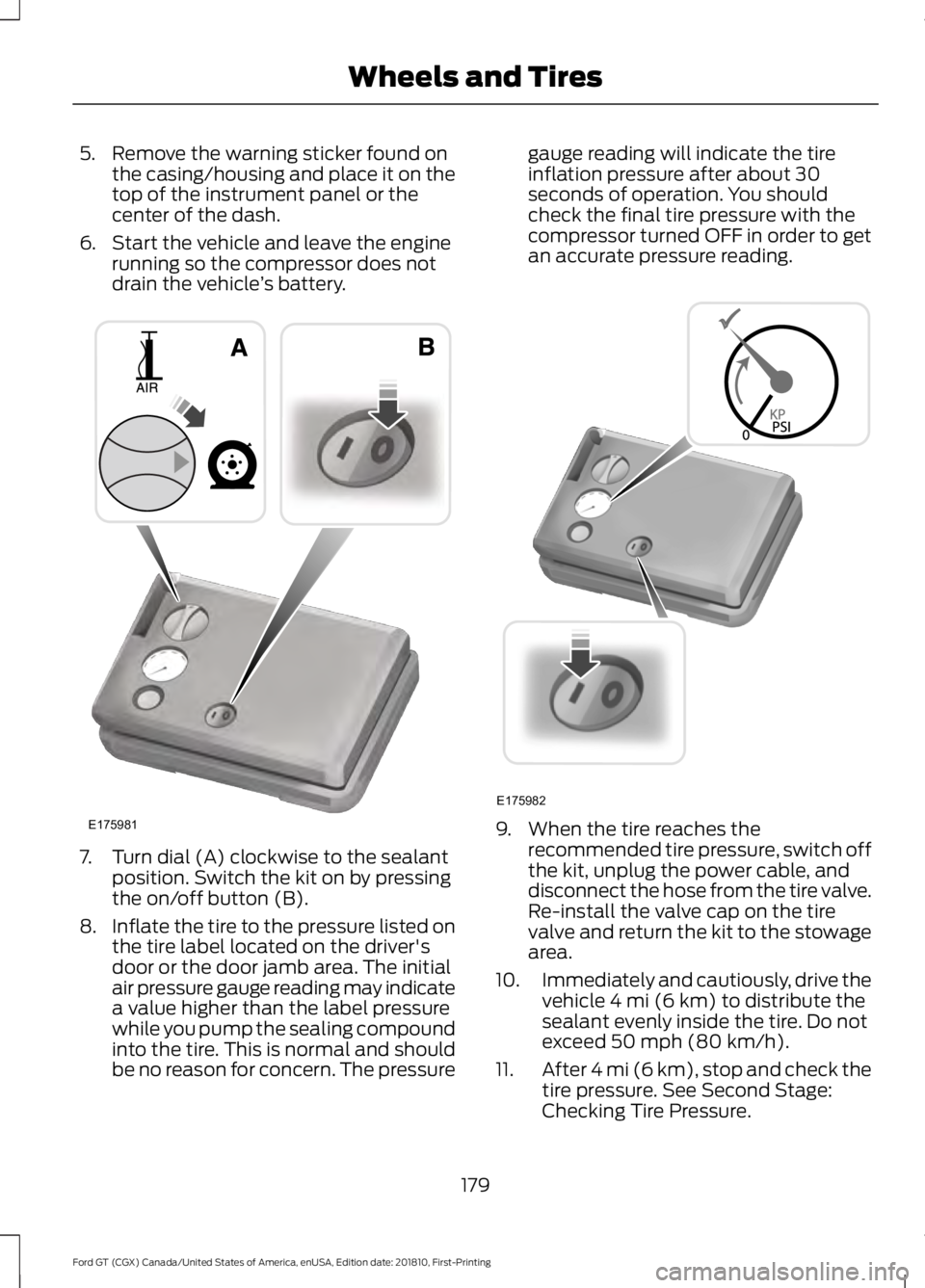
drain the vehicle ’s battery. 7. Turn dial (A) clockwise to the sealant
position. Switch the kit on by pressing
the on/off button (B).
8. Inflate the tire to the pressure listed on
the tire label located on the driver's
door or the door jamb area. The initial
air pressure gauge reading may indicate
a value higher than the label pressure
while you pump the sealing compound
into the tire. This is normal and should
be no reason for concern. The pressure gauge reading will indicate the tire
inflation pressure after about 30
seconds of operation. You should
check the final tire pressure with the
compressor turned OFF in order to get
an accurate pressure reading.
9. When the tire reaches the
recommended tire pressure, switch off
the kit, unplug the power cable, and
disconnect the hose from the tire valve.
Re-install the valve cap on the tire
valve and return the kit to the stowage
area.
10. Immediately and cautiously, drive the
vehicle 4 mi (6 km) to distribute the
sealant evenly inside the tire. Do not
exceed
50 mph (80 km/h).
11. After 4 mi (6 km), stop and check the
tire pressure. See Second Stage:
Checking Tire Pressure.
179
Ford GT (CGX) Canada/United States of America, enUSA, Edition date: 201810, First-Printing Wheels and TiresE175981 E175982
Page 183 of 321
Note:
If you experience any unusual
vibration, ride disturbance or noise while
driving, reduce your speed until you can
safely pull off to the side of the road to call
for roadside assistance. Note: Do not
proceed to the second stage of this
operation.
Second Stage: Checking Tire
Pressure WARNING: The power plug may
get hot after use and should be handled
carefully when unplugging.
If you are proceeding from the First Stage:
Re-inflating the Tire with Sealing
Compound and Air section and have
injected sealant in the tire and the pressure
is below
20 psi (1.4 bar), continue to the
next step.
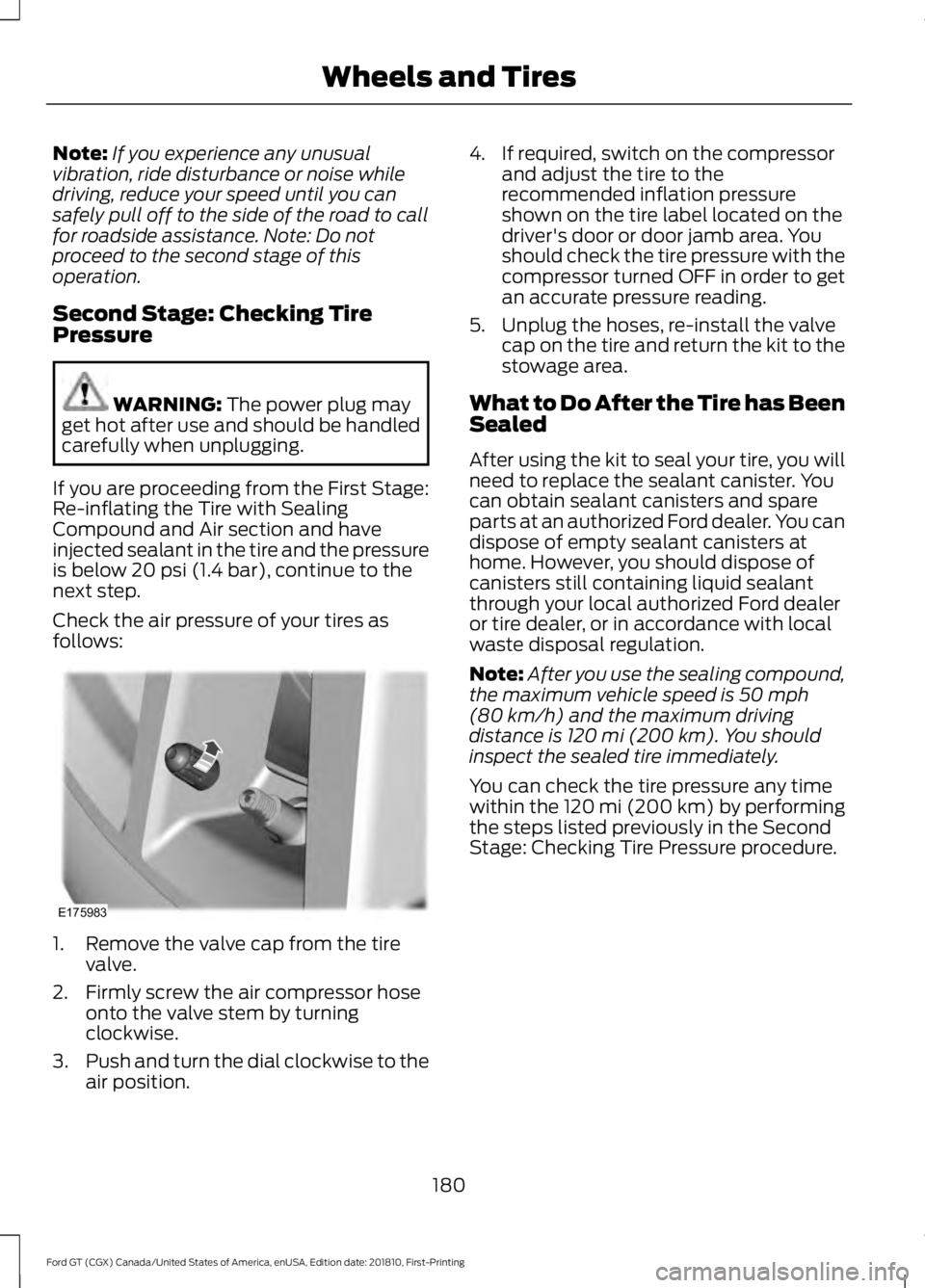
Check the air pressure of your tires as
follows: 1. Remove the valve cap from the tire
valve.
2. Firmly screw the air compressor hose onto the valve stem by turning
clockwise.
3. Push and turn the dial clockwise to the
air position. 4. If required, switch on the compressor
and adjust the tire to the
recommended inflation pressure
shown on the tire label located on the
driver's door or door jamb area. You
should check the tire pressure with the
compressor turned OFF in order to get
an accurate pressure reading.
5. Unplug the hoses, re-install the valve cap on the tire and return the kit to the
stowage area.
What to Do After the Tire has Been
Sealed
After using the kit to seal your tire, you will
need to replace the sealant canister. You
can obtain sealant canisters and spare
parts at an authorized Ford dealer. You can
dispose of empty sealant canisters at
home. However, you should dispose of
canisters still containing liquid sealant
through your local authorized Ford dealer
or tire dealer, or in accordance with local
waste disposal regulation.
Note: After you use the sealing compound,
the maximum vehicle speed is
50 mph
(80 km/h) and the maximum driving
distance is 120 mi (200 km). You should
inspect the sealed tire immediately.
You can check the tire pressure any time
within the 120 mi (200 km) by performing
the steps listed previously in the Second
Stage: Checking Tire Pressure procedure.
180
Ford GT (CGX) Canada/United States of America, enUSA, Edition date: 201810, First-Printing Wheels and TiresE175983
Page 213 of 321
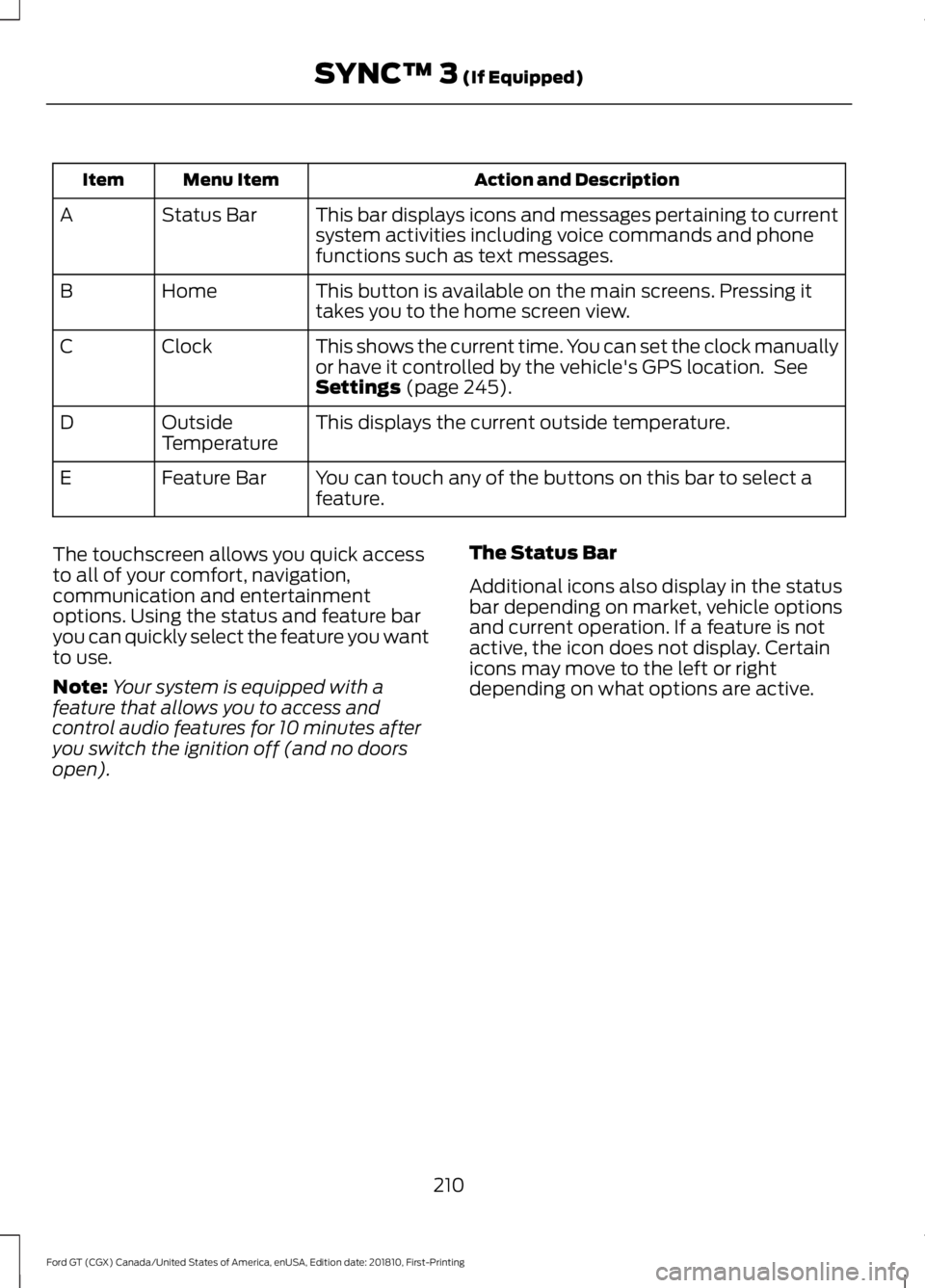
Action and Description
Menu Item
Item
This bar displays icons and messages pertaining to current
system activities including voice commands and phone
functions such as text messages.
Status Bar
A
This button is available on the main screens. Pressing it
takes you to the home screen view.
Home
B
This shows the current time. You can set the clock manually
or have it controlled by the vehicle's GPS location. See
Settings (page 245).
Clock
C
This displays the current outside temperature.
Outside
Temperature
D
You can touch any of the buttons on this bar to select a
feature.
Feature Bar
E
The touchscreen allows you quick access
to all of your comfort, navigation,
communication and entertainment
options. Using the status and feature bar
you can quickly select the feature you want
to use.
Note: Your system is equipped with a
feature that allows you to access and
control audio features for 10 minutes after
you switch the ignition off (and no doors
open). The Status Bar
Additional icons also display in the status
bar depending on market, vehicle options
and current operation. If a feature is not
active, the icon does not display. Certain
icons may move to the left or right
depending on what options are active.
210
Ford GT (CGX) Canada/United States of America, enUSA, Edition date: 201810, First-Printing SYNC™ 3
(If Equipped)
Page 260 of 321
Cell phone issues
Possible solution
Possible cause
Issue
Refer to your device's manual about audio
adjustments.
The audio control
settings on your cell
phone may be affecting
SYNC 3 performance.
There is back-
ground noise
during a phone
call.
Try switching your cell phone off, resetting
it or removing the battery, then try again.
Possible cell phone
malfunction.
During a call, I
can hear the
other person
but they cannot
hear me.
Make sure that the microphone for SYNC
3 is not set to off. Look for the microphone
icon on the phone screen.
To restart your system, shut down the
engine, open and close the door, and then
lock the door and wait for 2-3 minutes.
Make sure that your SYNC 3 screen is black
and the lighted USB port is off.
The system may need to
be restarted.
During a call, I
cannot hear the
other person
and they cannot
hear me.
Check your cell phone's compatibility.
This is a cell phone-
dependent feature.
SYNC 3 is not
able to down-
load my phone-
book. Make sure you allow SYNC 3 to retrieve
contacts from your phone. Refer to your
cell manual.
Possible cell phone
malfunction. You must switch on your cell phone and
the automatic phonebook download
feature on SYNC 3.
Try switching your cell phone off, resetting
it or removing the battery, then try again.
Make sure you allow SYNC 3 to retrieve
contacts from your phone. Refer to your
cell manual.
Limitations on your cell
phone's capability.
The system
says "Phone-
book down-
loaded" but my
SYNC 3 phone-
book is empty or
is missing
contacts. If the missing contacts are stored on your
SIM card, move them to your cell phone's
memory.
You must switch on your cell phone and
the automatic phonebook download
feature on SYNC 3.
257
Ford GT (CGX) Canada/United States of America, enUSA, Edition date: 201810, First-Printing SYNC™ 3 (If Equipped)
Page 315 of 321
Changing a Road Wheel............................198
Important Information for Lifting or
Jacking............................................................... 198
Changing the 12V Battery.........................160 Battery Charger and Maintainer................... 160
Battery Management System........................ 162
Changing the Engine Air Filter.................164
Changing the Wiper Blades......................162
Checking the Wiper Blades......................162
Child Restraint and Seatbelt Maintenance..................................................31
Child Restraint Positioning.........................24
Child Safety
........................................................17
General Information............................................. 17
Cleaning Leather Seats...............................172
Cleaning Products
.......................................168
Materials................................................................ 168
Cleaning the Engine.....................................170
Cleaning the Exterior
...................................168
Exterior Plastic Parts......................................... 170
Matte Paint Finish.............................................. 169
Raising the Rear Wing....................................... 170
Standard Paint Finish....................................... 169
Under Hood........................................................... 170
Cleaning the Instrument Panel and Instrument Cluster Lens..........................172
Cleaning the Interior......................................171 Cleaning Alcantara Microfiber Cloth.............171
Cleaning the Wheels....................................173
Cleaning the Windows and Wiper Blades..............................................................171
Climate Control
...............................................79
Coolant Check See: Engine Coolant Check............................ 154
Crash Sensors and Airbag Indicator.......38
Cruise Control..................................................52 Principle of Operation........................................ 114
Cruise control See: Using Cruise Control................................. 114
Cup Holders
.....................................................85
Customer Assistance..................................133
D
Data Recording
..................................................7
Event Data Recording........................................... 8
Service Data Recording......................................... 7
Daytime Running Lamps............................58 Direction Indicators
.......................................59
Doors and Locks.............................................45
Drive Mode Control........................................53 Active Aerodynamics ........................................ 119
Damper Comfort Mode..................................... 119
Drive Mode Selection......................................... 115
Front Lift................................................................. 119
Driver and Passenger Airbags...................34 Children and Airbags........................................... 34
Proper Driver and Front Passenger Seating Adjustment........................................................ 34
Driver and Passenger Knee Airbags........38
Driving Aids......................................................115
Driving at High Speed.................................198 Tire Pressure - Speeds Greater Than .........198
Driving Hints
....................................................127
Driving Through Water................................127
DRL See: Daytime Running Lamps......................... 58
E
Electric Parking Brake
.................................106
Applying the Electric Parking brake............106
Battery With No Charge................................... 107
Releasing the Electric Parking Brake...........107
Emergency Door Release............................48
Emission Law..................................................96 Noise Emissions Warranty, Prohibited
Tampering Acts and Maintenance............97
Tampering With a Noise Control System................................................................ 96
End User License Agreement.................285 VEHICLE SOFTWARE END USER LICENSE
AGREEMENT (EULA) ................................. 285
Engine Coolant Check................................154 Adding Coolant.................................................... 155
Coolant Change.................................................. 156
Engine Coolant Temperature Management................................................... 157
Fail-Safe Cooling................................................ 156
Recycled Coolant............................................... 156
Severe Climates.................................................. 156
Engine Emission Control.............................96
Engine Immobilizer See: Passive Anti-Theft System..................... 49
Engine Oil Check...........................................153 Adding Engine Oil............................................... 153
312
Ford GT (CGX) Canada/United States of America, enUSA, Edition date: 201810, First-Printing Index
Page 317 of 321
Home Screen.................................................219
Hood Lock See: Opening and Closing the Hood...........150
I
In California (U.S. Only).............................134
Information Display Control.......................53
Information Displays....................................69 General Information........................................... 69
Information Messages..................................72 AdvanceTrac ™...................................................... 72
Alarm........................................................................\
. 72
Battery and Charging System.......................... 73
Doors and Locks.................................................... 73
Engine....................................................................... 73
Fuel........................................................................\
.... 74
Hill Start Assist ..................................................... 74
Hydraulic System.................................................. 74
Keys and Intelligent Access.............................. 75
Maintenance ........................................................... 75
Park Brake............................................................... 76
Remote Start.......................................................... 76
Starting System .................................................... 77
Steering System.................................................... 77
Tire Pressure Monitoring System.................... 77
Transmission.......................................................... 78
Installing Child Restraints
............................18
Child Seats............................................................... 18
Using Lap and Shoulder Belts.......................... 19
Using Tether Straps.............................................. 21
Instrument Cluster.........................................62
Instrument Lighting Dimmer
.....................58
Instrument Panel Overview........................14
Interior Lamps.................................................59
Interior Mirror
....................................................61
Introduction........................................................5
J
Jump Starting the Vehicle.........................130 Connecting the Jumper Cables..................... 130
Jump Starting........................................................ 131
Preparing Your Vehicle..................................... 130
Removing the Jumper Cables......................... 131K
Keyless Starting
..............................................86
Ignition Modes...................................................... 86
Keys and Remote Controls........................40
L
Launch Control
..............................................167
Lighting Control..............................................53
High Beams............................................................. 57
Performance Shift Indicator............................ 54
Lighting
...............................................................57
General Information............................................ 57
Load Carrying..................................................121
Load Limit
.........................................................121
Vehicle Loading - with and without a
Trailer................................................................... 121
Locking and Unlocking.................................45 Activating Intelligent Access ........................... 45
Autolock.................................................................. 46
Battery Saver.......................................................... 47
Illuminated Entry.................................................. 47
Illuminated Exit...................................................... 47
Power Door Locks................................................ 45
Remote Control.................................................... 45
Smart Unlocks for Intelligent Access Keys...................................................................... 46
Lug Nuts See: Changing a Road Wheel........................ 198
M
Maintenance..................................................150 General Information.......................................... 150
Manual Seats
...................................................82
Map Pockets....................................................85
Message Center See: Information Displays................................. 69
Mirrors See: Windows and Mirrors............................... 60
Mobile Communications Equipment........11
Motorcraft Parts
...........................................201
N
Navigation......................................................236 cityseeker.............................................................. 243
314
Ford GT (CGX) Canada/United States of America, enUSA, Edition date: 201810, First-Printing Index
Page 318 of 321
Destination Mode..............................................
238
Map Mode............................................................. 237
Navigation Map Updates................................ 243
Navigation Menu................................................. 241
Waypoints............................................................. 242
Normal Scheduled Maintenance...........272 Normal Maintenance Intervals...................... 272
O
Oil Check See: Engine Oil Check....................................... 153
Opening and Closing the Hood...............150 Closing the Front Hood..................................... 151
Closing the Rear Hatch...................................... 151
Opening the Front Hood.................................. 150
Opening the Rear Hatch.................................... 151
Opening the Doors.........................................47
Opening the Doors from Inside....................... 47
Ordering Additional Owner's Literature.......................................................137
P
Parking Aids.....................................................112
Passive Anti-Theft System........................49 SecuriLock.............................................................. 49
PATS See: Passive Anti-Theft System..................... 49
Pedals.................................................................55
Perchlorate..........................................................9
Personal Safety System ™
..........................32
How Does the Personal Safety System
Work?................................................................... 32
Phone................................................................231 During a Phone Call.......................................... 234
Making Calls......................................................... 233
Pairing Your Cell Phone for the First Time.................................................................... 231
Phone Menu......................................................... 232
Receiving Calls.................................................... 234
Smartphone Connectivity.............................. 235
Text Messaging................................................... 235
Post-Crash Alert System............................131
Power Door Locks See: Locking and Unlocking............................. 45
Power Steering Fluid Check.....................159 Power Windows.............................................60
Accessory Delay................................................... 60
Bounce-Back......................................................... 60
One-Touch Down................................................ 60
One-Touch Up...................................................... 60
Protecting the Environment
........................13
Puncture See: Changing a Road Wheel........................ 198
R
Rear Under Hatch Storage.........................121
Rear View Camera.........................................112 Using the Rear View Camera System..........112
Rear View Camera See: Rear View Camera..................................... 112
Refueling...........................................................92 System Warnings................................................. 94
Remote Control...............................................41 Car Finder................................................................ 43
Intelligent Access Key.......................................... 41
Replacing the Battery......................................... 42
Sounding a Panic Alarm.................................... 43
Using the Key Blade............................................. 41
Repairing Minor Paint Damage................173
Replacement Parts Recommendation.........................................9
Collision Repairs.................................................... 10
Scheduled Maintenance and Mechanical Repairs................................................................... 9
Warranty on Replacement Parts.................... 10
Replacing a Lost Key or Remote Control............................................................44
Reporting Safety Defects (Canada Only)...............................................................138
Reporting Safety Defects (U.S. Only)
...............................................................137
Roadside Assistance...................................129
Vehicles Sold in the United States: Getting
Roadside Assistance.................................... 129
Vehicles Sold in the United States: Using Roadside Assistance.................................... 129
Roadside Emergencies...............................129
Running-In See: Breaking-In................................................... 127
Running Out of Fuel.......................................91 Adding Fuel From a Portable Fuel
Container............................................................ 92
315
Ford GT (CGX) Canada/United States of America, enUSA, Edition date: 201810, First-Printing Index