alarm FORD GT 2019 Owners Manual
[x] Cancel search | Manufacturer: FORD, Model Year: 2019, Model line: GT, Model: FORD GT 2019Pages: 321, PDF Size: 5.24 MB
Page 4 of 321
Introduction
About This Manual
..........................................5
Symbols Glossary ............................................
5
Data Recording ..................................................
7
Perchlorate .........................................................
9
Replacement Parts Recommendation ........................................................................\
.....
9
Special Notices ...............................................
10
Mobile Communications Equipment ........................................................................\
.....
11
Ford Performance ...........................................
11
Environment
Protecting the Environment .......................
13
At a Glance
Instrument Panel Overview .......................
14
Unique Features .............................................
15
Child Safety
General Information ......................................
17
Installing Child Restraints ...........................
18
Booster Seats ..................................................
22
Child Restraint Positioning ........................
24
Seatbelts
Principle of Operation .................................
26
Fastening the Seatbelts .............................
26
Seatbelt Warning Lamp and Indicator Chime ............................................................
29
Seatbelt Reminder .......................................
29
Child Restraint and Seatbelt Maintenance ................................................
31
Seatbelt Extension ........................................
31
Personal Safety System ™
Personal Safety System ™.........................
32 Supplementary Restraints
System
Principle of Operation ..................................
33
Driver and Passenger Airbags ..................
34
Front Passenger Sensing System ...........
35
Side Airbags .....................................................
37
Driver and Passenger Knee Airbags .......
38
Crash Sensors and Airbag Indicator ......
38
Airbag Disposal ..............................................
39
Keys and Remote Controls
General Information on Radio Frequencies ................................................
40
Remote Control ..............................................
41
Replacing a Lost Key or Remote Control ........................................................................\
..
44
Doors and Locks
Locking and Unlocking ................................
45
Opening the Doors ........................................
47
Emergency Door Release ...........................
48
Security
Passive Anti-Theft System .......................
49
Anti-Theft Alarm ...........................................
50
Steering Wheel
Adjusting the Steering Wheel ....................
51
Audio Control ..................................................
52
Voice Control ...................................................
52
Cruise Control .................................................
52
Information Display Control ......................
53
Drive Mode Control .......................................
53
Wiper and Washer Control ........................
53
Lighting Control .............................................
53
Pedals
Adjusting the Pedals ....................................
55
1
Ford GT (CGX) Canada/United States of America, enUSA, Edition date: 201810, First-Printing Table of Contents
Page 9 of 321
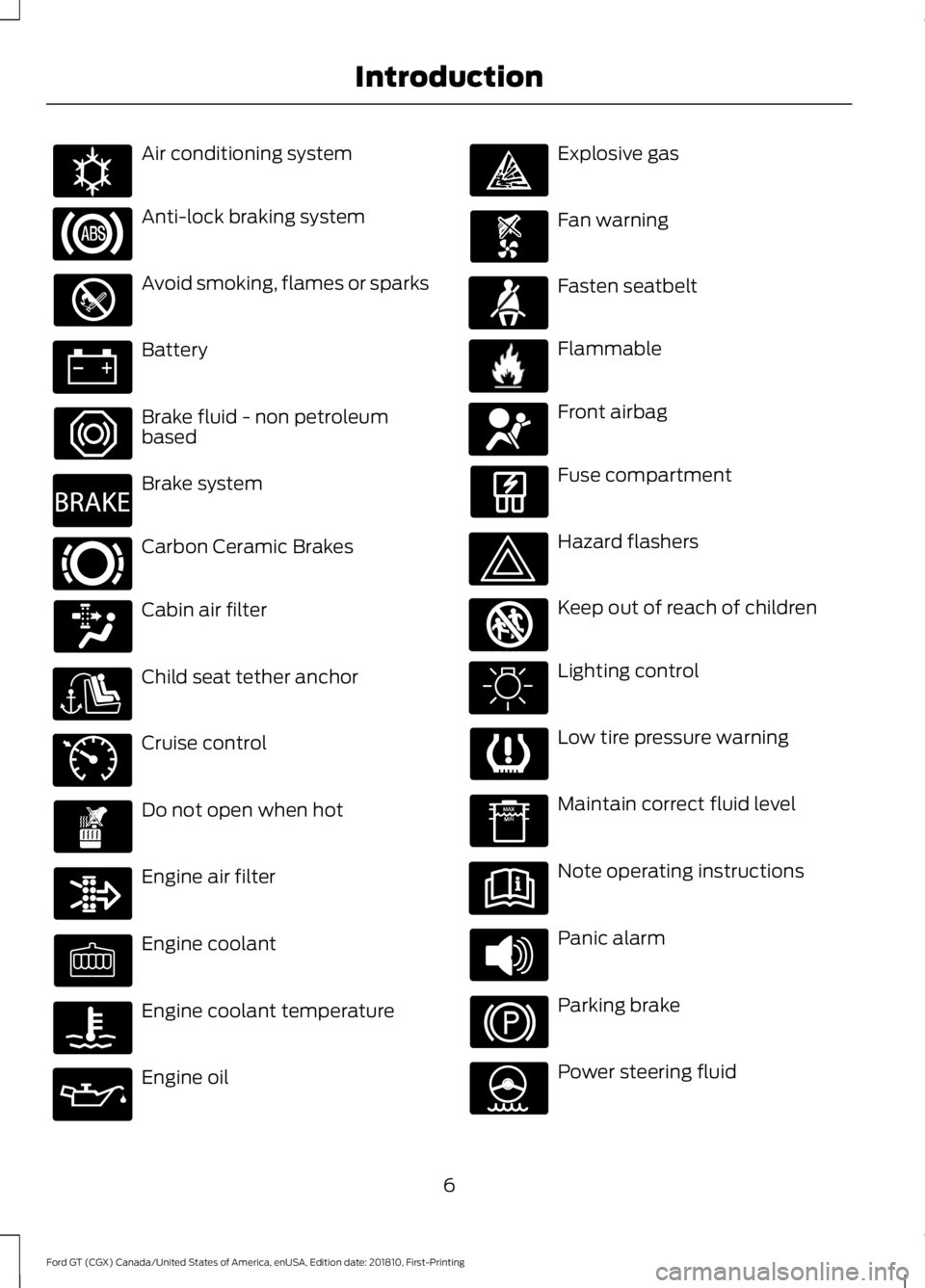
Air conditioning system
Anti-lock braking system
Avoid smoking, flames or sparks
Battery
Brake fluid - non petroleum
based
Brake system
Carbon Ceramic Brakes
Cabin air filter
Child seat tether anchor
Cruise control
Do not open when hot
Engine air filter
Engine coolant
Engine coolant temperature
Engine oil Explosive gas
Fan warning
Fasten seatbelt
Flammable
Front airbag
Fuse compartment
Hazard flashers
Keep out of reach of children
Lighting control
Low tire pressure warning
Maintain correct fluid level
Note operating instructions
Panic alarm
Parking brake
Power steering fluid
6
Ford GT (CGX) Canada/United States of America, enUSA, Edition date: 201810, First-Printing IntroductionE162384 E270480 E269429 E71340 E71880 E231160 E67017 E161353
Page 43 of 321
GENERAL INFORMATION ON
RADIO FREQUENCIES
This device complies with Part 15 of the
FCC Rules and with Industry Canada
license-exempt RSS standard(s).
Operation is subject to the following two
conditions: (1) This device may not cause
harmful interference, and (2) This device
must accept any interference received,
including interference that may cause
undesired operation.
Note:
Changes or modifications not
expressively approved by the party
responsible for compliance could void the
user's authority to operate the equipment.
The term IC before the radio certification
number only signifies that Industry Canada
technical specifications were met.
The typical operating range for your
transmitter is approximately
33 ft (10 m).
One of the following could cause a
decrease in operating range:
• weather conditions
• nearby radio towers
• structures around the vehicle
• other vehicles parked next to your
vehicle
Other short-distance radio transmitters,
such as amateur radios, medical
equipment, wireless headphones, remote
controls and alarm systems may operate
on the same frequency as your remote
control. If other transmitters are operating
on those frequencies, you may not be able
to use your remote control. Using your
remote control near some types of
electronic equipment, such as USB devices,
computers or cell phones can interfere with
remote operation. Operating your remote
control near metal or metallic-finished
purses, bags or clothing can interfere with
remote operation. Note:
Make sure to lock your vehicle before
leaving it unattended.
Note: If you are in range, the remote control
will operate if you press any button
unintentionally.
Intelligent Access
The system uses a radio frequency signal
to communicate with your vehicle and
authorize your vehicle to unlock when one
of the following conditions are met:
• You push the exterior door release
panel within
3 ft (1 m) proximity of an
intelligent access key.
• You press a button on the transmitter.
If excessive radio frequency interference
is present in the area or if the transmitter
battery is low, you may need to
mechanically unlock your door. You can
use the mechanical key blade in your
intelligent access key to open the engine
cover to access a pull strap to manually
unlock the driver door in this situation. See
Remote Control
(page 41).
40
Ford GT (CGX) Canada/United States of America, enUSA, Edition date: 201810, First-Printing Keys and Remote Controls
Page 46 of 321
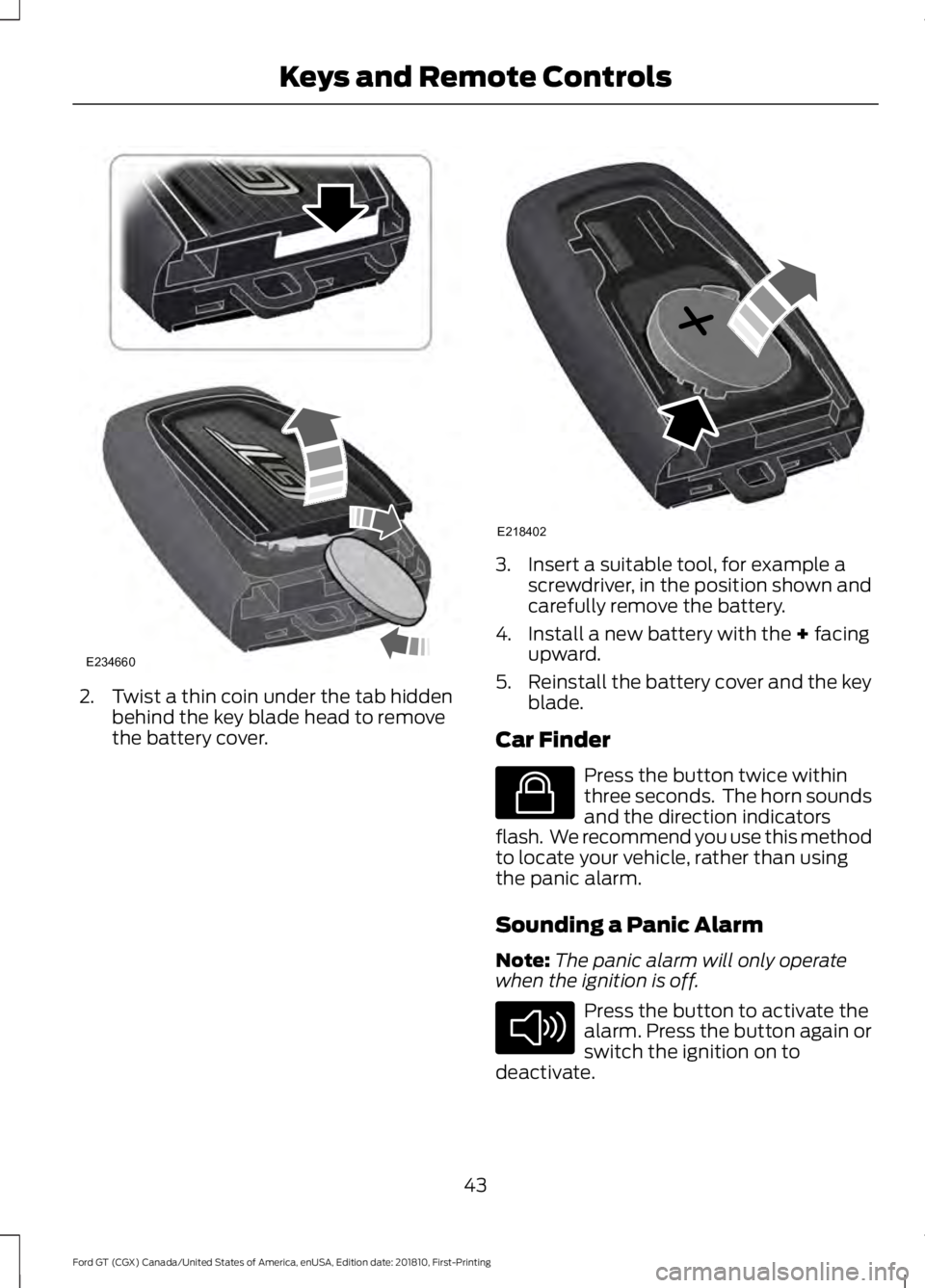
2. Twist a thin coin under the tab hidden
behind the key blade head to remove
the battery cover. 3. Insert a suitable tool, for example a
screwdriver, in the position shown and
carefully remove the battery.
4. Install a new battery with the + facing
upward.
5. Reinstall the battery cover and the key
blade.
Car Finder Press the button twice within
three seconds. The horn sounds
and the direction indicators
flash. We recommend you use this method
to locate your vehicle, rather than using
the panic alarm.
Sounding a Panic Alarm
Note: The panic alarm will only operate
when the ignition is off. Press the button to activate the
alarm. Press the button again or
switch the ignition on to
deactivate.
43
Ford GT (CGX) Canada/United States of America, enUSA, Edition date: 201810, First-Printing Keys and Remote ControlsE234660 E218402 E138623 E138624
Page 53 of 321
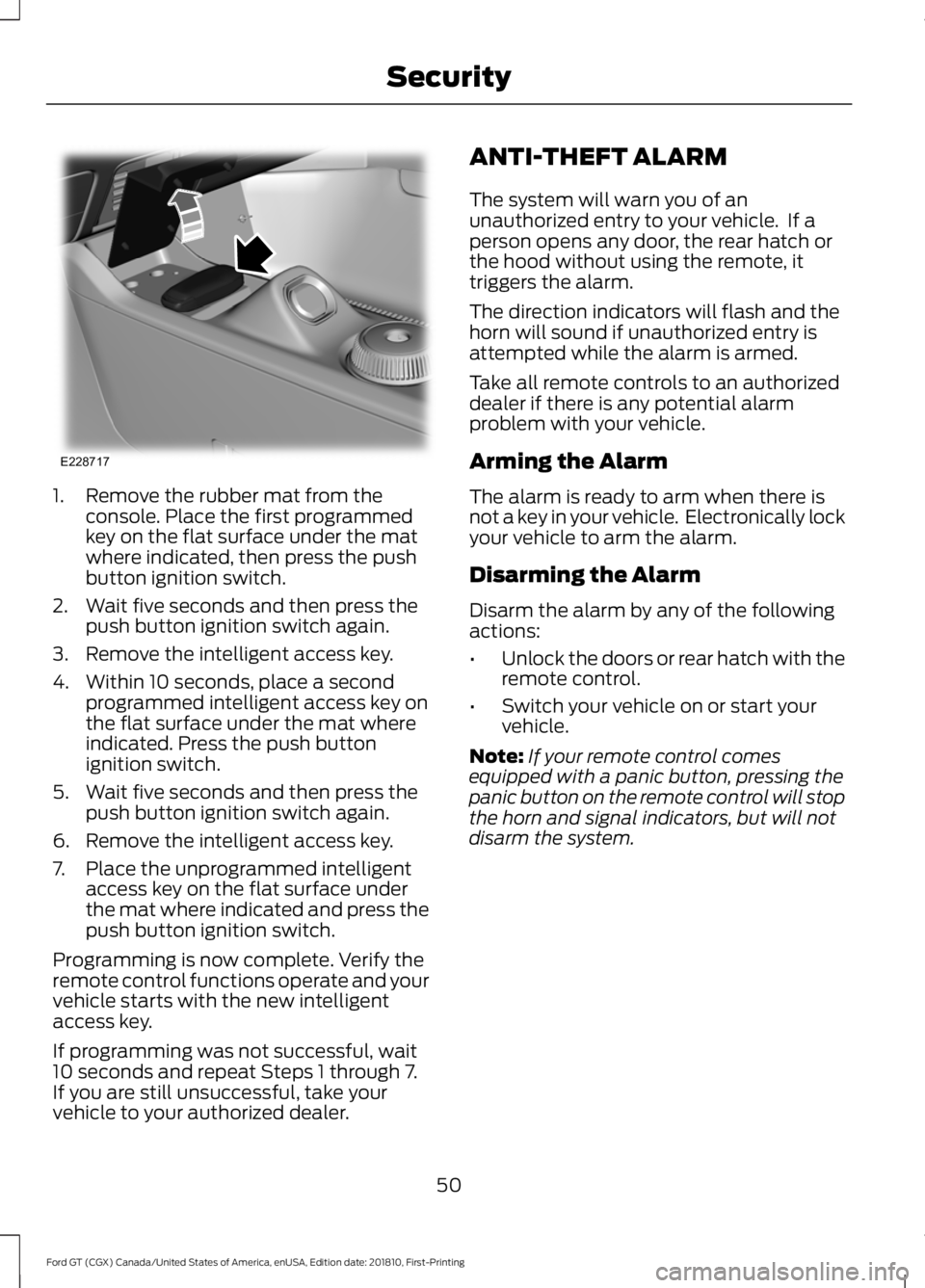
1. Remove the rubber mat from the
console. Place the first programmed
key on the flat surface under the mat
where indicated, then press the push
button ignition switch.
2. Wait five seconds and then press the push button ignition switch again.
3. Remove the intelligent access key.
4. Within 10 seconds, place a second programmed intelligent access key on
the flat surface under the mat where
indicated. Press the push button
ignition switch.
5. Wait five seconds and then press the push button ignition switch again.
6. Remove the intelligent access key.
7. Place the unprogrammed intelligent access key on the flat surface under
the mat where indicated and press the
push button ignition switch.
Programming is now complete. Verify the
remote control functions operate and your
vehicle starts with the new intelligent
access key.
If programming was not successful, wait
10 seconds and repeat Steps 1 through 7.
If you are still unsuccessful, take your
vehicle to your authorized dealer. ANTI-THEFT ALARM
The system will warn you of an
unauthorized entry to your vehicle. If a
person opens any door, the rear hatch or
the hood without using the remote, it
triggers the alarm.
The direction indicators will flash and the
horn will sound if unauthorized entry is
attempted while the alarm is armed.
Take all remote controls to an authorized
dealer if there is any potential alarm
problem with your vehicle.
Arming the Alarm
The alarm is ready to arm when there is
not a key in your vehicle. Electronically lock
your vehicle to arm the alarm.
Disarming the Alarm
Disarm the alarm by any of the following
actions:
•
Unlock the doors or rear hatch with the
remote control.
• Switch your vehicle on or start your
vehicle.
Note: If your remote control comes
equipped with a panic button, pressing the
panic button on the remote control will stop
the horn and signal indicators, but will not
disarm the system.
50
Ford GT (CGX) Canada/United States of America, enUSA, Edition date: 201810, First-Printing SecurityE228717
Page 75 of 321
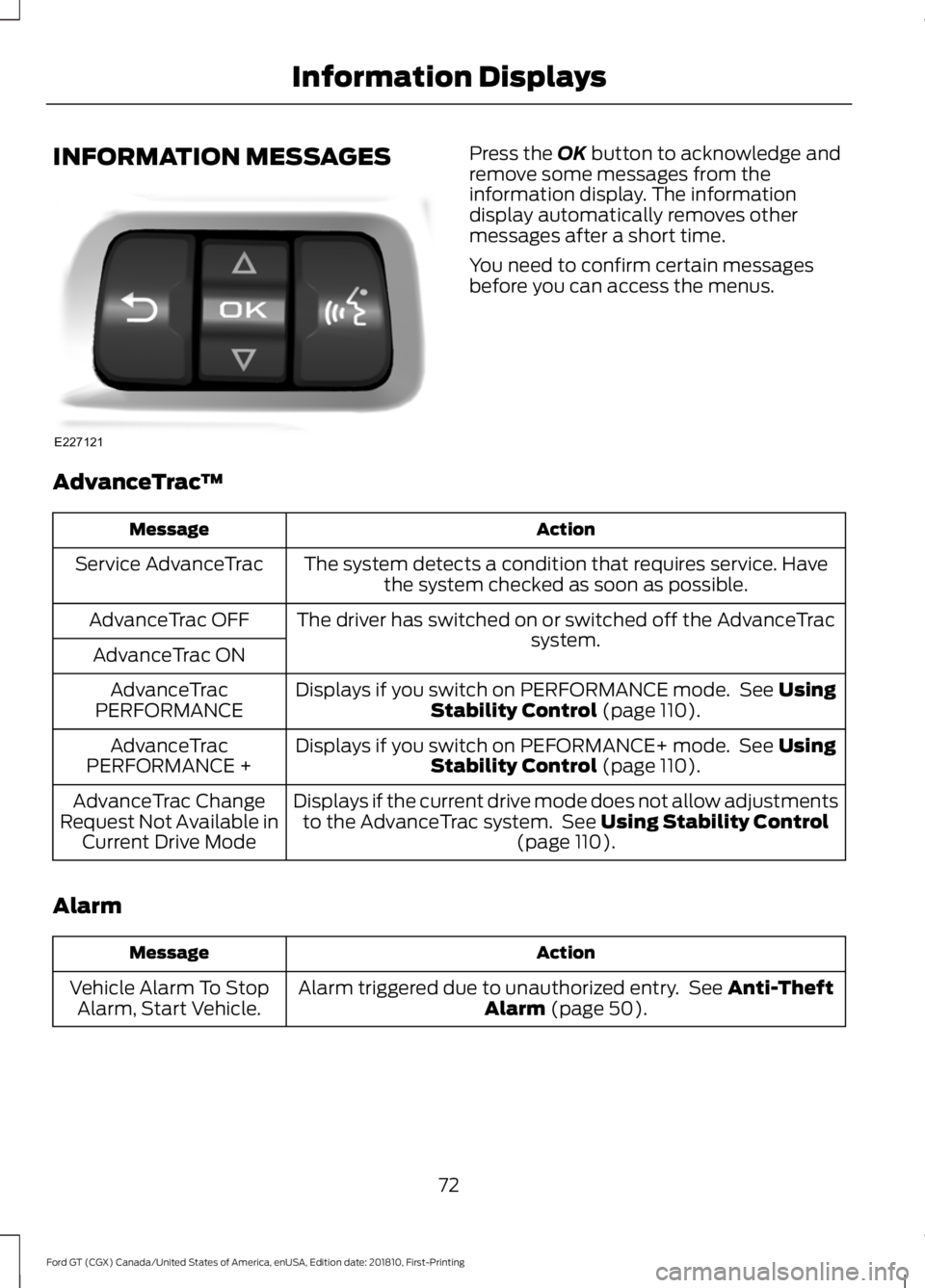
INFORMATION MESSAGES Press the OK button to acknowledge and
remove some messages from the
information display. The information
display automatically removes other
messages after a short time.
You need to confirm certain messages
before you can access the menus.
AdvanceTrac ™ Action
Message
The system detects a condition that requires service. Havethe system checked as soon as possible.
Service AdvanceTrac
The driver has switched on or switched off the AdvanceTrac system.
AdvanceTrac OFF
AdvanceTrac ON Displays if you switch on PERFORMANCE mode. See
Using
Stability Control (page 110).
AdvanceTrac
PERFORMANCE
Displays if you switch on PEFORMANCE+ mode. See
Using
Stability Control (page 110).
AdvanceTrac
PERFORMANCE +
Displays if the current drive mode does not allow adjustmentsto the AdvanceTrac system. See
Using Stability Control
(page 110).
AdvanceTrac Change
Request Not Available in Current Drive Mode
Alarm Action
Message
Alarm triggered due to unauthorized entry. See
Anti-Theft
Alarm (page 50).
Vehicle Alarm To Stop
Alarm, Start Vehicle.
72
Ford GT (CGX) Canada/United States of America, enUSA, Edition date: 201810, First-Printing Information DisplaysE227121
Page 314 of 321
A
A/C
See: Climate Control........................................... 79
About Launch Control.................................167
About This Manual...........................................5 Ford GT Concierge Phone Numbers................5
ABS See: Brakes........................................................... 105
ABS driving hints See: Hints on Driving With Anti-Lock
Brakes................................................................ 105
Accessories....................................................270
Accessories See: Replacement Parts
Recommendation.............................................. 9
Adjusting the Headlamps.........................163 Headlamp Aim Target....................................... 163
Adjusting the Pedals.....................................55
Adjusting the Steering Wheel.....................51
Airbag Disposal...............................................39
Air Conditioning See: Climate Control........................................... 79
Air Filter See: Changing the Engine Air Filter.............164
Alarm See: Anti-Theft Alarm........................................ 50
Anti-Theft Alarm............................................50 Arming the Alarm................................................ 50
Disarming the Alarm........................................... 50
Appendices....................................................285
Apps.................................................................244 ........................................................................\
.......... 244
At a Glance........................................................14
Audible Warnings and Indicators
.............68
Headlamps On Warning Chime..................... 68
Keyless Warning Alert........................................ 68
Audio Control...................................................52 Seek, Next or Previous........................................ 52
Audio System
...............................................208
Audio Unit......................................................208
Autolamps........................................................58
Automatic Climate Control........................79 Directing the Airflow............................................ 79
Setting the Blower Motor Speed.................... 79
Setting the Temperature................................... 79
Switching Auto Mode On and Off.................. 79
Switching Recirculated Air On and Off........79 Switching the Air Conditioning On and
Off........................................................................\
. 79
Automatic Transmission
...........................100
Brake-Shift Interlock......................................... 103
If Your Vehicle Gets Stuck In Mud or Snow.................................................................. 104
Performance Shift Indicator........................... 102
SelectShift™ Automatic Transmission.................................................... 101
Understanding the Positions of Your Automatic Transmission............................ 100
Automatic Transmission Fluid Check.............................................................158
Auxiliary Power Points.................................84 DC Power Point..................................................... 84
Location................................................................... 84
B
Battery See: Changing the 12V Battery...................... 160
Bonnet Lock See: Opening and Closing the Hood...........150
Booster Seats
..................................................22
Types of Booster Seats...................................... 23
Brake Fluid Check
.........................................158
Brakes...............................................................105 General Information.......................................... 105
Breaking-In......................................................127 Cold Engine Operation...................................... 127
Hot Engine Shut down...................................... 127
C
Cabin Air Filter
..................................................81
Capacities and Specifications................205 Specifications..................................................... 205
Car Wash See: Cleaning the Exterior............................... 168
Catalytic Converter........................................97 On-Board Diagnostics (OBD-II)..................... 98
Readiness for Inspection and Maintenance (I/M) Testing..................................................... 98
Changing a Bulb
...........................................164
LED Lamps............................................................ 164
Changing a Fuse...........................................148 Fuses....................................................................... 148
311
Ford GT (CGX) Canada/United States of America, enUSA, Edition date: 201810, First-Printing Index
Page 317 of 321
Home Screen.................................................219
Hood Lock See: Opening and Closing the Hood...........150
I
In California (U.S. Only).............................134
Information Display Control.......................53
Information Displays....................................69 General Information........................................... 69
Information Messages..................................72 AdvanceTrac ™...................................................... 72
Alarm........................................................................\
. 72
Battery and Charging System.......................... 73
Doors and Locks.................................................... 73
Engine....................................................................... 73
Fuel........................................................................\
.... 74
Hill Start Assist ..................................................... 74
Hydraulic System.................................................. 74
Keys and Intelligent Access.............................. 75
Maintenance ........................................................... 75
Park Brake............................................................... 76
Remote Start.......................................................... 76
Starting System .................................................... 77
Steering System.................................................... 77
Tire Pressure Monitoring System.................... 77
Transmission.......................................................... 78
Installing Child Restraints
............................18
Child Seats............................................................... 18
Using Lap and Shoulder Belts.......................... 19
Using Tether Straps.............................................. 21
Instrument Cluster.........................................62
Instrument Lighting Dimmer
.....................58
Instrument Panel Overview........................14
Interior Lamps.................................................59
Interior Mirror
....................................................61
Introduction........................................................5
J
Jump Starting the Vehicle.........................130 Connecting the Jumper Cables..................... 130
Jump Starting........................................................ 131
Preparing Your Vehicle..................................... 130
Removing the Jumper Cables......................... 131K
Keyless Starting
..............................................86
Ignition Modes...................................................... 86
Keys and Remote Controls........................40
L
Launch Control
..............................................167
Lighting Control..............................................53
High Beams............................................................. 57
Performance Shift Indicator............................ 54
Lighting
...............................................................57
General Information............................................ 57
Load Carrying..................................................121
Load Limit
.........................................................121
Vehicle Loading - with and without a
Trailer................................................................... 121
Locking and Unlocking.................................45 Activating Intelligent Access ........................... 45
Autolock.................................................................. 46
Battery Saver.......................................................... 47
Illuminated Entry.................................................. 47
Illuminated Exit...................................................... 47
Power Door Locks................................................ 45
Remote Control.................................................... 45
Smart Unlocks for Intelligent Access Keys...................................................................... 46
Lug Nuts See: Changing a Road Wheel........................ 198
M
Maintenance..................................................150 General Information.......................................... 150
Manual Seats
...................................................82
Map Pockets....................................................85
Message Center See: Information Displays................................. 69
Mirrors See: Windows and Mirrors............................... 60
Mobile Communications Equipment........11
Motorcraft Parts
...........................................201
N
Navigation......................................................236 cityseeker.............................................................. 243
314
Ford GT (CGX) Canada/United States of America, enUSA, Edition date: 201810, First-Printing Index
Page 318 of 321
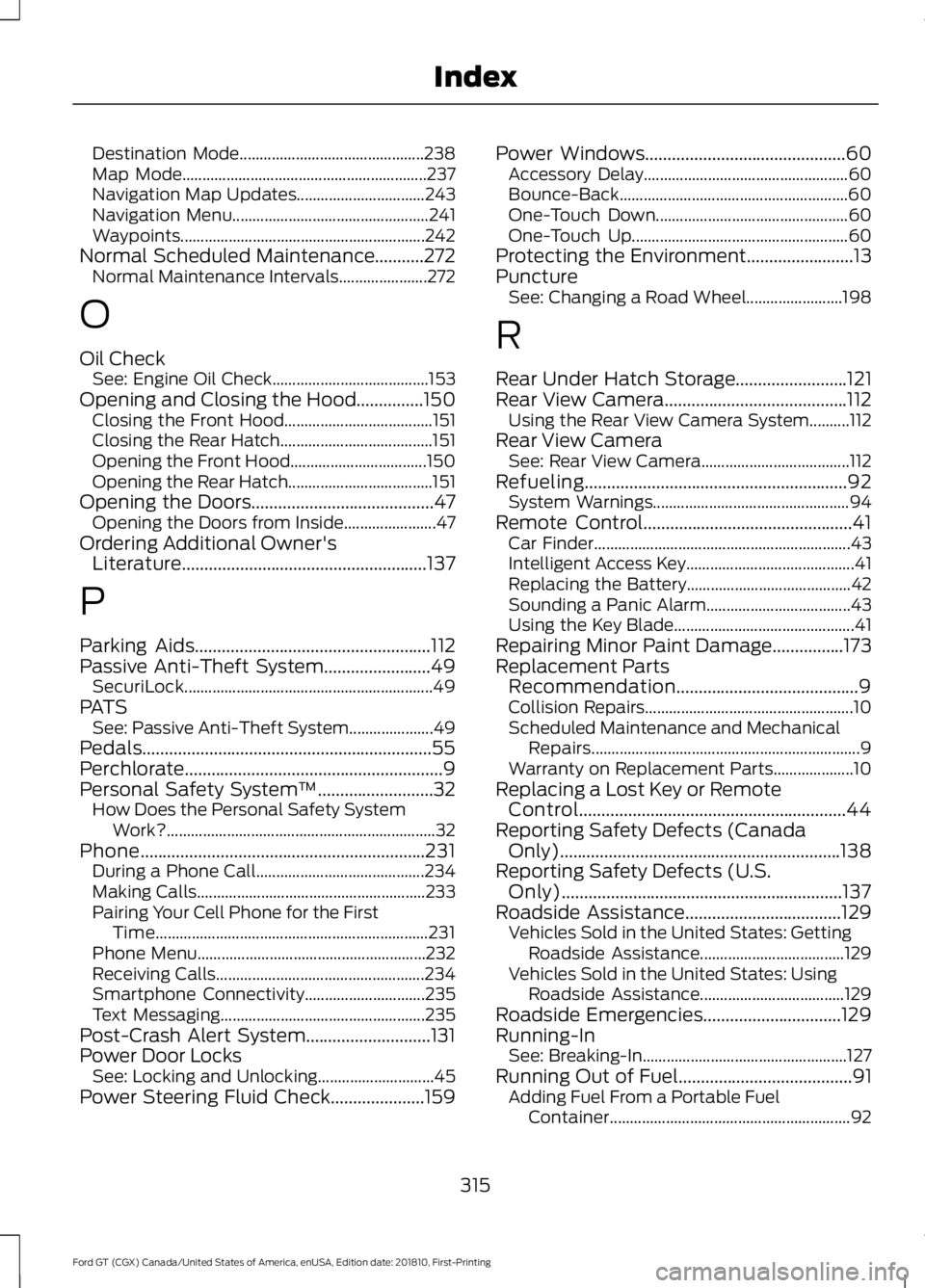
Destination Mode..............................................
238
Map Mode............................................................. 237
Navigation Map Updates................................ 243
Navigation Menu................................................. 241
Waypoints............................................................. 242
Normal Scheduled Maintenance...........272 Normal Maintenance Intervals...................... 272
O
Oil Check See: Engine Oil Check....................................... 153
Opening and Closing the Hood...............150 Closing the Front Hood..................................... 151
Closing the Rear Hatch...................................... 151
Opening the Front Hood.................................. 150
Opening the Rear Hatch.................................... 151
Opening the Doors.........................................47
Opening the Doors from Inside....................... 47
Ordering Additional Owner's Literature.......................................................137
P
Parking Aids.....................................................112
Passive Anti-Theft System........................49 SecuriLock.............................................................. 49
PATS See: Passive Anti-Theft System..................... 49
Pedals.................................................................55
Perchlorate..........................................................9
Personal Safety System ™
..........................32
How Does the Personal Safety System
Work?................................................................... 32
Phone................................................................231 During a Phone Call.......................................... 234
Making Calls......................................................... 233
Pairing Your Cell Phone for the First Time.................................................................... 231
Phone Menu......................................................... 232
Receiving Calls.................................................... 234
Smartphone Connectivity.............................. 235
Text Messaging................................................... 235
Post-Crash Alert System............................131
Power Door Locks See: Locking and Unlocking............................. 45
Power Steering Fluid Check.....................159 Power Windows.............................................60
Accessory Delay................................................... 60
Bounce-Back......................................................... 60
One-Touch Down................................................ 60
One-Touch Up...................................................... 60
Protecting the Environment
........................13
Puncture See: Changing a Road Wheel........................ 198
R
Rear Under Hatch Storage.........................121
Rear View Camera.........................................112 Using the Rear View Camera System..........112
Rear View Camera See: Rear View Camera..................................... 112
Refueling...........................................................92 System Warnings................................................. 94
Remote Control...............................................41 Car Finder................................................................ 43
Intelligent Access Key.......................................... 41
Replacing the Battery......................................... 42
Sounding a Panic Alarm.................................... 43
Using the Key Blade............................................. 41
Repairing Minor Paint Damage................173
Replacement Parts Recommendation.........................................9
Collision Repairs.................................................... 10
Scheduled Maintenance and Mechanical Repairs................................................................... 9
Warranty on Replacement Parts.................... 10
Replacing a Lost Key or Remote Control............................................................44
Reporting Safety Defects (Canada Only)...............................................................138
Reporting Safety Defects (U.S. Only)
...............................................................137
Roadside Assistance...................................129
Vehicles Sold in the United States: Getting
Roadside Assistance.................................... 129
Vehicles Sold in the United States: Using Roadside Assistance.................................... 129
Roadside Emergencies...............................129
Running-In See: Breaking-In................................................... 127
Running Out of Fuel.......................................91 Adding Fuel From a Portable Fuel
Container............................................................ 92
315
Ford GT (CGX) Canada/United States of America, enUSA, Edition date: 201810, First-Printing Index