steering wheel FORD GT 2020 Owner's Guide
[x] Cancel search | Manufacturer: FORD, Model Year: 2020, Model line: GT, Model: FORD GT 2020Pages: 316, PDF Size: 6.25 MB
Page 224 of 316
Note:
You can use the system when a
download is in progress.
Note: If the system is disconnected from
the Wi-Fi network when a download is in
progress, the download continues the next
time the system is connected to a Wi-Fi
network.
Additional Information and
Assistance
For additional information and assistance,
we recommend that you contact an
authorized dealer or refer to the local Ford
website. USING VOICE RECOGNITION
The SYNC 3 system allows you to use voice
commands, to control features like audio
and climate controls. By using voice
commands, you can keep your hands on
the wheel and your eyes on the road.
You can access each feature controlled by
SYNC 3 through a variety of commands. To activate the SYNC 3 voice
commands push the voice
button on the steering wheel and
wait for the prompt.
___ is a dynamic listing, meaning that it can
be the name of anything, such as artist, the
name of contact or number. The context
and the description of the command tell
you what to say for this dynamic option.
There are some commands that work for
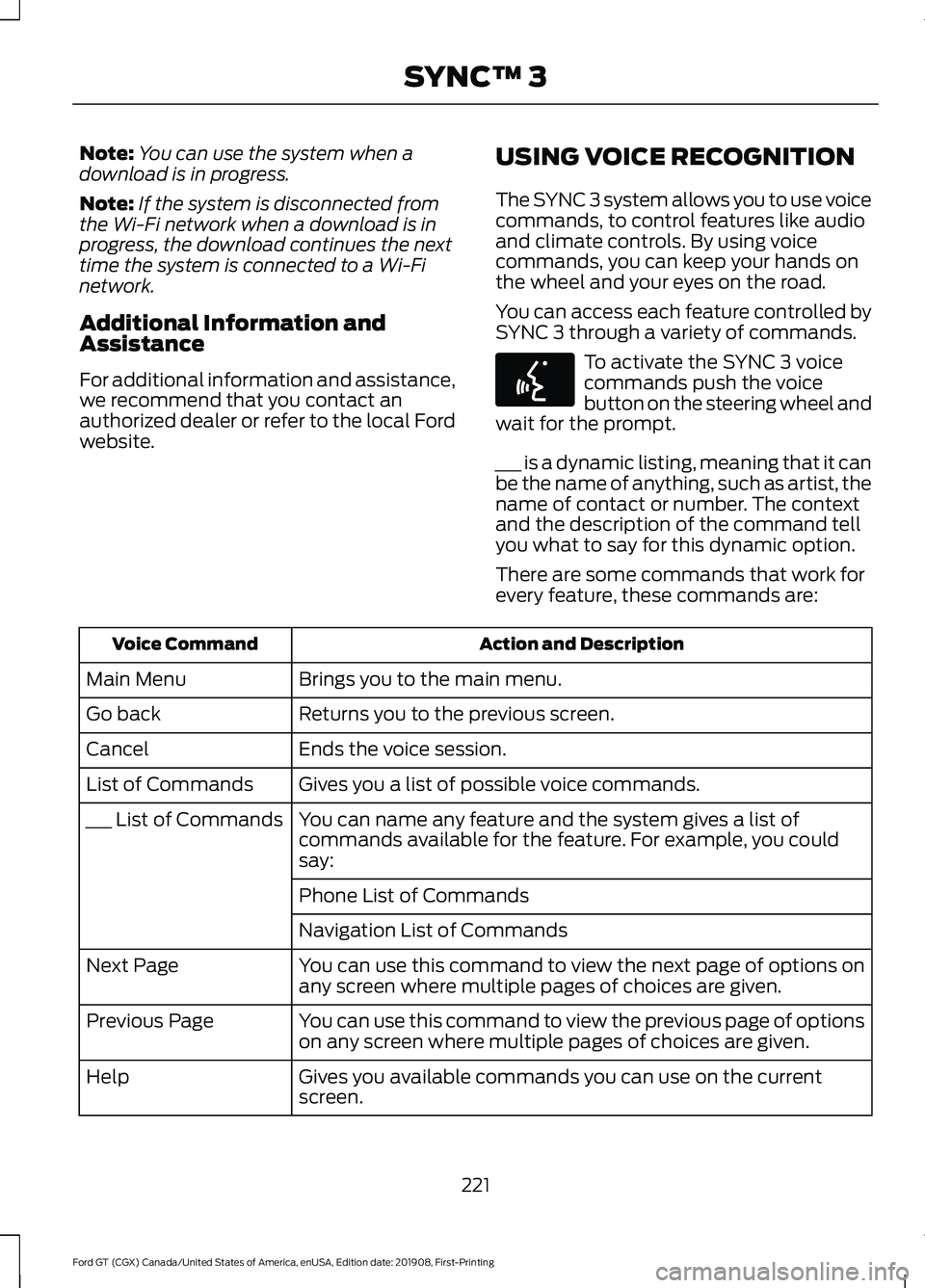
every feature, these commands are: Action and Description
Voice Command
Brings you to the main menu.
Main Menu
Returns you to the previous screen.
Go back
Ends the voice session.
Cancel
Gives you a list of possible voice commands.
List of Commands
You can name any feature and the system gives a list of
commands available for the feature. For example, you could
say:
___ List of Commands
Phone List of Commands
Navigation List of Commands
You can use this command to view the next page of options on
any screen where multiple pages of choices are given.
Next Page
You can use this command to view the previous page of options
on any screen where multiple pages of choices are given.
Previous Page
Gives you available commands you can use on the current
screen.
Help
221
Ford GT (CGX) Canada/United States of America, enUSA, Edition date: 201908, First-Printing SYNC™ 3E142599
Page 248 of 316
Navigation Map Accuracy and
Updates
HERE is the digital map provider for the
navigation application. If you find map data
errors, you may report them directly to
HERE by going to www.here.com. HERE
evaluates all reported map errors and
responds with the result of their
investigation by e-mail.
The navigation system map data may
contain inaccurate or incomplete
information due to the passage of time,
changing circumstances, sources used and
the nature of collecting comprehensive
geographic data, any of which may lead to
incorrect results. Inaccurate speed limit
information, turn restrictions and other
road attributes may affect the determined
route and associated guidance
Annual navigation map updates are
available for purchase through your
dealership. Depending on your purchase
agreement, you might be eligible for free
Map update. You can choose to download
the Map data update onto a USB, order a
USB, or use Wi-Fi to deliver automatic
updates. To update your Map data over
Wi-Fi, your vehicle must be connected to
a Wi-Fi access point. Map Data files are
large, so it is highly recommended to
perform the update when free Wi-Fi is
available otherwise high data rates may
apply. For USB updates, free map update
eligibility, and other details, contact
dealers at 1-866-462-8837 in the United
States and Canada or 01-800-557-5539
in Mexico or visit our local website for more
information.
APPS
The system allows you interact with select
mobile apps while keeping your eyes on
the road. Voice commands, your steering
wheel buttons, or a quick tap on your
touchscreen give you advanced control of
compatible mobile apps. You can also
stream your favorite music or podcasts,
share your time of arrival with friends, and
keep connected safely.
When you start an app through the system
for the first time, you could be asked to
grant certain permissions. You can review
and change the permissions that you have
granted at any time when your vehicle is
not moving. We recommend that you
check your data plan before using your
apps through the system. Using them
could result in additional charges. We also
recommend that you check the app
provider's terms and conditions and
privacy policy before using their app. Make
sure that you have an active account for
apps that you want to use through the
system. Some apps will work with no
setup. Others require you to configure
some personal settings before you can use
them.
Note:
For more information about available
apps, visit catalog.ford.com.
Using Apps on an iOS Device Select the apps option on the
feature bar.
1. If your device is connected via USB, switch Apple CarPlay off. See Phone
(page 238).
2. Connect your device to a USB port or pair and connect using Bluetooth.
3. If prompted to enable CarPlay, select Disable
.
4. Start the apps on your device that you want to use through SYNC.
245
Ford GT (CGX) Canada/United States of America, enUSA, Edition date: 201908, First-Printing SYNC™ 3
Page 252 of 316
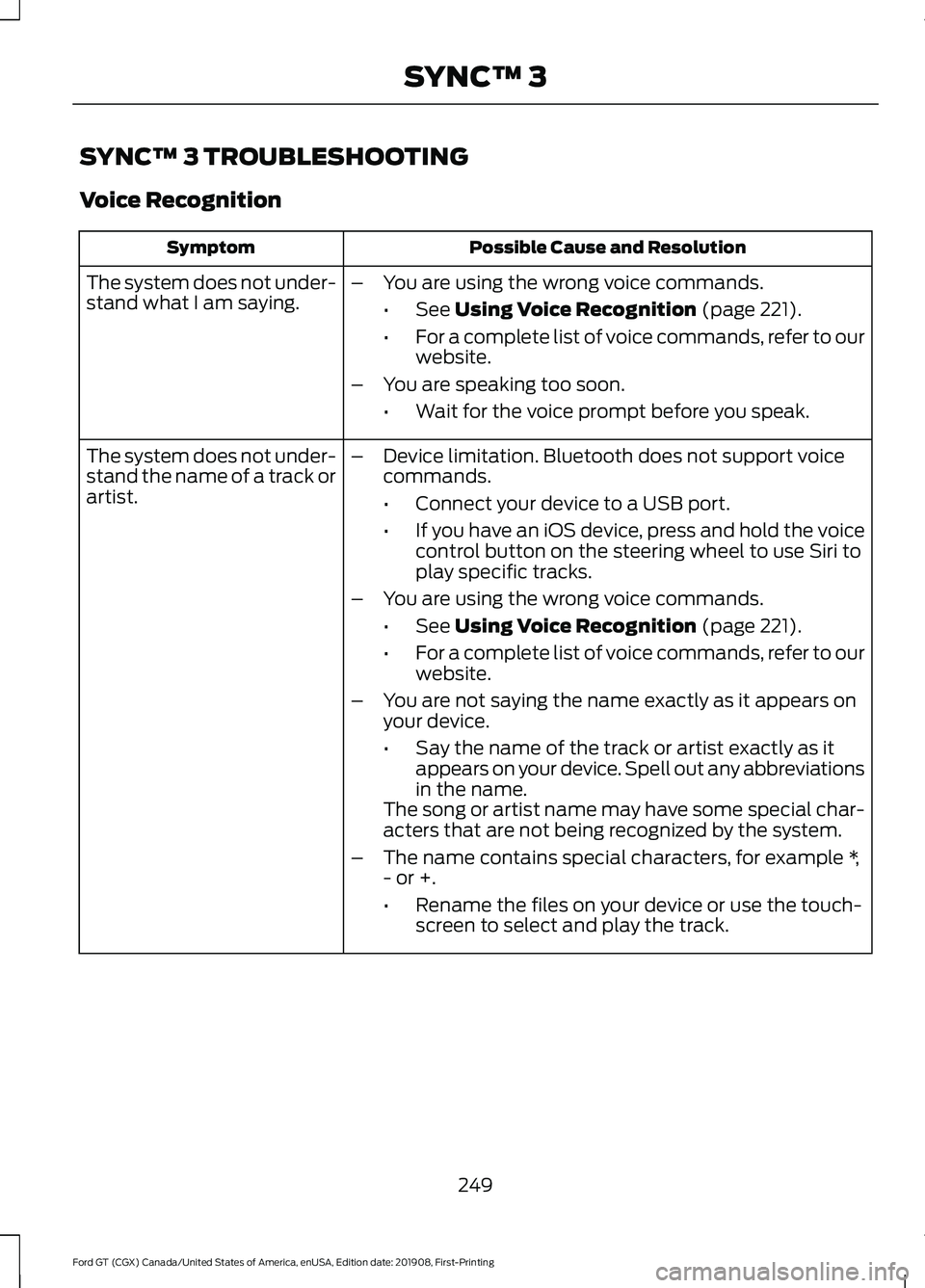
SYNC™ 3 TROUBLESHOOTING
Voice Recognition
Possible Cause and Resolution
Symptom
The system does not under-
stand what I am saying. –
You are using the wrong voice commands.
•See Using Voice Recognition (page 221).
• For a complete list of voice commands, refer to our
website.
– You are speaking too soon.
•Wait for the voice prompt before you speak.
The system does not under-
stand the name of a track or
artist. –
Device limitation. Bluetooth does not support voice
commands.
•Connect your device to a USB port.
• If you have an iOS device, press and hold the voice
control button on the steering wheel to use Siri to
play specific tracks.
– You are using the wrong voice commands.
•See
Using Voice Recognition (page 221).
• For a complete list of voice commands, refer to our
website.
– You are not saying the name exactly as it appears on
your device.
•Say the name of the track or artist exactly as it
appears on your device. Spell out any abbreviations
in the name.
The song or artist name may have some special char-
acters that are not being recognized by the system.
– The name contains special characters, for example *,
- or +.
•Rename the files on your device or use the touch-
screen to select and play the track.
249
Ford GT (CGX) Canada/United States of America, enUSA, Edition date: 201908, First-Printing SYNC™ 3
Page 254 of 316
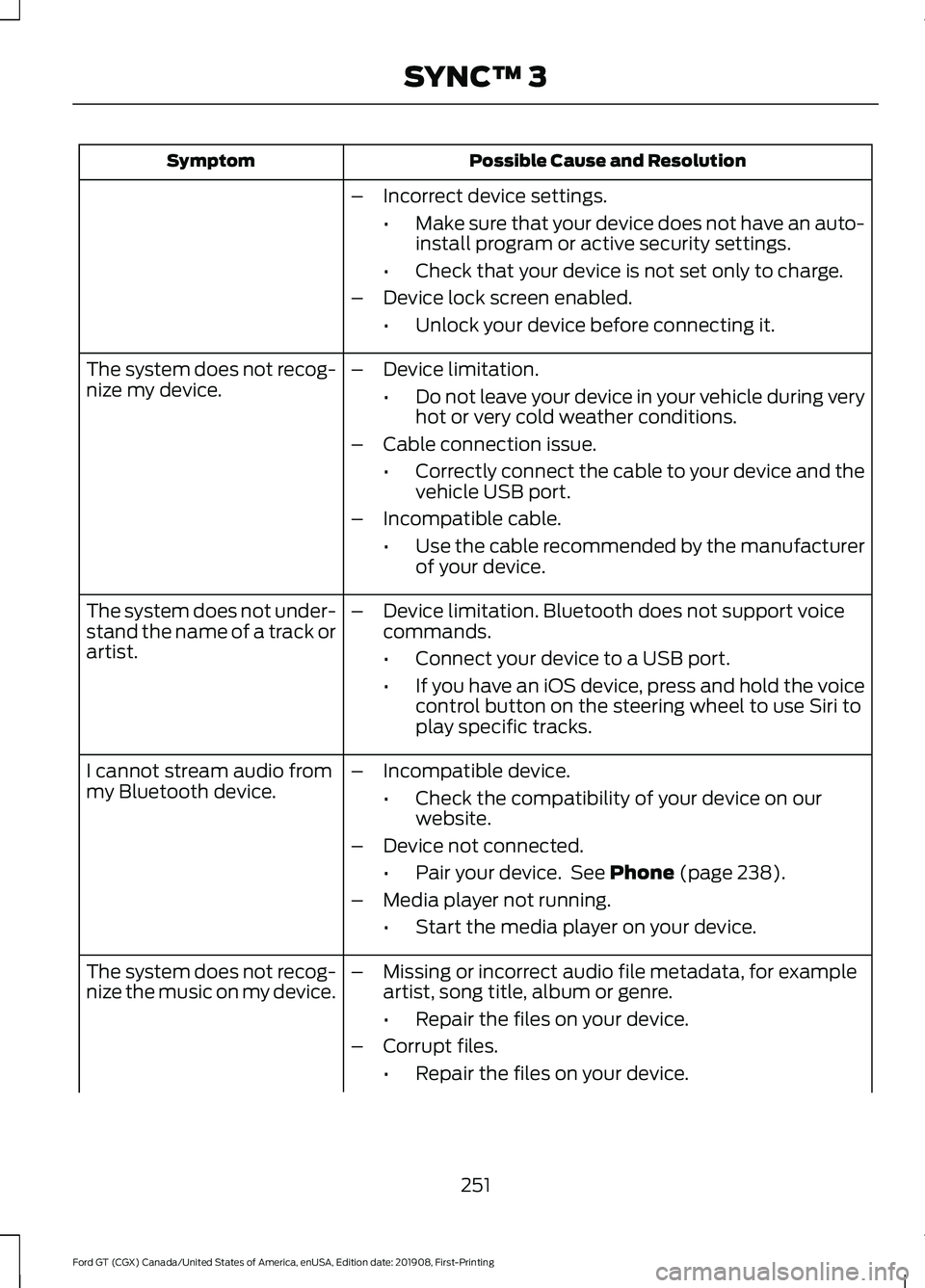
Possible Cause and Resolution
Symptom
–Incorrect device settings.
•Make sure that your device does not have an auto-
install program or active security settings.
• Check that your device is not set only to charge.
– Device lock screen enabled.
•Unlock your device before connecting it.
The system does not recog-
nize my device. –
Device limitation.
•Do not leave your device in your vehicle during very
hot or very cold weather conditions.
– Cable connection issue.
•Correctly connect the cable to your device and the
vehicle USB port.
– Incompatible cable.
•Use the cable recommended by the manufacturer
of your device.
The system does not under-
stand the name of a track or
artist. –
Device limitation. Bluetooth does not support voice
commands.
•Connect your device to a USB port.
• If you have an iOS device, press and hold the voice
control button on the steering wheel to use Siri to
play specific tracks.
I cannot stream audio from
my Bluetooth device. –
Incompatible device.
•Check the compatibility of your device on our
website.
– Device not connected.
•Pair your device. See Phone (page 238).
– Media player not running.
•Start the media player on your device.
The system does not recog-
nize the music on my device. –
Missing or incorrect audio file metadata, for example
artist, song title, album or genre.
•Repair the files on your device.
– Corrupt files.
•Repair the files on your device.
251
Ford GT (CGX) Canada/United States of America, enUSA, Edition date: 201908, First-Printing SYNC™ 3
Page 308 of 316
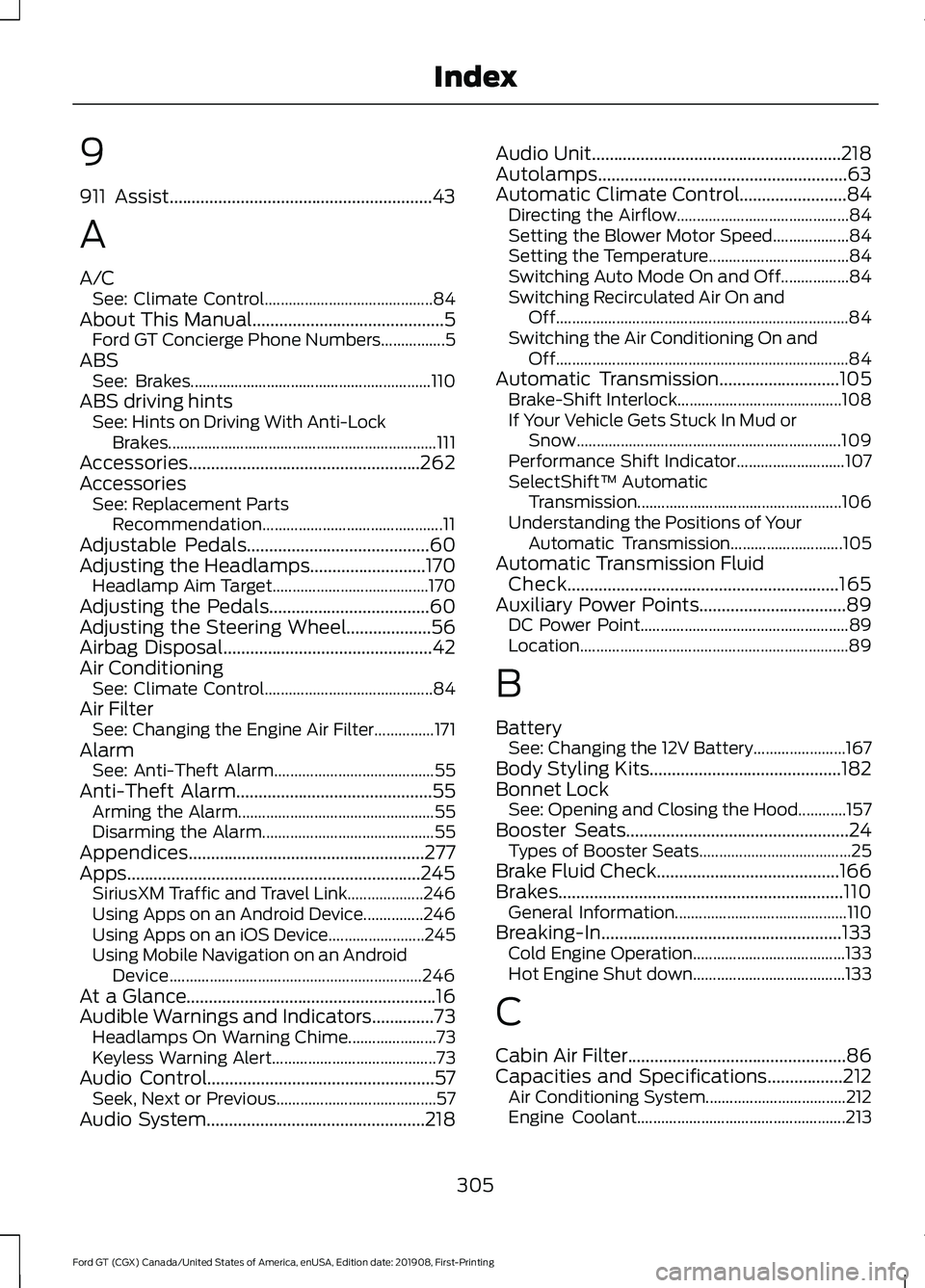
9
911 Assist...........................................................43
A
A/C
See: Climate Control.......................................... 84
About This Manual...........................................5 Ford GT Concierge Phone Numbers................5
ABS See: Brakes............................................................ 110
ABS driving hints See: Hints on Driving With Anti-Lock
Brakes................................................................... 111
Accessories....................................................262
Accessories See: Replacement Parts
Recommendation............................................. 11
Adjustable Pedals.........................................60
Adjusting the Headlamps..........................170 Headlamp Aim Target....................................... 170
Adjusting the Pedals....................................60
Adjusting the Steering Wheel...................56
Airbag Disposal...............................................42
Air Conditioning See: Climate Control.......................................... 84
Air Filter See: Changing the Engine Air Filter...............171
Alarm See: Anti-Theft Alarm........................................ 55
Anti-Theft Alarm
............................................55
Arming the Alarm................................................. 55
Disarming the Alarm........................................... 55
Appendices.....................................................277
Apps..................................................................245 SiriusXM Traffic and Travel Link................... 246
Using Apps on an Android Device...............246
Using Apps on an iOS Device........................ 245
Using Mobile Navigation on an Android Device............................................................... 246
At a Glance........................................................16
Audible Warnings and Indicators..............73 Headlamps On Warning Chime...................... 73
Keyless Warning Alert......................................... 73
Audio Control
...................................................57
Seek, Next or Previous........................................ 57
Audio System.................................................218 Audio Unit
........................................................218
Autolamps........................................................63
Automatic Climate Control
........................84
Directing the Airflow........................................... 84
Setting the Blower Motor Speed................... 84
Setting the Temperature................................... 84
Switching Auto Mode On and Off.................84
Switching Recirculated Air On and Off........................................................................\
. 84
Switching the Air Conditioning On and Off........................................................................\
. 84
Automatic Transmission...........................105 Brake-Shift Interlock......................................... 108
If Your Vehicle Gets Stuck In Mud or Snow.................................................................. 109
Performance Shift Indicator........................... 107
SelectShift™ Automatic Transmission................................................... 106
Understanding the Positions of Your Automatic Transmission............................ 105
Automatic Transmission Fluid Check.............................................................165
Auxiliary Power Points
.................................89
DC Power Point.................................................... 89
Location................................................................... 89
B
Battery See: Changing the 12V Battery....................... 167
Body Styling Kits
...........................................182
Bonnet Lock See: Opening and Closing the Hood............157
Booster Seats..................................................24 Types of Booster Seats...................................... 25
Brake Fluid Check.........................................166
Brakes................................................................110 General Information........................................... 110
Breaking-In......................................................133 Cold Engine Operation...................................... 133
Hot Engine Shut down...................................... 133
C
Cabin Air Filter.................................................86
Capacities and Specifications.................212 Air Conditioning System................................... 212
Engine Coolant.................................................... 213
305
Ford GT (CGX) Canada/United States of America, enUSA, Edition date: 201908, First-Printing Index
Page 309 of 316
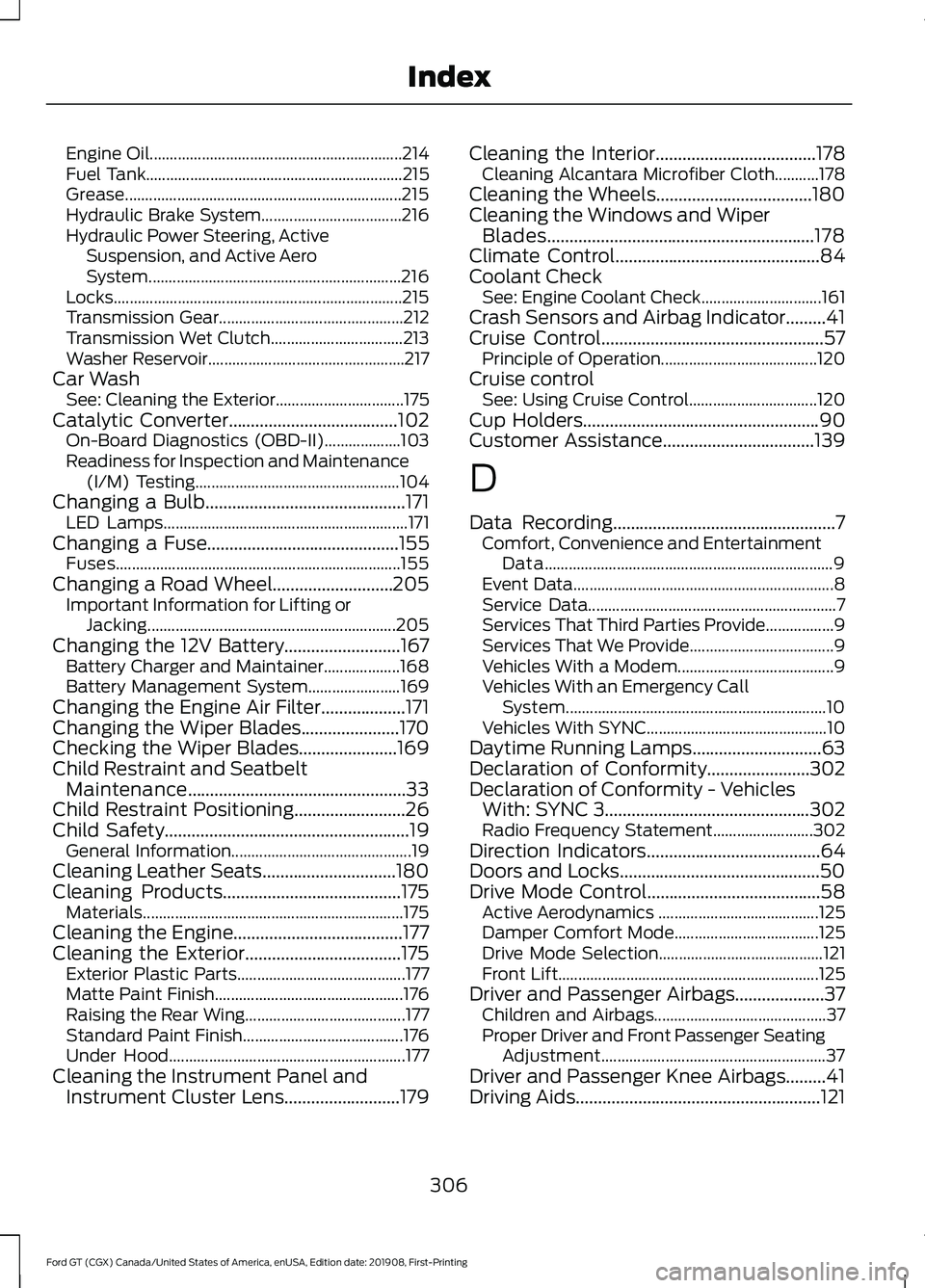
Engine Oil...............................................................
214
Fuel Tank................................................................ 215
Grease..................................................................... 215
Hydraulic Brake System................................... 216
Hydraulic Power Steering, Active Suspension, and Active Aero
System............................................................... 216
Locks........................................................................\
215
Transmission Gear.............................................. 212
Transmission Wet Clutch................................. 213
Washer Reservoir................................................. 217
Car Wash See: Cleaning the Exterior................................ 175
Catalytic Converter......................................102 On-Board Diagnostics (OBD-II)................... 103
Readiness for Inspection and Maintenance (I/M) Testing................................................... 104
Changing a Bulb.............................................171 LED Lamps............................................................. 171
Changing a Fuse...........................................155
Fuses....................................................................... 155
Changing a Road Wheel...........................205 Important Information for Lifting or
Jacking.............................................................. 205
Changing the 12V Battery..........................167 Battery Charger and Maintainer................... 168
Battery Management System....................... 169
Changing the Engine Air Filter...................171
Changing the Wiper Blades......................170
Checking the Wiper Blades......................169
Child Restraint and Seatbelt Maintenance.................................................33
Child Restraint Positioning
.........................26
Child Safety.......................................................19
General Information............................................. 19
Cleaning Leather Seats..............................180
Cleaning Products........................................175 Materials................................................................. 175
Cleaning the Engine......................................177
Cleaning the Exterior...................................175 Exterior Plastic Parts.......................................... 177
Matte Paint Finish............................................... 176
Raising the Rear Wing........................................ 177
Standard Paint Finish........................................ 176
Under Hood........................................................... 177
Cleaning the Instrument Panel and Instrument Cluster Lens..........................179 Cleaning the Interior....................................178
Cleaning Alcantara Microfiber Cloth...........178
Cleaning the Wheels...................................180
Cleaning the Windows and Wiper Blades............................................................178
Climate Control
..............................................84
Coolant Check See: Engine Coolant Check.............................. 161
Crash Sensors and Airbag Indicator
.........41
Cruise Control..................................................57
Principle of Operation....................................... 120
Cruise control See: Using Cruise Control................................ 120
Cup Holders
.....................................................90
Customer Assistance..................................139
D
Data Recording
..................................................7
Comfort, Convenience and Entertainment
Data........................................................................\
9
Event Data................................................................. 8
Service Data.............................................................. 7
Services That Third Parties Provide.................9
Services That We Provide.................................... 9
Vehicles With a Modem....................................... 9
Vehicles With an Emergency Call System................................................................. 10
Vehicles With SYNC............................................. 10
Daytime Running Lamps.............................63
Declaration of Conformity
.......................302
Declaration of Conformity - Vehicles With: SYNC 3
..............................................302
Radio Frequency Statement......................... 302
Direction Indicators
.......................................64
Doors and Locks.............................................50
Drive Mode Control.......................................58 Active Aerodynamics ........................................ 125
Damper Comfort Mode.................................... 125
Drive Mode Selection......................................... 121
Front Lift................................................................. 125
Driver and Passenger Airbags....................37 Children and Airbags........................................... 37
Proper Driver and Front Passenger Seating Adjustment........................................................ 37
Driver and Passenger Knee Airbags
.........41
Driving Aids.......................................................121
306
Ford GT (CGX) Canada/United States of America, enUSA, Edition date: 201908, First-Printing Index
Page 312 of 316
K
Keyless Starting...............................................91
Ignition Modes........................................................ 91
Keys and Remote Controls.........................45
L
Launch Control..............................................174
Lighting Control
..............................................58
High Beams............................................................ 62
Performance Shift Indicator............................ 59
Lighting..............................................................62 General Information............................................ 62
Load Carrying
..................................................127
Load Limit........................................................127
Vehicle Loading - with and without a
Trailer.................................................................. 127
Locking and Unlocking................................50 Activating Intelligent Access .......................... 50
Autolock.................................................................... 51
Battery Saver......................................................... 52
Illuminated Entry.................................................. 52
Illuminated Exit..................................................... 52
Power Door Locks................................................ 50
Remote Control.................................................... 50
Smart Unlocks for Intelligent Access Keys....................................................................... 51
Lug Nuts See: Changing a Road Wheel....................... 205
M
Maintenance...................................................157 General Information........................................... 157
Manual Seats
...................................................87
Map Pockets....................................................90
Message Center See: Information Displays................................. 74
Mirrors See: Windows and Mirrors................................ 65
Mobile Communications Equipment
.......12
Motorcraft Parts..........................................208
N
Navigation......................................................240 Changing the Format of the Map.................241 cityseeker..............................................................
243
Michelin Travel Guide....................................... 244
Navigation Map Accuracy and Updates............................................................ 245
Route Guidance.................................................. 242
Setting a Destination....................................... 240
SiriusXM Traffic and Travel Link................... 244
Zoom....................................................................... 241
Normal Scheduled Maintenance..........264 Normal Maintenance Intervals..................... 264
O
Oil Check See: Engine Oil Check....................................... 160
Opening and Closing the Hood...............157 Closing the Front Hood.................................... 158
Closing the Rear Hatch..................................... 158
Opening the Front Hood................................... 157
Opening the Rear Hatch.................................. 158
Opening the Doors
.........................................52
Opening the Doors from Inside....................... 52
Ordering Additional Owner's Literature.......................................................143
P
Parking Aids
.....................................................118
Passive Anti-Theft System.........................54 SecuriLock.............................................................. 54
PATS See: Passive Anti-Theft System..................... 54
Perchlorate........................................................10
Personal Safety System ™
..........................35
How Does the Personal Safety System
Work?.................................................................. 35
Phone...............................................................238 Android Auto....................................................... 239
Apple CarPlay..................................................... 239
Pairing Your Cell Phone for the First Time................................................................... 238
Text Messaging................................................... 239
Using Your Cell Phone..................................... 238
Post-Crash Alert System............................137
Power Door Locks See: Locking and Unlocking............................. 50
Power Steering Fluid Check.....................166
309
Ford GT (CGX) Canada/United States of America, enUSA, Edition date: 201908, First-Printing Index
Page 314 of 316
Spare Wheel
See: Changing a Road Wheel....................... 205
Special Notices.................................................11
Additional Warranty Information..................... 11
Certified Ford GT Service Dealer..................... 12
New Vehicle Limited Warranty.......................... 11
On Board Diagnostics Data Link Connector............................................................ 12
Special Instructions.............................................. 12
Special Operating Conditions Scheduled Maintenance..............................................266
Engine Air Filter and Cabin Air Filter Replacement..................................................266
Hot Climate Oil Change Intervals................266
Operating at High Speeds and Track Days................................................................... 266
Speed Control See: Cruise Control............................................ 120
Stability Control
.............................................115
Principle of Operation........................................ 115
Starting and Stopping the Engine............91 General Information............................................. 91
Starting the Engine........................................92 Failure to Start....................................................... 93
Fast Restart............................................................ 93
Guarding Against Exhaust Fumes.................94
Important Ventilating Information................94
Stopping the Engine When Your Vehicle is Moving................................................................. 93
Stopping the Engine When Your Vehicle is Stationary.......................................................... 93
Steering.............................................................121
Steering Wheel Lock.....................................92
Steering Wheel
...............................................56
Storage Compartments..............................90
Supplementary Restraints System.........36 Principle of Operation........................................ 36
Symbols Glossary.............................................5
SYNC™ 3
.........................................................219
General Information.......................................... 219
SYNC™ 3 Troubleshooting
......................249
Additional Information and
Assistance........................................................ 261
Apps....................................................................... 256
Navigation............................................................ 255
Personal Profiles................................................ 259
Phone..................................................................... 253
Resetting the System........................................ 261USB and Bluetooth Audio..............................
250
Voice Recognition.............................................. 249
Wi-Fi Connectivity............................................. 258
T
Technical Specifications See: Capacities and Specifications............207
The Better Business Bureau (BBB) Auto Line Program (U.S. Only)
.......................140
Tire Care...........................................................189 Glossary of Tire Terminology.......................... 191
Information About Uniform Tire Quality Grading.............................................................. 189
Information Contained on the Tire Sidewall............................................................. 192
Temperature A B C............................................ 190
Traction AA A B C............................................... 190
Treadwear............................................................. 190
Tire Inflation When Punctured See: Tire Sealant and Inflator Kit.................183
Tire Pressure Monitoring System...........202 Changing Tires With a Tire Pressure
Monitoring System....................................... 203
Understanding Your Tire Pressure Monitoring System ...................................... 203
Tire Repair Kit See: Tire Sealant and Inflator Kit.................183
Tire Sealant and Inflator Kit.....................183 First Stage: Inflating the Tire with Sealing
Compound and Air........................................ 185
General Information.......................................... 184
Second Stage: Checking Tire Pressure............................................................. 187
Tips for Use of the Kit....................................... 184
What to Do After the Tire has Been Sealed................................................................ 187
What to do When a Tire Is Punctured........185
Tires See: Wheels and Tires...................................... 183
Towing a Trailer..............................................132
Towing Points
................................................138
Installing the Recovery Hook......................... 138
Recovery Hook Location.................................. 138
Towing the Vehicle on Four Wheels...........................................................132
Emergency Towing............................................. 132
Towing
...............................................................132
311
Ford GT (CGX) Canada/United States of America, enUSA, Edition date: 201908, First-Printing Index