wheel FORD GT 2021 User Guide
[x] Cancel search | Manufacturer: FORD, Model Year: 2021, Model line: GT, Model: FORD GT 2021Pages: 321, PDF Size: 5.78 MB
Page 59 of 321
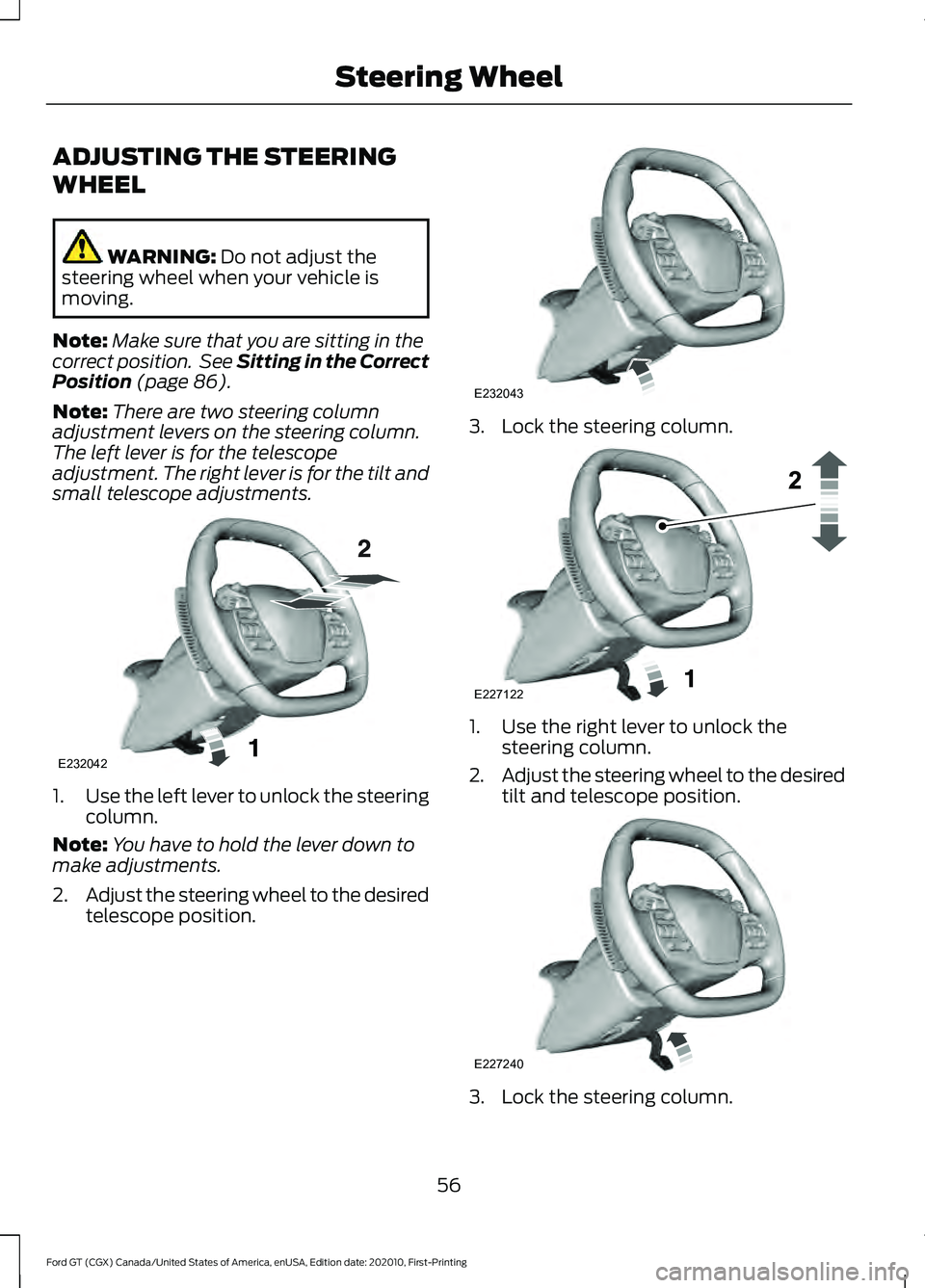
ADJUSTING THE STEERING
WHEEL
WARNING: Do not adjust the
steering wheel when your vehicle is
moving.
Note: Make sure that you are sitting in the
correct position. See Sitting in the Correct
Position
(page 86).
Note: There are two steering column
adjustment levers on the steering column.
The left lever is for the telescope
adjustment. The right lever is for the tilt and
small telescope adjustments. 1.
Use the left lever to unlock the steering
column.
Note: You have to hold the lever down to
make adjustments.
2. Adjust the steering wheel to the desired
telescope position. 3. Lock the steering column.
1. Use the right lever to unlock the
steering column.
2. Adjust the steering wheel to the desired
tilt and telescope position. 3. Lock the steering column.
56
Ford GT (CGX) Canada/United States of America, enUSA, Edition date: 202010, First-Printing Steering WheelE232042 E232043 E227122 E227240
Page 60 of 321
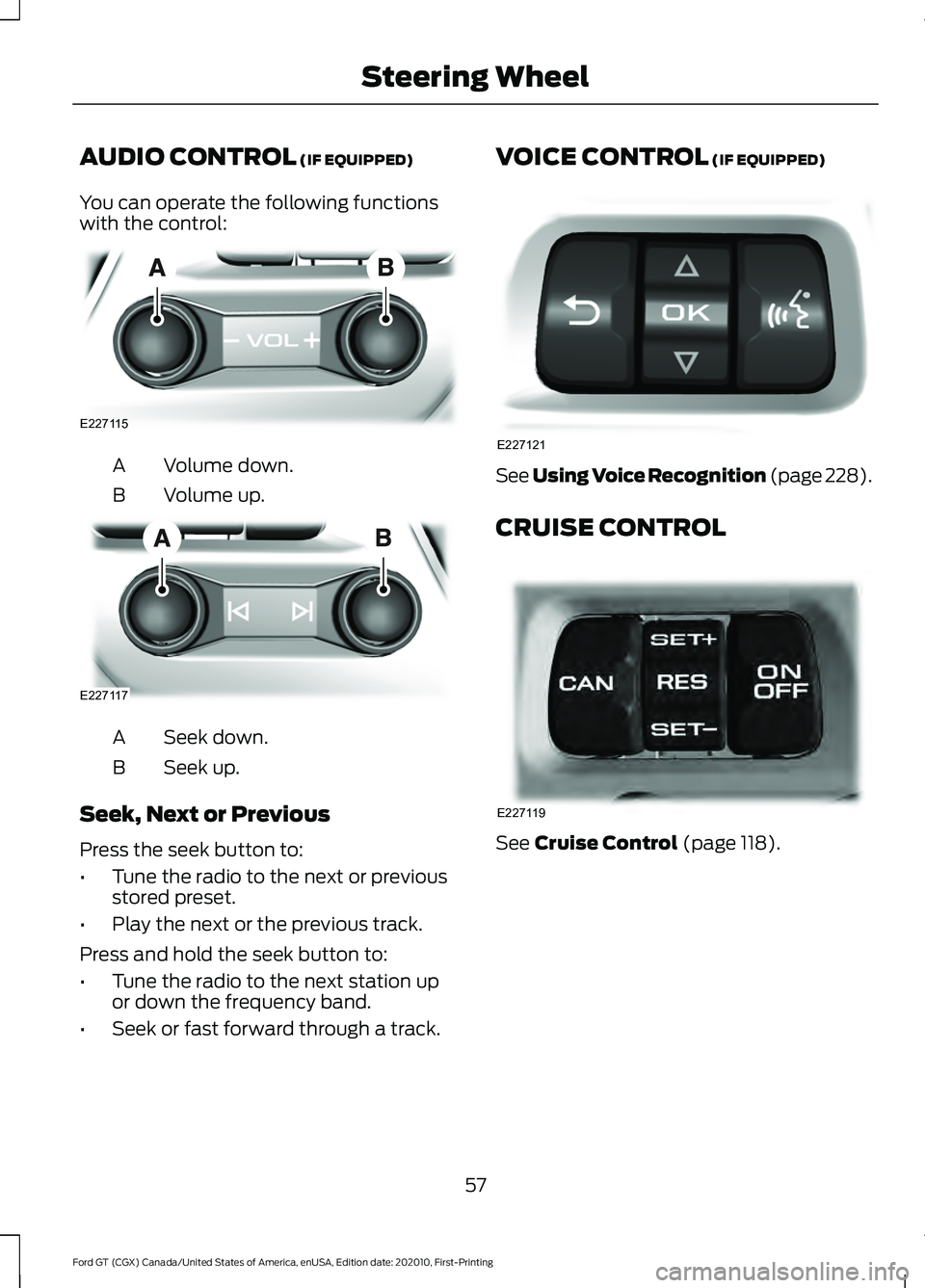
AUDIO CONTROL (IF EQUIPPED)
You can operate the following functions
with the control: Volume down.
A
Volume up.
B Seek down.
A
Seek up.
B
Seek, Next or Previous
Press the seek button to:
• Tune the radio to the next or previous
stored preset.
• Play the next or the previous track.
Press and hold the seek button to:
• Tune the radio to the next station up
or down the frequency band.
• Seek or fast forward through a track. VOICE CONTROL (IF EQUIPPED)
See Using Voice Recognition (page 228).
CRUISE CONTROL
See
Cruise Control (page 118).
57
Ford GT (CGX) Canada/United States of America, enUSA, Edition date: 202010, First-Printing Steering WheelE227115 E227117 E227121 E227119
Page 61 of 321
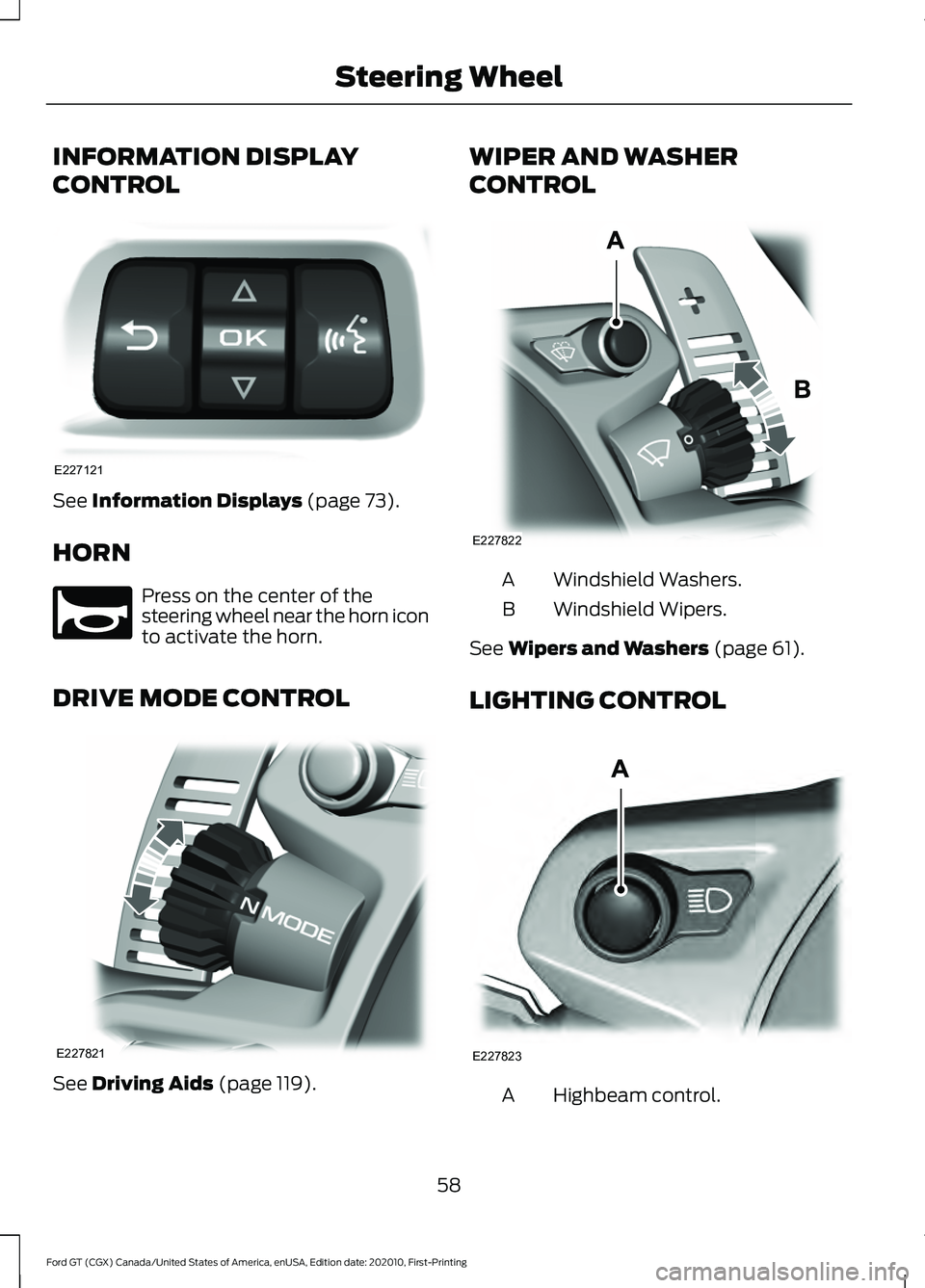
INFORMATION DISPLAY
CONTROL
See Information Displays (page 73).
HORN Press on the center of the
steering wheel near the horn icon
to activate the horn.
DRIVE MODE CONTROL See
Driving Aids (page 119). WIPER AND WASHER
CONTROL
Windshield Washers.
A
Windshield Wipers.
B
See
Wipers and Washers (page 61).
LIGHTING CONTROL Highbeam control.
A
58
Ford GT (CGX) Canada/United States of America, enUSA, Edition date: 202010, First-Printing Steering WheelE227121 E270945 E227821 E227822 E227823
Page 62 of 321
See Lighting (page 62).
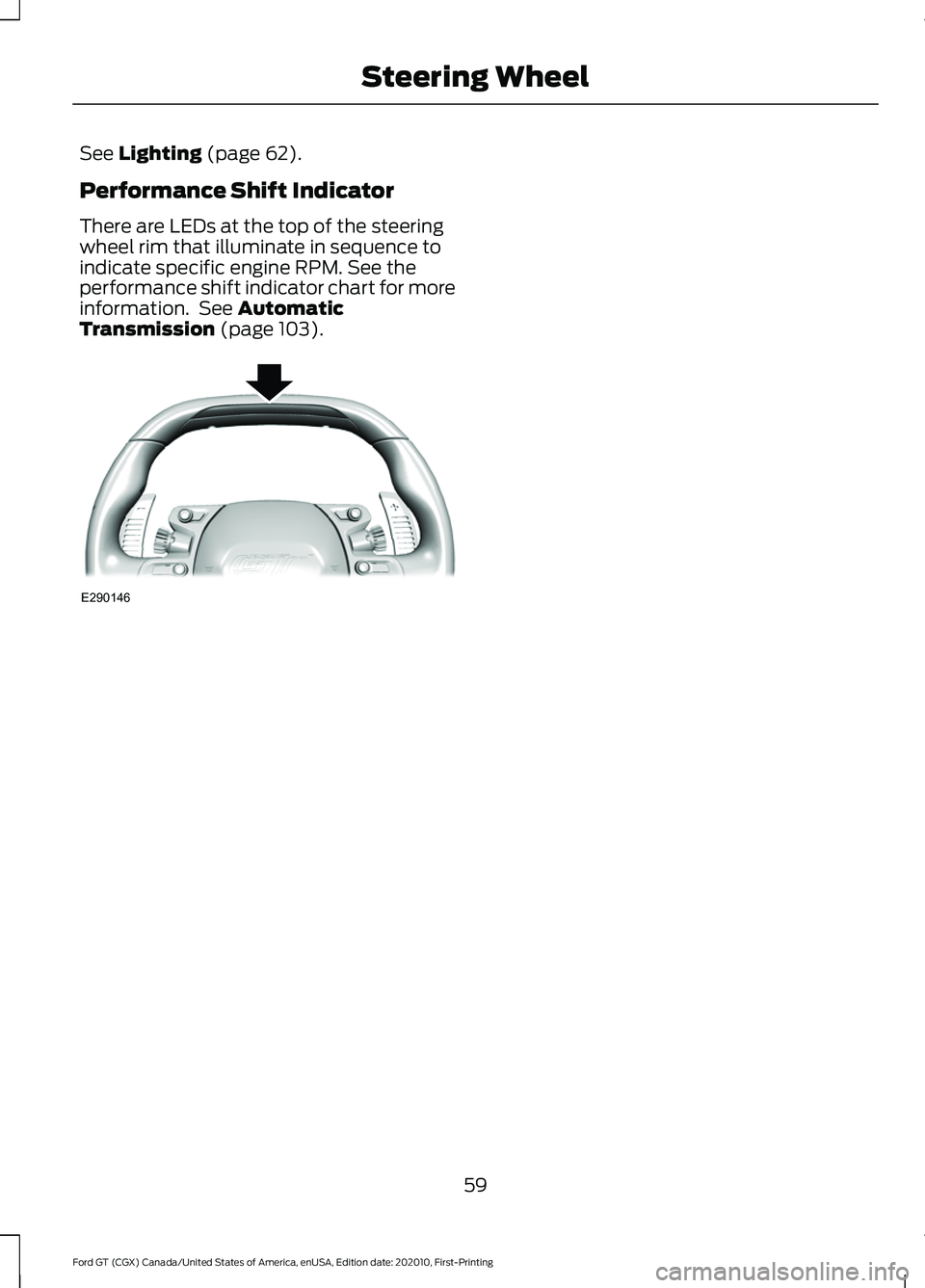
Performance Shift Indicator
There are LEDs at the top of the steering
wheel rim that illuminate in sequence to
indicate specific engine RPM. See the
performance shift indicator chart for more
information. See
Automatic
Transmission (page 103). 59
Ford GT (CGX) Canada/United States of America, enUSA, Edition date: 202010, First-Printing Steering WheelE290146
Page 67 of 321
To switch the system on:
•
For vehicles sold in the United States,
the lighting control must be in the
autolamps position. The lamps turn on
in daylight and turn the headlamps on
when ambient light is low. You can
enable this feature in the information
display. See Information Displays
(page 73).
• For vehicle sold in Canada, the daytime
running lamps system activates the
rear lamps and turns on in both the off
and autolamps position. You cannot
disable this feature.
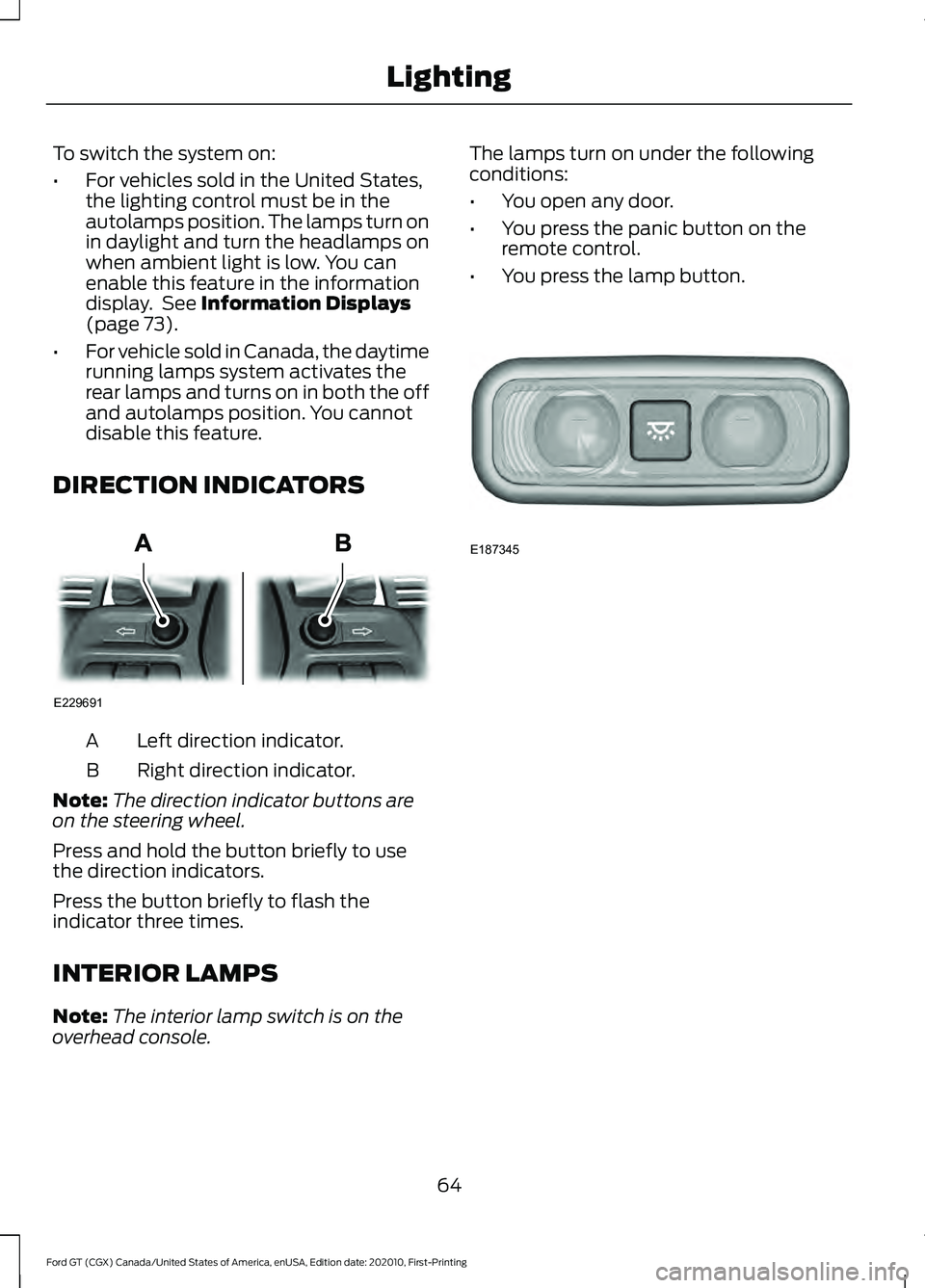
DIRECTION INDICATORS Left direction indicator.
A
Right direction indicator.
B
Note: The direction indicator buttons are
on the steering wheel.
Press and hold the button briefly to use
the direction indicators.
Press the button briefly to flash the
indicator three times.
INTERIOR LAMPS
Note: The interior lamp switch is on the
overhead console. The lamps turn on under the following
conditions:
•
You open any door.
• You press the panic button on the
remote control.
• You press the lamp button. 64
Ford GT (CGX) Canada/United States of America, enUSA, Edition date: 202010, First-Printing LightingE229691 E187345
Page 76 of 321
GENERAL INFORMATION
WARNING: Driving while distracted
can result in loss of vehicle control, crash
and injury. We strongly recommend that
you use extreme caution when using any
device that may take your focus off the
road. Your primary responsibility is the
safe operation of your vehicle. We
recommend against the use of any
hand-held device while driving and
encourage the use of voice-operated
systems when possible. Make sure you
are aware of all applicable local laws
that may affect the use of electronic
devices while driving.
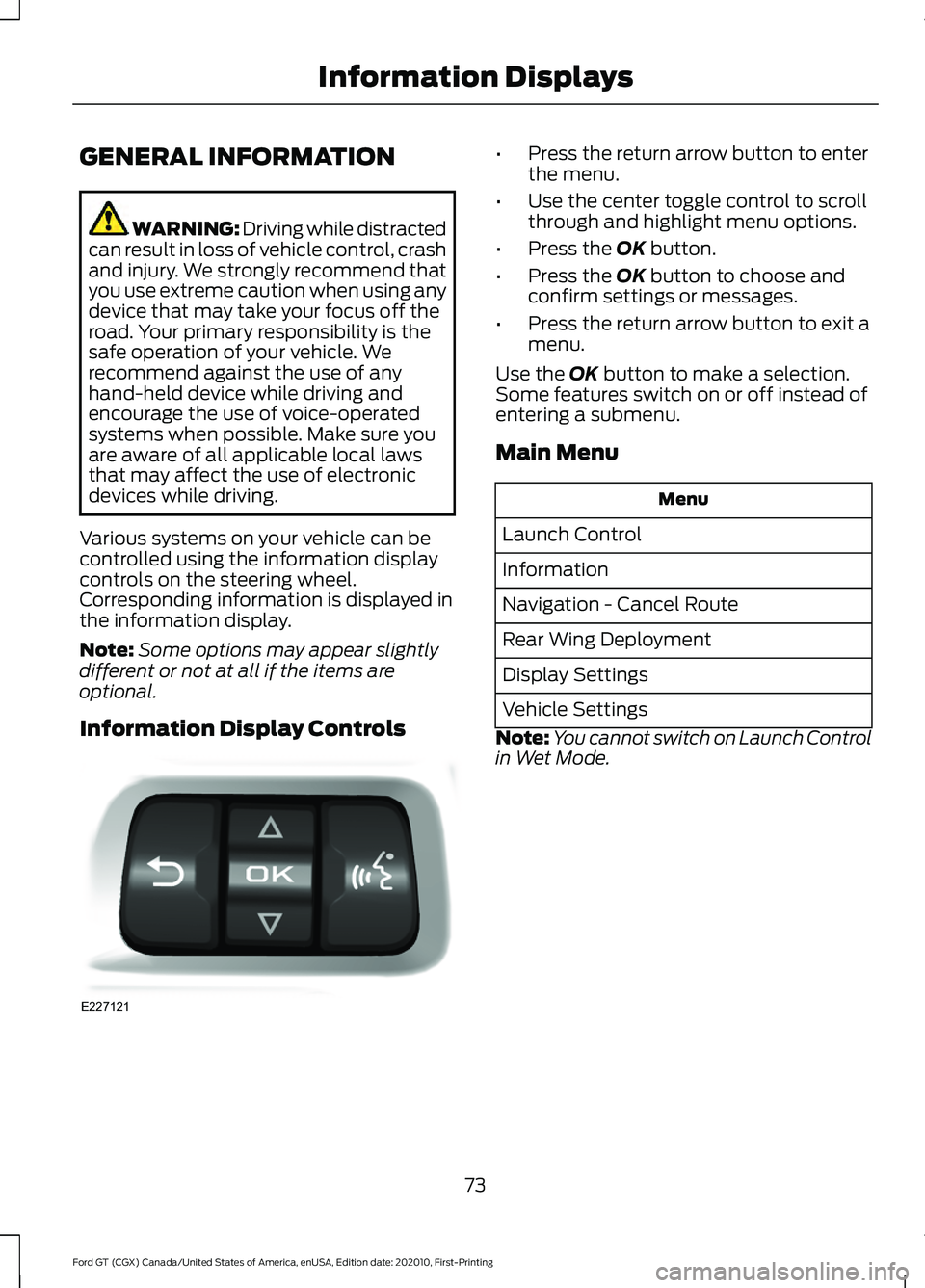
Various systems on your vehicle can be
controlled using the information display
controls on the steering wheel.
Corresponding information is displayed in
the information display.
Note: Some options may appear slightly
different or not at all if the items are
optional.
Information Display Controls •
Press the return arrow button to enter
the menu.
• Use the center toggle control to scroll
through and highlight menu options.
• Press the OK button.
• Press the
OK button to choose and
confirm settings or messages.
• Press the return arrow button to exit a
menu.
Use the
OK button to make a selection.
Some features switch on or off instead of
entering a submenu.
Main Menu Menu
Launch Control
Information
Navigation - Cancel Route
Rear Wing Deployment
Display Settings
Vehicle Settings
Note: You cannot switch on Launch Control
in Wet Mode.
73
Ford GT (CGX) Canada/United States of America, enUSA, Edition date: 202010, First-Printing Information DisplaysE227121
Page 84 of 321
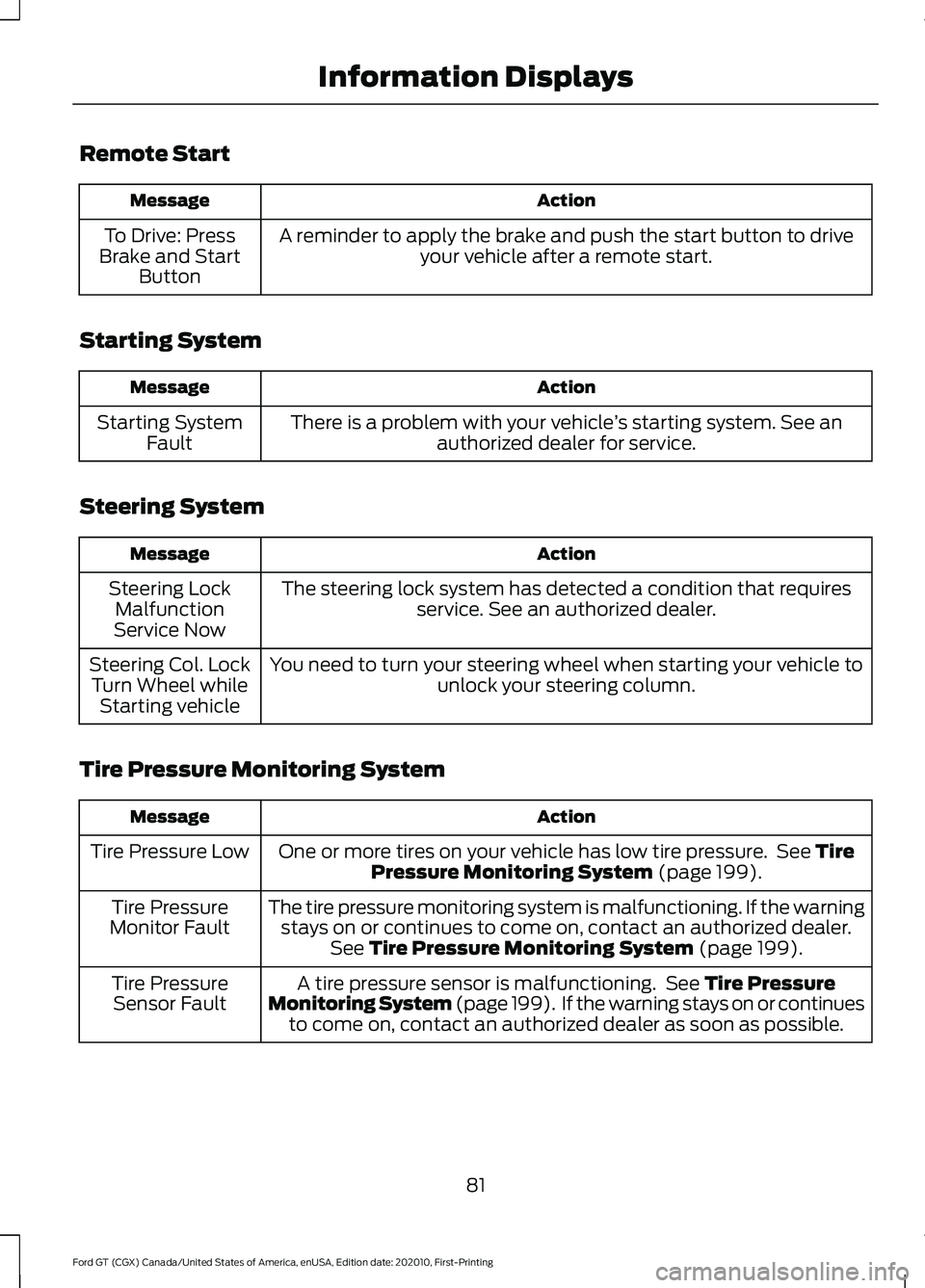
Remote Start
Action
Message
A reminder to apply the brake and push the start button to driveyour vehicle after a remote start.
To Drive: Press
Brake and Start Button
Starting System Action
Message
There is a problem with your vehicle ’s starting system. See an
authorized dealer for service.
Starting System
Fault
Steering System Action
Message
The steering lock system has detected a condition that requiresservice. See an authorized dealer.
Steering Lock
Malfunction
Service Now
You need to turn your steering wheel when starting your vehicle to unlock your steering column.
Steering Col. Lock
Turn Wheel while Starting vehicle
Tire Pressure Monitoring System Action
Message
One or more tires on your vehicle has low tire pressure. See Tire
Pressure Monitoring System (page 199).
Tire Pressure Low
The tire pressure monitoring system is malfunctioning. If the warningstays on or continues to come on, contact an authorized dealer. See
Tire Pressure Monitoring System (page 199).
Tire Pressure
Monitor Fault
A tire pressure sensor is malfunctioning. See
Tire Pressure
Monitoring System (page 199). If the warning stays on or continues to come on, contact an authorized dealer as soon as possible.
Tire Pressure
Sensor Fault
81
Ford GT (CGX) Canada/United States of America, enUSA, Edition date: 202010, First-Printing Information Displays
Page 89 of 321
SITTING IN THE CORRECT
POSITION
WARNING: Sitting improperly, out
of position or with the seatback reclined
too far can take weight off the seat
cushion and affect the decision of the
passenger sensing system, resulting in
serious injury or death in the event of a
crash. Always sit upright against your
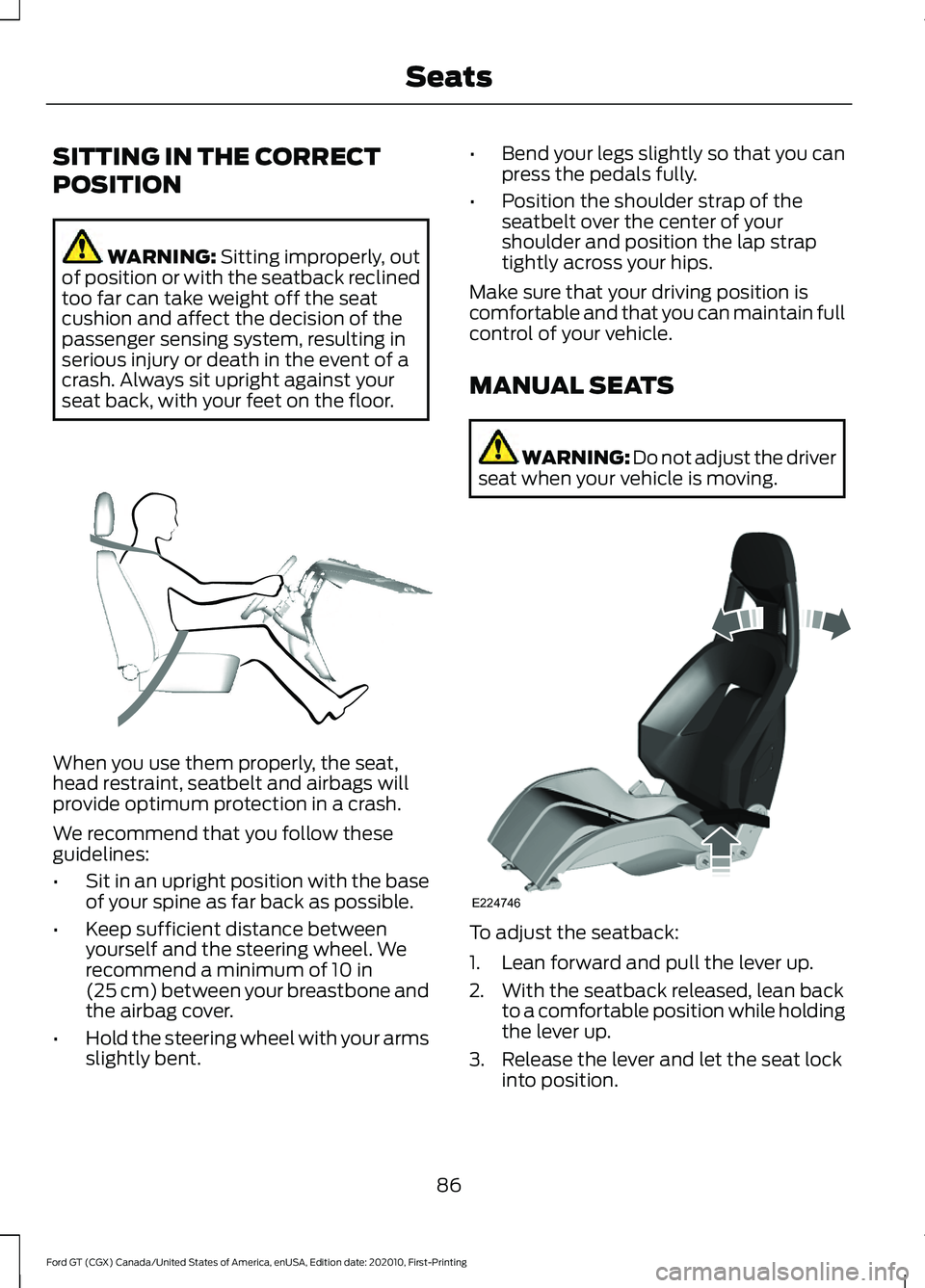
seat back, with your feet on the floor. When you use them properly, the seat,
head restraint, seatbelt and airbags will
provide optimum protection in a crash.
We recommend that you follow these
guidelines:
•
Sit in an upright position with the base
of your spine as far back as possible.
• Keep sufficient distance between
yourself and the steering wheel. We
recommend a minimum of
10 in
(25 cm) between your breastbone and
the airbag cover.
• Hold the steering wheel with your arms
slightly bent. •
Bend your legs slightly so that you can
press the pedals fully.
• Position the shoulder strap of the
seatbelt over the center of your
shoulder and position the lap strap
tightly across your hips.
Make sure that your driving position is
comfortable and that you can maintain full
control of your vehicle.
MANUAL SEATS WARNING: Do not adjust the driver
seat when your vehicle is moving. To adjust the seatback:
1. Lean forward and pull the lever up.
2. With the seatback released, lean back
to a comfortable position while holding
the lever up.
3. Release the lever and let the seat lock into position.
86
Ford GT (CGX) Canada/United States of America, enUSA, Edition date: 202010, First-Printing SeatsE68595 E224746
Page 93 of 321
STEERING WHEEL LOCK
The steering wheel locks automatically
when you leave your vehicle and take the
intelligent access key with you. The
steering wheel unlocks automatically when
you enter your vehicle with the intelligent
access key.
Note:
You may need to turn the steering
wheel left or right if the wheel does not
unlock completely. This may happen in
certain situations, such as parking your
vehicle on a steep grade.
STARTING THE ENGINE
When you start the engine, the idle speed
increases. This helps to warm up the
engine. If the engine idle speed does not
slow down automatically, have your
vehicle checked by an authorized dealer.
Note: You can crank the engine for a total
of 60 seconds, without the engine starting,
before the starting system temporarily
disables. The 60 seconds does not have to
be all at once. For example, you can crank
the engine three times for 20 seconds each,
without the engine starting, to reach the 60
second time limit. If you exceed the
cranking time, you cannot attempt to start
the engine for at least 15 minutes. After 15
minutes, you have a 15 second time limit to
crank the engine. You need to wait 60
minutes before you crank the engine again
for 60 seconds.
Before starting the engine, check the
following:
• Make sure all occupants fasten their
seatbelts.
• Make sure the headlamps and
electrical accessories are off.
• Make sure the parking brake is on.
• Move the transmission selector into
park (P). Note:
Do not touch the accelerator pedal.
Note: You must have your intelligent access
key in the vehicle in order to shift the
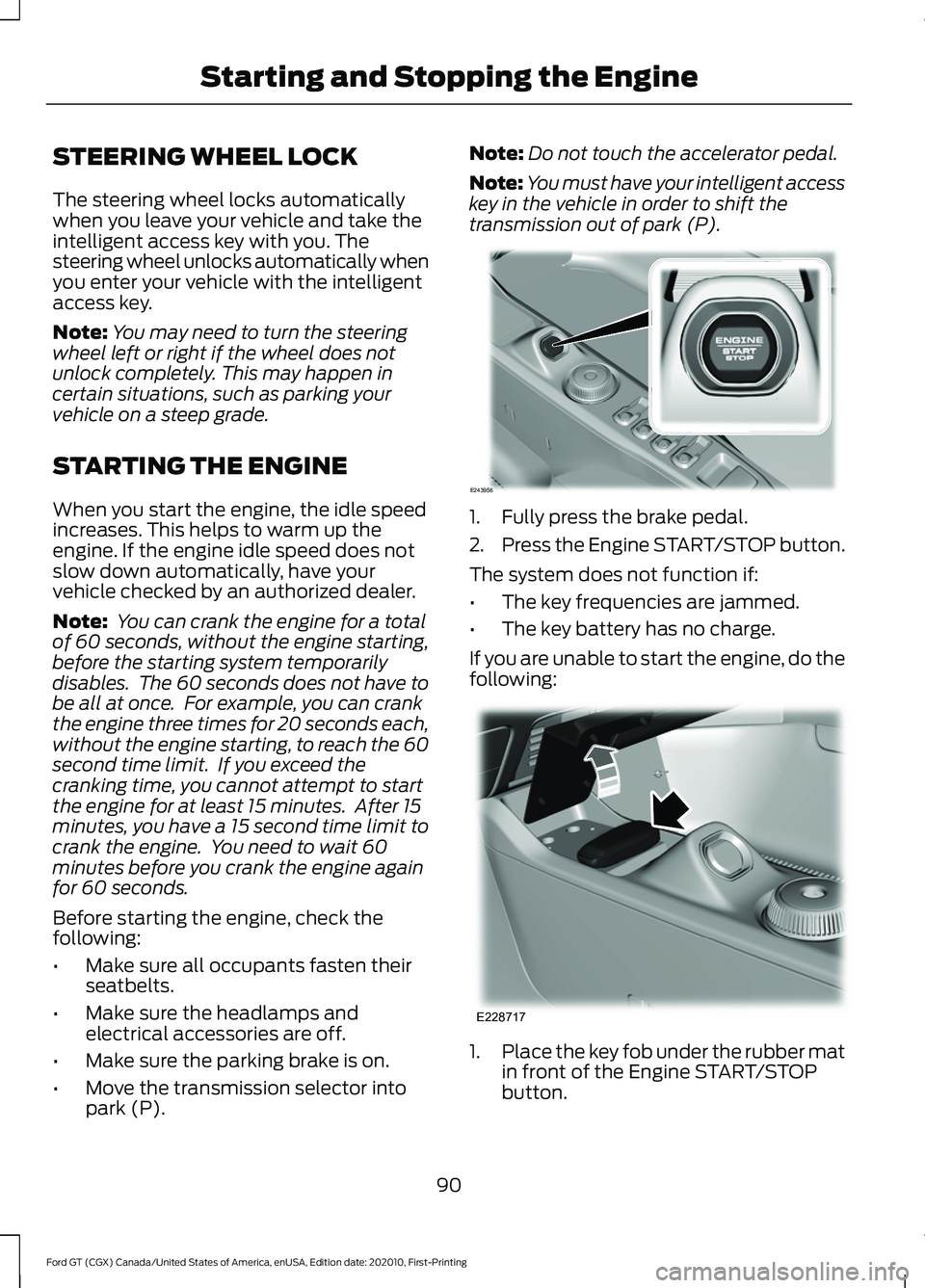
transmission out of park (P). 1. Fully press the brake pedal.
2.
Press the Engine START/STOP button.
The system does not function if:
• The key frequencies are jammed.
• The key battery has no charge.
If you are unable to start the engine, do the
following: 1.
Place the key fob under the rubber mat
in front of the Engine START/STOP
button.
90
Ford GT (CGX) Canada/United States of America, enUSA, Edition date: 202010, First-Printing Starting and Stopping the EngineE243956 E228717
Page 106 of 321
AUTOMATIC TRANSMISSION
WARNING: Always fully apply the
parking brake. Make sure you shift into
park (P) for vehicles with an automatic
transmission. Switch the ignition off and
remove the key whenever you leave your
vehicle. WARNING:
Do not apply the brake
pedal and accelerator pedal
simultaneously. Applying both pedals
simultaneously for more than a few
seconds will limit engine performance,
which may result in difficulty maintaining
speed in traffic and could lead to serious
injury.
Your Ford GT vehicle is equipped with a
7-speed, dual clutch automatic
transmission. In drive (D), the transmission
shifts automatically, or you can shift with
the paddle shifters. In manual mode, you
must shift the transmission with the
paddle shifters.
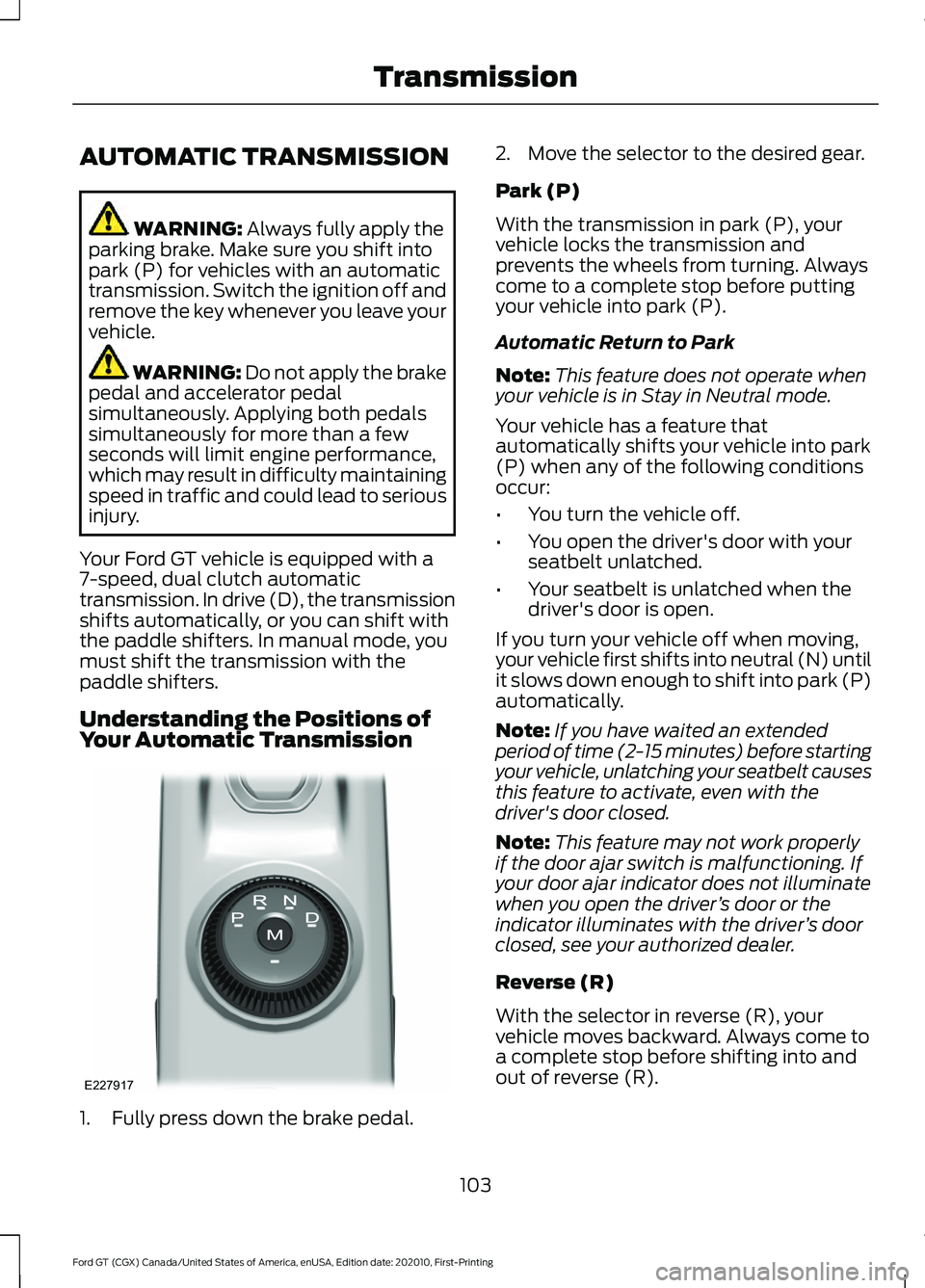
Understanding the Positions of
Your Automatic Transmission 1. Fully press down the brake pedal. 2. Move the selector to the desired gear.
Park (P)
With the transmission in park (P), your
vehicle locks the transmission and
prevents the wheels from turning. Always
come to a complete stop before putting
your vehicle into park (P).
Automatic Return to Park
Note:
This feature does not operate when
your vehicle is in Stay in Neutral mode.
Your vehicle has a feature that
automatically shifts your vehicle into park
(P) when any of the following conditions
occur:
• You turn the vehicle off.
• You open the driver's door with your
seatbelt unlatched.
• Your seatbelt is unlatched when the
driver's door is open.
If you turn your vehicle off when moving,
your vehicle first shifts into neutral (N) until
it slows down enough to shift into park (P)
automatically.
Note: If you have waited an extended
period of time (2-15 minutes) before starting
your vehicle, unlatching your seatbelt causes
this feature to activate, even with the
driver's door closed.
Note: This feature may not work properly
if the door ajar switch is malfunctioning. If
your door ajar indicator does not illuminate
when you open the driver ’s door or the
indicator illuminates with the driver ’s door
closed, see your authorized dealer.
Reverse (R)
With the selector in reverse (R), your
vehicle moves backward. Always come to
a complete stop before shifting into and
out of reverse (R).
103
Ford GT (CGX) Canada/United States of America, enUSA, Edition date: 202010, First-Printing TransmissionE227917