gear FORD MONDEO 2006 2.G User Guide
[x] Cancel search | Manufacturer: FORD, Model Year: 2006, Model line: MONDEO, Model: FORD MONDEO 2006 2.GPages: 198, PDF Size: 4.69 MB
Page 113 of 198
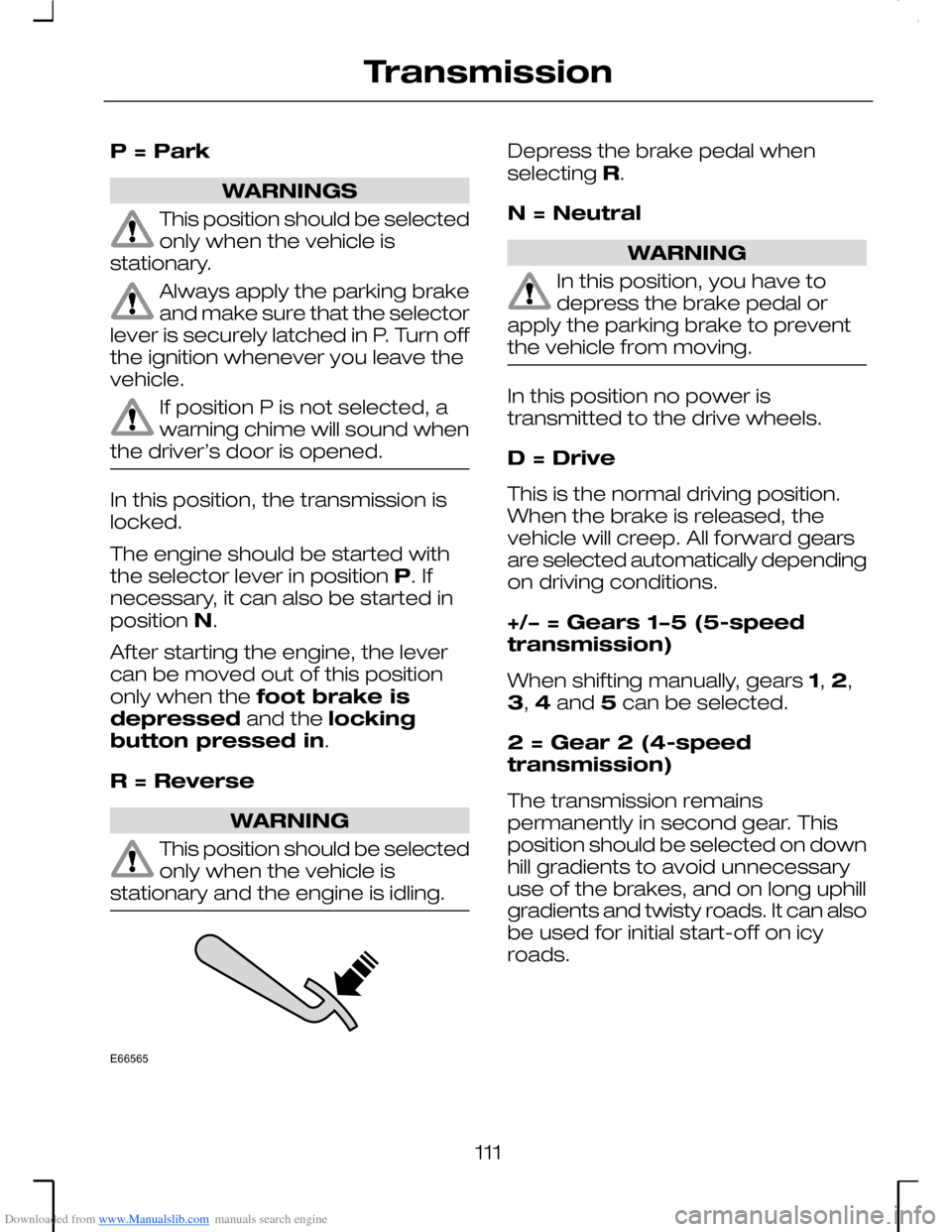
Downloaded from www.Manualslib.com manuals search engine P = Park
WARNINGS
This position should be selectedonly when the vehicle isstationary.
Always apply the parking brakeand make sure that the selectorlever is securely latched in P. Turn offthe ignition whenever you leave thevehicle.
If position P is not selected, awarning chime will sound whenthe driver’s door is opened.
In this position, the transmission islocked.
The engine should be started withthe selector lever in position P. Ifnecessary, it can also be started inposition N.
After starting the engine, the levercan be moved out of this positiononly when the foot brake isdepressed and the lockingbutton pressed in.
R = Reverse
WARNING
This position should be selectedonly when the vehicle isstationary and the engine is idling.
Depress the brake pedal whenselecting R.
N = Neutral
WARNING
In this position, you have todepress the brake pedal orapply the parking brake to preventthe vehicle from moving.
In this position no power istransmitted to the drive wheels.
D = Drive
This is the normal driving position.When the brake is released, thevehicle will creep. All forward gearsare selected automatically dependingon driving conditions.
+/− = Gears 1−5 (5-speedtransmission)
When shifting manually, gears 1, 2,3, 4 and 5 can be selected.
2 = Gear 2 (4-speedtransmission)
The transmission remainspermanently in second gear. Thisposition should be selected on downhill gradients to avoid unnecessaryuse of the brakes, and on long uphillgradients and twisty roads. It can alsobe used for initial start-off on icyroads.
111
TransmissionE66565
Page 114 of 198
Downloaded from www.Manualslib.com manuals search engine 1 = Gear 1 (4-speedtransmission)
The transmission remains in the firstgear. For extreme downhill gradients.
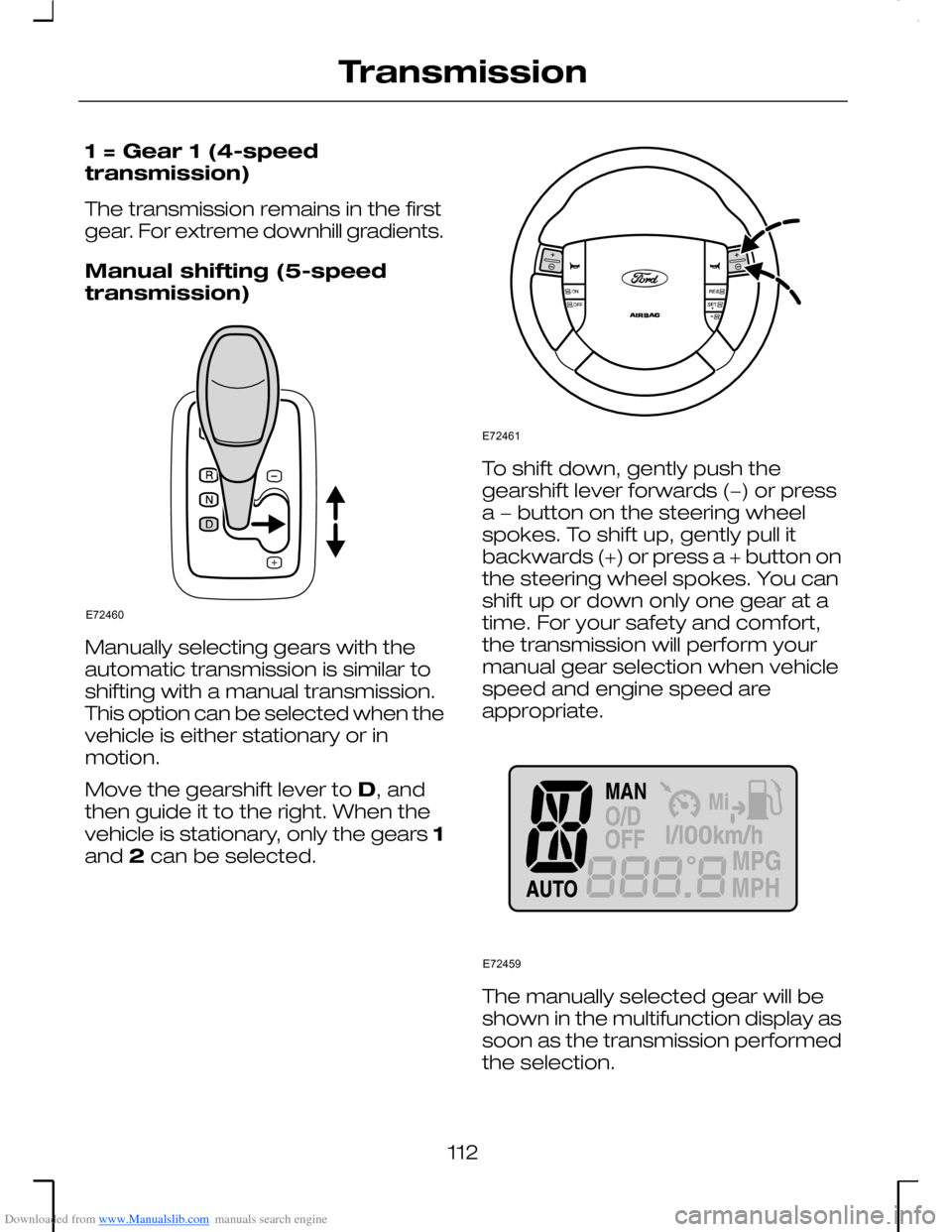
Manual shifting (5-speedtransmission)
Manually selecting gears with theautomatic transmission is similar toshifting with a manual transmission.This option can be selected when thevehicle is either stationary or inmotion.
Move the gearshift lever to D, andthen guide it to the right. When thevehicle is stationary, only the gears 1and 2 can be selected.
To shift down, gently push thegearshift lever forwards (−) or pressa − button on the steering wheelspokes. To shift up, gently pull itbackwards (+) or press a + button onthe steering wheel spokes. You canshift up or down only one gear at atime. For your safety and comfort,the transmission will perform yourmanual gear selection when vehiclespeed and engine speed areappropriate.
The manually selected gear will beshown in the multifunction display assoon as the transmission performedthe selection.
112
TransmissionE72460 E72461 E72459
Page 115 of 198
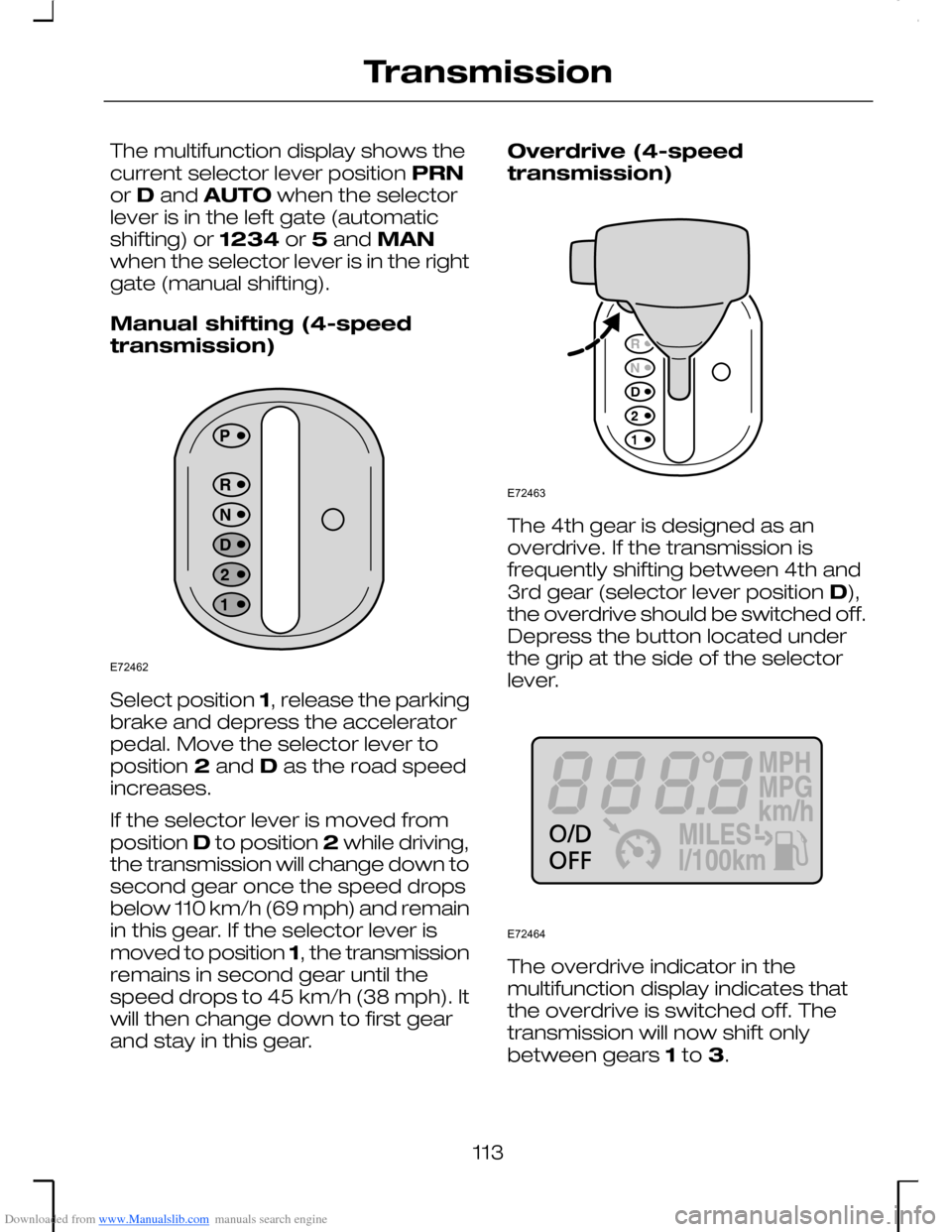
Downloaded from www.Manualslib.com manuals search engine The multifunction display shows thecurrent selector lever position PRNor D and AUTO when the selectorlever is in the left gate (automaticshifting) or 1234 or 5 and MANwhen the selector lever is in the rightgate (manual shifting).
Manual shifting (4-speedtransmission)
Select position 1, release the parkingbrake and depress the acceleratorpedal. Move the selector lever toposition 2 and D as the road speedincreases.
If the selector lever is moved fromposition D to position 2 while driving,the transmission will change down tosecond gear once the speed dropsbelow 110 km/h (69 mph) and remainin this gear. If the selector lever ismoved to position 1, the transmissionremains in second gear until thespeed drops to 45 km/h (38 mph). Itwill then change down to first gearand stay in this gear.
Overdrive (4-speedtransmission)
The 4th gear is designed as anoverdrive. If the transmission isfrequently shifting between 4th and3rd gear (selector lever position D),the overdrive should be switched off.Depress the button located underthe grip at the side of the selectorlever.
The overdrive indicator in themultifunction display indicates thatthe overdrive is switched off. Thetransmission will now shift onlybetween gears 1 to 3.
113
TransmissionE72462 E72463 E72464
Page 116 of 198
Downloaded from www.Manualslib.com manuals search engine Depress the overdrive button againto reactivate. When the engine isswitched on, the overdrive functionis automatically selected.
If the indicator flashes a problem hasbeen detected in the automatictransmission. Have your vehiclechecked by an expert as soon aspossible.
Driving with an automatictransmission
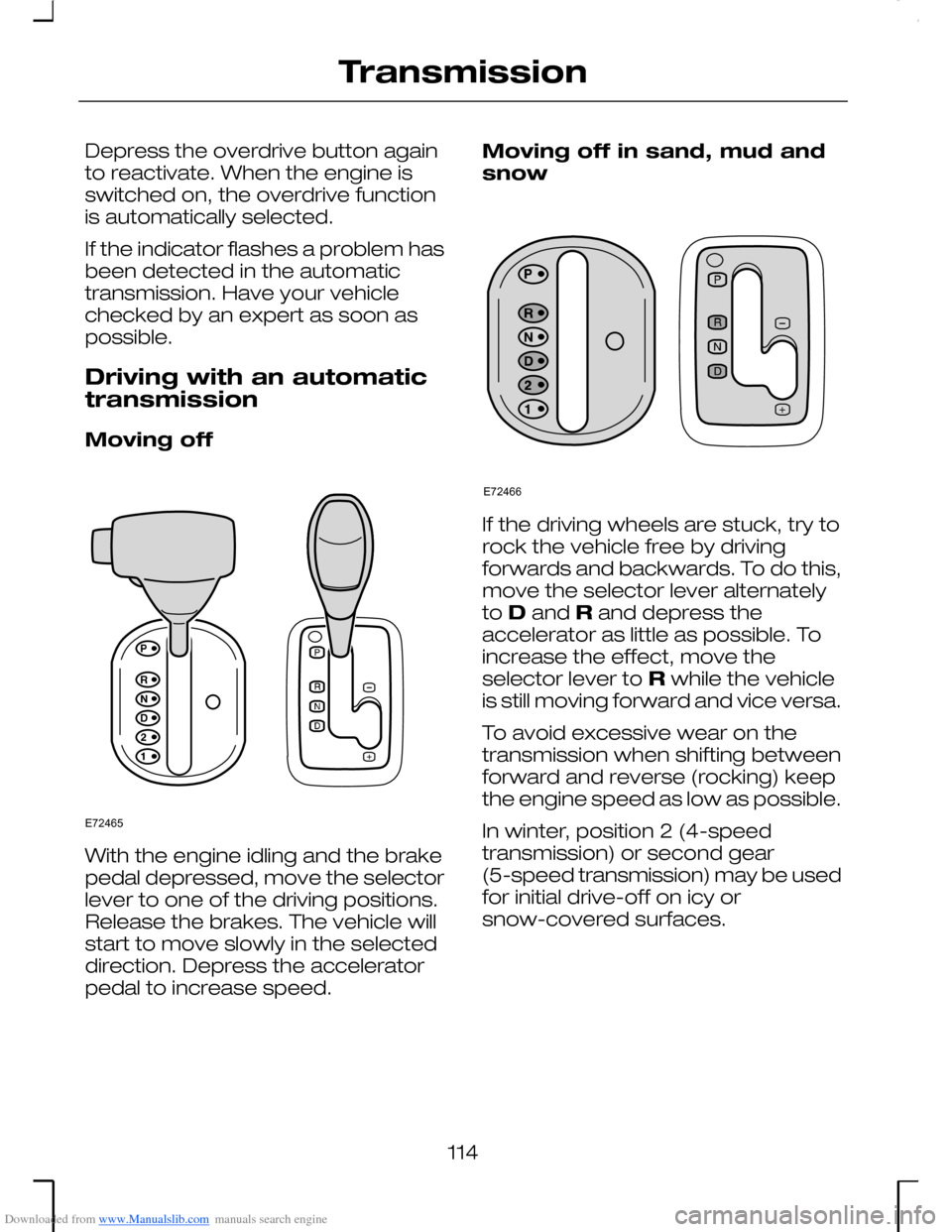
Moving off
With the engine idling and the brakepedal depressed, move the selectorlever to one of the driving positions.Release the brakes. The vehicle willstart to move slowly in the selecteddirection. Depress the acceleratorpedal to increase speed.
Moving off in sand, mud andsnow
If the driving wheels are stuck, try torock the vehicle free by drivingforwards and backwards. To do this,move the selector lever alternatelyto D and R and depress theaccelerator as little as possible. Toincrease the effect, move theselector lever to R while the vehicleis still moving forward and vice versa.
To avoid excessive wear on thetransmission when shifting betweenforward and reverse (rocking) keepthe engine speed as low as possible.
In winter, position 2 (4-speedtransmission) or second gear(5-speed transmission) may be usedfor initial drive-off on icy orsnow-covered surfaces.
114
TransmissionE72465 E72466
Page 117 of 198
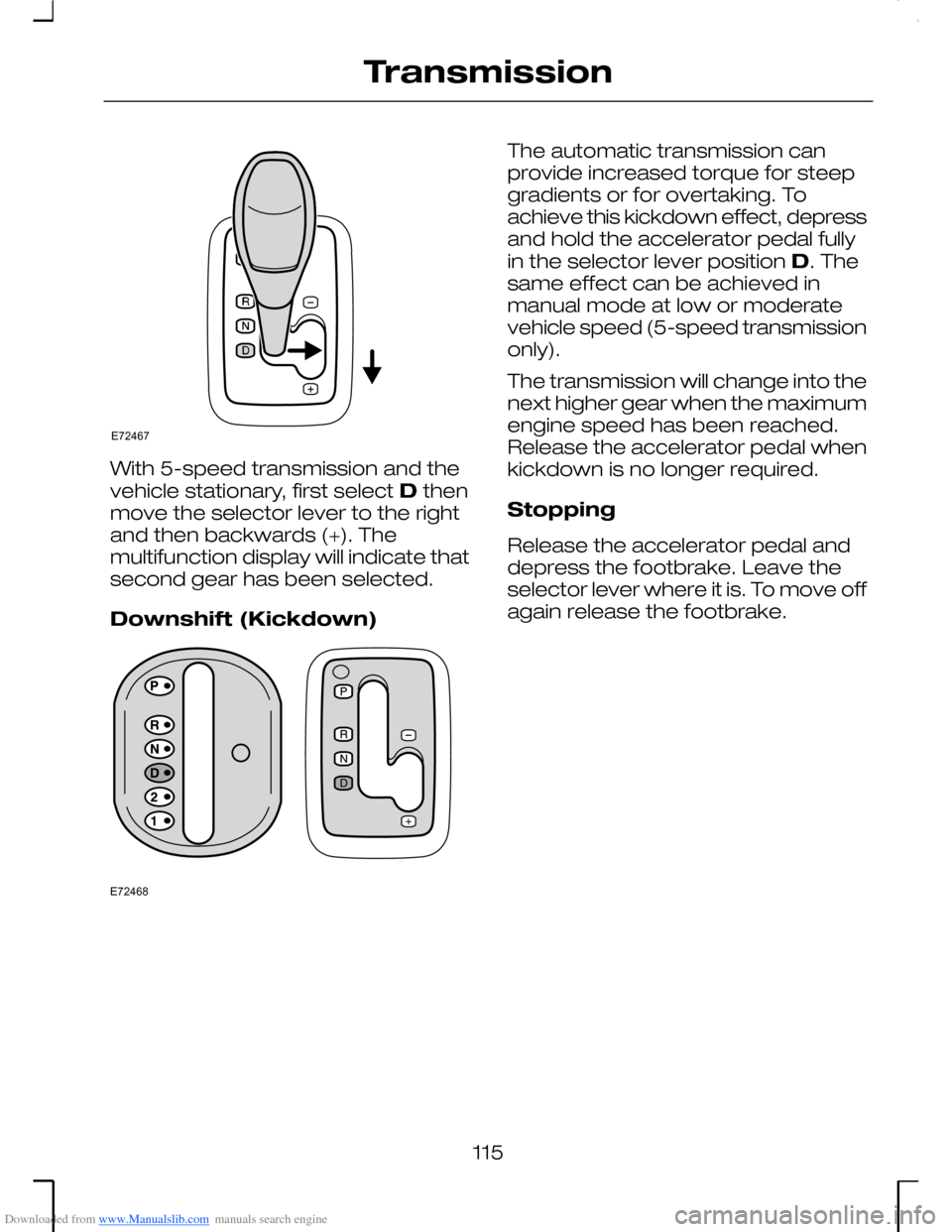
Downloaded from www.Manualslib.com manuals search engine With 5-speed transmission and thevehicle stationary, first select D thenmove the selector lever to the rightand then backwards (+). Themultifunction display will indicate thatsecond gear has been selected.
Downshift (Kickdown)
The automatic transmission canprovide increased torque for steepgradients or for overtaking. Toachieve this kickdown effect, depressand hold the accelerator pedal fullyin the selector lever position D. Thesame effect can be achieved inmanual mode at low or moderatevehicle speed (5-speed transmissiononly).
The transmission will change into thenext higher gear when the maximumengine speed has been reached.Release the accelerator pedal whenkickdown is no longer required.
Stopping
Release the accelerator pedal anddepress the footbrake. Leave theselector lever where it is. To move offagain release the footbrake.
115
TransmissionE72467 E72468
Page 118 of 198
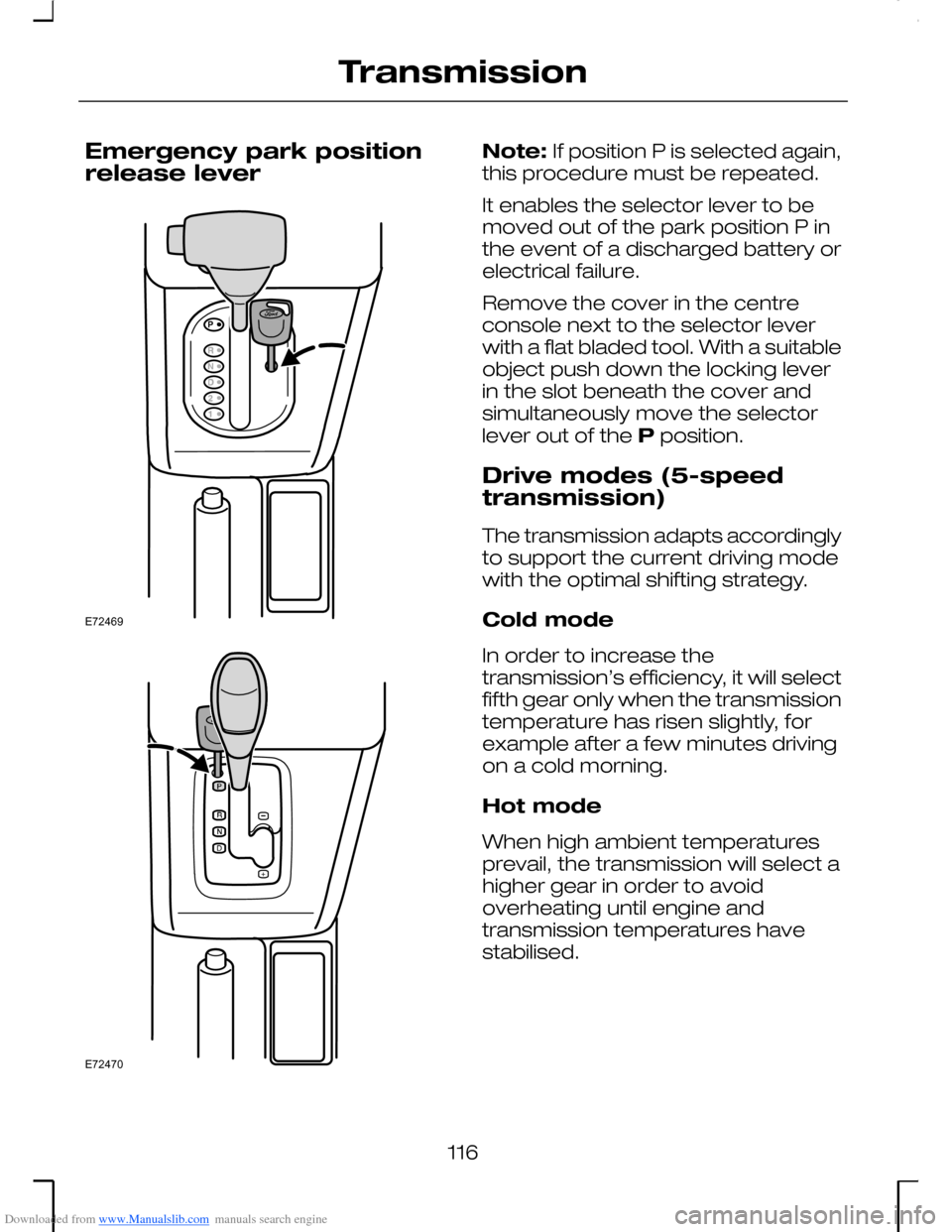
Downloaded from www.Manualslib.com manuals search engine Emergency park positionrelease lever
Note: If position P is selected again,this procedure must be repeated.
It enables the selector lever to bemoved out of the park position P inthe event of a discharged battery orelectrical failure.
Remove the cover in the centreconsole next to the selector leverwith a flat bladed tool. With a suitableobject push down the locking leverin the slot beneath the cover andsimultaneously move the selectorlever out of the P position.
Drive modes (5-speedtransmission)
The transmission adapts accordinglyto support the current driving modewith the optimal shifting strategy.
Cold mode
In order to increase thetransmission’s efficiency, it will selectfifth gear only when the transmissiontemperature has risen slightly, forexample after a few minutes drivingon a cold morning.
Hot mode
When high ambient temperaturesprevail, the transmission will select ahigher gear in order to avoidoverheating until engine andtransmission temperatures havestabilised.
116
TransmissionE72469 E72470
Page 119 of 198
Downloaded from www.Manualslib.com manuals search engine Downhill mode
The transmission recognizes downhilldriving conditions and supports yourbraking manoeuvre by downshiftingto increase engine braking.
Uphill mode
The transmission recognizes uphilldriving or trailer towing conditionsand will select a lower gear to providemore engine power.
Fast off mode
If you release the accelerator pedalquickly, e.g. when driving through acurve, the transmission stays in theselected gear to avoid a sequenceof upshifts and downshifts.
Auto sport mode
If you press down the acceleratorpedal quickly, for example, if youprefer sporty driving, the transmissionsupports your driving style byimmediately shifting down or byshifting up later, i.e at high enginespeeds.
Stop-and-go mode (2.5 lDuratec-VE)
The transmission recognizesstop-and-go traffic conditions andinhibits first gear for smoothacceleration and to avoid a sequenceof upshifts and downshifts.
Neutral idle control (2.0 lDuratorq-TDCi)
To increase your comfort, enginenoise and vibration characteristics willbe optimised if the vehicle stands stillwith the engine sunning, the selectorlever in D and the footbrake isapplied.
117
Transmission
Page 121 of 198
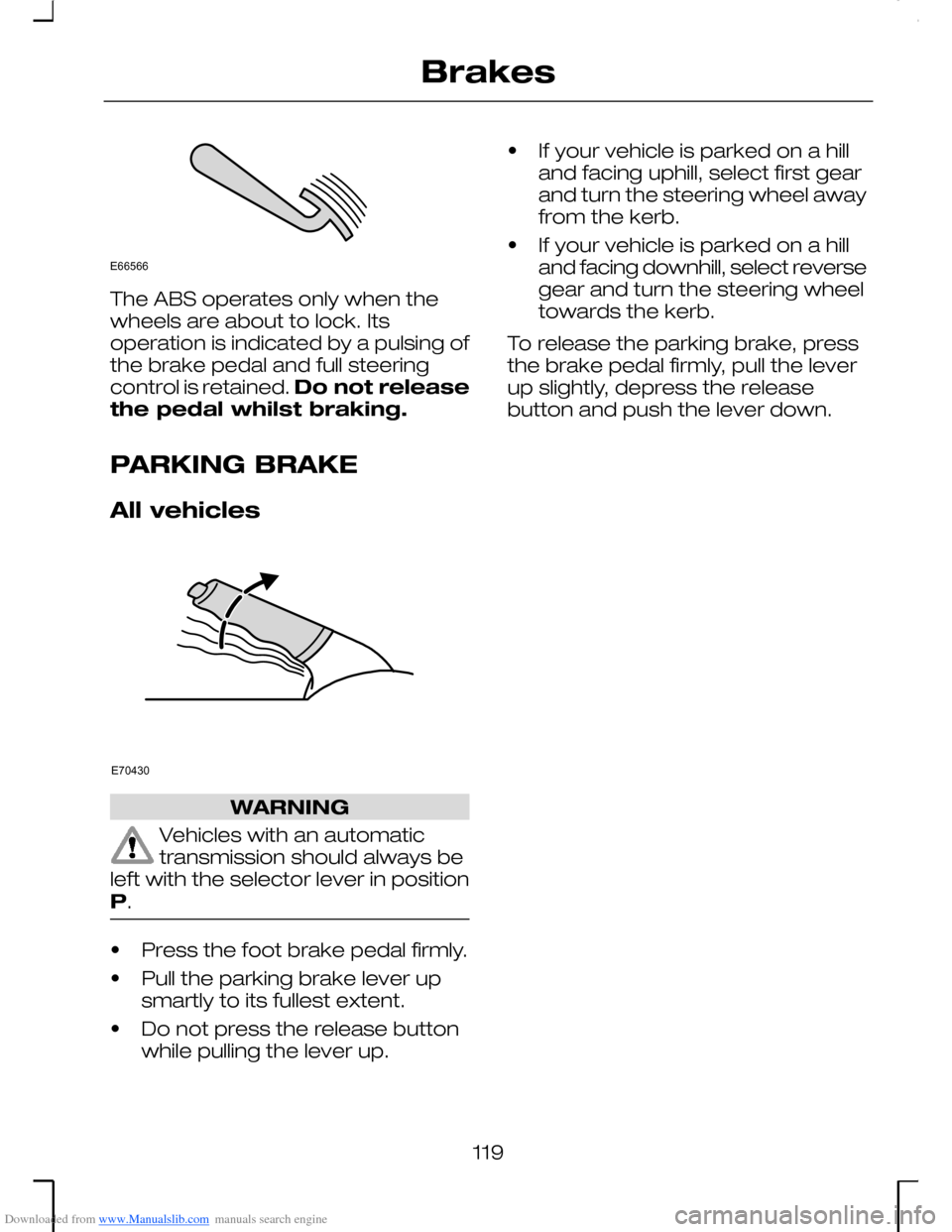
Downloaded from www.Manualslib.com manuals search engine The ABS operates only when thewheels are about to lock. Itsoperation is indicated by a pulsing ofthe brake pedal and full steeringcontrol is retained. Do not releasethe pedal whilst braking.
PARKING BRAKE
All vehicles
WARNING
Vehicles with an automatictransmission should always beleft with the selector lever in positionP.
•Press the foot brake pedal firmly.
•Pull the parking brake lever upsmartly to its fullest extent.
•Do not press the release buttonwhile pulling the lever up.
•If your vehicle is parked on a hilland facing uphill, select first gearand turn the steering wheel awayfrom the kerb.
•If your vehicle is parked on a hilland facing downhill, select reversegear and turn the steering wheeltowards the kerb.
To release the parking brake, pressthe brake pedal firmly, pull the leverup slightly, depress the releasebutton and push the lever down.
119
BrakesE66566 E70430
Page 125 of 198
Downloaded from www.Manualslib.com manuals search engine PRINCIPLE OF
OPERATION
WARNING
The parking aid is an auxiliarysystem which is not intended torelieve the driver of his responsibilityfor exercising due care and attentionwhen reversing. In particular, someobjects close to the vehicle (approx.30 cm) and above or below thesensors may not be detected by thepark distance sensor and causedamage to the vehicle. Ultrasonicwaves, heavy rain and/or conditionscausing disruptive reflections maylead to objects not being detectedby the sensors. In addition, objectswhich absorb ultrasonic waves maynot always be detected due to theirunfavourable surface characteristics.
USING THE PARKING AID
WARNING
Be careful when a tow bar isinstalled.
Note: If the vehicle is fitted with anoriginal Ford fixed tow bar, particularcare must be taken when reversing.
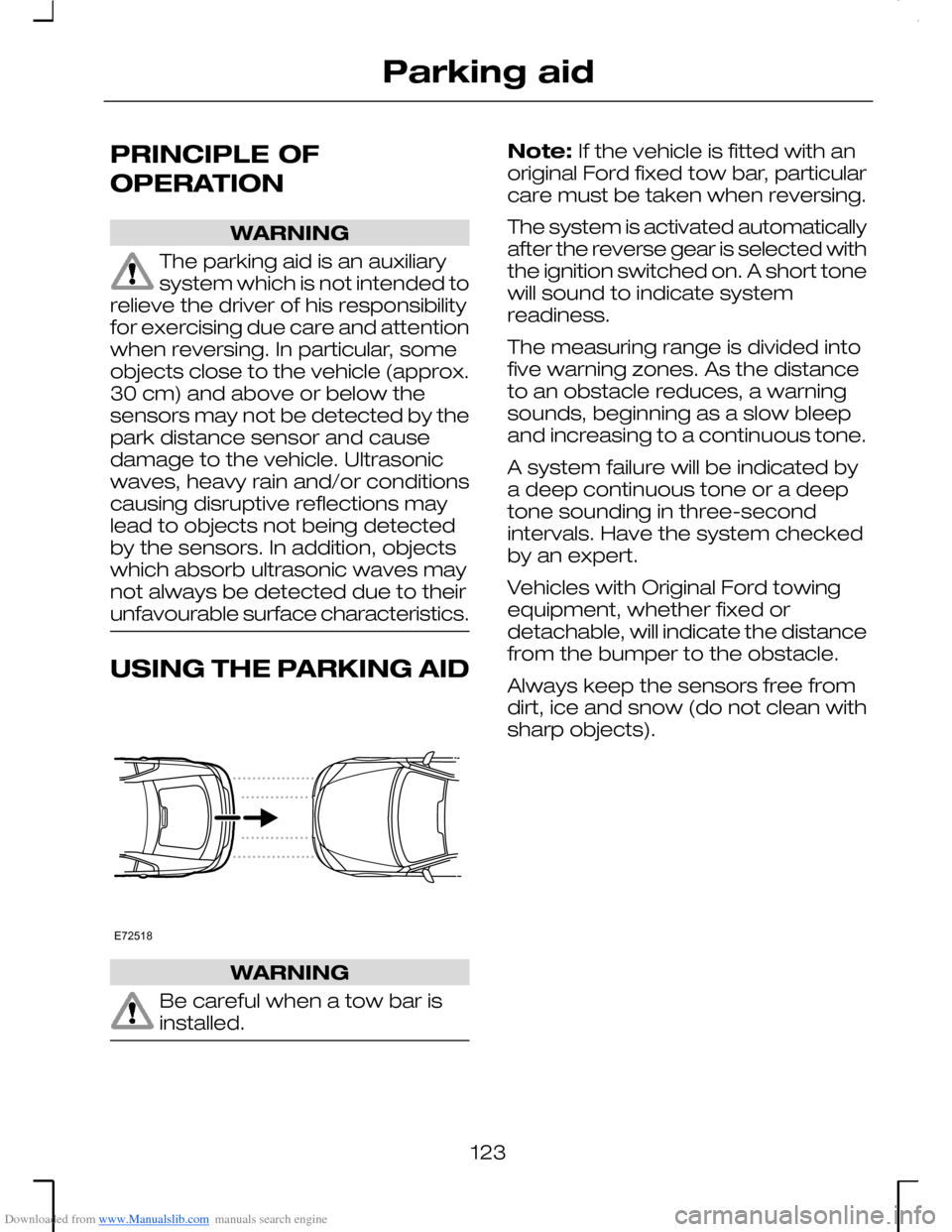
The system is activated automaticallyafter the reverse gear is selected withthe ignition switched on. A short tonewill sound to indicate systemreadiness.
The measuring range is divided intofive warning zones. As the distanceto an obstacle reduces, a warningsounds, beginning as a slow bleepand increasing to a continuous tone.
A system failure will be indicated bya deep continuous tone or a deeptone sounding in three-secondintervals. Have the system checkedby an expert.
Vehicles with Original Ford towingequipment, whether fixed ordetachable, will indicate the distancefrom the bumper to the obstacle.
Always keep the sensors free fromdirt, ice and snow (do not clean withsharp objects).
123
Parking aidE72518
Page 126 of 198
Downloaded from www.Manualslib.com manuals search engine PRINCIPLE OF
OPERATION
WARNING
Don not use cruise control inheavy traffic, on twisty roads orwhen the road surface is slippery.
The cruise control systemautomatically adjusts the poweroutput of the engine to maintain thestored speed. When travellingdownhill, vehicle speed may increaseabove the stored speed as thesystem does not apply the brakes.In this case, changing down a gearand then pressing the RES buttonmay assist the system in returningthe vehicle to the stored speed.
The system will not function until thevehicle speed is above 40 km/h (25mph). On vehicles with a dieselengine, the system will not functionin first or second gear.
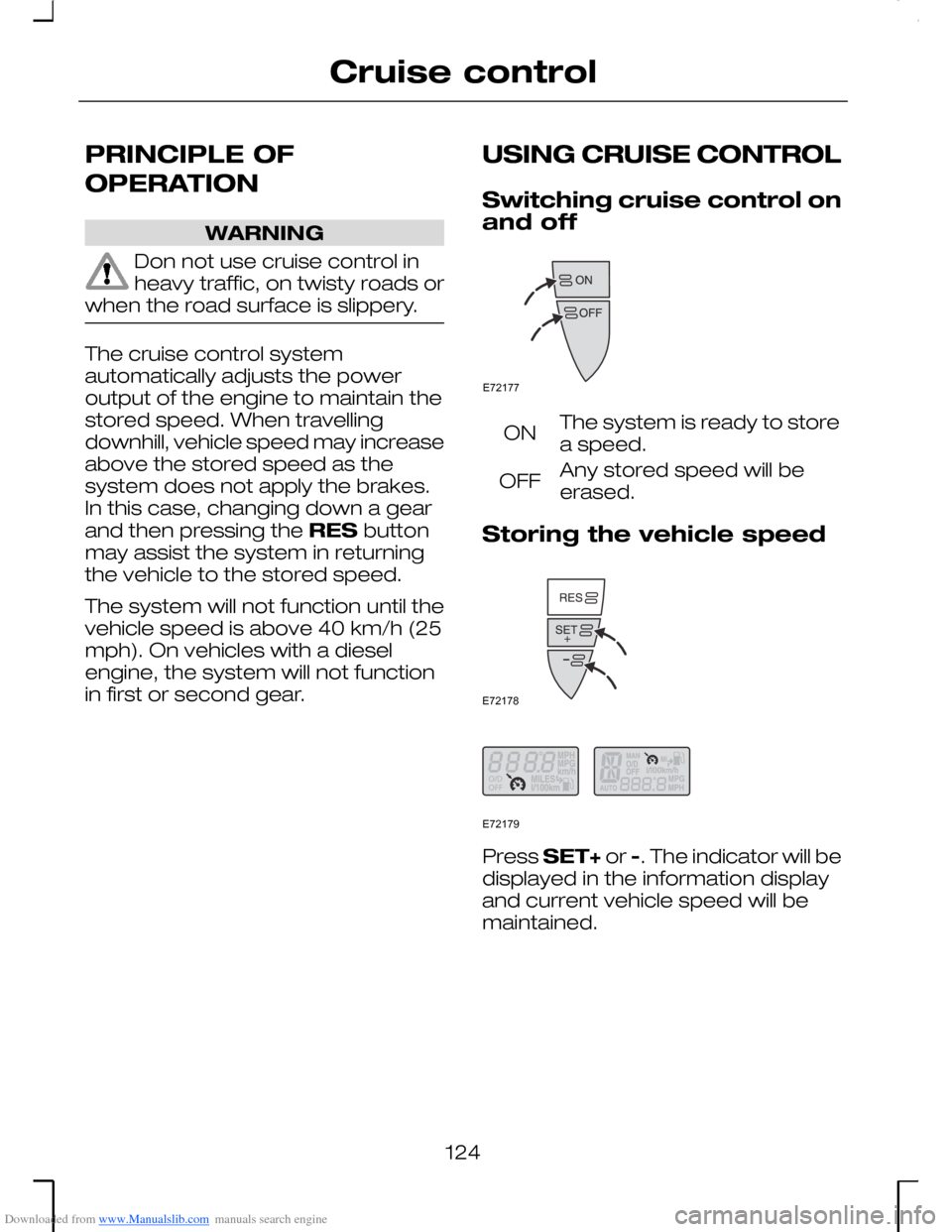
USING CRUISE CONTROL
Switching cruise control onand off
The system is ready to storea speed.ON
Any stored speed will beerased.OFF
Storing the vehicle speed
Press SET+ or -. The indicator will bedisplayed in the information displayand current vehicle speed will bemaintained.
124
Cruise controlE72177 E72178 E72179