navigation FORD MONDEO 2014 4.G User Guide
[x] Cancel search | Manufacturer: FORD, Model Year: 2014, Model line: MONDEO, Model: FORD MONDEO 2014 4.GPages: 446, PDF Size: 29.09 MB
Page 352 of 446
Downloaded from www.Manualslib.com manuals search engine The selection menu expands and differentoptions appear.
•Press the up and down arrows to scrollthrough the modes.
•Press the right arrow to enter the mode.
•Press the left or right arrows to makeadjustments within the chosen mode.
•Press OK to confirm your selection.
Note:If your vehicle is not equipped withNavigation, Compass appears in the displayinstead of Navigation. If you press the rightarrow to go into the Compass menu, youcan see the compass graphic. The compassdisplays the direction in which the vehicleis traveling, not true direction (for example,if the vehicle is traveling west, the middleof the compass graphic displays west; northdisplays to the left of west though its truedirection is to the right of west).
Using Voice Recognition
This system helps you control manyfeatures using voice commands. Thisallows you to keep your hands on thewheel and focus on what is in front of you.The system provides feedback throughaudible tones, prompts, questions andspoken confirmations depending on thesituation and the chosen level ofinteraction (voice settings).
The system also asks short questions(confirmation prompts) when it is not sureof your request or when there are multiplepossible responses to your request.
When using voice commands, words andicons may appear in the lower left statusbar indicating the status of the voicecommand session.
How to Use Voice Commands
The following are some of thevoice commands that you cansay at any time during a voicecommand session.
Press the voice button and whenprompted say:
Voice command
Main Menu
What Can I Say
Previous Page
Go Back
Help
Helpful Hints
•Make sure the interior of your vehicle isas quiet as possible. Wind noise fromopen windows and road vibrations mayprevent the system from correctlyrecognizing spoken voice commands.
•After pressing the voice command icon,wait until after the tone sounds and amessage appears before saying a voicecommand. Any voice command spokenprior to this does not register with thesystem.
•Speak naturally, without long pausesbetween words.
•At any time, you can interrupt thesystem while it is speaking by pressingthe voice command icon.
Accessing a List of Available VoiceCommands
To access a list of available voicecommands you can do either of thefollowing.
Using the touchscreen, press:
Menu Item
Settings
Help
Voice Command List
350Mondeo (CNG) Vehicles Built From: 08-09-2014 Vehicles Built Up To: 19-04-2015, CG3633en enGBR, Edition date: 10/2014, First PrintingSYNC™ 2
Page 359 of 446
Downloaded from www.Manualslib.com manuals search engine To make adjustments using the touchscreen, select:
Action and DescriptionMenu Item
Press the settings icon.Settings
Vehicle
Then enter a four digit PIN twice, as prompted.Enable Valet Mode
After you press Continue the system locks until you enter thePIN again.Continue
Settings
Access and adjust system settings, voicefeatures, as well as phone, navigation andwireless settings.
System
To make adjustments using the touchscreen, select:
Action and DescriptionMenu Item
Press the settings icon.Settings
System
Then select from the following:
Select to have the touchscreen display in any of the select-
able language options*.
Language
Select to display units in kilometers or miles.Distance
Select to display units in Celsius or Fahrenheit.Temperature
Adjust the volume of voice prompts from the system.System Prompt Volume
Select to have the system beep to confirm choices madethrough the touchscreen.Touch Screen ButtonBeep
Have the touchscreen keyboard display in QWERTY or ABCformat.Keyboard Layout
357Mondeo (CNG) Vehicles Built From: 08-09-2014 Vehicles Built Up To: 19-04-2015, CG3633en enGBR, Edition date: 10/2014, First PrintingSYNC™ 2
Page 361 of 446
Downloaded from www.Manualslib.com manuals search engine Media Player
To make adjustments using the touchscreen, select:
Action and DescriptionMenu Item
Press the settings icon.Settings
Media Player
Then select from the following:
When this feature is on, the system automatically switchesto the media source upon initial connection. This allows youto listen to music during the indexing process. When thisfeature is off, the system does not automatically switch tothe inserted media source.
Autoplay
Select to connect, disconnect, add or delete a device. Youcan also set a device as your favorite so that the systemautomatically attempts to connect to that device at everyignition cycle.
Bluetooth Devices
This allows you to view the version level of the GracenoteDatabase.Gracenote® DatabaseInfo
With this feature on, the Gracenote Database suppliesmetadata information for your music files. This overridesinformation from your device. This feature defaults to off.
Gracenote® Mgmt
With this feature on, the Gracenote Database supplies coverart for your music files. This overrides any art from your device.This feature defaults to Media Player.
Cover Art Priority
Navigation
To make adjustments using the touchscreen, select:
Action and DescriptionMenu Item
Press the settings icon.Settings
Navigation
Then select from the following:
359Mondeo (CNG) Vehicles Built From: 08-09-2014 Vehicles Built Up To: 19-04-2015, CG3633en enGBR, Edition date: 10/2014, First PrintingSYNC™ 2
Page 362 of 446
Downloaded from www.Manualslib.com manuals search engine Action and DescriptionMenu Item
Switch breadcrumbs on and off.Map Prefer-encesHave the system display your turn list top to bottom or bottom to top.
Switch the Parking POI notification on and off.
Select shortest route, fastest route or ecological route as your preferredroute. This route displays first.Route Pref-erences
Always use preferred route. If set to yes, the system only calculates a singleroute. This speeds up your destination entry process.
Select a low, medium or high cost for the calculated ecological route. Thismay incur a time penalty.
Have the system avoid freeways.
Have the system avoid toll roads.
Have the system avoid ferries or car trains.
Have the system avoid tunnels.
Have the system use guidance prompts.NavigationPrefer-encesHave the system automatically fill in State/Province information.
Hazard Spot Warning
Have the system activate hazard spot warning in countries where legallyallowed.
Have the system avoid traffic problems automatically.TrafficPrefer-encesSwitch traffic alert notifications on or off.
Have the system display accident icons.
Have the system display traffic jam icons.
Have the system display closed roads.
Have the system display road work icons.
Have the system display incident icons.
Have the system display icons for areas where difficult driving conditionsmay occur.
Have the system display icons for areas where snow and ice on the roadmay occur.
360Mondeo (CNG) Vehicles Built From: 08-09-2014 Vehicles Built Up To: 19-04-2015, CG3633en enGBR, Edition date: 10/2014, First PrintingSYNC™ 2
Page 363 of 446
Downloaded from www.Manualslib.com manuals search engine Action and DescriptionMenu Item
Have the system display any smog icons.
Have the system display weather warning icons.
Have the system display where there may be reduced visibility.
Have the system display icons to recommend switching on your radio fortraffic announcements.
Enter specific areas that you would like to avoid on planned navigationroutes.AvoidAreas
Phone
To make adjustments using the touchscreen, select:
Action and DescriptionMenu Item
Press the settings icon.Settings
Phone
Then select from the following:
Connect, disconnect, add or delete a device, as well as saveit as a favorite.Bluetooth Devices
Switch Bluetooth on and off.Bluetooth
Have all calls go directly to your voice mail and not ring insideyour vehicle. With this feature turned on, text message noti-fications are also suppressed and do not ring inside yourvehicle.
Do Not Disturb
Switch on or turn off the Emergency Assistance feature. SeeInformation (page 383).Emergency Assistance
Select the type of notification for phone calls - ring tone,beep, text to speech or silent.Phone Ringer
Select the type of notification for text messages - alert tone,beep, text to speech, or have it be silent.Text Message Notifica-tion
361Mondeo (CNG) Vehicles Built From: 08-09-2014 Vehicles Built Up To: 19-04-2015, CG3633en enGBR, Edition date: 10/2014, First PrintingSYNC™ 2
Page 366 of 446
Downloaded from www.Manualslib.com manuals search engine The Wi-Fi CERTIFIED Logo is a certificationmark of the Wi-Fi Alliance.
Help
To make adjustments using the touchscreen, select:
Action and DescriptionMenu Item
Press the settings icon.Settings
Help
Then select from the following:
Touchscreen system serial numberSystem Inform-ationVehicle Identification Number (VIN)
Touchscreen system software version
Navigation system version
Map database version
Sirius satellite radio ESN
Gracenote® Database Information and Library version
View the licenses for any software and applications installed on yoursystem.View SoftwareLicenses
Certain features are not accessible when your vehicle is moving.Driving Restric-tions
Switch on and off the Emergency Assistance feature. See Information(page 383).EmergencyAssistance
Allows you to save up to twonumbers as ICE contacts forquick access if there is anemergency.
In Case of Emergency (ICE) Quick Dial
364Mondeo (CNG) Vehicles Built From: 08-09-2014 Vehicles Built Up To: 19-04-2015, CG3633en enGBR, Edition date: 10/2014, First PrintingSYNC™ 2
Page 372 of 446
Downloaded from www.Manualslib.com manuals search engine SD Card Slot and USB Port
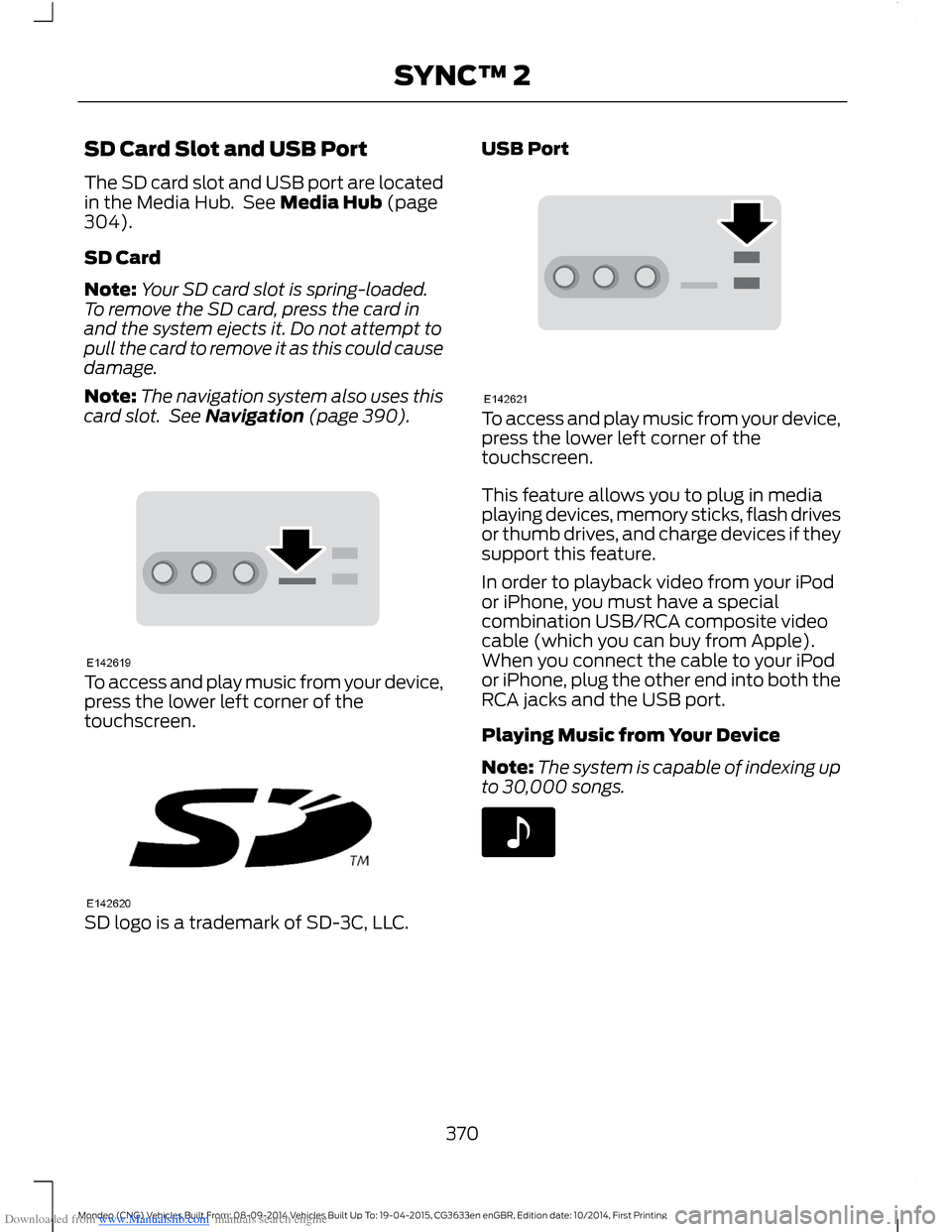
The SD card slot and USB port are locatedin the Media Hub. See Media Hub (page304).
SD Card
Note:Your SD card slot is spring-loaded.To remove the SD card, press the card inand the system ejects it. Do not attempt topull the card to remove it as this could causedamage.
Note:The navigation system also uses thiscard slot. See Navigation (page 390).
To access and play music from your device,press the lower left corner of thetouchscreen.
SD logo is a trademark of SD-3C, LLC.
USB Port
To access and play music from your device,press the lower left corner of thetouchscreen.
This feature allows you to plug in mediaplaying devices, memory sticks, flash drivesor thumb drives, and charge devices if theysupport this feature.
In order to playback video from your iPodor iPhone, you must have a specialcombination USB/RCA composite videocable (which you can buy from Apple).When you connect the cable to your iPodor iPhone, plug the other end into both theRCA jacks and the USB port.
Playing Music from Your Device
Note:The system is capable of indexing upto 30,000 songs.
370Mondeo (CNG) Vehicles Built From: 08-09-2014 Vehicles Built Up To: 19-04-2015, CG3633en enGBR, Edition date: 10/2014, First PrintingSYNC™ 2
Page 385 of 446
Downloaded from www.Manualslib.com manuals search engine INFORMATION
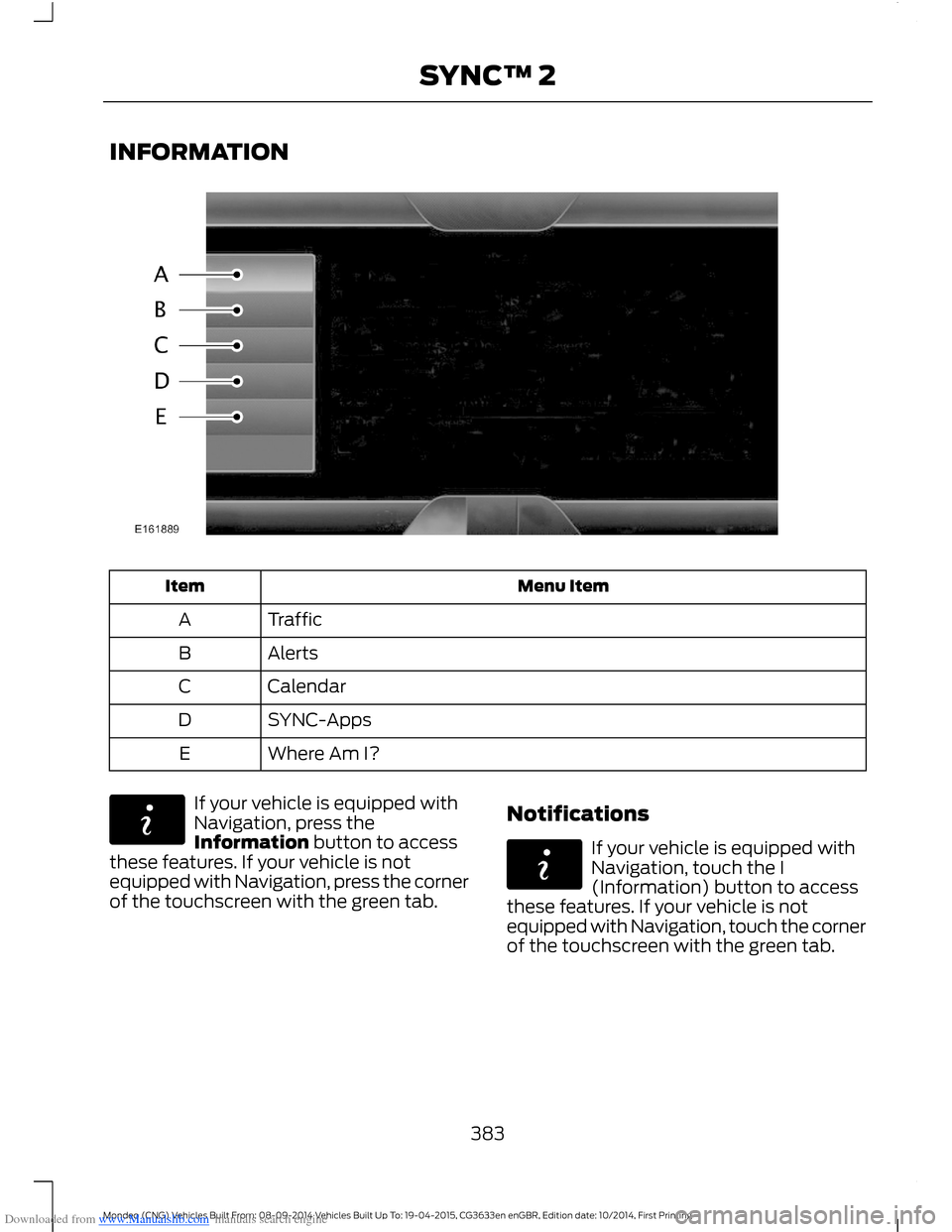
Menu ItemItem
TrafficA
AlertsB
CalendarC
SYNC-AppsD
Where Am I?E
If your vehicle is equipped withNavigation, press theInformation button to accessthese features. If your vehicle is notequipped with Navigation, press the cornerof the touchscreen with the green tab.
Notifications
If your vehicle is equipped withNavigation, touch the I(Information) button to accessthese features. If your vehicle is notequipped with Navigation, touch the cornerof the touchscreen with the green tab.
383Mondeo (CNG) Vehicles Built From: 08-09-2014 Vehicles Built Up To: 19-04-2015, CG3633en enGBR, Edition date: 10/2014, First PrintingSYNC™ 2
Page 386 of 446
Downloaded from www.Manualslib.com manuals search engine Press Notifications, and then choose from any of the following services:
Action and DescriptionMenu Item
The complete messageView
The messageDelete
MessagesDelete All
This screen displays any system messages(such as an SD card fault).
Note:The system alerts you to anymessages by turning the information iconyellow. After you read or delete themessages, the icon returns to white.
Calendar
If your vehicle is equipped withNavigation, touch the I(Information) button to accessthese features. If your vehicle is notequipped with Navigation, touch the cornerof the touchscreen with the green tab.
Press Calendar. You can view the currentcalendar by day, week or month.
Emergency Assistance (If Equipped)
WARNINGS
For this feature to work, your mobilephone must be Bluetooth capableand compatible with the system.
Always place your mobile phone ina secure location inside your vehicle.Failure to do so may cause seriousinjury to someone or damage the phonewhich could prevent Emergency Assistancefrom working correctly.
Unless the Emergency Assistancesetting is set to on prior to a collision,the system will not attempt to placean emergency call which could delay theresponse time, potentially increasing therisk of serious injury or death. Do not wait
WARNINGS
for Emergency Assistance to make anemergency call if you can do it yourself.Dial emergency services immediately toavoid a delayed response time. If you donot hear Emergency Assistance within fiveseconds of the crash, the system or cellphone may be damaged or non-functional.
Note:Before setting the feature on, pleaseread the important notice about theEmergency Assistance feature and theEmergency Assistance privacy notice laterin this section for important information.
Note:When you switch EmergencyAssistance on or off, the setting apply to allpaired mobile phones. If you switchEmergency Assistance off and a previouslypaired phone connects when you switch theignition on, either a voice message plays, adisplay message or icon is shown, or both.
Note:Note: Every mobile phone operatesdifferently. While Emergency Assistanceworks with most mobile phones, somemobile phones may experience difficultiesusing this feature.
384Mondeo (CNG) Vehicles Built From: 08-09-2014 Vehicles Built Up To: 19-04-2015, CG3633en enGBR, Edition date: 10/2014, First PrintingSYNC™ 2
Page 387 of 446
Downloaded from www.Manualslib.com manuals search engine In the event of a collision which deploysan airbag or activates the fuel pumpshut-off, the system may contact theemergency services (including call center)through a paired and connected mobilephone. The emergency services operatorcontacts the relevant police agency andestablishes communication among threeparties (you, call center and the policeagency). In the end, the local police agencycoordinates the rescue.
Note:In case of an emergency, EmergencyAssistance, as a means of communicationaid, can help you contact specific rescuedepartments of public security. EmergencyAssistance does not implement the rescueoperations. The local public securitydepartment deploys specific rescueoperations according to the actual situation.
See Supplementary Restraints System(page 27). Important informationregarding airbag deployment is in thischapter.
See Roadside Emergencies (page 224).Important information regarding the fuelpump shut-off is in this chapter.
Setting Emergency Assistance On
If your vehicle is equipped withNavigation, touch the I (Information)button to access these features. If yourvehicle is not equipped withNavigation, touch the corner of thetouchscreen with the green tab. Thenselect:
Menu Item
Apps
Emergency Assistance
On
Display Options
If you switch on this feature, a confirmationmessage appears in the display when yourcell phone connects and your vehiclestarts.
If you switch off this feature, the dialogallows you to set a reminder.
Off with reminder provides a display andvoice reminder when your cell phoneconnects and your vehicle starts.
Off without reminder provides a displayreminder only without a voice reminderwhen your cell phone connects.
To make sure that Emergency Assistanceworks correctly:
•The system must have power and beworking correctly at the time of thecrash and during feature activation anduse.
•You must switch on the feature beforea crash.
•You must have a cell phone connectedto the system.
•In certain countries, it may benecessary to have a valid andregistered SIM card with credit in orderto place and maintain an emergencycall.
•A connected cell phone must have theability to make and maintain anoutgoing call at the time of the crash.
•A connected cell phone must haveadequate network coverage, batterypower and signal strength.
•Your vehicle must have battery power.
385Mondeo (CNG) Vehicles Built From: 08-09-2014 Vehicles Built Up To: 19-04-2015, CG3633en enGBR, Edition date: 10/2014, First PrintingSYNC™ 2