traction control FORD MONDEO 2014 4.G User Guide
[x] Cancel search | Manufacturer: FORD, Model Year: 2014, Model line: MONDEO, Model: FORD MONDEO 2014 4.GPages: 446, PDF Size: 29.09 MB
Page 173 of 446
Downloaded from www.Manualslib.com manuals search engine Distance Indication (If Equipped)
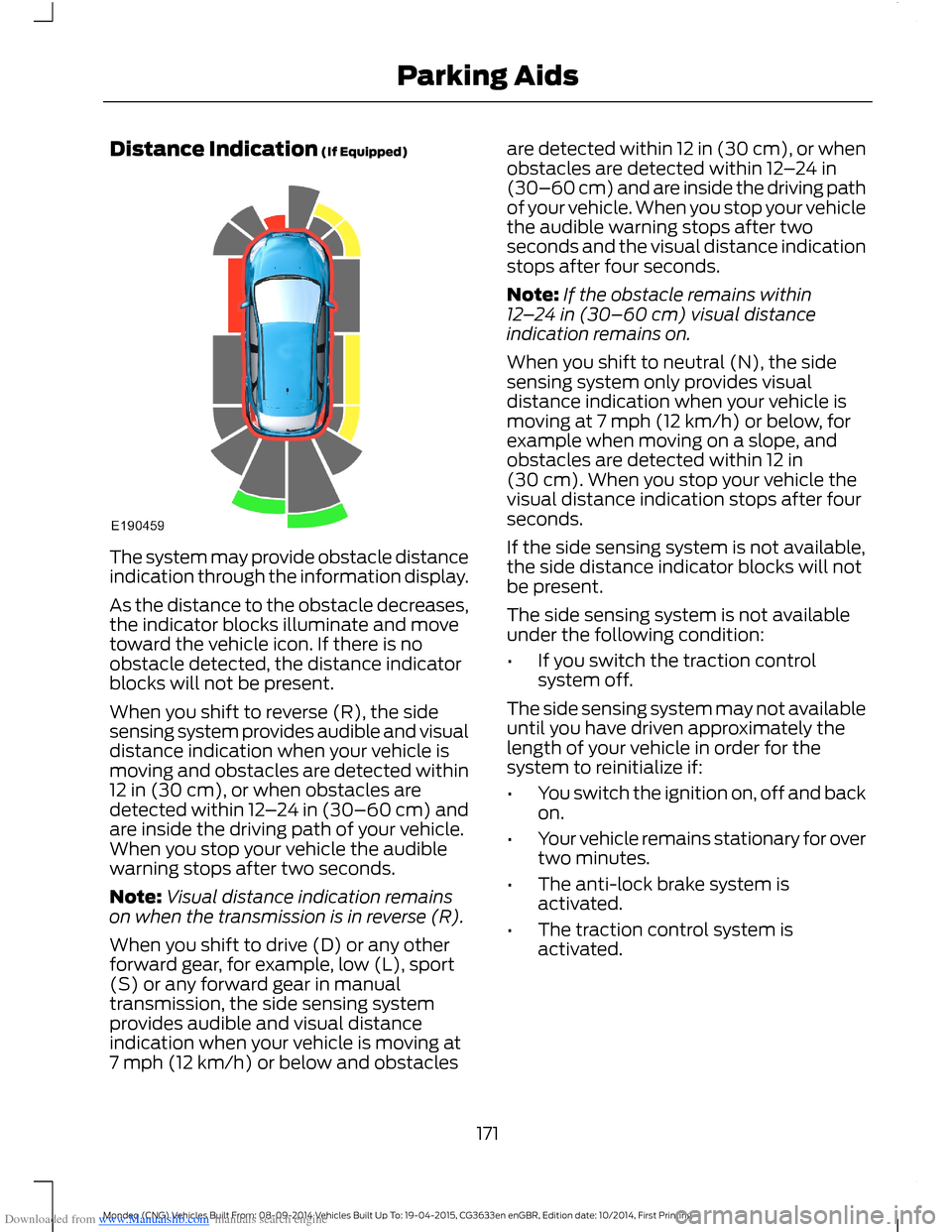
The system may provide obstacle distanceindication through the information display.
As the distance to the obstacle decreases,the indicator blocks illuminate and movetoward the vehicle icon. If there is noobstacle detected, the distance indicatorblocks will not be present.
When you shift to reverse (R), the sidesensing system provides audible and visualdistance indication when your vehicle ismoving and obstacles are detected within12 in (30 cm), or when obstacles aredetected within 12–24 in (30–60 cm) andare inside the driving path of your vehicle.When you stop your vehicle the audiblewarning stops after two seconds.
Note:Visual distance indication remainson when the transmission is in reverse (R).
When you shift to drive (D) or any otherforward gear, for example, low (L), sport(S) or any forward gear in manualtransmission, the side sensing systemprovides audible and visual distanceindication when your vehicle is moving at7 mph (12 km/h) or below and obstacles
are detected within 12 in (30 cm), or whenobstacles are detected within 12–24 in(30–60 cm) and are inside the driving pathof your vehicle. When you stop your vehiclethe audible warning stops after twoseconds and the visual distance indicationstops after four seconds.
Note:If the obstacle remains within12–24 in (30–60 cm) visual distanceindication remains on.
When you shift to neutral (N), the sidesensing system only provides visualdistance indication when your vehicle ismoving at 7 mph (12 km/h) or below, forexample when moving on a slope, andobstacles are detected within 12 in(30 cm). When you stop your vehicle thevisual distance indication stops after fourseconds.
If the side sensing system is not available,the side distance indicator blocks will notbe present.
The side sensing system is not availableunder the following condition:
•If you switch the traction controlsystem off.
The side sensing system may not availableuntil you have driven approximately thelength of your vehicle in order for thesystem to reinitialize if:
•You switch the ignition on, off and backon.
•Your vehicle remains stationary for overtwo minutes.
•The anti-lock brake system isactivated.
•The traction control system isactivated.
171Mondeo (CNG) Vehicles Built From: 08-09-2014 Vehicles Built Up To: 19-04-2015, CG3633en enGBR, Edition date: 10/2014, First PrintingParking Aids
Page 178 of 446
Downloaded from www.Manualslib.com manuals search engine •Driving above approximately 22 mph(35 km/h) for 30 seconds during anactive park search.
•Driving above 6 mph (9 km/h) duringautomatic steering.
•Switching off the traction controlsystem.
Certain vehicle conditions can alsodeactivate the system, such as:
•Traction control has activated.
•There is an anti-lock brake systemactivation or failure.
If a problem occurs with the system, awarning message displays accompaniedby a tone. Occasional system messagesmay occur in normal operation. Forrecurring or frequent system faults, contactan authorized dealer to have your vehicleserviced.
Troubleshooting the System
The system does not look for a space
The traction control system may be off.
The transmission is in reverse (R). Your vehicle must be moving forward to be able todetect a parking space.
The system does not offer a particular space
The sensors may be covered (for example, snow, ice or dirt buildup). Covered senorscan affect the system's functionality.
There is not enough room in the parking space for your vehicle to safely park.
There is not enough space for the parking maneuver on the opposite side of the parkingspace.
The parking space is farther than 4.9 ft (1.5 m) or closer than 15.7 in (0.4 m) away.
The transmission is in reverse (R). Your vehicle must be moving forward to be able todetect a parking space.
Your vehicle is going faster than 19 mph (30 km/h) for parallel and 22 mph (35 km/h)for perpendicular parking.
176Mondeo (CNG) Vehicles Built From: 08-09-2014 Vehicles Built Up To: 19-04-2015, CG3633en enGBR, Edition date: 10/2014, First PrintingParking Aids
Page 188 of 446
Downloaded from www.Manualslib.com manuals search engine Overriding the System
WARNING
Whenever the driver is overriding thesystem by pressing the acceleratorpedal, the system does notautomatically apply the brakes to maintainseparation from any vehicle ahead.
You can override the set speed and gap bypressing the accelerator pedal.
When you override the system,the green indicator lightilluminates and the lead vehiclegraphic does not show in theinformation display.
The system resumes operation when yourelease the accelerator pedal. The vehiclespeed decreases to the set speed, or alower speed if following a slower vehicle.
Automatic Switch Off
The system does not operate below12 mph (20 km/h). An audible warningsounds and the automatic braking releasesif the vehicle drops below this speed.
Automatic cancellation can also occur if:
•The tires lose traction.
•The engine speed is too low.
•You apply the parking brake.
Note:If the engine speed drops too low,the information display indicates low enginespeed. Shift to a lower gear (manualtransmission only) to avoid automaticcancellation.
Hilly Condition Usage
You should select a lower gear positionwhen the system is active in situationssuch as prolonged downhill driving onsteep grades, for example in mountainousareas. The system needs additional enginebraking in these situations to reduce theload on the vehicle’s regular brake systemto prevent them from overheating.
Note:An audible warning sounds and thesystem shuts down if it applies brakes foran extended period of time. This allows thebrakes to cool down. The system functionsnormally again when the brakes have cooleddown.
Detection Beam Issues
The radar sensor has a limited field ofvision. It may not detect vehicles at all ordetect a vehicle later than expected insome situations. The lead vehicle graphicdoes not illuminate if the system does notdetect a vehicle in front of you.
186Mondeo (CNG) Vehicles Built From: 08-09-2014 Vehicles Built Up To: 19-04-2015, CG3633en enGBR, Edition date: 10/2014, First PrintingCruise Control
Page 224 of 446
Downloaded from www.Manualslib.com manuals search engine Anticipation
Adjust your vehicle speed and the distanceto other vehicles without the need forheavy braking or acceleration.
Efficient Speed
Higher speeds use more fuel. Reduce yourcruising speed on open roads.
Accessories
Try not to add unnecessary accessories tothe exterior of your vehicle. If you use a roofrack, remember to fold it down or removeit when not in use.
Electrical Systems
Switch off all electrical systems when notin use, for example air conditioning. Makesure you unplug any accessories from theauxiliary power points when not in use.
COLD WEATHER
PRECAUTIONS
The functional operation of somecomponents and systems can be affectedat temperatures below -13°F (-25°C).
DRIVING THROUGH WATER
WARNING
Do not drive through flowing or deepwater as you may lose control of yourvehicle.
Note:Driving through standing water cancause vehicle damage.
Note:Engine damage can occur if waterenters the air filter.
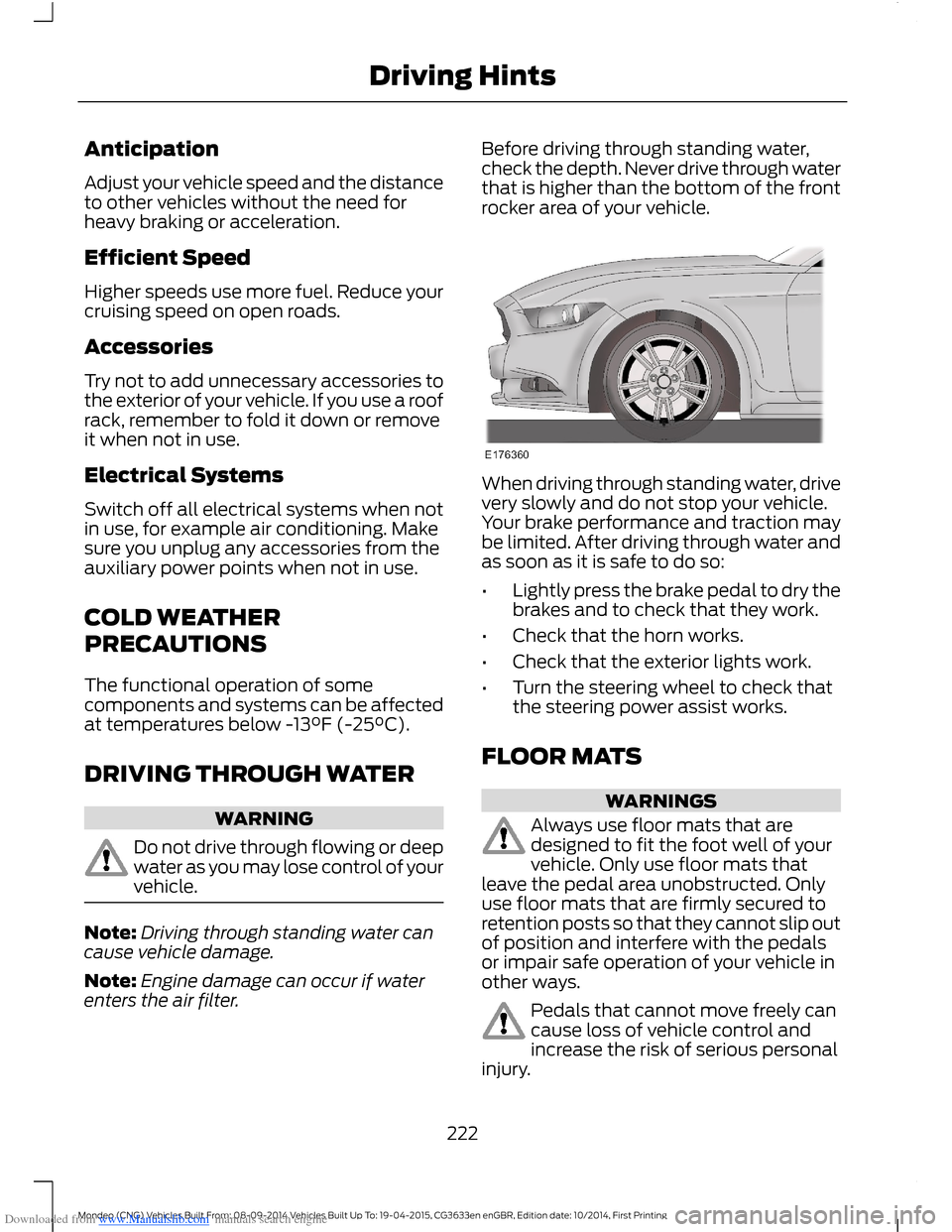
Before driving through standing water,check the depth. Never drive through waterthat is higher than the bottom of the frontrocker area of your vehicle.
When driving through standing water, drivevery slowly and do not stop your vehicle.Your brake performance and traction maybe limited. After driving through water andas soon as it is safe to do so:
•Lightly press the brake pedal to dry thebrakes and to check that they work.
•Check that the horn works.
•Check that the exterior lights work.
•Turn the steering wheel to check thatthe steering power assist works.
FLOOR MATS
WARNINGS
Always use floor mats that aredesigned to fit the foot well of yourvehicle. Only use floor mats thatleave the pedal area unobstructed. Onlyuse floor mats that are firmly secured toretention posts so that they cannot slip outof position and interfere with the pedalsor impair safe operation of your vehicle inother ways.
Pedals that cannot move freely cancause loss of vehicle control andincrease the risk of serious personalinjury.
222Mondeo (CNG) Vehicles Built From: 08-09-2014 Vehicles Built Up To: 19-04-2015, CG3633en enGBR, Edition date: 10/2014, First PrintingDriving Hints
Page 266 of 446
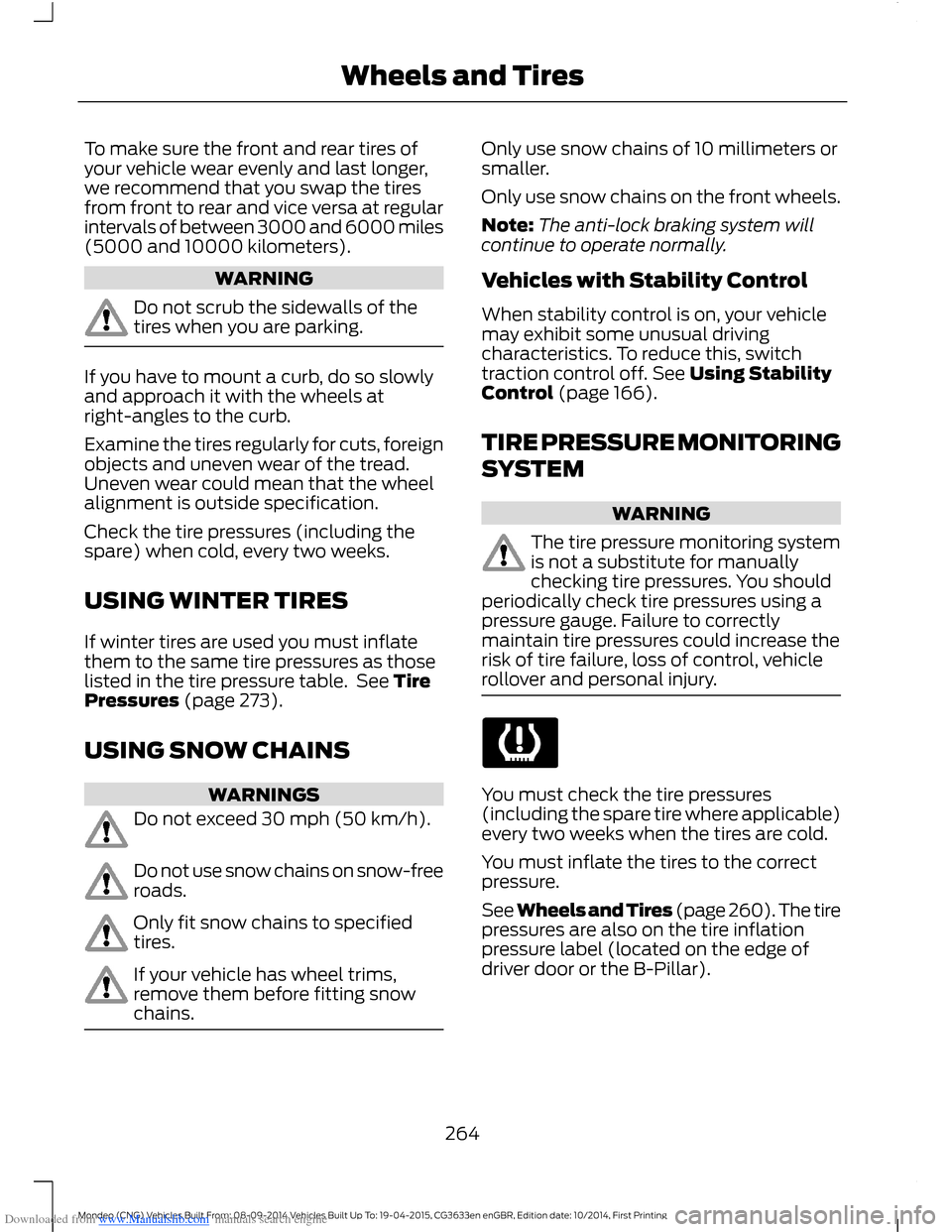
Downloaded from www.Manualslib.com manuals search engine To make sure the front and rear tires ofyour vehicle wear evenly and last longer,we recommend that you swap the tiresfrom front to rear and vice versa at regularintervals of between 3000 and 6000 miles(5000 and 10000 kilometers).
WARNING
Do not scrub the sidewalls of thetires when you are parking.
If you have to mount a curb, do so slowlyand approach it with the wheels atright-angles to the curb.
Examine the tires regularly for cuts, foreignobjects and uneven wear of the tread.Uneven wear could mean that the wheelalignment is outside specification.
Check the tire pressures (including thespare) when cold, every two weeks.
USING WINTER TIRES
If winter tires are used you must inflatethem to the same tire pressures as thoselisted in the tire pressure table. See TirePressures (page 273).
USING SNOW CHAINS
WARNINGS
Do not exceed 30 mph (50 km/h).
Do not use snow chains on snow-freeroads.
Only fit snow chains to specifiedtires.
If your vehicle has wheel trims,remove them before fitting snowchains.
Only use snow chains of 10 millimeters orsmaller.
Only use snow chains on the front wheels.
Note:The anti-lock braking system willcontinue to operate normally.
Vehicles with Stability Control
When stability control is on, your vehiclemay exhibit some unusual drivingcharacteristics. To reduce this, switchtraction control off. See Using StabilityControl (page 166).
TIRE PRESSURE MONITORING
SYSTEM
WARNING
The tire pressure monitoring systemis not a substitute for manuallychecking tire pressures. You shouldperiodically check tire pressures using apressure gauge. Failure to correctlymaintain tire pressures could increase therisk of tire failure, loss of control, vehiclerollover and personal injury.
You must check the tire pressures(including the spare tire where applicable)every two weeks when the tires are cold.
You must inflate the tires to the correctpressure.
See Wheels and Tires (page 260).The tirepressures are also on the tire inflationpressure label (located on the edge ofdriver door or the B-Pillar).
264Mondeo (CNG) Vehicles Built From: 08-09-2014 Vehicles Built Up To: 19-04-2015, CG3633en enGBR, Edition date: 10/2014, First PrintingWheels and Tires
Page 417 of 446
Downloaded from www.Manualslib.com manuals search engine Volume Setting: Do not raise the volumeexcessively. Keep the volume at a levelwhere you can still hear outside traffic andemergency signals while driving. Drivingwhile unable to hear these sounds couldcause an accident.
Use of Speech Recognition Functions:Speech recognition software is inherentlya statistical process which is subject toerrors. It is your responsibility to monitorany speech recognition functions includedin the system and address any errors.
Navigation Features: Any navigationfeatures included in the system areintended to provide turn by turninstructions to get you to a desireddestination. Please make certain allpersons using this system carefully readand follow instructions and safetyinformation fully.
Distraction Hazard: Any navigationfeatures may require manual (non-verbal)setup. Attempting to perform such set-upor insert data while driving can seriouslydistract your attention and could cause anaccident or other serious consequences.Stop the vehicle in a safe and legal mannerbefore attempting these operations.
Let Your Judgment Prevail: Anynavigation features are provided only asan aid. Make your driving decisions basedon your observations of local conditionsand existing traffic regulations. Any suchfeature is not a substitute for your personaljudgment. Any route suggestions made bythis system should never replace any localtraffic regulations or your personaljudgment or knowledge of safe drivingpractices.
Route Safety: Do not follow the routesuggestions if doing so would result in anunsafe or illegal maneuver, if you would beplaced in an unsafe situation, or if youwould be directed into an area that youconsider unsafe. The driver is ultimatelyresponsible for the safe operation of thevehicle and therefore, must evaluatewhether it is safe to follow the suggesteddirections.
Potential Map Inaccuracy: Maps usedby this system may be inaccurate becauseof changes in roads, traffic controls ordriving conditions. Always use goodjudgment and common sense whenfollowing the suggested routes.
Emergency Services: Do not rely on anynavigation features included in the systemto route you to emergency services. Asklocal authorities or an emergency servicesoperator for these locations. Not allemergency services such as police, firestations, hospitals and clinics are likely tobe contained in the map database for suchnavigation features.
Telenav Software End User LicenseAgreement
Please read these terms and conditionscarefully before you use the TelenavSoftware. Your use of the TelenavSoftware indicates that you accept theseterms and conditions. If you do not acceptthese terms and conditions, do not breakthe seal of the package, launch, orotherwise use the Telenav Software.
These terms and conditions represent theagreement (“Agreement”) between youand Telenav, Inc. (“Telenav”) with respectto the Telenav Software (includingupgrades, modifications, or additionsthereto) (collectively “Telenav Software”).All references herein to “you” and “your”means you, your employees, agents, andcontractors, and any other entity on whosebehalf you accept these terms and
415Mondeo (CNG) Vehicles Built From: 08-09-2014 Vehicles Built Up To: 19-04-2015, CG3633en enGBR, Edition date: 10/2014, First PrintingAppendices
Page 438 of 446
Downloaded from www.Manualslib.com manuals search engine Information Messages.................................96Active City Stop....................................................96Active Park..............................................................96Adaptive Cruise Control.....................................97Airbag........................................................................97Alarm........................................................................98All-Wheel Drive....................................................98Automatic Engine Shutdown..........................98Automatic High Beam Control.......................99Auto Start-Stop....................................................99Blind Spot Information and Cross TrafficAlert System...................................................100Climate Control..................................................100Diesel Messages.................................................100Doors and Locks..................................................101Driver Alert.............................................................101Electronic Stability Control.............................102Engine.....................................................................102Fuel..........................................................................102Hill Start Assist....................................................103Keys and Keyless Entry.....................................103Lane Keeping System.......................................104Maintenance........................................................104MyKey.....................................................................105Park Aid..................................................................106Park Brake.............................................................106Power Steering....................................................107Pre-Collision Warning System.......................107Seats........................................................................107Starting System .................................................108Tire Pressure Monitoring System.................108Towing....................................................................108Traction Control..................................................109Transmission........................................................109Installing Child Seats......................................17Attaching a Child Seat with TopTethers................................................................20Booster Seats.........................................................18Child Seats for Different Mass Groups..........17ISOFIX Anchor Points..........................................19Top Tether Anchor Points..................................19Instrument Cluster.........................................78Instrument Lighting Dimmer.....................65Instrument Panel Overview - LHD............14Instrument Panel Overview - RHD...........15Interior Lamps.................................................70Front Interior Lamp..............................................70Rear Interior Lamp.................................................71
Interior Mirror....................................................75Auto-Dimming Mirror..........................................75Introduction.........................................................7
J
Jump Starting the Vehicle........................225To Connect the Booster Cables....................225To Start the Engine...........................................226
K
Keyless Entry...................................................48Disabled Passive Keys........................................50General Information...........................................48Locking and Unlocking the Doors with theKey Blade...........................................................50Locking Your Vehicle...........................................49Passive Key.............................................................49Unlocking Your Vehicle......................................49Keyless Starting............................................138Starting Your Vehicle.........................................139Switching the Ignition On................................139Keys and Remote Controls.........................32
L
Lane Keeping System..................................191Lane Keeping Aid................................................193Lane Keeping Alert..............................................191Lighting Control..............................................63Headlamp Flasher...............................................64High Beams............................................................63Lighting..............................................................63General Information............................................63Load CarriersSee: Roof Racks and Load Carriers.............210Load Carrying................................................207General Information..........................................207Load Retaining Fixtures...............................211Installing the Load Bracket..............................211Installing the Load Retaining Fixtures..........211
436Mondeo (CNG) Vehicles Built From: 08-09-2014 Vehicles Built Up To: 19-04-2015, CG3633en enGBR, Edition date: 10/2014, First PrintingIndex
Page 442 of 446
Downloaded from www.Manualslib.com manuals search engine Towing a Trailer..............................................215When towing a trailer:.......................................215Towing Points.................................................217Front Towing Eye................................................218Rear Towing Eye..................................................218Towing Eye Locations.......................................218Towing the Vehicle on Four Wheels -Automatic Transmission.........................219Emergency Towing............................................220Towing the Vehicle on Four Wheels -Manual Transmission...............................219Towing...............................................................215Traction Control............................................165Principle of Operation.......................................165Traffic Sign Recognition............................198Principle of Operation......................................198Using the System...............................................199Trailer Sway Control....................................216Transmission..................................................155TransmissionSee: Transmission..............................................155
U
Under Hood Overview - 1.0LEcoBoost™.................................................239Under Hood Overview - 1.5LDuratorq-TDCi Diesel/1.6LDiesel.............................................................243Under Hood Overview - 1.5LEcoBoost™.................................................240Under Hood Overview - 2.0LDiesel.............................................................244Under Hood Overview - 2.0LEcoBoost™..................................................241Under Hood Overview - 2.5L...................242Unique Driving Characteristics................146USB Port.........................................................304
Using Adaptive Cruise Control................182Automatic Switch Off.......................................186Blocked Sensor....................................................187Canceling the Set Speed.................................183Changing the Set Speed..................................183Detection Beam Issues....................................186Following a Vehicle............................................184Hilly Condition Usage.......................................186Overriding the System......................................186Resuming the Set Speed.................................184Setting a Speed...................................................183Setting the Gap...................................................185Switching the System Off...............................184Switching the System On................................183Switching to Normal Cruise Control...........188System Not Available........................................187Using Cruise Control.....................................181Switching Cruise Control Off..........................181Switching Cruise Control On...........................181Using MyKey With Remote StartSystems..........................................................42Using Snow Chains.....................................264Vehicles with Stability Control.....................264Using Stability Control...............................166Switching the System Off and On Using theInformation Display Controls....................166Switching the System Off Using aSwitch................................................................166Using SYNC™ With Your MediaPlayer.............................................................327Accessing Your USB Song Library................331Bluetooth Devices and SystemSettings.............................................................333Connecting Your Media Player to the USBPort.....................................................................327Media Menu Features........................................331Media Voice Commands.................................328What's Playing?.................................................328
440Mondeo (CNG) Vehicles Built From: 08-09-2014 Vehicles Built Up To: 19-04-2015, CG3633en enGBR, Edition date: 10/2014, First PrintingIndex
Page 443 of 446
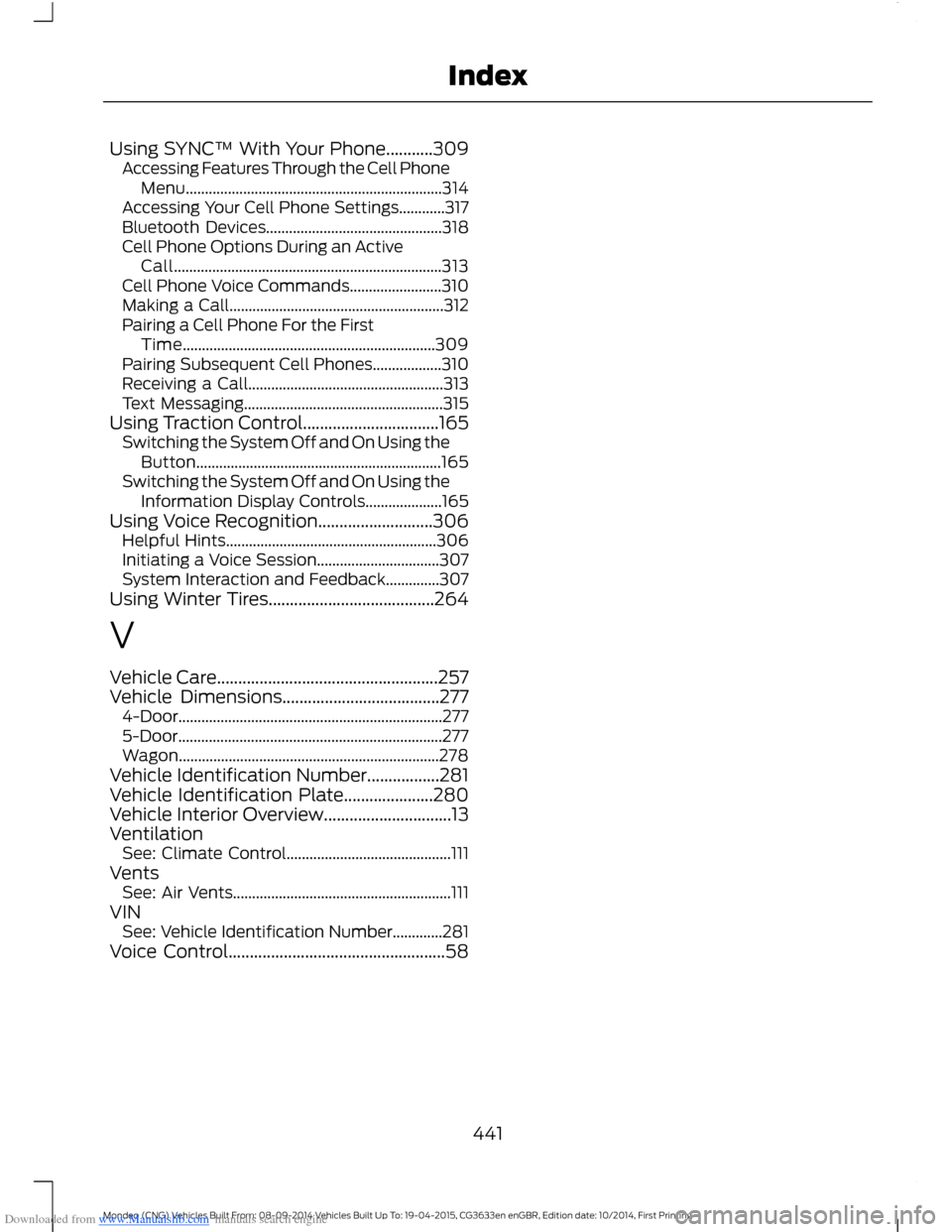
Downloaded from www.Manualslib.com manuals search engine Using SYNC™ With Your Phone...........309Accessing Features Through the Cell PhoneMenu...................................................................314Accessing Your Cell Phone Settings............317Bluetooth Devices..............................................318Cell Phone Options During an ActiveCall......................................................................313Cell Phone Voice Commands........................310Making a Call........................................................312Pairing a Cell Phone For the FirstTime..................................................................309Pairing Subsequent Cell Phones..................310Receiving a Call...................................................313Text Messaging....................................................315Using Traction Control................................165Switching the System Off and On Using theButton................................................................165Switching the System Off and On Using theInformation Display Controls....................165Using Voice Recognition...........................306Helpful Hints.......................................................306Initiating a Voice Session................................307System Interaction and Feedback..............307Using Winter Tires.......................................264
V
Vehicle Care....................................................257Vehicle Dimensions.....................................2774-Door.....................................................................2775-Door.....................................................................277Wagon....................................................................278Vehicle Identification Number.................281Vehicle Identification Plate.....................280Vehicle Interior Overview..............................13VentilationSee: Climate Control...........................................111VentsSee: Air Vents.........................................................111VINSee: Vehicle Identification Number.............281Voice Control...................................................58
441Mondeo (CNG) Vehicles Built From: 08-09-2014 Vehicles Built Up To: 19-04-2015, CG3633en enGBR, Edition date: 10/2014, First PrintingIndex