ignition FORD MONDEO 2014 4.G Workshop Manual
[x] Cancel search | Manufacturer: FORD, Model Year: 2014, Model line: MONDEO, Model: FORD MONDEO 2014 4.GPages: 446, PDF Size: 29.09 MB
Page 183 of 446
Downloaded from www.Manualslib.com manuals search engine PRINCIPLE OF OPERATION
Cruise control lets you maintain a setspeed without keeping your foot on theaccelerator pedal. You can use cruisecontrol when your vehicle speed is greaterthan 20 mph (30 km/h).
USING CRUISE CONTROL
WARNINGS
Do not use cruise control on windingroads, in heavy traffic or, when theroad surface is slippery. This couldresult in loss of vehicle control, seriousinjury or death.
When you are going downhill, yourvehicle speed may increase abovethe set speed. The system will notapply the brakes but a warning displays.
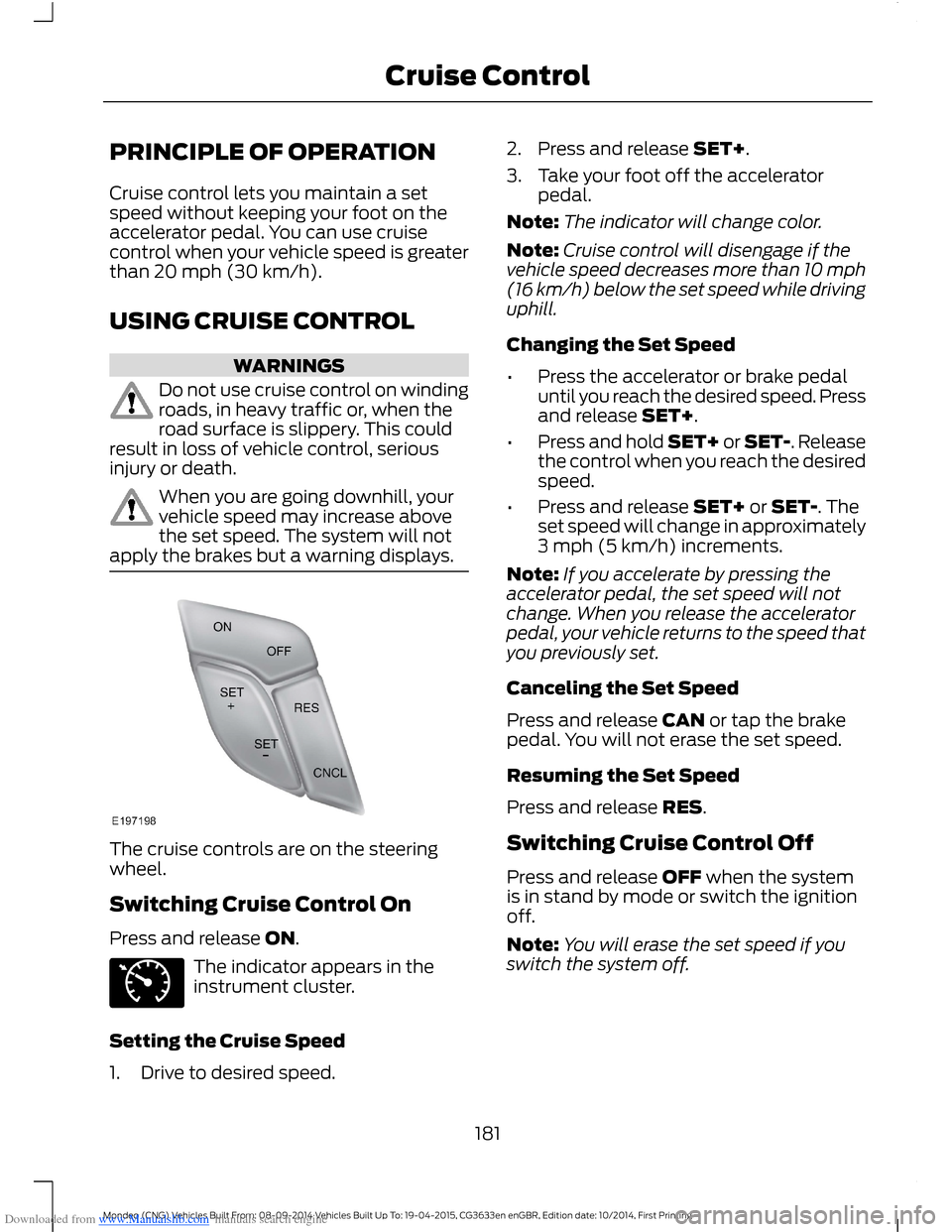
The cruise controls are on the steeringwheel.
Switching Cruise Control On
Press and release ON.
The indicator appears in theinstrument cluster.
Setting the Cruise Speed
1.Drive to desired speed.
2.Press and release SET+.
3.Take your foot off the acceleratorpedal.
Note:The indicator will change color.
Note:Cruise control will disengage if thevehicle speed decreases more than 10 mph(16 km/h) below the set speed while drivinguphill.
Changing the Set Speed
•Press the accelerator or brake pedaluntil you reach the desired speed. Pressand release SET+.
•Press and hold SET+ or SET-. Releasethe control when you reach the desiredspeed.
•Press and release SET+ or SET-. Theset speed will change in approximately3 mph (5 km/h) increments.
Note:If you accelerate by pressing theaccelerator pedal, the set speed will notchange. When you release the acceleratorpedal, your vehicle returns to the speed thatyou previously set.
Canceling the Set Speed
Press and release CAN or tap the brakepedal. You will not erase the set speed.
Resuming the Set Speed
Press and release RES.
Switching Cruise Control Off
Press and release OFF when the systemis in stand by mode or switch the ignitionoff.
Note:You will erase the set speed if youswitch the system off.
181Mondeo (CNG) Vehicles Built From: 08-09-2014 Vehicles Built Up To: 19-04-2015, CG3633en enGBR, Edition date: 10/2014, First PrintingCruise Control
Page 186 of 446
Downloaded from www.Manualslib.com manuals search engine Resuming the Set Speed
Press and release RES+. The vehiclereturns to the previously set speed and gapsetting. The set speed displayscontinuously in the information displaywhile the system is active.
Switching the System Off
Press and release the Adaptive CruiseControl CAN/OFF button when thesystem is in stand by mode or switch theignition off.
Note:The set speed memory erases whenyou switch off the system.
Following a Vehicle
WARNINGS
When following a vehicle, yourvehicle does not decelerateautomatically to a stop, nor doesyour vehicle always decelerate quicklyenough to avoid a crash without driverintervention. Always apply the brakes whennecessary. Failing to do so may result in acrash, serious injury or death.
Adaptive cruise control only warnsof vehicles detected by the radarsensor. In some cases there may beno warning or a delayed warning. Youshould always apply the brakes whennecessary. Failing to do so may result in acrash, serious injury or death.
When a vehicle ahead of you enters thesame lane or a slower vehicle is ahead inthe same lane, the vehicle speed adjuststo maintain a preset gap.
The lead vehicle graphic illuminates.
Your vehicle maintains a constant gapbehind the vehicle ahead until:
•The vehicle in front of you acceleratesto a speed above the set speed.
•The vehicle in front of you moves outof your lane or out of view.
•The vehicle speed falls below 12 mph(20 km/h).
•A new gap is set.
The system applies the brakes to slow yourvehicle to maintain a safe gap from thevehicle in front. The maximum brakingwhich the system can apply is limited. Youcan override the system by applying thebrakes.
If the system predicts that its maximumbraking level is insufficient, an audiblewarning sounds and a message appearsin the information display while the systemcontinues to brake.
The system is designed to assist you bywarning you of the risk of a crash with thevehicle in front of you.
The system is designed to alert you bywarning chimes and a visual warning in theinformation display.
Brake support is turned on to enable fullbraking effectiveness and reduce theseverity of a crash with the vehicle in frontof you.
Note:The brakes may emit a sound whenmodulated by the adaptive cruise controlsystem.
184Mondeo (CNG) Vehicles Built From: 08-09-2014 Vehicles Built Up To: 19-04-2015, CG3633en enGBR, Edition date: 10/2014, First PrintingCruise Control
Page 187 of 446
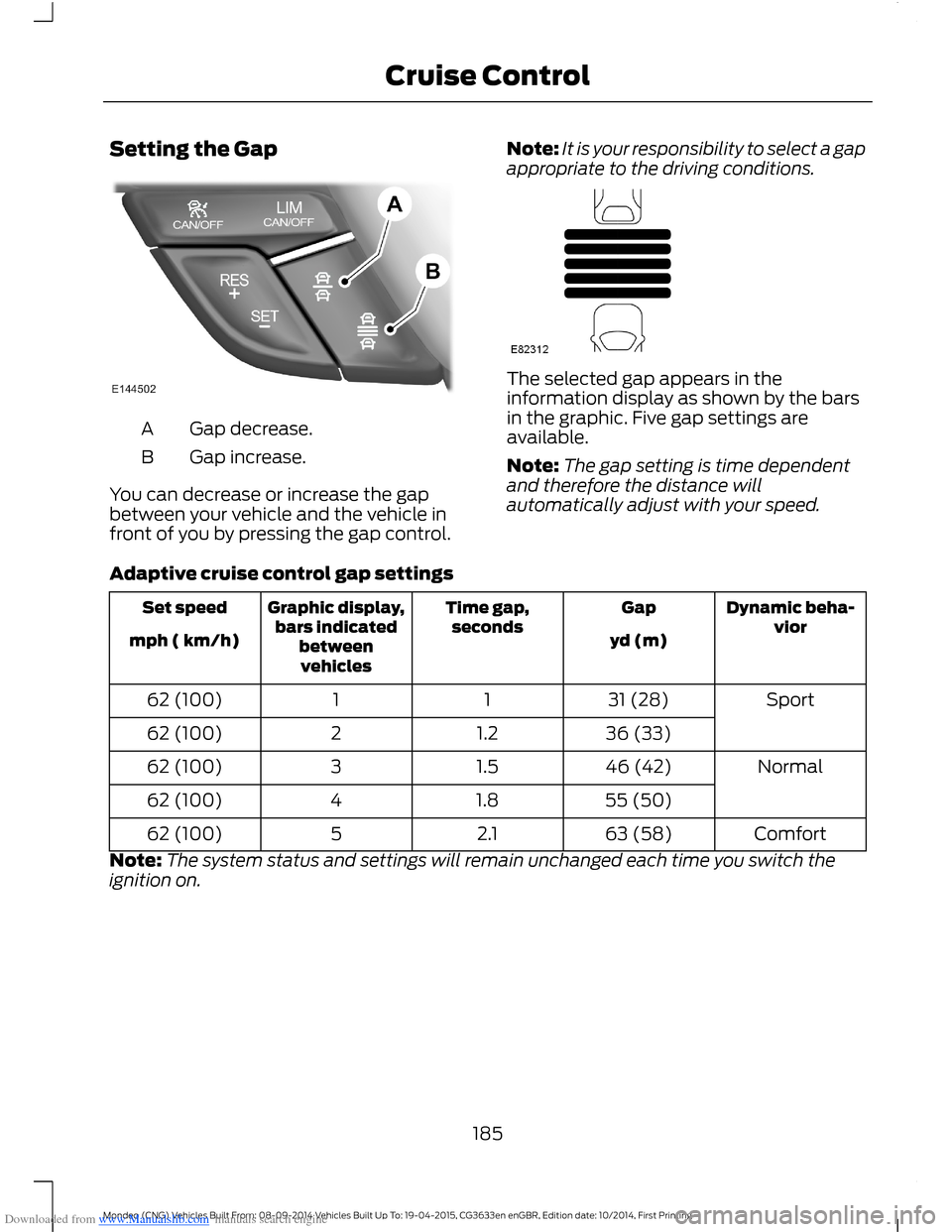
Downloaded from www.Manualslib.com manuals search engine Setting the Gap
Gap decrease.A
Gap increase.B
You can decrease or increase the gapbetween your vehicle and the vehicle infront of you by pressing the gap control.
Note:It is your responsibility to select a gapappropriate to the driving conditions.
The selected gap appears in theinformation display as shown by the barsin the graphic. Five gap settings areavailable.
Note:The gap setting is time dependentand therefore the distance willautomatically adjust with your speed.
Adaptive cruise control gap settings
Dynamic beha-viorGapTime gap,secondsGraphic display,bars indicatedbetweenvehicles
Set speed
yd (m)mph ( km/h)
Sport31 (28)1162 (100)
36 (33)1.2262 (100)
Normal46 (42)1.5362 (100)
55 (50)1.8462 (100)
Comfort63 (58)2.1562 (100)
Note:The system status and settings will remain unchanged each time you switch theignition on.
185Mondeo (CNG) Vehicles Built From: 08-09-2014 Vehicles Built Up To: 19-04-2015, CG3633en enGBR, Edition date: 10/2014, First PrintingCruise Control
Page 193 of 446
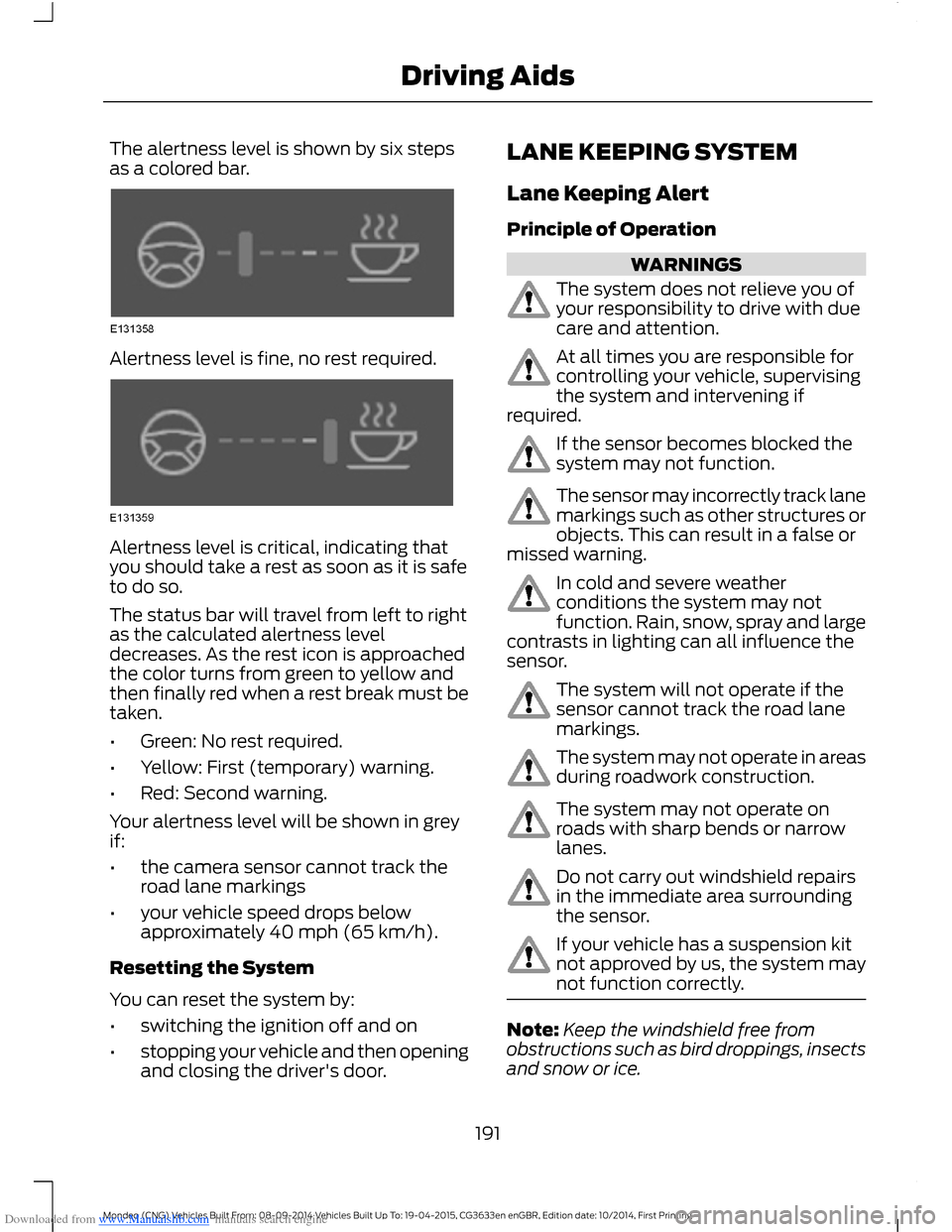
Downloaded from www.Manualslib.com manuals search engine The alertness level is shown by six stepsas a colored bar.
Alertness level is fine, no rest required.
Alertness level is critical, indicating thatyou should take a rest as soon as it is safeto do so.
The status bar will travel from left to rightas the calculated alertness leveldecreases. As the rest icon is approachedthe color turns from green to yellow andthen finally red when a rest break must betaken.
•Green: No rest required.
•Yellow: First (temporary) warning.
•Red: Second warning.
Your alertness level will be shown in greyif:
•the camera sensor cannot track theroad lane markings
•your vehicle speed drops belowapproximately 40 mph (65 km/h).
Resetting the System
You can reset the system by:
•switching the ignition off and on
•stopping your vehicle and then openingand closing the driver's door.
LANE KEEPING SYSTEM
Lane Keeping Alert
Principle of Operation
WARNINGS
The system does not relieve you ofyour responsibility to drive with duecare and attention.
At all times you are responsible forcontrolling your vehicle, supervisingthe system and intervening ifrequired.
If the sensor becomes blocked thesystem may not function.
The sensor may incorrectly track lanemarkings such as other structures orobjects. This can result in a false ormissed warning.
In cold and severe weatherconditions the system may notfunction. Rain, snow, spray and largecontrasts in lighting can all influence thesensor.
The system will not operate if thesensor cannot track the road lanemarkings.
The system may not operate in areasduring roadwork construction.
The system may not operate onroads with sharp bends or narrowlanes.
Do not carry out windshield repairsin the immediate area surroundingthe sensor.
If your vehicle has a suspension kitnot approved by us, the system maynot function correctly.
Note:Keep the windshield free fromobstructions such as bird droppings, insectsand snow or ice.
191Mondeo (CNG) Vehicles Built From: 08-09-2014 Vehicles Built Up To: 19-04-2015, CG3633en enGBR, Edition date: 10/2014, First PrintingDriving Aids
Page 194 of 446
Downloaded from www.Manualslib.com manuals search engine Note:The system may assist you whendriving on fast main roads and freeways.
Note:The system may not operate duringhard braking or acceleration and when youare intentionally steering your vehicle.
Note:The system will operate with aminimum of one tracked lane marking.
Note:The system will only operate abovevehicle speeds of approximately 40 mph(65 km/h).
The sensor is located behind the interiormirror. It continuously monitors conditionsto alert you of unintentional lane driftingat high speeds.
The system will automatically detect andtrack the lane markings on the road. If yourvehicle unintentionally drifts toward theroad lane markings, a warning will beshown in the display. There is also awarning given in the form of a vibration feltthrough the steering wheel.
Using Lane Keeping Alert
Switching the System On and Off
Note:When you switch the system off, awarning indicator will remain illuminated inthe information display. See WarningLamps and Indicators (page 81).
Note:The system status and settings willremain unchanged when you switch theignition on and off.
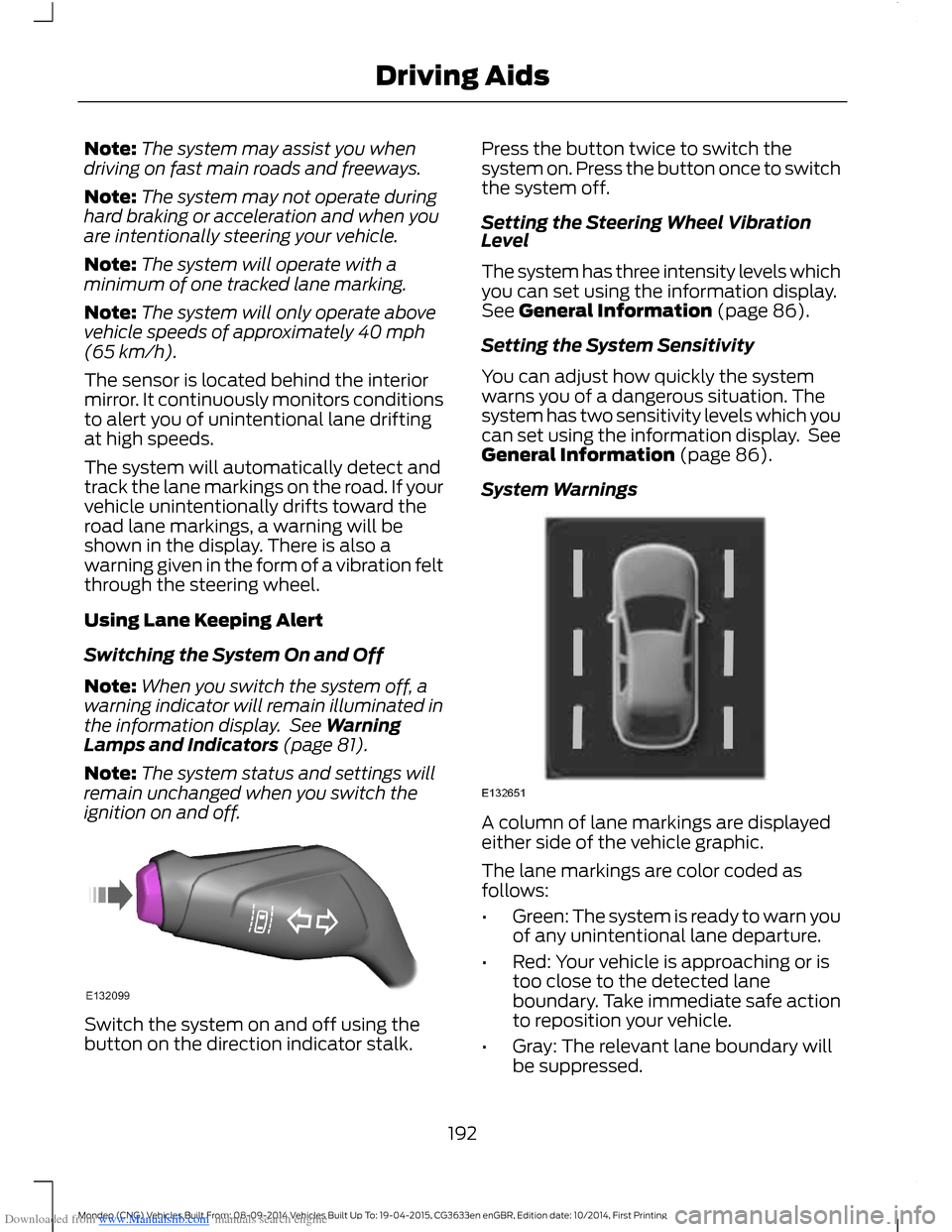
Switch the system on and off using thebutton on the direction indicator stalk.
Press the button twice to switch thesystem on. Press the button once to switchthe system off.
Setting the Steering Wheel VibrationLevel
The system has three intensity levels whichyou can set using the information display.See General Information (page 86).
Setting the System Sensitivity
You can adjust how quickly the systemwarns you of a dangerous situation. Thesystem has two sensitivity levels which youcan set using the information display. SeeGeneral Information (page 86).
System Warnings
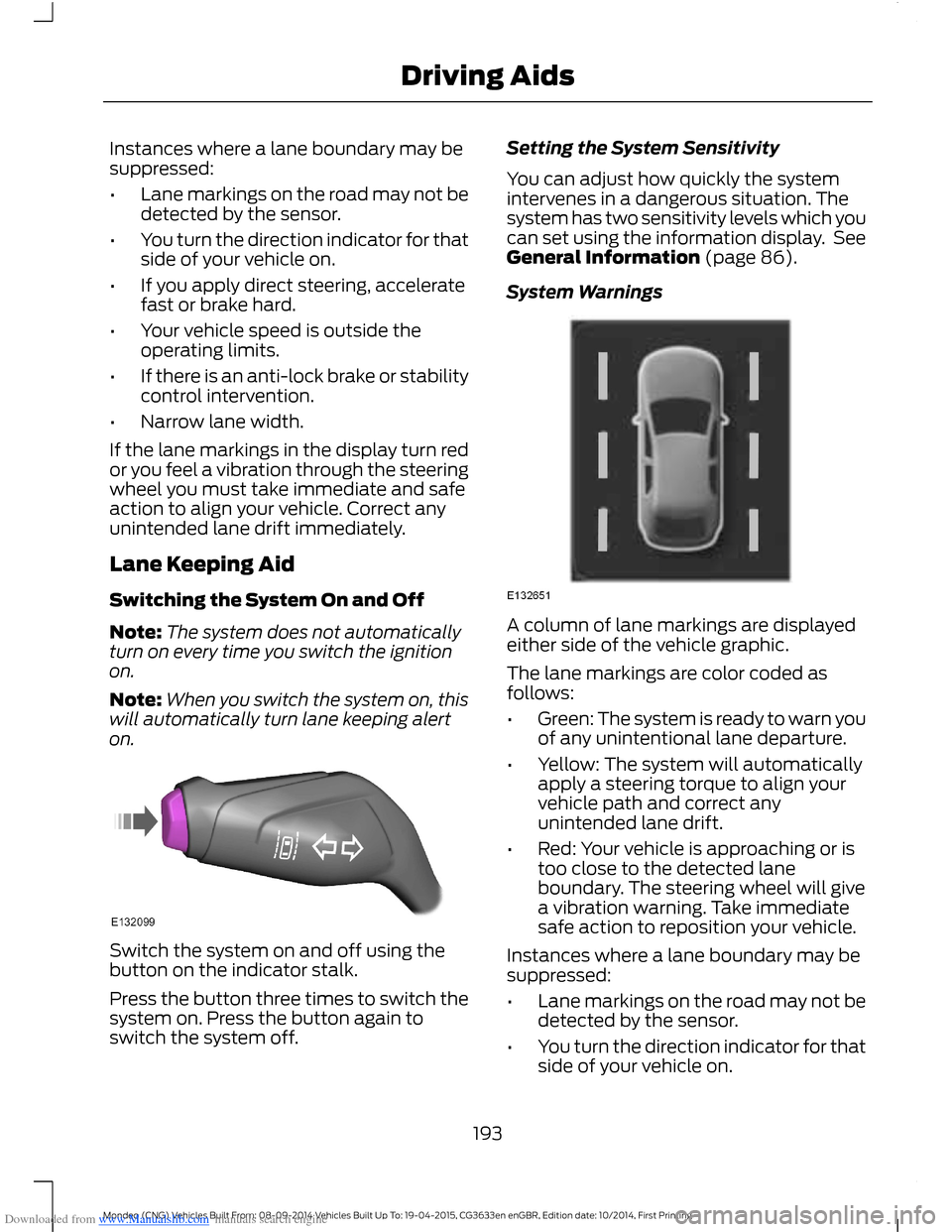
A column of lane markings are displayedeither side of the vehicle graphic.
The lane markings are color coded asfollows:
•Green: The system is ready to warn youof any unintentional lane departure.
•Red: Your vehicle is approaching or istoo close to the detected laneboundary. Take immediate safe actionto reposition your vehicle.
•Gray: The relevant lane boundary willbe suppressed.
192Mondeo (CNG) Vehicles Built From: 08-09-2014 Vehicles Built Up To: 19-04-2015, CG3633en enGBR, Edition date: 10/2014, First PrintingDriving Aids
Page 195 of 446
Downloaded from www.Manualslib.com manuals search engine Instances where a lane boundary may besuppressed:
•Lane markings on the road may not bedetected by the sensor.
•You turn the direction indicator for thatside of your vehicle on.
•If you apply direct steering, acceleratefast or brake hard.
•Your vehicle speed is outside theoperating limits.
•If there is an anti-lock brake or stabilitycontrol intervention.
•Narrow lane width.
If the lane markings in the display turn redor you feel a vibration through the steeringwheel you must take immediate and safeaction to align your vehicle. Correct anyunintended lane drift immediately.
Lane Keeping Aid
Switching the System On and Off
Note:The system does not automaticallyturn on every time you switch the ignitionon.
Note:When you switch the system on, thiswill automatically turn lane keeping alerton.
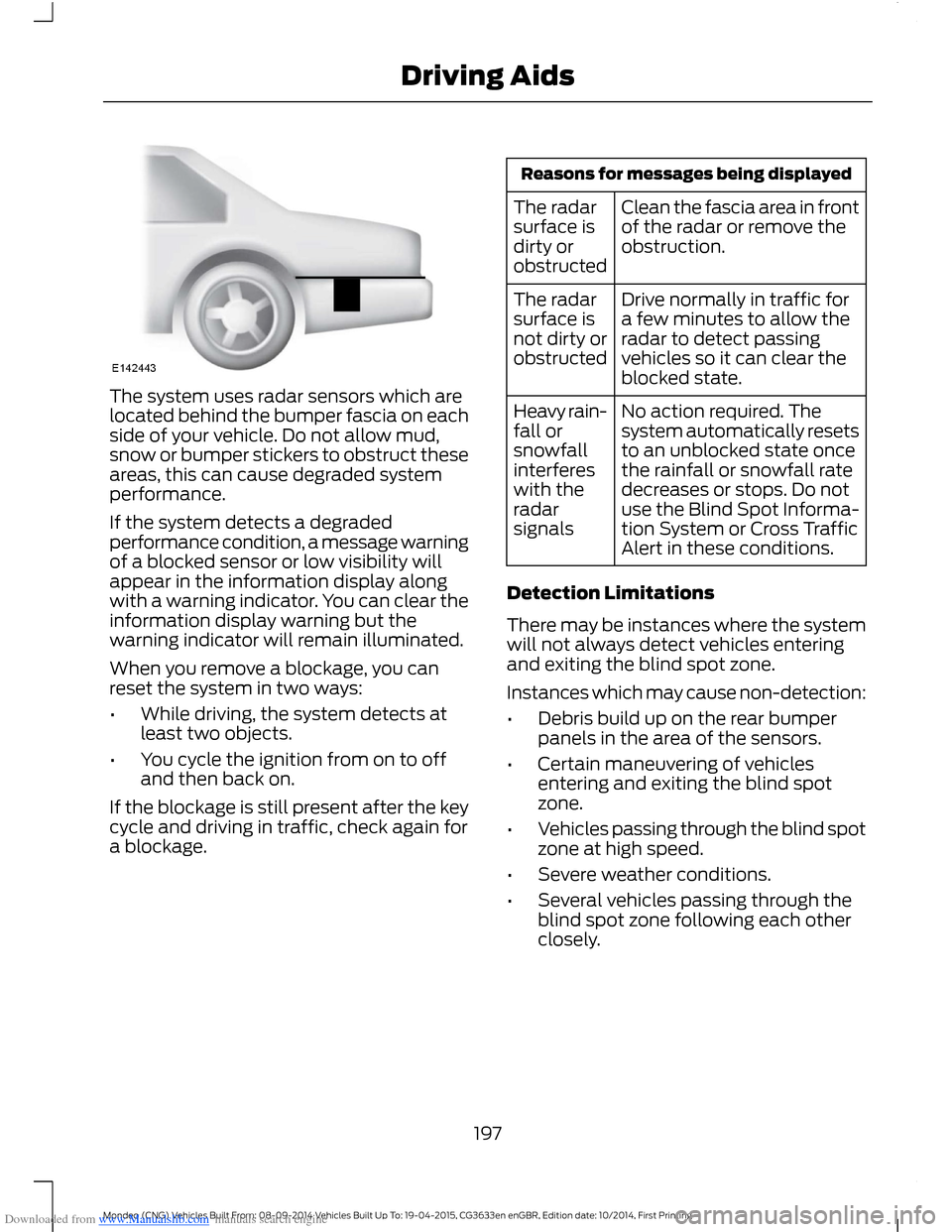
Switch the system on and off using thebutton on the indicator stalk.
Press the button three times to switch thesystem on. Press the button again toswitch the system off.
Setting the System Sensitivity
You can adjust how quickly the systemintervenes in a dangerous situation. Thesystem has two sensitivity levels which youcan set using the information display. SeeGeneral Information (page 86).
System Warnings
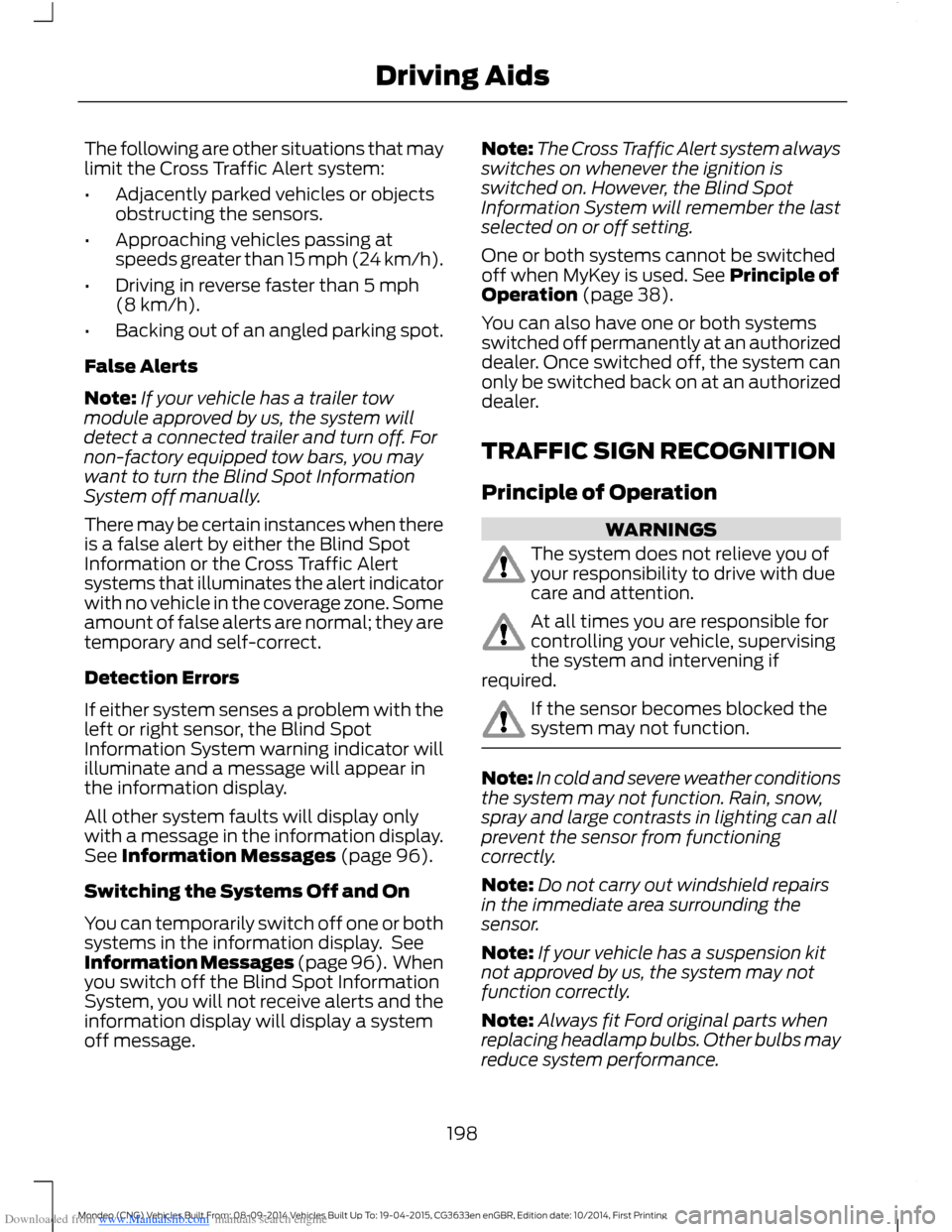
A column of lane markings are displayedeither side of the vehicle graphic.
The lane markings are color coded asfollows:
•Green: The system is ready to warn youof any unintentional lane departure.
•Yellow: The system will automaticallyapply a steering torque to align yourvehicle path and correct anyunintended lane drift.
•Red: Your vehicle is approaching or istoo close to the detected laneboundary. The steering wheel will givea vibration warning. Take immediatesafe action to reposition your vehicle.
Instances where a lane boundary may besuppressed:
•Lane markings on the road may not bedetected by the sensor.
•You turn the direction indicator for thatside of your vehicle on.
193Mondeo (CNG) Vehicles Built From: 08-09-2014 Vehicles Built Up To: 19-04-2015, CG3633en enGBR, Edition date: 10/2014, First PrintingDriving Aids
Page 199 of 446
Downloaded from www.Manualslib.com manuals search engine The system uses radar sensors which arelocated behind the bumper fascia on eachside of your vehicle. Do not allow mud,snow or bumper stickers to obstruct theseareas, this can cause degraded systemperformance.
If the system detects a degradedperformance condition, a message warningof a blocked sensor or low visibility willappear in the information display alongwith a warning indicator. You can clear theinformation display warning but thewarning indicator will remain illuminated.
When you remove a blockage, you canreset the system in two ways:
•While driving, the system detects atleast two objects.
•You cycle the ignition from on to offand then back on.
If the blockage is still present after the keycycle and driving in traffic, check again fora blockage.
Reasons for messages being displayed
Clean the fascia area in frontof the radar or remove theobstruction.
The radarsurface isdirty orobstructed
Drive normally in traffic fora few minutes to allow theradar to detect passingvehicles so it can clear theblocked state.
The radarsurface isnot dirty orobstructed
No action required. Thesystem automatically resetsto an unblocked state oncethe rainfall or snowfall ratedecreases or stops. Do notuse the Blind Spot Informa-tion System or Cross TrafficAlert in these conditions.
Heavy rain-fall orsnowfallinterfereswith theradarsignals
Detection Limitations
There may be instances where the systemwill not always detect vehicles enteringand exiting the blind spot zone.
Instances which may cause non-detection:
•Debris build up on the rear bumperpanels in the area of the sensors.
•Certain maneuvering of vehiclesentering and exiting the blind spotzone.
•Vehicles passing through the blind spotzone at high speed.
•Severe weather conditions.
•Several vehicles passing through theblind spot zone following each otherclosely.
197Mondeo (CNG) Vehicles Built From: 08-09-2014 Vehicles Built Up To: 19-04-2015, CG3633en enGBR, Edition date: 10/2014, First PrintingDriving Aids
Page 200 of 446
Downloaded from www.Manualslib.com manuals search engine The following are other situations that maylimit the Cross Traffic Alert system:
•Adjacently parked vehicles or objectsobstructing the sensors.
•Approaching vehicles passing atspeeds greater than 15 mph (24 km/h).
•Driving in reverse faster than 5 mph(8 km/h).
•Backing out of an angled parking spot.
False Alerts
Note:If your vehicle has a trailer towmodule approved by us, the system willdetect a connected trailer and turn off. Fornon-factory equipped tow bars, you maywant to turn the Blind Spot InformationSystem off manually.
There may be certain instances when thereis a false alert by either the Blind SpotInformation or the Cross Traffic Alertsystems that illuminates the alert indicatorwith no vehicle in the coverage zone. Someamount of false alerts are normal; they aretemporary and self-correct.
Detection Errors
If either system senses a problem with theleft or right sensor, the Blind SpotInformation System warning indicator willilluminate and a message will appear inthe information display.
All other system faults will display onlywith a message in the information display.See Information Messages (page 96).
Switching the Systems Off and On
You can temporarily switch off one or bothsystems in the information display. SeeInformation Messages (page 96). Whenyou switch off the Blind Spot InformationSystem, you will not receive alerts and theinformation display will display a systemoff message.
Note:The Cross Traffic Alert system alwaysswitches on whenever the ignition isswitched on. However, the Blind SpotInformation System will remember the lastselected on or off setting.
One or both systems cannot be switchedoff when MyKey is used. See Principle ofOperation (page 38).
You can also have one or both systemsswitched off permanently at an authorizeddealer. Once switched off, the system canonly be switched back on at an authorizeddealer.
TRAFFIC SIGN RECOGNITION
Principle of Operation
WARNINGS
The system does not relieve you ofyour responsibility to drive with duecare and attention.
At all times you are responsible forcontrolling your vehicle, supervisingthe system and intervening ifrequired.
If the sensor becomes blocked thesystem may not function.
Note:In cold and severe weather conditionsthe system may not function. Rain, snow,spray and large contrasts in lighting can allprevent the sensor from functioningcorrectly.
Note:Do not carry out windshield repairsin the immediate area surrounding thesensor.
Note:If your vehicle has a suspension kitnot approved by us, the system may notfunction correctly.
Note:Always fit Ford original parts whenreplacing headlamp bulbs. Other bulbs mayreduce system performance.
198Mondeo (CNG) Vehicles Built From: 08-09-2014 Vehicles Built Up To: 19-04-2015, CG3633en enGBR, Edition date: 10/2014, First PrintingDriving Aids
Page 201 of 446
Downloaded from www.Manualslib.com manuals search engine Note:Keep the windshield free fromobstructions such as bird droppings, insectsand snow or ice.
Note:The system may not detect all trafficsigns and may read signs incorrectly.
Note:The system is designed toautomatically detect traffic signs meetingthe Vienna convention.
Note:Traffic sign data provided by thenavigation system contains informationintegrated to the data carrier release.
There is a sensor mounted behind theinterior rear view mirror. It continuouslymonitors road signs to inform you of thecurrent speed limit and overtakingregulations.
The system automatically detectsrecognisable traffic signs, such as:
•Speed limit signs.
•No overtaking signs.
•Speed limit cancellation signs.
When the system recognises a traffic sign,it will be shown in the display.
Using the System
Switching the System On and Off
Note:The system status and settings willremain unchanged during ignition cycles.
You can switch the system on and off usingthe information display. See GeneralInformation (page 86).
Setting the System Speed Warning
The system has a number of speedwarning levels which can be set using theinformation display. See GeneralInformation (page 86).
System Display
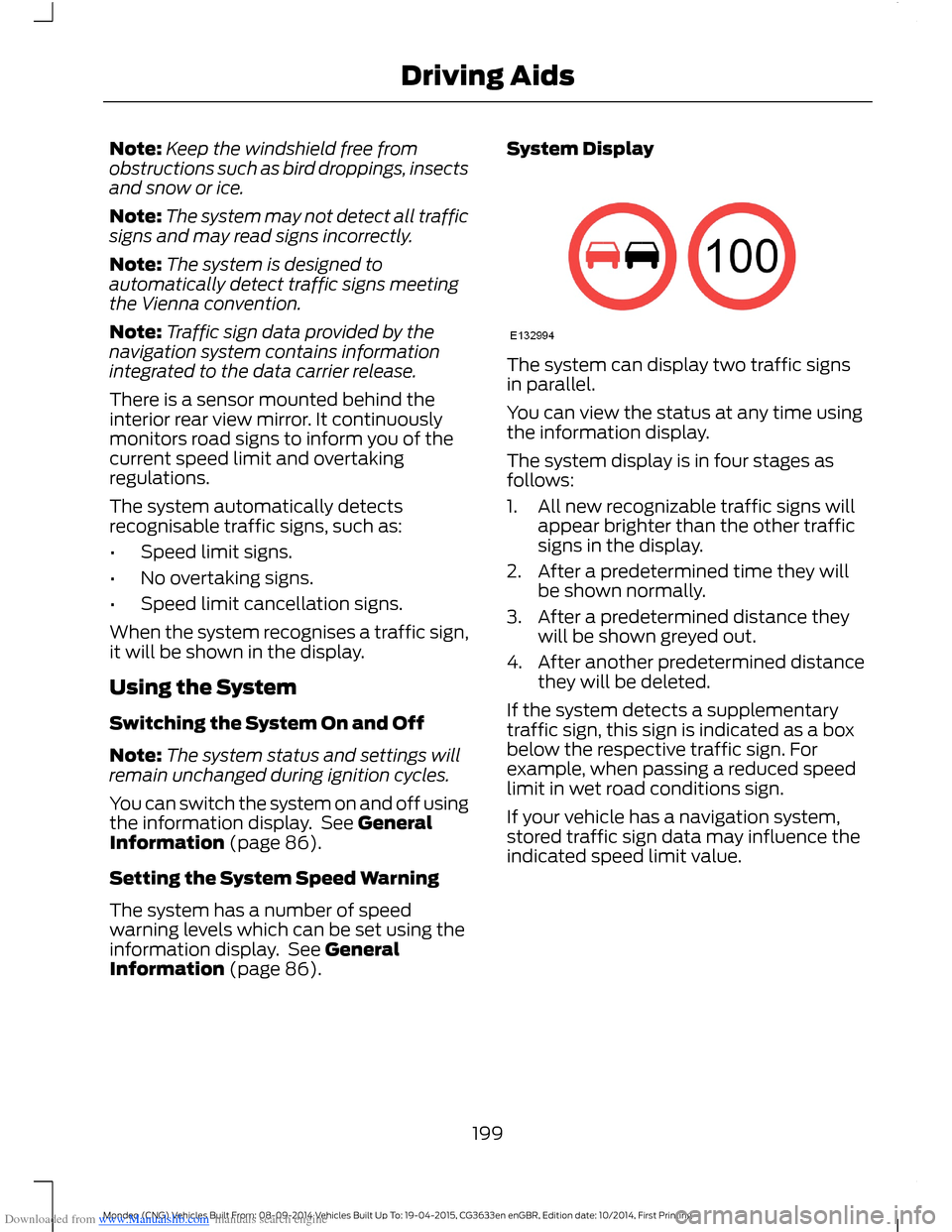
The system can display two traffic signsin parallel.
You can view the status at any time usingthe information display.
The system display is in four stages asfollows:
1.All new recognizable traffic signs willappear brighter than the other trafficsigns in the display.
2.After a predetermined time they willbe shown normally.
3.After a predetermined distance theywill be shown greyed out.
4.After another predetermined distancethey will be deleted.
If the system detects a supplementarytraffic sign, this sign is indicated as a boxbelow the respective traffic sign. Forexample, when passing a reduced speedlimit in wet road conditions sign.
If your vehicle has a navigation system,stored traffic sign data may influence theindicated speed limit value.
199Mondeo (CNG) Vehicles Built From: 08-09-2014 Vehicles Built Up To: 19-04-2015, CG3633en enGBR, Edition date: 10/2014, First PrintingDriving Aids
Page 202 of 446
Downloaded from www.Manualslib.com manuals search engine ACTIVE CITY STOP
Principle of Operation
WARNINGS
You are responsible for controllingyour vehicle at all times. The systemdoes not relieve you of yourresponsibility to drive with due care andattention. Failure to take care may resultin the loss of control of your vehicle, seriouspersonal injury or death.
To achieve full system performanceyou must break in the brakingsystem. See Breaking-In (page 221).Failure to take care may result in the lossof control of your vehicle, serious personalinjury or death.
If the system applies the brakes andthe engine stops the hazard warningflashers will automatically turn on.Failure to take care may lead to a crash orpersonal injury.
The system does not react tocyclists, motorcyclists, pedestrians,animals or vehicles that are drivingin a different direction. Failure to take caremay result in the loss of control of yourvehicle, serious personal injury or death.
The system does not operate duringharsh acceleration or steering. Failureto take care may lead to a crash orpersonal injury.
The system may not operate duringcold or severe weather conditions.Snow, ice, heavy rain and spray caninfluence the system. Keep the hood freeof snow and ice. Failure to take care mayresult in the loss of control of your vehicle,serious personal injury or death.
The system may not operate whendriving around sharp curves. Failureto take care may lead to a crash orpersonal injury.
WARNINGS
The system may not operatecorrectly if you replace thewindshield with a non-Fordwindshield. Do not carry out windshieldrepairs in front of the sensor. Failure toadhere to this warning may lead to anaccident or injury.
The system may not detect objectswith surfaces that absorb reflections.Failure to take care may result in theloss of control of your vehicle, seriouspersonal injury or death.
The system will not operate correctlyif the sensor is blocked. Keep thewindshield free from obstructions,for example, bird droppings, insects, snowor ice. Failure to adhere to this warning maylead to an accident or injury.
When you switch the ignition on thesensor transmits a laser beam. Neverlook directly into the sensor with anytype of object, there is a risk of eye injury.
The sensor is on the rear of the interiormirror. It continuously monitors conditionsto decide when to intervene.
The system operates at speeds belowapproximately 25 mph (40 km/h) byapplying the brakes if it detects that acrash is likely. If the system applies thebrakes, a message appears in theinformation display.
The system may reduce the risk of a lowspeed crash into another vehicle. It alsohelps reduce impact damage or may avoidthe crash completely.
Note:You must depress the brake pedal toobtain full braking force.
200Mondeo (CNG) Vehicles Built From: 08-09-2014 Vehicles Built Up To: 19-04-2015, CG3633en enGBR, Edition date: 10/2014, First PrintingDriving Aids