ice FORD MONDEO 2014 4.G Repair Manual
[x] Cancel search | Manufacturer: FORD, Model Year: 2014, Model line: MONDEO, Model: FORD MONDEO 2014 4.GPages: 446, PDF Size: 29.09 MB
Page 174 of 446
Downloaded from www.Manualslib.com manuals search engine ACTIVE PARK ASSIST
Parallel Parking, PerpendicularParking, Park Out Assist
WARNINGS
You must remain in your vehiclewhen the system turns on. At alltimes, you are responsible forcontrolling your vehicle, supervising thesystem and intervening if required. Failureto take care may result in the loss ofcontrol of your vehicle, serious personalinjury or death.
The sensors may not detect objectsin heavy rain or other conditions thatcause disruptive reflections.
The system scans the area adjacent toboth sides of your vehicle to locate asuitable parking space.
The system informs you when it locates asuitable parking space. When you stopyour vehicle, the system takes control ofthe steering to guide your vehicle into theparking space.
Park Out Assist automatically steers yourvehicle out of a parallel parking space(hands-free) while you control theaccelerator, gearshift and brakes. Thesystem visually and audibly instructs youto enter traffic.
The system may not correctly operate inany of the following conditions:
•a spare tire or a significantly worn tiremore than the other tires is used
•you use a tire size not recommendedby us
•you try to park on a tight curve
•if the edge of the neighboring parkedvehicle is high off the ground (forexample, a bus, tow truck or flatbedtruck)
•the weather conditions are poor (heavyrain, snow, fog, etc).
Note:Keep the sensors, located on thebumper or fascia, free from snow, ice andlarge accumulations of dirt. Covered sensorscan affect the system's accuracy. Do notclean the sensors with sharp objects.
Do not use the system if:
•You have attached a foreign object(bike rack or trailer) to the front or rearof your vehicle or close to the sensors.
•You have attached an overhangingobject (surfboard) to the roof.
•A foreign object damages or obstructsthe front or rear bumper or sidesensors.
•The correct tire size is not in use on yourvehicle (for example, a mini-spare tire).
Using Active Park Assist - ParallelParking
Press the button located on thecenter console near the gearshiftlever once.
When driving at a speed less than 19 mph(30 km/h) the system automatically scansboth sides of your vehicle for an availableparking space. The system displays amessage and a corresponding graphic toindicate it is searching for a parking space.Use the direction indicator to selectsearching either to the left-hand side orright-hand side of your vehicle.
Note:If you do not make a selection thesystem will default to the passenger's side.
172Mondeo (CNG) Vehicles Built From: 08-09-2014 Vehicles Built Up To: 19-04-2015, CG3633en enGBR, Edition date: 10/2014, First PrintingParking Aids
Page 176 of 446
Downloaded from www.Manualslib.com manuals search engine When you think your vehicle is properlyparked, or you hear a solid tone from theparking aid (accompanied by a displaymessage and a chime), bring your vehicleto a complete stop.
When automatic steering is complete, thesystem displays a message and a tonesounds, indicating that the active parkassist process is finished. You areresponsible for checking the parking joband making any necessary correctionsbefore leaving your vehicle.
Using Active Park Assist -Perpendicular Parking
Press the button located on thecenter console near the gearshiftlever twice.
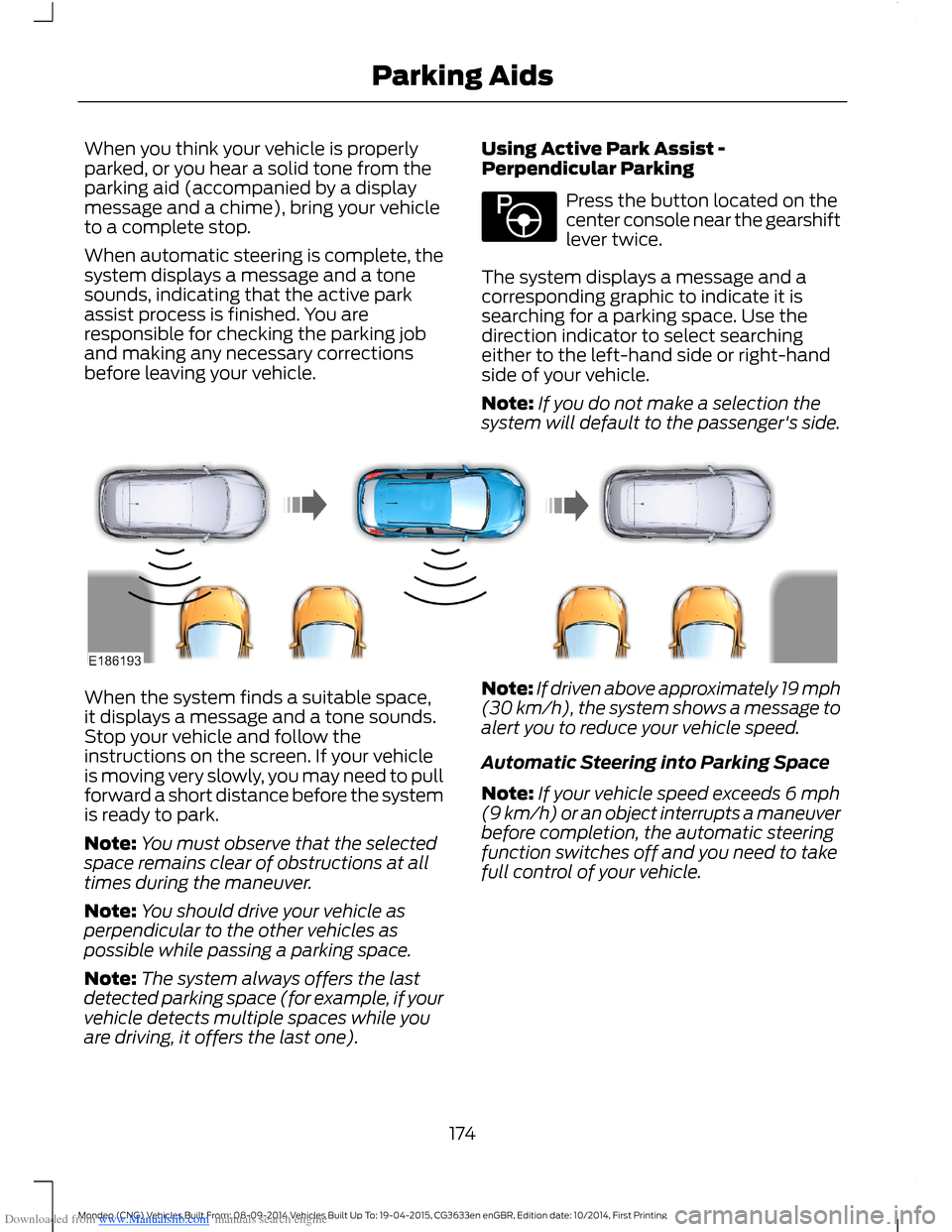
The system displays a message and acorresponding graphic to indicate it issearching for a parking space. Use thedirection indicator to select searchingeither to the left-hand side or right-handside of your vehicle.
Note:If you do not make a selection thesystem will default to the passenger's side.
When the system finds a suitable space,it displays a message and a tone sounds.Stop your vehicle and follow theinstructions on the screen. If your vehicleis moving very slowly, you may need to pullforward a short distance before the systemis ready to park.
Note:You must observe that the selectedspace remains clear of obstructions at alltimes during the maneuver.
Note:You should drive your vehicle asperpendicular to the other vehicles aspossible while passing a parking space.
Note:The system always offers the lastdetected parking space (for example, if yourvehicle detects multiple spaces while youare driving, it offers the last one).
Note:If driven above approximately 19 mph(30 km/h), the system shows a message toalert you to reduce your vehicle speed.
Automatic Steering into Parking Space
Note:If your vehicle speed exceeds 6 mph(9 km/h) or an object interrupts a maneuverbefore completion, the automatic steeringfunction switches off and you need to takefull control of your vehicle.
174Mondeo (CNG) Vehicles Built From: 08-09-2014 Vehicles Built Up To: 19-04-2015, CG3633en enGBR, Edition date: 10/2014, First PrintingParking Aids
Page 177 of 446
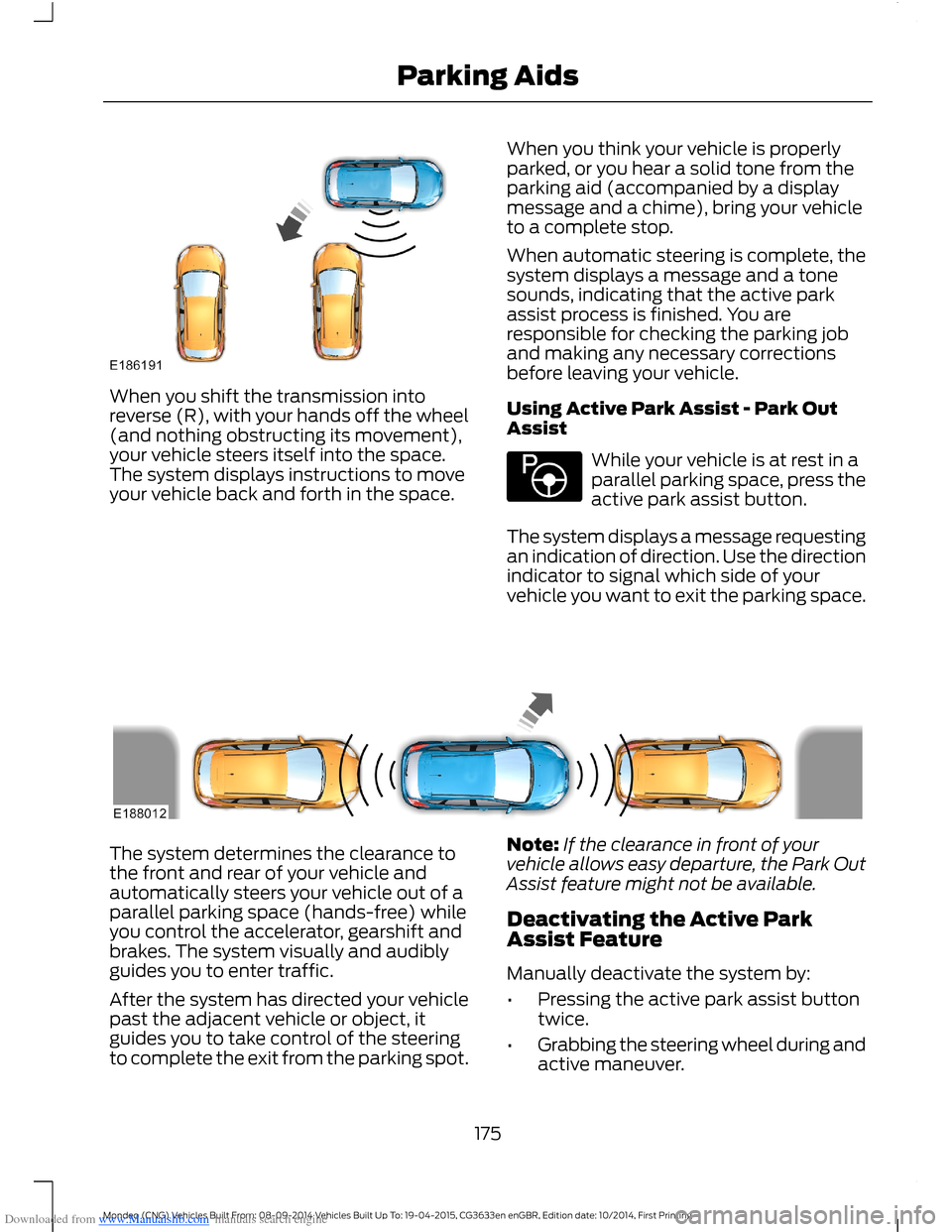
Downloaded from www.Manualslib.com manuals search engine When you shift the transmission intoreverse (R), with your hands off the wheel(and nothing obstructing its movement),your vehicle steers itself into the space.The system displays instructions to moveyour vehicle back and forth in the space.
When you think your vehicle is properlyparked, or you hear a solid tone from theparking aid (accompanied by a displaymessage and a chime), bring your vehicleto a complete stop.
When automatic steering is complete, thesystem displays a message and a tonesounds, indicating that the active parkassist process is finished. You areresponsible for checking the parking joband making any necessary correctionsbefore leaving your vehicle.
Using Active Park Assist - Park OutAssist
While your vehicle is at rest in aparallel parking space, press theactive park assist button.
The system displays a message requestingan indication of direction. Use the directionindicator to signal which side of yourvehicle you want to exit the parking space.
The system determines the clearance tothe front and rear of your vehicle andautomatically steers your vehicle out of aparallel parking space (hands-free) whileyou control the accelerator, gearshift andbrakes. The system visually and audiblyguides you to enter traffic.
After the system has directed your vehiclepast the adjacent vehicle or object, itguides you to take control of the steeringto complete the exit from the parking spot.
Note:If the clearance in front of yourvehicle allows easy departure, the Park OutAssist feature might not be available.
Deactivating the Active ParkAssist Feature
Manually deactivate the system by:
•Pressing the active park assist buttontwice.
•Grabbing the steering wheel during andactive maneuver.
175Mondeo (CNG) Vehicles Built From: 08-09-2014 Vehicles Built Up To: 19-04-2015, CG3633en enGBR, Edition date: 10/2014, First PrintingParking Aids
Page 178 of 446
Downloaded from www.Manualslib.com manuals search engine •Driving above approximately 22 mph(35 km/h) for 30 seconds during anactive park search.
•Driving above 6 mph (9 km/h) duringautomatic steering.
•Switching off the traction controlsystem.
Certain vehicle conditions can alsodeactivate the system, such as:
•Traction control has activated.
•There is an anti-lock brake systemactivation or failure.
If a problem occurs with the system, awarning message displays accompaniedby a tone. Occasional system messagesmay occur in normal operation. Forrecurring or frequent system faults, contactan authorized dealer to have your vehicleserviced.
Troubleshooting the System
The system does not look for a space
The traction control system may be off.
The transmission is in reverse (R). Your vehicle must be moving forward to be able todetect a parking space.
The system does not offer a particular space
The sensors may be covered (for example, snow, ice or dirt buildup). Covered senorscan affect the system's functionality.
There is not enough room in the parking space for your vehicle to safely park.
There is not enough space for the parking maneuver on the opposite side of the parkingspace.
The parking space is farther than 4.9 ft (1.5 m) or closer than 15.7 in (0.4 m) away.
The transmission is in reverse (R). Your vehicle must be moving forward to be able todetect a parking space.
Your vehicle is going faster than 19 mph (30 km/h) for parallel and 22 mph (35 km/h)for perpendicular parking.
176Mondeo (CNG) Vehicles Built From: 08-09-2014 Vehicles Built Up To: 19-04-2015, CG3633en enGBR, Edition date: 10/2014, First PrintingParking Aids
Page 179 of 446
Downloaded from www.Manualslib.com manuals search engine The system does not position the vehicle where I want in the space
Your vehicle is rolling in the opposite direction of the transmission (rolling forward withreverse [R] selected).
An irregular curb along the parking space prevents the system from aligning your vehicleproperly.
Vehicles or objects bordering the space may not be positioned correctly.
You pulled your vehicle too far past the parking space. The system performs best whenyou drive the same distance past the parking space.
The tires may not be installed or maintained correctly (not inflated correctly, impropersize, or of different sizes).
A repair or alteration has changed detection capabilities.
A parked vehicle has a high attachment (salt sprayer, snowplow or moving truck bed).
The parking space length or position of parked objects changed after your vehicle passed.
The temperature around your vehicle changes quickly (driving from a heated garageinto the cold, or after leaving a car wash).
REAR VIEW CAMERA
WARNINGS
The rear view camera system is areverse aid supplement device thatstill requires the driver to use it inconjunction with the interior and exteriormirrors for maximum coverage.
Objects that are close to eithercorner of the bumper or under thebumper, might not be seen on thescreen due to the limited coverage of thecamera system.
Back up as slow as possible sincehigher speeds might limit yourreaction time to stop your vehicle.
WARNINGS
Use caution when using the rearvideo camera and the luggagecompartment door is ajar. If theluggage compartment door is ajar, thecamera will be out of position and thevideo image may be incorrect. Allguidelines disappear when the luggagecompartment door is ajar.
Use caution when turning camerafeatures on or off. Make sure yourvehicle is not moving.
The rear view camera system provides avideo image of the area behind yourvehicle.
During operation, lines appear in thedisplay which represent your vehicle’s pathand proximity to objects behind yourvehicle.
177Mondeo (CNG) Vehicles Built From: 08-09-2014 Vehicles Built Up To: 19-04-2015, CG3633en enGBR, Edition date: 10/2014, First PrintingParking Aids
Page 190 of 446
Downloaded from www.Manualslib.com manuals search engine The following table lists possible causes and actions for this message displaying.
ActionCause
Clean the grille surface in front of the radaror remove the object causing the obstruc-tion.
The surface of the radar in the grille is dirtyor obstructed in some way.
Wait a short time. It may take severalminutes for the radar to detect that it is freefrom obstruction.
The surface of the radar in the grille is cleanbut the message remains in the display.
Do not use the system in these conditionsbecause it may not detect any vehiclesahead.
Heavy rain or snow is interfering with theradar signals.
Do not use the system in these conditionsbecause it may not detect any vehiclesahead.
Swirling water, snow or ice on the surfaceof the road may interfere with the radarsignals.
It is possible to get a blockage warning andnot be blocked. A false blocked conditionself clears or clears after a key cycle.
Switching to Normal CruiseControl
WARNING
Normal cruise control does not brakedue to slower vehicles. Always beaware of which mode you haveselected and apply the brakes whennecessary.
You can manually change from adaptivecruise control to normal cruise controlthrough the information display.
The cruise control indicator lightreplaces the adaptive cruisecontrol indicator light if youselect normal cruise control. The gapsetting does not display, the system doesnot automatically respond to lead vehiclesand automatic braking does not activate.The system remembers the last settingwhen you start your vehicle.
188Mondeo (CNG) Vehicles Built From: 08-09-2014 Vehicles Built Up To: 19-04-2015, CG3633en enGBR, Edition date: 10/2014, First PrintingCruise Control
Page 192 of 446
Downloaded from www.Manualslib.com manuals search engine WARNINGS
If the sensor becomes blocked thesystem may not function.
Take regular rest breaks as requiredand do not wait for the system towarn you if you feel tired.
Take rest breaks only where it is safeto do so.
Certain driving styles and behaviormay result in the system issuing awarning even if you are not feelingtired.
In cold and severe weatherconditions the system may notfunction. Rain, snow, spray and largecontrasts in lighting can all influence thesensor.
The system will not operate if thesensor cannot track the road lanemarkings.
The system may not operate in areasduring roadwork construction.
The system may not operate onroads with sharp bends or narrowlanes.
Do not carry out windshield repairsin the immediate area surroundingthe sensor.
If your vehicle has a suspension kitnot approved by us, the system maynot function correctly.
Note:Keep the windshield free fromobstructions such as bird droppings, insectsand snow or ice.
Note:The system assists you when drivingon fast main roads and freeways.
Note:The system calculates an alertnesslevel at vehicle speeds above approximately40 mph (65 km/h).
The system automatically monitors yourdriving behavior.
The system is designed to alert you if itdetects that you are becoming drowsy orif your driving deteriorates.
Using Driver Alert
Switching the System On and Off
Note:The system will remain on or offdepending on how it was last set.
Switch the system on using the informationdisplay. See Information Displays (page86).
The system will calculate your alertnesslevel based upon your driving behavior inrelation to the lane markings and otherfactors.
System Warnings
Note:The system will not issue warningsbelow approximately 40 mph (65 km/h).
The warning system has two stages:
1.A temporary warning is issued to adviseyou to take a rest. This message onlyappears for a short time.
2.If you do not rest and the systemcontinues to detect that your drivingdeteriorates, it will issue a furtherwarning. This will remain in theinformation display until you cancel it.See Information Messages (page96).
Press OK on the steering wheel control toremove the warning.
System Display
When active the system will runautomatically in the background and onlyissue warnings if required. You can viewthe status at any time using theinformation display. See GeneralInformation (page 86).
190Mondeo (CNG) Vehicles Built From: 08-09-2014 Vehicles Built Up To: 19-04-2015, CG3633en enGBR, Edition date: 10/2014, First PrintingDriving Aids
Page 193 of 446
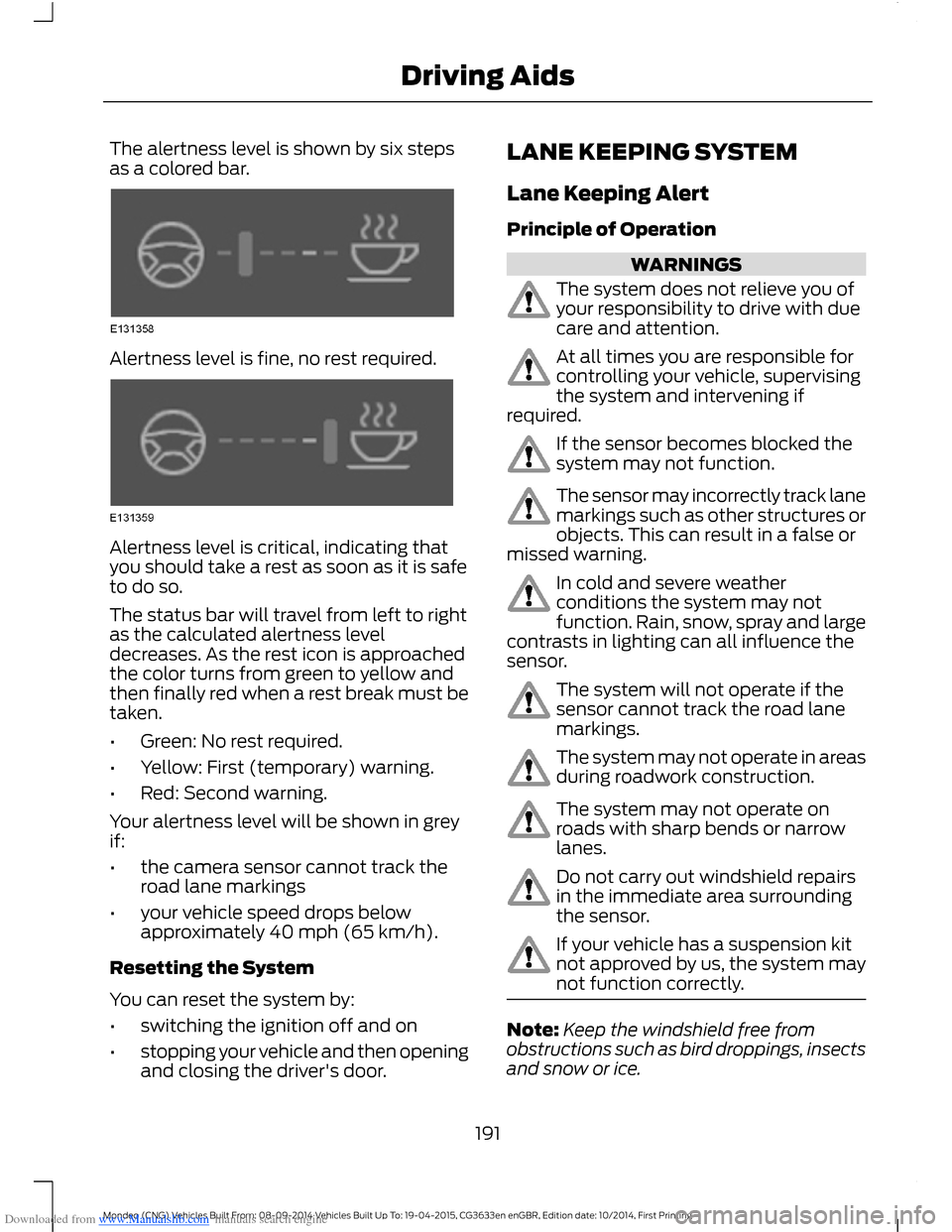
Downloaded from www.Manualslib.com manuals search engine The alertness level is shown by six stepsas a colored bar.
Alertness level is fine, no rest required.
Alertness level is critical, indicating thatyou should take a rest as soon as it is safeto do so.
The status bar will travel from left to rightas the calculated alertness leveldecreases. As the rest icon is approachedthe color turns from green to yellow andthen finally red when a rest break must betaken.
•Green: No rest required.
•Yellow: First (temporary) warning.
•Red: Second warning.
Your alertness level will be shown in greyif:
•the camera sensor cannot track theroad lane markings
•your vehicle speed drops belowapproximately 40 mph (65 km/h).
Resetting the System
You can reset the system by:
•switching the ignition off and on
•stopping your vehicle and then openingand closing the driver's door.
LANE KEEPING SYSTEM
Lane Keeping Alert
Principle of Operation
WARNINGS
The system does not relieve you ofyour responsibility to drive with duecare and attention.
At all times you are responsible forcontrolling your vehicle, supervisingthe system and intervening ifrequired.
If the sensor becomes blocked thesystem may not function.
The sensor may incorrectly track lanemarkings such as other structures orobjects. This can result in a false ormissed warning.
In cold and severe weatherconditions the system may notfunction. Rain, snow, spray and largecontrasts in lighting can all influence thesensor.
The system will not operate if thesensor cannot track the road lanemarkings.
The system may not operate in areasduring roadwork construction.
The system may not operate onroads with sharp bends or narrowlanes.
Do not carry out windshield repairsin the immediate area surroundingthe sensor.
If your vehicle has a suspension kitnot approved by us, the system maynot function correctly.
Note:Keep the windshield free fromobstructions such as bird droppings, insectsand snow or ice.
191Mondeo (CNG) Vehicles Built From: 08-09-2014 Vehicles Built Up To: 19-04-2015, CG3633en enGBR, Edition date: 10/2014, First PrintingDriving Aids
Page 194 of 446
Downloaded from www.Manualslib.com manuals search engine Note:The system may assist you whendriving on fast main roads and freeways.
Note:The system may not operate duringhard braking or acceleration and when youare intentionally steering your vehicle.
Note:The system will operate with aminimum of one tracked lane marking.
Note:The system will only operate abovevehicle speeds of approximately 40 mph(65 km/h).
The sensor is located behind the interiormirror. It continuously monitors conditionsto alert you of unintentional lane driftingat high speeds.
The system will automatically detect andtrack the lane markings on the road. If yourvehicle unintentionally drifts toward theroad lane markings, a warning will beshown in the display. There is also awarning given in the form of a vibration feltthrough the steering wheel.
Using Lane Keeping Alert
Switching the System On and Off
Note:When you switch the system off, awarning indicator will remain illuminated inthe information display. See WarningLamps and Indicators (page 81).
Note:The system status and settings willremain unchanged when you switch theignition on and off.
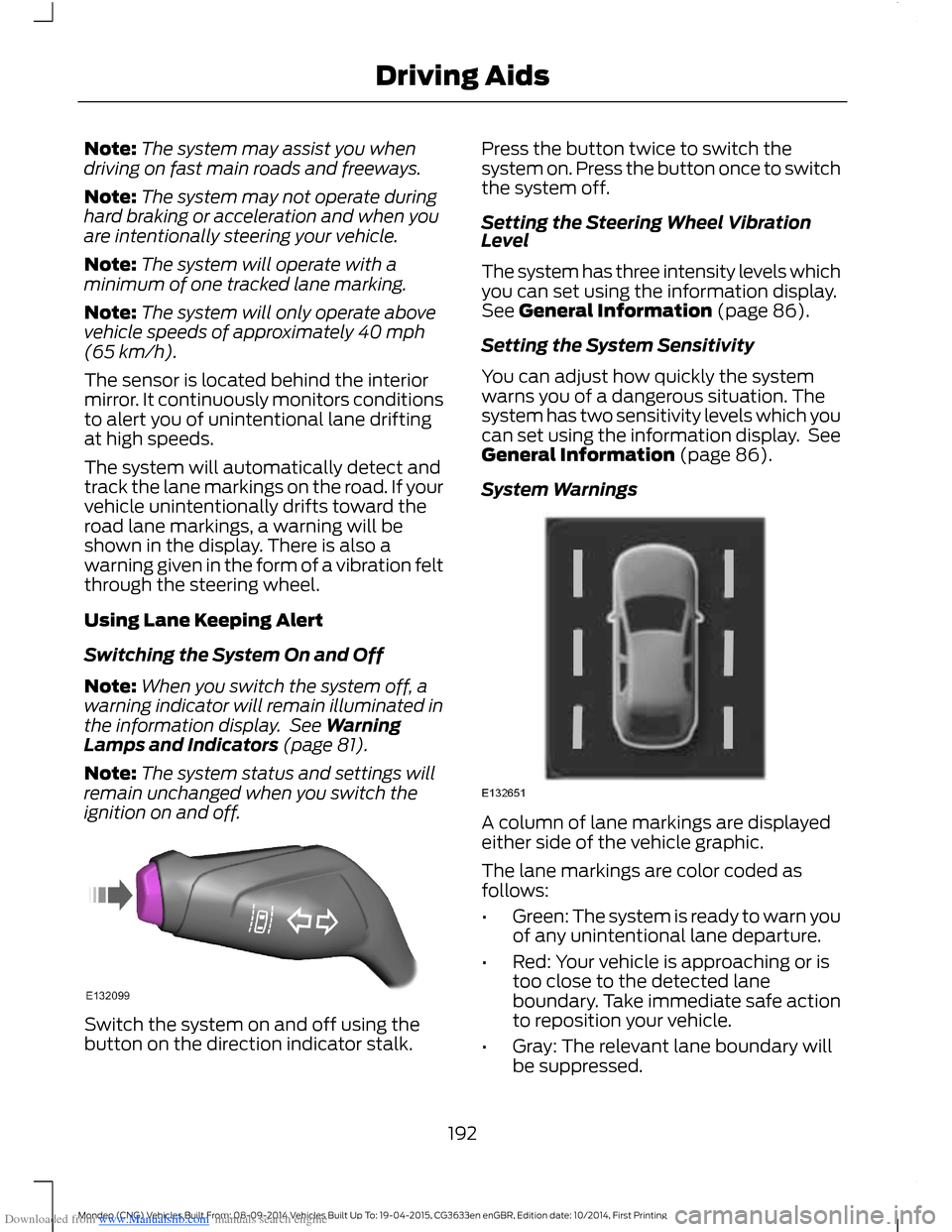
Switch the system on and off using thebutton on the direction indicator stalk.
Press the button twice to switch thesystem on. Press the button once to switchthe system off.
Setting the Steering Wheel VibrationLevel
The system has three intensity levels whichyou can set using the information display.See General Information (page 86).
Setting the System Sensitivity
You can adjust how quickly the systemwarns you of a dangerous situation. Thesystem has two sensitivity levels which youcan set using the information display. SeeGeneral Information (page 86).
System Warnings
A column of lane markings are displayedeither side of the vehicle graphic.
The lane markings are color coded asfollows:
•Green: The system is ready to warn youof any unintentional lane departure.
•Red: Your vehicle is approaching or istoo close to the detected laneboundary. Take immediate safe actionto reposition your vehicle.
•Gray: The relevant lane boundary willbe suppressed.
192Mondeo (CNG) Vehicles Built From: 08-09-2014 Vehicles Built Up To: 19-04-2015, CG3633en enGBR, Edition date: 10/2014, First PrintingDriving Aids
Page 201 of 446
Downloaded from www.Manualslib.com manuals search engine Note:Keep the windshield free fromobstructions such as bird droppings, insectsand snow or ice.
Note:The system may not detect all trafficsigns and may read signs incorrectly.
Note:The system is designed toautomatically detect traffic signs meetingthe Vienna convention.
Note:Traffic sign data provided by thenavigation system contains informationintegrated to the data carrier release.
There is a sensor mounted behind theinterior rear view mirror. It continuouslymonitors road signs to inform you of thecurrent speed limit and overtakingregulations.
The system automatically detectsrecognisable traffic signs, such as:
•Speed limit signs.
•No overtaking signs.
•Speed limit cancellation signs.
When the system recognises a traffic sign,it will be shown in the display.
Using the System
Switching the System On and Off
Note:The system status and settings willremain unchanged during ignition cycles.
You can switch the system on and off usingthe information display. See GeneralInformation (page 86).
Setting the System Speed Warning
The system has a number of speedwarning levels which can be set using theinformation display. See GeneralInformation (page 86).
System Display
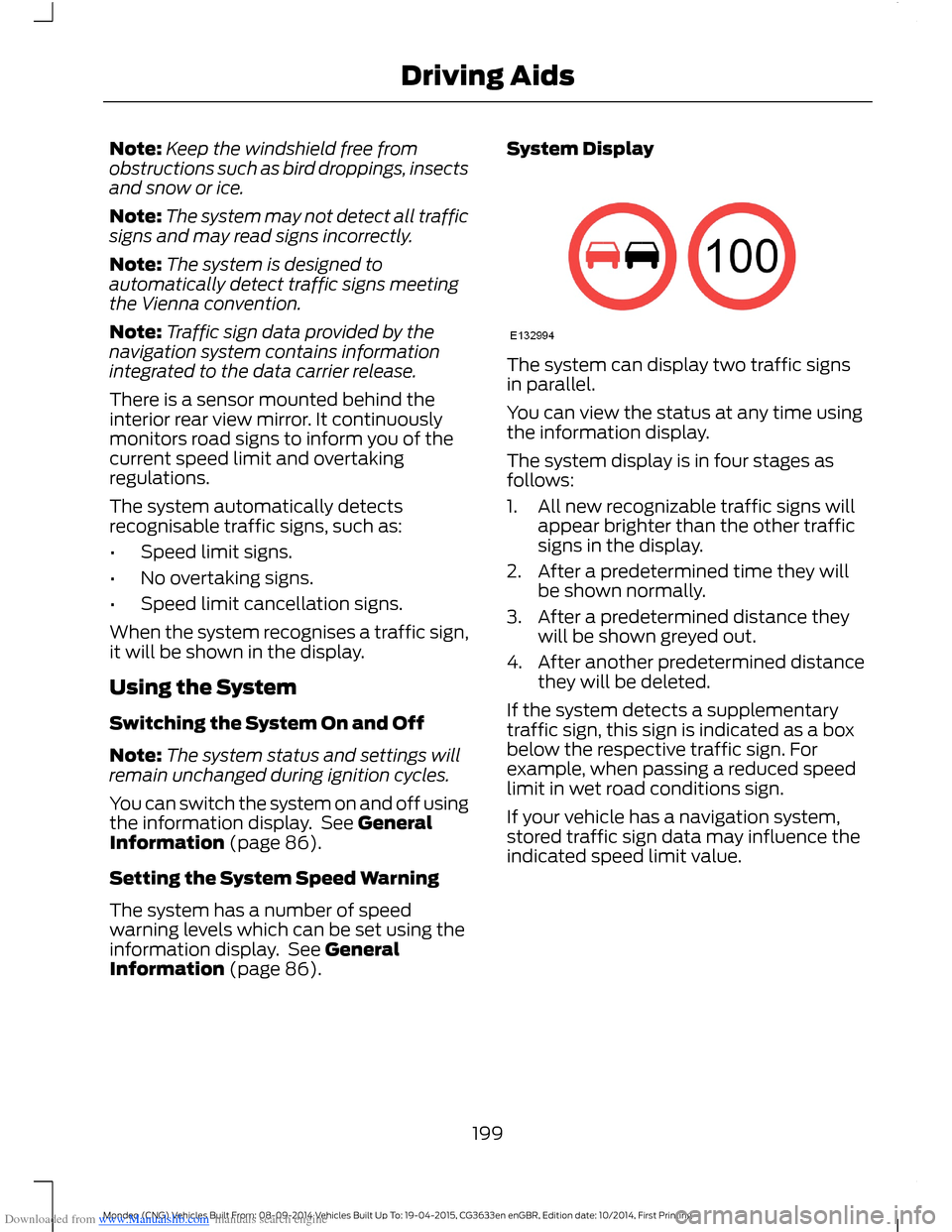
The system can display two traffic signsin parallel.
You can view the status at any time usingthe information display.
The system display is in four stages asfollows:
1.All new recognizable traffic signs willappear brighter than the other trafficsigns in the display.
2.After a predetermined time they willbe shown normally.
3.After a predetermined distance theywill be shown greyed out.
4.After another predetermined distancethey will be deleted.
If the system detects a supplementarytraffic sign, this sign is indicated as a boxbelow the respective traffic sign. Forexample, when passing a reduced speedlimit in wet road conditions sign.
If your vehicle has a navigation system,stored traffic sign data may influence theindicated speed limit value.
199Mondeo (CNG) Vehicles Built From: 08-09-2014 Vehicles Built Up To: 19-04-2015, CG3633en enGBR, Edition date: 10/2014, First PrintingDriving Aids