light FORD MONDEO 2014 4.G Repair Manual
[x] Cancel search | Manufacturer: FORD, Model Year: 2014, Model line: MONDEO, Model: FORD MONDEO 2014 4.GPages: 446, PDF Size: 29.09 MB
Page 235 of 446
Downloaded from www.Manualslib.com manuals search engine Protected componentsFuse amp ratingFuse or relay number
Starter solenoid.30A184
Fuel fire heater.20A185
1 M-type fuse.2J-type fuse.
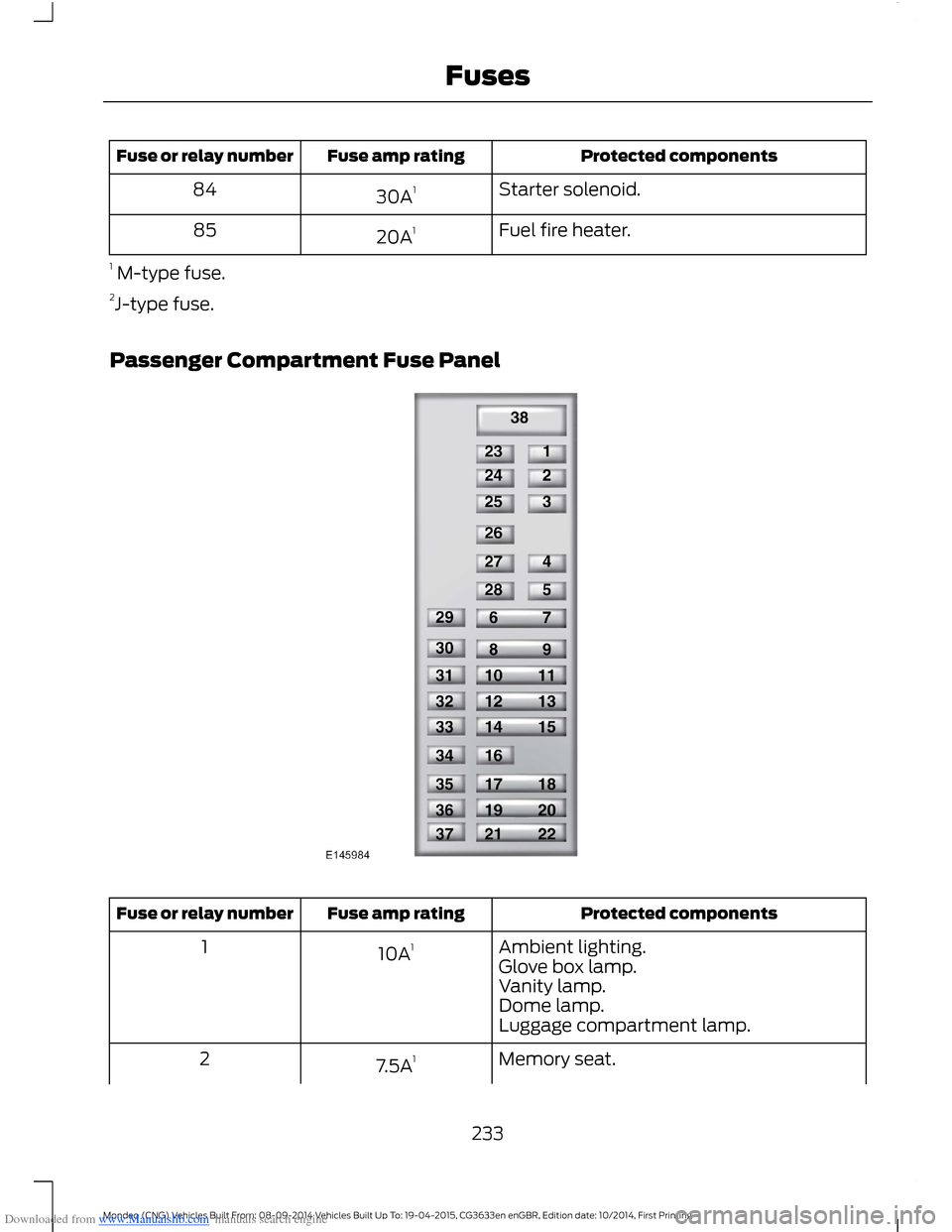
Passenger Compartment Fuse Panel
Protected componentsFuse amp ratingFuse or relay number
Ambient lighting.10A11Glove box lamp.Vanity lamp.Dome lamp.Luggage compartment lamp.
Memory seat.7.5A12
233Mondeo (CNG) Vehicles Built From: 08-09-2014 Vehicles Built Up To: 19-04-2015, CG3633en enGBR, Edition date: 10/2014, First PrintingFuses
Page 238 of 446
Downloaded from www.Manualslib.com manuals search engine Protected componentsFuse amp ratingFuse or relay number
Heated steering wheel.
Not used (spare).30A38
1Micro fuse.2Dual micro fuse.
CHANGING A FUSE
Fuses
WARNING
Always replace a fuse with one thathas the specified amperage rating.Using a fuse with a higher amperagerating can cause severe wire damage andcould start a fire.
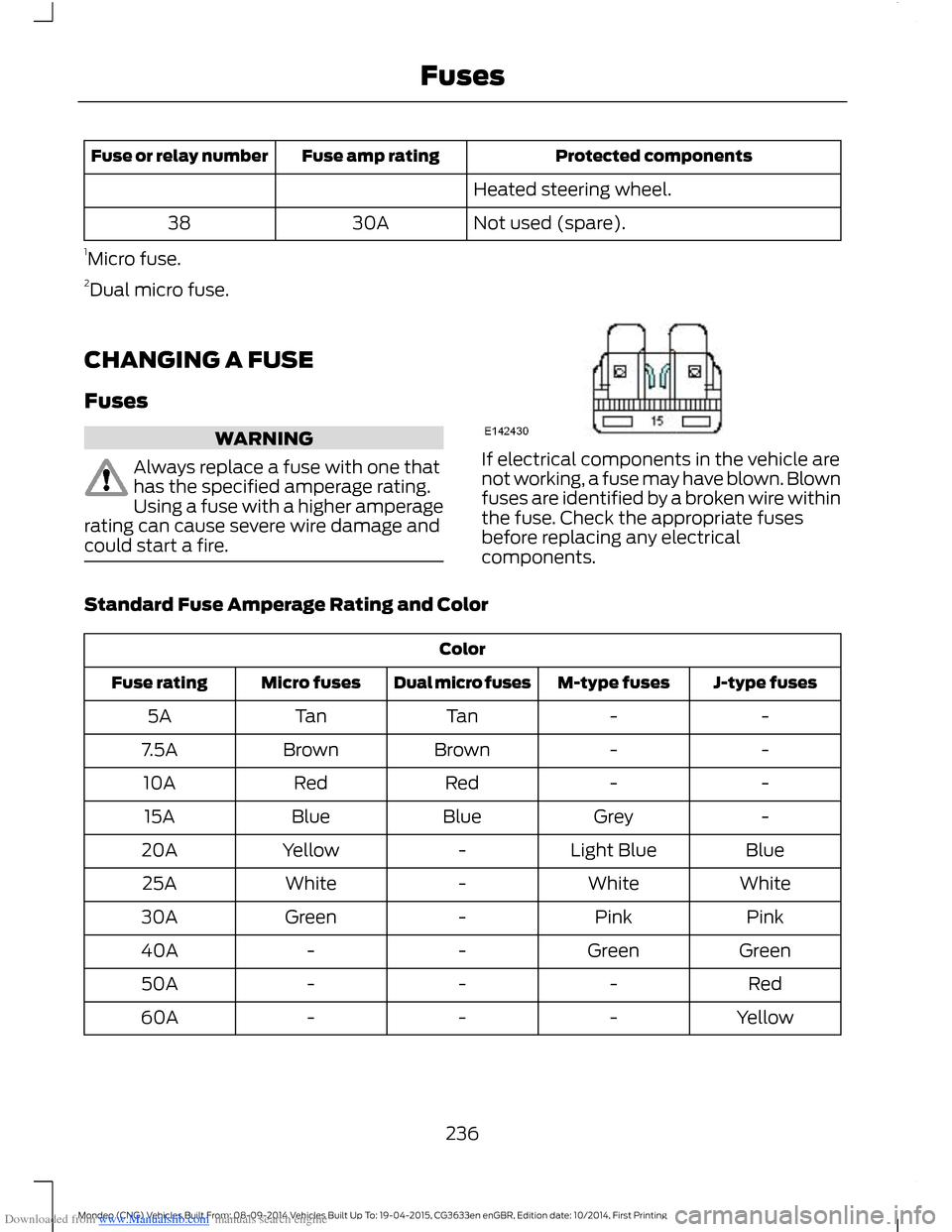
If electrical components in the vehicle arenot working, a fuse may have blown. Blownfuses are identified by a broken wire withinthe fuse. Check the appropriate fusesbefore replacing any electricalcomponents.
Standard Fuse Amperage Rating and Color
Color
J-type fusesM-type fusesDual micro fusesMicro fusesFuse rating
--TanTan5A
--BrownBrown7.5A
--RedRed10A
-GreyBlueBlue15A
BlueLight Blue-Yellow20A
WhiteWhite-White25A
PinkPink-Green30A
GreenGreen--40A
Red---50A
Yellow---60A
236Mondeo (CNG) Vehicles Built From: 08-09-2014 Vehicles Built Up To: 19-04-2015, CG3633en enGBR, Edition date: 10/2014, First PrintingFuses
Page 239 of 446
Downloaded from www.Manualslib.com manuals search engine GENERAL INFORMATION
Have your vehicle serviced regularly to helpmaintain its roadworthiness and resalevalue. There is a large network of Fordauthorized repairers that are there to helpyou with their professional servicingexpertise. Authorized repairers are bestqualified to service your vehicle properlyand expertly, with a wide range of highlyspecialized tools.
In addition to regular servicing, werecommend that you carry out thefollowing checks.
WARNINGS
Switch the ignition off beforetouching or attempting adjustmentof any kind.
Do not touch the electronic ignitionsystem parts after you have switchedthe ignition on or when the engine isrunning. The system operates at highvoltage.
Keep your hands and clothing clearof the engine cooling fan. Undercertain conditions, the fan maycontinue to run for several minutes afteryou have switched the engine off.
Make sure that you fit filler capssecurely after carrying outmaintenance checks.
Daily Checks
•Exterior lamps.
•Interior lamps.
•Warning lamps and indicators.
Check When Refueling
•Engine oil level. See Engine Oil Check(page 246).
•Brake fluid level. See Brake andClutch Fluid Check (page 248).
•Washer fluid level. See Washer FluidCheck (page 248).
•Tire pressures (when cold). See TirePressures (page 273).
•Tire condition. See Wheels and Tires(page 260).
Monthly Checks
•Engine coolant level (engine cold). SeeEngine Coolant Check (page 247).
•Pipes, hoses and reservoirs for leaks.
•Air conditioning operation.
•Parking brake operation.
•Horn operation.
•Tightness of lug nuts. See TirePressures (page 273).
OPENING AND CLOSING THE
HOOD
Opening the Hood
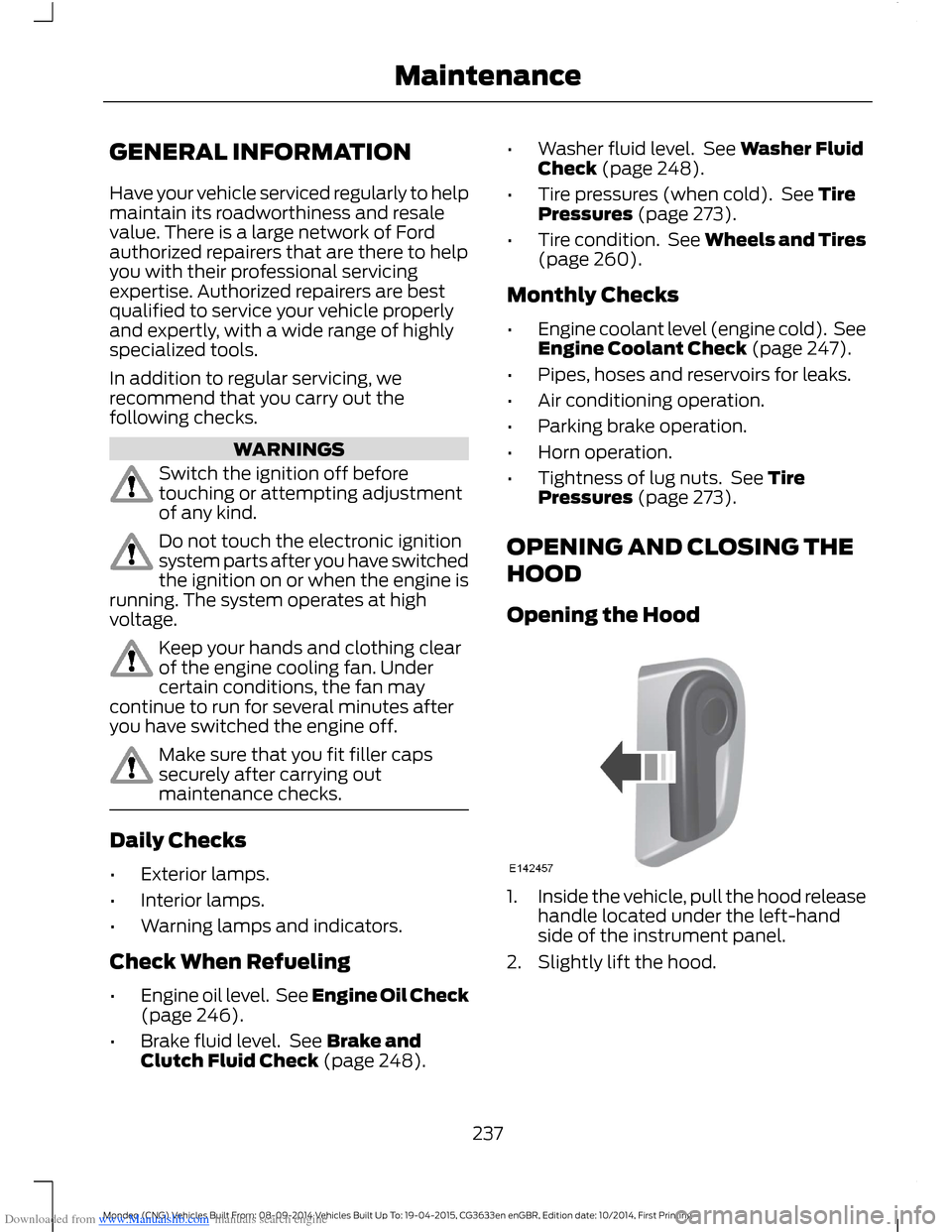
1.Inside the vehicle, pull the hood releasehandle located under the left-handside of the instrument panel.
2.Slightly lift the hood.
237Mondeo (CNG) Vehicles Built From: 08-09-2014 Vehicles Built Up To: 19-04-2015, CG3633en enGBR, Edition date: 10/2014, First PrintingMaintenance
Page 268 of 446
Downloaded from www.Manualslib.com manuals search engine When the Temporary Spare Tire isInstalled
If you need to replace a road wheel andtire with the temporary spare wheel, thesystem will continue to identify a defect.This is to remind you to repair the damagedroad wheel and tire and refit the repairedroad wheel and tire assembly to yourvehicle. To restore the correct operationof the system, you must have the repaired
road wheel and tire assembly refitted toyour vehicle.
When You Believe the System is NotOperating Correctly
The main function of the system is to warnyou when the tire pressures are low. It canalso warn you in the event the system isno longer capable of operating correctly.See the following chart for informationconcerning the system:
ActionDescriptionWarning lamp
1.Make sure tires are at the correctpressure. See Wheels and Tires(page 260). The tire pressures are alsoon the tire inflation pressure label(located on the edge of driver dooror the B-Pillar).
2.After inflating the tires to the correctpressure you must carry out the tirepressure monitoring system resetprocedure. See Tire PressureMonitoring System ResetProcedure in this chapter.
Tire(s) under-inflatedSolid warning lamp
Repair the damaged road wheel and tireand refit the repaired road wheel and tireassembly to your vehicle to restore thecorrect operation of the system.
Spare tire in use
If the tires are correctly inflated and thespare tire is not in use but the lightremains on, the system has detected afault that requires service.
Tire pressure monitoringsystem malfunction
Repair the damaged road wheel and tireand refit the repaired road wheel and tireassembly to your vehicle to restore thecorrect operation of the system.
Spare tire in useSolid warning lampinitially followed bya flashing warninglamp
If the tires are correctly inflated and thespare tire is not in use but the lightremains on, the system has detected afault that requires service.
Tire pressure monitoringsystem malfunction
266Mondeo (CNG) Vehicles Built From: 08-09-2014 Vehicles Built Up To: 19-04-2015, CG3633en enGBR, Edition date: 10/2014, First PrintingWheels and Tires
Page 294 of 446
Downloaded from www.Manualslib.com manuals search engine GENERAL INFORMATION
Radio Frequencies and Reception Factors
Radio reception factors
The further you travel away from an FM station, the weakerthe signal and the weaker the reception.Distance and Strength
Hills, mountains, tall buildings, bridges, tunnels, freewayoverpasses, parking garages, dense tree foliage andthunderstorms can interfere with the reception.
Terrain
When you pass near a radio transmission tower, a strongersignal can override a weaker signal and can cause interfer-ence in the audio system.
Station overload
CD and CD Player Information
Note:CD units play commercially pressed4.75-inch (12 centimeter) audio compactdiscs only. Due to technical incompatibility,certain recordable and re-recordablecompact discs may not function correctlywhen used in Ford CD players.
Note:Do not insert CDs with homemadepaper (adhesive) labels into the CD playeras the label may peel and cause the CD tobecome jammed. You should use apermanent felt tip marker rather thanadhesive labels on your homemade CDs.Ballpoint pens may damage CDs. Pleasecontact an authorized dealer for furtherinformation.
Note:Do not use any irregularly shapeddiscs or discs with a scratch protection filmattached.
Always handle discs by their edges only.Clean the disc with an approved CDcleaner only. Wipe it from the center of thedisc toward the edge. Do not clean in acircular motion.
Do not expose discs to direct sunlight orheat sources for extended periods.
MP3 and WMA Track and FolderStructure
Audio systems capable of recognizing andplaying MP3 and WMA individual tracksand folder structures work as follows:
•There are two different modes for MP3and WMA disc playback: MP3 andWMA track mode (system default) andMP3 and WMA folder mode.
•MP3 and WMA track mode ignores anyfolder structure on the MP3 and WMAdisc. The player numbers each MP3and WMA track on the disc (noted bythe MP3 or WMA file extension) fromT001 to a maximum of T255. Themaximum number of playable MP3 andWMA files may be less depending onthe structure of the CD and exactmodel of radio present.
292Mondeo (CNG) Vehicles Built From: 08-09-2014 Vehicles Built Up To: 19-04-2015, CG3633en enGBR, Edition date: 10/2014, First PrintingAudio System
Page 300 of 446
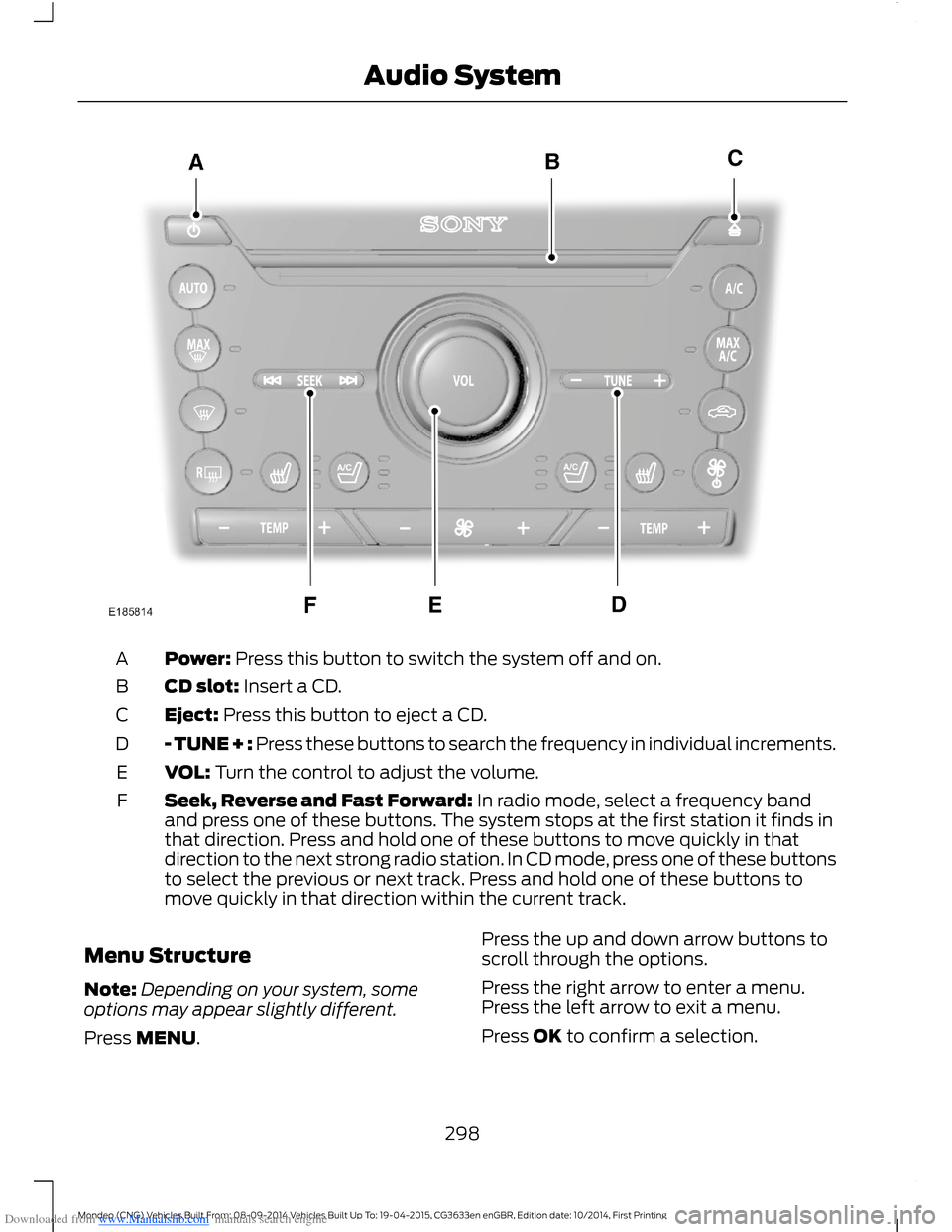
Downloaded from www.Manualslib.com manuals search engine Power: Press this button to switch the system off and on.A
CD slot: Insert a CD.B
Eject: Press this button to eject a CD.C
- TUNE + : Press these buttons to search the frequency in individual increments.D
VOL: Turn the control to adjust the volume.E
Seek, Reverse and Fast Forward: In radio mode, select a frequency bandand press one of these buttons. The system stops at the first station it finds inthat direction. Press and hold one of these buttons to move quickly in thatdirection to the next strong radio station. In CD mode, press one of these buttonsto select the previous or next track. Press and hold one of these buttons tomove quickly in that direction within the current track.
F
Menu Structure
Note:Depending on your system, someoptions may appear slightly different.
Press MENU.
Press the up and down arrow buttons toscroll through the options.
Press the right arrow to enter a menu.Press the left arrow to exit a menu.
Press OK to confirm a selection.
298Mondeo (CNG) Vehicles Built From: 08-09-2014 Vehicles Built Up To: 19-04-2015, CG3633en enGBR, Edition date: 10/2014, First PrintingAudio System
Page 318 of 446
Downloaded from www.Manualslib.com manuals search engine ActionMessage
Press the OK button to access and then scroll through thelist of pre-defined messages to send.Reply to sender
Press the OK button to call the sender of the message.Call sender
Press the OK button to forward the message to anyone inyour phonebook or call history. You can also choose to entera number.
Forward msg.
Sending, Downloading and DeletingYour Text Messages
1.Press the PHONE button.
2.Select the text messaging option, thenpress the OK button.
Choose from the following:
Description and ActionMessage
When you select the option to send a text message, a list ofpre-defined messages appear in the audio display. Allowsyou to send a new text message based on a pre-defined setof 15 messages.
New
Allows you to read the full message and in addition providesthe option to have the message read out to you by the system.To go to the next message select the more option. This allowsyou to reply to the sender, call the sender or forward themessage.
View
Allows you to delete current text messages from the system(not your cell phone). The audio display indicates when allyour text messages have been deleted.
Delete
Allows you to delete all messages or to manually trigger adownload of all unread messages from your cell phone.More...
Sending a Text Message
1.Select the send option when thedesired selection is highlighted in theaudio display.
2.Select the confirmation option whenthe contact appears and press the OKbutton again to confirm when thesystem asks if you would like to sendthe message. Each text message issent with a pre-defined signature.
Note:You can send text messages eitherby choosing a contact from the phonebookand selecting the text option from the audiodisplay or by replying to a received messagein the inbox.
Note:Only one recipient is allowed per textmessage.
316Mondeo (CNG) Vehicles Built From: 08-09-2014 Vehicles Built Up To: 19-04-2015, CG3633en enGBR, Edition date: 10/2014, First PrintingSYNC™
Page 355 of 446
Downloaded from www.Manualslib.com manuals search engine Clock
Under this menu, you can set theclock, access and adjust the
display, sound and vehicle settings as wellas access settings for specific modes orthe help feature.
To make adjustments using the touchscreen, select:
Action and DescriptionMenu Item
Press the settings icon.Settings
Press the + or - to adjust the time.ClockFrom this screen, you can also make other adjustments suchas 12-hour or 24-hour mode, activate GPS time synchroniza-tion and have the system automatically update new timezones.You can also switch the outside air temperature display offand on. It appears at the top center of the touchscreen, nextto the time and date.
Note:You cannot manually set the date. Your vehicle’s GPS does this for you.
Note:If the battery has been disconnected, your vehicle needs to acquire a GPS signal toupdate the clock. Once your vehicle acquires the signal, it may take a few minutes for theupdate to display the correct time.
Display
You can adjust the display usingthe touchscreen or the voicebutton on the steering wheelcontrols.
To make adjustments using the touchscreen, select:
Action and DescriptionMenu Item
Press the settings icon.Settings
Display
Then select from the following:
Allows you to switch the display off. It also allows you to set the screento a certain brightness or have the system automatically change basedon the outside light level.
Mode
If you also select:
These features will allow you to adjust the dimming ofyour screen.Auto
Night
353Mondeo (CNG) Vehicles Built From: 08-09-2014 Vehicles Built Up To: 19-04-2015, CG3633en enGBR, Edition date: 10/2014, First PrintingSYNC™ 2
Page 356 of 446
Downloaded from www.Manualslib.com manuals search engine Action and DescriptionMenu Item
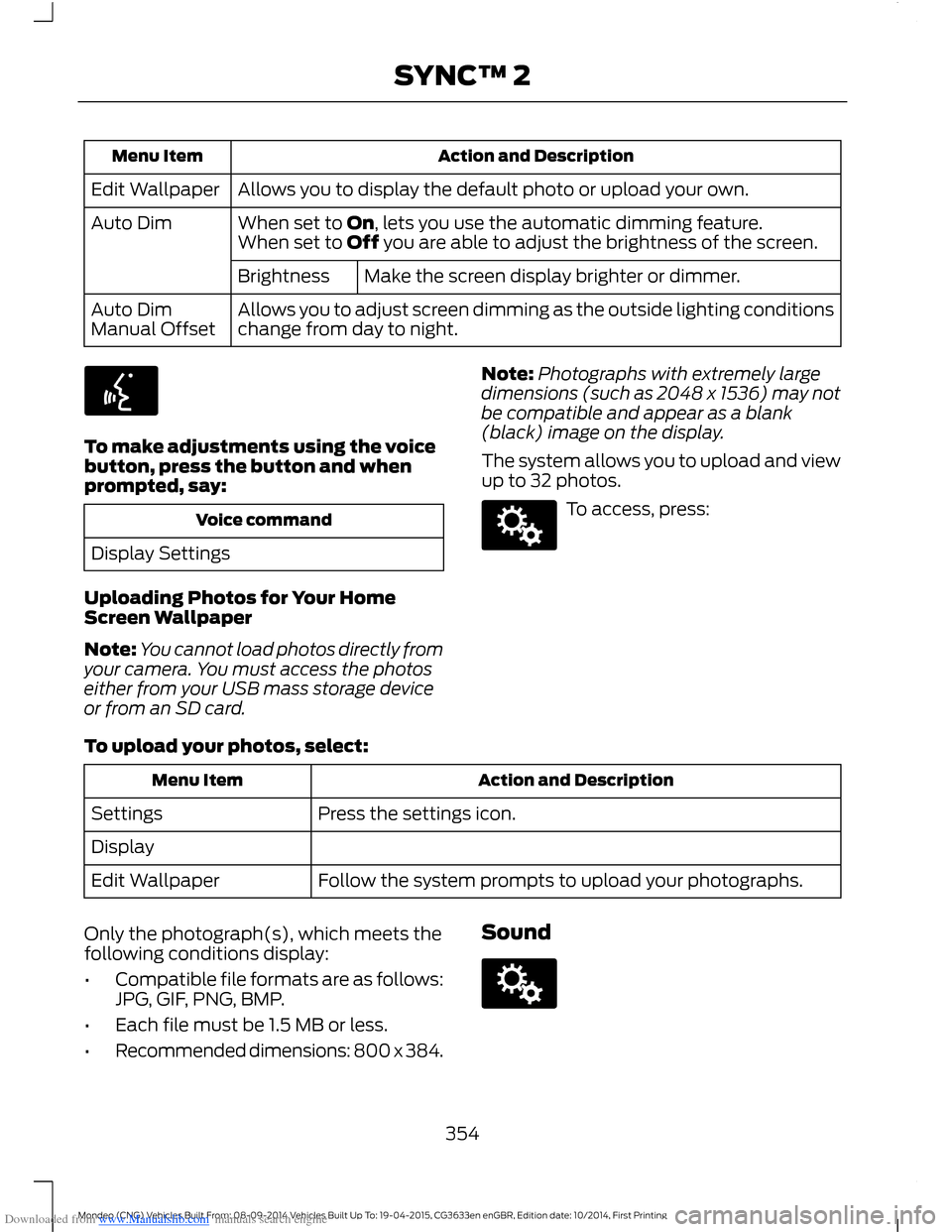
Allows you to display the default photo or upload your own.Edit Wallpaper
When set to On, lets you use the automatic dimming feature.Auto DimWhen set to Off you are able to adjust the brightness of the screen.
Make the screen display brighter or dimmer.Brightness
Allows you to adjust screen dimming as the outside lighting conditionschange from day to night.Auto DimManual Offset
To make adjustments using the voicebutton, press the button and whenprompted, say:
Voice command
Display Settings
Uploading Photos for Your HomeScreen Wallpaper
Note:You cannot load photos directly fromyour camera. You must access the photoseither from your USB mass storage deviceor from an SD card.
Note:Photographs with extremely largedimensions (such as 2048 x 1536) may notbe compatible and appear as a blank(black) image on the display.
The system allows you to upload and viewup to 32 photos.
To access, press:
To upload your photos, select:
Action and DescriptionMenu Item
Press the settings icon.Settings
Display
Follow the system prompts to upload your photographs.Edit Wallpaper
Only the photograph(s), which meets thefollowing conditions display:
•Compatible file formats are as follows:JPG, GIF, PNG, BMP.
•Each file must be 1.5 MB or less.
•Recommended dimensions: 800 x 384.
Sound
354Mondeo (CNG) Vehicles Built From: 08-09-2014 Vehicles Built Up To: 19-04-2015, CG3633en enGBR, Edition date: 10/2014, First PrintingSYNC™ 2
Page 357 of 446
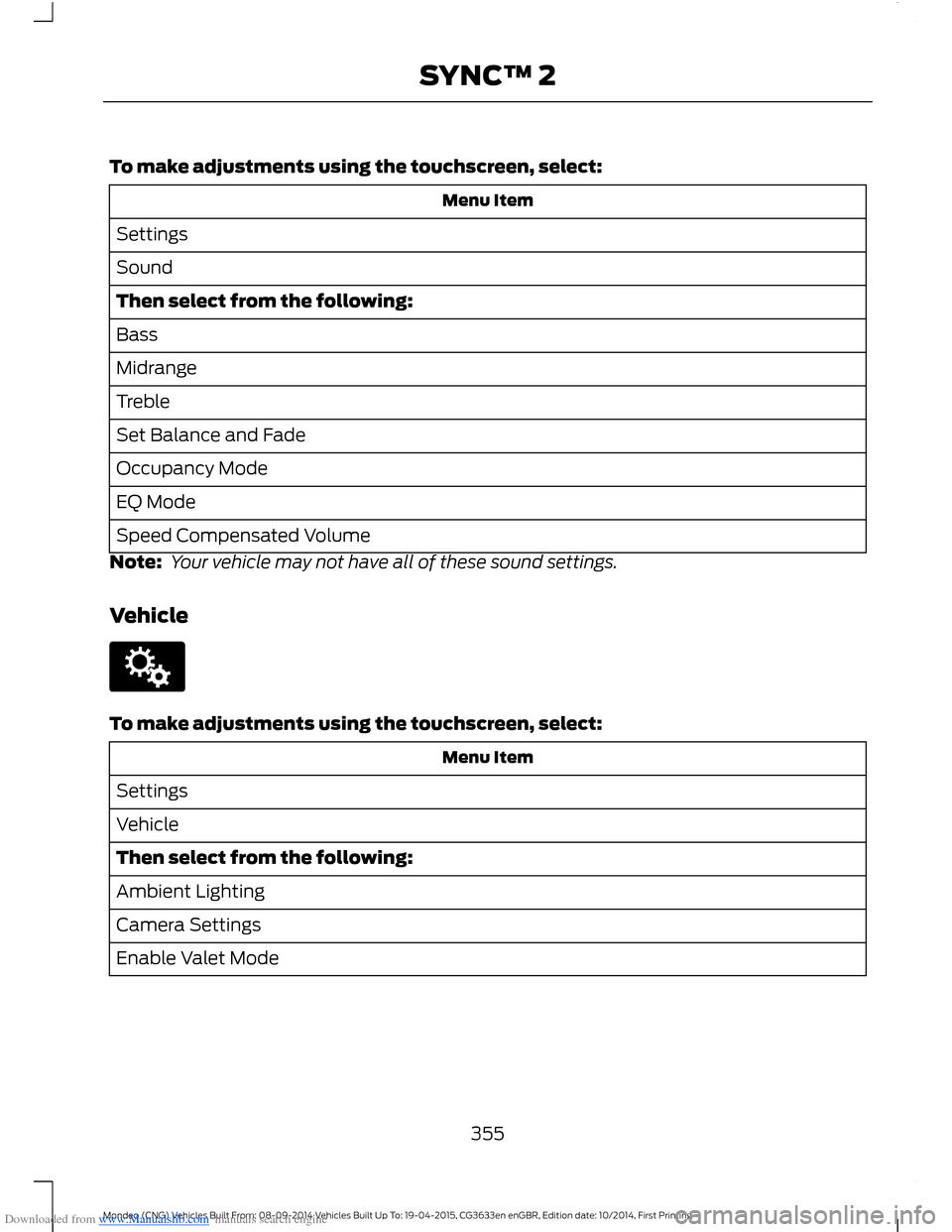
Downloaded from www.Manualslib.com manuals search engine To make adjustments using the touchscreen, select:
Menu Item
Settings
Sound
Then select from the following:
Bass
Midrange
Treble
Set Balance and Fade
Occupancy Mode
EQ Mode
Speed Compensated Volume
Note: Your vehicle may not have all of these sound settings.
Vehicle
To make adjustments using the touchscreen, select:
Menu Item
Settings
Vehicle
Then select from the following:
Ambient Lighting
Camera Settings
Enable Valet Mode
355Mondeo (CNG) Vehicles Built From: 08-09-2014 Vehicles Built Up To: 19-04-2015, CG3633en enGBR, Edition date: 10/2014, First PrintingSYNC™ 2