warning light FORD POLICE INTERCEPTOR 2019 User Guide
[x] Cancel search | Manufacturer: FORD, Model Year: 2019, Model line: POLICE INTERCEPTOR, Model: FORD POLICE INTERCEPTOR 2019Pages: 370, PDF Size: 4.5 MB
Page 48 of 370
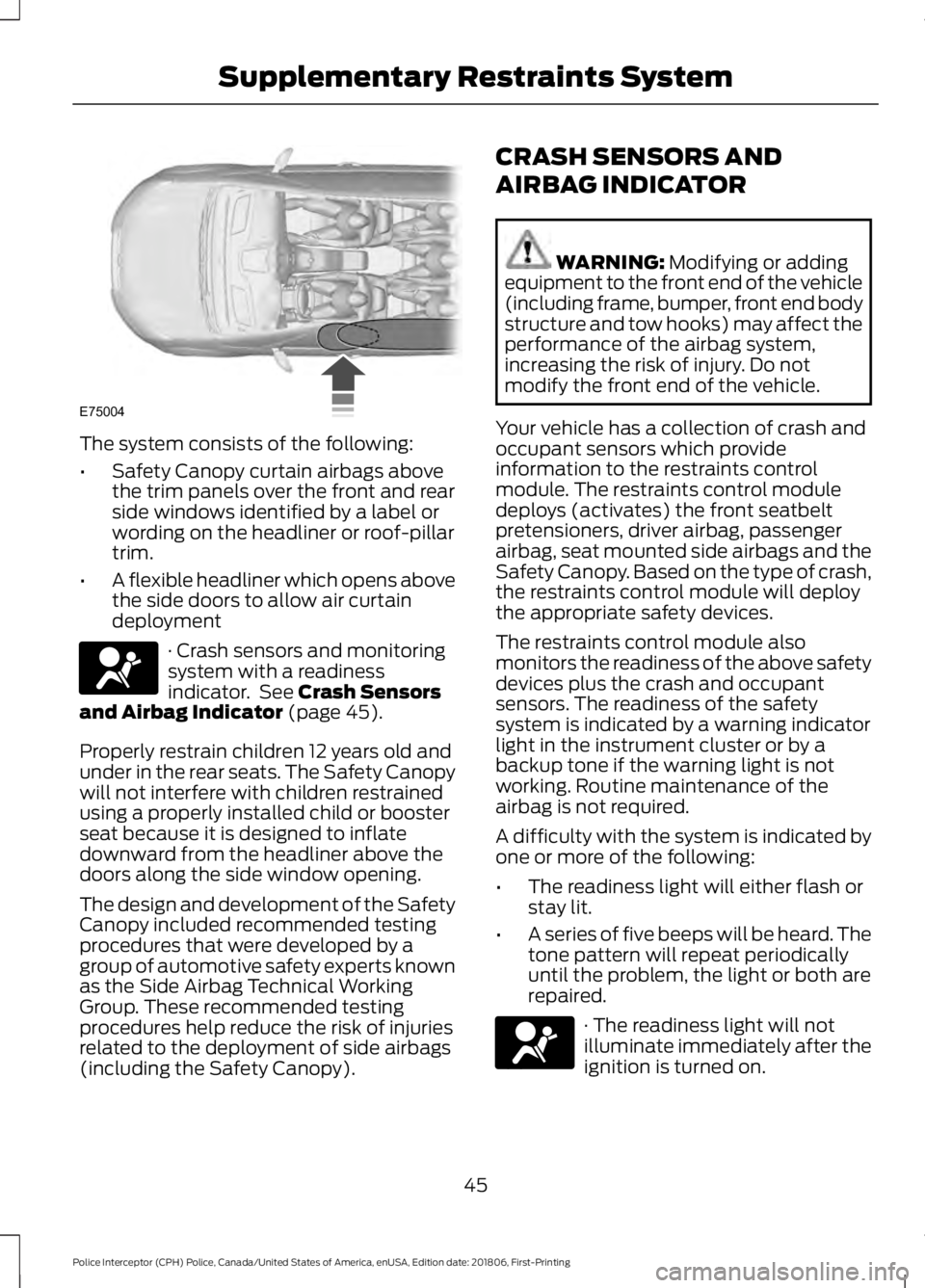
The system consists of the following:
•
Safety Canopy curtain airbags above
the trim panels over the front and rear
side windows identified by a label or
wording on the headliner or roof-pillar
trim.
• A flexible headliner which opens above
the side doors to allow air curtain
deployment · Crash sensors and monitoring
system with a readiness
indicator. See Crash Sensors
and Airbag Indicator (page 45).
Properly restrain children 12 years old and
under in the rear seats. The Safety Canopy
will not interfere with children restrained
using a properly installed child or booster
seat because it is designed to inflate
downward from the headliner above the
doors along the side window opening.
The design and development of the Safety
Canopy included recommended testing
procedures that were developed by a
group of automotive safety experts known
as the Side Airbag Technical Working
Group. These recommended testing
procedures help reduce the risk of injuries
related to the deployment of side airbags
(including the Safety Canopy). CRASH SENSORS AND
AIRBAG INDICATOR WARNING:
Modifying or adding
equipment to the front end of the vehicle
(including frame, bumper, front end body
structure and tow hooks) may affect the
performance of the airbag system,
increasing the risk of injury. Do not
modify the front end of the vehicle.
Your vehicle has a collection of crash and
occupant sensors which provide
information to the restraints control
module. The restraints control module
deploys (activates) the front seatbelt
pretensioners, driver airbag, passenger
airbag, seat mounted side airbags and the
Safety Canopy. Based on the type of crash,
the restraints control module will deploy
the appropriate safety devices.
The restraints control module also
monitors the readiness of the above safety
devices plus the crash and occupant
sensors. The readiness of the safety
system is indicated by a warning indicator
light in the instrument cluster or by a
backup tone if the warning light is not
working. Routine maintenance of the
airbag is not required.
A difficulty with the system is indicated by
one or more of the following:
• The readiness light will either flash or
stay lit.
• A series of five beeps will be heard. The
tone pattern will repeat periodically
until the problem, the light or both are
repaired. · The readiness light will not
illuminate immediately after the
ignition is turned on.
45
Police Interceptor (CPH) Police, Canada/United States of America, enUSA, Edition date: 201806, First-Printing Supplementary Restraints SystemE75004 E67017 E67017
Page 58 of 370
From the Instrument Panel or Overhead
Console
Press the button on the
instrument panel or pull the
switch down on the overhead
console.
Note: The luggage compartment release
switch in standard configuration operates
when the ignition is in the run or start
position. An optional configuration is
available so that the switch operates when
the ignition is in any position. Contact an
authorized dealer to change these settings.
Note: The luggage compartment release
switch on both the instrument panel and
overhead console function the same.
INTERIOR LUGGAGE
COMPARTMENT RELEASE WARNING: Keep vehicle doors
and luggage compartment locked and
keep keys and remote transmitters out
of a child ’s reach. Unsupervised children
could lock themselves in the trunk and
risk injury. Children should be taught not
to play in vehicles. WARNING:
Do not leave children
or animals unattended in the vehicle. On
hot days, the temperature in the trunk or
vehicle interior can rise very quickly.
Exposure of people or animals to these
high temperatures for even a short time
can cause death or serious heat-related
injuries, including brain damage. Small
children are particularly at risk.
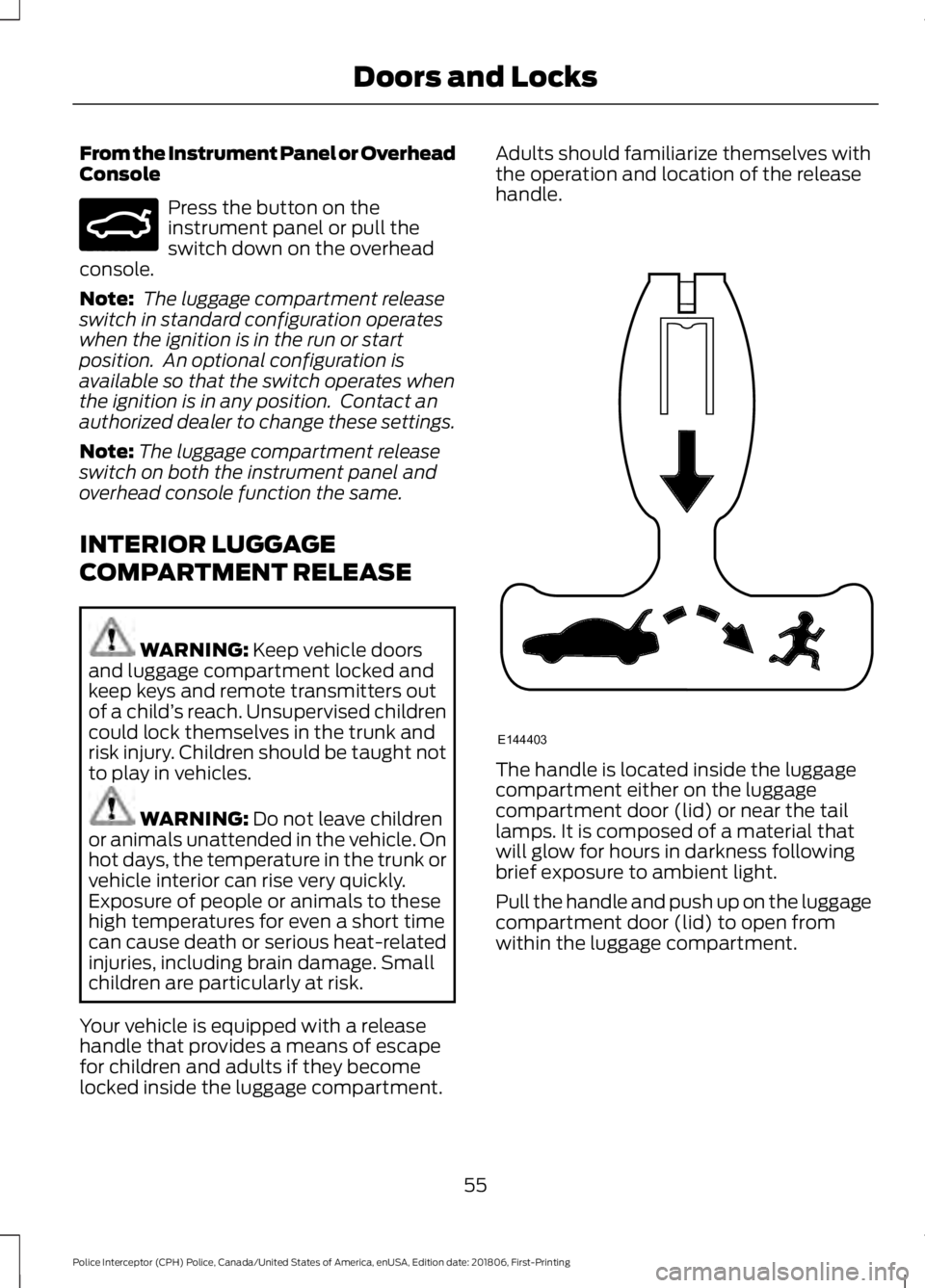
Your vehicle is equipped with a release
handle that provides a means of escape
for children and adults if they become
locked inside the luggage compartment. Adults should familiarize themselves with
the operation and location of the release
handle.
The handle is located inside the luggage
compartment either on the luggage
compartment door (lid) or near the tail
lamps. It is composed of a material that
will glow for hours in darkness following
brief exposure to ambient light.
Pull the handle and push up on the luggage
compartment door (lid) to open from
within the luggage compartment.
55
Police Interceptor (CPH) Police, Canada/United States of America, enUSA, Edition date: 201806, First-Printing Doors and LocksE159323 E144403
Page 65 of 370
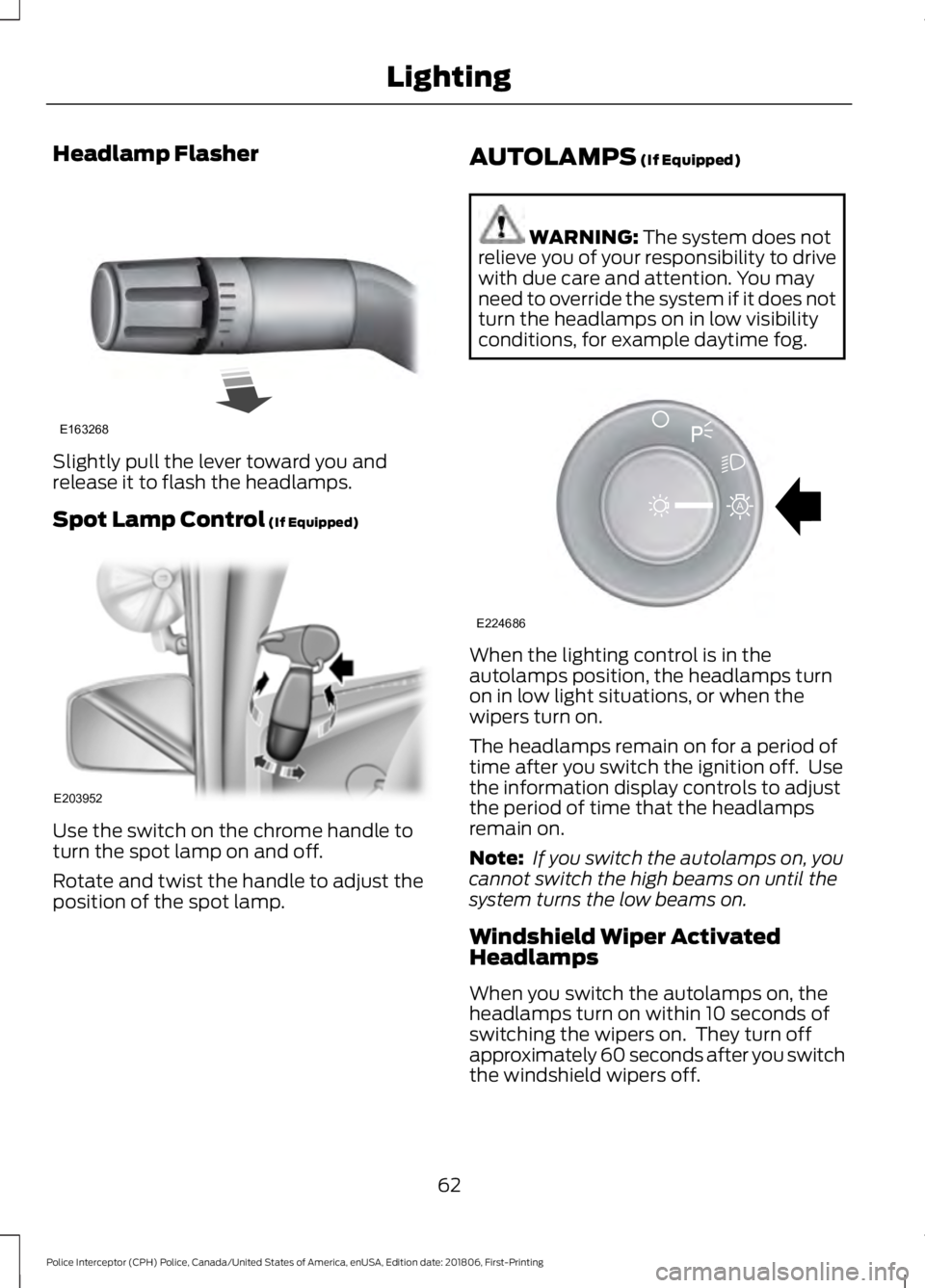
Headlamp Flasher
Slightly pull the lever toward you and
release it to flash the headlamps.
Spot Lamp Control (If Equipped)
Use the switch on the chrome handle to
turn the spot lamp on and off.
Rotate and twist the handle to adjust the
position of the spot lamp. AUTOLAMPS
(If Equipped) WARNING:
The system does not
relieve you of your responsibility to drive
with due care and attention. You may
need to override the system if it does not
turn the headlamps on in low visibility
conditions, for example daytime fog. When the lighting control is in the
autolamps position, the headlamps turn
on in low light situations, or when the
wipers turn on.
The headlamps remain on for a period of
time after you switch the ignition off. Use
the information display controls to adjust
the period of time that the headlamps
remain on.
Note:
If you switch the autolamps on, you
cannot switch the high beams on until the
system turns the low beams on.
Windshield Wiper Activated
Headlamps
When you switch the autolamps on, the
headlamps turn on within 10 seconds of
switching the wipers on. They turn off
approximately 60 seconds after you switch
the windshield wipers off.
62
Police Interceptor (CPH) Police, Canada/United States of America, enUSA, Edition date: 201806, First-Printing LightingE163268 E203952 E224686
A
Page 67 of 370
DAYTIME RUNNING LAMPS (If
Equipped) WARNING:
The daytime running
lamps system does not activate the rear
lamps and may not provide adequate
lighting during low visibility driving
conditions. Make sure you switch the
headlamps on, as appropriate, during all
low visibility conditions. Failure to do so
may result in a crash.
The daytime running lamps turn on when:
1. Switching the ignition on.
2. The lighting control is in the off position, parking lamps or the
autolamps position, and the sensor
detects daylight.
3. Your vehicle is in drive (D).
Note: Switch the daytime running lamps
on or off by selecting Police Silent Mode in
the information display. See
General
Information (page 74).
Note: In markets where daytime running
lamps are mandated by law, Silent Mode
does not disable the daytime running lamps.
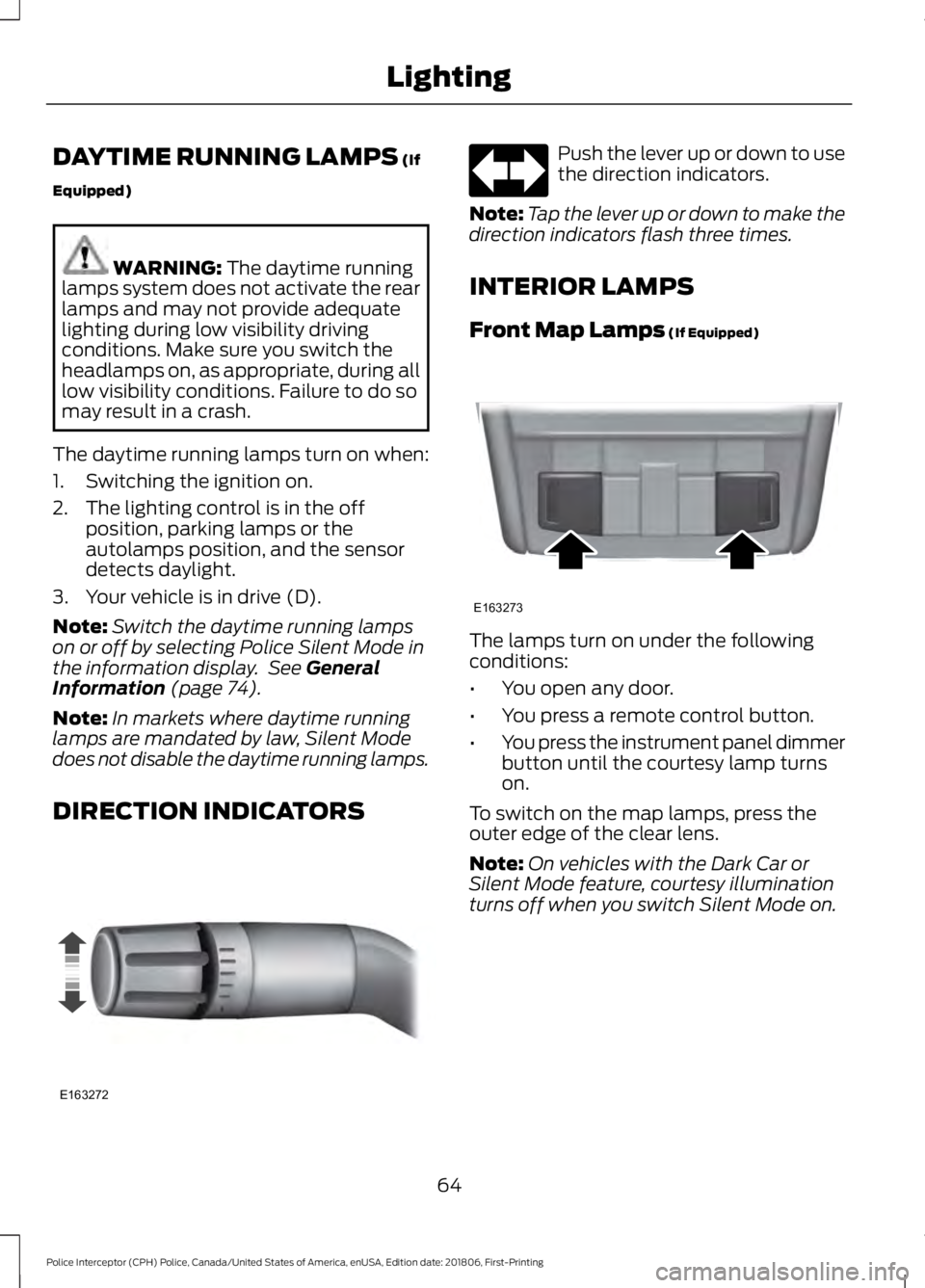
DIRECTION INDICATORS Push the lever up or down to use
the direction indicators.
Note: Tap the lever up or down to make the
direction indicators flash three times.
INTERIOR LAMPS
Front Map Lamps
(If Equipped) The lamps turn on under the following
conditions:
•
You open any door.
• You press a remote control button.
• You press the instrument panel dimmer
button until the courtesy lamp turns
on.
To switch on the map lamps, press the
outer edge of the clear lens.
Note: On vehicles with the Dark Car or
Silent Mode feature, courtesy illumination
turns off when you switch Silent Mode on.
64
Police Interceptor (CPH) Police, Canada/United States of America, enUSA, Edition date: 201806, First-Printing LightingE163272 E163273
Page 69 of 370
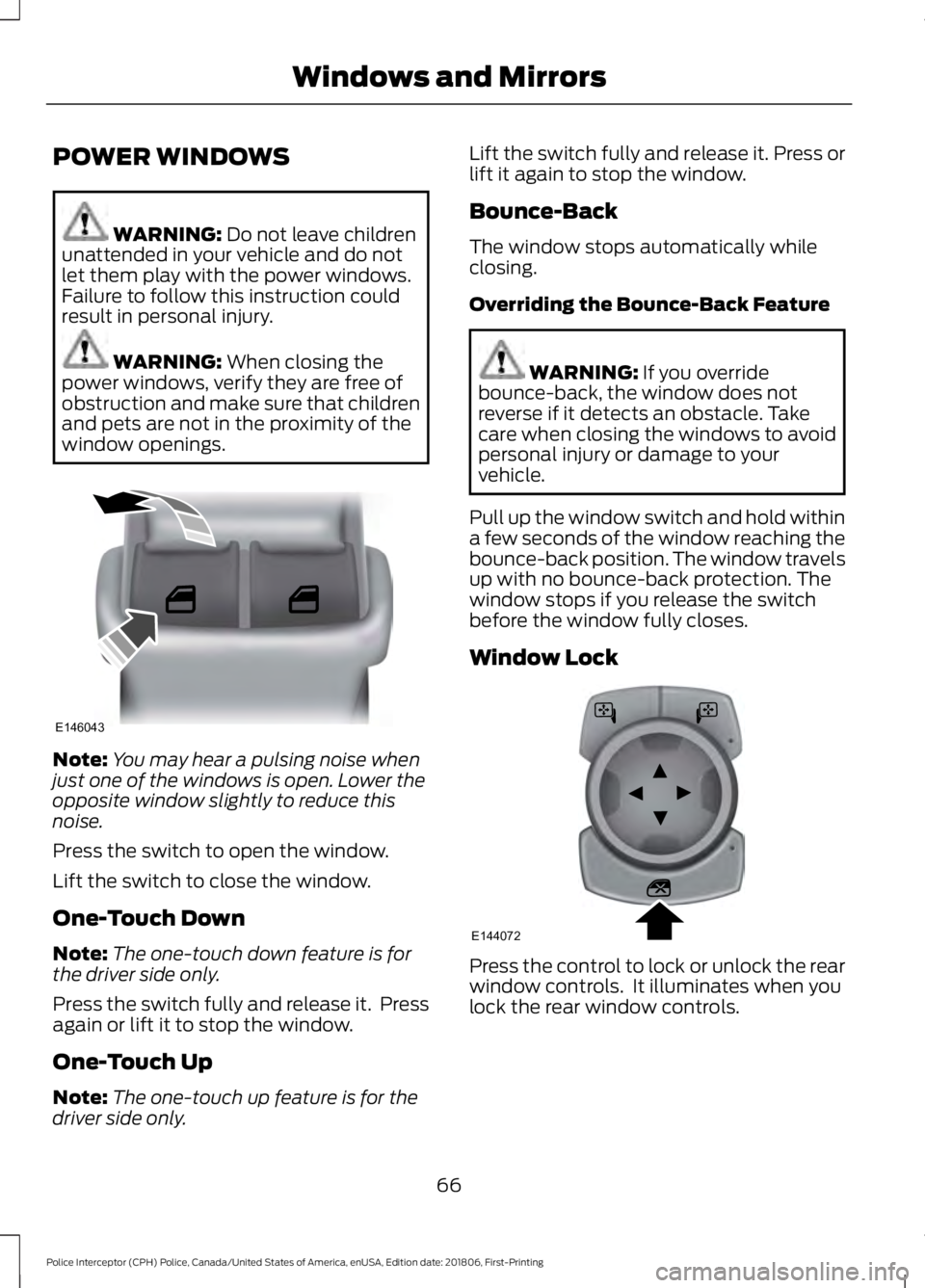
POWER WINDOWS
WARNING: Do not leave children
unattended in your vehicle and do not
let them play with the power windows.
Failure to follow this instruction could
result in personal injury. WARNING:
When closing the
power windows, verify they are free of
obstruction and make sure that children
and pets are not in the proximity of the
window openings. Note:
You may hear a pulsing noise when
just one of the windows is open. Lower the
opposite window slightly to reduce this
noise.
Press the switch to open the window.
Lift the switch to close the window.
One-Touch Down
Note: The one-touch down feature is for
the driver side only.
Press the switch fully and release it. Press
again or lift it to stop the window.
One-Touch Up
Note: The one-touch up feature is for the
driver side only. Lift the switch fully and release it. Press or
lift it again to stop the window.
Bounce-Back
The window stops automatically while
closing.
Overriding the Bounce-Back Feature
WARNING: If you override
bounce-back, the window does not
reverse if it detects an obstacle. Take
care when closing the windows to avoid
personal injury or damage to your
vehicle.
Pull up the window switch and hold within
a few seconds of the window reaching the
bounce-back position. The window travels
up with no bounce-back protection. The
window stops if you release the switch
before the window fully closes.
Window Lock Press the control to lock or unlock the rear
window controls. It illuminates when you
lock the rear window controls.
66
Police Interceptor (CPH) Police, Canada/United States of America, enUSA, Edition date: 201806, First-Printing Windows and MirrorsE146043 E144072
Page 70 of 370
Accessory Delay
You can use the window switches for
several minutes after you switch the
ignition off or until you open either front
door.
EXTERIOR MIRRORS
Power Exterior Mirrors
WARNING: Do not adjust the
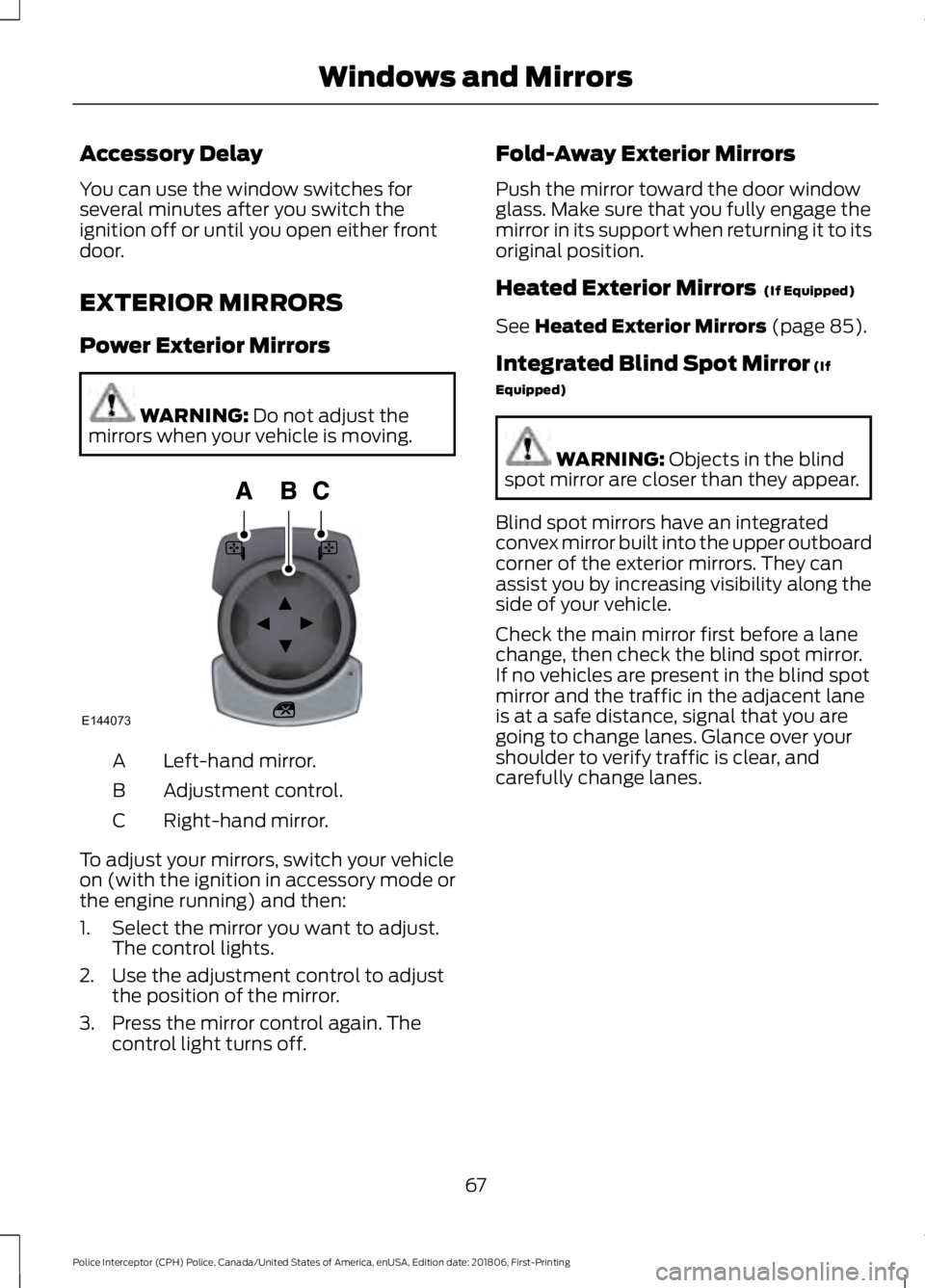
mirrors when your vehicle is moving. Left-hand mirror.
A
Adjustment control.
B
Right-hand mirror.
C
To adjust your mirrors, switch your vehicle
on (with the ignition in accessory mode or
the engine running) and then:
1. Select the mirror you want to adjust. The control lights.
2. Use the adjustment control to adjust the position of the mirror.
3. Press the mirror control again. The control light turns off. Fold-Away Exterior Mirrors
Push the mirror toward the door window
glass. Make sure that you fully engage the
mirror in its support when returning it to its
original position.
Heated Exterior Mirrors
(If Equipped)
See
Heated Exterior Mirrors (page 85).
Integrated Blind Spot Mirror
(If
Equipped) WARNING:
Objects in the blind
spot mirror are closer than they appear.
Blind spot mirrors have an integrated
convex mirror built into the upper outboard
corner of the exterior mirrors. They can
assist you by increasing visibility along the
side of your vehicle.
Check the main mirror first before a lane
change, then check the blind spot mirror.
If no vehicles are present in the blind spot
mirror and the traffic in the adjacent lane
is at a safe distance, signal that you are
going to change lanes. Glance over your
shoulder to verify traffic is clear, and
carefully change lanes.
67
Police Interceptor (CPH) Police, Canada/United States of America, enUSA, Edition date: 201806, First-Printing Windows and MirrorsE144073
Page 71 of 370
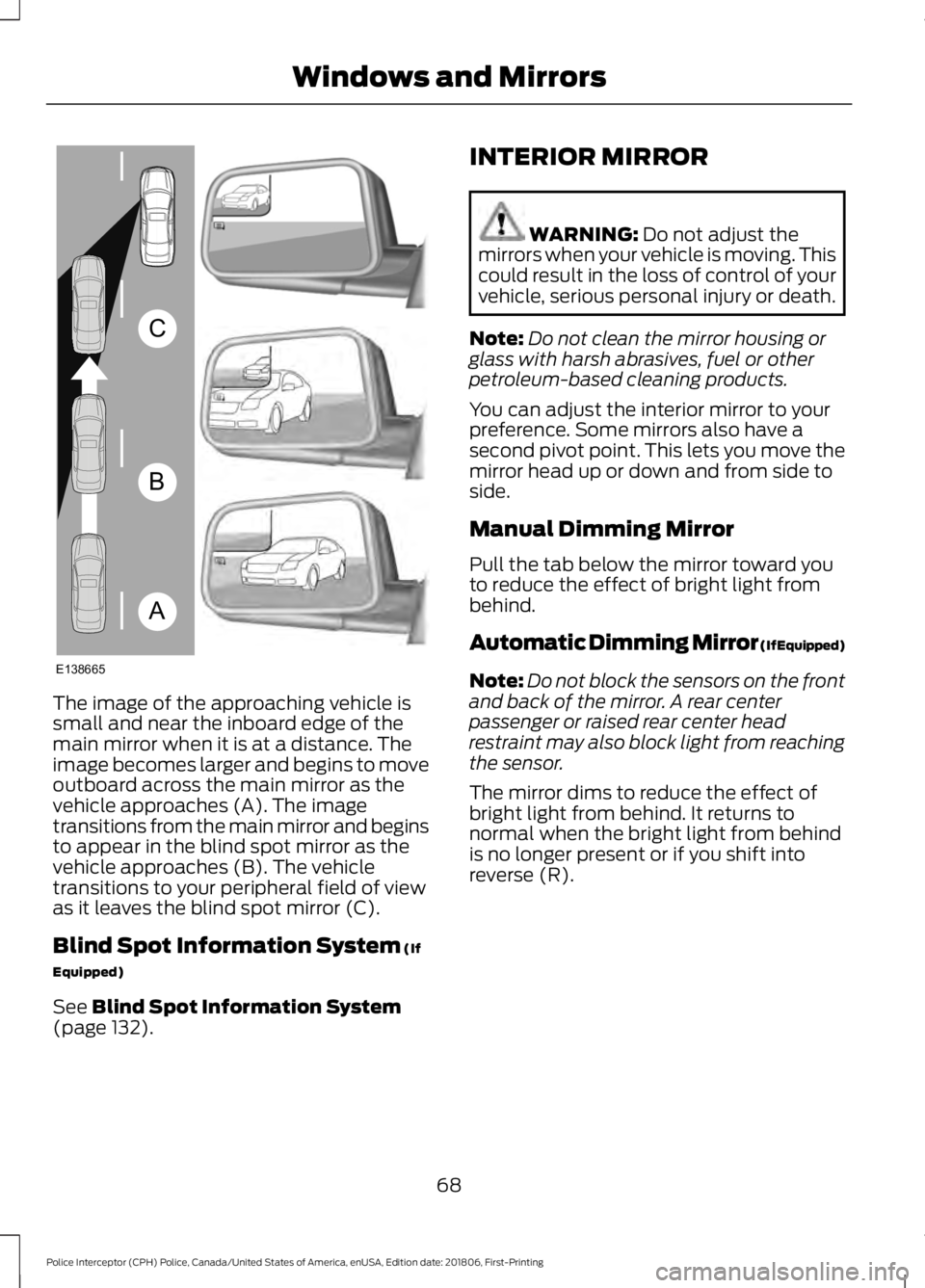
The image of the approaching vehicle is
small and near the inboard edge of the
main mirror when it is at a distance. The
image becomes larger and begins to move
outboard across the main mirror as the
vehicle approaches (A). The image
transitions from the main mirror and begins
to appear in the blind spot mirror as the
vehicle approaches (B). The vehicle
transitions to your peripheral field of view
as it leaves the blind spot mirror (C).
Blind Spot Information System (If
Equipped)
See
Blind Spot Information System
(page 132). INTERIOR MIRROR WARNING:
Do not adjust the
mirrors when your vehicle is moving. This
could result in the loss of control of your
vehicle, serious personal injury or death.
Note: Do not clean the mirror housing or
glass with harsh abrasives, fuel or other
petroleum-based cleaning products.
You can adjust the interior mirror to your
preference. Some mirrors also have a
second pivot point. This lets you move the
mirror head up or down and from side to
side.
Manual Dimming Mirror
Pull the tab below the mirror toward you
to reduce the effect of bright light from
behind.
Automatic Dimming Mirror (If Equipped)
Note: Do not block the sensors on the front
and back of the mirror. A rear center
passenger or raised rear center head
restraint may also block light from reaching
the sensor.
The mirror dims to reduce the effect of
bright light from behind. It returns to
normal when the bright light from behind
is no longer present or if you shift into
reverse (R).
68
Police Interceptor (CPH) Police, Canada/United States of America, enUSA, Edition date: 201806, First-Printing Windows and MirrorsA
B
C
E138665
Page 74 of 370
Low Fuel Reminder
A low fuel level reminder displays and
sounds when the distance to empty
reaches 50 mi (80 km), 25 mi (40 km),
10 mi (20 km) and 0 mi (0 km).
Note: The low fuel reminder can appear at
different fuel gauge positions depending on
fuel economy conditions. This variation is
normal.
WARNING LAMPS AND
INDICATORS
The following warning lamps and
indicators alert you to a vehicle condition
that may become serious. Some lamps
illuminate when you start your vehicle to
make sure they work. If any lamps remain
on after starting your vehicle, refer to the
respective system warning lamp for further
information.
Note: Some warning indicators appear in
the information display and function the
same as a warning lamp, but do not display
when you start your vehicle.
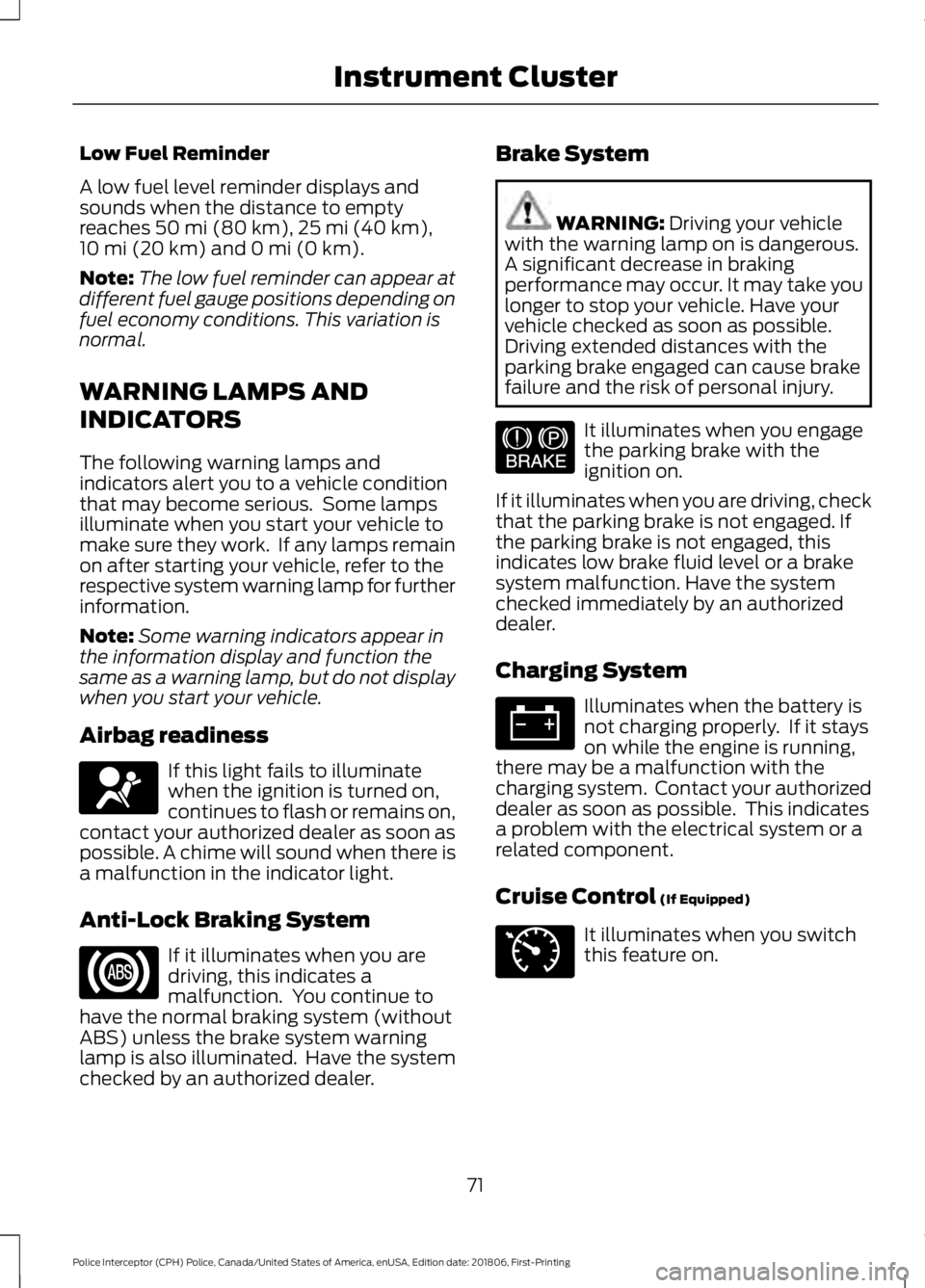
Airbag readiness If this light fails to illuminate
when the ignition is turned on,
continues to flash or remains on,
contact your authorized dealer as soon as
possible. A chime will sound when there is
a malfunction in the indicator light.
Anti-Lock Braking System If it illuminates when you are
driving, this indicates a
malfunction. You continue to
have the normal braking system (without
ABS) unless the brake system warning
lamp is also illuminated. Have the system
checked by an authorized dealer. Brake System WARNING:
Driving your vehicle
with the warning lamp on is dangerous.
A significant decrease in braking
performance may occur. It may take you
longer to stop your vehicle. Have your
vehicle checked as soon as possible.
Driving extended distances with the
parking brake engaged can cause brake
failure and the risk of personal injury. It illuminates when you engage
the parking brake with the
ignition on.
If it illuminates when you are driving, check
that the parking brake is not engaged. If
the parking brake is not engaged, this
indicates low brake fluid level or a brake
system malfunction. Have the system
checked immediately by an authorized
dealer.
Charging System Illuminates when the battery is
not charging properly. If it stays
on while the engine is running,
there may be a malfunction with the
charging system. Contact your authorized
dealer as soon as possible. This indicates
a problem with the electrical system or a
related component.
Cruise Control
(If Equipped) It illuminates when you switch
this feature on.
71
Police Interceptor (CPH) Police, Canada/United States of America, enUSA, Edition date: 201806, First-Printing Instrument ClusterE67017 E144522 E71340
Page 77 of 370
GENERAL INFORMATION
WARNING: Driving while
distracted can result in loss of vehicle
control, crash and injury. We strongly
recommend that you use extreme
caution when using any device that may
take your focus off the road. Your
primary responsibility is the safe
operation of your vehicle. We
recommend against the use of any
hand-held device while driving and
encourage the use of voice-operated
systems when possible. Make sure you
are aware of all applicable local laws
that may affect the use of electronic
devices while driving.
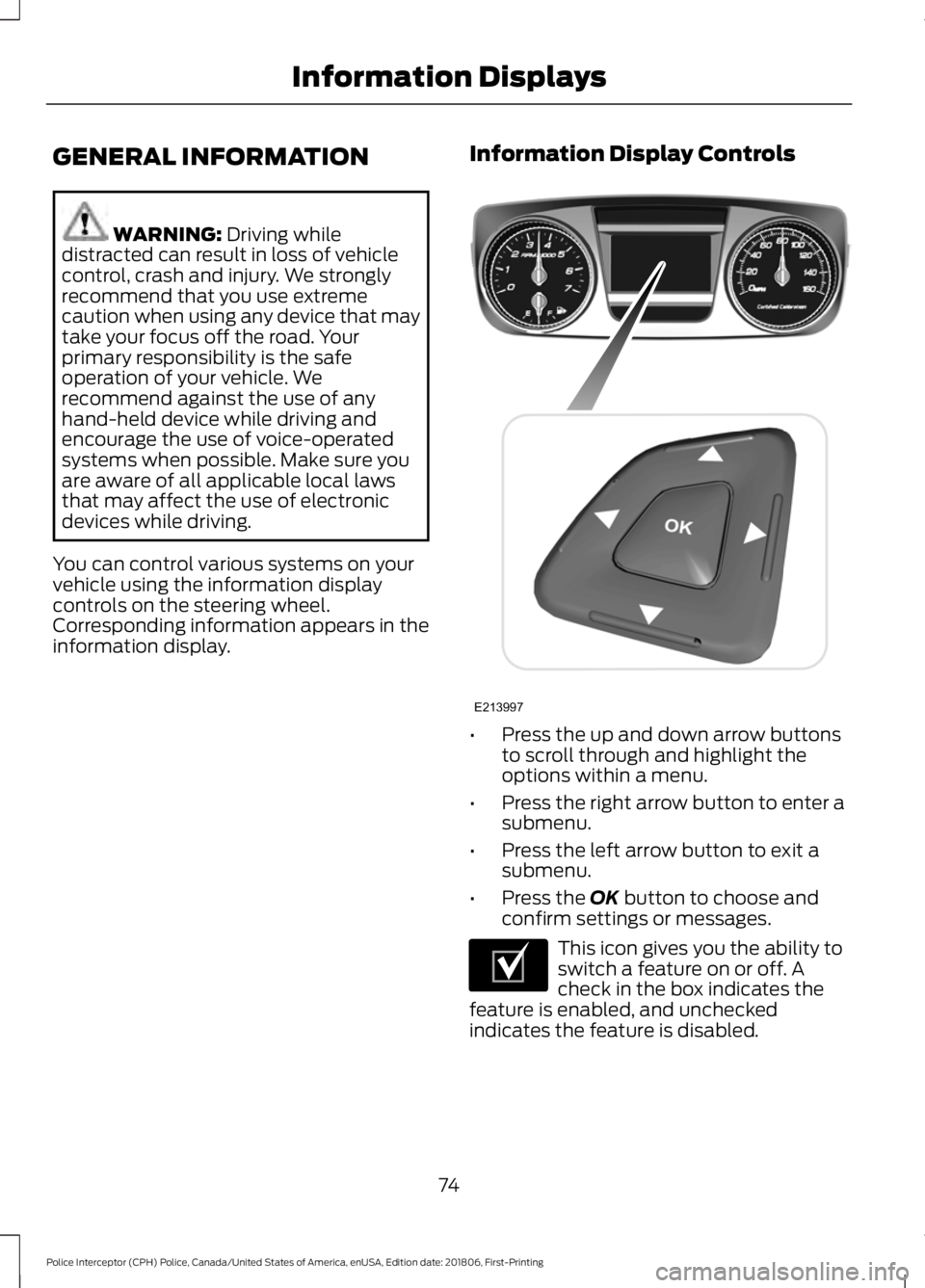
You can control various systems on your
vehicle using the information display
controls on the steering wheel.
Corresponding information appears in the
information display. Information Display Controls •
Press the up and down arrow buttons
to scroll through and highlight the
options within a menu.
• Press the right arrow button to enter a
submenu.
• Press the left arrow button to exit a
submenu.
• Press the
OK button to choose and
confirm settings or messages. This icon gives you the ability to
switch a feature on or off. A
check in the box indicates the
feature is enabled, and unchecked
indicates the feature is disabled.
74
Police Interceptor (CPH) Police, Canada/United States of America, enUSA, Edition date: 201806, First-Printing Information DisplaysE213997 E204495
Page 81 of 370
AWD
Action
Message
Displays if the AWD system disables to protect itself. Thismay occur if you operate the vehicle after installing the
compact spare tire, if the system is overheating or if there is
an issue with another vehicle system that prevents the AWD system from operating. The AWD system resumes normal
operation and clears this message after you install the road
tire and you switch the ignition on and off, or after you allow
the system to cool. If this message remains on, have a quali- fied technician service your vehicle to repair other vehicle systems.
AWD OFF
Displayed in conjunction with the powertrain malfunction/
reduced power light when the system is not operating properly.
If the warning stays on or continues to come on, contact your authorized dealer as soon as possible.
Check AWD
Displayed when the system needs its power transfer unit
lubrication changed. This message may be set if the vehicle has experienced extended periods of extreme/severe duty cycle driving.
Change AWD Power
Transfer Unit Lube
Battery and Charging System Action
Message
Displayed when the charging system needs servicing. If thewarning stays on or continues to come on, contact your authorized dealer as soon as possible.
Check Charging System
The battery management system detects an extended lowvoltage condition. Your vehicle will disable various features
to help preserve the battery. Turn off as many of the electrical loads as soon as possible to improve the system voltage.
Once the system voltage recovers, the disabled features will operate as normal.
Low Battery Features
Temporarily Turned Off
The battery management system determines that the batteryis at a low state of charge. Switch the ignition off as soon as
possible to protect the battery. This message clears once you
start the vehicle and the battery state of charge has recovered.
Turning off unnecessary electrical loads allows faster battery state-of-charge recovery.
Turn Power Off To Save
Battery
78
Police Interceptor (CPH) Police, Canada/United States of America, enUSA, Edition date: 201806, First-Printing Information Displays