light FORD POLICE INTERCEPTOR 2020 Owner's Manual
[x] Cancel search | Manufacturer: FORD, Model Year: 2020, Model line: POLICE INTERCEPTOR, Model: FORD POLICE INTERCEPTOR 2020Pages: 395, PDF Size: 5.62 MB
Page 88 of 395
GENERAL INFORMATION
WARNING: Driving while
distracted can result in loss of vehicle
control, crash and injury. We strongly
recommend that you use extreme
caution when using any device that may
take your focus off the road. Your
primary responsibility is the safe
operation of your vehicle. We
recommend against the use of any
hand-held device while driving and
encourage the use of voice-operated
systems when possible. Make sure you
are aware of all applicable local laws
that may affect the use of electronic
devices while driving.
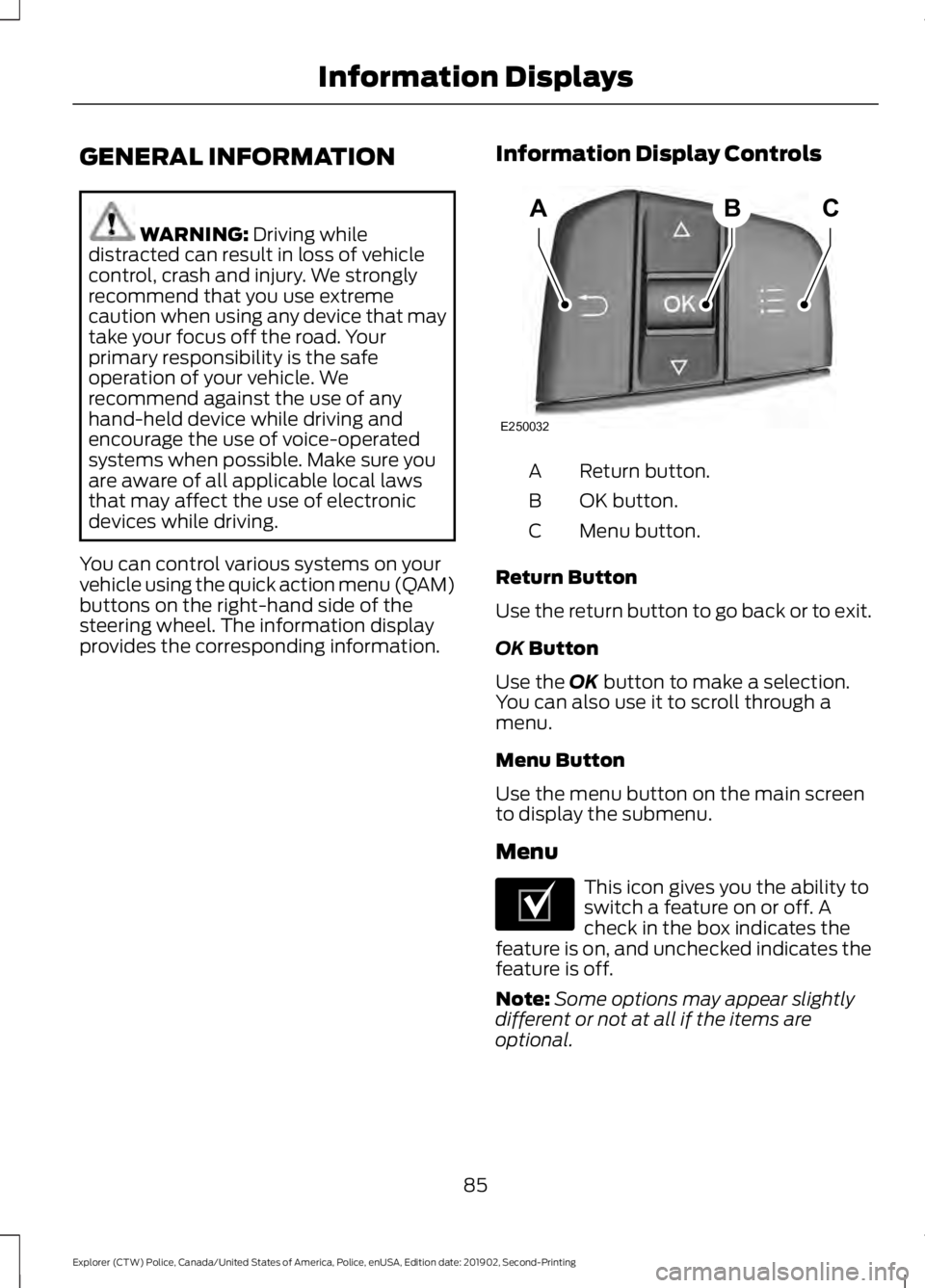
You can control various systems on your
vehicle using the quick action menu (QAM)
buttons on the right-hand side of the
steering wheel. The information display
provides the corresponding information. Information Display Controls Return button.
A
OK button.
B
Menu button.
C
Return Button
Use the return button to go back or to exit.
OK
Button
Use the
OK button to make a selection.
You can also use it to scroll through a
menu.
Menu Button
Use the menu button on the main screen
to display the submenu.
Menu This icon gives you the ability to
switch a feature on or off. A
check in the box indicates the
feature is on, and unchecked indicates the
feature is off.
Note: Some options may appear slightly
different or not at all if the items are
optional.
85
Explorer (CTW) Police, Canada/United States of America, Police, enUSA, Edition date: 201902, Second-Printing Information DisplaysABC
E250032 E204495
Page 90 of 395
Navigation
Navigation
Menu options covered in the SYNC chapter. See General Information (page 311).
Audio Audio
Menu options covered in the SYNC chapter. See
General Information (page 311).
Phone Phone
Menu options covered in the SYNC chapter. See
General Information (page 311).
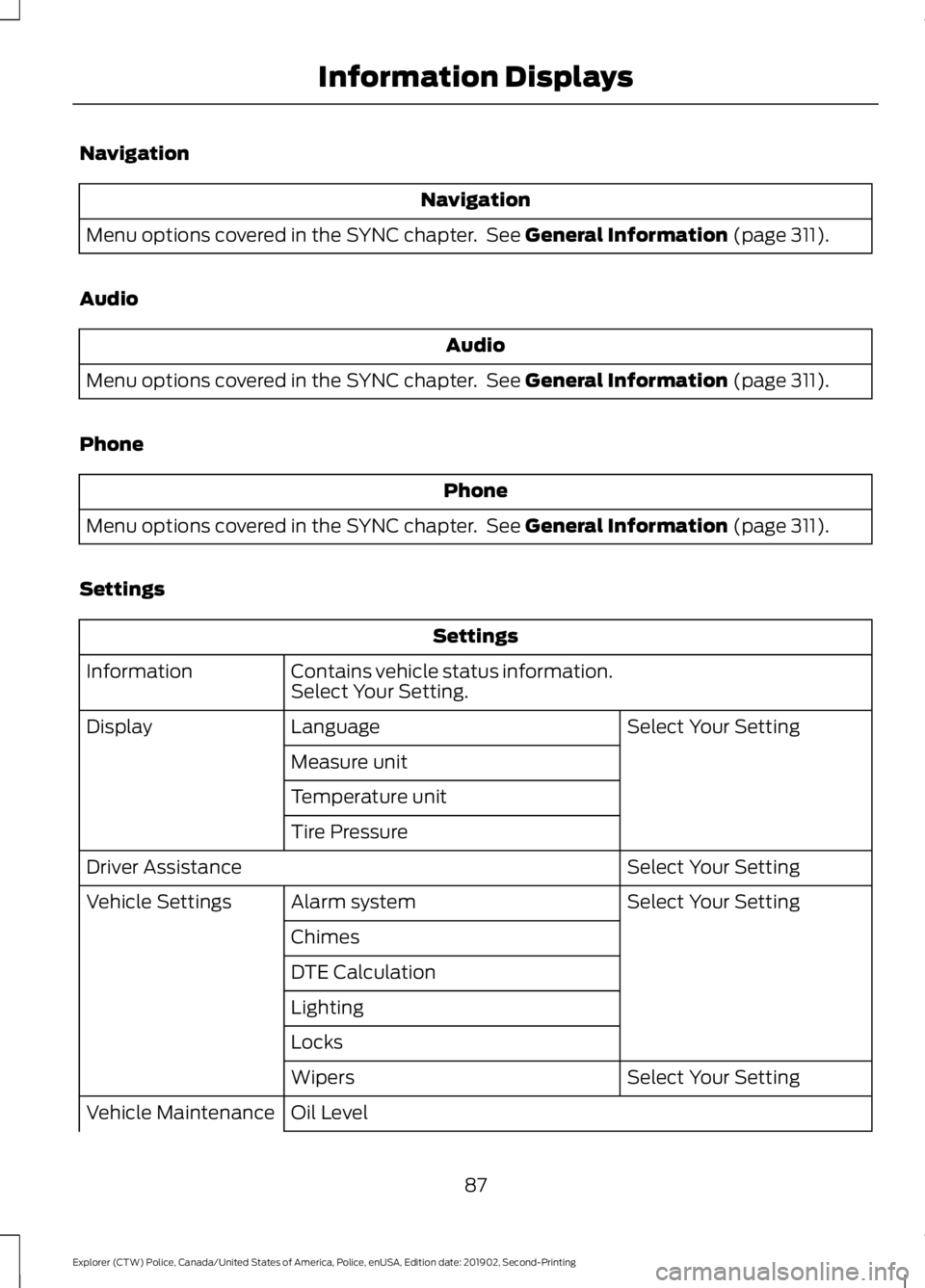
Settings Settings
Contains vehicle status information.
Select Your Setting.
Information
Select Your Setting
Language
Display
Measure unit
Temperature unit
Tire Pressure Select Your Setting
Driver Assistance
Select Your Setting
Alarm system
Vehicle Settings
Chimes
DTE Calculation
Lighting
Locks Select Your Setting
Wipers
Oil Level
Vehicle Maintenance
87
Explorer (CTW) Police, Canada/United States of America, Police, enUSA, Edition date: 201902, Second-Printing Information Displays
Page 95 of 395
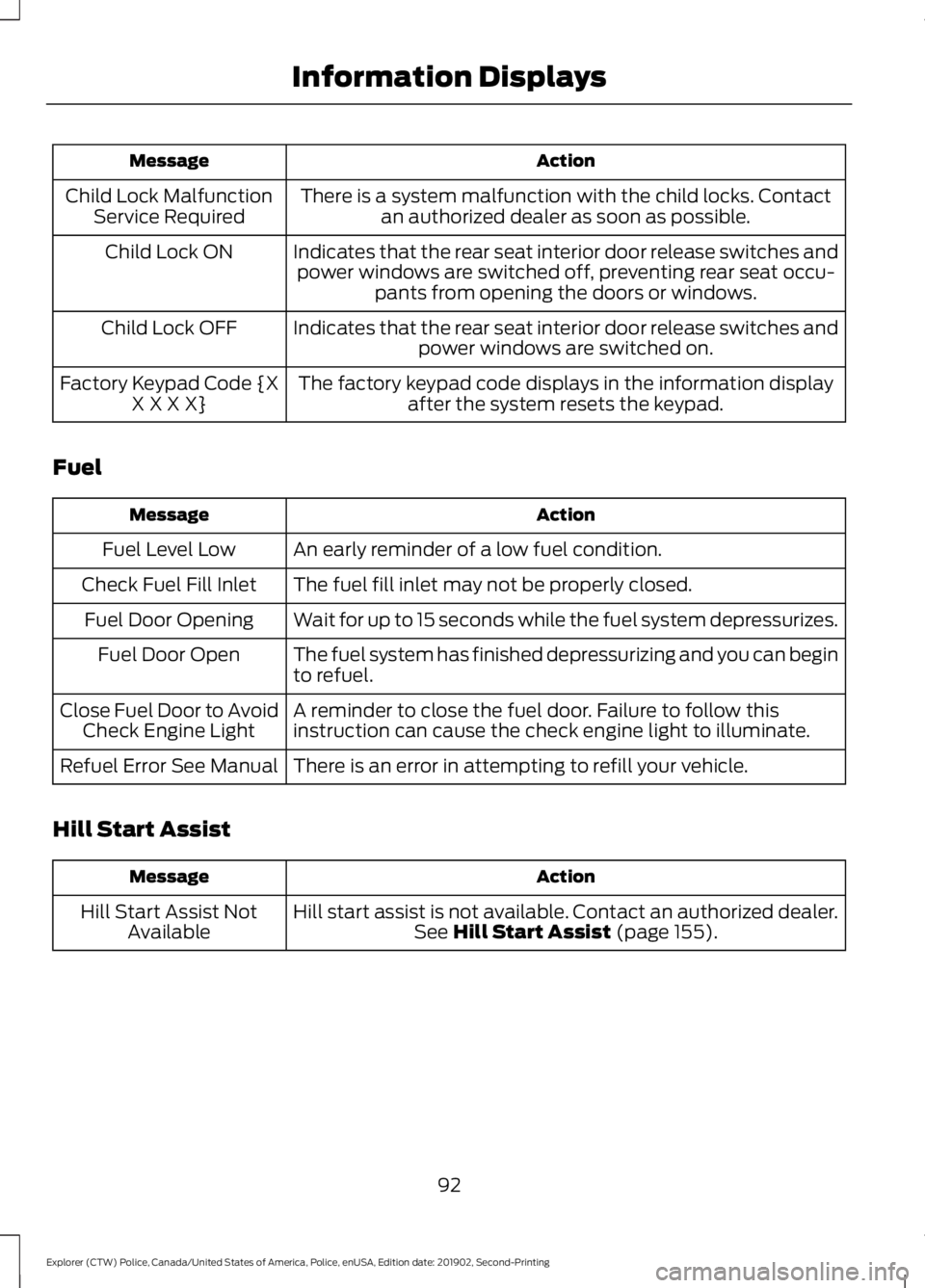
Action
Message
There is a system malfunction with the child locks. Contactan authorized dealer as soon as possible.
Child Lock Malfunction
Service Required
Indicates that the rear seat interior door release switches andpower windows are switched off, preventing rear seat occu- pants from opening the doors or windows.
Child Lock ON
Indicates that the rear seat interior door release switches andpower windows are switched on.
Child Lock OFF
The factory keypad code displays in the information displayafter the system resets the keypad.
Factory Keypad Code {X
X X X X}
Fuel Action
Message
An early reminder of a low fuel condition.
Fuel Level Low
The fuel fill inlet may not be properly closed.
Check Fuel Fill Inlet
Wait for up to 15 seconds while the fuel system depressurizes.
Fuel Door Opening
The fuel system has finished depressurizing and you can begin
to refuel.
Fuel Door Open
A reminder to close the fuel door. Failure to follow this
instruction can cause the check engine light to illuminate.
Close Fuel Door to Avoid
Check Engine Light
There is an error in attempting to refill your vehicle.
Refuel Error See Manual
Hill Start Assist Action
Message
Hill start assist is not available. Contact an authorized dealer.See Hill Start Assist (page 155).
Hill Start Assist Not
Available
92
Explorer (CTW) Police, Canada/United States of America, Police, enUSA, Edition date: 201902, Second-Printing Information Displays
Page 102 of 395
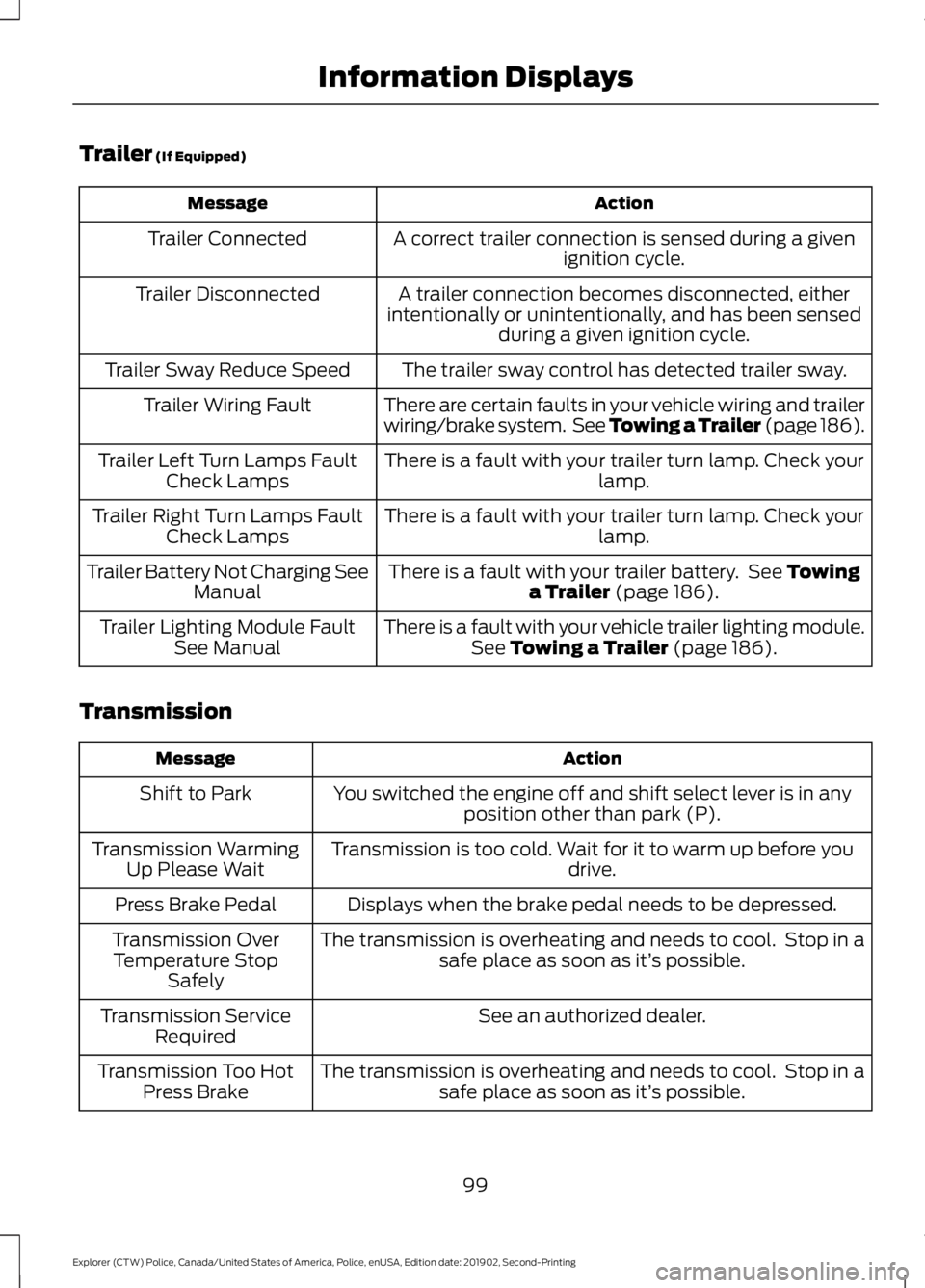
Trailer (If Equipped)
Action
Message
A correct trailer connection is sensed during a givenignition cycle.
Trailer Connected
A trailer connection becomes disconnected, either
intentionally or unintentionally, and has been sensed during a given ignition cycle.
Trailer Disconnected
The trailer sway control has detected trailer sway.
Trailer Sway Reduce Speed
There are certain faults in your vehicle wiring and trailer
wiring/brake system. See Towing a Trailer (page 186).
Trailer Wiring Fault
There is a fault with your trailer turn lamp. Check yourlamp.
Trailer Left Turn Lamps Fault
Check Lamps
There is a fault with your trailer turn lamp. Check yourlamp.
Trailer Right Turn Lamps Fault
Check Lamps
There is a fault with your trailer battery. See
Towing
a Trailer (page 186).
Trailer Battery Not Charging See
Manual
There is a fault with your vehicle trailer lighting module.See
Towing a Trailer (page 186).
Trailer Lighting Module Fault
See Manual
Transmission Action
Message
You switched the engine off and shift select lever is in anyposition other than park (P).
Shift to Park
Transmission is too cold. Wait for it to warm up before you drive.
Transmission Warming
Up Please Wait
Displays when the brake pedal needs to be depressed.
Press Brake Pedal
The transmission is overheating and needs to cool. Stop in asafe place as soon as it’ s possible.
Transmission Over
Temperature Stop Safely
See an authorized dealer.
Transmission Service
Required
The transmission is overheating and needs to cool. Stop in asafe place as soon as it’ s possible.
Transmission Too Hot
Press Brake
99
Explorer (CTW) Police, Canada/United States of America, Police, enUSA, Edition date: 201902, Second-Printing Information Displays
Page 106 of 395
Auto Mode Indicator Status
Description
Auto Mode Indicator
Status
One indicator illumin-
ated. •
The blower motor speed is reduced.
•Use this setting to minimize the amount of noise from
the blower motor.
• This setting increases the time taken to cool the
interior.
Two indicators illumin-
ated. •
The blower motor speed is moderate.
Three indicators illumin-
ated. •
The blower motor speed is increased.
•Use this setting to reduce the time taken to cool the
interior.
• This setting increases the amount of noise from the
blower motor.
Smart Zone - Hybrid Electric Vehicle
(HEV), Plug-In Hybrid Electric Vehicle
(PHEV)
If there is not an occupant in the front
passenger seat, the climate control system
may default to single zone to improve fuel
economy, if you were previously in dual
zone operation. When this occurs, dual
zone turns off and the passenger set point
changes to match the driver set point.
Adjust the passenger set point normally to
use dual zone operation without a
passenger present. The system remains in
dual zone operation until you switch the
vehicle off.
You can disable or re-enable the Smart
Zone feature by pressing and holding
AUTO for more than four seconds. Both
set point displays begin flashing to signify
when the feature disables. The system
returns to previous state after you release
AUTO
. Switching the Air Conditioning On
and Off Press and release the button.
Use air conditioning with recirculated air
to improve cooling performance and
efficiency.
Note: In certain conditions, such as
maximum defrost, the air conditioning
compressor may continue to operate even
though you switch off the air conditioning.
Note: The
A/C LED light may turn on and
off based on the temperature setting or the
current conditions.
Switching the Climate Control On
and Off Press and release the button.
103
Explorer (CTW) Police, Canada/United States of America, Police, enUSA, Edition date: 201902, Second-Printing Climate Control
Page 111 of 395
SITTING IN THE CORRECT
POSITION
WARNING: Sitting improperly, out
of position or with the seatback reclined
too far can take weight off the seat
cushion and affect the decision of the
passenger sensing system, resulting in
serious injury or death in the event of a
crash. Always sit upright against your
seat back, with your feet on the floor. WARNING:
Do not recline the
seatback too far as this can cause the
occupant to slide under the seatbelt,
resulting in serious injury in the event of
a collision. WARNING:
Do not place objects
higher than the top of the seat backrest.
Failure to follow this instruction could
result in personal injury or death in the
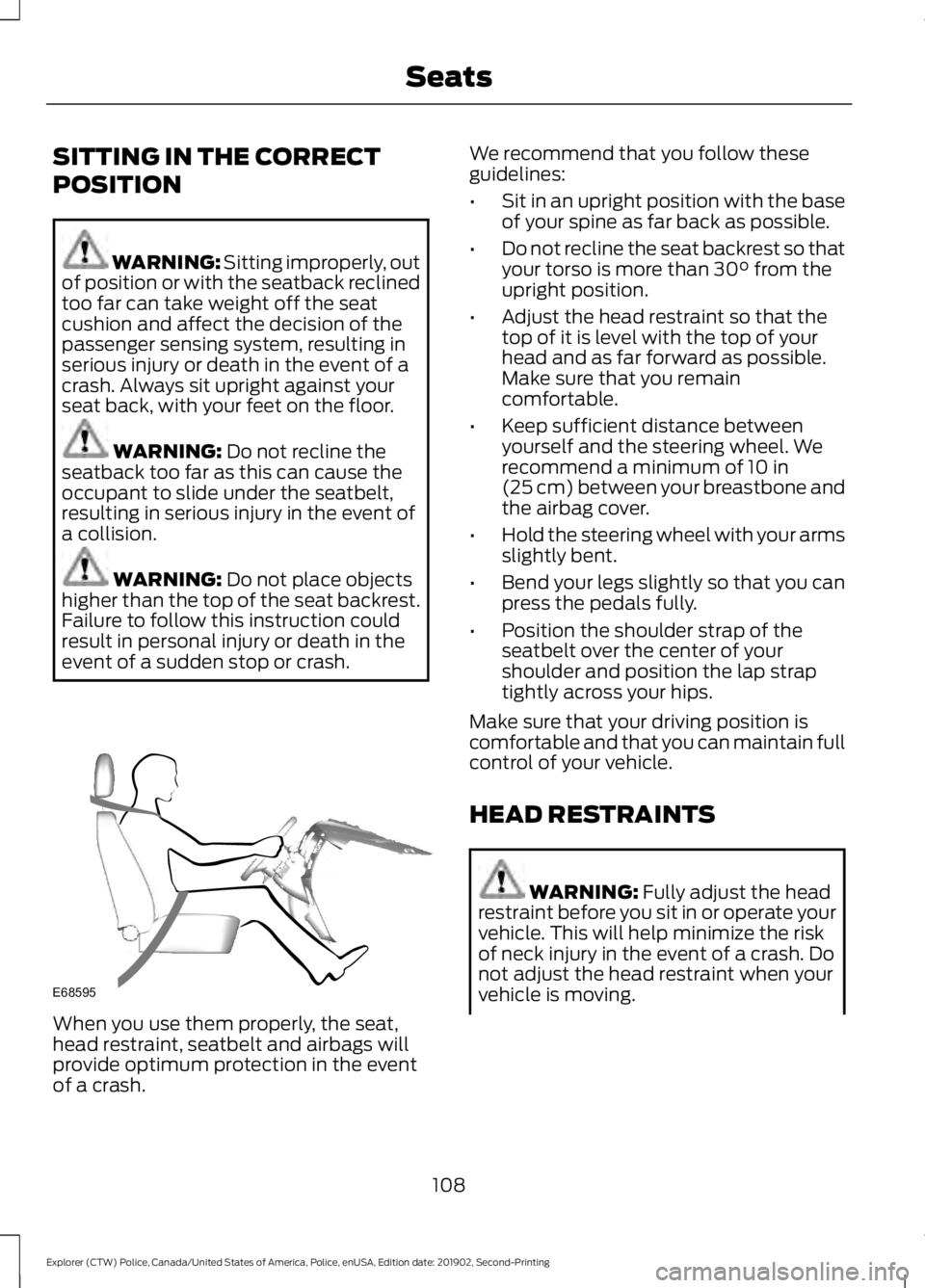
event of a sudden stop or crash. When you use them properly, the seat,
head restraint, seatbelt and airbags will
provide optimum protection in the event
of a crash. We recommend that you follow these
guidelines:
•
Sit in an upright position with the base
of your spine as far back as possible.
• Do not recline the seat backrest so that
your torso is more than
30° from the
upright position.
• Adjust the head restraint so that the
top of it is level with the top of your
head and as far forward as possible.
Make sure that you remain
comfortable.
• Keep sufficient distance between
yourself and the steering wheel. We
recommend a minimum of
10 in
(25 cm) between your breastbone and
the airbag cover.
• Hold the steering wheel with your arms
slightly bent.
• Bend your legs slightly so that you can
press the pedals fully.
• Position the shoulder strap of the
seatbelt over the center of your
shoulder and position the lap strap
tightly across your hips.
Make sure that your driving position is
comfortable and that you can maintain full
control of your vehicle.
HEAD RESTRAINTS WARNING:
Fully adjust the head
restraint before you sit in or operate your
vehicle. This will help minimize the risk
of neck injury in the event of a crash. Do
not adjust the head restraint when your
vehicle is moving.
108
Explorer (CTW) Police, Canada/United States of America, Police, enUSA, Edition date: 201902, Second-Printing SeatsE68595
Page 118 of 395
12 Volt DC Power Point
WARNING: Do not plug optional
electrical accessories into the cigar
lighter socket. Incorrect use of the cigar
lighter can cause damage not covered
by the vehicle warranty, and can result
in fire or serious injury.
Note: When you switch the ignition on, you
can use the socket to power 12 volt
appliances with a maximum current rating
of 15 amps.
Note: If the power supply does not work
after you switch the ignition off, switch the
ignition on.
Note: Do not hang any accessory from the
accessory plug.
Note: Do not use the power point over the
vehicle capacity of 12 volt DC 180 watts or
a fuse may blow.
Note: Always keep the power point caps
closed when not in use.
Do not insert objects other than an
accessory plug into the power point. This
damages the power point and may blow
the fuse.
Run the vehicle for full capacity use of the
power point.
To prevent the battery from running out of
charge:
• Do not use the power point longer than
necessary when the vehicle is not
running.
• Do not leave devices plugged in
overnight or when you park your vehicle
for extended periods. USB Port and Power Point
Locations
USB Ports and Power Points may be in the
following locations:
•
On the lower instrument panel.
• Inside the center console.
• On the front of the center console.
• On the rear of the center console.
• In the cargo area.
• On the passenger side floor panel.
• 3rd row on the quarter trim panels.
Note: Some of the USB ports may not have
data transfer capabilities.
Note: Incorrect use of the USB ports can
cause damage not covered by the vehicle
warranty.
110 Volt AC Power Point WARNING: Do not keep electrical
devices plugged in the power point
whenever the device is not in use. Do not
use any extension cord with the 110 volt
AC power point, since it will defeat the
safety protection design. Doing so may
cause the power point to overload due
to powering multiple devices that can
reach beyond the 150 watt load limit and
could result in fire or serious injury.
Note: The power point turns off when you
switch off the ignition, when the vehicle is
not in accessory mode or when the battery
voltage drops below 11 volts.
You can use the power point for electric
devices that require up to 150 watts. It is
on the rear of the center console.
115
Explorer (CTW) Police, Canada/United States of America, Police, enUSA, Edition date: 201902, Second-Printing Auxiliary Power Points
Page 119 of 395
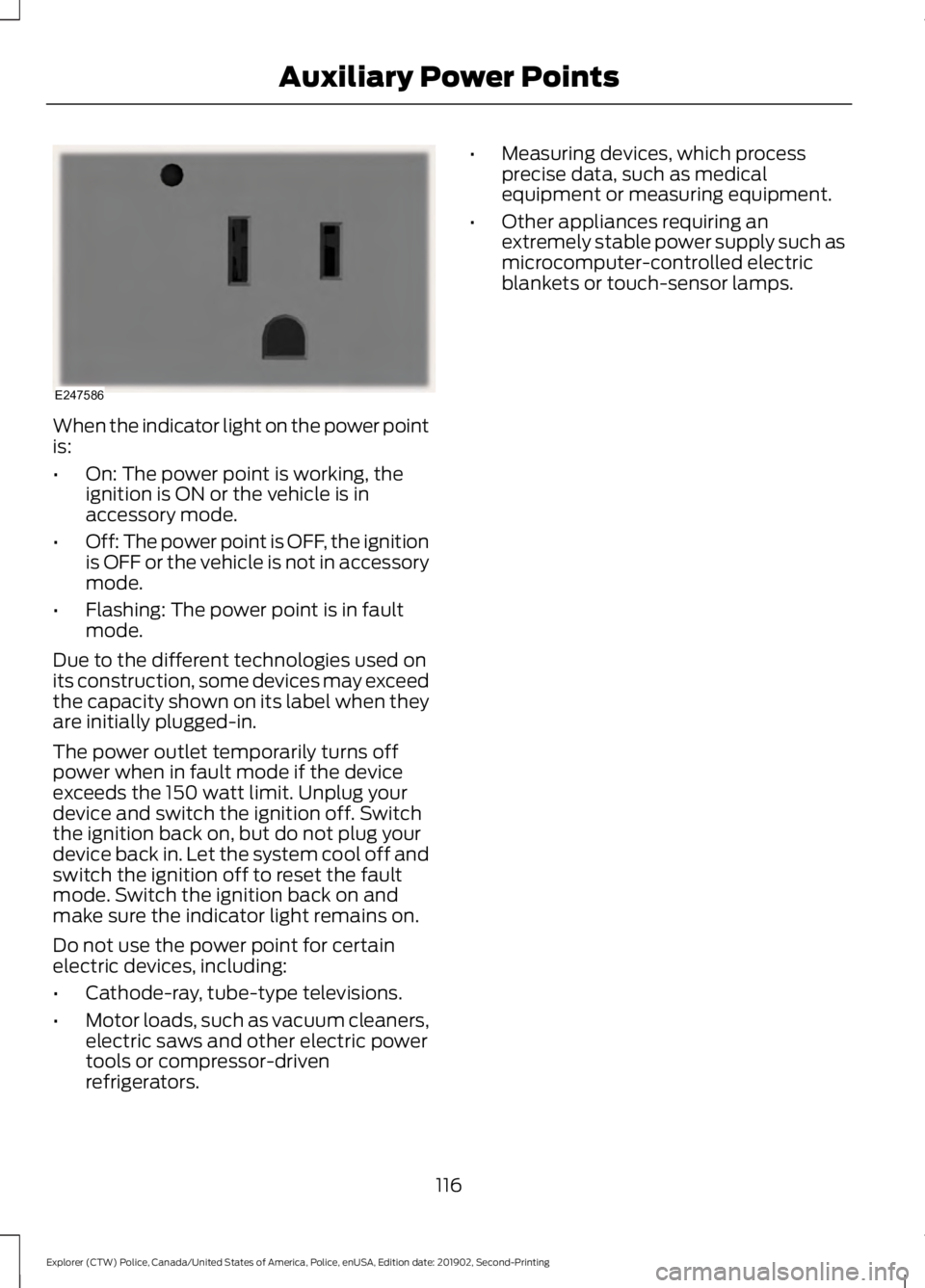
When the indicator light on the power point
is:
•
On: The power point is working, the
ignition is ON or the vehicle is in
accessory mode.
• Off: The power point is OFF, the ignition
is OFF or the vehicle is not in accessory
mode.
• Flashing: The power point is in fault
mode.
Due to the different technologies used on
its construction, some devices may exceed
the capacity shown on its label when they
are initially plugged-in.
The power outlet temporarily turns off
power when in fault mode if the device
exceeds the 150 watt limit. Unplug your
device and switch the ignition off. Switch
the ignition back on, but do not plug your
device back in. Let the system cool off and
switch the ignition off to reset the fault
mode. Switch the ignition back on and
make sure the indicator light remains on.
Do not use the power point for certain
electric devices, including:
• Cathode-ray, tube-type televisions.
• Motor loads, such as vacuum cleaners,
electric saws and other electric power
tools or compressor-driven
refrigerators. •
Measuring devices, which process
precise data, such as medical
equipment or measuring equipment.
• Other appliances requiring an
extremely stable power supply such as
microcomputer-controlled electric
blankets or touch-sensor lamps.
116
Explorer (CTW) Police, Canada/United States of America, Police, enUSA, Edition date: 201902, Second-Printing Auxiliary Power PointsE247586
Page 125 of 395
HYBRID VEHICLE OPERATION
(IF EQUIPPED)
This hybrid vehicle combines electric and
gasoline propulsion to provide
breakthrough performance and improved
efficiency. Familiarizing yourself with these
unique characteristics provides an optimal
driving experience from your vehicle.
Starting
When you start your vehicle, a
green READY indicator light
appears in the instrument cluster
and a ready to drive message appears,
letting you know that your vehicle is ready
for driving.
The engine may not start because your
vehicle has a silent key start feature. This
fuel saving feature allows your vehicle to
be ready to drive without requiring the gas
engine to be running. The indicator remains
on when your vehicle is on, whether the
engine is running or not, to indicate your
vehicle is capable of movement using the
electric motor, gas engine or both.
Typically, the engine does not start unless
the vehicle is cold, a climate control
change is requested or you press the
accelerator pedal.
Driving
The gas engine automatically starts and
stops to provide power when needed and
to save fuel when not needed. When
coasting at low speeds, coming to a stop,
or standing, the gas engine normally shuts
down and your vehicle operates in
electric-only mode.
Conditions that may cause the engine to
start up or remain running include:
• Considerable vehicle acceleration.
• Climbing a hill. •
Charge level of high voltage battery is
low.
• High or low outside temperatures in
order to provide system heating or
cooling.
• Engine not warm enough to provide
passenger requested cabin
temperature.
• Towing a trailer.
• Selectable drive modes: Certain
selectable drive modes may cause the
engine to run. See About Drive Mode
Control (page 179).
Stopping
The gas engine may shut off to conserve
fuel as you come to a stop. Restarting your
vehicle is not required. Simply step on the
accelerator when you are ready to drive.
Transmission Operation
The engine and electric motor together
propel the vehicle through the automatic
transmission. This is normal hybrid
operating and helps deliver fuel efficiency
and performance.
Battery
Your hybrid has a high voltage battery. A
cool battery maintains battery life and
provides the best possible performance.
The high voltage battery is cooled by the
vehicle's air conditioning system. When
the air conditioning system is on, you may
notice a slight increase in air temperature
coming from the climate control vents
while the system cools the battery. You
may notice cool air flowing from the vents
when the air conditioning or blower is off.
122
Explorer (CTW) Police, Canada/United States of America, Police, enUSA, Edition date: 201902, Second-Printing Unique Driving CharacteristicsE293827
Page 126 of 395
You may also notice during extending
downhill driving that your engine continues
to run instead of shutting off. During this
engine braking, the engine stays on, but it
is not using any fuel. You may also hear a
slight whine or whistle when operating your
vehicle. This is the normal operation of the
electric motor in the hybrid system.
Braking
Your hybrid has standard hydraulic braking
and regenerative braking. Regenerative
braking is performed by your transmission
and it captures brake energy and stores it
in the high voltage battery. You may notice
the transmission changing gears while
decelerating. This is normal, and is used to
capture the maximum energy back into the
high voltage battery.
Driving to Optimize Fuel Economy
Note:
Having your engine running is not
always an indication of inefficiency. In some
cases, it is actually more efficient than
driving in electric mode. Your fuel economy should improve
throughout your hybrid's break-in period.
As with any vehicle, your driving habits and
accessory usage can significantly impact
your fuel economy. For best results, keep
these tips in mind:
•
Keep the tires properly inflated and
only use the recommended size.
• Aggressive driving increases the
amount of energy required to move
your vehicle. In general, you can
achieve better fuel economy with mild
to moderate acceleration and
deceleration. Moderate braking is
particularly important since it allows
you to maximize the energy captured
by the regenerative braking system.
Additional Tips:
• Do not carry extra loads.
• Be mindful of adding external
accessories that may increase
aerodynamic drag.
• Observe posted speed limits.
• Perform all scheduled maintenance.
• There is no need to wait for your engine
to warm up. The vehicle is ready to
drive immediately after starting.
123
Explorer (CTW) Police, Canada/United States of America, Police, enUSA, Edition date: 201902, Second-Printing Unique Driving Characteristics