climate control FORD POLICE INTERCEPTOR 2021 Owners Manual
[x] Cancel search | Manufacturer: FORD, Model Year: 2021, Model line: POLICE INTERCEPTOR, Model: FORD POLICE INTERCEPTOR 2021Pages: 412, PDF Size: 7.51 MB
Page 5 of 412
Audio Control
.................................................65
Voice Control ..................................................
66
Cruise Control ................................................
66
Information Display Control .....................
66
Horn ...................................................................
66
Wipers and Washers
Windshield Wipers ........................................
67
Windshield Washers ....................................
67
Rear Window Wiper and Washers ..........
67
Lighting
General Information ....................................
69
Lighting Control .............................................
69
Autolamps .......................................................
70
Instrument Lighting Dimmer ......................
71
Daytime Running Lamps - Vehicles With: Configurable Daytime Running Lamps
........................................................................\
....
71
Daytime Running Lamps - Vehicles With: Daytime Running Lamps (DRL) ...........
71
Direction Indicators ........................................
71
Interior Lamps .................................................
72
Windows and Mirrors
Power Windows .............................................
74
Exterior Mirrors ................................................
75
Interior Mirror ...................................................
76
Sun Visors .........................................................
77
Instrument Cluster
Gauges ..............................................................
78
Warning Lamps and Indicators ................
79
Audible Warnings and Indicators ............
82
Information Displays
General Information ....................................
84
Information Messages .................................
87Climate Control
Automatic Climate Control
......................
101
Hints on Controlling the Interior Climate ........................................................................\
.
103
Rear Passenger Climate Controls .........
104
Heated Rear Window .................................
105
Heated Exterior Mirrors .............................
105
Interior Air Quality
What Is the Cabin Air Filter ......................
106
Replacing the Cabin Air Filter .................
106
Seats
Sitting in the Correct Position .................
107
Head Restraints ............................................
107
Manual Seats ................................................
109
Power Seats ...................................................
110
Rear Seats .......................................................
112
Rear Occupant Alert System
What is the Rear Occupant Alert System ........................................................................\
..
114
How Does the Rear Occupant Alert System Work ..............................................
114
Rear Occupant Alert System Precautions ........................................................................\
..
114
Rear Occupant Alert System Limitations ........................................................................\
..
114
Switching Rear Occupant Alert System On and Off ..................................................
114
Rear Occupant Alert System Indicators ........................................................................\
..
115
Rear Occupant Alert System Audible Warnings ......................................................
115
Auxiliary Power Points
Auxiliary Power Points ................................
116
2
Explorer (CTW) Police, Canada/United States of America, Police, enUSA, Edition date: 202007, Second-Printing Table of Contents
Page 18 of 412
Note:
Event data recorder data is recorded
by your vehicle only if a non-trivial crash
situation occurs; no data is recorded by the
event data recorder under normal driving
conditions and no personal data or
information (for example name, gender,
age, and crash location) is recorded.
However, parties, such as law enforcement,
could combine the event data recorder data
with the type of personally identifying data
routinely acquired during a crash
investigation.
To read data recorded by an event data
recorder, special equipment is required,
and access to the vehicle or the event data
recorder is needed. In addition to the
vehicle manufacturer, other parties, such
as law enforcement, that have such special
equipment, can read the information if they
have access to the vehicle or the event
data recorder.
SETTINGS DATA
Your vehicle has electronic control units
that have the ability to store data based
on your personalized settings. The data is
stored locally in the vehicle or on devices
that you connect to it, for example, a USB
drive or digital music player. You can delete
some of this data and also choose whether
to share it through the services to which
you subscribe. See General Information
(page 84).
Comfort and Convenience Data
Data recorded includes, for example:
• Seat and steering wheel position.
• Climate control settings.
• Radio presets. Entertainment Data
Data recorded includes, for example:
•
Music, videos or album art.
• Contacts and corresponding address
book entries.
• Navigation destinations.
MOBILE DEVICE DATA
If you connect a mobile device to your
vehicle, you can display data from your
device on the touchscreen for example,
music and album art. You can share your
vehicle data with mobile apps on your
device through the system.
The mobile apps function operates by your
connected device sending data to us in the
United States. The data is encrypted and
includes, for example, the vehicle
identification number of your vehicle, the
SYNC module serial number, odometer,
enabled apps, usage statistics and
debugging information. We retain it only
as long as necessary to provide the service,
to troubleshoot, for continuous
improvement and to offer you products
and services that may be of interest to you
according to your preferences and where
allowed by law.
If you connect a cell phone to the system,
the system creates a profile that links to
that cell phone. The cell phone profile
enables more mobile features and efficient
operation. The profile contains, for
example data from your phonebook, read
and unread text messages and call history,
including history of calls when your cell
phone was not connected to the system.
If you connect a media device, the system
creates and retains a media device index
of supported media content. The system
also records a short diagnostic log of
approximately 10 minutes of all recent
system activity.
15
Explorer (CTW) Police, Canada/United States of America, Police, enUSA, Edition date: 202007, Second-Printing Data Privacy
Page 21 of 412
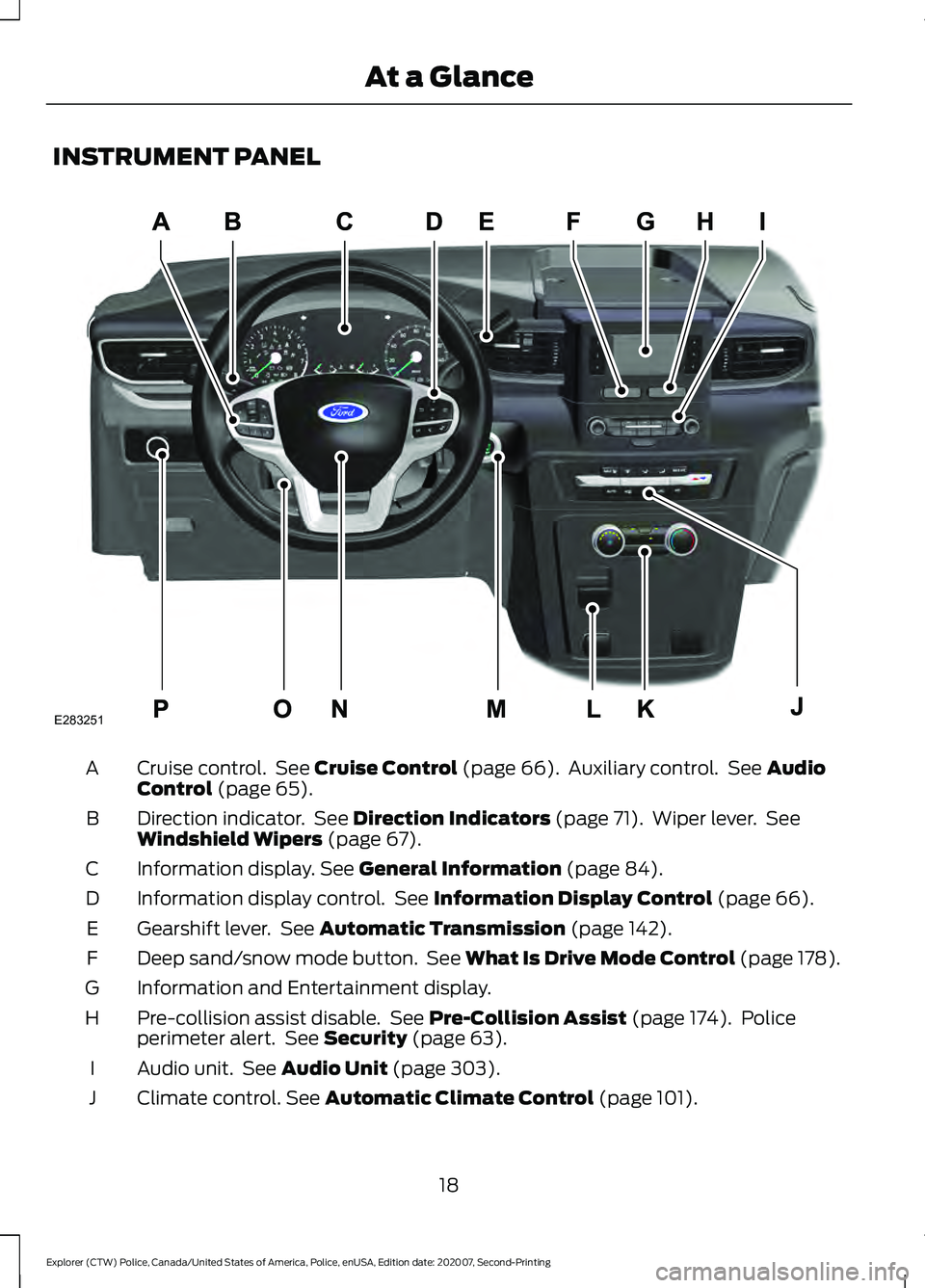
INSTRUMENT PANEL
Cruise control. See Cruise Control (page 66). Auxiliary control. See Audio
Control (page 65).
A
Direction indicator. See
Direction Indicators (page 71). Wiper lever. See
Windshield Wipers (page 67).
B
Information display.
See General Information (page 84).
C
Information display control. See
Information Display Control (page 66).
D
Gearshift lever. See
Automatic Transmission (page 142).
E
Deep sand/snow mode button. See What Is Drive Mode Control (page 178).
F
Information and Entertainment display.
G
Pre-collision assist disable. See
Pre-Collision Assist (page 174). Police
perimeter alert. See Security (page 63).
H
Audio unit. See
Audio Unit (page 303).
I
Climate control.
See Automatic Climate Control (page 101).
J
18
Explorer (CTW) Police, Canada/United States of America, Police, enUSA, Edition date: 202007, Second-Printing At a GlanceE283251
Page 22 of 412
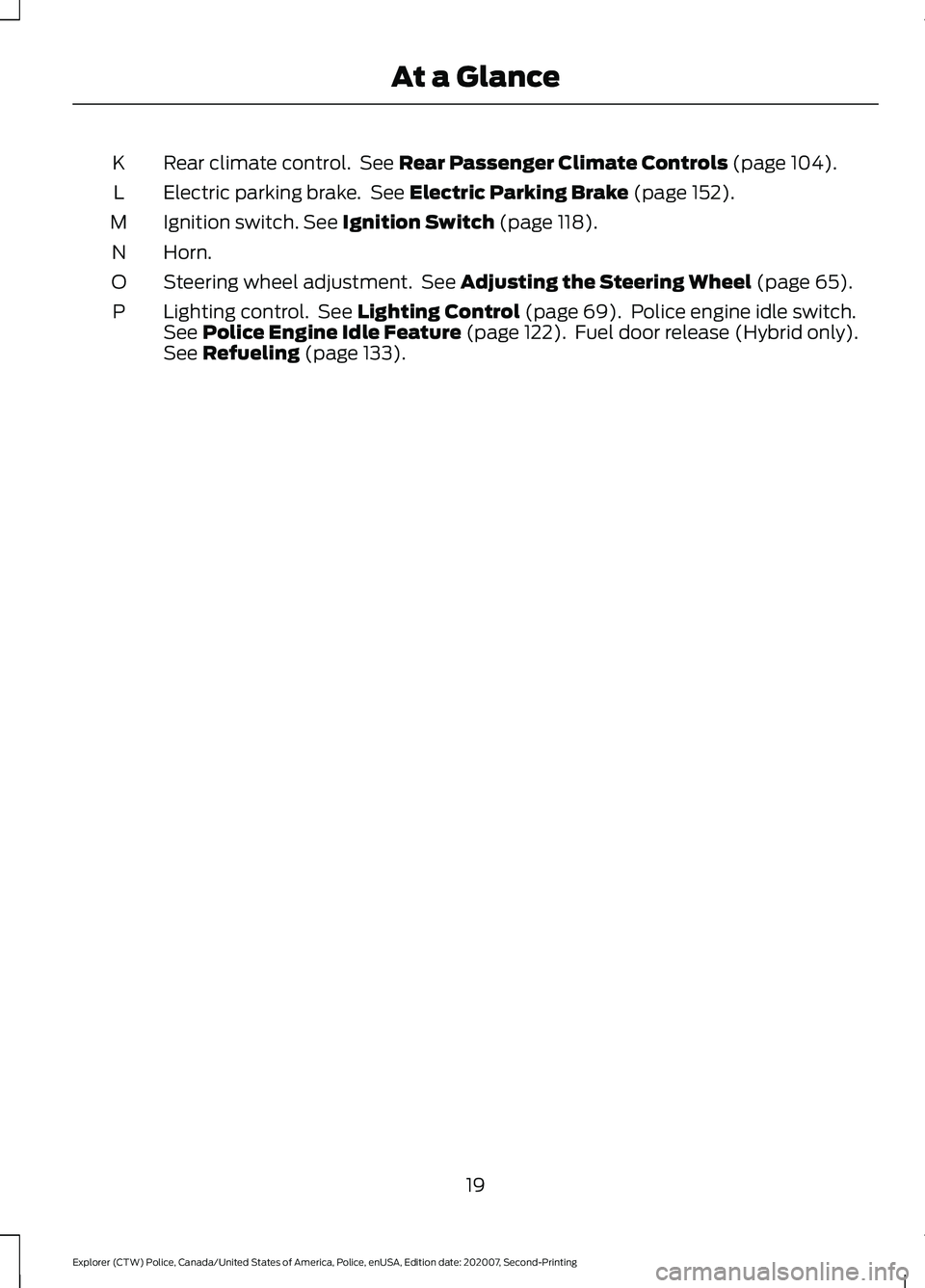
Rear climate control. See Rear Passenger Climate Controls (page 104).
K
Electric parking brake. See
Electric Parking Brake (page 152).
L
Ignition switch.
See Ignition Switch (page 118).
M
Horn.
N
Steering wheel adjustment. See
Adjusting the Steering Wheel (page 65).
O
Lighting control. See
Lighting Control (page 69). Police engine idle switch.
See Police Engine Idle Feature (page 122). Fuel door release (Hybrid only).
See Refueling (page 133).
P
19
Explorer (CTW) Police, Canada/United States of America, Police, enUSA, Edition date: 202007, Second-Printing At a Glance
Page 104 of 412
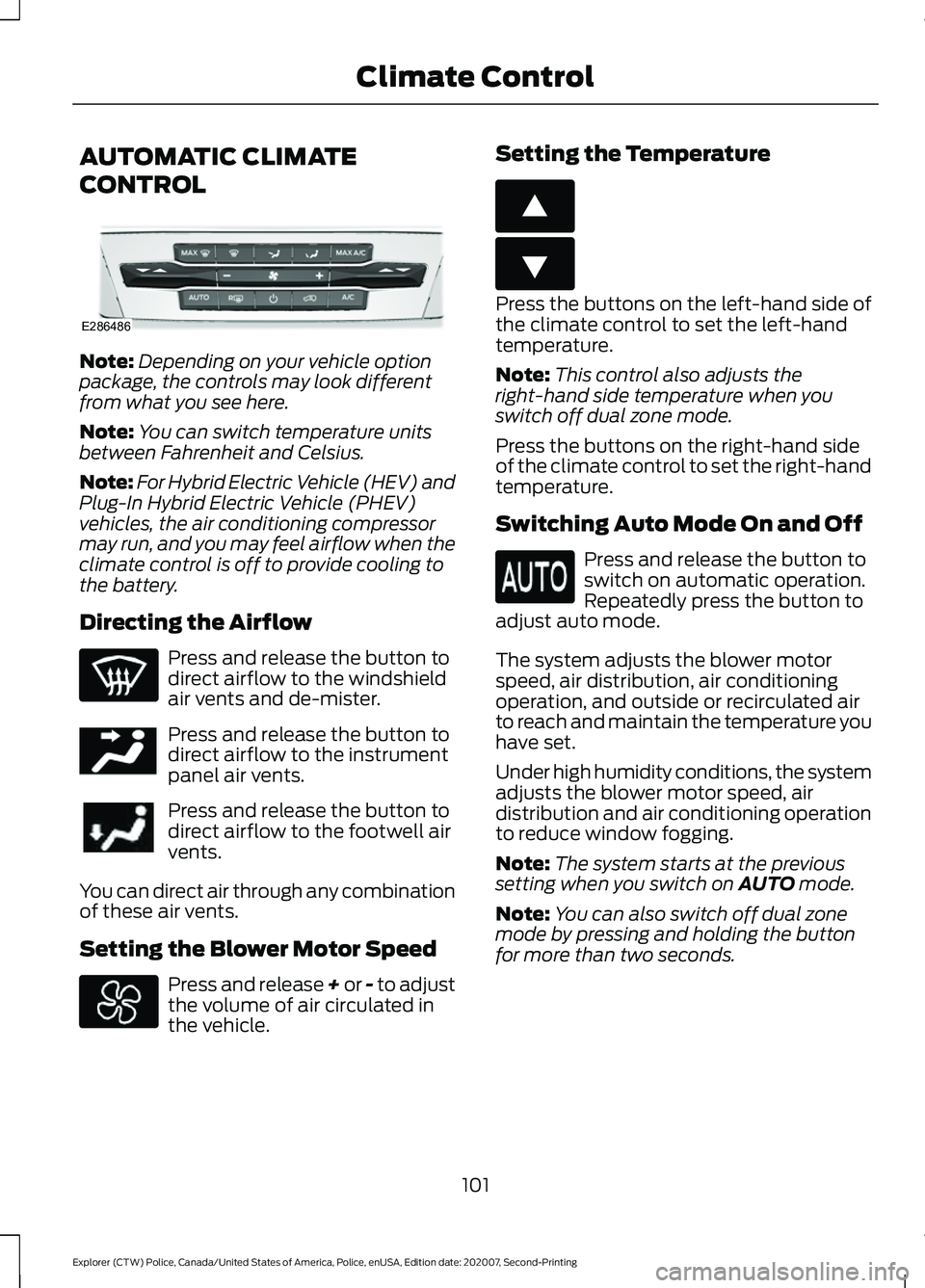
AUTOMATIC CLIMATE
CONTROL
Note:
Depending on your vehicle option
package, the controls may look different
from what you see here.
Note: You can switch temperature units
between Fahrenheit and Celsius.
Note: For Hybrid Electric Vehicle (HEV) and
Plug-In Hybrid Electric Vehicle (PHEV)
vehicles, the air conditioning compressor
may run, and you may feel airflow when the
climate control is off to provide cooling to
the battery.
Directing the Airflow Press and release the button to
direct airflow to the windshield
air vents and de-mister.
Press and release the button to
direct airflow to the instrument
panel air vents.
Press and release the button to
direct airflow to the footwell air
vents.
You can direct air through any combination
of these air vents.
Setting the Blower Motor Speed Press and release + or - to adjust
the volume of air circulated in
the vehicle. Setting the Temperature Press the buttons on the left-hand side of
the climate control to set the left-hand
temperature.
Note:
This control also adjusts the
right-hand side temperature when you
switch off dual zone mode.
Press the buttons on the right-hand side
of the climate control to set the right-hand
temperature.
Switching Auto Mode On and Off Press and release the button to
switch on automatic operation.
Repeatedly press the button to
adjust auto mode.
The system adjusts the blower motor
speed, air distribution, air conditioning
operation, and outside or recirculated air
to reach and maintain the temperature you
have set.
Under high humidity conditions, the system
adjusts the blower motor speed, air
distribution and air conditioning operation
to reduce window fogging.
Note: The system starts at the previous
setting when you switch on AUTO mode.
Note: You can also switch off dual zone
mode by pressing and holding the button
for more than two seconds.
101
Explorer (CTW) Police, Canada/United States of America, Police, enUSA, Edition date: 202007, Second-Printing Climate ControlE286486 E244097 E266187 E266186
Page 105 of 412
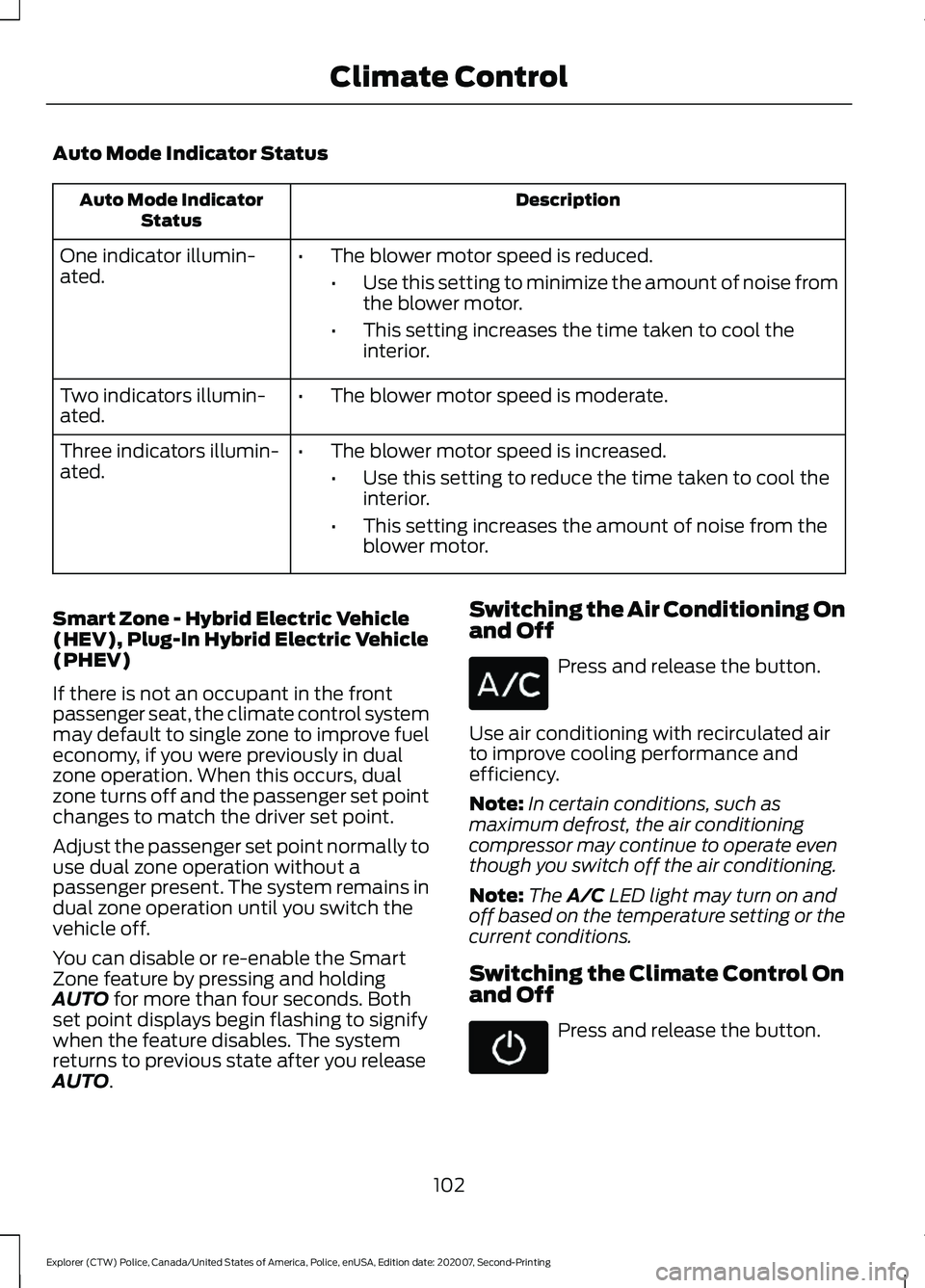
Auto Mode Indicator Status
Description
Auto Mode Indicator
Status
One indicator illumin-
ated. •
The blower motor speed is reduced.
•Use this setting to minimize the amount of noise from
the blower motor.
• This setting increases the time taken to cool the
interior.
Two indicators illumin-
ated. •
The blower motor speed is moderate.
Three indicators illumin-
ated. •
The blower motor speed is increased.
•Use this setting to reduce the time taken to cool the
interior.
• This setting increases the amount of noise from the
blower motor.
Smart Zone - Hybrid Electric Vehicle
(HEV), Plug-In Hybrid Electric Vehicle
(PHEV)
If there is not an occupant in the front
passenger seat, the climate control system
may default to single zone to improve fuel
economy, if you were previously in dual
zone operation. When this occurs, dual
zone turns off and the passenger set point
changes to match the driver set point.
Adjust the passenger set point normally to
use dual zone operation without a
passenger present. The system remains in
dual zone operation until you switch the
vehicle off.
You can disable or re-enable the Smart
Zone feature by pressing and holding
AUTO for more than four seconds. Both
set point displays begin flashing to signify
when the feature disables. The system
returns to previous state after you release
AUTO
. Switching the Air Conditioning On
and Off Press and release the button.
Use air conditioning with recirculated air
to improve cooling performance and
efficiency.
Note: In certain conditions, such as
maximum defrost, the air conditioning
compressor may continue to operate even
though you switch off the air conditioning.
Note: The
A/C LED light may turn on and
off based on the temperature setting or the
current conditions.
Switching the Climate Control On
and Off Press and release the button.
102
Explorer (CTW) Police, Canada/United States of America, Police, enUSA, Edition date: 202007, Second-Printing Climate Control
Page 106 of 412
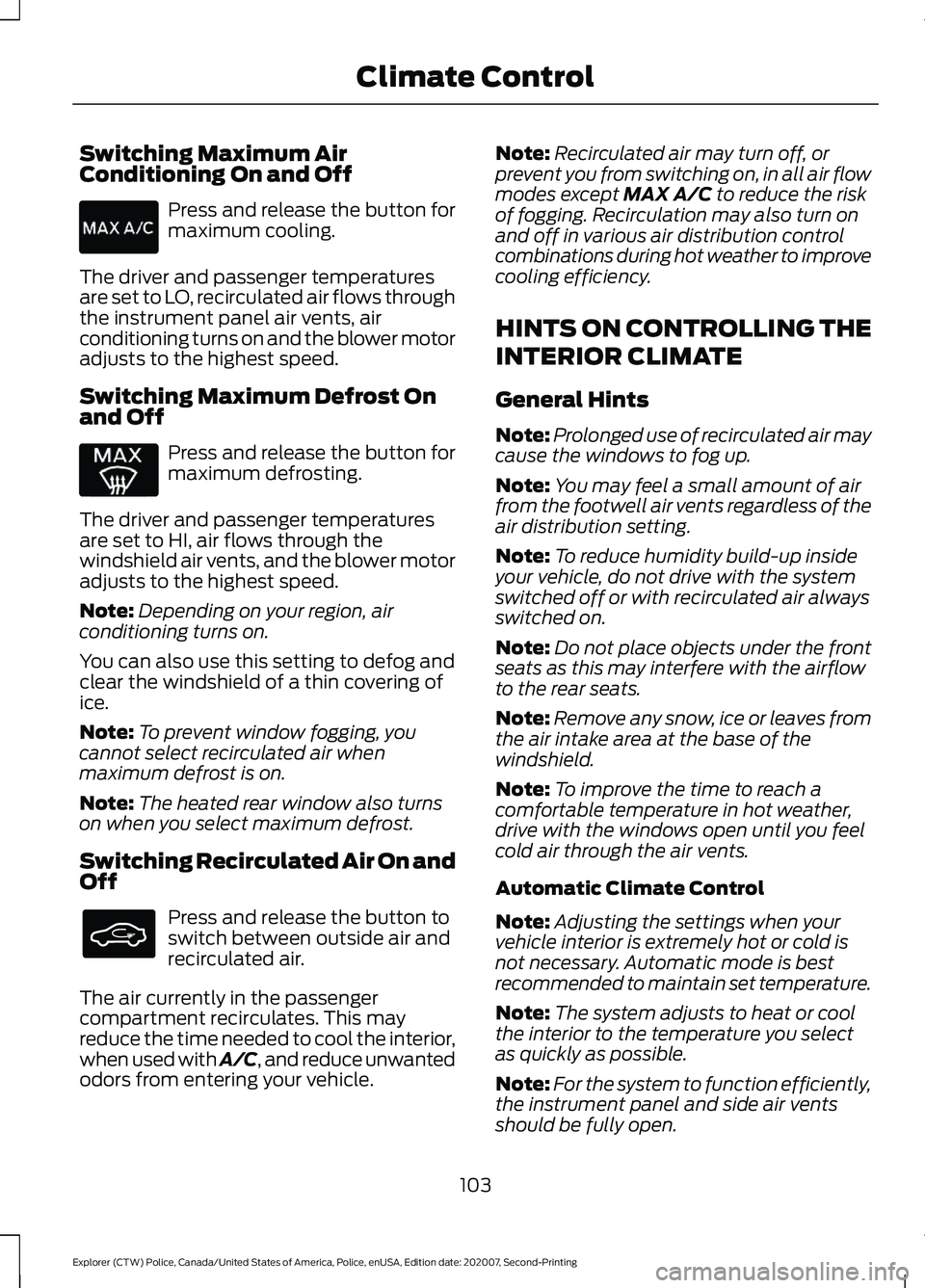
Switching Maximum Air
Conditioning On and Off
Press and release the button for
maximum cooling.
The driver and passenger temperatures
are set to LO, recirculated air flows through
the instrument panel air vents, air
conditioning turns on and the blower motor
adjusts to the highest speed.
Switching Maximum Defrost On
and Off Press and release the button for
maximum defrosting.
The driver and passenger temperatures
are set to HI, air flows through the
windshield air vents, and the blower motor
adjusts to the highest speed.
Note: Depending on your region, air
conditioning turns on.
You can also use this setting to defog and
clear the windshield of a thin covering of
ice.
Note: To prevent window fogging, you
cannot select recirculated air when
maximum defrost is on.
Note: The heated rear window also turns
on when you select maximum defrost.
Switching Recirculated Air On and
Off Press and release the button to
switch between outside air and
recirculated air.
The air currently in the passenger
compartment recirculates. This may
reduce the time needed to cool the interior,
when used with A/C, and reduce unwanted
odors from entering your vehicle. Note:
Recirculated air may turn off, or
prevent you from switching on, in all air flow
modes except MAX A/C to reduce the risk
of fogging. Recirculation may also turn on
and off in various air distribution control
combinations during hot weather to improve
cooling efficiency.
HINTS ON CONTROLLING THE
INTERIOR CLIMATE
General Hints
Note: Prolonged use of recirculated air may
cause the windows to fog up.
Note: You may feel a small amount of air
from the footwell air vents regardless of the
air distribution setting.
Note: To reduce humidity build-up inside
your vehicle, do not drive with the system
switched off or with recirculated air always
switched on.
Note: Do not place objects under the front
seats as this may interfere with the airflow
to the rear seats.
Note: Remove any snow, ice or leaves from
the air intake area at the base of the
windshield.
Note: To improve the time to reach a
comfortable temperature in hot weather,
drive with the windows open until you feel
cold air through the air vents.
Automatic Climate Control
Note: Adjusting the settings when your
vehicle interior is extremely hot or cold is
not necessary. Automatic mode is best
recommended to maintain set temperature.
Note: The system adjusts to heat or cool
the interior to the temperature you select
as quickly as possible.
Note: For the system to function efficiently,
the instrument panel and side air vents
should be fully open.
103
Explorer (CTW) Police, Canada/United States of America, Police, enUSA, Edition date: 202007, Second-Printing Climate Control
Page 107 of 412
Note:
If you select AUTO during cold
outside temperatures, the system directs
air flow to the windshield and side window
air vents. In addition, the blower motor may
run at a slower speed until the engine warms
up.
Note: If you select
AUTO during hot
temperatures and the inside of the vehicle
is hot, the system uses recirculated air to
maximize interior cooling. Blower motor
speed may also reduce until the air cools.
Quickly Heating the Interior
1. Press and release
AUTO.
2. Adjust the temperature function to the
setting you prefer.
Recommended Settings for
Heating
1. Press and release
AUTO.
2. Adjust the temperature function to the
setting you prefer. Use
72°F (22°C) as
a starting point, then adjust the setting
as necessary.
Quickly Cooling the Interior
1. Press and release
MAX A/C.
Recommended Settings for
Cooling
1. Press and release
AUTO.
2. Adjust the temperature function to the
setting you prefer. Use
72°F (22°C) as
a starting point, then adjust the setting
as necessary.
Defogging the Side Windows in
Cold Weather
1. Press and release defrost or maximum
defrost. 2. Adjust the temperature control to the
setting you prefer. Use
72°F (22°C) as
a starting point, then adjust the setting
as necessary.
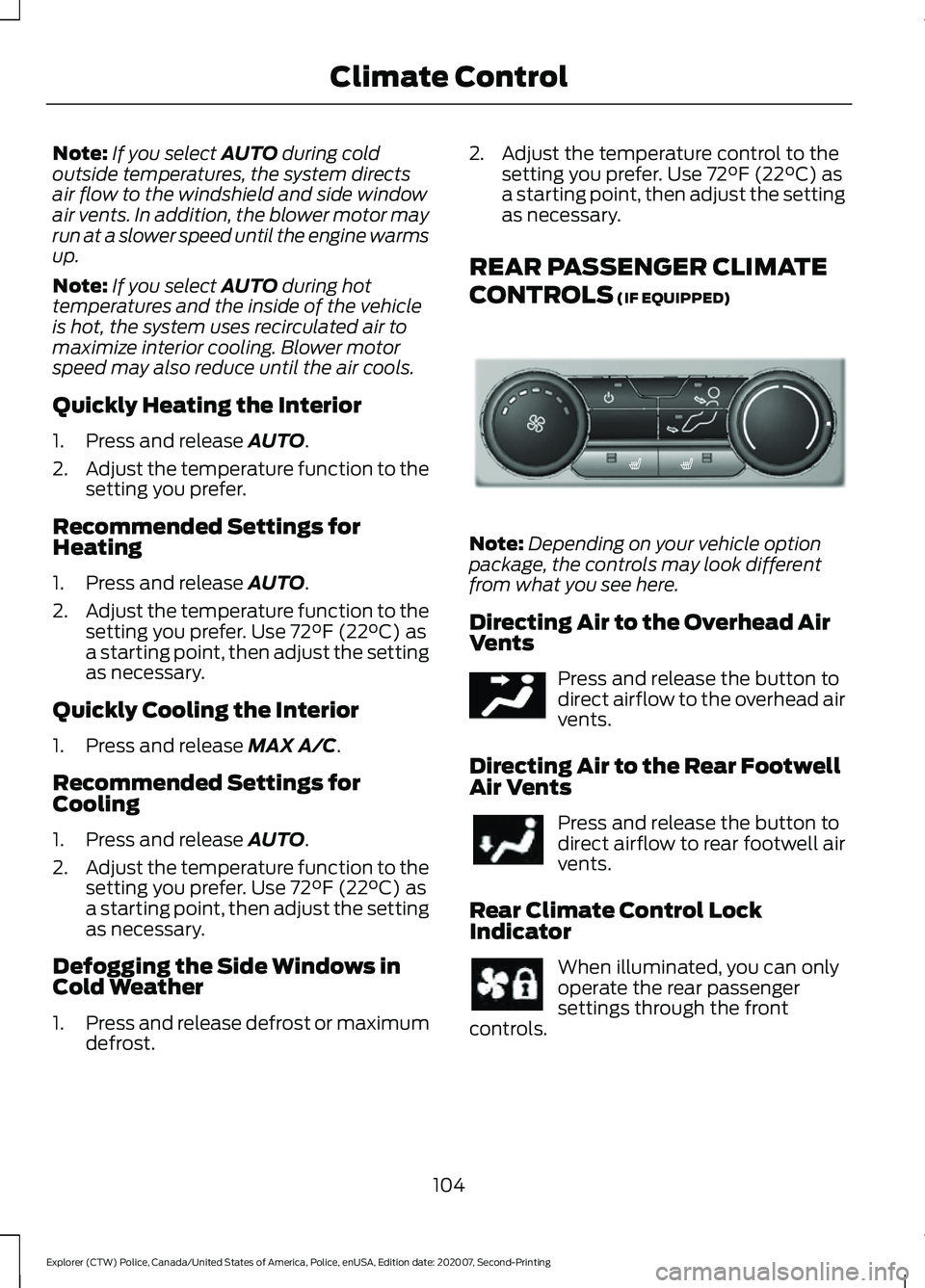
REAR PASSENGER CLIMATE
CONTROLS
(IF EQUIPPED) Note:
Depending on your vehicle option
package, the controls may look different
from what you see here.
Directing Air to the Overhead Air
Vents Press and release the button to
direct airflow to the overhead air
vents.
Directing Air to the Rear Footwell
Air Vents Press and release the button to
direct airflow to rear footwell air
vents.
Rear Climate Control Lock
Indicator When illuminated, you can only
operate the rear passenger
settings through the front
controls.
104
Explorer (CTW) Police, Canada/United States of America, Police, enUSA, Edition date: 202007, Second-Printing Climate ControlE289989 E244097
Page 108 of 412
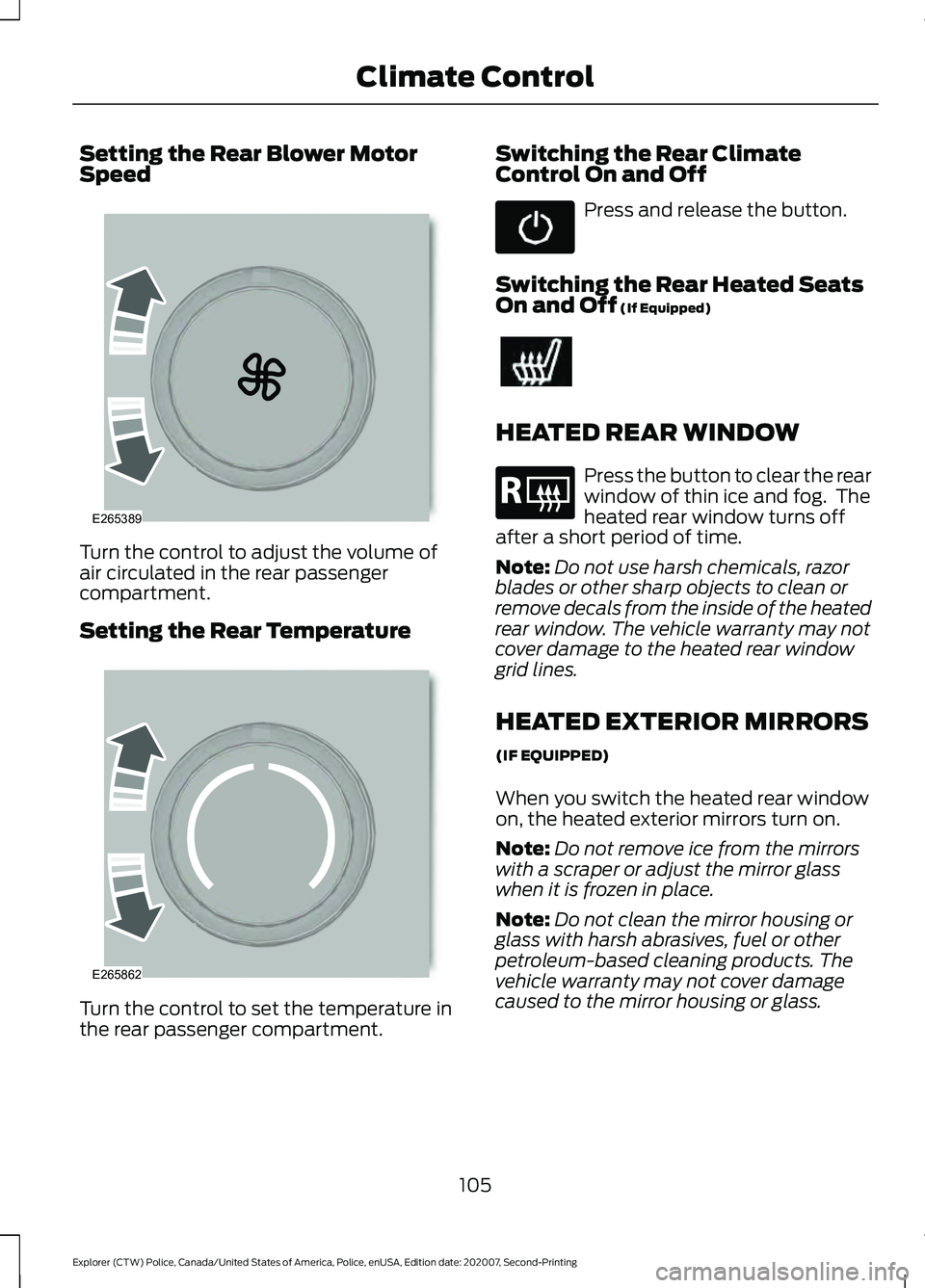
Setting the Rear Blower Motor
Speed
Turn the control to adjust the volume of
air circulated in the rear passenger
compartment.
Setting the Rear Temperature
Turn the control to set the temperature in
the rear passenger compartment. Switching the Rear Climate
Control On and Off Press and release the button.
Switching the Rear Heated Seats
On and Off (If Equipped) HEATED REAR WINDOW
Press the button to clear the rear
window of thin ice and fog. The
heated rear window turns off
after a short period of time.
Note: Do not use harsh chemicals, razor
blades or other sharp objects to clean or
remove decals from the inside of the heated
rear window. The vehicle warranty may not
cover damage to the heated rear window
grid lines.
HEATED EXTERIOR MIRRORS
(IF EQUIPPED)
When you switch the heated rear window
on, the heated exterior mirrors turn on.
Note: Do not remove ice from the mirrors
with a scraper or adjust the mirror glass
when it is frozen in place.
Note: Do not clean the mirror housing or
glass with harsh abrasives, fuel or other
petroleum-based cleaning products. The
vehicle warranty may not cover damage
caused to the mirror housing or glass.
105
Explorer (CTW) Police, Canada/United States of America, Police, enUSA, Edition date: 202007, Second-Printing Climate ControlE265389 E265862 E184884
Page 123 of 412
Important Ventilating Information
If you stop your vehicle and then leave the
engine idling for long periods, we
recommend that you do one of the
following:
•
Open the windows at least 1 in
(2.5 cm).
• Set your climate control to outside air.
STARTING A HYBRID
ELECTRIC VEHICLE SYSTEM
Before starting your vehicle, check the
following:
• Make sure all occupants fasten their
seatbelt.
• Make sure the headlamps and
electrical accessories are off.
• Make sure the parking brake is on.
• Make sure the transmission is in park
(P).
Note: Do not touch the accelerator pedal.
1. Turn the key to position III to start your
vehicle.
Note: The green READY indicator
illuminates letting you know that your
vehicle is ready for driving. Since your vehicle
comes with a silent key start, the engine
may not start when your vehicle starts. See
Hybrid Vehicle Operation
(page 123).
When the engine starts for the first time
on your drive, the idle speed increases, this
helps to warm up the engine. If the engine
idle speed does not slow down, have your
vehicle checked by an authorized dealer.
If you are unable to start your vehicle, do
the following:
1. Fully press the brake pedal.
2. Shift into park (P).
3. Fully press the accelerator pedal and hold it there. 4.
Turn the key to position III to start your
vehicle.
Switching Off Your Vehicle When
It Is Stationary
1. Put the transmission in park (P).
2. Turn the key to position
0.
3. Apply the parking brake.
Switching Off Your Vehicle When
It Is Moving WARNING:
Do not switch off your
vehicle when it is moving. This results in
a significant decrease in braking and
steering assistance. If the vehicle is
switched off, some electrical circuits, for
example airbags, could also turn off.
Failure to follow this instruction could
result in the loss of control of your
vehicle, personal injury or death.
1. Put the transmission into neutral (N) and use the brakes to bring your vehicle
to a safe stop.
2. When your vehicle stops, put the transmission in park (P).
3. Turn the key to position
0.
4. Apply the parking brake.
Guarding Against Exhaust Fumes WARNING:
Exhaust leaks may
result in entry of harmful and potentially
lethal fumes into the passenger
compartment. If you smell exhaust
fumes inside your vehicle, have your
vehicle inspected immediately. Do not
drive if you smell exhaust fumes.
120
Explorer (CTW) Police, Canada/United States of America, Police, enUSA, Edition date: 202007, Second-Printing Starting and Stopping the Engine