window FORD POLICE INTERCEPTOR 2021 Owners Manual
[x] Cancel search | Manufacturer: FORD, Model Year: 2021, Model line: POLICE INTERCEPTOR, Model: FORD POLICE INTERCEPTOR 2021Pages: 412, PDF Size: 7.51 MB
Page 5 of 412
Audio Control
.................................................65
Voice Control ..................................................
66
Cruise Control ................................................
66
Information Display Control .....................
66
Horn ...................................................................
66
Wipers and Washers
Windshield Wipers ........................................
67
Windshield Washers ....................................
67
Rear Window Wiper and Washers ..........
67
Lighting
General Information ....................................
69
Lighting Control .............................................
69
Autolamps .......................................................
70
Instrument Lighting Dimmer ......................
71
Daytime Running Lamps - Vehicles With: Configurable Daytime Running Lamps
........................................................................\
....
71
Daytime Running Lamps - Vehicles With: Daytime Running Lamps (DRL) ...........
71
Direction Indicators ........................................
71
Interior Lamps .................................................
72
Windows and Mirrors
Power Windows .............................................
74
Exterior Mirrors ................................................
75
Interior Mirror ...................................................
76
Sun Visors .........................................................
77
Instrument Cluster
Gauges ..............................................................
78
Warning Lamps and Indicators ................
79
Audible Warnings and Indicators ............
82
Information Displays
General Information ....................................
84
Information Messages .................................
87Climate Control
Automatic Climate Control
......................
101
Hints on Controlling the Interior Climate ........................................................................\
.
103
Rear Passenger Climate Controls .........
104
Heated Rear Window .................................
105
Heated Exterior Mirrors .............................
105
Interior Air Quality
What Is the Cabin Air Filter ......................
106
Replacing the Cabin Air Filter .................
106
Seats
Sitting in the Correct Position .................
107
Head Restraints ............................................
107
Manual Seats ................................................
109
Power Seats ...................................................
110
Rear Seats .......................................................
112
Rear Occupant Alert System
What is the Rear Occupant Alert System ........................................................................\
..
114
How Does the Rear Occupant Alert System Work ..............................................
114
Rear Occupant Alert System Precautions ........................................................................\
..
114
Rear Occupant Alert System Limitations ........................................................................\
..
114
Switching Rear Occupant Alert System On and Off ..................................................
114
Rear Occupant Alert System Indicators ........................................................................\
..
115
Rear Occupant Alert System Audible Warnings ......................................................
115
Auxiliary Power Points
Auxiliary Power Points ................................
116
2
Explorer (CTW) Police, Canada/United States of America, Police, enUSA, Edition date: 202007, Second-Printing Table of Contents
Page 8 of 412

Cleaning the Engine
..................................240
Cleaning the Windows and Wiper Blades ........................................................................\
.
241
Cleaning the Interior ...................................
241
Cleaning the Instrument Panel and Instrument Cluster Lens ......................
242
Repairing Minor Paint Damage ..............
242
Cleaning the Wheels .................................
242
Vehicle Storage ............................................
243
Wheels and Tires
General Information ..................................
246
Tire Care .........................................................
247
Using Snow Chains .....................................
261
Tire Pressure Monitoring System ..........
263
Changing a Road Wheel ..........................
268
Technical Specifications ..........................
274
Capacities and Specifications
Engine Specifications - 3.0L ...................
275
Engine Specifications - 3.3L ....................
275
Engine Specifications - 3.3L, Hybrid Electric Vehicle (HEV) ..........................
276
Motorcraft Parts - 3.0L ..............................
277
Motorcraft Parts - 3.3L ..............................
278
Vehicle Identification Number ...............
279
Capacities and Specifications - 3.0L ........................................................................\
279
Capacities and Specifications - 3.3L ........................................................................\
286
Capacities and Specifications - 3.3L, Hybrid Electric Vehicle (HEV) ............
294
Bulb Specification Chart ..........................
301
Audio System
General Information ..................................
303
Audio Unit .....................................................
303
USB Port ........................................................
306SYNC™
General Information
..................................
307
Using Voice Recognition ..........................
308
Using SYNC™ With Your Phone ............
310
SYNC™ Applications and Services .......
311
Using SYNC™ With Your Media Player ........................................................................\
.
314
SYNC™ Troubleshooting ..........................
315
Ford Protect
Ford Protect ..................................................
324
Scheduled Maintenance
General Maintenance Information .......
326
Normal Scheduled Maintenance .........
329
Special Operating Conditions Scheduled Maintenance .............................................
332
Decommissioning the Vehicle
Decommissioning Requirements .........
336
Customer Information
Radio Frequency Certification Labels ........................................................................\
337
Appendices
Electromagnetic Compatibility .............
369
End User License Agreement .................
372
5
Explorer (CTW) Police, Canada/United States of America, Police, enUSA, Edition date: 202007, Second-Printing Table of Contents
Page 11 of 412
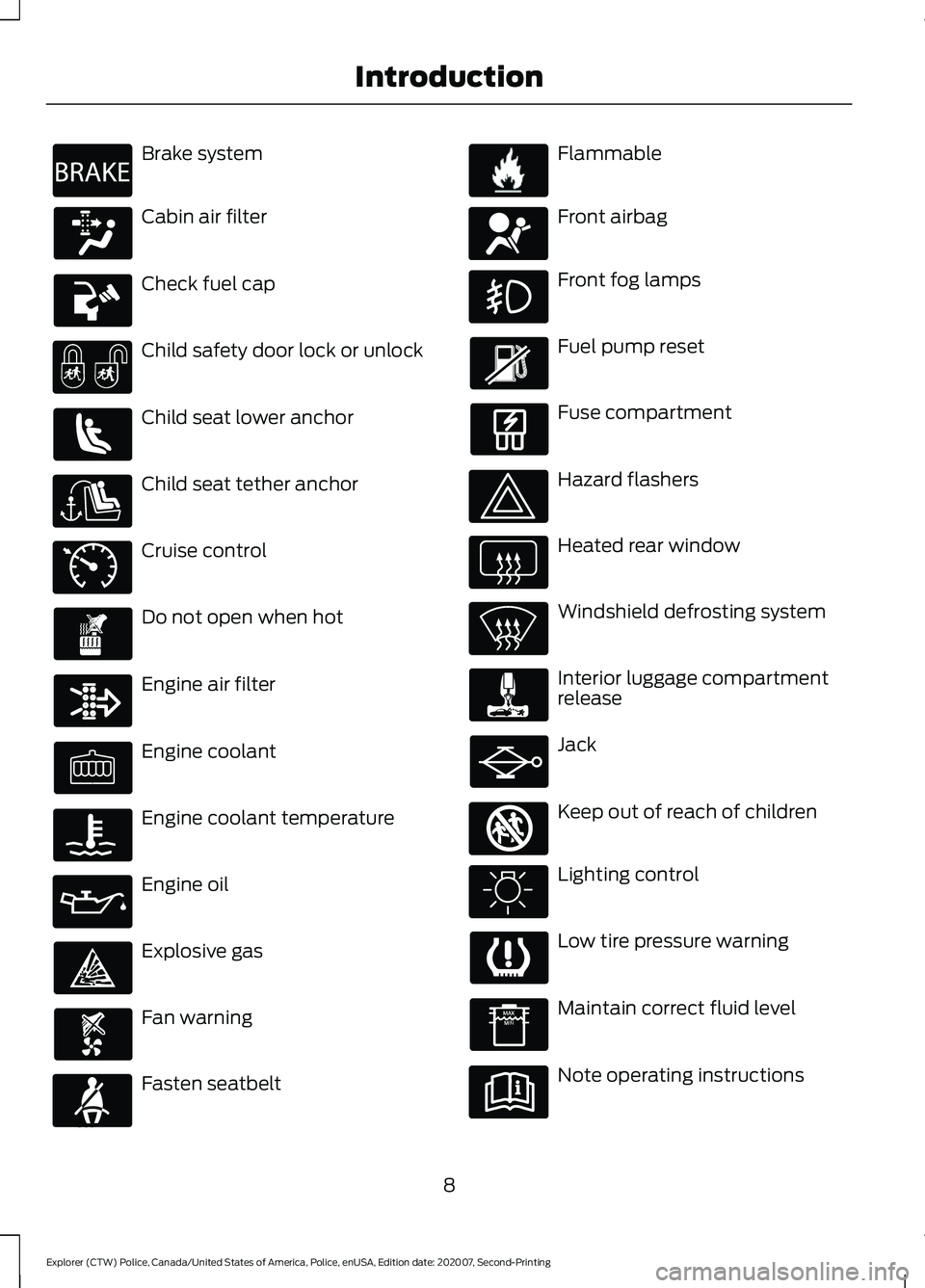
Brake system
Cabin air filter
Check fuel cap
Child safety door lock or unlock
Child seat lower anchor
Child seat tether anchor
Cruise control
Do not open when hot
Engine air filter
Engine coolant
Engine coolant temperature
Engine oil
Explosive gas
Fan warning
Fasten seatbelt Flammable
Front airbag
Front fog lamps
Fuel pump reset
Fuse compartment
Hazard flashers
Heated rear window
Windshield defrosting system
Interior luggage compartment
release
Jack
Keep out of reach of children
Lighting control
Low tire pressure warning
Maintain correct fluid level
Note operating instructions
8
Explorer (CTW) Police, Canada/United States of America, Police, enUSA, Edition date: 202007, Second-Printing IntroductionE270480 E71340 E71880 E231160 E67017 E161353
Page 12 of 412
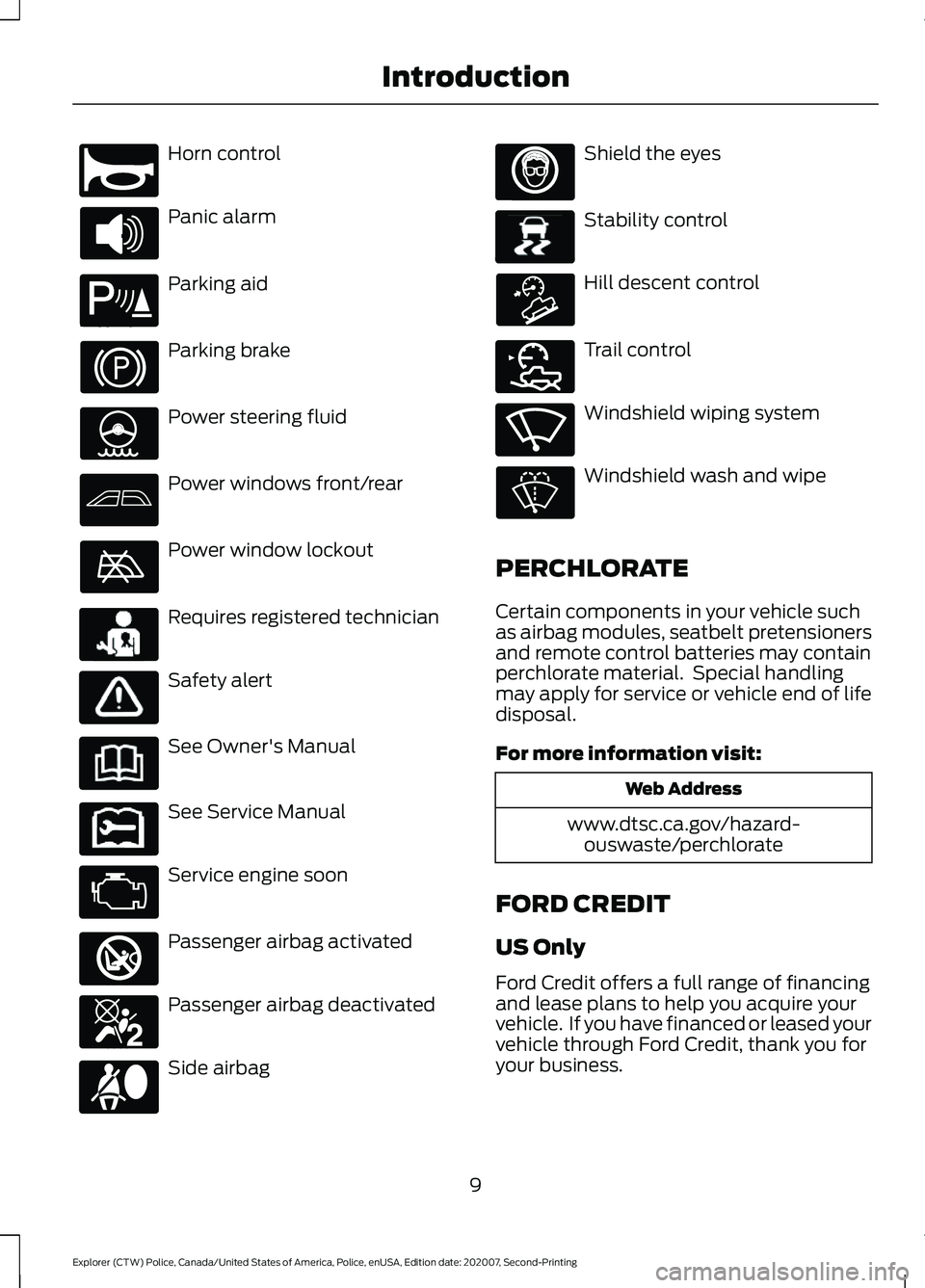
Horn control
Panic alarm
Parking aid
Parking brake
Power steering fluid
Power windows front/rear
Power window lockout
Requires registered technician
Safety alert
See Owner's Manual
See Service Manual
Service engine soon
Passenger airbag activated
Passenger airbag deactivated
Side airbag Shield the eyes
Stability control
Hill descent control
Trail control
Windshield wiping system
Windshield wash and wipe
PERCHLORATE
Certain components in your vehicle such
as airbag modules, seatbelt pretensioners
and remote control batteries may contain
perchlorate material. Special handling
may apply for service or vehicle end of life
disposal.
For more information visit: Web Address
www.dtsc.ca.gov/hazard- ouswaste/perchlorate
FORD CREDIT
US Only
Ford Credit offers a full range of financing
and lease plans to help you acquire your
vehicle. If you have financed or leased your
vehicle through Ford Credit, thank you for
your business.
9
Explorer (CTW) Police, Canada/United States of America, Police, enUSA, Edition date: 202007, Second-Printing IntroductionE270945 E139213 E231159 E231158 E270849 E270850 E167012 E138639 E163957 E272858 E270969
Page 50 of 412
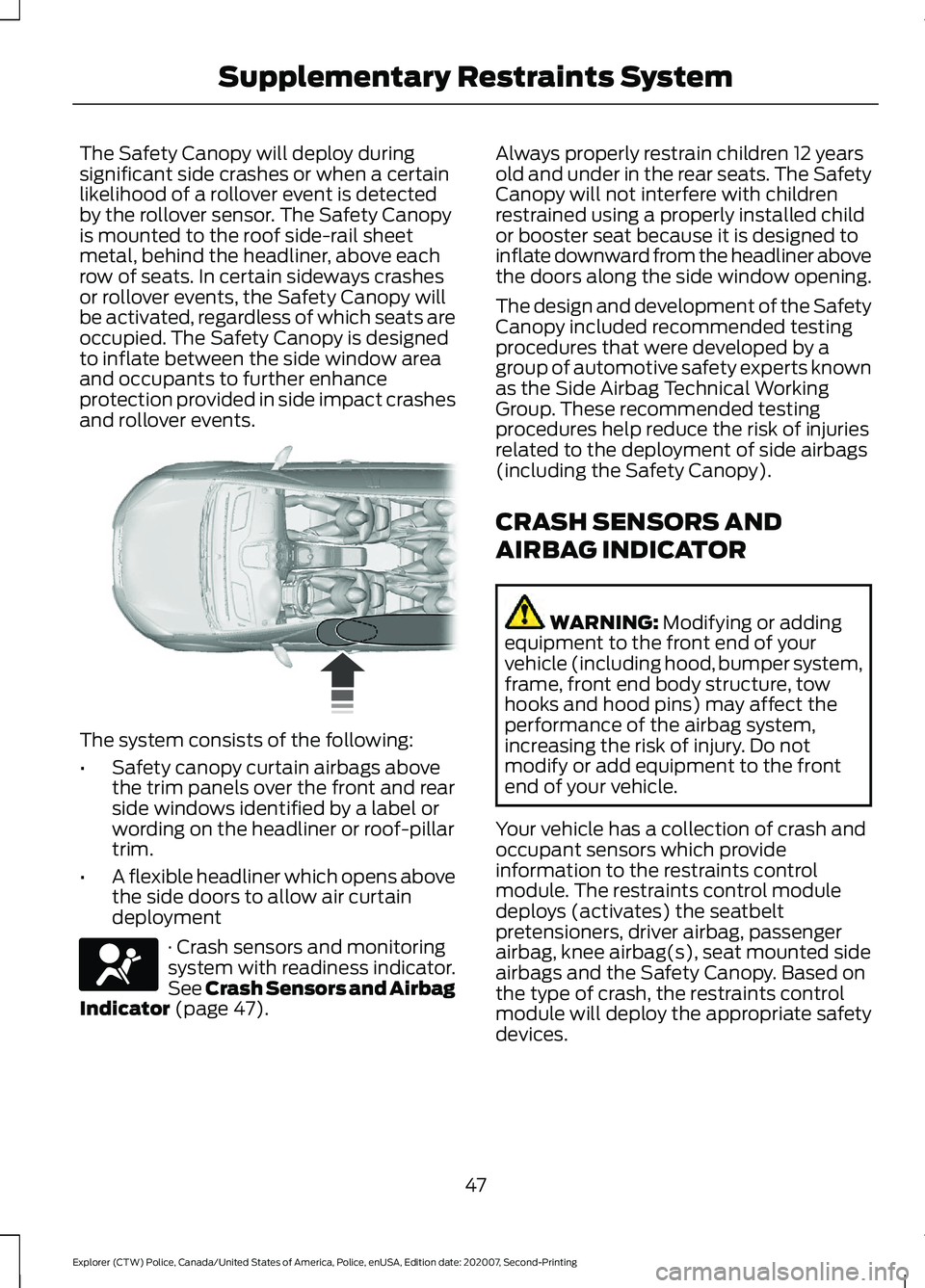
The Safety Canopy will deploy during
significant side crashes or when a certain
likelihood of a rollover event is detected
by the rollover sensor. The Safety Canopy
is mounted to the roof side-rail sheet
metal, behind the headliner, above each
row of seats. In certain sideways crashes
or rollover events, the Safety Canopy will
be activated, regardless of which seats are
occupied. The Safety Canopy is designed
to inflate between the side window area
and occupants to further enhance
protection provided in side impact crashes
and rollover events.
The system consists of the following:
•
Safety canopy curtain airbags above
the trim panels over the front and rear
side windows identified by a label or
wording on the headliner or roof-pillar
trim.
• A flexible headliner which opens above
the side doors to allow air curtain
deployment · Crash sensors and monitoring
system with readiness indicator.
See Crash Sensors and Airbag
Indicator (page 47). Always properly restrain children 12 years
old and under in the rear seats. The Safety
Canopy will not interfere with children
restrained using a properly installed child
or booster seat because it is designed to
inflate downward from the headliner above
the doors along the side window opening.
The design and development of the Safety
Canopy included recommended testing
procedures that were developed by a
group of automotive safety experts known
as the Side Airbag Technical Working
Group. These recommended testing
procedures help reduce the risk of injuries
related to the deployment of side airbags
(including the Safety Canopy).
CRASH SENSORS AND
AIRBAG INDICATOR
WARNING:
Modifying or adding
equipment to the front end of your
vehicle (including hood, bumper system,
frame, front end body structure, tow
hooks and hood pins) may affect the
performance of the airbag system,
increasing the risk of injury. Do not
modify or add equipment to the front
end of your vehicle.
Your vehicle has a collection of crash and
occupant sensors which provide
information to the restraints control
module. The restraints control module
deploys (activates) the seatbelt
pretensioners, driver airbag, passenger
airbag, knee airbag(s), seat mounted side
airbags and the Safety Canopy. Based on
the type of crash, the restraints control
module will deploy the appropriate safety
devices.
47
Explorer (CTW) Police, Canada/United States of America, Police, enUSA, Edition date: 202007, Second-Printing Supplementary Restraints System E75004 E67017
Page 54 of 412
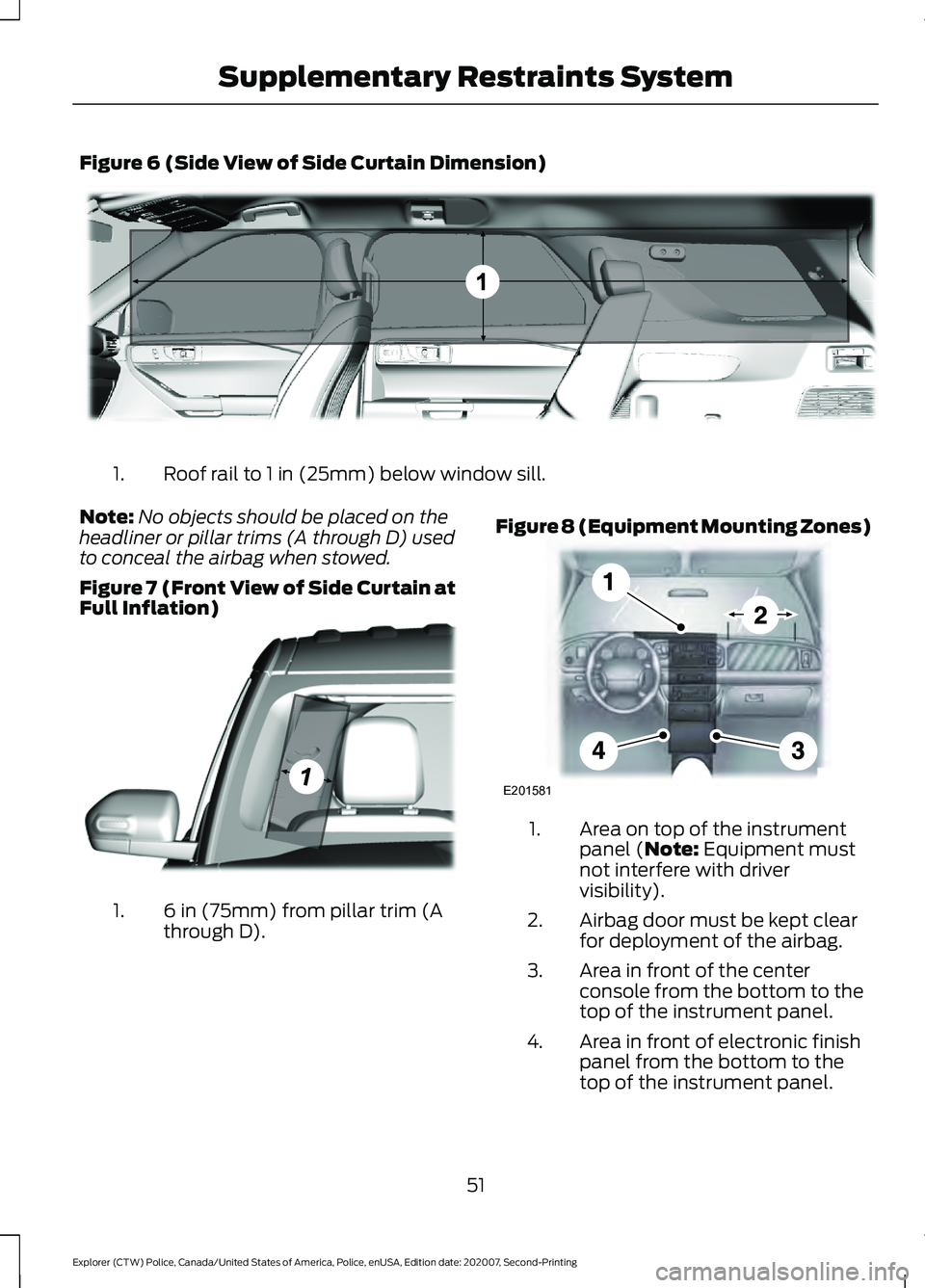
Figure 6 (Side View of Side Curtain Dimension)
Roof rail to 1 in (25mm) below window sill.
1.
Note: No objects should be placed on the
headliner or pillar trims (A through D) used
to conceal the airbag when stowed.
Figure 7 (Front View of Side Curtain at
Full Inflation) 6 in (75mm) from pillar trim (A
through D).
1. Figure 8 (Equipment Mounting Zones) Area on top of the instrument
panel (Note: Equipment must
not interfere with driver
visibility).
1.
Airbag door must be kept clear
for deployment of the airbag.
2.
Area in front of the center
console from the bottom to the
top of the instrument panel.
3.
Area in front of electronic finish
panel from the bottom to the
top of the instrument panel.
4.
51
Explorer (CTW) Police, Canada/United States of America, Police, enUSA, Edition date: 202007, Second-Printing Supplementary Restraints SystemE301094 E301077 E201581
Page 64 of 412
MANUAL LIFTGATE
WARNING: It is extremely
dangerous to ride in a cargo area, inside
or outside of a vehicle. In a crash, people
riding in these areas are more likely to be
seriously injured or killed. Do not allow
people to ride in any area of your vehicle
that is not equipped with seats and
seatbelts. Make sure everyone in your
vehicle is in a seat and properly using a
seatbelt. Failure to follow this warning
could result in serious personal injury or
death. WARNING:
Make sure that you fully
close the liftgate to prevent exhaust
fumes from entering your vehicle. If you
are unable to fully close the liftgate,
open the air vents or the windows to
allow fresh air to enter your vehicle.
Failure to follow this instruction could
result in personal injury or death.
Note: Be careful when opening or closing
the liftgate in a garage or other enclosed
area to avoid damaging the liftgate.
Note: Do not hang anything, for example
a bike rack, from the glass or liftgate. This
could damage the liftgate and its
components.
Note: Do not leave the liftgate open while
driving. This could damage the liftgate and
its components. Opening with the Outside Control
Button
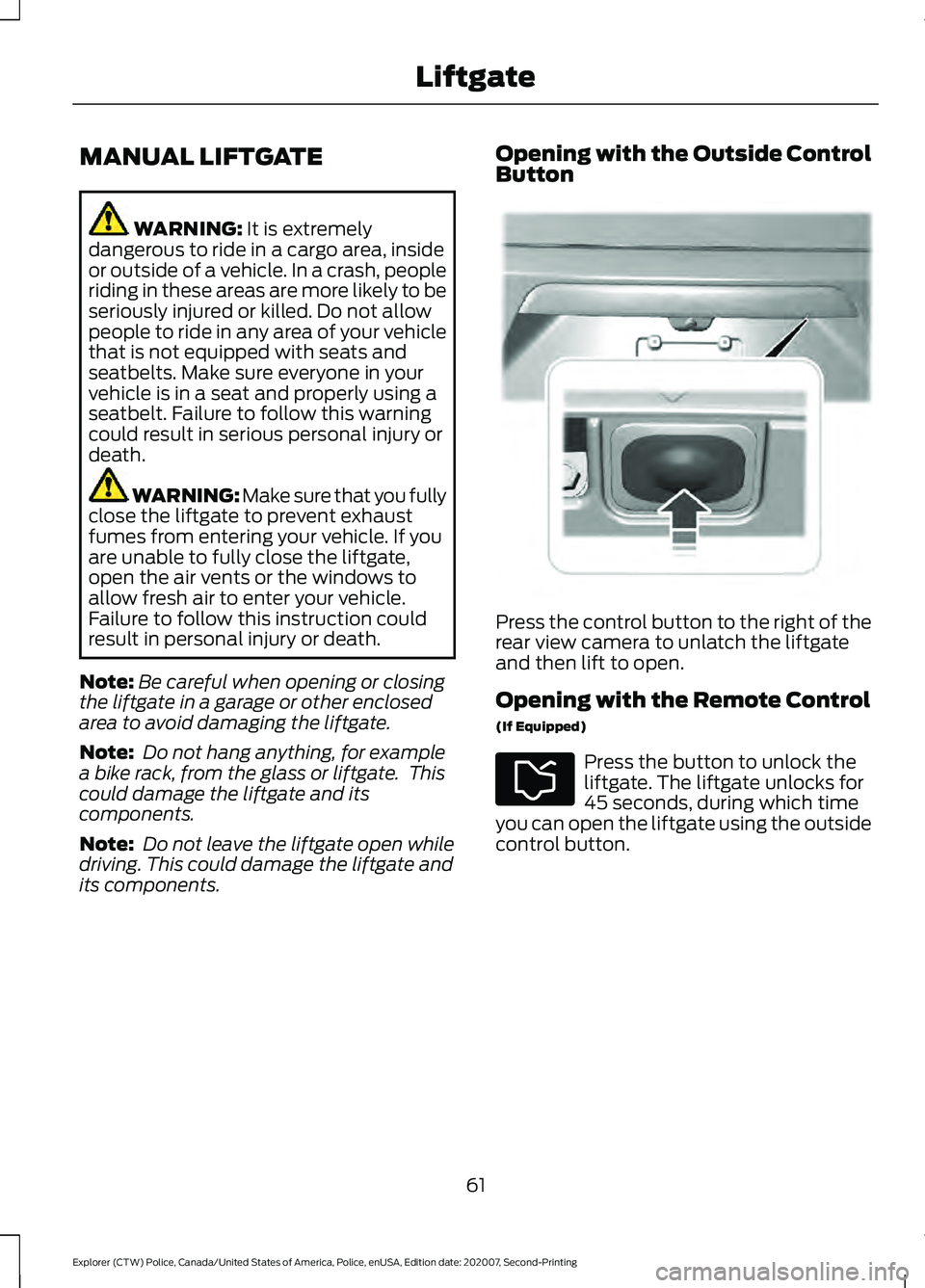
Press the control button to the right of the
rear view camera to unlatch the liftgate
and then lift to open.
Opening with the Remote Control
(If Equipped)
Press the button to unlock the
liftgate. The liftgate unlocks for
45 seconds, during which time
you can open the liftgate using the outside
control button.
61
Explorer (CTW) Police, Canada/United States of America, Police, enUSA, Edition date: 202007, Second-Printing LiftgateE291352
Page 66 of 412
ANTI-THEFT ALARM
Alarm System
The perimeter alarm is a deterrent against
unauthorized access to your vehicle
through the doors, luggage compartment
and the hood.
Triggering the Alarm
Once armed, the alarm is triggered in any
of the following ways:
•
If someone opens a door, cargo area
or the hood without a valid key or
remote control.
If the alarm is triggered, the horn will sound
for 30 seconds and the hazard warning
flasher will flash for five minutes.
Any further attempts to perform one of the
above will trigger the alarm again.
Arming the Alarm
To arm the alarm, lock your vehicle. See
Doors and Locks (page 58).
Disarming the Alarm
Disarm and silence the alarm by unlocking
the doors with the key and switching the
ignition on within 12 seconds, or by
unlocking the doors or the cargo area with
the remote control.
Police Perimeter Alert System
(If
Equipped)
Note: The Police Perimeter Alert System is
primarily intended to monitor moving
pedestrians but also detects objects like
vehicles and bikes. Fast vehicles, stationary
objects and small objects like birds may also
be ignored.
Note: The Police Perimeter Alert System
feature does not function outside of Park
(P) or with any door open. The system uses sensors to monitor
detected objects moving near your parked
vehicle.
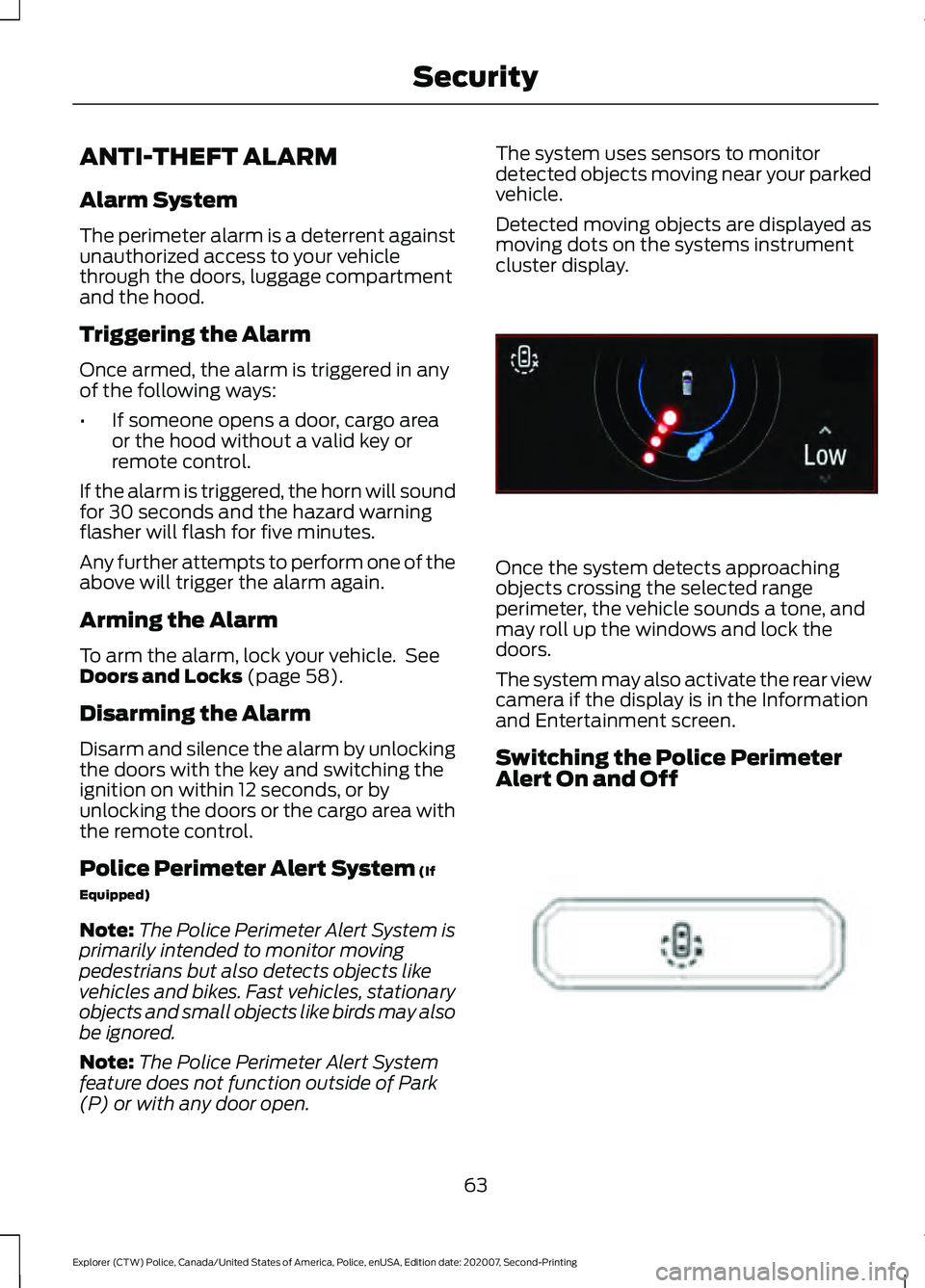
Detected moving objects are displayed as
moving dots on the systems instrument
cluster display.
Once the system detects approaching
objects crossing the selected range
perimeter, the vehicle sounds a tone, and
may roll up the windows and lock the
doors.
The system may also activate the rear view
camera if the display is in the Information
and Entertainment screen.
Switching the Police Perimeter
Alert On and Off
63
Explorer (CTW) Police, Canada/United States of America, Police, enUSA, Edition date: 202007, Second-Printing SecurityE298029 E298031
Page 67 of 412
While the vehicle is running and in Park (P),
press and release the button located on
the center of the instrument panel.
Activating the feature will turn on the
Police Perimeter Alert System display in
the instrument cluster.
Note:
When the feature is active an icon
will display on the instrument cluster.
Police Perimeter Alert Settings
Note: When the Police Idle feature is active,
windows will not automatically roll up.
Note: When window or door locking is
active, corresponding icons will display in
the instrument cluster.
Note: When Low mode is active, window
or door locking setting is not available.
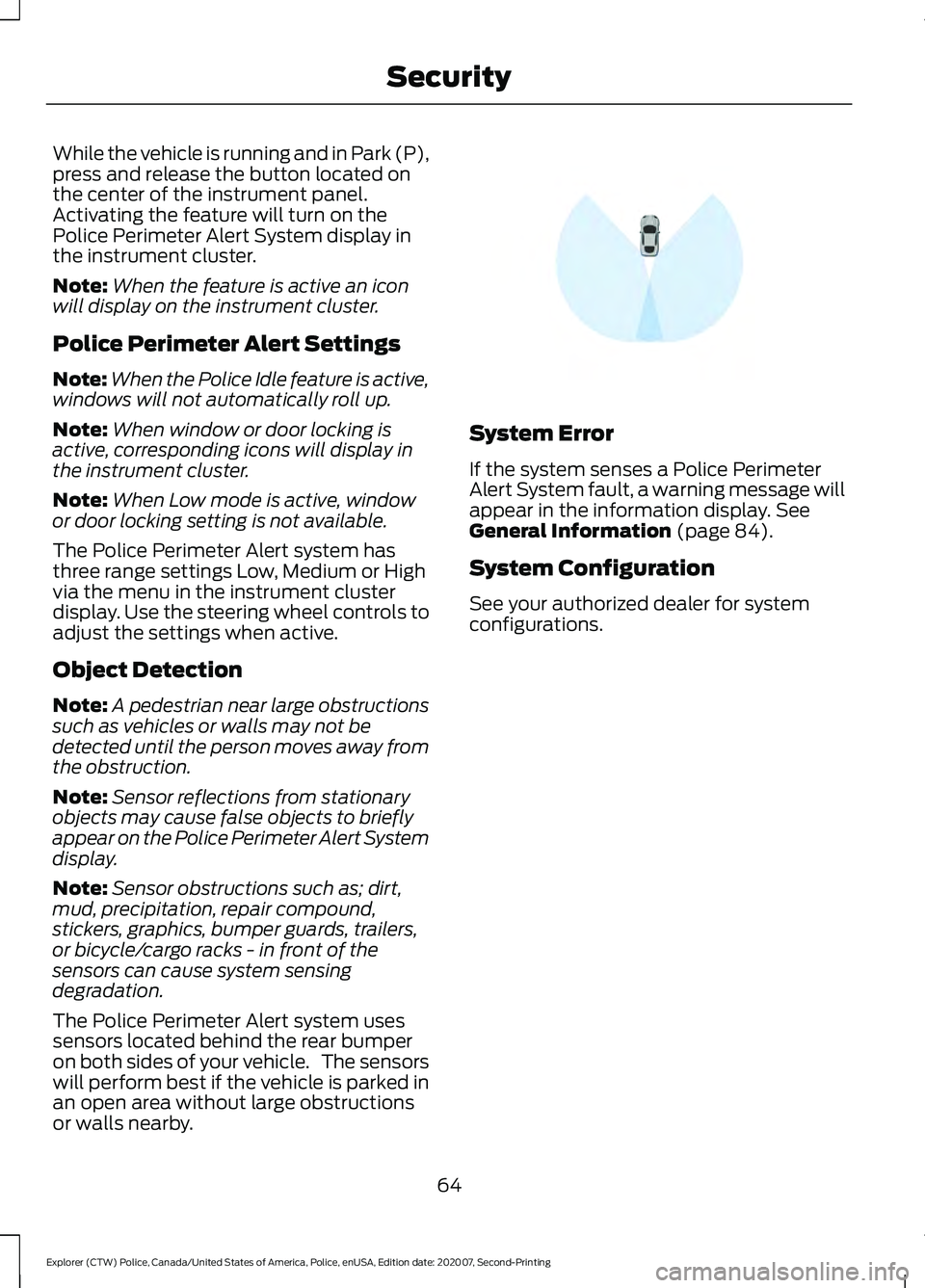
The Police Perimeter Alert system has
three range settings Low, Medium or High
via the menu in the instrument cluster
display. Use the steering wheel controls to
adjust the settings when active.
Object Detection
Note: A pedestrian near large obstructions
such as vehicles or walls may not be
detected until the person moves away from
the obstruction.
Note: Sensor reflections from stationary
objects may cause false objects to briefly
appear on the Police Perimeter Alert System
display.
Note: Sensor obstructions such as; dirt,
mud, precipitation, repair compound,
stickers, graphics, bumper guards, trailers,
or bicycle/cargo racks - in front of the
sensors can cause system sensing
degradation.
The Police Perimeter Alert system uses
sensors located behind the rear bumper
on both sides of your vehicle. The sensors
will perform best if the vehicle is parked in
an open area without large obstructions
or walls nearby. System Error
If the system senses a Police Perimeter
Alert System fault, a warning message will
appear in the information display. See
General Information (page 84).
System Configuration
See your authorized dealer for system
configurations.
64
Explorer (CTW) Police, Canada/United States of America, Police, enUSA, Edition date: 202007, Second-Printing SecurityE298030
Page 70 of 412
WINDSHIELD WIPERS
Note:
Fully defrost the windshield before
you switch the windshield wipers on.
Note: Make sure you switch the windshield
wipers off before entering a car wash.
Note: If streaks or smears appear on the
windshield, clean the windshield and the
wiper blades. If that does not resolve the
issue, install new wiper blades.
Note: Do not operate the wipers on a dry
windshield. This may scratch the glass,
damage the wiper blades or cause the wiper
motor to burn out. Always use the
windshield washers before wiping a dry
windshield. •
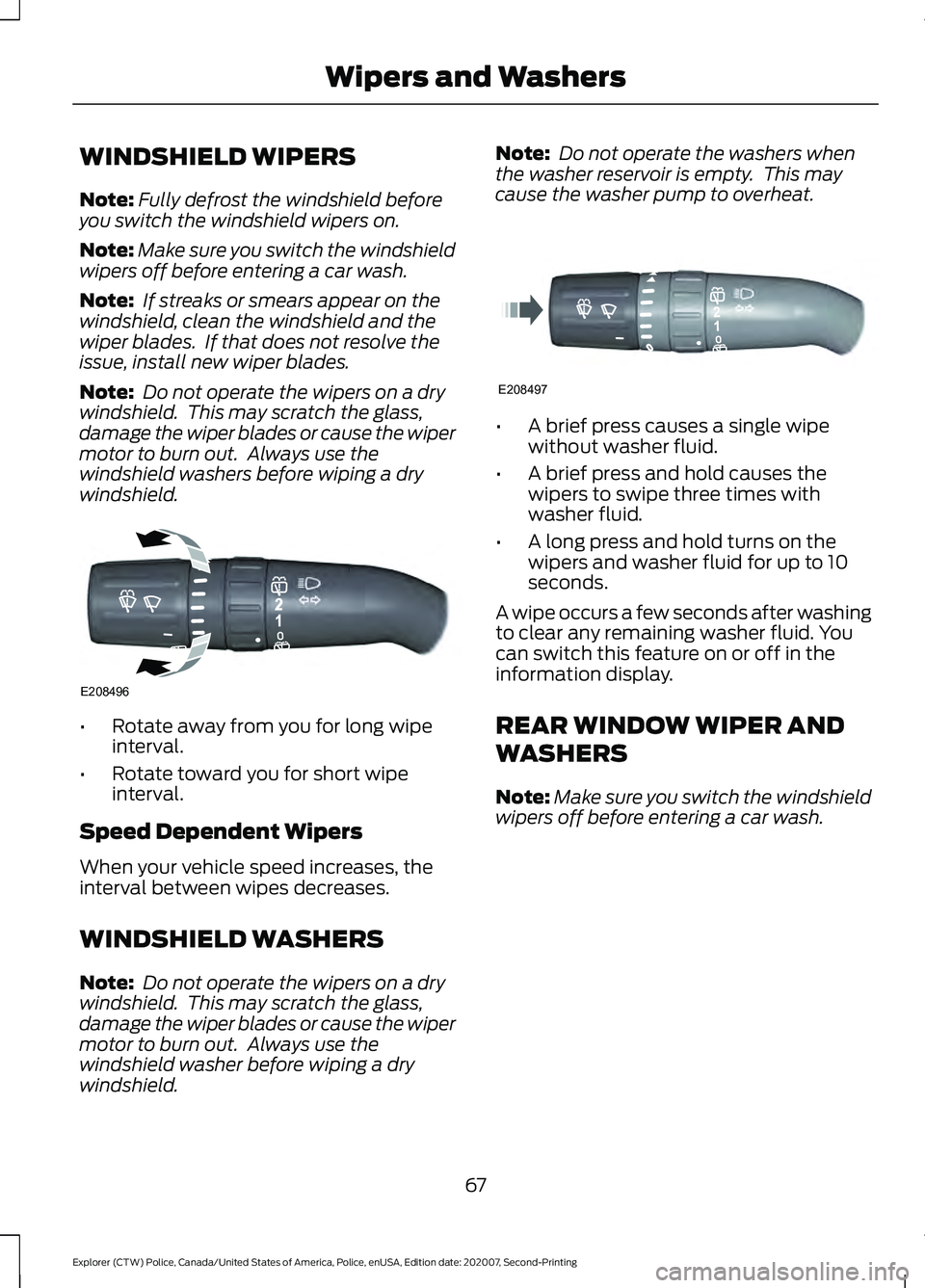
Rotate away from you for long wipe
interval.
• Rotate toward you for short wipe
interval.
Speed Dependent Wipers
When your vehicle speed increases, the
interval between wipes decreases.
WINDSHIELD WASHERS
Note: Do not operate the wipers on a dry
windshield. This may scratch the glass,
damage the wiper blades or cause the wiper
motor to burn out. Always use the
windshield washer before wiping a dry
windshield. Note:
Do not operate the washers when
the washer reservoir is empty. This may
cause the washer pump to overheat. •
A brief press causes a single wipe
without washer fluid.
• A brief press and hold causes the
wipers to swipe three times with
washer fluid.
• A long press and hold turns on the
wipers and washer fluid for up to 10
seconds.
A wipe occurs a few seconds after washing
to clear any remaining washer fluid. You
can switch this feature on or off in the
information display.
REAR WINDOW WIPER AND
WASHERS
Note: Make sure you switch the windshield
wipers off before entering a car wash.
67
Explorer (CTW) Police, Canada/United States of America, Police, enUSA, Edition date: 202007, Second-Printing Wipers and WashersE208496 E208497