ECO mode FORD POLICE INTERCEPTOR UTILITY 2016 1.G Owners Manual
[x] Cancel search | Manufacturer: FORD, Model Year: 2016, Model line: POLICE INTERCEPTOR UTILITY, Model: FORD POLICE INTERCEPTOR UTILITY 2016 1.GPages: 350, PDF Size: 3.58 MB
Page 8 of 350
ABOUT THIS MANUAL
Thank you for choosing Ford. We
recommend that you take some time to
get to know your vehicle by reading this
manual. The more that you know about
your vehicle, the greater the safety and
pleasure you will get from driving it.
WARNING
Driving while distracted can result in
loss of vehicle control, crash and
injury. We strongly recommend that
you use extreme caution when using any
device that may take your focus off the
road. Your primary responsibility is the safe
operation of your vehicle. We recommend
against the use of any hand-held device
while driving and encourage the use of
voice-operated systems when possible.
Make sure you are aware of all applicable
local laws that may affect the use of
electronic devices while driving. Note:
This manual describes product
features and options available throughout
the range of available models, sometimes
even before they are generally available. It
may describe options not fitted to the
vehicle you have purchased.
Note: Some of the illustrations in this
manual may show features as used in
different models, so they may appear
different to you on your vehicle.
Note: Always use and operate your vehicle
in line with all applicable laws and
regulations.
Note: Pass on this manual when selling
your vehicle. It is an integral part of your
vehicle.
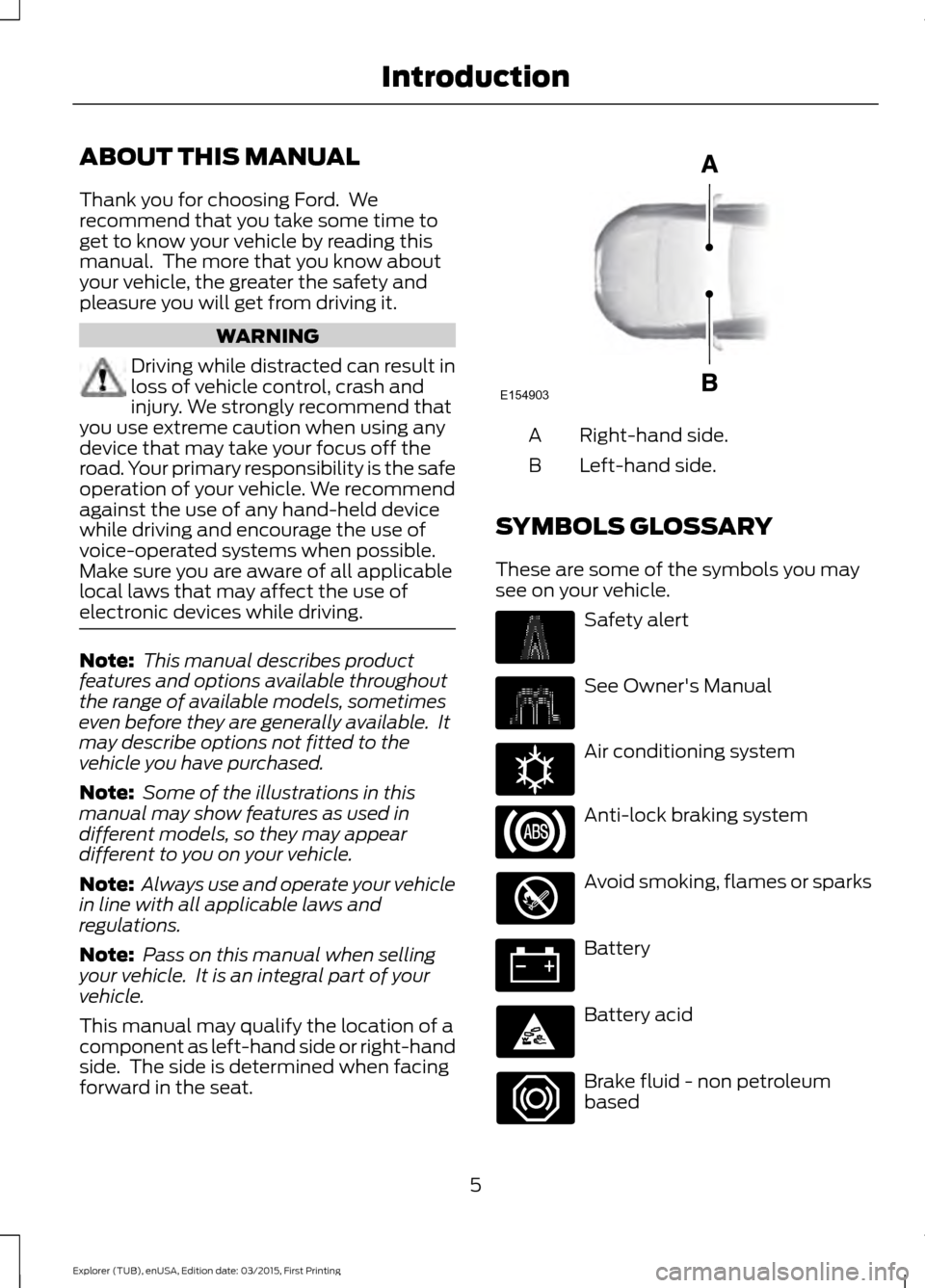
This manual may qualify the location of a
component as left-hand side or right-hand
side. The side is determined when facing
forward in the seat. Right-hand side.
A
Left-hand side.
B
SYMBOLS GLOSSARY
These are some of the symbols you may
see on your vehicle. Safety alert
See Owner's Manual
Air conditioning system
Anti-lock braking system
Avoid smoking, flames or sparks
Battery
Battery acid
Brake fluid - non petroleum
based
5
Explorer (TUB), enUSA, Edition date: 03/2015, First Printing IntroductionE154903 E162384
Page 18 of 350
Use a child safety seat (sometimes called
an infant carrier, convertible seat, or
toddler seat) for infants, toddlers or
children weighing 40 lb (18 kg) or less
(generally age four or younger).
Using Lap and Shoulder Belts WARNINGS
Airbags can kill or injure a child in a
child seat. Never place a rear-facing
child seat in front of an active airbag.
If you must use a forward-facing child seat
in the front seat, move the seat upon which
the child seat is installed all the way back. Airbags can kill or injure a child in a
child seat. Children 12 and under
should be properly restrained in the
rear seat whenever possible. Depending on where you secure a
child restraint, and depending on the
child restraint design, you may block
access to certain safety belt buckle
assemblies and LATCH lower anchors,
rendering those features potentially
unusable. To avoid risk of injury, occupants
should only use seating positions where
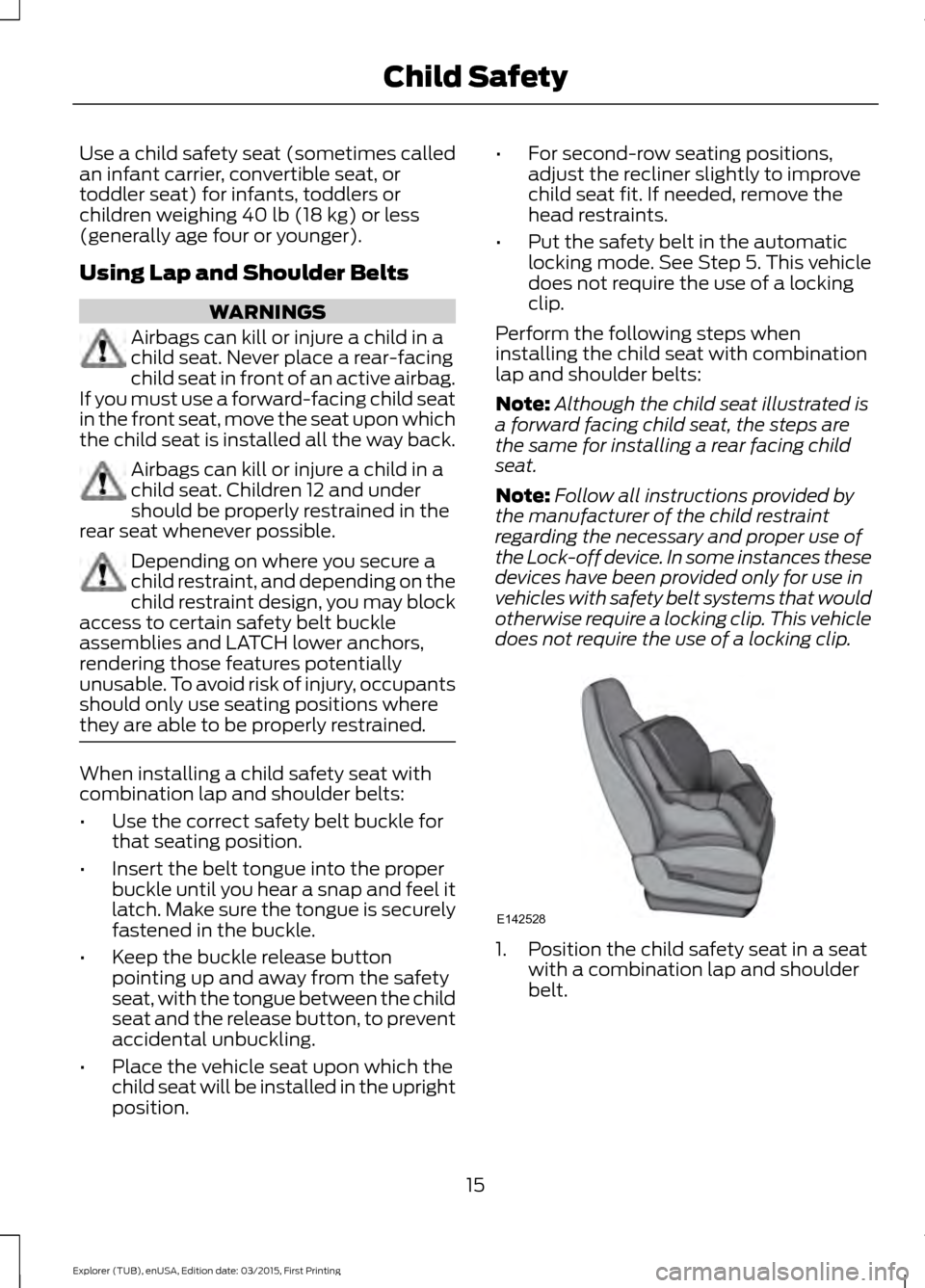
they are able to be properly restrained. When installing a child safety seat with
combination lap and shoulder belts:
•
Use the correct safety belt buckle for
that seating position.
• Insert the belt tongue into the proper
buckle until you hear a snap and feel it
latch. Make sure the tongue is securely
fastened in the buckle.
• Keep the buckle release button
pointing up and away from the safety
seat, with the tongue between the child
seat and the release button, to prevent
accidental unbuckling.
• Place the vehicle seat upon which the
child seat will be installed in the upright
position. •
For second-row seating positions,
adjust the recliner slightly to improve
child seat fit. If needed, remove the
head restraints.
• Put the safety belt in the automatic
locking mode. See Step 5. This vehicle
does not require the use of a locking
clip.
Perform the following steps when
installing the child seat with combination
lap and shoulder belts:
Note: Although the child seat illustrated is
a forward facing child seat, the steps are
the same for installing a rear facing child
seat.
Note: Follow all instructions provided by
the manufacturer of the child restraint
regarding the necessary and proper use of
the Lock-off device. In some instances these
devices have been provided only for use in
vehicles with safety belt systems that would
otherwise require a locking clip. This vehicle
does not require the use of a locking clip. 1. Position the child safety seat in a seat
with a combination lap and shoulder
belt.
15
Explorer (TUB), enUSA, Edition date: 03/2015, First Printing Child SafetyE142528
Page 20 of 350
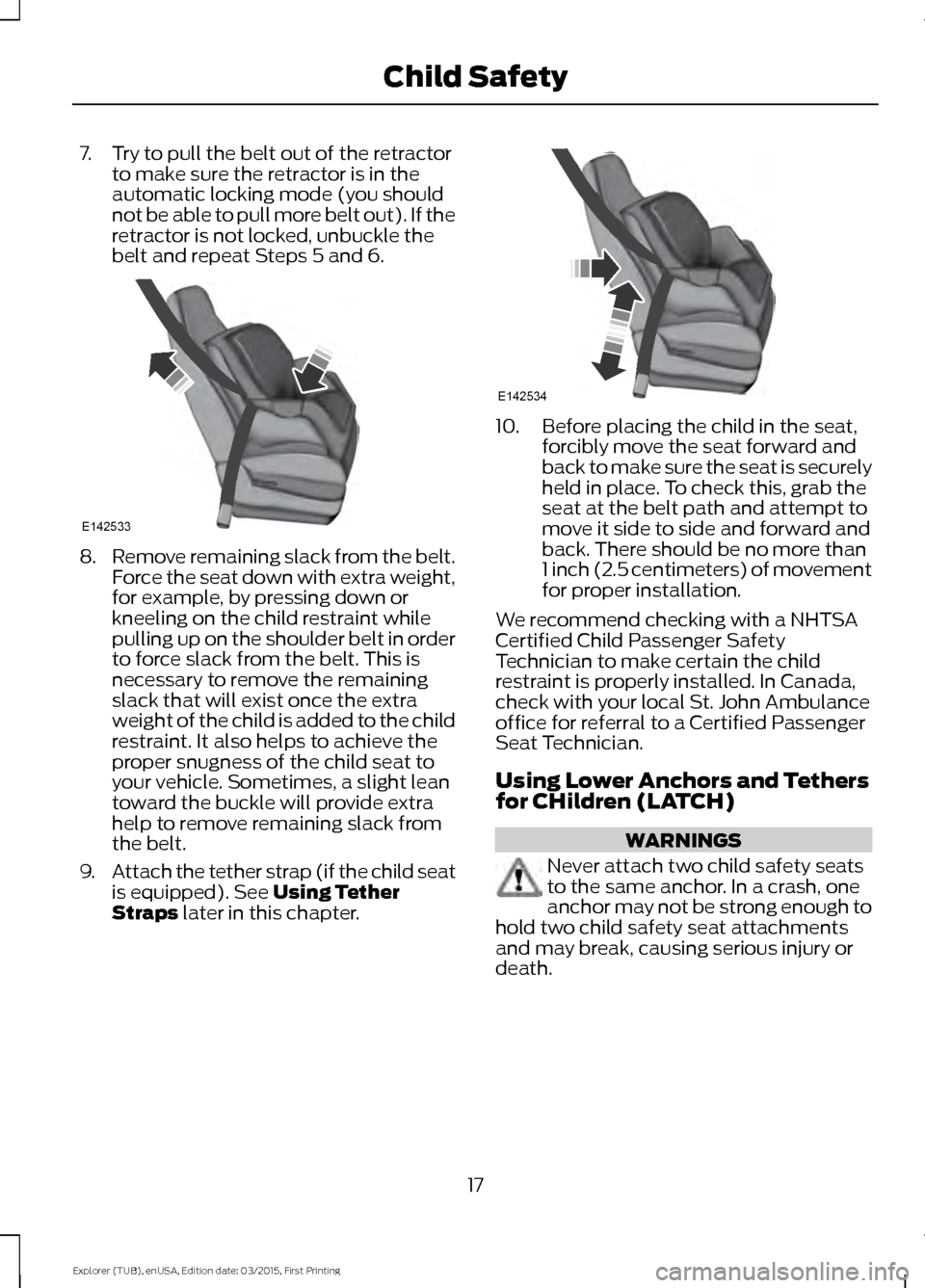
7. Try to pull the belt out of the retractor
to make sure the retractor is in the
automatic locking mode (you should
not be able to pull more belt out). If the
retractor is not locked, unbuckle the
belt and repeat Steps 5 and 6. 8.
Remove remaining slack from the belt.
Force the seat down with extra weight,
for example, by pressing down or
kneeling on the child restraint while
pulling up on the shoulder belt in order
to force slack from the belt. This is
necessary to remove the remaining
slack that will exist once the extra
weight of the child is added to the child
restraint. It also helps to achieve the
proper snugness of the child seat to
your vehicle. Sometimes, a slight lean
toward the buckle will provide extra
help to remove remaining slack from
the belt.
9. Attach the tether strap (if the child seat
is equipped). See Using Tether
Straps later in this chapter. 10. Before placing the child in the seat,
forcibly move the seat forward and
back to make sure the seat is securely
held in place. To check this, grab the
seat at the belt path and attempt to
move it side to side and forward and
back. There should be no more than
1 inch (2.5 centimeters) of movement
for proper installation.
We recommend checking with a NHTSA
Certified Child Passenger Safety
Technician to make certain the child
restraint is properly installed. In Canada,
check with your local St. John Ambulance
office for referral to a Certified Passenger
Seat Technician.
Using Lower Anchors and Tethers
for CHildren (LATCH) WARNINGS
Never attach two child safety seats
to the same anchor. In a crash, one
anchor may not be strong enough to
hold two child safety seat attachments
and may break, causing serious injury or
death.
17
Explorer (TUB), enUSA, Edition date: 03/2015, First Printing Child SafetyE142533 E142534
Page 29 of 350
PRINCIPLE OF OPERATION
WARNINGS
Always drive and ride with your
seatback upright and the lap belt
snug and low across the hips.
To reduce the risk of injury, make
sure children sit where they can be
properly restrained.
Never let a passenger hold a child on
his or her lap while the vehicle is
moving. The passenger cannot
protect the child from injury in a crash,
which may result in serious injury or death. All occupants of the vehicle,
including the driver, should always
properly wear their safety belts, even
when an airbag supplemental restraint
system is provided. Failure to properly wear
your safety belt could seriously increase
the risk of injury or death. It is extremely dangerous to ride in a
cargo area, inside or outside of a
vehicle. In a crash, people riding in
these areas are more likely to be seriously
injured or killed. Do not allow people to ride
in any area of your vehicle that is not
equipped with seats and safety belts. Be
sure everyone in your vehicle is in a seat
and using a safety belt properly. In a rollover crash, an unbelted
person is significantly more likely to
die than a person wearing a safety
belt. Each seating position in your vehicle
has a specific safety belt assembly
which is made up of one buckle and
one tongue that are designed to be used
as a pair. 1) Use the shoulder belt on the
outside shoulder only. Never wear the
shoulder belt under the arm. 2) Never
swing the safety belt around your neck over
the inside shoulder. 3) Never use a single
belt for more than one person. WARNINGS
When possible, all children 12 years
old and under should be properly
restrained in a rear seating position.
Failure to follow this could seriously
increase the risk of injury or death. Safety belts and seats can become
hot in a vehicle that has been closed
up in sunny weather; they could burn
a small child. Check seat covers and
buckles before you place a child anywhere
near them. Front and rear seat occupants,
including pregnant women, should
wear safety belts for optimum
protection in an accident. All seating positions in this vehicle have
lap and shoulder safety belts. All
occupants of the vehicle should always
properly wear their safety belts, even when
an airbag supplemental restraint system
is provided.
The safety belt system consists of:
•
Lap and shoulder safety belts.
• Shoulder safety belt with automatic
locking mode (except driver safety
belt).
• Height adjuster at the front outboard
seating positions.
• Safety belt pretensioner at the front
outboard seating positions.
• Belt tension sensor at the front
outboard passenger seating position. •
Safety belt warning light and chime. •
Crash sensors and monitoring system
with readiness indicator.
26
Explorer (TUB), enUSA, Edition date: 03/2015, First Printing Safety Belts
Page 34 of 350
Then...
If...
The Belt-Minder feature will not activate.
You and the front seat passenger buckle
your safety belts before you switch the
ignition on or less than 1– 2 minutes elapse
after you switch the ignition on...
The Belt-Minder feature activates, the
safety belt warning light illuminates and a
warning tone sounds for 6 seconds every
25 seconds, repeating for about 5 minutes
or until you and the front seat passenger
buckle your safety belts.
You or the front seat passenger do not
buckle your safety belts before your vehicle
reaches at least 6 mph (9.7 km/h) and 1–
2
minutes elapse after you switch the ignition
on...
The Belt-Minder feature activates, the
safety belt warning light illuminates and a
warning tone sounds for 6 seconds every
25 seconds, repeating for about 5 minutes
or until you and the front seat passenger
buckle your safety belts.
The safety belt for the driver or front
passenger is unbuckled for about 1 minute
while the vehicle is traveling at least 6 mph
(9.7 km/h) and more than 1–
2 minutes
elapse after you switch the ignition on...
Deactivating and Activating the
Belt-Minder Feature WARNING
While the system allows you to
switch this feature off, the intent of
the system is to remind you to wear
your safety belt to improve your chance to
survive an accident. We recommend you
leave the system switched on for yourself
and others who may use the vehicle. Note:
The driver and front passenger
warnings switch on and off independently.
When you perform this procedure for one
seating position, do not buckle the other
position as this will terminate the process.
Read Steps 1–4 thoroughly before
proceeding with the programming
procedure. Before following the procedure, make sure
that:
•
The parking brake is set.
• The transmission is in park (P).
• The ignition is off.
• The driver and front passenger safety
belts are unbuckled.
1. Switch the ignition on. Do not start the
vehicle.
2. Wait until the safety belt warning light turns off (about 1 minute). After Step
2, wait an additional 5 seconds before
proceeding with Step 3. Once you start
Step 3, you must complete the
procedure within 60 seconds.
3. For the seating position you are switching off, buckle then unbuckle the
safety belt four times at a moderate
speed, ending in the unbuckled state.
After Step 3, the safety belt warning
light turns on.
31
Explorer (TUB), enUSA, Edition date: 03/2015, First Printing Safety Belts
Page 52 of 350
Press the button again within three
seconds to unlock all doors. The direction
indicators will flash.
Press and hold both the lock and unlock
buttons on the remote control for three
seconds to change between driver door or
all doors unlock mode. The direction
indicators will flash twice to indicate a
change to the unlocking mode. Driver door
mode only unlocks the driver door when
you press the unlock button once. All door
mode unlocks all doors when you press
the unlock button once. The unlocking
mode applies to the remote control.
Locking the Doors
Press the button to lock all
doors. The direction indicators
will flash.
Press the button again within three
seconds to confirm that all the doors are
closed. The doors will lock again, the horn
will sound and the direction indicators will
flash if all the doors and the liftgate are
closed.
Note: If any door or the liftgate is open, or
if the hood is open on vehicles with an
anti-theft alarm or remote start, the horn
will sound twice and the direction indicators
will not flash.
Independent Liftgate Locking
Feature
This feature allows you to unlock the
liftgate independently of the other doors.
Unlocking
The liftgate unlocks when you pull and
release the liftgate control on the overhead
console with the ignition on.
Note: The liftgate does not unlock when
you unlock all the doors electronically using
the remote control or power door lock
control. Liftgate Timed Release
Switch the ignition to the run, start or
accessory position. Pull and release the liftgate
control on the overhead console.
Note: Only the liftgate unlocks. All other
passenger doors remain in the previous
locking state.
A warning lamp illuminates in the
instrument cluster for 45 seconds. See
Warning Lamps and Indicators (page
68). You can then open the liftgate using
the exterior liftgate release button.
Once the 45 second timer expires, the
lamp turns off and you can no longer open
the liftgate. Pull and release the liftgate
control on the overhead console again to
restart the timer.
Note: You can also unlock the liftgate by
using the key blade inserted into the liftgate
lock cylinder.
Locking
The liftgate locks when any of the
following occur:
• You open and close the liftgate after
you pull and release the liftgate control
on the overhead console.
• The 45 second timer expires.
Locking and Unlocking the Doors
with the Key Blade
Locking with the Key
Turn the top of the key toward the front of
your vehicle.
Unlocking with the Key
Turn the top of the key toward the rear of
your vehicle.
49
Explorer (TUB), enUSA, Edition date: 03/2015, First Printing LocksE138623
Page 63 of 350
Note:
With the headlamps in the
autolamps position, you cannot switch the
high beam headlamps on until the
autolamps system turns the low beam
headlamps on.
Windshield Wiper Activated
Headlamps
The windshield wiper activated headlamps
turn on within 10 seconds when you switch
the windshield wipers on and the lighting
control is in the autolamps position. They
turn off approximately 60 seconds after
you switch the windshield wipers off.
The headlamps will not turn on by wiper
activation:
• During a mist wipe.
• When the wipers are on to clear washer
fluid during a wash condition.
• If the wipers are in intermittent mode.
Note: If you switch autolamps and
autowipers on, the headlamps will
automatically turn on when the windshield
wipers continuously operate.
INSTRUMENT LIGHTING
DIMMER
Note: You disable the manual dimmer
when you adjust the setting to Auto
Dimming in the information display. See
Information Displays (page 73).
Note: If you disconnect the battery or it runs
out of charge, the illuminated components
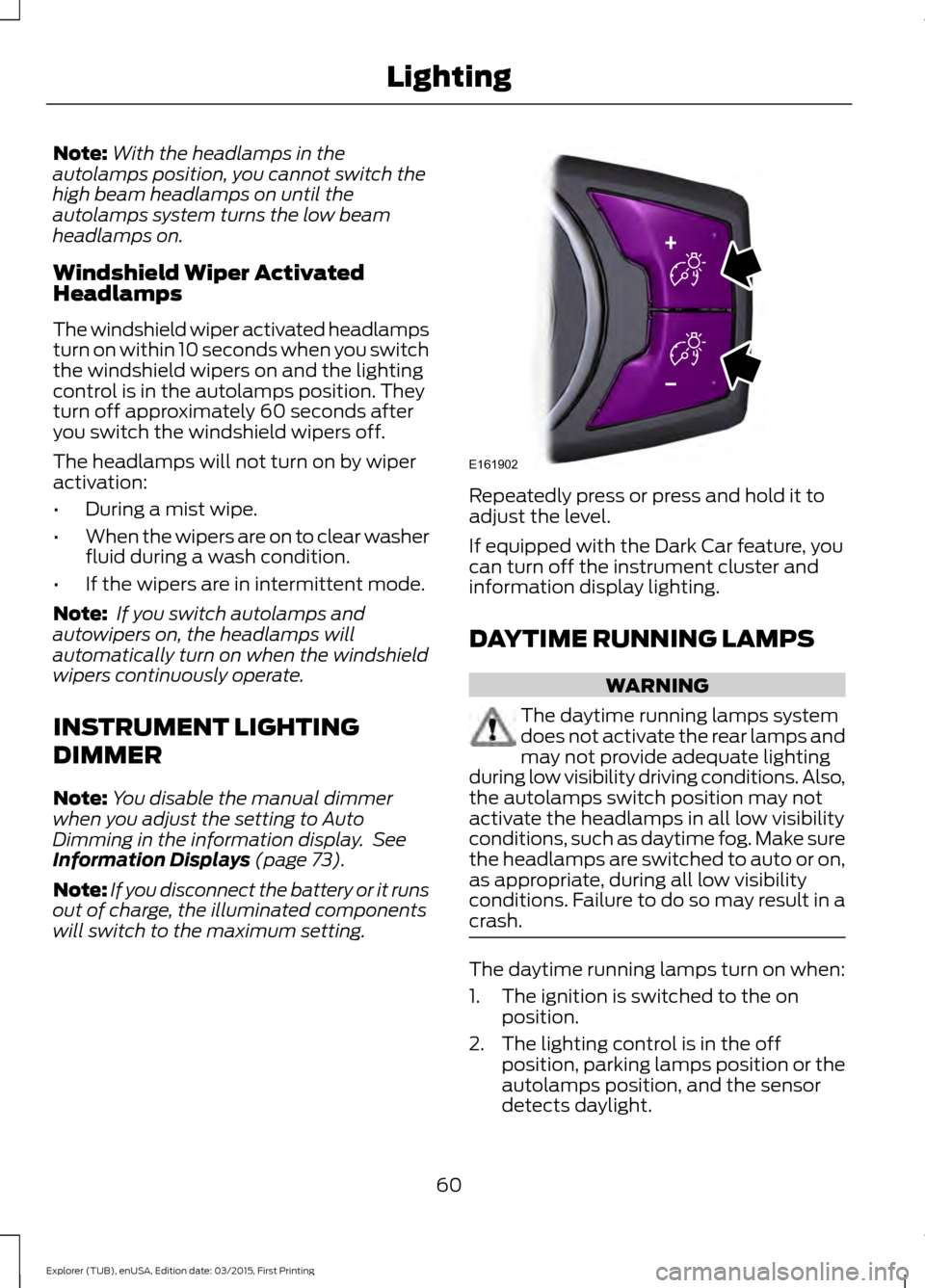
will switch to the maximum setting. Repeatedly press or press and hold it to
adjust the level.
If equipped with the Dark Car feature, you
can turn off the instrument cluster and
information display lighting.
DAYTIME RUNNING LAMPS
WARNING
The daytime running lamps system
does not activate the rear lamps and
may not provide adequate lighting
during low visibility driving conditions. Also,
the autolamps switch position may not
activate the headlamps in all low visibility
conditions, such as daytime fog. Make sure
the headlamps are switched to auto or on,
as appropriate, during all low visibility
conditions. Failure to do so may result in a
crash. The daytime running lamps turn on when:
1. The ignition is switched to the on
position.
2. The lighting control is in the off position, parking lamps position or the
autolamps position, and the sensor
detects daylight.
60
Explorer (TUB), enUSA, Edition date: 03/2015, First Printing LightingE161902
Page 74 of 350
Service Engine Soon
If the service engine soon
indicator light stays illuminated
after you start the engine, it
indicates that the On Board Diagnostics
system (OBD) has detected a malfunction
of the vehicle emissions control system.
Refer to On board diagnostics (OBD) in
the Fuel and Refueling chapter for more
information about having your vehicle
serviced. See Emission Control System
(page 107).
If the light is blinking, engine misfire is
occurring which could damage your
catalytic converter. Drive in a moderate
fashion (avoid heavy acceleration and
deceleration) and have your vehicle
serviced immediately. WARNING
Under engine misfire conditions,
excessive exhaust temperatures
could damage the catalytic
converter, the fuel system, interior floor
coverings or other vehicle components,
possibly causing a fire. Have an authorized
dealer service your vehicle immediately. The service engine soon indicator light
illuminates when you first switch on the
ignition before engine start to check the
bulb and to indicate whether the vehicle
is ready for Inspection/Maintenance (I/M)
testing.
Normally, the service engine soon light
stays on until you crank the engine, then
turns itself off if no malfunctions are
present. However, if after 15 seconds the
service engine soon light blinks eight times,
it means that the vehicle is not ready for
I/M testing. See
Emission Control
System (page 107). Stability Control It flashes when the system is
active. If it remains illuminated
or does not illuminate when you
switch the ignition on, this indicates a
malfunction. During a malfunction the
system switches off. Have the system
checked by an authorized dealer
immediately. See
Using Stability
Control (page 123).
Stability Control Off It illuminates when you switch
the system off. It goes out when
you switch the system back on
or when you switch the ignition off. See
Using Stability Control
(page 123).
AUDIBLE WARNINGS AND
INDICATORS
Key in Ignition Warning Chime
Sounds when you open the driver's door
and you have left the key in the ignition.
Headlamps On Warning Chime
Sounds when you remove the key from the
ignition and open the driver's door and you
have left the headlamps or parking lamps
on.
Parking Brake On Warning Chime
Sounds when you have left the parking
brake on and drive your vehicle. If the
warning chime remains on after you have
released the parking brake, have the
system checked by your authorized dealer
immediately.
71
Explorer (TUB), enUSA, Edition date: 03/2015, First Printing Instrument Cluster E138639
Page 78 of 350
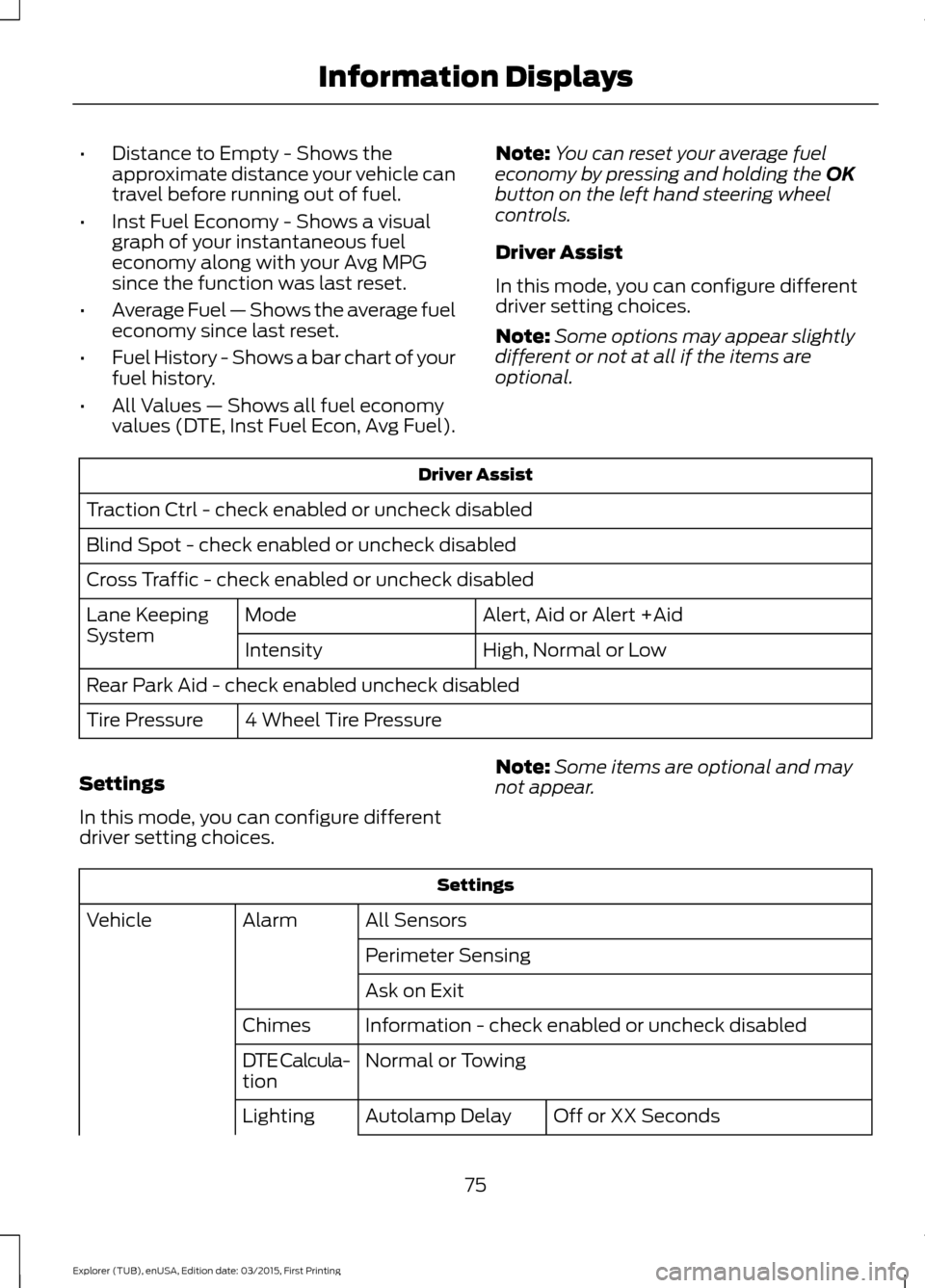
•
Distance to Empty - Shows the
approximate distance your vehicle can
travel before running out of fuel.
• Inst Fuel Economy - Shows a visual
graph of your instantaneous fuel
economy along with your Avg MPG
since the function was last reset.
• Average Fuel — Shows the average fuel
economy since last reset.
• Fuel History - Shows a bar chart of your
fuel history.
• All Values — Shows all fuel economy
values (DTE, Inst Fuel Econ, Avg Fuel). Note:
You can reset your average fuel
economy by pressing and holding the OK
button on the left hand steering wheel
controls.
Driver Assist
In this mode, you can configure different
driver setting choices.
Note: Some options may appear slightly
different or not at all if the items are
optional. Driver Assist
Traction Ctrl - check enabled or uncheck disabled
Blind Spot - check enabled or uncheck disabled
Cross Traffic - check enabled or uncheck disabled Alert, Aid or Alert +Aid
Mode
Lane Keeping
System
High, Normal or Low
Intensity
Rear Park Aid - check enabled uncheck disabled 4 Wheel Tire Pressure
Tire Pressure
Settings
In this mode, you can configure different
driver setting choices. Note:
Some items are optional and may
not appear. Settings
All Sensors
Alarm
Vehicle
Perimeter Sensing
Ask on Exit
Information - check enabled or uncheck disabled
Chimes
Normal or Towing
DTE Calcula-
tion
Off or XX Seconds
Autolamp Delay
Lighting
75
Explorer (TUB), enUSA, Edition date: 03/2015, First Printing Information Displays
Page 116 of 350
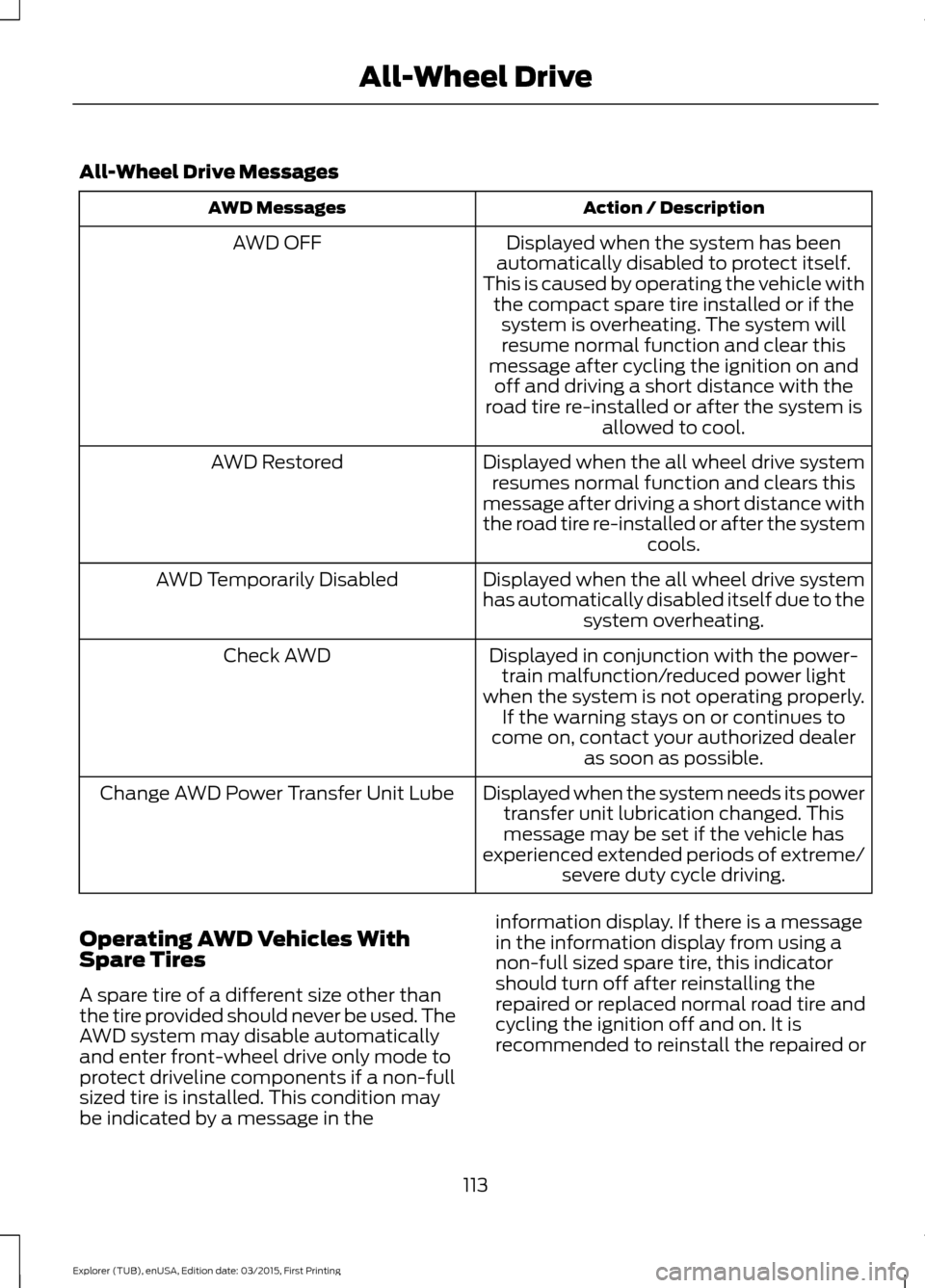
All-Wheel Drive Messages
Action / Description
AWD Messages
Displayed when the system has been
automatically disabled to protect itself.
This is caused by operating the vehicle with the compact spare tire installed or if thesystem is overheating. The system willresume normal function and clear this
message after cycling the ignition on and off and driving a short distance with the
road tire re-installed or after the system is allowed to cool.
AWD OFF
Displayed when the all wheel drive systemresumes normal function and clears this
message after driving a short distance with
the road tire re-installed or after the system cools.
AWD Restored
Displayed when the all wheel drive system
has automatically disabled itself due to thesystem overheating.
AWD Temporarily Disabled
Displayed in conjunction with the power-train malfunction/reduced power light
when the system is not operating properly. If the warning stays on or continues to
come on, contact your authorized dealer as soon as possible.
Check AWD
Displayed when the system needs its powertransfer unit lubrication changed. Thismessage may be set if the vehicle has
experienced extended periods of extreme/ severe duty cycle driving.
Change AWD Power Transfer Unit Lube
Operating AWD Vehicles With
Spare Tires
A spare tire of a different size other than
the tire provided should never be used. The
AWD system may disable automatically
and enter front-wheel drive only mode to
protect driveline components if a non-full
sized tire is installed. This condition may
be indicated by a message in the information display. If there is a message
in the information display from using a
non-full sized spare tire, this indicator
should turn off after reinstalling the
repaired or replaced normal road tire and
cycling the ignition off and on. It is
recommended to reinstall the repaired or
113
Explorer (TUB), enUSA, Edition date: 03/2015, First Printing All-Wheel Drive