ignition FORD RANGER 2005 2.G User Guide
[x] Cancel search | Manufacturer: FORD, Model Year: 2005, Model line: RANGER, Model: FORD RANGER 2005 2.GPages: 256, PDF Size: 2.41 MB
Page 21 of 256
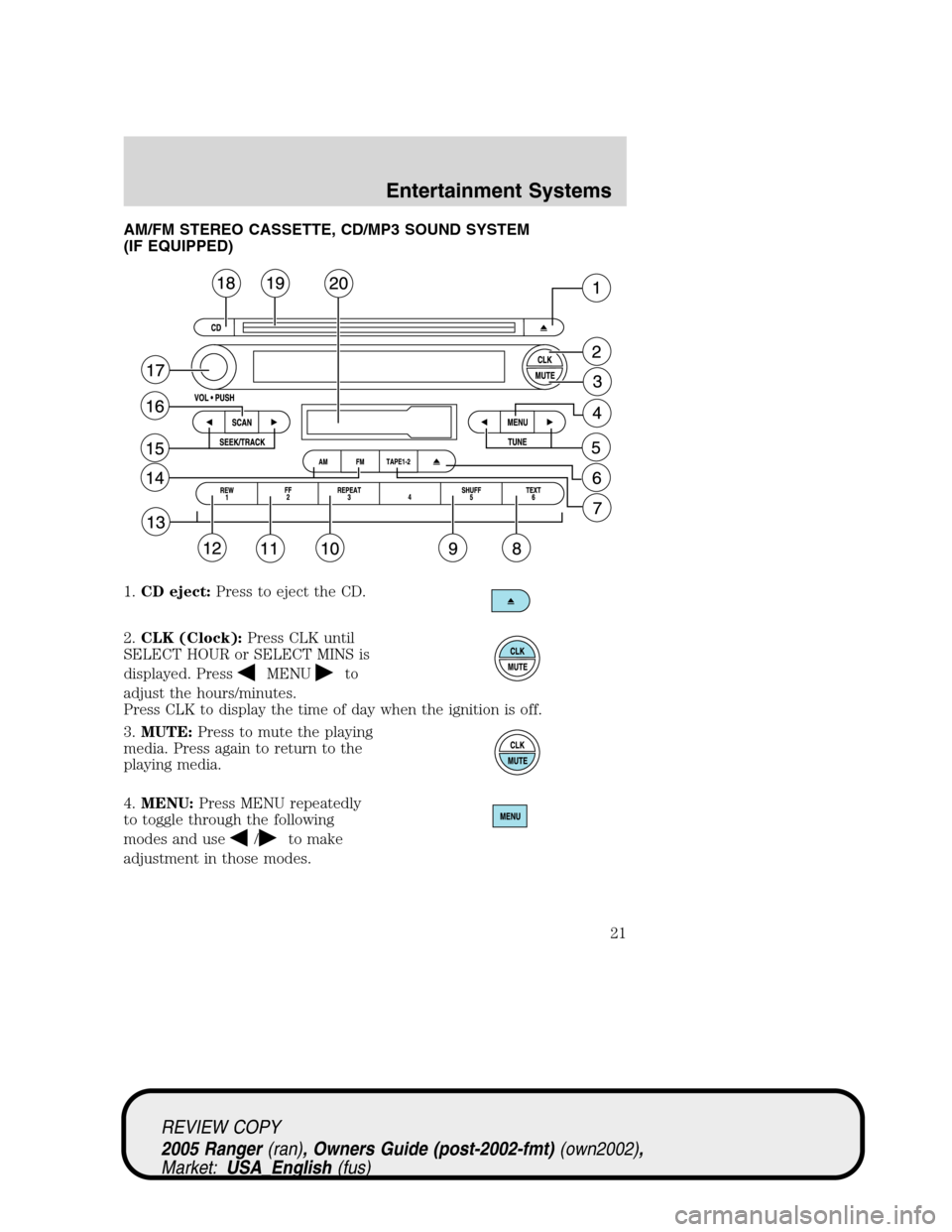
AM/FM STEREO CASSETTE, CD/MP3 SOUND SYSTEM
(IF EQUIPPED)
1.CD eject:Press to eject the CD.
2.CLK (Clock):Press CLK until
SELECT HOUR or SELECT MINS is
displayed. Press
MENUto
adjust the hours/minutes.
Press CLK to display the time of day when the ignition is off.
3.MUTE:Press to mute the playing
media. Press again to return to the
playing media.
4.MENU:Press MENU repeatedly
to toggle through the following
modes and use
/to make
adjustment in those modes.
REVIEW COPY
2005 Ranger(ran), Owners Guide (post-2002-fmt)(own2002),
Market:USA_English(fus)
Entertainment Systems
21
Page 24 of 256
off. If activated, the player will scan the tape and plays a short
Introduction of each song. In CD and MP3 flat file mode, you may set the
scan on or off. If activated, the system will scan through each track. In
MP3 directory mode, you may set scan on or off. If activated, the system
will scan in the current directory.
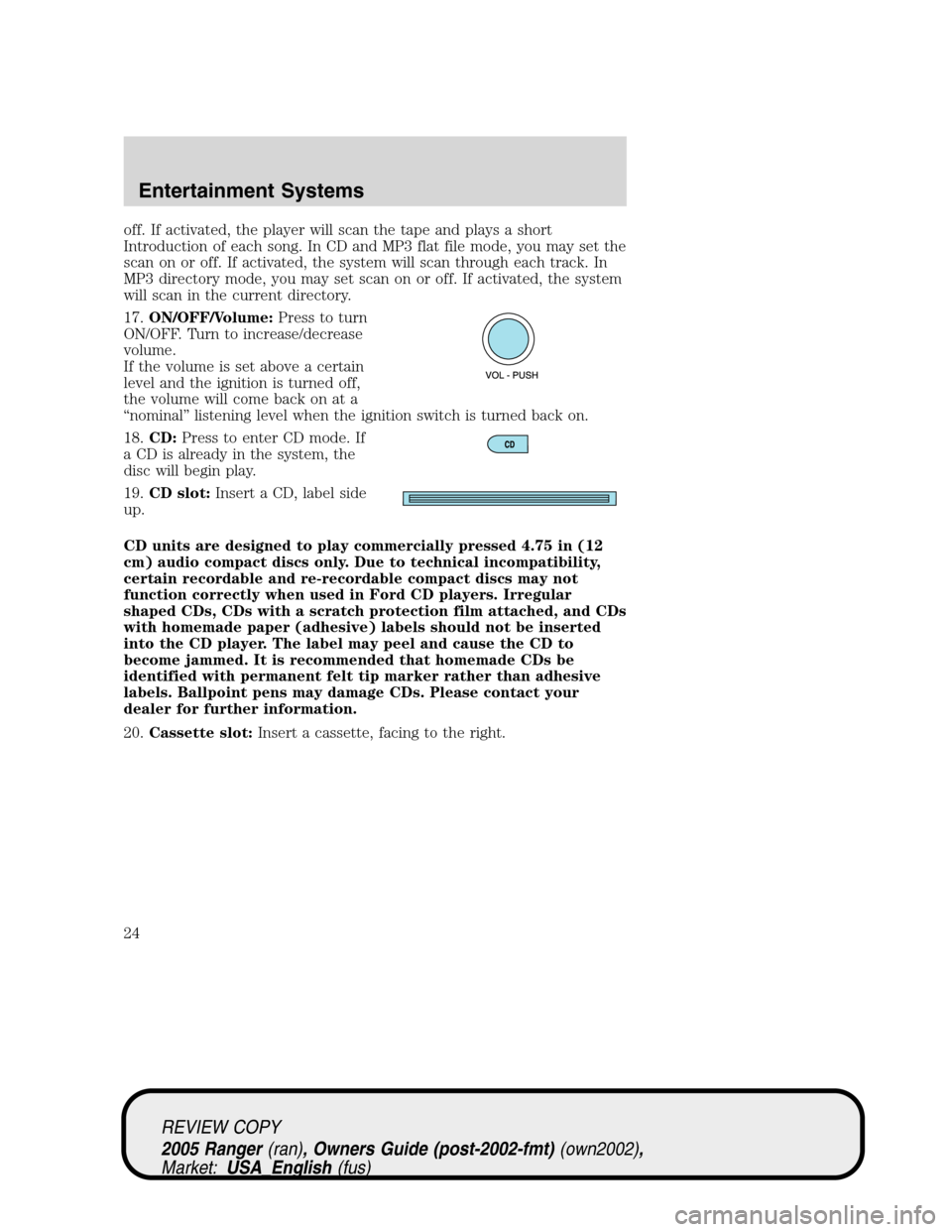
17.ON/OFF/Volume:Press to turn
ON/OFF. Turn to increase/decrease
volume.
If the volume is set above a certain
level and the ignition is turned off,
the volume will come back on at a
“nominal”listening level when the ignition switch is turned back on.
18.CD:Press to enter CD mode. If
a CD is already in the system, the
disc will begin play.
19.CD slot:Insert a CD, label side
up.
CD units are designed to play commercially pressed 4.75 in (12
cm) audio compact discs only. Due to technical incompatibility,
certain recordable and re-recordable compact discs may not
function correctly when used in Ford CD players. Irregular
shaped CDs, CDs with a scratch protection film attached, and CDs
with homemade paper (adhesive) labels should not be inserted
into the CD player. The label may peel and cause the CD to
become jammed. It is recommended that homemade CDs be
identified with permanent felt tip marker rather than adhesive
labels. Ballpoint pens may damage CDs. Please contact your
dealer for further information.
20.Cassette slot:Insert a cassette, facing to the right.
REVIEW COPY
2005 Ranger(ran), Owners Guide (post-2002-fmt)(own2002),
Market:USA_English(fus)
Entertainment Systems
24
Page 25 of 256
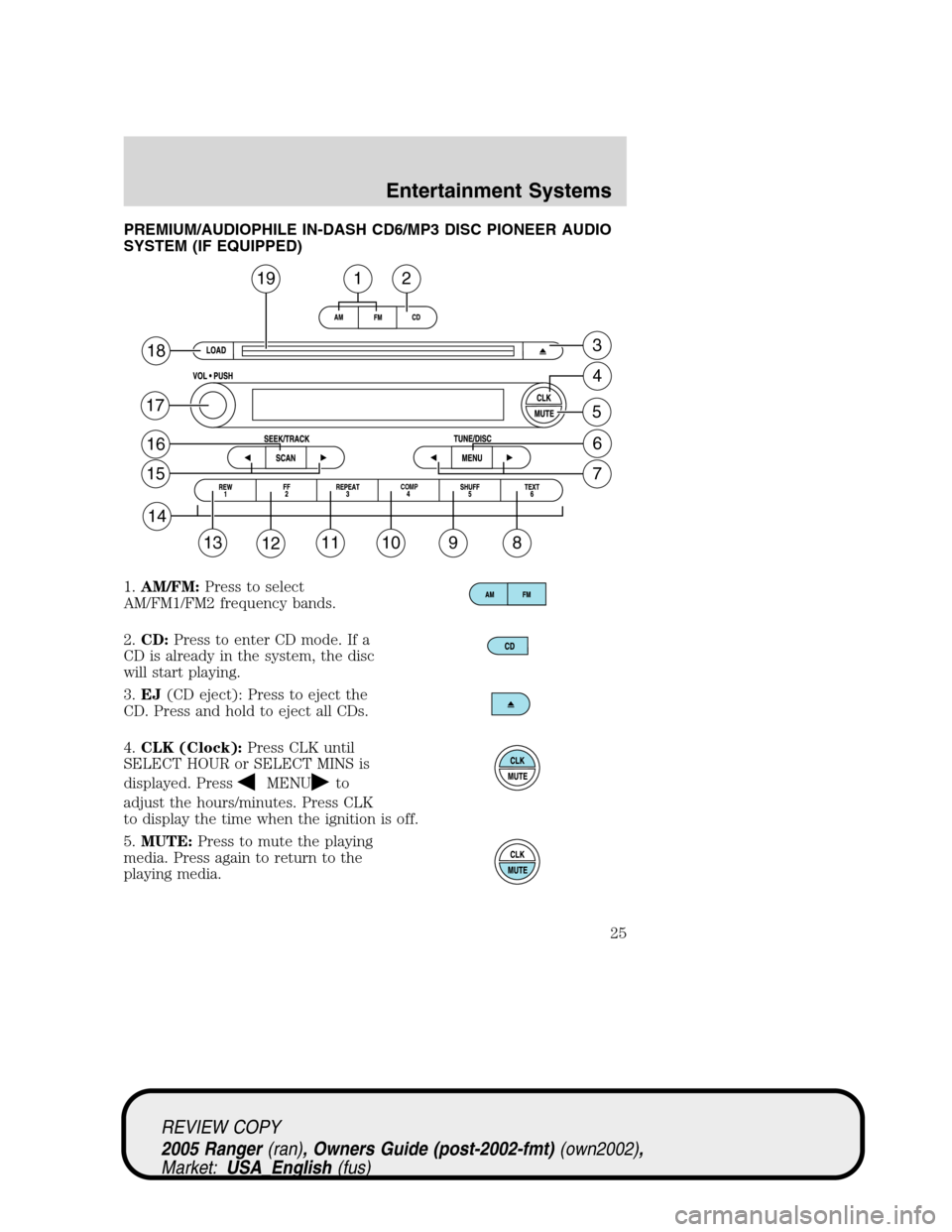
PREMIUM/AUDIOPHILE IN-DASH CD6/MP3 DISC PIONEER AUDIO
SYSTEM (IF EQUIPPED)
1.AM/FM:Press to select
AM/FM1/FM2 frequency bands.
2.CD:Press to enter CD mode. If a
CD is already in the system, the disc
will start playing.
3.EJ(CD eject): Press to eject the
CD. Press and hold to eject all CDs.
4.CLK (Clock):Press CLK until
SELECT HOUR or SELECT MINS is
displayed. Press
MENUto
adjust the hours/minutes. Press CLK
to display the time when the ignition is off.
5.MUTE:Press to mute the playing
media. Press again to return to the
playing media.
19
18
17
16
15
14
13121110
COMP
98
7
6
5
4
3
12
REVIEW COPY
2005 Ranger(ran), Owners Guide (post-2002-fmt)(own2002),
Market:USA_English(fus)
Entertainment Systems
25
Page 27 of 256
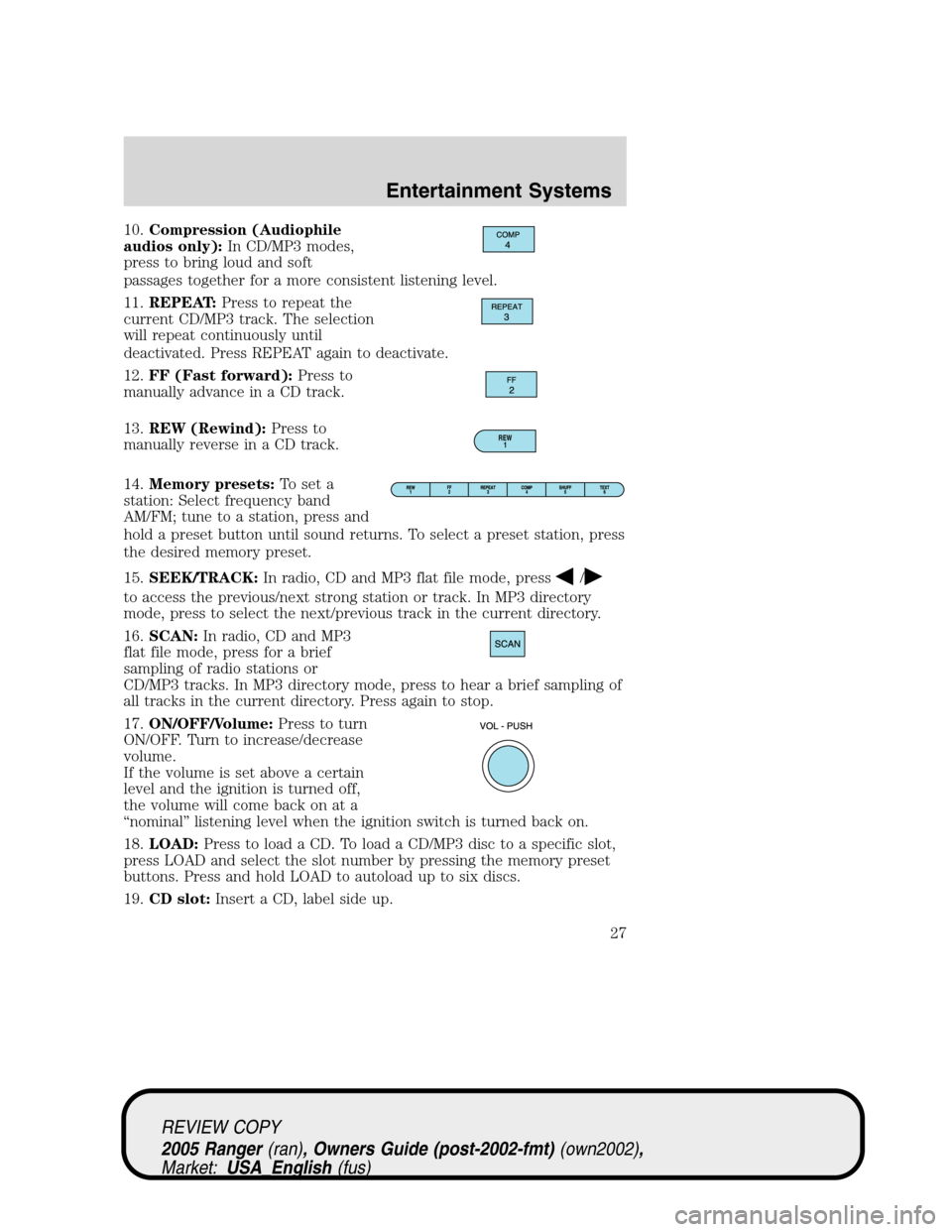
10.Compression (Audiophile
audios only):In CD/MP3 modes,
press to bring loud and soft
passages together for a more consistent listening level.
11.REPEAT:Press to repeat the
current CD/MP3 track. The selection
will repeat continuously until
deactivated. Press REPEAT again to deactivate.
12.FF (Fast forward):Press to
manually advance in a CD track.
13.REW (Rewind):Press to
manually reverse in a CD track.
14.Memory presets:To set a
station: Select frequency band
AM/FM; tune to a station, press and
hold a preset button until sound returns. To select a preset station, press
the desired memory preset.
15.SEEK/TRACK:In radio, CD and MP3 flat file mode, press
/
to access the previous/next strong station or track. In MP3 directory
mode, press to select the next/previous track in the current directory.
16.SCAN:In radio, CD and MP3
flat file mode, press for a brief
sampling of radio stations or
CD/MP3 tracks. In MP3 directory mode, press to hear a brief sampling of
all tracks in the current directory. Press again to stop.
17.ON/OFF/Volume:Press to turn
ON/OFF. Turn to increase/decrease
volume.
If the volume is set above a certain
level and the ignition is turned off,
the volume will come back on at a
“nominal”listening level when the ignition switch is turned back on.
18.LOAD:Press to load a CD. To load a CD/MP3 disc to a specific slot,
press LOAD and select the slot number by pressing the memory preset
buttons. Press and hold LOAD to autoload up to six discs.
19.CD slot:Insert a CD, label side up.
REW
1
REVIEW COPY
2005 Ranger(ran), Owners Guide (post-2002-fmt)(own2002),
Market:USA_English(fus)
Entertainment Systems
27
Page 29 of 256
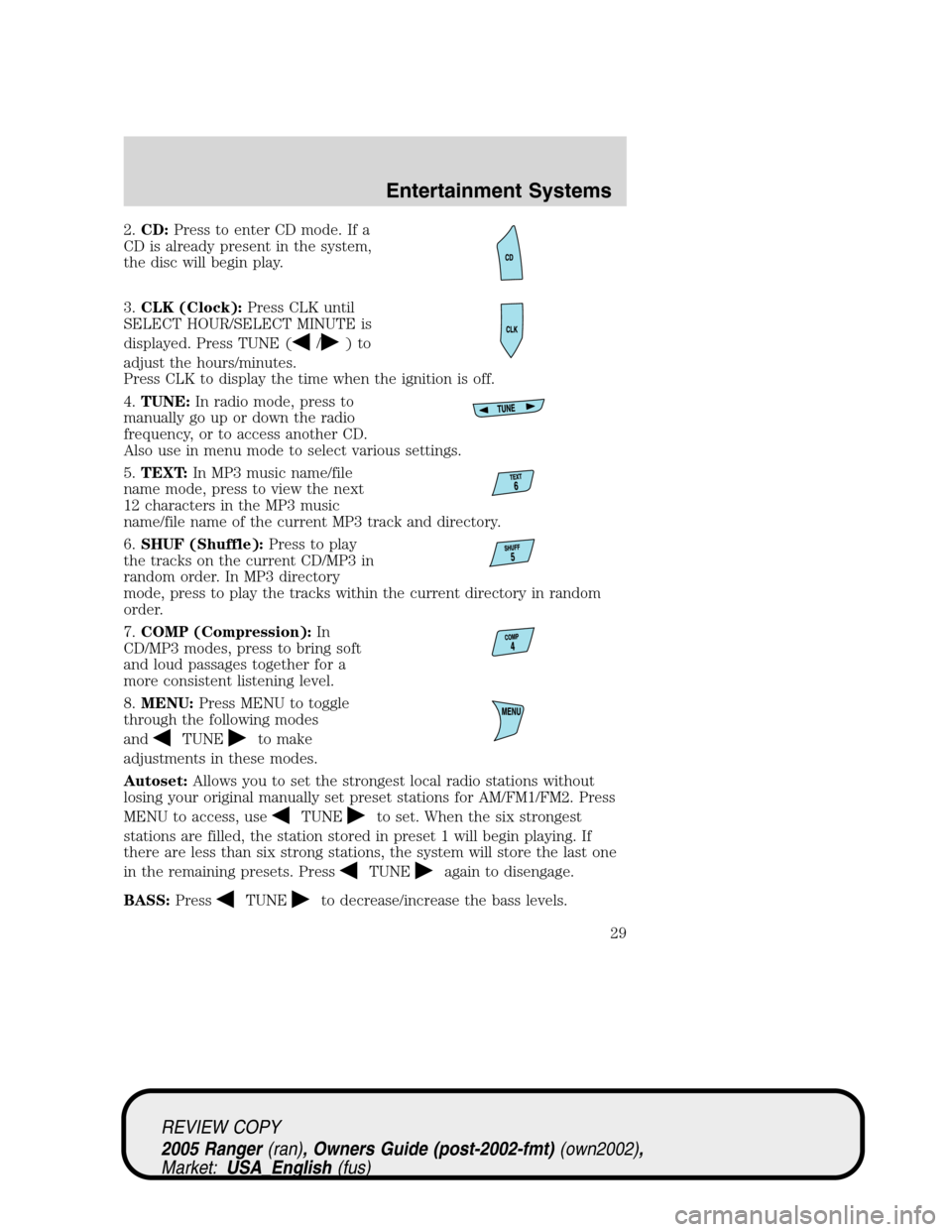
2.CD:Press to enter CD mode. If a
CD is already present in the system,
the disc will begin play.
3.CLK (Clock):Press CLK until
SELECT HOUR/SELECT MINUTE is
displayed. Press TUNE (
/)to
adjust the hours/minutes.
Press CLK to display the time when the ignition is off.
4.TUNE:In radio mode, press to
manually go up or down the radio
frequency, or to access another CD.
Also use in menu mode to select various settings.
5.TEXT:In MP3 music name/file
name mode, press to view the next
12 characters in the MP3 music
name/file name of the current MP3 track and directory.
6.SHUF (Shuffle):Press to play
the tracks on the current CD/MP3 in
random order. In MP3 directory
mode, press to play the tracks within the current directory in random
order.
7.COMP (Compression):In
CD/MP3 modes, press to bring soft
and loud passages together for a
more consistent listening level.
8.MENU:Press MENU to toggle
through the following modes
and
TUNEto make
adjustments in these modes.
Autoset:Allows you to set the strongest local radio stations without
losing your original manually set preset stations for AM/FM1/FM2. Press
MENU to access, use
TUNEto set. When the six strongest
stations are filled, the station stored in preset 1 will begin playing. If
there are less than six strong stations, the system will store the last one
in the remaining presets. Press
TUNEagain to disengage.
BASS:Press
TUNEto decrease/increase the bass levels.
REVIEW COPY
2005 Ranger(ran), Owners Guide (post-2002-fmt)(own2002),
Market:USA_English(fus)
Entertainment Systems
29
Page 30 of 256
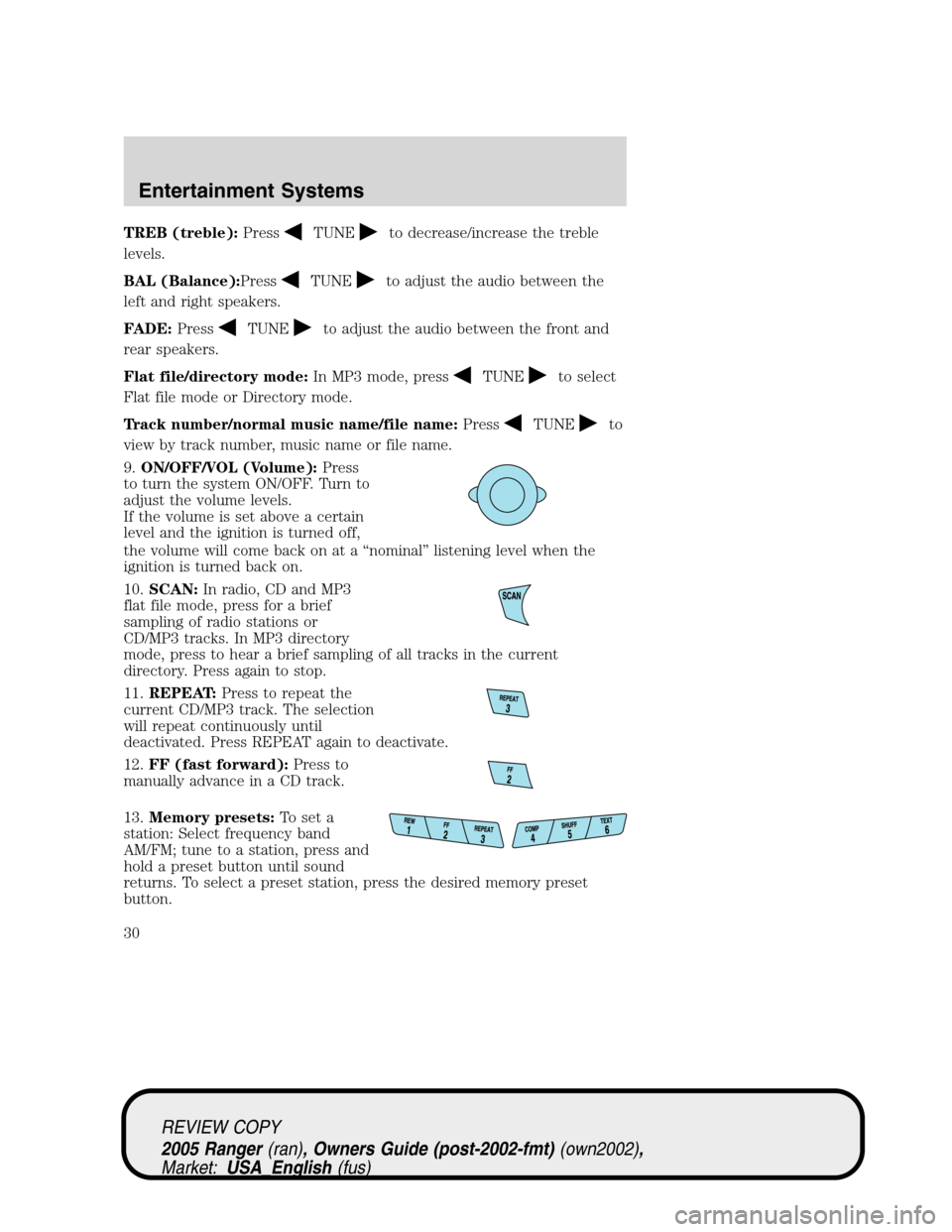
TREB (treble):PressTUNEto decrease/increase the treble
levels.
BAL (Balance):Press
TUNEto adjust the audio between the
left and right speakers.
FADE:Press
TUNEto adjust the audio between the front and
rear speakers.
Flat file/directory mode:In MP3 mode, press
TUNEto select
Flat file mode or Directory mode.
Track number/normal music name/file name:Press
TUNEto
view by track number, music name or file name.
9.ON/OFF/VOL (Volume):Press
to turn the system ON/OFF. Turn to
adjust the volume levels.
If the volume is set above a certain
level and the ignition is turned off,
the volume will come back on at a“nominal”listening level when the
ignition is turned back on.
10.SCAN:In radio, CD and MP3
flat file mode, press for a brief
sampling of radio stations or
CD/MP3 tracks. In MP3 directory
mode, press to hear a brief sampling of all tracks in the current
directory. Press again to stop.
11.REPEAT:Press to repeat the
current CD/MP3 track. The selection
will repeat continuously until
deactivated. Press REPEAT again to deactivate.
12.FF (fast forward):Press to
manually advance in a CD track.
13.Memory presets:To set a
station: Select frequency band
AM/FM; tune to a station, press and
hold a preset button until sound
returns. To select a preset station, press the desired memory preset
button.
REVIEW COPY
2005 Ranger(ran), Owners Guide (post-2002-fmt)(own2002),
Market:USA_English(fus)
Entertainment Systems
30
Page 37 of 256
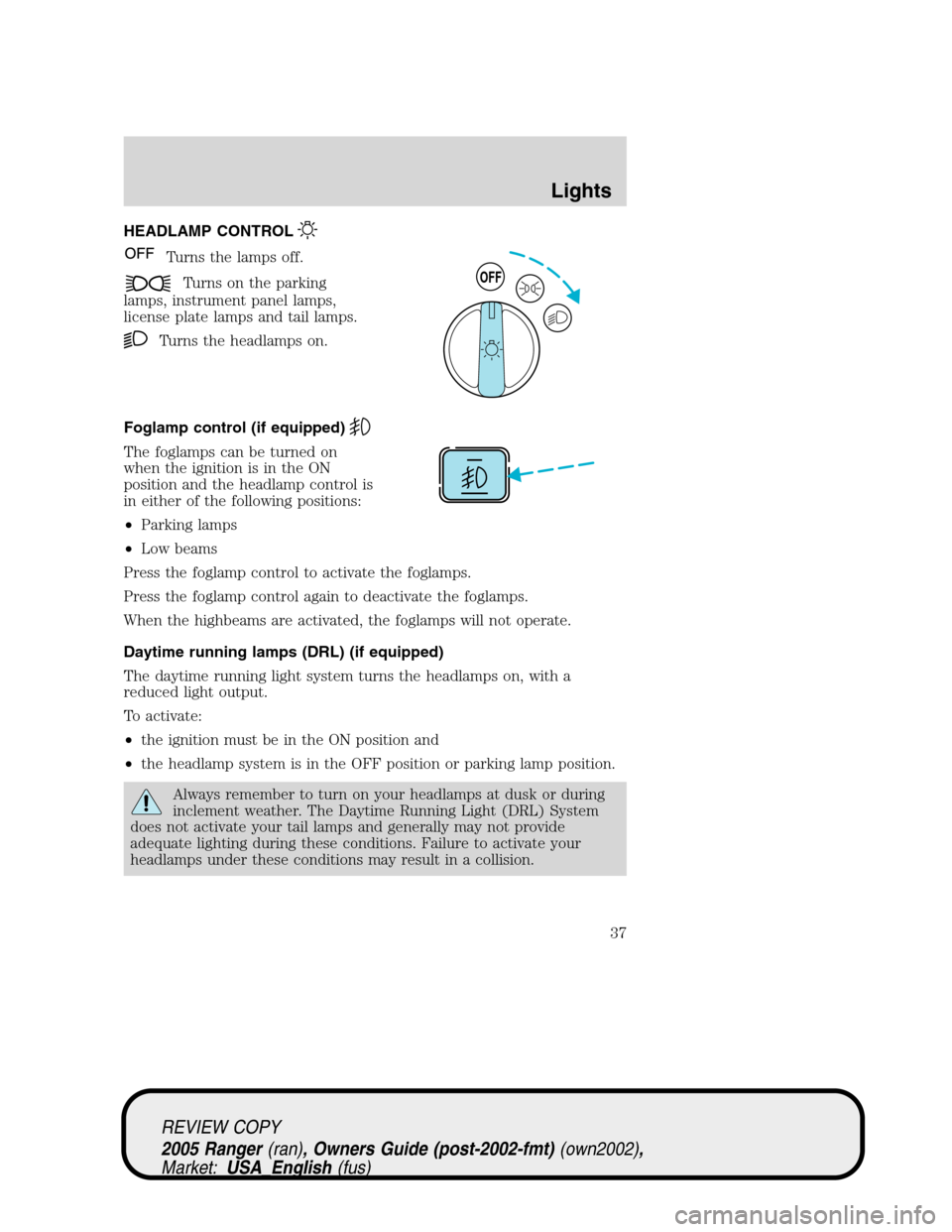
HEADLAMP CONTROL
Turns the lamps off.
Turns on the parking
lamps, instrument panel lamps,
license plate lamps and tail lamps.
Turns the headlamps on.
Foglamp control (if equipped)
The foglamps can be turned on
when the ignition is in the ON
position and the headlamp control is
in either of the following positions:
•Parking lamps
•Low beams
Press the foglamp control to activate the foglamps.
Press the foglamp control again to deactivate the foglamps.
When the highbeams are activated, the foglamps will not operate.
Daytime running lamps (DRL) (if equipped)
The daytime running light system turns the headlamps on, with a
reduced light output.
To activate:
•the ignition must be in the ON position and
•the headlamp system is in the OFF position or parking lamp position.
Always remember to turn on your headlamps at dusk or during
inclement weather. The Daytime Running Light (DRL) System
does not activate your tail lamps and generally may not provide
adequate lighting during these conditions. Failure to activate your
headlamps under these conditions may result in a collision.
OFF
REVIEW COPY
2005 Ranger(ran), Owners Guide (post-2002-fmt)(own2002),
Market:USA_English(fus)
Lights
Lights
37
Page 41 of 256
INTERIOR LAMPS
COURTESY/READING LAMPS (IF EQUIPPED)
The courtesy lamp lights when:
•any door is opened.
•the instrument panel dimmer
switch is held up until the
courtesy lamps come on.
•the remote entry controls are
pressed and the ignition is OFF.
BULBS
Replacing exterior bulbs
Check the operation of all the bulbs frequently.
Using the right bulbs
Replacement bulbs are specified in the chart below. Headlamp bulbs
must be marked with an authorized“D.O.T.”for North America and an
“E”for Europe to assure lamp performance, light brightness and pattern
and safe visibility. The correct bulbs will not damage the lamp assembly
or void the lamp assembly warranty and will provide quality bulb burn
time.
Function Number of bulbs Trade number
Park/turn(front) 2 3457AK (amber)
Side marker lamps 2 194
Headlamps 2 9007
Foglamps (if equipped) 2 9145
Hi-mount brakelamp 1 922
Rear stop/turn/tail lamps 2 4157K or 3157K
Rear license plate lamps 2 194
Backup lamp 2 3156
Dome lamp 1 912
Map/dome-SuperCab (if
equipped)2
904
REVIEW COPY
2005 Ranger(ran), Owners Guide (post-2002-fmt)(own2002),
Market:USA_English(fus)
Lights
41
Page 52 of 256
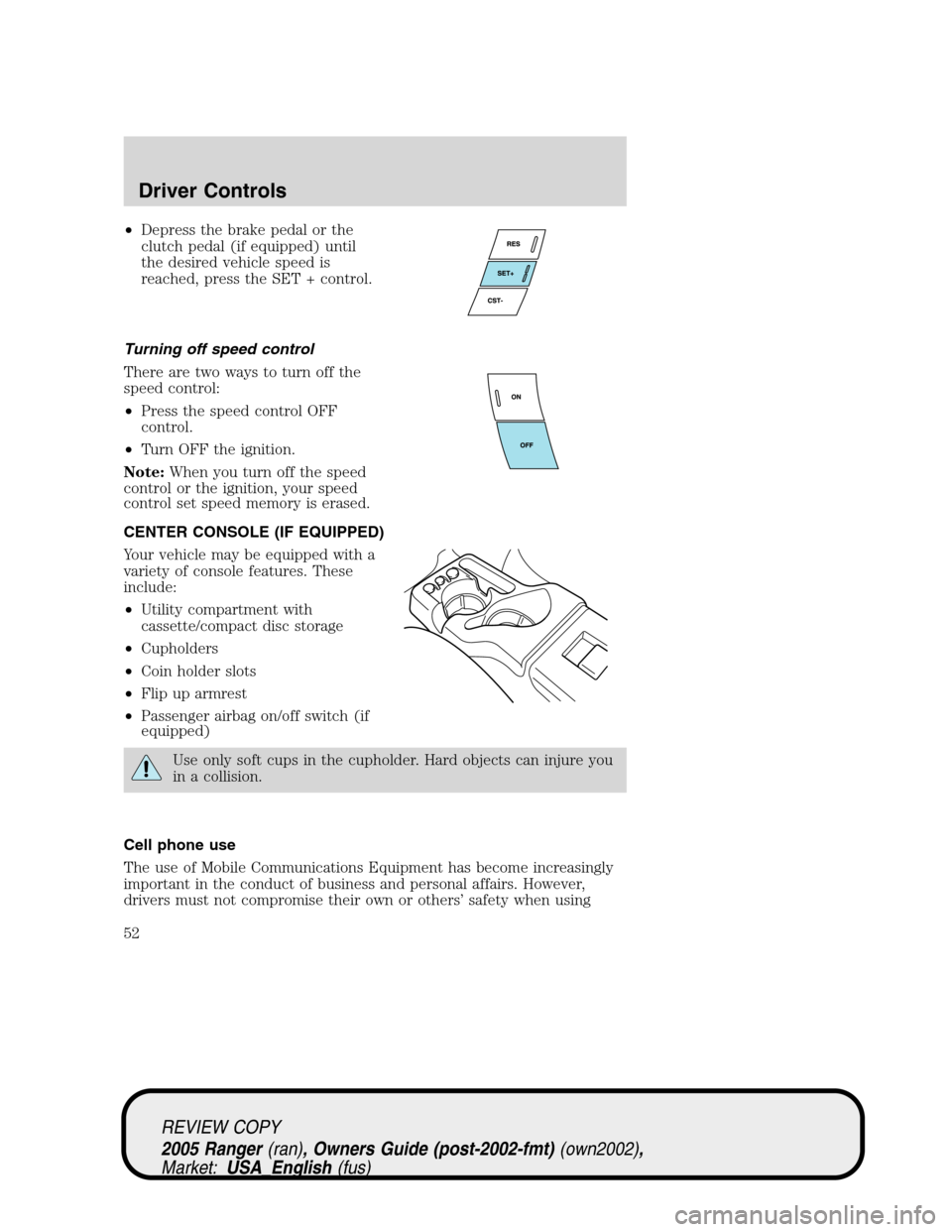
•Depress the brake pedal or the
clutch pedal (if equipped) until
the desired vehicle speed is
reached, press the SET + control.
Turning off speed control
There are two ways to turn off the
speed control:
•Press the speed control OFF
control.
•Turn OFF the ignition.
Note:When you turn off the speed
control or the ignition, your speed
control set speed memory is erased.
CENTER CONSOLE (IF EQUIPPED)
Your vehicle may be equipped with a
variety of console features. These
include:
•Utility compartment with
cassette/compact disc storage
•Cupholders
•Coin holder slots
•Flip up armrest
•Passenger airbag on/off switch (if
equipped)
Use only soft cups in the cupholder. Hard objects can injure you
in a collision.
Cell phone use
The use of Mobile Communications Equipment has become increasingly
important in the conduct of business and personal affairs. However,
drivers must not compromise their own or others’safety when using
REVIEW COPY
2005 Ranger(ran), Owners Guide (post-2002-fmt)(own2002),
Market:USA_English(fus)
Driver Controls
52
Page 56 of 256
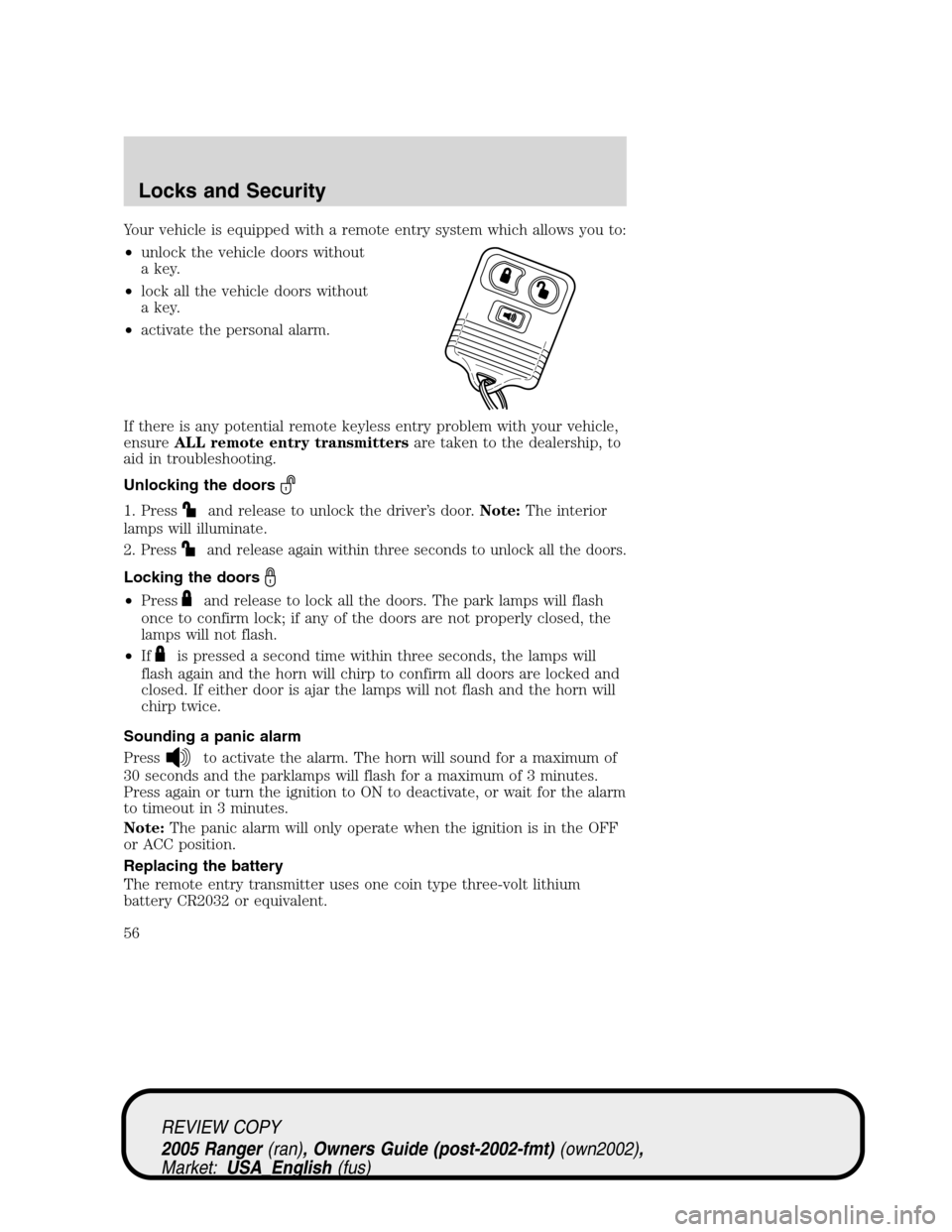
Your vehicle is equipped with a remote entry system which allows you to:
•unlock the vehicle doors without
a key.
•lock all the vehicle doors without
a key.
•activate the personal alarm.
If there is any potential remote keyless entry problem with your vehicle,
ensureALL remote entry transmittersare taken to the dealership, to
aid in troubleshooting.
Unlocking the doors
1. Pressand release to unlock the driver’s door.Note:The interior
lamps will illuminate.
2.
Pressand release again within three seconds to unlock all the doors.
Locking the doors
•Pressand release to lock all the doors. The park lamps will flash
once to confirm lock; if any of the doors are not properly closed, the
lamps will not flash.
•If
is pressed a second time within three seconds, the lamps will
flash again and the horn will chirp to confirm all doors are locked and
closed. If either door is ajar the lamps will not flash and the horn will
chirp twice.
Sounding a panic alarm
Press
to activate the alarm. The horn will sound for a maximum of
30 seconds and the parklamps will flash for a maximum of 3 minutes.
Press again or turn the ignition to ON to deactivate, or wait for the alarm
to timeout in 3 minutes.
Note:The panic alarm will only operate when the ignition is in the OFF
or ACC position.
Replacing the battery
The remote entry transmitter uses one coin type three-volt lithium
battery CR2032 or equivalent.
REVIEW COPY
2005 Ranger(ran), Owners Guide (post-2002-fmt)(own2002),
Market:USA_English(fus)
Locks and Security
56