reset FORD RANGER 2006 2.G User Guide
[x] Cancel search | Manufacturer: FORD, Model Year: 2006, Model line: RANGER, Model: FORD RANGER 2006 2.GPages: 256, PDF Size: 2.64 MB
Page 30 of 256
CD units are designed to play commercially pressed 4.75 in (12
cm) audio compact discs only. Due to technical incompatibility,
certain recordable and re-recordable compact discs may not
function correctly when used in Ford CD players. Irregular
shaped CDs, CDs with a scratch protection film attached, and CDs
with homemade paper (adhesive) labels should not be inserted
into the CD player. The label may peel and cause the CD to
become jammed. It is recommended that homemade CDs be
identified with permanent felt tip marker rather than adhesive
labels. Ballpoint pens may damage CDs. Please contact your
dealer for further information.
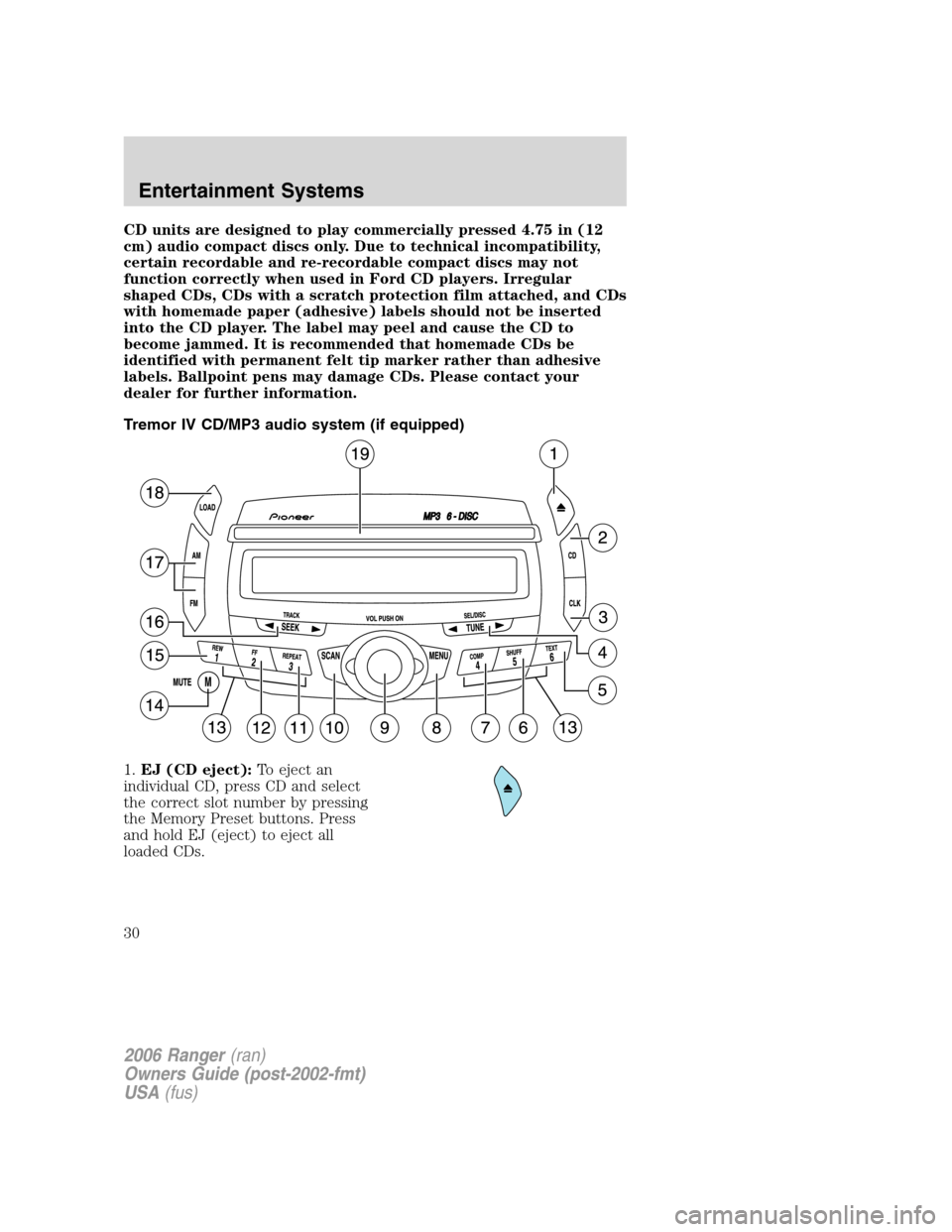
Tremor IV CD/MP3 audio system (if equipped)
1.EJ (CD eject):To eject an
individual CD, press CD and select
the correct slot number by pressing
the Memory Preset buttons. Press
and hold EJ (eject) to eject all
loaded CDs.
2006 Ranger(ran)
Owners Guide (post-2002-fmt)
USA(fus)
Entertainment Systems
30
Page 31 of 256
2.CD:Press to enter CD mode. If a
CD is already present in the system,
the disc will begin play.
3.CLK (Clock):Press CLK until
SELECT HOUR/SELECT MINUTE is
displayed. Press TUNE (
/)to
adjust the hours/minutes.
Press CLK to display the time when the ignition is off.
4.TUNE:In radio mode, press to
manually go up or down the radio
frequency, or to access another CD.
Also use in menu mode to select various settings.
5.TEXT:In MP3 music name/file
name mode, press to view the next
12 characters in the MP3 music
name/file name of the current MP3 track and directory.
6.SHUF (Shuffle):Press to play
the tracks on the current CD/MP3 in
random order. In MP3 directory
mode, press to play the tracks within the current directory in random
order.
7.COMP (Compression):In
CD/MP3 modes, press to bring soft
and loud passages together for a
more consistent listening level.
8.MENU:Press MENU to toggle
through the following modes
and
TUNEto make
adjustments in these modes.
Autoset:Allows you to set the strongest local radio stations without
losing your original manually set preset stations for AM/FM1/FM2. Press
MENU to access, use
TUNEto set. When the six strongest
stations are filled, the station stored in preset 1 will begin playing. If
there are less than six strong stations, the system will store the last one
in the remaining presets. Press
TUNEagain to disengage.
BASS:Press
TUNEto decrease/increase the bass levels.
2006 Ranger(ran)
Owners Guide (post-2002-fmt)
USA(fus)
Entertainment Systems
31
Page 32 of 256
TREB (treble):PressTUNEto decrease/increase the treble
levels.
BAL (Balance):Press
TUNEto adjust the audio between the
left and right speakers.
FADE:Press
TUNEto adjust the audio between the front and
rear speakers.
Flat file/directory mode:In MP3 mode, press
TUNEto select
Flat file mode or Directory mode.
Track number/normal music name/file name:Press
TUNEto
view by track number, music name or file name.
9.ON/OFF/VOL (Volume):Press
to turn the system ON/OFF. Turn to
adjust the volume levels.
If the volume is set above a certain
level and the ignition is turned off,
the volume will come back on at a “nominal” listening level when the
ignition is turned back on.
10.SCAN:In radio, CD and MP3
flat file mode, press for a brief
sampling of radio stations or
CD/MP3 tracks. In MP3 directory
mode, press to hear a brief sampling of all tracks in the current
directory. Press again to stop.
11.REPEAT:Press to repeat the
current CD/MP3 track. The selection
will repeat continuously until
deactivated. Press REPEAT again to deactivate.
12.FF (fast forward):Press to
manually advance in a CD track.
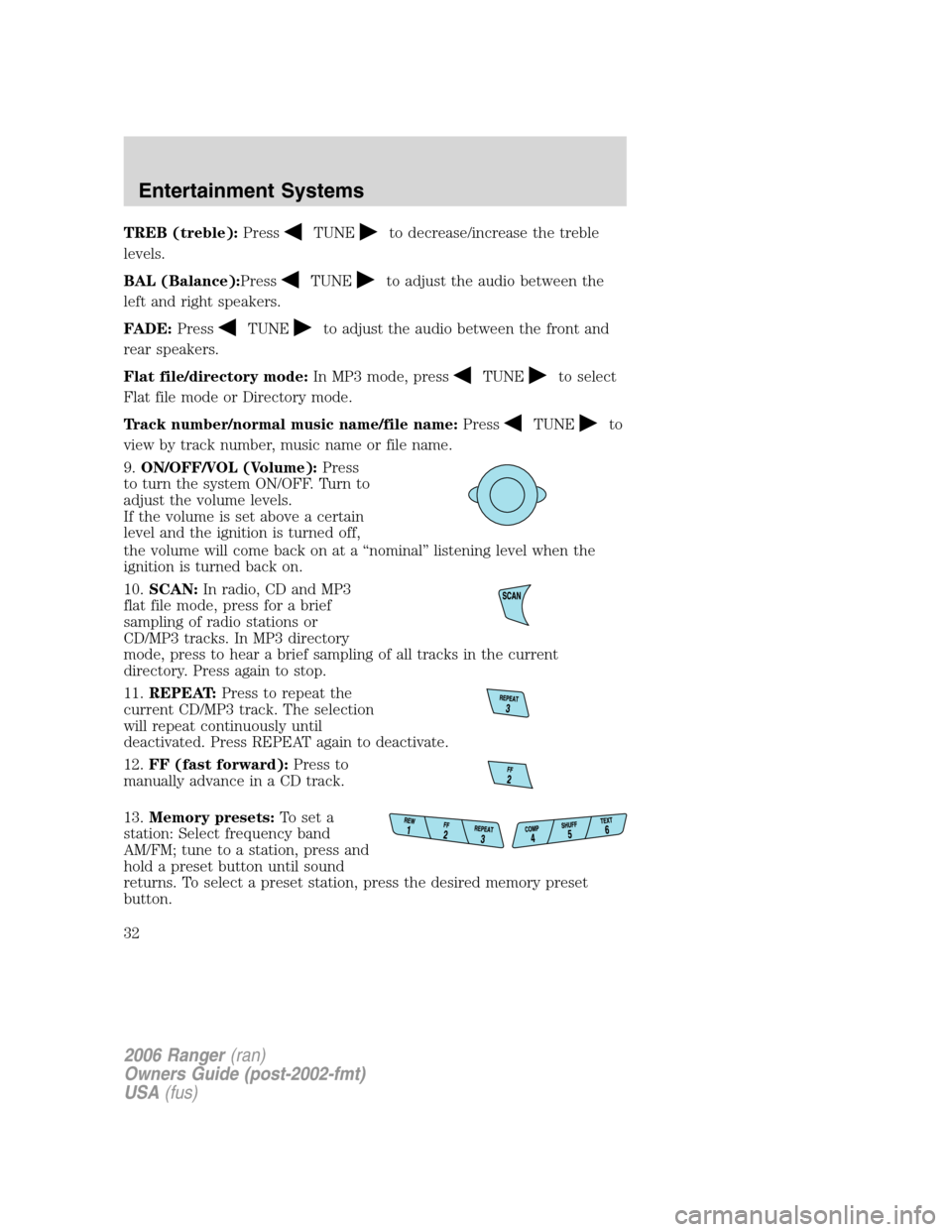
13.Memory presets:To set a
station: Select frequency band
AM/FM; tune to a station, press and
hold a preset button until sound
returns. To select a preset station, press the desired memory preset
button.
2006 Ranger(ran)
Owners Guide (post-2002-fmt)
USA(fus)
Entertainment Systems
32
Page 33 of 256
14.MUTE:Press to mute the
playing media. Press again to return
to the playing media.
15.REW (rewind):Press to
manually reverse a CD track.
16.SEEK:In radio, CD and MP3
flat file mode, press
/to
access the previous/next strong
station or track. In MP3 directory mode, press to select the next/previous
track in the current directory.
17.AM/FM:Press to select
AM/FM1/FM2 frequency band.
18.LOAD:To load a CD/MP3 disc
to a specific slot, press LOAD and
select the slot number by pressing
the Memory Preset buttons. Press
and hold LOAD to autoload up to
six discs.
19.CD slot:Insert a CD, label side
up.
GENERAL AUDIO INFORMATION
Radio frequencies:AM and FM frequencies are established by the
Federal Communications Commission (FCC) and the Canadian Radio and
Telecommunications Commission (CRTC). Those frequencies are:
AM - 530, 540–1700, 1710 kHz
FM- 87.7, 87.9–107.7, 107.9 MHz
2006 Ranger(ran)
Owners Guide (post-2002-fmt)
USA(fus)
Entertainment Systems
33
Page 143 of 256
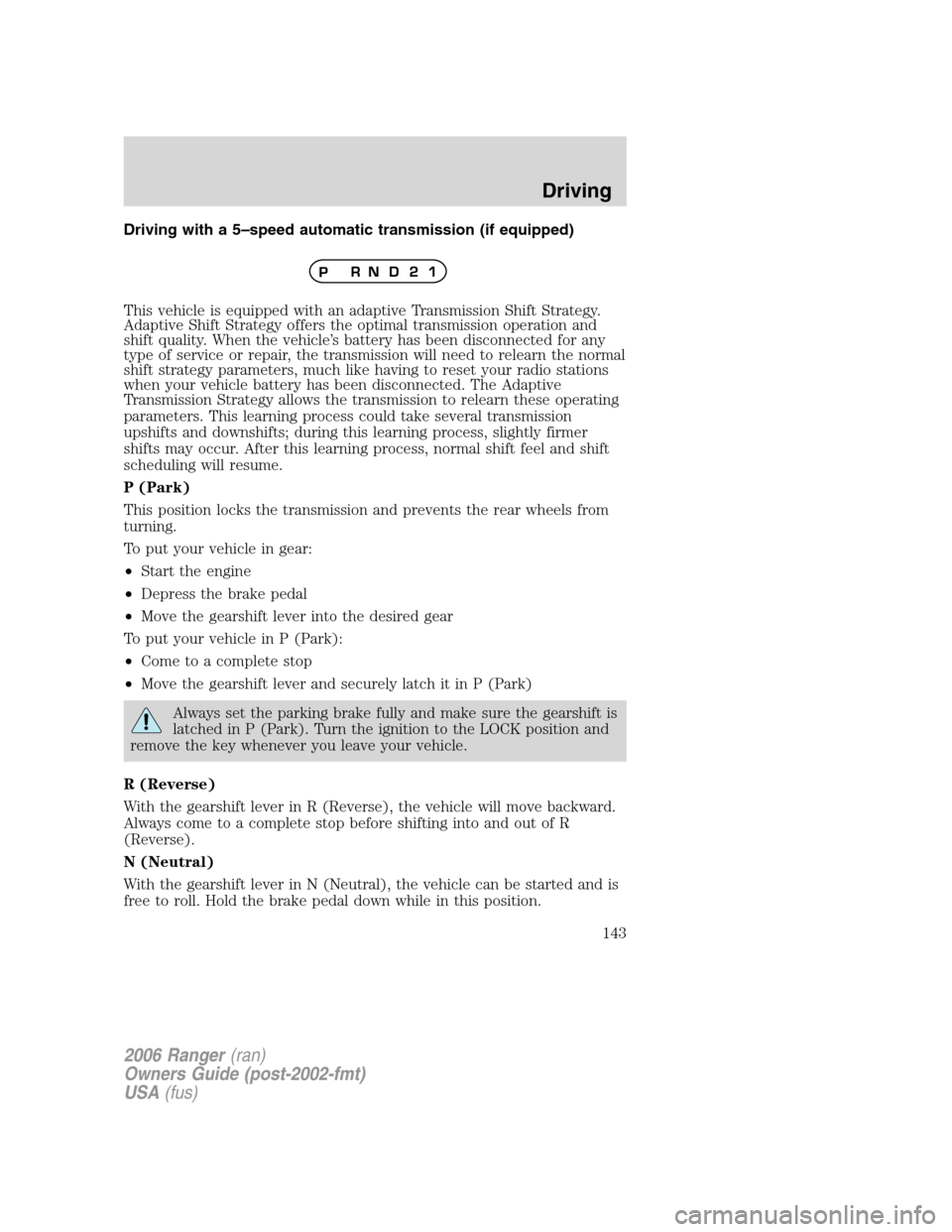
Driving with a 5–speed automatic transmission (if equipped)
This vehicle is equipped with an adaptive Transmission Shift Strategy.
Adaptive Shift Strategy offers the optimal transmission operation and
shift quality. When the vehicle’s battery has been disconnected for any
type of service or repair, the transmission will need to relearn the normal
shift strategy parameters, much like having to reset your radio stations
when your vehicle battery has been disconnected. The Adaptive
Transmission Strategy allows the transmission to relearn these operating
parameters. This learning process could take several transmission
upshifts and downshifts; during this learning process, slightly firmer
shifts may occur. After this learning process, normal shift feel and shift
scheduling will resume.
P (Park)
This position locks the transmission and prevents the rear wheels from
turning.
To put your vehicle in gear:
•Start the engine
•Depress the brake pedal
•Move the gearshift lever into the desired gear
To put your vehicle in P (Park):
•Come to a complete stop
•Move the gearshift lever and securely latch it in P (Park)
Always set the parking brake fully and make sure the gearshift is
latched in P (Park). Turn the ignition to the LOCK position and
remove the key whenever you leave your vehicle.
R (Reverse)
With the gearshift lever in R (Reverse), the vehicle will move backward.
Always come to a complete stop before shifting into and out of R
(Reverse).
N (Neutral)
With the gearshift lever in N (Neutral), the vehicle can be started and is
free to roll. Hold the brake pedal down while in this position.
2006 Ranger(ran)
Owners Guide (post-2002-fmt)
USA(fus)
Driving
143
Page 160 of 256
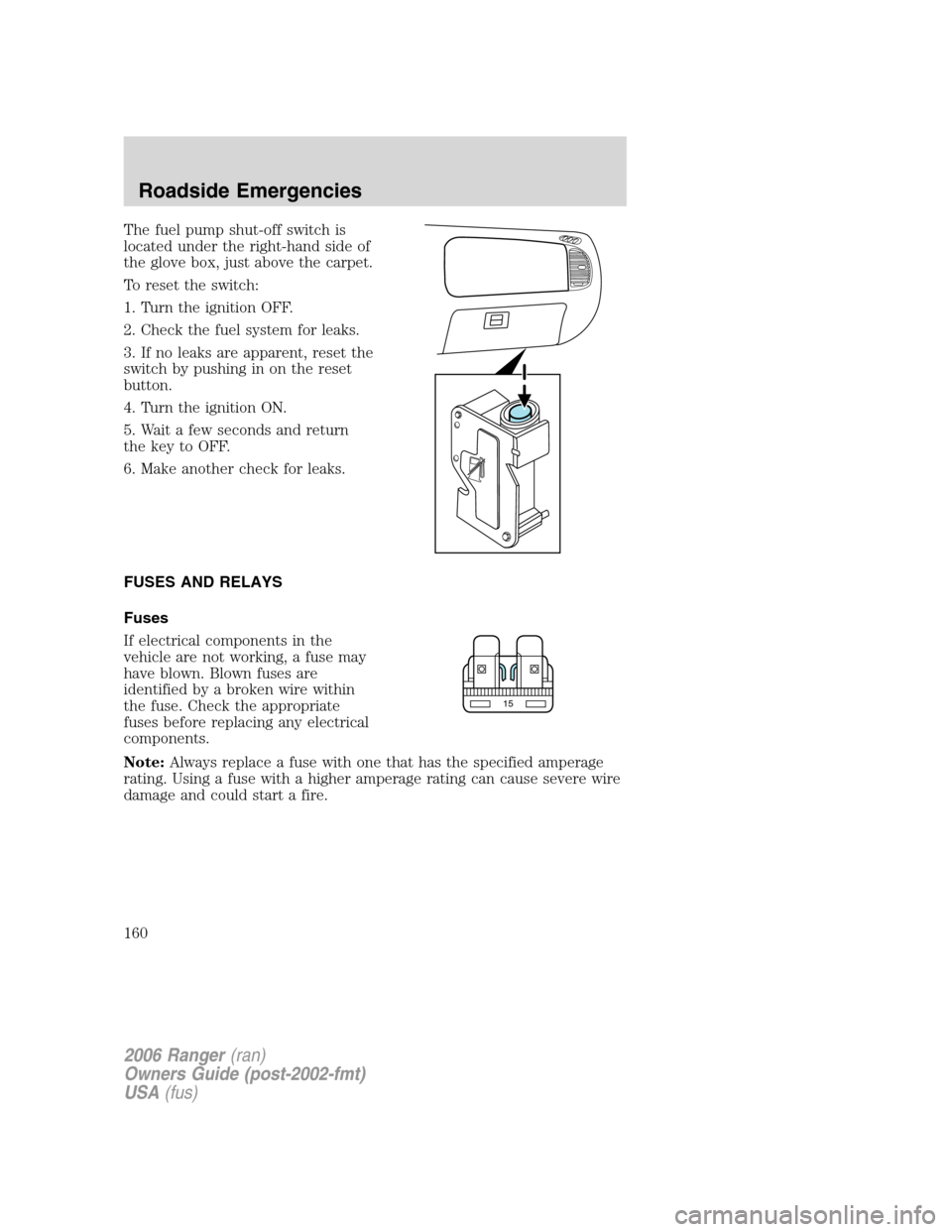
The fuel pump shut-off switch is
located under the right-hand side of
the glove box, just above the carpet.
To reset the switch:
1. Turn the ignition OFF.
2. Check the fuel system for leaks.
3. If no leaks are apparent, reset the
switch by pushing in on the reset
button.
4. Turn the ignition ON.
5. Wait a few seconds and return
the key to OFF.
6. Make another check for leaks.
FUSES AND RELAYS
Fuses
If electrical components in the
vehicle are not working, a fuse may
have blown. Blown fuses are
identified by a broken wire within
the fuse. Check the appropriate
fuses before replacing any electrical
components.
Note:Always replace a fuse with one that has the specified amperage
rating. Using a fuse with a higher amperage rating can cause severe wire
damage and could start a fire.
15
2006 Ranger(ran)
Owners Guide (post-2002-fmt)
USA(fus)
Roadside Emergencies
160
Page 213 of 256
If the battery has been disconnected or a new battery has been installed,
the clock and the preset radio stations must be reset once the battery is
reconnected.
•Always dispose of automotive
batteries in a responsible manner.
Follow your local authorized
standards for disposal. Call your
local authorized recycling center
to find out more about recycling
automotive batteries.
ENGINE COOLANT
Checking engine coolant
The concentration and level of engine coolant should be checked at the
intervals listed in thescheduled maintenance information.The coolant
concentration should be maintained at 50/50 coolant and distilled water,
which equates to a freeze point of -34°F (-36°C). Coolant concentration
testing is possible with a hydrometer or antifreeze tester (such as the
Rotunda Battery and Antifreeze Tester, 014–R1060). The level of coolant
should be maintained at the “FULL COLD” level or within the “COLD
FILL RANGE” in the coolant reservoir. If the level falls below, add
coolant per the instructions in theAdding engine coolantsection.
Your vehicle was factory-filled with a 50/50 engine coolant and water
concentration. If the concentration of coolant falls below 40% or above
60%, the engine parts could become damaged or not work properly.A
50–50 mixture of coolant and water provides the following:
•Freeze protection down to -34°F (-36°C).
•Boiling protection up to 265°F (129°C).
•Protection against rust and other forms of corrosion.
•Enables calibrated gauges to work properly.
L
E
A
D
RETURN
RECYCLE
2006 Ranger(ran)
Owners Guide (post-2002-fmt)
USA(fus)
Maintenance and Specifications
213
Page 229 of 256
If the vehicle’s powertrain system or its battery has just been serviced,
the on-board diagnostics system is reset to a “not ready for I/M test”
condition. To ready the on-board diagnostics system for I/M testing, a
minimum of 30 minutes of city and highway driving is necessary as
described below:
•First, at least 10 minutes of driving on an expressway or highway.
•Next, at least 20 minutes driving in stop-and-go, city-type traffic with
at least four idle periods.
Allow the vehicle to sit for at least eight hours without starting the
engine. Then, start the engine and complete the above driving cycle. The
engine must warm up to its normal operating temperature. Once started,
do not turn off the engine until the above driving cycle is complete.
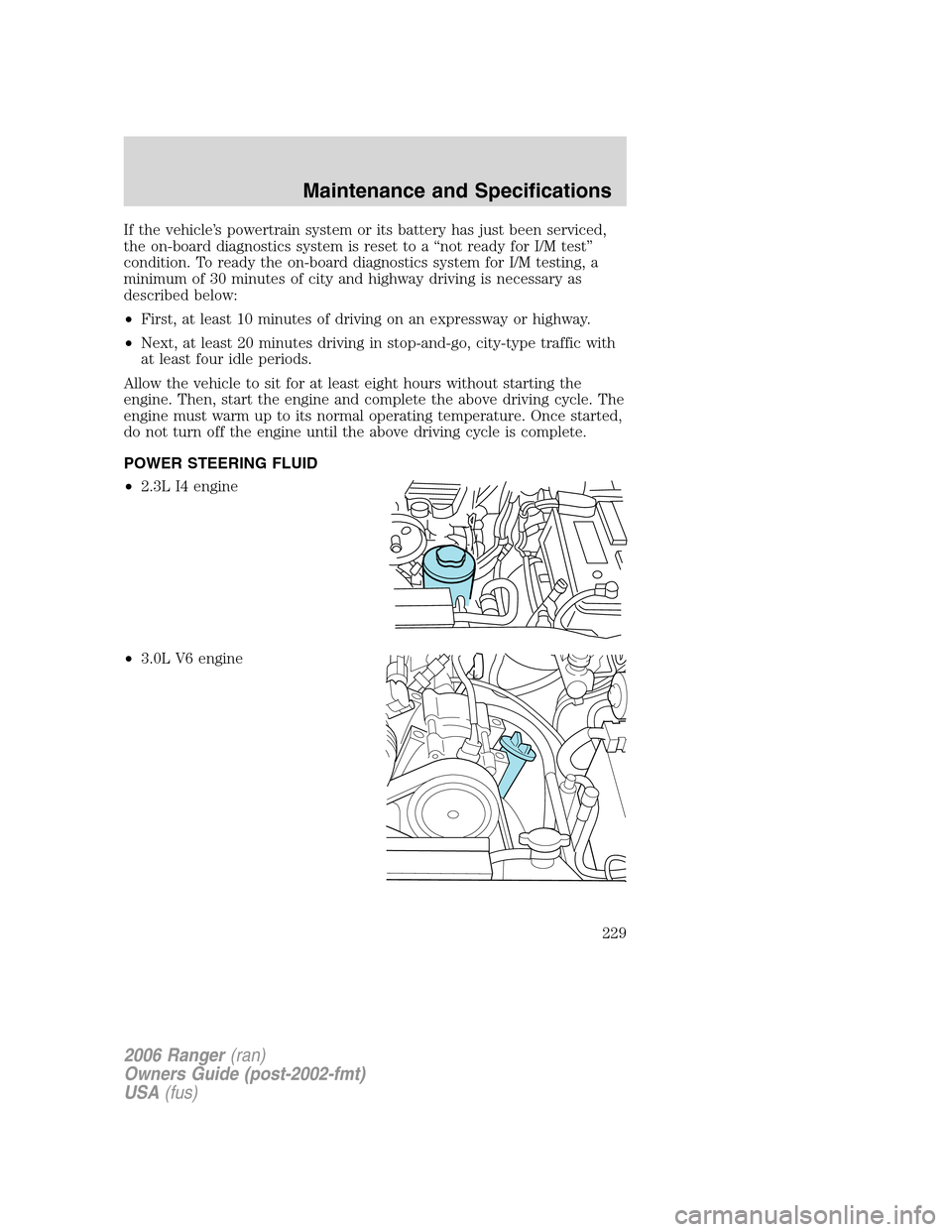
POWER STEERING FLUID
•2.3L I4 engine
•3.0L V6 engine
2006 Ranger(ran)
Owners Guide (post-2002-fmt)
USA(fus)
Maintenance and Specifications
229