audio FORD RANGER 2007 2.G User Guide
[x] Cancel search | Manufacturer: FORD, Model Year: 2007, Model line: RANGER, Model: FORD RANGER 2007 2.GPages: 280, PDF Size: 2.9 MB
Page 32 of 280
CD units are designed to play commercially pressed 4.75 in (12
cm) audio compact discs only. Due to technical incompatibility,
certain recordable and re-recordable compact discs may not
function correctly when used in Ford CD players. Irregular
shaped CDs, CDs with a scratch protection film attached, and CDs
with homemade paper (adhesive) labels should not be inserted
into the CD player. The label may peel and cause the CD to
become jammed. It is recommended that homemade CDs be
identified with permanent felt tip marker rather than adhesive
labels. Ballpoint pens may damage CDs. Please contact your
authorized dealer for further information.
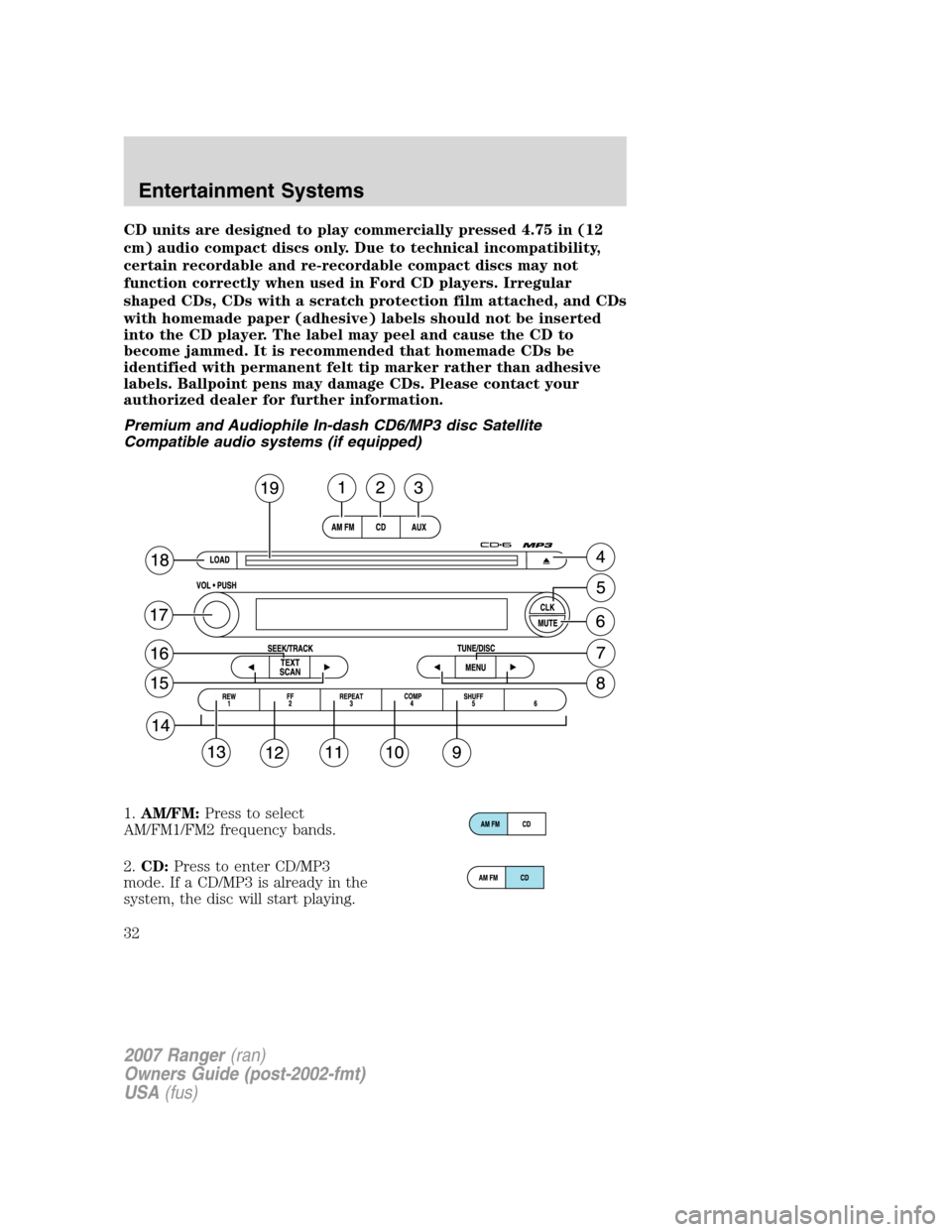
Premium and Audiophile In-dash CD6/MP3 disc Satellite
Compatible audio systems (if equipped)
1.AM/FM: Press to select
AM/FM1/FM2 frequency bands.
2. CD: Press to enter CD/MP3
mode. If a CD/MP3 is already in the
system, the disc will start playing.
2007 Ranger (ran)
Owners Guide (post-2002-fmt)
USA (fus)
Entertainment Systems
32
Page 33 of 280
3.AUX: Press AUX to cycle through
SAT1, SAT2, SAT3 (Satellite radio
modes, if equipped) and LINE IN
(Auxiliary audio mode, if equipped).
To return to radio mode, press AM/FM.
Satellite radio is available only with a valid SIRIUS subscription.
Check with your authorized dealer for availability.
4. EJ (CD eject): To eject an
individual CD/MP3, press the eject
control and select the correct slot
number by pressing the corresponding memory preset. Press and hold to
eject all loaded CDs.
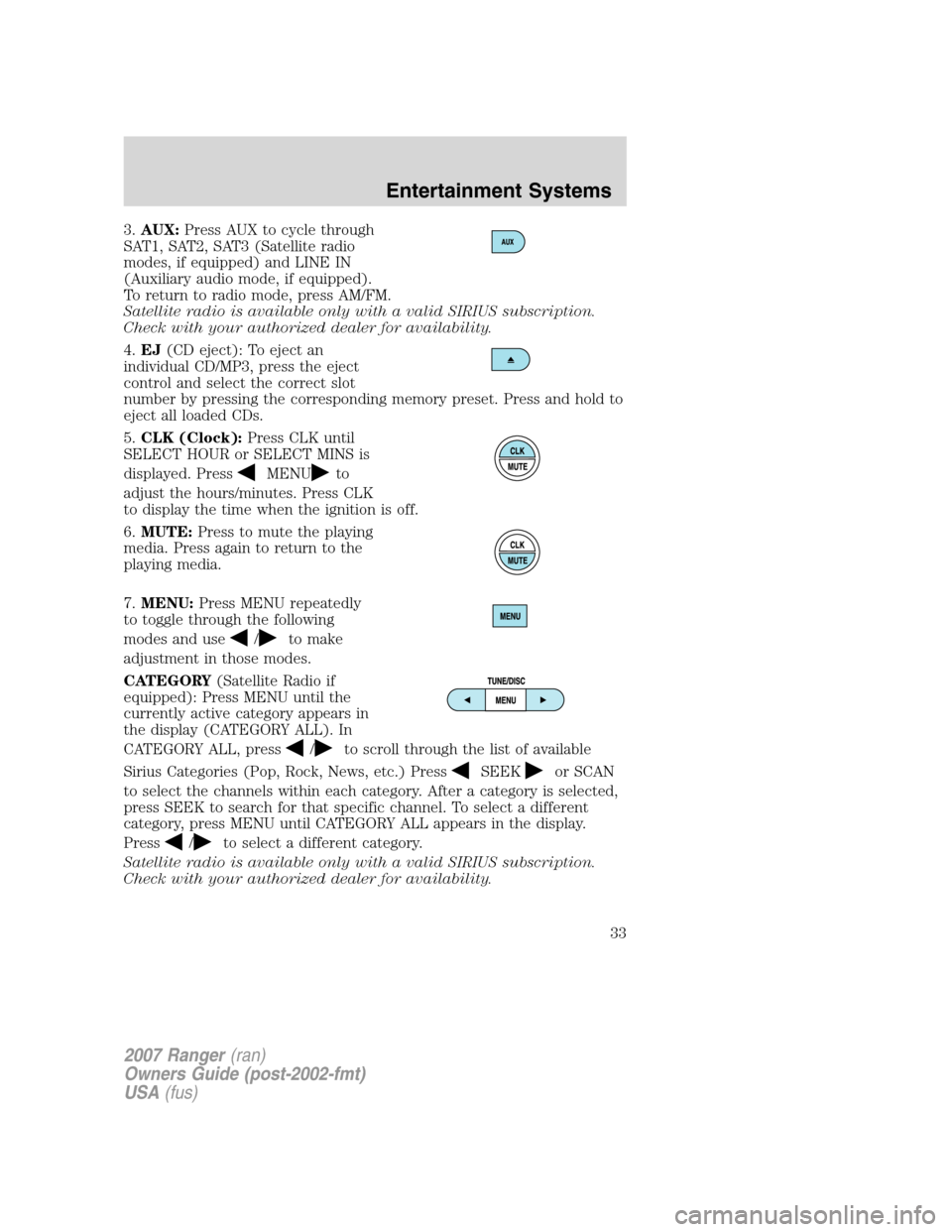
5. CLK (Clock): Press CLK until
SELECT HOUR or SELECT MINS is
displayed. Press
MENUto
adjust the hours/minutes. Press CLK
to display the time when the ignition is off.
6. MUTE: Press to mute the playing
media. Press again to return to the
playing media.
7. MENU: Press MENU repeatedly
to toggle through the following
modes and use
/to make
adjustment in those modes.
CATEGORY (Satellite Radio if
equipped): Press MENU until the
currently active category appears in
the display (CATEGORY ALL). In
CATEGORY ALL, press
/to scroll through the list of available
Sirius Categories (Pop, Rock, News, etc.) Press
SEEKor SCAN
to select the channels within each category. After a category is selected,
press SEEK to search for that specific channel. To select a different
category, press MENU until CATEGORY ALL appears in the display.
Press
/to select a different category.
Satellite radio is available only with a valid SIRIUS subscription.
Check with your authorized dealer for availability.
2007 Ranger (ran)
Owners Guide (post-2002-fmt)
USA (fus)
Entertainment Systems
33
Page 34 of 280
Autoset:Allows you to set the strongest local radio stations without
losing your original manually set preset stations for AM/FM1/FM2 . Press
MENU to access. Use
MENUto set.
When the six strongest stations are filled, the station stored in preset 1
will begin playing. If there are less than six strong stations, the system
will store the last one in the remaining presets.
Bass:Press
MENUto decrease/increase the bass setting.
Treble:Press
MENUto decrease/increase the treble setting.
Balance:Press
MENUto adjust the audio between the left and
right speakers.
Fade:Press
MENUto adjust the audio between the front and
rear speakers.
Next/previous directory:In MP3 mode, press MENU
/to go to
the previous/next directory.
Flat file/directory mode:In MP3 mode, press MENU to access this
feature. Use
MENUto select flat file mode or directory mode.
Track #/ normal music name/file name:Press MENU to access and
use
/to scroll through MP3 display options (track #, normal music
name or file name).
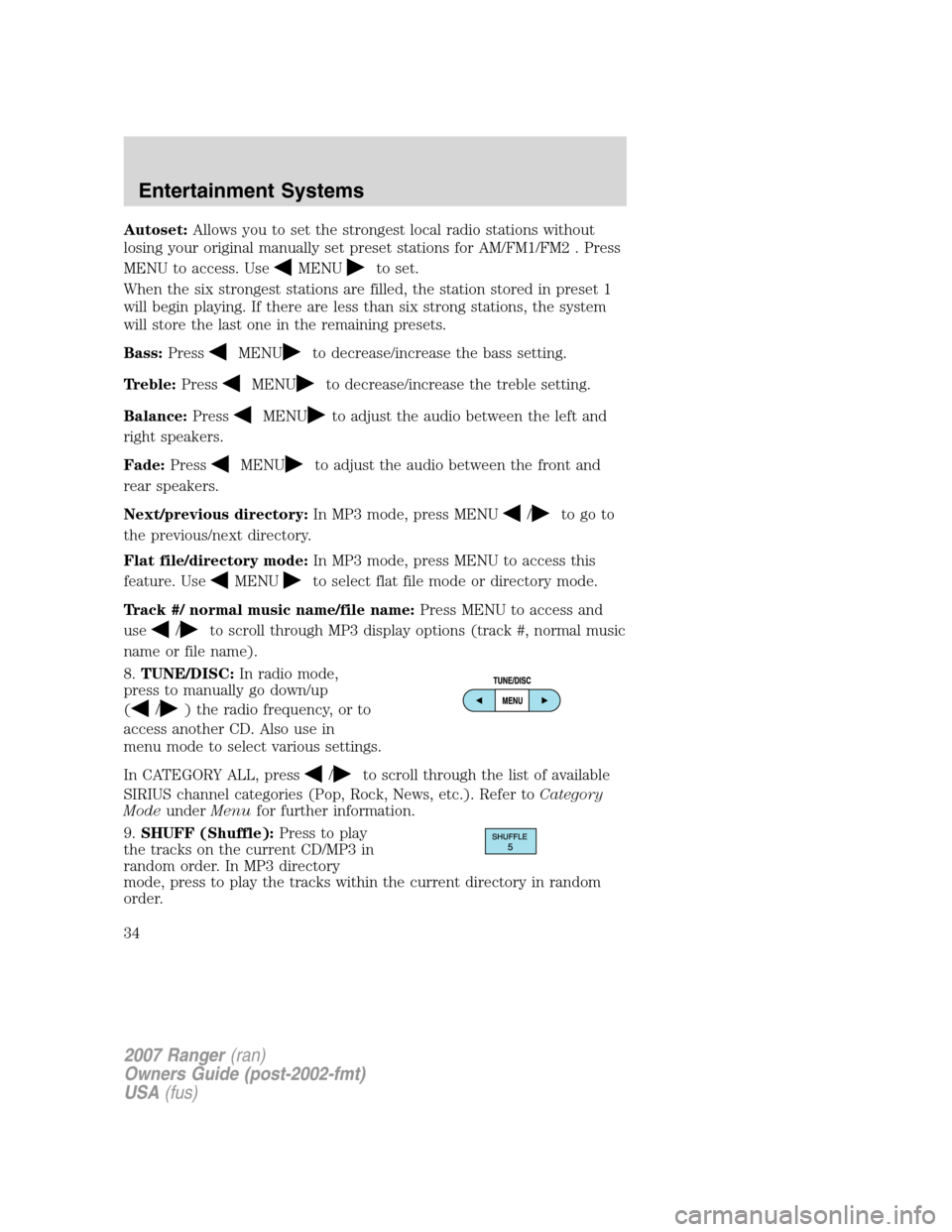
8.TUNE/DISC:In radio mode,
press to manually go down/up
(
/) the radio frequency, or to
access another CD. Also use in
menu mode to select various settings.
In CATEGORY ALL, press
/to scroll through the list of available
SIRIUS channel categories (Pop, Rock, News, etc.). Refer toCategory
ModeunderMenufor further information.
9.SHUFF (Shuffle):Press to play
the tracks on the current CD/MP3 in
random order. In MP3 directory
mode, press to play the tracks within the current directory in random
order.
2007 Ranger(ran)
Owners Guide (post-2002-fmt)
USA(fus)
Entertainment Systems
34
Page 37 of 280
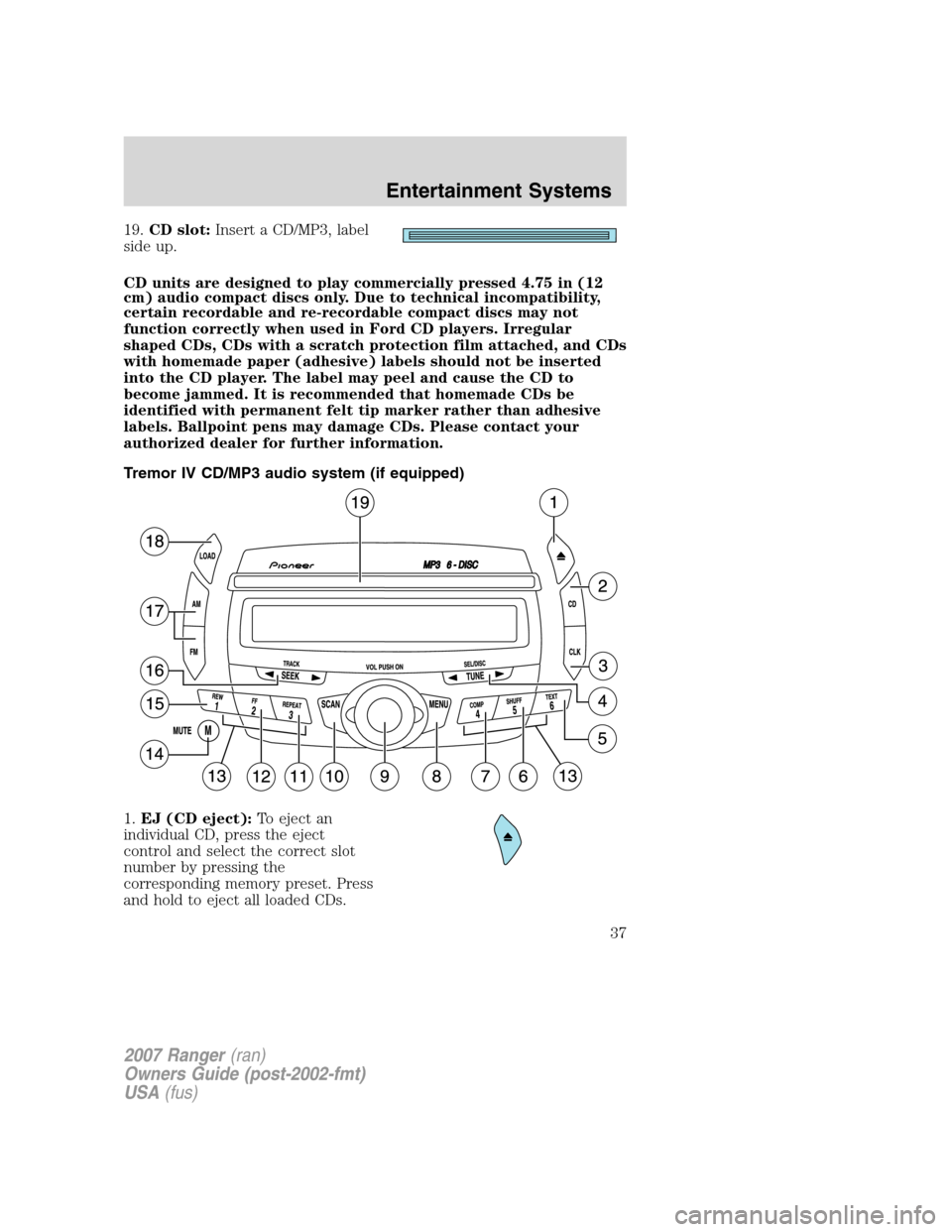
19.CD slot: Insert a CD/MP3, label
side up.
CD units are designed to play commercially pressed 4.75 in (12
cm) audio compact discs only. Due to technical incompatibility,
certain recordable and re-recordable compact discs may not
function correctly when used in Ford CD players. Irregular
shaped CDs, CDs with a scratch protection film attached, and CDs
with homemade paper (adhesive) labels should not be inserted
into the CD player. The label may peel and cause the CD to
become jammed. It is recommended that homemade CDs be
identified with permanent felt tip marker rather than adhesive
labels. Ballpoint pens may damage CDs. Please contact your
authorized dealer for further information.
Tremor IV CD/MP3 audio system (if equipped)
1. EJ (CD eject): To eject an
individual CD, press the eject
control and select the correct slot
number by pressing the
corresponding memory preset. Press
and hold to eject all loaded CDs.
2007 Ranger (ran)
Owners Guide (post-2002-fmt)
USA (fus)
Entertainment Systems
37
Page 39 of 280
TREB (treble):PressTUNEto decrease/increase the treble levels.
BAL (Balance):PressTUNEto adjust the audio between the
left and right speakers.
FADE: Press
TUNEto adjust the audio between the front and
rear speakers.
Next/previous directory: In MP3 mode, press
TUNEto go to
the previous/next directory.
Flat file/directory mode: In MP3 mode, press
TUNEto select
Flat file mode or Directory mode.
Track number/normal music name/file name: Press
TUNEto
view by track number, music name or file name.
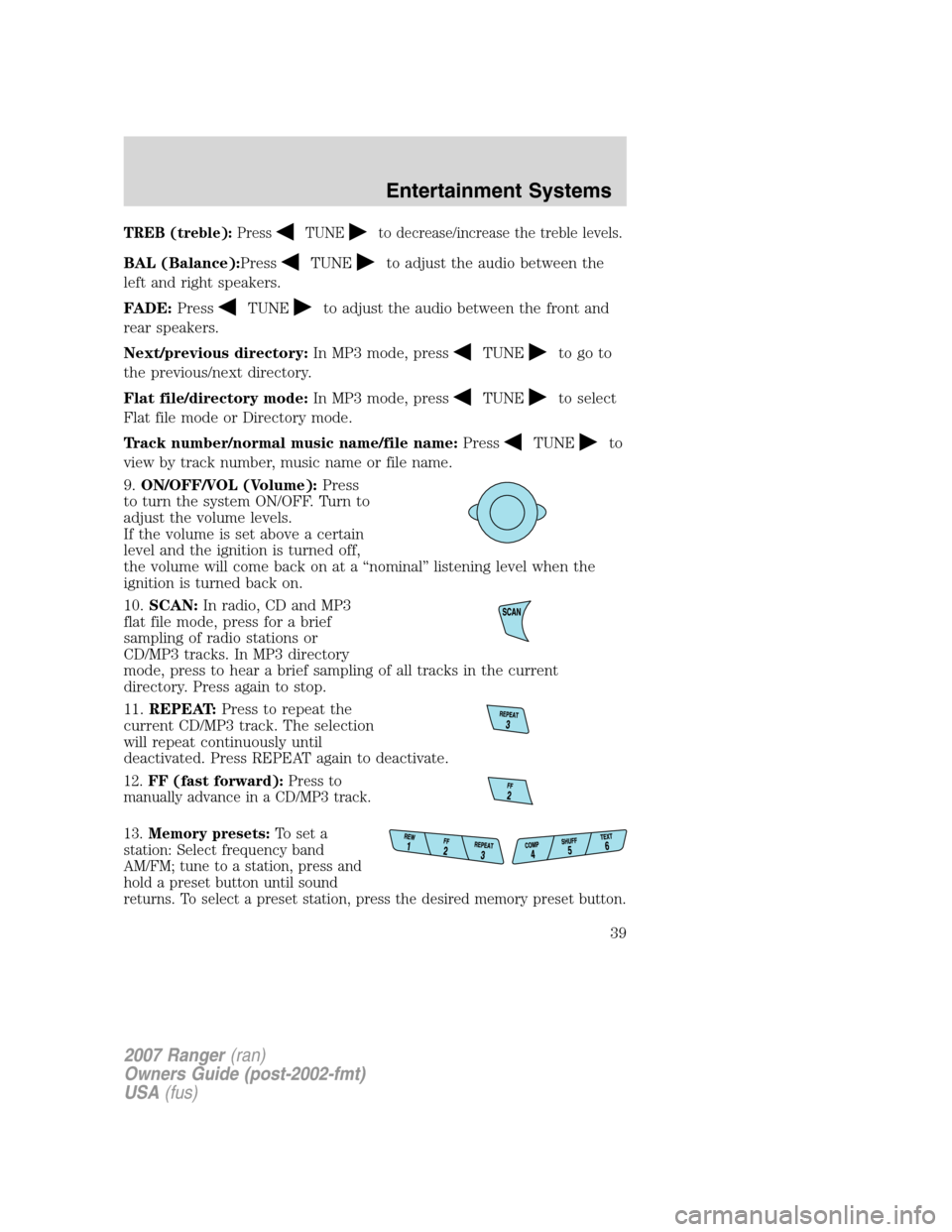
9. ON/OFF/VOL (Volume): Press
to turn the system ON/OFF. Turn to
adjust the volume levels.
If the volume is set above a certain
level and the ignition is turned off,
the volume will come back on at a “nominal” listening level when the
ignition is turned back on.
10. SCAN: In radio, CD and MP3
flat file mode, press for a brief
sampling of radio stations or
CD/MP3 tracks. In MP3 directory
mode, press to hear a brief sampling of all tracks in the current
directory. Press again to stop.
11. REPEAT: Press to repeat the
current CD/MP3 track. The selection
will repeat continuously until
deactivated. Press REPEAT again to deactivate.
12. FF (fast forward): Press to
manually advance in a CD/MP3 track.
13. Memory presets: To set a
station: Select frequency band
AM/FM; tune to a station, press and
hold a preset button until sound
returns. To select a preset station, press the desired memory preset button.
2007 Ranger (ran)
Owners Guide (post-2002-fmt)
USA (fus)
Entertainment Systems
39
Page 41 of 280
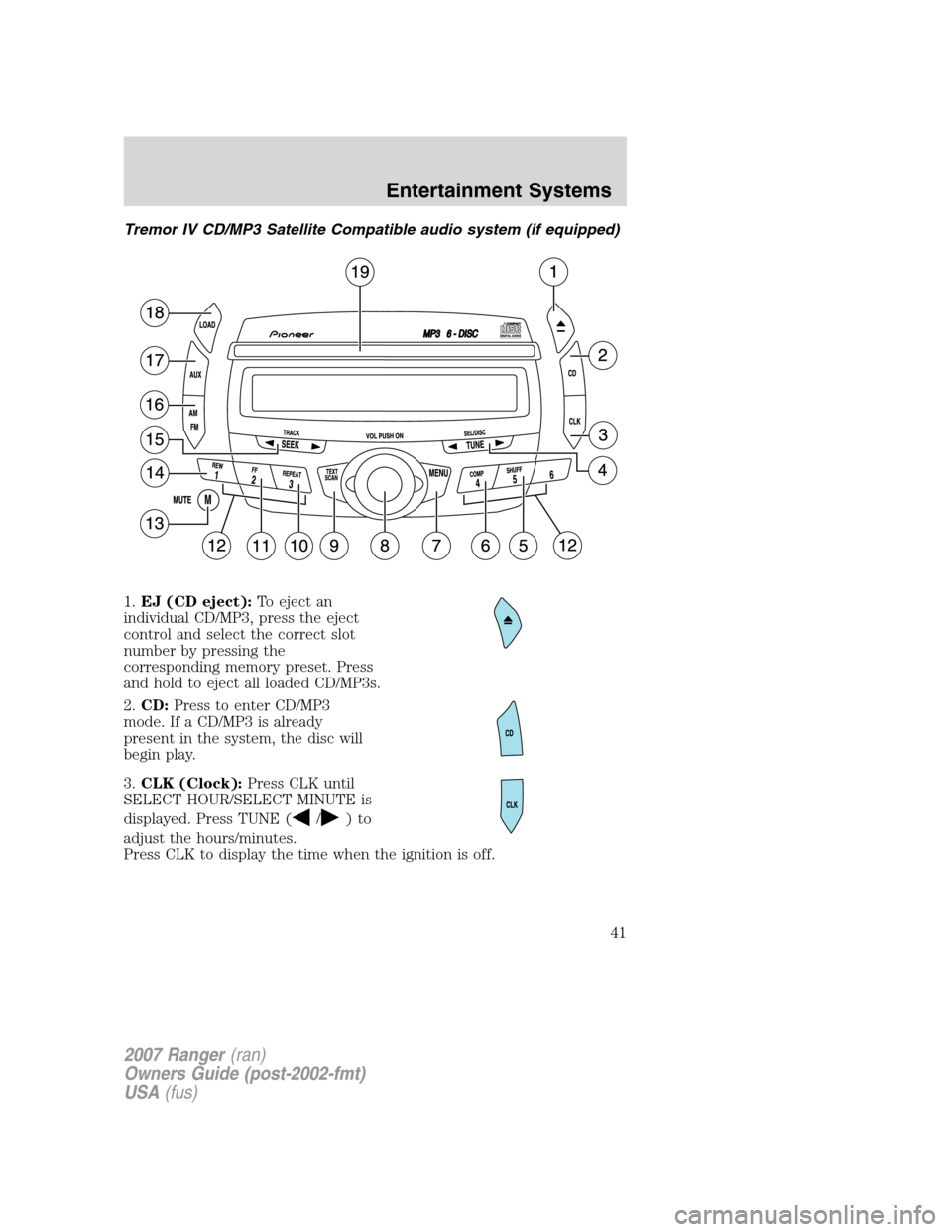
Tremor IV CD/MP3 Satellite Compatible audio system (if equipped)
1.EJ (CD eject): To eject an
individual CD/MP3, press the eject
control and select the correct slot
number by pressing the
corresponding memory preset. Press
and hold to eject all loaded CD/MP3s.
2. CD: Press to enter CD/MP3
mode. If a CD/MP3 is already
present in the system, the disc will
begin play.
3. CLK (Clock): Press CLK until
SELECT HOUR/SELECT MINUTE is
displayed. Press TUNE (
/)to
adjust the hours/minutes.
Press CLK to display the time when the ignition is off.
2007 Ranger (ran)
Owners Guide (post-2002-fmt)
USA (fus)
Entertainment Systems
41
Page 43 of 280
BASS:PressTUNEto decrease/increase the bass levels.
TREB (treble): Press
TUNEto decrease/increase the treble
levels.
BAL (Balance): Press
TUNEto adjust the audio between the
left and right speakers.
FADE: Press
TUNEto adjust the audio between the front and
rear speakers.
Next/previous directory: In MP3 mode, press
TUNEto go to
the previous/next directory.
Flat file/directory mode: In MP3 mode, press
TUNEto select
Flat file mode or Directory mode.
Track number/normal music name/file name: Press
TUNEto
view by track number, music name or file name.
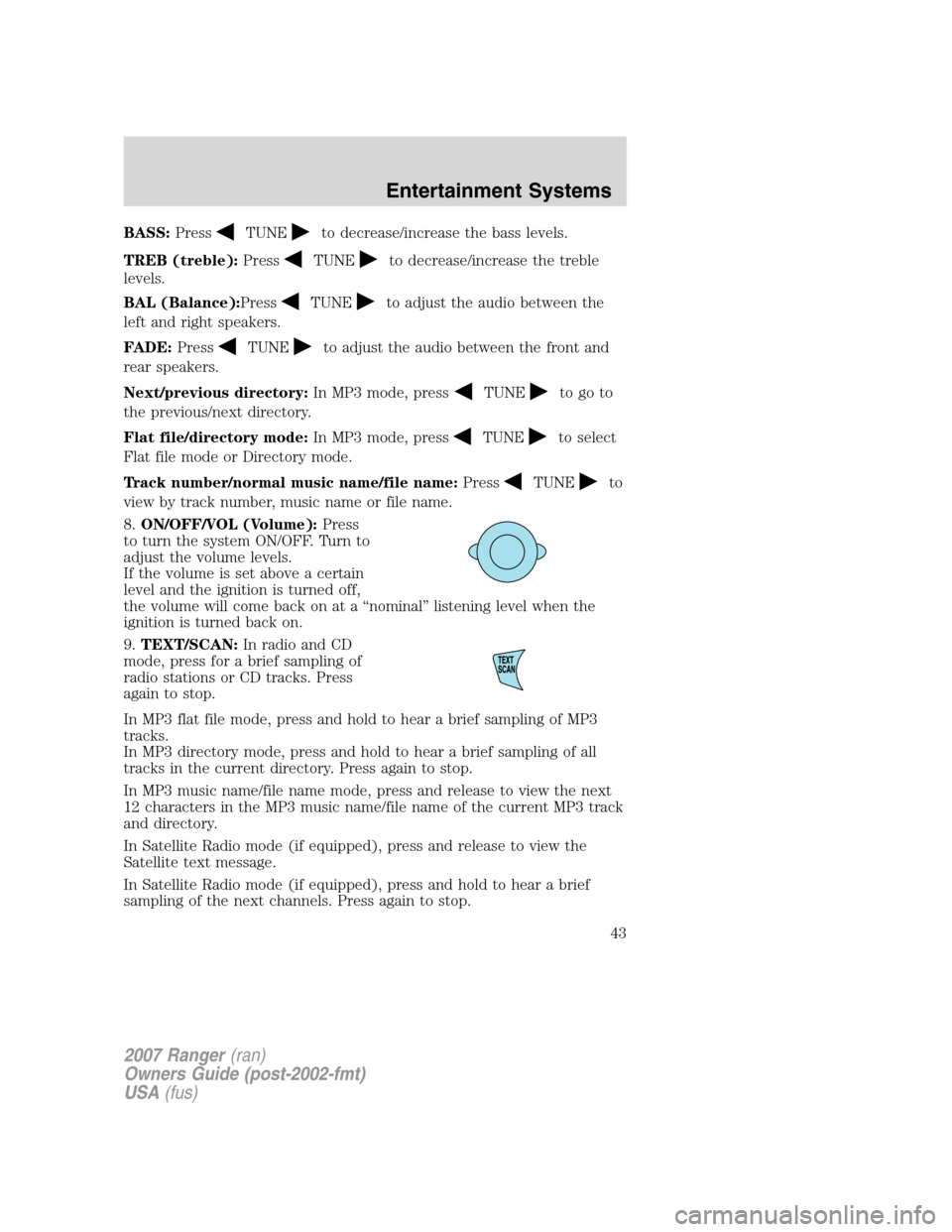
8. ON/OFF/VOL (Volume): Press
to turn the system ON/OFF. Turn to
adjust the volume levels.
If the volume is set above a certain
level and the ignition is turned off,
the volume will come back on at a “nominal” listening level when the
ignition is turned back on.
9. TEXT/SCAN: In radio and CD
mode, press for a brief sampling of
radio stations or CD tracks. Press
again to stop.
In MP3 flat file mode, press and hold to hear a brief sampling of MP3
tracks.
In MP3 directory mode, press and hold to hear a brief sampling of all
tracks in the current directory. Press again to stop.
In MP3 music name/file name mode, press and release to view the next
12 characters in the MP3 music name/file name of the current MP3 track
and directory.
In Satellite Radio mode (if equipped), press and release to view the
Satellite text message.
In Satellite Radio mode (if equipped), press and hold to hear a brief
sampling of the next channels. Press again to stop.
2007 Ranger (ran)
Owners Guide (post-2002-fmt)
USA (fus)
Entertainment Systems
43
Page 45 of 280
In TEXT MODE, pressSEEKto view the previous/additional
display text.
In CATEGORY ALL, press
TUNEto select a category.
In CATEGORY MODE, press
SEEKto select a channel within
that category.
Satellite radio is available only with a valid SIRIUS subscription.
Check with your authorized dealer for availability.
16. AM/FM: Press to select
AM/FM1/FM2 frequency band.
17. AUX: Press to cycle through
SAT1, SAT2, SAT3 (Satellite radio
modes, if equipped) and LINE IN
(Auxiliary audio mode, if equipped).
To return to radio mode, press
AM/FM.
Satellite radio is available only
with a valid SIRIUS subscription.
Check with your authorized dealer for availability.
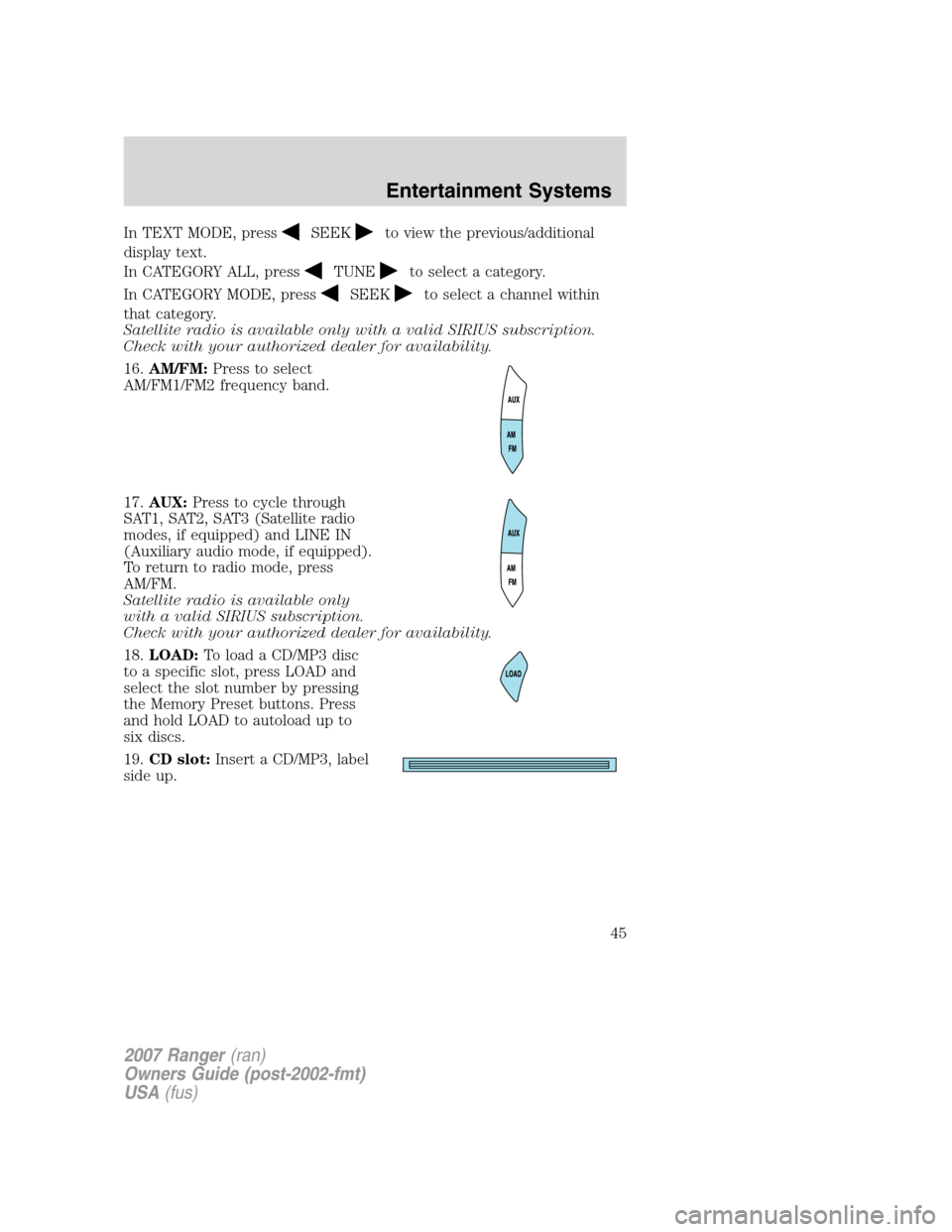
18. LOAD: To load a CD/MP3 disc
to a specific slot, press LOAD and
select the slot number by pressing
the Memory Preset buttons. Press
and hold LOAD to autoload up to
six discs.
19. CD slot: Insert a CD/MP3, label
side up.
2007 Ranger (ran)
Owners Guide (post-2002-fmt)
USA (fus)
Entertainment Systems
45
Page 46 of 280
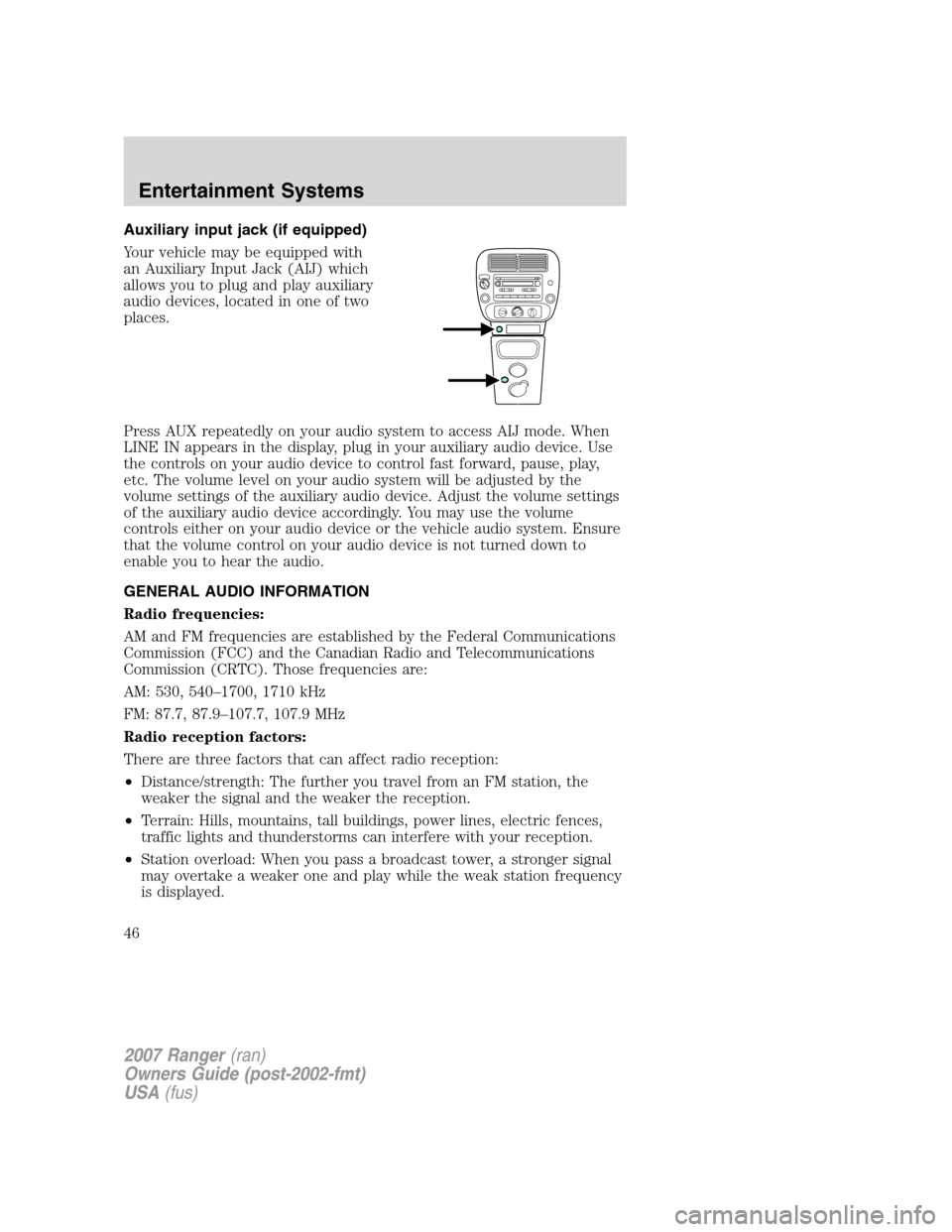
Auxiliary input jack (if equipped)
Your vehicle may be equipped with
an Auxiliary Input Jack (AIJ) which
allows you to plug and play auxiliary
audio devices, located in one of two
places.
Press AUX repeatedly on your audio system to access AIJ mode. When
LINE IN appears in the display, plug in your auxiliary audio device. Use
the controls on your audio device to control fast forward, pause, play,
etc. The volume level on your audio system will be adjusted by the
volume settings of the auxiliary audio device. Adjust the volume settings
of the auxiliary audio device accordingly. You may use the volume
controls either on your audio device or the vehicle audio system. Ensure
that the volume control on your audio device is not turned down to
enable you to hear the audio.
GENERAL AUDIO INFORMATION
Radio frequencies:
AM and FM frequencies are established by the Federal Communications
Commission (FCC) and the Canadian Radio and Telecommunications
Commission (CRTC). Those frequencies are:
AM: 530, 540–1700, 1710 kHz
FM: 87.7, 87.9–107.7, 107.9 MHz
Radio reception factors:
There are three factors that can affect radio reception:
•Distance/strength: The further you travel from an FM station, the
weaker the signal and the weaker the reception.
• Terrain: Hills, mountains, tall buildings, power lines, electric fences,
traffic lights and thunderstorms can interfere with your reception.
• Station overload: When you pass a broadcast tower, a stronger signal
may overtake a weaker one and play while the weak station frequency
is displayed.
2007 Ranger (ran)
Owners Guide (post-2002-fmt)
USA (fus)
Entertainment Systems
46
Page 47 of 280
CD/CD player care
Do:
•Handle discs by their edges only. Never touch the playing surface.
•Inspect discs before playing. Clean only with an approved CD cleaner
and wipe from the center out.
Don’t:
•Expose discs to direct sunlight or heat sources for extended periods
of time.
•Clean using a circular motion.
CD units are designed to play commercially pressed 4.75 in (12
cm) audio compact discs only. Due to technical incompatibility,
certain recordable and re-recordable compact discs may not
function correctly when used in Ford CD players. Irregular
shaped CDs, CDs with a scratch protection film attached, and CDs
with homemade paper (adhesive) labels should not be inserted
into the CD player. The label may peel and cause the CD to
become jammed. It is recommended that homemade CDs be
identified with permanent felt tip marker rather than adhesive
labels. Ballpoint pens may damage CDs. Please contact your
authorized dealer for further information.
Audio system warranty and service
Refer to theWarranty Guidefor audio system warranty information. If
service is necessary, see your dealer or qualified technician.
Satellite radio information (if equipped)
Satellite radio channels:Satellite radio frequencies are established by
the Federal Communications Commission (FCC). SIRIUS Satellite Radio
broadcasts within a frequency range of 2320.0 MHz-2332.5 MHz. This
frequency range is sub-divided into over 120 channels of music, news,
sports, weather and traffic programming. For a complete set of SIRIUS
Satellite Radio channels, visit www.sirius.com or call SIRIUS at
1–888–539–7474. For a quick reference of the SIRIUS Satellite Radio
channel guide, refer to theSirius Welcome Kit.
2007 Ranger(ran)
Owners Guide (post-2002-fmt)
USA(fus)
Entertainment Systems
47