height FORD RANGER 2019 User Guide
[x] Cancel search | Manufacturer: FORD, Model Year: 2019, Model line: RANGER, Model: FORD RANGER 2019Pages: 512, PDF Size: 7.63 MB
Page 124 of 512
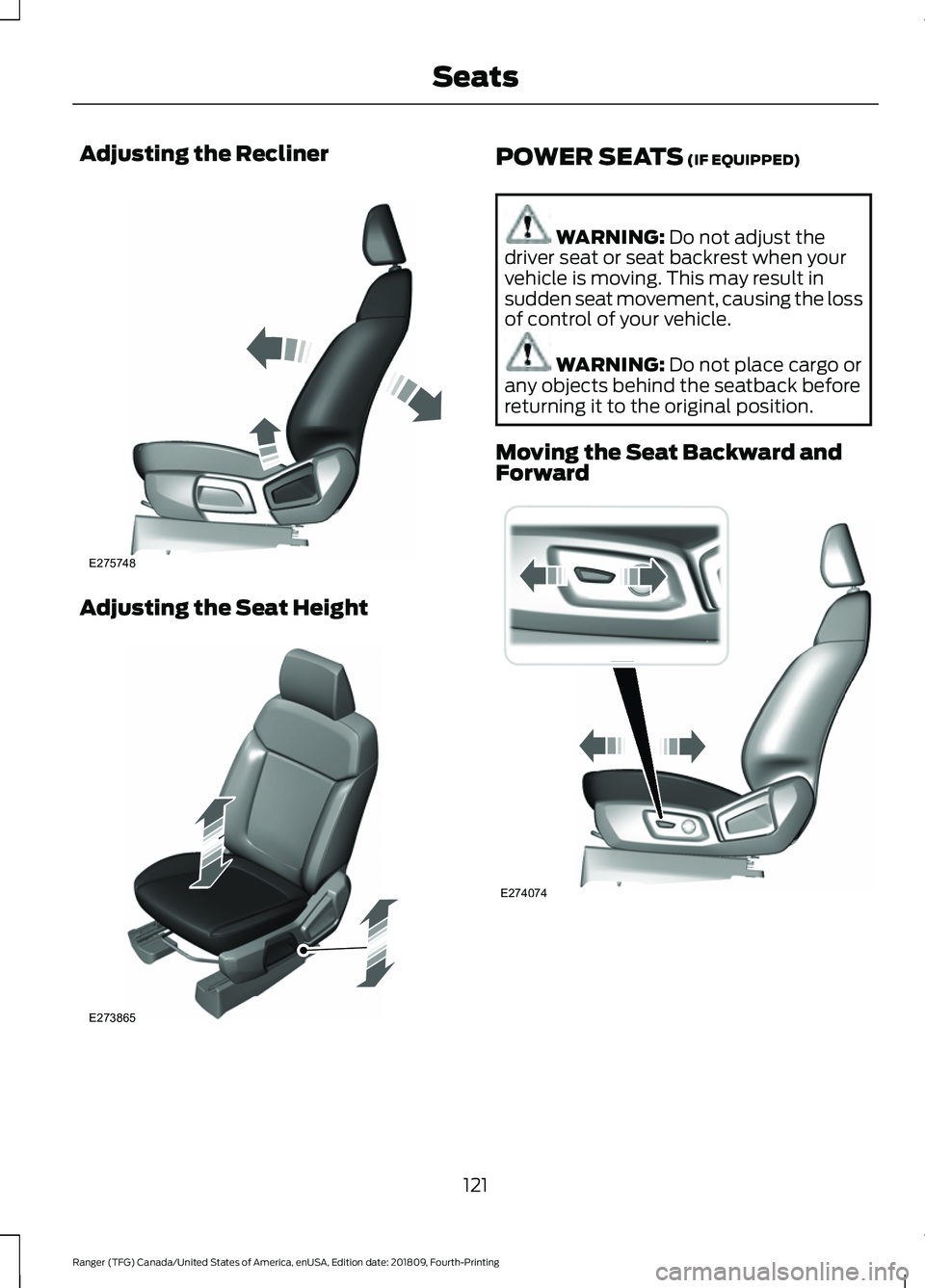
Adjusting the Recliner
Adjusting the Seat Height POWER SEATS (IF EQUIPPED)
WARNING:
Do not adjust the
driver seat or seat backrest when your
vehicle is moving. This may result in
sudden seat movement, causing the loss
of control of your vehicle. WARNING:
Do not place cargo or
any objects behind the seatback before
returning it to the original position.
Moving the Seat Backward and
Forward 121
Ranger (TFG) Canada/United States of America, enUSA, Edition date: 201809, Fourth-Printing SeatsE275748 E273865 E274074
Page 125 of 512
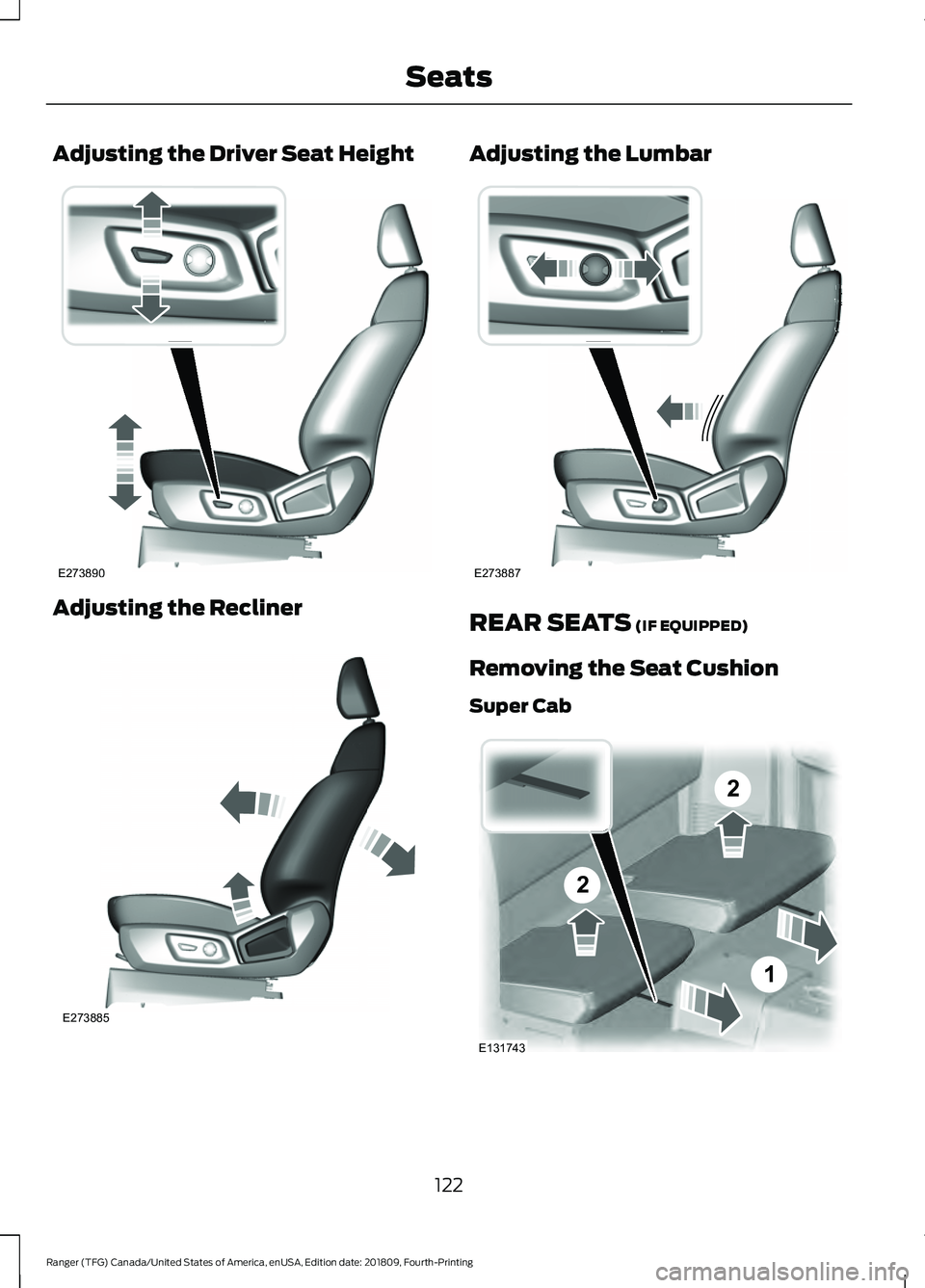
Adjusting the Driver Seat Height
Adjusting the Recliner Adjusting the Lumbar
REAR SEATS (IF EQUIPPED)
Removing the Seat Cushion
Super Cab 122
Ranger (TFG) Canada/United States of America, enUSA, Edition date: 201809, Fourth-Printing SeatsE273890 E273885 E273887 2
2
1
E131743
Page 193 of 512
DRIVER ALERT (IF EQUIPPED)
PRINCIPLE OF OPERATION WARNING:
You are responsible
for controlling your vehicle at all times.
The system is designed to be an aid and
does not relieve you of your responsibility
to drive with due care and attention.
Failure to follow this instruction could
result in the loss of control of your
vehicle, personal injury or death. WARNING:
The system may not
function if the sensor is blocked. WARNING:
Take regular rest
breaks if you feel tired. Do not wait for
the system to warn you. WARNING:
Certain driving styles
may result in the system warning you
even if you are not feeling tired. WARNING:
In cold and severe
weather conditions the system may not
function. Rain, snow and spray can all
limit sensor performance. WARNING:
The system will not
operate if the sensor cannot track the
road lane markings. WARNING:
If damage occurs in
the immediate area surrounding the
sensor, have your vehicle checked as
soon as possible. WARNING:
The system may not
correctly operate if your vehicle is fitted
with a suspension kit not approved by
us. Note:
The system may not operate correctly
if you modify the ride height.
Note: Keep the windshield free from
obstructions. For example, bird droppings,
insects, snow or ice.
Note: If the camera is blocked or if the
windshield is damaged, the system may not
function.
Note: If enabled in the menu, the system
activates at speeds above
40 mph
(64 km/h). When below the activation
speed, the information display informs the
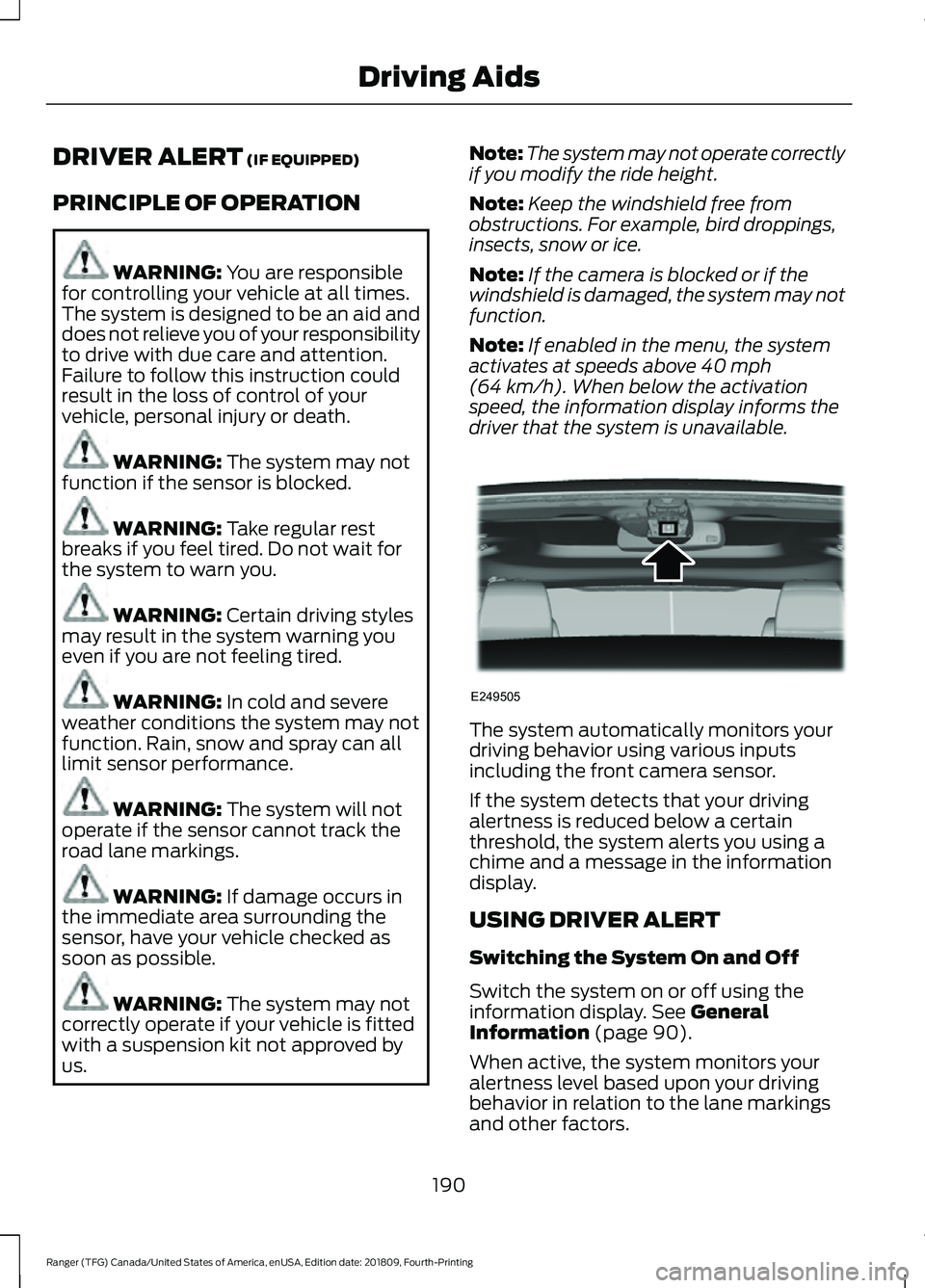
driver that the system is unavailable. The system automatically monitors your
driving behavior using various inputs
including the front camera sensor.
If the system detects that your driving
alertness is reduced below a certain
threshold, the system alerts you using a
chime and a message in the information
display.
USING DRIVER ALERT
Switching the System On and Off
Switch the system on or off using the
information display.
See General
Information (page 90).
When active, the system monitors your
alertness level based upon your driving
behavior in relation to the lane markings
and other factors.
190
Ranger (TFG) Canada/United States of America, enUSA, Edition date: 201809, Fourth-Printing Driving AidsE249505
Page 270 of 512
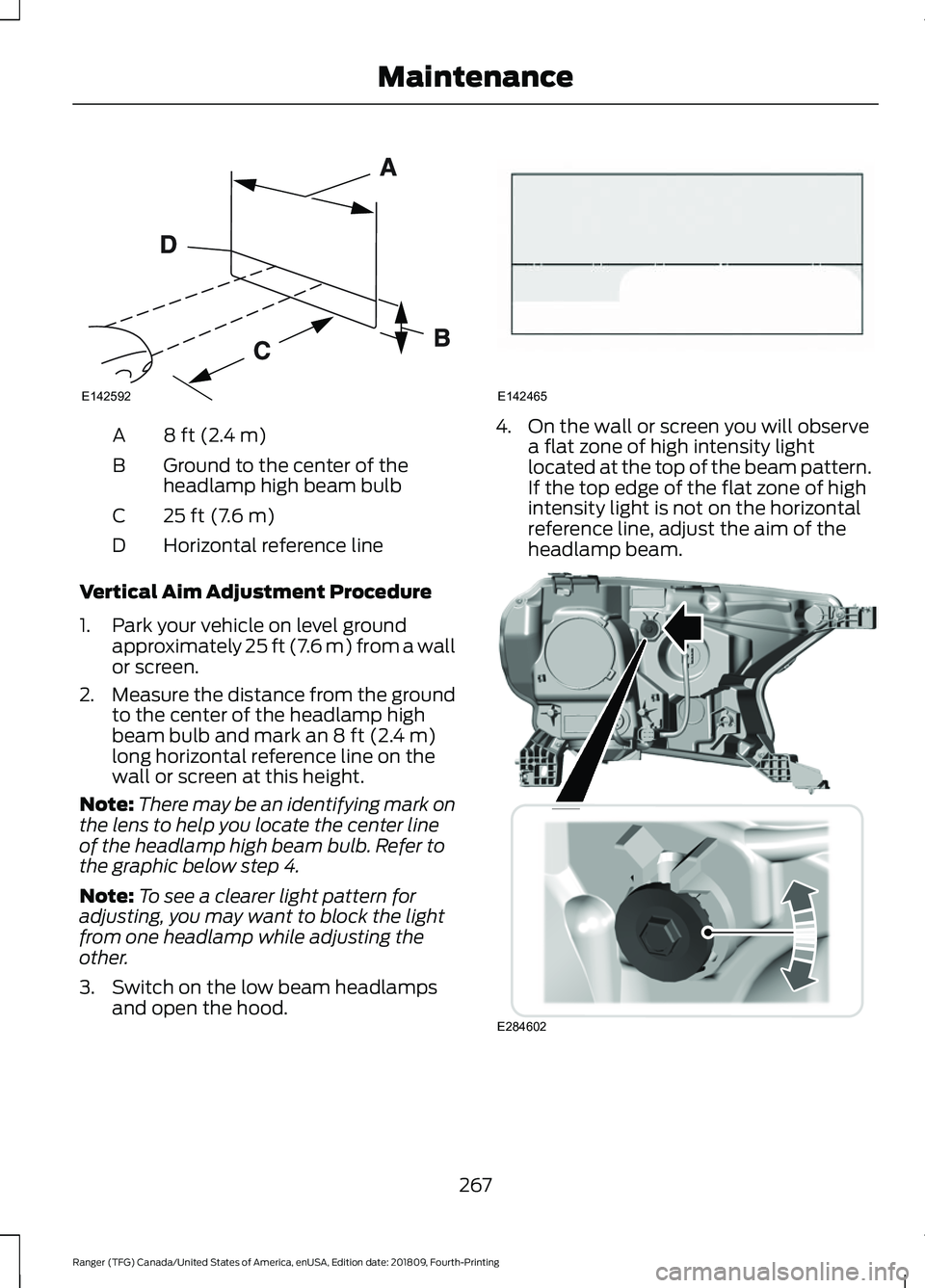
8 ft (2.4 m)
A
Ground to the center of the
headlamp high beam bulb
B
25 ft (7.6 m)
C
Horizontal reference line
D
Vertical Aim Adjustment Procedure
1. Park your vehicle on level ground approximately 25 ft (7.6 m) from a wall
or screen.
2. Measure the distance from the ground
to the center of the headlamp high
beam bulb and mark an
8 ft (2.4 m)
long horizontal reference line on the
wall or screen at this height.
Note: There may be an identifying mark on
the lens to help you locate the center line
of the headlamp high beam bulb. Refer to
the graphic below step 4.
Note: To see a clearer light pattern for
adjusting, you may want to block the light
from one headlamp while adjusting the
other.
3. Switch on the low beam headlamps and open the hood. 4. On the wall or screen you will observe
a flat zone of high intensity light
located at the top of the beam pattern.
If the top edge of the flat zone of high
intensity light is not on the horizontal
reference line, adjust the aim of the
headlamp beam. 267
Ranger (TFG) Canada/United States of America, enUSA, Edition date: 201809, Fourth-Printing MaintenanceE142592 E142465 E284602
Page 289 of 512
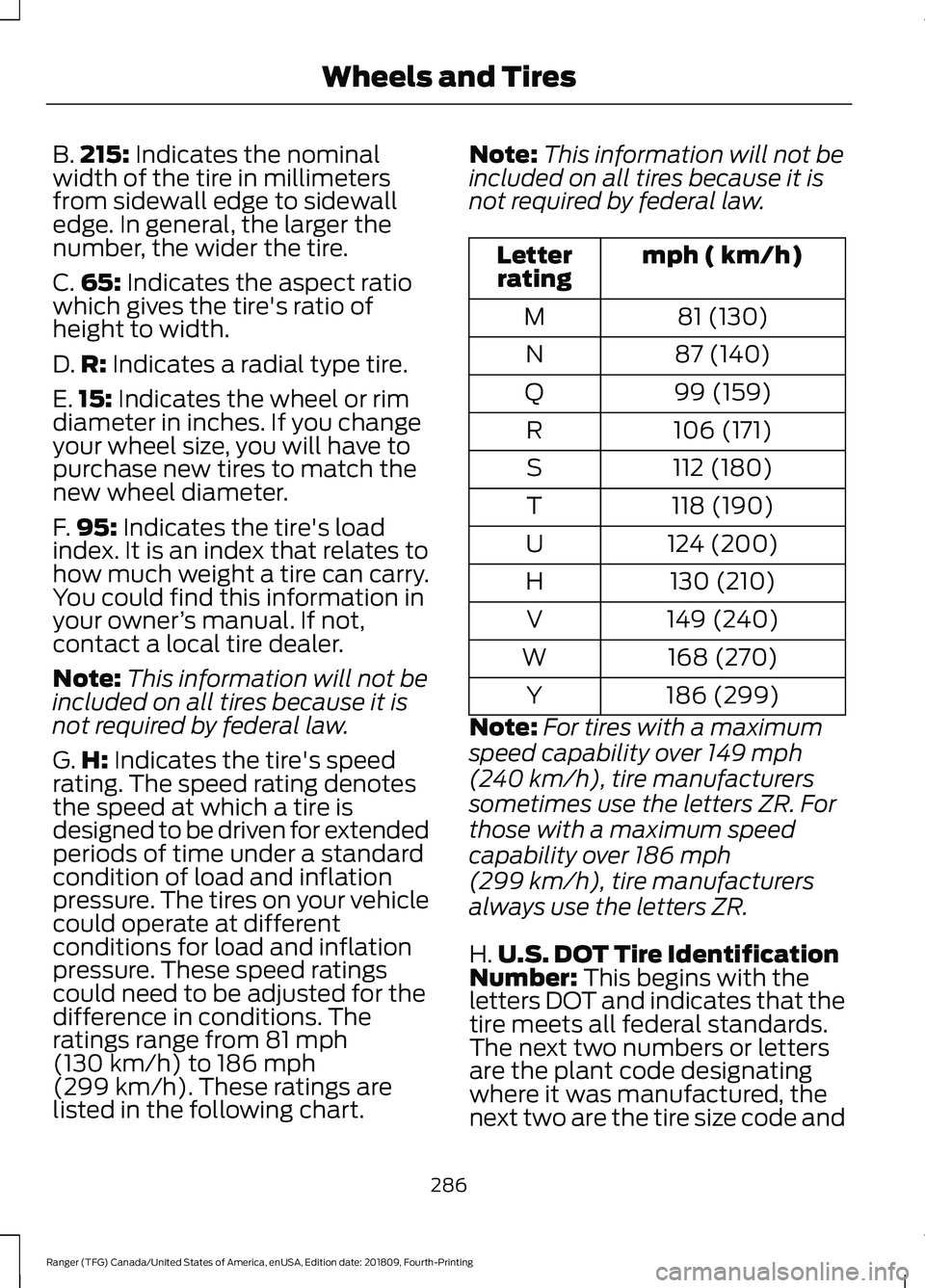
B.
215: Indicates the nominal
width of the tire in millimeters
from sidewall edge to sidewall
edge. In general, the larger the
number, the wider the tire.
C. 65:
Indicates the aspect ratio
which gives the tire's ratio of
height to width.
D. R:
Indicates a radial type tire.
E. 15:
Indicates the wheel or rim
diameter in inches. If you change
your wheel size, you will have to
purchase new tires to match the
new wheel diameter.
F. 95:
Indicates the tire's load
index. It is an index that relates to
how much weight a tire can carry.
You could find this information in
your owner ’s manual. If not,
contact a local tire dealer.
Note: This information will not be
included on all tires because it is
not required by federal law.
G. H:
Indicates the tire's speed
rating. The speed rating denotes
the speed at which a tire is
designed to be driven for extended
periods of time under a standard
condition of load and inflation
pressure. The tires on your vehicle
could operate at different
conditions for load and inflation
pressure. These speed ratings
could need to be adjusted for the
difference in conditions. The
ratings range from
81 mph
(130 km/h) to 186 mph
(299 km/h)
. These ratings are
listed in the following chart. Note:
This information will not be
included on all tires because it is
not required by federal law. mph ( km/h)
Letter
rating
81 (130)
M
87 (140)
N
99 (159)
Q
106 (171)
R
112 (180)
S
118 (190)
T
124 (200)
U
130 (210)
H
149 (240)
V
168 (270)
W
186 (299)
Y
Note: For tires with a maximum
speed capability over
149 mph
(240 km/h)
, tire manufacturers
sometimes use the letters ZR. For
those with a maximum speed
capability over
186 mph
(299 km/h)
, tire manufacturers
always use the letters ZR.
H. U.S. DOT Tire Identification
Number:
This begins with the
letters DOT and indicates that the
tire meets all federal standards.
The next two numbers or letters
are the plant code designating
where it was manufactured, the
next two are the tire size code and
286
Ranger (TFG) Canada/United States of America, enUSA, Edition date: 201809, Fourth-Printing Wheels and Tires
Page 292 of 512
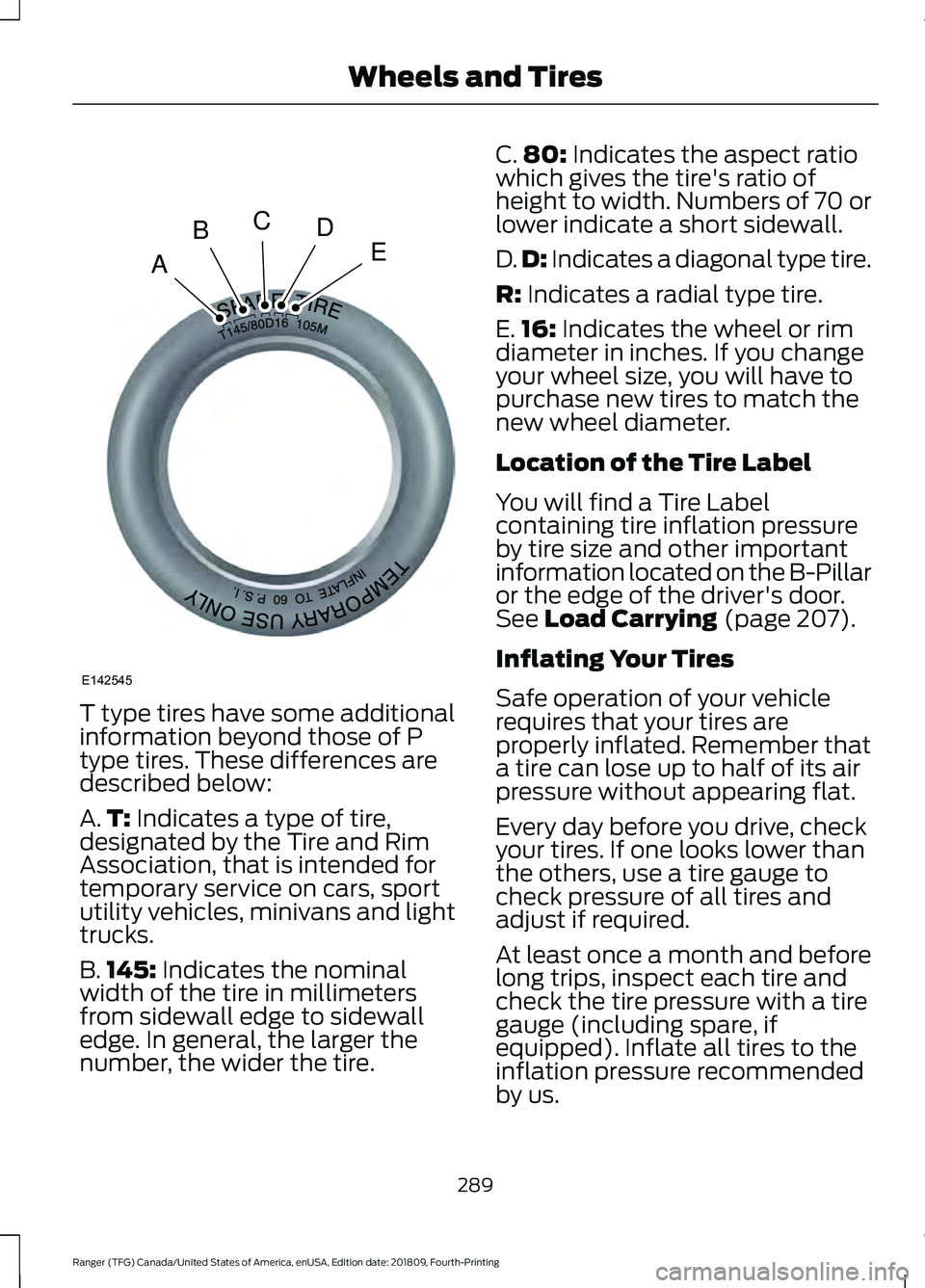
T type tires have some additional
information beyond those of P
type tires. These differences are
described below:
A.
T: Indicates a type of tire,
designated by the Tire and Rim
Association, that is intended for
temporary service on cars, sport
utility vehicles, minivans and light
trucks.
B. 145:
Indicates the nominal
width of the tire in millimeters
from sidewall edge to sidewall
edge. In general, the larger the
number, the wider the tire. C.
80:
Indicates the aspect ratio
which gives the tire's ratio of
height to width. Numbers of 70 or
lower indicate a short sidewall.
D. D:
Indicates a diagonal type tire.
R:
Indicates a radial type tire.
E. 16:
Indicates the wheel or rim
diameter in inches. If you change
your wheel size, you will have to
purchase new tires to match the
new wheel diameter.
Location of the Tire Label
You will find a Tire Label
containing tire inflation pressure
by tire size and other important
information located on the B-Pillar
or the edge of the driver's door.
See
Load Carrying (page 207).
Inflating Your Tires
Safe operation of your vehicle
requires that your tires are
properly inflated. Remember that
a tire can lose up to half of its air
pressure without appearing flat.
Every day before you drive, check
your tires. If one looks lower than
the others, use a tire gauge to
check pressure of all tires and
adjust if required.
At least once a month and before
long trips, inspect each tire and
check the tire pressure with a tire
gauge (including spare, if
equipped). Inflate all tires to the
inflation pressure recommended
by us.
289
Ranger (TFG) Canada/United States of America, enUSA, Edition date: 201809, Fourth-Printing Wheels and TiresA
BCDE
E142545
Page 296 of 512
When the tire tread wears down
to the same height as these wear
bars, the tire is worn out and must
be replaced.
Damage
Periodically inspect the tire treads
and sidewalls for damage (such
as bulges in the tread or sidewalls,
cracks in the tread groove and
separation in the tread or
sidewall). If damage is observed
or suspected have the tire
inspected by a tire professional.
Tires can be damaged during
off-road use, so inspection after
off-road use is also
recommended.
Age
WARNING: Tires degrade
over time depending on many
factors such as weather, storage
conditions, and conditions of use
(load, speed, inflation pressure)
the tires experience throughout
their lives. WARNING:
In general, tires
should be replaced after six
years regardless of tread wear.
However, heat caused by hot
climates or frequent high loading
conditions can accelerate the
aging process and may require
tires to be replaced more
frequently. WARNING:
You should
replace your spare tire when you
replace the road tires or after six
years due to aging even if it has
not been used.
U.S. DOT Tire Identification
Number
Both United States and Canada
Federal regulations require tire
manufacturers to place
standardized information on the
sidewall of all tires. This
information identifies and
describes the fundamental
characteristics of the tire and also
provides a U.S. DOT Tire
Identification Number for safety
standard certification and in case
of a recall.
This begins with the letters DOT
and indicates that the tire meets
all federal standards. The next
two numbers or letters are the
plant code designating where it
was manufactured, the next two
are the tire size code and the last
four numbers represent the week
and year the tire was built. For
example, the numbers 317 mean
the 31st week of 1997. After 2000
the numbers go to four digits. For
example, 2501 means the 25th
week of 2001. The numbers in
between are identification codes
used for traceability. This
information is used to contact
customers if a tire defect requires
a recall.
293
Ranger (TFG) Canada/United States of America, enUSA, Edition date: 201809, Fourth-Printing Wheels and Tires
Page 316 of 512
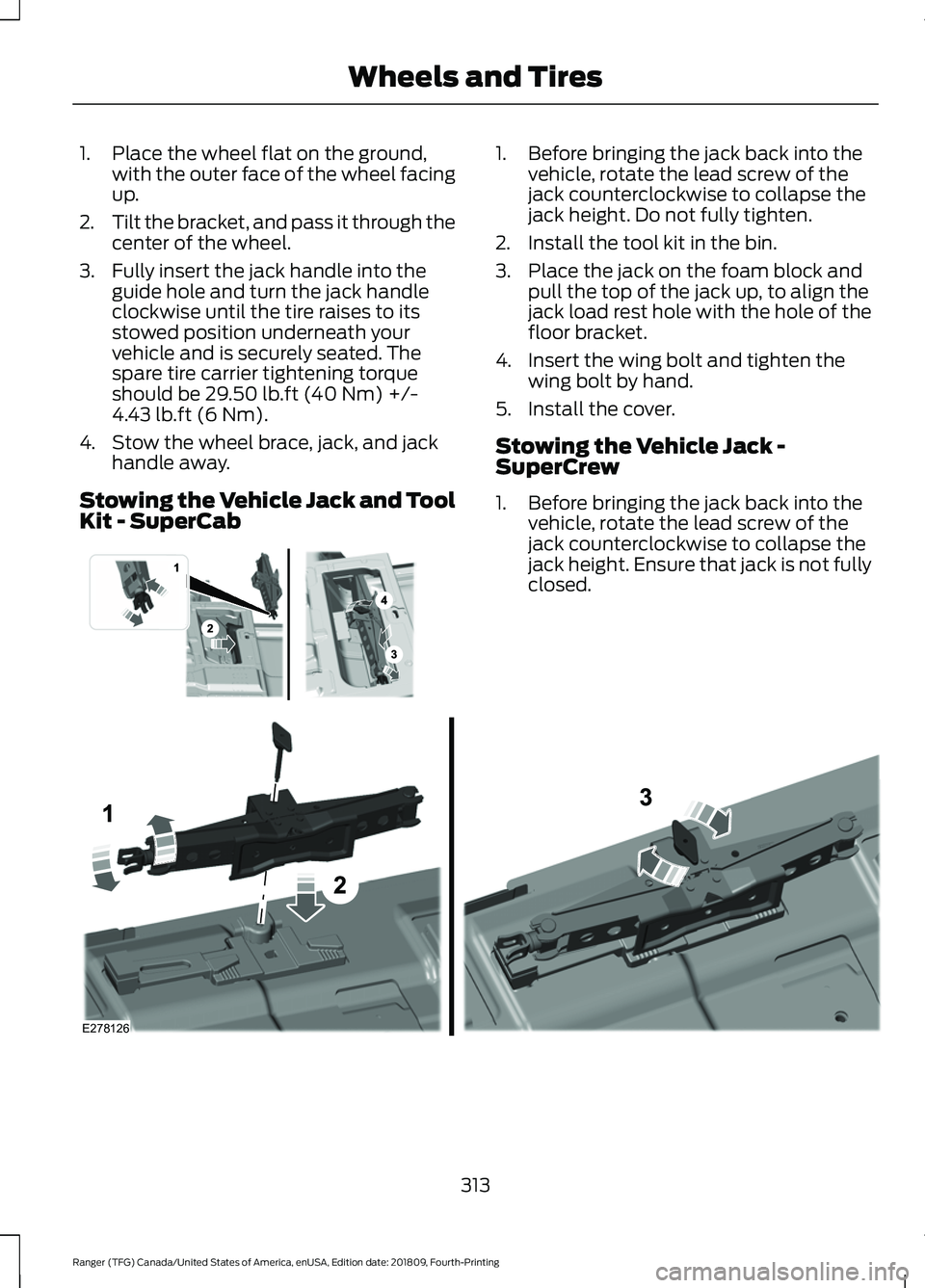
1. Place the wheel flat on the ground,
with the outer face of the wheel facing
up.
2. Tilt the bracket, and pass it through the
center of the wheel.
3. Fully insert the jack handle into the guide hole and turn the jack handle
clockwise until the tire raises to its
stowed position underneath your
vehicle and is securely seated. The
spare tire carrier tightening torque
should be 29.50 lb.ft (40 Nm) +/-
4.43 lb.ft (6 Nm).
4. Stow the wheel brace, jack, and jack handle away.
Stowing the Vehicle Jack and Tool
Kit - SuperCab 1. Before bringing the jack back into the
vehicle, rotate the lead screw of the
jack counterclockwise to collapse the
jack height. Do not fully tighten.
2. Install the tool kit in the bin.
3. Place the jack on the foam block and pull the top of the jack up, to align the
jack load rest hole with the hole of the
floor bracket.
4. Insert the wing bolt and tighten the wing bolt by hand.
5. Install the cover.
Stowing the Vehicle Jack -
SuperCrew
1. Before bringing the jack back into the vehicle, rotate the lead screw of the
jack counterclockwise to collapse the
jack height. Ensure that jack is not fully
closed. 313
Ranger (TFG) Canada/United States of America, enUSA, Edition date: 201809, Fourth-Printing Wheels and Tires E296013 E278126
Page 506 of 512
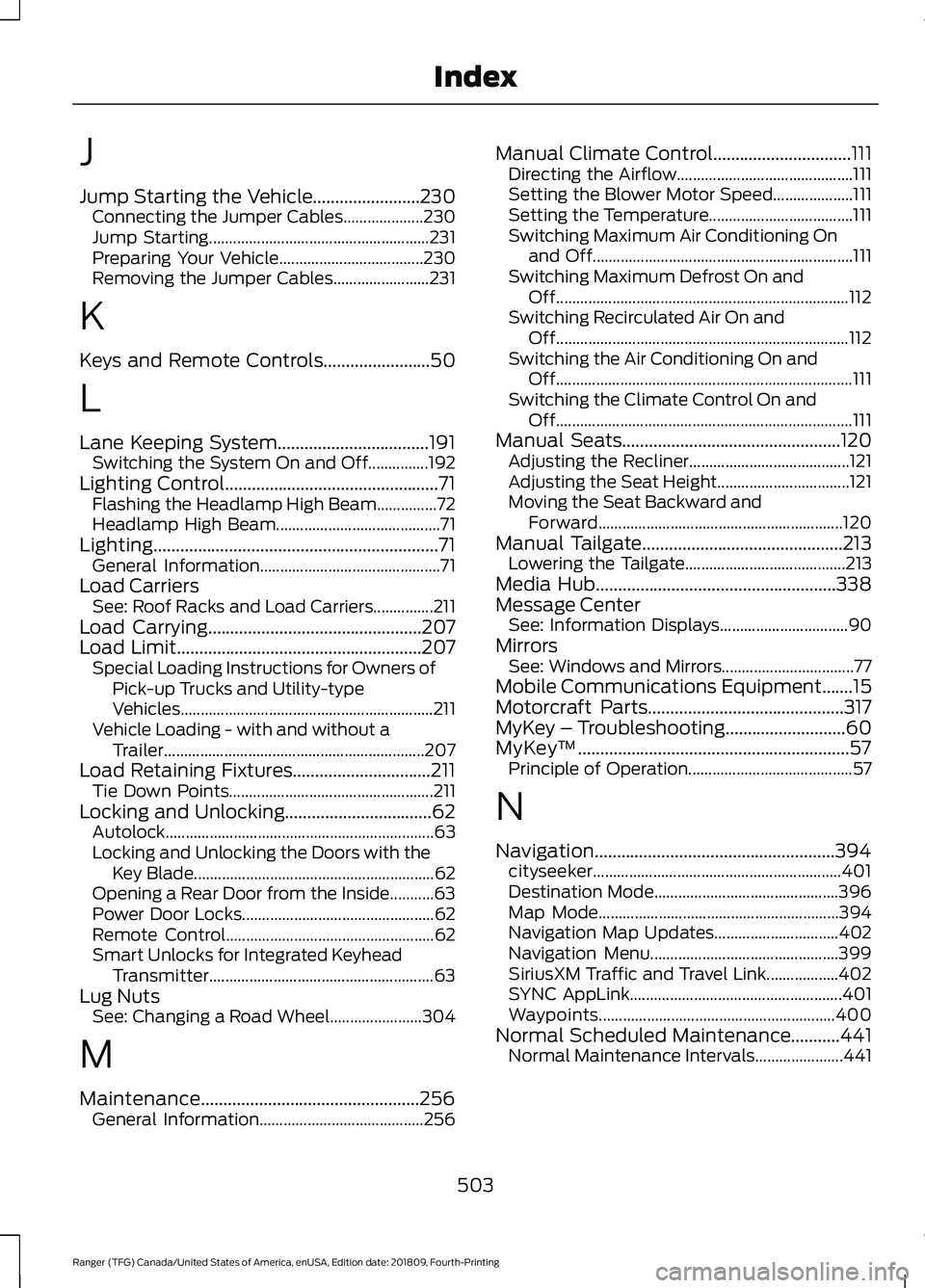
J
Jump Starting the Vehicle........................230
Connecting the Jumper Cables.................... 230
Jump Starting....................................................... 231
Preparing Your Vehicle.................................... 230
Removing the Jumper Cables........................ 231
K
Keys and Remote Controls........................50
L
Lane Keeping System..................................191 Switching the System On and Off...............192
Lighting Control................................................71 Flashing the Headlamp High Beam...............72
Headlamp High Beam......................................... 71
Lighting................................................................71 General Information............................................. 71
Load Carriers See: Roof Racks and Load Carriers...............211
Load Carrying................................................207
Load Limit.......................................................207
Special Loading Instructions for Owners of
Pick-up Trucks and Utility-type
Vehicles............................................................... 211
Vehicle Loading - with and without a Trailer................................................................. 207
Load Retaining Fixtures...............................211 Tie Down Points................................................... 211
Locking and Unlocking.................................62 Autolock................................................................... 63
Locking and Unlocking the Doors with the Key Blade............................................................ 62
Opening a Rear Door from the Inside...........63
Power Door Locks................................................ 62
Remote Control.................................................... 62
Smart Unlocks for Integrated Keyhead Transmitter........................................................ 63
Lug Nuts See: Changing a Road Wheel....................... 304
M
Maintenance.................................................256 General Information......................................... 256Manual Climate Control...............................111
Directing the Airflow............................................ 111
Setting the Blower Motor Speed.................... 111
Setting the Temperature.................................... 111
Switching Maximum Air Conditioning On and Off................................................................. 111
Switching Maximum Defrost On and Off........................................................................\
. 112
Switching Recirculated Air On and Off........................................................................\
. 112
Switching the Air Conditioning On and Off........................................................................\
.. 111
Switching the Climate Control On and Off........................................................................\
.. 111
Manual Seats.................................................120 Adjusting the Recliner........................................ 121
Adjusting the Seat Height................................. 121
Moving the Seat Backward and Forward............................................................. 120
Manual Tailgate
.............................................213
Lowering the Tailgate........................................ 213
Media Hub......................................................338
Message Center See: Information Displays................................ 90
Mirrors See: Windows and Mirrors................................. 77
Mobile Communications Equipment.......15
Motorcraft Parts
............................................317
MyKey – Troubleshooting...........................60
MyKey ™
.............................................................57
Principle of Operation......................................... 57
N
Navigation......................................................394 cityseeker.............................................................. 401
Destination Mode.............................................. 396
Map Mode............................................................ 394
Navigation Map Updates............................... 402
Navigation Menu............................................... 399
SiriusXM Traffic and Travel Link.................. 402
SYNC AppLink..................................................... 401
Waypoints........................................................... 400
Normal Scheduled Maintenance...........441 Normal Maintenance Intervals...................... 441
503
Ranger (TFG) Canada/United States of America, enUSA, Edition date: 201809, Fourth-Printing Index
Page 507 of 512
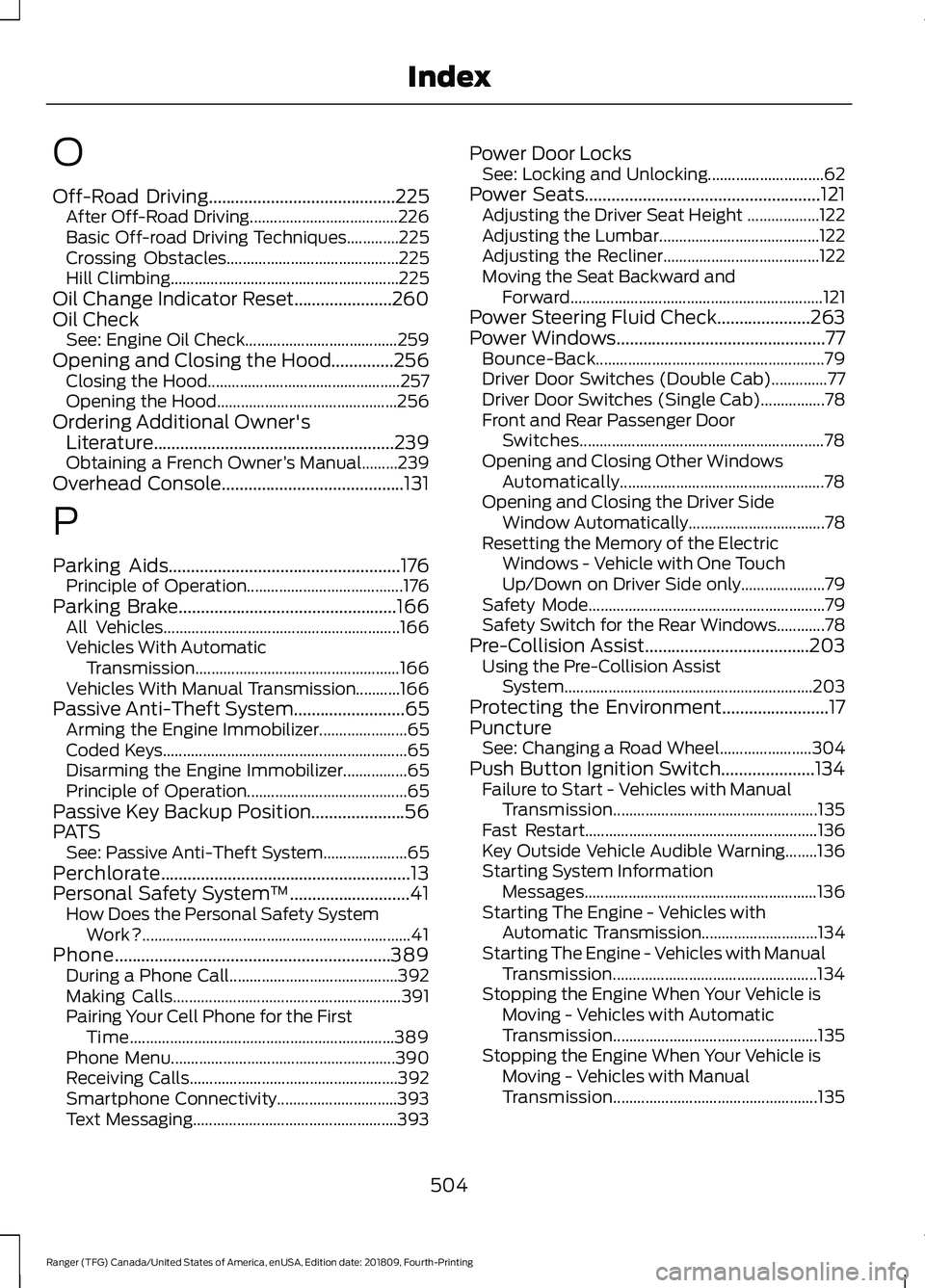
O
Off-Road Driving..........................................225
After Off-Road Driving..................................... 226
Basic Off-road Driving Techniques.............225
Crossing Obstacles........................................... 225
Hill Climbing......................................................... 225
Oil Change Indicator Reset......................260
Oil Check See: Engine Oil Check...................................... 259
Opening and Closing the Hood..............256 Closing the Hood................................................ 257
Opening the Hood............................................. 256
Ordering Additional Owner's Literature......................................................239
Obtaining a French Owner ’s Manual.........239
Overhead Console
.........................................131
P
Parking Aids
....................................................176
Principle of Operation....................................... 176
Parking Brake
.................................................166
All Vehicles........................................................... 166
Vehicles With Automatic Transmission................................................... 166
Vehicles With Manual Transmission...........166
Passive Anti-Theft System
.........................65
Arming the Engine Immobilizer...................... 65
Coded Keys............................................................. 65
Disarming the Engine Immobilizer................65
Principle of Operation........................................ 65
Passive Key Backup Position.....................56
PATS See: Passive Anti-Theft System..................... 65
Perchlorate........................................................13
Personal Safety System ™
...........................41
How Does the Personal Safety System
Work?................................................................... 41
Phone..............................................................389 During a Phone Call.......................................... 392
Making Calls......................................................... 391
Pairing Your Cell Phone for the First Time.................................................................. 389
Phone Menu........................................................ 390
Receiving Calls.................................................... 392
Smartphone Connectivity.............................. 393
Text Messaging................................................... 393Power Door Locks
See: Locking and Unlocking............................. 62
Power Seats
.....................................................121
Adjusting the Driver Seat Height .................. 122
Adjusting the Lumbar........................................ 122
Adjusting the Recliner....................................... 122
Moving the Seat Backward and Forward............................................................... 121
Power Steering Fluid Check.....................263
Power Windows...............................................77 Bounce-Back......................................................... 79
Driver Door Switches (Double Cab)..............77
Driver Door Switches (Single Cab)................78
Front and Rear Passenger Door Switches............................................................. 78
Opening and Closing Other Windows Automatically................................................... 78
Opening and Closing the Driver Side Window Automatically.................................. 78
Resetting the Memory of the Electric Windows - Vehicle with One Touch
Up/Down on Driver Side only..................... 79
Safety Mode........................................................... 79
Safety Switch for the Rear Windows............78
Pre-Collision Assist.....................................203 Using the Pre-Collision Assist
System.............................................................. 203
Protecting the Environment........................17
Puncture See: Changing a Road Wheel....................... 304
Push Button Ignition Switch.....................134 Failure to Start - Vehicles with Manual
Transmission................................................... 135
Fast Restart.......................................................... 136
Key Outside Vehicle Audible Warning........136
Starting System Information Messages.......................................................... 136
Starting The Engine - Vehicles with Automatic Transmission............................. 134
Starting The Engine - Vehicles with Manual Transmission................................................... 134
Stopping the Engine When Your Vehicle is Moving - Vehicles with Automatic
Transmission................................................... 135
Stopping the Engine When Your Vehicle is Moving - Vehicles with Manual
Transmission................................................... 135
504
Ranger (TFG) Canada/United States of America, enUSA, Edition date: 201809, Fourth-Printing Index