Set date FORD RANGER 2019 Owner's Manual
[x] Cancel search | Manufacturer: FORD, Model Year: 2019, Model line: RANGER, Model: FORD RANGER 2019Pages: 512, PDF Size: 7.63 MB
Page 79 of 512
If you set the switch to the all on position
with the ignition switched off, the courtesy
lamp illuminates. It goes off after a short
time to prevent your vehicle battery from
losing charge. To switch it back on, switch
the ignition on for a short time.
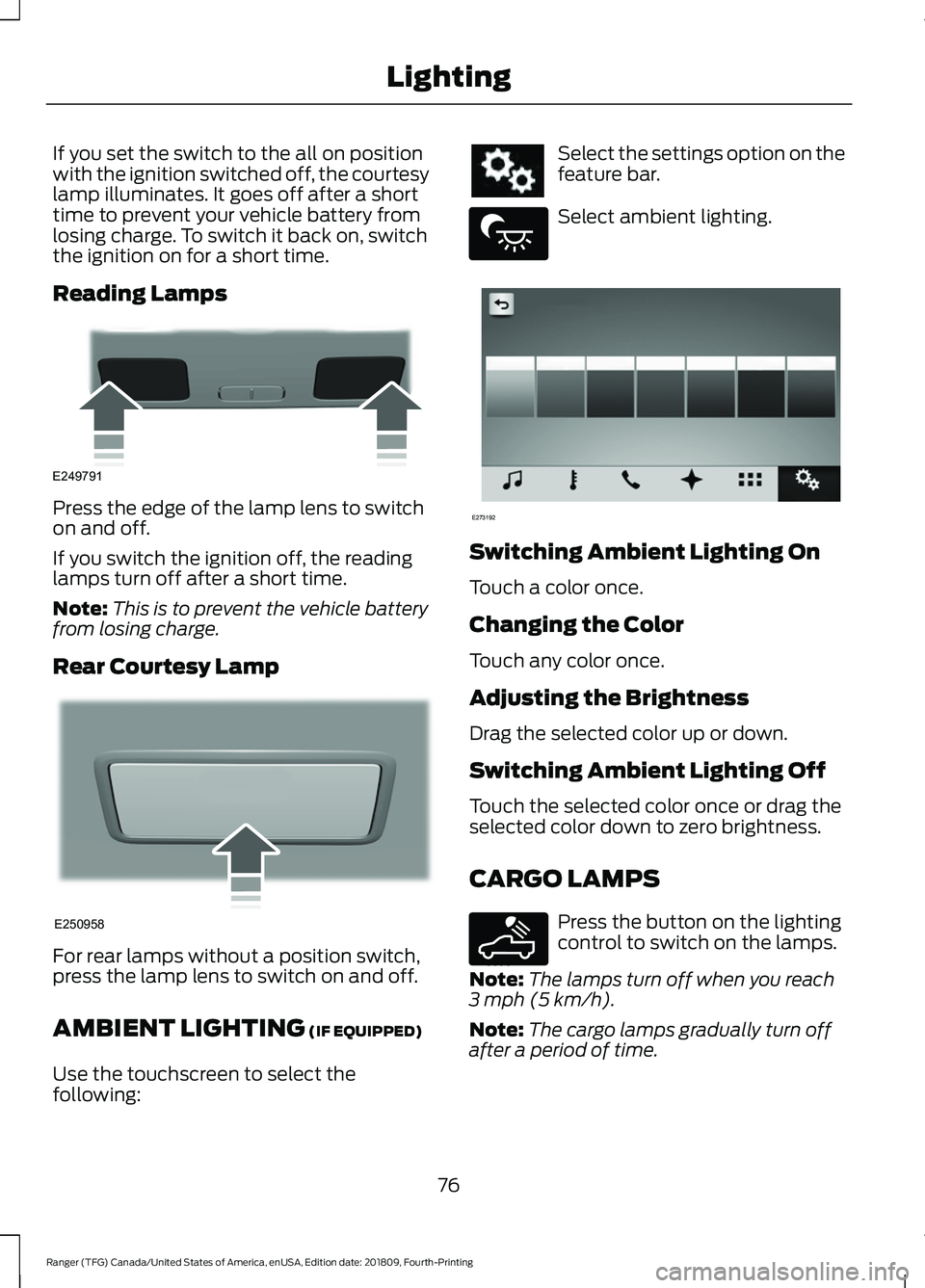
Reading Lamps
Press the edge of the lamp lens to switch
on and off.
If you switch the ignition off, the reading
lamps turn off after a short time.
Note:
This is to prevent the vehicle battery
from losing charge.
Rear Courtesy Lamp For rear lamps without a position switch,
press the lamp lens to switch on and off.
AMBIENT LIGHTING (IF EQUIPPED)
Use the touchscreen to select the
following: Select the settings option on the
feature bar.
Select ambient lighting.
Switching Ambient Lighting On
Touch a color once.
Changing the Color
Touch any color once.
Adjusting the Brightness
Drag the selected color up or down.
Switching Ambient Lighting Off
Touch the selected color once or drag the
selected color down to zero brightness.
CARGO LAMPS
Press the button on the lighting
control to switch on the lamps.
Note: The lamps turn off when you reach
3 mph (5 km/h)
.
Note: The cargo lamps gradually turn off
after a period of time.
76
Ranger (TFG) Canada/United States of America, enUSA, Edition date: 201809, Fourth-Printing LightingE249791 E250958 E279027 E273192 E189587
Page 82 of 512
Note:
In vehicles without global opening
and closing, you cannot operate the rear
windows from driver side when you press
the safety switch. In certain vehicles, you
cannot operate front passenger windows
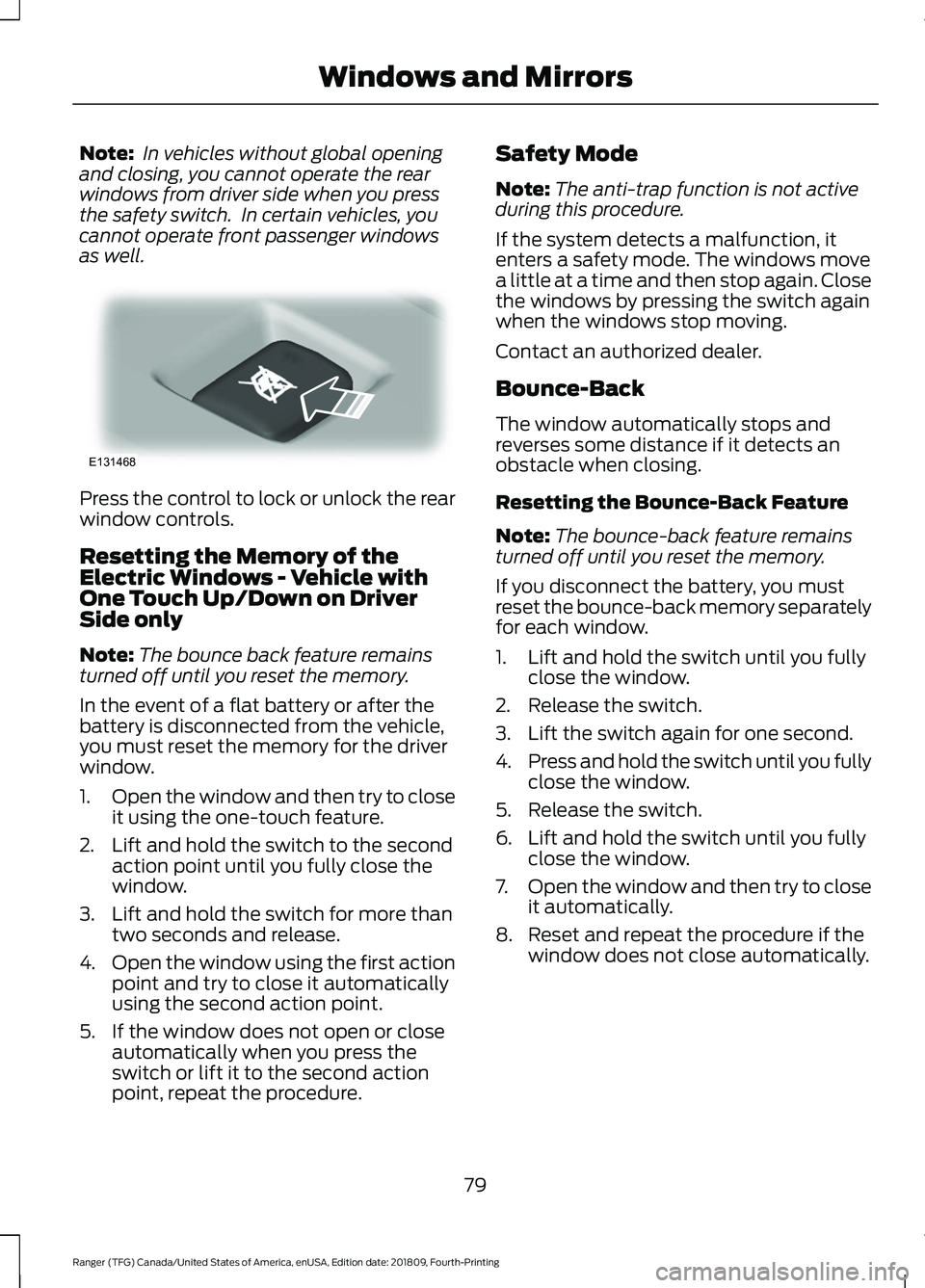
as well. Press the control to lock or unlock the rear
window controls.
Resetting the Memory of the
Electric Windows - Vehicle with
One Touch Up/Down on Driver
Side only
Note:
The bounce back feature remains
turned off until you reset the memory.
In the event of a flat battery or after the
battery is disconnected from the vehicle,
you must reset the memory for the driver
window.
1. Open the window and then try to close
it using the one-touch feature.
2. Lift and hold the switch to the second action point until you fully close the
window.
3. Lift and hold the switch for more than two seconds and release.
4. Open the window using the first action
point and try to close it automatically
using the second action point.
5. If the window does not open or close automatically when you press the
switch or lift it to the second action
point, repeat the procedure. Safety Mode
Note:
The anti-trap function is not active
during this procedure.
If the system detects a malfunction, it
enters a safety mode. The windows move
a little at a time and then stop again. Close
the windows by pressing the switch again
when the windows stop moving.
Contact an authorized dealer.
Bounce-Back
The window automatically stops and
reverses some distance if it detects an
obstacle when closing.
Resetting the Bounce-Back Feature
Note: The bounce-back feature remains
turned off until you reset the memory.
If you disconnect the battery, you must
reset the bounce-back memory separately
for each window.
1. Lift and hold the switch until you fully close the window.
2. Release the switch.
3. Lift the switch again for one second.
4. Press and hold the switch until you fully
close the window.
5. Release the switch.
6. Lift and hold the switch until you fully close the window.
7. Open the window and then try to close
it automatically.
8. Reset and repeat the procedure if the window does not close automatically.
79
Ranger (TFG) Canada/United States of America, enUSA, Edition date: 201809, Fourth-Printing Windows and MirrorsE131468
Page 84 of 512
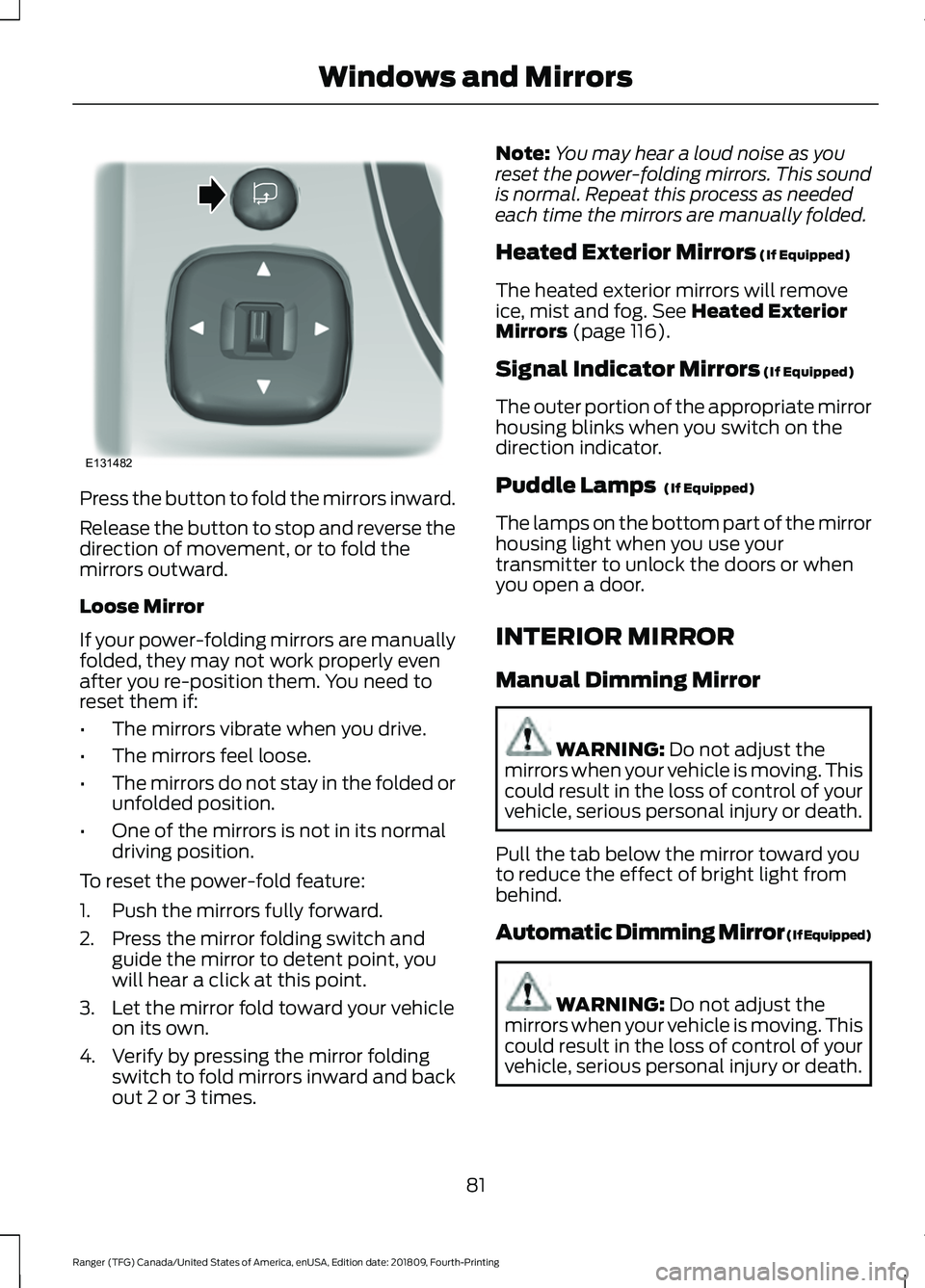
Press the button to fold the mirrors inward.
Release the button to stop and reverse the
direction of movement, or to fold the
mirrors outward.
Loose Mirror
If your power-folding mirrors are manually
folded, they may not work properly even
after you re-position them. You need to
reset them if:
•
The mirrors vibrate when you drive.
• The mirrors feel loose.
• The mirrors do not stay in the folded or
unfolded position.
• One of the mirrors is not in its normal
driving position.
To reset the power-fold feature:
1. Push the mirrors fully forward.
2. Press the mirror folding switch and guide the mirror to detent point, you
will hear a click at this point.
3. Let the mirror fold toward your vehicle on its own.
4. Verify by pressing the mirror folding switch to fold mirrors inward and back
out 2 or 3 times. Note:
You may hear a loud noise as you
reset the power-folding mirrors. This sound
is normal. Repeat this process as needed
each time the mirrors are manually folded.
Heated Exterior Mirrors (If Equipped)
The heated exterior mirrors will remove
ice, mist and fog.
See Heated Exterior
Mirrors (page 116).
Signal Indicator Mirrors
(If Equipped)
The outer portion of the appropriate mirror
housing blinks when you switch on the
direction indicator.
Puddle Lamps
(If Equipped)
The lamps on the bottom part of the mirror
housing light when you use your
transmitter to unlock the doors or when
you open a door.
INTERIOR MIRROR
Manual Dimming Mirror WARNING:
Do not adjust the
mirrors when your vehicle is moving. This
could result in the loss of control of your
vehicle, serious personal injury or death.
Pull the tab below the mirror toward you
to reduce the effect of bright light from
behind.
Automatic Dimming Mirror (If Equipped) WARNING:
Do not adjust the
mirrors when your vehicle is moving. This
could result in the loss of control of your
vehicle, serious personal injury or death.
81
Ranger (TFG) Canada/United States of America, enUSA, Edition date: 201809, Fourth-Printing Windows and MirrorsE131482
Page 87 of 512
Vehicle Settings and Personalization
See General Information (page 90).
Engine Coolant Temperature
Gauge WARNING:
Do not remove the
coolant reservoir cap when the engine is
on or the cooling system is hot. Wait 10
minutes for the cooling system to cool
down. Cover the coolant reservoir cap
with a thick cloth to prevent the
possibility of scalding and slowly remove
the cap. Failure to follow this instruction
could result in personal injury.
Indicates engine coolant temperature. At
normal operating temperature, the level
indicator will be in the normal range. If the
engine coolant temperature exceeds the
normal range, stop your vehicle as soon as
safely possible, switch off the engine and
let the engine cool. Note:
Do not restart the engine until the
cause of overheating has been resolved.
Fuel Gauge
The fuel gauge indicates about how much
fuel is in the fuel tank.
The arrow adjacent to the fuel pump
symbol indicates on which side of your
vehicle the fuel filler door is located.
Note: The fuel gauge may vary slightly
when your vehicle is moving or on a slope.
Low Fuel Reminder
A low fuel level reminder displays and
sounds when the distance to empty
reaches
75 mi (120 km) to empty for
MyKey, and at 50 mi (80 km), 25 mi
(40 km), 10 mi (20 km) and 0 mi (0 km)
for all vehicle keys.
Note: The low fuel reminder can appear at
different fuel gauge positions depending on
fuel economy conditions. This variation is
normal.
84
Ranger (TFG) Canada/United States of America, enUSA, Edition date: 201809, Fourth-Printing Instrument Cluster
Page 88 of 512
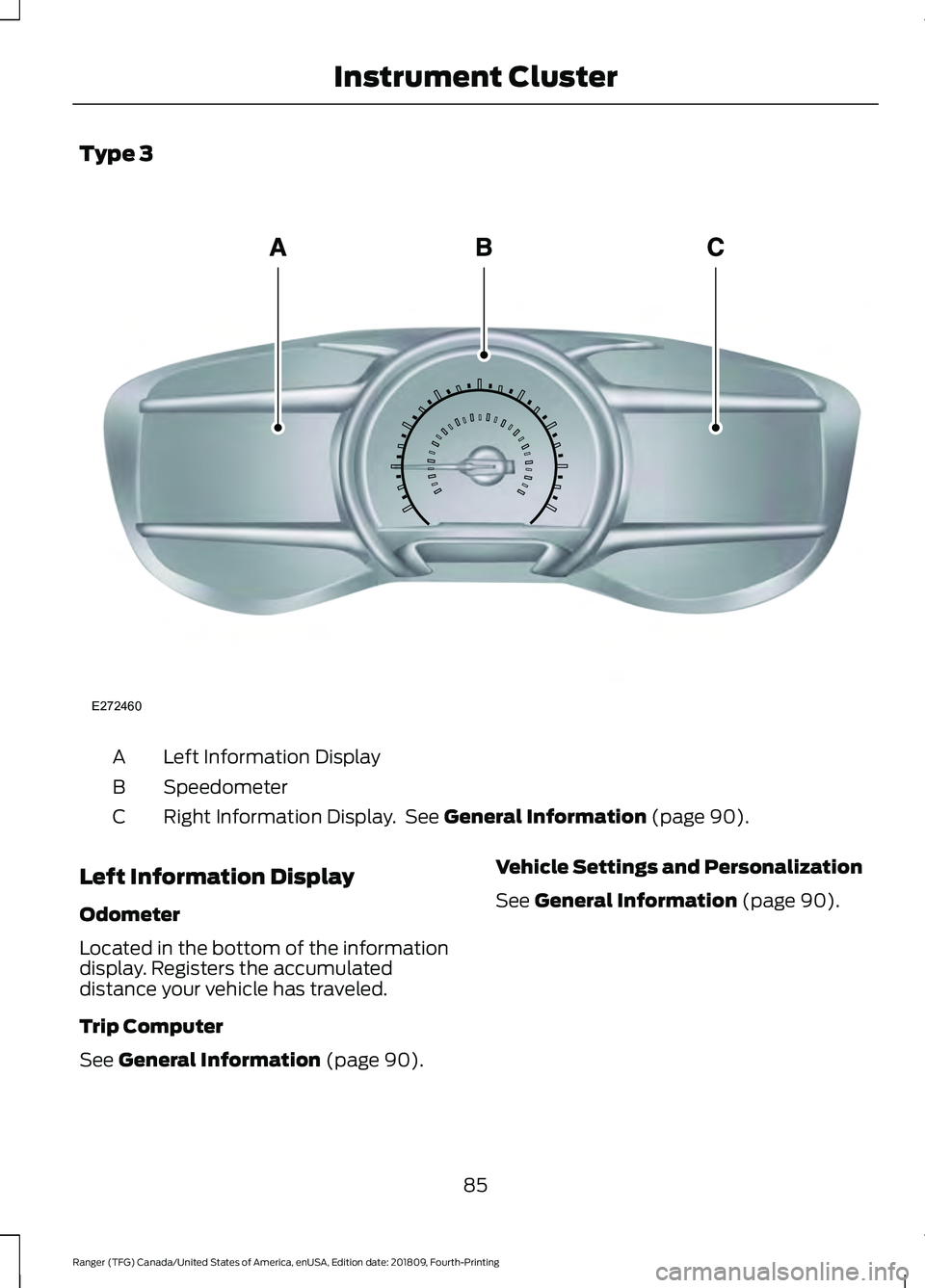
Type 3
Left Information Display
A
Speedometer
B
Right Information Display. See General Information (page 90).
C
Left Information Display
Odometer
Located in the bottom of the information
display. Registers the accumulated
distance your vehicle has traveled.
Trip Computer
See
General Information (page 90). Vehicle Settings and Personalization
See
General Information (page 90).
85
Ranger (TFG) Canada/United States of America, enUSA, Edition date: 201809, Fourth-Printing Instrument ClusterE272460
Page 89 of 512
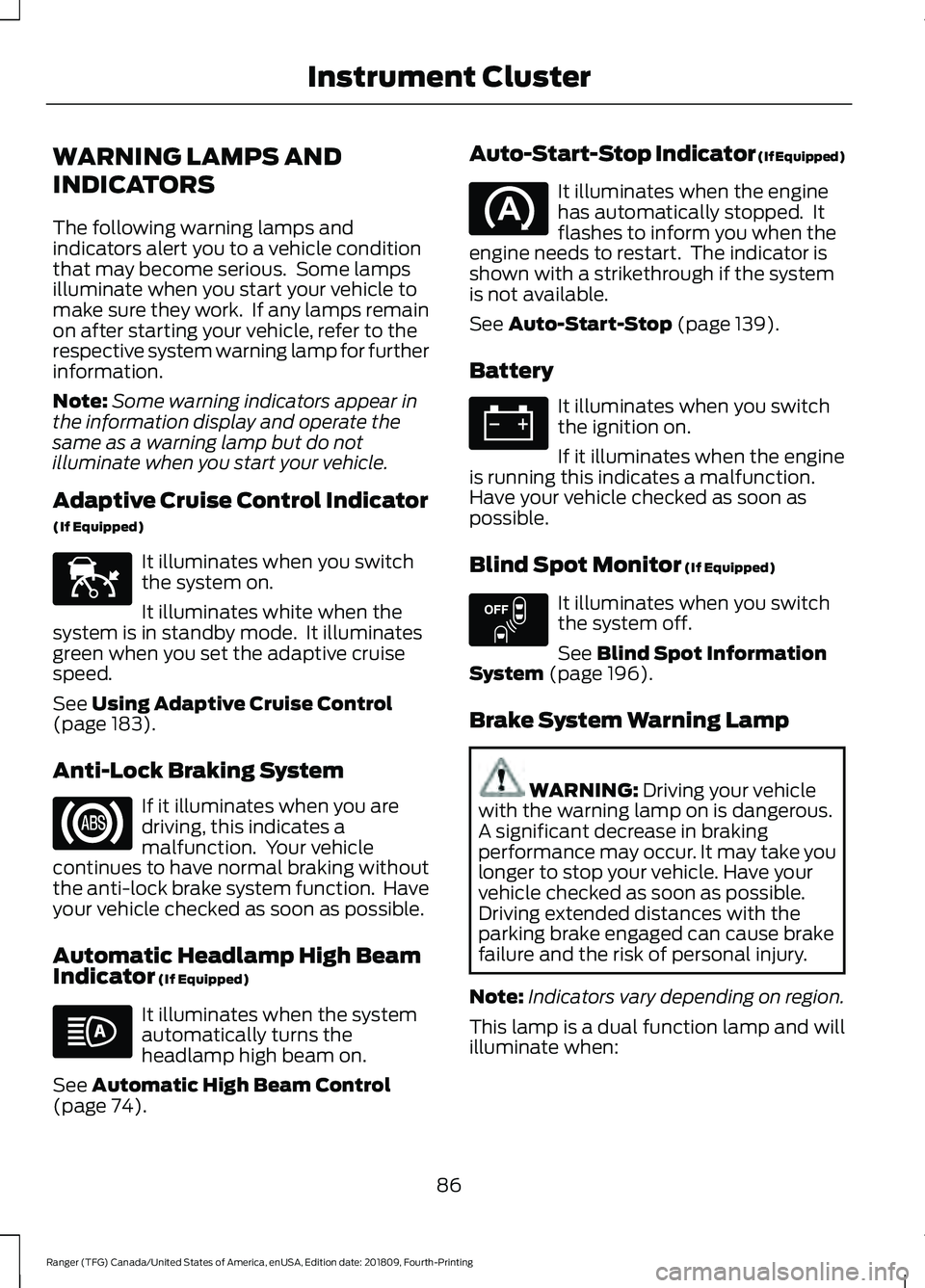
WARNING LAMPS AND
INDICATORS
The following warning lamps and
indicators alert you to a vehicle condition
that may become serious. Some lamps
illuminate when you start your vehicle to
make sure they work. If any lamps remain
on after starting your vehicle, refer to the
respective system warning lamp for further
information.
Note:
Some warning indicators appear in
the information display and operate the
same as a warning lamp but do not
illuminate when you start your vehicle.
Adaptive Cruise Control Indicator
(If Equipped) It illuminates when you switch
the system on.
It illuminates white when the
system is in standby mode. It illuminates
green when you set the adaptive cruise
speed.
See Using Adaptive Cruise Control
(page 183).
Anti-Lock Braking System If it illuminates when you are
driving, this indicates a
malfunction. Your vehicle
continues to have normal braking without
the anti-lock brake system function. Have
your vehicle checked as soon as possible.
Automatic Headlamp High Beam
Indicator
(If Equipped) It illuminates when the system
automatically turns the
headlamp high beam on.
See
Automatic High Beam Control
(page 74). Auto-Start-Stop Indicator (If Equipped) It illuminates when the engine
has automatically stopped. It
flashes to inform you when the
engine needs to restart. The indicator is
shown with a strikethrough if the system
is not available.
See
Auto-Start-Stop (page 139).
Battery It illuminates when you switch
the ignition on.
If it illuminates when the engine
is running this indicates a malfunction.
Have your vehicle checked as soon as
possible.
Blind Spot Monitor
(If Equipped) It illuminates when you switch
the system off.
See
Blind Spot Information
System (page 196).
Brake System Warning Lamp WARNING:
Driving your vehicle
with the warning lamp on is dangerous.
A significant decrease in braking
performance may occur. It may take you
longer to stop your vehicle. Have your
vehicle checked as soon as possible.
Driving extended distances with the
parking brake engaged can cause brake
failure and the risk of personal injury.
Note: Indicators vary depending on region.
This lamp is a dual function lamp and will
illuminate when:
86
Ranger (TFG) Canada/United States of America, enUSA, Edition date: 201809, Fourth-Printing Instrument ClusterE144524 E151262
Page 93 of 512
GENERAL INFORMATION
WARNING: Driving while
distracted can result in loss of vehicle
control, crash and injury. We strongly
recommend that you use extreme
caution when using any device that may
take your focus off the road. Your
primary responsibility is the safe
operation of your vehicle. We
recommend against the use of any
hand-held device while driving and
encourage the use of voice-operated
systems when possible. Make sure you
are aware of all applicable local laws
that may affect the use of electronic
devices while driving.
Note: Your vehicle may or may not be
equipped with all the messages listed in this
chapter. Your vehicle will not display
messages of systems it is not equipped with.
Various systems on your vehicle can be
controlled using the information display
controls on the steering wheel.
Corresponding information is displayed in
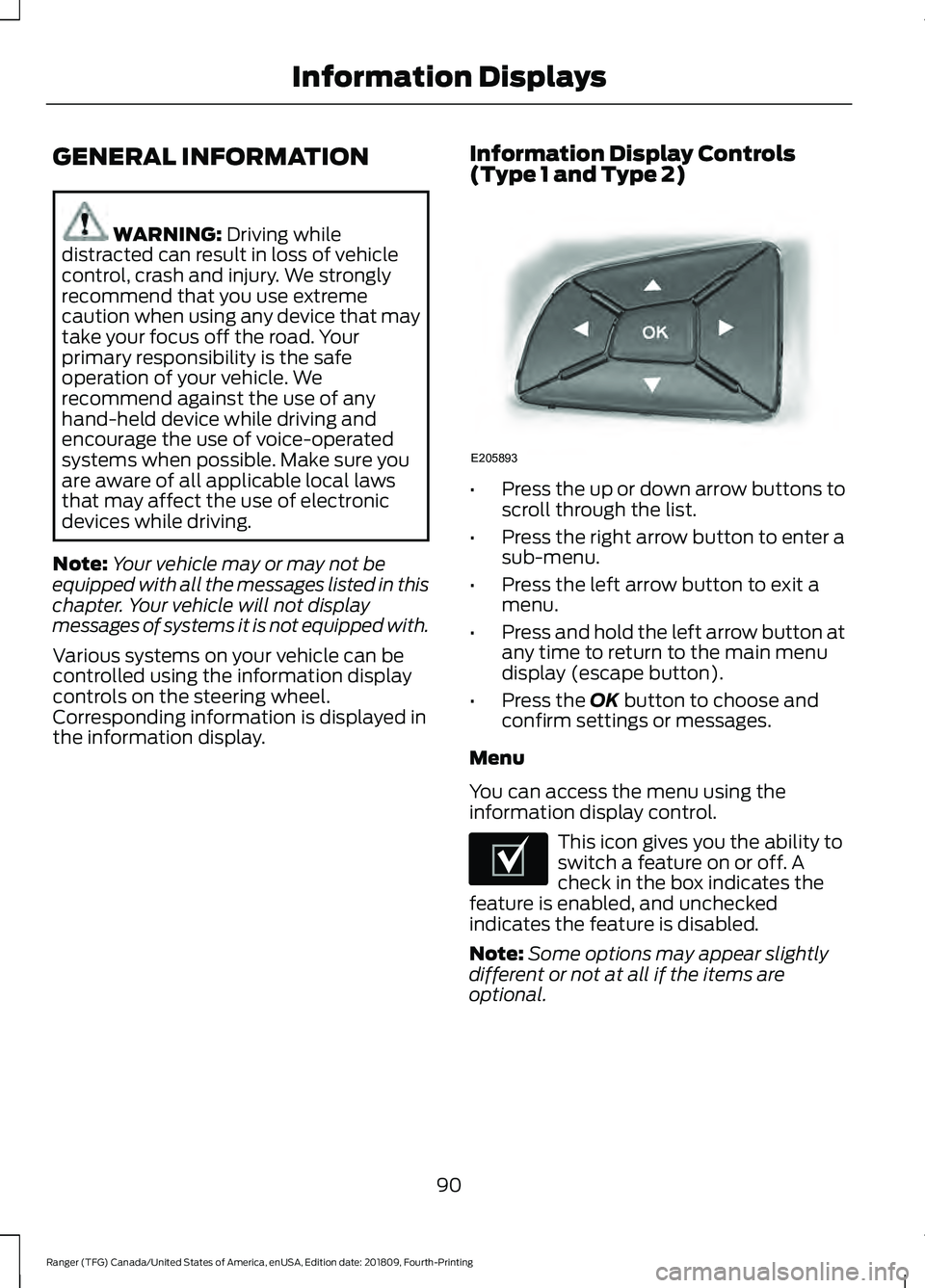
the information display. Information Display Controls
(Type 1 and Type 2) •
Press the up or down arrow buttons to
scroll through the list.
• Press the right arrow button to enter a
sub-menu.
• Press the left arrow button to exit a
menu.
• Press and hold the left arrow button at
any time to return to the main menu
display (escape button).
• Press the
OK button to choose and
confirm settings or messages.
Menu
You can access the menu using the
information display control. This icon gives you the ability to
switch a feature on or off. A
check in the box indicates the
feature is enabled, and unchecked
indicates the feature is disabled.
Note: Some options may appear slightly
different or not at all if the items are
optional.
90
Ranger (TFG) Canada/United States of America, enUSA, Edition date: 201809, Fourth-Printing Information DisplaysE205893 E204495
Page 94 of 512
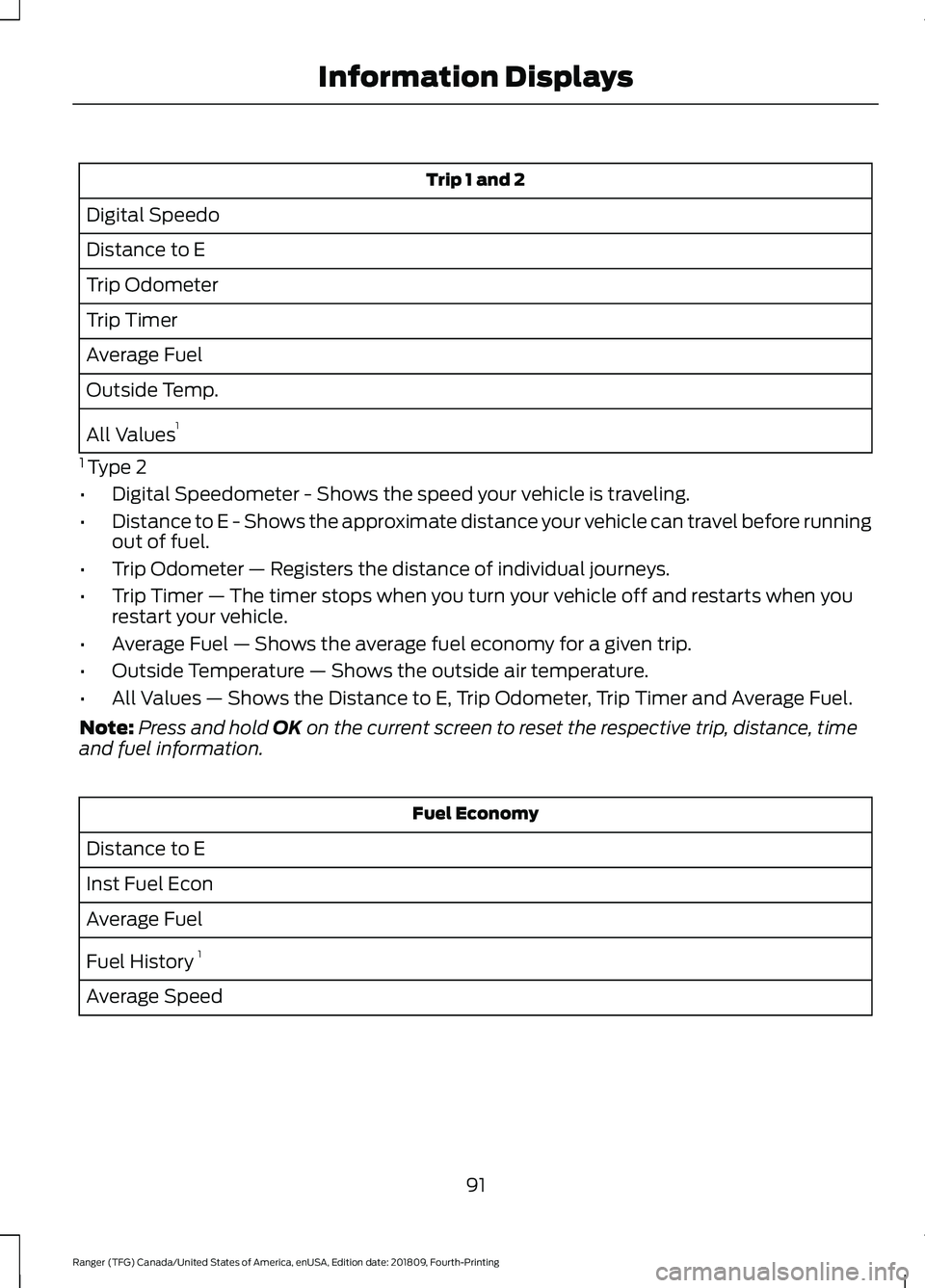
Trip 1 and 2
Digital Speedo
Distance to E
Trip Odometer
Trip Timer
Average Fuel
Outside Temp.
All Values 1
1 Type 2
• Digital Speedometer - Shows the speed your vehicle is traveling.
• Distance to E - Shows the approximate distance your vehicle can travel before running
out of fuel.
• Trip Odometer — Registers the distance of individual journeys.
• Trip Timer — The timer stops when you turn your vehicle off and restarts when you
restart your vehicle.
• Average Fuel — Shows the average fuel economy for a given trip.
• Outside Temperature — Shows the outside air temperature.
• All Values — Shows the Distance to E, Trip Odometer, Trip Timer and Average Fuel.
Note: Press and hold OK on the current screen to reset the respective trip, distance, time
and fuel information. Fuel Economy
Distance to E
Inst Fuel Econ
Average Fuel
Fuel History 1
Average Speed
91
Ranger (TFG) Canada/United States of America, enUSA, Edition date: 201809, Fourth-Printing Information Displays
Page 95 of 512
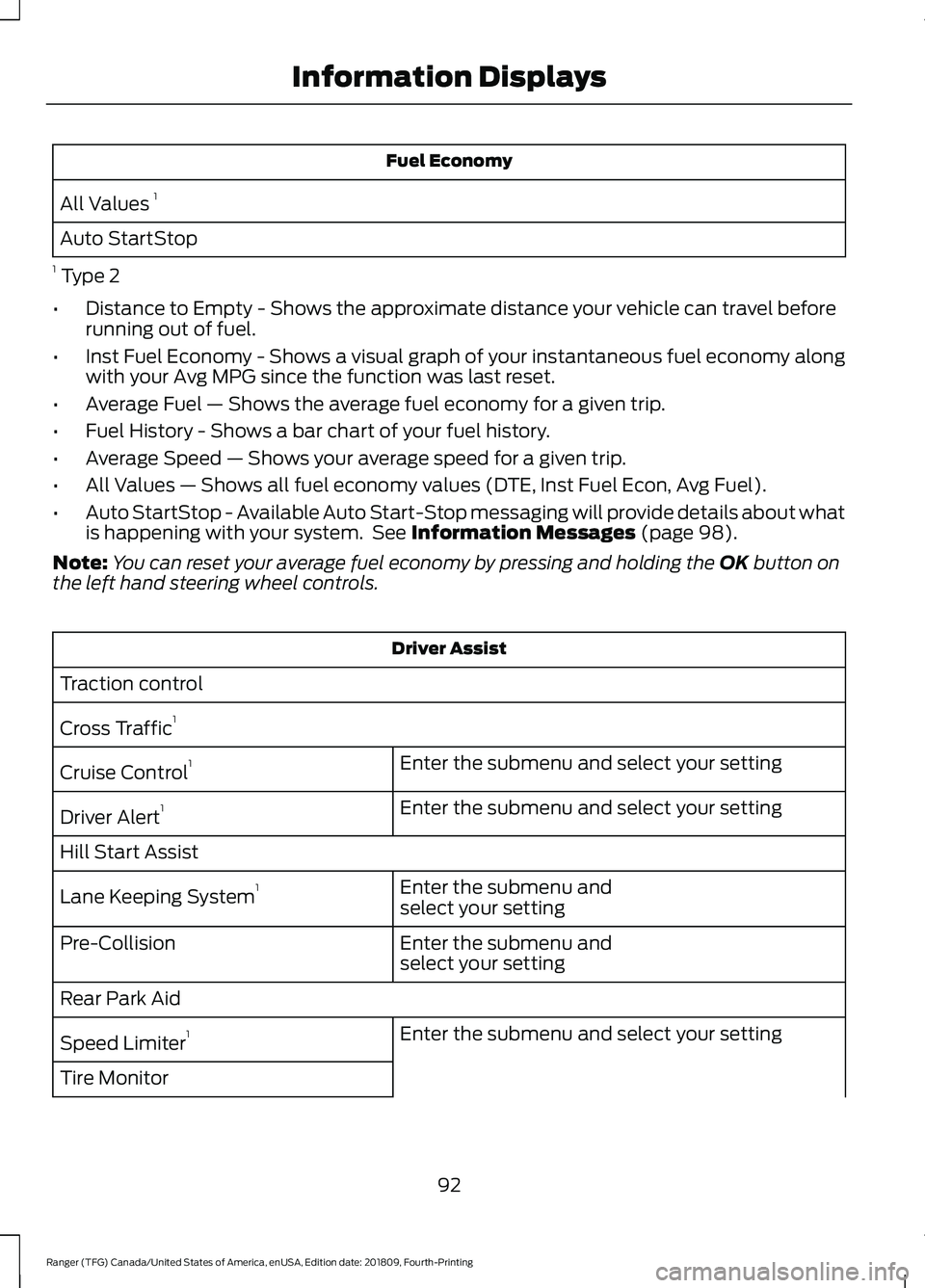
Fuel Economy
All Values 1
Auto StartStop
1 Type 2
• Distance to Empty - Shows the approximate distance your vehicle can travel before
running out of fuel.
• Inst Fuel Economy - Shows a visual graph of your instantaneous fuel economy along
with your Avg MPG since the function was last reset.
• Average Fuel — Shows the average fuel economy for a given trip.
• Fuel History - Shows a bar chart of your fuel history.
• Average Speed — Shows your average speed for a given trip.
• All Values — Shows all fuel economy values (DTE, Inst Fuel Econ, Avg Fuel).
• Auto StartStop - Available Auto Start-Stop messaging will provide details about what
is happening with your system. See Information Messages (page 98).
Note: You can reset your average fuel economy by pressing and holding the
OK button on
the left hand steering wheel controls. Driver Assist
Traction control
Cross Traffic 1
Enter the submenu and select your setting
Cruise Control 1
Enter the submenu and select your setting
Driver Alert 1
Hill Start Assist Enter the submenu and
select your setting
Lane Keeping System 1
Enter the submenu and
select your setting
Pre-Collision
Rear Park Aid
Enter the submenu and select your setting
Speed Limiter 1
Tire Monitor
92
Ranger (TFG) Canada/United States of America, enUSA, Edition date: 201809, Fourth-Printing Information Displays
Page 96 of 512
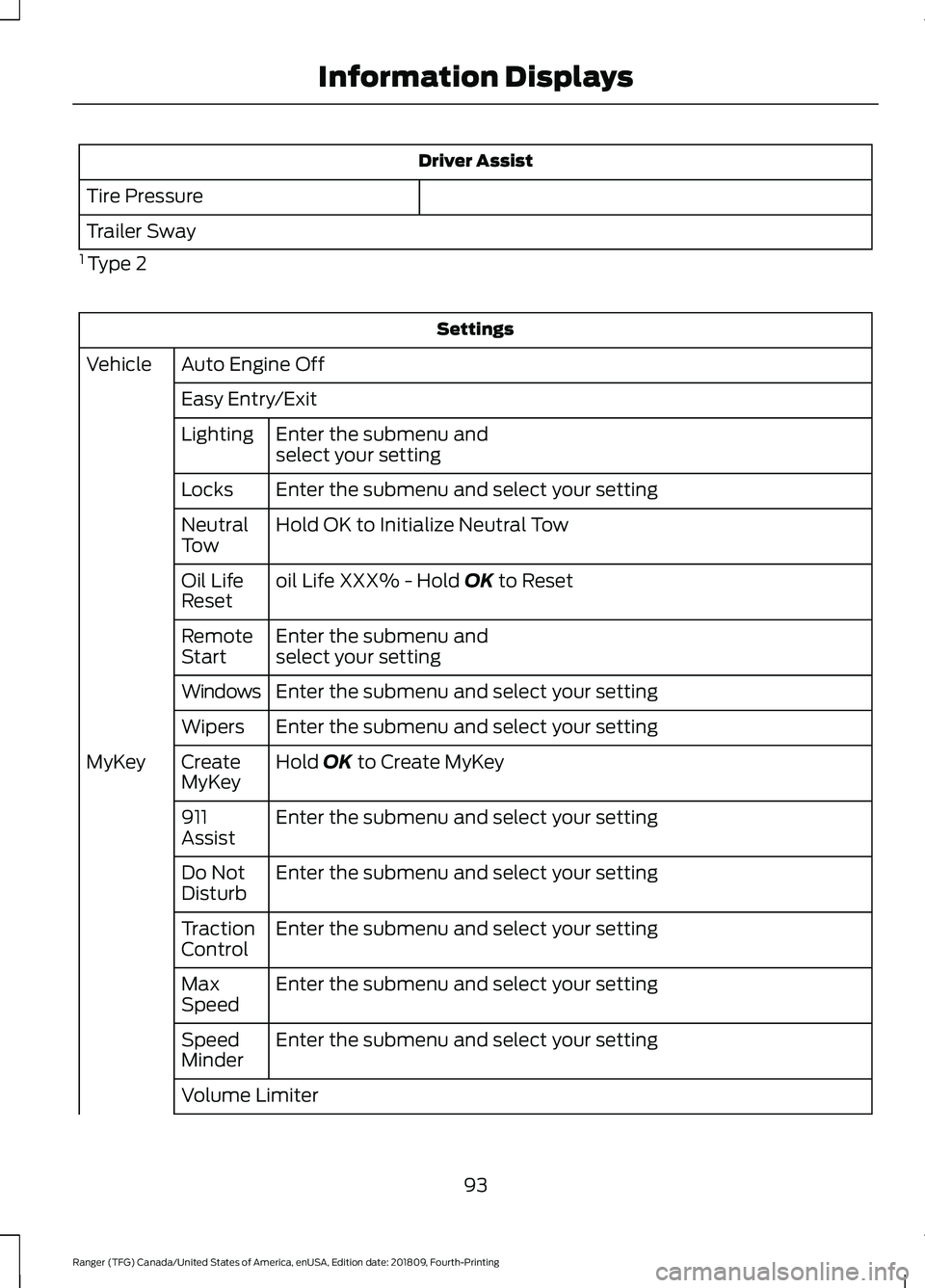
Driver Assist
Tire Pressure
Trailer Sway
1 Type 2 Settings
Auto Engine Off
Vehicle
Easy Entry/ExitEnter the submenu and
select your setting
Lighting
Enter the submenu and select your setting
Locks
Hold OK to Initialize Neutral Tow
Neutral
Tow
oil Life XXX% - Hold OK to Reset
Oil Life
Reset
Enter the submenu and
select your setting
Remote
Start
Enter the submenu and select your setting
Windows
Enter the submenu and select your setting
Wipers
Hold
OK to Create MyKey
Create
MyKey
MyKey
Enter the submenu and select your setting
911
Assist
Enter the submenu and select your setting
Do Not
Disturb
Enter the submenu and select your setting
Traction
Control
Enter the submenu and select your setting
Max
Speed
Enter the submenu and select your setting
Speed
Minder
Volume Limiter
93
Ranger (TFG) Canada/United States of America, enUSA, Edition date: 201809, Fourth-Printing Information Displays