AUX FORD RANGER 2020 Owners Manual
[x] Cancel search | Manufacturer: FORD, Model Year: 2020, Model line: RANGER, Model: FORD RANGER 2020Pages: 478, PDF Size: 7.44 MB
Page 5 of 478
Steering Wheel
Adjusting the Steering Wheel
...................72
Audio Control ..................................................
72
Voice Control ...................................................
73
Cruise Control .................................................
73
Information Display Control ......................
74
Horn ....................................................................
74
Wipers and Washers
Windshield Wipers ........................................
75
Autowipers .......................................................
75
Windshield Washers ....................................
76
Lighting
General Information ......................................
77
Lighting Control ..............................................
77
Autolamps .......................................................
78
Instrument Lighting Dimmer .....................
78
Daytime Running Lamps ............................
79
Automatic High Beam Control ................
80
Front Fog Lamps ............................................
81
Direction Indicators .......................................
81
Interior Lamps .................................................
81
Ambient Lighting ...........................................
82
Cargo Lamps ...................................................
82
Windows and Mirrors
Power Windows .............................................
83
Exterior Mirrors ...............................................
86
Interior Mirror ...................................................
87
Sun Visors ........................................................
88
Instrument Cluster
Gauges ..............................................................
89
Warning Lamps and Indicators ................
92
Audible Warnings and Indicators ............
95
Information Displays
General Information ....................................
96Information Messages
...............................
104
Climate Control
Manual Climate Control .............................
117
Automatic Climate Control ......................
118
Hints on Controlling the Interior Climate ........................................................................\
.
120
Heated Windshield ......................................
122
Heated Rear Window .................................
122
Heated Exterior Mirrors ..............................
122
Cabin Air Filter ...............................................
122
Remote Start .................................................
123
Seats
Sitting in the Correct Position .................
124
Head Restraints ............................................
124
Manual Seats ................................................
126
Power Seats ...................................................
127
Rear Seats ......................................................
128
Heated Seats ................................................
130
Garage Door Opener
Universal Garage Door Opener ................
131
Auxiliary Power Points
Auxiliary Power Points ...............................
135
Storage Compartments
Glove Compartment ...................................
137
Center Console ..............................................
137
Overhead Console .......................................
137
Rear Seat Armrest .......................................
138
Under Seat Storage ....................................
138
Starting and Stopping the Engine
General Information ...................................
139
Ignition Switch ..............................................
139
Keyless Starting ...........................................
140
Starting a Gasoline Engine ......................
140
2
Ranger (TFG) Canada/United States of America, Vehicles Built From: 18-11-2019, LB3J 19A321 AB enUSA, Edition date: 202002, Second-Printing Table of Contents
Page 138 of 478
12 V DC Power Point
WARNING: Do not use a power
point for operating a cigar lighter.
Incorrect use of the power points can
cause damage not covered by the
vehicle warranty, and can result in fire or
serious injury.
Note: When you switch the ignition on, you
can use the socket to power
12 V appliances
with a maximum current rating of 15 A.
If the power supply does not work after you
switch the ignition off, switch the ignition
on.
Note: Do not hang any accessory from the
accessory plug.
Note: Do not use the power point over the
vehicle capacity of
12 V DC 180 watts or a
fuse may blow.
Note: Always keep the power point caps
closed when not in use.
Do not insert objects other than an
accessory plug into the power point. This
damages the power point and may blow
the fuse.
Run the vehicle for full capacity use of the
power point.
To prevent the battery from running out of
charge:
• Do not use the power point longer than
necessary when the engine is not
running.
• Do not leave devices plugged in
overnight or when you park your vehicle
for extended periods.
Location
Power points may be in the following
locations:
• On the front of the center console.
• Inside the center console. •
On the rear of the center console.
• Inside the luggage compartment.
110 V AC Power Point
(If Equipped) WARNING:
Do not keep electrical
devices plugged in the power point
whenever the device is not in use. Do not
use any extension cord with the 110 volt
AC power point, since it will defeat the
safety protection design. Doing so may
cause the power point to overload due
to powering multiple devices that can
reach beyond the 150 watt load limit and
could result in fire or serious injury.
Note: The power point turns off when you
switch the ignition off, or when the battery
voltage drops below 11 volts.
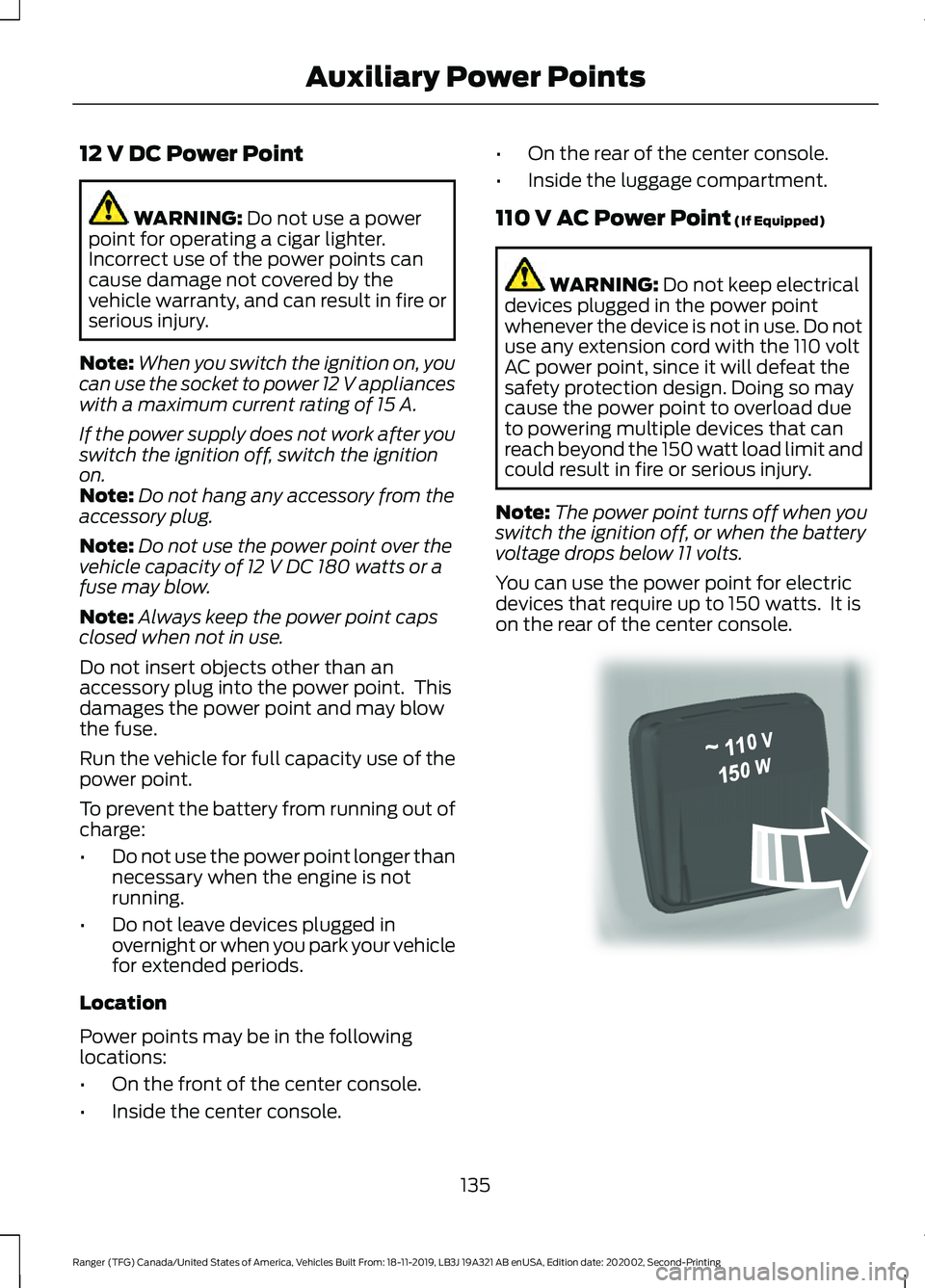
You can use the power point for electric
devices that require up to 150 watts. It is
on the rear of the center console. 135
Ranger (TFG) Canada/United States of America, Vehicles Built From: 18-11-2019, LB3J 19A321 AB enUSA, Edition date: 202002, Second-Printing Auxiliary Power PointsE305821
Page 139 of 478
When the indicator light on the power point
is:
•
On: The power point is working, the
ignition is on and a device is plugged
in.
• Off: The power point is off, the ignition
is off or no device is plugged in.
• Flashing: The power point is in fault
mode.
The power outlet temporarily turns off
power when in fault mode if the device
exceeds the 150 watt limit. Unplug your
device and switch the ignition off. Switch
the ignition back on, but do not plug your
device back in. Let the system cool off and
switch the ignition off to reset the fault
mode. Switch the ignition back on and
make sure the indicator light remains on.
Do not use the power point for certain
electric devices, including:
• Cathode-ray, tube-type televisions.
• Motor loads, such as vacuum cleaners,
electric saws and other electric power
tools or compressor-driven
refrigerators.
• Measuring devices, which process
precise data, such as medical
equipment or measuring equipment.
• Other appliances requiring an
extremely stable power supply such as
microcomputer-controlled electric
blankets or touch-sensor lamps.
136
Ranger (TFG) Canada/United States of America, Vehicles Built From: 18-11-2019, LB3J 19A321 AB enUSA, Edition date: 202002, Second-Printing Auxiliary Power Points
Page 140 of 478
GLOVE COMPARTMENT
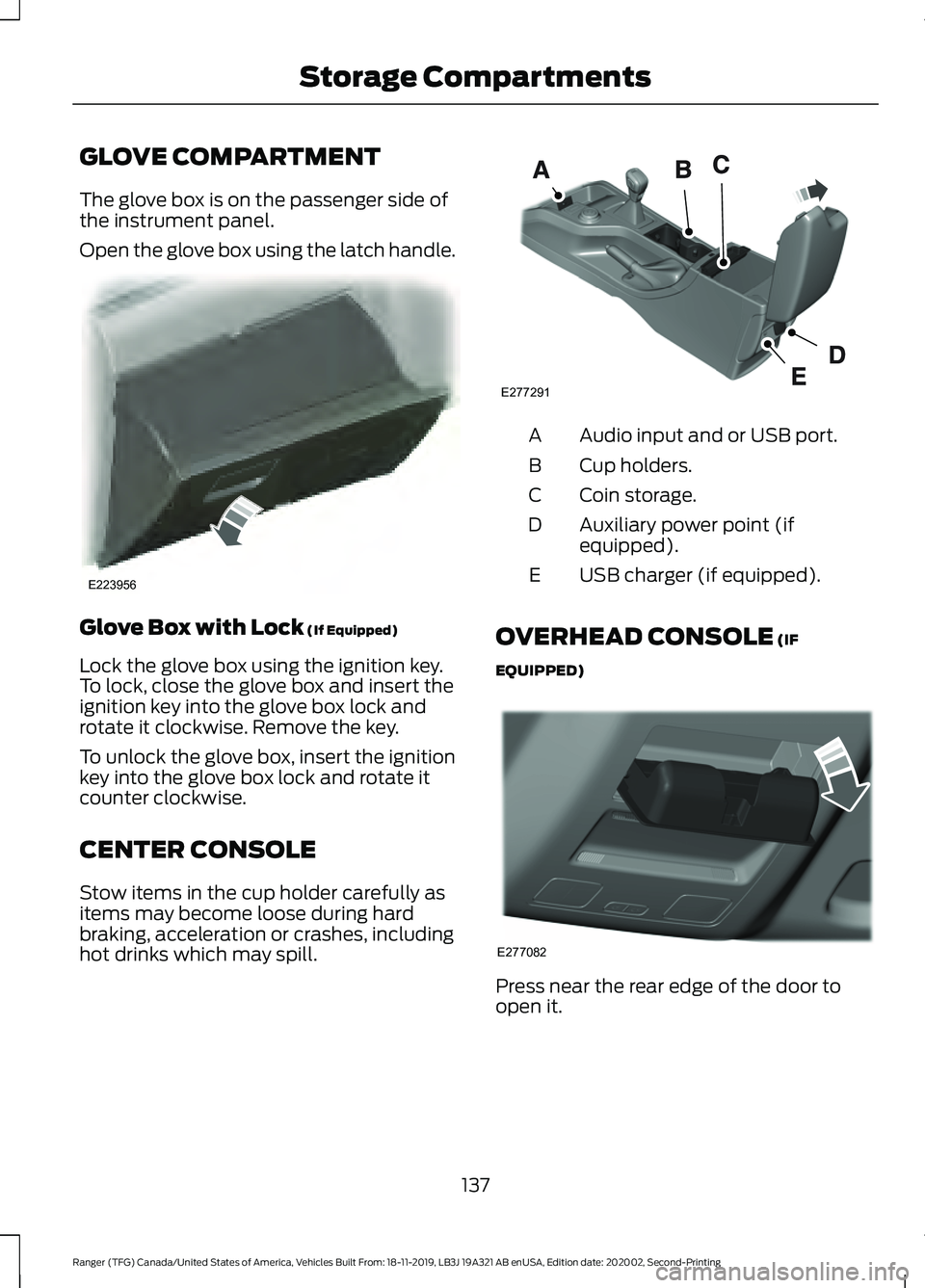
The glove box is on the passenger side of
the instrument panel.
Open the glove box using the latch handle.
Glove Box with Lock (If Equipped)
Lock the glove box using the ignition key.
To lock, close the glove box and insert the
ignition key into the glove box lock and
rotate it clockwise. Remove the key.
To unlock the glove box, insert the ignition
key into the glove box lock and rotate it
counter clockwise.
CENTER CONSOLE
Stow items in the cup holder carefully as
items may become loose during hard
braking, acceleration or crashes, including
hot drinks which may spill. Audio input and or USB port.
A
Cup holders.
B
Coin storage.
C
Auxiliary power point (if
equipped).
D
USB charger (if equipped).
E
OVERHEAD CONSOLE (IF
EQUIPPED) Press near the rear edge of the door to
open it.
137
Ranger (TFG) Canada/United States of America, Vehicles Built From: 18-11-2019, LB3J 19A321 AB enUSA, Edition date: 202002, Second-Printing Storage CompartmentsE223956 E277291 E277082
Page 251 of 478
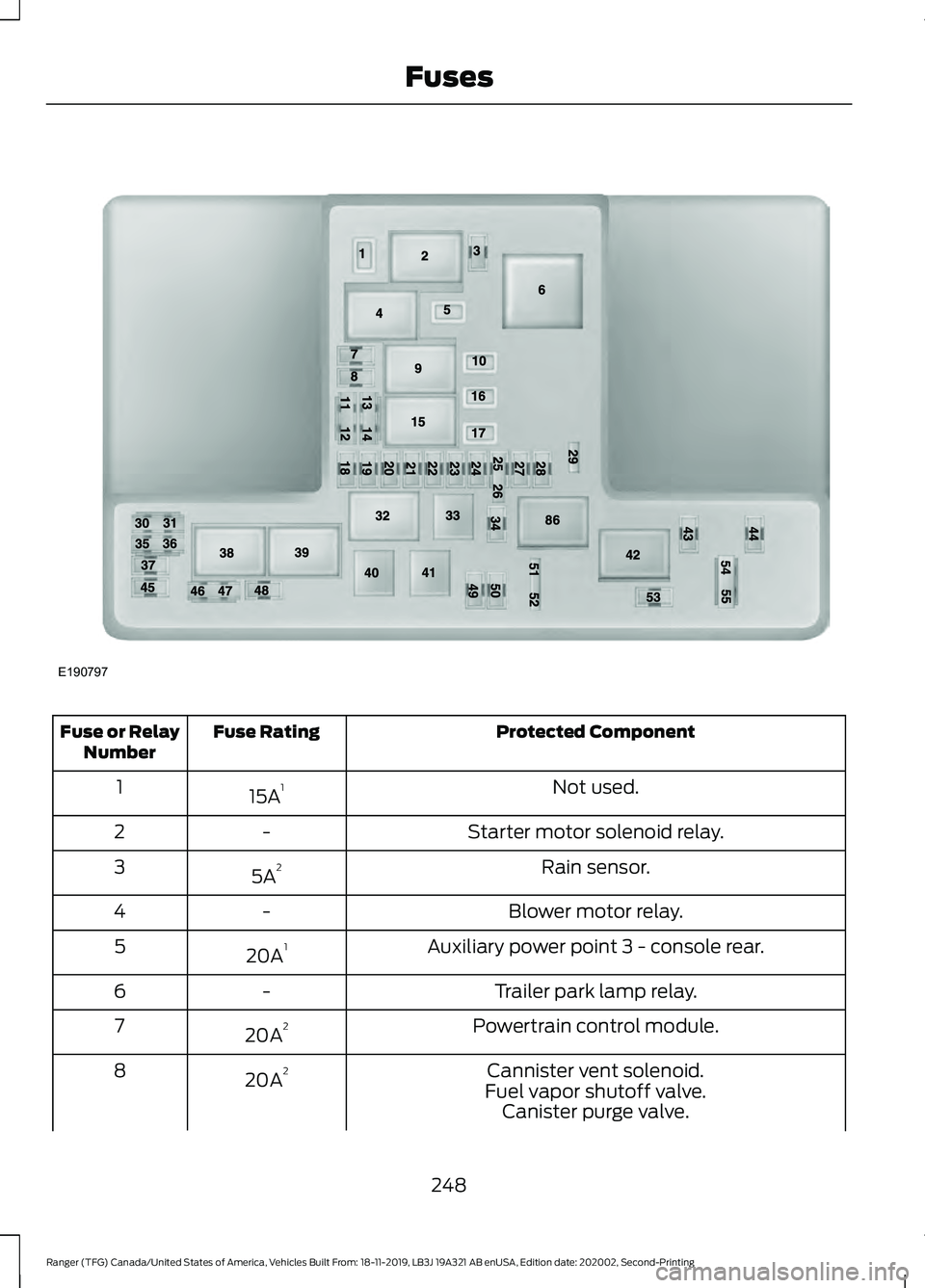
Protected Component
Fuse Rating
Fuse or Relay
Number
Not used.
15A 1
1
Starter motor solenoid relay.
-
2
Rain sensor.
5A 2
3
Blower motor relay.
-
4
Auxiliary power point 3 - console rear.
20A 1
5
Trailer park lamp relay.
-
6
Powertrain control module.
20A 2
7
Cannister vent solenoid.
20A 2
8
Fuel vapor shutoff valve.Canister purge valve.
248
Ranger (TFG) Canada/United States of America, Vehicles Built From: 18-11-2019, LB3J 19A321 AB enUSA, Edition date: 202002, Second-Printing FusesE190797
Page 252 of 478
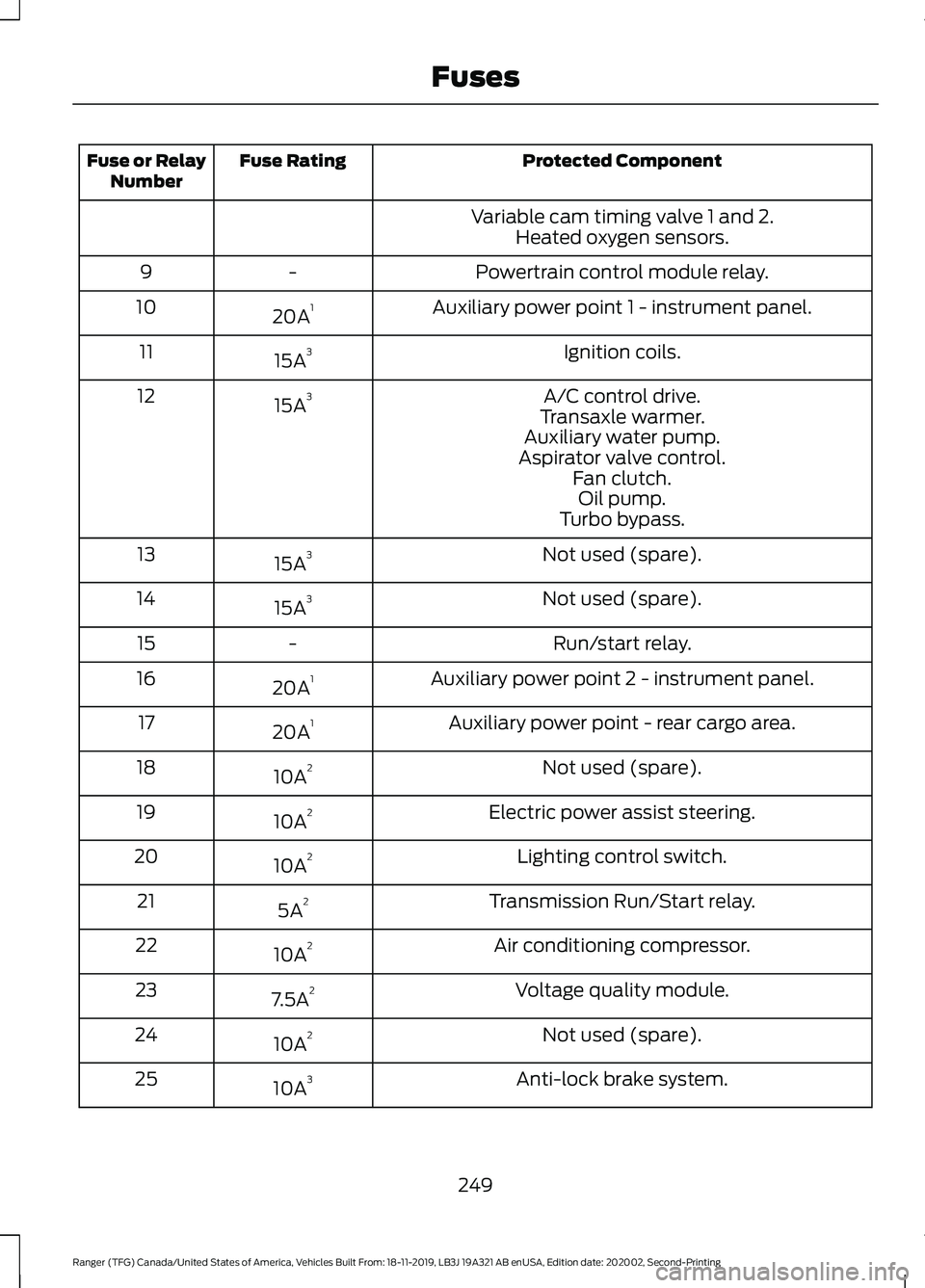
Protected Component
Fuse Rating
Fuse or Relay
Number
Variable cam timing valve 1 and 2.Heated oxygen sensors.
Powertrain control module relay.
-
9
Auxiliary power point 1 - instrument panel.
20A 1
10
Ignition coils.
15A 3
11
A/C control drive.
15A 3
12
Transaxle warmer.
Auxiliary water pump.
Aspirator valve control. Fan clutch.Oil pump.
Turbo bypass.
Not used (spare).
15A 3
13
Not used (spare).
15A 3
14
Run/start relay.
-
15
Auxiliary power point 2 - instrument panel.
20A 1
16
Auxiliary power point - rear cargo area.
20A 1
17
Not used (spare).
10A 2
18
Electric power assist steering.
10A 2
19
Lighting control switch.
10A 2
20
Transmission Run/Start relay.
5A 2
21
Air conditioning compressor.
10A 2
22
Voltage quality module.
7.5A 2
23
Not used (spare).
10A 2
24
Anti-lock brake system.
10A 3
25
249
Ranger (TFG) Canada/United States of America, Vehicles Built From: 18-11-2019, LB3J 19A321 AB enUSA, Edition date: 202002, Second-Printing Fuses
Page 339 of 478
WHAT IS A CONNECTED
VEHICLE
A connected vehicle has technology that
allows your vehicle to connect to a mobile
network and for you to access a range of
features. When used in conjunction with
the FordPass app, it could allow you to
monitor and control your vehicle further,
for example checking the tire pressures,
the fuel level and the vehicle location. For
additional information, refer to the local
Ford website.
CONNECTED VEHICLE
REQUIREMENTS
Connected service and related feature
functionality requires a compatible vehicle
network.
Some remote features require a
subscription. For additional information,
see the FordPass app. Some restrictions,
third party terms and message or data
rates may apply.
CONNECTED VEHICLE
LIMITATIONS
Evolving technology, evolving cellular
networks or evolving regulations could
affect functionality and availability, or
continued provision of some features.
These changes could even stop some
features from functioning.
CONNECTING THE VEHICLE TO
A MOBILE NETWORK
What Is the Modem The modem allows access to a
range of features built into your
vehicle.
Enabling and Disabling the Modem
- Vehicles With: AM/FM/Aux In/
USB/Bluetooth
1. Using the information display control on the steering wheel, select Settings.
2. Select FordPass.
3. Select
Connectivity.
4. Switch connectivity features on or off.
Enabling and Disabling the Modem
- Vehicles With: SYNC 3
1. Select
Settings.
2. Select
FordPass Connect.
3. Select
Connectivity Settings.
4. Switch connectivity features on or off.
Connecting FordPass to the
Modem
1. Make sure that the modem is enabled using the vehicle settings menu.
2. Open the FordPass app on your device
and log in.
3. Add your vehicle or select your vehicle if already added.
4. Select the option for vehicle details.
5. Select the option to activate your vehicle.
336
Ranger (TFG) Canada/United States of America, Vehicles Built From: 18-11-2019, LB3J 19A321 AB enUSA, Edition date: 202002, Second-Printing Connected Vehicle
Page 356 of 478
safe operation of your vehicle. We
recommend against the use of any
hand-held device while driving and
encourage the use of voice-operated
systems when possible. Make sure you
are aware of all applicable local laws
that may affect the use of electronic
devices while driving.
WARNING: Always place your
device in a secure location in your vehicle
so it does not become a projectile in a
sudden stop or crash. Failure to follow
this instruction could result in personal
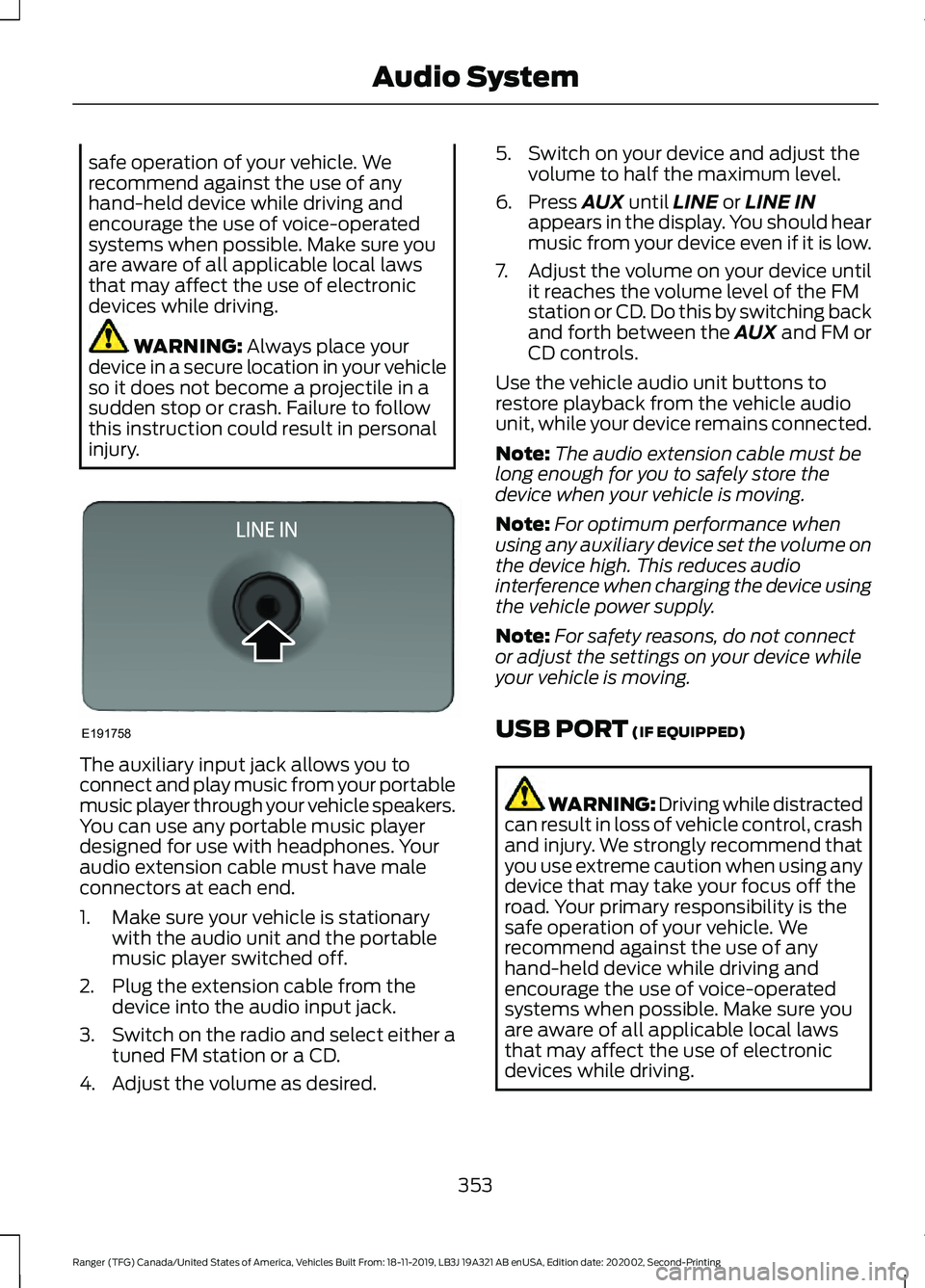
injury. The auxiliary input jack allows you to
connect and play music from your portable
music player through your vehicle speakers.
You can use any portable music player
designed for use with headphones. Your
audio extension cable must have male
connectors at each end.
1. Make sure your vehicle is stationary
with the audio unit and the portable
music player switched off.
2. Plug the extension cable from the device into the audio input jack.
3. Switch on the radio and select either a
tuned FM station or a CD.
4. Adjust the volume as desired. 5. Switch on your device and adjust the
volume to half the maximum level.
6. Press
AUX until LINE or LINE IN
appears in the display. You should hear
music from your device even if it is low.
7. Adjust the volume on your device until
it reaches the volume level of the FM
station or CD. Do this by switching back
and forth between the AUX and FM or
CD controls.
Use the vehicle audio unit buttons to
restore playback from the vehicle audio
unit, while your device remains connected.
Note: The audio extension cable must be
long enough for you to safely store the
device when your vehicle is moving.
Note: For optimum performance when
using any auxiliary device set the volume on
the device high. This reduces audio
interference when charging the device using
the vehicle power supply.
Note: For safety reasons, do not connect
or adjust the settings on your device while
your vehicle is moving.
USB PORT
(IF EQUIPPED) WARNING: Driving while distracted
can result in loss of vehicle control, crash
and injury. We strongly recommend that
you use extreme caution when using any
device that may take your focus off the
road. Your primary responsibility is the
safe operation of your vehicle. We
recommend against the use of any
hand-held device while driving and
encourage the use of voice-operated
systems when possible. Make sure you
are aware of all applicable local laws
that may affect the use of electronic
devices while driving.
353
Ranger (TFG) Canada/United States of America, Vehicles Built From: 18-11-2019, LB3J 19A321 AB enUSA, Edition date: 202002, Second-Printing Audio SystemE191758
Page 357 of 478
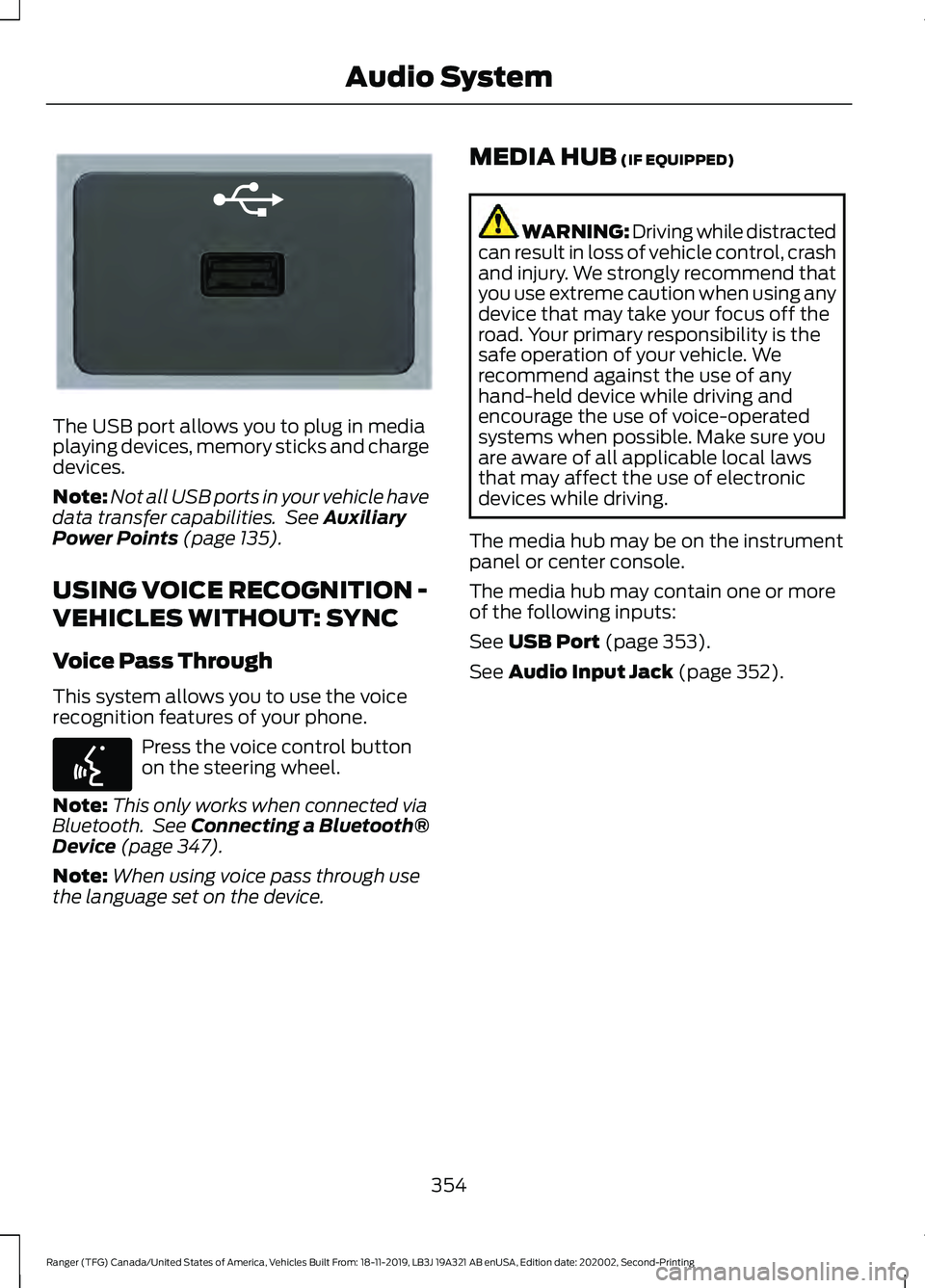
The USB port allows you to plug in media
playing devices, memory sticks and charge
devices.
Note:
Not all USB ports in your vehicle have
data transfer capabilities. See Auxiliary
Power Points (page 135).
USING VOICE RECOGNITION -
VEHICLES WITHOUT: SYNC
Voice Pass Through
This system allows you to use the voice
recognition features of your phone. Press the voice control button
on the steering wheel.
Note: This only works when connected via
Bluetooth. See
Connecting a Bluetooth®
Device (page 347).
Note: When using voice pass through use
the language set on the device. MEDIA HUB
(IF EQUIPPED) WARNING: Driving while distracted
can result in loss of vehicle control, crash
and injury. We strongly recommend that
you use extreme caution when using any
device that may take your focus off the
road. Your primary responsibility is the
safe operation of your vehicle. We
recommend against the use of any
hand-held device while driving and
encourage the use of voice-operated
systems when possible. Make sure you
are aware of all applicable local laws
that may affect the use of electronic
devices while driving.
The media hub may be on the instrument
panel or center console.
The media hub may contain one or more
of the following inputs:
See
USB Port (page 353).
See
Audio Input Jack (page 352).
354
Ranger (TFG) Canada/United States of America, Vehicles Built From: 18-11-2019, LB3J 19A321 AB enUSA, Edition date: 202002, Second-Printing Audio SystemE201595 E142599
Page 365 of 478
App Permissions
App permissions are organized by groups.
You can grant these group permissions
individually. You can change a permission
group status any time when not driving, by
using the settings menu.
When you launch an app using SYNC, the
system may ask you to grant certain
permissions, for example:
•
To allow your vehicle to provide vehicle
information to the app such as, but not
limited to: Fuel level, fuel economy, fuel
consumption, engine speed, rain
sensor, odometer, VIN, external
temperature, gear position, tire
pressure, and head lamp status.
• To allow your vehicle to provide driving
characteristic information such as, but
not limited to: MyKey, seat belt status,
engine revolutions per minute, gear
position, braking events, steering wheel
angle, and accelerator pedal position.
• To allow your vehicle to provide
location information, including: GPS
and speed.
• To allow the app to send push
notifications using the vehicle display
and voice capabilities while running in
a background state. Push notifications
may be particularly useful for news or
location based apps.
Note: You only need to grant permissions
the first time you use an app with SYNC.
Note: Ford is not responsible or liable for
any damages or loss of privacy relating to
usage of an app, or dissemination of any
vehicle data that you approve Ford to
provide to an app. Enabling SYNC Mobile Apps
In order to enable mobile apps, SYNC
requires user consent to send and receive
app authorization information and updates
using the data plan associated with the
connected device.
Data is sent to Ford in the United States
through the connected device. The
information is encrypted and includes your
VIN, SYNC module number, anonymous
usage statistics and debugging
information. Updates may take place.
Note:
You must enable mobile apps for
each connected device the first time you
select a mobile app using the system.
Note: Standard data rates apply. Ford is
not responsible for any additional charges
you may receive from your service provider,
when your vehicle sends or receives data
through the connected device. This includes
any additional charges incurred due to
driving in areas when roaming out of a home
network.
USING SYNC™ WITH YOUR
MEDIA PLAYER
SYNC supports digital media sources
including: iPod, Bluetooth devices, and
most USB drives. SYNC also supports
audio formats, such as MP3, WMA, WAV
and ACC.
Media Sources
The AUX or MEDIA button allows you to
view and select available media sources.
Press the
AUX or MEDIA button to view
your sources. Use the directional arrows
and OK button to select your source. You
can also use the steering wheel audio
controls.
362
Ranger (TFG) Canada/United States of America, Vehicles Built From: 18-11-2019, LB3J 19A321 AB enUSA, Edition date: 202002, Second-Printing SYNC™
(If Equipped)