mirror FORD RANGER 2021 Owners Manual
[x] Cancel search | Manufacturer: FORD, Model Year: 2021, Model line: RANGER, Model: FORD RANGER 2021Pages: 475, PDF Size: 7.9 MB
Page 5 of 475
Steering Wheel
Adjusting the Steering Wheel
...................72
Audio Control ..................................................
72
Voice Control ...................................................
73
Cruise Control .................................................
73
Information Display Control ......................
74
Horn ....................................................................
74
Wipers and Washers
Windshield Wipers ........................................
75
Autowipers .......................................................
75
Windshield Washers ....................................
76
Lighting
General Information ......................................
77
Lighting Control ..............................................
77
Autolamps .......................................................
78
Instrument Lighting Dimmer .....................
78
Daytime Running Lamps ............................
79
Automatic High Beam Control ................
80
Front Fog Lamps ............................................
81
Direction Indicators .......................................
81
Interior Lamps .................................................
81
Ambient Lighting ...........................................
82
Cargo Lamps ...................................................
82
Windows and Mirrors
Power Windows .............................................
83
Exterior Mirrors ...............................................
86
Interior Mirror ...................................................
87
Sun Visors ........................................................
88
Instrument Cluster
Gauges ..............................................................
89
Warning Lamps and Indicators ................
92
Audible Warnings and Indicators ............
95
Information Displays
General Information ....................................
96Information Messages
...............................
104
Climate Control
Manual Climate Control .............................
117
Automatic Climate Control ......................
118
Hints on Controlling the Interior Climate ........................................................................\
.
120
Heated Windshield ......................................
122
Heated Rear Window .................................
122
Heated Exterior Mirrors ..............................
122
Cabin Air Filter ...............................................
122
Remote Start .................................................
123
Seats
Sitting in the Correct Position .................
124
Head Restraints ............................................
124
Manual Seats ................................................
125
Power Seats ...................................................
127
Rear Seats ......................................................
128
Heated Seats ................................................
130
Rear Occupant Alert System
What is the Rear Occupant Alert System ........................................................................\
..
131
How Does the Rear Occupant Alert System Work ..............................................
131
Rear Occupant Alert System Precautions ........................................................................\
..
131
Rear Occupant Alert System Limitations ........................................................................\
..
131
Switching Rear Occupant Alert System On and Off ...................................................
131
Rear Occupant Alert System Indicators ........................................................................\
.
132
Rear Occupant Alert System Audible Warnings .....................................................
132
Garage Door Opener
Universal Garage Door Opener ...............
133
2
Ranger (TFG) Canada/United States of America, Vehicles Built From: 23-11-2020, MB3J 19A321 AA enUSA, Edition date: 202009, First-Printing Table of Contents
Page 86 of 475
POWER WINDOWS
WARNING: Do not leave children
or pets unattended in your vehicle.
Failure to follow this instruction could
result in personal injury or death. WARNING:
When closing the
power windows, verify they are free of
obstruction and make sure that children
and pets are not in the proximity of the
window openings.
Note: If you operate the switches often
during a short period of time the system
might become inoperable for a certain time
to prevent damage due to overheating.
Note: If you operate both the switch on the
relevant door and the switch for that
window on the driver ’s door at the same
time, the window stops moving.
Note: You may hear a pulsing noise when
you open just one of the windows. Lower
the opposite window slightly to reduce this
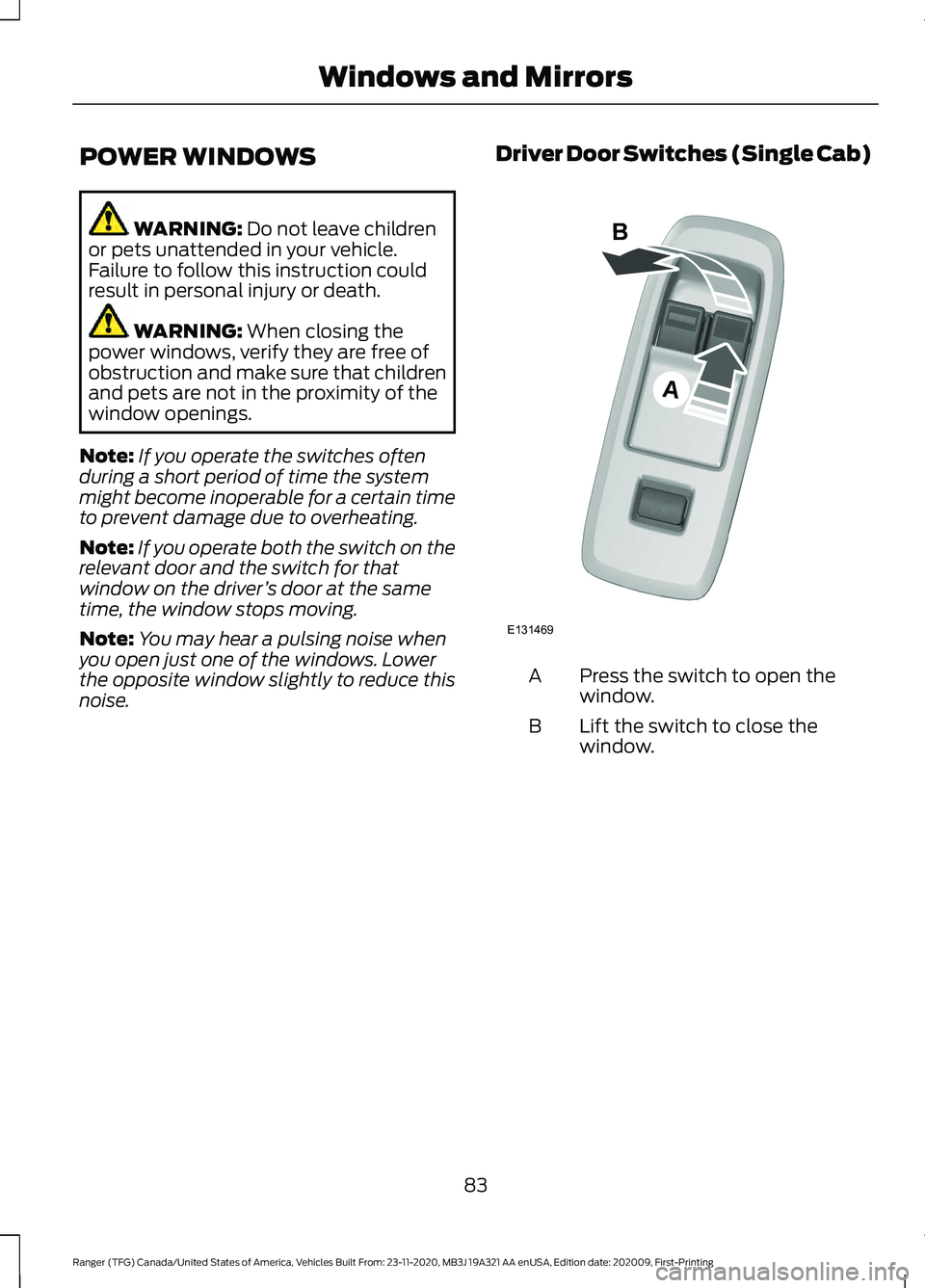
noise. Driver Door Switches (Single Cab) Press the switch to open the
window.
A
Lift the switch to close the
window.
B
83
Ranger (TFG) Canada/United States of America, Vehicles Built From: 23-11-2020, MB3J 19A321 AA enUSA, Edition date: 202009, First-Printing Windows and MirrorsA
B
E131469
Page 87 of 475
Driver Door Switches (Double Cab)
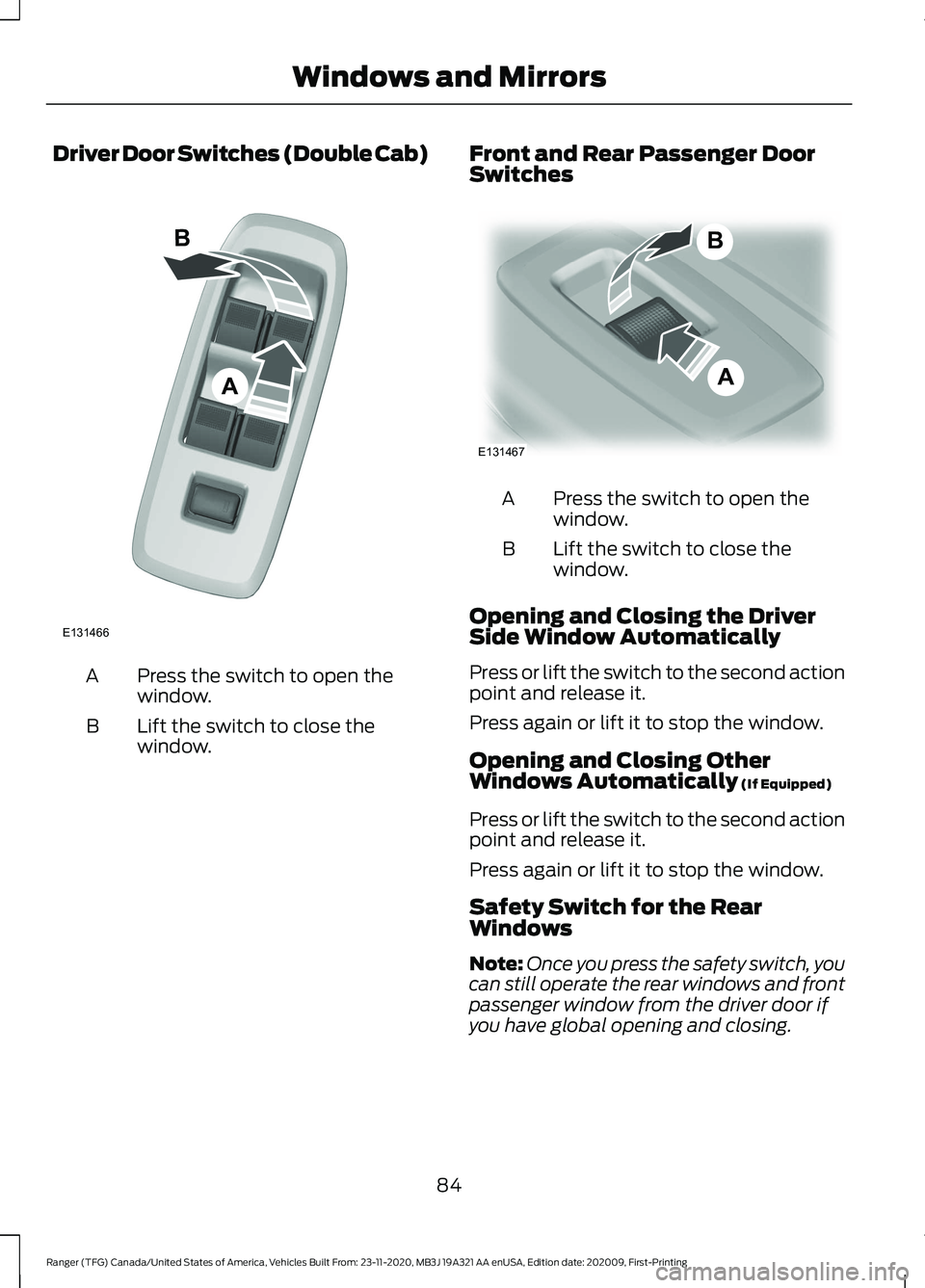
Press the switch to open the
window.
A
Lift the switch to close the
window.
B Front and Rear Passenger Door
Switches Press the switch to open the
window.
A
Lift the switch to close the
window.
B
Opening and Closing the Driver
Side Window Automatically
Press or lift the switch to the second action
point and release it.
Press again or lift it to stop the window.
Opening and Closing Other
Windows Automatically (If Equipped)
Press or lift the switch to the second action
point and release it.
Press again or lift it to stop the window.
Safety Switch for the Rear
Windows
Note: Once you press the safety switch, you
can still operate the rear windows and front
passenger window from the driver door if
you have global opening and closing.
84
Ranger (TFG) Canada/United States of America, Vehicles Built From: 23-11-2020, MB3J 19A321 AA enUSA, Edition date: 202009, First-Printing Windows and MirrorsA
B
E131466 A
B
E131467
Page 88 of 475
Note:
In vehicles without global opening
and closing, you cannot operate the rear
windows from driver side when you press
the safety switch. In certain vehicles, you
cannot operate front passenger windows
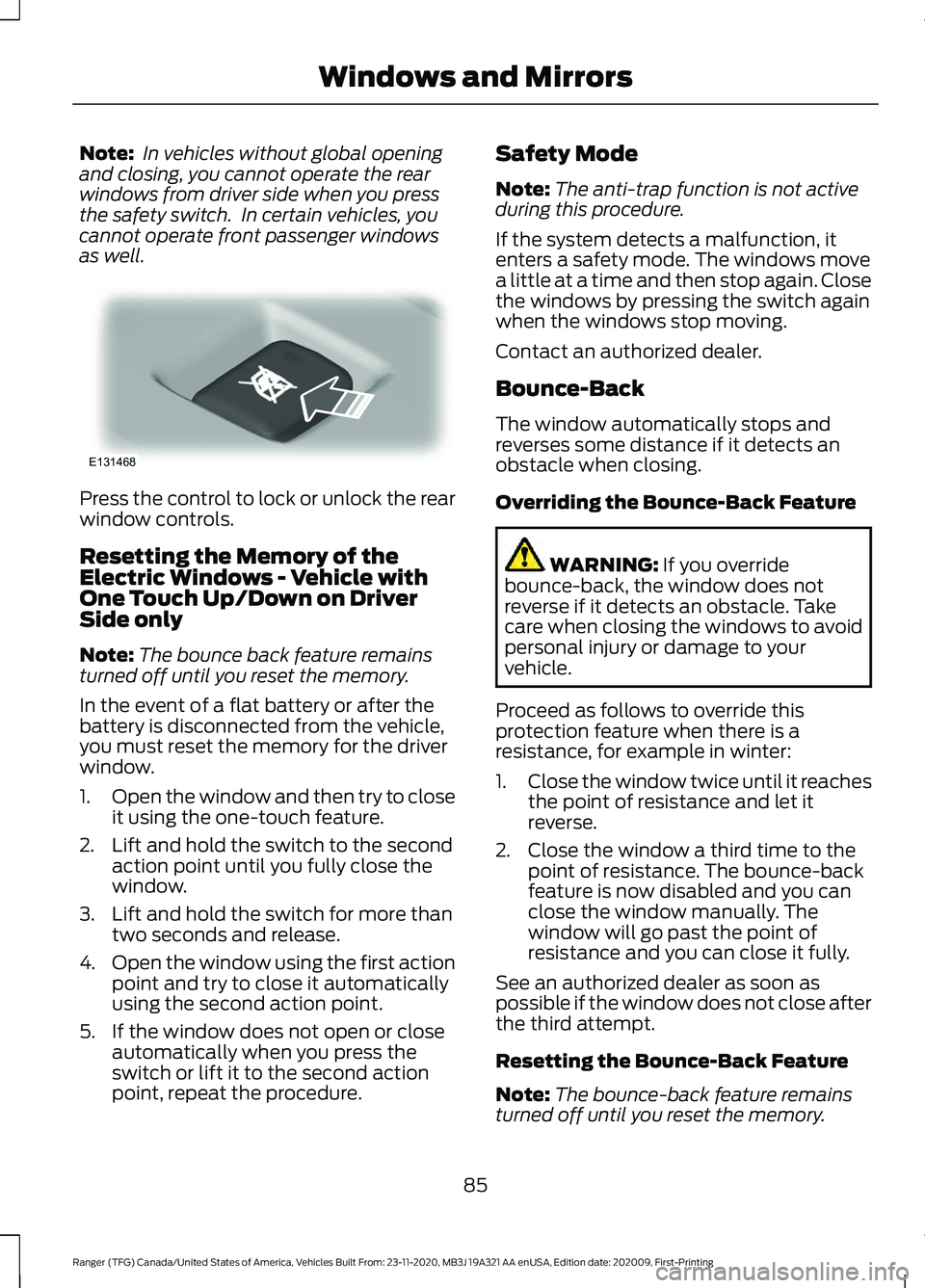
as well. Press the control to lock or unlock the rear
window controls.
Resetting the Memory of the
Electric Windows - Vehicle with
One Touch Up/Down on Driver
Side only
Note:
The bounce back feature remains
turned off until you reset the memory.
In the event of a flat battery or after the
battery is disconnected from the vehicle,
you must reset the memory for the driver
window.
1. Open the window and then try to close
it using the one-touch feature.
2. Lift and hold the switch to the second action point until you fully close the
window.
3. Lift and hold the switch for more than two seconds and release.
4. Open the window using the first action
point and try to close it automatically
using the second action point.
5. If the window does not open or close automatically when you press the
switch or lift it to the second action
point, repeat the procedure. Safety Mode
Note:
The anti-trap function is not active
during this procedure.
If the system detects a malfunction, it
enters a safety mode. The windows move
a little at a time and then stop again. Close
the windows by pressing the switch again
when the windows stop moving.
Contact an authorized dealer.
Bounce-Back
The window automatically stops and
reverses some distance if it detects an
obstacle when closing.
Overriding the Bounce-Back Feature WARNING: If you override
bounce-back, the window does not
reverse if it detects an obstacle. Take
care when closing the windows to avoid
personal injury or damage to your
vehicle.
Proceed as follows to override this
protection feature when there is a
resistance, for example in winter:
1. Close the window twice until it reaches
the point of resistance and let it
reverse.
2. Close the window a third time to the point of resistance. The bounce-back
feature is now disabled and you can
close the window manually. The
window will go past the point of
resistance and you can close it fully.
See an authorized dealer as soon as
possible if the window does not close after
the third attempt.
Resetting the Bounce-Back Feature
Note: The bounce-back feature remains
turned off until you reset the memory.
85
Ranger (TFG) Canada/United States of America, Vehicles Built From: 23-11-2020, MB3J 19A321 AA enUSA, Edition date: 202009, First-Printing Windows and MirrorsE131468
Page 89 of 475
If you disconnect the battery, you must
reset the bounce-back memory separately
for each window.
1. Lift and hold the switch until you fully
close the window.
2. Release the switch.
3. Lift the switch again for one second.
4. Press and hold the switch until you fully
close the window.
5. Release the switch.
6. Lift and hold the switch until you fully close the window.
7. Open the window and then try to close
it automatically.
8. Reset and repeat the procedure if the window does not close automatically.
EXTERIOR MIRRORS
Power Exterior Mirrors (If Equipped) WARNING:
Do not adjust the
mirrors when your vehicle is moving. This
could result in the loss of control of your
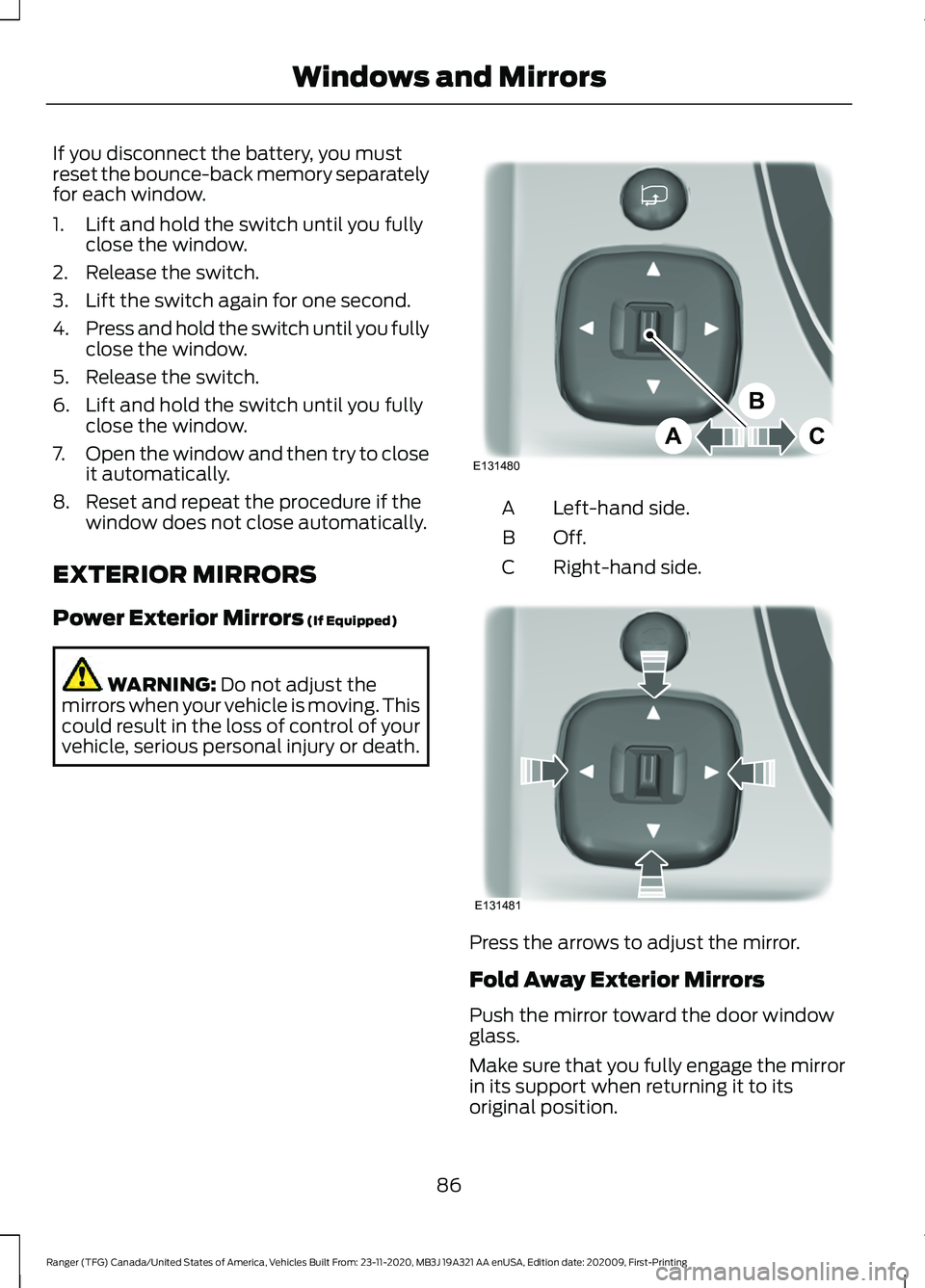
vehicle, serious personal injury or death. Left-hand side.
A
Off.B
Right-hand side.
C Press the arrows to adjust the mirror.
Fold Away Exterior Mirrors
Push the mirror toward the door window
glass.
Make sure that you fully engage the mirror
in its support when returning it to its
original position.
86
Ranger (TFG) Canada/United States of America, Vehicles Built From: 23-11-2020, MB3J 19A321 AA enUSA, Edition date: 202009, First-Printing Windows and MirrorsE131480
A
B
C E131481
Page 90 of 475
Power-Folding Mirrors (If Equipped)
The power folding mirrors operate with the
ignition on.
Note: The mirrors no longer operate if you
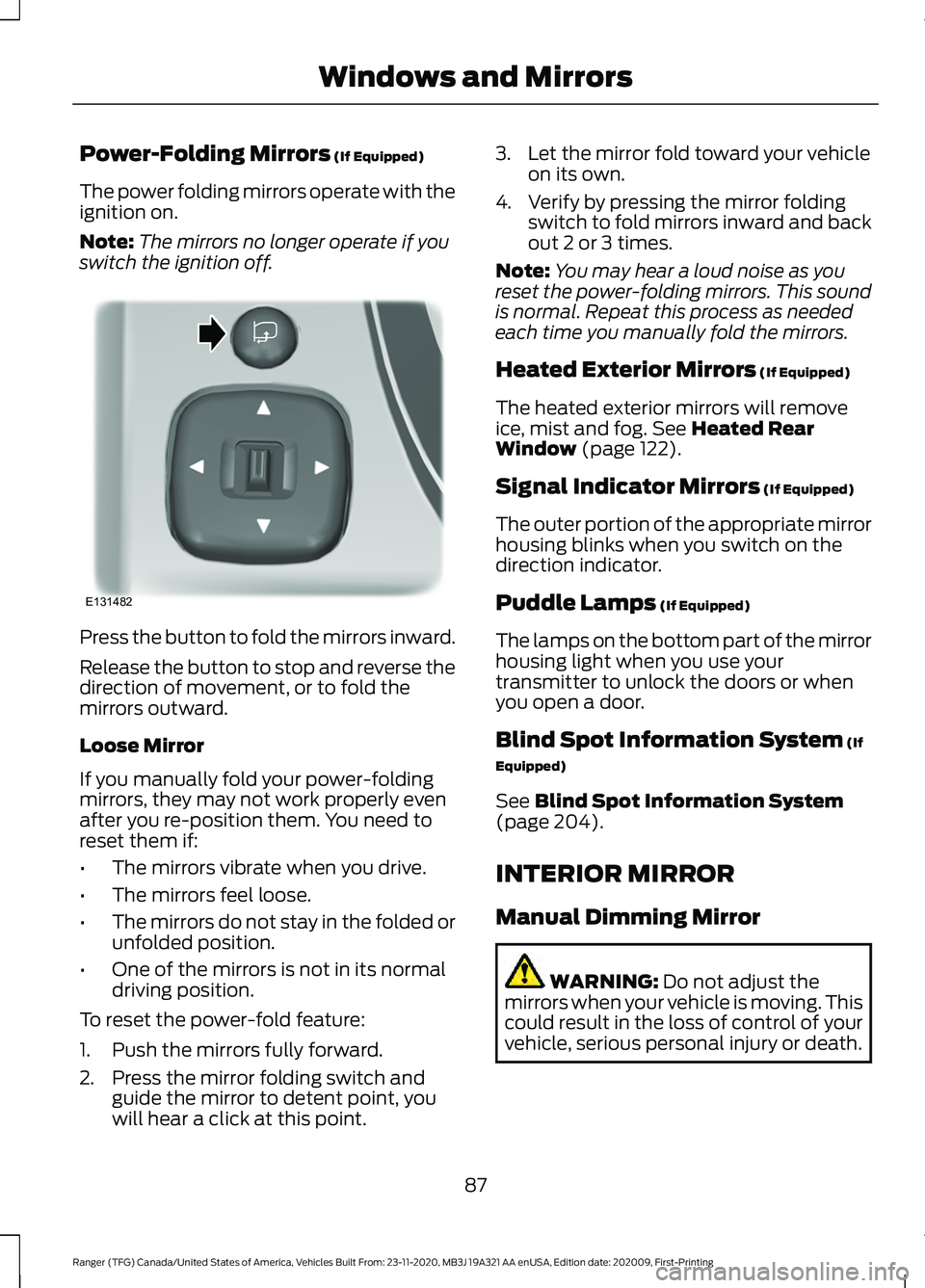
switch the ignition off. Press the button to fold the mirrors inward.
Release the button to stop and reverse the
direction of movement, or to fold the
mirrors outward.
Loose Mirror
If you manually fold your power-folding
mirrors, they may not work properly even
after you re-position them. You need to
reset them if:
•
The mirrors vibrate when you drive.
• The mirrors feel loose.
• The mirrors do not stay in the folded or
unfolded position.
• One of the mirrors is not in its normal
driving position.
To reset the power-fold feature:
1. Push the mirrors fully forward.
2. Press the mirror folding switch and guide the mirror to detent point, you
will hear a click at this point. 3. Let the mirror fold toward your vehicle
on its own.
4. Verify by pressing the mirror folding switch to fold mirrors inward and back
out 2 or 3 times.
Note: You may hear a loud noise as you
reset the power-folding mirrors. This sound
is normal. Repeat this process as needed
each time you manually fold the mirrors.
Heated Exterior Mirrors
(If Equipped)
The heated exterior mirrors will remove
ice, mist and fog.
See Heated Rear
Window (page 122).
Signal Indicator Mirrors
(If Equipped)
The outer portion of the appropriate mirror
housing blinks when you switch on the
direction indicator.
Puddle Lamps
(If Equipped)
The lamps on the bottom part of the mirror
housing light when you use your
transmitter to unlock the doors or when
you open a door.
Blind Spot Information System
(If
Equipped)
See
Blind Spot Information System
(page 204).
INTERIOR MIRROR
Manual Dimming Mirror WARNING:
Do not adjust the
mirrors when your vehicle is moving. This
could result in the loss of control of your
vehicle, serious personal injury or death.
87
Ranger (TFG) Canada/United States of America, Vehicles Built From: 23-11-2020, MB3J 19A321 AA enUSA, Edition date: 202009, First-Printing Windows and MirrorsE131482
Page 91 of 475
Pull the tab below the mirror toward you
to reduce the effect of bright light from
behind.
Automatic Dimming Mirror (If Equipped)
WARNING: Do not adjust the
mirrors when your vehicle is moving. This
could result in the loss of control of your
vehicle, serious personal injury or death.
The mirror dims to reduce the effect of
bright light from behind. It returns to
normal when the bright light from behind
is no longer present or if you shift into
reverse (R).
Do not block the sensors on the front and
back of the mirror.
Note: A rear center passenger or raised rear
center head restraint could prevent light
from reaching the sensor.
SUN VISORS Rotate the sun visor toward the side
window and extend it rearward for extra
shade. Illuminated Vanity Mirror
(If Equipped)
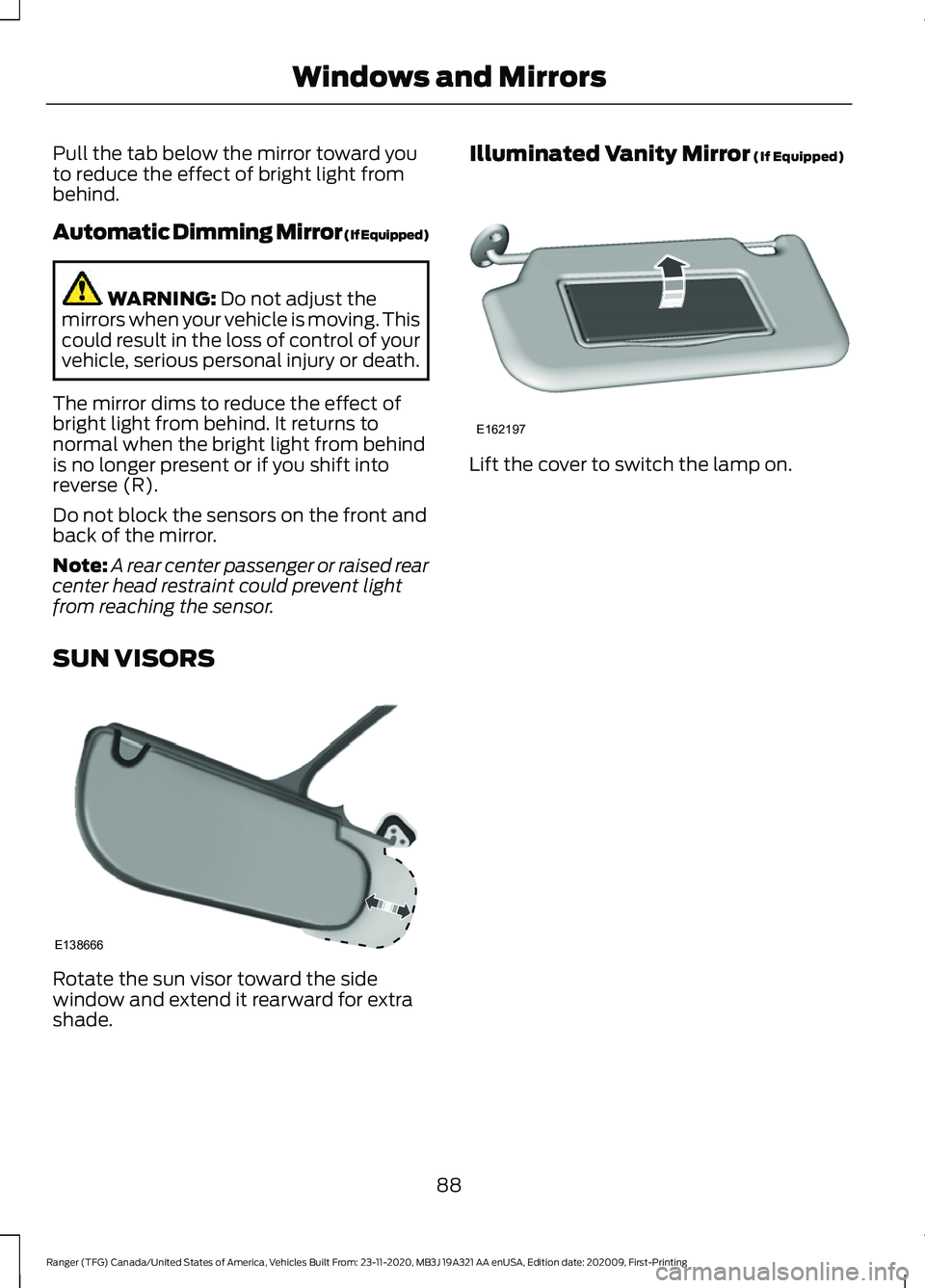
Lift the cover to switch the lamp on.
88
Ranger (TFG) Canada/United States of America, Vehicles Built From: 23-11-2020, MB3J 19A321 AA enUSA, Edition date: 202009, First-Printing Windows and MirrorsE138666 E162197
Page 125 of 475
Defogging the Side Windows in Cold Weather
Automatic climate control
Manual climate control
Press the defrost button.
Direct air to the windshield using the air
distribution buttons.
1
Adjust the temperature control to the
desired setting. Use 72°F (22°C) as a
starting point, then adjust the setting as
necessary.
Press A/C.
2
Adjust the temperature control to the
desired setting.
3
Adjust the fan speed to the highest
setting.
4
HEATED WINDSHIELD
(IF
EQUIPPED)
Windshield Wiper De-Icer When you switch the heated rear
window on, the windshield wiper
de-icer turns on.
HEATED REAR WINDOW
(IF
EQUIPPED) Press the button to clear the rear
window of thin ice and fog. The
heated rear window turns off
after a short period of time.
Note: Do not use harsh chemicals, razor
blades or other sharp objects to clean or
remove decals from the inside of the heated
rear window. The vehicle warranty may not
cover damage to the heated rear window
grid lines. HEATED EXTERIOR MIRRORS
(IF EQUIPPED)
When you switch the heated rear window
on, the heated exterior mirrors turn on.
Note:
Do not remove ice from the mirrors
with a scraper or adjust the mirror glass
when it is frozen in place.
Note: Do not clean the mirror housing or
glass with harsh abrasives, fuel or other
petroleum-based cleaning products. The
vehicle warranty may not cover damage
caused to the mirror housing or glass.
CABIN AIR FILTER
Your vehicle is equipped with a cabin air
filter, which gives you and your passengers
the following benefits:
• It improves your driving comfort by
reducing particle concentration.
• It improves the interior compartment
cleanliness.
• It protects the climate control
components from particle deposits.
122
Ranger (TFG) Canada/United States of America, Vehicles Built From: 23-11-2020, MB3J 19A321 AA enUSA, Edition date: 202009, First-Printing Climate ControlE184884 E184884
Page 126 of 475
You can locate the cabin air filter behind
the glove box.
Note:
Make sure you have a cabin air filter
installed at all times. This prevents foreign
objects from entering the system. Running
the system without a filter in place could
result in degradation or damage to the
system.
Replace the filter at regular intervals. See
Scheduled Maintenance (page 416).
For additional cabin air filter information,
or to replace the filter, see an authorized
dealer.
REMOTE START
(IF EQUIPPED)
You can switch this feature on or off and
adjust the settings using the information
display controls. See
Information
Displays (page 96).
The climate control system adjusts the
interior temperature during remote start.
You cannot adjust the climate control
setting during remote start operation.
Switch the ignition on to make
adjustments.
Based on your remote start settings, the
following vehicle-dependent features may
or may not remain on after remote starting
your vehicle:
• Climate controlled seats.
• Heated steering wheel.
• Heated mirrors.
• Heated rear window.
• Windshield wiper de-icer.
Note: For dual zone climate controlled
seats, the passenger seat setting defaults
to match the driver seat during remote start. Automatic Settings
If
Auto is on, the system sets the interior
temperature to 72°F (22°C) and heats or
cools the vehicle interior as required to
achieve comfort.
Note: In cold weather, the heated rear
window and heated mirrors turn on.
Last Settings
If
Last Settings is on, the system uses the
settings last selected before you turned
off the vehicle.
Heated and Cooled Features
In Auto mode, certain heated features may
switch on during cold weather, and cooled
features during hot weather.
123
Ranger (TFG) Canada/United States of America, Vehicles Built From: 23-11-2020, MB3J 19A321 AA enUSA, Edition date: 202009, First-Printing Climate Control
Page 189 of 475
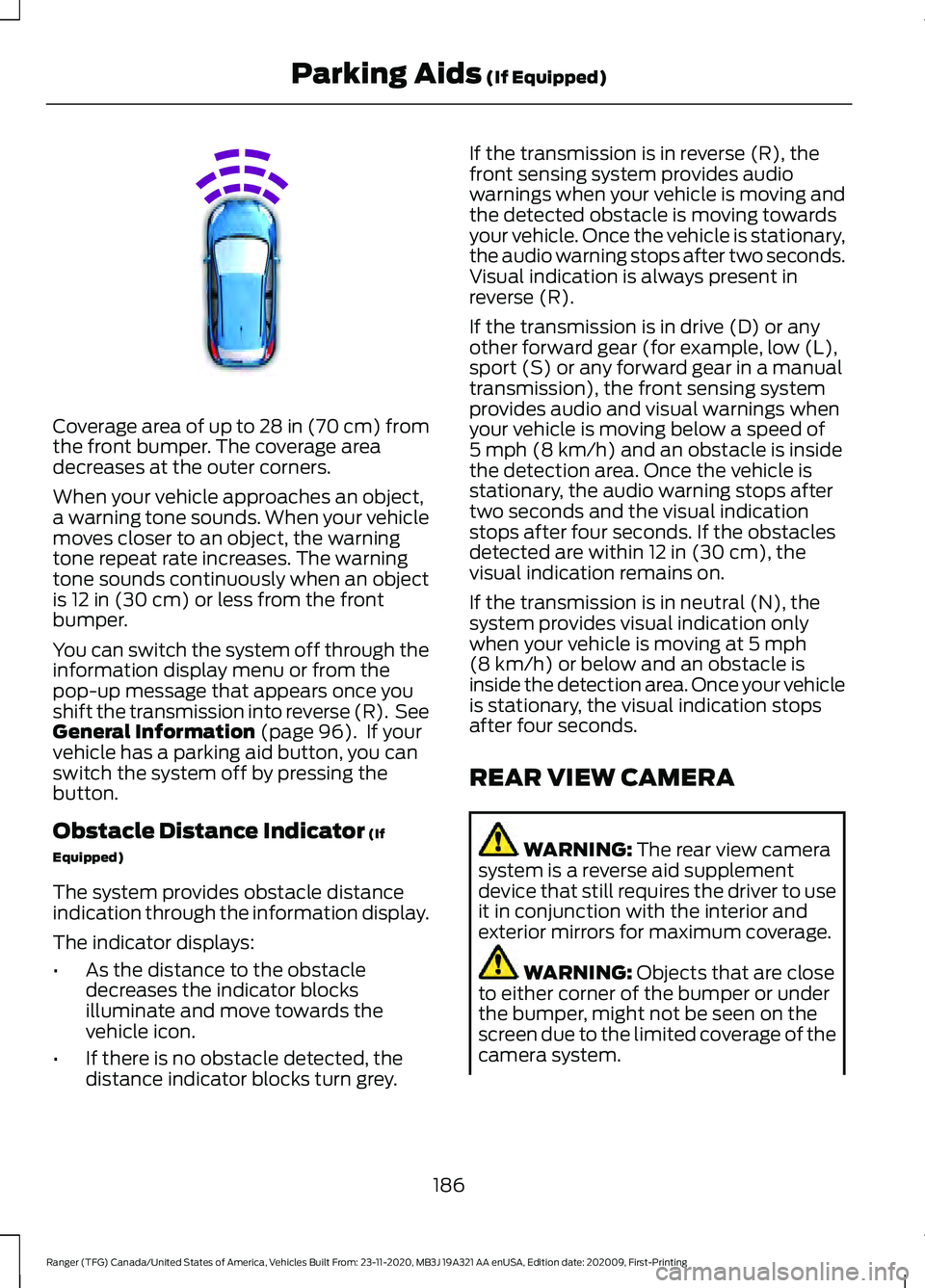
Coverage area of up to 28 in (70 cm) from
the front bumper. The coverage area
decreases at the outer corners.
When your vehicle approaches an object,
a warning tone sounds. When your vehicle
moves closer to an object, the warning
tone repeat rate increases. The warning
tone sounds continuously when an object
is
12 in (30 cm) or less from the front
bumper.
You can switch the system off through the
information display menu or from the
pop-up message that appears once you
shift the transmission into reverse (R). See
General Information
(page 96). If your
vehicle has a parking aid button, you can
switch the system off by pressing the
button.
Obstacle Distance Indicator
(If
Equipped)
The system provides obstacle distance
indication through the information display.
The indicator displays:
• As the distance to the obstacle
decreases the indicator blocks
illuminate and move towards the
vehicle icon.
• If there is no obstacle detected, the
distance indicator blocks turn grey. If the transmission is in reverse (R), the
front sensing system provides audio
warnings when your vehicle is moving and
the detected obstacle is moving towards
your vehicle. Once the vehicle is stationary,
the audio warning stops after two seconds.
Visual indication is always present in
reverse (R).
If the transmission is in drive (D) or any
other forward gear (for example, low (L),
sport (S) or any forward gear in a manual
transmission), the front sensing system
provides audio and visual warnings when
your vehicle is moving below a speed of
5 mph (8 km/h)
and an obstacle is inside
the detection area. Once the vehicle is
stationary, the audio warning stops after
two seconds and the visual indication
stops after four seconds. If the obstacles
detected are within
12 in (30 cm), the
visual indication remains on.
If the transmission is in neutral (N), the
system provides visual indication only
when your vehicle is moving at
5 mph
(8 km/h) or below and an obstacle is
inside the detection area. Once your vehicle
is stationary, the visual indication stops
after four seconds.
REAR VIEW CAMERA WARNING:
The rear view camera
system is a reverse aid supplement
device that still requires the driver to use
it in conjunction with the interior and
exterior mirrors for maximum coverage. WARNING:
Objects that are close
to either corner of the bumper or under
the bumper, might not be seen on the
screen due to the limited coverage of the
camera system.
186
Ranger (TFG) Canada/United States of America, Vehicles Built From: 23-11-2020, MB3J 19A321 AA enUSA, Edition date: 202009, First-Printing Parking Aids
(If Equipped)E187330