radio controls FORD RANGER 2021 Owners Manual
[x] Cancel search | Manufacturer: FORD, Model Year: 2021, Model line: RANGER, Model: FORD RANGER 2021Pages: 475, PDF Size: 7.9 MB
Page 4 of 475
Introduction
About This Manual
..........................................7
Symbols Glossary ............................................
7
Data Recording .................................................
9
Perchlorate .......................................................
13
Replacement Parts Recommendation ........................................................................\
....
13
Special Notices ...............................................
14
Mobile Communications Equipment ........................................................................\
....
15
Environment
Protecting the Environment .......................
16
At a Glance
Instrument Panel ............................................
17
Child Safety
General Information ......................................
19
Installing Child Restraints ...........................
21
Booster Seats .................................................
28
Child Restraint Positioning ........................
30
Child Safety Locks ..........................................
31
Seatbelts
Principle of Operation ..................................
33
Fastening the Seatbelts .............................
34
Seatbelt Height Adjustment .....................
36
Seatbelt Reminder .......................................
36
Child Restraint and Seatbelt Maintenance ...............................................
38
Seatbelt Extensions .....................................
38
Personal Safety System ™
Personal Safety System ™........................
40
Supplementary Restraints System
Principle of Operation ..................................
41
Driver and Passenger Airbags ...................
42Front Passenger Sensing System
...........
43
Side Airbags ....................................................
45
Safety Canopy ™...........................................
46
Crash Sensors and Airbag Indicator .......
47
Airbag Disposal .............................................
48
911 Assist
What Is 911 Assist ..........................................
49
Emergency Call Requirements ................
49
Emergency Call Limitations ......................
50
Keys and Remote Controls
General Information on Radio Frequencies ..................................................
51
Remote Control ..............................................
51
Replacing a Lost Key or Remote Control ........................................................................\
...
57
Passive Key Backup Position .....................
57
MyKey ™
Principle of Operation .................................
58
Creating a MyKey ..........................................
59
Clearing All MyKeys .....................................
60
Checking MyKey System Status .............
60
Using MyKey With Remote Start Systems .........................................................
61
MyKey – Troubleshooting ...........................
61
Doors and Locks
Locking and Unlocking ................................
63
Keyless Entry ..................................................
66
Tailgate
Tailgate Lock ...................................................
68
Removing the Tailgate ................................
68
Security
Passive Anti-Theft System ........................
70
Anti-Theft Alarm ...........................................
70
1
Ranger (TFG) Canada/United States of America, Vehicles Built From: 23-11-2020, MB3J 19A321 AA enUSA, Edition date: 202009, First-Printing Table of Contents
Page 54 of 475
GENERAL INFORMATION ON
RADIO FREQUENCIES
This device complies with Part 15 of the
FCC Rules and with Industry Canada
license-exempt RSS standard(s).
Operation is subject to the following two
conditions: (1) This device may not cause
harmful interference, and (2) This device
must accept any interference received,
including interference that may cause
undesired operation.
WARNING: Changes or
modifications not expressively approved
by the party responsible for compliance
could void the user's authority to operate
the equipment. The term "IC:" before the
radio certification number only signifies
that Industry Canada technical
specifications were met.
The typical operating range for your
transmitter is approximately
33 ft (10 m).
Vehicles with the remote start feature will
have a greater range.
One of the following could cause a
decrease in operating range:
• Weather conditions.
• Nearby radio towers.
• Structures around the vehicle.
• Other vehicles parked next to your
vehicle.
The radio frequency used by your remote
control can also be used by other radio
transmitters, for example amateur radios,
medical equipment, wireless headphones,
wireless remote controls, cell phones,
battery chargers and alarm systems. If the
frequencies are jammed, you will not be
able to use your remote control. You can
lock and unlock the doors with the key.
Note: Make sure to lock your vehicle before
leaving it unattended. Note:
If you are in range, the remote control
will operate if you press any button
unintentionally.
Note: The remote control contains sensitive
electrical components. Exposure to moisture
or impact may cause permanent damage.
Intelligent Access
(If Equipped)
The system uses a radio frequency signal
to communicate with your vehicle and
authorize your vehicle to unlock when one
of the following conditions are met:
• You activate the front exterior door
handle switch.
• You press the luggage compartment
button.
• You press a button on the transmitter.
If excessive radio frequency interference
is present in the area or if the transmitter
battery is low, you may need to
mechanically unlock your door. You can
use the mechanical key blade in your
intelligent access key to open the driver
door in this situation. See
Remote
Control (page 51).
REMOTE CONTROL
Integrated Keyhead Transmitter (If
Equipped)
Use the key blade to start your vehicle and
unlock or lock the driver door from outside
your vehicle. The integrated keyhead
transmitter functions as a programmed
ignition key that operates all the locks and
starts your vehicle, as well as a remote
control.
51
Ranger (TFG) Canada/United States of America, Vehicles Built From: 23-11-2020, MB3J 19A321 AA enUSA, Edition date: 202009, First-Printing Keys and Remote Controls
Page 60 of 475
The power windows do not work during
remote start and the radio does not turn
on automatically.
The parking lamps remain on and your
vehicle will run for 5, 10 or 15 minutes,
depending on the setting.
Extending the Engine Running Time
To extend the engine running time duration
of your vehicle during remote start, repeat
steps 1 and 2 while the engine is running.
If the duration is set to 15 minutes, the
duration extends by another 15 minutes.
For example, if your vehicle had been
running from the first remote start for 10
minutes, your vehicle continues to run now
for a total of 30 minutes. You can extend
the engine running time duration to a
maximum of 30 minutes.
Wait at least five seconds before remote
starting after the engine stops running.
Turning Your Vehicle Off After Remote
Starting
Press the button once. Your
vehicle and the parking lamps
turn off.
You may have to be closer to your vehicle
than when starting due to ground reflection
and the added noise of your running
vehicle.
You can switch this feature on or off in the
information display.
REPLACING A LOST KEY OR
REMOTE CONTROL
Replacement keys or remote controls can
be purchased from an authorized dealer.
Authorized dealers can program remote
controls for your vehicle. PASSIVE KEY BACKUP
POSITION (IF EQUIPPED)
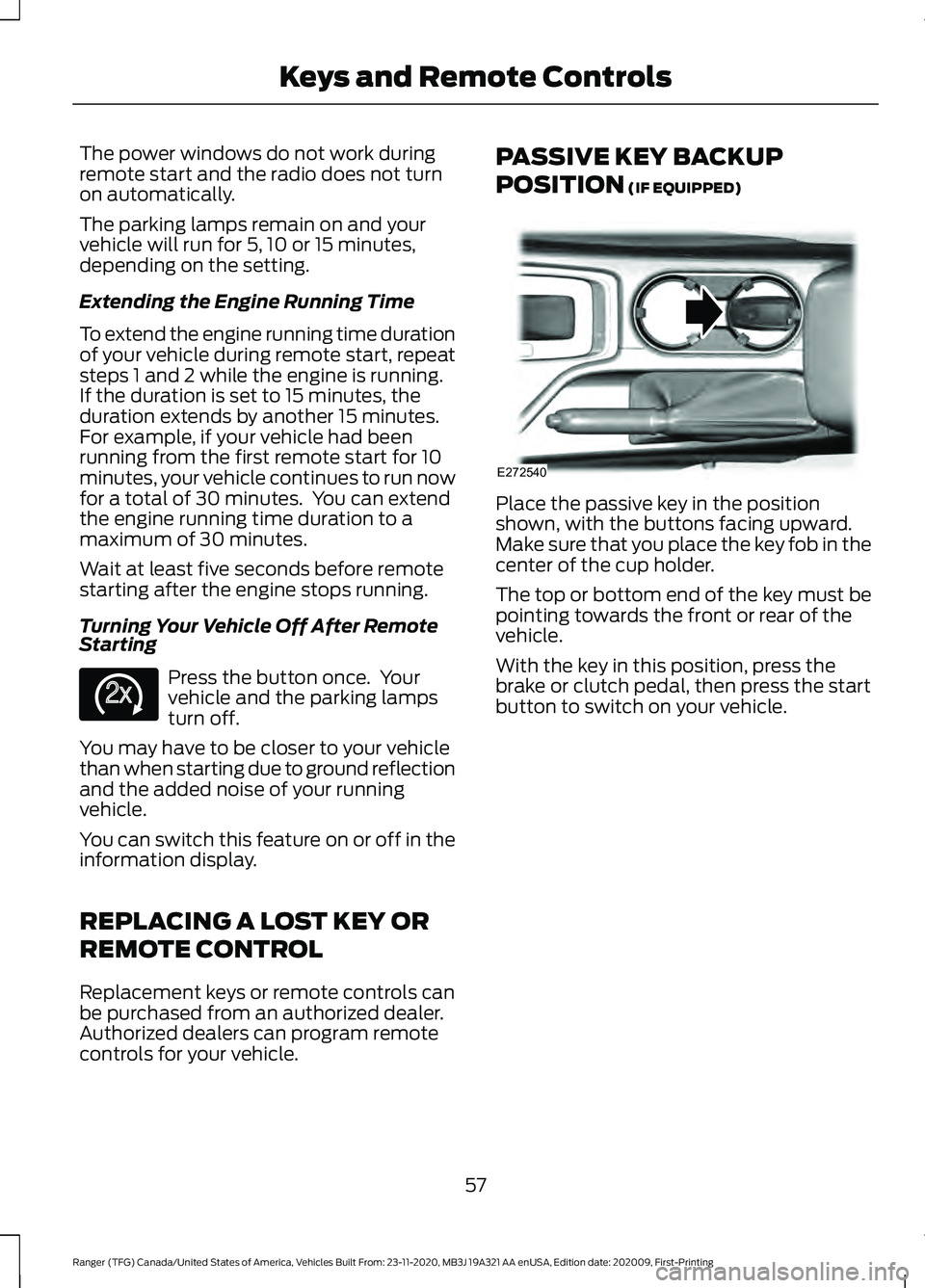
Place the passive key in the position
shown, with the buttons facing upward.
Make sure that you place the key fob in the
center of the cup holder.
The top or bottom end of the key must be
pointing towards the front or rear of the
vehicle.
With the key in this position, press the
brake or clutch pedal, then press the start
button to switch on your vehicle.
57
Ranger (TFG) Canada/United States of America, Vehicles Built From: 23-11-2020, MB3J 19A321 AA enUSA, Edition date: 202009, First-Printing Keys and Remote ControlsE138625 E272540
Page 345 of 475
GENERAL INFORMATION
Radio Frequencies and Reception
Factors
AM and FM frequencies are established by
the Federal Communications Commission
(FCC) and the Canadian Radio and
Telecommunications Commission (CRTC).
Those frequencies are:
•
AM: 530-1710 kHz
• FM: 87.9-107.9 MHz
Note: Listening to loud audio for long
periods of time could damage your hearing. Radio Reception Factors
The further you travel from an AM or FM station, the
weaker the signal and the weaker the reception.
Distance and strength
Hills, mountains, tall buildings, bridges, tunnels, freeway
overpasses, parking garages, dense tree foliage and
thunderstorms can interfere with the reception.
Terrain
When you pass a ground-based broadcast repeating
tower, a stronger signal may overtake a weaker one and
result in the audio system muting.
Station overload
AUDIO UNIT WARNING: Driving while distracted
can result in loss of vehicle control, crash
and injury. We strongly recommend that
you use extreme caution when using any
device that may take your focus off the
road. Your primary responsibility is the
safe operation of your vehicle. We
recommend against the use of any
hand-held device while driving and
encourage the use of voice-operated
systems when possible. Make sure you
are aware of all applicable local laws
that may affect the use of electronic
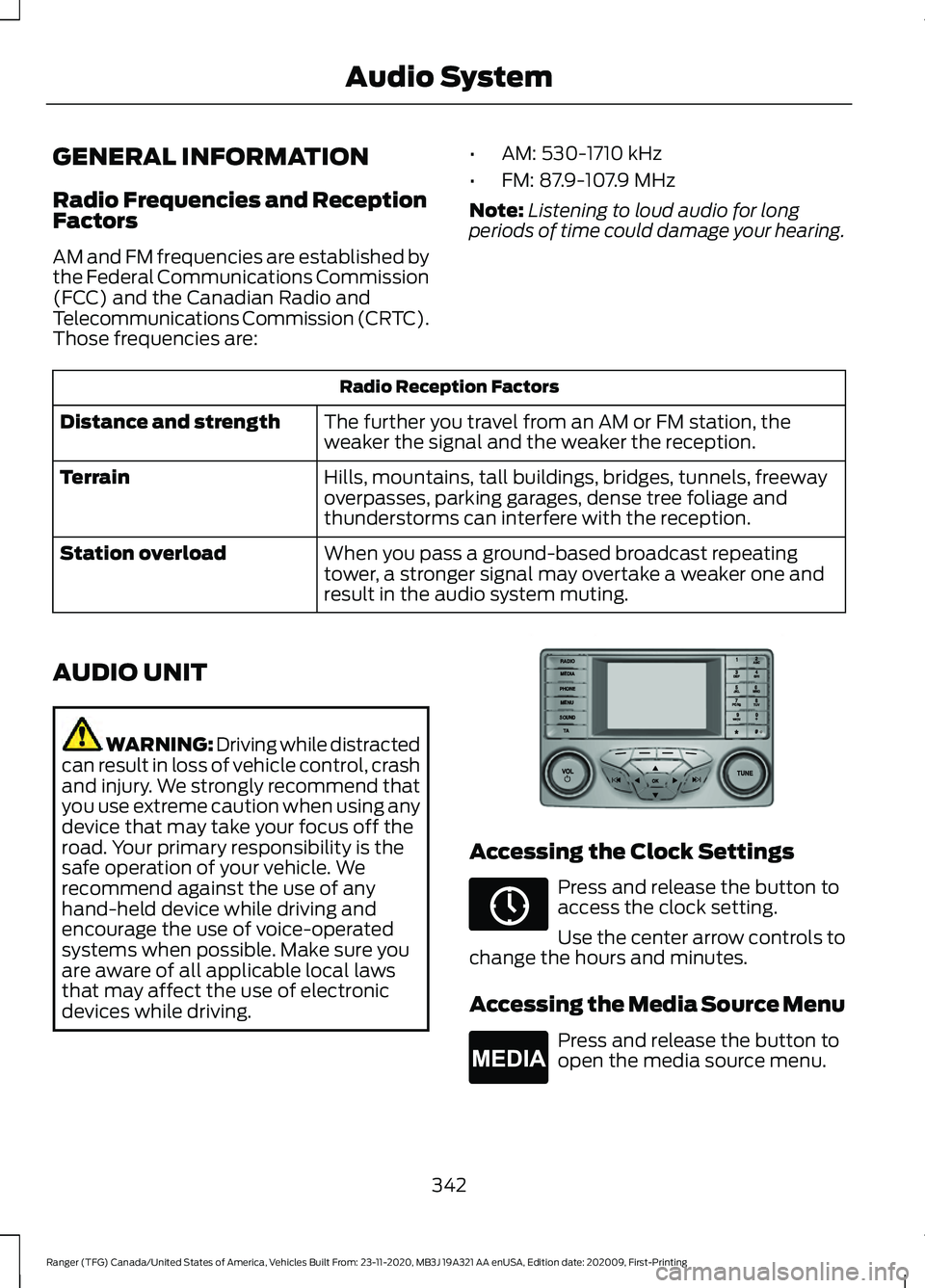
devices while driving. Accessing the Clock Settings
Press and release the button to
access the clock setting.
Use the center arrow controls to
change the hours and minutes.
Accessing the Media Source Menu Press and release the button to
open the media source menu.
342
Ranger (TFG) Canada/United States of America, Vehicles Built From: 23-11-2020, MB3J 19A321 AA enUSA, Edition date: 202009, First-Printing Audio SystemE318482 E265036 E265035
Page 347 of 475
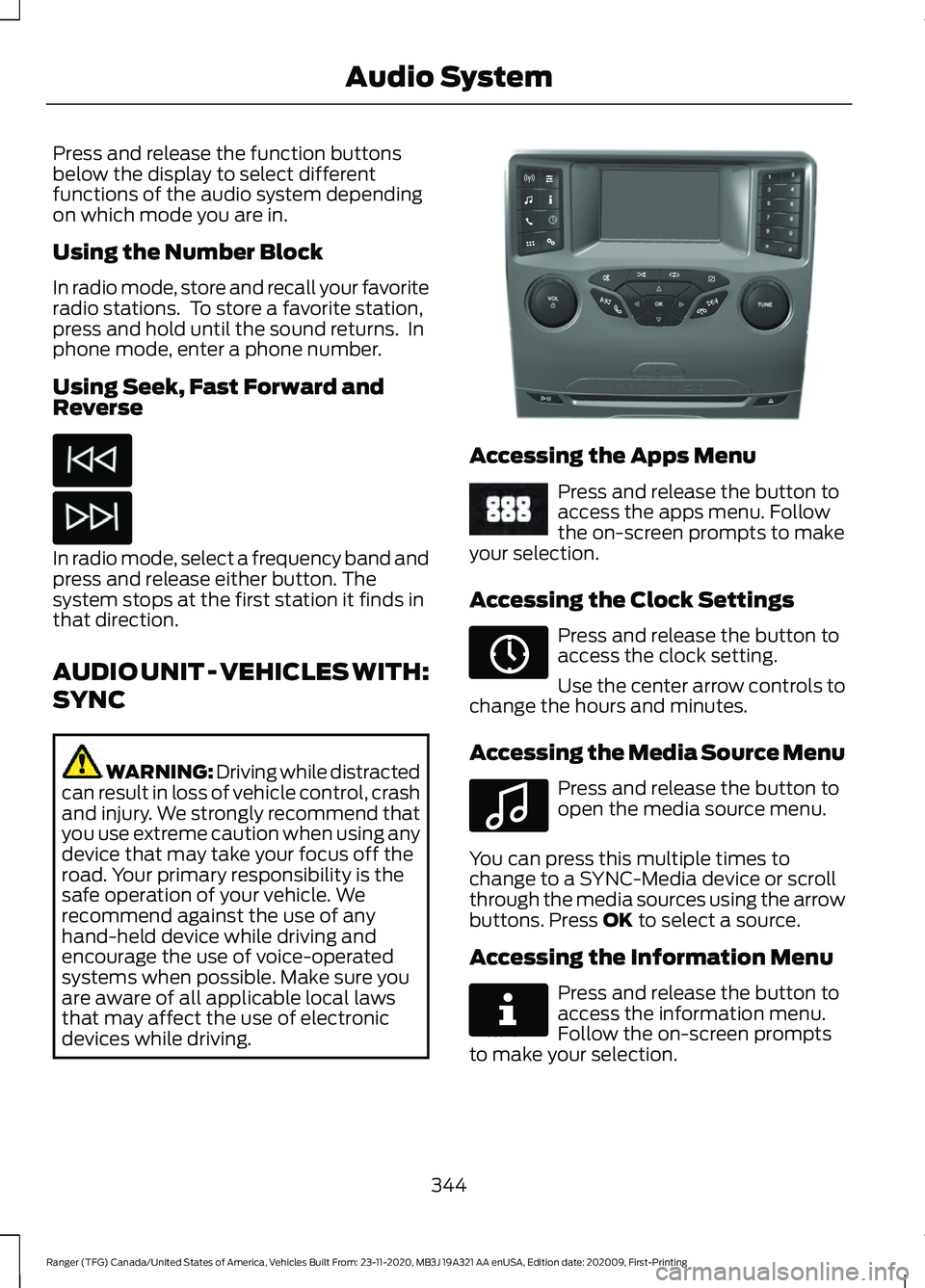
Press and release the function buttons
below the display to select different
functions of the audio system depending
on which mode you are in.
Using the Number Block
In radio mode, store and recall your favorite
radio stations. To store a favorite station,
press and hold until the sound returns. In
phone mode, enter a phone number.
Using Seek, Fast Forward and
Reverse
In radio mode, select a frequency band and
press and release either button. The
system stops at the first station it finds in
that direction.
AUDIO UNIT - VEHICLES WITH:
SYNC
WARNING: Driving while distracted
can result in loss of vehicle control, crash
and injury. We strongly recommend that
you use extreme caution when using any
device that may take your focus off the
road. Your primary responsibility is the
safe operation of your vehicle. We
recommend against the use of any
hand-held device while driving and
encourage the use of voice-operated
systems when possible. Make sure you
are aware of all applicable local laws
that may affect the use of electronic
devices while driving. Accessing the Apps Menu
Press and release the button to
access the apps menu. Follow
the on-screen prompts to make
your selection.
Accessing the Clock Settings Press and release the button to
access the clock setting.
Use the center arrow controls to
change the hours and minutes.
Accessing the Media Source Menu Press and release the button to
open the media source menu.
You can press this multiple times to
change to a SYNC-Media device or scroll
through the media sources using the arrow
buttons. Press OK to select a source.
Accessing the Information Menu Press and release the button to
access the information menu.
Follow the on-screen prompts
to make your selection.
344
Ranger (TFG) Canada/United States of America, Vehicles Built From: 23-11-2020, MB3J 19A321 AA enUSA, Edition date: 202009, First-Printing Audio System E318505 E249410 E265036 E100027 E268570
Page 349 of 475
Switching Repeat Mode On and Off
Press and release the button to
repeat the current media source.
Switching Shuffle Mode On and
Off Press and release the button to
shuffle the current media source.
Using a Cell Phone Press and release to either
answer an incoming phone call
or to make a phone call.
Press and hold to end a phone
call.
Using the Display Control
Use the up and down arrow buttons to
select the various settings. When you make
your selection, press the left and right
arrow buttons to change the settings. Press and release to confirm a
selection.
Using the Number Block
In radio mode, store and recall your favorite
radio stations. To store a favorite station
press and hold until the sound returns.
In phone mode, enter a phone number. Using Seek, Fast Forward and
Reverse In radio mode, select a frequency band and
press and release either button. The
system stops at the first station it finds in
that direction.
AUDIO UNIT - VEHICLES WITH:
SYNC 3
WARNING: Driving while distracted
can result in loss of vehicle control, crash
and injury. We strongly recommend that
you use extreme caution when using any
device that may take your focus off the
road. Your primary responsibility is the
safe operation of your vehicle. We
recommend against the use of any
hand-held device while driving and
encourage the use of voice-operated
systems when possible. Make sure you
are aware of all applicable local laws
that may affect the use of electronic
devices while driving.
Note: The touchscreen system controls
most of the audio features.
Note: Some features, such as satellite
radio, may not be available in your location.
Check with an authorized dealer. 346
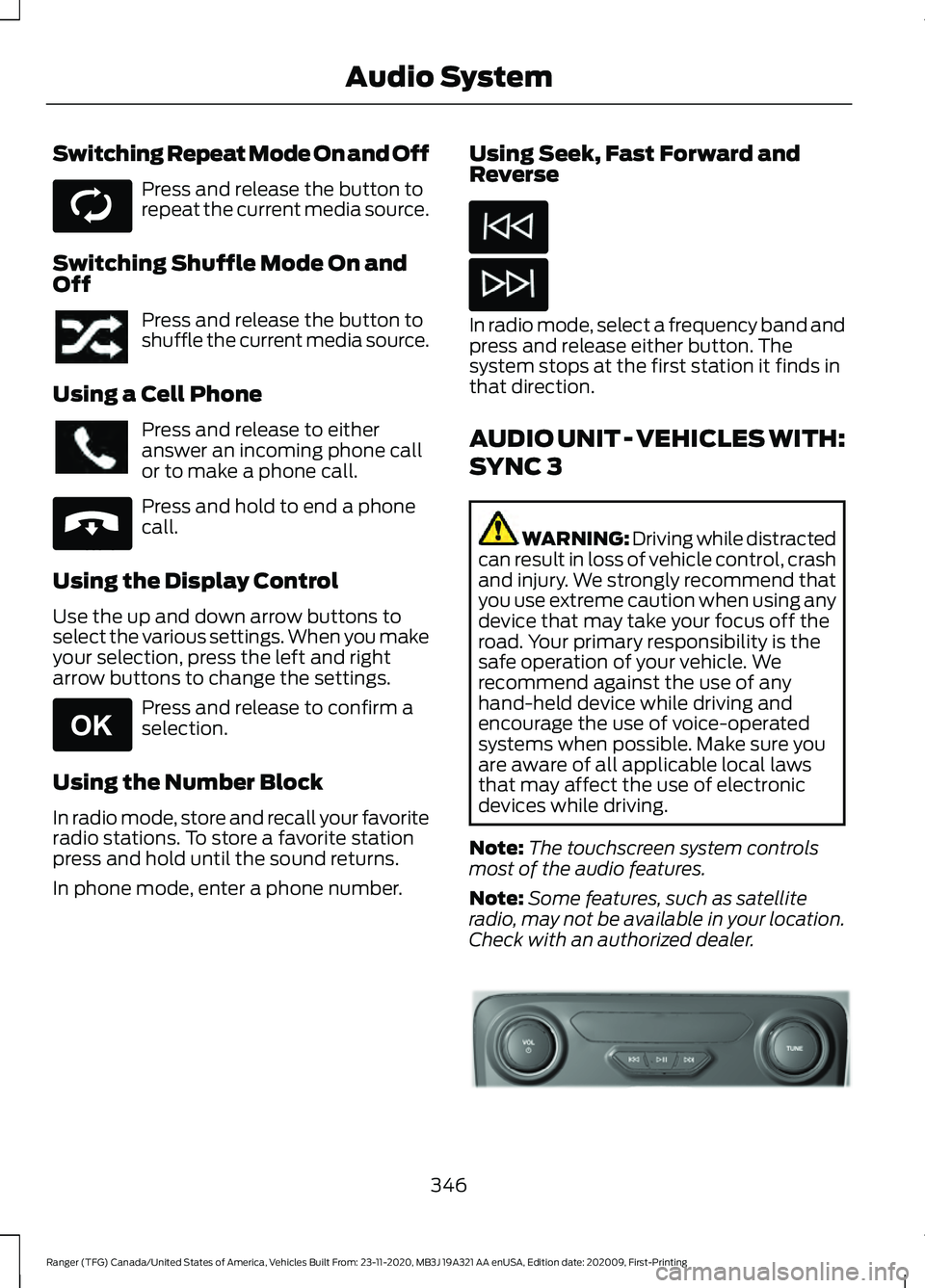
Ranger (TFG) Canada/United States of America, Vehicles Built From: 23-11-2020, MB3J 19A321 AA enUSA, Edition date: 202009, First-Printing Audio SystemE268569 E265040 E265041 E318508
Page 356 of 475
hand-held device while driving and
encourage the use of voice-operated
systems when possible. Make sure you
are aware of all applicable local laws
that may affect the use of electronic
devices while driving.
WARNING: Always place your
device in a secure location in your vehicle
so it does not become a projectile in a
sudden stop or crash. Failure to follow
this instruction could result in personal
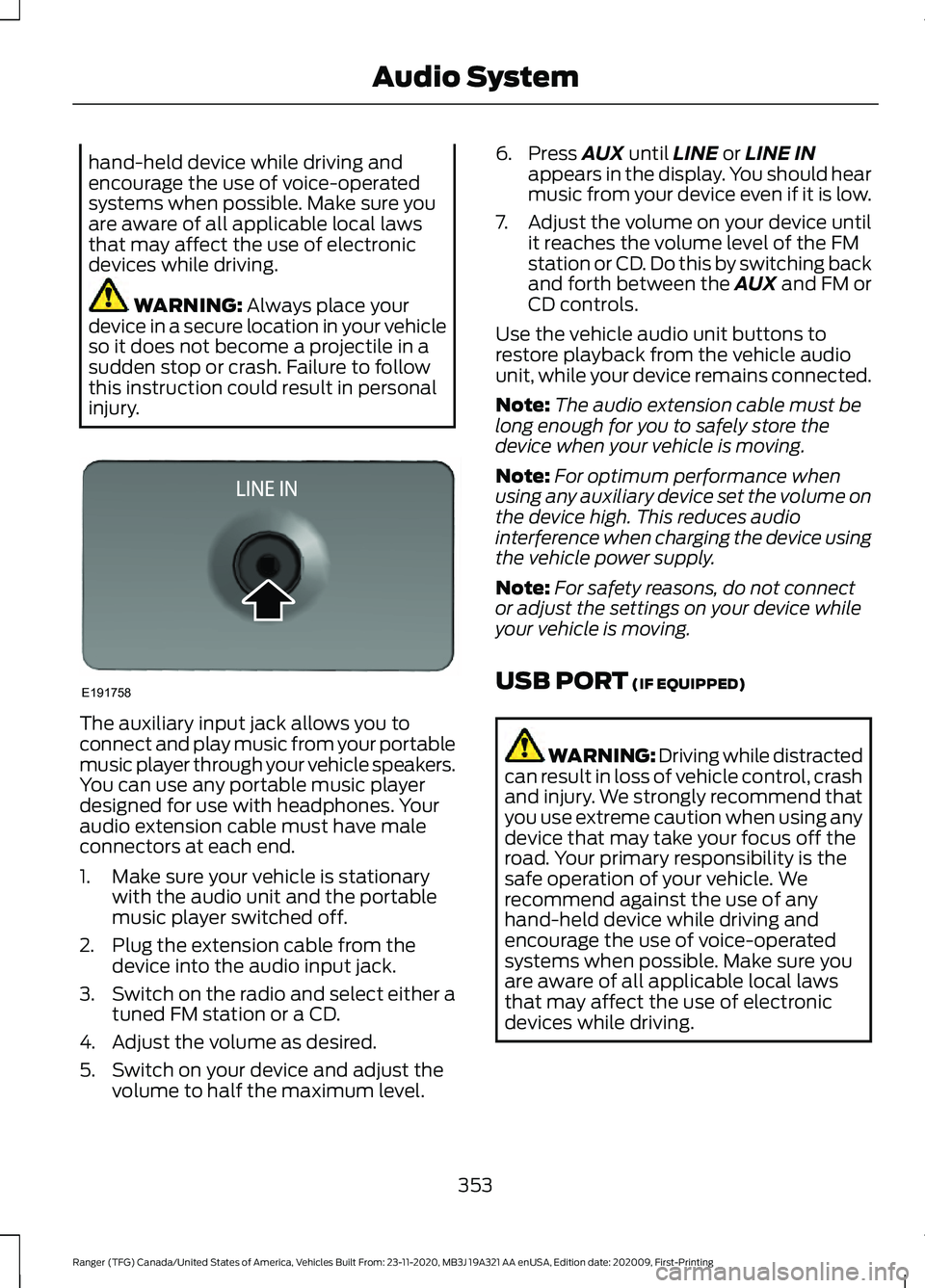
injury. The auxiliary input jack allows you to
connect and play music from your portable
music player through your vehicle speakers.
You can use any portable music player
designed for use with headphones. Your
audio extension cable must have male
connectors at each end.
1. Make sure your vehicle is stationary
with the audio unit and the portable
music player switched off.
2. Plug the extension cable from the device into the audio input jack.
3. Switch on the radio and select either a
tuned FM station or a CD.
4. Adjust the volume as desired.
5. Switch on your device and adjust the volume to half the maximum level. 6. Press
AUX until LINE or LINE IN
appears in the display. You should hear
music from your device even if it is low.
7. Adjust the volume on your device until
it reaches the volume level of the FM
station or CD. Do this by switching back
and forth between the AUX and FM or
CD controls.
Use the vehicle audio unit buttons to
restore playback from the vehicle audio
unit, while your device remains connected.
Note: The audio extension cable must be
long enough for you to safely store the
device when your vehicle is moving.
Note: For optimum performance when
using any auxiliary device set the volume on
the device high. This reduces audio
interference when charging the device using
the vehicle power supply.
Note: For safety reasons, do not connect
or adjust the settings on your device while
your vehicle is moving.
USB PORT
(IF EQUIPPED) WARNING: Driving while distracted
can result in loss of vehicle control, crash
and injury. We strongly recommend that
you use extreme caution when using any
device that may take your focus off the
road. Your primary responsibility is the
safe operation of your vehicle. We
recommend against the use of any
hand-held device while driving and
encourage the use of voice-operated
systems when possible. Make sure you
are aware of all applicable local laws
that may affect the use of electronic
devices while driving.
353
Ranger (TFG) Canada/United States of America, Vehicles Built From: 23-11-2020, MB3J 19A321 AA enUSA, Edition date: 202009, First-Printing Audio SystemE191758
Page 460 of 475
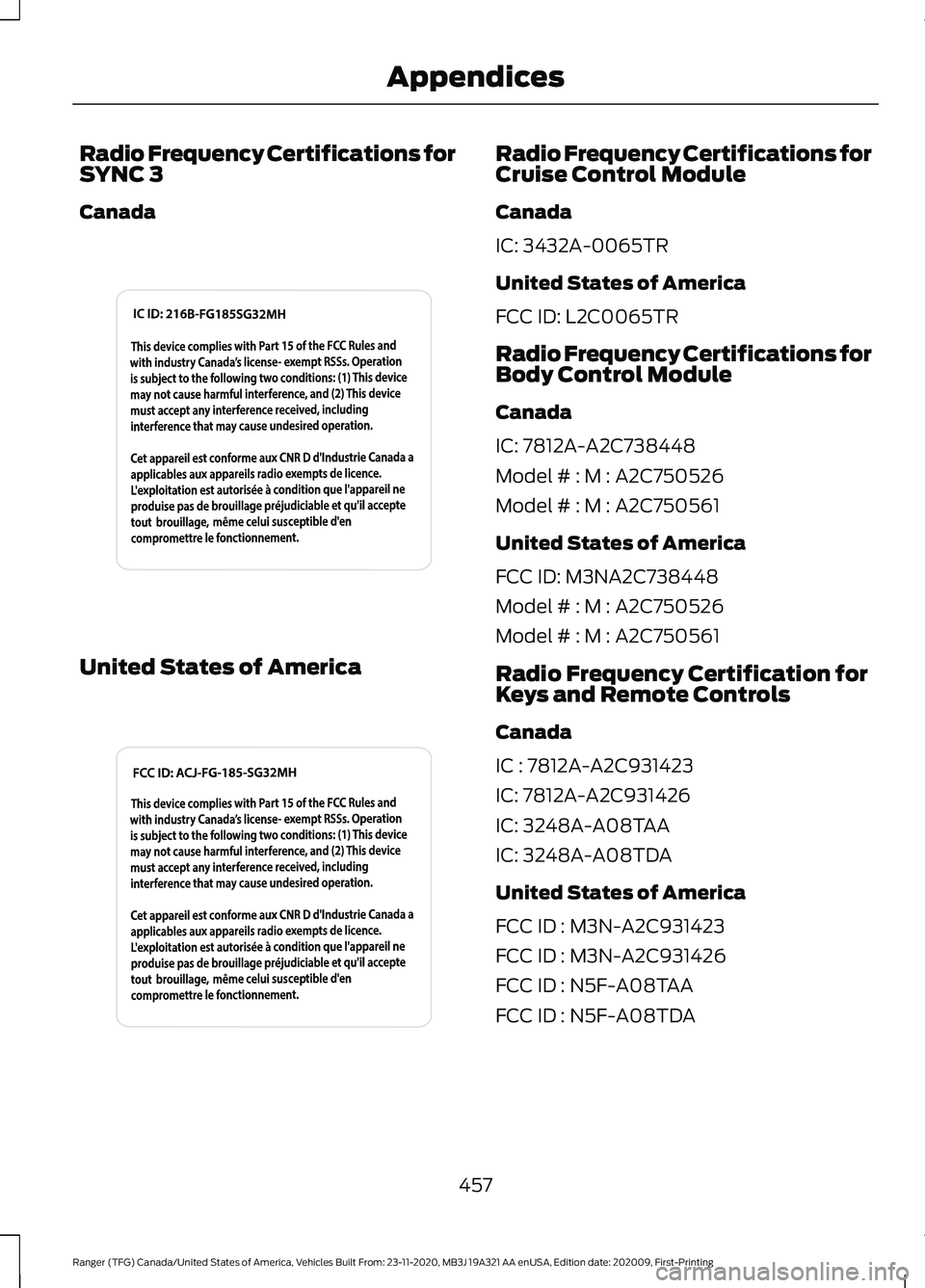
Radio Frequency Certifications for
SYNC 3
Canada
United States of America Radio Frequency Certifications for
Cruise Control Module
Canada
IC: 3432A-0065TR
United States of America
FCC ID: L2C0065TR
Radio Frequency Certifications for
Body Control Module
Canada
IC: 7812A-A2C738448
Model # : M : A2C750526
Model # : M : A2C750561
United States of America
FCC ID: M3NA2C738448
Model # : M : A2C750526
Model # : M : A2C750561
Radio Frequency Certification for
Keys and Remote Controls
Canada
IC : 7812A-A2C931423
IC: 7812A-A2C931426
IC: 3248A-A08TAA
IC: 3248A-A08TDA
United States of America
FCC ID : M3N-A2C931423
FCC ID : M3N-A2C931426
FCC ID : N5F-A08TAA
FCC ID : N5F-A08TDA
457
Ranger (TFG) Canada/United States of America, Vehicles Built From: 23-11-2020, MB3J 19A321 AA enUSA, Edition date: 202009, First-Printing AppendicesE340829 E340828
Page 473 of 475
Information About Uniform Tire Quality
Grading............................................................. 292
Information Contained on the Tire Sidewall........................................................... 295
Temperature A B C............................................ 293
Traction AA A B C............................................... 293
Treadwear.............................................................293
Tire Pressure Monitoring System..........308
Changing Tires With a Tire Pressure
Monitoring System...................................... 309
Understanding Your Tire Pressure Monitoring System ....................................... 310
Tires See: Wheels and Tires...................................... 291
Towing a Trailer..............................................221
Towing Points
................................................238
Towing the Vehicle on Four Wheels...........................................................227
Emergency Towing............................................ 228
Recreational Towing......................................... 228
Towing...............................................................221
Traction Control
.............................................176
Principle of Operation....................................... 176
Trail Control Indicators...............................183
Trail Control....................................................182 Trail Control – Troubleshooting.................... 183
Trail Control – Troubleshooting..............183 Trail Control – Information
Messages.......................................................... 183
Trailer Sway Control
....................................222
Transmission Code Designation.............327
Transmission..................................................160
Transporting the Vehicle...........................238
Type Approvals
............................................454
Radio Frequency Certification for Keys and
Remote Controls........................................... 457
Radio Frequency Certifications for Blind Spot Information System.......................... 456
Radio Frequency Certifications for Body Control Module.............................................. 457
Radio Frequency Certifications for Cruise Control Module.............................................. 457
Radio Frequency Certifications for Passive Anti-Theft System....................................... 455
Radio Frequency Certifications for Radio Transceiver Module...................................... 455
Radio Frequency Certifications for Sync 2.5....................................................................... 455Radio Frequency Certifications for SYNC
3........................................................................\
... 457
Radio Frequency Certifications for Telematic Control Unit............................... 456
Radio Frequency Certifications for Tire Pressure Monitoring Sensor(s)...............454
Radio Frequency Statement for Audio Unit.................................................................... 458
United States of America............................... 457
U
Under Hood Overview...............................264
Under Seat Storage
.....................................140
SuperCab.............................................................. 140
Unique Driving Characteristics.................147
Universal Garage Door Opener................133 HomeLink Wireless Control System............133
USB Port
.........................................................353
Using Adaptive Cruise Control.................191 Automatic Cancellation................................... 194
Blocked Sensor................................................... 196
Canceling the Set Speed................................. 194
Changing the Set Speed.................................. 194
Detection Issues................................................. 195
Following a Vehicle............................................ 192
Hilly Condition Usage........................................ 194
Overriding the Set Speed................................ 193
Resuming the Set Speed................................. 194
Setting the Adaptive Cruise Speed..............192
Setting the Gap Distance................................ 193
Switching Adaptive Cruise Control Off....................................................................... 195
Switching Adaptive Cruise Control On........................................................................\
192
Switching to Normal Cruise Control............197
System Not Available....................................... 196
Using Cruise Control...................................190 Canceling the Set Speed................................ 190
Changing the Set Speed................................. 190
Resuming the Set Speed.................................. 191
Setting the Cruise Speed................................ 190
Switching Cruise Control Off........................... 191
Switching Cruise Control On.......................... 190
Using Four-Wheel Drive.............................164 4WD Indicator Lights........................................ 164
Driving Off-Road With Truck and Utility Vehicles............................................................. 166
470
Ranger (TFG) Canada/United States of America, Vehicles Built From: 23-11-2020, MB3J 19A321 AA enUSA, Edition date: 202009, First-Printing Index