lock FORD SUPER DUTY 2003 1.G Owner's Manual
[x] Cancel search | Manufacturer: FORD, Model Year: 2003, Model line: SUPER DUTY, Model: FORD SUPER DUTY 2003 1.GPages: 256, PDF Size: 2.3 MB
Page 58 of 256

Your vehicle is equipped with a remote entry system which allows you to:
•unlock the vehicle doors without
a key.
•lock all the vehicle doors without
a key.
•activate the personal alarm.
If there is anypotential remote keyless entryproblem with your vehicle,
ensureALL remote entry transmittersare taken to the dealership, to
aid in troubleshooting.
Unlocking the doors
1. Pressand release to unlock the driver’s door.Note:The interior
lamps will illuminate.
2. Press
and release again within three seconds to unlock all the
doors.
Locking the doors
1. Pressand release to lock all the doors. The parking lamps will
flash.
2. Press
and release again within three seconds to confirm that all the
doors are closed and locked.Note:the doors will lock again, the horn
will chirp once, and the parking lamps will flash once more.
If anyof the doors are not properlyclosed the horn will make two quick
chirps.
Power door unlock disable feature (if equipped)
The UNLOCK
feature on your power door locks will not work from
inside the vehicle when:
•the ignition has been turned to the OFF position, and
•20 seconds elapse after all vehicle doors are closed and locked using
the remote entrytransmitter, or the power door unlock control (while
the accompanying door is open).
Locks and Security
58
Page 59 of 256

The UNLOCKfeature will work again after:
•a door has become ajar,
•the ignition is turned to the ON position, or
•using the UNLOCK
control on your remote entry transmitter.
Power door unlock disable feature — activation/deactivation
Please see your dealer in order to activate/deactivate this feature.
Sounding a panic alarm
Press
to activate the alarm. Press again or turn the ignition to ACC
or ON to deactivate.
Note:The panic alarm will onlyoperate when the ignition is in the OFF
position.
Replacing the battery
The remote entrytransmitter uses one coin type three-volt lithium
battery CR2032 or equivalent. The typical operating range for your
remote entrytransmitter is approximately10 meters (33 feet). A
decrease in the operating range could be caused by:
•weather conditions,
•nearbyradio towers,
•structures around the vehicle and
•other vehicles parked next to the vehicle.
To replace the battery:
1. Twist a thin coin between the two
halves of the remote entry
transmitter near the keyring. DO
NOT TAKE THE FRONT PART OF
THE REMOTE ENTRY
TRANSMITTER APART.
2. Remove the old battery.
3. Insert the new battery. Refer to
the diagram inside the remote entry
transmitter for the correct orientation of the battery.
4. Snap the two halves back together.
Note:Replacement of the batterywillnotcause the remote transmitter
to become deprogrammed from your vehicle. The remote transmitter
should operate normallyafter batteryreplacement.
Locks and Security
59
Page 60 of 256
Replacing lost remote entry transmitters
If you would like to have your remote entry transmitter reprogrammed
because you lost one, or would like to buy additional remote entry
transmitters, you can either reprogram them yourself, or takeall
remote entry transmittersto your authorized dealer for
reprogramming.
How to reprogram your remote entry transmitters
You must haveall remote entry transmitters(maximum of four)
available before beginning this procedure.
To reprogram the remote entry
transmitters:
1. Ensure the vehicle is
electronicallyunlocked.
2. Put the keyin the ignition.
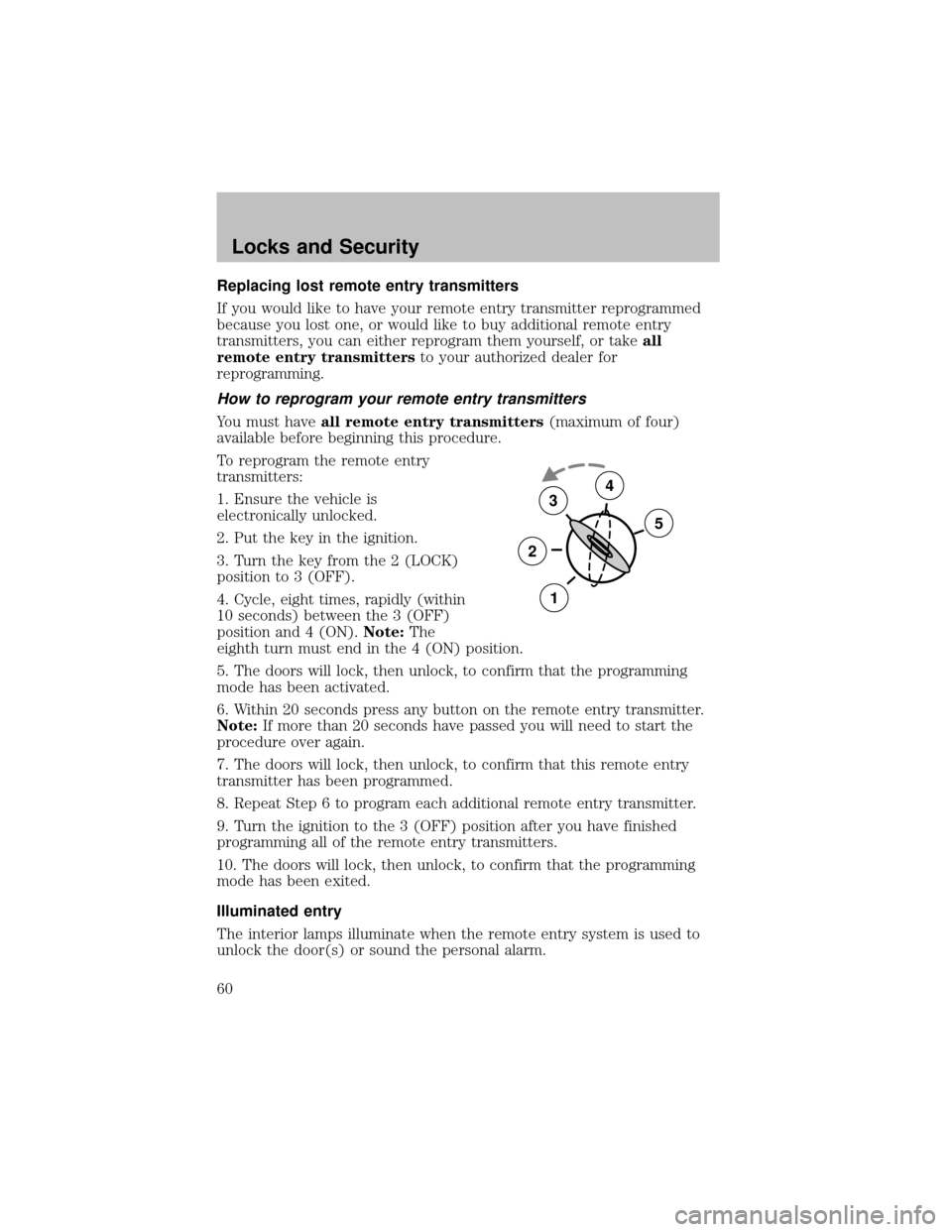
3. Turn the keyfrom the 2 (LOCK)
position to 3 (OFF).
4. Cycle, eight times, rapidly (within
10 seconds) between the 3 (OFF)
position and 4 (ON).Note:The
eighth turn must end in the 4 (ON) position.
5. The doors will lock, then unlock, to confirm that the programming
mode has been activated.
6. Within 20 seconds press anybutton on the remote entrytransmitter.
Note:If more than 20 seconds have passed you will need to start the
procedure over again.
7. The doors will lock, then unlock, to confirm that this remote entry
transmitter has been programmed.
8. Repeat Step 6 to program each additional remote entrytransmitter.
9. Turn the ignition to the 3 (OFF) position after you have finished
programming all of the remote entrytransmitters.
10. The doors will lock, then unlock, to confirm that the programming
mode has been exited.
Illuminated entry
The interior lamps illuminate when the remote entrysystem is used to
unlock the door(s) or sound the personal alarm.
3
2
1
5
4
Locks and Security
60
Page 61 of 256

The illuminated entrysystem will turn off the interior lights if:
•the ignition switch is turned to the ON position, or
•the remote transmitter lock control is pressed, or
•after 25 seconds of illumination.
The dome lamp control (if equipped) mustnotbe set to the OFF
position for the illuminated entrysystem to operate.
The inside lights will not turn off if:
•theyhave been turned on with the dimmer control, or
•anydoor is open.
The batterysaver will shut off the interior lamps 30 minutes after the
ignition has been turned to the OFF position, 10 minutes after if the
dome lamp is off, and 30 minutes after if the dome lamp switch is left
on.
Autolock (if equipped)
This feature automaticallylocks all vehicle doors when the following
conditions are met:
•the ignition is in the RUN position,
•all doors are closed,
•the brake is pressed before reaching 8 km/h (5 mph) and
•the vehicle is traveling more than 8 km/h (5 mph).
Relock
The autolock feature repeats when the following conditions are met:
•the vehicle’s speed is less than 8 km/h (5 mph), and
•anydoor is opened then closed while the ignition is in the RUN
position, and
•the brake is pressed before reaching 8 km/h (5 mph), and
•the vehicle is traveling more than 8 km/h (5 mph).
Locks and Security
61
Page 62 of 256

Deactivating/activating the autolock feature
Before following the procedure, make sure that the ignition is OFF and
all vehicle doors are closed.
You must complete steps 1-7 within 30 seconds or the procedure will
have to be repeated. If the procedure needs to be repeated, you must
wait 30 seconds.
1. Turn the ignition keyto ON.
2. Press the power door unlock control three times.
3. Turn the ignition keyfrom ON to OFF.
4. Press the power door unlock control three times.
5. Turn the ignition back to ON. The horn will chirp.
6. Press the unlock control, then press the lock control. The horn will
chirp once if autolock was deactivated or twice (one short and one long
chirp) if autolock was activated.
7. Turn the ignition to OFF. The horn will chirp once to confirm the
procedure is complete.
Locks and Security
62
Page 67 of 256
Using the manual lumbar support
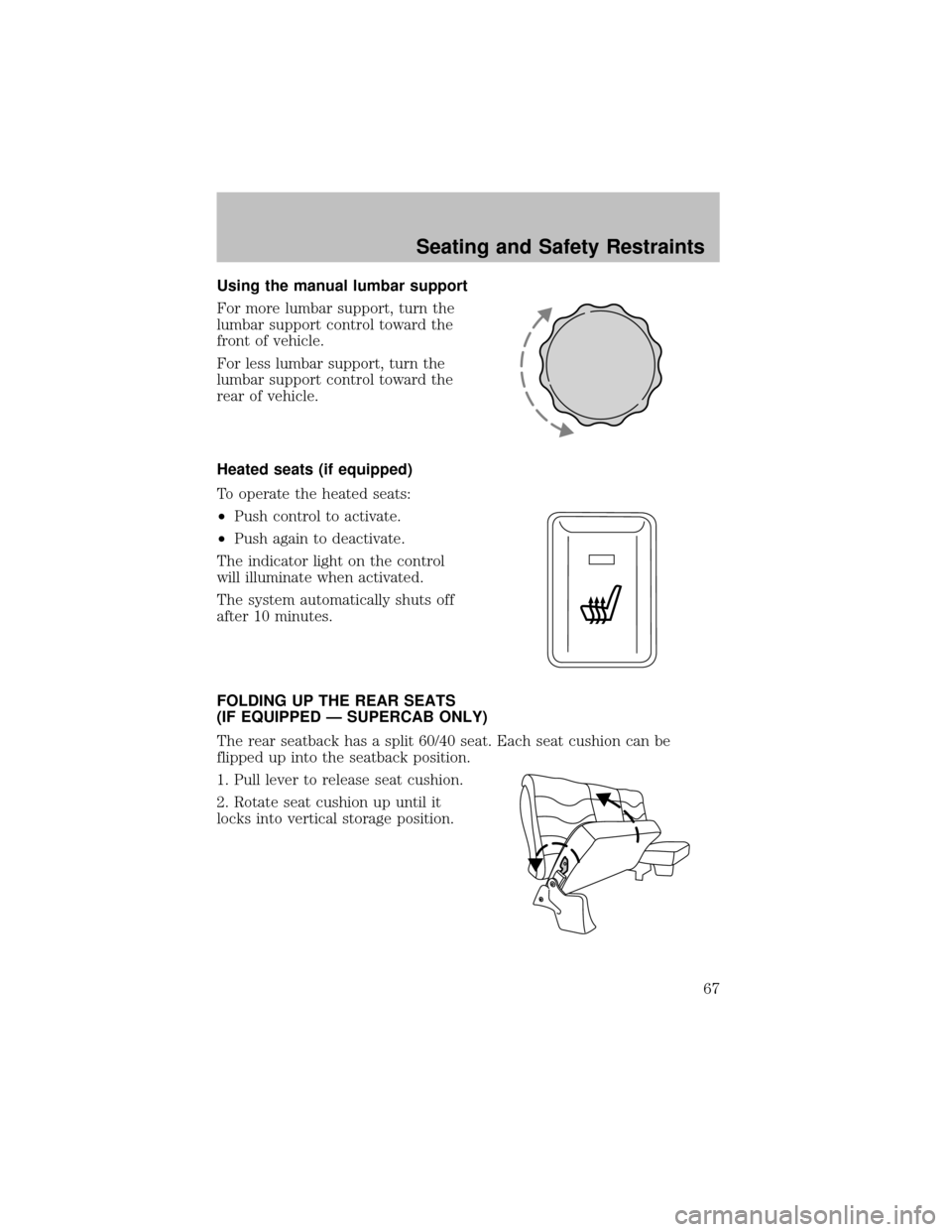
For more lumbar support, turn the
lumbar support control toward the
front of vehicle.
For less lumbar support, turn the
lumbar support control toward the
rear of vehicle.
Heated seats (if equipped)
To operate the heated seats:
•Push control to activate.
•Push again to deactivate.
The indicator light on the control
will illuminate when activated.
The system automatically shuts off
after 10 minutes.
FOLDING UP THE REAR SEATS
(IF EQUIPPED — SUPERCAB ONLY)
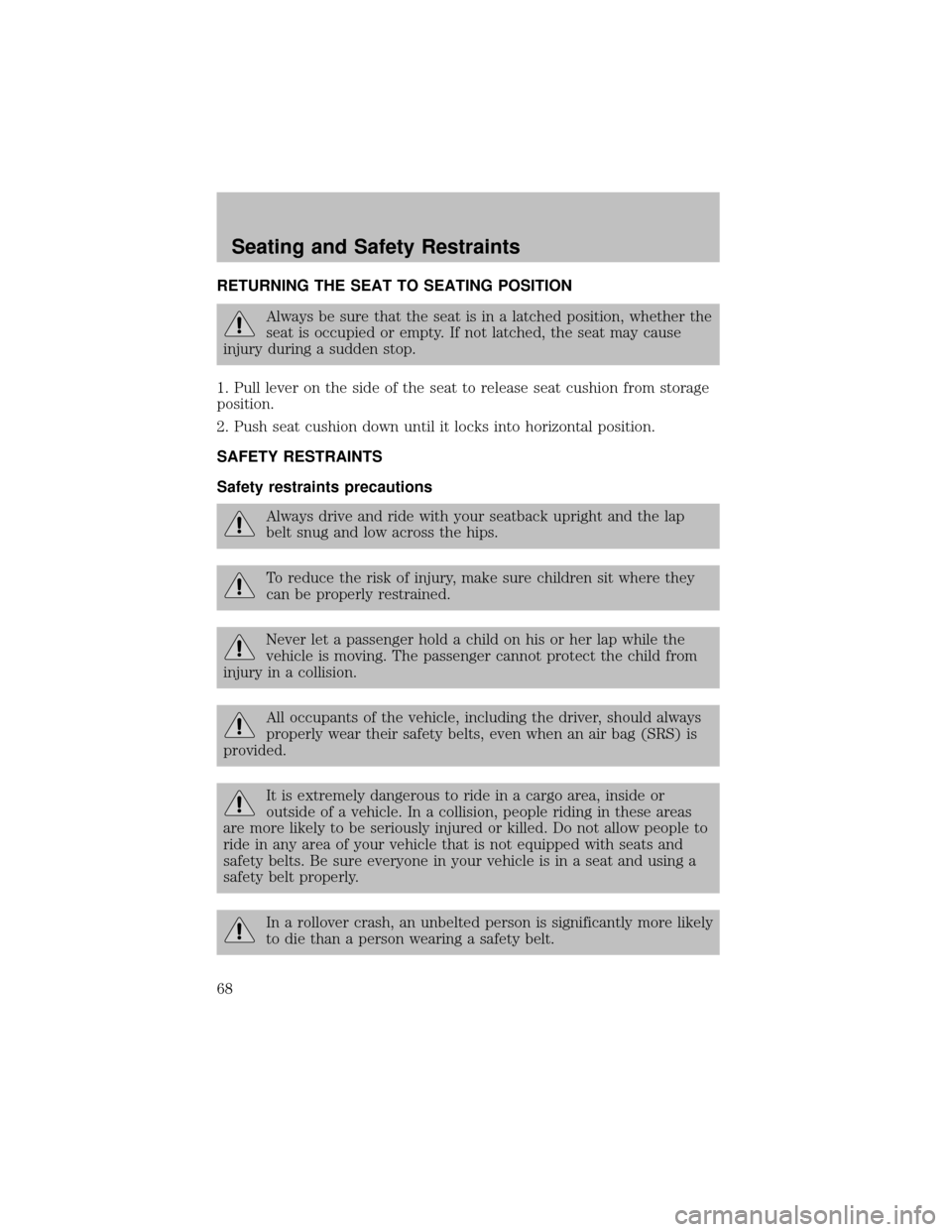
The rear seatback has a split 60/40 seat. Each seat cushion can be
flipped up into the seatback position.
1. Pull lever to release seat cushion.
2. Rotate seat cushion up until it
locks into vertical storage position.
Seating and Safety Restraints
67
Page 68 of 256
RETURNING THE SEAT TO SEATING POSITION
Always be sure that the seat is in a latched position, whether the
seat is occupied or empty. If not latched, the seat may cause
injuryduring a sudden stop.
1. Pull lever on the side of the seat to release seat cushion from storage
position.
2. Push seat cushion down until it locks into horizontal position.
SAFETY RESTRAINTS
Safety restraints precautions
Always drive and ride with your seatback upright and the lap
belt snug and low across the hips.
To reduce the risk of injury, make sure children sit where they
can be properlyrestrained.
Never let a passenger hold a child on his or her lap while the
vehicle is moving. The passenger cannot protect the child from
injuryin a collision.
All occupants of the vehicle, including the driver, should always
properlywear their safetybelts, even when an air bag (SRS) is
provided.
It is extremelydangerous to ride in a cargo area, inside or
outside of a vehicle. In a collision, people riding in these areas
are more likelyto be seriouslyinjured or killed. Do not allow people to
ride in anyarea of your vehicle that is not equipped with seats and
safety belts. Be sure everyone in your vehicle is in a seat and using a
safetybelt properly.
In a rollover crash, an unbelted person is significantlymore likely
to die than a person wearing a safetybelt.
Seating and Safety Restraints
68
Page 70 of 256
The front and rear outboard safetyrestraints in the vehicle are
combination lap and shoulder belts. The front passenger and rear seat
outboard safetybelts have two types of locking modes described below:
Vehicle sensitive mode
This is the normal retractor mode, which allows free shoulder belt length
adjustment to your movements and locking in response to vehicle
movement. For example, if the driver brakes suddenlyor turns a corner
sharply, or the vehicle receives an impact of approximately 8 km/h (5
mph) or more, the combination safetybelts will lock to help reduce
forward movement of the driver and passengers.
On SuperCab and CrewCab models, the front seat belt system can also
be made to lock manuallybyquicklypulling on the shoulder belt.
Rear seat belts (if equipped) cannot be made to lock up bypulling
quicklyon the belt.
Automatic locking mode
The automatic locking mode is not available on the driver safetybelt.
When to use the automatic locking mode
In this mode, the shoulder belt is automaticallypre-locked. The belt will
still retract to remove anyslack in the shoulder belt. The automatic
locking mode is not available on the driver safetybelt.
This mode should be usedany timea child safetyseat is installed in a
passenger front or outboard rear seating position (if equipped). Children
12 years old and under should be properly restrained in the rear seat
whenever possible. Refer toSafety restraints for childrenorSafety
seats for childrenlater in this chapter.
How to use the automatic locking mode
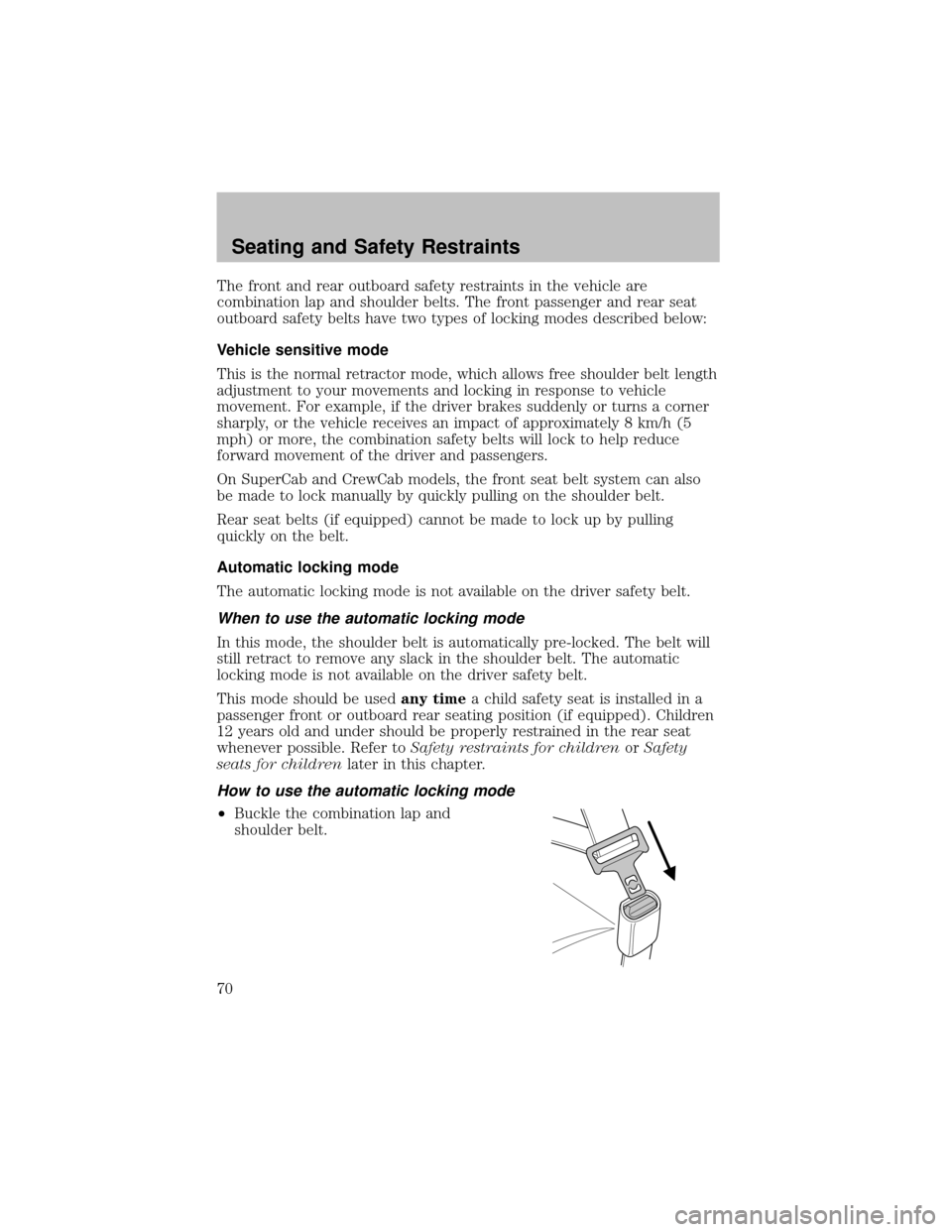
•Buckle the combination lap and
shoulder belt.
Seating and Safety Restraints
70
Page 71 of 256
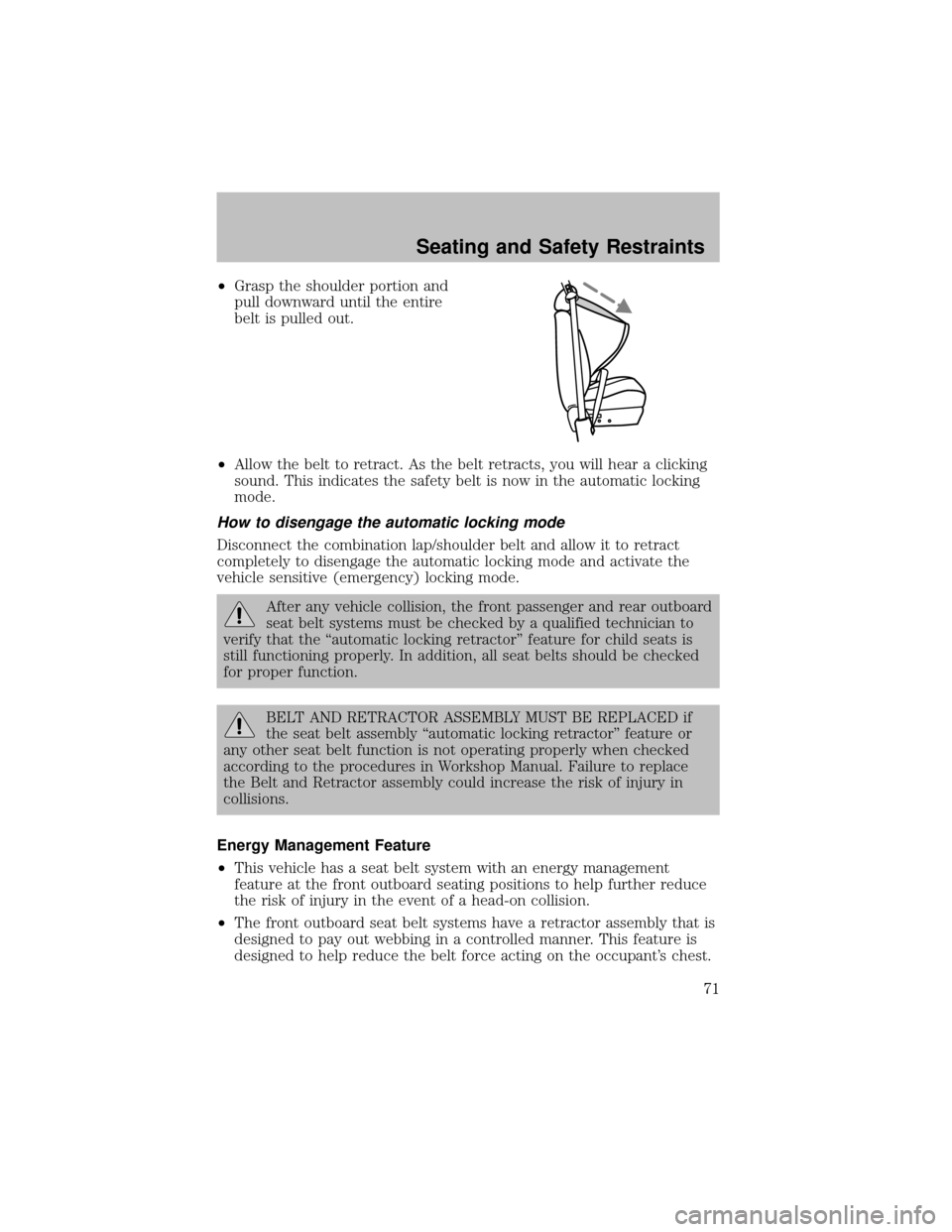
•Grasp the shoulder portion and
pull downward until the entire
belt is pulled out.
•Allow the belt to retract. As the belt retracts, you will hear a clicking
sound. This indicates the safetybelt is now in the automatic locking
mode.
How to disengage the automatic locking mode
Disconnect the combination lap/shoulder belt and allow it to retract
completelyto disengage the automatic locking mode and activate the
vehicle sensitive (emergency) locking mode.
After anyvehicle collision, the front passenger and rear outboard
seat belt systems must be checked by a qualified technician to
verifythat the “automatic locking retractor” feature for child seats is
still functioning properly. In addition, all seat belts should be checked
for proper function.
BELT AND RETRACTOR ASSEMBLY MUST BE REPLACED if
the seat belt assembly“automatic locking retractor” feature or
anyother seat belt function is not operating properlywhen checked
according to the procedures in Workshop Manual. Failure to replace
the Belt and Retractor assemblycould increase the risk of injuryin
collisions.
Energy Management Feature
•This vehicle has a seat belt system with an energy management
feature at the front outboard seating positions to help further reduce
the risk of injuryin the event of a head-on collision.
•The front outboard seat belt systems have a retractor assembly that is
designed to payout webbing in a controlled manner. This feature is
designed to help reduce the belt force acting on the occupant’s chest.
Seating and Safety Restraints
71
Page 74 of 256
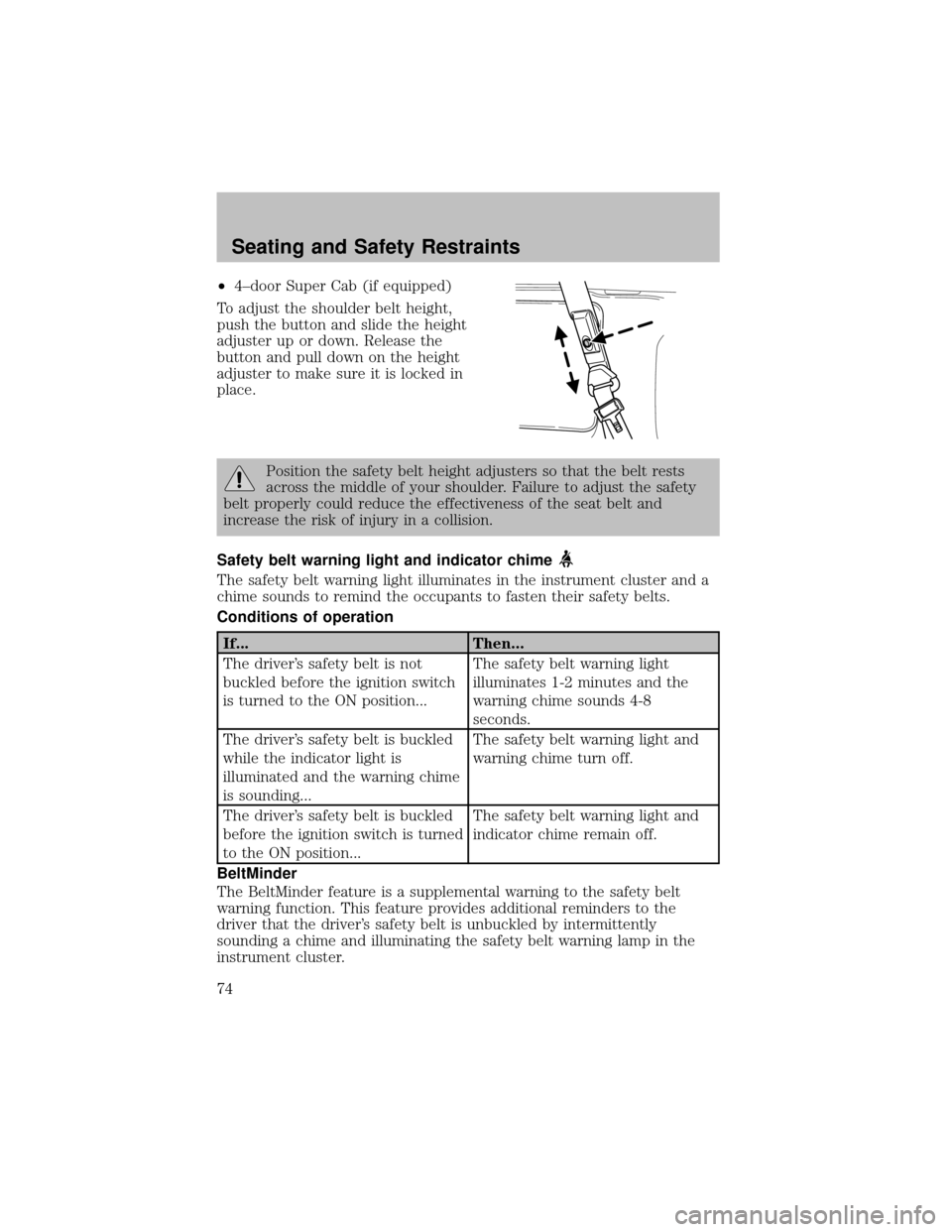
•4–door Super Cab (if equipped)
To adjust the shoulder belt height,
push the button and slide the height
adjuster up or down. Release the
button and pull down on the height
adjuster to make sure it is locked in
place.
Position the safetybelt height adjusters so that the belt rests
across the middle of your shoulder. Failure to adjust the safety
belt properlycould reduce the effectiveness of the seat belt and
increase the risk of injuryin a collision.
Safety belt warning light and indicator chime
The safetybelt warning light illuminates in the instrument cluster and a
chime sounds to remind the occupants to fasten their safetybelts.
Conditions of operation
If... Then...
The driver’s safetybelt is not
buckled before the ignition switch
is turned to the ON position...The safetybelt warning light
illuminates 1-2 minutes and the
warning chime sounds 4-8
seconds.
The driver’s safetybelt is buckled
while the indicator light is
illuminated and the warning chime
is sounding...The safetybelt warning light and
warning chime turn off.
The driver’s safetybelt is buckled
before the ignition switch is turned
to the ON position...The safetybelt warning light and
indicator chime remain off.
BeltMinder
The BeltMinder feature is a supplemental warning to the safetybelt
warning function. This feature provides additional reminders to the
driver that the driver’s safetybelt is unbuckled byintermittently
sounding a chime and illuminating the safetybelt warning lamp in the
instrument cluster.
Seating and Safety Restraints
74