phone FORD SUPER DUTY 2009 2.G Navigation System Manual
[x] Cancel search | Manufacturer: FORD, Model Year: 2009, Model line: SUPER DUTY, Model: FORD SUPER DUTY 2009 2.GPages: 194, PDF Size: 2.84 MB
Page 158 of 194
If the connected device and media content is supported, SYNC will begin
indexing available media files. NO MEDIA will appear if there are no
readable media files for SYNC to play. If there are readable files,
INDEXING may appear. If Autoplay is ON, SYNC gives you the ability to
access media files randomly as they are indexed. If Autoplay is OFF,
indexed media is not available until the indexing process is complete.
After indexing is complete, INDEXED will appear.
Once indexing is complete, you may press
/to access the
previous/next track. You may also press
/to play/pause the
current track.
Note: SYNC is capable of indexing thousands of average size media files.
The time required to complete the indexing process is dependent upon
the size of the media content being indexed and the device itself.
If at any time the device is removed from the USB port, USB REMOVED
will appear.
STREAMING MUSIC FROM YOUR BLUETOOTH ENABLED PHONE
Note: This is a phone dependent feature. Refer to your phone’s user
guide for further information on how to stream Bluetoothaudio.
SYNC allows you to stream music from your Bluetoothenabled cellular
phone to play through SYNC. To access:
1. Ensure that the desired music is playing on your paired phone and
your phone is in Bluetoothaudio streaming mode.
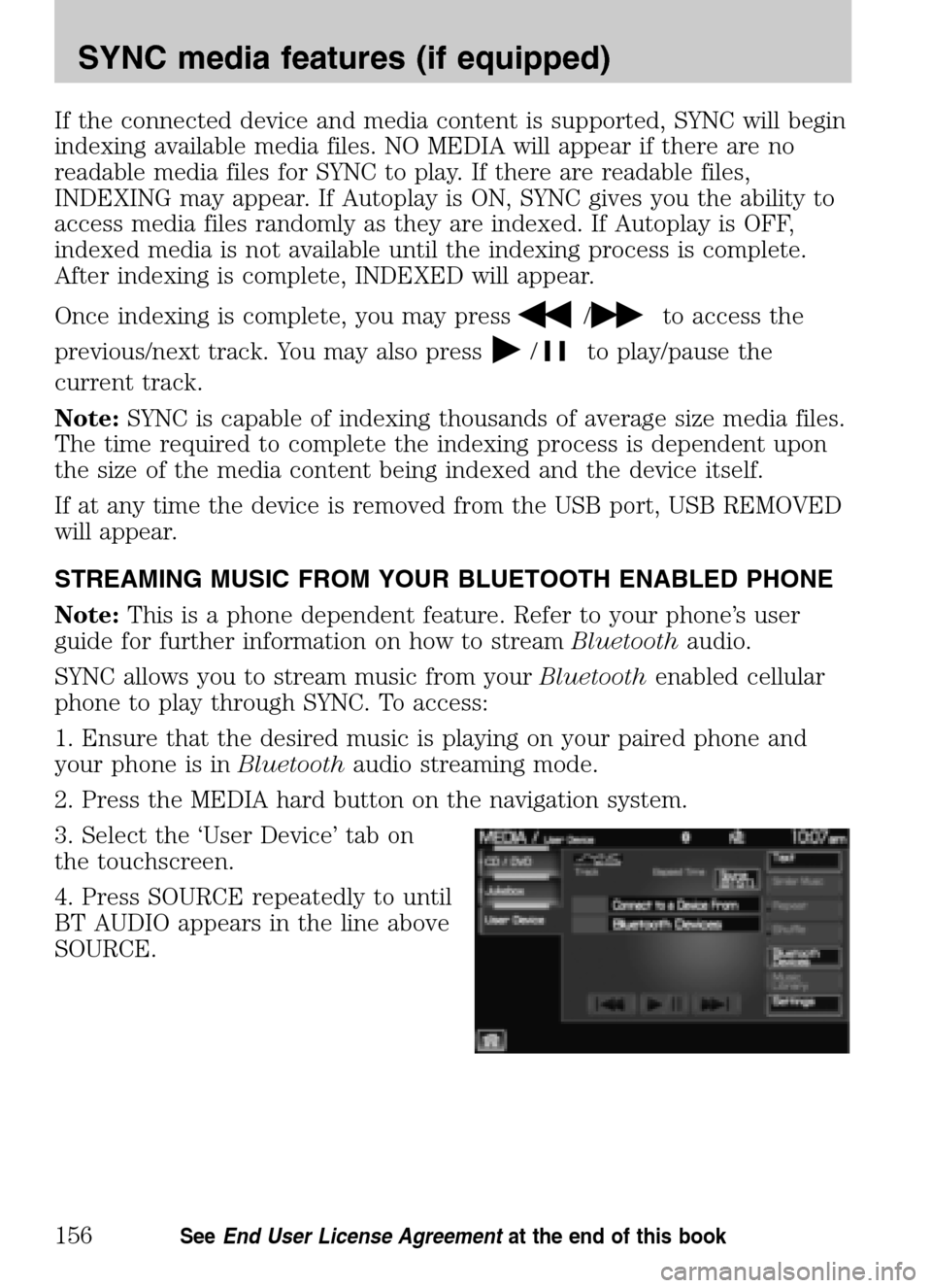
2. Press the MEDIA hard button on the navigation system.
3. Select the ‘User Device’ tab on
the touchscreen.
4. Press SOURCE repeatedly to until
BT AUDIO appears in the line above
SOURCE.
2009 Centerstack (ng1)
Supplement
USA (fus)
SYNC media features (if equipped)
156SeeEnd User License Agreement at the end of this book
Page 165 of 194
Accessing your BT Devices menu and features
The BT DEVICES menu allows you to connect, add and delete Bluetooth
devices from SYNC.
To access:
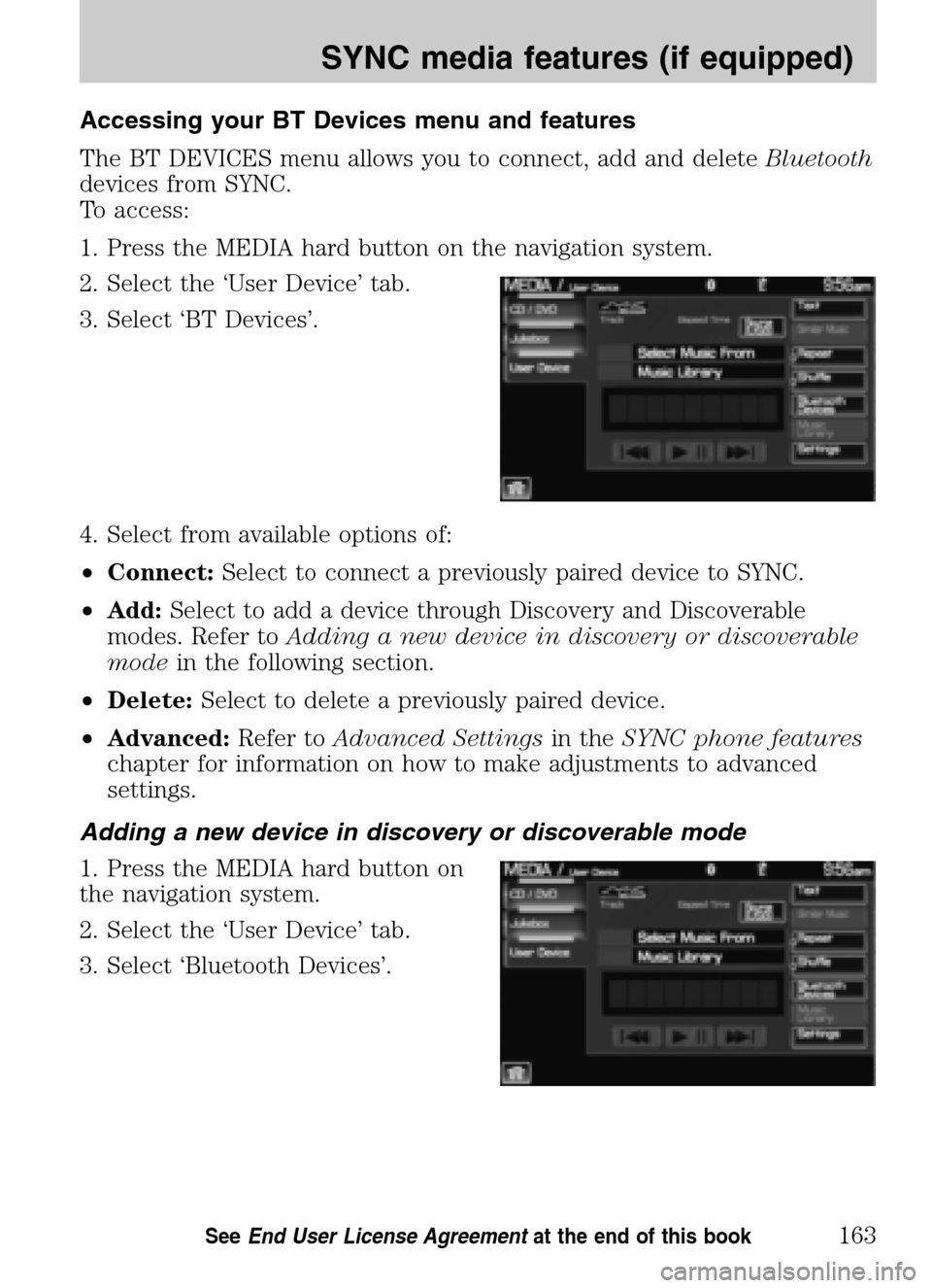
1. Press the MEDIA hard button on the navigation system.
2. Select the ‘User Device’ tab.
3. Select ‘BT Devices’.
4. Select from available options of:
• Connect: Select to connect a previously paired device to SYNC.
• Add: Select to add a device through Discovery and Discoverable
modes. Refer to Adding a new device in discovery or discoverable
mode in the following section.
• Delete: Select to delete a previously paired device.
• Advanced: Refer toAdvanced Settings in theSYNC phone features
chapter for information on how to make adjustments to advanced
settings.
Adding a new device in discovery or discoverable mode
1. Press the MEDIA hard button on
the navigation system.
2. Select the ‘User Device’ tab.
3. Select ‘Bluetooth Devices’.
2009 Centerstack (ng1)
Supplement
USA (fus)
SYNC media features (if equipped)
163SeeEnd User License Agreement at the end of this book
Page 166 of 194
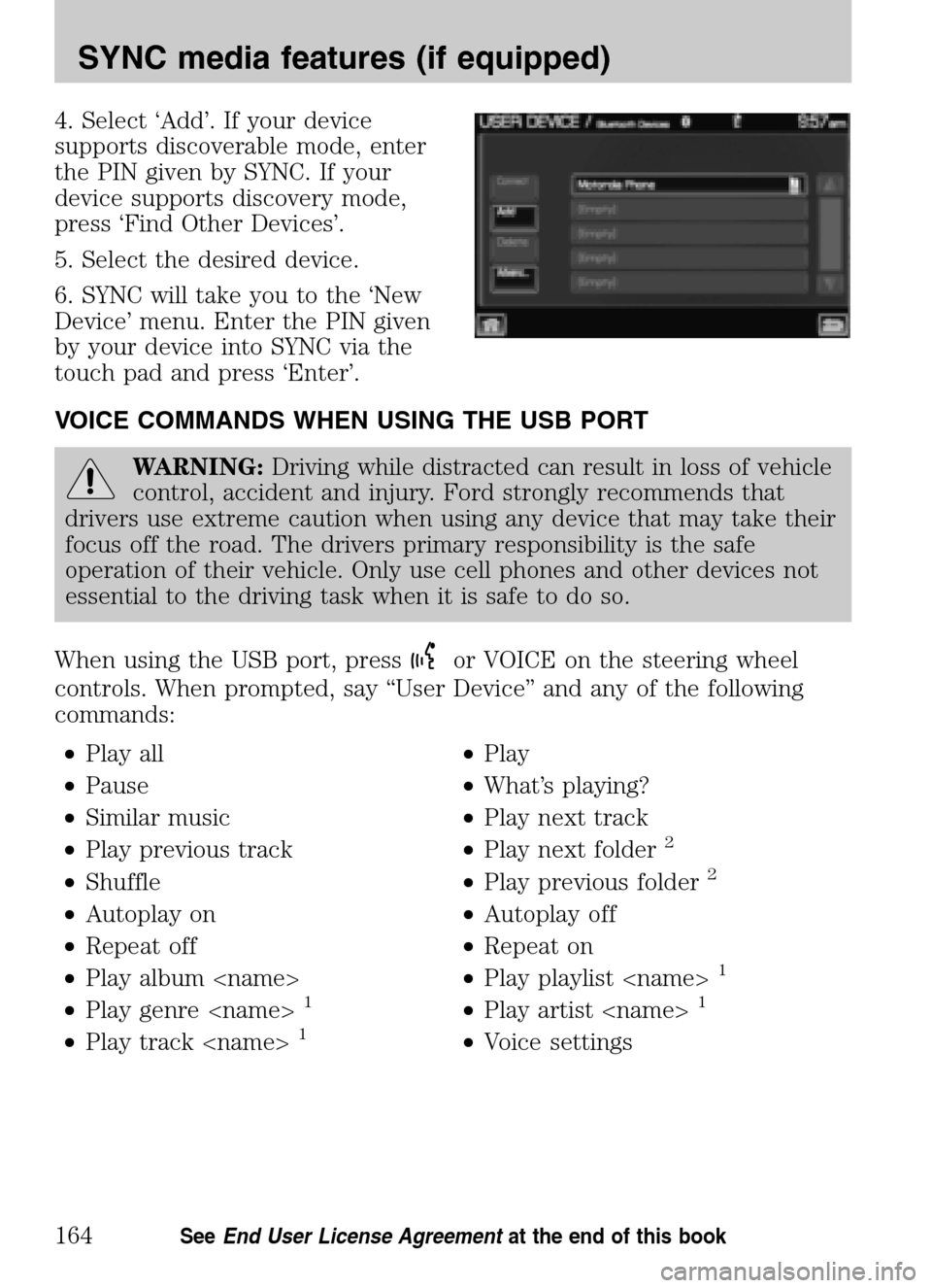
4. Select ‘Add’. If your device
supports discoverable mode, enter
the PIN given by SYNC. If your
device supports discovery mode,
press ‘Find Other Devices’.
5. Select the desired device.
6. SYNC will take you to the ‘New
Device’ menu. Enter the PIN given
by your device into SYNC via the
touch pad and press ‘Enter’.
VOICE COMMANDS WHEN USING THE USB PORT
WARNING: Driving while distracted can result in loss of vehicle
control, accident and injury. Ford strongly recommends that
drivers use extreme caution when using any device that may take their
focus off the road. The drivers primary responsibility is the safe
operation of their vehicle. Only use cell phones and other devices not
essential to the driving task when it is safe to do so.
When using the USB port, press
or VOICE on the steering wheel
controls. When prompted, say “User Device” and any of the following
commands:
• Play all •Play
• Pause •What’s playing?
• Similar music •Play next track
• Play previous track •Play next folder
2
• Shuffle •Play previous folder2
• Autoplay on •Autoplay off
• Repeat off •Repeat on
• Play album
1
• Play genre
• Play track
2009 Centerstack (ng1)
Supplement
USA (fus)
SYNC media features (if equipped)
164SeeEnd User License Agreement at the end of this book
Page 167 of 194
In voice settings mode, pressor VOICE on the steering wheel
controls. When prompted, you may say the following commands:
• Media candidate lists on •Media candidate lists off
1Voice commands are not available until indexing is complete.
2Voice commands only available in folder mode. For more information,
refer to Exploring the USB device.
Note: In the above possible commands, “name”is a dynamic listing in
that it could be the name of any desired group, artist, etc.
Media candidate lists: Lists are a list of possible results from your
voice commands. These occur when SYNC has equal confidence of
several possible results from your voice command.
Autoplay: With this feature ON, SYNC will automatically begin to play
your music as it is being indexed. As the system is finishing indexing all
of your songs, you can listen to music. With this feature OFF, SYNC will
not begin to play any of your music until it has all been indexed.
Note: The larger the number of songs SYNC has to index, the longer
indexing will take.
Play Genre: You can play a specific genre (type) of music. SYNC will
read all the data from your indexed music and, if available, will begin to
play that type of music.
Note: You can only play genres of music which are present in the music
you have indexed to SYNC.
Similar music: You can tell SYNC to play music ‘similar’ to what you are
currently playing.
Phone candidate lists are a list of possible results from your voice
commands. These occur when SYNC has equal confidence of several
possible results from your voice command.
Voice commands while using Line in
While using the Line in feature (Auxiliary input jack), press
or
VOICE on the steering wheel controls. When prompted, you may say the
following commands:
• Exit •Line in
2009 Centerstack (ng1)
Supplement
USA (fus)
SYNC media features (if equipped)
165SeeEnd User License Agreement at the end of this book
Page 168 of 194
Voice commands when in Bluetooth audio mode
When in Bluetooth audio mode, press
or VOICE on the steering
wheel controls. When prompted, say any of the following commands:
• Play •Pause
• Play next track •Play previous track
Note: Please refer to your device’s user guide to see if these commands
are supported for Bluetoothaudio.
At any time, you may say these commands:
• User Device •Help
• Phone •Line in
• Exit
2009 Centerstack (ng1)
Supplement
USA (fus)
SYNC media features (if equipped)
166SeeEnd User License Agreement at the end of this book
Page 169 of 194
ACCESSING SYNC MEDIA FEATURES THROUGH YOUR DVD
SYSTEM (IF EQUIPPED)
WARNING: Driving while distracted can result in loss of vehicle
control, accident and injury. Ford strongly recommends that
drivers use extreme caution when using cell phones, even with voice
commands. The driver’s primary responsibility is the safe operation of
their vehicle. Only use cell phones and other devices not essential to
the driving task when it is safe to do so.
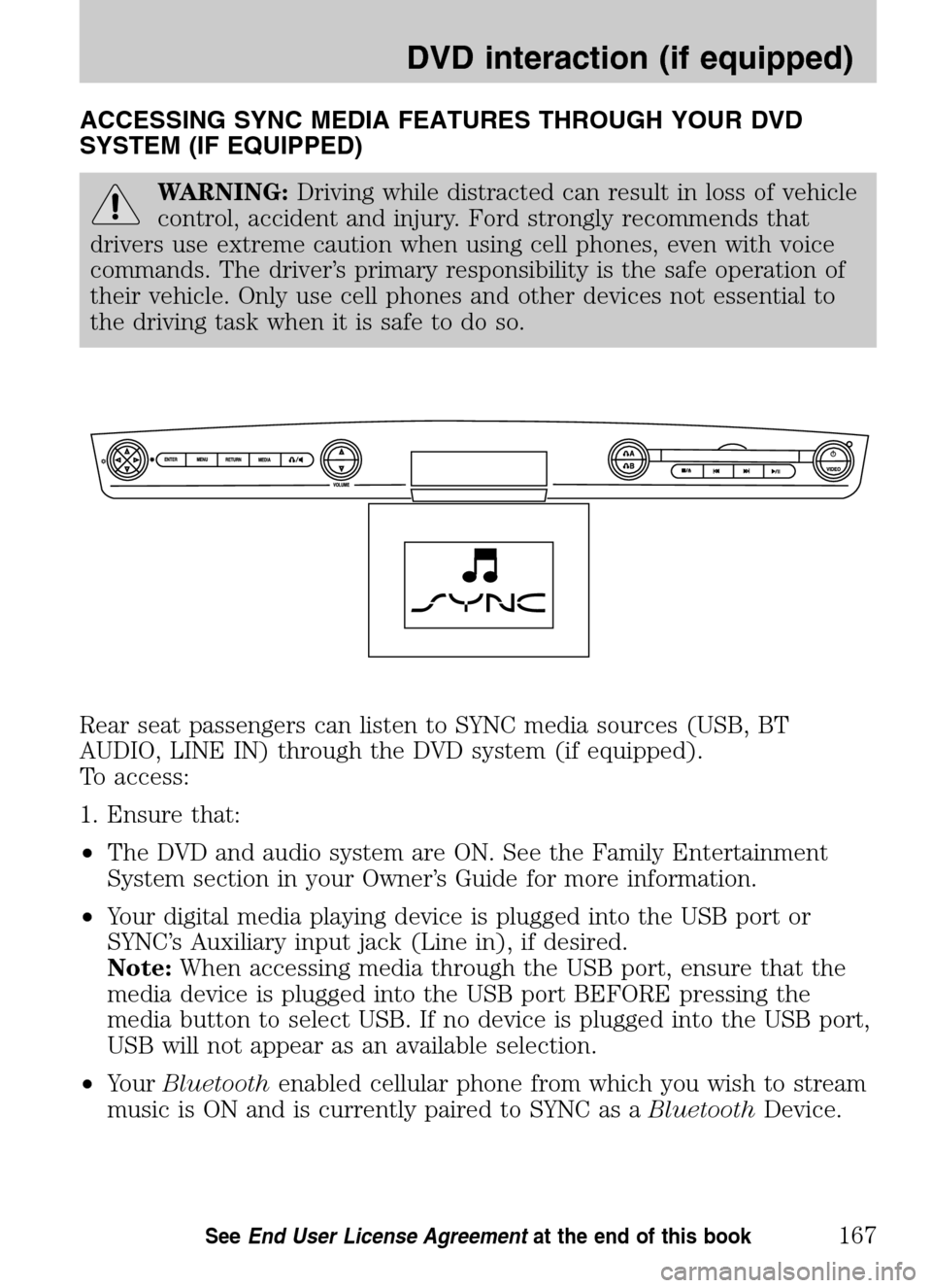
Rear seat passengers can listen to SYNC media sources (USB, BT
AUDIO, LINE IN) through the DVD system (if equipped).
To access:
1. Ensure that:
• The DVD and audio system are ON. See the Family Entertainment
System section in your Owner’s Guide for more information.
• Your digital media playing device is plugged into the USB port or
SYNC’s Auxiliary input jack (Line in), if desired.
Note: When accessing media through the USB port, ensure that the
media device is plugged into the USB port BEFORE pressing the
media button to select USB. If no device is plugged into the USB port,
USB will not appear as an available selection.
• Your Bluetooth enabled cellular phone from which you wish to stream
music is ON and is currently paired to SYNC as a BluetoothDevice.
2009 Centerstack (ng1)
Supplement
USA (fus)
DVD interaction (if equipped)
167SeeEnd User License Agreement at the end of this book
Page 170 of 194
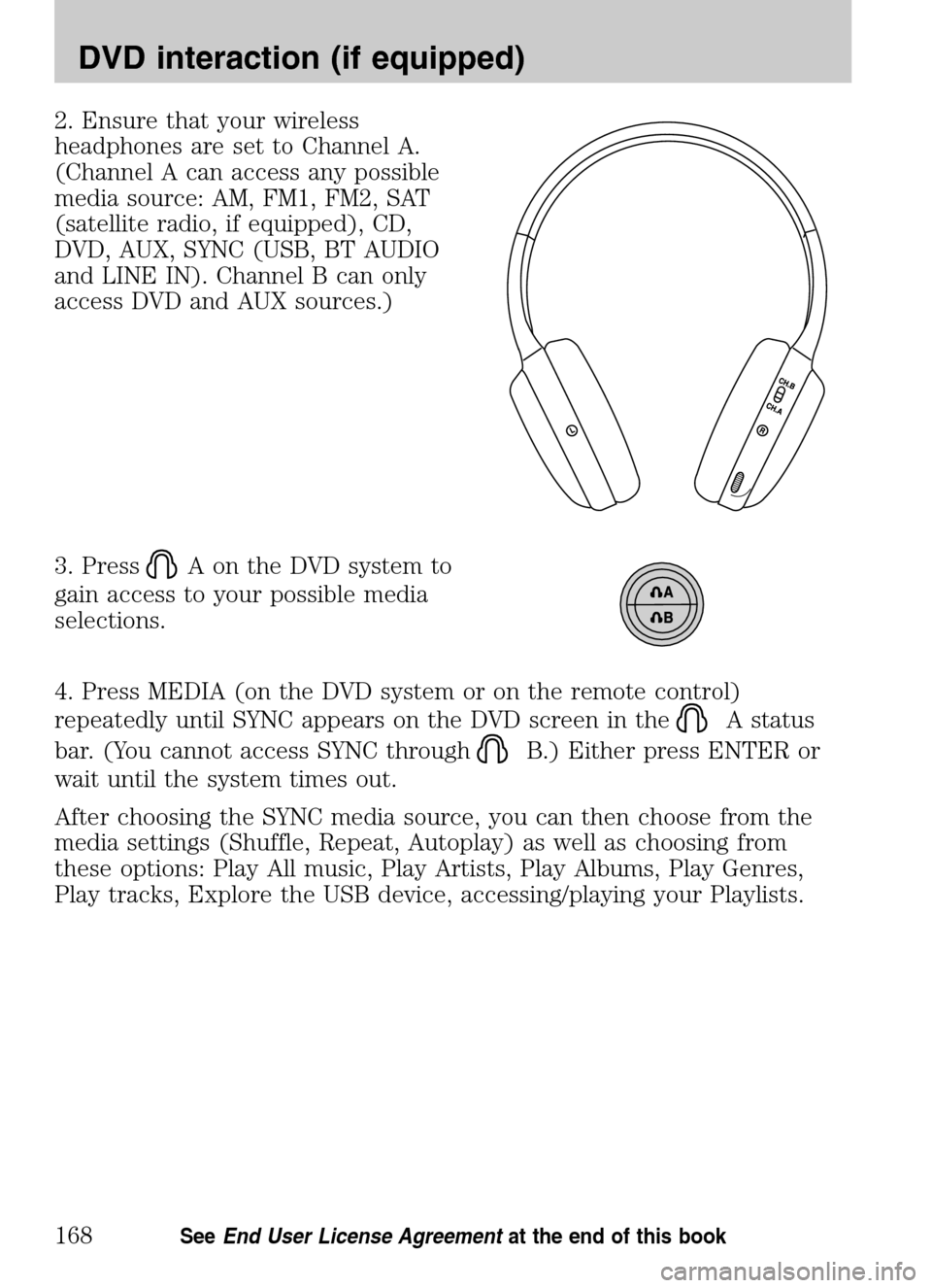
2. Ensure that your wireless
headphones are set to Channel A.
(Channel A can access any possible
media source: AM, FM1, FM2, SAT
(satellite radio, if equipped), CD,
DVD, AUX, SYNC (USB, BT AUDIO
and LINE IN). Channel B can only
access DVD and AUX sources.)
3. Press
A on the DVD system to
gain access to your possible media
selections.
4. Press MEDIA (on the DVD system or on the remote control)
repeatedly until SYNC appears on the DVD screen in the
A status
bar. (You cannot access SYNC through
B.) Either press ENTER or
wait until the system times out.
After choosing the SYNC media source, you can then choose from the
media settings (Shuffle, Repeat, Autoplay) as well as choosing from
these options: Play All music, Play Artists, Play Albums, Play Genres,
Play tracks, Explore the USB device, accessing/playing your Playlists.
2009 Centerstack (ng1)
Supplement
USA (fus)
DVD interaction (if equipped)
168SeeEnd User License Agreement at the end of this book
Page 185 of 194
911 assist ...................................130
A
Accessing SYNC system
information ................................145
Accessing the help screen .........80
Accessing the music in your
jukebox ..................................56–57
Accessing your calendar ............79
Accessing your phone book .....124
Accessing your playlists ...........160
Adding a new device in
discovery or discoverable
mode ..........................................163
Adding (pairing) a phone ........126
Adjusting the voice prompt
volume .........................................35
Advanced settings .....................128
AM/FM .........................................41
Automatically download your
phone book ................................139
C
Call history ................................125
CD ..........................................49, 51
Connecting a phone ..................127
Connecting your digital media
player to SYNC ..........................152
Creating a playlist .......................59
D
Deleting a phone .......................127
Driving restrictions .......................6
DVD (if equipped) ......................65 E
Exploring the USB device ........162
F
Forwarding a text message ......150
G
Glossary .....................................115
GPS reception ...........................114
H
Home screen ...............................22
How to get going ..........................8
How to use voice commands .....32
Hybrid information
(if equipped) ...............................69
I
Installing new vehicle
applications ...............................144
J
Jukebox features .........................56
L
Loading pictures .........................23
M
Making a call .............................121
Map display options ....................21
Map icons ....................................99
Map preferences .......................103
2009 Centerstack
(ng1)
Supplement
USA (fus)
Index
183
Page 186 of 194
Message notification .................138
Modifying your phone book
and call history .........................140
N
Navigation end user license
agreement ..................................109
P
Pairing your phone through
your navigation system ............119
Performing a master reset .......144
Phone dependent features .......119
Playing a DVD in the system .....53
Playing a specific track ............161
Q
Quick destination options ..........85
Quick reference chart ................25
Quick touch buttons ...................98
R
Returning to factory defaults ..143
Reverse camera ...........................24
$Route preferences ..................104
S
Safety information ........................8
Satellite Radio (if equipped) .....46
Saving a contact or phone
number as Quick Dial ...............123
Selecting and playing specific
albums .......................................159 Selecting and playing specific
artists .........................................159
Selecting different genres ........160
Setting a destination by voice ...85
Setting a ring tone ....................137
Setting the clock .........................27
SIRIUS travel link .......................74
Standard destination options .....87
Status bars ..................................22
Streaming music from your
phone .........................................156
Supported player, media
formats and metadata
information ................................155
SYNC media features ................154
SYNC phone features ...............122
System introduction .....................5
System limitations ....................114
System overview ...................14, 18
System settings .........................126
T
Text messaging with your
navigation system .....................146
Troubleshooting ........................117
Turning Bluetooth on/off ..........129
Turning prompts on/off ............142
U
USB port ....................................155
User Device (if equipped) .........62
User profiles ................................37
2009 Centerstack
(ng1)
Supplement
USA (fus)
Index
184
Page 187 of 194
Using the Auxiliary input jack
(Line in) ....................................157
Using the play all feature .........158
V
Vehicle health report ................133
Voice commands in media
mode ..........................................164
Voice commands in phone
mode ..........................................151 Voice name tags
..........................37
Voice recognition tutorial ...........36
W
What is SYNC? ..............................7
What’s playing? .........................154
Where am I? ................................69
2009 Centerstack (ng1)
Supplement
USA (fus)
Index
185