buttons FORD SUPER DUTY 2011 3.G User Guide
[x] Cancel search | Manufacturer: FORD, Model Year: 2011, Model line: SUPER DUTY, Model: FORD SUPER DUTY 2011 3.GPages: 441, PDF Size: 3.3 MB
Page 140 of 441
Switching from two step to one step door unlocking
Your vehicle comes with two step unlocking enabled. Unlocking can be
switched between two step and one step door unlocking by pressing and
holding both the
andbuttons simultaneously on the remote entry
transmitter for approximately four seconds. The hazard lamps will flash
twice to indicate that the vehicle has switched to one step unlocking.
Repeat the procedure to switch back to two-step unlocking.
Locking the doors
1. Press
and release to lock all the doors. The parking lamps will
illuminate if all the doors are closed and locked.
2. Press
and release again within three seconds to confirm that all
the doors are closed and locked.Note:The doors will lock again, the
horn will chirp once, and the parking lamps will illuminate once more.
If any of the doors are not properly closed the horn will make two quick
chirps and the parking lamps will not flash.
Car finder
Press
twice within three seconds. The horn will chirp and the turn
lamps will flash. It is recommended that this method be used to locate
your vehicle, rather than using the panic alarm.
Sounding a panic alarm
Press
to activate the alarm. Press again or turn the ignition to on to
deactivate.
Note:The panic alarm will only operate when the ignition is in the off
position.
Memory feature (seat, mirrors and adjustable pedals)
The Integrated Keyhead Transmitter (IKT) allows you to recall the
memory seat/power mirrors/adjustable pedals feature.
Press
to automatically move the driver seat, power mirrors and
adjustable pedals to the desired memory position. (The seat position
corresponds to the transmitter being used).
Programming memory feature to Transmitter
To activate this feature:
1. Move the driver seat, power mirrors, and adjustable pedals to the
desired positions using the associated controls.
Locks and Security
140
2011 F-250/350/450/550(f23)
Owners Guide, 1st Printing
USA(fus)
Page 143 of 441
The dome lamp control (if equipped) mustnotbe set to the off position
for the illuminated entry system to operate.
The lights will not turn off if:
•they have been turned on with the dimmer control, or
•any door is open.
The battery saver will shut off the interior lamps 30 minutes after the
ignition has been turned to the off position, 10 minutes after if the dome
lamp is off, and 30 minutes after if the dome lamp switch is left on.
Remote start (if equipped)
Your vehicle may be equipped with the remote start feature which allows
you to start the engine from outside the vehicle. If your Integrated
Keyhead Transmitter (IKT) has a
icon, you have remote start. The
remote start feature has an extended operating range which allows you
to remote start your vehicle from a farther distance from your vehicle.
All the buttons have this increased range performance capability when
equipped with remote start.
Many states and provinces have restrictions for the use of remote start.
Check your local and state or provincial laws for specific requirements
regarding remote start systems.
Note:Do not use remote start if your vehicle is low on fuel.
WARNING:To avoid exhaust fumes, do not use remote start if
your vehicle is parked indoors or areas that are not well
ventilated.
The remote start system will not work if:
•The ignition is in the on position.
•The alarm system is triggered.
•The feature has been disabled.
•The hood is not closed.
•Two remote vehicle starts have already been attempted within the last
hour.
•The vehicle is not in P (Park).
Locks and Security
143
2011 F-250/350/450/550(f23)
Owners Guide, 1st Printing
USA(fus)
Page 145 of 441
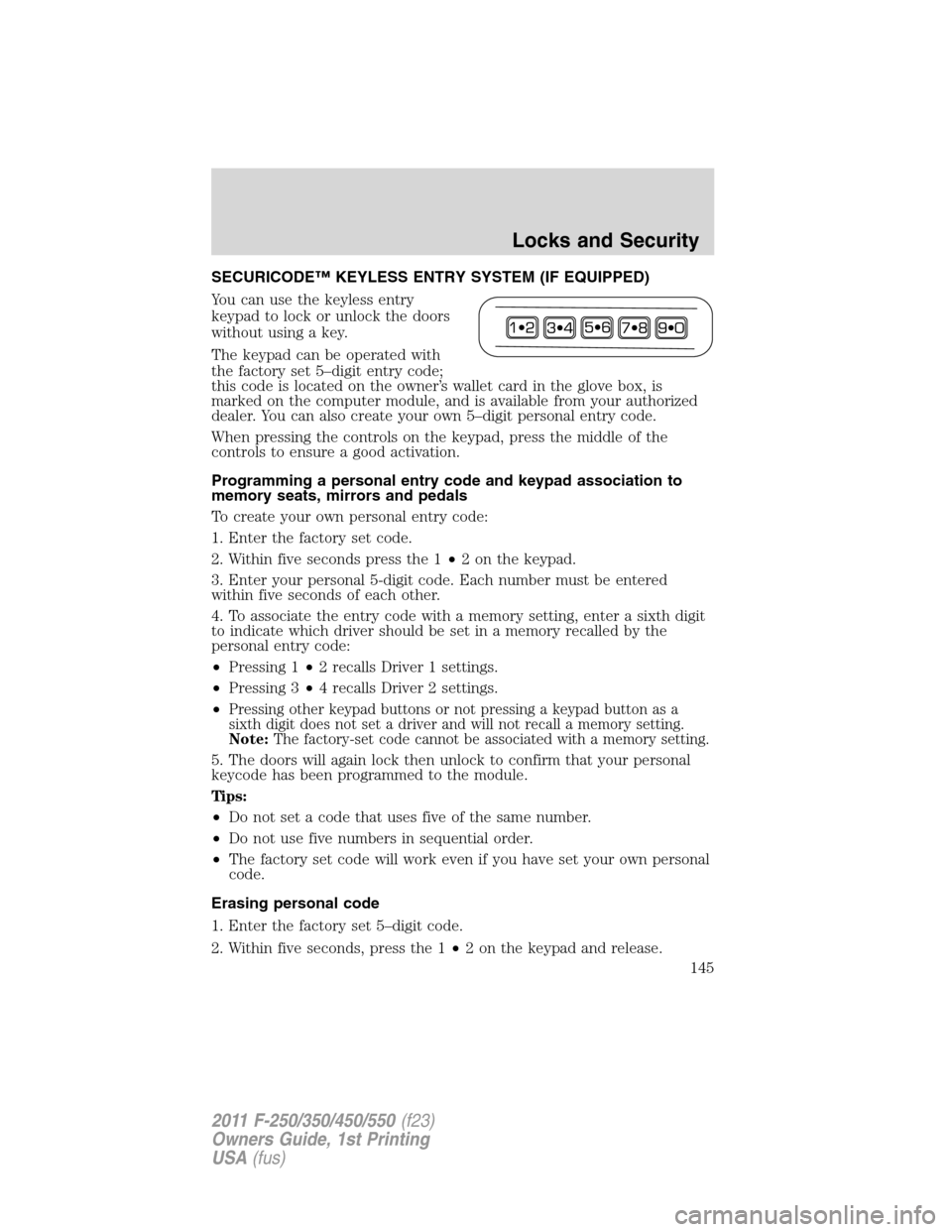
SECURICODE™ KEYLESS ENTRY SYSTEM (IF EQUIPPED)
You can use the keyless entry
keypad to lock or unlock the doors
without using a key.
The keypad can be operated with
the factory set 5–digit entry code;
this code is located on the owner’s wallet card in the glove box, is
marked on the computer module, and is available from your authorized
dealer. You can also create your own 5–digit personal entry code.
When pressing the controls on the keypad, press the middle of the
controls to ensure a good activation.
Programming a personal entry code and keypad association to
memory seats, mirrors and pedals
To create your own personal entry code:
1. Enter the factory set code.
2. Within five seconds press the 1•2 on the keypad.
3. Enter your personal 5-digit code. Each number must be entered
within five seconds of each other.
4. To associate the entry code with a memory setting, enter a sixth digit
to indicate which driver should be set in a memory recalled by the
personal entry code:
•Pressing 1•2 recalls Driver 1 settings.
•Pressing 3•4 recalls Driver 2 settings.
•
Pressing other keypad buttons or not pressing a keypad button as a
sixth digit does not set a driver and will not recall a memory setting.
Note:The factory-set code cannot be associated with a memory setting.
5. The doors will again lock then unlock to confirm that your personal
keycode has been programmed to the module.
Tips:
•Do not set a code that uses five of the same number.
•Do not use five numbers in sequential order.
•The factory set code will work even if you have set your own personal
code.
Erasing personal code
1. Enter the factory set 5–digit code.
2. Within five seconds, press the 1•2 on the keypad and release.
Locks and Security
145
2011 F-250/350/450/550(f23)
Owners Guide, 1st Printing
USA(fus)
Page 153 of 441
Properly adjust the head restraint so that the top of the head restraint is
even with the top of your head and positioned as close as possible to the
back of your head. For occupants of extremely tall stature, adjust the
head restraint to its full up position.
WARNING:To minimize the risk of neck injury in the event of a
crash, head restraints must be installed properly.
Front row center non-adjustable head restraint (if equipped)
Vehicle’s equipped with a front center seat will have head restraints that
are non-adjustable.
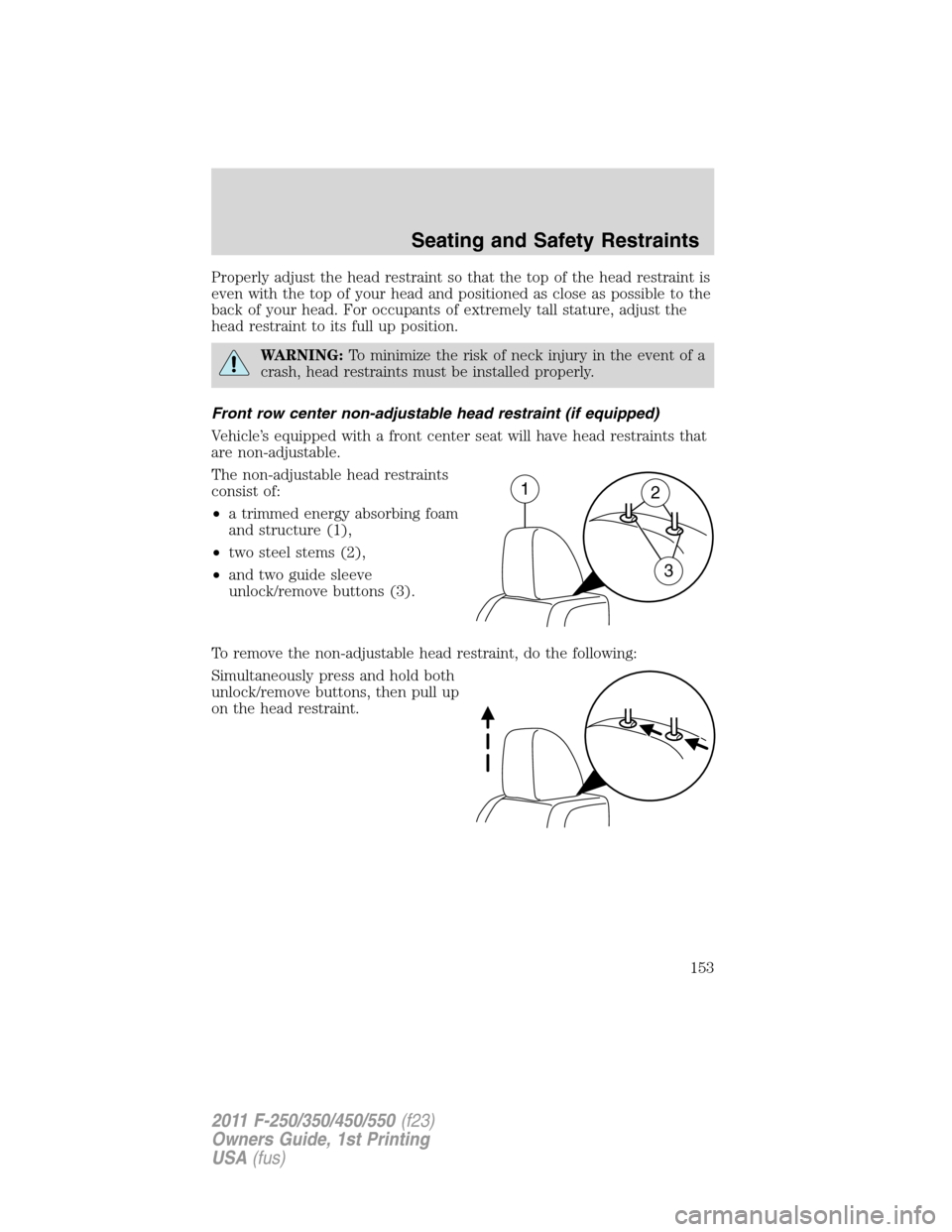
The non-adjustable head restraints
consist of:
•a trimmed energy absorbing foam
and structure (1),
•two steel stems (2),
•and two guide sleeve
unlock/remove buttons (3).
To remove the non-adjustable head restraint, do the following:
Simultaneously press and hold both
unlock/remove buttons, then pull up
on the head restraint.
12
3
Seating and Safety Restraints
153
2011 F-250/350/450/550(f23)
Owners Guide, 1st Printing
USA(fus)
Page 162 of 441
4. Cycle the ignition key between the off position and the on position a
total of three times ending with the ignition in the off position.
5. Engage the forward or rearward seat switch.
6. Remove the ignition key from the ignition switch. (The driver seat
may move rearward if the easy entry/exit feature is activated).
Steps 2 through 6 must be performed within a 20 second period. The
easy entry/exit feature will be deactivated. Repeating the above process
will also reactivate the easy entry/exit feature.
REAR SEATS
Non-adjustable second-row head restraints
Your vehicle is equipped with second row outboard head restraints that
are non-adjustable.
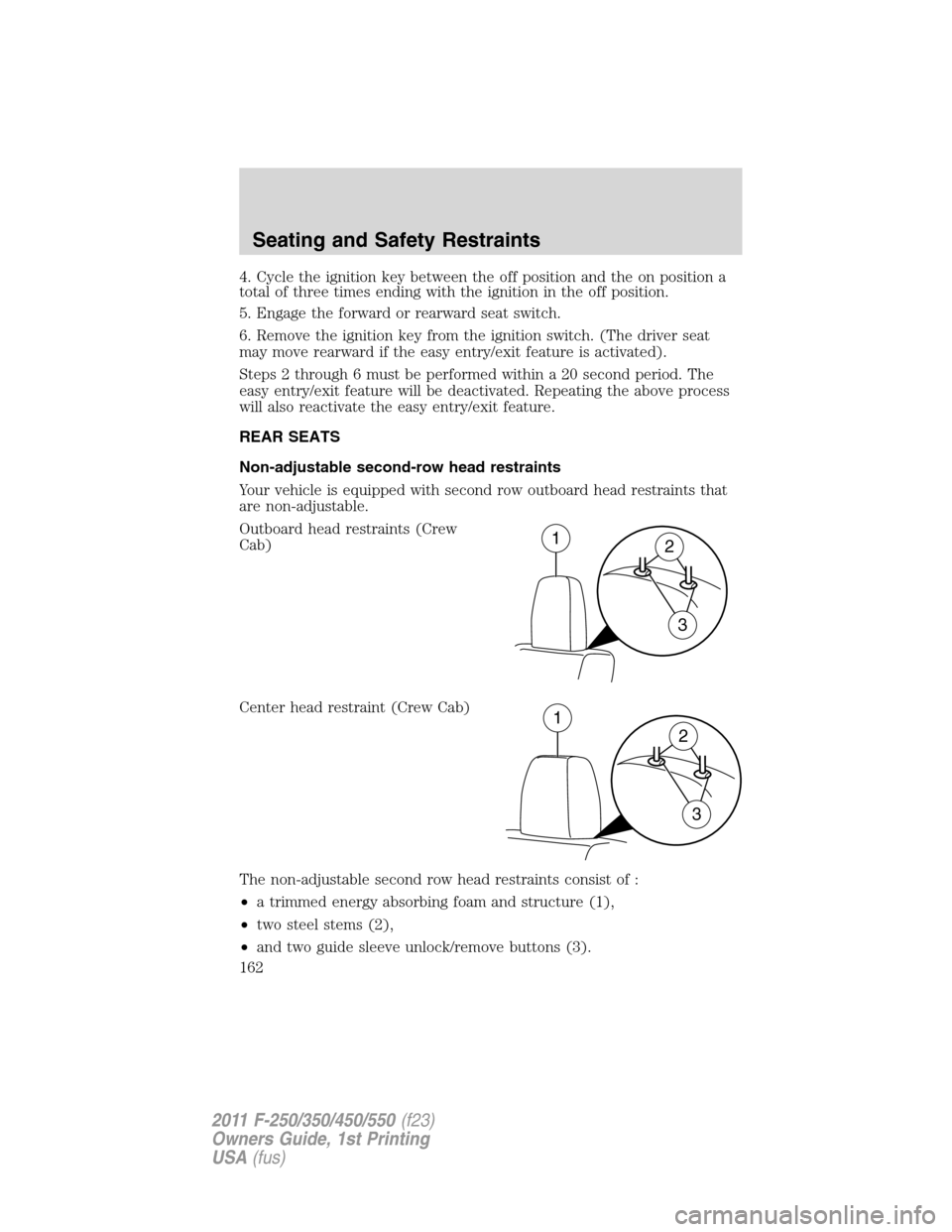
Outboard head restraints (Crew
Cab)
Center head restraint (Crew Cab)
The non-adjustable second row head restraints consist of :
•a trimmed energy absorbing foam and structure (1),
•two steel stems (2),
•and two guide sleeve unlock/remove buttons (3).
12
3
1
2
3
Seating and Safety Restraints
162
2011 F-250/350/450/550(f23)
Owners Guide, 1st Printing
USA(fus)
Page 252 of 441
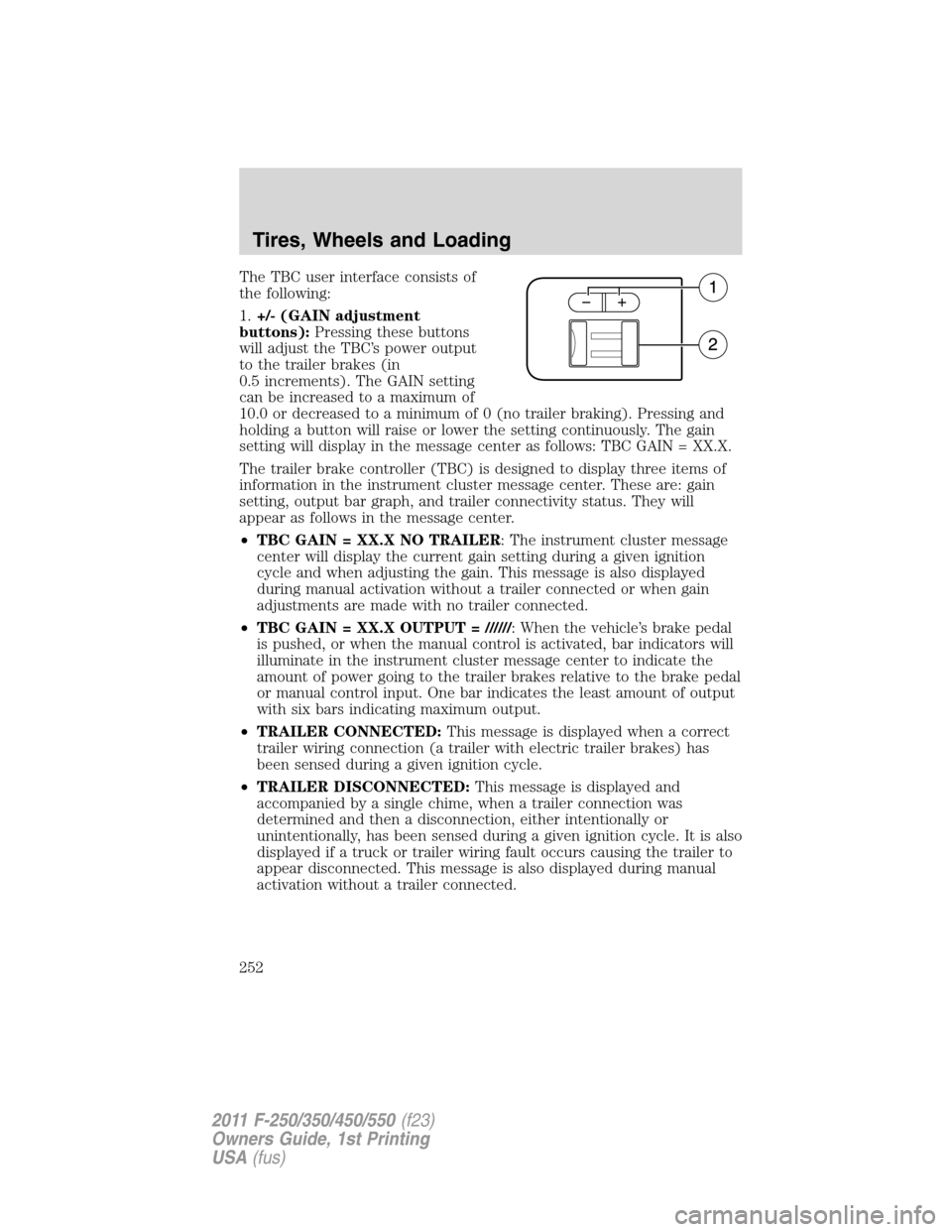
The TBC user interface consists of
the following:
1.+/- (GAIN adjustment
buttons):Pressing these buttons
will adjust the TBC’s power output
to the trailer brakes (in
0.5 increments). The GAIN setting
can be increased to a maximum of
10.0 or decreased to a minimum of 0 (no trailer braking). Pressing and
holding a button will raise or lower the setting continuously. The gain
setting will display in the message center as follows: TBC GAIN = XX.X.
The trailer brake controller (TBC) is designed to display three items of
information in the instrument cluster message center. These are: gain
setting, output bar graph, and trailer connectivity status. They will
appear as follows in the message center.
•TBC GAIN = XX.X NO TRAILER: The instrument cluster message
center will display the current gain setting during a given ignition
cycle and when adjusting the gain. This message is also displayed
during manual activation without a trailer connected or when gain
adjustments are made with no trailer connected.
•TBC GAIN = XX.X OUTPUT = //////: When the vehicle’s brake pedal
is pushed, or when the manual control is activated, bar indicators will
illuminate in the instrument cluster message center to indicate the
amount of power going to the trailer brakes relative to the brake pedal
or manual control input. One bar indicates the least amount of output
with six bars indicating maximum output.
•TRAILER CONNECTED:This message is displayed when a correct
trailer wiring connection (a trailer with electric trailer brakes) has
been sensed during a given ignition cycle.
•TRAILER DISCONNECTED:This message is displayed and
accompanied by a single chime, when a trailer connection was
determined and then a disconnection, either intentionally or
unintentionally, has been sensed during a given ignition cycle. It is also
displayed if a truck or trailer wiring fault occurs causing the trailer to
appear disconnected. This message is also displayed during manual
activation without a trailer connected.
Tires, Wheels and Loading
252
2011 F-250/350/450/550(f23)
Owners Guide, 1st Printing
USA(fus)
Page 253 of 441
2.Manual control lever:Slide the control lever to the left to activate
power to the trailer’s electric brakes independent of the tow vehicle’s
brakes (see the followingProcedure for adjusting GAINsection for
instructions on proper use of this feature). If the manual control is
activated while the brake is also applied, the greater of the two inputs
determines the power sent to the trailer brakes.
•Stop Lamps:Activating the TBC manual control lever will illuminate
both the trailer brake lamps and the tow vehicle brake lamps except
the center high-mount stop lamp (presuming proper trailer electrical
connection). Pressing the vehicle brake pedal will also illuminate both
trailer and vehicle brake lamps.
Procedure for adjusting GAIN:
The GAIN setting is used to set the TBC for the specific towing
condition and should be changed as towing conditions change. Changes
to towing conditions include trailer load, vehicle load, road conditions
and weather.
The GAIN should be set to provide the maximum trailer braking
assistance while ensuring the trailer wheels do not lock when braking.
Locked trailer wheels may lead to trailer instability.
Note:This should only be performed in a traffic free environment at
speeds of approximately 20–25 mph (30–40 km/h).
1. Make sure the trailer brakes are in good working condition,
functioning normally, and properly adjusted. See your trailer dealer if
necessary.
2. Hook up the trailer and make the electrical connections according to
the trailer manufacturer’s instructions.
3. When a trailer with electric brakes is plugged in, theTRAILER
CONNECTEDmessage will display in the instrument cluster message
center.
4. Use the GAIN adjustment (+/-) buttons to increase or decrease the
GAIN setting to the desired starting point. A GAIN setting of 6.0 is a
good starting point for heavier loads.
5. In a traffic-free environment, tow the trailer on a dry, level surface at
a speed of 20–25 mph (30–40 km/h) and squeeze the manual control
lever completely.
Tires, Wheels and Loading
253
2011 F-250/350/450/550(f23)
Owners Guide, 1st Printing
USA(fus)
Page 285 of 441
The TOW HAUL indicator light will
illuminate in the instrument cluster.
Tow/haul delays upshifts to reduce frequency of transmission shifting.
Tow/haul also provides engine braking in all forward gears when the
transmission is in the D (Overdrive) position; this engine braking will
slow the vehicle and assist the driver in controlling the vehicle when
descending a grade. Depending on driving conditions and load
conditions, the transmission may downshift, slow the vehicle and control
the vehicle speed when descending a hill, without the brake pedal being
pressed. The amount of downshift braking provided will vary based upon
the amount the brake pedal is pressed.
Tow/haul may be automatically activated (without pressing the tow/haul
button). This provides engine braking to assist the vehicles braking system
when going downhill and repetitive braking is sensed. Once the tow/haul
mode has been automatically activated it will not automatically deactivate.
To deactivate the tow/haul feature and return to normal driving mode,
press the button on the end of the gearshift lever. The tow/haul light will
no longer be illuminated.
Tow/haul will also deactivate when the vehicle is powered down for a few
minutes.
WARNING:Do not use the tow/haul feature when driving in icy
or slippery conditions as the increased engine braking can cause
the rear wheels to slide and the vehicle to swing around with the
possible loss of vehicle control.
M (Manual) without Overdrive
With the gearshift lever in M (Manual), the driver can change gears up
or down as desired. This is called SelectShift Automatic™ transmission
(SST) mode. By moving the gearshift lever from drive position D
(Overdrive) to M (Manual) you now have control of selecting the gear
you desire using buttons on the shift lever.
To return to normal D (Overdrive) position, move the shift lever back
fromMtoD.
•The transmission will operate in gears one through six.
2 (Second)
Use 2 (Second) to start-up on slippery roads or to provide additional
engine braking on downgrades.
Driving
285
2011 F-250/350/450/550(f23)
Owners Guide, 1st Printing
USA(fus)
Page 286 of 441
1 (First)
•Provides maximum engine braking.
•Allows upshifts by moving gearshift lever.
•The transmission will not downshift into 1 (First) at high speeds; it
will downshift to a lower gear and then shift into 1 (First) when the
vehicle reaches slower speeds.
Forced downshifts
•Allowed in D (Overdrive).
•Press the accelerator to the floor.
•Allows transmission to select an appropriate gear.
Understanding your SelectShift Automatic™ transmission (SST)
gearshift lever
This vehicle is equipped with a SelectShift Automatic™ transmission
(SST) gearshift lever. The SST is an automatic transmission with the
ability for the driver to change gears up or down (without a clutch) as
desired.
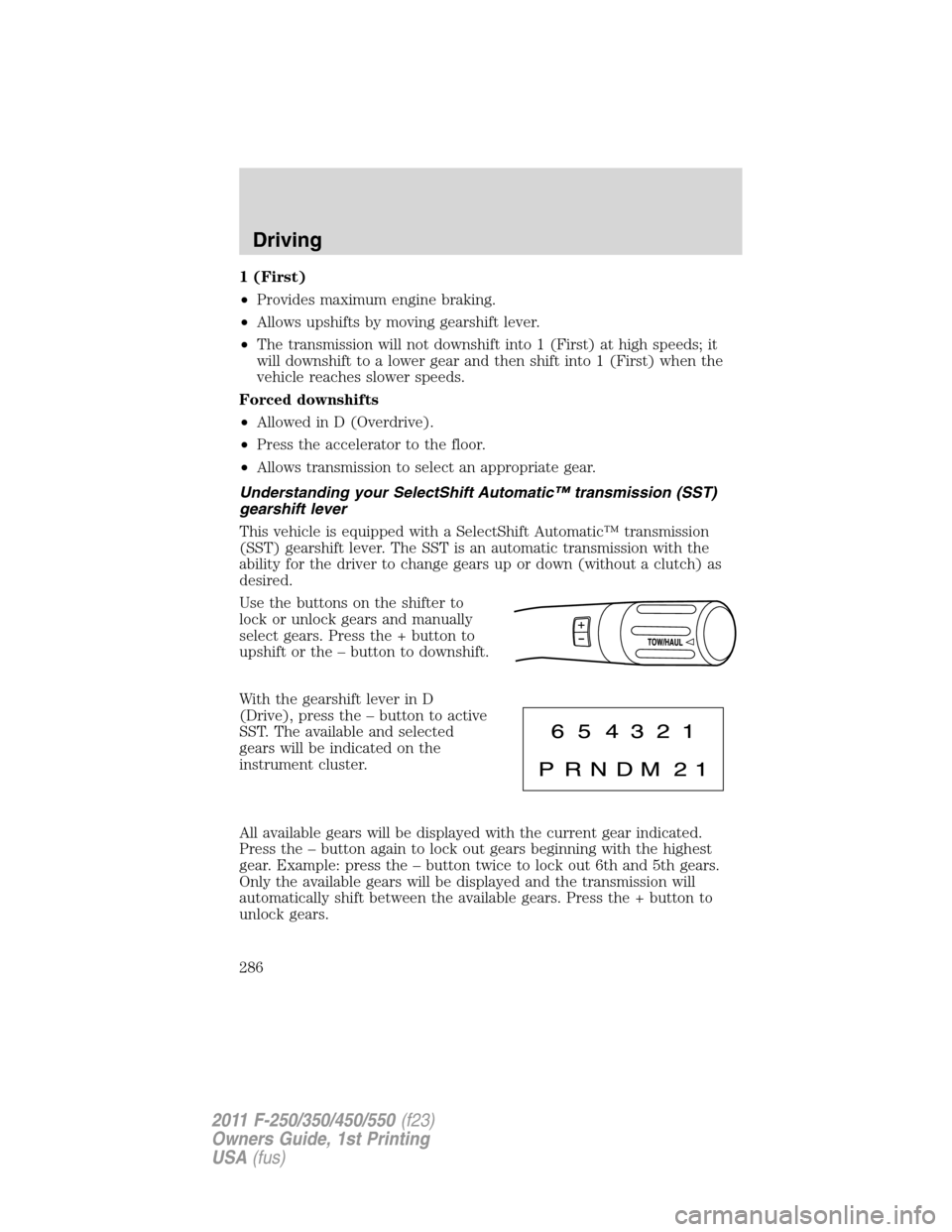
Use the buttons on the shifter to
lock or unlock gears and manually
select gears. Press the + button to
upshift or the – button to downshift.
With the gearshift lever in D
(Drive), press the – button to active
SST. The available and selected
gears will be indicated on the
instrument cluster.
All available gears will be displayed with the current gear indicated.
Press the – button again to lock out gears beginning with the highest
gear. Example: press the – button twice to lock out 6th and 5th gears.
Only the available gears will be displayed and the transmission will
automatically shift between the available gears. Press the + button to
unlock gears.
Driving
286
2011 F-250/350/450/550(f23)
Owners Guide, 1st Printing
USA(fus)