transmission FORD SUPER DUTY 2011 3.G User Guide
[x] Cancel search | Manufacturer: FORD, Model Year: 2011, Model line: SUPER DUTY, Model: FORD SUPER DUTY 2011 3.GPages: 441, PDF Size: 3.3 MB
Page 48 of 441
System Check
Brakes
Tire Pressure
Trailer Brake
Ctrl.Gain and Output (when trailer is connected)
No trailer (when no trailer is connected)
Trailer Sway
Park Aid Check Rear Park Aid
Fuel Level (distance to empty)
Some items will only display during a system check if a problem has
been detected. If an issue exists on one of the monitored systems, the
message center will display the number of warnings that need immediate
attention in red and the number of informational warnings will be listed
in amber. Use the up/down arrow buttons to scroll through the list; press
the right arrow button to display specific information on the highlighted
warning.
Exterior temperature/Compass/Transmission indicator displays
The exterior temperature and compass heading will display in the upper
right corner of the message center; the transmission gear indicator will
display on the right side of the message center. They will not be shown
in all screen modes, for example, when programming certain vehicle
features or in certain information menus.
System warnings and status messages
System warnings alert you to possible problems or malfunctions in your
vehicle’s operating systems.
In the event of a multiple warning situation, the message center will
cycle the display to show all warnings by displaying each one for four
seconds.
The message center will display the last selected feature if there are no
more warning messages.
Types of messages and warnings:
•Some messages will appear briefly to inform you of something you
may need to take action on or be informed of.
•Some messages will appear once and then again when the vehicle is
restarted.
•Some messages will reappear after clearing or being reset if a problem
or condition is still present and needs your attention.
Instrument Cluster
48
2011 F-250/350/450/550(f23)
Owners Guide, 1st Printing
USA(fus)
Page 57 of 441
TO EXIT 4X4 LOW SHIFT TO N (if equipped)— Displayed when
2WD is selected while the vehicle has been stopped in 4X4 LOW. For
more information, refer toFour-wheel drive (4WD) operationin the
Drivingchapter.
TO EXIT 4X4 LOW SLOW TO 3 MPH (if equipped)— Displayed
when 2WD is selected while the vehicle is operating in 4X4 LOW. For
more information, refer toFour-wheel drive (4WD) operationin the
Drivingchapter.
FOR HILL DESCENT REDUCE SPEED (if equipped)— Displayed
when the vehicle speed requirement for off-road mode entry has not
been met.
FOR HILL DESCENT SELECT GEAR (if equipped)— Displayed
when the driver is able to select a transmission gear for hill descent
mode.
HILL DESCENT - DRIVER RESUME CONTROL (if equipped)—
Displayed when hill descent control mode is deactivated and the driver
must resume control.
HILL DESCENT CONTROL FAULT (if equipped)— Displayed when
a hill descent system fault is present.
HILL DESCENT CONTROL OFF (if equipped)— Displayed when
hill descent control mode becomes inactive.
HILL DESCENT CONTROL OFF SYSTEM COOLING (if equipped)
— Displayed when the hill descent system is cooling due to overuse.
HILL DESCENT CONTROL READY (if equipped)— Displayed
when the hill descent control switch is turned on.
REDUCE ACCELERATOR TO PREVENT WHEEL SLIP (if
equipped)— Displayed when the vehicle senses that torque to the
drive wheels has overcome the available traction.
SHIFT DELAYED PULL FORWARD (if equipped)— May display
when shifting to or from 4X4 LOW. For more information, refer to
Four-wheel drive (4WD) operationin theDrivingchapter.
SLOW VEHICLE TO XX KM/H FOR ELD (if equipped)— Displayed
when the vehicle speed requirement for the electronic locking
differential mode has not been met.
SLOW VEHICLE TO XX MPH FOR ELD (if equipped)— Displayed
when the vehicle speed requirement for the electronic locking
differential mode has not been met.
Instrument Cluster
57
2011 F-250/350/450/550(f23)
Owners Guide, 1st Printing
USA(fus)
Page 58 of 441
CHECK LOCKING DIFFERENTIAL (if equipped)— Displayed
when an electronic locking differential (ELD) system fault is present. For
more information, refer toElectronic locking differential (ELD)in the
Drivingchapter.
CHECK SPEED DRIVE SAFELY— Displayed when a MyKey™ is in
use and the optional setting is on and the vehicle exceeds a preselected
speed. Refer toMyKey™in theLocks and Securitychapter for more
information.
COULD NOT PROGRAM INTEGRATED KEY— Displayed when an
attempt is made to program a fifth integrated key to the remote keyless
entry system. For more information on integrated key, refer to theLocks
and Securitychapter.
ESC ALWAYS ON - MYKEY SETTING— Displayed when a MyKey™
is in use and the ESC cannot be deactivated. Refer toMyKey™in the
Locks and Securitychapter for more information.
MYKEY ACTIVE DRIVE SAFELY— Displayed when a MyKey™ is in
use. Refer toMyKey™in theLocks and Securitychapter for more
information.
MYKEY COULD NOT PROGRAM— Displayed when an attempt is
made to program a spare key using two existing MyKeys. Refer to
MyKey™in theLocks and Securitychapter for more information.
SECURITY SYSTEM FAULT (if equipped)— Displayed when the
security system has detected a fault. See your authorized dealer for
service.
SPEED LIMITED TO 130 KM/H— Displayed when starting the
vehicle and MyKey™ is in use and the MyKey speed limit is on. Refer to
MyKey™in theLocks and Securitychapter for more information.
SPEED LIMITED TO 80 MPH— Displayed when starting the vehicle
and MyKey™ is in use and the MyKey speed limit is on. Refer to
MyKey™in theLocks and Securitychapter for more information.
VEHICLE AT TOP SPEED - MYKEY SETTING— Displayed when a
MyKey™ is in use and the MyKey speed limit is on and the vehicle
speed is 80 mph (130 km/h). Refer toMyKey™in theLocks and
Securitychapter for more information.
VEHICLE NEAR TOP SPEED— Displayed when a MyKey™ is in use
and the MyKey speed limit is on and the vehicle speed is approaching
80 mph (130 km/h). Refer toMyKey™in theLocks and Security
chapter for more information.
CHECK REAR PARK AID (if equipped)— Displayed when the
transmission is in R (Reverse) and the park aid is disabled.
Instrument Cluster
58
2011 F-250/350/450/550(f23)
Owners Guide, 1st Printing
USA(fus)
Page 80 of 441
•If you are driving during extreme high ambient temperatures and
idling for extended periods of time in gear, it is recommended to run
the A/C in the MAX A/C position, adjust the blower fan speed to the
lowest setting and put the vehicle’s transmission into the P (Park)
position to continue to receive cool air from your A/C system.
•A small amount of air may be felt from the floor vent regardless of the
air distribution setting that is selected.
If you are driving during extreme high ambient temperatures and idling
for extended periods of time in gear, it is recommended to run the A/C
in the MAX A/C position, adjust the blower fan speed to the lowest
setting and put the vehicle’s transmission into the P (Park) position to
continue to receive cool air from your A/C system.
For maximum cooling performance (MAX A/C):
MAX A/C mode:
•Move the temperature control to the coolest setting.
•
Set the fan to the highest speed initially, then adjust to maintain comfort.
(Panel) and(panel/floor) modes:
•Move the temperature control to the coolest setting.
•Select A/C and
(recirculated air). Use recirculated air with A/C
to provide colder airflow.
•
Set the fan to the highest speed initially, then adjust to maintain comfort.
To aid in side window defogging/demisting in cold weather:
1. Select
(panel/floor).
2. Select A/C.
3. Adjust the temperature control to maintain comfort.
4. Set the fan speed to the highest setting.
5. Direct the outer instrument panel vents towards the side windows.
To increase airflow to the outer instrument panel vents, close the vents
located in the middle of the instrument panel.
Climate Controls
80
2011 F-250/350/450/550(f23)
Owners Guide, 1st Printing
USA(fus)
Page 83 of 441
13.DUAL:Press to engage/disengage separate passenger side
temperature control.
14.Power:Press to activate/deactivate the climate control system.
When the system is off, outside air is prevented from entering the vehicle.
15.Driver cooled seat (if equipped):Press to control the driver
cooled seat. Refer toHeated and cooled seatsin theSeating and
Safety Restraintschapter for more information.
16.Driver temperature:Turn to increase/decrease the air temperature
on the driver side of the vehicle. The control also adjusts the passenger
side temperature when PASS TEMP is disengaged. The recommended
initial setting is between 72°F (22°C) and 75°F (24°C), then adjust for
comfort. The driver side temperature setting will appear in the upper left
corner of the display.
17.
Driver heated seat (if equipped):Press to control the driver
heated seat. Refer toHeated and cooled seatsin theSeating and
Safety Restraintschapter for more information.
Operating tips
•To reduce fog build-up on the windshield during humid weather,
select
(defrost)(floor/defrost).
•To reduce humidity build-up inside the vehicle, do not drive with the
system off, or with
(recirculated air) engaged and A/C off.
•Do not put objects under the front seats that will interfere with the
airflow to the back seats.
•Remove any snow, ice or leaves from the air intake area at the base of
the windshield.
•To improve the A/C cool down, drive with the windows slightly open
for 2-3 minutes after start up or until the vehicle has been “aired out”.
•A small amount of air may be felt from the floor vent regardless of the
air distribution setting that is selected.
During extreme high ambient temperatures when idling stationary for
extended periods of time in gear, it is recommended to run the A/C in the
max A/C position, reduce blower fan speed from the highest setting and
put the vehicle’s transmission into the P (PARK) gear position (automatic
transmission only) to continue to receive cool air from your A/C system.
Climate Controls
83
2011 F-250/350/450/550(f23)
Owners Guide, 1st Printing
USA(fus)
Page 161 of 441
The seat will move to the final position when the key is in the ignition (if
easy entry feature is enabled).
Easy-access/easy-out feature (if equipped)
The easy entry feature automatically moves the driver’s seat 2 inches
(5 cm) forward when:
•the transmission is in P (Park)
•the key is inserted into the ignition cylinder
(If the seat is located less than 2 inches [5 cm] from the front of the seat
track, the seat will travel up to
14inch (6 mm) to the front of the seat
track).
The easy out feature automatically moves the driver’s seat 2 inches
(5 cm) backward when:
•the transmission is in P (Park)
•the key is removed from the ignition cylinder
(If the seat is located less than 2 inches (5 cm) from the rear of the seat
track, the seat will travel up to
14inch (6 mm) to the rear of the seat
track).
If the memory setting is programmed through the remote transmitter,
upon unlocking the door via remote entry system, the seat position will
travel to the desired memory setting less 2 inches (5 cm). Once entering
the vehicle and inserting the key in the ignition while in P (Park), the
easy entry feature will move the seat an additional 2 inches (5 cm) to
the desired memory location. SeeLocks and Securityfor activating the
memory seat feature through the remote entry system.
Deactivating/activating the easy access/easy out feature
The easy entry/exit feature can be turned off or on through the vehicle
message center (if equipped). If your vehicle does not have a message
center, the feature can be turned off or on through the following process:
1. Put the key into the ignition (The driver seat may move forward if the
easy entry/exit feature is activated).
2. Place the ignition key into the on position (do not start the vehicle).
When the vehicle is in the on position, the interior and exterior lights,
the climate controls, and the radio are functional without the engine
started. SeeProgramming remote transmittersfor ignition switch
diagram.
3. Turn the ignition key to the off position.
Seating and Safety Restraints
161
2011 F-250/350/450/550(f23)
Owners Guide, 1st Printing
USA(fus)
Page 243 of 441
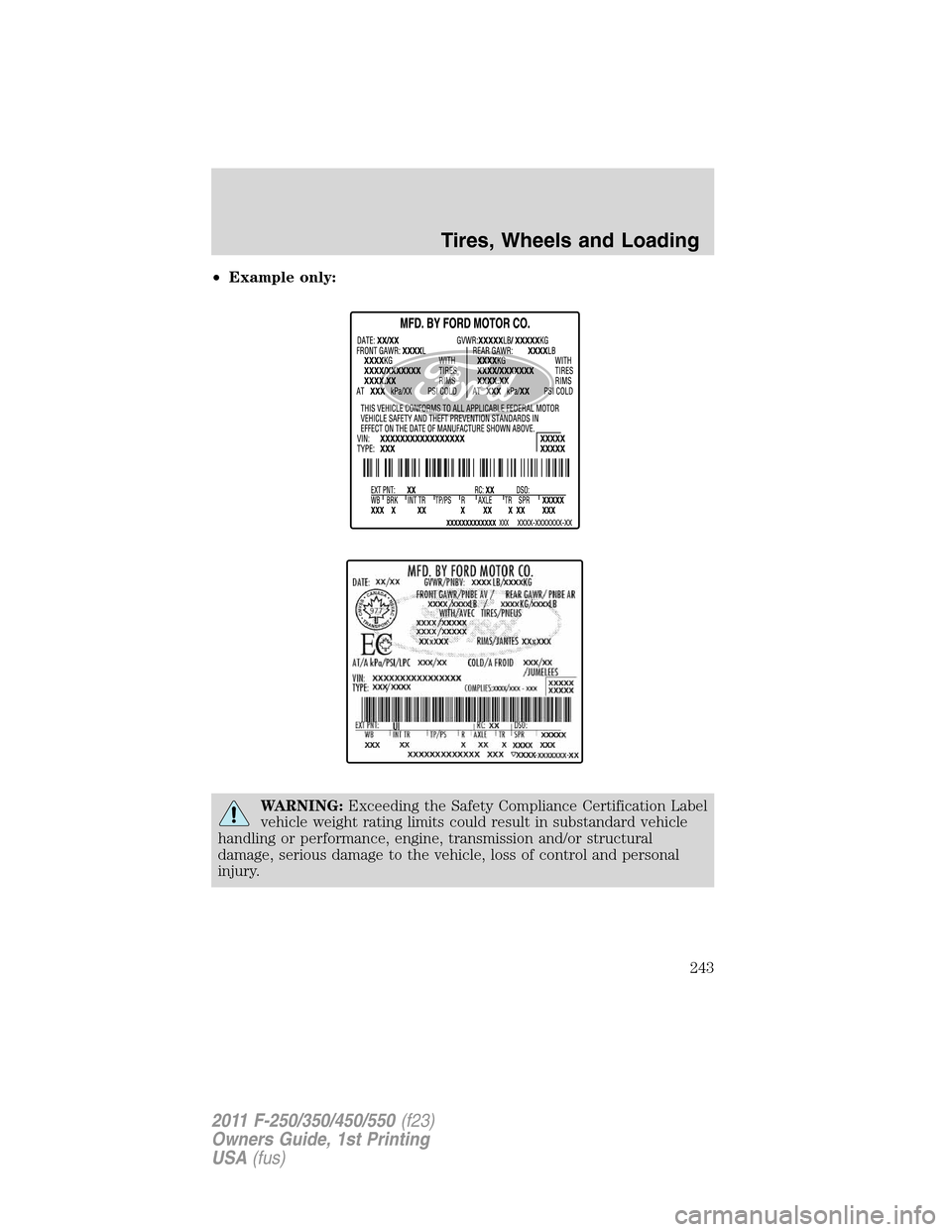
•Example only:
WARNING:Exceeding the Safety Compliance Certification Label
vehicle weight rating limits could result in substandard vehicle
handling or performance, engine, transmission and/or structural
damage, serious damage to the vehicle, loss of control and personal
injury.
Tires, Wheels and Loading
243
2011 F-250/350/450/550(f23)
Owners Guide, 1st Printing
USA(fus)
Page 247 of 441
TRAILER TOWING
Note:The trailer towing chart in this section applies to vehicles
equipped with a gasoline engine; for vehicles equipped with a diesel
engine, refer to your diesel supplement.
Your vehicle may tow a Conventional/Class IV trailer or fifth-wheel trailer
provided the maximum trailer weight is less than or equal to the
maximum trailer weight for your engine and rear axle ratio.
To find the maximum trailer weight allowed for your vehicle, consult
your authorized dealer (or theRV and Trailer Towing Guideprovided
by your authorized dealer). To calculate your maximum trailer weight on
your own:
For pick-up trucks:Take curb weight, hitch hardware and the driver’s
weight, then subtract them from the GCWR listed for your vehicle series,
engine, transmission and drive axle ratio(refer to the chart/table in the
following text).This calculation will give you the maximum trailer
weight possible for your vehicle.
For chassis cabs and pick-up trucks with aftermarket equipment:
Weigh your vehicle at a certified scale and subtract this actual curb
weight, hitch hardware, and the driver’s weight from the GCWR listed for
your vehicle series, engine, transmission and drive axle ratio(refer to
the chart/table in the following text). This calculation will give you the
maximum trailer weight possible for your vehicle.
The weight of all additional cargo and passengers must be subtracted
from the maximum trailer weight calculated above.
Further trailer/hitch restrictions and limitations exist depending on the
type of trailer and hitch used. These additional maximum trailer weight
and tongue load limitations are listed in the chart/table that follows the
listing of GCWRs.
Towing a trailer places an additional load on your vehicle’s engine,
transmission, axle, brakes, tires and suspension. Inspect these
components carefully prior to and after any towing operation. Refer to
Transmission fluid temperature gaugein theInstrument Cluster
chapter for the transmission fluid temperature information.
Note:Do not exceed the GCWR listed for your vehicle on the following
chart/table, or the GVWR, GAWR or tire ratings specified on the Tire
Label or Safety Compliance Certification Label.
Tires, Wheels and Loading
247
2011 F-250/350/450/550(f23)
Owners Guide, 1st Printing
USA(fus)
Page 248 of 441
WARNING:Towing trailers beyond the maximum recommended
trailer weight which exceeds the limit of the vehicle’s GCWR,
GVWR, GAWR or tire ratings could result in engine damage,
transmission damage, structural damage, loss of vehicle control, vehicle
rollover and personal injury.
Vehicle type Rear axle
ratioMaximum
GCWR - lb (kg)
F–250/F–350 Single Rear Wheel (SRW) 3.73 19000 (8617)
4.30 22000 (9977)
F–350 Dual Rear Wheel (DRW) 3.73 19500 (8844)
4.30 22500 (10204)
F–450/550 4.88 26000 (11791)
Preparing to tow
Use the proper equipment for towing a trailer and make sure it is
properly attached to your vehicle. Contact your authorized dealer or a
reliable trailer dealer as soon as possible if you require assistance.
Hitches
WARNING:ON PICK-UP TRUCKS, the trailer hitch provided on
this vehicle enhances collision protection for the fuel system. DO
NOT REMOVE!
Do not mount a ball hitch (sometimes referred to as a trailer ball hitch
or trailer ball) to the bumper or use hitches that clamp onto the vehicle’s
bumper or attach to the axle. You must distribute the load in your trailer
so that 10–15% for conventional towing or 15–25% fifth-wheel towing of
the total weight of the trailer is on the tongue.
Hitch rating
The standard hitch has two ratings depending on mode of operation:
•Weight-carrying- requires a draw bar and hitch ball. The draw bar
supports all the vertical tongue load of the trailer.
•Weight-distributing- requires an aftermarket weight-distributing
system which includes draw bar, hitch ball, spring bars and snap-up
brackets. The vertical tongue load of the trailer is distributed between
the truck and the trailer by this system.
Tires, Wheels and Loading
248
2011 F-250/350/450/550(f23)
Owners Guide, 1st Printing
USA(fus)
Page 255 of 441
•The TBC interacts with the brake system of the vehicle, including
ABS, in order to reduce the likelihood of trailer wheel lockup.
Therefore, if these systems are not functioning properly the TBC may
not function at full performance.
•When the vehicle is turned off, the TBC Output is disabled and the
display is shut down. Reactivation of the ignition from off to on will
awaken the TBC module.
•The TBC is only a factory or dealer installed item. Ford is not
responsible for warranty or performance of the TBC due to misuse or
customer installation.
•Do not attempt removal of the TBC without consulting the
Workshop Manual.Damage to the unit may result.
Trailer lamps
Trailer lamps are required on most towed vehicles. Make sure all running
lights, brake lights, turn signals and hazard lights are working. Contact
your authorized dealer or trailer rental agency for proper instructions
and equipment for hooking-up trailer lamps.
Driving while you tow
When towing a trailer:
•Consult your local motor vehicle laws for towing a trailer.
•Do not drive faster than 70 mph (113 km/h) during the first 500 miles
(800 km) of trailer towing and don’t make full-throttle starts.
•Turn off the speed control. The speed control may shut off
automatically when you are towing on long, steep grades.
•Activate the tow/haul feature to eliminate excessive transmission
shifting and assist in transmission cooling. For additional information,
refer toAutomatic transmission operationin theDrivingchapter.
•Allow more distance for stopping with a trailer attached; anticipate
stops and brake gradually.
•Your vehicle may be equipped with a temporary or conventional spare
tire. If the spare tire is different in size (diameter and/or width), tread
type (All-Season or All-Terrain) or is from a different manufacturer
other than the road tires on your vehicle, your spare tire is considered
“temporary”. Consult information on the Tire Label or Safety
Compliance Certification Label for limitations when using.
Tires, Wheels and Loading
255
2011 F-250/350/450/550(f23)
Owners Guide, 1st Printing
USA(fus)