tow FORD SUPER DUTY 2013 3.G Owners Manual
[x] Cancel search | Manufacturer: FORD, Model Year: 2013, Model line: SUPER DUTY, Model: FORD SUPER DUTY 2013 3.GPages: 563, PDF Size: 7.27 MB
Page 396 of 563
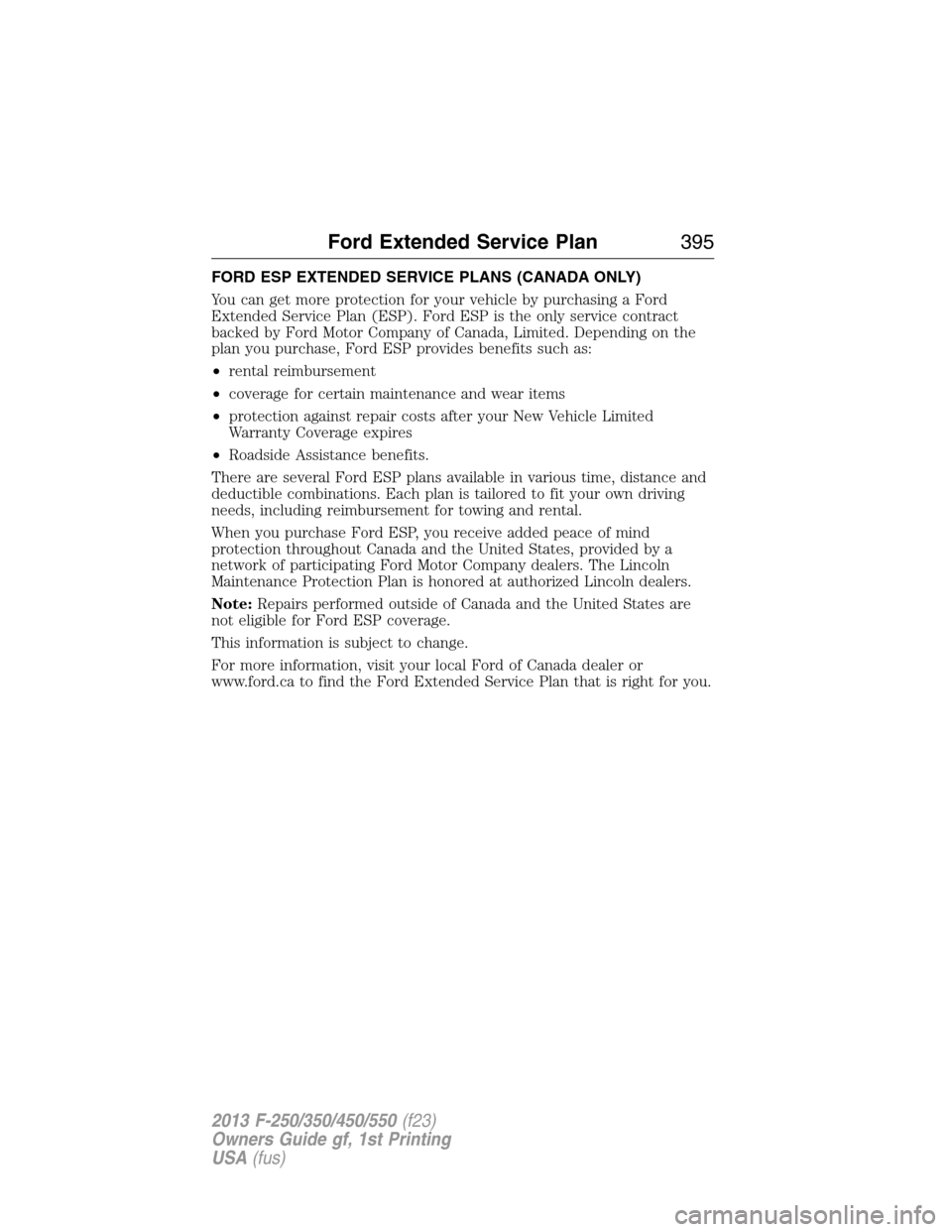
FORD ESP EXTENDED SERVICE PLANS (CANADA ONLY)
You can get more protection for your vehicle by purchasing a Ford
Extended Service Plan (ESP). Ford ESP is the only service contract
backed by Ford Motor Company of Canada, Limited. Depending on the
plan you purchase, Ford ESP provides benefits such as:
•rental reimbursement
•coverage for certain maintenance and wear items
•protection against repair costs after your New Vehicle Limited
Warranty Coverage expires
•Roadside Assistance benefits.
There are several Ford ESP plans available in various time, distance and
deductible combinations. Each plan is tailored to fit your own driving
needs, including reimbursement for towing and rental.
When you purchase Ford ESP, you receive added peace of mind
protection throughout Canada and the United States, provided by a
network of participating Ford Motor Company dealers. The Lincoln
Maintenance Protection Plan is honored at authorized Lincoln dealers.
Note:Repairs performed outside of Canada and the United States are
not eligible for Ford ESP coverage.
This information is subject to change.
For more information, visit your local Ford of Canada dealer or
www.ford.ca to find the Ford Extended Service Plan that is right for you.
Ford Extended Service Plan395
2013 F-250/350/450/550(f23)
Owners Guide gf, 1st Printing
USA(fus)
Page 407 of 563
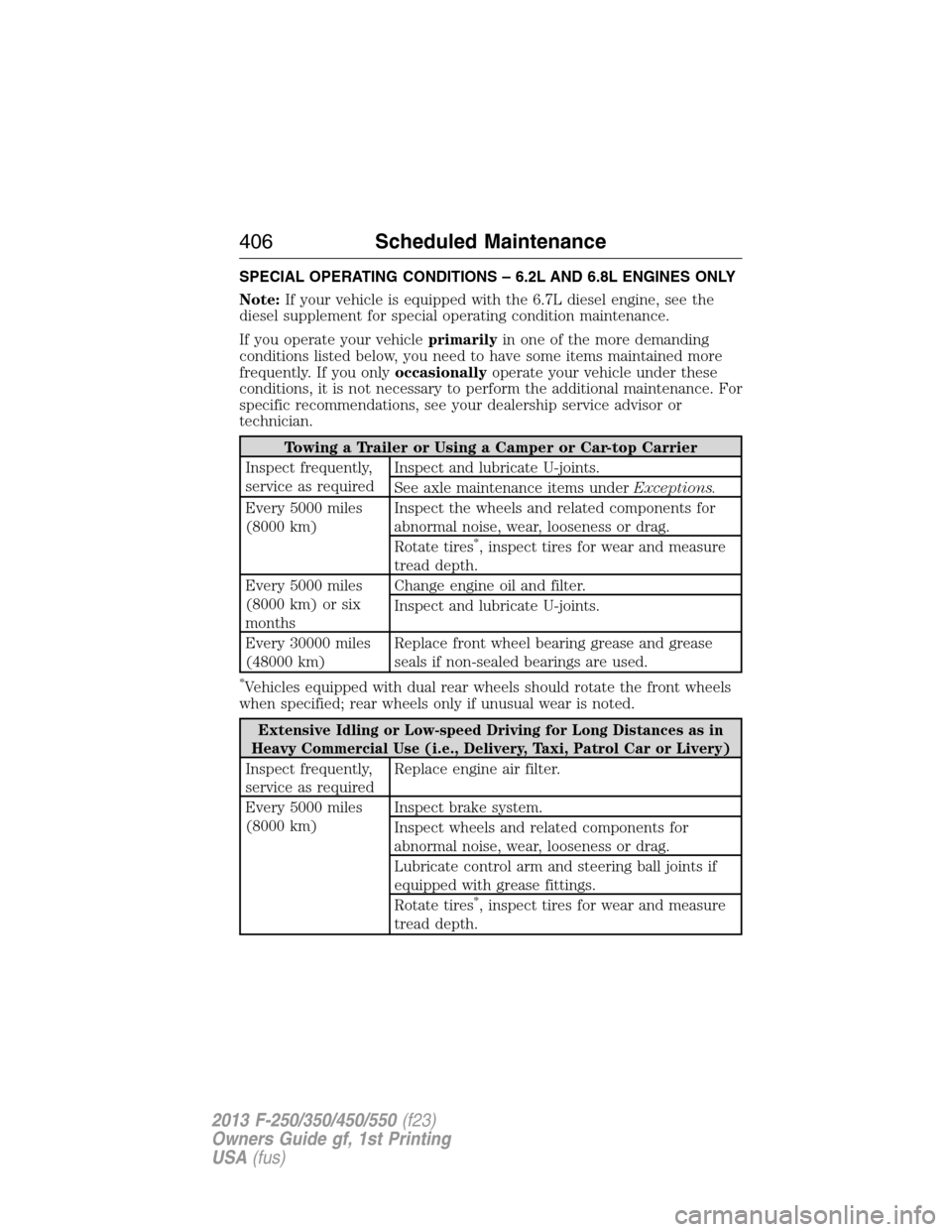
SPECIAL OPERATING CONDITIONS – 6.2L AND 6.8L ENGINES ONLY
Note:If your vehicle is equipped with the 6.7L diesel engine, see the
diesel supplement for special operating condition maintenance.
If you operate your vehicleprimarilyin one of the more demanding
conditions listed below, you need to have some items maintained more
frequently. If you onlyoccasionallyoperate your vehicle under these
conditions, it is not necessary to perform the additional maintenance. For
specific recommendations, see your dealership service advisor or
technician.
Towing a Trailer or Using a Camper or Car-top Carrier
Inspect frequently,
service as requiredInspect and lubricate U-joints.
See axle maintenance items underExceptions.
Every 5000 miles
(8000 km)Inspect the wheels and related components for
abnormal noise, wear, looseness or drag.
Rotate tires
*, inspect tires for wear and measure
tread depth.
Every 5000 miles
(8000 km) or six
monthsChange engine oil and filter.
Inspect and lubricate U-joints.
Every 30000 miles
(48000 km)Replace front wheel bearing grease and grease
seals if non-sealed bearings are used.
*Vehicles equipped with dual rear wheels should rotate the front wheels
when specified; rear wheels only if unusual wear is noted.
Extensive Idling or Low-speed Driving for Long Distances as in
Heavy Commercial Use (i.e., Delivery, Taxi, Patrol Car or Livery)
Inspect frequently,
service as requiredReplace engine air filter.
Every 5000 miles
(8000 km)Inspect brake system.
Inspect wheels and related components for
abnormal noise, wear, looseness or drag.
Lubricate control arm and steering ball joints if
equipped with grease fittings.
Rotate tires
*, inspect tires for wear and measure
tread depth.
406Scheduled Maintenance
2013 F-250/350/450/550(f23)
Owners Guide gf, 1st Printing
USA(fus)
Page 412 of 563
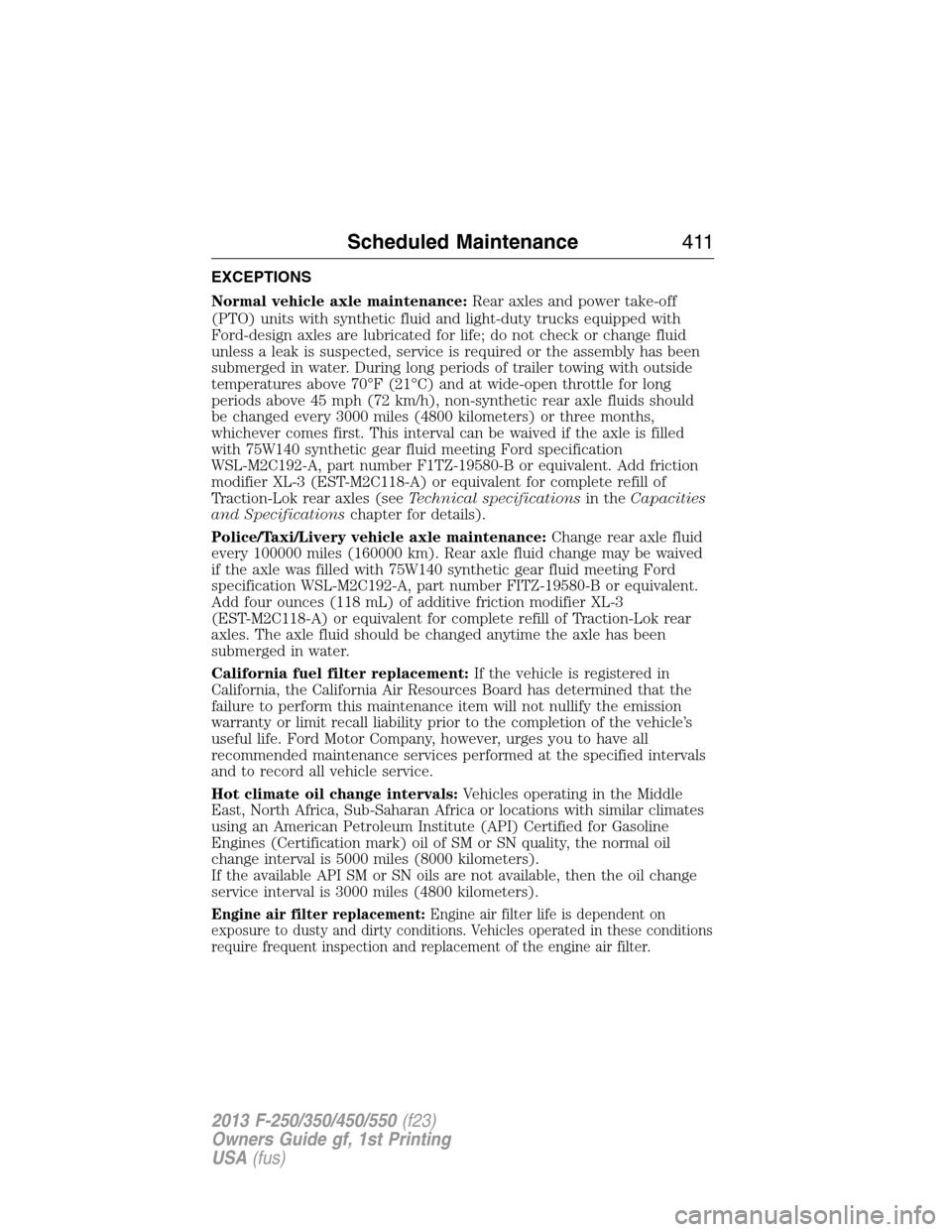
EXCEPTIONS
Normal vehicle axle maintenance:Rear axles and power take-off
(PTO) units with synthetic fluid and light-duty trucks equipped with
Ford-design axles are lubricated for life; do not check or change fluid
unless a leak is suspected, service is required or the assembly has been
submerged in water. During long periods of trailer towing with outside
temperatures above 70°F (21°C) and at wide-open throttle for long
periods above 45 mph (72 km/h), non-synthetic rear axle fluids should
be changed every 3000 miles (4800 kilometers) or three months,
whichever comes first. This interval can be waived if the axle is filled
with 75W140 synthetic gear fluid meeting Ford specification
WSL-M2C192-A, part number F1TZ-19580-B or equivalent. Add friction
modifier XL-3 (EST-M2C118-A) or equivalent for complete refill of
Traction-Lok rear axles (seeTechnical specificationsin theCapacities
and Specificationschapter for details).
Police/Taxi/Livery vehicle axle maintenance:Change rear axle fluid
every 100000 miles (160000 km). Rear axle fluid change may be waived
if the axle was filled with 75W140 synthetic gear fluid meeting Ford
specification WSL-M2C192-A, part number FITZ-19580-B or equivalent.
Add four ounces (118 mL) of additive friction modifier XL-3
(EST-M2C118-A) or equivalent for complete refill of Traction-Lok rear
axles. The axle fluid should be changed anytime the axle has been
submerged in water.
California fuel filter replacement:If the vehicle is registered in
California, the California Air Resources Board has determined that the
failure to perform this maintenance item will not nullify the emission
warranty or limit recall liability prior to the completion of the vehicle’s
useful life. Ford Motor Company, however, urges you to have all
recommended maintenance services performed at the specified intervals
and to record all vehicle service.
Hot climate oil change intervals:Vehicles operating in the Middle
East, North Africa, Sub-Saharan Africa or locations with similar climates
using an American Petroleum Institute (API) Certified for Gasoline
Engines (Certification mark) oil of SM or SN quality, the normal oil
change interval is 5000 miles (8000 kilometers).
If the available API SM or SN oils are not available, then the oil change
service interval is 3000 miles (4800 kilometers).
Engine air filter replacement:Engine air filter life is dependent on
exposure to dusty and dirty conditions. Vehicles operated in these conditions
require frequent inspection and replacement of the engine air filter.
Scheduled Maintenance411
2013 F-250/350/450/550(f23)
Owners Guide gf, 1st Printing
USA(fus)
Page 439 of 563
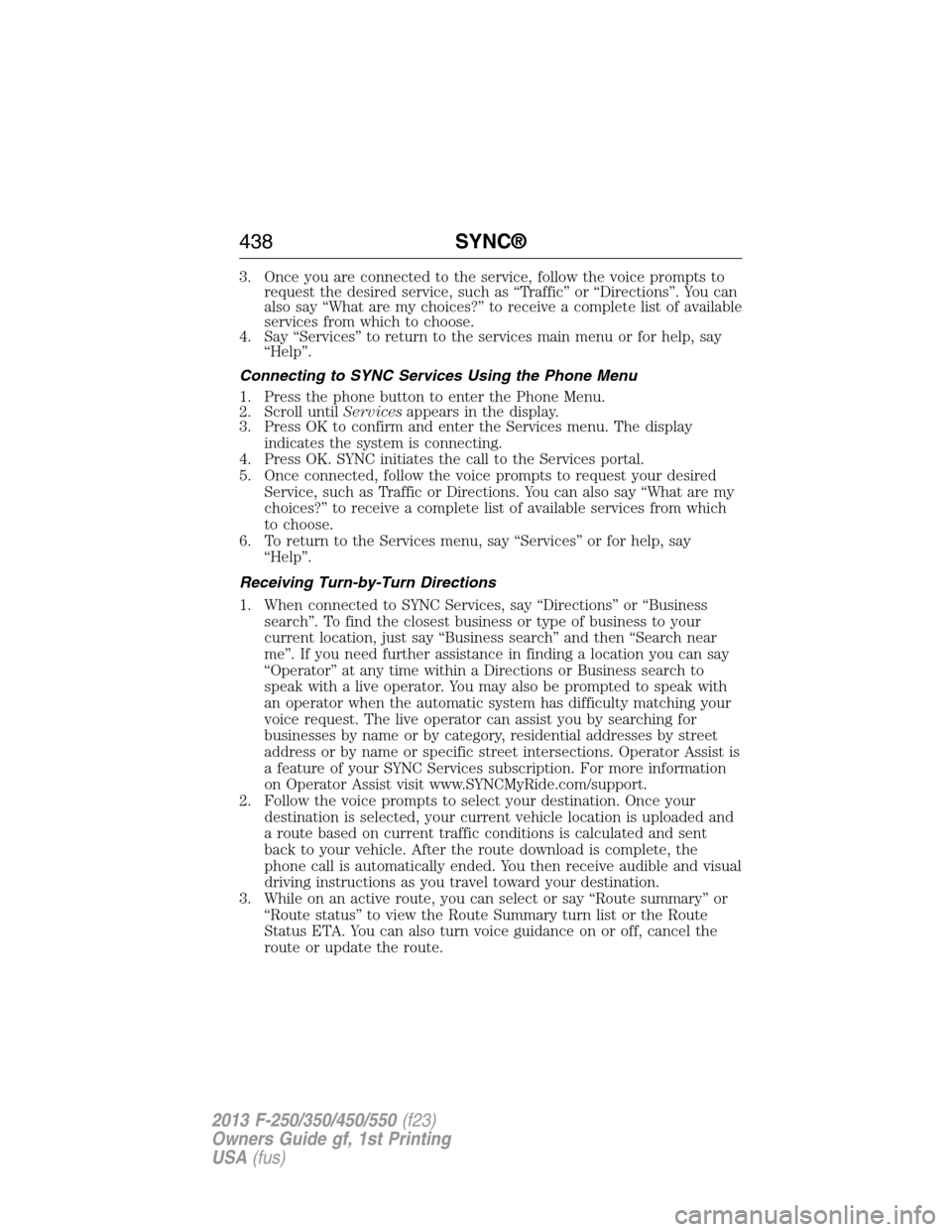
3. Once you are connected to the service, follow the voice prompts to
request the desired service, such as “Traffic” or “Directions”. You can
also say “What are my choices?” to receive a complete list of available
services from which to choose.
4. Say “Services” to return to the services main menu or for help, say
“Help”.
Connecting to SYNC Services Using the Phone Menu
1. Press the phone button to enter the Phone Menu.
2. Scroll untilServicesappears in the display.
3. Press OK to confirm and enter the Services menu. The display
indicates the system is connecting.
4. Press OK. SYNC initiates the call to the Services portal.
5. Once connected, follow the voice prompts to request your desired
Service, such as Traffic or Directions. You can also say “What are my
choices?” to receive a complete list of available services from which
to choose.
6. To return to the Services menu, say “Services” or for help, say
“Help”.
Receiving Turn-by-Turn Directions
1. When connected to SYNC Services, say “Directions” or “Business
search”. To find the closest business or type of business to your
current location, just say “Business search” and then “Search near
me”. If you need further assistance in finding a location you can say
“Operator” at any time within a Directions or Business search to
speak with a live operator. You may also be prompted to speak with
an operator when the automatic system has difficulty matching your
voice request. The live operator can assist you by searching for
businesses by name or by category, residential addresses by street
address or by name or specific street intersections. Operator Assist is
a feature of your SYNC Services subscription. For more information
on Operator Assist visit www.SYNCMyRide.com/support.
2. Follow the voice prompts to select your destination. Once your
destination is selected, your current vehicle location is uploaded and
a route based on current traffic conditions is calculated and sent
back to your vehicle. After the route download is complete, the
phone call is automatically ended. You then receive audible and visual
driving instructions as you travel toward your destination.
3. While on an active route, you can select or say “Route summary” or
“Route status” to view the Route Summary turn list or the Route
Status ETA. You can also turn voice guidance on or off, cancel the
route or update the route.
438SYNC®
2013 F-250/350/450/550(f23)
Owners Guide gf, 1st Printing
USA(fus)
Page 482 of 563
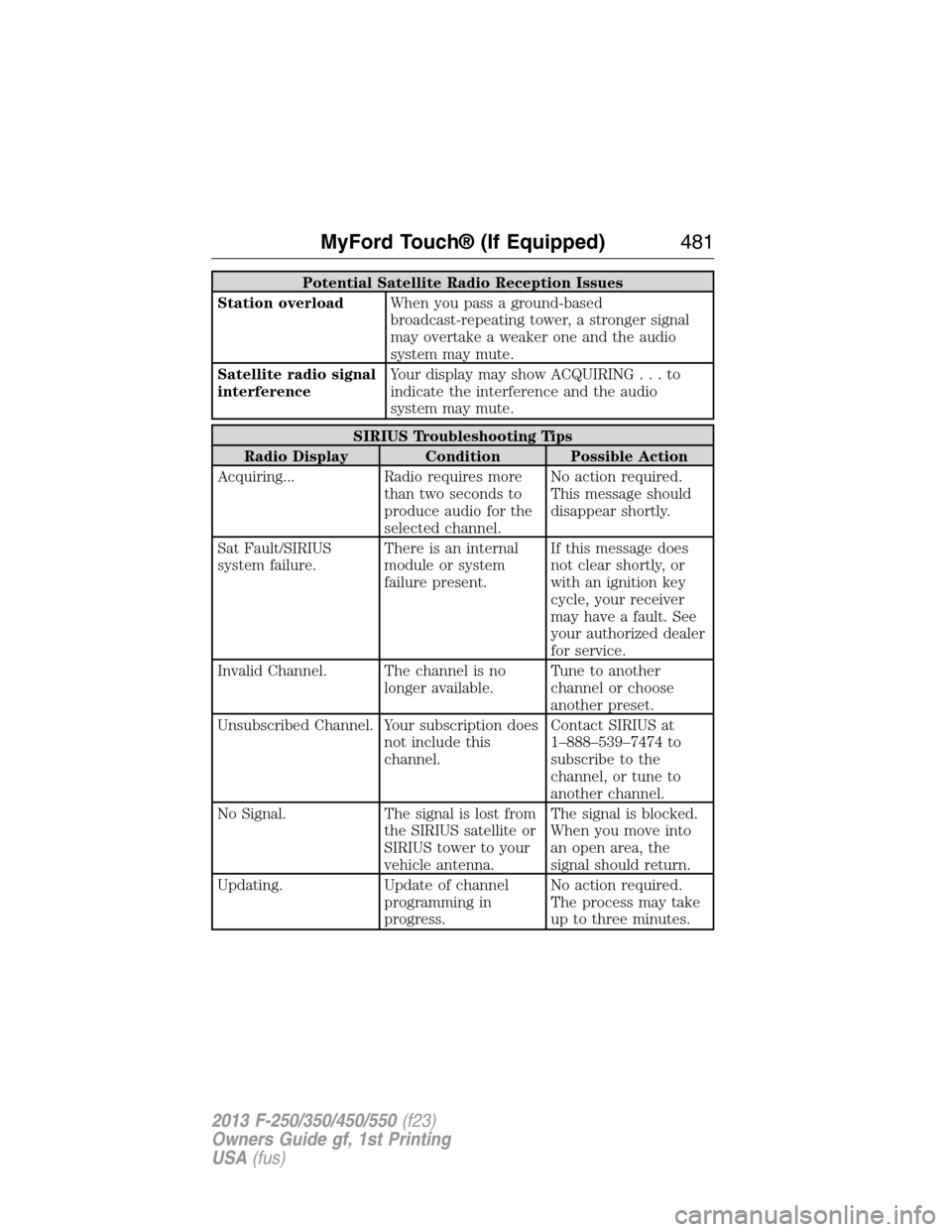
Potential Satellite Radio Reception Issues
Station overloadWhen you pass a ground-based
broadcast-repeating tower, a stronger signal
may overtake a weaker one and the audio
system may mute.
Satellite radio signal
interferenceYour display may show ACQUIRING...to
indicate the interference and the audio
system may mute.
SIRIUS Troubleshooting Tips
Radio Display Condition Possible Action
Acquiring... Radio requires more
than two seconds to
produce audio for the
selected channel.No action required.
This message should
disappear shortly.
Sat Fault/SIRIUS
system failure.There is an internal
module or system
failure present.If this message does
not clear shortly, or
with an ignition key
cycle, your receiver
may have a fault. See
your authorized dealer
for service.
Invalid Channel. The channel is no
longer available.Tune to another
channel or choose
another preset.
Unsubscribed Channel. Your subscription does
not include this
channel.Contact SIRIUS at
1–888–539–7474 to
subscribe to the
channel, or tune to
another channel.
No Signal. The signal is lost from
the SIRIUS satellite or
SIRIUS tower to your
vehicle antenna.The signal is blocked.
When you move into
an open area, the
signal should return.
Updating. Update of channel
programming in
progress.No action required.
The process may take
up to three minutes.
MyFord Touch® (If Equipped)481
2013 F-250/350/450/550(f23)
Owners Guide gf, 1st Printing
USA(fus)
Page 532 of 563
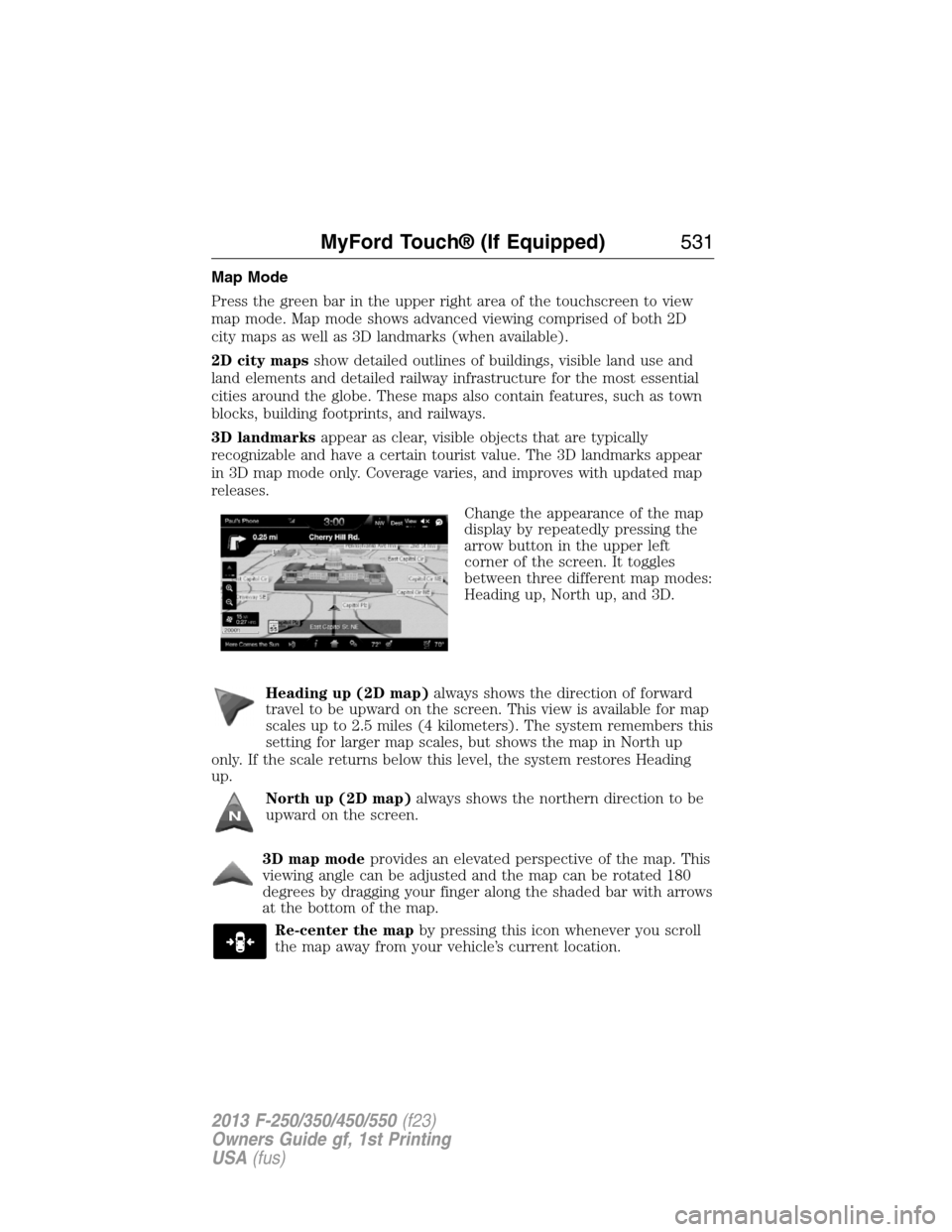
Map Mode
Press the green bar in the upper right area of the touchscreen to view
map mode. Map mode shows advanced viewing comprised of both 2D
city maps as well as 3D landmarks (when available).
2D city mapsshow detailed outlines of buildings, visible land use and
land elements and detailed railway infrastructure for the most essential
cities around the globe. These maps also contain features, such as town
blocks, building footprints, and railways.
3D landmarksappear as clear, visible objects that are typically
recognizable and have a certain tourist value. The 3D landmarks appear
in 3D map mode only. Coverage varies, and improves with updated map
releases.
Change the appearance of the map
display by repeatedly pressing the
arrow button in the upper left
corner of the screen. It toggles
between three different map modes:
Heading up, North up, and 3D.
Heading up (2D map)always shows the direction of forward
travel to be upward on the screen. This view is available for map
scales up to 2.5 miles (4 kilometers). The system remembers this
setting for larger map scales, but shows the map in North up
only. If the scale returns below this level, the system restores Heading
up.
North up (2D map)always shows the northern direction to be
upward on the screen.
3D map modeprovides an elevated perspective of the map. This
viewing angle can be adjusted and the map can be rotated 180
degrees by dragging your finger along the shaded bar with arrows
at the bottom of the map.
Re-center the mapby pressing this icon whenever you scroll
the map away from your vehicle’s current location.
MyFord Touch® (If Equipped)531
2013 F-250/350/450/550(f23)
Owners Guide gf, 1st Printing
USA(fus)
Page 537 of 563
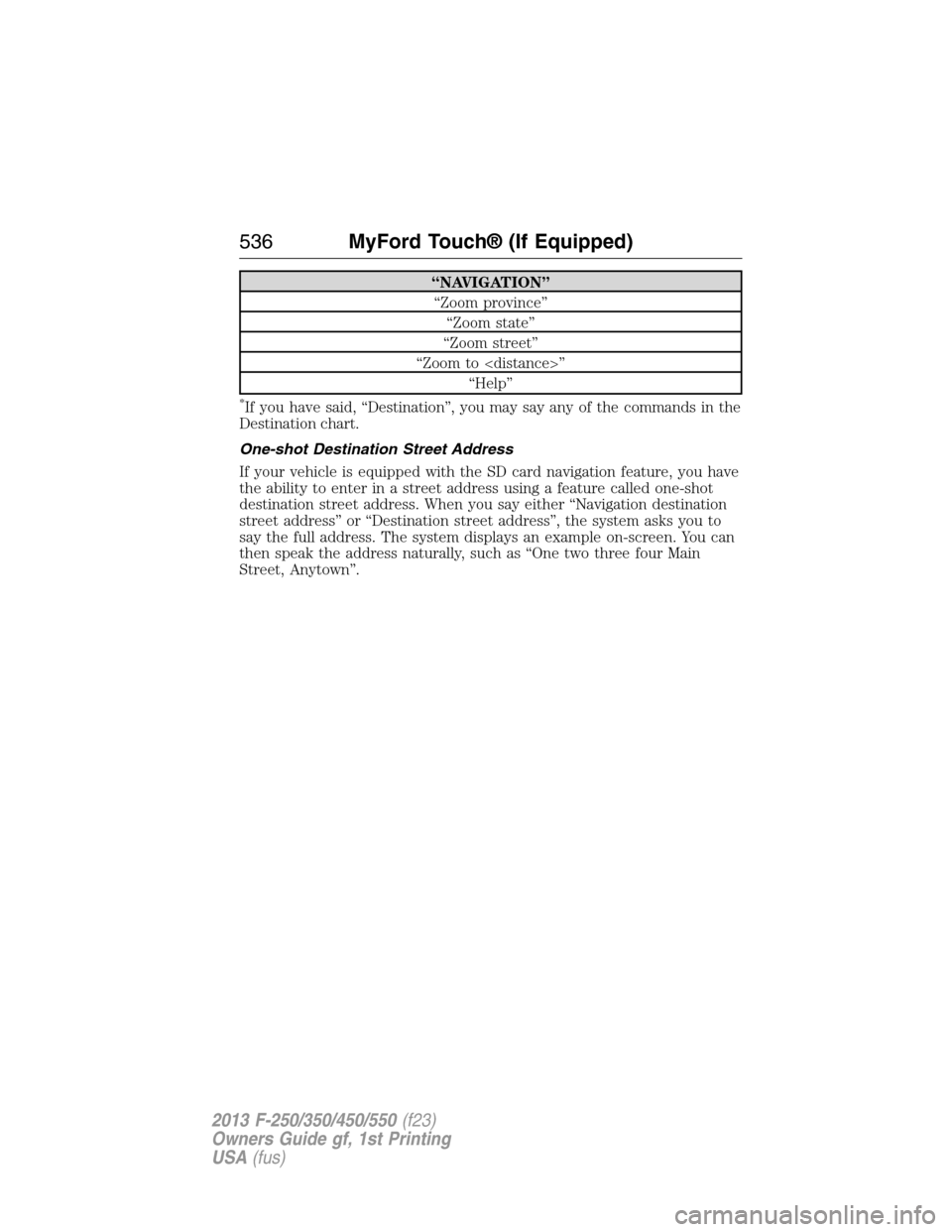
“NAVIGATION”
“Zoom province”
“Zoom state”
“Zoom street”
“Zoom to
“Help”
*If you have said, “Destination”, you may say any of the commands in the
Destination chart.
One-shot Destination Street Address
If your vehicle is equipped with the SD card navigation feature, you have
the ability to enter in a street address using a feature called one-shot
destination street address. When you say either “Navigation destination
street address” or “Destination street address”, the system asks you to
say the full address. The system displays an example on-screen. You can
then speak the address naturally, such as “One two three four Main
Street, Anytown”.
536MyFord Touch® (If Equipped)
2013 F-250/350/450/550(f23)
Owners Guide gf, 1st Printing
USA(fus)
Page 563 of 563
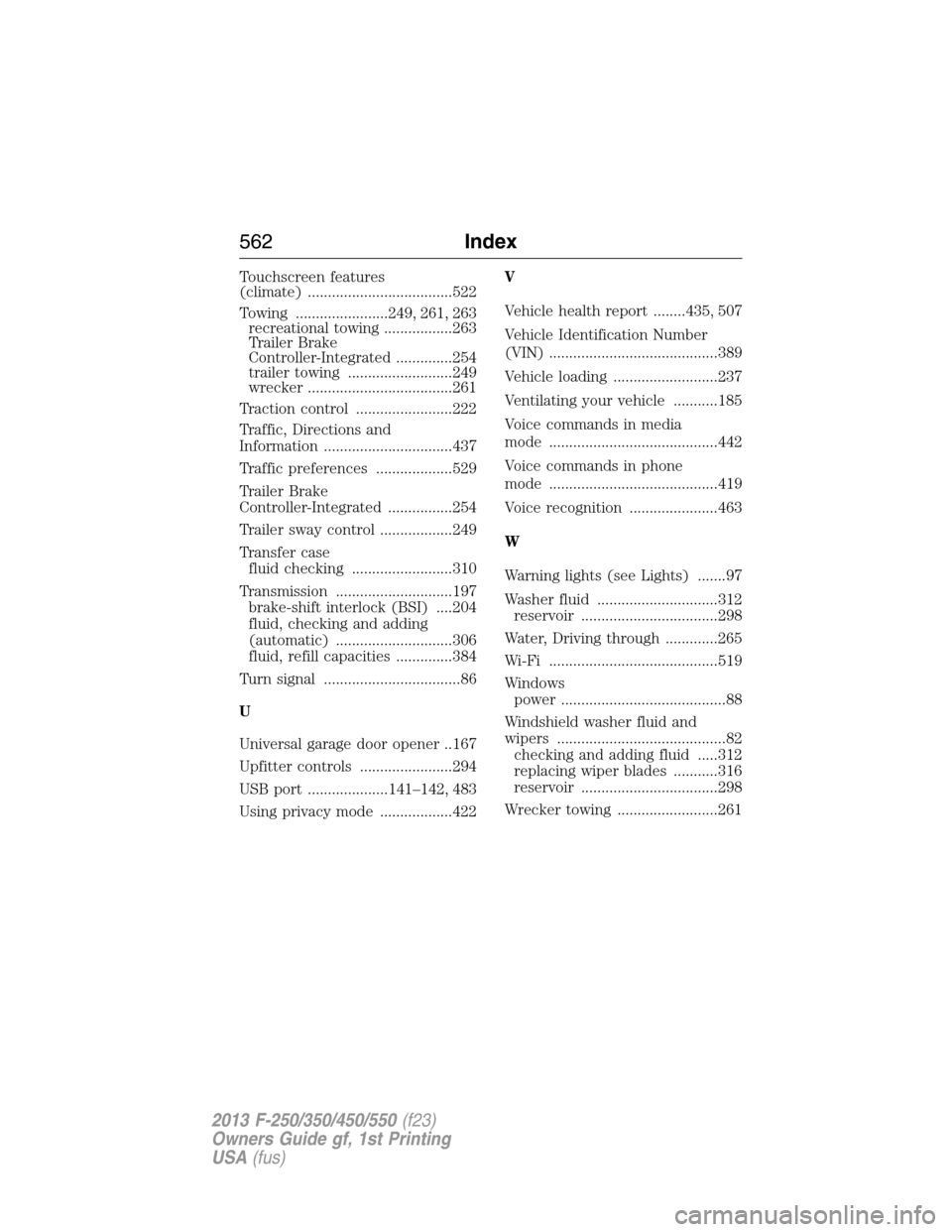
Touchscreen features
(climate) ....................................522
Towing .......................249, 261, 263
recreational towing .................263
Trailer Brake
Controller-Integrated ..............254
trailer towing ..........................249
wrecker ....................................261
Traction control ........................222
Traffic, Directions and
Information ................................437
Traffic preferences ...................529
Trailer Brake
Controller-Integrated ................254
Trailer sway control ..................249
Transfer case
fluid checking .........................310
Transmission .............................197
brake-shift interlock (BSI) ....204
fluid, checking and adding
(automatic) .............................306
fluid, refill capacities ..............384
Turn signal ..................................86
U
Universal garage door opener ..167
Upfitter controls .......................294
USB port ....................141–142, 483
Using privacy mode ..................422V
Vehicle health report ........435, 507
Vehicle Identification Number
(VIN) ..........................................389
Vehicle loading ..........................237
Ventilating your vehicle ...........185
Voice commands in media
mode ..........................................442
Voice commands in phone
mode ..........................................419
Voice recognition ......................463
W
Warning lights (see Lights) .......97
Washer fluid ..............................312
reservoir ..................................298
Water, Driving through .............265
Wi-Fi ..........................................519
Windows
power .........................................88
Windshield washer fluid and
wipers ..........................................82
checking and adding fluid .....312
replacing wiper blades ...........316
reservoir ..................................298
Wrecker towing .........................261
562Index
2013 F-250/350/450/550(f23)
Owners Guide gf, 1st Printing
USA(fus)