automatic transmission FORD SUPER DUTY 2013 3.G Owner's Guide
[x] Cancel search | Manufacturer: FORD, Model Year: 2013, Model line: SUPER DUTY, Model: FORD SUPER DUTY 2013 3.GPages: 563, PDF Size: 7.27 MB
Page 419 of 563
•Speak naturally, without long pauses between words.
•At any time you can interrupt the system while it is speaking by
pressing the voice icon.
USING SYNC WITH YOUR PHONE
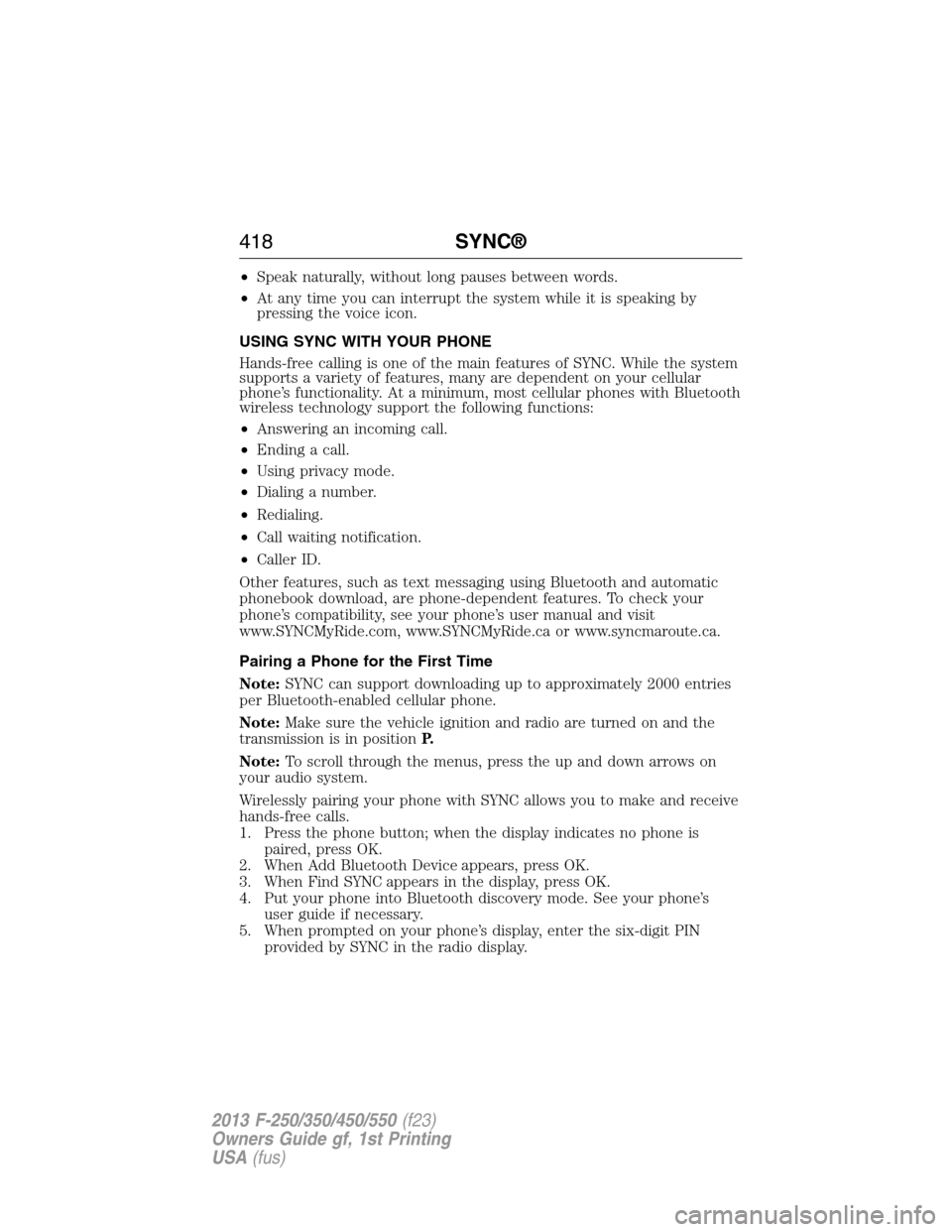
Hands-free calling is one of the main features of SYNC. While the system
supports a variety of features, many are dependent on your cellular
phone’s functionality. At a minimum, most cellular phones with Bluetooth
wireless technology support the following functions:
•Answering an incoming call.
•Ending a call.
•Using privacy mode.
•Dialing a number.
•Redialing.
•Call waiting notification.
•Caller ID.
Other features, such as text messaging using Bluetooth and automatic
phonebook download, are phone-dependent features. To check your
phone’s compatibility, see your phone’s user manual and visit
www.SYNCMyRide.com, www.SYNCMyRide.ca or www.syncmaroute.ca.
Pairing a Phone for the First Time
Note:SYNC can support downloading up to approximately 2000 entries
per Bluetooth-enabled cellular phone.
Note:Make sure the vehicle ignition and radio are turned on and the
transmission is in positionP.
Note:To scroll through the menus, press the up and down arrows on
your audio system.
Wirelessly pairing your phone with SYNC allows you to make and receive
hands-free calls.
1. Press the phone button; when the display indicates no phone is
paired, press OK.
2. When Add Bluetooth Device appears, press OK.
3. When Find SYNC appears in the display, press OK.
4. Put your phone into Bluetooth discovery mode. See your phone’s
user guide if necessary.
5. When prompted on your phone’s display, enter the six-digit PIN
provided by SYNC in the radio display.
418SYNC®
2013 F-250/350/450/550(f23)
Owners Guide gf, 1st Printing
USA(fus)
Page 420 of 563
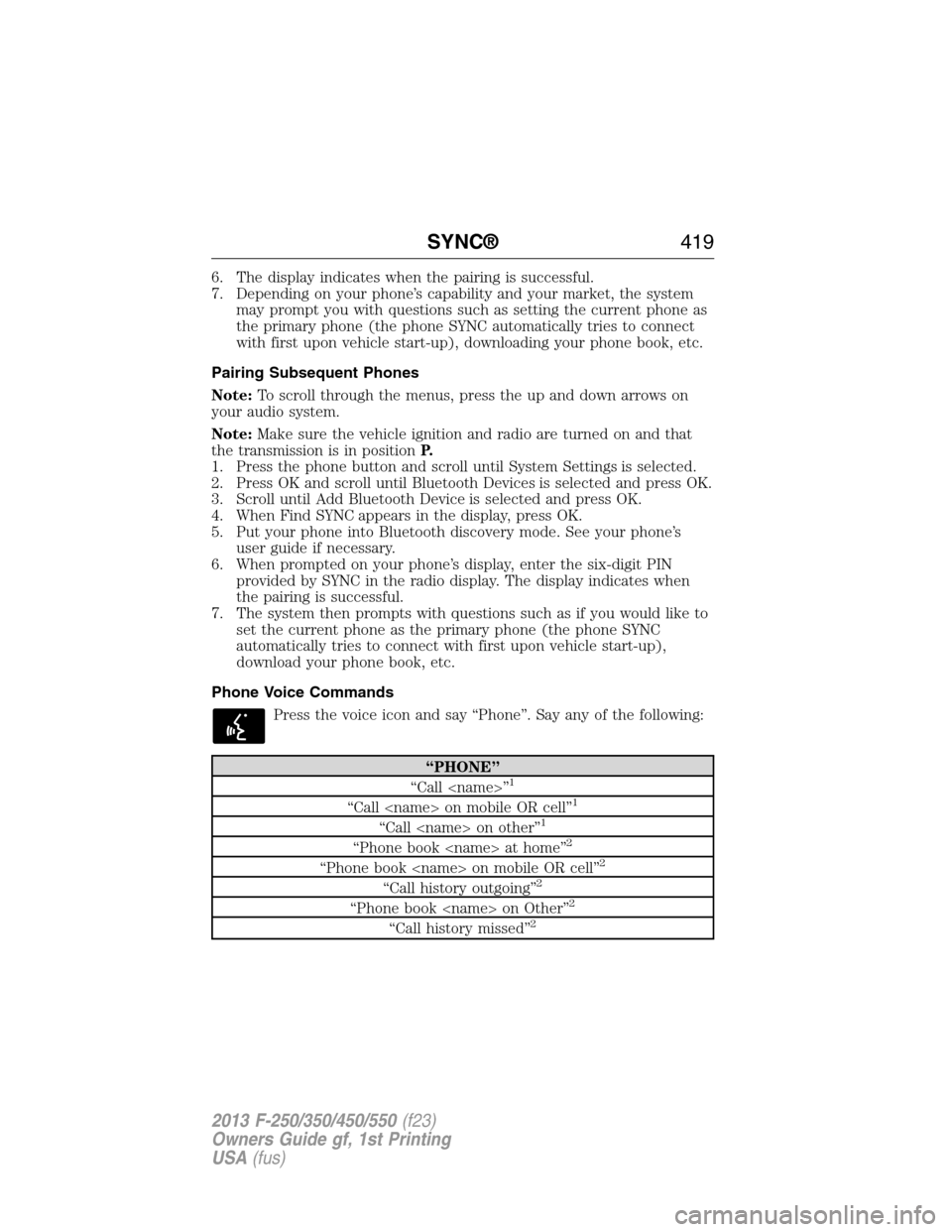
6. The display indicates when the pairing is successful.
7. Depending on your phone’s capability and your market, the system
may prompt you with questions such as setting the current phone as
the primary phone (the phone SYNC automatically tries to connect
with first upon vehicle start-up), downloading your phone book, etc.
Pairing Subsequent Phones
Note:To scroll through the menus, press the up and down arrows on
your audio system.
Note:Make sure the vehicle ignition and radio are turned on and that
the transmission is in positionP.
1. Press the phone button and scroll until System Settings is selected.
2. Press OK and scroll until Bluetooth Devices is selected and press OK.
3. Scroll until Add Bluetooth Device is selected and press OK.
4. When Find SYNC appears in the display, press OK.
5. Put your phone into Bluetooth discovery mode. See your phone’s
user guide if necessary.
6. When prompted on your phone’s display, enter the six-digit PIN
provided by SYNC in the radio display. The display indicates when
the pairing is successful.
7. The system then prompts with questions such as if you would like to
set the current phone as the primary phone (the phone SYNC
automatically tries to connect with first upon vehicle start-up),
download your phone book, etc.
Phone Voice Commands
Press the voice icon and say “Phone”. Say any of the following:
“PHONE”
“Call
“Call
“Call
“Phone book
“Phone book
“Call history outgoing”2
“Phone book
“Call history missed”2
SYNC®419
2013 F-250/350/450/550(f23)
Owners Guide gf, 1st Printing
USA(fus)
Page 556 of 563
911 Assist™ ......................432, 505
A
ABS (see Brakes) .....................220
Accessing and using your USB
port ............................................483
Accessing call history/phone
book during active call .............422
Accessing your calendar ..........504
Accessing your media menu
features ......................................445
Accessing your phone menu
features ......................................423
Accessory delay ..........................90
Active call menu options .........422
Adding (pairing) a phone ........491
Advanced menu options ...430, 450
Advanced menu options
(prompts, languages, defaults,
master reset, installing
applications) ..............................430
Airbag supplemental restraint
system ..........................................48
and child safety seats ..............49
description ................................48
disposal ......................................59
driver airbag ..............................48
passenger airbag .......................48
passenger deactivation
switch ........................................51
side airbag ...........................48, 55
Air cleaner filter ...............317, 388
Air conditioning ........................145
manual heating and air
conditioning system ...............145
Air filter .............................317, 388All Wheel Drive (AWD),
driving off road .........................207
Ambient mood/lighting .............511
Ambulance packages ..................15
AM/FM .......................................470
Antifreeze
(see Engine coolant) ................301
Anti-lock brake system
(see Brakes) ..............................220
Anti-theft system ..................75, 77
arming the system ..............75, 77
disarming a triggered system ..77
AppLink™ .................................440
Audio system
Single CD ................135–136, 139
Audio system
(see Radio) ................135–136, 139
Automatic transmission ............199
driving an automatic
overdrive .................................197
fluid, adding ............................306
fluid, checking ........................306
fluid, refill capacities ..............384
fluid, specification ..................384
Selectshift (SST) ....................202
Auxiliary Input Jack .................480
Auxiliary input jack (Line in) ..140
Auxiliary powerpoint ................177
A/V inputs ..........................142, 488
Axle
refill capacities ........................384
B
Battery .......................................312
acid, treating emergencies .....312
jumping a disabled battery ....274
Index555
2013 F-250/350/450/550(f23)
Owners Guide gf, 1st Printing
USA(fus)
Page 558 of 563
D
Daytime running lamps
(see Lamps) ................................85
Defrost ...............................145, 147
rear window ............................151
Dipstick
automatic transmission
fluid ..........................................306
engine oil .........................298, 300
Display settings .........................509
Drivebelt ....................................382
Driving under special
conditions ..................205, 215, 217
sand .........................................216
snow and ice ...........................218
through water .................216, 265
Dual automatic temperature
control (DATC) .........................147
E
Electronic message center .......102
Electronic stability control ......225
Emergencies, roadside
jump-starting ..........................274
running out of fuel .................190
Emergency Flashers .................273
Emission control system ..........194
End user license agreement ....537
Engine ................................298, 382
cleaning ...................................329
coolant .....................................301
fail-safe cooling .......................304
refill capacities ........................384
service points ..................298–299
Engine block heater .................185Engine oil
checking and adding ..............300
dipstick ....................................300
filter, specifications ................388
refill capacities ........................384
Event data recording ..................12
Exhaust fumes ..........................185
F
Fail safe cooling ........................304
Filter
fuel ...........................................311
Fleet MyKey programming ........66
Flexible Fuel Vehicle (FFV) ....187
Floor mats .................................266
Fluid capacities .........................384
Fog lamps ....................................86
Four-Wheel Drive vehicles .......207
driving off road .......................214
electronic shift ................207, 211
indicator light .........................208
lever operated shift ................209
manual locking hubs ..............207
Fuel
cap ...........................................192
capacity ...................................384
choosing the right fuel ...........189
filler funnel .............................190
filling your vehicle with fuel ..192
fuel pump shut-off ..................273
octane rating ...................190, 382
quality ......................................189
running out of fuel .................190
safety information relating to
automotive fuels .....................187
Fuel - flex fuel vehicle
(FFV) .................................187, 189
Index557
2013 F-250/350/450/550(f23)
Owners Guide gf, 1st Printing
USA(fus)
Page 563 of 563
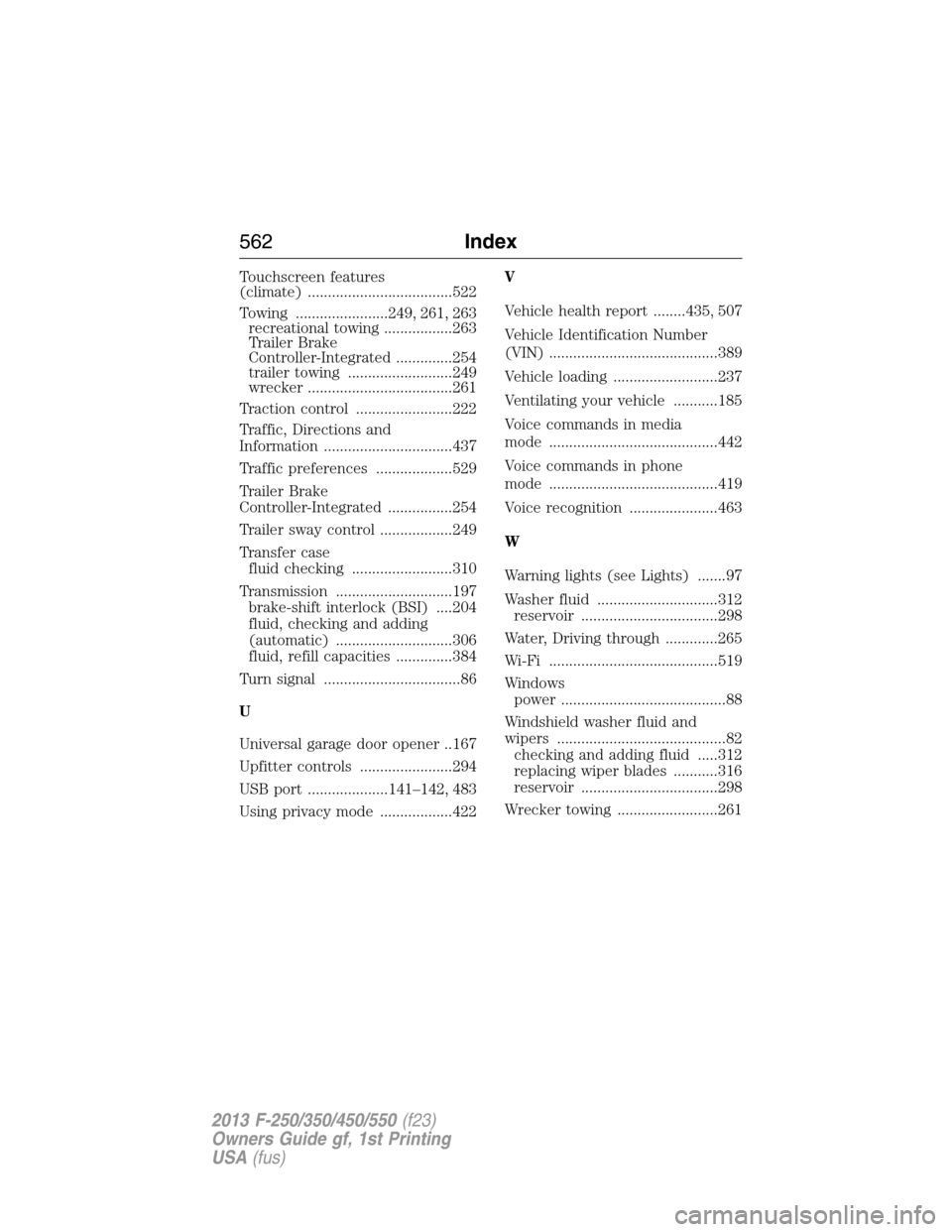
Touchscreen features
(climate) ....................................522
Towing .......................249, 261, 263
recreational towing .................263
Trailer Brake
Controller-Integrated ..............254
trailer towing ..........................249
wrecker ....................................261
Traction control ........................222
Traffic, Directions and
Information ................................437
Traffic preferences ...................529
Trailer Brake
Controller-Integrated ................254
Trailer sway control ..................249
Transfer case
fluid checking .........................310
Transmission .............................197
brake-shift interlock (BSI) ....204
fluid, checking and adding
(automatic) .............................306
fluid, refill capacities ..............384
Turn signal ..................................86
U
Universal garage door opener ..167
Upfitter controls .......................294
USB port ....................141–142, 483
Using privacy mode ..................422V
Vehicle health report ........435, 507
Vehicle Identification Number
(VIN) ..........................................389
Vehicle loading ..........................237
Ventilating your vehicle ...........185
Voice commands in media
mode ..........................................442
Voice commands in phone
mode ..........................................419
Voice recognition ......................463
W
Warning lights (see Lights) .......97
Washer fluid ..............................312
reservoir ..................................298
Water, Driving through .............265
Wi-Fi ..........................................519
Windows
power .........................................88
Windshield washer fluid and
wipers ..........................................82
checking and adding fluid .....312
replacing wiper blades ...........316
reservoir ..................................298
Wrecker towing .........................261
562Index
2013 F-250/350/450/550(f23)
Owners Guide gf, 1st Printing
USA(fus)