tire type FORD SUPER DUTY 2017 4.G Owner's Manual
[x] Cancel search | Manufacturer: FORD, Model Year: 2017, Model line: SUPER DUTY, Model: FORD SUPER DUTY 2017 4.GPages: 636, PDF Size: 10.56 MB
Page 528 of 636
3D city models are complete 3D models
of entire city areas including navigable
roads, parks, rivers and rendered buildings.
3D landmarks and city models appear in
3D map mode only. Coverage of these
varies and improves with updated map
releases.
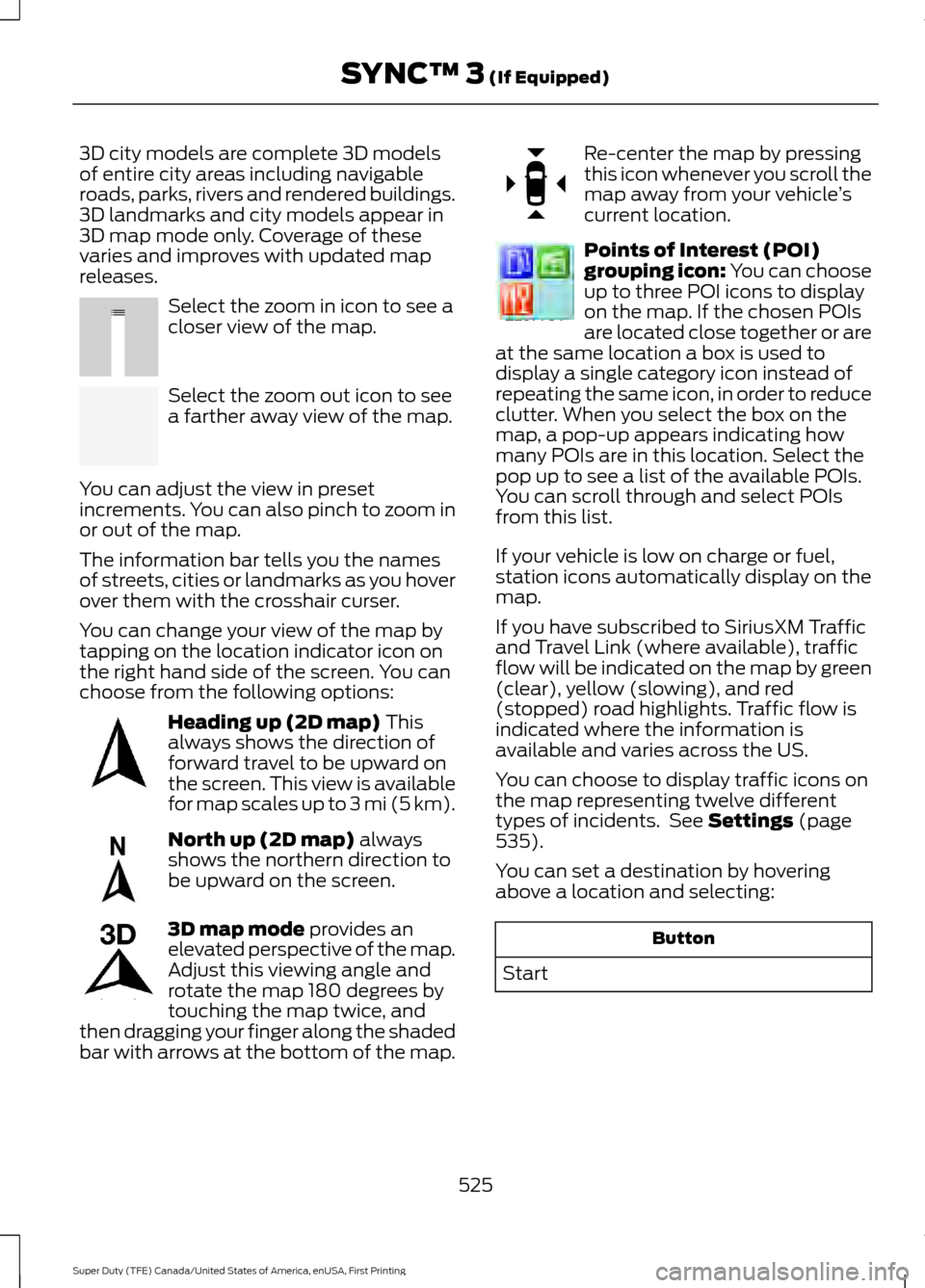
Select the zoom in icon to see a
closer view of the map.
Select the zoom out icon to see
a farther away view of the map.
You can adjust the view in preset
increments. You can also pinch to zoom in
or out of the map.
The information bar tells you the names
of streets, cities or landmarks as you hover
over them with the crosshair curser.
You can change your view of the map by
tapping on the location indicator icon on
the right hand side of the screen. You can
choose from the following options: Heading up (2D map) This
always shows the direction of
forward travel to be upward on
the screen. This view is available
for map scales up to
3 mi (5 km). North up (2D map)
always
shows the northern direction to
be upward on the screen. 3D map mode
provides an
elevated perspective of the map.
Adjust this viewing angle and
rotate the map 180 degrees by
touching the map twice, and
then dragging your finger along the shaded
bar with arrows at the bottom of the map. Re-center the map by pressing
this icon whenever you scroll the
map away from your vehicle
’s
current location. Points of Interest (POI)
grouping icon: You can choose
up to three POI icons to display
on the map. If the chosen POIs
are located close together or are
at the same location a box is used to
display a single category icon instead of
repeating the same icon, in order to reduce
clutter. When you select the box on the
map, a pop-up appears indicating how
many POIs are in this location. Select the
pop up to see a list of the available POIs.
You can scroll through and select POIs
from this list.
If your vehicle is low on charge or fuel,
station icons automatically display on the
map.
If you have subscribed to SiriusXM Traffic
and Travel Link (where available), traffic
flow will be indicated on the map by green
(clear), yellow (slowing), and red
(stopped) road highlights. Traffic flow is
indicated where the information is
available and varies across the US.
You can choose to display traffic icons on
the map representing twelve different
types of incidents. See
Settings (page
535).
You can set a destination by hovering
above a location and selecting: Button
Start
525
Super Duty (TFE) Canada/United States of America, enUSA, First Printing SYNC™ 3
(If Equipped)E207752 E207753 E207750 E207749 E207748 E207751 E207754
Page 625 of 636
Automatic Transmission Fluid
Check.............................................................337
Checking Automatic Transmission Fluid.................................................................... 337
Autowipers.......................................................84
Auxiliary Power Points...............................168 110 Volt - 400 Watt Capacity AC Power
Outlet................................................................. 168
12 Volt DC Power Point..................................... 168
Locations............................................................... 168
Auxiliary Switches
........................................561
For more information on the Upfitter
Interface Module and the auxiliary
switches, visit:................................................ 564
Upfitter Interface Module............................... 564
B
Battery See: Changing the 12V Battery..................... 343
Bed Extender
....................................................72
Grocery mode........................................................ 73
Tailgate mode........................................................ 72
Bed Ramps
....................................................265
Installing the Ramp Holder............................ 267
Stowing the Bed Ramp................................... 266
Using the Bed Ramp........................................ 265
Blind Spot Information System.............249 Blind Spot Information System with Trailer
Tow...................................................................... 251
Switching the System Off and On...............253
System Errors...................................................... 253
Using the System.............................................. 250
Bonnet Lock See: Opening and Closing the Hood..........320
Booster Seats..................................................30 Types of Booster Seats...................................... 30
Brake Fluid Check
.......................................340
Brakes................................................................221 General Information........................................... 221
Breaking-In....................................................290
Bulb Specification Chart
..........................350
C
Cabin Air Filter
.................................................151
California Proposition 65.............................12 Capacities and Specifications -
6.2L
.................................................................418
Specifications...................................................... 419
Capacities and Specifications - 6.7L Diesel............................................................428
Engine Oil Specifications................................ 433
Specifications..................................................... 430
Capacities and Specifications - 6.8L................................................................422
Specifications..................................................... 424
Capacities and Specifications
..................411
Car Wash See: Cleaning the Exterior............................... 361
Center Console
..............................................170
Changing a Bulb...........................................347 Cargo Lamp and Central High Mounted
Brake Lamp Bulbs........................................ 350
Fog Lamp Bulbs................................................. 348
Front Park and Direction Indicator Lamp Bulbs.................................................................. 347
Headlamp Bulbs................................................ 348
License Plate Lamp Bulb............................... 350
Rear Lamps, Brake Lamps, Rear Direction Indicator and Reversing Lamp
Bulbs................................................................. 349
Changing a Fuse
...........................................318
Fuses....................................................................... 318
Changing a Road Wheel...........................398 Dissimilar Spare Wheel and Tire Assembly
Information..................................................... 398
Location of the Spare Tire and Tools........399
Removing the Spare Tire (With Spare Tire Carrier Only).................................................. 400
Tire Change Procedure.................................... 401
Changing the 12V Battery
.........................343
Battery Management System....................... 345
Changing the Coalescer Filter Element.........................................................327
Changing the Engine Air Filter - 6.2L/ 6.8L................................................................353
Changing the Engine Air Filter - 6.7L Diesel
.............................................................354
Air Filter Restriction Gauge............................ 355
Changing the Engine-Mounted and Diesel Fuel Conditioner Module Fuel
Filters - 6.7L Diesel
...................................356
Diesel Fuel Conditioner Module
Filter................................................................... 356
622
Super Duty (TFE) Canada/United States of America, enUSA, First Printing Index