airbag FORD SUPER DUTY 2017 4.G Owner's Guide
[x] Cancel search | Manufacturer: FORD, Model Year: 2017, Model line: SUPER DUTY, Model: FORD SUPER DUTY 2017 4.GPages: 636, PDF Size: 10.56 MB
Page 469 of 636
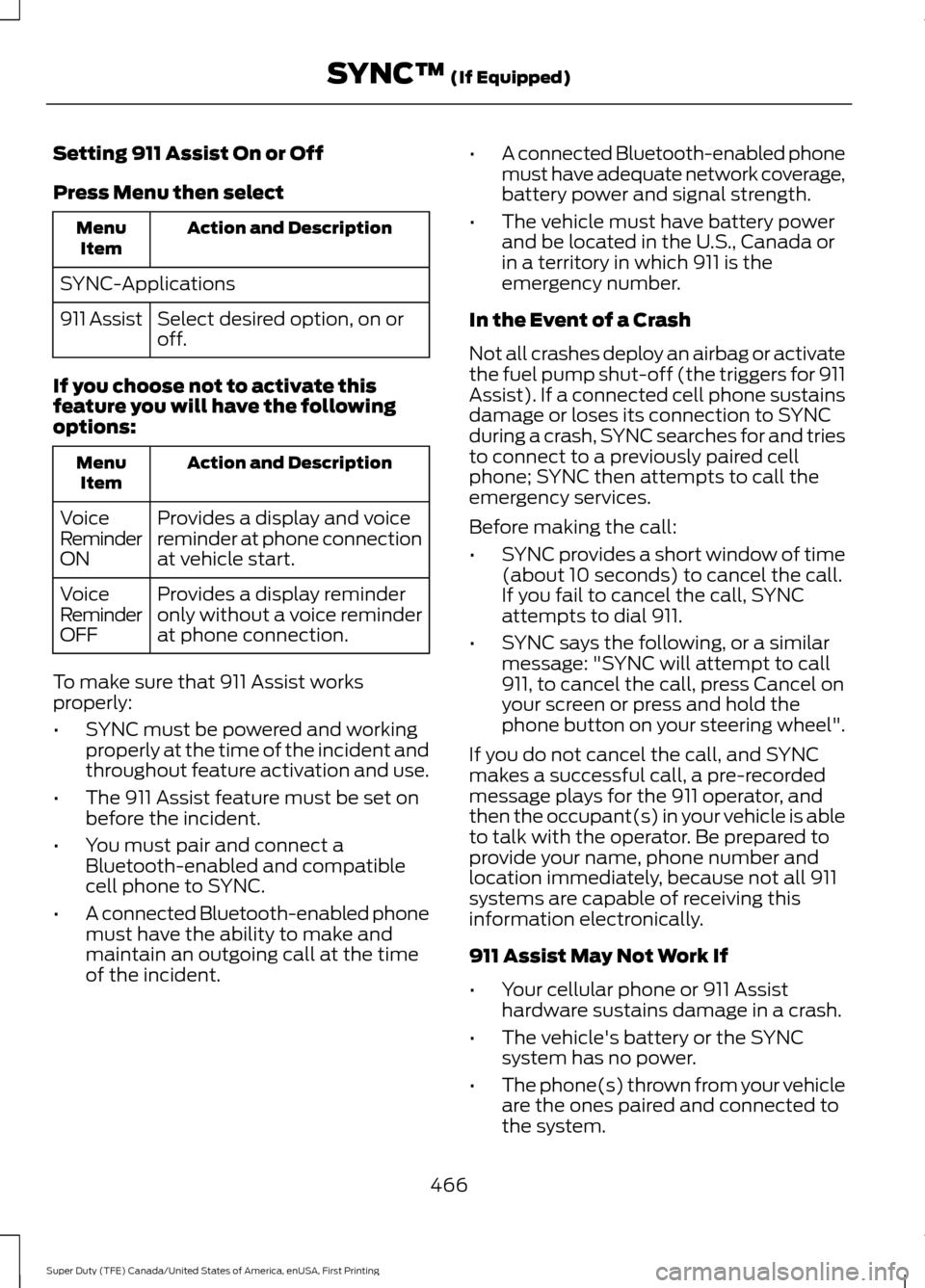
Setting 911 Assist On or Off
Press Menu then select
Action and Description
Menu
Item
SYNC-Applications Select desired option, on or
off.
911 Assist
If you choose not to activate this
feature you will have the following
options: Action and Description
Menu
Item
Provides a display and voice
reminder at phone connection
at vehicle start.
Voice
Reminder
ON
Provides a display reminder
only without a voice reminder
at phone connection.
Voice
Reminder
OFF
To make sure that 911 Assist works
properly:
• SYNC must be powered and working
properly at the time of the incident and
throughout feature activation and use.
• The 911 Assist feature must be set on
before the incident.
• You must pair and connect a
Bluetooth-enabled and compatible
cell phone to SYNC.
• A connected Bluetooth-enabled phone
must have the ability to make and
maintain an outgoing call at the time
of the incident. •
A connected Bluetooth-enabled phone
must have adequate network coverage,
battery power and signal strength.
• The vehicle must have battery power
and be located in the U.S., Canada or
in a territory in which 911 is the
emergency number.
In the Event of a Crash
Not all crashes deploy an airbag or activate
the fuel pump shut-off (the triggers for 911
Assist). If a connected cell phone sustains
damage or loses its connection to SYNC
during a crash, SYNC searches for and tries
to connect to a previously paired cell
phone; SYNC then attempts to call the
emergency services.
Before making the call:
• SYNC provides a short window of time
(about 10 seconds) to cancel the call.
If you fail to cancel the call, SYNC
attempts to dial 911.
• SYNC says the following, or a similar
message: "SYNC will attempt to call
911, to cancel the call, press Cancel on
your screen or press and hold the
phone button on your steering wheel".
If you do not cancel the call, and SYNC
makes a successful call, a pre-recorded
message plays for the 911 operator, and
then the occupant(s) in your vehicle is able
to talk with the operator. Be prepared to
provide your name, phone number and
location immediately, because not all 911
systems are capable of receiving this
information electronically.
911 Assist May Not Work If
• Your cellular phone or 911 Assist
hardware sustains damage in a crash.
• The vehicle's battery or the SYNC
system has no power.
• The phone(s) thrown from your vehicle
are the ones paired and connected to
the system.
466
Super Duty (TFE) Canada/United States of America, enUSA, First Printing SYNC™ (If Equipped)
Page 470 of 636
911 Assist Privacy Notice
When you switch on 911 Assist, it may
disclose to emergency services that your
vehicle has been in a crash involving the
deployment of an airbag or activation of
the fuel pump shut-off. Certain versions or
updates to 911 Assist may also be capable
of electronically or verbally disclosing to
911 operators your vehicle location or other
details about your vehicle or crash to assist
911 operators to provide the most
appropriate emergency services. If you do
not want to disclose this information, do
not switch the feature on.
SYNC Mobile Apps
The system enables voice and steering
wheel control of SYNC AppLink enabled
smartphone apps. When an app is running
through AppLink, you can control main
features of the app through voice
commands and steering wheel controls.
Note:
You must pair and connect your
smartphone to SYNC to access AppLink.
Note: iPhone users need to connect the
phone to the USB port.
Note: Android users need to connect the
phone to SYNC using Bluetooth.
Note: For information on available apps,
supported smartphone devices and
troubleshooting tips please visit the Ford
website.
Availability of SYNC AppLink enabled Apps
will vary by region. Note:
Make sure you have an active account
for the app that you have downloaded.
Some apps work automatically with no
setup. Other apps want you to configure
your personal settings and personalize your
experience by creating stations or favorites.
We recommend you do this at home or
outside of your vehicle.
Note: AppLink is not available if your
vehicle is equipped with the MyFordTouch
system.
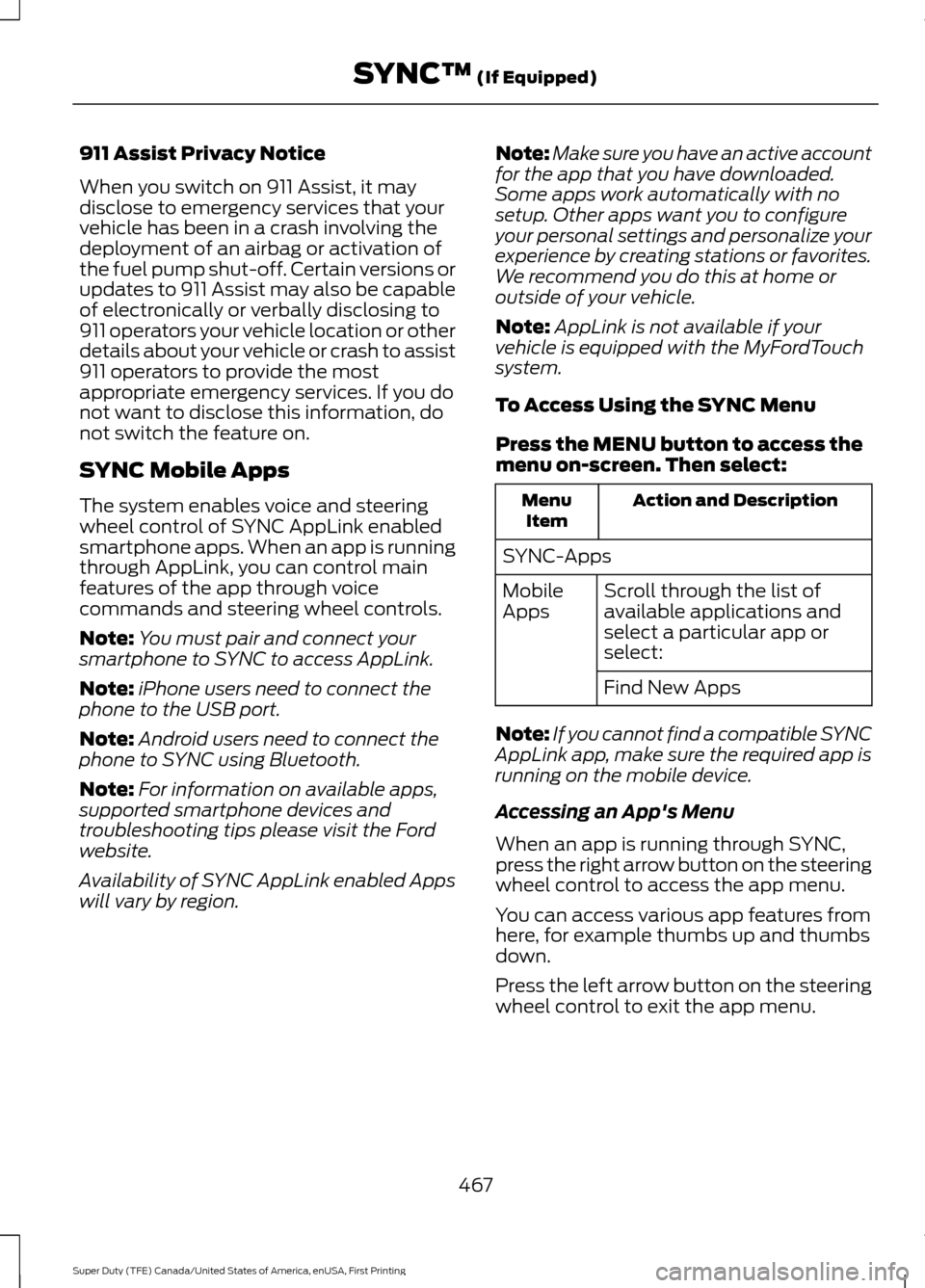
To Access Using the SYNC Menu
Press the MENU button to access the
menu on-screen. Then select: Action and Description
Menu
Item
SYNC-Apps Scroll through the list of
available applications and
select a particular app or
select:
Mobile
Apps
Find New Apps
Note: If you cannot find a compatible SYNC
AppLink app, make sure the required app is
running on the mobile device.
Accessing an App's Menu
When an app is running through SYNC,
press the right arrow button on the steering
wheel control to access the app menu.
You can access various app features from
here, for example thumbs up and thumbs
down.
Press the left arrow button on the steering
wheel control to exit the app menu.
467
Super Duty (TFE) Canada/United States of America, enUSA, First Printing SYNC™
(If Equipped)
Page 496 of 636
Note:
Before setting this feature on, make
sure that you read the 911 Assist Privacy
Notice later in this section for important
information.
Note: If any user sets 911 Assist to on or off,
that setting applies for all paired phones. If
911 Assist is switched off and the phone is
connected to SYNC, an icon displays on the
status bar.
Note: Every phone operates differently.
While SYNC 911 Assist works with most
cellular phones, some may have trouble
using this feature.
If a crash deploys an airbag (excluding
knee airbags and rear inflatable safety
belts [if equipped]) or activates the fuel
pump shut-off, your SYNC-equipped
vehicle may be able to contact emergency
services by dialing 911 through a paired and
connected Bluetooth-enabled phone. You
can learn more about the 911 Assist
feature, by visiting: Website
www.owner.ford.com
www.syncmyride.ca
www.syncmaroute.ca
See Supplementary Restraints System
(page 44). Important information about
airbag deployment is in this chapter.
See Roadside Emergencies (page 295).
Important information about the fuel pump
shut-off is in this chapter.
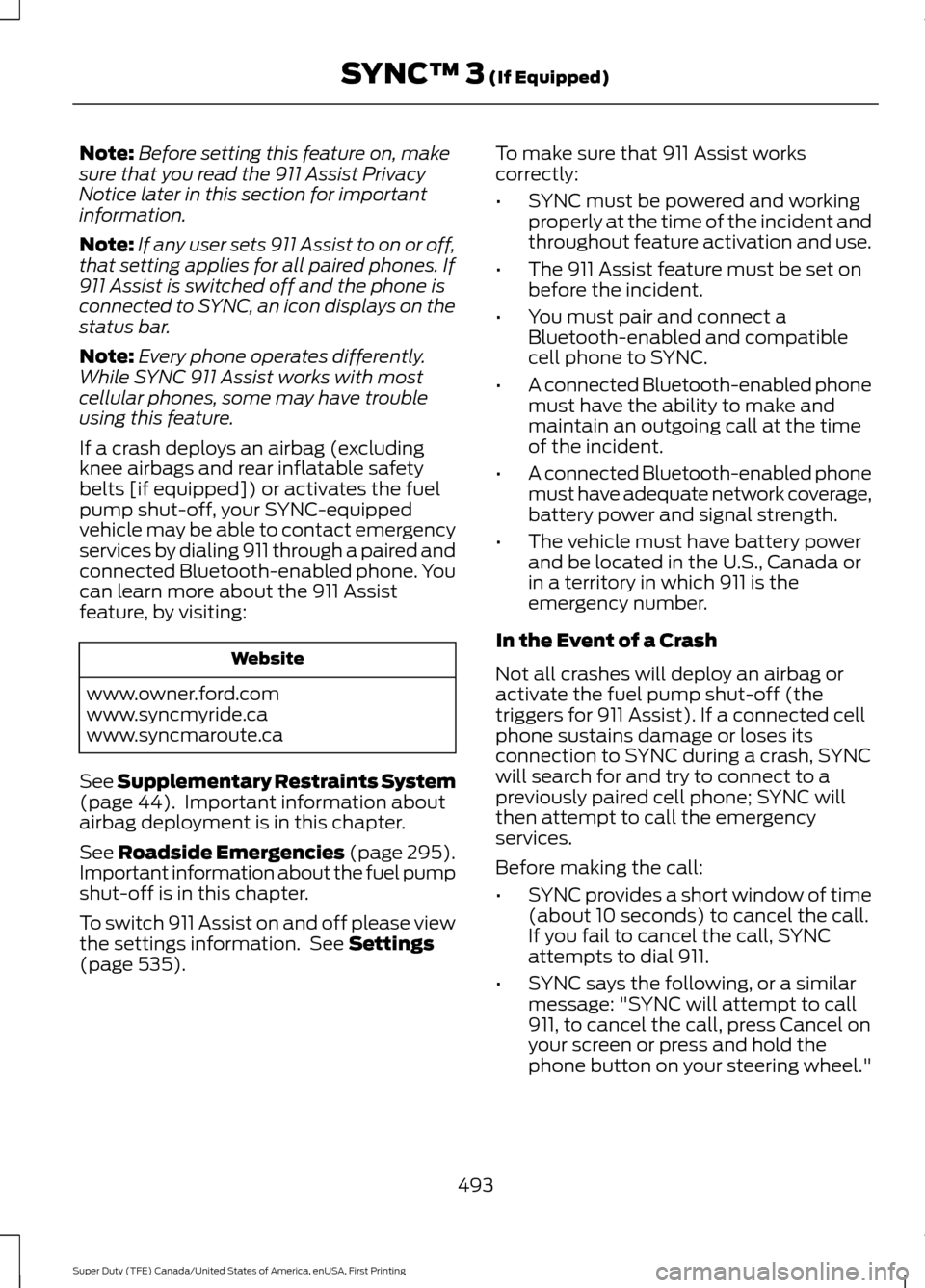
To switch 911 Assist on and off please view
the settings information. See
Settings
(page 535). To make sure that 911 Assist works
correctly:
•
SYNC must be powered and working
properly at the time of the incident and
throughout feature activation and use.
• The 911 Assist feature must be set on
before the incident.
• You must pair and connect a
Bluetooth-enabled and compatible
cell phone to SYNC.
• A connected Bluetooth-enabled phone
must have the ability to make and
maintain an outgoing call at the time
of the incident.
• A connected Bluetooth-enabled phone
must have adequate network coverage,
battery power and signal strength.
• The vehicle must have battery power
and be located in the U.S., Canada or
in a territory in which 911 is the
emergency number.
In the Event of a Crash
Not all crashes will deploy an airbag or
activate the fuel pump shut-off (the
triggers for 911 Assist). If a connected cell
phone sustains damage or loses its
connection to SYNC during a crash, SYNC
will search for and try to connect to a
previously paired cell phone; SYNC will
then attempt to call the emergency
services.
Before making the call:
• SYNC provides a short window of time
(about 10 seconds) to cancel the call.
If you fail to cancel the call, SYNC
attempts to dial 911.
• SYNC says the following, or a similar
message: "SYNC will attempt to call
911, to cancel the call, press Cancel on
your screen or press and hold the
phone button on your steering wheel."
493
Super Duty (TFE) Canada/United States of America, enUSA, First Printing SYNC™ 3
(If Equipped)
Page 497 of 636
If you do not cancel the call, and SYNC
makes a successful call, a pre-recorded
message plays for the 911 operator, and
then the occupant(s) in your vehicle is able
to talk with the operator. Be prepared to
provide your name, phone number and
location immediately, because not all 911
systems are capable of receiving this
information electronically.
911 Assist May Not Work If
•
Your cellular phone or 911 Assist
hardware sustains damage in a crash.
• The vehicle's battery or the SYNC
system has no power.
• The phone(s) thrown from your vehicle
are the ones paired and connected to
the system.
911 Assist Privacy Notice
When you switch on 911 Assist, it may
disclose to emergency services that your
vehicle has been in a crash involving the
deployment of an airbag or activation of
the fuel pump shut-off. Certain versions or
updates to 911 Assist may also be capable
of electronically or verbally disclosing to
911 operators your vehicle location or other
details about your vehicle or crash to assist
911 operators to provide the most
appropriate emergency services. If you do
not want to disclose this information, do
not switch the feature on. Safety Information WARNING
Driving while distracted can result in
loss of vehicle control, crash and
injury. We strongly recommend that
you use extreme caution when using any
device that may take your focus off the
road. Your primary responsibility is the safe
operation of your vehicle. We recommend
against the use of any hand-held device
while driving and encourage the use of
voice-operated systems when possible.
Make sure you are aware of all applicable
local laws that may affect the use of
electronic devices while driving. •
Do not attempt to service or repair the
system. Have an authorized dealer
check your vehicle.
• Do not operate playing devices if the
power cords or cables are broken, split
or damaged. Place cords and cables
out of the way, so they do not interfere
with the operation of pedals, seats,
compartments or safe driving abilities.
• Do not leave playing devices in your
vehicle during extreme conditions as it
could cause them damage. See your
device's user guide for further
information.
• For your safety, some SYNC 3 functions
are speed-dependent. Their use is
limited to when your vehicle is traveling
at speeds under 3 mph (5 km/h). Make
sure that you review your device's
manual before using it with SYNC 3.
Speed-restricted Features
Some features of this system may be too
difficult to use while your vehicle is moving
so they are restricted from use unless your
vehicle is stationary.
494
Super Duty (TFE) Canada/United States of America, enUSA, First Printing SYNC™ 3 (If Equipped)
Page 606 of 636
1. Safe and Lawful Use
You acknowledge that devoting attention
to the TeleNav Software may pose a risk
of injury or death to you and others in
situations that otherwise require your
undivided attention, and you therefore
agree to comply with the following when
using the TeleNav Software:
(a) observe all traffic laws and otherwise
drive safely;
(b) use your own personal judgment while
driving. If you feel that a route suggested
by the TeleNav Software instructs you to
perform an unsafe or illegal maneuver,
places you in an unsafe situation, or directs
you into an area that you consider to be
unsafe, do not follow such instructions;
(c) do not input destinations, or otherwise
manipulate the TeleNav Software, unless
your vehicle is stationary and parked;
(d) do not use the TeleNav Software for
any illegal, unauthorized, unintended,
unsafe, hazardous, or unlawful purposes,
or in any manner inconsistent with this
Agreement;
(e) arrange all GPS and wireless devices
and cables necessary for use of the
TeleNav Software in a secure manner in
your vehicle so that they will not interfere
with your driving and will not prevent the
operation of any safety device (such as an
airbag).
You agree to indemnify and hold TeleNav
harmless against all claims resulting from
any dangerous or otherwise inappropriate
use of the TeleNav Software in any moving
vehicle, including as a result of your failure
to comply with the directions above.
2. Account Information
You agree: (a) when registering the
TeleNav Software, to provide TeleNav with
true, accurate, current, and complete
information about yourself, and (b) to
inform TeleNav promptly of any changes
to such information, and to keep it true,
accurate, current and complete.
3. Software License
•
Subject to your compliance with the
terms of this Agreement, TeleNav
hereby grants to you a personal,
non-exclusive, non-transferable license
(except as expressly permitted below
in connection with your permanent
transfer of the TeleNav Software
license), without the right to
sublicense, to use the TeleNav
Software (in object code form only) in
order to access and use the TeleNav
Software. This license shall terminate
upon any termination or expiration of
this Agreement. You agree that you will
use the TeleNav Software only for your
personal business or leisure purposes,
and not to provide commercial
navigation services to other parties.
3.1 License Limitations
• (a) reverse engineer, decompile,
disassemble, translate, modify, alter
or otherwise change the TeleNav
Software or any part thereof;
(b)
attempt to derive the source code,
audio library or structure of the
TeleNav Software without the prior
express written consent of TeleNav;
(c)
remove from the TeleNav
Software, or alter, any of TeleNav's or
its suppliers' trademarks, trade names,
logos, patent or copyright notices, or
other notices or markings;
(d)
603
Super Duty (TFE) Canada/United States of America, enUSA, First Printing Appendices
Page 624 of 636
3
360 Degree Camera...................................235
Advanced Camera Views................................ 235
Auxiliary Camera................................................ 238
Camera Views..................................................... 235
Center High-Mount Stop Lamp Camera.............................................................. 237
Front Camera...................................................... 236
Keep Out Zone.................................................... 236
Side Camera......................................................... 237
4
4WD See: Four-Wheel Drive...................................... 210
A
A/C See: Climate Control......................................... 145
About This Manual...........................................7
ABS See: Brakes............................................................ 221
ABS driving hints See: Hints on Driving With Anti-Lock
Brakes................................................................ 222
Accessories...................................................560 Exterior style....................................................... 560
Interior style........................................................ 560
Lifestyle................................................................ 560
Peace of mind.................................................... 560
Accessories See: Replacement Parts
Recommendation............................................ 12
ACC See: Using Adaptive Cruise Control...........240
Adjusting the Headlamps........................346 Horizontal Aim Adjustment........................... 347
Vertical Aim Adjustment................................ 346
Adjusting the Pedals
.....................................83
Adjusting the Steering Wheel...................80 Power Tilt and Telescope Steering
Column............................................................... 80
Airbag Disposal
...............................................53
Air Conditioning See: Climate Control......................................... 145Air Filter
See: Changing the Engine Air Filter - 6.2L/
6.8L.................................................................... 353
See: Changing the Engine Air Filter - 6.7L Diesel................................................................. 354
Alarm See: Anti-Theft Alarm........................................ 76
Ambient Lighting
...........................................94
Anti-Theft Alarm............................................76
Arming the Alarm.................................................. 77
Disarming the Alarm............................................ 77
Full Guard ............................................................... 76
Reduced Guard...................................................... 76
Appendices....................................................595
Apps..................................................................532 ........................................................................\
.......... 532
SiriusXM Traffic and Travel Link...................534
Audible Warnings and Indicators............110 Headlamps On Warning Chime.....................110
Key in Ignition Warning Chime........................110
Parking Brake On Warning Chime.................110
Audio Control
...................................................81
Media........................................................................\
. 81
Seek, Next or Previous......................................... 81
Audio System
................................................435
General Information......................................... 435
Audio Unit - Vehicles With: AM/FM/CD/ SYNC
..............................................................437
Menu Structure.................................................. 439
Audio Unit - Vehicles With: AM/FM/CD/ Touchscreen Display................................441
Audio Unit - Vehicles With: AM/FM/ CD...................................................................436
Autolamps........................................................87 Windshield Wiper Activated
Headlamps........................................................ 87
Automatic Climate Control......................146
Automatic High Beam Control.................89 Activating the System........................................ 90
Manually Overriding the System................... 90
Automatic Transmission
..........................205
Brake-Shift Interlock........................................ 208
If Your Vehicle Gets Stuck In Mud or Snow................................................................. 209
Understanding the Shift Positions of Your Automatic Transmission........................... 205
Understanding your SelectShift Automatic ™ transmission........................ 206
621
Super Duty (TFE) Canada/United States of America, enUSA, First Printing Index
Page 626 of 636
Engine-mounted Fuel Filter...........................
358
Changing the Engine Oil and Oil Filter...............................................................326
Engine lubrication for severe service operation.......................................................... 327
Changing the Wiper Blades.....................345
Checking MyKey System Status...............63 MyKey Distance.................................................... 63
Number of Admin Keys...................................... 63
Number of MyKeys.............................................. 63
Checking the Wiper Blades.....................345
Child Restraint and Seatbelt Maintenance.................................................42
Child Restraint Positioning.........................32
Child Safety
........................................................17
General Information............................................. 17
Child Safety Locks..........................................33 Left-Hand Side...................................................... 34
Right-Hand Side................................................... 34
Cleaning Leather Seats
.............................365
With King Ranch Edition................................. 366
Without King Ranch Edition.......................... 365
Cleaning Products
......................................360
Cleaning the Engine....................................362
Cleaning the Exhaust - 6.7L Diesel.......363
Cleaning the Exterior...................................361 Exterior Chrome Parts...................................... 361
Exterior Plastic Parts......................................... 361
Stripes or Graphics............................................. 361
Underbody........................................................... 362
Under Hood......................................................... 362
Cleaning the Instrument Panel and Instrument Cluster Lens........................364
Cleaning the Interior
...................................364
Cleaning the Wheels..................................366
Cleaning the Windows and Wiper Blades...........................................................363
Clearing All MyKeys.......................................63
Climate.............................................................516
Climate Control
.............................................145
Climate Controlled Seats...........................161 Cooled Seats......................................................... 161
Heated Seats......................................................... 161
Collision Warning System
........................258
Principle Of Operation..................................... 258Coolant Check
See: Engine Coolant Check - 6.2L/6.8L.....329
See: Engine Coolant Check - 6.7L
Diesel................................................................. 333
Crash Sensors and Airbag Indicator
........52
Creating a MyKey............................................62
Programming or Changing Configurable
Settings............................................................... 63
Cross Traffic Alert
........................................254
False Alerts.......................................................... 256
Switching the System Off and On..............256
System Errors...................................................... 256
System Lights, Messages and Audible Alerts................................................................. 255
System Limitations........................................... 256
Using the System............................................... 254
Cruise Control..................................................82 Principle of Operation...................................... 239
Type 1........................................................................\
82
Type 2....................................................................... 82
Cruise control See: Using Cruise Control............................... 239
Customer Assistance
.................................303
D
Data Recording
................................................10
Event Data Recording.......................................... 10
Service Data Recording...................................... 10
Daytime Running Lamps............................88 Type 1 - Conventional
(Non-Configurable)....................................... 88
Type 2 - Configurable......................................... 88
Diesel Particulate Filter..............................180 Regeneration....................................................... 180
Digital Radio
..................................................442
HD Radio Reception and Station
Troubleshooting............................................ 444
Direction Indicators
.......................................90
Doors and Locks.............................................65
DPF See: Diesel Particulate Filter.......................... 180
Draining the Fuel Filter Water Trap - 6.7L Diesel.............................................................342
Draining the Diesel Fuel Conditioner Module.............................................................. 342
Driver and Passenger Airbags...................45 Children and Airbags.......................................... 50
623
Super Duty (TFE) Canada/United States of America, enUSA, First Printing Index
Page 627 of 636
Passenger Airbag On and Off Switch ..........45
Proper Driver and Front Passenger Seating
Adjustment........................................................ 49
Driving Aids.....................................................247
Driving Hints..................................................290
Driving Through Water................................291
DRL See: Daytime Running Lamps........................88
E
Economical Driving
.....................................290
Electronic Locking Differential................219
Activating the Electronic Locking
Differential........................................................219
Emission Control System - Diesel.........199 Oxidation Catalytic Converter and Diesel
Particulate Filter System............................ 199
Emission Control System - Gasoline.........................................................197
On-Board Diagnostics (OBD-II).................... 197
Readiness for Inspection and Maintenance (I/M) Testing................................................... 198
End User License Agreement.................595 VEHICLE SOFTWARE END USER LICENSE
AGREEMENT (EULA) ................................. 595
Engine Block Heater.....................................181 Using the Engine Block Heater...................... 182
Engine Coolant Check - 6.2L/6.8L
........329
Adding Coolant................................................... 329
Engine Coolant Temperature Management.................................................. 332
Fail-Safe Cooling................................................ 331
Recycled Coolant.............................................. 330
Severe Climates.................................................. 331
Engine Coolant Check - 6.7L Diesel.............................................................333
Adding Coolant................................................... 333
Checking Coolant Corrosion Inhibitor Additive Strength ......................................... 336
Coolant Change.................................................. 337
Engine and Secondary Cooling System Refill Procedure............................................. 335
Engine-driven Cooling Fan (Fan Clutch)............................................................... 337
Recycled Coolant............................................... 335
Severe Climates................................................. 335
Engine Idle Shutdown..................................181 Engine Immobilizer
See: Passive Anti-Theft System.....................74
Engine Oil Check - 6.2L/6.8L..................324 Adding Engine Oil.............................................. 325
Engine Oil Check - 6.7L Diesel................325 Adding Engine Oil.............................................. 326
Engine Oil Dipstick......................................324
Engine Specifications - 6.2L......................411 Drivebelt Routing................................................. 411
Engine Specifications - 6.7L Diesel
........412
Drivebelt Routing................................................ 412
Engine Specifications - 6.8L.....................411 Drivebelt Routing................................................ 412
Entertainment..............................................506 AM/FM Radio...................................................... 507
Apps........................................................................\
. 515
Bluetooth Stereo or USB................................. 514
CD (If equipped)................................................. 513
HD Radio ™ Information (If
Available)......................................................... 510
SIRIUS® Satellite Radio (If Activated)....................................................... 508
Sources................................................................. 506
Supported Media Players, Formats and Metadata Information................................. 515
USB Ports.............................................................. 515
Environment.....................................................16
Essential Towing Checks...........................281 Before Towing a Trailer.................................... 287
Dynamic Hitching Using the Rear View Camera System............................................. 282
Hitches................................................................... 283
Integrated Trailer Brake Controller..............285
Launching or Retrieving a Boat or Personal Watercraft (PWC)........................................ 288
Safety Chains...................................................... 284
Trailer Brakes....................................................... 284
Trailer Lamps....................................................... 287
Trailer Towing Connector................................. 281
When Towing a Trailer..................................... 288
Event Data Recording See: Data Recording............................................ 10
Export Unique Options.................................14
Exterior Mirrors
................................................96
Blind Spot Information System......................98
Clearance Lamps ................................................ 98
Direction Indicator Mirrors ............................... 98
Fold-Away Exterior Mirrors............................... 96
624
Super Duty (TFE) Canada/United States of America, enUSA, First Printing Index
Page 629 of 636
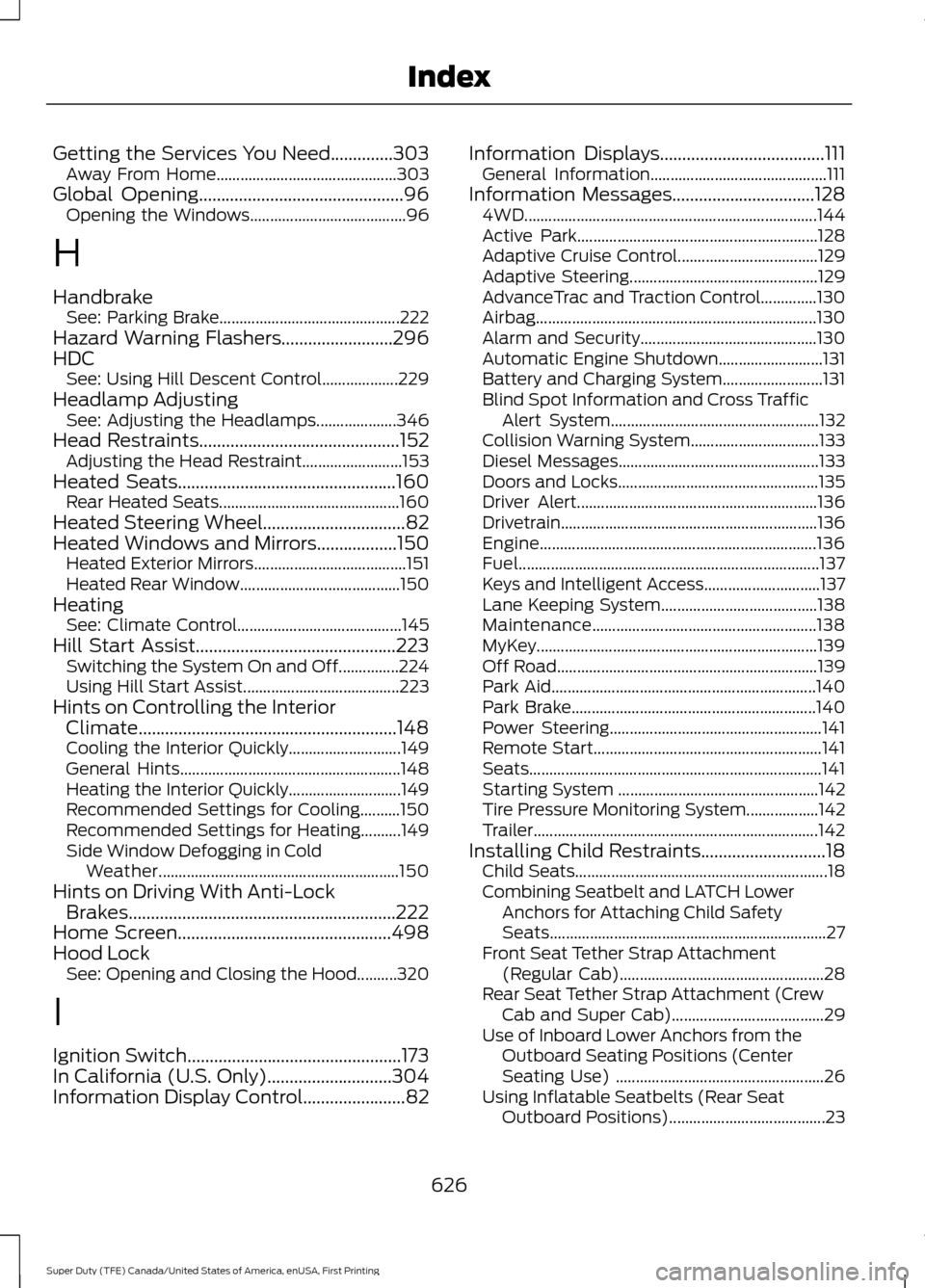
Getting the Services You Need..............303
Away From Home............................................. 303
Global Opening
..............................................96
Opening the Windows....................................... 96
H
Handbrake See: Parking Brake............................................. 222
Hazard Warning Flashers.........................296
HDC See: Using Hill Descent Control................... 229
Headlamp Adjusting See: Adjusting the Headlamps.................... 346
Head Restraints
.............................................152
Adjusting the Head Restraint......................... 153
Heated Seats.................................................160 Rear Heated Seats............................................. 160
Heated Steering Wheel
................................82
Heated Windows and Mirrors..................150 Heated Exterior Mirrors...................................... 151
Heated Rear Window........................................ 150
Heating See: Climate Control......................................... 145
Hill Start Assist
.............................................223
Switching the System On and Off...............224
Using Hill Start Assist....................................... 223
Hints on Controlling the Interior Climate..........................................................148
Cooling the Interior Quickly............................ 149
General Hints....................................................... 148
Heating the Interior Quickly............................ 149
Recommended Settings for Cooling..........150
Recommended Settings for Heating..........149
Side Window Defogging in Cold Weather............................................................ 150
Hints on Driving With Anti-Lock Brakes............................................................222
Home Screen................................................498
Hood Lock See: Opening and Closing the Hood..........320
I
Ignition Switch
................................................173
In California (U.S. Only)............................304
Information Display Control
.......................82 Information Displays.....................................111
General Information............................................ 111
Information Messages
................................128
4WD........................................................................\
. 144
Active Park............................................................ 128
Adaptive Cruise Control................................... 129
Adaptive Steering............................................... 129
AdvanceTrac and Traction Control..............130
Airbag...................................................................... 130
Alarm and Security............................................ 130
Automatic Engine Shutdown.......................... 131
Battery and Charging System......................... 131
Blind Spot Information and Cross Traffic Alert System.................................................... 132
Collision Warning System................................ 133
Diesel Messages.................................................. 133
Doors and Locks.................................................. 135
Driver Alert............................................................ 136
Drivetrain................................................................ 136
Engine..................................................................... 136
Fuel........................................................................\
... 137
Keys and Intelligent Access............................. 137
Lane Keeping System....................................... 138
Maintenance........................................................ 138
MyKey...................................................................... 139
Off Road................................................................. 139
Park Aid.................................................................. 140
Park Brake............................................................. 140
Power Steering..................................................... 141
Remote Start......................................................... 141
Seats........................................................................\
. 141
Starting System .................................................. 142
Tire Pressure Monitoring System.................. 142
Trailer....................................................................... 142
Installing Child Restraints
............................18
Child Seats............................................................... 18
Combining Seatbelt and LATCH Lower Anchors for Attaching Child Safety
Seats..................................................................... 27
Front Seat Tether Strap Attachment (Regular Cab)................................................... 28
Rear Seat Tether Strap Attachment (Crew Cab and Super Cab)...................................... 29
Use of Inboard Lower Anchors from the Outboard Seating Positions (Center
Seating Use) .................................................... 26
Using Inflatable Seatbelts (Rear Seat Outboard Positions)....................................... 23
626
Super Duty (TFE) Canada/United States of America, enUSA, First Printing Index
Page 632 of 636
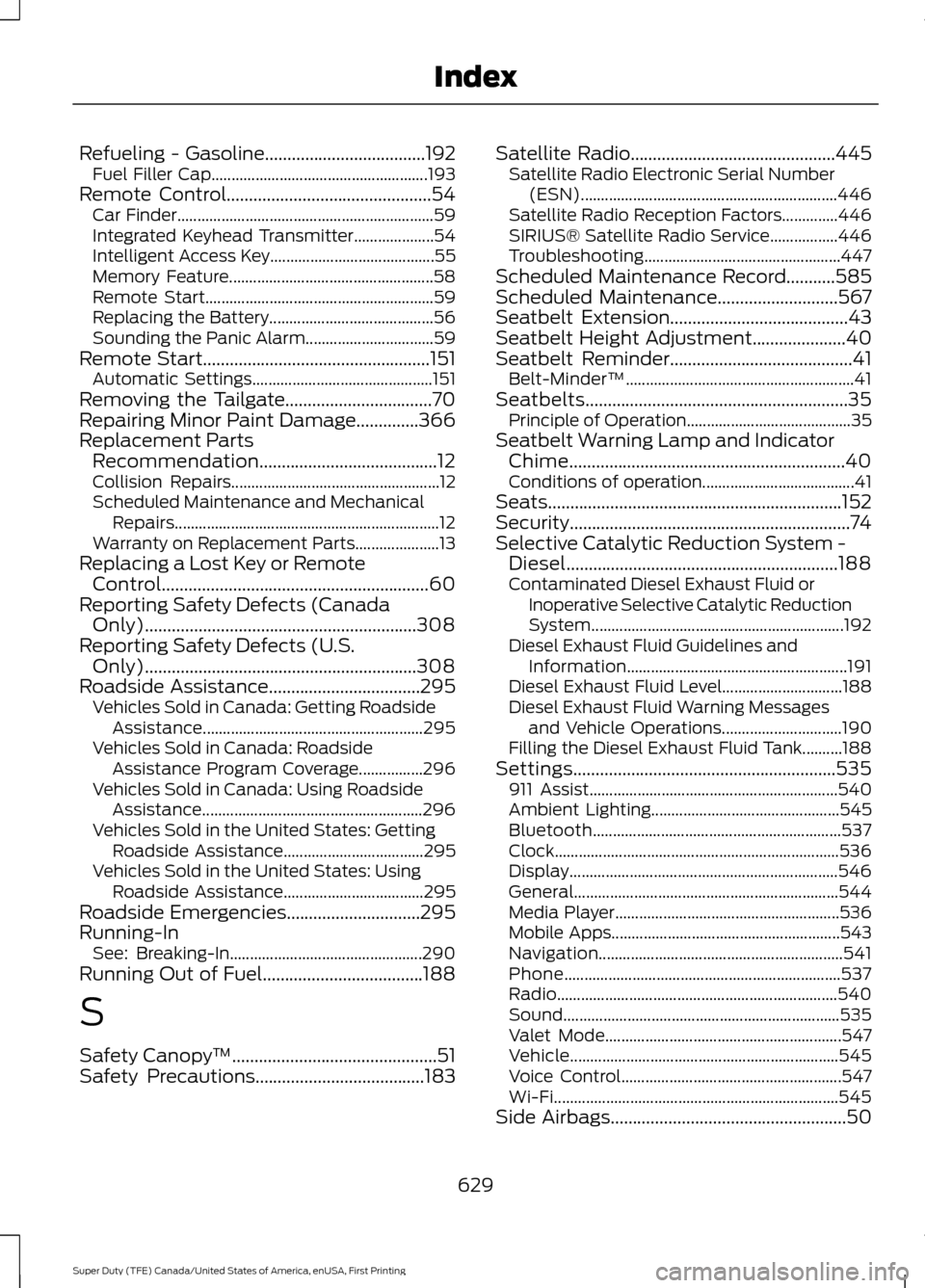
Refueling - Gasoline....................................192
Fuel Filler Cap...................................................... 193
Remote Control..............................................54 Car Finder................................................................ 59
Integrated Keyhead Transmitter....................54
Intelligent Access Key......................................... 55
Memory Feature................................................... 58
Remote Start......................................................... 59
Replacing the Battery......................................... 56
Sounding the Panic Alarm................................ 59
Remote Start...................................................151 Automatic Settings............................................. 151
Removing the Tailgate.................................70
Repairing Minor Paint Damage..............366
Replacement Parts Recommendation........................................12
Collision Repairs.................................................... 12
Scheduled Maintenance and Mechanical Repairs.................................................................. 12
Warranty on Replacement Parts..................... 13
Replacing a Lost Key or Remote Control............................................................60
Reporting Safety Defects (Canada Only).............................................................308
Reporting Safety Defects (U.S. Only).............................................................308
Roadside Assistance
..................................295
Vehicles Sold in Canada: Getting Roadside
Assistance....................................................... 295
Vehicles Sold in Canada: Roadside Assistance Program Coverage................296
Vehicles Sold in Canada: Using Roadside Assistance....................................................... 296
Vehicles Sold in the United States: Getting Roadside Assistance................................... 295
Vehicles Sold in the United States: Using Roadside Assistance................................... 295
Roadside Emergencies
..............................295
Running-In See: Breaking-In................................................ 290
Running Out of Fuel....................................188
S
Safety Canopy ™
..............................................51
Safety Precautions......................................183 Satellite Radio..............................................445
Satellite Radio Electronic Serial Number
(ESN)................................................................ 446
Satellite Radio Reception Factors..............446
SIRIUS® Satellite Radio Service.................446
Troubleshooting................................................. 447
Scheduled Maintenance Record
...........585
Scheduled Maintenance...........................567
Seatbelt Extension........................................43
Seatbelt Height Adjustment.....................40
Seatbelt Reminder.........................................41 Belt-Minder™......................................................... 41
Seatbelts...........................................................35 Principle of Operation......................................... 35
Seatbelt Warning Lamp and Indicator Chime..............................................................40
Conditions of operation...................................... 41
Seats..................................................................152
Security...............................................................74
Selective Catalytic Reduction System - Diesel.............................................................188
Contaminated Diesel Exhaust Fluid or Inoperative Selective Catalytic Reduction
System............................................................... 192
Diesel Exhaust Fluid Guidelines and Information....................................................... 191
Diesel Exhaust Fluid Level.............................. 188
Diesel Exhaust Fluid Warning Messages and Vehicle Operations.............................. 190
Filling the Diesel Exhaust Fluid Tank..........188
Settings...........................................................535 911 Assist.............................................................. 540
Ambient Lighting............................................... 545
Bluetooth.............................................................. 537
Clock....................................................................... 536
Display................................................................... 546
General.................................................................. 544
Media Player........................................................ 536
Mobile Apps......................................................... 543
Navigation............................................................. 541
Phone..................................................................... 537
Radio...................................................................... 540
Sound..................................................................... 535
Valet Mode........................................................... 547
Vehicle................................................................... 545
Voice Control....................................................... 547
Wi-Fi....................................................................... 545
Side Airbags
.....................................................50
629
Super Duty (TFE) Canada/United States of America, enUSA, First Printing Index