seats FORD SUPER DUTY 2017 4.G Workshop Manual
[x] Cancel search | Manufacturer: FORD, Model Year: 2017, Model line: SUPER DUTY, Model: FORD SUPER DUTY 2017 4.GPages: 636, PDF Size: 10.56 MB
Page 348 of 636
Make sure that you dispose of old batteries
in an environmentally friendly way. Seek
advice from your local authority about
recycling old batteries.
If storing your vehicle for more than 30
days without recharging the battery, we
recommend that you disconnect the
battery cables to maintain battery charge
for quick starting.
Battery Management System (If
Equipped)
The battery management system monitors
battery conditions and takes actions to
extend battery life. If excessive battery
drain is detected, the system temporarily
disables some electrical systems to
protect the battery.
Systems included are:
• Heated rear window.
• Heated seats.
• Climate control.
• Heated steering wheel.
• Audio unit.
• Navigation system.
A message may appear in the information
displays to alert you that battery
protection actions are active. These
messages are only for notification that an
action is taking place, and not intended to
indicate an electrical problem or that the
battery requires replacement.
After battery replacement, or in some
cases after charging the battery with an
external charger, the battery management
system requires eight hours of vehicle sleep
time to relearn the battery state of charge.
During this time your vehicle must remain
fully locked with the ignition switched off.
Note: Prior to relearning the battery state
of charge, the battery management system
may temporarily disable some electrical
systems. Electrical Accessory Installation
To make sure the battery management
system works correctly, do not connect an
electrical device ground connection
directly to the battery negative post. This
can cause inaccurate measurements of
the battery condition and potential
incorrect system operation.
Note:
If you add electrical accessories or
components to the vehicle, it may adversely
affect battery performance and durability.
This may also affect the performance of
other electrical systems in the vehicle.
CHECKING THE WIPER
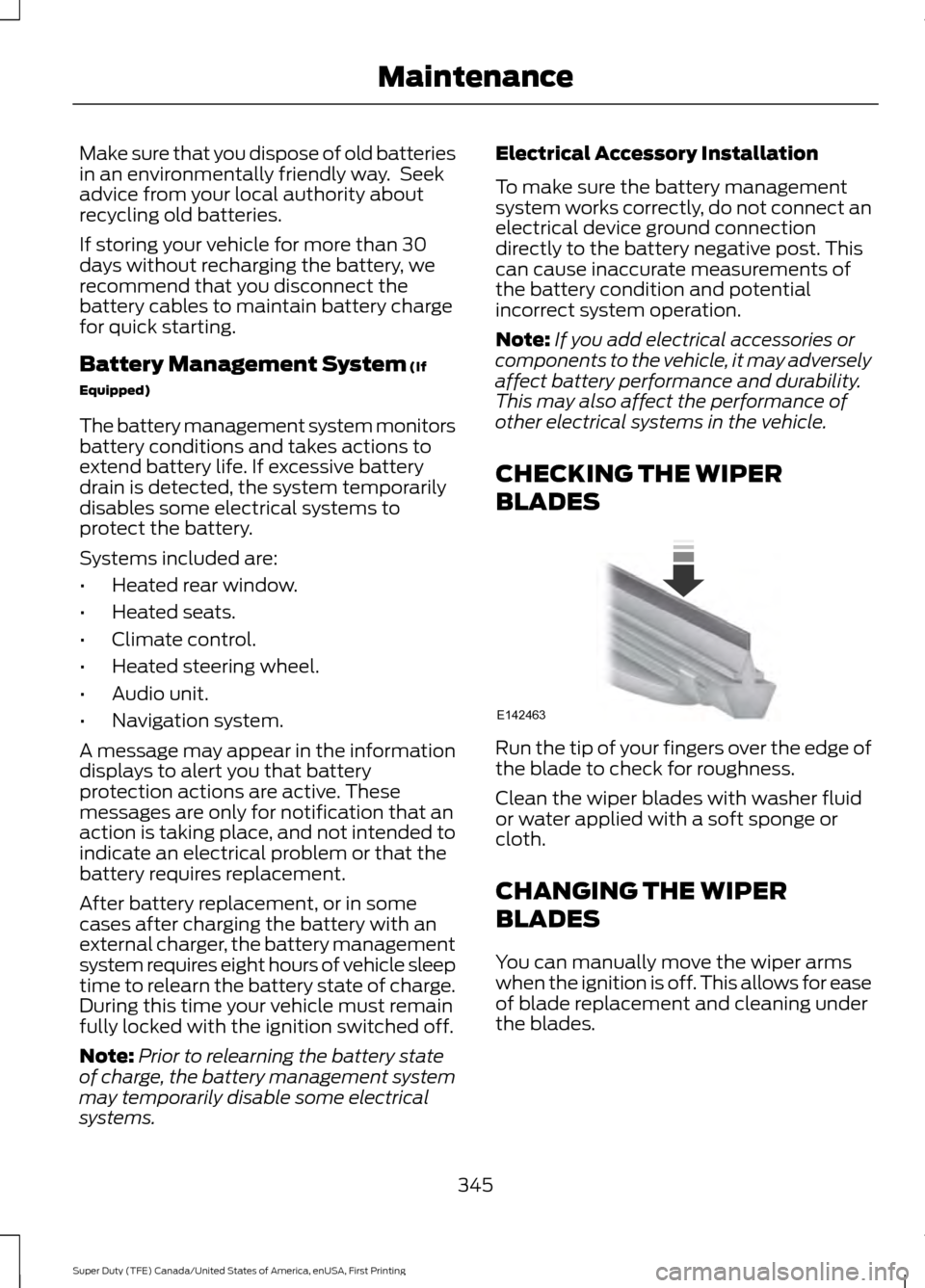
BLADES Run the tip of your fingers over the edge of
the blade to check for roughness.
Clean the wiper blades with washer fluid
or water applied with a soft sponge or
cloth.
CHANGING THE WIPER
BLADES
You can manually move the wiper arms
when the ignition is off. This allows for ease
of blade replacement and cleaning under
the blades.
345
Super Duty (TFE) Canada/United States of America, enUSA, First Printing MaintenanceE142463
Page 367 of 636
To clean the windshield and wiper blades:
•
Clean the windshield with a
non-abrasive glass cleaner. When
cleaning the interior of the windshield,
avoid getting any glass cleaner on the
instrument panel or door panels. Wipe
any glass cleaner off these surfaces
immediately.
• For windshields contaminated with
tree sap, chemicals, wax or bugs, clean
the entire windshield using steel wool
(no greater than 0000 grade) in a
circular motion and rinse with water.
• Clean the wiper blades with isopropyl
rubbing alcohol or windshield washer
concentrate.
Note: Do not use razor blades or other
sharp objects to clean or remove decals
from the inside of the heated rear window.
The vehicle warranty does not cover
damage caused to the heated rear window
grid lines.
CLEANING THE INTERIOR WARNINGS
Do not use cleaning solvents, bleach
or dye on the vehicle
’s safety belts,
as these actions may weaken the
belt webbing. On vehicles equipped with
seat-mounted airbags, do not use
chemical solvents or strong
detergents. Such products could
contaminate the side airbag system and
affect performance of the side airbag in a
collision. For fabric, carpets, cloth seats, safety belts
and seats equipped with side airbags:
•
Remove dust and loose dirt with a
vacuum cleaner.
• Remove light stains and soil with
Motorcraft Professional Strength
Carpet & Upholstery Cleaner.
• If grease or tar is present on the
material, spot-clean the area first with
Motorcraft Spot and Stain Remover. In
Canada, use Motorcraft Multi-Purpose
Cleaner.
• If a ring forms on the fabric after spot
cleaning, clean the entire area
immediately (but do not oversaturate)
or the ring will set.
• Do not use household cleaning
products or glass cleaners, which can
stain and discolor the fabric and affect
the flame retardant abilities of the seat
materials.
CLEANING THE INSTRUMENT
PANEL AND INSTRUMENT
CLUSTER LENS WARNING
Do not use chemical solvents or
strong detergents when cleaning the
steering wheel or instrument panel
to avoid contamination of the airbag
system. Note:
Follow the same procedure as
cleaning leather seats for cleaning leather
instrument panels and leather interior trim
surfaces. See Cleaning Leather Seats
(page 365).
Clean the instrument panel and cluster
lens with a clean, damp and soft cloth,
then use a clean, dry and soft cloth to dry
these areas.
364
Super Duty (TFE) Canada/United States of America, enUSA, First Printing Vehicle Care
Page 368 of 636
•
Avoid cleaners or polishes that increase
the gloss of the upper portion of the
instrument panel. The dull finish in this
area helps protect you from
undesirable windshield reflection.
• Do not use any household cleaning
products or glass cleaners as these
may damage the finish of the
instrument panel, interior trim and
cluster lens.
• Wash or wipe your hands clean if you
have been in contact with certain
products such as insect repellent and
suntan lotion to avoid possible damage
to the interior painted surfaces.
• Do not allow air fresheners and hand
sanitizers to spill onto interior surfaces.
If a spill occurs, wipe off immediately.
Your warranty may not cover these
damages.
If a staining liquid like coffee or juice has
been spilled on the instrument panel or on
interior trim surfaces:
1. Wipe up spilled liquid using a clean, soft cloth as quickly as possible.
2. Use Motorcraft Premium Leather and Vinyl Cleaner or a commercially
available leather cleaning product for
automotive interiors. Test any cleaner
or stain remover on an inconspicuous
area.
3. Alternatively, wipe the surface with a clean, soft cloth and a mild soap and
water solution. Dry the area with a
clean, soft cloth.
4. If necessary, apply more soap and water solution or cleaning product to
a clean, soft cloth and press it onto the
soiled area. Allow this to set at room
temperature for 30 minutes.
5. Remove the soaked cloth, then with a clean, damp cloth, use a rubbing
motion for 60 seconds on the soiled
area. 6. Dry the area with a clean, soft cloth.
CLEANING LEATHER SEATS (If
Equipped)
Without King Ranch Edition
Note: Follow the same procedure as
cleaning leather seats for cleaning leather
instrument panels and leather interior trim
surfaces.
For routine cleaning, wipe the surface with
a soft, damp cloth and a mild soap and
water solution. Dry the area with a clean,
soft cloth.
For cleaning and removing spots and stains
such as dye transfer, use Motorcraft
Premium Leather and Vinyl Cleaner or a
commercially available leather cleaning
product for automotive interiors.
Note: Test any cleaner or stain remover on
an inconspicuous area.
You should:
• Remove dust and loose dirt with a
vacuum cleaner.
• Clean and treat spills and stains as
soon as possible.
Do not use the following products as these
may damage the leather:
• Oil and petroleum or silicone-based
leather conditioners.
• Household cleaners.
• Alcohol solutions.
• Solvents or cleaners intended
specifically for rubber, vinyl and
plastics.
365
Super Duty (TFE) Canada/United States of America, enUSA, First Printing Vehicle Care
Page 453 of 636
Sunday, 10:30am-7:30pm EST.
In the United States, call 1-800-392-3673.
In Canada, call 1-800-565-3673.
Times are subject to change due to
holidays.
SYNC Owner Account
Why do I need a SYNC owner account?
•
Essential for keeping up with the latest
software downloads available for
SYNC.
• Access to customer support for any
questions you may have.
Driving Restrictions
For your safety, certain features are
speed-dependent and restricted when your
vehicle is traveling over 3 mi (5 km).
Safety Information WARNING
Driving while distracted can result in
loss of vehicle control, crash and
injury. We strongly recommend that
you use extreme caution when using any
device that may take your focus off the
road. Your primary responsibility is the safe
operation of your vehicle. We recommend
against the use of any hand-held device
while driving and encourage the use of
voice-operated systems when possible.
Make sure you are aware of all applicable
local laws that may affect the use of
electronic devices while driving. When using SYNC:
•
Do not operate playing devices if the
power cords or cables are broken, split
or damaged. Place cords and cables
out of the way, so they do not interfere
with the operation of pedals, seats,
compartments or safe driving abilities.
• Do not leave playing devices in your
vehicle during extreme conditions as it
could cause them damage. See your
device's manual for further information.
• Do not attempt to service or repair the
system. See an authorized dealer.
Privacy Information
When a cellular phone is connected to
SYNC, the system creates a profile within
your vehicle that is linked to that cellular
phone. This profile is created in order to
offer you more cellular features and to
operate more efficiently. Among other
things, this profile may contain data about
your cellular phone book, text messages
(read and unread), and call history,
including history of calls when your cellular
phone was not connected to the system.
In addition, if you connect a media device,
the system creates and retains an index of
supported media content. The system also
records a short development log of
approximately 10 minutes of all recent
system activity. The log profile and other
system data may be used to improve the
system and help diagnose any problems
that may occur.
The cellular profile, media device index,
and development log will remain in the
vehicle unless you delete them and are
generally accessible only in the vehicle
when the cellular phone or media player
is connected. If you no longer plan to use
the system or the vehicle, we recommend
you perform a Master Reset to erase all
stored information.
450
Super Duty (TFE) Canada/United States of America, enUSA, First Printing SYNC™
(If Equipped)
Page 497 of 636
If you do not cancel the call, and SYNC
makes a successful call, a pre-recorded
message plays for the 911 operator, and
then the occupant(s) in your vehicle is able
to talk with the operator. Be prepared to
provide your name, phone number and
location immediately, because not all 911
systems are capable of receiving this
information electronically.
911 Assist May Not Work If
•
Your cellular phone or 911 Assist
hardware sustains damage in a crash.
• The vehicle's battery or the SYNC
system has no power.
• The phone(s) thrown from your vehicle
are the ones paired and connected to
the system.
911 Assist Privacy Notice
When you switch on 911 Assist, it may
disclose to emergency services that your
vehicle has been in a crash involving the
deployment of an airbag or activation of
the fuel pump shut-off. Certain versions or
updates to 911 Assist may also be capable
of electronically or verbally disclosing to
911 operators your vehicle location or other
details about your vehicle or crash to assist
911 operators to provide the most
appropriate emergency services. If you do
not want to disclose this information, do
not switch the feature on. Safety Information WARNING
Driving while distracted can result in
loss of vehicle control, crash and
injury. We strongly recommend that
you use extreme caution when using any
device that may take your focus off the
road. Your primary responsibility is the safe
operation of your vehicle. We recommend
against the use of any hand-held device
while driving and encourage the use of
voice-operated systems when possible.
Make sure you are aware of all applicable
local laws that may affect the use of
electronic devices while driving. •
Do not attempt to service or repair the
system. Have an authorized dealer
check your vehicle.
• Do not operate playing devices if the
power cords or cables are broken, split
or damaged. Place cords and cables
out of the way, so they do not interfere
with the operation of pedals, seats,
compartments or safe driving abilities.
• Do not leave playing devices in your
vehicle during extreme conditions as it
could cause them damage. See your
device's user guide for further
information.
• For your safety, some SYNC 3 functions
are speed-dependent. Their use is
limited to when your vehicle is traveling
at speeds under 3 mph (5 km/h). Make
sure that you review your device's
manual before using it with SYNC 3.
Speed-restricted Features
Some features of this system may be too
difficult to use while your vehicle is moving
so they are restricted from use unless your
vehicle is stationary.
494
Super Duty (TFE) Canada/United States of America, enUSA, First Printing SYNC™ 3 (If Equipped)
Page 519 of 636
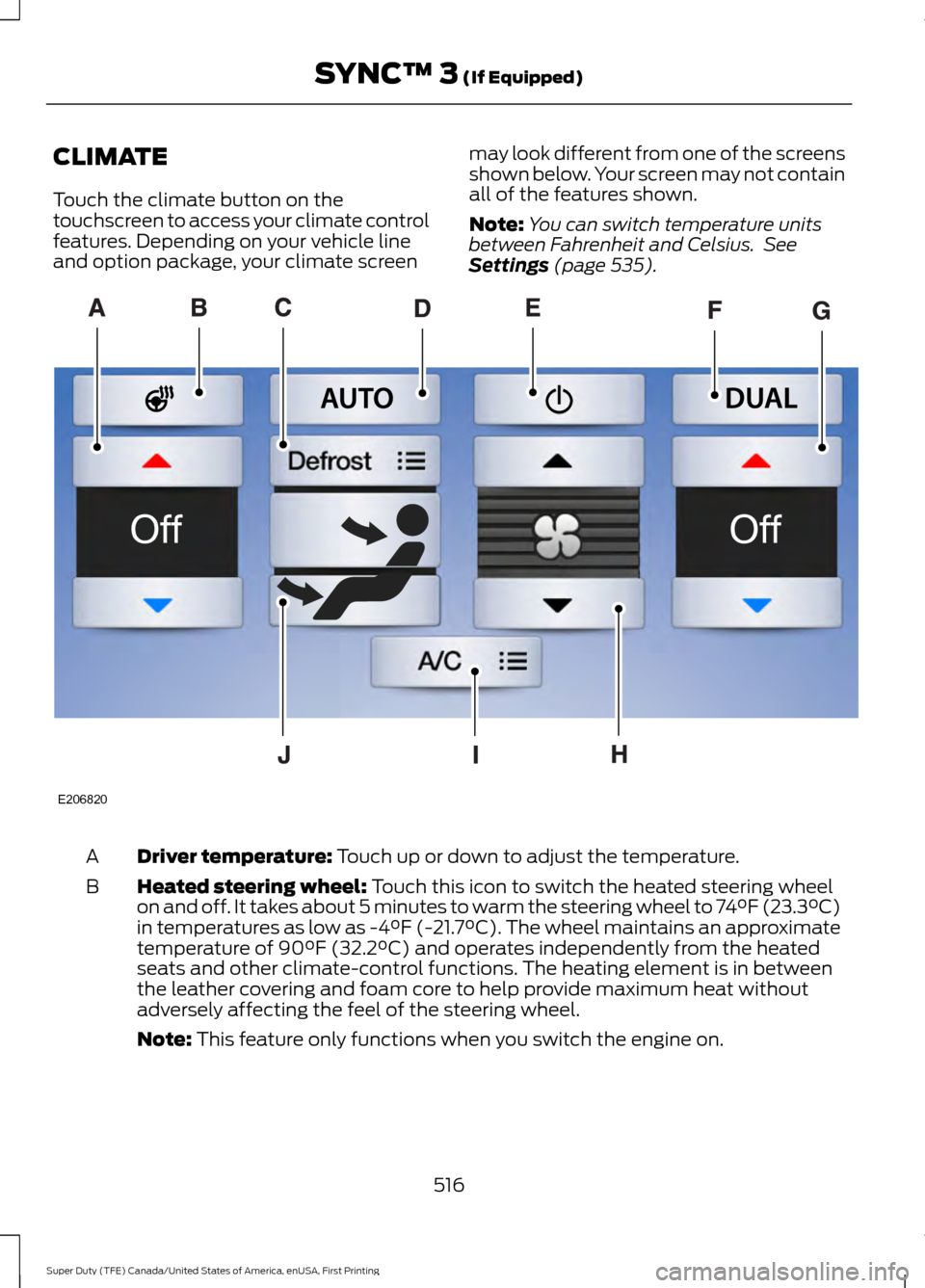
CLIMATE
Touch the climate button on the
touchscreen to access your climate control
features. Depending on your vehicle line
and option package, your climate screen
may look different from one of the screens
shown below. Your screen may not contain
all of the features shown.
Note:
You can switch temperature units
between Fahrenheit and Celsius. See
Settings (page 535). Driver temperature:
Touch up or down to adjust the temperature.
A
Heated steering wheel:
Touch this icon to switch the heated steering wheel
on and off. It takes about 5 minutes to warm the steering wheel to 74°F (23.3°C)
in temperatures as low as -4°F (-21.7°C). The wheel maintains an approximate
temperature of 90°F (32.2°C) and operates independently from the heated
seats and other climate-control functions. The heating element is in between
the leather covering and foam core to help provide maximum heat without
adversely affecting the feel of the steering wheel.
B
Note:
This feature only functions when you switch the engine on. 516
Super Duty (TFE) Canada/United States of America, enUSA, First Printing SYNC™ 3
(If Equipped)E206820
Page 625 of 636
Automatic Transmission Fluid
Check.............................................................337
Checking Automatic Transmission Fluid.................................................................... 337
Autowipers.......................................................84
Auxiliary Power Points...............................168 110 Volt - 400 Watt Capacity AC Power
Outlet................................................................. 168
12 Volt DC Power Point..................................... 168
Locations............................................................... 168
Auxiliary Switches
........................................561
For more information on the Upfitter
Interface Module and the auxiliary
switches, visit:................................................ 564
Upfitter Interface Module............................... 564
B
Battery See: Changing the 12V Battery..................... 343
Bed Extender
....................................................72
Grocery mode........................................................ 73
Tailgate mode........................................................ 72
Bed Ramps
....................................................265
Installing the Ramp Holder............................ 267
Stowing the Bed Ramp................................... 266
Using the Bed Ramp........................................ 265
Blind Spot Information System.............249 Blind Spot Information System with Trailer
Tow...................................................................... 251
Switching the System Off and On...............253
System Errors...................................................... 253
Using the System.............................................. 250
Bonnet Lock See: Opening and Closing the Hood..........320
Booster Seats..................................................30 Types of Booster Seats...................................... 30
Brake Fluid Check
.......................................340
Brakes................................................................221 General Information........................................... 221
Breaking-In....................................................290
Bulb Specification Chart
..........................350
C
Cabin Air Filter
.................................................151
California Proposition 65.............................12 Capacities and Specifications -
6.2L
.................................................................418
Specifications...................................................... 419
Capacities and Specifications - 6.7L Diesel............................................................428
Engine Oil Specifications................................ 433
Specifications..................................................... 430
Capacities and Specifications - 6.8L................................................................422
Specifications..................................................... 424
Capacities and Specifications
..................411
Car Wash See: Cleaning the Exterior............................... 361
Center Console
..............................................170
Changing a Bulb...........................................347 Cargo Lamp and Central High Mounted
Brake Lamp Bulbs........................................ 350
Fog Lamp Bulbs................................................. 348
Front Park and Direction Indicator Lamp Bulbs.................................................................. 347
Headlamp Bulbs................................................ 348
License Plate Lamp Bulb............................... 350
Rear Lamps, Brake Lamps, Rear Direction Indicator and Reversing Lamp
Bulbs................................................................. 349
Changing a Fuse
...........................................318
Fuses....................................................................... 318
Changing a Road Wheel...........................398 Dissimilar Spare Wheel and Tire Assembly
Information..................................................... 398
Location of the Spare Tire and Tools........399
Removing the Spare Tire (With Spare Tire Carrier Only).................................................. 400
Tire Change Procedure.................................... 401
Changing the 12V Battery
.........................343
Battery Management System....................... 345
Changing the Coalescer Filter Element.........................................................327
Changing the Engine Air Filter - 6.2L/ 6.8L................................................................353
Changing the Engine Air Filter - 6.7L Diesel
.............................................................354
Air Filter Restriction Gauge............................ 355
Changing the Engine-Mounted and Diesel Fuel Conditioner Module Fuel
Filters - 6.7L Diesel
...................................356
Diesel Fuel Conditioner Module
Filter................................................................... 356
622
Super Duty (TFE) Canada/United States of America, enUSA, First Printing Index
Page 626 of 636
Engine-mounted Fuel Filter...........................
358
Changing the Engine Oil and Oil Filter...............................................................326
Engine lubrication for severe service operation.......................................................... 327
Changing the Wiper Blades.....................345
Checking MyKey System Status...............63 MyKey Distance.................................................... 63
Number of Admin Keys...................................... 63
Number of MyKeys.............................................. 63
Checking the Wiper Blades.....................345
Child Restraint and Seatbelt Maintenance.................................................42
Child Restraint Positioning.........................32
Child Safety
........................................................17
General Information............................................. 17
Child Safety Locks..........................................33 Left-Hand Side...................................................... 34
Right-Hand Side................................................... 34
Cleaning Leather Seats
.............................365
With King Ranch Edition................................. 366
Without King Ranch Edition.......................... 365
Cleaning Products
......................................360
Cleaning the Engine....................................362
Cleaning the Exhaust - 6.7L Diesel.......363
Cleaning the Exterior...................................361 Exterior Chrome Parts...................................... 361
Exterior Plastic Parts......................................... 361
Stripes or Graphics............................................. 361
Underbody........................................................... 362
Under Hood......................................................... 362
Cleaning the Instrument Panel and Instrument Cluster Lens........................364
Cleaning the Interior
...................................364
Cleaning the Wheels..................................366
Cleaning the Windows and Wiper Blades...........................................................363
Clearing All MyKeys.......................................63
Climate.............................................................516
Climate Control
.............................................145
Climate Controlled Seats...........................161 Cooled Seats......................................................... 161
Heated Seats......................................................... 161
Collision Warning System
........................258
Principle Of Operation..................................... 258Coolant Check
See: Engine Coolant Check - 6.2L/6.8L.....329
See: Engine Coolant Check - 6.7L
Diesel................................................................. 333
Crash Sensors and Airbag Indicator
........52
Creating a MyKey............................................62
Programming or Changing Configurable
Settings............................................................... 63
Cross Traffic Alert
........................................254
False Alerts.......................................................... 256
Switching the System Off and On..............256
System Errors...................................................... 256
System Lights, Messages and Audible Alerts................................................................. 255
System Limitations........................................... 256
Using the System............................................... 254
Cruise Control..................................................82 Principle of Operation...................................... 239
Type 1........................................................................\
82
Type 2....................................................................... 82
Cruise control See: Using Cruise Control............................... 239
Customer Assistance
.................................303
D
Data Recording
................................................10
Event Data Recording.......................................... 10
Service Data Recording...................................... 10
Daytime Running Lamps............................88 Type 1 - Conventional
(Non-Configurable)....................................... 88
Type 2 - Configurable......................................... 88
Diesel Particulate Filter..............................180 Regeneration....................................................... 180
Digital Radio
..................................................442
HD Radio Reception and Station
Troubleshooting............................................ 444
Direction Indicators
.......................................90
Doors and Locks.............................................65
DPF See: Diesel Particulate Filter.......................... 180
Draining the Fuel Filter Water Trap - 6.7L Diesel.............................................................342
Draining the Diesel Fuel Conditioner Module.............................................................. 342
Driver and Passenger Airbags...................45 Children and Airbags.......................................... 50
623
Super Duty (TFE) Canada/United States of America, enUSA, First Printing Index
Page 629 of 636
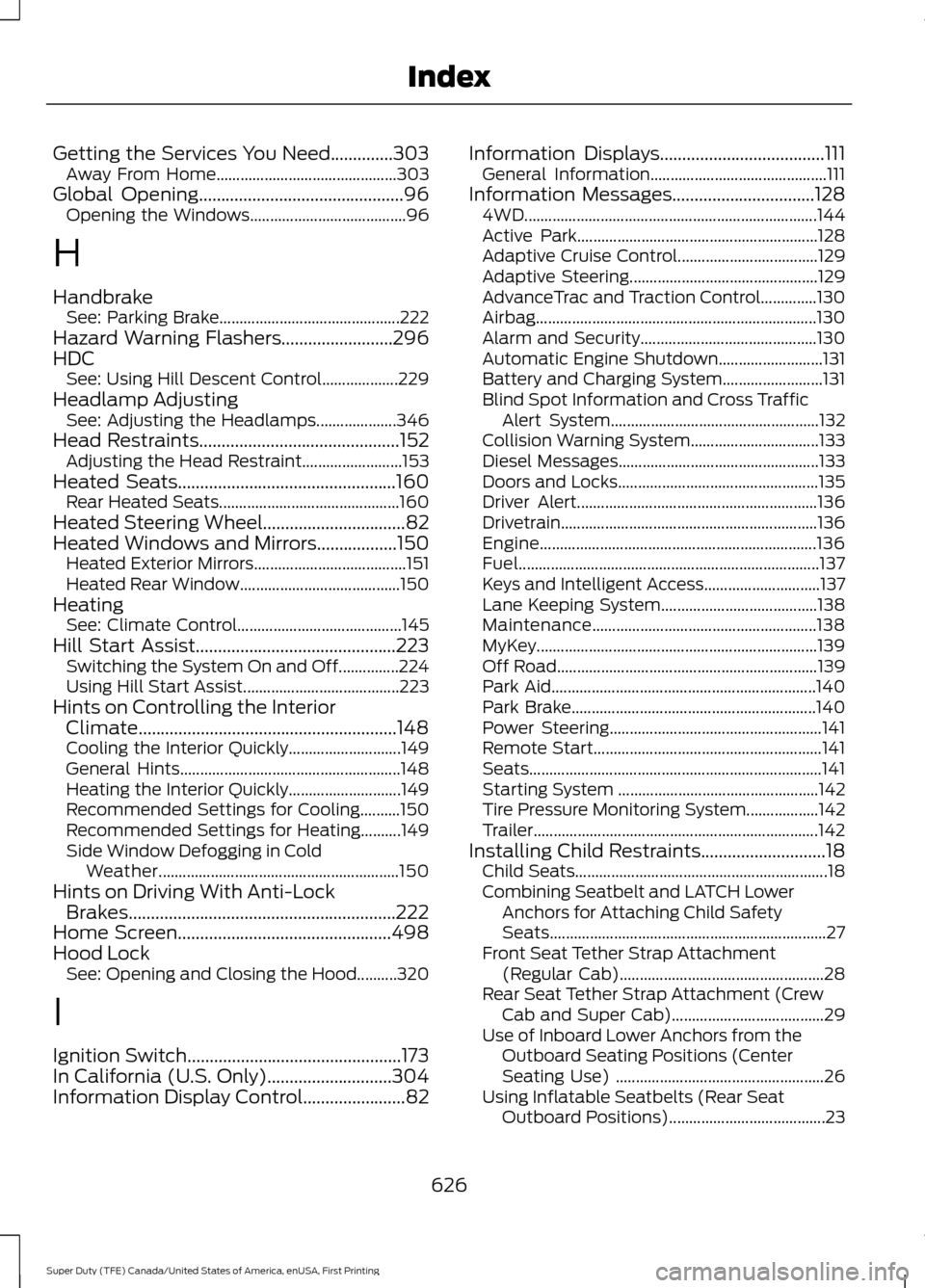
Getting the Services You Need..............303
Away From Home............................................. 303
Global Opening
..............................................96
Opening the Windows....................................... 96
H
Handbrake See: Parking Brake............................................. 222
Hazard Warning Flashers.........................296
HDC See: Using Hill Descent Control................... 229
Headlamp Adjusting See: Adjusting the Headlamps.................... 346
Head Restraints
.............................................152
Adjusting the Head Restraint......................... 153
Heated Seats.................................................160 Rear Heated Seats............................................. 160
Heated Steering Wheel
................................82
Heated Windows and Mirrors..................150 Heated Exterior Mirrors...................................... 151
Heated Rear Window........................................ 150
Heating See: Climate Control......................................... 145
Hill Start Assist
.............................................223
Switching the System On and Off...............224
Using Hill Start Assist....................................... 223
Hints on Controlling the Interior Climate..........................................................148
Cooling the Interior Quickly............................ 149
General Hints....................................................... 148
Heating the Interior Quickly............................ 149
Recommended Settings for Cooling..........150
Recommended Settings for Heating..........149
Side Window Defogging in Cold Weather............................................................ 150
Hints on Driving With Anti-Lock Brakes............................................................222
Home Screen................................................498
Hood Lock See: Opening and Closing the Hood..........320
I
Ignition Switch
................................................173
In California (U.S. Only)............................304
Information Display Control
.......................82 Information Displays.....................................111
General Information............................................ 111
Information Messages
................................128
4WD........................................................................\
. 144
Active Park............................................................ 128
Adaptive Cruise Control................................... 129
Adaptive Steering............................................... 129
AdvanceTrac and Traction Control..............130
Airbag...................................................................... 130
Alarm and Security............................................ 130
Automatic Engine Shutdown.......................... 131
Battery and Charging System......................... 131
Blind Spot Information and Cross Traffic Alert System.................................................... 132
Collision Warning System................................ 133
Diesel Messages.................................................. 133
Doors and Locks.................................................. 135
Driver Alert............................................................ 136
Drivetrain................................................................ 136
Engine..................................................................... 136
Fuel........................................................................\
... 137
Keys and Intelligent Access............................. 137
Lane Keeping System....................................... 138
Maintenance........................................................ 138
MyKey...................................................................... 139
Off Road................................................................. 139
Park Aid.................................................................. 140
Park Brake............................................................. 140
Power Steering..................................................... 141
Remote Start......................................................... 141
Seats........................................................................\
. 141
Starting System .................................................. 142
Tire Pressure Monitoring System.................. 142
Trailer....................................................................... 142
Installing Child Restraints
............................18
Child Seats............................................................... 18
Combining Seatbelt and LATCH Lower Anchors for Attaching Child Safety
Seats..................................................................... 27
Front Seat Tether Strap Attachment (Regular Cab)................................................... 28
Rear Seat Tether Strap Attachment (Crew Cab and Super Cab)...................................... 29
Use of Inboard Lower Anchors from the Outboard Seating Positions (Center
Seating Use) .................................................... 26
Using Inflatable Seatbelts (Rear Seat Outboard Positions)....................................... 23
626
Super Duty (TFE) Canada/United States of America, enUSA, First Printing Index
Page 630 of 636
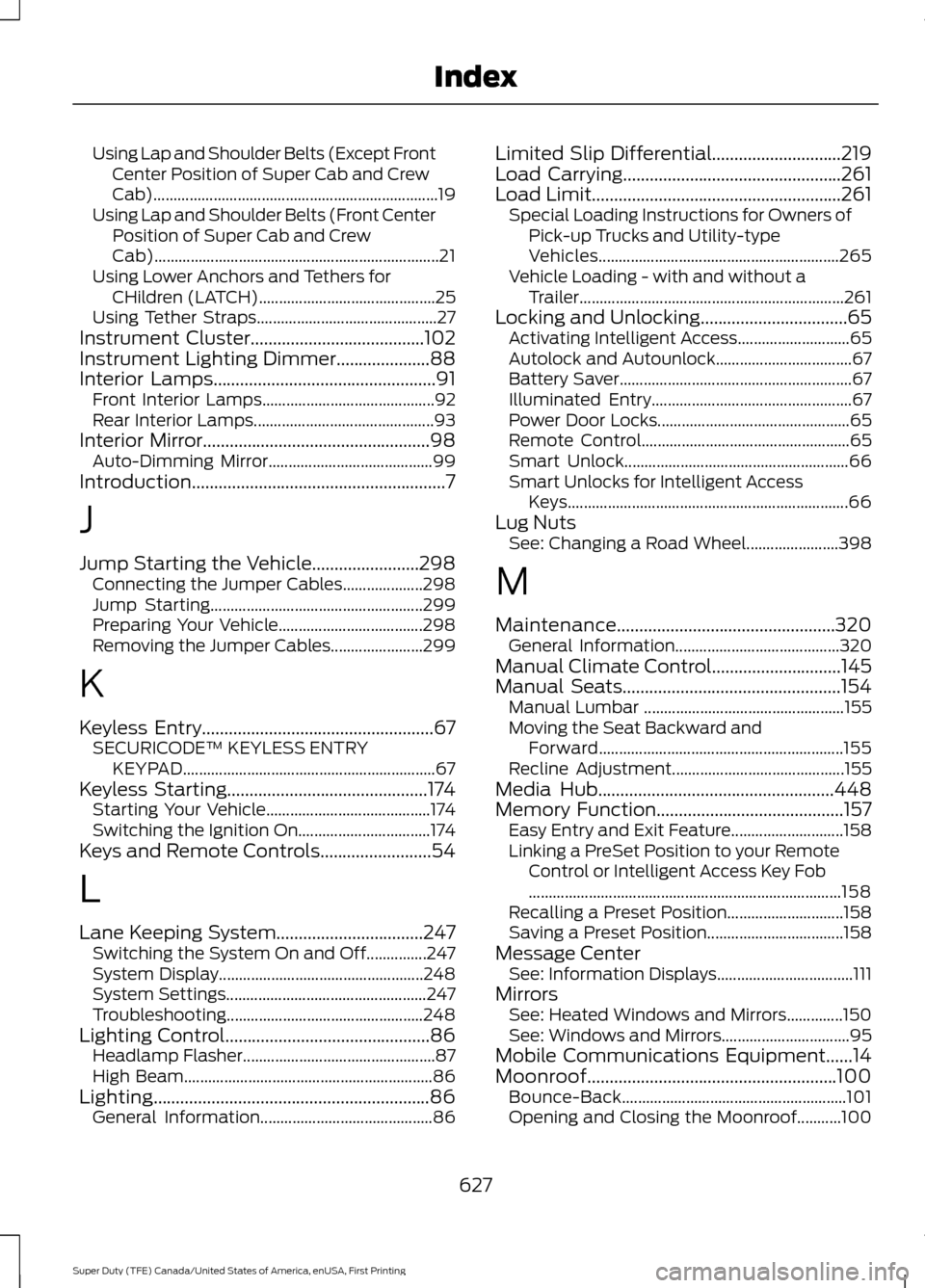
Using Lap and Shoulder Belts (Except Front
Center Position of Super Cab and Crew
Cab)....................................................................... 19
Using Lap and Shoulder Belts (Front Center Position of Super Cab and Crew
Cab)....................................................................... 21
Using Lower Anchors and Tethers for CHildren (LATCH)............................................ 25
Using Tether Straps............................................. 27
Instrument Cluster.......................................102
Instrument Lighting Dimmer.....................88
Interior Lamps..................................................91 Front Interior Lamps........................................... 92
Rear Interior Lamps............................................. 93
Interior Mirror
...................................................98
Auto-Dimming Mirror......................................... 99
Introduction.........................................................7
J
Jump Starting the Vehicle........................298 Connecting the Jumper Cables.................... 298
Jump Starting..................................................... 299
Preparing Your Vehicle.................................... 298
Removing the Jumper Cables....................... 299
K
Keyless Entry
....................................................67
SECURICODE™ KEYLESS ENTRY
KEYPAD............................................................... 67
Keyless Starting
.............................................174
Starting Your Vehicle......................................... 174
Switching the Ignition On................................. 174
Keys and Remote Controls.........................54
L
Lane Keeping System
.................................247
Switching the System On and Off...............247
System Display................................................... 248
System Settings.................................................. 247
Troubleshooting................................................. 248
Lighting Control..............................................86 Headlamp Flasher................................................ 87
High Beam.............................................................. 86
Lighting..............................................................86 General Information........................................... 86Limited Slip Differential.............................219
Load Carrying
.................................................261
Load Limit........................................................261
Special Loading Instructions for Owners of
Pick-up Trucks and Utility-type
Vehicles............................................................ 265
Vehicle Loading - with and without a Trailer.................................................................. 261
Locking and Unlocking.................................65 Activating Intelligent Access............................ 65
Autolock and Autounlock.................................. 67
Battery Saver.......................................................... 67
Illuminated Entry.................................................. 67
Power Door Locks................................................ 65
Remote Control.................................................... 65
Smart Unlock........................................................ 66
Smart Unlocks for Intelligent Access Keys...................................................................... 66
Lug Nuts See: Changing a Road Wheel....................... 398
M
Maintenance.................................................320 General Information......................................... 320
Manual Climate Control
.............................145
Manual Seats.................................................154
Manual Lumbar .................................................. 155
Moving the Seat Backward and Forward............................................................. 155
Recline Adjustment........................................... 155
Media Hub
.....................................................448
Memory Function..........................................157 Easy Entry and Exit Feature............................ 158
Linking a PreSet Position to your Remote Control or Intelligent Access Key Fob
........................................................................\
...... 158
Recalling a Preset Position............................. 158
Saving a Preset Position.................................. 158
Message Center See: Information Displays.................................. 111
Mirrors See: Heated Windows and Mirrors..............150
See: Windows and Mirrors................................ 95
Mobile Communications Equipment......14
Moonroof........................................................100 Bounce-Back
........................................................ 101
Opening and Closing the Moonroof...........100
627
Super Duty (TFE) Canada/United States of America, enUSA, First Printing Index