sensor FORD SUPER DUTY 2017 4.G Workshop Manual
[x] Cancel search | Manufacturer: FORD, Model Year: 2017, Model line: SUPER DUTY, Model: FORD SUPER DUTY 2017 4.GPages: 636, PDF Size: 10.56 MB
Page 394 of 636
As an added safety feature, your vehicle
has been equipped with a Tire Pressure
Monitoring System (TPMS) that
illuminates a low tire pressure telltale
when one or more of your tires is
significantly under-inflated. Accordingly,
when the low tire pressure telltale
illuminates, you should stop and check
your tires as soon as possible, and inflate
them to the proper pressure. Driving on a
significantly under-inflated tire causes the
tire to overheat and can lead to tire failure.
Under-inflation also reduces fuel efficiency
and tire tread life, and may affect the
vehicle
’s handling and stopping ability.
Please note that the TPMS is not a
substitute for proper tire maintenance, and
it is the driver ’s responsibility to maintain
correct tire pressure, even if under-inflation
has not reached the level to trigger
illumination of the TPMS low tire pressure
telltale.
Your vehicle has also been equipped with
a TPMS malfunction indicator to indicate
when the system is not operating properly.
The TPMS malfunction indicator is
combined with the low tire pressure
telltale. When the system detects a
malfunction, the telltale will flash for
approximately one minute and then remain
continuously illuminated. This sequence
will continue upon subsequent vehicle
start-ups as long as the malfunction exists.
When the malfunction indicator is
illuminated, the system may not be able
to detect or signal low tire pressure as
intended. TPMS malfunctions may occur
for a variety of reasons, including the
installation of replacement or alternate
tires or wheels on the vehicle that prevent
the TPMS from functioning properly.
Always check the TPMS malfunction
telltale after replacing one or more tires or
wheels on your vehicle to ensure that the
replacement or alternate tires and wheels
allow the TPMS to continue to function
properly. This device complies with Part 15 of the
FCC Rules and with Industry Canada
license-exempt RSS standard(s).
Operation is subject to the following two
conditions:
•
This device may not cause harmful
interference.
• This device must accept any
interference received, including
interference that may cause undesired
operation.
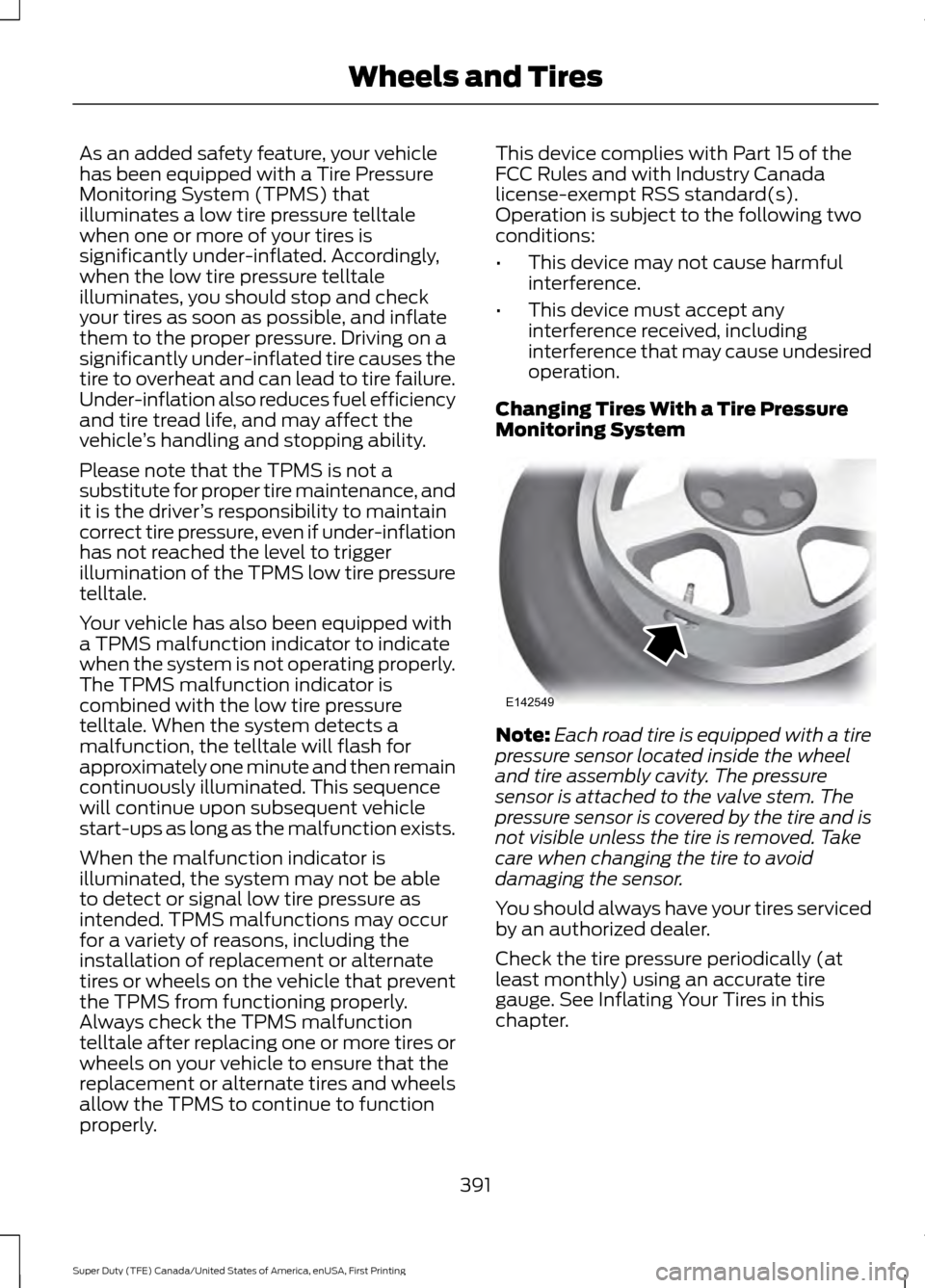
Changing Tires With a Tire Pressure
Monitoring System Note:
Each road tire is equipped with a tire
pressure sensor located inside the wheel
and tire assembly cavity. The pressure
sensor is attached to the valve stem. The
pressure sensor is covered by the tire and is
not visible unless the tire is removed. Take
care when changing the tire to avoid
damaging the sensor.
You should always have your tires serviced
by an authorized dealer.
Check the tire pressure periodically (at
least monthly) using an accurate tire
gauge. See Inflating Your Tires in this
chapter.
391
Super Duty (TFE) Canada/United States of America, enUSA, First Printing Wheels and TiresE142549
Page 396 of 636
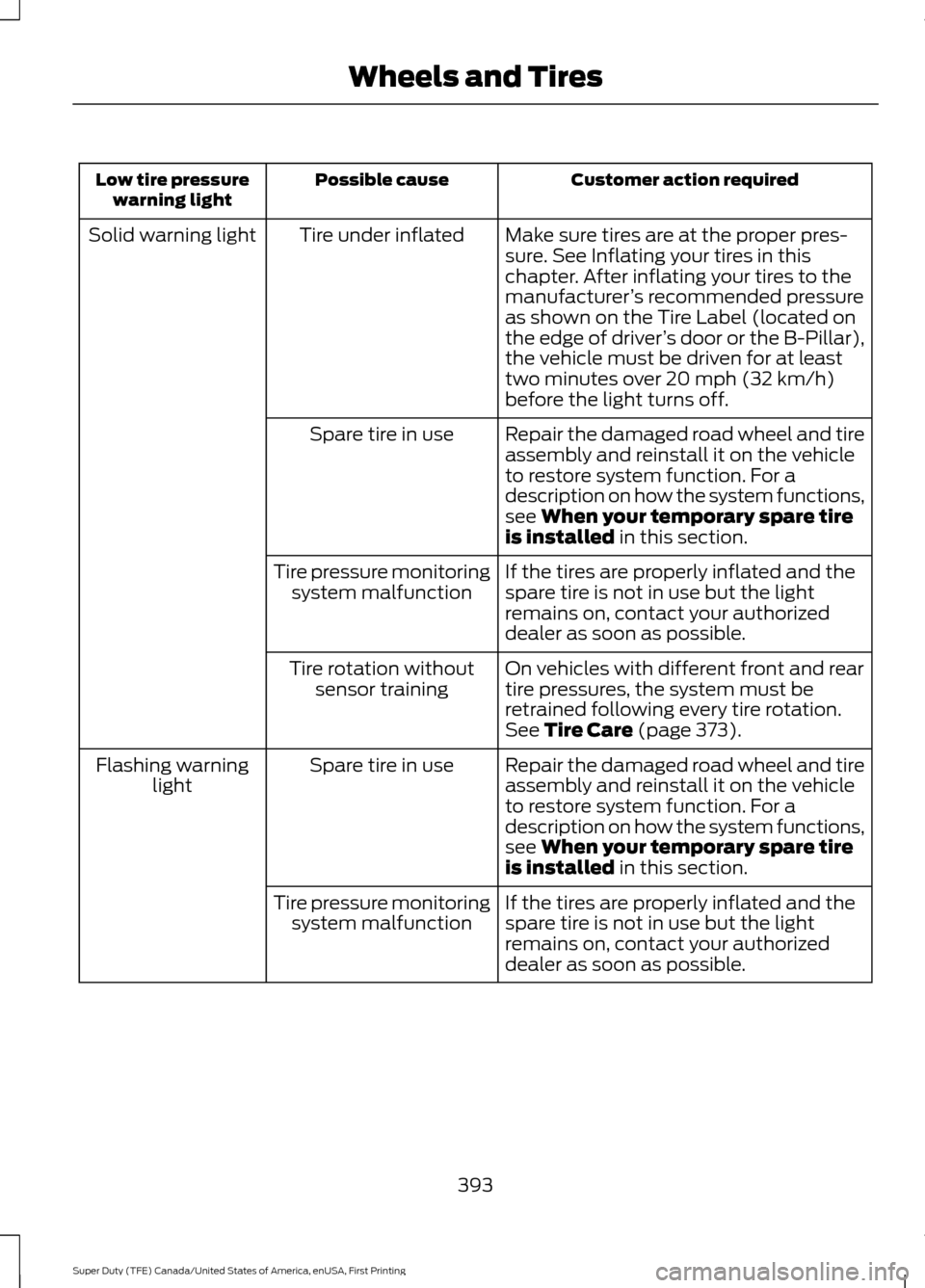
Customer action required
Possible cause
Low tire pressure
warning light
Make sure tires are at the proper pres-
sure. See Inflating your tires in this
chapter. After inflating your tires to the
manufacturer’s recommended pressure
as shown on the Tire Label (located on
the edge of driver ’s door or the B-Pillar),
the vehicle must be driven for at least
two minutes over 20 mph (32 km/h)
before the light turns off.
Tire under inflated
Solid warning light
Repair the damaged road wheel and tire
assembly and reinstall it on the vehicle
to restore system function. For a
description on how the system functions,
see When your temporary spare tire
is installed in this section.
Spare tire in use
If the tires are properly inflated and the
spare tire is not in use but the light
remains on, contact your authorized
dealer as soon as possible.
Tire pressure monitoring
system malfunction
On vehicles with different front and rear
tire pressures, the system must be
retrained following every tire rotation.
See
Tire Care (page 373).
Tire rotation without
sensor training
Repair the damaged road wheel and tire
assembly and reinstall it on the vehicle
to restore system function. For a
description on how the system functions,
see
When your temporary spare tire
is installed in this section.
Spare tire in use
Flashing warning
light
If the tires are properly inflated and the
spare tire is not in use but the light
remains on, contact your authorized
dealer as soon as possible.
Tire pressure monitoring
system malfunction
393
Super Duty (TFE) Canada/United States of America, enUSA, First Printing Wheels and Tires
Page 398 of 636
•
To reduce the chances of interference
from another vehicle, perform the
system reset procedure at least three
feet (one meter) away from another
Ford Motor Company vehicle
undergoing the system reset procedure
at the same time.
• Do not wait more than two minutes
between resetting each tire sensor or
the system will time-out and the entire
procedure will have to be repeated on
all four wheels.
• A double horn will sound indicating the
need to repeat the procedure.
Performing the System Reset Procedure
(Single Rear Wheel)
Read the entire procedure before
attempting.
1. Drive the vehicle above 20 mph
(32 km/h) for at least two minutes,
then park in a safe location where you
can easily get to all four tires and have
access to an air pump.
2. Place the ignition in the off position and
keep the key in the ignition.
3. Cycle the ignition to the on position with the engine off.
4. Turn the hazard flashers on then off three times. You must accomplish this
within 10 seconds. If the reset mode
has been entered successfully, the horn
will sound once, the system indicator
will flash and a message is shown in
the information display. If this does not
occur, please try again starting at Step
2. If after repeated attempts to enter
the reset mode, the horn does not
sound, the system indicator does not
flash and no message is shown in the
information display, seek service from
your authorized dealer. 5. Train the tire pressure monitoring
system sensors in the tires using the
following system reset sequence
starting with the left front tire in the
following clockwise order: Left front
(driver's side front tire), Right front
(passenger's side front tire), Right rear
(passenger's side rear tire), Left rear
(driver's side rear tire).
6. Remove the valve cap from the valve stem on the left front tire. Decrease the
air pressure until the horn sounds.
Note: The single horn chirp confirms that
the sensor identification code has been
learned by the module for this position. If a
double horn is heard, the reset procedure
was unsuccessful, and you must repeat it.
7. Remove the valve cap from the valve stem on the right front tire. Decrease
the air pressure until the horn sounds.
8. Remove the valve cap from the valve stem on the right rear tire. Decrease the
air pressure until the horn sounds.
9. Remove the valve cap from the valve stem on the left rear tire. Decrease the
air pressure until the horn sounds.
Training is complete after the horn
sounds for the last tire trained (driver's
side rear tire), the system indicator
stops flashing, and a message is shown
in the information display.
10. Turn the ignition off. If two short horn
beeps are heard, the reset procedure
was unsuccessful and you must
repeat it. If after repeating the
procedure and two short beeps are
heard when the ignition is turned to
off, seek assistance from your
authorized dealer.
395
Super Duty (TFE) Canada/United States of America, enUSA, First Printing Wheels and Tires
Page 399 of 636
11.
Set all four tires to the recommended
air pressure as indicated on the
Safety Compliance Certification
Label (affixed to either the door hinge
pillar, door-latch post, or the door
edge that meets the door-latch post,
next to the driver's seating position)
or Tire Label located on the B-Pillar
or the edge of the driver's door.
Performing the System Reset Procedure
(Dual Rear Wheel)
For further information see
Understanding Your Tire Pressure
Monitoring System and refer to Dual
Rear Wheel, earlier in this section.
Read the entire procedure before
attempting.
1. Drive the vehicle above
20 mph
(32 km/h) for at least two minutes,
then park in a safe location where you
can easily get to all four tires and have
access to an air pump.
2. Place the ignition in the off position and
keep the key in the ignition.
3. Cycle the ignition to the on position with the engine off.
4. Turn the hazard flashers on then off three times. You must accomplish this
within 10 seconds. If the reset mode
has been entered successfully, the horn
will sound once, the system indicator
will flash and a message is shown in
the information display. If this does not
occur, please try again starting at Step
2. If after repeated attempts to enter
the reset mode, the horn does not
sound, the system indicator does not
flash and no message is shown in the
information display, seek service from
your authorized dealer. 5. Train the tire pressure monitoring
system sensors in the tires using the
following system reset sequence
starting with the left front tire in the
following order: Left front (driver's side
front tire), Right front (passenger's side
front tire), Right outer rear (passenger's
side rear outer tire), Right inner rear
(passenger's side rear inner tire), Left
outer rear (driver's side rear outer tire),
Left inner rear (driver's side rear inner
tire).
6. Remove the valve cap from the valve stem on the left front tire. Decrease the
air pressure until the horn sounds.
Note: The single horn chirp confirms that
the sensor identification code has been
learned by the module for this position. If a
double horn is heard, the reset procedure
was unsuccessful, and you must repeat it.
7. Remove the valve cap from the valve stem on the right front tire. Decrease
the air pressure until the horn sounds.
8. Remove the valve cap from the valve stem on the right outer rear tire.
Decrease the air pressure until the horn
sounds.
9. Remove the valve cap from the valve stem on the right inner rear tire.
Decrease the air pressure until the horn
sounds.
10. Remove the valve cap from the valve
stem on the left outer rear tire.
Decrease the air pressure until the
horn sounds.
11. Remove the valve cap from the valve
stem on the left inner rear tire.
Decrease the air pressure until the
horn sounds. Training is complete
after the horn sounds for the last tire
trained, the system indicator stops
flashing, and a message is shown in
the information display.
396
Super Duty (TFE) Canada/United States of America, enUSA, First Printing Wheels and Tires
Page 400 of 636
12.
Turn the ignition off. If two short horn
beeps are heard, the reset procedure
was unsuccessful and you must
repeat it. If after repeating the
procedure and two short beeps are
heard when the ignition is turned to
off, seek assistance from your
authorized dealer.
13. Set all four tires to the recommended
air pressure as indicated on the
Safety Compliance Certification
Label (affixed to either the door hinge
pillar, door-latch post, or the door
edge that meets the door-latch post,
next to the driver's seating position)
or Tire Label located on the B-Pillar
or the edge of the driver's door.
Trailer Tire Pressure Monitoring
System (If Equipped)
Note: Additional equipment may be
required for your vehicle to support trailer
tire pressure monitoring. See your authorized
dealer for more information.
Note: The trailer tire pressure monitoring
system is not a substitute for proper tire
maintenance. It is your responsibility to
maintain correct tire pressures at all times.
Note: If a trailer tire is repaired, replaced or
broken down for service, the screw and valve
on the trailer tire pressure sensor should be
replaced. See your authorized dealer for
details. The trailer tire pressure monitoring system
is an added safety feature that allows you
to view your trailer tire pressures through
the information display. See
General
Information (page 111). Tire pressure
sensors are mounted into each tire on your
trailer. The sensors send a message to your
vehicle indicating the current trailer tire
pressure.
If the trailer tire pressure monitoring
system detects that a tire is low, a warning
message appears in the information
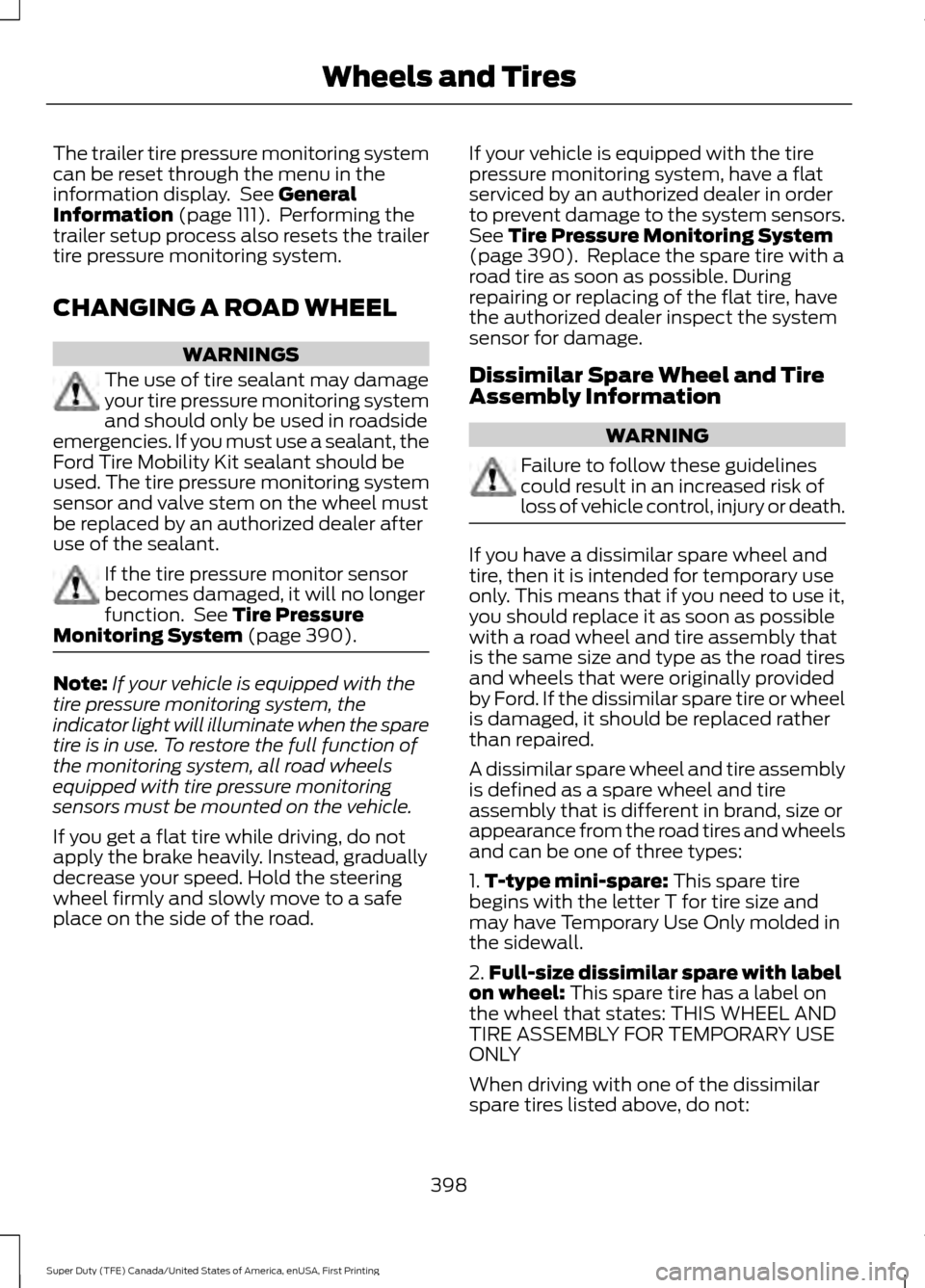
display. The trailer tire pressure status
screen in the information display highlights
the tire with a low pressure.
The main function of the trailer tire
pressure monitoring system is to warn you
when your trailer tires need air. It can also
warn you in the event the system is no
longer capable of functioning as intended.
See
Information Messages (page 128).
When a Temporary Spare or New Tire
is Installed
If you have replaced a trailer tire with a new
or spare tire, a warning message appears
and pressure readings are no longer
displayed for that tire.
To restore the full function of the trailer
tire pressure monitoring system:
• Have the damaged wheel and tire
assembly repaired and remounted to
your trailer.
• Install the trailer tire pressure
monitoring sensor into the new wheel
and tire assembly.
• Perform the trailer tire pressure
monitoring system reset procedure.
Trailer Tire Pressure Monitoring
System Reset Procedure
Note: You need to perform the tire pressure
monitoring system reset procedure after
each tire rotation, or when a new trailer tire
pressure sensor is installed into a trailer tire.
397
Super Duty (TFE) Canada/United States of America, enUSA, First Printing Wheels and TiresE235807
Page 401 of 636
The trailer tire pressure monitoring system
can be reset through the menu in the
information display. See General
Information (page 111). Performing the
trailer setup process also resets the trailer
tire pressure monitoring system.
CHANGING A ROAD WHEEL WARNINGS
The use of tire sealant may damage
your tire pressure monitoring system
and should only be used in roadside
emergencies. If you must use a sealant, the
Ford Tire Mobility Kit sealant should be
used. The tire pressure monitoring system
sensor and valve stem on the wheel must
be replaced by an authorized dealer after
use of the sealant. If the tire pressure monitor sensor
becomes damaged, it will no longer
function. See
Tire Pressure
Monitoring System (page 390). Note:
If your vehicle is equipped with the
tire pressure monitoring system, the
indicator light will illuminate when the spare
tire is in use. To restore the full function of
the monitoring system, all road wheels
equipped with tire pressure monitoring
sensors must be mounted on the vehicle.
If you get a flat tire while driving, do not
apply the brake heavily. Instead, gradually
decrease your speed. Hold the steering
wheel firmly and slowly move to a safe
place on the side of the road. If your vehicle is equipped with the tire
pressure monitoring system, have a flat
serviced by an authorized dealer in order
to prevent damage to the system sensors.
See
Tire Pressure Monitoring System
(page 390). Replace the spare tire with a
road tire as soon as possible. During
repairing or replacing of the flat tire, have
the authorized dealer inspect the system
sensor for damage.
Dissimilar Spare Wheel and Tire
Assembly Information WARNING
Failure to follow these guidelines
could result in an increased risk of
loss of vehicle control, injury or death.
If you have a dissimilar spare wheel and
tire, then it is intended for temporary use
only. This means that if you need to use it,
you should replace it as soon as possible
with a road wheel and tire assembly that
is the same size and type as the road tires
and wheels that were originally provided
by Ford. If the dissimilar spare tire or wheel
is damaged, it should be replaced rather
than repaired.
A dissimilar spare wheel and tire assembly
is defined as a spare wheel and tire
assembly that is different in brand, size or
appearance from the road tires and wheels
and can be one of three types:
1.
T-type mini-spare:
This spare tire
begins with the letter T for tire size and
may have Temporary Use Only molded in
the sidewall.
2. Full-size dissimilar spare with label
on wheel:
This spare tire has a label on
the wheel that states: THIS WHEEL AND
TIRE ASSEMBLY FOR TEMPORARY USE
ONLY
When driving with one of the dissimilar
spare tires listed above, do not:
398
Super Duty (TFE) Canada/United States of America, enUSA, First Printing Wheels and Tires
Page 471 of 636
To Access Using Voice Commands
Press the voice button then when prompted say:
Action and Description
Menu Item
Say the name of the application after the tone.
The app should start. When an app is running through SYNC, you can press the voice button and speak commands specific to the app, for example "Play Playlist Road Trip".
mobile (apps |
applications)
Use this command to discover the available voice commands.
help
SYNC Mobile App Voice Commands
The following voice commands are always available: Action and Description
Menu Item
SYNC prompts you to say the name of an
app to start it on SYNC.
mobile (apps | applications)
SYNC lists all of the currently available
mobile apps.
list [mobile] (apps | applications)
Searches your connected mobile device for
SYNC-compatible mobile apps.
find [new] [mobile] (apps | applications)
help
You can say the name of a mobile app at any time to start the mobile app on SYNC.
App Permissions
App permissions are organized by groups.
You can grant these group permissions
individually. You can change a permission
group status any time when not driving, by
using the settings menu. When you launch an app using SYNC, the
system may ask you to grant certain
permissions, for example:
•
To allow your vehicle to provide vehicle
information to the app such as, but not
limited to: Fuel level, fuel economy, fuel
consumption, engine speed, rain
sensor, odometer, VIN, external
temperature, gear position, tire
pressure, and head lamp status.
• To allow your vehicle to provide driving
characteristic information such as, but
not limited to: MyKey, seat belt status,
engine revolutions per minute, gear
position, braking events, steering wheel
angle, and accelerator pedal position.
468
Super Duty (TFE) Canada/United States of America, enUSA, First Printing SYNC™ (If Equipped)
Page 563 of 636
For a complete listing of the accessories
that are available for your vehicle, please
contact your authorized dealer or visit the
online store web site:
Web Address (United States)
www.Accessories.Ford.com Web Address (Canada)
www.Accessories.Ford.ca
Ford Custom Accessories are available for
your vehicle through an authorized dealer.
Ford Motor Company will repair or replace
any properly authorized dealer-installed
Ford Original Accessory found to be
defective in factory-supplied materials or
workmanship during the warranty period,
as well as any component damaged by the
defective accessories.
Ford Motor Company will warrant your
vehicle through the warranty that provides
the greatest benefit:
• 24 months, unlimited mileage.
• The remainder of your new vehicle
limited warranty.
Contact an authorized dealer for details
and a copy of the warranty.
Exterior style
• Bug shields.
• Commercial graphics*.
• Commercial LED warning strobe lights.
• Deflectors.
• Exhaust tip.
• Running boards.
• Splash guards.
• Stainless-steel wheel covers*.
• Step bars.
• Wheel well liners. Interior style
•
Ambient lighting.
• Cargo organizers.
• Custom seat covers*.
• Floor mats.
Lifestyle
• Ash cup/smoker's package.
• Bed cargo net, tie down plates and
cleats.
• Bed extender.
• Bedliners and bedmats.
• Racks and carriers*.
• Sportliner cargo liner*.
• Tonneau covers*.
• Tow hooks.
• Trailer back-up camera.
• Trailer brake control.
• Trailer hitches, wiring harnesses and
accessories.
• Truck bed camping tent*.
Peace of mind
• Back-up alarm*.
• Bed hooks*.
• Bumper and hitch-mounted parking
sensors*.
• Ford Telematics.
• Keyless entry keypad.
• Protective seat covers*.
• Remote start and alarms.
• Cruise control.
• Tool or Cargo boxes*.
• Vehicle security system.
• Wheel locks.
560
Super Duty (TFE) Canada/United States of America, enUSA, First Printing Accessories
Page 626 of 636
Engine-mounted Fuel Filter...........................
358
Changing the Engine Oil and Oil Filter...............................................................326
Engine lubrication for severe service operation.......................................................... 327
Changing the Wiper Blades.....................345
Checking MyKey System Status...............63 MyKey Distance.................................................... 63
Number of Admin Keys...................................... 63
Number of MyKeys.............................................. 63
Checking the Wiper Blades.....................345
Child Restraint and Seatbelt Maintenance.................................................42
Child Restraint Positioning.........................32
Child Safety
........................................................17
General Information............................................. 17
Child Safety Locks..........................................33 Left-Hand Side...................................................... 34
Right-Hand Side................................................... 34
Cleaning Leather Seats
.............................365
With King Ranch Edition................................. 366
Without King Ranch Edition.......................... 365
Cleaning Products
......................................360
Cleaning the Engine....................................362
Cleaning the Exhaust - 6.7L Diesel.......363
Cleaning the Exterior...................................361 Exterior Chrome Parts...................................... 361
Exterior Plastic Parts......................................... 361
Stripes or Graphics............................................. 361
Underbody........................................................... 362
Under Hood......................................................... 362
Cleaning the Instrument Panel and Instrument Cluster Lens........................364
Cleaning the Interior
...................................364
Cleaning the Wheels..................................366
Cleaning the Windows and Wiper Blades...........................................................363
Clearing All MyKeys.......................................63
Climate.............................................................516
Climate Control
.............................................145
Climate Controlled Seats...........................161 Cooled Seats......................................................... 161
Heated Seats......................................................... 161
Collision Warning System
........................258
Principle Of Operation..................................... 258Coolant Check
See: Engine Coolant Check - 6.2L/6.8L.....329
See: Engine Coolant Check - 6.7L
Diesel................................................................. 333
Crash Sensors and Airbag Indicator
........52
Creating a MyKey............................................62
Programming or Changing Configurable
Settings............................................................... 63
Cross Traffic Alert
........................................254
False Alerts.......................................................... 256
Switching the System Off and On..............256
System Errors...................................................... 256
System Lights, Messages and Audible Alerts................................................................. 255
System Limitations........................................... 256
Using the System............................................... 254
Cruise Control..................................................82 Principle of Operation...................................... 239
Type 1........................................................................\
82
Type 2....................................................................... 82
Cruise control See: Using Cruise Control............................... 239
Customer Assistance
.................................303
D
Data Recording
................................................10
Event Data Recording.......................................... 10
Service Data Recording...................................... 10
Daytime Running Lamps............................88 Type 1 - Conventional
(Non-Configurable)....................................... 88
Type 2 - Configurable......................................... 88
Diesel Particulate Filter..............................180 Regeneration....................................................... 180
Digital Radio
..................................................442
HD Radio Reception and Station
Troubleshooting............................................ 444
Direction Indicators
.......................................90
Doors and Locks.............................................65
DPF See: Diesel Particulate Filter.......................... 180
Draining the Fuel Filter Water Trap - 6.7L Diesel.............................................................342
Draining the Diesel Fuel Conditioner Module.............................................................. 342
Driver and Passenger Airbags...................45 Children and Airbags.......................................... 50
623
Super Duty (TFE) Canada/United States of America, enUSA, First Printing Index
Page 634 of 636
Information About Uniform Tire Quality
Grading.............................................................. 373
Information Contained on the Tire Sidewall............................................................ 375
Temperature A B C............................................. 374
Traction AA A B C............................................... 373
Treadwear............................................................. 373
Tire Pressure Monitoring System..........390
Trailer Tire Pressure Monitoring
System.............................................................. 397
Vehicle Tire Pressure Monitoring System............................................................. 390
Tires See: Wheels and Tires..................................... 370
Towing a Trailer............................................268 Load Placement................................................ 268
Towing Points................................................301
Towing the Vehicle on Four Wheels.........................................................289
Emergency Towing........................................... 289
Recreational Towing........................................ 289
Towing.............................................................268
Traction Control
............................................225
Principle of Operation...................................... 225
Trailer Reversing Aids.................................269 Principle of Operation...................................... 269
Setting Up Trailer Reverse Guidance.........269
Trailer Reverse Guidance................................ 269
Troubleshooting.................................................. 273
Using Trailer Reverse Guidance....................272
Trailer Sway Control
....................................277
Transfer Case Fluid Check.......................340
Transmission Code Designation.............417
Transmission.................................................205
Transmission See: Transmission............................................. 205
Transporting the Vehicle
..........................300
U
Under Hood Overview - 6.2L....................321
Under Hood Overview - 6.7L Diesel.............................................................323
F-Super Duty....................................................... 323
Scheduled Maintenance................................. 324
Under Hood Overview - 6.8L...................322
Under Seat Storage.....................................170 Rear Under Seat Storage................................. 170Universal Garage Door Opener...............164
HomeLink Wireless Control System...........164
USB Port.........................................................448
Using Adaptive Cruise Control
...............240
Blocked Sensor................................................... 245
Changing the Set Speed................................. 243
Detection Issues................................................. 244
Disengaging the System................................. 243
Following a Vehicle............................................ 241
Hilly Condition and Trailer Tow Usage................................................................. 243
Low Speed Automatic Cancellation..........243
Overriding the System..................................... 243
Resuming the Set Speed................................ 243
Setting a Speed................................................... 241
Setting the Gap Distance................................ 242
Switching the System Off.............................. 244
Switching the System On............................... 240
Switching to Normal Cruise Control...........246
System Not Available....................................... 245
Using Cruise Control...................................239 Switching Cruise Control Off........................240
Switching Cruise Control On......................... 239
Using Four-Wheel Drive.............................210 4WD Indicator Lights.......................................... 211
Driving Off-Road With Truck and Utility Vehicles............................................................. 214
Electronic Shift-On-the-Fly (ESOF) 4WD system............................................................... 210
How Your Vehicle Differs From Other Vehicles............................................................. 214
Manual Shift On Stop (MSOS) 4WD system............................................................... 210
Using a Manual Shift On Stop (MSOS) 4WD system..................................................... 211
Using the Electronic Shift on the Fly 4WD system................................................................ 213
Using Hill Descent Control.......................229 Hill descent modes........................................... 229
Using MyKey With Remote Start Systems..........................................................64
Using Power Running Boards....................78 Automatic Power Deploy.................................. 78
Automatic Power Stow...................................... 78
Bounce-back.......................................................... 79
Enabling and Disabling...................................... 78
Manual Power Deploy........................................ 78
Using Snow Chains....................................390
631
Super Duty (TFE) Canada/United States of America, enUSA, First Printing Index