alarm FORD SUPER DUTY 2021 User Guide
[x] Cancel search | Manufacturer: FORD, Model Year: 2021, Model line: SUPER DUTY, Model: FORD SUPER DUTY 2021Pages: 666, PDF Size: 8.48 MB
Page 123 of 666
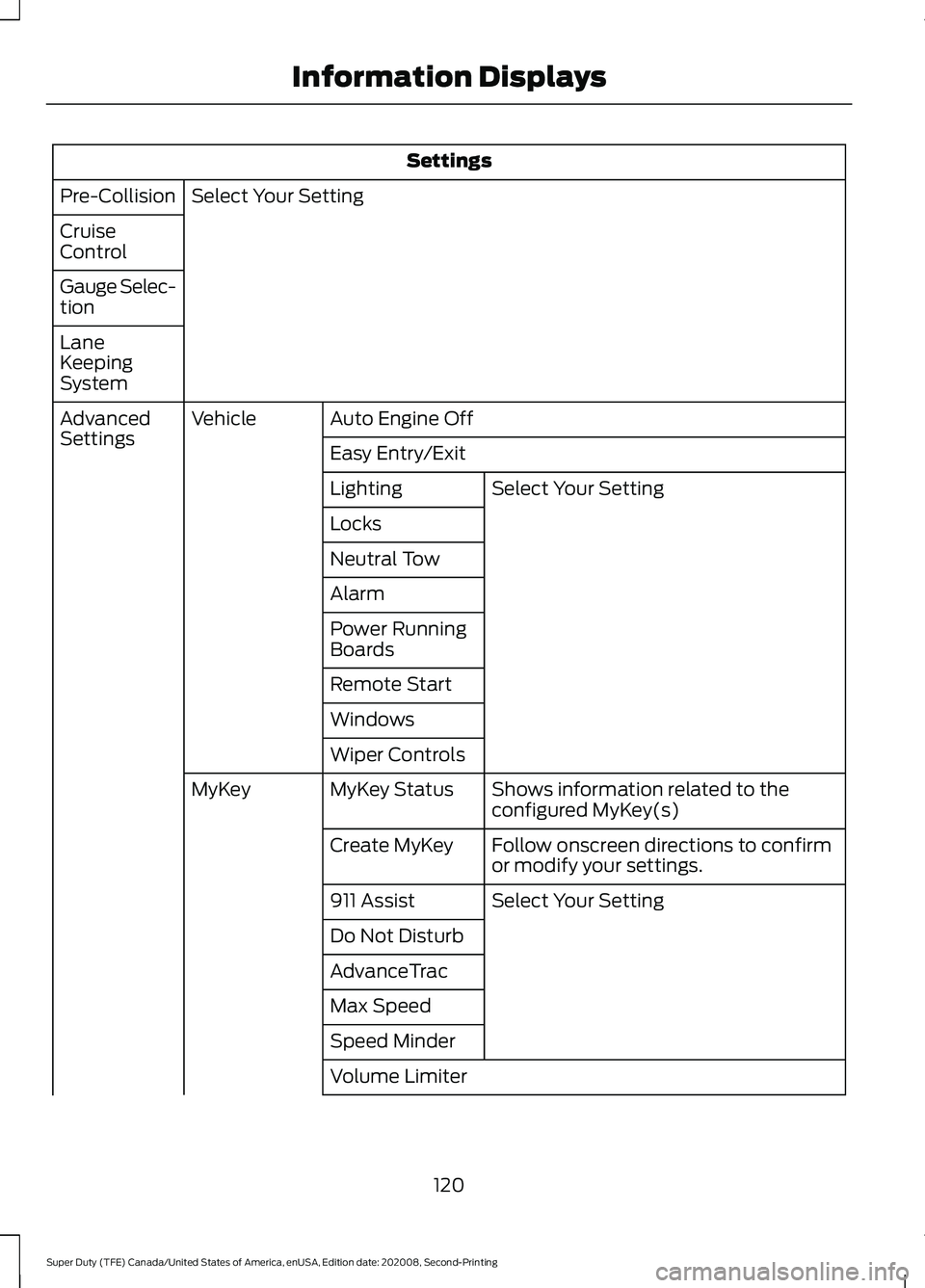
Settings
Select Your Setting
Pre-Collision
Cruise
Control
Gauge Selec-
tion
Lane
Keeping
System
Auto Engine Off
Vehicle
Advanced
Settings
Easy Entry/Exit
Select Your Setting
Lighting
Locks
Neutral Tow
Alarm
Power Running
Boards
Remote Start
Windows
Wiper Controls
Shows information related to the
configured MyKey(s)
MyKey Status
MyKey
Follow onscreen directions to confirm
or modify your settings.
Create MyKey
Select Your Setting
911 Assist
Do Not Disturb
AdvanceTrac
Max Speed
Speed Minder
Volume Limiter
120
Super Duty (TFE) Canada/United States of America, enUSA, Edition date: 202008, Second-Printing Information Displays
Page 127 of 666
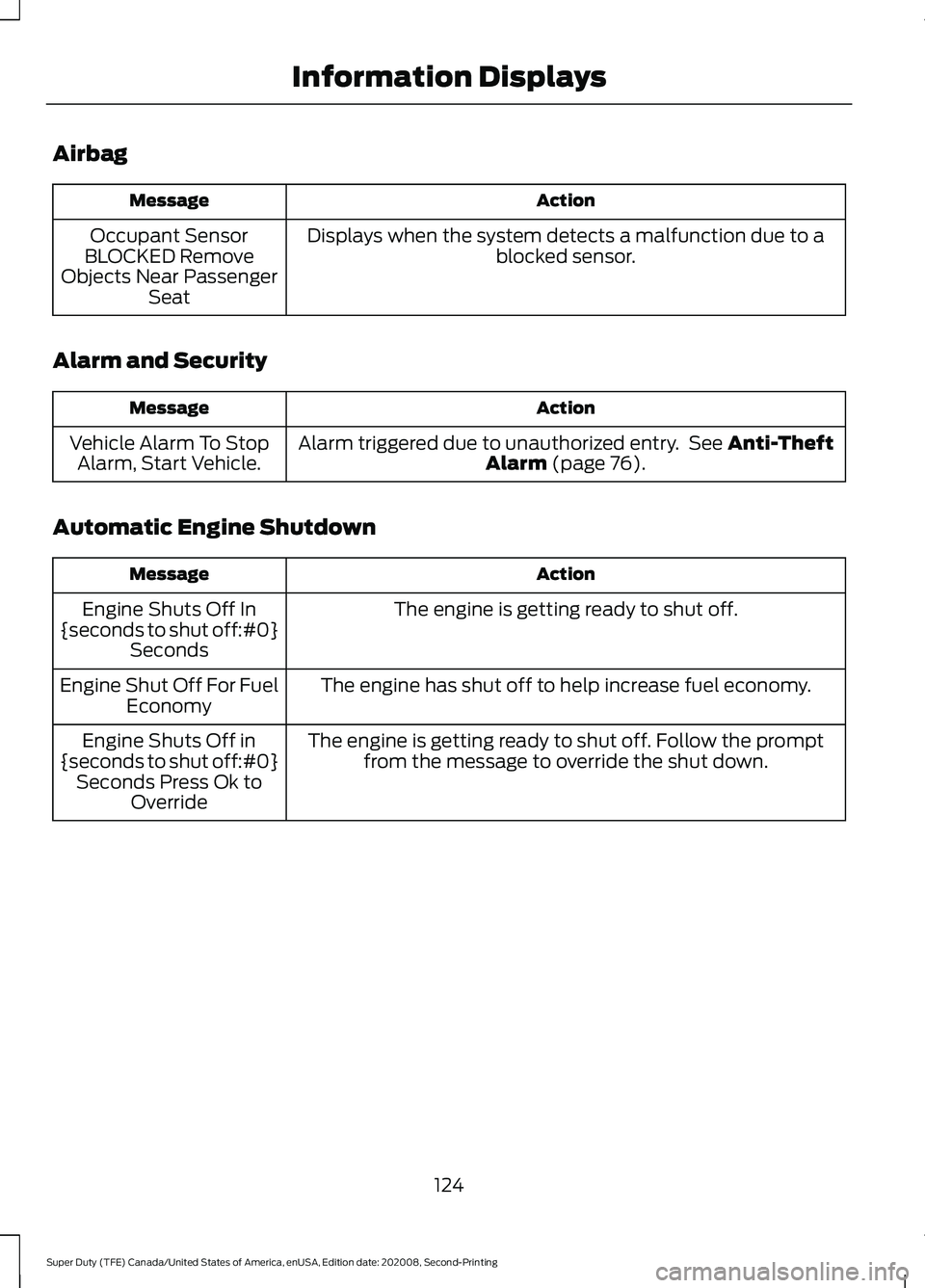
Airbag
Action
Message
Displays when the system detects a malfunction due to a blocked sensor.
Occupant Sensor
BLOCKED Remove
Objects Near Passenger Seat
Alarm and Security Action
Message
Alarm triggered due to unauthorized entry. See Anti-Theft
Alarm (page 76).
Vehicle Alarm To Stop
Alarm, Start Vehicle.
Automatic Engine Shutdown Action
Message
The engine is getting ready to shut off.
Engine Shuts Off In
{seconds to shut off:#0} Seconds
The engine has shut off to help increase fuel economy.
Engine Shut Off For Fuel
Economy
The engine is getting ready to shut off. Follow the promptfrom the message to override the shut down.
Engine Shuts Off in
{seconds to shut off:#0} Seconds Press Ok to Override
124
Super Duty (TFE) Canada/United States of America, enUSA, Edition date: 202008, Second-Printing Information Displays
Page 143 of 666
WHAT IS REMOTE START
The system allows you to remotely start
your vehicle and therefore to heat or cool
the interior to a predetermined
temperature.
REMOTE START LIMITATIONS
Remote start does not work under the
following conditions:
•
The alarm horn is sounding.
• The hood is open.
• The transmission is not in park (P).
• The ignition is on.
• The battery voltage is below the
minimum operating voltage.
Note: Do not use remote start if your fuel
level is low.
Note: You can use remote start with
FordPass. See Connecting the Vehicle to
a Wi-Fi Network (page 474).
ENABLING REMOTE START
1. Press
Settings on the touchscreen.
2. Press
Vehicle Settings.
3. Press
Remote Start Setup.
4. Switch
Remote Start on or off.
Note: To remote start with FordPass, make
sure that the modem is enabled.
See
Connecting FordPass to the Modem
(page
474). REMOTELY STARTING THE
ENGINE WARNING: Do not start the engine
in a closed garage or in other enclosed
areas. Exhaust fumes are toxic. Always
open the garage door before you start
the engine. Failure to follow this
instruction could result in personal injury
or death.
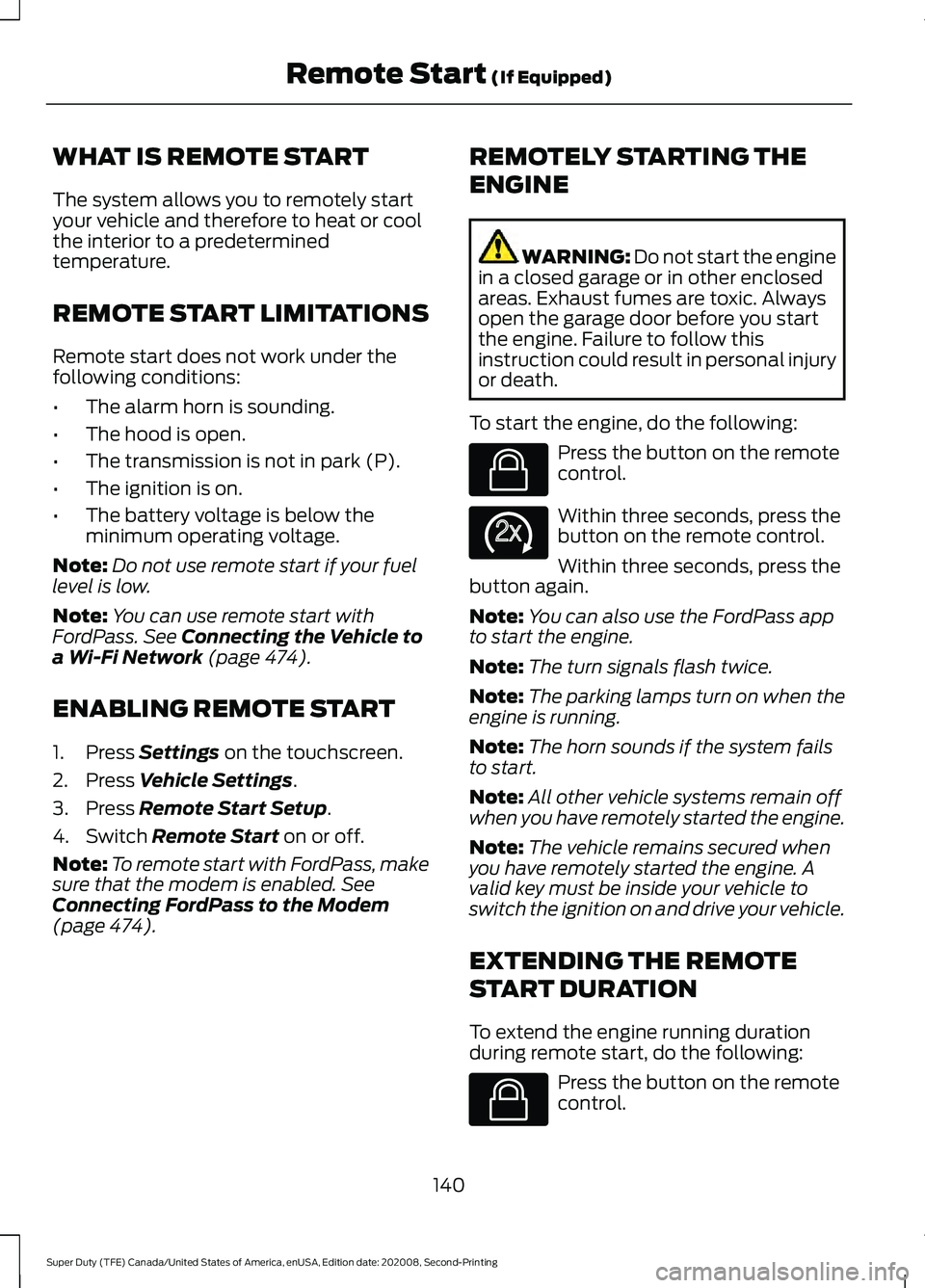
To start the engine, do the following: Press the button on the remote
control.
Within three seconds, press the
button on the remote control.
Within three seconds, press the
button again.
Note: You can also use the FordPass app
to start the engine.
Note: The turn signals flash twice.
Note: The parking lamps turn on when the
engine is running.
Note: The horn sounds if the system fails
to start.
Note: All other vehicle systems remain off
when you have remotely started the engine.
Note: The vehicle remains secured when
you have remotely started the engine. A
valid key must be inside your vehicle to
switch the ignition on and drive your vehicle.
EXTENDING THE REMOTE
START DURATION
To extend the engine running duration
during remote start, do the following: Press the button on the remote
control.
140
Super Duty (TFE) Canada/United States of America, enUSA, Edition date: 202008, Second-Printing Remote Start
(If Equipped)E138623 E138625 E138623
Page 237 of 666
PRINCIPLE OF OPERATION
WARNING: To help avoid personal
injury, always use caution when in
reverse (R) and when using the sensing
system. WARNING:
The system may not
detect objects with surfaces that absorb
reflection. Always drive with due care
and attention. Failure to take care may
result in a crash. WARNING: Traffic control systems,
inclement weather, air brakes, external
motors and fans may affect the correct
operation of the sensing system.This
may cause reduced performance or false
alerts. WARNING:
The system may not
detect small or moving objects,
particularly those close to the ground.
Note: Certain add-on devices installed
around the bumper or fascia may create
false beeps. For example, large trailer
hitches, bike or surfboard racks, license plate
brackets, bumper covers or any other device
that may block the normal detection zone
of the system.
Note: Keep the sensors, located on the
bumper or fascia, free from snow, ice and
large accumulations of dirt. If the sensors
are covered, the system ’s accuracy can be
affected. Do not clean the sensors with
sharp objects.
Note: If your vehicle sustains damage to
the bumper or fascia, leaving it misaligned
or bent, the sensing zone may be altered
causing inaccurate measurement of
obstacles or false alarms. See your
authorized technician. Note:
When a trailer is connected to your
vehicle, the rear parking aid may detect the
trailer and therefore provide warnings.
Disable the rear parking aid when a trailer
is connected to prevent these warnings.
Note: The sensing system cannot be turned
off when a MyKey is present. See
Information Messages
(page 121).
The sensing system warns the driver of
obstacles within a certain range of your
vehicle. The system turns on automatically
whenever you switch the ignition on.
When receiving a detection warning, the
radio volume reduces to a predetermined
level. After the warning goes away, the
radio volume returns to the previous level.
The sensing system can be switched off
through the information display menu or
from the pop-up message that appears
once you shift the transmission into reverse
(R). See General Information (page 110
).
If a fault is present in the system, a warning
message appears in the information
display and you cannot switch the system
on through the pop-up message. See
Information Messages
(page 121).
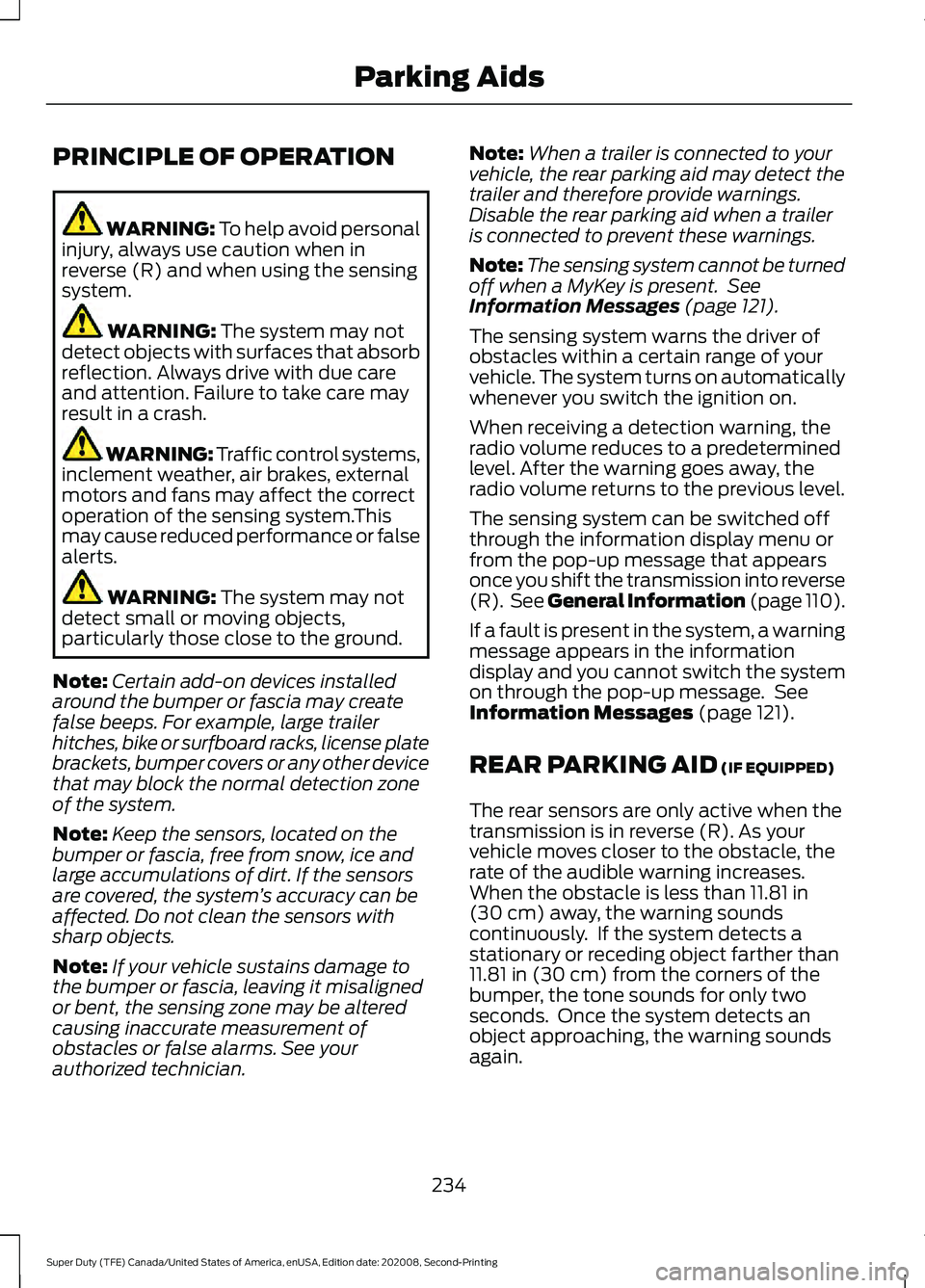
REAR PARKING AID
(IF EQUIPPED)
The rear sensors are only active when the
transmission is in reverse (R). As your
vehicle moves closer to the obstacle, the
rate of the audible warning increases.
When the obstacle is less than
11.81 in
(30 cm) away, the warning sounds
continuously. If the system detects a
stationary or receding object farther than
11.81 in (30 cm)
from the corners of the
bumper, the tone sounds for only two
seconds. Once the system detects an
object approaching, the warning sounds
again.
234
Super Duty (TFE) Canada/United States of America, enUSA, Edition date: 202008, Second-Printing Parking Aids
Page 250 of 666
Automatic Cancellation
The system is not functional at vehicle
speeds below 12 mph (20 km/h). The
information display indicates low engine
speed, an audible alarm sounds and the
automatic braking releases if the vehicle
drops below this speed.
Automatic cancellation can also occur
when:
•
The tires lose traction.
• You apply the parking brake.
Note: If the engine speed drops too low, an
audible warning sounds and a message
appears in the information display.
Automatic braking releases.
Hilly Condition and Trailer Tow
Usage
You should select a lower gear when the
system is active in situations such as
prolonged downhill driving on steep
grades, for example in mountainous areas.
The system needs additional engine
braking in these situations to reduce the
load on the vehicle ’s regular brake system
to prevent it from overheating.
Note: An audible alarm sounds and the
system shuts down if it applies brakes for
an extended period of time. This allows the
brakes to cool. The system functions
normally again after the brakes cool.
Note: When towing with adaptive cruise
control, switch on Tow/Haul Mode and
Diesel Engine Brake.
Note: Tow/Haul mode increases the time
gaps and allows more distance for braking.
Switching Adaptive Cruise Control
Off Press and release the button
when the system is in standby
mode, or switch the ignition off. Note:
You erase the set speed and gap
setting when you switch the system off.
Detection Issues WARNING: On rare occasions,
detection issues can occur due to the
road infrastructures, for example bridges,
tunnels and safety barriers. In these
cases, the system may brake late or
unexpectedly. At all times, you are
responsible for controlling your vehicle,
supervising the system and intervening,
if required. WARNING:
If the system
malfunctions, have your vehicle checked
as soon as possible.
The radar sensor has a limited field of view.
It may not detect vehicles at all or detect
a vehicle later than expected in some
situations. The lead vehicle graphic does
not illuminate if the system does not
detect a vehicle in front of you.
247
Super Duty (TFE) Canada/United States of America, enUSA, Edition date: 202008, Second-Printing Cruise Control
(If Equipped)E265297
Page 546 of 666
Action and Description
Menu Item
Select to choose from a listing of
weather locations.
Area
Touch this button to view scores and schedules from a variety
of sports. You can also save up to 10 favorite teams for easier
access. The score automatically refreshes when a game is in
progress.
Sports Info
Touch this button to view ski conditions for a specific area.
Ski Conditions
SETTINGS Press the button to enter the
settings menu.
Once you select a tile, press the
button next to a menu item to
view an explanation of the
feature or setting.
Sound
Select this tile to adjust the sound settings.
Clock
Select this tile to adjust the clock settings.
Bluetooth
Select this tile to switch Bluetooth on and
off and adjust the settings.
Phone
Select this tile to connect, disconnect, and
manage the connected device settings.
Audio
Select this tile to adjust the audio settings. Driver Assist (If Equipped)
Select this tile to adjust Driver Assist
features like Parking Aids, Lane Keeping
System, Pedestrian Detection, and
Auto-Start-Stop.
Vehicle
Select this tile to adjust vehicle settings
like windows, alarm, lighting, and MyKey
settings.
FordPass
Select this tile to adjust the FordPass
settings
General
Select this tile to adjust settings like
language, measurement units, or to reset
the system.
911 Assist
(If Equipped)
Select this tile to switch 911 Assist on and
off.
Automatic Updates
Select this tile to adjust the automatic
update settings.
Mobile Apps
Select this tile to adjust permissions,
enable, disable, and update mobile apps.
543
Super Duty (TFE) Canada/United States of America, enUSA, Edition date: 202008, Second-Printing SYNC™ 3
(If Equipped)E280315 E268570
Page 561 of 666
For a complete listing of the accessories
that are available for your vehicle, please
contact your authorized dealer or visit the
online store web site:
Web Address (United States)
www.Accessories.Ford.com Web Address (Canada)
www.Accessories.Ford.ca
We will repair or replace any properly
authorized dealer-installed Ford Original
Accessory found to be defective in
factory-supplied materials or workmanship
during the warranty period, as well as any
component damaged by the defective
accessories.
We will warrant your Ford Original
Accessory through the warranty that
provides the greatest benefit:
• 24 months, unlimited mileage.
• The remainder of your new vehicle
limited warranty.
Contact an authorized dealer for details
and a copy of the warranty.
Ford Licensed Accessories are the
accessory manufacturer's designs. The
manufacturer develops and therefore
warrants Ford Licensed Accessories, and
does not design or test these accessories
to Ford Motor Company engineering
requirements. Contact an authorized Ford
dealer for the manufacturer ’s limited
warranty details, and request a copy of the
Ford Licensed Accessories product limited
warranty from the accessory manufacturer. For maximum vehicle performance, keep
the following information in mind when
adding accessories or equipment to your
vehicle:
•
When adding accessories, equipment,
passengers and luggage to your
vehicle, do not exceed the total weight
capacity of the vehicle or of the front
or rear axle (GVWR or GAWR as
indicated on the Safety Compliance
Certification label). Ask an authorized
dealer for specific weight information.
• The Federal Communications
Commission (FCC) and Canadian
Radio Telecommunications
Commission (CRTC) regulate the use
of mobile communications systems
that are equipped with radio
transmitters, for example two-way
radios, telephones and theft alarms.
Any such equipment installed in your
vehicle should comply with Federal
Communications Commission (FCC)
and Canadian Radio
Telecommunications Commission
(CRTC) regulations and should be
installed only by an authorized dealer.
• An authorized dealer needs to install
mobile communications systems.
Improper installation may harm the
operation of your vehicle, particularly
if the manufacturer did not design the
mobile communication system
specifically for automotive use.
• If you or an authorized Ford dealer add
any non-Ford electrical or electronic
accessories or components to your
vehicle, you may adversely affect
battery performance and durability. In
addition, you may also adversely affect
the performance of other electrical
systems in the vehicle.
558
Super Duty (TFE) Canada/United States of America, enUSA, Edition date: 202008, Second-Printing Accessories
Page 562 of 666
AUXILIARY SWITCHES (IF
EQUIPPED)
For maximum vehicle performance, keep
the following information in mind when
adding accessories or equipment to your
vehicle:
• When adding accessories, equipment,
passengers and luggage to your
vehicle, do not exceed the total weight
capacity of the vehicle or of the front
or rear axle (GVWR or GAWR as
indicated on the Safety Compliance
Certification label). Ask an authorized
dealer for specific weight information.
• The Federal Communications
Commission (FCC) and Canadian
Radio Telecommunications
Commission (CRTC) regulate the use
of mobile communications systems
equipped with radio transmitters, for
example, two-way radios, telephones
and theft alarms. Any such equipment
installed in your vehicle should comply
with Federal Communications
Commission (FCC) and Canadian
Radio Telecommunications
Commission (CRTC) regulations, and
should be installed by an authorized
dealer.
• An authorized dealer needs to install
mobile communications systems.
Improper installation may harm the
operation of your vehicle, particularly
if the manufacturer did not design the
mobile communication system
specifically for automotive use.
• If you or an authorized Ford dealer add
any non-Ford electrical or electronic
accessories or components to your
vehicle, you may adversely affect
battery performance and durability. In
addition, you may also adversely affect
the performance of other electrical
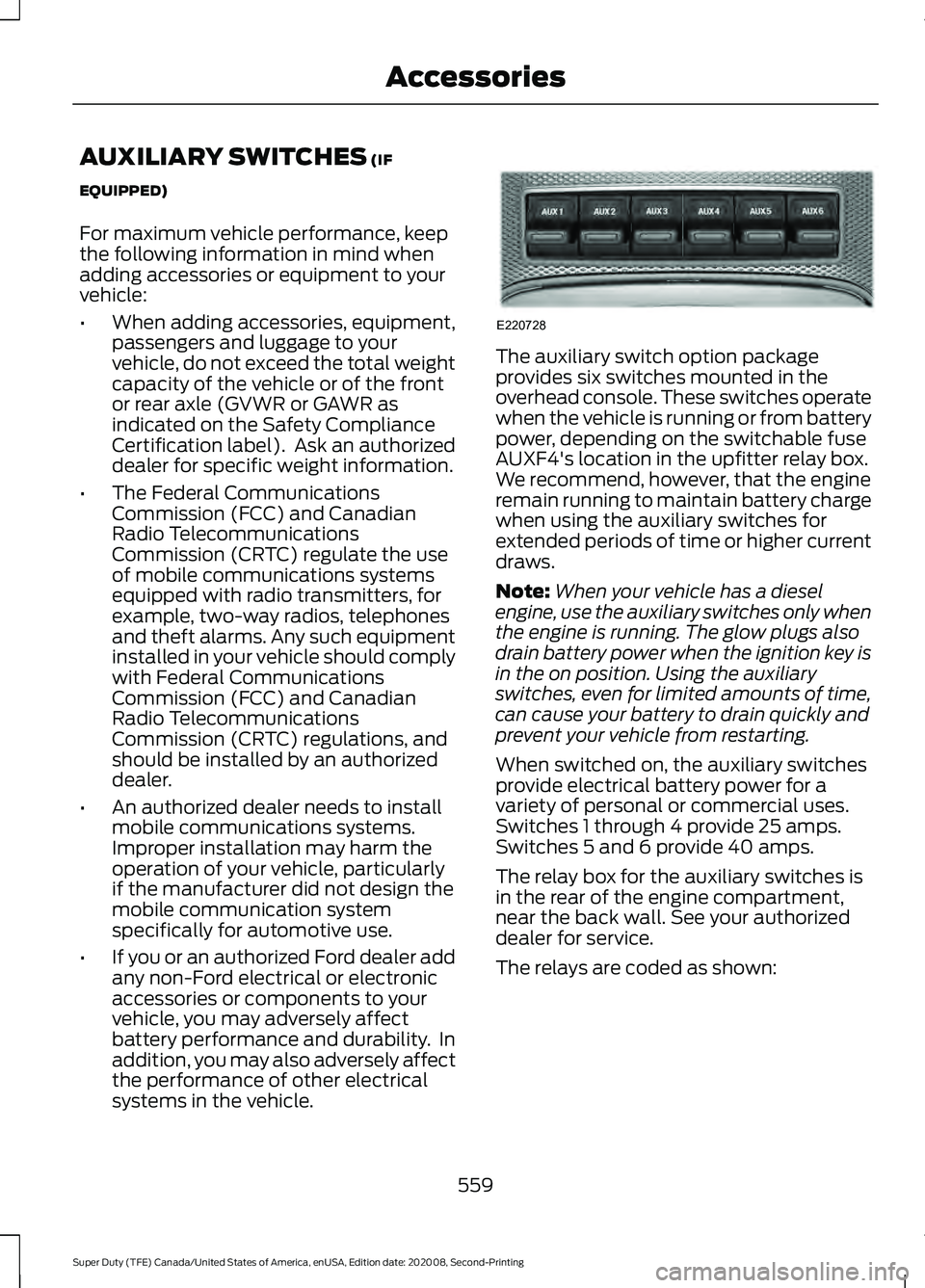
systems in the vehicle. The auxiliary switch option package
provides six switches mounted in the
overhead console. These switches operate
when the vehicle is running or from battery
power, depending on the switchable fuse
AUXF4's location in the upfitter relay box.
We recommend, however, that the engine
remain running to maintain battery charge
when using the auxiliary switches for
extended periods of time or higher current
draws.
Note:
When your vehicle has a diesel
engine, use the auxiliary switches only when
the engine is running. The glow plugs also
drain battery power when the ignition key is
in the on position. Using the auxiliary
switches, even for limited amounts of time,
can cause your battery to drain quickly and
prevent your vehicle from restarting.
When switched on, the auxiliary switches
provide electrical battery power for a
variety of personal or commercial uses.
Switches 1 through 4 provide 25 amps.
Switches 5 and 6 provide 40 amps.
The relay box for the auxiliary switches is
in the rear of the engine compartment,
near the back wall. See your authorized
dealer for service.
The relays are coded as shown:
559
Super Duty (TFE) Canada/United States of America, enUSA, Edition date: 202008, Second-Printing AccessoriesE220728
Page 650 of 666
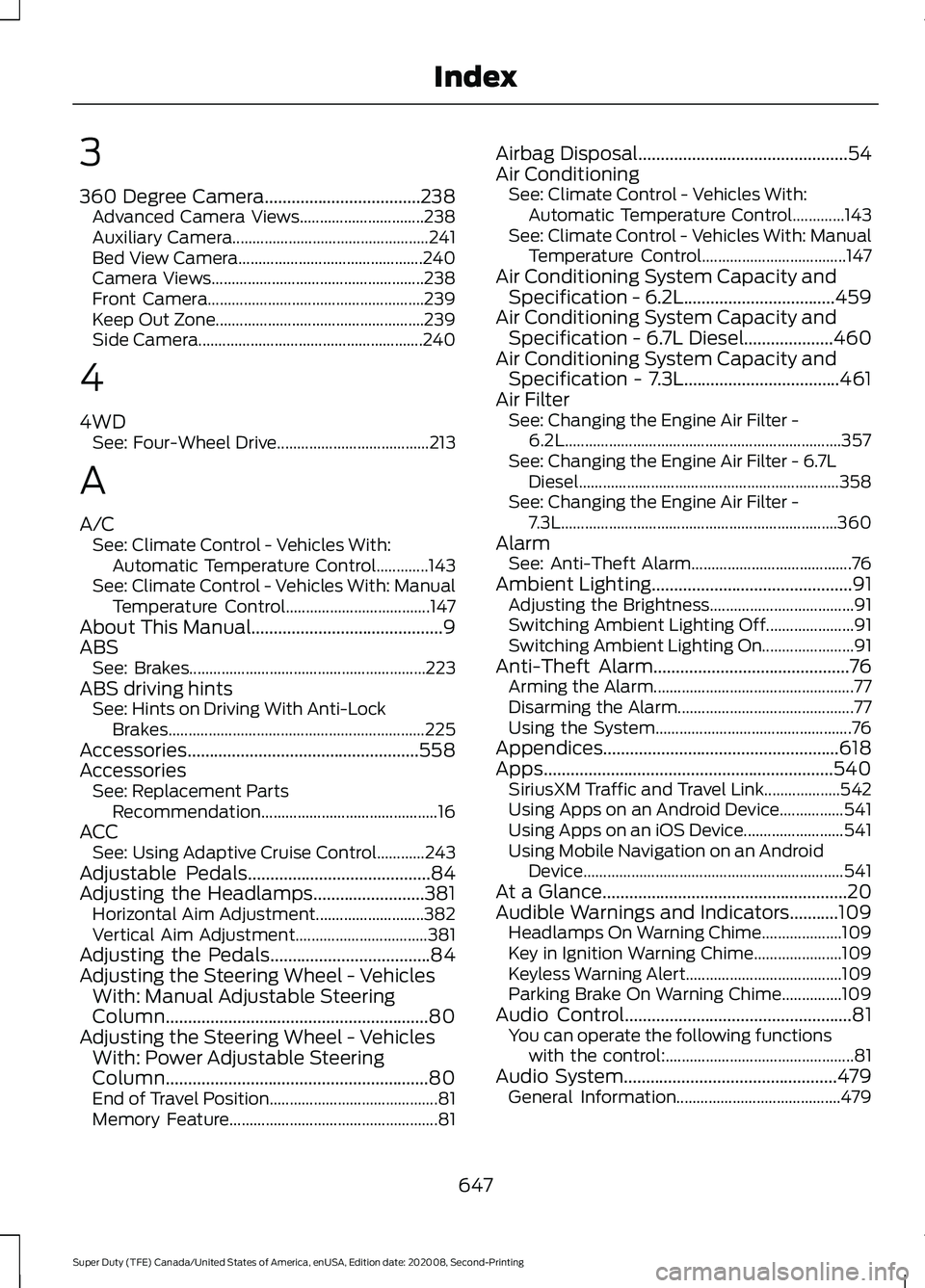
3
360 Degree Camera...................................238
Advanced Camera Views............................... 238
Auxiliary Camera................................................. 241
Bed View Camera.............................................. 240
Camera Views..................................................... 238
Front Camera...................................................... 239
Keep Out Zone.................................................... 239
Side Camera........................................................ 240
4
4WD See: Four-Wheel Drive...................................... 213
A
A/C See: Climate Control - Vehicles With:
Automatic Temperature Control.............143
See: Climate Control - Vehicles With: Manual Temperature Control.................................... 147
About This Manual...........................................9
ABS See: Brakes........................................................... 223
ABS driving hints See: Hints on Driving With Anti-Lock
Brakes................................................................ 225
Accessories....................................................558
Accessories See: Replacement Parts
Recommendation............................................ 16
ACC See: Using Adaptive Cruise Control............243
Adjustable Pedals.........................................84
Adjusting the Headlamps.........................381 Horizontal Aim Adjustment........................... 382
Vertical Aim Adjustment................................. 381
Adjusting the Pedals....................................84
Adjusting the Steering Wheel - Vehicles With: Manual Adjustable Steering
Column...........................................................80
Adjusting the Steering Wheel - Vehicles With: Power Adjustable Steering
Column...........................................................80
End of Travel Position.......................................... 81
Memory Feature.................................................... 81Airbag Disposal...............................................54
Air Conditioning
See: Climate Control - Vehicles With:
Automatic Temperature Control.............143
See: Climate Control - Vehicles With: Manual Temperature Control.................................... 147
Air Conditioning System Capacity and Specification - 6.2L..................................459
Air Conditioning System Capacity and Specification - 6.7L Diesel....................460
Air Conditioning System Capacity and Specification - 7.3L...................................461
Air Filter See: Changing the Engine Air Filter -
6.2L
..................................................................... 357
See: Changing the Engine Air Filter - 6.7L Diesel ................................................................. 358
See: Changing the Engine Air Filter - 7.3L..................................................................... 360
Alarm See: Anti-Theft Alarm........................................ 76
Ambient Lighting
.............................................91
Adjusting the Brightness.................................... 91
Switching Ambient Lighting Off...................... 91
Switching Ambient Lighting On....................... 91
Anti-Theft Alarm
............................................76
Arming the Alarm.................................................. 77
Disarming the Alarm............................................ 77
Using the System................................................. 76
Appendices.....................................................618
Apps.................................................................540 SiriusXM Traffic and Travel Link................... 542
Using Apps on an Android Device................541
Using Apps on an iOS Device......................... 541
Using Mobile Navigation on an Android Device................................................................. 541
At a Glance.......................................................20
Audible Warnings and Indicators...........109 Headlamps On Warning Chime.................... 109
Key in Ignition Warning Chime...................... 109
Keyless Warning Alert....................................... 109
Parking Brake On Warning Chime...............109
Audio Control
...................................................81
You can operate the following functions
with the control:............................................... 81
Audio System
................................................479
General Information......................................... 479
647
Super Duty (TFE) Canada/United States of America, enUSA, Edition date: 202008, Second-Printing Index
Page 657 of 666
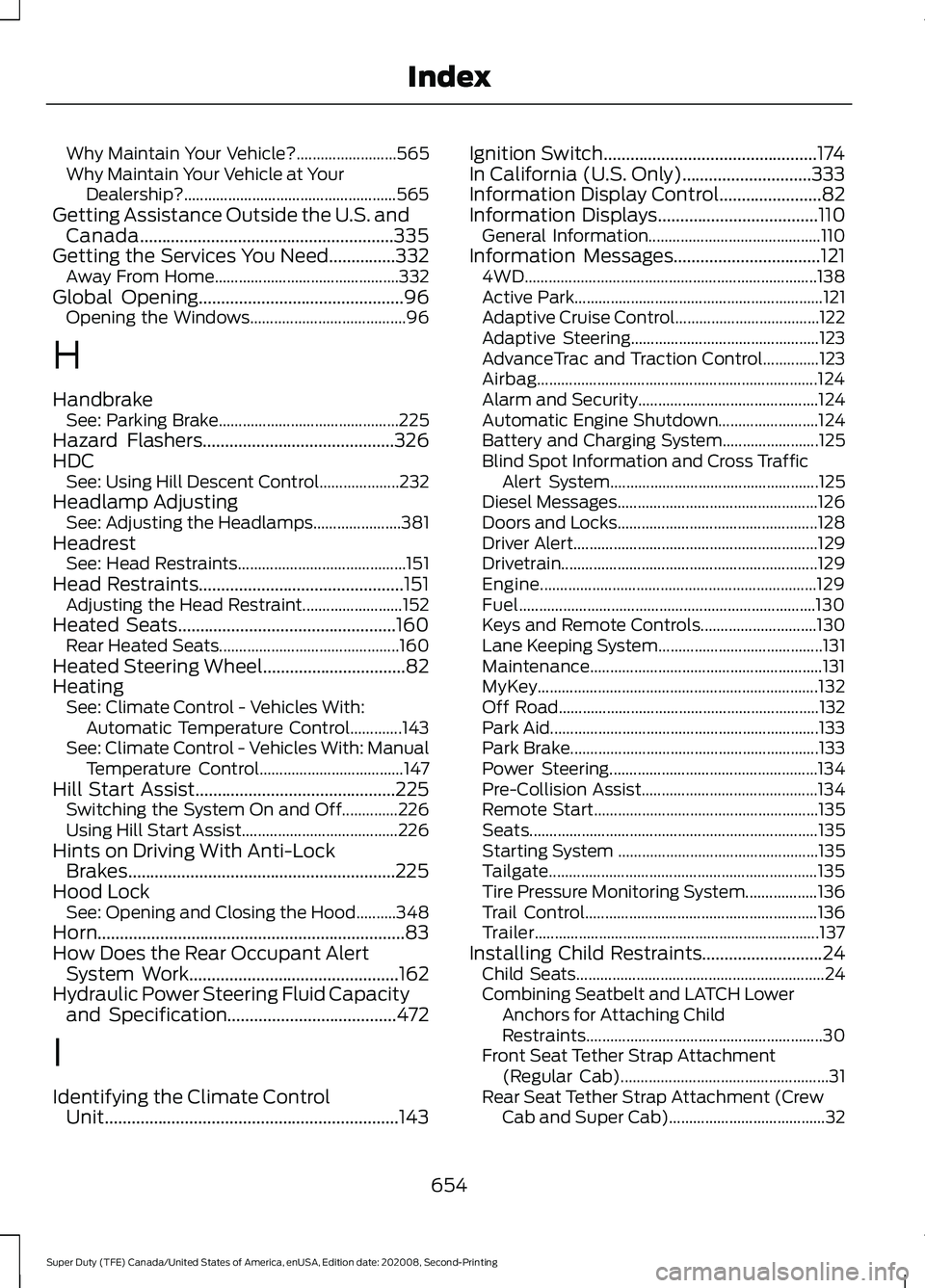
Why Maintain Your Vehicle?.........................
565
Why Maintain Your Vehicle at Your Dealership?..................................................... 565
Getting Assistance Outside the U.S. and Canada.........................................................335
Getting the Services You Need...............332 Away From Home.............................................. 332
Global Opening..............................................96
Opening the Windows....................................... 96
H
Handbrake See: Parking Brake............................................. 225
Hazard Flashers...........................................326
HDC See: Using Hill Descent Control.................... 232
Headlamp Adjusting See: Adjusting the Headlamps...................... 381
Headrest See: Head Restraints.......................................... 151
Head Restraints
..............................................151
Adjusting the Head Restraint......................... 152
Heated Seats.................................................160 Rear Heated Seats............................................. 160
Heated Steering Wheel
................................82
Heating See: Climate Control - Vehicles With:
Automatic Temperature Control.............143
See: Climate Control - Vehicles With: Manual Temperature Control.................................... 147
Hill Start Assist.............................................225 Switching the System On and Off..............226
Using Hill Start Assist....................................... 226
Hints on Driving With Anti-Lock Brakes............................................................225
Hood Lock See: Opening and Closing the Hood..........348
Horn.....................................................................83
How Does the Rear Occupant Alert System Work
...............................................162
Hydraulic Power Steering Fluid Capacity and Specification
......................................472
I
Identifying the Climate Control Unit..................................................................143 Ignition Switch................................................174
In California (U.S. Only).............................333
Information Display Control
.......................82
Information Displays....................................110
General Information........................................... 110
Information Messages
.................................121
4WD........................................................................\
. 138
Active Park.............................................................. 121
Adaptive Cruise Control.................................... 122
Adaptive Steering............................................... 123
AdvanceTrac and Traction Control..............123
Airbag...................................................................... 124
Alarm and Security............................................. 124
Automatic Engine Shutdown......................... 124
Battery and Charging System........................ 125
Blind Spot Information and Cross Traffic Alert System.................................................... 125
Diesel Messages.................................................. 126
Doors and Locks.................................................. 128
Driver Alert............................................................. 129
Drivetrain................................................................ 129
Engine..................................................................... 129
Fuel........................................................................\
.. 130
Keys and Remote Controls............................. 130
Lane Keeping System......................................... 131
Maintenance.......................................................... 131
MyKey...................................................................... 132
Off Road................................................................. 132
Park Aid................................................................... 133
Park Brake.............................................................. 133
Power Steering.................................................... 134
Pre-Collision Assist............................................ 134
Remote Start........................................................ 135
Seats........................................................................\
135
Starting System .................................................. 135
Tailgate................................................................... 135
Tire Pressure Monitoring System.................. 136
Trail Control.......................................................... 136
Trailer....................................................................... 137
Installing Child Restraints
...........................24
Child Seats.............................................................. 24
Combining Seatbelt and LATCH Lower Anchors for Attaching Child
Restraints........................................................... 30
Front Seat Tether Strap Attachment (Regular Cab).................................................... 31
Rear Seat Tether Strap Attachment (Crew Cab and Super Cab)....................................... 32
654
Super Duty (TFE) Canada/United States of America, enUSA, Edition date: 202008, Second-Printing Index