interior lights FORD TAURUS 2004 4.G Owners Manual
[x] Cancel search | Manufacturer: FORD, Model Year: 2004, Model line: TAURUS, Model: FORD TAURUS 2004 4.GPages: 240, PDF Size: 3.3 MB
Page 10 of 240
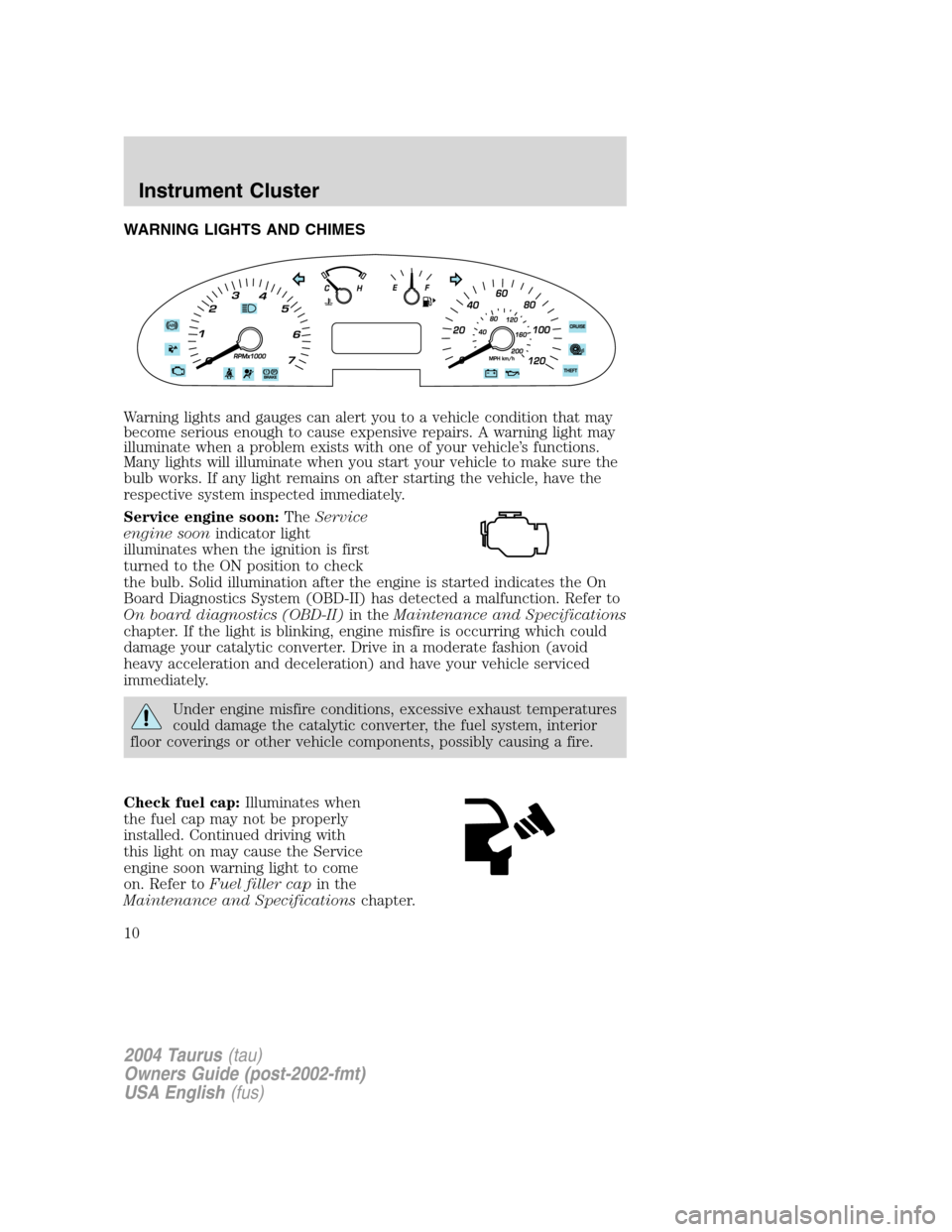
WARNING LIGHTS AND CHIMES
Warning lights and gauges can alert you to a vehicle condition that may
become serious enough to cause expensive repairs. A warning light may
illuminate when a problem exists with one of your vehicle’s functions.
Many lights will illuminate when you start your vehicle to make sure the
bulb works. If any light remains on after starting the vehicle, have the
respective system inspected immediately.
Service engine soon:TheService
engine soonindicator light
illuminates when the ignition is first
turned to the ON position to check
the bulb. Solid illumination after the engine is started indicates the On
Board Diagnostics System (OBD-II) has detected a malfunction. Refer to
On board diagnostics (OBD-II)in theMaintenance and Specifications
chapter. If the light is blinking, engine misfire is occurring which could
damage your catalytic converter. Drive in a moderate fashion (avoid
heavy acceleration and deceleration) and have your vehicle serviced
immediately.
Under engine misfire conditions, excessive exhaust temperatures
could damage the catalytic converter, the fuel system, interior
floor coverings or other vehicle components, possibly causing a fire.
Check fuel cap:Illuminates when
the fuel cap may not be properly
installed. Continued driving with
this light on may cause the Service
engine soon warning light to come
on. Refer toFuel filler capin the
Maintenance and Specificationschapter.
2004 Taurus(tau)
Owners Guide (post-2002-fmt)
USA English(fus)
Instrument Cluster
Instrument Cluster
10
Page 30 of 240
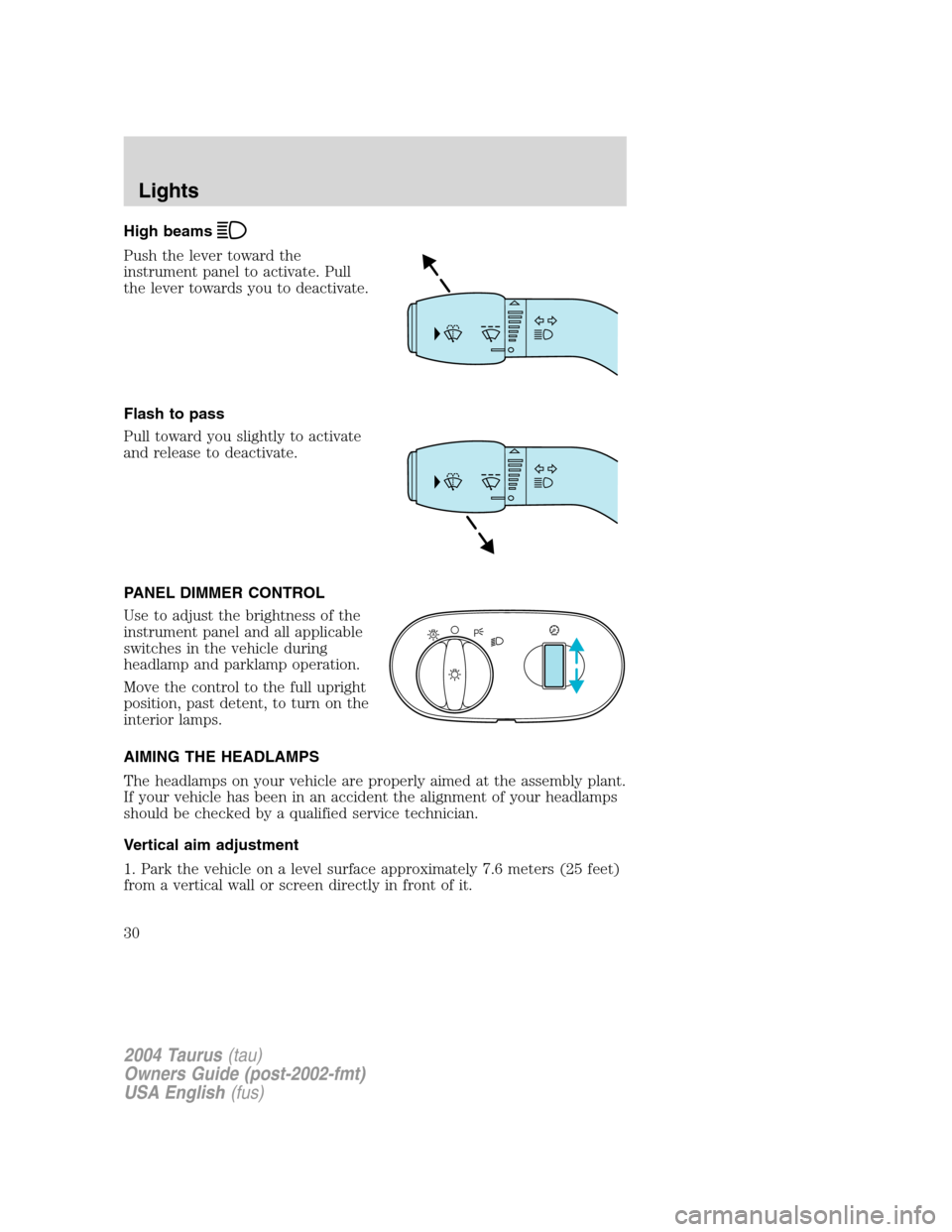
High beams
Push the lever toward the
instrument panel to activate. Pull
the lever towards you to deactivate.
Flash to pass
Pull toward you slightly to activate
and release to deactivate.
PANEL DIMMER CONTROL
Use to adjust the brightness of the
instrument panel and all applicable
switches in the vehicle during
headlamp and parklamp operation.
Move the control to the full upright
position, past detent, to turn on the
interior lamps.
AIMING THE HEADLAMPS
The headlamps on your vehicle are properly aimed at the assembly plant.
If your vehicle has been in an accident the alignment of your headlamps
should be checked by a qualified service technician.
Vertical aim adjustment
1. Park the vehicle on a level surface approximately 7.6 meters (25 feet)
from a vertical wall or screen directly in front of it.
A
2004 Taurus(tau)
Owners Guide (post-2002-fmt)
USA English(fus)
Lights
30
Page 32 of 240
To see a clearer light pattern for
adjusting, you may want to block
the light from one headlamp while
adjusting the other.
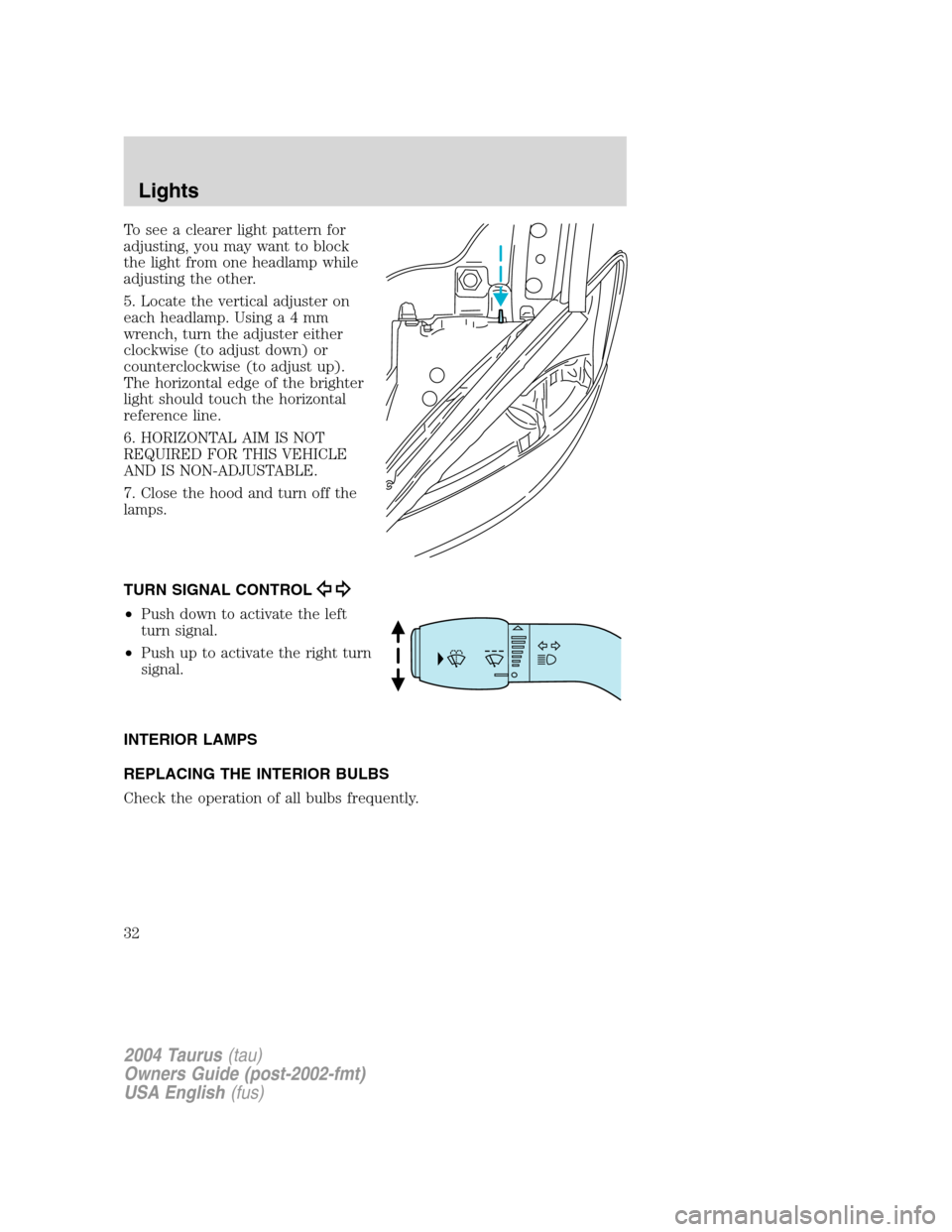
5. Locate the vertical adjuster on
each headlamp. Usinga4mm
wrench, turn the adjuster either
clockwise (to adjust down) or
counterclockwise (to adjust up).
The horizontal edge of the brighter
light should touch the horizontal
reference line.
6. HORIZONTAL AIM IS NOT
REQUIRED FOR THIS VEHICLE
AND IS NON-ADJUSTABLE.
7. Close the hood and turn off the
lamps.
TURN SIGNAL CONTROL
•Push down to activate the left
turn signal.
•Push up to activate the right turn
signal.
INTERIOR LAMPS
REPLACING THE INTERIOR BULBS
Check the operation of all bulbs frequently.
2004 Taurus(tau)
Owners Guide (post-2002-fmt)
USA English(fus)
Lights
32
Page 34 of 240
Using the right bulbs
Replacement bulbs are specified in the chart below. Headlamp bulbs must
be marked with an authorized“D.O.T.”for North America and an“E”for
Europe to assure lamp performance, light brightness and pattern and safe
visibility. The correct bulbs will not damage the lamp assembly or void the
lamp assembly warranty and will provide quality bulb burn time.
Function Number of bulbs Trade number
Front park/turn lamp 2 3457 AK (amber)
Headlamp 29007 QL (9007 LL
optional)
Tail lamp/brake/turn
lamp2 3157K
Tail lamp/brake lamp
(wagon)2 3057K
Rear turn lamp (wagon) 2 3456K
Backup lamp 2 921
Backup lamp (wagon) 2 3156
License plate lamp 2 168
High-mount brake lamp
(wagon)2 912
High-mount brake lamp
(sedan)Must replace the hi-mount brake lamp
assembly
Rear side marker lamp
(wagon)2 194
Cargo lamp (wagon) 1 578
Dome lamp 1 12V6W
Dome/map lamp 3 578
Visor vanity lamp
(passenger/driver)2 DE 3021
Luggage compartment
lamp1 212–2
All replacement bulbs are clear in color except where noted.
To replace all instrument panel lights - see your dealer.
Replacing the interior bulbs
Check the operation of all bulbs frequently.
2004 Taurus(tau)
Owners Guide (post-2002-fmt)
USA English(fus)
Lights
34
Page 70 of 240
Changes or modifications not expressly approved by the party
responsible for compliance could void the user’s authority to
operate the equipment.
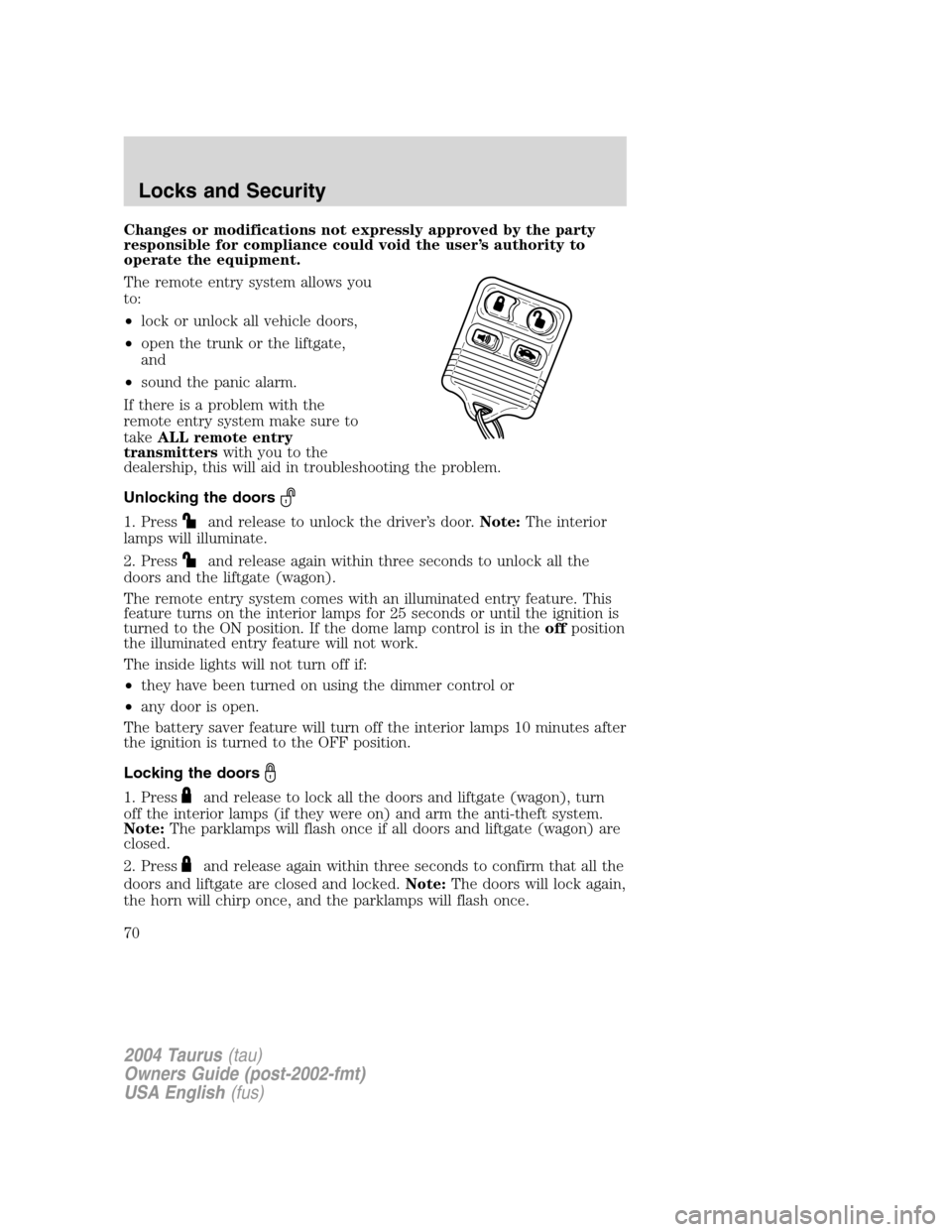
The remote entry system allows you
to:
•lock or unlock all vehicle doors,
•open the trunk or the liftgate,
and
•sound the panic alarm.
If there is a problem with the
remote entry system make sure to
takeALL remote entry
transmitterswith you to the
dealership, this will aid in troubleshooting the problem.
Unlocking the doors
1. Pressand release to unlock the driver’s door.Note:The interior
lamps will illuminate.
2. Press
and release again within three seconds to unlock all the
doors and the liftgate (wagon).
The remote entry system comes with an illuminated entry feature. This
feature turns on the interior lamps for 25 seconds or until the ignition is
turned to the ON position. If the dome lamp control is in theoffposition
the illuminated entry feature will not work.
The inside lights will not turn off if:
•they have been turned on using the dimmer control or
•any door is open.
The battery saver feature will turn off the interior lamps 10 minutes after
the ignition is turned to the OFF position.
Locking the doors
1. Pressand release to lock all the doors and liftgate (wagon), turn
off the interior lamps (if they were on) and arm the anti-theft system.
Note:The parklamps will flash once if all doors and liftgate (wagon) are
closed.
2. Press
and release again within three seconds to confirm that all the
doors and liftgate are closed and locked.Note:The doors will lock again,
the horn will chirp once, and the parklamps will flash once.
2004 Taurus(tau)
Owners Guide (post-2002-fmt)
USA English(fus)
Locks and Security
70
Page 73 of 240
6. Within 20 seconds press any button on the remote entry transmitter.
Note:If more than 20 seconds have passed you will need to start the
procedure over again.
7. The doors will lock, then unlock, to confirm that this remote entry
transmitter has been programmed.
8. Repeat Step 6 to program each additional remote entry transmitter.
9. Turn the ignition to the 3 (OFF) position after you have finished
programming all of the remote entry transmitters.Note:After 20
seconds, you will automatically exit the programming mode.
10. The doors will lock, then unlock, to confirm that the programming
mode has been exited.
Illuminated entry
The interior lamps illuminate when the remote entry system is used to
unlock the door(s) or sound the personal alarm.
The illuminated entry system will turn off the interior lights if:
•the ignition switch is turned to the ON position, or
•the remote transmitter lock control is pressed, or
•the vehicle is locked using the keyless entry keypad (if equipped), or
•after 25 seconds of illumination.
The dome lamp control (if equipped) mustnotbe set to the OFF
position for the illuminated entry system to operate.
The inside lights will not turn off if:
•they have been turned on with the dimmer control, or
•any door is open.
The battery saver will shut off the interior lamps 10 minutes after the
ignition has been turned to the OFF position.
Perimeter lamps illuminated entry
The exterior lamps illuminate when the vehicle is unlocked using the
remote entry system.
On vehicles equipped with the autolamps feature, the following items will
illuminate:
•Puddle lamps (if equipped)
•Head lamps
•Park lamps
2004 Taurus(tau)
Owners Guide (post-2002-fmt)
USA English(fus)
Locks and Security
73
Page 75 of 240
•activate or deactivate the autolock feature.
The keypad can be operated with the factory set 5–digit entry code; this
code is located on the owner’s wallet card in the glove box, is marked on
the computer module, and is available from your authorized dealer. You
can also create your own 5–digit personal entry code.
When pressing the controls on the keypad, press the middle of the
controls to ensure a good activation.
Programming a personal entry code
To create your own personal entry code:
1. Enter the factory set code.Note:The keyless entry keypad and
interior lights will illuminate and the driver’s door will unlock.
2. Within five seconds press the 1•2 on the keypad.
3. Enter your personal 5-digit code. Each number must be entered
within five seconds of each other.
4. The doors will again lock then unlock, to confirm that your personal
keycode has been programmed to the module.
Tips:
•Do not set a code that uses five of the same number.
•Do not use five numbers in sequential order.
•The factory set code will work even if you have set your own personal
code.
•If you set a second personal code it will erase your first personal code.
Note:To exit programming mode, either wait 5 seconds after pressing 1
•2 on the keypad, or press the 7•8 and 9•0 pads simultaneously to
lock all vehicle doors and end programming mode.
Erasing personal code
1. Enter the factory set 5–digit code. The keyless entry keypad and
interior lights will illuminate and the driver’s door will unlock.
2. Press and release the 1•2 within five seconds of completing step 1.
3. Press and hold the 1•2 for two seconds to erase the customer
programmed code.
Your personal code is now erased and only the factory set 5–digit code
will work.
Note:To exit programming mode, either wait 5 seconds after pressing 1
•2 on the keypad, or press the 7•8 and 9•0 pads simultaneously to
lock all vehicle doors and end programming mode.
2004 Taurus(tau)
Owners Guide (post-2002-fmt)
USA English(fus)
Locks and Security
75
Page 230 of 240
FORD ACCESSORIES FOR YOUR VEHICLE
A wide selection of genuine Ford accessories are available for your
vehicle through your local authorized Ford or Ford of Canada dealer.
These quality accessories have been specifically engineered to fulfill your
automotive needs; they are custom designed to complement the style
and aerodynamic appearance of your vehicle. In addition, each accessory
is made from high quality materials and meets or exceeds Ford’s rigorous
engineering and safety specifications. Ford Motor Company will repair or
replace any properly dealer-installed Ford accessory found to be
defective in factory-supplied materials or workmanship during the
warranty period, as well as any component damaged by the defective
accessory. The accessory will be warranted for whichever provides you
the greatest benefit:
•12 months or 20,000 km (12,000 miles) (whichever occurs first), or
•the remainder of your new vehicle limited warranty.
This means that genuine Ford accessories purchased along with your
new vehicle and installed by the dealer are covered for the full length of
your New Vehicle’s Limited Warranty—3 years or 60,000 km (36,000
miles) (whichever occurs first). Contact your dealer for details and a
copy of the warranty.
Not all accessories are available for all models.
Following is a list of several Ford Genuine Accessory products. Not all
accessories are available for all models. To find out what accessories are
available for your vehicle, please contact your dealer or visit our online
store at: www.fordaccessoriesstore.com.
Exterior style
Bug shields
Deflectors
Exterior trim kits
Front end covers
Grille inserts
Headlamps, fog lights and Daytime Running Lamps (DRLS)
Splash guards
Wheels
Interior style
Cell phone holders
Electrochromatic compass/temperature interior mirrors
2004 Taurus(tau)
Owners Guide (post-2002-fmt)
USA English(fus)
Accessories
Accessories
230
Page 234 of 240
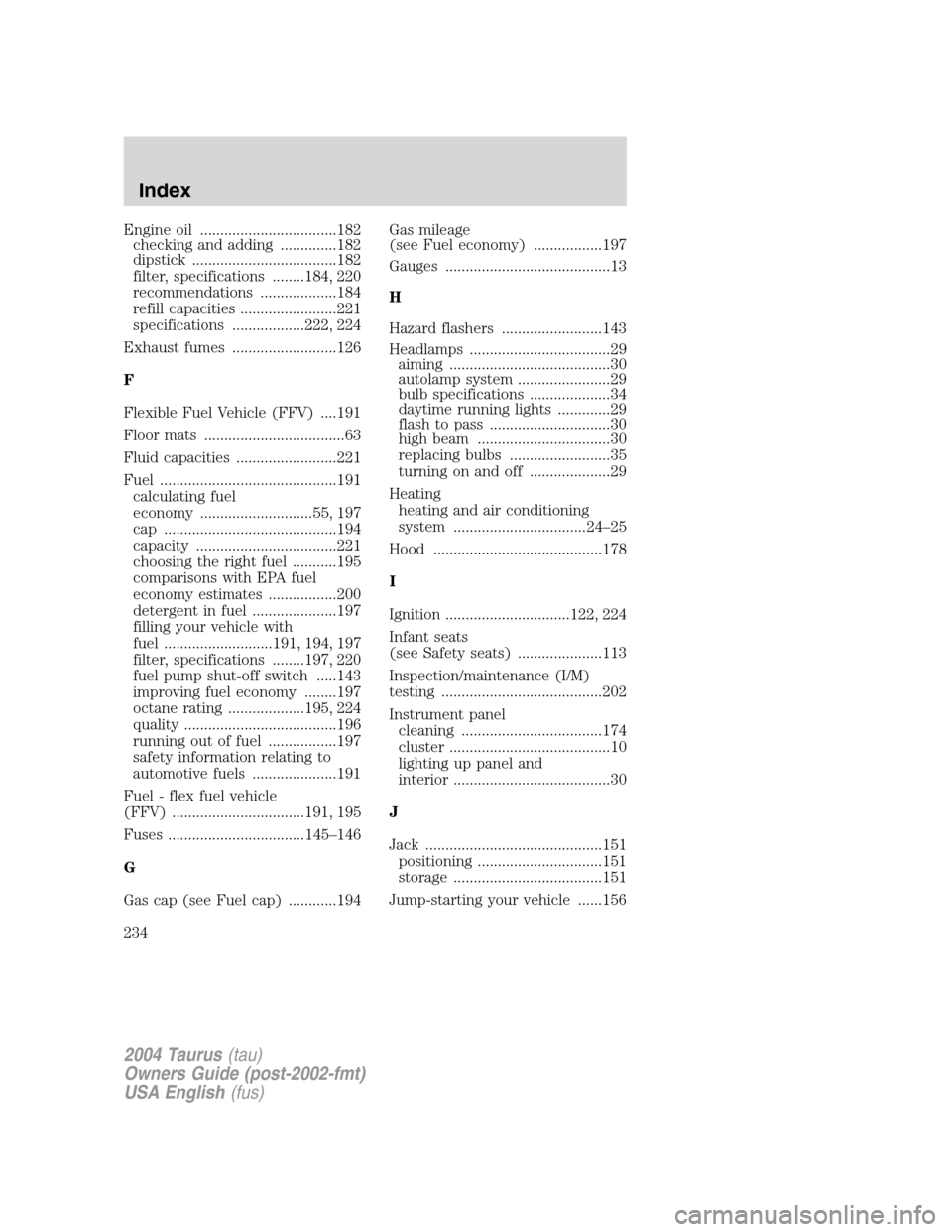
Engine oil ..................................182
checking and adding ..............182
dipstick ....................................182
filter, specifications ........184, 220
recommendations ...................184
refill capacities ........................221
specifications ..................222, 224
Exhaust fumes ..........................126
F
Flexible Fuel Vehicle (FFV) ....191
Floor mats ...................................63
Fluid capacities .........................221
Fuel ............................................191
calculating fuel
economy ............................55, 197
cap ...........................................194
capacity ...................................221
choosing the right fuel ...........195
comparisons with EPA fuel
economy estimates .................200
detergent in fuel .....................197
filling your vehicle with
fuel ...........................191, 194, 197
filter, specifications ........197, 220
fuel pump shut-off switch .....143
improving fuel economy ........197
octane rating ...................195, 224
quality ......................................196
running out of fuel .................197
safety information relating to
automotive fuels .....................191
Fuel - flex fuel vehicle
(FFV) .................................191, 195
Fuses ..................................145–146
G
Gas cap (see Fuel cap) ............194Gas mileage
(see Fuel economy) .................197
Gauges .........................................13
H
Hazard flashers .........................143
Headlamps ...................................29
aiming ........................................30
autolamp system .......................29
bulb specifications ....................34
daytime running lights .............29
flash to pass ..............................30
high beam .................................30
replacing bulbs .........................35
turning on and off ....................29
Heating
heating and air conditioning
system .................................24–25
Hood ..........................................178
I
Ignition ...............................122, 224
Infant seats
(see Safety seats) .....................113
Inspection/maintenance (I/M)
testing ........................................202
Instrument panel
cleaning ...................................174
cluster ........................................10
lighting up panel and
interior .......................................30
J
Jack ............................................151
positioning ...............................151
storage .....................................151
Jump-starting your vehicle ......156
2004 Taurus(tau)
Owners Guide (post-2002-fmt)
USA English(fus)
Index
234
Page 235 of 240
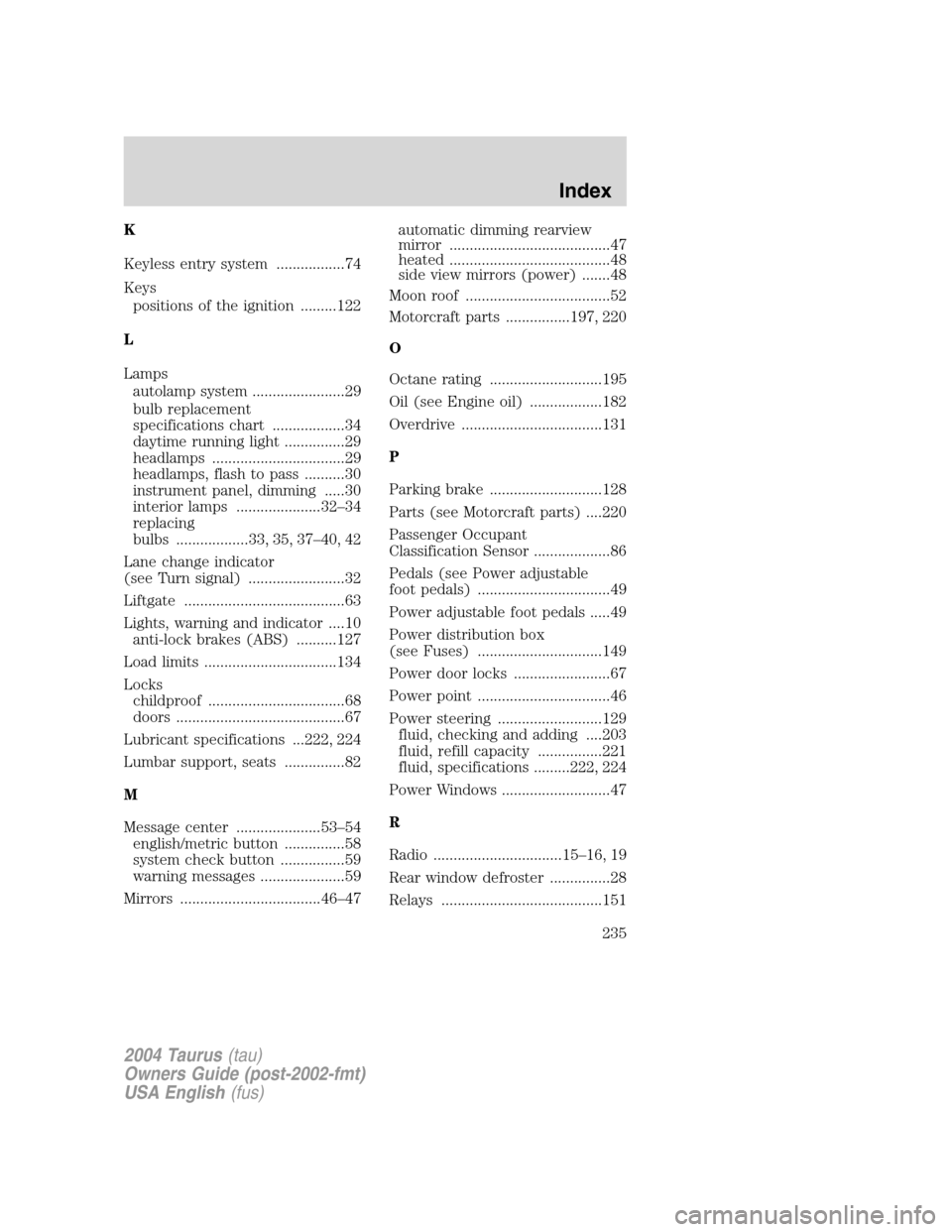
K
Keyless entry system .................74
Keys
positions of the ignition .........122
L
Lamps
autolamp system .......................29
bulb replacement
specifications chart ..................34
daytime running light ...............29
headlamps .................................29
headlamps, flash to pass ..........30
instrument panel, dimming .....30
interior lamps .....................32–34
replacing
bulbs ..................33, 35, 37–40, 42
Lane change indicator
(see Turn signal) ........................32
Liftgate ........................................63
Lights, warning and indicator ....10
anti-lock brakes (ABS) ..........127
Load limits .................................134
Locks
childproof ..................................68
doors ..........................................67
Lubricant specifications ...222, 224
Lumbar support, seats ...............82
M
Message center .....................53–54
english/metric button ...............58
system check button ................59
warning messages .....................59
Mirrors ...................................46–47automatic dimming rearview
mirror ........................................47
heated ........................................48
side view mirrors (power) .......48
Moon roof ....................................52
Motorcraft parts ................197, 220
O
Octane rating ............................195
Oil (see Engine oil) ..................182
Overdrive ...................................131
P
Parking brake ............................128
Parts (see Motorcraft parts) ....220
Passenger Occupant
Classification Sensor ...................86
Pedals (see Power adjustable
foot pedals) .................................49
Power adjustable foot pedals .....49
Power distribution box
(see Fuses) ...............................149
Power door locks ........................67
Power point .................................46
Power steering ..........................129
fluid, checking and adding ....203
fluid, refill capacity ................221
fluid, specifications .........222, 224
Power Windows ...........................47
R
Radio ................................15–16, 19
Rear window defroster ...............28
Relays ........................................151
2004 Taurus(tau)
Owners Guide (post-2002-fmt)
USA English(fus)
Index
235