ignition FORD TAURUS 2005 4.G User Guide
[x] Cancel search | Manufacturer: FORD, Model Year: 2005, Model line: TAURUS, Model: FORD TAURUS 2005 4.GPages: 248, PDF Size: 2.66 MB
Page 59 of 248
Selectable features
Reset
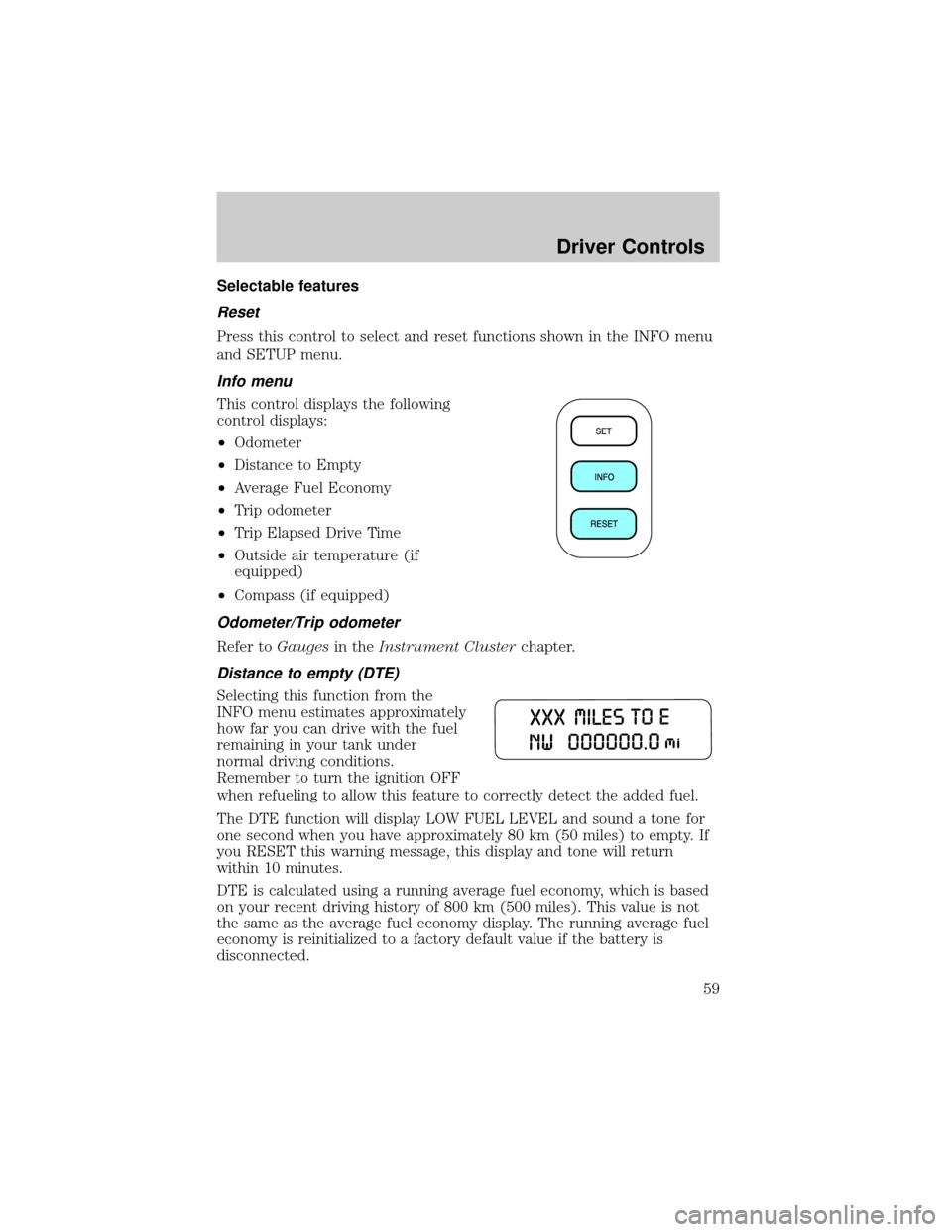
Press this control to select and reset functions shown in the INFO menu
and SETUP menu.
Info menu
This control displays the following
control displays:
²Odometer
²Distance to Empty
²Average Fuel Economy
²Trip odometer
²Trip Elapsed Drive Time
²Outside air temperature (if
equipped)
²Compass (if equipped)
Odometer/Trip odometer
Refer toGaugesin theInstrument Clusterchapter.
Distance to empty (DTE)
Selecting this function from the
INFO menu estimates approximately
how far you can drive with the fuel
remaining in your tank under
normal driving conditions.
Remember to turn the ignition OFF
when refueling to allow this feature to correctly detect the added fuel.
The DTE function will display LOW FUEL LEVEL and sound a tone for
one second when you have approximately 80 km (50 miles) to empty. If
you RESET this warning message, this display and tone will return
within 10 minutes.
DTE is calculated using a running average fuel economy, which is based
on your recent driving history of 800 km (500 miles). This value is not
the same as the average fuel economy display. The running average fuel
economy is reinitialized to a factory default value if the battery is
disconnected.
Driver Controls
59
Page 61 of 248
Outside air temperature (if equipped)
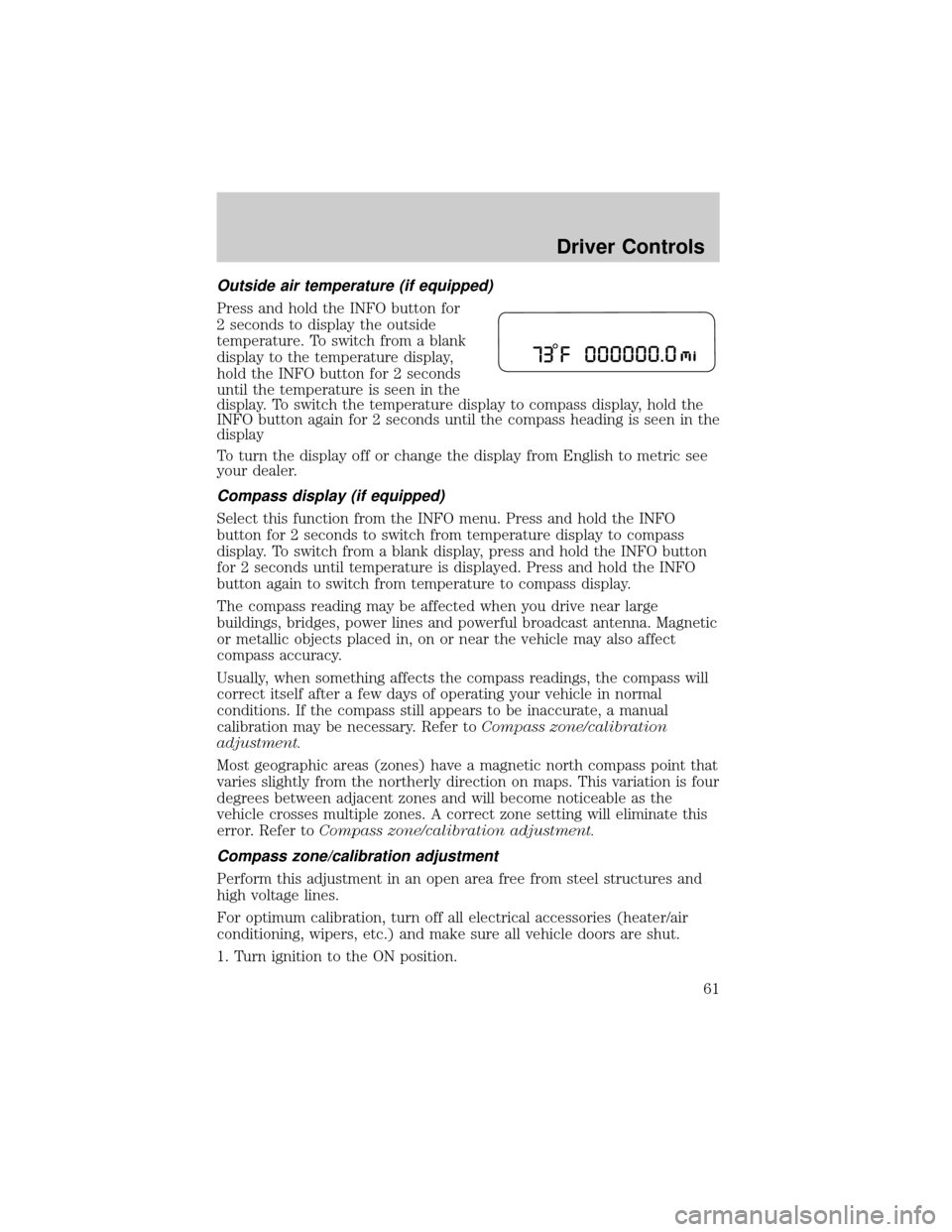
Press and hold the INFO button for
2 seconds to display the outside
temperature. To switch from a blank
display to the temperature display,
hold the INFO button for 2 seconds
until the temperature is seen in the
display. To switch the temperature display to compass display, hold the
INFO button again for 2 seconds until the compass heading is seen in the
display
To turn the display off or change the display from English to metric see
your dealer.
Compass display (if equipped)
Select this function from the INFO menu. Press and hold the INFO
button for 2 seconds to switch from temperature display to compass
display. To switch from a blank display, press and hold the INFO button
for 2 seconds until temperature is displayed. Press and hold the INFO
button again to switch from temperature to compass display.
The compass reading may be affected when you drive near large
buildings, bridges, power lines and powerful broadcast antenna. Magnetic
or metallic objects placed in, on or near the vehicle may also affect
compass accuracy.
Usually, when something affects the compass readings, the compass will
correct itself after a few days of operating your vehicle in normal
conditions. If the compass still appears to be inaccurate, a manual
calibration may be necessary. Refer toCompass zone/calibration
adjustment.
Most geographic areas (zones) have a magnetic north compass point that
varies slightly from the northerly direction on maps. This variation is four
degrees between adjacent zones and will become noticeable as the
vehicle crosses multiple zones. A correct zone setting will eliminate this
error. Refer toCompass zone/calibration adjustment.
Compass zone/calibration adjustment
Perform this adjustment in an open area free from steel structures and
high voltage lines.
For optimum calibration, turn off all electrical accessories (heater/air
conditioning, wipers, etc.) and make sure all vehicle doors are shut.
1. Turn ignition to the ON position.
Driver Controls
61
Page 65 of 248
the message center after you acknowledge the warning by pressing the
RESET control and clearing the warning message.
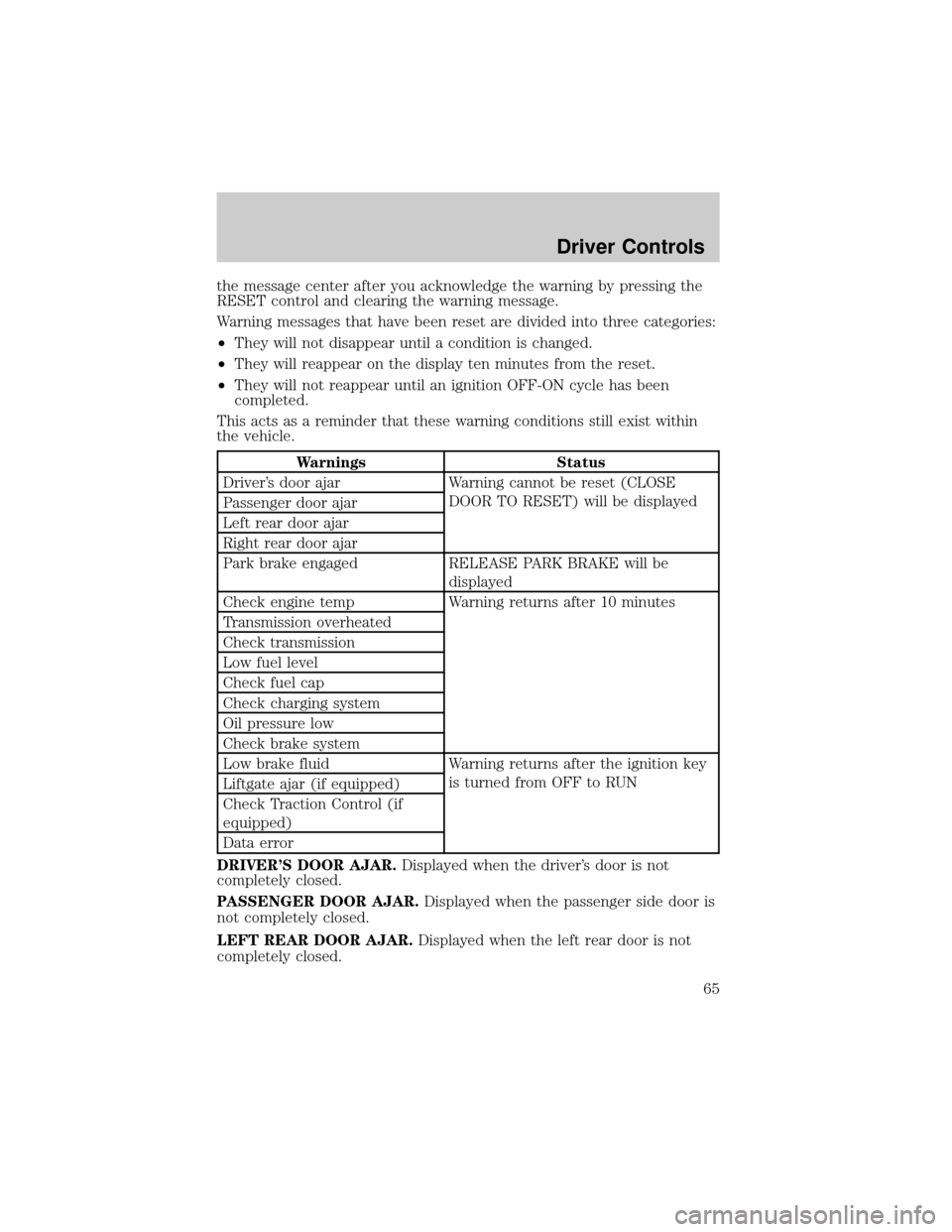
Warning messages that have been reset are divided into three categories:
²They will not disappear until a condition is changed.
²They will reappear on the display ten minutes from the reset.
²They will not reappear until an ignition OFF-ON cycle has been
completed.
This acts as a reminder that these warning conditions still exist within
the vehicle.
Warnings Status
Driver's door ajar Warning cannot be reset (CLOSE
DOOR TO RESET) will be displayed
Passenger door ajar
Left rear door ajar
Right rear door ajar
Park brake engaged RELEASE PARK BRAKE will be
displayed
Check engine temp Warning returns after 10 minutes
Transmission overheated
Check transmission
Low fuel level
Check fuel cap
Check charging system
Oil pressure low
Check brake system
Low brake fluid Warning returns after the ignition key
is turned from OFF to RUN
Liftgate ajar (if equipped)
Check Traction Control (if
equipped)
Data error
DRIVER'S DOOR AJAR.Displayed when the driver's door is not
completely closed.
PASSENGER DOOR AJAR.Displayed when the passenger side door is
not completely closed.
LEFT REAR DOOR AJAR.Displayed when the left rear door is not
completely closed.
Driver Controls
65
Page 73 of 248
KEYS
The key operates all locks on your vehicle. In case of loss, replacement
keys are available from your dealer.
You should always carry a second key with you in a safe place in case
you require it in an emergency.
Refer toSecuriLockyPassive Anti-Theft Systemfor more information.
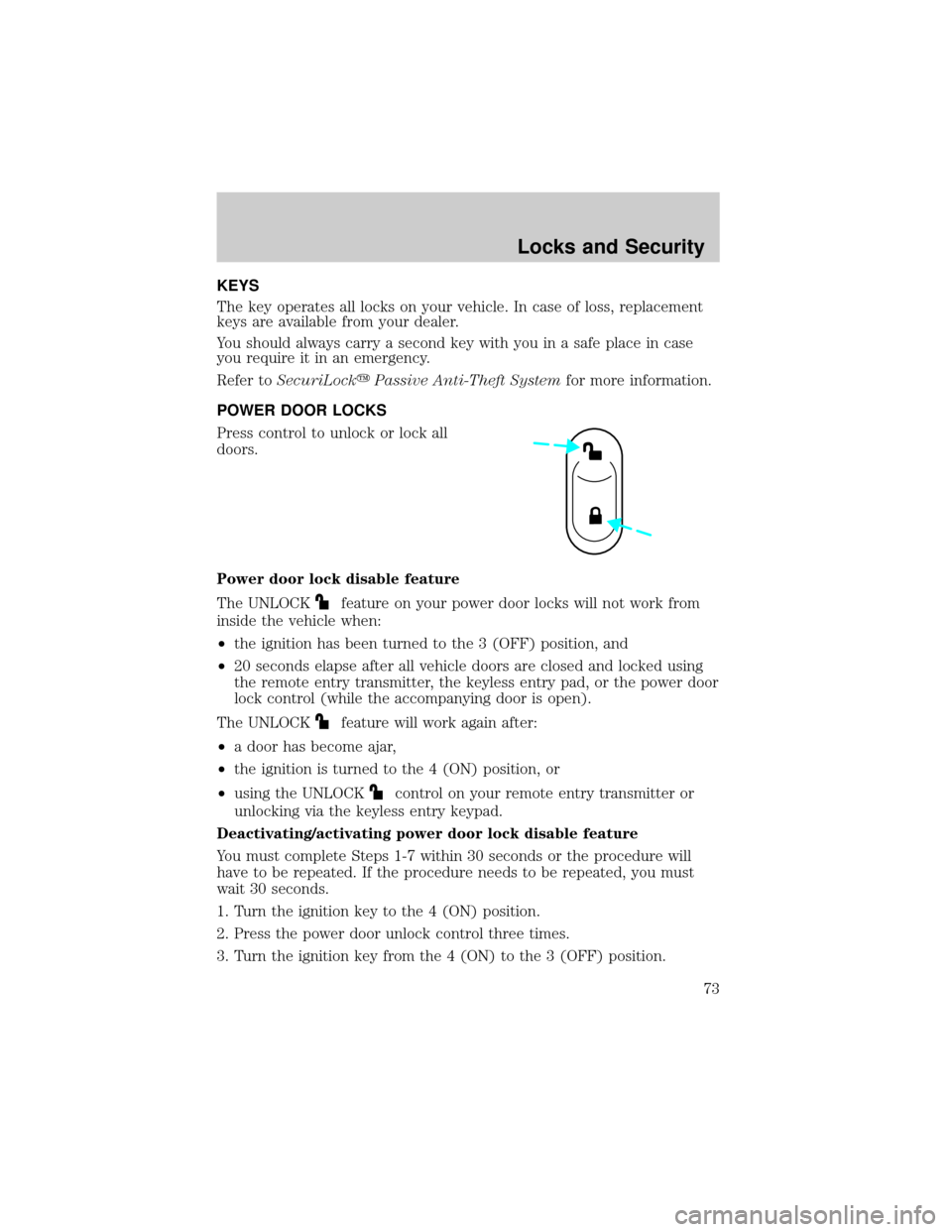
POWER DOOR LOCKS
Press control to unlock or lock all
doors.
Power door lock disable feature
The UNLOCK
feature on your power door locks will not work from
inside the vehicle when:
²the ignition has been turned to the 3 (OFF) position, and
²20 seconds elapse after all vehicle doors are closed and locked using
the remote entry transmitter, the keyless entry pad, or the power door
lock control (while the accompanying door is open).
The UNLOCK
feature will work again after:
²a door has become ajar,
²the ignition is turned to the 4 (ON) position, or
²using the UNLOCK
control on your remote entry transmitter or
unlocking via the keyless entry keypad.
Deactivating/activating power door lock disable feature
You must complete Steps 1-7 within 30 seconds or the procedure will
have to be repeated. If the procedure needs to be repeated, you must
wait 30 seconds.
1. Turn the ignition key to the 4 (ON) position.
2. Press the power door unlock control three times.
3. Turn the ignition key from the 4 (ON) to the 3 (OFF) position.
Locks and Security
Locks and Security
73
Page 74 of 248
4. Press the power door unlock control three times.
5. Turn the ignition back to the 4 (ON) position. The horn will chirp.
6. Press the unlock control, then press the lock control.Note:The horn
will chirp twice if autolock was deactivated or chirp twice then honk
(two short and one long chirp) if autolock was activated.
7. Press the power door unlock control and then the lock control again
in order to toggle the autolock/relock states.
8. Turn the ignition to the 3 (OFF) position. The horn will chirp once to
confirm the procedure is complete.
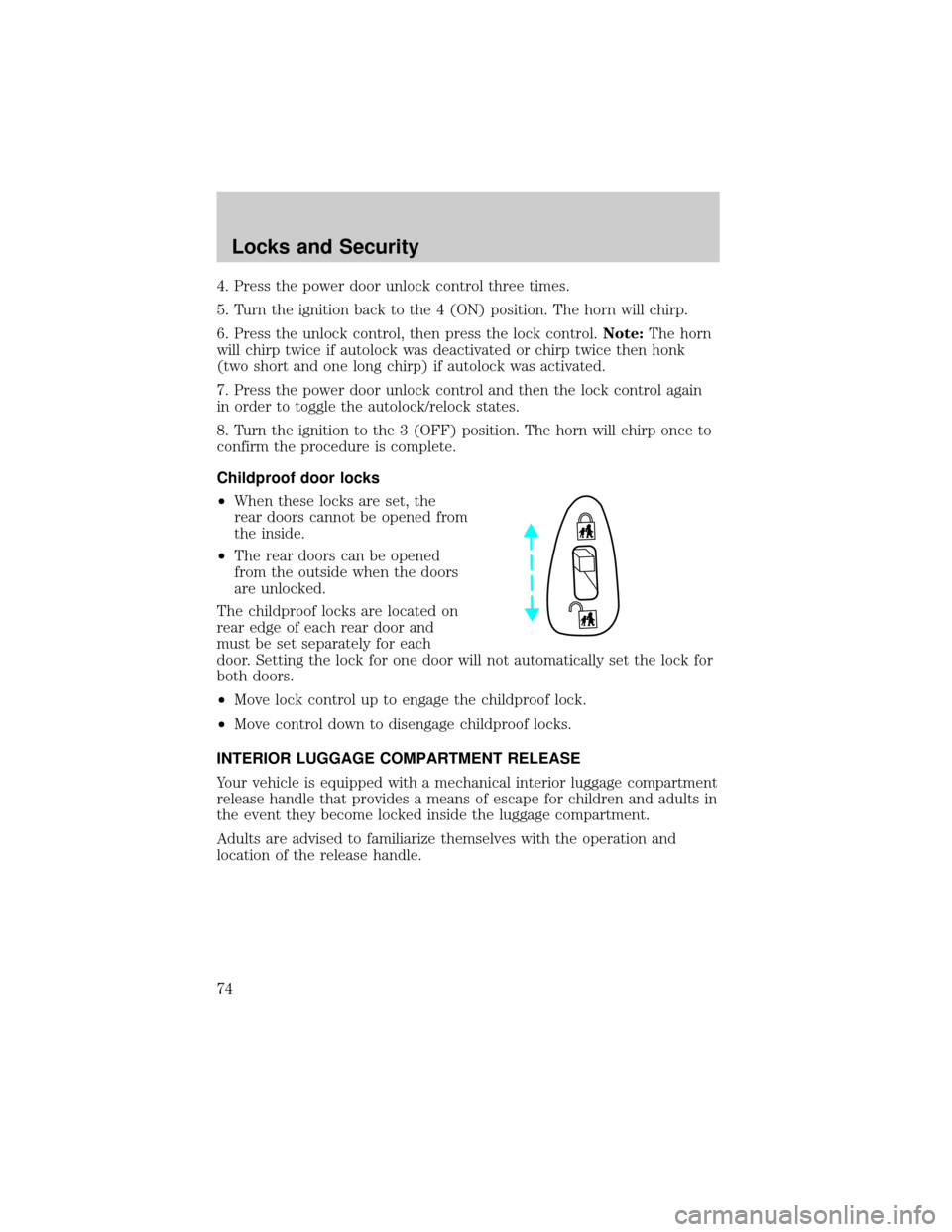
Childproof door locks
²When these locks are set, the
rear doors cannot be opened from
the inside.
²The rear doors can be opened
from the outside when the doors
are unlocked.
The childproof locks are located on
rear edge of each rear door and
must be set separately for each
door. Setting the lock for one door will not automatically set the lock for
both doors.
²Move lock control up to engage the childproof lock.
²Move control down to disengage childproof locks.
INTERIOR LUGGAGE COMPARTMENT RELEASE
Your vehicle is equipped with a mechanical interior luggage compartment
release handle that provides a means of escape for children and adults in
the event they become locked inside the luggage compartment.
Adults are advised to familiarize themselves with the operation and
location of the release handle.
Locks and Security
74
Page 76 of 248
Changes or modifications not expressly approved by the party
responsible for compliance could void the user's authority to
operate the equipment.
The typical operating range for your remote entry transmitter is
approximately 33 feet (10 meters). A decrease in operating range could
be caused by:
²weather conditions,
²nearby radio towers,
²structures around the vehicle, or
²other vehicles parked next to your vehicle.
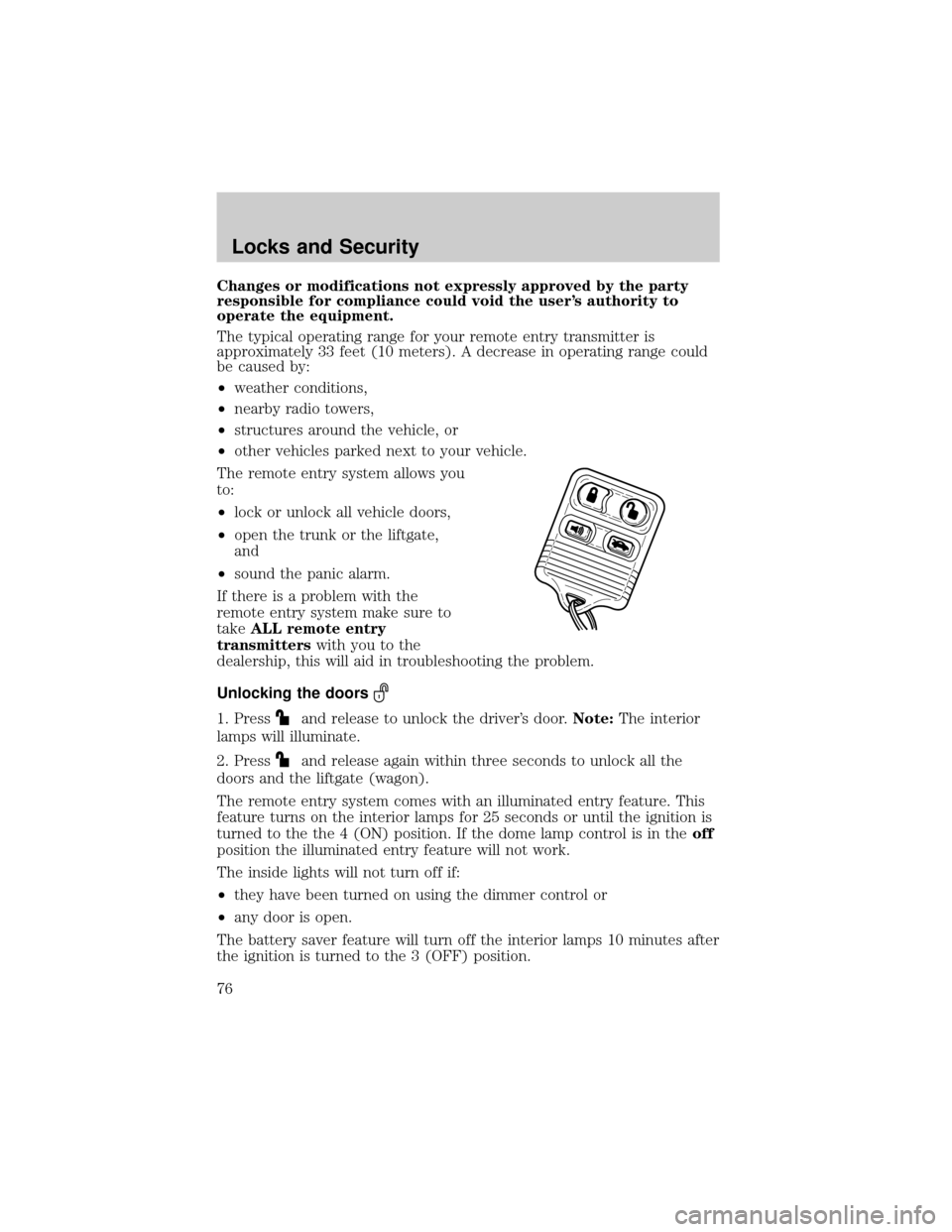
The remote entry system allows you
to:
²lock or unlock all vehicle doors,
²open the trunk or the liftgate,
and
²sound the panic alarm.
If there is a problem with the
remote entry system make sure to
takeALL remote entry
transmitterswith you to the
dealership, this will aid in troubleshooting the problem.
Unlocking the doors
1. Pressand release to unlock the driver's door.Note:The interior
lamps will illuminate.
2. Press
and release again within three seconds to unlock all the
doors and the liftgate (wagon).
The remote entry system comes with an illuminated entry feature. This
feature turns on the interior lamps for 25 seconds or until the ignition is
turned to the the 4 (ON) position. If the dome lamp control is in theoff
position the illuminated entry feature will not work.
The inside lights will not turn off if:
²they have been turned on using the dimmer control or
²any door is open.
The battery saver feature will turn off the interior lamps 10 minutes after
the ignition is turned to the 3 (OFF) position.
Locks and Security
76
Page 77 of 248
Locking the doors
1. Pressand release to lock all the doors and liftgate (wagon), turn
off the interior lamps (if they were on) and arm the anti-theft system.
Note:The parklamps will flash once if all doors and liftgate (wagon) are
closed.
2. Press
and release again within three seconds to confirm that all the
doors and liftgate are closed and locked.Note:The doors will lock again,
the horn will chirp once, and the parklamps will flash once.
If any of the doors or liftgate (wagon) are not properly closed the horn
will make two quick chirps, and the parklamps will not flash. As soon as
all vehicle doors and the liftgate (wagon) are closed, the parklamps will
flash once to confirm that all doors and liftgate (wagon) are closed.
Sounding a panic alarm
Press
to activate the alarm. Both the horn will sound and the
parklamps will flash for a maximum of 30 seconds. Press again or turn
the ignition to the 4 (ON) position to deactivate, or wait for the alarm to
timeout in 3 minutes.
Note:The panic alarm will only operate when the ignition is in the 1
(ACCESSORY), 2 (LOCK) or 3 (OFF) position.
Opening the trunk
Pressonce to unlock the trunk or liftgate (wagon).
Replacing the battery
The remote entry transmitter uses one coin type three-volt lithium
battery CR2032 or equivalent.
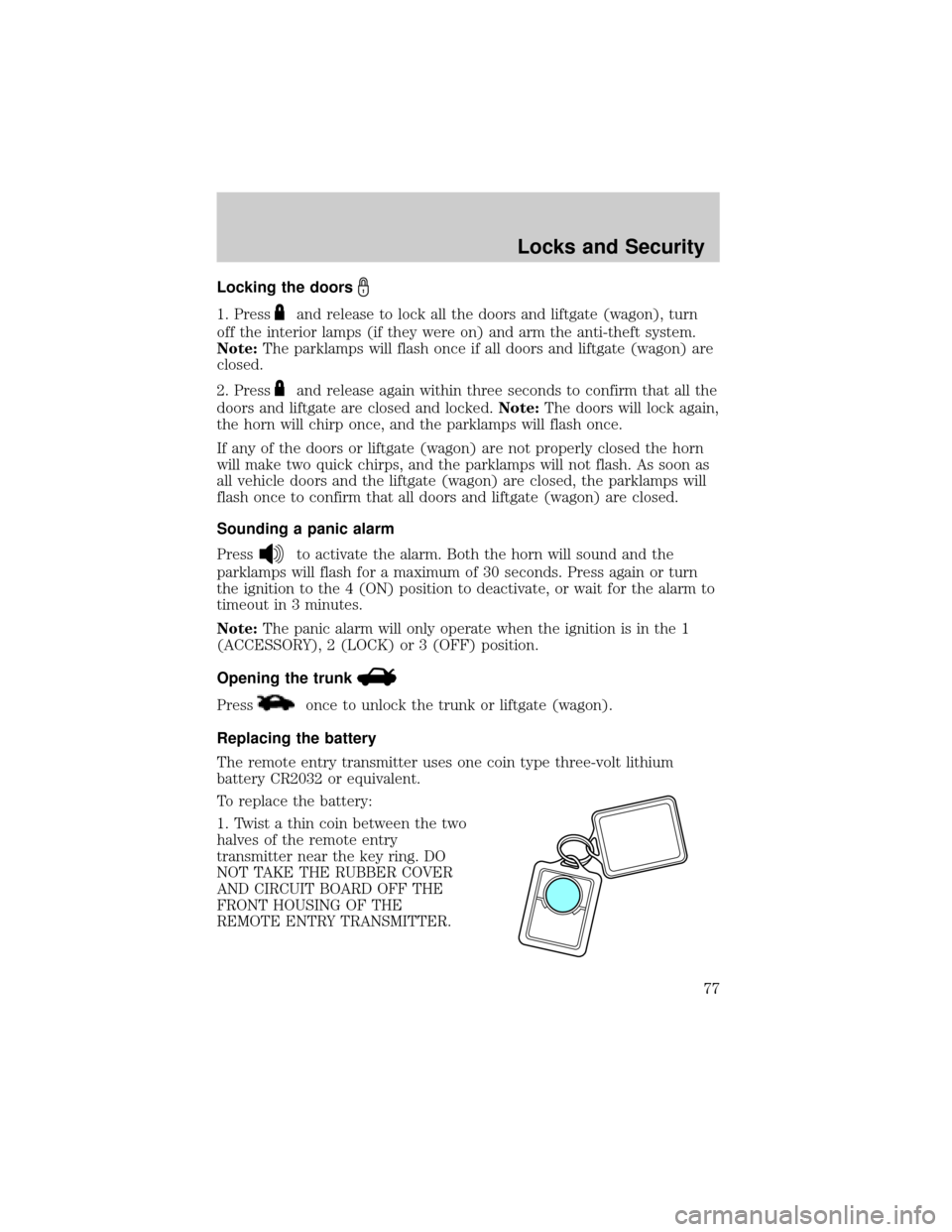
To replace the battery:
1. Twist a thin coin between the two
halves of the remote entry
transmitter near the key ring. DO
NOT TAKE THE RUBBER COVER
AND CIRCUIT BOARD OFF THE
FRONT HOUSING OF THE
REMOTE ENTRY TRANSMITTER.
Locks and Security
77
Page 78 of 248
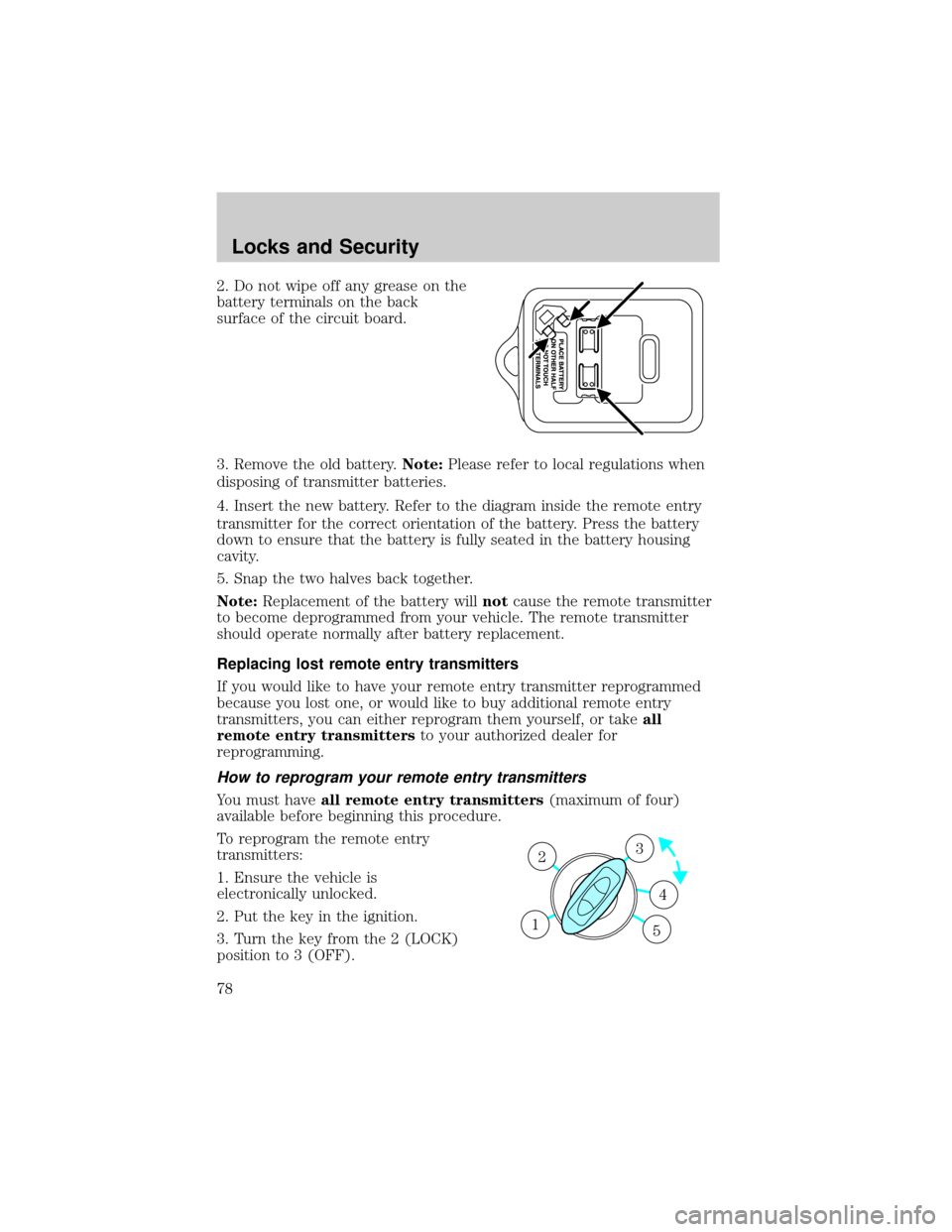
2. Do not wipe off any grease on the
battery terminals on the back
surface of the circuit board.
3. Remove the old battery.Note:Please refer to local regulations when
disposing of transmitter batteries.
4. Insert the new battery. Refer to the diagram inside the remote entry
transmitter for the correct orientation of the battery. Press the battery
down to ensure that the battery is fully seated in the battery housing
cavity.
5. Snap the two halves back together.
Note:Replacement of the battery willnotcause the remote transmitter
to become deprogrammed from your vehicle. The remote transmitter
should operate normally after battery replacement.
Replacing lost remote entry transmitters
If you would like to have your remote entry transmitter reprogrammed
because you lost one, or would like to buy additional remote entry
transmitters, you can either reprogram them yourself, or takeall
remote entry transmittersto your authorized dealer for
reprogramming.
How to reprogram your remote entry transmitters
You must haveall remote entry transmitters(maximum of four)
available before beginning this procedure.
To reprogram the remote entry
transmitters:
1. Ensure the vehicle is
electronically unlocked.
2. Put the key in the ignition.
3. Turn the key from the 2 (LOCK)
position to 3 (OFF).
3
4
1 2
5
Locks and Security
78
Page 79 of 248

4. Cycle eight times rapidly (within 10 seconds) between the 3 (OFF)
position and 4 (ON).Note:The eighth turn must end in the 4 (ON)
position.
5. The doors will lock, then unlock, to confirm that the programming
mode has been activated.
6. Within 20 seconds press any button on the remote entry transmitter.
Note:If more than 20 seconds have passed you will need to start the
procedure over again.
7. The doors will lock, then unlock, to confirm that this remote entry
transmitter has been programmed.
8. Repeat Step 6 to program each additional remote entry transmitter.
9. Turn the ignition to the 3 (OFF) position after you have finished
programming all of the remote entry transmitters.Note:After 20
seconds, you will automatically exit the programming mode.
10. The doors will lock, then unlock, to confirm that the programming
mode has been exited.
Illuminated entry
The interior lamps illuminate when the remote entry system is used to
unlock the door(s) or sound the personal alarm.
The illuminated entry system will turn off the interior lights if:
²the ignition is turned to the 4 (ON) position, or
²the remote transmitter lock control is pressed, or
²the vehicle is locked using the keyless entry keypad (if equipped), or
²after 25 seconds of illumination.
The dome lamp control (if equipped) mustnotbe set to the off position
for the illuminated entry system to operate.
The inside lights will not turn off if:
²they have been turned on with the dimmer control, or
²any door is open.
The battery saver will shut off the interior lamps 10 minutes after the
ignition has been turned to the 3 (OFF) position.
Perimeter lamps illuminated entry
The exterior lamps illuminate when the vehicle is unlocked using the
remote entry system.
Locks and Security
79
Page 80 of 248

On vehicles equipped with the autolamps feature, the following items will
illuminate:
²Puddle lamps (if equipped)
²Head lamps
²Park lamps
²Tail lamps
On vehicles not equipped with the autolamps feature, only the following
items will illuminate:
²Puddle lamps (if equipped)
²Park lamps
²Tail lamps
The system will automatically turn off if:
²the ignition switch is turned to the 4 (ON) position, or
²the remote entry transmitter lock control is pressed, or
²the vehicle is locked using the keyless entry keypad (if equipped), or
²after 25 seconds of illumination.
Deactivating/activating perimeter lamps
You may enable/disable this feature by having your vehicle serviced by
your authorized dealer.
You may also perform the following power door lock sequence to
enable/disable the perimeter lamps feature:
1. Turn the ignition to the 4 (ON) position, then press the power door
unlock control 3 times.
2. Turn the ignition to the 3 (OFF) position, then press the power door
unlock control 3 times.
3. Turn the ignition to the 4 (ON) position, and within five seconds press
the power door unlock control 2 times.Note:The horn will chirp twice
if the perimeter lamps feature was deactivated, or chirp twice then honk
(two shorts, followed by one long) if the feature was activated.
4. Turn the ignition to the 3 (OFF) position to exit the procedure.Note:
The horn will chirp once to confirm the procedure is complete.
Note:The puddle lamps (if equipped) cannot be deactivated; performing
this procedure will only deactivate the head, park and tail lamps.
Locks and Security
80